microsoft 365
5063 Topics
I can't add an O365 email to Outlook desktop client but I can access it from the web
I can't add a O365 to Outlook desktop client but I can access from the web This a weird thing, whenever I try to add in Outlook from File > Add Account I get the message "Something went wrong and Outlook couldn't set up your account". From Control Panel > Mail > Email accounts > New > Manual Setup > here I put the email and gets stuck at "Searching for... Settings" and then " An encrypted connection to your email is not available, click Next to attempt using an unencrypted connection", so I do that and get the error "We're sorry we couldn't set up your account automatically. To try setting up the account yourself click Next" which is basically the same. Everything works fine in the browser, any ideas on this?19KViews1like12CommentsSecurity Community Spotlight: Luca Romero Arrieche Heller
Meet Luca, Modern Workplace and Cloud Consultant at SoftwareOne Iberia, a Microsoft Partner. Luca has been working with Microsoft Security and cloud technologies for over a decade, closely following the evolution of the Microsoft Security ecosystem. Today, Luca focuses on Modern Work and security transformation projects, including large-scale Microsoft 365 migrations, enterprise messaging modernization with Exchange Online, endpoint management deployments with Microsoft Intune, and identity-driven security architectures across Microsoft environments. In addition to implementation projects, Luca also delivers technical workshops focused on threat protection and Microsoft security technologies, helping organizations better understand and implement solutions such as Microsoft Defender XDR, Microsoft Entra ID, endpoint security, and Zero Trust strategies to strengthen their overall security posture. Here’s what Luca had to say about his winding road through Microsoft Security and its Community. All responses are quotes from Luca. Microsoft Security Community How would you describe your Microsoft Security Community involvement or advocacy, globally and/or locally? When did you begin? My involvement with the Microsoft Community began early in my career through regional Microsoft community and influencer programs in Brazil. During that time, I became involved with Microsoft Virtual Academy (MVA) and started writing security-focused technical articles based on real project experience. My early technical journey began working with on-premises technologies such as ISA Server, Exchange Server, and Active Directory, which provided a strong foundation in Microsoft infrastructure and security. Through community participation and my blog, I began documenting real-world implementations and lessons learned related to Microsoft Security and cloud technologies. Over the years, my professional work has remained closely connected to the Microsoft ecosystem, implementing technologies such as Advanced Threat Analytics (ATA), Advanced Threat Protection (ATP), Microsoft Defender XDR, Microsoft Entra ID, and Microsoft Intune in enterprise environments. Today, my community advocacy is strongly connected to real-world experience, focusing on Zero Trust architectures, identity protection, modern endpoint security, and large-scale Microsoft 365 transformations and migrations. I noticed you’ve also answered a number of questions and have helped provide solutions in Microsoft Tech Community forums. How did you come across this and what inspired you to help? I have always been encouraged to participate in the technical community and share knowledge. Since the early days of TechNet, I have been involved in learning from others and contributing whenever possible. The culture of collaboration within the Microsoft ecosystem played an important role in my professional development. Many of the challenges I faced early in my career were solved thanks to the knowledge shared by the community. Because of that, contributing back feels natural. In the Microsoft Security Tech Community forums, I often see questions that are very similar to challenges I face in my daily work as a consultant. Sharing my experience becomes a practical way to help others navigate similar situations. Experience is important not only for solving problems, but also for knowing where to look and how to approach a solution. When I see questions without answers or clear guidance, I try to contribute by sharing practical insights, troubleshooting approaches, and real-world solutions. What do you find most rewarding about being a member of the Microsoft Security Community? What I find most rewarding is knowing that the community played a direct role in shaping my professional journey. Early in my career, I learned extensively through forums, technical discussions, and shared knowledge. That collaborative environment enabled me to grow into increasingly complex enterprise projects. Over the years, I have followed the evolution of Microsoft Security solutions... the community has always been part of that journey. Today, being able to contribute insights gained from large-scale security architectures, identity modernization, and enterprise Microsoft 365 migrations is my way of giving back. Additionally, as a founding member of Microsoft Virtual Academy, I published security-focused technical articles and created my blog to document real-world implementations, always referencing sources and applied knowledge. Speaking of Microsoft Security solutions...which feature or product has provided the most impact? How has it helped you or your customers? The combination of Entra ID Protection with Conditional Access and the unified visibility of Defender XDR (are the Microsoft Security products that have) delivered the greatest impact by reducing compromised credential risks and accelerating incident response through identity, endpoint, and cloud workload correlation. Back to the Microsoft Community- what advice do you have for others who would like to get involved? My advice is simple: start by learning, then share what you have genuinely implemented in practice. The community values real-world experience, technical honesty, and genuine collaboration. It’s not about visibility — it’s about adding value. Be consistent, support others, and document your journey. Impact follows naturally. Linking up with Luca Do you have anything you’d like to promote or recommend? I recommend diving deeper into Intune, Defender, and Exchange Online, especially focusing on the integration between identity, endpoint protection, and email security within a well-structured Zero Trust Where can people get in touch with you or follow your content? LinkedIn: https://www.linkedin.com/in/lucarheller GitHub: https://github.com/LucaARHeller Blog: https://lucaheller.wordpress.com/ Microsoft Tech Community: LucaHeller Please share anything else essential to you. Before thinking about advanced security tools, it is essential to understand how the underlying technologies work. Whether it is something simple like DNS resolution, how authentication flows operate, or how policies are applied across enterprise environments, these foundational concepts are what allow security architectures to be built correctly. For me, combining strong technical fundamentals with modern security technologies and real-world implementation experience is what enables organizations to build secure and resilient Microsoft environments. Luca’s story is a strong reminder of what makes the Microsoft Security Community thrive: practical contributions grounded in real-world experience. Through training, documenting, and showing up to help others, Luca demonstrates how continuous learning and compassion can benefit everyone. The community is better for his continued involvement, and his journey is an invitation for others to participate, share what they’ve learned, and keep strengthening security together. __________________________________________________________________________________________________________________________________________________________________ Learn and Engage with the Microsoft Security Community Log in and follow this Microsoft Security Community Blog. Follow = Click the heart in the upper right when you're logged in 🤍. Join the Microsoft Security Community and be notified of upcoming events, product feedback surveys, and more. Get early access to Microsoft Security products and provide feedback to engineers by joining the Microsoft Security Advisors. Join the Microsoft Security Community LinkedIn Group and follow the Microsoft Entra Community on LinkedIn.205Views0likes0CommentsMicrosoft 365 & Power Platform Community call
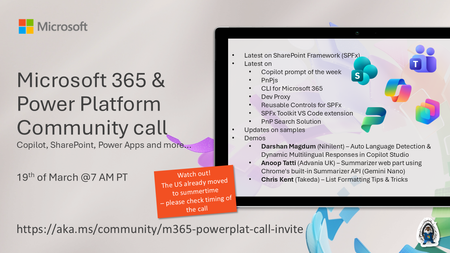
💡 Microsoft 365 & Power Platform Development bi-weekly community call focuses on different use cases and features within the Microsoft 365 and Power Platform - across Microsoft 365 Copilot, Copilot Studio, SharePoint, Power Apps and more. Demos in this call are presented by the community members. 👏 Looking to catch up on the latest news and updates, including cool community demos, this call is for you! 📅 On 19th of March we'll have following agenda: Latest on SharePoint Framework (SPFx) Latest on Copilot prompt of the week PnPjs CLI for Microsoft 365 Dev Proxy Reusable Controls for SPFx SPFx Toolkit VS Code extension PnP Search Solution Demos this time Darshan Magdum (Nihilent) – Auto Language Detection & Dynamic Multilingual Responses in Copilot Studio Anoop Tatti (Advania UK) – Summarizer web part using Chrome's built-in Summarizer API (Gemini Nano) Chris Kent (Takeda) – List Formatting Tips & Tricks 📅 Download recurrent invite from https://aka.ms/community/m365-powerplat-dev-call-invite 📞 & 📺 Join the Microsoft Teams meeting live at https://aka.ms/community/m365-powerplat-dev-call-join 💡 Building something cool for Microsoft 365 or Power Platform (Copilot, SharePoint, Power Apps, etc)? We are always looking for presenters - Volunteer for a community call demo at https://aka.ms/community/request/demo 👋 See you in the call! 📖 Resources: Previous community call recordings and demos from the Microsoft Community Learning YouTube channel at https://aka.ms/community/youtube Microsoft 365 & Power Platform samples from Microsoft and community - https://aka.ms/community/samples Microsoft 365 & Power Platform community details - https://aka.ms/community/home 🧡 Sharing is caring!7Views0likes0CommentsMicrosoft Power Platform community call - March 2026
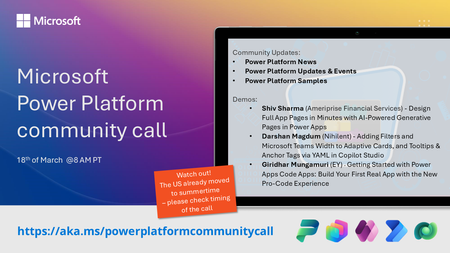
💡 Power Platform monthly community call focuses on different extensibility options for builders, makers and developers within the Power Platform. Typically demos are from our awesome community members who showcase the art of possible within the Power Platform capabilities. 👏 Looking to catch up on the latest news and updates, including cool community demos, this call is for you! 📅 On 18th of March we'll have following agenda: Power Platform Updates & Events Latest on Power Platform samples Shiv Sharma (Ameriprise Financial Services) - Design Full App Pages in Minutes with AI‑Powered Generative Pages in Power Apps Darshan Magdum (Nihilent) - Adding Filters and Microsoft Teams Width to Adaptive Cards, and Tooltips & Anchor Tags via YAML in Copilot Studio Giridhar Mungamuri (EY) - Getting Started with Power Apps Code Apps: Build Your First Real App with the New Pro‑Code Experience 📅 Download recurrent invite from https://aka.ms/powerplatformcommunitycall 📞 & 📺 Join the Microsoft Teams meeting live at https://aka.ms/PowerPlatformMonthlyCall 💡 Building something cool for Microsoft 365 or Power Platform (Copilot, SharePoint, Power Apps, etc)? We are always looking for presenters - Volunteer for a community call demo at https://aka.ms/community/request/demo 👋 See you in the call! 📖 Resources: Previous community call recordings and demos from the Microsoft 365 & Power Platform community YouTube channel at https://aka.ms/community/videos Microsoft 365 & Power Platform samples from Microsoft and community - https://aka.ms/community/samples Microsoft 365 & Power Platform community details - https://aka.ms/community/home21Views0likes0CommentsMicrosoft 365 & Power Platform product updates call
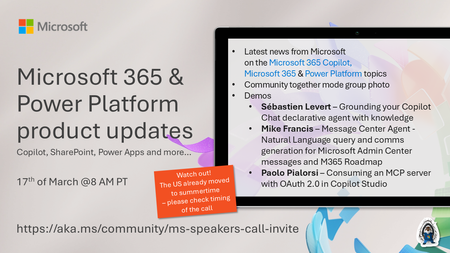
💡Microsoft 365 & Power Platform product updates call concentrates on the different use cases and features within the Microsoft 365 and in Power Platform. Call includes topics like Microsoft 365 Copilot, Copilot Studio, Microsoft Teams, Power Platform, Microsoft Graph, Microsoft Viva, Microsoft Search, Microsoft Lists, SharePoint, Power Automate, Power Apps and more. 👏 Weekly Tuesday call is for all community members to see Microsoft PMs, engineering and Cloud Advocates showcasing the art of possible with Microsoft 365 and Power Platform. 📅 On the 17th of March we'll have following agenda: News and updates from Microsoft Together mode group photo Sébastien Levert – Grounding your Copilot Chat declarative agent with knowledge Mike Francis – Message Center Agent - Natural language query and comms generation for Microsoft Admin Center messages and M365 Roadmap Paolo Pialorsi – Consuming an MCP server with OAuth 2.0 in Copilot Studio 📞 & 📺 Join the Microsoft Teams meeting live at https://aka.ms/community/ms-speakers-call-join 🗓️ Download recurrent invite for this weekly call from https://aka.ms/community/ms-speakers-call-invite 👋 See you in the call! 💡 Building something cool for Microsoft 365 or Power Platform (Copilot, SharePoint, Power Apps, etc)? We are always looking for presenters - Volunteer for a community call demo at https://aka.ms/community/request/demo 📖 Resources: Previous community call recordings and demos from the Microsoft Community Learning YouTube channel at https://aka.ms/community/youtube Microsoft 365 & Power Platform samples from Microsoft and community - https://aka.ms/community/samples Microsoft 365 & Power Platform community details - https://aka.ms/community/home 🧡 Sharing is caring!45Views0likes0CommentsMicrosoft Teams Takes Center Stage at the 2026 Microsoft 365 Community Conference
Microsoft Teams is where people, Microsoft 365 Copilot, and agents come together to collaborate, communicate, and get work done—before, during, and after every interaction. Contributing to and benefiting from Work IQ, Copilot in Teams understands the context, relationships, and signals behind real work, bringing meetings, calling, chat, and collaboration into a single, connected experience across Microsoft 365. At the 2026 Microsoft 365 Community Conference, Teams will be front and center with a broad set of sessions that reflect how teamwork is evolving. From everyday collaboration and meetings to frontline communications, external collaboration, and Copilot‑powered workflows, Teams is designed to help organizations move work forward with clarity and confidence. Register for the M365 Conference today and save $150 with code SAVE150. #M365Con26 Across the Teams sessions at the conference, you’ll see how AI‑powered capabilities—like intelligent meeting recap, real‑time language interpretation, AI‑assistance for calling, and collaborative agents—help teams stay aligned whether work happens in the office, on the front line, or across time zones. What to Expect from the Teams Track The Teams track at the M365 Community Conference offers a practical, end‑to‑end view of how Teams supports new ways work gets done and how organizations can continue their journey toward becoming a Frontier Firm by connecting communication, collaboration, intelligence, and governance in one AI-powered platform. Sessions span key areas including: Collaboration across meetings and events, chats and channels AI-powered communications and modern calling Enabling frontline teams Seamless and secure external collaboration Workplace collaboration and management Operational excellence for IT admins Protection against modern and evolving threats How Teams integrates across Microsoft 365 and contributes to Work IQ for Copilot Whether you’re deploying Teams, managing it at scale, building on it, or using it to drive business outcomes, the Teams track is designed to meet you where you are and help you plan what’s next. You can find the full list of sessions here. Start Here: The Teams Track Session You Shouldn’t Miss To set strategic context for the Teams track, start with Your Guide: What’s New in Teams — Collaboration, Communication, and Copilot. Led by Ilya Bukshteyn, Corporate Vice President, Microsoft Teams, and Chandra Chivukula, Vice President, Microsoft Teams Engineering, this session sets the foundation for the Teams track. You’ll get a high‑level view of where Teams is headed—how it’s becoming more intelligent, easier to manage, and increasingly shaped by Copilot across collaboration, meetings, and calling—before diving deeper into the rest of the Teams sessions throughout the conference. Women in Tech and Allies Lunch: featuring Lan Ye and Sumi Singh Lan Ye and Sumi Singh will join this year’s Women in Tech and Allies Lunch as featured panelists. As Corporate Vice Presidents leading Microsoft Teams product and engineering, they’ll share insights, experiences, and advice on fostering diversity and empowerment in technology. Their participation promises a dynamic and engaging discussion you won’t want to miss. Exclusive: Executive Teams Pre-Day Microsoft Teams will host an exclusive Teams Pre‑Day on Monday, April 20, 2026, in Orlando, FL., the day before the conference begins. This full‑day experience is designed for executive IT and business decision makers who shape productivity, collaboration, and communications strategy within their organizations. The day features direct engagement with Microsoft Teams leaders and product experts, with a focus on what’s next across Teams, including Copilot and AI within Teams, and how to maximize value across meetings, calling, devices, and collaboration. Space is limited, and attendance will be aligned to the intended audience for the day. If you’re interested in attending, connect with your Microsoft account team to see if there is still availability. Explore 1:1 Strategic Discussions at the Conference A limited number of 1:1 side meetings will be available during the conference for customers looking to discuss Teams strategy, roadmap alignment, and organizational priorities. These conversations are designed for higher‑level planning discussions and complement the technical depth available across breakout sessions and the Teams booth. Availability is limited. Connect with your Microsoft account team to explore options. Experience Teams Beyond the Sessions In addition to breakout sessions and lightning talks, visit the Microsoft Teams product demos in the Microsoft Innovation Hub on the show floor. It’s a great opportunity to see the latest Teams capabilities in action, explore real‑world scenarios, and connect directly with the product experts behind the experiences. Register for the M365 Conference today and save $150 with code SAVE150. We hope to see you there!385Views0likes0CommentsLevel up your data security at Microsoft 365 Community Conference
Technology is evolving at a startling rate, and it’s no longer enough for an organization to maintain their security measures, they must evolve along with it. Don’t let your data, employees, or clients become another headline. Join us in Orlando on April 21–23 for the Microsoft 365 Community Conference, where you’ll learn how to safeguard your most valuable data during expert-led discussions and hands-on sessions . Chart your course forward with Microsoft’s security roadmap Do you ever wish you had a crystal ball that could show you how the changing tech landscape is going to affect your data protection needs? We can give you the next-best thing, an inside look at where the future of work is taking security solutions and what that means for you, straight from the experts leading the way. Register now, and you’ll be in the room as Vasu Jakkal, Corporate Vice President, Microsoft Security and Rohan Kumar, Corporate Vice President, Microsoft Security unveil Microsoft’s vision for securing the new frontier of AI. They’ll discuss the ways frontier firms are protecting their data, identities, and models amid rapid AI adoption and Agents. Microsoft is helping IT and security teams adapt to AI driven work with security built in, not bolted on, gain practical guidance on how organizations are modernizing security controls, reducing data exposure, and supporting AI adoption at scale, without adding complexity for admins or end users. And that’s not all; we have a full schedule of innovators and trailblazers scheduled throughout the program. You’ll discover exclusive insights, best practices, and strategies that will redefine your organization’s data security. Check out the speaker directory on the Microsoft 365 Community Conference homepage and then register to save your seat today. Attend a session for every security need We all know that securing our data is important, but it can be hard to know where to start when different sectors require different security measures. That’s why we’ve designed the sessions at Microsoft 365 Community Conference to provide attendees with both a comprehensive overview and a deep dive into specific critical topics. • Agent 365: The control plane for all Agents with Nikita Bandyopadhyay and Sesha Mani • Agent Lifecycle Management and Governance leveraging FastTrack with Azharullah Meer and Pratik Bhusal • Copilot readiness & resiliency with M365 Backup & Archive with Sree Lakshmi and Aditi Gangwar • Copilot Studio Governance for Public Sector with Richie Wallace and William McLendon • Deep dive into Agent insights and content governance across SharePoint and Microsoft 365 with Nikita Bandyopadhyay • Extending Microsoft Purview with APIs & SDK: Governance-by-Design for AI Apps and Agents with Martin Gagne • How Microsoft Digital adopted Baseline Security Mode to improve Microsoft's security posture with Adriana Wood • How Microsoft Does IT: Managing and governing Agents - empower with risk aligned oversight with David Johnson, Naveen Jangir, and Mike Powers • How Microsoft Does IT: Microsoft 365 Governance in the age of Copilot & agents with David Johnson • Microsoft Baseline Security Mode: Simplify, secure, succeed with Adriana Wood and Sesha Mani • Microsoft Purview: AI-Powered Data Security for Microsoft 365 with Aashish Ramdas • Mission Readiness - Cybersecurity and Copilot in the Public Sector with Karuana Gatimu • Protect and govern agents with Microsoft Purview with Shilpa Ranganathan • Protect your data from oversharing to AI with Microsoft Purview with Roberto Yglesias • Public Sector Roadmap Review with Karuana Gatimu and Tuwanda Perez • Securing AI with Microsoft Purview: From Visibility to Action with Shilpa Ranganathan • Tracing the Truth: Accelerate Insider Risk Investigations with Microsoft Purview with Rod Trent • What's new in Security & Compliance for SharePoint, OneDrive, and Teams with Sanjoyan Mustafi, Vithalprasad Gaitonde No matter your security needs, we have a can’t-miss session waiting for you at Microsoft 365 Community Conference. Explore all Security, Compliance, and Governance sessions here. You can’t halt the march of progress, but by attending the Microsoft 365 Community Conference, you can make sure you're in a position to take advantage of it. Register now, and we’ll see you April 21–23 in Orlando.174Views0likes0CommentsI built a free, open-source M365 security assessment tool - looking for feedback
I work as an IT consultant, and a good chunk of my time is spent assessing Microsoft 365 environments for small and mid-sized businesses. Every engagement started the same way: connect to five different PowerShell modules, run dozens of commands across Entra ID, Exchange Online, Defender, SharePoint, and Teams, manually compare each setting against CIS benchmarks, then spend hours assembling everything into a report the client could actually read. The tools that automate this either cost thousands per year, require standing up Azure infrastructure just to run, or only cover one service area. I wanted something simpler: one command that connects, assesses, and produces a client-ready deliverable. So I built it. What M365 Assess does https://github.com/Daren9m/M365-Assess is a PowerShell-based security assessment tool that runs against a Microsoft 365 tenant and produces a comprehensive set of reports. Here is what you get from a single run: 57 automated security checks aligned to the CIS Microsoft 365 Foundations Benchmark v6.0.1, covering Entra ID, Exchange Online, Defender for Office 365, SharePoint Online, and Teams 12 compliance frameworks mapped simultaneously -- every finding is cross-referenced against NIST 800-53, NIST CSF 2.0, ISO 27001:2022, SOC 2, HIPAA, PCI DSS v4.0.1, CMMC 2.0, CISA SCuBA, and DISA STIG (plus CIS profiles for E3 L1/L2 and E5 L1/L2) 20+ CSV exports covering users, mailboxes, MFA status, admin roles, conditional access policies, mail flow rules, device compliance, and more A self-contained HTML report with an executive summary, severity badges, sortable tables, and a compliance overview dashboard -- no external dependencies, fully base64-encoded, just open it in any browser or email it directly The entire assessment is read-only. It never modifies tenant settings. Only Get-* cmdlets are used. A few things I'm proud of Real-time progress in the console. As the assessment runs, you see each check complete with live status indicators and timing. No staring at a blank terminal wondering if it hung. The HTML report is a single file. Logos, backgrounds, fonts -- everything is embedded. You can email the report as an attachment and it renders perfectly. It supports dark mode (auto-detects system preference), and all tables are sortable by clicking column headers. Compliance framework mapping. This was the feature that took the most work. The compliance overview shows coverage percentages across all 12 frameworks, with drill-down to individual controls. Each finding links back to its CIS control ID and maps to every applicable framework control. Pass/Fail detail tables. Each security check shows the CIS control reference, what was checked, what the expected value is, what the actual value is, and a clear Pass/Fail/Warning status. Findings include remediation descriptions to help prioritize fixes. Quick start If you want to try it out, it takes about 5 minutes to get running: # Install prerequisites (if you don't have them already) Install-Module Microsoft.Graph, ExchangeOnlineManagement -Scope CurrentUser Clone and run git clone https://github.com/Daren9m/M365-Assess.git cd M365-Assess .\Invoke-M365Assessment.ps1 The interactive wizard walks you through selecting assessment sections, entering your tenant ID, and choosing an authentication method (interactive browser login, certificate-based, or pre-existing connections). Results land in a timestamped folder with all CSVs and the HTML report. Requires PowerShell 7.x and runs on Windows (macOS and Linux are experimental -- I would love help testing those platforms). Cloud support M365 Assess works with: Commercial (global) tenants GCC, GCC High, and DoD environments If you work in government cloud, the tool handles the different endpoint URIs automatically. What is next This is actively maintained and I have a roadmap of improvements: More automated checks -- 140 CIS v6.0.1 controls are tracked in the registry, with 57 automated today. Expanding coverage is the top priority. Remediation commands -- PowerShell snippets and portal steps for each finding, so you can fix issues directly from the report. XLSX compliance matrix -- A spreadsheet export for audit teams who need to work in Excel. Standalone report regeneration -- Re-run the report from existing CSV data without re-assessing the tenant. I would love your feedback I have been building this for my own consulting work, but I think it could be useful to the broader community. If you try it, I would genuinely appreciate hearing: What checks should I prioritize next? Which security controls matter most in your environment? What compliance frameworks are most requested by your clients or auditors? How does the report land with non-technical stakeholders? Is the executive summary useful, or does it need work? macOS/Linux users -- does it run? What breaks? I have tested it on macOS, but not extensively. Bug reports, feature requests, and contributions are all welcome on GitHub. Repository: https://github.com/Daren9m/M365-Assess License: MIT (free for commercial and personal use) Runtime: PowerShell 7.x Thanks for reading. Happy to answer any questions in the comments.60Views0likes0Comments
Comprehensive Security in the Era of AI: What Nonprofits Need to Know Now
Artificial intelligence is transforming the nonprofit landscape, opening new doors for impact while also introducing new responsibilities. As organizations work tirelessly to support communities, protect vulnerable populations, and steward limited resources, it’s more important than ever to ensure AI is used safely, ethically, and securely. Microsoft’s guide, Comprehensive Security in the Era of AI, offers nonprofits a clear, compassionate roadmap for navigating this moment of change. Below is a mission‑focused summary of the guide’s key insights and how they apply directly to the nonprofit sector. AI Is Accelerating Change—And Expanding Risk AI is introducing powerful new capabilities for nonprofits: automating manual tasks, enhancing team collaboration, analyzing data more quickly, and enabling more personalized engagement with communities. But the guide highlights a critical truth: AI also expands the attack surface. Patterns such as identity compromise, prompt manipulation, model poisoning, shadow AI, or unsecured integrations can introduce risk if organizations don’t have the right controls in place. Nonprofits must therefore take a proactive approach to securing AI-powered workflows. Pivoting to a Proactive Security Strategy To keep pace with emerging AI‑driven threats, the guide encourages nonprofits to adopt a forward‑looking, preventive approach to security. This includes: Strengthening identity protections (MFA, Conditional Access, least privilege) Securing data sources that feed AI systems Building policies around responsible AI use Creating guardrails for staff interacting with new AI tools Monitoring threats continuously instead of relying on periodic reviews This shift helps nonprofits stay ahead of evolving risks—rather than responding only after harm occurs. Three Essentials for Safe and Responsible AI Adoption Microsoft highlights three foundational requirements for nonprofits seeking to build trust, uphold their mission, and maintain resilience in an AI‑driven future: Comprehensive Security Controls - Security must encompass the entire AI lifecycle—from the data you collect to the insights AI tools generate. Microsoft Defender, Microsoft Entra, and Microsoft Purview bring together controls that protect identities, devices, apps, and data across your organization. Strong Compliance & Governance - Nonprofits steward some of the most sensitive data in the world. Maintaining privacy, compliance, and responsible AI governance is crucial. Purview’s data classification, labeling, and lifecycle management help ensure sensitive information stays protected. Clear Risk Mitigation Strategies - To use AI confidently, nonprofits need safeguards such as secure deployment practices, proper access management, incident response planning, and defenses against adversarial manipulation or misuse. Together, these pillars create a safe environment for innovation. Building an AI‑Ready Foundation With Microsoft 365 The guide emphasizes that secure AI adoption begins with strong digital fundamentals. Microsoft 365 supports nonprofits by enabling them to: Manage identities and access Automate device and patch management Classify and protect sensitive data Detect threats early Build a resilient security posture By hardening the basics, nonprofits create a strong foundation for safe AI adoption. Securing AI-Powered Productivity With Copilot Microsoft 365 Copilot introduces enormous efficiency potential—but nonprofits must ensure: Only trained staff use it Data shared with Copilot is properly classified Outputs are reviewed for accuracy AI usage aligns with safety, privacy, and beneficiary‑protection principles In short: AI should support your mission, never compromise it. Why This Matters for Nonprofits Nonprofits hold the trust of donors, partners, and—most importantly—the communities they serve. At the same time, the sector’s limited budgets and growing digital footprints make organizations especially vulnerable to attack. A secure AI strategy allows organizations to: Increase productivity Protect donor and beneficiary trust Reduce operational risk Innovate safely Maintain compliance with regulatory and ethical standards Security is not just an IT function—it’s core to protecting your mission. Learn More This blog only scratches the surface of the insights in Microsoft’s e‑book. To dive deeper into securing your AI journey, register for the free full guide here: Comprehensive Security in the Era of AI. It includes practical frameworks, best practices, and Microsoft tools designed specifically to help nonprofits operate securely in the age of AI.55Views0likes0Comments