Sebastian WitowskiSebastian Witowski - Python freelancer, consultant, and trainer.2023-07-31T00:00:00Zhttps://switowski.comSebastian Witowski[email protected]map() vs. List Comprehension2023-07-31T00:00:00Zhttps://switowski.com/blog/map-vs-list-comprehension/Is the map() function faster than a corresponding list comprehension? That depends! Let's see how using lambda functions can affect the performance of map().
<p>From <em><a href="https://switowski.com/blog/for-loop-vs-list-comprehension/">For Loop vs. List Comprehension</a></em>, we already know that list comprehension is usually faster than the equivalent <code>for</code> loop. In the article, I also compared list comprehension with the <code>filter()</code> function. I concluded that, while <code>filter()</code> has some justified use cases where it's better than list comprehension (for example, when you want the more memory-efficient generator object that the <code>filter()</code> function returns), list comprehension is usually the faster choice.</p>
<div class="callout-info">
<h3 id="about-the-writing-faster-python-series" tabindex="-1">About the "Writing Faster Python" series <a class="direct-link" href="https://switowski.com/blog/map-vs-list-comprehension/#about-the-writing-faster-python-series" aria-hidden="true">#</a></h3>
<p>"Writing Faster Python" is a series of short articles discussing how to solve some common problems with different code structures. I run some benchmarks, discuss the difference between each code snippet, and finish with some personal recommendations.</p>
<p>Are those recommendations going to make your code much faster? Not really.<br />
Is knowing those small differences going to make a slightly better Python programmer? Hopefully!</p>
<p>You can read more about some assumptions I made, the benchmarking setup, and answers to some common questions in the <a href="https://switowski.com/blog/writing-faster-python-intro/">Introduction</a> article. And you can find most of the code examples in <a href="https://github.com/switowski/blog-resources/tree/master/writing-faster-python">this</a> repository.</p>
</div>
<p>What about list comprehension vs. <code>map()</code>? Is the <code>map()</code> function faster than list comprehension? And if not, does it make any sense to use it?</p>
<p>I've devised a simple test that compares how <code>map()</code> and list comprehension generate a list of squares for the first million numbers (it also sums up the squares - see the box below the benchmarks for the explanation):</p>
<pre class="language-python" data-language="python"><code class="language-python"><span class="token comment"># map_vs_comprehension.py</span><br />NUMBERS <span class="token operator">=</span> <span class="token builtin">range</span><span class="token punctuation">(</span><span class="token number">1_000_001</span><span class="token punctuation">)</span><br /><br /><span class="token keyword">def</span> <span class="token function">map_lambda</span><span class="token punctuation">(</span><span class="token punctuation">)</span><span class="token punctuation">:</span><br /> <span class="token keyword">return</span> <span class="token builtin">sum</span><span class="token punctuation">(</span><span class="token builtin">map</span><span class="token punctuation">(</span><span class="token keyword">lambda</span> x<span class="token punctuation">:</span> x <span class="token operator">*</span> x<span class="token punctuation">,</span> NUMBERS<span class="token punctuation">)</span><span class="token punctuation">)</span><br /><br /><br /><span class="token keyword">def</span> <span class="token function">comprehension_lambda</span><span class="token punctuation">(</span><span class="token punctuation">)</span><span class="token punctuation">:</span><br /> <span class="token keyword">return</span> <span class="token builtin">sum</span><span class="token punctuation">(</span><span class="token punctuation">[</span>x <span class="token operator">*</span> x <span class="token keyword">for</span> x <span class="token keyword">in</span> NUMBERS<span class="token punctuation">]</span><span class="token punctuation">)</span></code></pre>
<p>Here are the benchmarks results:</p>
<pre class="language-bash" data-language="bash"><code class="language-bash">$ python <span class="token parameter variable">-m</span> timeit <span class="token parameter variable">-s</span> <span class="token string">"from map_vs_comprehension import map_lambda"</span> <span class="token string">"map_lambda()"</span><br /><span class="token number">5</span> loops, best of <span class="token number">5</span>: <span class="token number">44.3</span> msec per loop<br /><br />$ python <span class="token parameter variable">-m</span> timeit <span class="token parameter variable">-s</span> <span class="token string">"from map_vs_comprehension import comprehension_lambda"</span> <span class="token string">"comprehension_lambda()"</span><br /><span class="token number">10</span> loops, best of <span class="token number">5</span>: <span class="token number">36.2</span> msec per loop</code></pre>
<p>As you can see, <code>map_lambda()</code> is around 20% slower than <code>comprehension_lambda()</code> (44.3/36.2≈1.22).</p>
<div class="callout-warning">
<p><strong><code>map()</code> returns a generator</strong></p>
<p>In Python 2, functions like <code>map()</code> or <code>filter()</code> returned lists. But in Python 3, they return generators, so they finish much faster.</p>
<p>There is no free lunch, though. Time saved during the creation of a generator is <em>paid back</em> when we iterate over that generator.</p>
<p>Generators also offer more flexibility. For example, if you only need to grab the first element, creating a generator and calling <code>next()</code> is much faster than creating a list and grabbing the first element with <code>a_list[0]</code>.</p>
<p>In my benchmarks, I needed to make sure that both functions did the same amount of work. I could call <code>list(map(...))</code> to convert a generator to a list, but that would add additional work to the <code>map_lambda()</code> function that the list comprehension doesn't have to do:</p>
<pre class="language-python" data-language="python"><code class="language-python"><span class="token keyword">def</span> <span class="token function">map_lambda</span><span class="token punctuation">(</span><span class="token punctuation">)</span><span class="token punctuation">:</span><br /> <span class="token keyword">return</span> <span class="token builtin">list</span><span class="token punctuation">(</span><span class="token builtin">map</span><span class="token punctuation">(</span><span class="token keyword">lambda</span> x<span class="token punctuation">:</span> x <span class="token operator">*</span> x<span class="token punctuation">,</span> NUMBERS<span class="token punctuation">)</span><span class="token punctuation">)</span><br /><br /><br /><span class="token keyword">def</span> <span class="token function">comprehension_lambda</span><span class="token punctuation">(</span><span class="token punctuation">)</span><span class="token punctuation">:</span><br /> <span class="token keyword">return</span> <span class="token punctuation">[</span>x <span class="token operator">*</span> x <span class="token keyword">for</span> x <span class="token keyword">in</span> NUMBERS<span class="token punctuation">]</span></code></pre>
<p><code>map_lambda()</code> takes around 47.7 milliseconds to run and <code>comprehension_lambda()</code> takes around 29.8 milliseconds. With <code>list(map(...))</code> being 60% slower than list comprehension, I felt those benchmarks would not be objective enough.</p>
<p>Instead, I decided to simulate calling another function on the results of a list and a generator. That would force both functions to iterate over all the items. <code>sum()</code> seemed like a good, simple function to achieve that.</p>
</div>
<h2 id="named-function" tabindex="-1">Named function <a class="direct-link" href="https://switowski.com/blog/map-vs-list-comprehension/#named-function" aria-hidden="true">#</a></h2>
<p>Could the lambda function in <code>map()</code> be the reason why this function is so slow? Let's create another benchmark where we use the <code>math.sqrt()</code> function instead:</p>
<pre class="language-python" data-language="python"><code class="language-python"><span class="token keyword">from</span> math <span class="token keyword">import</span> sqrt<br /><br />NUMBERS <span class="token operator">=</span> <span class="token builtin">range</span><span class="token punctuation">(</span><span class="token number">1_000_001</span><span class="token punctuation">)</span><br /><br /><span class="token keyword">def</span> <span class="token function">map_sqrt</span><span class="token punctuation">(</span><span class="token punctuation">)</span><span class="token punctuation">:</span><br /> <span class="token keyword">return</span> <span class="token builtin">sum</span><span class="token punctuation">(</span><span class="token builtin">map</span><span class="token punctuation">(</span>sqrt<span class="token punctuation">,</span> NUMBERS<span class="token punctuation">)</span><span class="token punctuation">)</span><br /><br /><span class="token keyword">def</span> <span class="token function">comprehension_sqrt</span><span class="token punctuation">(</span><span class="token punctuation">)</span><span class="token punctuation">:</span><br /> <span class="token keyword">return</span> <span class="token builtin">sum</span><span class="token punctuation">(</span><span class="token punctuation">[</span>sqrt<span class="token punctuation">(</span>x<span class="token punctuation">)</span> <span class="token keyword">for</span> x <span class="token keyword">in</span> NUMBERS<span class="token punctuation">]</span><span class="token punctuation">)</span></code></pre>
<p>And the results are surprising:</p>
<pre class="language-bash" data-language="bash"><code class="language-bash">$ python <span class="token parameter variable">-m</span> timeit <span class="token parameter variable">-s</span> <span class="token string">"from map_vs_comprehension import map_sqrt"</span> <span class="token string">"map_sqrt()"</span><br /><span class="token number">10</span> loops, best of <span class="token number">5</span>: <span class="token number">31.5</span> msec per loop<br /><br />$ python <span class="token parameter variable">-m</span> timeit <span class="token parameter variable">-s</span> <span class="token string">"from map_vs_comprehension import comprehension_sqrt"</span> <span class="token string">"comprehension_sqrt()"</span><br /><span class="token number">5</span> loops, best of <span class="token number">5</span>: <span class="token number">45.4</span> msec per loop</code></pre>
<p>Interesting! If we use an existing function instead of a lambda, <code>map()</code> is faster than list comprehension. This time list comprehension is around 44% slower than <code>map()</code> (45.4/31.5≈1.44).</p>
<h2 id="conclusions" tabindex="-1">Conclusions <a class="direct-link" href="https://switowski.com/blog/map-vs-list-comprehension/#conclusions" aria-hidden="true">#</a></h2>
<p><code>map()</code> used with a lambda function is usually slower than the equivalent list comprehension. But if you use it with a named function instead, it gets faster.</p>
<p>So which function should you use in your code? That really depends on your personal preference. Some people tend to call <code>map()</code> <em>unpythonic</em> and balk at using it under any circumstances. My rule of thumb is as follows:</p>
<ul>
<li>I use <code>map()</code> when I can pass an existing function. I find code like <code>map(str, some_text)</code> or <code>map(sqrt, numbers)</code> very readable.</li>
<li>In all other cases, I use list comprehension or a generator expression.</li>
</ul>
<p>I'm happy to see that my intuitive rule of thumb also coincidentally makes my code faster.</p>
<h2 id="further-reading" tabindex="-1">Further reading <a class="direct-link" href="https://switowski.com/blog/map-vs-list-comprehension/#further-reading" aria-hidden="true">#</a></h2>
<p>If you want to dig deeper into this topic, here's an interesting <a href="https://stackoverflow.com/questions/1247486/list-comprehension-vs-map">Stack Overflow thread</a> with different pros and cons of using <code>map()</code> vs. list comprehension.</p>
Inlining Functions2023-07-24T00:00:00Zhttps://switowski.com/blog/inlining-functions/Running one big blob of code is often faster than splitting your code into well-separated functions. But there are other ways you can improve the speed of your code without sacrificing its readability.
<p>In this episode of <a href="https://switowski.com/blog/writing-faster-python-intro/">Writing Faster Python</a>, we will check if we can make the code faster by doing exactly the opposite of what every good programming book suggests – that is, keeping all the code in one, massive function instead of smaller, more manageable functions.</p>
<div class="callout-warning">
<p>Inlining a function just to make it faster is usually a <strong>bad idea</strong> and will make your code harder to understand. And for applications that process large amounts of data, it can actually bring the performance down by increasing the memory consumption (thanks Harvey for pointing out this downside!)</p>
<p>I don't recommend doing that unless this small speed improvement of the inlined function is somehow more important to you than a well-designed, readable, and testable code. Proceed with caution.</p>
</div>
<p>Let's start by writing a bunch of dummy functions whose only purpose is to call each other multiple times:</p>
<pre class="language-python" data-language="python"><code class="language-python"><span class="token comment"># inline_functions.py</span><br /><br /><span class="token keyword">def</span> <span class="token function">calculate_a</span><span class="token punctuation">(</span><span class="token punctuation">)</span><span class="token punctuation">:</span><br /> <span class="token keyword">return</span> <span class="token number">1</span><br /><br /><br /><span class="token keyword">def</span> <span class="token function">calculate_b</span><span class="token punctuation">(</span><span class="token punctuation">)</span><span class="token punctuation">:</span><br /> <span class="token keyword">return</span> <span class="token builtin">sum</span><span class="token punctuation">(</span><span class="token punctuation">[</span>calculate_a<span class="token punctuation">(</span><span class="token punctuation">)</span> <span class="token keyword">for</span> _ <span class="token keyword">in</span> <span class="token builtin">range</span><span class="token punctuation">(</span><span class="token number">100</span><span class="token punctuation">)</span><span class="token punctuation">]</span><span class="token punctuation">)</span><br /><br /><br /><span class="token keyword">def</span> <span class="token function">calculate_c</span><span class="token punctuation">(</span><span class="token punctuation">)</span><span class="token punctuation">:</span><br /> <span class="token keyword">return</span> <span class="token builtin">sum</span><span class="token punctuation">(</span><span class="token punctuation">[</span>calculate_b<span class="token punctuation">(</span><span class="token punctuation">)</span> <span class="token keyword">for</span> _ <span class="token keyword">in</span> <span class="token builtin">range</span><span class="token punctuation">(</span><span class="token number">100</span><span class="token punctuation">)</span><span class="token punctuation">]</span><span class="token punctuation">)</span><br /><br /><br /><span class="token keyword">def</span> <span class="token function">calculate_d</span><span class="token punctuation">(</span><span class="token punctuation">)</span><span class="token punctuation">:</span><br /> <span class="token keyword">return</span> <span class="token builtin">sum</span><span class="token punctuation">(</span><span class="token punctuation">[</span>calculate_c<span class="token punctuation">(</span><span class="token punctuation">)</span> <span class="token keyword">for</span> _ <span class="token keyword">in</span> <span class="token builtin">range</span><span class="token punctuation">(</span><span class="token number">100</span><span class="token punctuation">)</span><span class="token punctuation">]</span><span class="token punctuation">)</span></code></pre>
<p>Calling <code>calculate_d()</code> calls <code>calculate_c()</code> 100 times. Each call of <code>calculate_c()</code> calls <code>calculate_b()</code> 100 times. And so on.</p>
<p>In total, the above code performs 1,000,000 function calls. I'm intentionally using a list comprehension (<code>sum([...])</code>) instead of a generator expression (<code>sum(...)</code>) because, as you might know from my <em><a href="https://www.youtube.com/watch?v=6P68IBou_cg">Writing Faster Python 3</a></em> talk, list comprehension is slightly faster (albeit, at the price of consuming more memory). In this case, the speed difference is tiny (~2%), so it doesn't matter if I stick with the list comprehension or use a generator expression.</p>
<p>Now, let's create two functions. One that calls <code>calculate_d()</code> and another that simply takes the bodies of all those functions and glues them together into a deeply nested list comprehension abomination:</p>
<pre class="language-python" data-language="python"><code class="language-python"><span class="token keyword">def</span> <span class="token function">separate_functions</span><span class="token punctuation">(</span><span class="token punctuation">)</span><span class="token punctuation">:</span><br /> <span class="token keyword">return</span> calculate_d<span class="token punctuation">(</span><span class="token punctuation">)</span><br /><br /><br /><span class="token keyword">def</span> <span class="token function">inline_functions</span><span class="token punctuation">(</span><span class="token punctuation">)</span><span class="token punctuation">:</span><br /> <span class="token keyword">return</span> <span class="token builtin">sum</span><span class="token punctuation">(</span><span class="token punctuation">[</span><span class="token builtin">sum</span><span class="token punctuation">(</span><span class="token punctuation">[</span><span class="token builtin">sum</span><span class="token punctuation">(</span><span class="token punctuation">[</span><span class="token number">1</span> <span class="token keyword">for</span> _ <span class="token keyword">in</span> <span class="token builtin">range</span><span class="token punctuation">(</span><span class="token number">100</span><span class="token punctuation">)</span><span class="token punctuation">]</span><span class="token punctuation">)</span> <span class="token keyword">for</span> _ <span class="token keyword">in</span> <span class="token builtin">range</span><span class="token punctuation">(</span><span class="token number">100</span><span class="token punctuation">)</span><span class="token punctuation">]</span><span class="token punctuation">)</span> <span class="token keyword">for</span> _ <span class="token keyword">in</span> <span class="token builtin">range</span><span class="token punctuation">(</span><span class="token number">100</span><span class="token punctuation">)</span><span class="token punctuation">]</span><span class="token punctuation">)</span></code></pre>
<p>Benchmarking time:</p>
<pre class="language-shell" data-language="shell"><code class="language-shell">$ python <span class="token parameter variable">-m</span> timeit <span class="token parameter variable">-s</span> <span class="token string">"from inline_functions import separate_functions"</span> <span class="token string">"separate_functions()"</span><br /><span class="token number">10</span> loops, best of <span class="token number">5</span>: <span class="token number">35.2</span> msec per loop<br /><br />$ python <span class="token parameter variable">-m</span> timeit <span class="token parameter variable">-s</span> <span class="token string">"from inline_functions import inline_functions"</span> <span class="token string">"inline_functions()"</span><br /><span class="token number">20</span> loops, best of <span class="token number">5</span>: <span class="token number">17.6</span> msec per loop</code></pre>
<p>If we inline the body of each function, our code will run twice as fast (35.2/17.6=2). And it will be <em>at least</em> twice as hard to read. Maybe more.</p>
<p>In the above examples, the overhead of using a few functions is quite large because the bodies of those functions are small. It takes time to look up a function, but running it is rather fast since each has just one instruction inside. If the functions had much longer bodies, the difference between the above examples would probably be much smaller.</p>
<p>Also, according to <a href="https://softwareengineering.stackexchange.com/a/441673">this StackOverflow answer</a> to the "is code written inline faster than using function calls?" question, function calls got much faster in CPython 3.10. Before, if your function was accepting positional arguments, CPython had to create dictionaries to handle them for function calls. So there are many factors that can affect the speed of calling a function. But in general, executing a function is slower than executing the code from this function directly.</p>
<h2 id="using-temporary-variables" tabindex="-1">Using temporary variables <a class="direct-link" href="https://switowski.com/blog/inlining-functions/#using-temporary-variables" aria-hidden="true">#</a></h2>
<p><code>inline_functions()</code> is hard to read with all those nested functions and list comprehensions. And this is still a simple example! I've seen people write code this way but with much more complex functions.</p>
<p>We can make this code easier to follow by assigning the output of each function to a variable (this type of refactoring is called <em>using a temporary variable</em>):</p>
<pre class="language-python" data-language="python"><code class="language-python"><span class="token keyword">def</span> <span class="token function">inline_variables</span><span class="token punctuation">(</span><span class="token punctuation">)</span><span class="token punctuation">:</span><br /> a <span class="token operator">=</span> <span class="token number">1</span><br /> b <span class="token operator">=</span> <span class="token builtin">sum</span><span class="token punctuation">(</span><span class="token punctuation">[</span>a <span class="token keyword">for</span> _ <span class="token keyword">in</span> <span class="token builtin">range</span><span class="token punctuation">(</span><span class="token number">100</span><span class="token punctuation">)</span><span class="token punctuation">]</span><span class="token punctuation">)</span><br /> c <span class="token operator">=</span> <span class="token builtin">sum</span><span class="token punctuation">(</span><span class="token punctuation">[</span>b <span class="token keyword">for</span> _ <span class="token keyword">in</span> <span class="token builtin">range</span><span class="token punctuation">(</span><span class="token number">100</span><span class="token punctuation">)</span><span class="token punctuation">]</span><span class="token punctuation">)</span><br /> d <span class="token operator">=</span> <span class="token builtin">sum</span><span class="token punctuation">(</span><span class="token punctuation">[</span>c <span class="token keyword">for</span> _ <span class="token keyword">in</span> <span class="token builtin">range</span><span class="token punctuation">(</span><span class="token number">100</span><span class="token punctuation">)</span><span class="token punctuation">]</span><span class="token punctuation">)</span><br /> <span class="token keyword">return</span> d</code></pre>
<pre class="language-shell" data-language="shell"><code class="language-shell">$ python <span class="token parameter variable">-m</span> timeit <span class="token parameter variable">-s</span> <span class="token string">"from inline_functions import inline_variables"</span> <span class="token string">"inline_variables()"</span><br /><span class="token number">50000</span> loops, best of <span class="token number">5</span>: <span class="token number">5.43</span> usec per loop</code></pre>
<p>Using temporary variables takes the execution time down from milliseconds to microseconds (that "u" in "usec" stands for "µ"). So assigning the result of a function call to a variable is a good idea if you know that you will need to reuse that result multiple times. Of course, as long as the function is idempotent (i.e., it always returns the same results).</p>
<h2 id="conclusions" tabindex="-1">Conclusions <a class="direct-link" href="https://switowski.com/blog/inlining-functions/#conclusions" aria-hidden="true">#</a></h2>
<p>The fastest code to run is the one that doesn't use variables or functions and contains just one large blob of code. Coincidentally, the most difficult-to-understand code is also the one that doesn't use variables or functions.</p>
<p>Sacrificing the readability of the code just to make it <em>slightly</em> faster is a terrible idea. You should instead consider using a better library (like NumPy), a better algorithm (parallelization or vectorization), or even a faster programming language. The choice depends on how much speed improvement you need to gain.</p>
<p>Still, it was an interesting exercise to see how much the speed varies between inlining code and extracting helpful functions or variables.</p>
Pathlib for Path Manipulations2023-07-17T00:00:00Zhttps://switowski.com/blog/pathlib/pathlib is an interesting, object-oriented take on the filesystem paths. With plenty of functions to create, delete, move, rename, read, write, find, or split files, pathlib is an excellent replacement for the os module. But is it faster?
<p>If I were to name my top ten modules from the standard library, <code>pathlib</code> would be high on that list. It could even make it to the top three.</p>
<p>Manipulating paths was always a tricky problem if your code was supposed to work on different operating systems. If you accidentally hardcoded the <code>./some/nested/folders</code> path in your Python package, Windows users would complain that your code doesn't work on their computers. And the other way around – a hardcoded <code>some\\nested\\folder</code> path wouldn't work on a Mac or a Linux machine.</p>
<p>Even if you figured out how to make paths work on different operating systems, the functions you can use with file paths are a bit scattered around different modules. Sure, most of them live in the <code>os.path</code> module. But if you want to search for filenames matching a pattern, you must use the <code>glob()</code> function from the <code>glob</code> module. For moving files around, there is <code>os.rename</code> but also <code>shutil.move</code> (which actually calls <code>os.rename</code> unless the destination is on a different disk). When searching for all the places in the code where files are moved, you must remember to check both functions. Unless, you know, someone used the third option: <code>os.replace</code>. Then you have to check all three.</p>
<p>Luckily, thanks to <a href="https://peps.python.org/pep-0428/">PEP-428</a>, since version 3.4 of CPython, we have a wonderful tool that makes working with paths much easier.
Just look at this piece of code:</p>
<pre class="language-python" data-language="python"><code class="language-python"><span class="token keyword">from</span> pathlib <span class="token keyword">import</span> Path<br /><br />p <span class="token operator">=</span> Path<span class="token punctuation">(</span><span class="token string">'/'</span><span class="token punctuation">)</span><br />q <span class="token operator">=</span> p <span class="token operator">/</span> <span class="token string">'some'</span> <span class="token operator">/</span> <span class="token string">'nested'</span> <span class="token operator">/</span> <span class="token string">'folder'</span><br />q<span class="token punctuation">.</span>resolve<span class="token punctuation">(</span><span class="token punctuation">)</span> <span class="token comment"># PosixPath('/some/nested/folder')</span></code></pre>
<p>Overloading the division operator is a bit unusual, but it's so smart and perfectly suitable for path manipulation that I find this code simply beautiful.</p>
<div class="callout-info">
<h3 id="about-the-writing-faster-python-series" tabindex="-1">About the "Writing Faster Python" series <a class="direct-link" href="https://switowski.com/blog/pathlib/#about-the-writing-faster-python-series" aria-hidden="true">#</a></h3>
<p>"Writing Faster Python" is a series of short articles discussing how to solve some common problems with different code structures. I run some benchmarks, discuss the difference between each code snippet, and finish with some personal recommendations.</p>
<p>Are those recommendations going to make your code much faster? Not really.<br />
Is knowing those small differences going to make a slightly better Python programmer? Hopefully!</p>
<p>You can read more about some assumptions I made, the benchmarking setup, and answers to some common questions in the <a href="https://switowski.com/blog/writing-faster-python-intro/">Introduction</a> article. And you can find most of the code examples in <a href="https://github.com/switowski/blog-resources/tree/master/writing-faster-python">this</a> repository.</p>
</div>
<p>The <code>Path</code> object makes working with paths easier in a couple of other ways:</p>
<ul>
<li>It normalizes paths to platform defaults. <code>Path('some/path')</code> becomes <code>some\\path</code> on Windows, and <code>Path('some\\path')</code> becomes <code>some/path</code> on Linux/Mac.</li>
<li>It ignores extraneous "." path separators, so <code>Path('./some/./path')</code> becomes <code>PosixPath('some/path')</code> on my Macbook. The <code>Path</code> object also tries to be smart about the front slashes. If you use too many (<code>Path('//////some/path')</code>), it removes the redundant ones on Linux or Mac, and returns <code>Path('/some/path')</code>.</li>
<li>It unifies the API for various file manipulation operations that previously required using different Python modules. You no longer need the <code>glob</code> module to search for files matching a pattern, and you also don't need the <code>os</code> module to get the names of their directories. All this functionality can now be found in the <code>pathlib</code> module (of course, you can still use the <code>os</code> or <code>glob</code> modules, if you prefer).</li>
</ul>
<h2 id="but-is-it-faster" tabindex="-1">But is it faster? <a class="direct-link" href="https://switowski.com/blog/pathlib/#but-is-it-faster" aria-hidden="true">#</a></h2>
<p>So yeah, all sunshine and rainbows, but we are here to answer one fundamental question: is <code>pathlib</code> faster than <code>os.path</code>?</p>
<p>Before I try to run the benchmarks, my guess is that <strong>it's not</strong>. <code>Path()</code> is an object-oriented approach to path manipulation. Instantiating an object probably takes longer than calling, for example, <code>os.path.join</code> (which simply spits out a string).</p>
<p>But even if it's slower, I would be curious by how much. Besides, who knows, maybe my gut feeling is wrong?</p>
<p>This time, I'm using a different approach to benchmarking because there is no one standard way to use <code>pathlib</code>. Sure, we can use it to create a path to a file, but we can also use it to print the current directory, list files with names matching a given pattern, or even quickly write text to a file.</p>
<p>I'm going to run a series of benchmarks for different tasks and see how much faster (or slower) it is to use <code>pathlib</code> instead of other functions.</p>
<h3 id="joining-paths" tabindex="-1">Joining paths <a class="direct-link" href="https://switowski.com/blog/pathlib/#joining-paths" aria-hidden="true">#</a></h3>
<p>First, let's benchmark probably the most common use case: joining directory names to create a full path to a file.</p>
<pre class="language-python" data-language="python"><code class="language-python"><span class="token comment"># pathlib_benchmarks.py</span><br /><br /><span class="token keyword">import</span> os<br /><span class="token keyword">from</span> pathlib <span class="token keyword">import</span> Path<br /><br /><span class="token keyword">def</span> <span class="token function">os_path_join</span><span class="token punctuation">(</span><span class="token punctuation">)</span><span class="token punctuation">:</span><br /> <span class="token keyword">return</span> os<span class="token punctuation">.</span>path<span class="token punctuation">.</span>join<span class="token punctuation">(</span><span class="token string">"/"</span><span class="token punctuation">,</span> <span class="token string">"some"</span><span class="token punctuation">,</span> <span class="token string">"nested"</span><span class="token punctuation">,</span> <span class="token string">"path"</span><span class="token punctuation">,</span> <span class="token string">"to"</span><span class="token punctuation">,</span> <span class="token string">"a"</span><span class="token punctuation">,</span> <span class="token string">"file.txt"</span><span class="token punctuation">)</span><br /><br /><span class="token keyword">def</span> <span class="token function">pathlib_join</span><span class="token punctuation">(</span><span class="token punctuation">)</span><span class="token punctuation">:</span><br /> <span class="token keyword">return</span> Path<span class="token punctuation">(</span><span class="token string">"/"</span><span class="token punctuation">)</span> <span class="token operator">/</span> <span class="token string">"some"</span> <span class="token operator">/</span> <span class="token string">"nested"</span> <span class="token operator">/</span> <span class="token string">"path"</span> <span class="token operator">/</span> <span class="token string">"to"</span> <span class="token operator">/</span> <span class="token string">"a"</span> <span class="token operator">/</span> <span class="token string">"file.txt"</span></code></pre>
<pre class="language-bash" data-language="bash"><code class="language-bash">$ python <span class="token parameter variable">-m</span> timeit <span class="token parameter variable">-s</span> <span class="token string">"from pathlib_benchmarks import os_path_join"</span> <span class="token string">"os_path_join()"</span><br /><span class="token number">200000</span> loops, best of <span class="token number">5</span>: <span class="token number">1.22</span> usec per loop<br /><br />$ python <span class="token parameter variable">-m</span> timeit <span class="token parameter variable">-s</span> <span class="token string">"from pathlib_benchmarks import pathlib_join"</span> <span class="token string">"pathlib_join()"</span><br /><span class="token number">50000</span> loops, best of <span class="token number">5</span>: <span class="token number">5.74</span> usec per loop</code></pre>
<p>In a scenario where I initialize <code>Path()</code> instance and then append multiple folders using the <code>/</code> operator, <code>Path</code> can be over four times as slow as using <code>os.path.join</code> (5.74/1.22 ≈ 4.70). And no matter if I create a path from 2 or 20 folders, <code>Path</code> is always around four or five times as slow as <code>os.path.join</code>:</p>
<pre class="language-python" data-language="python"><code class="language-python"><span class="token keyword">def</span> <span class="token function">os_path_join_short</span><span class="token punctuation">(</span><span class="token punctuation">)</span><span class="token punctuation">:</span><br /> <span class="token keyword">return</span> os<span class="token punctuation">.</span>path<span class="token punctuation">.</span>join<span class="token punctuation">(</span><span class="token string">"/"</span><span class="token punctuation">,</span> <span class="token string">"file.txt"</span><span class="token punctuation">)</span><br /><br /><span class="token keyword">def</span> <span class="token function">pathlib_join_short</span><span class="token punctuation">(</span><span class="token punctuation">)</span><span class="token punctuation">:</span><br /> <span class="token keyword">return</span> Path<span class="token punctuation">(</span><span class="token string">"/"</span><span class="token punctuation">)</span> <span class="token operator">/</span> <span class="token string">"file.txt"</span><br /><br /><br /><span class="token keyword">def</span> <span class="token function">os_path_join_long</span><span class="token punctuation">(</span><span class="token punctuation">)</span><span class="token punctuation">:</span><br /> <span class="token keyword">return</span> os<span class="token punctuation">.</span>path<span class="token punctuation">.</span>join<span class="token punctuation">(</span><span class="token string">"/"</span><span class="token punctuation">,</span> <span class="token string">"an"</span><span class="token punctuation">,</span> <span class="token string">"even"</span><span class="token punctuation">,</span> <span class="token string">"longer"</span><span class="token punctuation">,</span> <span class="token string">"path"</span><span class="token punctuation">,</span> <span class="token string">"to"</span><span class="token punctuation">,</span> <span class="token string">"some"</span><span class="token punctuation">,</span><br /> <span class="token string">"nested"</span><span class="token punctuation">,</span> <span class="token string">"folder"</span><span class="token punctuation">,</span> <span class="token string">"of"</span><span class="token punctuation">,</span> <span class="token string">"a"</span><span class="token punctuation">,</span> <span class="token string">"nested"</span><span class="token punctuation">,</span> <span class="token string">"and"</span><span class="token punctuation">,</span> <span class="token string">"nested"</span><span class="token punctuation">,</span> <span class="token string">"and"</span><span class="token punctuation">,</span><br /> <span class="token string">"nested"</span><span class="token punctuation">,</span> <span class="token string">"and"</span><span class="token punctuation">,</span> <span class="token string">"nested"</span><span class="token punctuation">,</span> <span class="token string">"path"</span><span class="token punctuation">,</span> <span class="token string">"to"</span><span class="token punctuation">,</span> <span class="token string">"file.txt"</span><span class="token punctuation">,</span><br /> <span class="token punctuation">)</span><br /><br /><br /><span class="token keyword">def</span> <span class="token function">pathlib_join_long</span><span class="token punctuation">(</span><span class="token punctuation">)</span><span class="token punctuation">:</span><br /> <span class="token keyword">return</span> <span class="token punctuation">(</span><br /> Path<span class="token punctuation">(</span><span class="token string">"/"</span><span class="token punctuation">)</span> <span class="token operator">/</span> <span class="token string">"an"</span> <span class="token operator">/</span> <span class="token string">"even"</span> <span class="token operator">/</span> <span class="token string">"longer"</span> <span class="token operator">/</span> <span class="token string">"path"</span> <span class="token operator">/</span> <span class="token string">"to"</span> <span class="token operator">/</span> <span class="token string">"some"</span> <span class="token operator">/</span> <span class="token string">"nested"</span><br /> <span class="token operator">/</span> <span class="token string">"folder"</span> <span class="token operator">/</span> <span class="token string">"of"</span> <span class="token operator">/</span> <span class="token string">"a"</span> <span class="token operator">/</span> <span class="token string">"nested"</span> <span class="token operator">/</span> <span class="token string">"and"</span> <span class="token operator">/</span> <span class="token string">"nested"</span> <span class="token operator">/</span> <span class="token string">"and"</span> <span class="token operator">/</span> <span class="token string">"nested"</span><br /> <span class="token operator">/</span> <span class="token string">"and"</span> <span class="token operator">/</span> <span class="token string">"nested"</span> <span class="token operator">/</span> <span class="token string">"path"</span> <span class="token operator">/</span> <span class="token string">"to"</span> <span class="token operator">/</span> <span class="token string">"file.txt"</span><br /> <span class="token punctuation">)</span></code></pre>
<pre class="language-bash" data-language="bash"><code class="language-bash">$ python <span class="token parameter variable">-m</span> timeit <span class="token parameter variable">-s</span> <span class="token string">"from pathlib_benchmarks import os_path_join_short"</span> <span class="token string">"os_path_join_short()"</span><br /><span class="token number">1000000</span> loops, best of <span class="token number">5</span>: <span class="token number">345</span> nsec per loop<br /><br />$ python <span class="token parameter variable">-m</span> timeit <span class="token parameter variable">-s</span> <span class="token string">"from pathlib_benchmarks import pathlib_join_short"</span> <span class="token string">"pathlib_join_short()"</span><br /><span class="token number">200000</span> loops, best of <span class="token number">5</span>: <span class="token number">1.69</span> usec per loop<br /><br />$ python <span class="token parameter variable">-m</span> timeit <span class="token parameter variable">-s</span> <span class="token string">"from pathlib_benchmarks import os_path_join_long"</span> <span class="token string">"os_path_join_long()"</span><br /><span class="token number">100000</span> loops, best of <span class="token number">5</span>: <span class="token number">3.57</span> usec per loop<br /><br />$ python <span class="token parameter variable">-m</span> timeit <span class="token parameter variable">-s</span> <span class="token string">"from pathlib_benchmarks import pathlib_join_long"</span> <span class="token string">"pathlib_join_long()"</span><br /><span class="token number">20000</span> loops, best of <span class="token number">5</span>: <span class="token number">17.3</span> usec per loop</code></pre>
<h4 id="using-an-existing-path-object" tabindex="-1">Using an existing <code>Path()</code> object <a class="direct-link" href="https://switowski.com/blog/pathlib/#using-an-existing-path-object" aria-hidden="true">#</a></h4>
<p>What if it's the <code>Path("/")</code> creation that takes a lot of time and the concatenation of folders' names is actually fast? To check this, I will extract <code>Path("/")</code> to a global variable outside of the benchmarked function. Then, I can either reference the global variable directly, or pass it as a parameter to the benchmarked function. No matter which solution I choose, they both take a similar amount of time.</p>
<pre class="language-python" data-language="python"><code class="language-python">ROOT <span class="token operator">=</span> Path<span class="token punctuation">(</span><span class="token string">"/"</span><span class="token punctuation">)</span><br /><br /><span class="token keyword">def</span> <span class="token function">pathlib_join_existing_object</span><span class="token punctuation">(</span>root<span class="token operator">=</span>ROOT<span class="token punctuation">)</span><span class="token punctuation">:</span><br /> <span class="token keyword">return</span> root <span class="token operator">/</span> <span class="token string">"some"</span> <span class="token operator">/</span> <span class="token string">"nested"</span> <span class="token operator">/</span> <span class="token string">"path"</span> <span class="token operator">/</span> <span class="token string">"to"</span> <span class="token operator">/</span> <span class="token string">"a"</span> <span class="token operator">/</span> <span class="token string">"file.txt"</span></code></pre>
<pre class="language-bash" data-language="bash"><code class="language-bash">$ python <span class="token parameter variable">-m</span> timeit <span class="token parameter variable">-s</span> <span class="token string">"from pathlib_benchmarks import pathlib_join_existing_object"</span> <span class="token string">"pathlib_join_existing_object()"</span><br /><span class="token number">50000</span> loops, best of <span class="token number">5</span>: <span class="token number">4.85</span> usec per loop</code></pre>
<p><code>pathlib_join_existing_object()</code> is slightly faster than <code>pathlib_join</code> (featured in initial benchmarks), but still much slower than using <code>os.path.join</code> (4.85/1.22≈3.98).</p>
<p>As @randallpittman pointed out in the comments, it seems that it's actually the concatenation of paths that makes <code>Path</code> slower in my benchmarks. If I pass all the paths directly as parameters, then it gets faster. Take a look at those two scenarios and their benchmarks:</p>
<pre class="language-python" data-language="python"><code class="language-python"><span class="token keyword">def</span> <span class="token function">pathlib_multiple_args</span><span class="token punctuation">(</span><span class="token punctuation">)</span><span class="token punctuation">:</span><br /> <span class="token keyword">return</span> Path<span class="token punctuation">(</span><span class="token string">"/"</span><span class="token punctuation">,</span> <span class="token string">"some"</span><span class="token punctuation">,</span> <span class="token string">"nested"</span><span class="token punctuation">,</span> <span class="token string">"path"</span><span class="token punctuation">,</span> <span class="token string">"to"</span><span class="token punctuation">,</span> <span class="token string">"a"</span><span class="token punctuation">,</span> <span class="token string">"file.txt"</span><span class="token punctuation">)</span><br /><br /><br /><span class="token keyword">def</span> <span class="token function">pathlib_full_path</span><span class="token punctuation">(</span><span class="token punctuation">)</span><span class="token punctuation">:</span><br /> <span class="token keyword">return</span> Path<span class="token punctuation">(</span><span class="token string">"/some/nested/path/to/a/file.txt"</span><span class="token punctuation">)</span></code></pre>
<pre class="language-bash" data-language="bash"><code class="language-bash">$ python <span class="token parameter variable">-m</span> timeit <span class="token parameter variable">-s</span> <span class="token string">"from pathlib_benchmarks import pathlib_multiple_args"</span> <span class="token string">"pathlib_multiple_args()"</span><br /><span class="token number">100000</span> loops, best of <span class="token number">5</span>: <span class="token number">2.21</span> usec per loop<br /><br />$ python <span class="token parameter variable">-m</span> timeit <span class="token parameter variable">-s</span> <span class="token string">"from pathlib_benchmarks import pathlib_full_path"</span> <span class="token string">"pathlib_full_path()"</span><br /><span class="token number">200000</span> loops, best of <span class="token number">5</span>: <span class="token number">1.4</span> usec per loop</code></pre>
<p>Both <code>pathlib_multiple_args</code> and <code>pathlib_full_path</code> are now much faster. <code>pathlib_full_path</code> is only 15% slower than <code>os.path</code> (1.4/1.22≈1.15).</p>
<h4 id="starting-from-the-home-folder" tabindex="-1">Starting from the home folder <a class="direct-link" href="https://switowski.com/blog/pathlib/#starting-from-the-home-folder" aria-hidden="true">#</a></h4>
<p>One more test - what if we don't want to start from the root folder but from the home folder of the current user? Both modules have functions that return the home folder, so let's combine them with some additional folders and benchmark that:</p>
<pre class="language-python" data-language="python"><code class="language-python"><span class="token keyword">def</span> <span class="token function">os_path_join_home</span><span class="token punctuation">(</span><span class="token punctuation">)</span><span class="token punctuation">:</span><br /> <span class="token keyword">return</span> os<span class="token punctuation">.</span>path<span class="token punctuation">.</span>join<span class="token punctuation">(</span>os<span class="token punctuation">.</span>path<span class="token punctuation">.</span>expanduser<span class="token punctuation">(</span><span class="token string">"~"</span><span class="token punctuation">)</span><span class="token punctuation">,</span> <span class="token string">"some"</span><span class="token punctuation">,</span> <span class="token string">"nested"</span><span class="token punctuation">,</span> <span class="token string">"path"</span><span class="token punctuation">,</span> <span class="token string">"to"</span><span class="token punctuation">,</span> <span class="token string">"a"</span><span class="token punctuation">,</span> <span class="token string">"file.txt"</span><span class="token punctuation">)</span><br /><br /><br /><span class="token keyword">def</span> <span class="token function">pathlib_join_home</span><span class="token punctuation">(</span><span class="token punctuation">)</span><span class="token punctuation">:</span><br /> <span class="token keyword">return</span> Path<span class="token punctuation">.</span>home<span class="token punctuation">(</span><span class="token punctuation">)</span> <span class="token operator">/</span> <span class="token string">"some"</span> <span class="token operator">/</span> <span class="token string">"nested"</span> <span class="token operator">/</span> <span class="token string">"path"</span> <span class="token operator">/</span> <span class="token string">"to"</span> <span class="token operator">/</span> <span class="token string">"a"</span> <span class="token operator">/</span> <span class="token string">"file.txt"</span></code></pre>
<pre class="language-shell" data-language="shell"><code class="language-shell">$ python <span class="token parameter variable">-m</span> timeit <span class="token parameter variable">-s</span> <span class="token string">"from pathlib_benchmarks import os_path_join_home"</span> <span class="token string">"os_path_join_home()"</span><br /><span class="token number">100000</span> loops, best of <span class="token number">5</span>: <span class="token number">2.12</span> usec per loop<br /><br />$ python <span class="token parameter variable">-m</span> timeit <span class="token parameter variable">-s</span> <span class="token string">"from pathlib_benchmarks import pathlib_join_home"</span> <span class="token string">"pathlib_join_home()"</span><br /><span class="token number">50000</span> loops, best of <span class="token number">5</span>: <span class="token number">8.01</span> usec per loop</code></pre>
<p>The difference is smaller (8.01/2.12≈3.78), but the <code>os</code> module still wins this round.
1:0 for the <code>os</code> module.</p>
<p>Let's test some other common operations on file paths.</p>
<h3 id="is-it-a-file" tabindex="-1">Is it a file? <a class="direct-link" href="https://switowski.com/blog/pathlib/#is-it-a-file" aria-hidden="true">#</a></h3>
<p>Time for a second round of benchmarks. Let's compare the performance of functions that check if the object under a given path is a file (and not a directory):</p>
<pre class="language-python" data-language="python"><code class="language-python"><span class="token keyword">def</span> <span class="token function">os_isfile</span><span class="token punctuation">(</span>name<span class="token punctuation">)</span><span class="token punctuation">:</span><br /> <span class="token keyword">return</span> os<span class="token punctuation">.</span>path<span class="token punctuation">.</span>isfile<span class="token punctuation">(</span><span class="token string-interpolation"><span class="token string">f"./</span><span class="token interpolation"><span class="token punctuation">{</span>name<span class="token punctuation">}</span></span><span class="token string">"</span></span><span class="token punctuation">)</span><br /><br /><br /><span class="token keyword">def</span> <span class="token function">pathlib_is_file</span><span class="token punctuation">(</span>name<span class="token punctuation">)</span><span class="token punctuation">:</span><br /> <span class="token keyword">return</span> Path<span class="token punctuation">(</span><span class="token string-interpolation"><span class="token string">f"./</span><span class="token interpolation"><span class="token punctuation">{</span>name<span class="token punctuation">}</span></span><span class="token string">"</span></span><span class="token punctuation">)</span><span class="token punctuation">.</span>is_file<span class="token punctuation">(</span><span class="token punctuation">)</span></code></pre>
<p>And to make my benchmarks more complete, I will look for a file that exists but also for one that doesn't:</p>
<pre class="language-bash" data-language="bash"><code class="language-bash"><span class="token comment"># First, a file that exists</span><br />$ python <span class="token parameter variable">-m</span> timeit <span class="token parameter variable">-s</span> <span class="token string">"from pathlib_benchmarks import os_isfile"</span> <span class="token string">"os_isfile('pathlib_benchmarks.py')"</span><br /><span class="token number">100000</span> loops, best of <span class="token number">5</span>: <span class="token number">2.28</span> usec per loop<br /><br />$ python <span class="token parameter variable">-m</span> timeit <span class="token parameter variable">-s</span> <span class="token string">"from pathlib_benchmarks import pathlib_is_file"</span> <span class="token string">"pathlib_is_file('pathlib_benchmarks.py')"</span><br /><span class="token number">50000</span> loops, best of <span class="token number">5</span>: <span class="token number">4.12</span> usec per loop<br /><br /><span class="token comment"># And a file that doesn't</span><br />$ python <span class="token parameter variable">-m</span> timeit <span class="token parameter variable">-s</span> <span class="token string">"from pathlib_benchmarks import os_isfile"</span> <span class="token string">"os_isfile('non-existing-file')"</span><br /><span class="token number">200000</span> loops, best of <span class="token number">5</span>: <span class="token number">1.02</span> usec per loop<br /><br />$ python <span class="token parameter variable">-m</span> timeit <span class="token parameter variable">-s</span> <span class="token string">"from pathlib_benchmarks import pathlib_is_file"</span> <span class="token string">"pathlib_is_file('non-existing-file')"</span><br /><span class="token number">100000</span> loops, best of <span class="token number">5</span>: <span class="token number">2.82</span> usec per loop</code></pre>
<p>In both scenarios <code>os.path</code> is still faster, although the difference is smaller than in the first set of benchmarks. <code>Path.is_file</code> is around twice as slow when the file exists (4.12/2.28≈1.81) and around three times as slow when it doesn't exist (2.82/1.02≈2.76).</p>
<p>2:0 for <code>os.path</code>.</p>
<h3 id="get-the-current-directory" tabindex="-1">Get the current directory <a class="direct-link" href="https://switowski.com/blog/pathlib/#get-the-current-directory" aria-hidden="true">#</a></h3>
<p>How about getting the current directory?</p>
<pre class="language-bash" data-language="bash"><code class="language-bash">$ python <span class="token parameter variable">-m</span> timeit <span class="token parameter variable">-s</span> <span class="token string">"import os"</span> <span class="token string">"os.getcwd()"</span><br /><span class="token number">50000</span> loops, best of <span class="token number">5</span>: <span class="token number">6.75</span> usec per loop<br /><br />$ python <span class="token parameter variable">-m</span> timeit <span class="token parameter variable">-s</span> <span class="token string">"from pathlib import Path"</span> <span class="token string">"Path.cwd()"</span><br /><span class="token number">50000</span> loops, best of <span class="token number">5</span>: <span class="token number">8.54</span> usec per loop</code></pre>
<p><code>os.getcwd()</code> is faster by around 30% this time (8.54/6.75≈1.27).</p>
<h3 id="find-all-the-files-matching-a-pattern" tabindex="-1">Find all the files matching a pattern <a class="direct-link" href="https://switowski.com/blog/pathlib/#find-all-the-files-matching-a-pattern" aria-hidden="true">#</a></h3>
<p>Let's try something more complex. This time, I want to recursively find all the Python files (that is, files with the ".py" extensions).</p>
<p>If I really need to stick with the <code>os</code> module, I could write something like this:</p>
<pre class="language-python" data-language="python"><code class="language-python"><span class="token keyword">def</span> <span class="token function">os_walk_files</span><span class="token punctuation">(</span><span class="token punctuation">)</span><span class="token punctuation">:</span><br /> python_files <span class="token operator">=</span> <span class="token punctuation">[</span><span class="token punctuation">]</span><br /> <span class="token keyword">for</span> root<span class="token punctuation">,</span> dirs<span class="token punctuation">,</span> files <span class="token keyword">in</span> os<span class="token punctuation">.</span>walk<span class="token punctuation">(</span><span class="token string">"."</span><span class="token punctuation">)</span><span class="token punctuation">:</span><br /> <span class="token keyword">for</span> filename <span class="token keyword">in</span> files<span class="token punctuation">:</span><br /> <span class="token keyword">if</span> filename<span class="token punctuation">.</span>endswith<span class="token punctuation">(</span><span class="token string">".py"</span><span class="token punctuation">)</span><span class="token punctuation">:</span><br /> python_files<span class="token punctuation">.</span>append<span class="token punctuation">(</span>root <span class="token operator">+</span> filename<span class="token punctuation">)</span><br /> <span class="token keyword">return</span> python_files</code></pre>
<p>But it's much easier to use the <code>glob</code> module instead. That way we just need one line of code:</p>
<pre class="language-python" data-language="python"><code class="language-python"><span class="token keyword">import</span> glob<br /><br /><span class="token keyword">def</span> <span class="token function">glob_find_files</span><span class="token punctuation">(</span><span class="token punctuation">)</span><span class="token punctuation">:</span><br /> glob<span class="token punctuation">.</span>glob<span class="token punctuation">(</span><span class="token string">"./**/*.py"</span><span class="token punctuation">,</span> recursive<span class="token operator">=</span><span class="token boolean">True</span><span class="token punctuation">)</span></code></pre>
<p><code>pathlib</code> comes with a similar function called <code>rglob()</code>. But there are two important distinctions between this function and <code>glob.glob()</code> or <code>os.walk()</code>:</p>
<ul>
<li><code>Path().rglob()</code> returns Path objects, while <code>os.walk()</code> and <code>glob.glob()</code> return strings. I assume we are ok with Path objects because they work fine for opening files indicated by the file paths or for printing those paths. I don't see a reason to convert them to <em>inferior</em> strings (<em>inferior</em> in terms of what we can do with them). If you really need strings, remember you must additionally call <code>str()</code> on each Path object.</li>
<li><code>os_walk_files()</code> and <code>glob_find_files()</code> return lists, but <code>Path().rglob()</code> returns a generator. To make the results of all the examples as similar as possible to each other, I will convert this generator to a list (which will slow down my benchmarks). If I don't do this, <code>Path.glob</code> will have an unfair advantage, as creating a generator is <strong>much</strong> faster than building a list. But in general, if you want to iterate over those files, there is no point in converting a generator to a list first. Moreover, if the list of files is huge, a generator will be much more memory-efficient.</li>
</ul>
<p>Here is the <code>pathlib</code> version of a function to find all the Python files:</p>
<pre class="language-python" data-language="python"><code class="language-python"><span class="token keyword">def</span> <span class="token function">path_find_files</span><span class="token punctuation">(</span><span class="token punctuation">)</span><span class="token punctuation">:</span><br /> <span class="token keyword">return</span> <span class="token builtin">list</span><span class="token punctuation">(</span>Path<span class="token punctuation">(</span><span class="token punctuation">)</span><span class="token punctuation">.</span>rglob<span class="token punctuation">(</span><span class="token string">"*.py"</span><span class="token punctuation">)</span><span class="token punctuation">)</span></code></pre>
<p>Let's run the benchmarks:</p>
<pre class="language-bash" data-language="bash"><code class="language-bash">$ python <span class="token parameter variable">-m</span> timeit <span class="token parameter variable">-s</span> <span class="token string">"from pathlib_benchmarks import os_walk_files"</span> <span class="token string">"os_walk_files()"</span><br /><span class="token number">5000</span> loops, best of <span class="token number">5</span>: <span class="token number">80.6</span> usec per loop<br /><br />$ python <span class="token parameter variable">-m</span> timeit <span class="token parameter variable">-s</span> <span class="token string">"from pathlib_benchmarks import glob_find_files"</span> <span class="token string">"glob_find_files()"</span><br /><span class="token number">2000</span> loops, best of <span class="token number">5</span>: <span class="token number">152</span> usec per loop<br /><br />$ python <span class="token parameter variable">-m</span> timeit <span class="token parameter variable">-s</span> <span class="token string">"from pathlib_benchmarks import path_find_files"</span> <span class="token string">"path_find_files()"</span><br /><span class="token number">2000</span> loops, best of <span class="token number">5</span>: <span class="token number">156</span> usec per loop</code></pre>
<p>The most verbose version that includes two loops and an <code>if</code> statement still turns out to be almost twice as fast as using the <code>glob</code> (152/80.6≈1.89) or <code>pathlib</code> (156/80.6 ≈1.94) modules.</p>
<p>That puts our benchmarking score at <em>I-have-lost-track-a-long-time-ago</em> to 0 for the <code>os</code> module.</p>
<h3 id="quickly-write-to-a-file" tabindex="-1">Quickly write to a file <a class="direct-link" href="https://switowski.com/blog/pathlib/#quickly-write-to-a-file" aria-hidden="true">#</a></h3>
<p>Another interesting feature of <code>pathlib</code> is that you can quickly write some text or bytes to a file.</p>
<p>Below is a comparison of <code>Path().write_text()</code> and the classic <code>with open()</code> context manager. We open a file (or create it, if it doesn't exist) in <em>write</em> mode and replace the previous content with some simple text:</p>
<pre class="language-python" data-language="python"><code class="language-python"><span class="token keyword">def</span> <span class="token function">classic_write</span><span class="token punctuation">(</span><span class="token punctuation">)</span><span class="token punctuation">:</span><br /> <span class="token keyword">with</span> <span class="token builtin">open</span><span class="token punctuation">(</span><span class="token string">"a_file.txt"</span><span class="token punctuation">,</span> <span class="token string">"w"</span><span class="token punctuation">)</span> <span class="token keyword">as</span> f<span class="token punctuation">:</span><br /> f<span class="token punctuation">.</span>write<span class="token punctuation">(</span><span class="token string">"hello there"</span><span class="token punctuation">)</span><br /><br /><span class="token keyword">def</span> <span class="token function">pathlib_write</span><span class="token punctuation">(</span><span class="token punctuation">)</span><span class="token punctuation">:</span><br /> Path<span class="token punctuation">(</span><span class="token string">'/a_file.txt'</span><span class="token punctuation">)</span><span class="token punctuation">.</span>write_text<span class="token punctuation">(</span><span class="token string">"hello there"</span><span class="token punctuation">)</span></code></pre>
<pre class="language-bash" data-language="bash"><code class="language-bash">$ python <span class="token parameter variable">-m</span> timeit <span class="token parameter variable">-s</span> <span class="token string">"from pathlib_benchmarks import classic_write"</span> <span class="token string">"classic_write()"</span><br /><span class="token number">5000</span> loops, best of <span class="token number">5</span>: <span class="token number">55.3</span> usec per loop<br /><br />$ python <span class="token parameter variable">-m</span> timeit <span class="token parameter variable">-s</span> <span class="token string">"from pathlib_benchmarks import pathlib_write"</span> <span class="token string">"pathlib_write()"</span><br /><span class="token number">5000</span> loops, best of <span class="token number">5</span>: <span class="token number">55.8</span> usec per loop</code></pre>
<p>They both take the same amount of time (no matter if the <code>a_file.txt</code> already exists or not). No wonder - <code>write_text()</code> is actually just a nice little wrapper around the <code>with open</code> code.</p>
<p>If you're curious, there is also a wrapper for reading the content from a file. The wrapper is called <code>read_text()</code> and has a similar performance as its <code>with open(<file>, 'r')</code> equivalent.</p>
<h2 id="conclusions" tabindex="-1">Conclusions <a class="direct-link" href="https://switowski.com/blog/pathlib/#conclusions" aria-hidden="true">#</a></h2>
<p>The list of various tasks we can perform with <code>pathlib</code> can go on for much longer. Creating, deleting, reading, writing, finding, moving, copying, splitting, and whatever other operation you want to perform on a file path or a file itself - <code>pathlib</code> probably has a function for that. Sure, <code>os.path</code> or some other module can do those things faster. But unless file manipulation is the main bottleneck in a program (which I <em>really</em> doubt is a problem for anyone anymore, with large-memory VMs being easily accessible in the cloud), I much more prefer to use <code>pathlib</code>.</p>
<p>It's nice to finally have a single module with all the functionality related to paths and files. And I love this object-oriented approach to file paths. It makes writing scripts for filesystem manipulation much more fun, making Python an even better replacement for bash scripts<sup class="footnote-ref"><a href="https://switowski.com/blog/pathlib/#fn1" id="fnref1">[1]</a></sup>.</p>
<p>You can find all the code examples from this article in my <a href="https://github.com/switowski/blog-resources/tree/master/writing-faster-python">blog-resources</a> repository.</p>
<h2 id="further-reading" tabindex="-1">Further reading <a class="direct-link" href="https://switowski.com/blog/pathlib/#further-reading" aria-hidden="true">#</a></h2>
<p>If you want to learn more about all the cool things you can do with the <code>pathlib</code> module, I can recommend these two articles:</p>
<ul>
<li><a href="https://betterprogramming.pub/should-you-be-using-pathlib-6f3a0fddec7e">Should You Use Python pathlib or os?</a></li>
<li><a href="https://towardsdatascience.com/dont-use-python-os-library-any-more-when-pathlib-can-do-141fefb6bdb5">Don't Use Python OS Library Any More When Pathlib Can Do</a> (sorry for the paywall, just open this page in an incognito mode)</li>
</ul>
<hr class="footnotes-sep" />
<section class="footnotes">
<ol class="footnotes-list">
<li id="fn1" class="footnote-item"><p>I have absolutely nothing against bash or bash scripts. That's still my go-to tool if I need to glue together a few shell commands. But if you're not a bash expert (and neither are your colleagues) and you need a script that will run once per year (or even better – one that restores the database in case of an emergency, because there is nothing better than debugging a bash script when your production is on fire), do yourself a favor and write it in Python. Your future self will thank you when debugging this script five years later. <a href="https://switowski.com/blog/pathlib/#fnref1" class="footnote-backref">↩︎</a></p>
</li>
</ol>
</section>
String Formatting2023-03-02T00:00:00Zhttps://switowski.com/blog/string-formatting/With four different ways of formatting strings in Python 3.6 and above, it's time to look at which one is the fastest.
<p>One of the most well-received features introduced in Python 3.6 were the f-strings. Unlike the walrus operator (introduced in Python 3.8), f-strings quickly became popular - it's hard to find someone who doesn't love them! Officially named <em>literal string interpolation</em>, f-strings are much more readable and faster to write. And if you come from a language like JavaScript, you will feel at home using them because they work the same as <a href="https://developer.mozilla.org/en-US/docs/Web/JavaScript/Reference/Template_literals">template literals</a> introduced in ES6.</p>
<p>If you follow the landscape of string formatting in Python, you've probably already noticed that this brings us a total of <strong>four different ways</strong> to format strings. Why do we need so many? Let’s quickly review them and find out.</p>
<h2 id="the-old-style-of-string-formatting-with-the-operator" tabindex="-1">The <em>old</em> style of string formatting with the % operator <a class="direct-link" href="https://switowski.com/blog/string-formatting/#the-old-style-of-string-formatting-with-the-operator" aria-hidden="true">#</a></h2>
<pre class="language-python" data-language="python"><code class="language-python">name <span class="token operator">=</span> <span class="token string">"Sebastian"</span><br /><br /><span class="token comment"># The standard "old" style</span><br /><span class="token operator">>></span><span class="token operator">></span> <span class="token string">"Hello %s"</span> <span class="token operator">%</span> name<br /><span class="token string">"Hello Sebastian"</span><br /><br /><span class="token comment"># Or a more verbose way (useful when you pass multiple variables)</span><br /><span class="token operator">>></span><span class="token operator">></span> <span class="token string">"Hello %(name)s"</span> <span class="token operator">%</span> <span class="token punctuation">{</span><span class="token string">"name"</span><span class="token punctuation">:</span> name<span class="token punctuation">}</span><br /><span class="token string">"Hello Sebastian"</span></code></pre>
<p>This formatting style is sometimes called <em>printf-style</em> formatting or <em>%-formatting</em>. It used to be Python's default string formatting style and worked pretty fine. However, it was quite limited - you could only format strings, integers, or doubles (floats or decimal numbers). Each variable was converted to a string by default unless you specified a different output format (e.g., integers could be presented in a binary, octal, decimal, or hex format). If a variable could not be converted to a specific type, you got an error. If you wanted to pass more arguments inside a tuple, but you forgot to write your code in a specific way, you got an error too:</p>
<pre class="language-python" data-language="python"><code class="language-python">fullname <span class="token operator">=</span> <span class="token punctuation">(</span><span class="token string">'Sebastian'</span><span class="token punctuation">,</span> <span class="token string">'Witowski'</span><span class="token punctuation">)</span><br /><br /><span class="token comment"># This fails</span><br /><span class="token operator">>></span><span class="token operator">></span> <span class="token string">"Hello %s"</span> <span class="token operator">%</span> fullname<br />TypeError<span class="token punctuation">:</span> <span class="token keyword">not</span> <span class="token builtin">all</span> arguments converted during string formatting<br /><br /><span class="token comment"># This works</span><br /><span class="token operator">>></span><span class="token operator">></span> <span class="token string">"Hello %s"</span> <span class="token operator">%</span> <span class="token punctuation">(</span>fullname<span class="token punctuation">,</span><span class="token punctuation">)</span><br /><span class="token string">"Hello ('Sebastian', 'Witowski')"</span></code></pre>
<p>There is one interesting <em>feature</em> of the <em>old</em> style formatting that the other methods don't have. It allows you to do some "<a href="https://stackoverflow.com/a/52012660">lazy logging</a>" by only evaluating the string formatting expression when needed. If you write your logging statement like this: <code>log.debug("Some message: a=%s", a)</code>, and your logging module is configured <strong>not</strong> to log out the debug messages, <code>a</code> will never be converted to a string. If for some reason, <code>a</code> takes very long to convert to a string, this might save you some time. But honestly, I can't think of any example of when this might happen. So think of this as a curiosity.</p>
<h2 id="template-strings" tabindex="-1">Template strings <a class="direct-link" href="https://switowski.com/blog/string-formatting/#template-strings" aria-hidden="true">#</a></h2>
<p>In Python 2.4, <a href="https://www.python.org/dev/peps/pep-0292/">PEP 292</a> introduced the <em>template strings</em> formatting. It was added to solve some shortcomings of the <em>old</em> style - template strings were supposed to be simpler and less error-prone.</p>
<p>With template strings, you first create a template, and then you substitute placeholders with variables:</p>
<pre class="language-python" data-language="python"><code class="language-python"><span class="token operator">>></span><span class="token operator">></span> <span class="token keyword">from</span> string <span class="token keyword">import</span> Template<br /><span class="token operator">>></span><span class="token operator">></span> s <span class="token operator">=</span> Template<span class="token punctuation">(</span><span class="token string">"Hello ${first} ${last}"</span><span class="token punctuation">)</span><br /><span class="token operator">>></span><span class="token operator">></span> s<span class="token punctuation">.</span>substitute<span class="token punctuation">(</span>first<span class="token operator">=</span><span class="token string">"Sebastian"</span><span class="token punctuation">,</span> last<span class="token operator">=</span><span class="token string">"Witowski"</span><span class="token punctuation">)</span><br /><span class="token string">"Hello Sebastian Witowski"</span><br /><span class="token operator">>></span><span class="token operator">></span> s<span class="token punctuation">.</span>substitute<span class="token punctuation">(</span>first<span class="token operator">=</span><span class="token string">"John"</span><span class="token punctuation">,</span> last<span class="token operator">=</span><span class="token string">"Doe"</span><span class="token punctuation">)</span><br /><span class="token string">"Hello John Doe"</span></code></pre>
<p>When you call the <code>substitute</code> method, it returns a new string with all the placeholders (<code>${placeholder_name}</code>) replaced with the specified values. If you forget a mapping for any of the placeholders, you will get a <code>KeyError</code>:</p>
<pre class="language-python" data-language="python"><code class="language-python"><span class="token operator">>></span><span class="token operator">></span> s<span class="token punctuation">.</span>substitute<span class="token punctuation">(</span>first<span class="token operator">=</span><span class="token string">"Sebastian"</span><span class="token punctuation">)</span><br />KeyError<span class="token punctuation">:</span> <span class="token string">'last'</span></code></pre>
<h2 id="the-new-style-with-str-format" tabindex="-1">The <em>new</em> style with str.format() <a class="direct-link" href="https://switowski.com/blog/string-formatting/#the-new-style-with-str-format" aria-hidden="true">#</a></h2>
<p>In Python 3, a <em>new</em> formatting style was introduced with <a href="https://www.python.org/dev/peps/pep-3101/">PEP 3101</a> (and later, it was backported to Python 2.7). This new style was simply the <code>format()</code> function added to the <code>str</code> type. Since <code>format()</code> was a function call, there was no difference in how you would write your code, no matter if you wanted to format a string or a tuple:</p>
<pre class="language-python" data-language="python"><code class="language-python">name <span class="token operator">=</span> <span class="token string">"Sebastian"</span><br />fullname <span class="token operator">=</span> <span class="token punctuation">(</span><span class="token string">'Sebastian'</span><span class="token punctuation">,</span> <span class="token string">'Witowski'</span><span class="token punctuation">)</span><br /><br /><span class="token operator">>></span><span class="token operator">></span> <span class="token string">"Hello {}"</span><span class="token punctuation">.</span><span class="token builtin">format</span><span class="token punctuation">(</span>name<span class="token punctuation">)</span><br /><span class="token string">"Hello Sebastian"</span><br /><span class="token operator">>></span><span class="token operator">></span> <span class="token string">"Hello {}"</span><span class="token punctuation">.</span><span class="token builtin">format</span><span class="token punctuation">(</span>fullname<span class="token punctuation">)</span><br /><span class="token string">"Hello ('Sebastian', 'Witowski')"</span><br /><br /><span class="token comment"># You can name your arguments:</span><br /><span class="token operator">>></span><span class="token operator">></span> <span class="token string">"Hello {first} {last}"</span><span class="token punctuation">.</span><span class="token builtin">format</span><span class="token punctuation">(</span><span class="token punctuation">{</span><span class="token string">"first"</span><span class="token punctuation">:</span> <span class="token string">"Sebastian"</span><span class="token punctuation">,</span> <span class="token string">"last"</span><span class="token punctuation">:</span> <span class="token string">"Witowski"</span><span class="token punctuation">}</span><span class="token punctuation">)</span><br /><span class="token string">"Hello Sebastian Witowski"</span><br /><span class="token comment"># ...or use positions of arguments</span><br /><span class="token operator">>></span><span class="token operator">></span> <span class="token string">"Hello {1} {0}"</span><span class="token punctuation">.</span><span class="token builtin">format</span><span class="token punctuation">(</span><span class="token string">"Sebastian"</span><span class="token punctuation">,</span> <span class="token string">"Witowski"</span><span class="token punctuation">)</span><br /><span class="token string">"Hello Witowski Sebastian"</span></code></pre>
<p>Similarly to the <em>old</em> style, you could specify the presentation format and pass some additional flags. For example, if you wanted to print an integer and pad it to four digits, you could write it like this:</p>
<pre class="language-python" data-language="python"><code class="language-python"><span class="token operator">>></span><span class="token operator">></span> <span class="token string">"The answer is: {answer:04d}"</span><span class="token punctuation">.</span><span class="token builtin">format</span><span class="token punctuation">(</span>answer<span class="token operator">=</span><span class="token number">42</span><span class="token punctuation">)</span><br /><span class="token string">"The answer is: 0042"</span></code></pre>
<p>The <em>new</em> formatting style is much more robust but also a bit more verbose. Even for the simplest situation, you always have to write the <code>.format</code>. And why do we have to repeat ourselves by typing "answer" twice in the above example? Why can't we just tell Python: "Listen, I have this <code>answer</code> variable already defined. Just take it and put it inside this string"?</p>
<p>So, similarly to what exists in other programming languages, <em>literal string interpolation</em> was introduced in Python 3.6 with <a href="https://peps.python.org/pep-0498/">PEP 498</a>.</p>
<h2 id="f-strings-literal-string-interpolation" tabindex="-1">f-strings (<em>literal string interpolation</em>) <a class="direct-link" href="https://switowski.com/blog/string-formatting/#f-strings-literal-string-interpolation" aria-hidden="true">#</a></h2>
<p>The newest way of formatting strings in Python is the most convenient one to use. Just prefix a string with the letter "f" (thus the name "f-strings"), and whatever code you put inside the curly brackets gets evaluated. It can be a variable or any kind of Python expression:</p>
<pre class="language-python" data-language="python"><code class="language-python">name <span class="token operator">=</span> Sebastian<br /><br /><span class="token operator">>></span><span class="token operator">></span> <span class="token string">"Hello {name}"</span><br /><span class="token string">"Hello {name}"</span> <span class="token comment"># Nothing happens because we forgot the 'f'!</span><br /><br /><span class="token operator">>></span><span class="token operator">></span> <span class="token string-interpolation"><span class="token string">f"Hello </span><span class="token interpolation"><span class="token punctuation">{</span>name<span class="token punctuation">}</span></span><span class="token string">"</span></span><br /><span class="token string">"Hello Sebastian"</span><br /><br /><span class="token operator">>></span><span class="token operator">></span> <span class="token string-interpolation"><span class="token string">f"The answer is </span><span class="token interpolation"><span class="token punctuation">{</span><span class="token number">40</span><span class="token operator">+</span><span class="token number">2</span><span class="token punctuation">}</span></span><span class="token string">"</span></span><br /><span class="token string">"The answer is 42"</span><br /><br /><span class="token keyword">import</span> datetime<br /><span class="token operator">>></span><span class="token operator">></span> <span class="token string-interpolation"><span class="token string">f"Current year: </span><span class="token interpolation"><span class="token punctuation">{</span>datetime<span class="token punctuation">.</span>datetime<span class="token punctuation">.</span>now<span class="token punctuation">(</span><span class="token punctuation">)</span><span class="token punctuation">:</span><span class="token format-spec">%Y</span><span class="token punctuation">}</span></span><span class="token string">"</span></span><br /><span class="token string">"Current year: 2023"</span></code></pre>
<h2 id="which-string-formatting-method-is-the-fastest" tabindex="-1">Which string formatting method is the fastest? <a class="direct-link" href="https://switowski.com/blog/string-formatting/#which-string-formatting-method-is-the-fastest" aria-hidden="true">#</a></h2>
<p>Let's prepare some test functions to see which method is the fastest one.</p>
<pre class="language-python" data-language="python"><code class="language-python"><span class="token comment"># string_formatting.py</span><br /><br /><span class="token keyword">from</span> string <span class="token keyword">import</span> Template<br /><br />FIRST <span class="token operator">=</span> <span class="token string">"Sebastian"</span><br />LAST <span class="token operator">=</span> <span class="token string">"Witowski"</span><br />AGE <span class="token operator">=</span> <span class="token number">33</span><br /><br /><br /><span class="token keyword">def</span> <span class="token function">old_style</span><span class="token punctuation">(</span><span class="token punctuation">)</span><span class="token punctuation">:</span><br /> <span class="token keyword">return</span> <span class="token string">"Hello %s %s (%i)"</span> <span class="token operator">%</span> <span class="token punctuation">(</span>FIRST<span class="token punctuation">,</span> LAST<span class="token punctuation">,</span> AGE<span class="token punctuation">)</span><br /><br /><br /><span class="token keyword">def</span> <span class="token function">template_strings</span><span class="token punctuation">(</span><span class="token punctuation">)</span><span class="token punctuation">:</span><br /> <span class="token keyword">return</span> Template<span class="token punctuation">(</span><span class="token string">"Hello ${first} ${last} (${age})"</span><span class="token punctuation">)</span><span class="token punctuation">.</span>substitute<span class="token punctuation">(</span>first<span class="token operator">=</span>FIRST<span class="token punctuation">,</span> last<span class="token operator">=</span>LAST<span class="token punctuation">,</span> age<span class="token operator">=</span>AGE<span class="token punctuation">)</span><br /><br /><br /><span class="token keyword">def</span> <span class="token function">new_style</span><span class="token punctuation">(</span><span class="token punctuation">)</span><span class="token punctuation">:</span><br /> <span class="token keyword">return</span> <span class="token string">"Hello {} {} ({})"</span><span class="token punctuation">.</span><span class="token builtin">format</span><span class="token punctuation">(</span>FIRST<span class="token punctuation">,</span> LAST<span class="token punctuation">,</span> AGE<span class="token punctuation">)</span><br /><br /><br /><span class="token keyword">def</span> <span class="token function">f_strings</span><span class="token punctuation">(</span><span class="token punctuation">)</span><span class="token punctuation">:</span><br /> <span class="token keyword">return</span> <span class="token string-interpolation"><span class="token string">f"Hello </span><span class="token interpolation"><span class="token punctuation">{</span>FIRST<span class="token punctuation">}</span></span><span class="token string"> </span><span class="token interpolation"><span class="token punctuation">{</span>LAST<span class="token punctuation">}</span></span><span class="token string"> (</span><span class="token interpolation"><span class="token punctuation">{</span>AGE<span class="token punctuation">}</span></span><span class="token string">)"</span></span></code></pre>
<p>Here are the benchmark results:</p>
<pre class="language-bash" data-language="bash"><code class="language-bash">$ python <span class="token parameter variable">-m</span> timeit <span class="token parameter variable">-s</span> <span class="token string">"from string_formatting import old_style"</span> <span class="token string">"old_style()"</span><br /><span class="token number">2000000</span> loops, best of <span class="token number">5</span>: <span class="token number">165</span> nsec per loop<br /><br />$ python <span class="token parameter variable">-m</span> timeit <span class="token parameter variable">-s</span> <span class="token string">"from string_formatting import template_strings"</span> <span class="token string">"template_strings()"</span><br /><span class="token number">200000</span> loops, best of <span class="token number">5</span>: <span class="token number">1.49</span> usec per loop<br /><br />$ python <span class="token parameter variable">-m</span> timeit <span class="token parameter variable">-s</span> <span class="token string">"from string_formatting import new_style"</span> <span class="token string">"new_style()"</span><br /><span class="token number">1000000</span> loops, best of <span class="token number">5</span>: <span class="token number">200</span> nsec per loop<br /><br />$ python <span class="token parameter variable">-m</span> timeit <span class="token parameter variable">-s</span> <span class="token string">"from string_formatting import f_strings"</span> <span class="token string">"f_strings()"</span><br /><span class="token number">2000000</span> loops, best of <span class="token number">5</span>: <span class="token number">118</span> nsec per loop</code></pre>
<p>f-strings are the fastest way of formatting a string. The <em>new</em> string formatting style is around 70% slower (200/118≈1.69), the <em>old</em> style is around 40% slower (165/118≈1.40), and template strings are over ten times slower (1490/118≈12.63).</p>
<div class="callout-warning">
<p>Someone could argue that in the <code>old_style()</code> function, I'm referencing some global variables, which is not always necessary. Sometimes you might want to pass the variables directly:</p>
<pre class="language-python" data-language="python"><code class="language-python"><span class="token keyword">def</span> <span class="token function">old_style_inline</span><span class="token punctuation">(</span><span class="token punctuation">)</span><span class="token punctuation">:</span><br /> <span class="token keyword">return</span> <span class="token string">"Hello %s %s (%i)"</span> <span class="token operator">%</span> <span class="token punctuation">(</span><span class="token string">"Sebastian"</span><span class="token punctuation">,</span> <span class="token string">"Witowski"</span><span class="token punctuation">,</span> <span class="token number">33</span><span class="token punctuation">)</span></code></pre>
<p>But even in this case, while slightly faster, the <em>old</em> style doesn't beat the f-strings.</p>
<pre class="language-bash" data-language="bash"><code class="language-bash">$ python <span class="token parameter variable">-m</span> timeit <span class="token parameter variable">-s</span> <span class="token string">"from string_formatting import old_style_inline"</span> <span class="token string">"old_style_inline()"</span><br /><span class="token number">2000000</span> loops, best of <span class="token number">5</span>: <span class="token number">149</span> nsec per loop</code></pre>
</div>
<h2 id="conclusions" tabindex="-1">Conclusions <a class="direct-link" href="https://switowski.com/blog/string-formatting/#conclusions" aria-hidden="true">#</a></h2>
<p>Even if f-strings were slower than other formatting styles, I would still keep using them. They are so incredibly convenient that it's hard to justify using other ways of string formatting.</p>
<p>But still, let's try to find use cases for the other methods:</p>
<ul>
<li>Template strings, as the name suggests, are great when you're writing a template where readability and reusability are more important than performance. Imagine building a large block of text with multiple variables you want to fill in later. You might even want to apply different variables to the same template. This is the perfect use case for template strings. However, this formatting style doesn't make sense for creating small strings. Template strings are slower by an order of magnitude (compared to f-strings), take longer to write and read (the <code>template_strings()</code> example has over twice as many characters as the <code>f_strings()</code> equivalent), and don't have any benefit over the f-strings.</li>
<li>The <em>new</em> style is a bit slower but much more flexible and error-proof compared to the <em>old</em> style. If I couldn't use f-strings, I would choose this option.</li>
<li>Using the <em>old</em> style string formatting is really hard to justify. Of course, if I were to use some ancient Python version (even lower than Python 2.7), this would be my only viable option. The only other scenario where I would choose the old style is formatting a simple string with one variable using a Python version lower than 3.6.</li>
</ul>
<p>In any other scenario, when the f-strings are available, I would choose them.</p>
<p>Of course, we only looked at formatting strings, that is, putting variables or expressions into a string. However, there are a lot more ways to construct a string. You can add strings together (<code>"answer is " + "42"</code>), join a list (<code>"".join(['answer', ' is', ' 42']</code>)), or probably come up with some even more creative solution. But creating strings effectively is a story for another article.</p>
<h2 id="further-reading" tabindex="-1">Further reading <a class="direct-link" href="https://switowski.com/blog/string-formatting/#further-reading" aria-hidden="true">#</a></h2>
<p>If you want to learn more about the <em>old</em> style vs. the <em>new</em> style, there is a great website called <a href="https://pyformat.info/">pyformat.info</a> that shows what can be done with each style.</p>
Compare to None2023-02-23T00:00:00Zhttps://switowski.com/blog/compare-to-none/What's the best way to compare something to None in Python?
<p>How do we check if something is <code>None</code>?</p>
<p>With the beauty of the Python language - the code that you would write is literally the same as the above question:</p>
<pre class="language-python" data-language="python"><code class="language-python"><span class="token keyword">if</span> something <span class="token keyword">is</span> <span class="token boolean">None</span><span class="token punctuation">:</span></code></pre>
<p>It reminds me of this joke:</p>
<blockquote>
<p><em>- How do you turn pseudocode into Python?</em><br />
<em>- You add <code>.py</code> at the end of the file.</em></p>
</blockquote>
<p>There is another way in which we could make this comparison:</p>
<pre class="language-python" data-language="python"><code class="language-python"><span class="token keyword">if</span> something <span class="token operator">==</span> <span class="token boolean">None</span><span class="token punctuation">:</span></code></pre>
<p>However, it doesn't make sense to use the second variant. <code>None</code> <a href="https://stackoverflow.com/questions/38288926/in-python-is-none-a-unique-object">is a singleton object</a> - there can't be two different <code>None</code> objects in your code. Each time you assign <code>None</code> to a variable, you reference the same <code>None</code>:</p>
<pre class="language-python" data-language="python"><code class="language-python"><span class="token operator">>></span><span class="token operator">></span> a <span class="token operator">=</span> <span class="token boolean">None</span><br /><span class="token operator">>></span><span class="token operator">></span> b <span class="token operator">=</span> <span class="token boolean">None</span><br /><span class="token operator">>></span><span class="token operator">></span> c <span class="token operator">=</span> <span class="token boolean">None</span><br /><span class="token operator">>></span><span class="token operator">></span> a <span class="token keyword">is</span> b <span class="token keyword">is</span> c<br /><span class="token boolean">True</span></code></pre>
<p>To compare the identity, you should use <code>is</code>, rather than <code>==</code>, as I explained in the <a href="https://switowski.com/blog/checking-for-true-or-false/">Checking for True or False</a> article. It's clearer and faster:</p>
<pre class="language-shell" data-language="shell"><code class="language-shell">$ python <span class="token parameter variable">-m</span> timeit <span class="token parameter variable">-s</span> <span class="token string">"a = 1"</span> <span class="token string">"a is None"</span><br /><span class="token number">50000000</span> loops, best of <span class="token number">5</span>: <span class="token number">8.2</span> nsec per loop<br /><br />$ python <span class="token parameter variable">-m</span> timeit <span class="token parameter variable">-s</span> <span class="token string">"a = 1"</span> <span class="token string">"a == None"</span><br /><span class="token number">20000000</span> loops, best of <span class="token number">5</span>: <span class="token number">13</span> nsec per loop</code></pre>
<p>As you can see, <code>==</code> is 60% slower than <code>is</code> (13 / 8.2 ≈ 1.59).</p>
Dictionary Comprehension2023-01-19T00:00:00Zhttps://switowski.com/blog/dictionary-comprehension/Is using dictionary comprehension faster than calling the dict() function? And what's the most efficient way to create a dictionary from two iterables?
<p>Apart from the <a href="https://switowski.com/blog/for-loop-vs-list-comprehension/">list comprehension</a> method, in Python, we also have dictionary comprehension - a little less known but very useful feature. It's a perfect tool for creating a dictionary from an iterable. Let's see how we can use it and if it's faster than other methods.</p>
<div class="callout-info">
<h3 id="about-the-writing-faster-python-series" tabindex="-1">About the "Writing Faster Python" series <a class="direct-link" href="https://switowski.com/blog/dictionary-comprehension/#about-the-writing-faster-python-series" aria-hidden="true">#</a></h3>
<p>"Writing Faster Python" is a series of short articles discussing how to solve some common problems with different code structures. I run some benchmarks, discuss the difference between each code snippet, and finish with some personal recommendations.</p>
<p>Are those recommendations going to make your code much faster? Not really.<br />
Is knowing those small differences going to make a slightly better Python programmer? Hopefully!</p>
<p>You can read more about some assumptions I made, the benchmarking setup, and answers to some common questions in the <a href="https://switowski.com/blog/writing-faster-python-intro/">Introduction</a> article. And you can find most of the code examples in <a href="https://github.com/switowski/blog-resources/tree/master/writing-faster-python">this</a> repository.</p>
</div>
<p>The simplest way to create a dictionary is to use a <code>for</code> loop:</p>
<pre class="language-python" data-language="python"><code class="language-python">powers <span class="token operator">=</span> <span class="token punctuation">{</span><span class="token punctuation">}</span><br /><span class="token keyword">for</span> n <span class="token keyword">in</span> <span class="token builtin">range</span><span class="token punctuation">(</span><span class="token number">1000</span><span class="token punctuation">)</span><span class="token punctuation">:</span><br /> powers<span class="token punctuation">[</span>n<span class="token punctuation">]</span> <span class="token operator">=</span> n <span class="token operator">*</span> n</code></pre>
<p>That's not super-elegant. We can simplify our code by passing a list of key-value tuples directly to the <code>dict()</code> function:</p>
<pre class="language-python" data-language="python"><code class="language-python"><span class="token builtin">dict</span><span class="token punctuation">(</span><span class="token punctuation">[</span><span class="token punctuation">(</span>n<span class="token punctuation">,</span> n <span class="token operator">*</span> n<span class="token punctuation">)</span> <span class="token keyword">for</span> n <span class="token keyword">in</span> <span class="token builtin">range</span><span class="token punctuation">(</span><span class="token number">1000</span><span class="token punctuation">)</span><span class="token punctuation">]</span><span class="token punctuation">)</span></code></pre>
<p>Before Python 2.7, this was the simplest way to build a dictionary from an iterable. It's not bad, but all those brackets and parentheses can be slightly confusing.</p>
<p>With the release of Python 2.7.3, <a href="https://www.python.org/dev/peps/pep-0274/">PEP 274</a> introduced dictionary comprehension, which lets us simplify our code even further:</p>
<pre class="language-python" data-language="python"><code class="language-python"><span class="token punctuation">{</span>n<span class="token punctuation">:</span> n <span class="token operator">*</span> n <span class="token keyword">for</span> n <span class="token keyword">in</span> <span class="token builtin">range</span><span class="token punctuation">(</span><span class="token number">1000</span><span class="token punctuation">)</span><span class="token punctuation">}</span></code></pre>
<p>It's certainly much easier to read, but is it faster? Let's look into it.</p>
<h2 id="dictionary-comprehension-vs-dict-vs-for-loop" tabindex="-1">Dictionary comprehension vs. <code>dict()</code> vs. <code>for</code> loop <a class="direct-link" href="https://switowski.com/blog/dictionary-comprehension/#dictionary-comprehension-vs-dict-vs-for-loop" aria-hidden="true">#</a></h2>
<p>Here are the functions that I'm benchmarking:</p>
<pre class="language-python" data-language="python"><code class="language-python"><span class="token comment"># dictionary_comprehension.py</span><br /><br />NUMBERS <span class="token operator">=</span> <span class="token builtin">list</span><span class="token punctuation">(</span><span class="token builtin">range</span><span class="token punctuation">(</span><span class="token number">1000</span><span class="token punctuation">)</span><span class="token punctuation">)</span><br /><br /><span class="token keyword">def</span> <span class="token function">for_loop</span><span class="token punctuation">(</span><span class="token punctuation">)</span><span class="token punctuation">:</span><br /> powers <span class="token operator">=</span> <span class="token punctuation">{</span><span class="token punctuation">}</span><br /> <span class="token keyword">for</span> number <span class="token keyword">in</span> NUMBERS<span class="token punctuation">:</span><br /> powers<span class="token punctuation">[</span>number<span class="token punctuation">]</span> <span class="token operator">=</span> number <span class="token operator">*</span> number<br /> <span class="token keyword">return</span> powers<br /><br /><br /><span class="token keyword">def</span> <span class="token function">dict_from_tuples</span><span class="token punctuation">(</span><span class="token punctuation">)</span><span class="token punctuation">:</span><br /> <span class="token keyword">return</span> <span class="token builtin">dict</span><span class="token punctuation">(</span><span class="token punctuation">[</span><span class="token punctuation">(</span>n<span class="token punctuation">,</span> n <span class="token operator">*</span> n<span class="token punctuation">)</span> <span class="token keyword">for</span> n <span class="token keyword">in</span> NUMBERS<span class="token punctuation">]</span><span class="token punctuation">)</span><br /><br /><br /><span class="token keyword">def</span> <span class="token function">dict_comprehension</span><span class="token punctuation">(</span><span class="token punctuation">)</span><span class="token punctuation">:</span><br /> <span class="token keyword">return</span> <span class="token punctuation">{</span>i<span class="token punctuation">:</span> i <span class="token operator">*</span> i <span class="token keyword">for</span> i <span class="token keyword">in</span> NUMBERS<span class="token punctuation">}</span></code></pre>
<p>And here are the results for Python 3.11.0:</p>
<pre class="language-shell" data-language="shell"><code class="language-shell"><span class="token comment"># Python 3.11.0</span><br />$ python <span class="token parameter variable">-m</span> timeit <span class="token parameter variable">-s</span> <span class="token string">"from dictionary_comprehension import for_loop"</span> <span class="token string">"for_loop()"</span><br /><span class="token number">10000</span> loops, best of <span class="token number">5</span>: <span class="token number">32.1</span> usec per loop<br /><br />$ python <span class="token parameter variable">-m</span> timeit <span class="token parameter variable">-s</span> <span class="token string">"from dictionary_comprehension import dict_from_tuples"</span> <span class="token string">"dict_from_tuples()"</span><br /><span class="token number">5000</span> loops, best of <span class="token number">5</span>: <span class="token number">51.3</span> usec per loop<br /><br />$ python <span class="token parameter variable">-m</span> timeit <span class="token parameter variable">-s</span> <span class="token string">"from dictionary_comprehension import dict_comprehension"</span> <span class="token string">"dict_comprehension()"</span><br /><span class="token number">10000</span> loops, best of <span class="token number">5</span>: <span class="token number">31.2</span> usec per loop</code></pre>
<p>Interesting! Two things surprised me:</p>
<ul>
<li><code>for</code> loop is as fast as dictionary comprehension! I was expecting it to be the slowest function.</li>
<li>Creating a dictionary from a list comprehension is around 60% slower (51.3/31.2≈1.64) than other functions. I expected it to be a bit slower, but not that much.</li>
</ul>
<p>What happens if we increase the benchmarks to run for more numbers? Let's see:</p>
<pre class="language-python" data-language="python"><code class="language-python"><span class="token comment"># dictionary_comprehension.py</span><br /><br />MORE_NUMBERS <span class="token operator">=</span> <span class="token builtin">list</span><span class="token punctuation">(</span><span class="token builtin">range</span><span class="token punctuation">(</span><span class="token number">1_000_000</span><span class="token punctuation">)</span><span class="token punctuation">)</span><br /><br /><span class="token keyword">def</span> <span class="token function">for_loop2</span><span class="token punctuation">(</span><span class="token punctuation">)</span><span class="token punctuation">:</span><br /> powers <span class="token operator">=</span> <span class="token punctuation">{</span><span class="token punctuation">}</span><br /> <span class="token keyword">for</span> number <span class="token keyword">in</span> MORE_NUMBERS<span class="token punctuation">:</span><br /> powers<span class="token punctuation">[</span>number<span class="token punctuation">]</span> <span class="token operator">=</span> number <span class="token operator">*</span> number<br /> <span class="token keyword">return</span> powers<br /><br /><br /><span class="token keyword">def</span> <span class="token function">dict_from_tuples2</span><span class="token punctuation">(</span><span class="token punctuation">)</span><span class="token punctuation">:</span><br /> <span class="token keyword">return</span> <span class="token builtin">dict</span><span class="token punctuation">(</span><span class="token punctuation">[</span><span class="token punctuation">(</span>n<span class="token punctuation">,</span> n <span class="token operator">*</span> n<span class="token punctuation">)</span> <span class="token keyword">for</span> n <span class="token keyword">in</span> MORE_NUMBERS<span class="token punctuation">]</span><span class="token punctuation">)</span><br /><br /><br /><span class="token keyword">def</span> <span class="token function">dict_comprehension2</span><span class="token punctuation">(</span><span class="token punctuation">)</span><span class="token punctuation">:</span><br /> <span class="token keyword">return</span> <span class="token punctuation">{</span>i<span class="token punctuation">:</span> i <span class="token operator">*</span> i <span class="token keyword">for</span> i <span class="token keyword">in</span> MORE_NUMBERS<span class="token punctuation">}</span></code></pre>
<pre class="language-bash" data-language="bash"><code class="language-bash">$ python <span class="token parameter variable">-m</span> timeit <span class="token parameter variable">-s</span> <span class="token string">"from dictionary_comprehension import for_loop2"</span> <span class="token string">"for_loop2()"</span><br /><span class="token number">5</span> loops, best of <span class="token number">5</span>: <span class="token number">44.9</span> msec per loop<br /><br />$ python <span class="token parameter variable">-m</span> timeit <span class="token parameter variable">-s</span> <span class="token string">"from dictionary_comprehension import dict_from_tuples2"</span> <span class="token string">"dict_from_tuples2()"</span><br /><span class="token number">5</span> loops, best of <span class="token number">5</span>: <span class="token number">77.9</span> msec per loop<br /><br />$ python <span class="token parameter variable">-m</span> timeit <span class="token parameter variable">-s</span> <span class="token string">"from dictionary_comprehension import dict_comprehension2"</span> <span class="token string">"dict_comprehension2()"</span><br /><span class="token number">5</span> loops, best of <span class="token number">5</span>: <span class="token number">43.5</span> msec per loop</code></pre>
<p>Dictionary comprehension and <code>for</code> loop are still equally fast, while <code>dict()</code> is now slightly slower than before (77.9/43/5≈1.79).</p>
<p>I hope I've convinced you by now that dictionary comprehension is one of the best ways to build dictionaries from an iterable. This method is faster than passing a list of tuples to a <code>dict()</code> function. And while it's not really that much faster than a simple <code>for</code> loop, dictionary comprehension is much more readable. Once you understand the syntax, you can immediately see what's happening in that code.</p>
<h2 id="creating-a-dictionary-from-two-iterables" tabindex="-1">Creating a dictionary from two iterables <a class="direct-link" href="https://switowski.com/blog/dictionary-comprehension/#creating-a-dictionary-from-two-iterables" aria-hidden="true">#</a></h2>
<p>What if we want to combine two iterables?</p>
<pre class="language-python" data-language="python"><code class="language-python">KEYS <span class="token operator">=</span> <span class="token builtin">list</span><span class="token punctuation">(</span><span class="token builtin">range</span><span class="token punctuation">(</span><span class="token number">1_000_000</span><span class="token punctuation">)</span><span class="token punctuation">)</span><br />VALUES <span class="token operator">=</span> <span class="token punctuation">[</span>x <span class="token operator">*</span> x <span class="token keyword">for</span> x <span class="token keyword">in</span> <span class="token builtin">range</span><span class="token punctuation">(</span><span class="token number">1_000_000</span><span class="token punctuation">)</span><span class="token punctuation">]</span></code></pre>
<p>Above, we have two iterables we want to use as keys and values in a dictionary. We need to zip the iterables together so we can apply dictionary comprehension:</p>
<pre class="language-python" data-language="python"><code class="language-python"><span class="token keyword">def</span> <span class="token function">comprehension_with_zip</span><span class="token punctuation">(</span><span class="token punctuation">)</span><span class="token punctuation">:</span><br /> <span class="token keyword">return</span> <span class="token punctuation">{</span>key<span class="token punctuation">:</span> value <span class="token keyword">for</span> key<span class="token punctuation">,</span> value <span class="token keyword">in</span> <span class="token builtin">zip</span><span class="token punctuation">(</span>KEYS<span class="token punctuation">,</span> VALUES<span class="token punctuation">)</span><span class="token punctuation">}</span></code></pre>
<p>However, here we don't do anything special with <code>key</code> or <code>value</code>. In the initial examples, the value for each key was computed as we were building a dictionary: <code>n: n * n</code>. But now, it's just <code>key: value</code>. In a situation like this, you can pass zipped iterables directly to the <code>dict()</code> function.</p>
<pre class="language-python" data-language="python"><code class="language-python"><span class="token keyword">def</span> <span class="token function">just_zip</span><span class="token punctuation">(</span><span class="token punctuation">)</span><span class="token punctuation">:</span><br /> <span class="token keyword">return</span> <span class="token builtin">dict</span><span class="token punctuation">(</span><span class="token builtin">zip</span><span class="token punctuation">(</span>KEYS<span class="token punctuation">,</span> VALUES<span class="token punctuation">)</span><span class="token punctuation">)</span></code></pre>
<p>Let's see the benchmarks:</p>
<pre class="language-shell" data-language="shell"><code class="language-shell">$ python <span class="token parameter variable">-m</span> timeit <span class="token parameter variable">-s</span> <span class="token string">"from dictionary_comprehension import comprehension_with_zip"</span> <span class="token string">"comprehension_with_zip()"</span><br /><span class="token number">10</span> loops, best of <span class="token number">5</span>: <span class="token number">34</span> msec per loop<br /><br />$ python <span class="token parameter variable">-m</span> timeit <span class="token parameter variable">-s</span> <span class="token string">"from dictionary_comprehension import just_zip"</span> <span class="token string">"just_zip()"</span><br /><span class="token number">10</span> loops, best of <span class="token number">5</span>: <span class="token number">31.4</span> msec per loop</code></pre>
<p>Calling <code>dict()</code> on <code>zip()</code> directly is slightly faster (34/31.4≈1.08) than using dictionary comprehension. At the same time, it's a bit more concise.</p>
<p>It's very similar to passing an iterable to a list comprehension. In many cases, list comprehension is the best way to create a list, but sometimes you can use an even shorter version if you don't do any processing on the iterable:</p>
<pre class="language-python" data-language="python"><code class="language-python"><span class="token comment"># Bad</span><br /><span class="token punctuation">[</span>x <span class="token keyword">for</span> x <span class="token keyword">in</span> <span class="token builtin">range</span><span class="token punctuation">(</span><span class="token number">1000</span><span class="token punctuation">)</span><span class="token punctuation">]</span><br /><br /><span class="token comment"># Good</span><br /><span class="token builtin">list</span><span class="token punctuation">(</span><span class="token builtin">range</span><span class="token punctuation">(</span><span class="token number">1000</span><span class="token punctuation">)</span><span class="token punctuation">)</span></code></pre>
<h2 id="conclusions" tabindex="-1">Conclusions <a class="direct-link" href="https://switowski.com/blog/dictionary-comprehension/#conclusions" aria-hidden="true">#</a></h2>
<p>Dictionary comprehension is one of the cleanest ways to build a dictionary. Compared with the old way of passing a list of tuples (in Python 2.6 and below), it's faster and more readable.</p>
<p>But it only makes sense to use it when you compute a key or a value on the fly or if you want to do some filtering. If both the key and the value are ready (for example, they come from two different iterables), simply passing the <code>zip()</code> function to <code>dict()</code> results in a much faster and more readable code:</p>
<pre class="language-python" data-language="python"><code class="language-python"><span class="token comment"># Good use case for dictionary comprehension - we compute the value</span><br /><span class="token punctuation">{</span>i<span class="token punctuation">:</span> i <span class="token operator">*</span> i <span class="token keyword">for</span> i <span class="token keyword">in</span> <span class="token builtin">range</span><span class="token punctuation">(</span><span class="token number">1000</span><span class="token punctuation">)</span><span class="token punctuation">}</span><br /><br /><span class="token comment"># Good use case for dictionary comprehension - we compute the key</span><br /><span class="token punctuation">{</span>i <span class="token operator">*</span> i<span class="token punctuation">:</span> i <span class="token keyword">for</span> i <span class="token keyword">in</span> <span class="token builtin">range</span><span class="token punctuation">(</span><span class="token number">1000</span><span class="token punctuation">)</span><span class="token punctuation">}</span><br /><br /><span class="token comment"># Good use case for dictionary comprehension - we filter values</span><br /><span class="token punctuation">{</span>i<span class="token punctuation">:</span> i <span class="token operator">*</span> i <span class="token keyword">for</span> i <span class="token keyword">in</span> <span class="token builtin">range</span><span class="token punctuation">(</span><span class="token number">1000</span><span class="token punctuation">)</span> <span class="token keyword">if</span> i <span class="token operator">></span> <span class="token number">50</span><span class="token punctuation">}</span><br /><br /><span class="token comment"># Bad use case for dictionary comprehension</span><br />NUMBERS <span class="token operator">=</span> <span class="token builtin">range</span><span class="token punctuation">(</span><span class="token number">1000</span><span class="token punctuation">)</span><br />SQUARES <span class="token operator">=</span> <span class="token punctuation">[</span>x <span class="token operator">*</span> x <span class="token keyword">for</span> x <span class="token keyword">in</span> <span class="token builtin">range</span><span class="token punctuation">(</span><span class="token number">1000</span><span class="token punctuation">)</span><span class="token punctuation">]</span><br /><br /><span class="token punctuation">{</span>key<span class="token punctuation">:</span> value <span class="token keyword">for</span> key<span class="token punctuation">,</span> value <span class="token keyword">in</span> <span class="token builtin">zip</span><span class="token punctuation">(</span>KEYS<span class="token punctuation">,</span> VALUES<span class="token punctuation">)</span><span class="token punctuation">}</span><br /><br /><span class="token comment"># Use a zip() instead</span><br /><span class="token builtin">dict</span><span class="token punctuation">(</span><span class="token builtin">zip</span><span class="token punctuation">(</span>NUMBERS<span class="token punctuation">,</span> SQUARES<span class="token punctuation">)</span><span class="token punctuation">)</span></code></pre>
dict() vs. {}2022-12-01T00:00:00Zhttps://switowski.com/blog/dict-function-vs-literal-syntax/Is using {} faster than dict()? If yes, then why? And when would you use one version over the other?
<p>There are two different ways to create a dictionary. You can call the <code>dict()</code> function or use the literal syntax: <code>{}</code>. And in many cases, these are equivalent choices, so you might give it little thought and assume they both take the same amount of time.</p>
<p>But they don't!</p>
<div class="callout-info">
<p>Starting with this article, in my benchmarks, I have switched from Python 3.8 to 3.11. So if you're following the <a href="https://switowski.com/blog/writing-faster-python-intro/">Writing Faster Python</a> series and you're wondering why my code examples suddenly got a bit faster - that's the reason.</p>
<p>Check out the <a href="https://switowski.com/blog/upgrade-your-python-version/">Upgrade Your Python Version</a> article for a comparison of how much faster we can get by simply upgrading the CPython version.</p>
</div>
<pre class="language-bash" data-language="bash"><code class="language-bash"><span class="token comment"># Python 3.11.0</span><br />$ python <span class="token parameter variable">-m</span> timeit <span class="token string">"dict()"</span><br /><span class="token number">10000000</span> loops, best of <span class="token number">5</span>: <span class="token number">29.8</span> nsec per loop<br /><br />$ python <span class="token parameter variable">-m</span> timeit <span class="token string">"{}"</span><br /><span class="token number">20000000</span> loops, best of <span class="token number">5</span>: <span class="token number">14.2</span> nsec per loop</code></pre>
<p>Benchmarking both versions shows that calling <code>{}</code> is twice as fast as calling <code>dict()</code>. And that's for Python 3.11. If you run the same examples with an older version of Python, <code>dict()</code> is even slower:</p>
<pre class="language-bash" data-language="bash"><code class="language-bash"><span class="token comment"># Python 3.8.13</span><br />$ python <span class="token parameter variable">-m</span> timeit <span class="token string">"dict()"</span><br /><span class="token number">5000000</span> loops, best of <span class="token number">5</span>: <span class="token number">57.2</span> nsec per loop<br /><br />$ python <span class="token parameter variable">-m</span> timeit <span class="token string">"{}"</span><br /><span class="token number">20000000</span> loops, best of <span class="token number">5</span>: <span class="token number">14.2</span> nsec per loop</code></pre>
<p>Here <code>dict()</code> is almost four times as slow as <code>{}</code>.</p>
<h2 id="looking-under-the-hood-with-the-dis-module" tabindex="-1">Looking under the hood with the <code>dis</code> module <a class="direct-link" href="https://switowski.com/blog/dict-function-vs-literal-syntax/#looking-under-the-hood-with-the-dis-module" aria-hidden="true">#</a></h2>
<p>Let's use the disassembler module to compare what's happening when we call <code>dict()</code> and <code>{}</code>:</p>
<pre class="language-python" data-language="python"><code class="language-python"><span class="token operator">>></span><span class="token operator">></span> <span class="token keyword">from</span> dis <span class="token keyword">import</span> dis<br /><span class="token operator">>></span><span class="token operator">></span> dis<span class="token punctuation">(</span><span class="token string">"dict()"</span><span class="token punctuation">)</span><br /> <span class="token number">0</span> <span class="token number">0</span> RESUME <span class="token number">0</span><br /><br /> <span class="token number">1</span> <span class="token number">2</span> PUSH_NULL<br /> <span class="token number">4</span> LOAD_NAME <span class="token number">0</span> <span class="token punctuation">(</span><span class="token builtin">dict</span><span class="token punctuation">)</span><br /> <span class="token number">6</span> PRECALL <span class="token number">0</span><br /> <span class="token number">10</span> CALL <span class="token number">0</span><br /> <span class="token number">20</span> RETURN_VALUE<br /><span class="token operator">>></span><span class="token operator">></span> dis<span class="token punctuation">(</span><span class="token string">"{}"</span><span class="token punctuation">)</span><br /> <span class="token number">0</span> <span class="token number">0</span> RESUME <span class="token number">0</span><br /><br /> <span class="token number">1</span> <span class="token number">2</span> BUILD_MAP <span class="token number">0</span><br /> <span class="token number">4</span> RETURN_VALUE</code></pre>
<p>The <a href="https://docs.python.org/3/library/dis.html">dis</a> module returns the bytecode instructions from a code snippet. It's an excellent way to see what's happening under the hood of your programs. Don't worry if all those cryptic names seem unfamiliar (if you're curious, check out the <a href="https://docs.python.org/3/library/dis.html#python-bytecode-instructions">Python Bytecode Instructions</a>). For us, the important instructions are <code>BUILD_MAP</code> and <code>CALL</code>.</p>
<p>When we call <code>{}</code>, we execute a Python statement, so Python immediately knows what to do - build a dictionary. In comparison, when we call <code>dict()</code>, Python has to find the <code>dict()</code> function and call it. That's because nothing stops you from overriding the <code>dict()</code> function. You can make it do something completely different than creating a dictionary, for example:</p>
<pre class="language-python" data-language="python"><code class="language-python"><span class="token keyword">def</span> <span class="token function">dict</span><span class="token punctuation">(</span><span class="token operator">*</span>args<span class="token punctuation">,</span> <span class="token operator">**</span>kwargs<span class="token punctuation">)</span><span class="token punctuation">:</span><br /> <span class="token comment"># Happy debugging ;)</span><br /> <span class="token keyword">return</span> <span class="token builtin">list</span><span class="token punctuation">(</span><span class="token punctuation">[</span><span class="token number">1</span><span class="token punctuation">,</span> <span class="token number">2</span><span class="token punctuation">,</span> <span class="token number">3</span><span class="token punctuation">]</span><span class="token punctuation">)</span></code></pre>
<p>Python doesn't stop you from overriding the built-in functions. So when you call <code>dict()</code>, the interpreter has to find this function and call it.</p>
<h2 id="is-there-any-other-difference" tabindex="-1">Is there any other difference? <a class="direct-link" href="https://switowski.com/blog/dict-function-vs-literal-syntax/#is-there-any-other-difference" aria-hidden="true">#</a></h2>
<p>I tried to think of any other reason why you might use <code>dict()</code> over <code>{}</code>, and the only one that came to my mind was for creating a dictionary from an iterator.</p>
<p>Take a look at this example:</p>
<pre class="language-python" data-language="python"><code class="language-python"><span class="token operator">>></span><span class="token operator">></span> <span class="token builtin">iter</span> <span class="token operator">=</span> <span class="token builtin">zip</span><span class="token punctuation">(</span><span class="token punctuation">[</span><span class="token string">'a'</span><span class="token punctuation">,</span> <span class="token string">'b'</span><span class="token punctuation">,</span> <span class="token string">'c'</span><span class="token punctuation">]</span><span class="token punctuation">,</span> <span class="token punctuation">[</span><span class="token number">1</span><span class="token punctuation">,</span><span class="token number">2</span><span class="token punctuation">,</span><span class="token number">3</span><span class="token punctuation">]</span><span class="token punctuation">)</span><br /><span class="token operator">>></span><span class="token operator">></span> <span class="token punctuation">{</span><span class="token builtin">iter</span><span class="token punctuation">}</span><br /><span class="token punctuation">{</span><span class="token operator"><</span><span class="token builtin">zip</span> at <span class="token number">0x102d57b40</span><span class="token operator">></span><span class="token punctuation">}</span> <span class="token comment"># This is not really what we want</span><br /><span class="token operator">>></span><span class="token operator">></span> <span class="token builtin">dict</span><span class="token punctuation">(</span><span class="token builtin">iter</span><span class="token punctuation">)</span><br /><span class="token punctuation">{</span><span class="token string">'a'</span><span class="token punctuation">:</span> <span class="token number">1</span><span class="token punctuation">,</span> <span class="token string">'b'</span><span class="token punctuation">:</span> <span class="token number">2</span><span class="token punctuation">,</span> <span class="token string">'c'</span><span class="token punctuation">:</span> <span class="token number">3</span><span class="token punctuation">}</span> <span class="token comment"># Much better</span></code></pre>
<p>We can't use the literal syntax to create a dictionary. We would have to use a dictionary comprehension: <code>{k: v for k, v in iter}</code>. But a simple <code>dict(iter)</code> looks much cleaner. Apart from this use case, I think it's mostly up to your preference which version you use.</p>
<p>There are also some interesting quirks that I found. For example, in CPython 3.6 and below, if you wanted to pass more than 255 arguments to a function, <a href="https://stackoverflow.com/questions/6610606/is-there-a-difference-between-using-a-dict-literal-and-a-dict-constructor/35156174#35156174">you would get a SyntaxError</a>. So, in this case, <code>dict()</code> is a no-go, but <code>{}</code> should work. However, if you're passing over 255 parameters to a function, you probably have bigger problems in your code than wondering if the literal syntax is a few nanoseconds faster.</p>
<h2 id="vs-list-vs-tuple-x-vs-set-x" tabindex="-1">[] vs. list(), () vs. tuple, {'x', } vs. set(['x']) <a class="direct-link" href="https://switowski.com/blog/dict-function-vs-literal-syntax/#vs-list-vs-tuple-x-vs-set-x" aria-hidden="true">#</a></h2>
<p>The same rule applies to using <code>[]</code> vs. <code>list()</code>, <code>()</code> vs. <code>tuple()</code>, or <code>{'x',}</code> vs. <code>set(['x'])</code>. Using the literal syntax is faster than calling the corresponding function:</p>
<pre class="language-bash" data-language="bash"><code class="language-bash">$ python <span class="token parameter variable">-m</span> timeit <span class="token string">"list()"</span><br /><span class="token number">10000000</span> loops, best of <span class="token number">5</span>: <span class="token number">28.5</span> nsec per loop<br /><br />$ python <span class="token parameter variable">-m</span> timeit <span class="token string">"[]"</span><br /><span class="token number">20000000</span> loops, best of <span class="token number">5</span>: <span class="token number">12.7</span> nsec per loop<br /><br />$ python <span class="token parameter variable">-m</span> timeit <span class="token string">"tuple()"</span><br /><span class="token number">50000000</span> loops, best of <span class="token number">5</span>: <span class="token number">9.93</span> nsec per loop<br /><br />$ python <span class="token parameter variable">-m</span> timeit <span class="token string">"()"</span><br /><span class="token number">50000000</span> loops, best of <span class="token number">5</span>: <span class="token number">4.45</span> nsec per loop<br /><br />$ python <span class="token parameter variable">-m</span> timeit <span class="token string">"set(['x'])"</span><br /><span class="token number">5000000</span> loops, best of <span class="token number">5</span>: <span class="token number">72.7</span> nsec per loop<br /><br />$ python <span class="token parameter variable">-m</span> timeit <span class="token string">"{'x',}"</span><br /><span class="token number">10000000</span> loops, best of <span class="token number">5</span>: <span class="token number">29.5</span> nsec per loop</code></pre>
<p>Of course, if you construct a large data structure, the difference between the two versions becomes unnoticeable:</p>
<pre class="language-bash" data-language="bash"><code class="language-bash">$ python <span class="token parameter variable">-m</span> timeit <span class="token string">"list(range(1_000_000))"</span><br /><span class="token number">20</span> loops, best of <span class="token number">5</span>: <span class="token number">14</span> msec per loop<br /><br />$ python <span class="token parameter variable">-m</span> timeit <span class="token string">"[*range(1_000_000)]"</span><br /><span class="token number">20</span> loops, best of <span class="token number">5</span>: <span class="token number">14</span> msec per loop</code></pre>
How to Benchmark (Python) Code2022-11-17T00:00:00Zhttps://switowski.com/blog/how-to-benchmark-python-code/There are plenty of ways to measure the speed of your code. Let me show you a few that I considered for the Writing Faster Python series.
<p>While preparing to write the <a href="https://switowski.com/blog/writing-faster-python-intro/">Writing Faster Python</a> series, the first problem I faced was <em>"How do I benchmark a piece of code in an objective yet uncomplicated way"</em>.</p>
<p>I could run <code>python -m timeit <piece of code></code>, which is probably the simplest way of measuring how long it takes to execute some code<sup class="footnote-ref"><a href="https://switowski.com/blog/how-to-benchmark-python-code/#fn1" id="fnref1">[1]</a></sup>. But maybe it's too simple, and I owe my readers some way of benchmarking that won't be interfered by sudden CPU spikes on my computer?</p>
<p>So here are a couple of different tools and techniques I tried. At the end of the article, I will tell you which one I chose and why. Plus, I will give you some rules of thumb for when each tool might be handy.</p>
<h2 id="python-m-timeit" tabindex="-1">python -m timeit <a class="direct-link" href="https://switowski.com/blog/how-to-benchmark-python-code/#python-m-timeit" aria-hidden="true">#</a></h2>
<p>The easiest way to measure how long it takes to run some code is to use the <a href="https://docs.python.org/3/library/timeit.html">timeit</a> module. You can write <code>python -m timeit your_code()</code>, and Python will print out how long it took to run whatever <code>your_code()</code> does. I like to put the code I want to benchmark inside a function for more clarity, but you don't have to do this. You can directly write multiple Python statements separated by semicolons, and that will work just fine. For example, to see how long it takes to sum up the first 1,000,000 numbers, we can run this code:</p>
<pre class="language-bash" data-language="bash"><code class="language-bash">python <span class="token parameter variable">-m</span> timeit <span class="token string">"sum(range(1_000_001))"</span><br /><span class="token number">20</span> loops, best of <span class="token number">5</span>: <span class="token number">11.5</span> msec per loop</code></pre>
<p>However, <code>python -m timeit</code> approach has a major drawback - it doesn't separate the setup code from the code you want to benchmark. Let's say you have an import statement that takes a relatively long time to import compared to executing a function from that module. One such import can be <code>import numpy</code>. If we benchmark those two lines of code:</p>
<pre class="language-python" data-language="python"><code class="language-python"><span class="token keyword">import</span> numpy<br />numpy<span class="token punctuation">.</span>arange<span class="token punctuation">(</span><span class="token number">10</span><span class="token punctuation">)</span></code></pre>
<p>the import will take most of the time during the benchmark. But you probably don't want to benchmark how long it takes to import modules. You want to see how long it takes to execute some functions from that module.</p>
<h2 id="python-m-timeit-s-setup-code" tabindex="-1">python -m timeit -s "setup code" <a class="direct-link" href="https://switowski.com/blog/how-to-benchmark-python-code/#python-m-timeit-s-setup-code" aria-hidden="true">#</a></h2>
<p>To separate the setup code from the benchmarks, timeit supports <code>-s</code> parameter. Whatever code you pass here will be executed but won't be part of the benchmarks. So we can improve the above code and run it like this: <code>python -m timeit -s "import numpy" "numpy.arange(10)"</code>.</p>
<h3 id="python-m-timeit-s-setup-code-n-10000" tabindex="-1">python -m timeit -s "setup code" -n 10000 <a class="direct-link" href="https://switowski.com/blog/how-to-benchmark-python-code/#python-m-timeit-s-setup-code-n-10000" aria-hidden="true">#</a></h3>
<p>We can be a bit more strict and decide to execute our code the same number of times each time. By default, if you don't specify the '-n' (or --number) parameter, timeit will try to run your code 1, 2, 5, 10, 20, ... until the total execution time exceeds 0.2 seconds. A slow function will be executed once, but a very fast one will run thousands of times. If you think executing different code snippets a different number of times affects your benchmarks, you can set this parameter to a predefined number.</p>
<h2 id="docker" tabindex="-1">docker <a class="direct-link" href="https://switowski.com/blog/how-to-benchmark-python-code/#docker" aria-hidden="true">#</a></h2>
<p>One of the issues with running benchmarks with <code>python -m timeit</code> is that sometimes other processes on your computer might affect the Python process and randomly slow it down. For example, I've noticed that if I run my benchmarks with all the usual applications open (multiple Chrome instances with plenty of tabs, Teams and other messenger apps, etc.), they all take a bit longer than when I close basically all the apps on my computer.</p>
<p>So while trying to figure out how to avoid this situation, I decided to try to run my benchmarks in Docker. I came up with the following solution:
<code>docker run -w /home -it -v $(pwd):/home python:3.10.4-alpine python -m timeit -s "<some setup code>" "my_function()"</code></p>
<p>The above code will:</p>
<ol>
<li>Run Python alpine Docker container (a small, barebones image with Python).</li>
<li>Mount the current folder inside the Docker container (so we can access the files we want to benchmark).</li>
<li>Run the same timeit command as before.</li>
</ol>
<p>And the results <em>seemed</em> more consistent than without using Docker. Rerunning benchmarks multiple times, I was getting results with smaller deviations. I still had a deviation - some runs were slightly slower, and some were slightly faster. However, that was the case for short code examples (running under 1 second). For longer code examples (running at least a few seconds), the difference between runs was even around 5% (I've tested docker with my bubble sort example from <a href="https://switowski.com/blog/upgrade-your-python-version/">Upgrade Your Python Version</a> article). So, as one vigilant commenter suggested, Docker doesn't really help much here.</p>
<h2 id="python-benchmarking-libraries" tabindex="-1">Python benchmarking libraries <a class="direct-link" href="https://switowski.com/blog/how-to-benchmark-python-code/#python-benchmarking-libraries" aria-hidden="true">#</a></h2>
<p>At some point, you might decide that getting a "best of 5" number that timeit returns by default is not enough. What if I need to know what's the most pessimistic scenario (the maximum time it took to run my code)? Or what's the difference between the slowest and fastest run? Is this difference huge, and my function runs in a completely unpredictable amount of time? Or is it so tiny that it's almost negligible?</p>
<p>There are better benchmarking tools that offer more statistics about your code.</p>
<h3 id="rich-bench" tabindex="-1">rich-bench <a class="direct-link" href="https://switowski.com/blog/how-to-benchmark-python-code/#rich-bench" aria-hidden="true">#</a></h3>
<p>The first tool I checked was the <a href="https://github.com/tonybaloney/rich-bench">rich-bench</a> package that was created by Anthony Shaw together with his <a href="https://github.com/tonybaloney/anti-patterns">anti-patterns</a> repository for a PyCon talk. This small tool can benchmark a set of files with different code examples and present the results in a nicely formatted table. Each benchmark will compare two different functions and present the mean, min, and max of the results, so you can easily see the spread between the results.</p>
<img alt="richbench in action" class="" loading="lazy" decoding="async" src="https://switowski.com/img/IPPYLuVWQW-250.webp" width="1840" height="397" srcset="https://switowski.com/img/IPPYLuVWQW-250.webp 250w, https://switowski.com/img/IPPYLuVWQW-600.webp 600w, https://switowski.com/img/IPPYLuVWQW-920.webp 920w, https://switowski.com/img/IPPYLuVWQW-1840.webp 1840w" sizes="(max-width: 639px) calc(100vw - 32px), (max-width: 767px) 608px, (max-width: 960px) calc(100vw - 40px), 920px" />
<h3 id="pyperf" tabindex="-1">pyperf <a class="direct-link" href="https://switowski.com/blog/how-to-benchmark-python-code/#pyperf" aria-hidden="true">#</a></h3>
<p>If you need a more advanced benchmarking tool, you probably can't go wrong if you choose the official tool used by the <a href="https://pyperformance.readthedocs.io/">Python Performance Benchmark Suite</a> - <em>an authoritative source of benchmarks for all Python implementations.</em> <a href="https://github.com/psf/pyperf">pyperf</a> is an exhaustive tool with many different features, including automatic calibration, detection of unstable results, tracking memory usage, and different modes of work, depending if you want to compare different pieces of code or get a bunch of stats for one function.</p>
<p>Let's see an example. For the benchmarks, I will use a simple but inefficient function to calculate a sum of powers of the first 1,000,000 numbers:
<code>sum(n * n for n in range(1_000_001))</code>.</p>
<p>Here is the output from timeit module:</p>
<pre class="language-bash" data-language="bash"><code class="language-bash">$ python <span class="token parameter variable">-m</span> timeit <span class="token string">"sum(n * n for n in range(1_000_001))"</span><br /><span class="token number">5</span> loops, best of <span class="token number">5</span>: <span class="token number">41</span> msec per loop</code></pre>
<p>And here is the output of the <code>pyperf</code>:</p>
<pre class="language-shell" data-language="shell"><code class="language-shell">$ python <span class="token parameter variable">-m</span> pyperf timeit <span class="token string">"sum(n * n for n in range(1_000_001))"</span> <span class="token parameter variable">-o</span> bench.json<br /><span class="token punctuation">..</span><span class="token punctuation">..</span><span class="token punctuation">..</span><span class="token punctuation">..</span><span class="token punctuation">..</span><span class="token punctuation">..</span><span class="token punctuation">..</span><span class="token punctuation">..</span><span class="token punctuation">..</span><span class="token punctuation">..</span>.<br />Mean +- std dev: <span class="token number">41.5</span> ms +- <span class="token number">1.1</span> ms</code></pre>
<p>The results are very similar, but with the <code>-o</code> parameter, we told pyperf to store the benchmark results in a JSON file, so now we can analyze them and get much more information:</p>
<pre class="language-bash" data-language="bash"><code class="language-bash">$ python <span class="token parameter variable">-m</span> pyperf stats bench.json<br />Total duration: <span class="token number">14.5</span> sec<br />Start date: <span class="token number">2022</span>-11-09 <span class="token number">18</span>:19:37<br />End date: <span class="token number">2022</span>-11-09 <span class="token number">18</span>:19:53<br />Raw value minimum: <span class="token number">163</span> ms<br />Raw value maximum: <span class="token number">198</span> ms<br /><br />Number of calibration run: <span class="token number">1</span><br />Number of run with values: <span class="token number">20</span><br />Total number of run: <span class="token number">21</span><br /><br />Number of warmup per run: <span class="token number">1</span><br />Number of value per run: <span class="token number">3</span><br />Loop iterations per value: <span class="token number">4</span><br />Total number of values: <span class="token number">60</span><br /><br />Minimum: <span class="token number">40.8</span> ms<br />Median +- MAD: <span class="token number">41.3</span> ms +- <span class="token number">0.2</span> ms<br />Mean +- std dev: <span class="token number">41.5</span> ms +- <span class="token number">1.1</span> ms<br />Maximum: <span class="token number">49.6</span> ms<br /><br /> 0th percentile: <span class="token number">40.8</span> ms <span class="token punctuation">(</span>-2% of the mean<span class="token punctuation">)</span> -- minimum<br /> 5th percentile: <span class="token number">40.9</span> ms <span class="token punctuation">(</span>-1% of the mean<span class="token punctuation">)</span><br /> 25th percentile: <span class="token number">41.2</span> ms <span class="token punctuation">(</span>-1% of the mean<span class="token punctuation">)</span> -- Q1<br /> 50th percentile: <span class="token number">41.3</span> ms <span class="token punctuation">(</span>-0% of the mean<span class="token punctuation">)</span> -- median<br /> 75th percentile: <span class="token number">41.5</span> ms <span class="token punctuation">(</span>+0% of the mean<span class="token punctuation">)</span> -- Q3<br /> 95th percentile: <span class="token number">41.9</span> ms <span class="token punctuation">(</span>+1% of the mean<span class="token punctuation">)</span><br />100th percentile: <span class="token number">49.6</span> ms <span class="token punctuation">(</span>+20% of the mean<span class="token punctuation">)</span> -- maximum<br /><br />Number of outlier <span class="token punctuation">(</span>out of <span class="token number">40.7</span> ms<span class="token punctuation">..</span><span class="token number">41.9</span> ms<span class="token punctuation">)</span>: <span class="token number">3</span></code></pre>
<h2 id="hyperfine" tabindex="-1">hyperfine <a class="direct-link" href="https://switowski.com/blog/how-to-benchmark-python-code/#hyperfine" aria-hidden="true">#</a></h2>
<p>And in case you want to benchmark some code that is not Python code, there is always the <a href="https://github.com/sharkdp/hyperfine">hyperfine</a> that can be used to benchmark any CLI command. hyperfine has a similar set of features as the pyperf does. It automatically does warmup runs, clears the cache, and detect statistical outliers. And all that, with nice progress bars and colors, just makes the output looks beautiful.</p>
<p>You can run it for one command, and it will return the usual information like the mean, min, and max time, standard deviation, number of runs, etc. But you can also pass multiple commands, and you will get a comparison of which one was faster:</p>
<img alt="hyperfine in action" class="" loading="lazy" decoding="async" src="https://switowski.com/img/fEfaxtyU5R-250.webp" width="1840" height="553" srcset="https://switowski.com/img/fEfaxtyU5R-250.webp 250w, https://switowski.com/img/fEfaxtyU5R-600.webp 600w, https://switowski.com/img/fEfaxtyU5R-920.webp 920w, https://switowski.com/img/fEfaxtyU5R-1840.webp 1840w" sizes="(max-width: 639px) calc(100vw - 32px), (max-width: 767px) 608px, (max-width: 960px) calc(100vw - 40px), 920px" />
<h2 id="timeit-is-just-fine-for-me" tabindex="-1">timeit is just fine...for me <a class="direct-link" href="https://switowski.com/blog/how-to-benchmark-python-code/#timeit-is-just-fine-for-me" aria-hidden="true">#</a></h2>
<p>In the end, I chose a very simple way of benchmarking: <code>python -m timeit -s "setup code" "code to benchmark"</code>. I don't have to use the <em>perfect</em> benchmarking method (if it even exists). . That would be necessary if I were to benchmark one piece of code and share the results with the world. I couldn't use a random, inefficient method of measuring and tell you "this piece of code is bad because it runs in 15 seconds". You could use a better benchmarking tool, run it on a powerful computer and end up with the same code running in 1.5 seconds.</p>
<p>Comparing two pieces of code is a different story. Sure, a good, reliable benchmarking methodology is important. But in the end, we care about the relative speed difference between the code examples. If my computer runs "Example A" in 10 seconds and "Example B" in 20 seconds, but your computer runs them in 5 and 10 seconds respectively, we can both conclude that "Example B" is twice as slow.</p>
<p>Using <code>timeit</code> is good enough. It lets me separate the setup code from the actual code I want to benchmark. And if you want to run the same benchmarks on your computer, you can do this right away. You already have <code>timeit</code> installed with your distribution of Python. You don't have to install any additional library or set up Docker.</p>
<p>Much more important thing than the most accurate tool is how you set up your benchmarks.</p>
<h2 id="beware-of-how-you-structure-your-code" tabindex="-1">Beware of how you structure your code <a class="direct-link" href="https://switowski.com/blog/how-to-benchmark-python-code/#beware-of-how-you-structure-your-code" aria-hidden="true">#</a></h2>
<p>Running benchmarks is the easy part. The tricky part is to remember to write your code in a way that won't "cheat". When I first wrote <a href="https://switowski.com/blog/sorting-lists/">Sorting Lists</a> article, I was so happy to find that <code>sort()</code> was so much faster than <code>sorted()</code>. "<em>OMG, I found the holy grail of sorting in Python</em>" - I thought. Then someone pointed out that <code>list.sort()</code> sorts the list in place. So if I run my benchmarks, the first iteration will sort the list (which is slow), and each next iteration will sort an already sorted list (which is much faster). I had to update my article and start paying more attention to how I organize my benchmarks.</p>
<h2 id="conclusion" tabindex="-1">Conclusion <a class="direct-link" href="https://switowski.com/blog/how-to-benchmark-python-code/#conclusion" aria-hidden="true">#</a></h2>
<p>Depending on your use case, you might reach for a different tool to benchmark your code:</p>
<ul>
<li><code>python -m timeit "some code"</code> for the simplest, easiest-to-run benchmarks where you just want to get <em>"a number"</em>.</li>
<li><code>python -m timeit -s "setup code" "some code"</code> is a much more useful version if you want to separate some setup code from the actual benchmarks.</li>
<li><code>docker</code> - while it looked like it did a better job separating my benchmarks from other processes, thus lowering the deviation between runs, after thorough testing, that seemed to be the case for very short examples. For longer ones it didn't really change much.</li>
<li><code>rich-bench</code> looks like a nice solution if you need a dedicated tool with additional statistics like min, max, median, and nice output formatting. But you will need to set up your benchmarks in a specific structure that rich-bench requires.</li>
<li><code>pyperf</code> gives you the most advanced set of statistics about your code. And it's used by the official Python benchmarks, so it's an excellent tool for advanced benchmarks.</li>
<li><code>hyperfine</code> is a great tool to benchmark any command, not only Python code. Or to compare two different commands.</li>
</ul>
<hr class="footnotes-sep" />
<section class="footnotes">
<ol class="footnotes-list">
<li id="fn1" class="footnote-item"><p>Ok, technically, I could print the current time with <code>time.time()</code>, run my code, print <code>time.time()</code> again, and subtract those two values. But, come on, that's not simple, that's rudimentary. <a href="https://switowski.com/blog/how-to-benchmark-python-code/#fnref1" class="footnote-backref">↩︎</a></p>
</li>
</ol>
</section>
Upgrade Your Python Version2022-11-14T00:00:00Zhttps://switowski.com/blog/upgrade-your-python-version/Can we speed up our code examples by simply upgrading the Python version? And if yes, by how much?
<p>Here is an idea for a completely free<sup class="footnote-ref"><a href="https://switowski.com/blog/upgrade-your-python-version/#fn1" id="fnref1">[1]</a></sup> speed improvement for your code - upgrade your Python version!</p>
<p>I started this series of articles using Python 3.8, but today we already have version 3.11. Python 3.11 is the first version of Python that brings pretty significant speed improvements thanks to the <a href="https://github.com/faster-cpython/ideas">Faster CPython project</a>. If you have never heard about it, it started as Mark Shannon's idea to improve the overall performance of CPython, and now a dedicated team of developers (including Guido van Rossum) is working to bring some hefty speed improvements over the next few releases.</p>
<p>So I decided to benchmark some Python scripts to see how much faster they can get by simply updating the Python versions. I will check out some of the examples I described in this "Writing Faster Python" series, but also some random, computationally intensive programs.</p>
<h2 id="setup" tabindex="-1">Setup <a class="direct-link" href="https://switowski.com/blog/upgrade-your-python-version/#setup" aria-hidden="true">#</a></h2>
<p>Here are the scripts I will take for a spin. Each link will take you to the corresponding article on that topic.</p>
<p><a href="https://switowski.com/blog/ask-for-permission-or-look-before-you-leap/">Ask for Forgiveness or Look Before You Leap</a> - example 2, where we check if all 3 attributes exist (and they do):</p>
<pre class="language-python" data-language="python"><code class="language-python"><span class="token comment"># permission_vs_forgiveness.py</span><br /><br /><span class="token keyword">class</span> <span class="token class-name">BaseClass</span><span class="token punctuation">:</span><br /> hello <span class="token operator">=</span> <span class="token string">"world"</span><br /> bar <span class="token operator">=</span> <span class="token string">"world"</span><br /> baz <span class="token operator">=</span> <span class="token string">"world"</span><br /><br /><span class="token keyword">class</span> <span class="token class-name">Foo</span><span class="token punctuation">(</span>BaseClass<span class="token punctuation">)</span><span class="token punctuation">:</span><br /> <span class="token keyword">pass</span><br /><br />FOO <span class="token operator">=</span> Foo<span class="token punctuation">(</span><span class="token punctuation">)</span><br /><br /><span class="token comment"># Look before you leap</span><br /><span class="token keyword">def</span> <span class="token function">test_permission2</span><span class="token punctuation">(</span><span class="token punctuation">)</span><span class="token punctuation">:</span><br /> <span class="token keyword">if</span> <span class="token builtin">hasattr</span><span class="token punctuation">(</span>FOO<span class="token punctuation">,</span> <span class="token string">"hello"</span><span class="token punctuation">)</span> <span class="token keyword">and</span> <span class="token builtin">hasattr</span><span class="token punctuation">(</span>FOO<span class="token punctuation">,</span> <span class="token string">"bar"</span><span class="token punctuation">)</span> <span class="token keyword">and</span> <span class="token builtin">hasattr</span><span class="token punctuation">(</span>FOO<span class="token punctuation">,</span> <span class="token string">"baz"</span><span class="token punctuation">)</span><span class="token punctuation">:</span><br /> FOO<span class="token punctuation">.</span>hello<br /> FOO<span class="token punctuation">.</span>bar<br /> FOO<span class="token punctuation">.</span>baz<br /><br /><span class="token comment"># Ask for forgiveness</span><br /><span class="token keyword">def</span> <span class="token function">test_forgiveness2</span><span class="token punctuation">(</span><span class="token punctuation">)</span><span class="token punctuation">:</span><br /> <span class="token keyword">try</span><span class="token punctuation">:</span><br /> FOO<span class="token punctuation">.</span>hello<br /> FOO<span class="token punctuation">.</span>bar<br /> FOO<span class="token punctuation">.</span>baz<br /> <span class="token keyword">except</span> AttributeError<span class="token punctuation">:</span><br /> <span class="token keyword">pass</span></code></pre>
<p><a href="https://switowski.com/blog/ask-for-permission-or-look-before-you-leap/">Ask for Forgiveness or Look Before You Leap</a> - example 3, where we check for an attribute, but that attribute doesn't exist:</p>
<pre class="language-python" data-language="python"><code class="language-python"><span class="token comment"># permission_vs_forgiveness2.py</span><br /><br /><span class="token keyword">class</span> <span class="token class-name">BaseClass</span><span class="token punctuation">:</span><br /> <span class="token keyword">pass</span> <span class="token comment"># "hello" attribute is now removed</span><br /><br /><span class="token keyword">class</span> <span class="token class-name">Foo</span><span class="token punctuation">(</span>BaseClass<span class="token punctuation">)</span><span class="token punctuation">:</span><br /> <span class="token keyword">pass</span><br /><br />FOO <span class="token operator">=</span> Foo<span class="token punctuation">(</span><span class="token punctuation">)</span><br /><br /><span class="token comment"># Look before you leap</span><br /><span class="token keyword">def</span> <span class="token function">test_permission3</span><span class="token punctuation">(</span><span class="token punctuation">)</span><span class="token punctuation">:</span><br /> <span class="token keyword">if</span> <span class="token builtin">hasattr</span><span class="token punctuation">(</span>FOO<span class="token punctuation">,</span> <span class="token string">"hello"</span><span class="token punctuation">)</span><span class="token punctuation">:</span><br /> FOO<span class="token punctuation">.</span>hello<br /><br /><span class="token comment"># Ask for forgiveness</span><br /><span class="token keyword">def</span> <span class="token function">test_forgiveness3</span><span class="token punctuation">(</span><span class="token punctuation">)</span><span class="token punctuation">:</span><br /> <span class="token keyword">try</span><span class="token punctuation">:</span><br /> FOO<span class="token punctuation">.</span>hello<br /> <span class="token keyword">except</span> AttributeError<span class="token punctuation">:</span><br /> <span class="token keyword">pass</span></code></pre>
<p><a href="https://switowski.com/blog/find-item-in-a-list/">Find Item in a List</a> - for loop and a generator expression for finding the first number divisible by 42 and 43. They both use <code>count()</code> function inside:</p>
<pre class="language-python" data-language="python"><code class="language-python"><span class="token comment"># find_item.py</span><br /><br /><span class="token keyword">from</span> itertools <span class="token keyword">import</span> count<br /><br /><span class="token keyword">def</span> <span class="token function">count_numbers</span><span class="token punctuation">(</span><span class="token punctuation">)</span><span class="token punctuation">:</span><br /> <span class="token keyword">for</span> item <span class="token keyword">in</span> count<span class="token punctuation">(</span><span class="token number">1</span><span class="token punctuation">)</span><span class="token punctuation">:</span><br /> <span class="token keyword">if</span> <span class="token punctuation">(</span>item <span class="token operator">%</span> <span class="token number">42</span> <span class="token operator">==</span> <span class="token number">0</span><span class="token punctuation">)</span> <span class="token keyword">and</span> <span class="token punctuation">(</span>item <span class="token operator">%</span> <span class="token number">43</span> <span class="token operator">==</span> <span class="token number">0</span><span class="token punctuation">)</span><span class="token punctuation">:</span><br /> <span class="token keyword">return</span> item<br /><br /><span class="token keyword">def</span> <span class="token function">generator</span><span class="token punctuation">(</span><span class="token punctuation">)</span><span class="token punctuation">:</span><br /> <span class="token keyword">return</span> <span class="token builtin">next</span><span class="token punctuation">(</span>item <span class="token keyword">for</span> item <span class="token keyword">in</span> count<span class="token punctuation">(</span><span class="token number">1</span><span class="token punctuation">)</span> <span class="token keyword">if</span> <span class="token punctuation">(</span>item <span class="token operator">%</span> <span class="token number">42</span> <span class="token operator">==</span> <span class="token number">0</span><span class="token punctuation">)</span> <span class="token keyword">and</span> <span class="token punctuation">(</span>item <span class="token operator">%</span> <span class="token number">43</span> <span class="token operator">==</span> <span class="token number">0</span><span class="token punctuation">)</span><span class="token punctuation">)</span><br /></code></pre>
<p><a href="https://switowski.com/blog/for-loop-vs-list-comprehension/">For Loop vs. List Comprehension</a> - for loop and a list comprehension for creating a filtered list of numbers:</p>
<pre class="language-python" data-language="python"><code class="language-python"><span class="token comment"># filter_list.py</span><br /><br />MILLION_NUMBERS <span class="token operator">=</span> <span class="token builtin">list</span><span class="token punctuation">(</span><span class="token builtin">range</span><span class="token punctuation">(</span><span class="token number">1_000_000</span><span class="token punctuation">)</span><span class="token punctuation">)</span><br /><br /><span class="token keyword">def</span> <span class="token function">for_loop</span><span class="token punctuation">(</span><span class="token punctuation">)</span><span class="token punctuation">:</span><br /> output <span class="token operator">=</span> <span class="token punctuation">[</span><span class="token punctuation">]</span><br /> <span class="token keyword">for</span> element <span class="token keyword">in</span> MILLION_NUMBERS<span class="token punctuation">:</span><br /> <span class="token keyword">if</span> <span class="token keyword">not</span> element <span class="token operator">%</span> <span class="token number">2</span><span class="token punctuation">:</span><br /> output<span class="token punctuation">.</span>append<span class="token punctuation">(</span>element<span class="token punctuation">)</span><br /> <span class="token keyword">return</span> output<br /><br /><span class="token keyword">def</span> <span class="token function">list_comprehension</span><span class="token punctuation">(</span><span class="token punctuation">)</span><span class="token punctuation">:</span><br /> <span class="token keyword">return</span> <span class="token punctuation">[</span>number <span class="token keyword">for</span> number <span class="token keyword">in</span> MILLION_NUMBERS <span class="token keyword">if</span> <span class="token keyword">not</span> number <span class="token operator">%</span> <span class="token number">2</span><span class="token punctuation">]</span></code></pre>
<p><a href="https://switowski.com/blog/sorting-lists/">Sorting Lists</a> - <code>list.sort()</code> and <code>sorted()</code> for sorting a list of random numbers:</p>
<pre class="language-python" data-language="python"><code class="language-python"><span class="token comment"># sorting.py</span><br /><br /><span class="token keyword">from</span> random <span class="token keyword">import</span> sample<br /><br /><span class="token comment"># List of 1 000 000 integers randomly shuffled</span><br />MILLION_RANDOM_NUMBERS <span class="token operator">=</span> sample<span class="token punctuation">(</span><span class="token builtin">range</span><span class="token punctuation">(</span><span class="token number">1_000_000</span><span class="token punctuation">)</span><span class="token punctuation">,</span> <span class="token number">1_000_000</span><span class="token punctuation">)</span><br /><br /><span class="token keyword">def</span> <span class="token function">test_sort</span><span class="token punctuation">(</span><span class="token punctuation">)</span><span class="token punctuation">:</span><br /> random_list <span class="token operator">=</span> MILLION_RANDOM_NUMBERS<span class="token punctuation">[</span><span class="token punctuation">:</span><span class="token punctuation">]</span><br /> <span class="token keyword">return</span> random_list<span class="token punctuation">.</span>sort<span class="token punctuation">(</span><span class="token punctuation">)</span><br /><br /><span class="token keyword">def</span> <span class="token function">test_sorted</span><span class="token punctuation">(</span><span class="token punctuation">)</span><span class="token punctuation">:</span><br /> random_list <span class="token operator">=</span> MILLION_RANDOM_NUMBERS<span class="token punctuation">[</span><span class="token punctuation">:</span><span class="token punctuation">]</span><br /> <span class="token keyword">return</span> <span class="token builtin">sorted</span><span class="token punctuation">(</span>random_list<span class="token punctuation">)</span></code></pre>
<p><a href="https://switowski.com/blog/remove-duplicates/">Remove Duplicates From a List</a> - removing duplicates from a list with a for loop and by converting list to a set and back to a list:</p>
<pre class="language-python" data-language="python"><code class="language-python"><span class="token comment"># duplicates.py</span><br /><br /><span class="token keyword">from</span> random <span class="token keyword">import</span> randrange<br /><br />DUPLICATES <span class="token operator">=</span> <span class="token punctuation">[</span>randrange<span class="token punctuation">(</span><span class="token number">100</span><span class="token punctuation">)</span> <span class="token keyword">for</span> _ <span class="token keyword">in</span> <span class="token builtin">range</span><span class="token punctuation">(</span><span class="token number">1_000_000</span><span class="token punctuation">)</span><span class="token punctuation">]</span><br /><br /><span class="token keyword">def</span> <span class="token function">test_for_loop</span><span class="token punctuation">(</span><span class="token punctuation">)</span><span class="token punctuation">:</span><br /> unique <span class="token operator">=</span> <span class="token punctuation">[</span><span class="token punctuation">]</span><br /> <span class="token keyword">for</span> element <span class="token keyword">in</span> DUPLICATES<span class="token punctuation">:</span><br /> <span class="token keyword">if</span> element <span class="token keyword">not</span> <span class="token keyword">in</span> unique<span class="token punctuation">:</span><br /> unique<span class="token punctuation">.</span>append<span class="token punctuation">(</span>element<span class="token punctuation">)</span><br /> <span class="token keyword">return</span> unique<br /><br /><span class="token keyword">def</span> <span class="token function">test_set</span><span class="token punctuation">(</span><span class="token punctuation">)</span><span class="token punctuation">:</span><br /> <span class="token keyword">return</span> <span class="token builtin">list</span><span class="token punctuation">(</span><span class="token builtin">set</span><span class="token punctuation">(</span>DUPLICATES<span class="token punctuation">)</span><span class="token punctuation">)</span></code></pre>
<h3 id="slower-scripts" tabindex="-1">Slower scripts <a class="direct-link" href="https://switowski.com/blog/upgrade-your-python-version/#slower-scripts" aria-hidden="true">#</a></h3>
<p>With the examples from "Writing Faster Python" articles, we have a good variety of common operations. We do attribute lookups, handle exceptions, we test iterators, generators, loops and lists comprehensions, etc.</p>
<p>But all those examples are rather fast to run, so just for good measure, let's add two more functions that are intended to be more computational-heavy and run for at least a few seconds:</p>
<p><strong>Bubble sort</strong> - a fairly slow sorting algorithm. Let's run it on a list of 10 000 numbers in descending order, which should take a couple of seconds on my computer:</p>
<pre class="language-python" data-language="python"><code class="language-python"><span class="token comment"># bubble_sort.py</span><br /><br />DESCENDING_10_000 <span class="token operator">=</span> <span class="token builtin">list</span><span class="token punctuation">(</span><span class="token builtin">range</span><span class="token punctuation">(</span><span class="token number">10_000</span><span class="token punctuation">,</span> <span class="token number">0</span><span class="token punctuation">,</span> <span class="token operator">-</span><span class="token number">1</span><span class="token punctuation">)</span><span class="token punctuation">)</span><br /><br /><span class="token keyword">def</span> <span class="token function">bubble_sort</span><span class="token punctuation">(</span><span class="token punctuation">)</span><span class="token punctuation">:</span><br /> numbers <span class="token operator">=</span> DESCENDING_10_000<span class="token punctuation">[</span><span class="token punctuation">:</span><span class="token punctuation">]</span><br /> changed <span class="token operator">=</span> <span class="token boolean">True</span><br /> <span class="token keyword">while</span> changed<span class="token punctuation">:</span><br /> changed <span class="token operator">=</span> <span class="token boolean">False</span><br /> <span class="token keyword">for</span> i <span class="token keyword">in</span> <span class="token builtin">range</span><span class="token punctuation">(</span><span class="token builtin">len</span><span class="token punctuation">(</span>numbers<span class="token punctuation">)</span> <span class="token operator">-</span> <span class="token number">1</span><span class="token punctuation">)</span><span class="token punctuation">:</span><br /> <span class="token keyword">if</span> numbers<span class="token punctuation">[</span>i<span class="token punctuation">]</span> <span class="token operator">></span> numbers<span class="token punctuation">[</span>i<span class="token operator">+</span><span class="token number">1</span><span class="token punctuation">]</span><span class="token punctuation">:</span><br /> numbers<span class="token punctuation">[</span>i<span class="token punctuation">]</span><span class="token punctuation">,</span> numbers<span class="token punctuation">[</span>i<span class="token operator">+</span><span class="token number">1</span><span class="token punctuation">]</span> <span class="token operator">=</span> numbers<span class="token punctuation">[</span>i<span class="token operator">+</span><span class="token number">1</span><span class="token punctuation">]</span><span class="token punctuation">,</span> numbers<span class="token punctuation">[</span>i<span class="token punctuation">]</span><br /> changed <span class="token operator">=</span> <span class="token boolean">True</span><br /> <span class="token keyword">return</span> numbers</code></pre>
<p><strong>Monte Carlo estimation of the π number</strong>. This is a simple simulation where we draw a square with a side of 1, and inside we draw a circle (so it has a diameter of 1). Then we throw a bunch of darts (or generate random points in case we don't have a large pile of virtual darts) inside that square. This lets us estimate the area of both the square and the circle by simply counting the number of darts that landed inside each of them. By definition, all the darts will end up inside the square, but only some will land in the circle. Finally, we know from school that the circle's area divided by the square's area is equal to π/4. So we do that division, and we get the estimation of π. The more darts we throw, the better the estimation is. <a href="https://academo.org/demos/estimating-pi-monte-carlo/">Here</a> is a visual explanation of this method.</p>
<p>Again, there are more efficient algorithms to do this simulation (e.g., using NumPy), but I want a slow version on purpose:</p>
<pre class="language-python" data-language="python"><code class="language-python"><span class="token comment"># pi_estimation.py</span><br /><br /><span class="token keyword">from</span> random <span class="token keyword">import</span> random<br /><span class="token keyword">from</span> math <span class="token keyword">import</span> sqrt<br /><br /><span class="token comment"># Total number of darts to throw.</span><br />TOTAL <span class="token operator">=</span> <span class="token number">100_000_000</span><br /><br /><span class="token keyword">def</span> <span class="token function">estimate_pi</span><span class="token punctuation">(</span><span class="token punctuation">)</span><span class="token punctuation">:</span><br /> <span class="token comment"># Number of darts that land inside the circle.</span><br /> inside <span class="token operator">=</span> <span class="token number">0</span><br /><br /> <span class="token keyword">for</span> _ <span class="token keyword">in</span> <span class="token builtin">range</span><span class="token punctuation">(</span>TOTAL<span class="token punctuation">)</span><span class="token punctuation">:</span><br /> x2 <span class="token operator">=</span> random<span class="token punctuation">(</span><span class="token punctuation">)</span><span class="token operator">**</span><span class="token number">2</span><br /> y2 <span class="token operator">=</span> random<span class="token punctuation">(</span><span class="token punctuation">)</span><span class="token operator">**</span><span class="token number">2</span><br /> <span class="token comment"># Check if the x and y points lie inside the circle</span><br /> <span class="token keyword">if</span> sqrt<span class="token punctuation">(</span>x2 <span class="token operator">+</span> y2<span class="token punctuation">)</span> <span class="token operator"><</span> <span class="token number">1.0</span><span class="token punctuation">:</span><br /> inside <span class="token operator">+=</span> <span class="token number">1</span><br /> <span class="token keyword">return</span> <span class="token punctuation">(</span><span class="token builtin">float</span><span class="token punctuation">(</span>inside<span class="token punctuation">)</span> <span class="token operator">/</span> TOTAL<span class="token punctuation">)</span> <span class="token operator">*</span> <span class="token number">4</span></code></pre>
<h2 id="benchmarks" tabindex="-1">Benchmarks <a class="direct-link" href="https://switowski.com/blog/upgrade-your-python-version/#benchmarks" aria-hidden="true">#</a></h2>
<p>With 14 functions to check, we are ready to start our benchmarks. To run all of them at once, I've created a simple bash script to run all functions under different Python versions. I use pyenv to install the latest versions of Python, starting from 3.7, and then I use Python executables from each of those versions. Finally, I print the results in a nice table.</p>
<p>Here is the bash script I came up with. Don't worry if you don't understand how it works. I probably won't understand it one month from now, either.</p>
<pre class="language-bash" data-language="bash"><code class="language-bash"><span class="token shebang important">#!/usr/bin/env bash</span><br /><br /><span class="token comment"># Python versions that we will test</span><br /><span class="token assign-left variable">PYENV_VERSIONS</span><span class="token operator">=</span><span class="token punctuation">(</span><span class="token number">3.7</span>.14 <span class="token number">3.8</span>.14 <span class="token number">3.9</span>.14 <span class="token number">3.10</span>.7 <span class="token number">3.11</span>.0<span class="token punctuation">)</span><br /><br /><span class="token comment"># Setup code and the actual functions that we will benchmark</span><br /><span class="token assign-left variable">COMMANDS</span><span class="token operator">=</span><span class="token punctuation">(</span><br /> <span class="token string">"-s 'from permission_vs_forgiveness import test_permission2' 'test_permission2()'"</span><br /> <span class="token string">"-s 'from permission_vs_forgiveness import test_forgiveness2' 'test_forgiveness2()'"</span><br /> <span class="token string">"-s 'from permission_vs_forgiveness2 import test_permission3' 'test_permission3()'"</span><br /> <span class="token string">"-s 'from permission_vs_forgiveness2 import test_forgiveness3' 'test_forgiveness3()'"</span><br /> <span class="token string">"-s 'from find_item import count_numbers' 'count_numbers()'"</span><br /> <span class="token string">"-s 'from find_item import generator' 'generator()'"</span><br /> <span class="token string">"-s 'from filter_list import for_loop' 'for_loop()'"</span><br /> <span class="token string">"-s 'from filter_list import list_comprehension' 'list_comprehension()'"</span><br /> <span class="token string">"-s 'from sorting import test_sort' 'test_sort()'"</span><br /> <span class="token string">"-s 'from sorting import test_sorted' 'test_sorted()'"</span><br /> <span class="token string">"-s 'from duplicates import test_for_loop' 'test_for_loop()'"</span><br /> <span class="token string">"-s 'from duplicates import test_set' 'test_set()'"</span><br /> <span class="token string">"-s 'from bubble_sort import bubble_sort' 'bubble_sort()'"</span><br /> <span class="token string">"-s 'from pi_estimation import estimate_pi' 'estimate_pi()'"</span><br /><span class="token punctuation">)</span><br /><br /><span class="token assign-left variable">OUTPUT</span><span class="token operator">=</span><span class="token string">"Function,"</span><br /><span class="token comment"># Create a header with version numbers</span><br /><span class="token keyword">for</span> <span class="token for-or-select variable">v</span> <span class="token keyword">in</span> <span class="token variable">${PYENV_VERSIONS<span class="token punctuation">[</span>@<span class="token punctuation">]</span>}</span><br /><span class="token keyword">do</span><br /> <span class="token assign-left variable">OUTPUT</span><span class="token operator">+=</span><span class="token string">"<span class="token variable">$v</span>,"</span><br /><span class="token keyword">done</span><br /><br /><span class="token comment"># Last column will contain difference between 1st and last version of Python in the PYENV_VERSIONS</span><br /><span class="token assign-left variable">OUTPUT</span><span class="token operator">+=</span><span class="token string">"<span class="token variable">${PYENV_VERSIONS<span class="token punctuation">[</span>0<span class="token punctuation">]</span>}</span>/<span class="token variable">${PYENV_VERSIONS<span class="token punctuation">[</span>${<span class="token operator">#</span>PYENV_VERSIONS<span class="token punctuation">[</span>@<span class="token punctuation">]</span>}</span>-1]}"</span><br /><span class="token assign-left variable">OUTPUT</span><span class="token operator">+=</span><span class="token string">"<span class="token entity" title="\n">\n</span>"</span><br /><br /><span class="token keyword">for</span> <span class="token variable"><span class="token punctuation">((</span> i <span class="token operator">=</span> <span class="token number">0</span><span class="token punctuation">;</span> i <span class="token operator"><</span> ${#COMMANDS[@]} <span class="token punctuation">;</span> i<span class="token operator">++</span> <span class="token punctuation">))</span></span><br /><span class="token keyword">do</span><br /> <span class="token comment"># Remove the single quotes from function name</span><br /> <span class="token assign-left variable">OUTPUT</span><span class="token operator">+=</span><span class="token variable"><span class="token variable">$(</span><span class="token builtin class-name">echo</span> $<span class="token punctuation">{</span>COMMANDS<span class="token punctuation">[</span>$i<span class="token punctuation">]</span><span class="token comment">##*\ } | tr -d "'"</span><span class="token variable">)</span></span><br /><br /> <span class="token keyword">for</span> <span class="token for-or-select variable">v</span> <span class="token keyword">in</span> <span class="token variable">${PYENV_VERSIONS<span class="token punctuation">[</span>@<span class="token punctuation">]</span>}</span><br /> <span class="token keyword">do</span><br /> <span class="token assign-left variable">OUTPUT</span><span class="token operator">+=</span><span class="token string">","</span><br /> <span class="token assign-left variable">OUTPUT</span><span class="token operator">+=</span><span class="token variable"><span class="token variable">$(</span><span class="token builtin class-name">eval</span> <span class="token string">"/Users/switowski/.pyenv/versions/<span class="token variable">$v</span>/bin/python -m timeit <span class="token variable">${COMMANDS<span class="token punctuation">[</span>$i<span class="token punctuation">]</span>}</span>"</span> <span class="token operator">|</span> <span class="token function">sed</span> <span class="token parameter variable">-e</span> <span class="token string">'s/.*: \(.*\) per loop/\1/'</span><span class="token variable">)</span></span><br /> <span class="token keyword">done</span><br /> <span class="token comment"># Divide timings for the first and last Python version and add it in the last column</span><br /> <span class="token assign-left variable">v1</span><span class="token operator">=</span><span class="token variable"><span class="token variable">$(</span><span class="token builtin class-name">eval</span> <span class="token string">"/Users/switowski/.pyenv/versions/<span class="token variable">${PYENV_VERSIONS<span class="token punctuation">[</span>0<span class="token punctuation">]</span>}</span>/bin/python -m timeit <span class="token variable">${COMMANDS<span class="token punctuation">[</span>$i<span class="token punctuation">]</span>}</span>"</span> <span class="token operator">|</span> <span class="token function">sed</span> <span class="token parameter variable">-e</span> <span class="token string">'s/.*: \(.*\) per loop/\1/'</span> <span class="token parameter variable">-e</span> <span class="token string">'s/[^0-9\.]//g'</span><span class="token variable">)</span></span><br /> <span class="token assign-left variable">v2</span><span class="token operator">=</span><span class="token variable"><span class="token variable">$(</span><span class="token builtin class-name">eval</span> <span class="token string">"/Users/switowski/.pyenv/versions/<span class="token variable">${PYENV_VERSIONS<span class="token punctuation">[</span>${<span class="token operator">#</span>PYENV_VERSIONS<span class="token punctuation">[</span>@<span class="token punctuation">]</span>}</span>-1]}/bin/python -m timeit <span class="token variable">${COMMANDS<span class="token punctuation">[</span>$i<span class="token punctuation">]</span>}</span>"</span> <span class="token operator">|</span> <span class="token function">sed</span> <span class="token parameter variable">-e</span> <span class="token string">'s/.*: \(.*\) per loop/\1/'</span> <span class="token parameter variable">-e</span> <span class="token string">'s/[^0-9\.]//g'</span><span class="token variable">)</span></span><br /> <span class="token assign-left variable">difference</span><span class="token operator">=</span><span class="token variable"><span class="token variable">$(</span><span class="token builtin class-name">echo</span> <span class="token string">"scale=2; <span class="token variable">$v1</span> / <span class="token variable">$v2</span>"</span> <span class="token operator">|</span> <span class="token function">bc</span><span class="token variable">)</span></span><br /> <span class="token assign-left variable">OUTPUT</span><span class="token operator">+=</span><span class="token string">",<span class="token variable">$difference</span>"</span><br /><br /> <span class="token assign-left variable">OUTPUT</span><span class="token operator">+=</span><span class="token string">"<span class="token entity" title="\n">\n</span>"</span><br /><span class="token keyword">done</span><br /><br /><span class="token comment"># Print in a table-like format</span><br /><span class="token builtin class-name">printf</span> <span class="token string">"<span class="token variable">$OUTPUT</span>"</span> <span class="token operator">|</span> <span class="token function">column</span> -ts,</code></pre>
<p>I've put all the code examples together with the benchmark script and the results in <a href="https://github.com/switowski/blog-resources/tree/master/writing-faster-python/benchmarks">this repository</a>. The actual benchmark script has one more version, in case you don't care about the table, but the raw output from the timeit functions.</p>
<h2 id="results" tabindex="-1">Results <a class="direct-link" href="https://switowski.com/blog/upgrade-your-python-version/#results" aria-hidden="true">#</a></h2>
<p>Let's see the results. The lower the number, the faster a given code example runs. In the last column, we can see the comparison of how long it takes to run the code in Python 3.7 vs. Python 3.11. "1.68" means this example runs 68% slower in Python 3.7.</p>
<p>I did a bit of cleanup by moving the units next to the function name (instead of next to each number as in the <a href="https://github.com/switowski/blog-resources/blob/master/writing-faster-python/benchmarks/results.txt">original output</a>).</p>
<table>
<thead>
<tr>
<th>Function</th>
<th>3.7.14</th>
<th>3.8.14</th>
<th>3.9.14</th>
<th>3.10.7</th>
<th>3.11.0</th>
<th style="text-align:right">3.7/3.11</th>
</tr>
</thead>
<tbody>
<tr>
<td>test_permission2() [nsec]</td>
<td>218</td>
<td>145</td>
<td>148</td>
<td>145</td>
<td>140</td>
<td style="text-align:right">1.68</td>
</tr>
<tr>
<td>test_forgiveness2() [nsec]</td>
<td>91.9</td>
<td>70.4</td>
<td>72</td>
<td>83.1</td>
<td>71.7</td>
<td style="text-align:right">1.31</td>
</tr>
<tr>
<td>test_permission3() [nsec]</td>
<td>77.4</td>
<td>60.9</td>
<td>61.9</td>
<td>57.1</td>
<td>40.5</td>
<td style="text-align:right">1.88</td>
</tr>
<tr>
<td>test_forgiveness3() [µsec]</td>
<td>256</td>
<td>251</td>
<td>239</td>
<td>283</td>
<td>307</td>
<td style="text-align:right">.83</td>
</tr>
<tr>
<td>count_numbers() [µsec]</td>
<td>46.8</td>
<td>47.5</td>
<td>47.4</td>
<td>46.6</td>
<td>41</td>
<td style="text-align:right">1.14</td>
</tr>
<tr>
<td>generator() [µsec]</td>
<td>47.1</td>
<td>47.7</td>
<td>47.6</td>
<td>45.3</td>
<td>39.5</td>
<td style="text-align:right">1.18</td>
</tr>
<tr>
<td>for_loop() [msec]</td>
<td>27.2</td>
<td>26.5</td>
<td>26.8</td>
<td>25.6</td>
<td>19.4</td>
<td style="text-align:right">1.39</td>
</tr>
<tr>
<td>list_comprehension() [msec]</td>
<td>18.3</td>
<td>18</td>
<td>18.6</td>
<td>17.7</td>
<td>17.3</td>
<td style="text-align:right">1.04</td>
</tr>
<tr>
<td>test_sort() [msec]</td>
<td>175</td>
<td>175</td>
<td>176</td>
<td>176</td>
<td>175</td>
<td style="text-align:right">.97</td>
</tr>
<tr>
<td>test_sorted() [msec]</td>
<td>183</td>
<td>183</td>
<td>186</td>
<td>183</td>
<td>185</td>
<td style="text-align:right">1.00</td>
</tr>
<tr>
<td>test_for_loop() [msec]</td>
<td>360</td>
<td>364</td>
<td>316</td>
<td>305</td>
<td>308</td>
<td style="text-align:right">1.17</td>
</tr>
<tr>
<td>test_set() [msec]</td>
<td>5.59</td>
<td>5.57</td>
<td>5.83</td>
<td>6.09</td>
<td>6.08</td>
<td style="text-align:right">.91</td>
</tr>
<tr>
<td>bubble_sort() [sec]</td>
<td>8.05</td>
<td>8.24</td>
<td>8.23</td>
<td>7.89</td>
<td>4.69</td>
<td style="text-align:right">1.72</td>
</tr>
<tr>
<td>estimate_pi() [sec]</td>
<td>17.1</td>
<td>17.9</td>
<td>18.1</td>
<td>17.4</td>
<td>14.3</td>
<td style="text-align:right">1.21</td>
</tr>
</tbody>
</table>
<p>We can see that in most cases, our examples run faster as we upgrade the Python version. And Python 3.11 gives us the best improvements. Upgrading your Python version now makes even more sense than before if you're looking for speed improvements.</p>
<p>But for some examples, we see a degradation of performance. The 0.97 for <code>test_sort()</code> and 0.91 for <code>test_set()</code> differences are so small that I assume it's the small randomness of the benchmark results. But the <code>test_forgiveness3()</code> with around 20% decrease in performance in Python 3.11 looked interesting. I checked the release notes for Python 3.11 to find what might be causing this and found nothing. So I decided to compare how Python handles exceptions for the most common example - division by zero:</p>
<pre class="language-python" data-language="python"><code class="language-python"><span class="token comment"># division.py</span><br /><span class="token keyword">def</span> <span class="token function">divide_by_zero</span><span class="token punctuation">(</span><span class="token punctuation">)</span><span class="token punctuation">:</span><br /> <span class="token keyword">try</span><span class="token punctuation">:</span><br /> <span class="token number">1</span><span class="token operator">/</span><span class="token number">0</span><br /> <span class="token keyword">except</span> ZeroDivisionError<span class="token punctuation">:</span><br /> <span class="token keyword">pass</span></code></pre>
<p>Benchmarking the above code under different Python versions gave me the following results:</p>
<ul>
<li>Python 3.7.14: 161 nsec</li>
<li>Python 3.8.14: 170 nsec</li>
<li>Python 3.9.14: 165 nsec</li>
<li>Python 3.10.7: 141 nsec</li>
<li>Python 3.11.0: 169 nsec</li>
</ul>
<p>In Python 3.11.0, it's almost as slow as in Python 3.7 or 3.8. So it seems like the slowdown for my <code>test_forgiveness3()</code> was specific to this one particular example and not something we should be worried about. And while this example is slower, all the other examples of testing permission and forgiveness got much faster in the newer Python versions. In Python 3.11, the "ask for permission" gets an additional speed boost from the "zero cost" exception handling.</p>
<h3 id="zero-cost-exception-handling" tabindex="-1">"Zero cost" exception handling <a class="direct-link" href="https://switowski.com/blog/upgrade-your-python-version/#zero-cost-exception-handling" aria-hidden="true">#</a></h3>
<p>Python 3.11 introduced something called <a href="https://bugs.python.org/issue40222">"zero cost" exception handling</a>. This <a href="https://news.ycombinator.com/item?id=28771931">Hacker News submission</a> explains how this works in Python and other languages. The gist of this feature is that everything inside the "try" block (the "happy path" of the exception) will now be faster - almost as fast as if there was no try/except block at all.</p>
<p>Let's see this in action!</p>
<p>I created one more short benchmarking script. I took 3 code examples (for loop for filtering a list, bubble sort, and the pi estimation) and wrapped their most inner instructions in a try/except block (so that this try/except block is executed as often as possible). At the same time, since there are no exceptions, the "except" block is never called, so I can just put <code>pass</code> inside.</p>
<p>So, for example, the first test case will compare those two variants:</p>
<pre class="language-python" data-language="python"><code class="language-python">MILLION_NUMBERS <span class="token operator">=</span> <span class="token builtin">list</span><span class="token punctuation">(</span><span class="token builtin">range</span><span class="token punctuation">(</span><span class="token number">1_000_000</span><span class="token punctuation">)</span><span class="token punctuation">)</span><br /><br /><span class="token keyword">def</span> <span class="token function">for_loop</span><span class="token punctuation">(</span><span class="token punctuation">)</span><span class="token punctuation">:</span><br /> output <span class="token operator">=</span> <span class="token punctuation">[</span><span class="token punctuation">]</span><br /> <span class="token keyword">for</span> element <span class="token keyword">in</span> MILLION_NUMBERS<span class="token punctuation">:</span><br /> <span class="token keyword">if</span> <span class="token keyword">not</span> element <span class="token operator">%</span> <span class="token number">2</span><span class="token punctuation">:</span><br /> output<span class="token punctuation">.</span>append<span class="token punctuation">(</span>element<span class="token punctuation">)</span><br /> <span class="token keyword">return</span> output<br /><br /><span class="token keyword">def</span> <span class="token function">for_loop_with_try_except</span><span class="token punctuation">(</span><span class="token punctuation">)</span><span class="token punctuation">:</span><br /> output <span class="token operator">=</span> <span class="token punctuation">[</span><span class="token punctuation">]</span><br /> <span class="token keyword">for</span> element <span class="token keyword">in</span> MILLION_NUMBERS<span class="token punctuation">:</span><br /> <span class="token keyword">if</span> <span class="token keyword">not</span> element <span class="token operator">%</span> <span class="token number">2</span><span class="token punctuation">:</span><br /> <span class="token keyword">try</span><span class="token punctuation">:</span><br /> output<span class="token punctuation">.</span>append<span class="token punctuation">(</span>element<span class="token punctuation">)</span><br /> <span class="token keyword">except</span> Exception<span class="token punctuation">:</span><br /> <span class="token keyword">pass</span><br /> <span class="token keyword">return</span> output</code></pre>
<p>With zero cost exceptions handling, Python 3.11 should run those code examples faster than Python 3.10 or 3.9.</p>
<p>Let's see the results by running the <a href="https://github.com/switowski/blog-resources/blob/master/writing-faster-python/benchmarks/exceptions_benchmark.sh">exceptions_benchmark.sh</a> script:</p>
<table>
<thead>
<tr>
<th>Function</th>
<th style="text-align:center">3.9.14</th>
<th style="text-align:center">3.10.7</th>
<th style="text-align:center">3.11.0</th>
</tr>
</thead>
<tbody>
<tr>
<td>Filter [msec]</td>
<td style="text-align:center">26.7 (28.4)</td>
<td style="text-align:center">26 (27.1)</td>
<td style="text-align:center">19.6 (20.4)</td>
</tr>
<tr>
<td>Pi [sec]</td>
<td style="text-align:center">18.4 (19.2)</td>
<td style="text-align:center">17.3 (17.5)</td>
<td style="text-align:center">14.1 (14.3)</td>
</tr>
<tr>
<td>Bubble [sec]</td>
<td style="text-align:center">8.26 (8.46)</td>
<td style="text-align:center">7.96 (8.06)</td>
<td style="text-align:center">4.72 (4.75)</td>
</tr>
</tbody>
</table>
<p>The first number in each column is how long it takes to run the original version (<strong>without</strong> try/except blocks). The number in parenthesis is how long it takes to run the same function <strong>with</strong> the try/except blocks called multiple times.</p>
<p>The differences between both variants are tiny for all 3 Python versions. But for Python 3.11 they are even smaller! Take this simple benchmark with a grain of salt, but I hope it helped illustrate what's the benefit of "zero cost" exception handling.</p>
<h2 id="conclusions" tabindex="-1">Conclusions <a class="direct-link" href="https://switowski.com/blog/upgrade-your-python-version/#conclusions" aria-hidden="true">#</a></h2>
<p>Upgrading Python version is one of a few ways to make your code a bit faster without changing it. And no matter if you upgrade from Python 3.7. to 3.8 or from Python 3.9 to Python 3.10, you will always get some improvements for a large codebase. But it's Python 3.11 where a dedicated effort was made to really speed it up. According to the <a href="https://docs.python.org/3/whatsnew/3.11.html#summary-release-highlights">release notes</a>, it should speed up your code by around 10-60%. So now is a good time to think about upgrading your Python projects.</p>
<p>If you want to run your own benchmarks with more advanced code examples, the <a href="https://pyperformance.readthedocs.io/">Python Performance Benchmark Suite</a> is a good place to look for some inspiration.</p>
<hr class="footnotes-sep" />
<section class="footnotes">
<ol class="footnotes-list">
<li id="fn1" class="footnote-item"><p>Completely free if you have good tests coverage (in case of some subtle bugs between minor Python versions), all the libraries you are using work with newer Python version, and you have a few moments to install new Python version. <a href="https://switowski.com/blog/upgrade-your-python-version/#fnref1" class="footnote-backref">↩︎</a></p>
</li>
</ol>
</section>
Python Versions Management With pyenv2021-02-03T00:00:00Zhttps://switowski.com/blog/pyenv/pyenv is a tool that lets you easily install new Python versions and switch between them.
<p>Using the latest version of Python is always a good idea. First of all - you get the new features like the f-strings (Python 3.6), ordered dictionaries (officially guaranteed from Python 3.7, but already present in Python 3.6), or the union operator (Python 3.9). But even if you don't use those features, you get plenty of smaller improvements and optimizations. Python is not the language that I would choose when the speed matters, but getting a free speedup here and there only because I updated Python's version is nice to have.</p>
<p>Problems start when you work on multiple projects. Maybe you have one Python project at work and some other side-projects or tutorials you do after work. You can use the same Python version for all of them, but the chances are that the Python version you use at work is not the most recent one. Or rather, it's not even close to the "recent Python version." A lot of projects only update Python when it's absolutely necessary. Or maybe, like me, you have multiple projects at work, and you need to switch between different Python versions.</p>
<p>You could install different Python versions and use the <code>python3.6</code>, <code>python3.7</code>, <code>python3.8</code>, <code>python3.9</code> commands. Or maybe even do some crazy setup with symlinks and change what the <code>python</code> command points to. But a much better idea is to use a tool called <a href="https://github.com/pyenv/pyenv">pyenv</a>.</p>
<h2 id="pyenv" tabindex="-1">pyenv <a class="direct-link" href="https://switowski.com/blog/pyenv/#pyenv" aria-hidden="true">#</a></h2>
<p><a href="https://github.com/pyenv/pyenv">pyenv</a> is a tool for managing Python versions. You can use it to install different Python versions and easily switch between them. Need to use Python 3.9? Run <code>pyenv global 3.9.0</code>. Want to use Python 3.6 in a specific folder? Sure, just type <code>pyenv local 3.6.0</code>, and you are all set.</p>
<p>What's really cool about pyenv is that it doesn't touch the Python version installed on your computer (the system Python). It installs every new Python version inside a separate folder. Then it modifies the $PATH environment variable and tells your computer to use those Python versions (and not the system Python). That way, even if you mess up something with pyenv, you can just remove it, and you are back to using whatever Python version you had before installing it. Trust me - you will appreciate this separation on the day when you mess up your Python installation while rushing to fix a bug in production .😉</p>
<h2 id="installation" tabindex="-1">Installation <a class="direct-link" href="https://switowski.com/blog/pyenv/#installation" aria-hidden="true">#</a></h2>
<p>When you install pyenv, there are some prerequisites that you need to have. You can check out the <a href="https://github.com/pyenv/pyenv#installation">installation instructions</a> on GitHub for details, but basically, you need to have all the dependencies for building Python. Otherwise, pyenv won't be able to install any version of Python.</p>
<div class="callout-info">
<p>If you are using Windows, check out <a href="https://github.com/pyenv/pyenv-installer">pyenv-win</a>. It's a port of pyenv to Windows that contains most of its features. It might be missing some of the newest commands, but the most important ones (that I'm showing you here) are present.</p>
</div>
<p>You can install pyenv with your package manager, clone it from GitHub or use <a href="https://github.com/pyenv/pyenv-installer">pyenv-installer</a>. I prefer to use pyenv-installer (even though it requires me to pipe a script from the internet right into bash, which is a big security "no-no"). It automates the whole installation process and installs some additional plugins like pyenv-doctor (to check that pyenv works correctly), pyenv-update (for easy updates), or pyenv-virtualenv (for managing virtual environments). After the installation, you just get short instructions on what code you need to put in your profile script (<code>.bashrc</code>, <code>.zshrc</code>, or <code>config.fish</code> - depending on what type of shell you are using).</p>
<p>Once you finish installing it, make sure you follow the post-installation instructions. You will need to add pyenv init command in the correct place (otherwise, pyenv won't work) and install <a href="https://github.com/pyenv/pyenv/wiki#suggested-build-environment">Python build dependencies</a> (without them, you won't be able to install new Python versions). And you are ready to go!</p>
<p>You can check that pyenv was installed correctly by running <code>pyenv versions</code> (if you don't have any error message, then everything is fine). If you used the pyenv-installer script, you can also run <code>pyenv doctor</code> command. It will perform some checks and hopefully return a "success" message.</p>
<h2 id="pyenv-in-action" tabindex="-1">pyenv in action <a class="direct-link" href="https://switowski.com/blog/pyenv/#pyenv-in-action" aria-hidden="true">#</a></h2>
<p>With pyenv installed, you basically do two things:</p>
<ul>
<li>Install a new Python version (<code>pyenv install <version-number></code>)</li>
<li>Select that Python version (<code>pyenv [global|local|shell] <version-number></code>) - I will explain that global/local/shell a bit later.</li>
</ul>
<p>So, which versions of Python we can install? To get a list, run <code>pyenv install --list</code>:</p>
<pre class="language-bash" data-language="bash"><code class="language-bash">$ pyenv <span class="token function">install</span> <span class="token parameter variable">--list</span><br />Available versions:<br /> <span class="token number">2.1</span>.3<br /> <span class="token number">2.2</span>.3<br /> <span class="token number">2.3</span>.7<br /> <span class="token punctuation">..</span>.<br /> <span class="token number">3.9</span>.0<br /> <span class="token number">3.9</span>-dev<br /> <span class="token number">3.10</span>-dev<br /> activepython-2.7.14<br /> activepython-3.5.4<br /> activepython-3.6.0<br /> anaconda-1.4.0<br /> anaconda-1.5.0<br /> anaconda-1.5.1<br /> <span class="token punctuation">..</span>.<br /> pypy3.6-7.3.0<br /> pypy3.6-7.3.1-src<br /> pypy3.6-7.3.1<br /> pyston-0.5.1<br /> pyston-0.6.0<br /> pyston-0.6.1<br /> stackless-dev<br /> stackless-2.7-dev<br /> stackless-2.7.2<br /> stackless-2.7.3<br /> stackless-2.7.4<br /> stackless-2.7.5<br /> <span class="token punctuation">..</span>.</code></pre>
<p>This list contains the standard CPython versions (those that have just numbers, like 2.1.3, 3.9.0, etc.) and other distributions like activepython, anaconda, or pypy. If you ever wanted to test different Python distributions, now you can easily do this.</p>
<p>You will also notice that some of the latest versions of Python might be missing. That's because they are added manually, so unless someone creates a pull request that adds them, you have to use an older version. If you want to stay on the bleeding edge and install the latest Python version on the day it was released, then pyenv is not a tool for you. But if you don't mind staying one or two minor versions away from the latest one, you should be good.</p>
<p>Let's say we want to install Python 3.9.0. We run <code>pyenv install 3.9.0</code>, and we wait a bit. It can be a slow process (sometimes it takes a few minutes on my computer). To speed it up, make sure you have all the prerequisites installed. For example, if I don't have the <code>openssl</code> and <code>readline</code> already installed on my macOS, each time I try to install a new Python version, pyenv will first download and set up those two packages. So to save yourself some time, go ahead and install all the <a href="https://github.com/pyenv/pyenv/wiki#suggested-build-environment">prerequisites</a>. Otherwise, just go grab a coffee, and after a few minutes, we should be done.</p>
<p>You can see what versions of Python you have installed with <code>pyenv versions</code> command:</p>
<pre class="language-bash" data-language="bash"><code class="language-bash">$ pyenv versions<br /> system<br /> <span class="token number">2.7</span>.18<br /> <span class="token number">3.6</span>.9<br /> <span class="token number">3.8</span>.3<br />* <span class="token number">3.9</span>.0 <span class="token punctuation">(</span>set by /Users/switowski/.pyenv/version<span class="token punctuation">)</span></code></pre>
<p><code>system</code> version is the one that comes with my operating system (by default, macOS comes with Python 2.7), and the rest of them were installed using pyenv.</p>
<p>Once you have some other Python versions available, you can switch between them using <code>pyenv global <version-number></code>:</p>
<pre class="language-bash" data-language="bash"><code class="language-bash">$ python <span class="token parameter variable">--version</span><br />Python <span class="token number">3.9</span>.0<br /><br />$ pyenv global <span class="token number">2.7</span>.18<br /><br />$ python <span class="token parameter variable">--version</span><br />Python <span class="token number">2.7</span>.18<br /><br />$ pyenv global <span class="token number">3.6</span>.9<br /><br />$ python <span class="token parameter variable">--version</span><br />Python <span class="token number">3.6</span>.9</code></pre>
<p><code>pyenv global</code> changes the global Python version on your computer. In most cases, that's what you want. But there are some other options when you want to switch Python version for a specific case.</p>
<h2 id="local-and-shell-python-versions" tabindex="-1">local and shell Python versions <a class="direct-link" href="https://switowski.com/blog/pyenv/#local-and-shell-python-versions" aria-hidden="true">#</a></h2>
<p>If you have a project that uses a specific version of Python (different from the global version), then each time you want to work on this project, you need to switch Python version and then switch it back when you are done. Luckily, pyenv comes with <code>pyenv local</code> command that can help us here:</p>
<pre class="language-bash" data-language="bash"><code class="language-bash">$ <span class="token builtin class-name">cd</span> python3.6-project/<br /><br />$ pyenv <span class="token builtin class-name">local</span> <span class="token number">3.6</span>.9<br /><br />$ python <span class="token parameter variable">--version</span><br />Python <span class="token number">3.6</span>.9<br /><br />$ <span class="token builtin class-name">cd</span> <span class="token punctuation">..</span><br /><br />$ python <span class="token parameter variable">--version</span><br />Python <span class="token number">3.9</span>.0<br /></code></pre>
<p><code>pyenv local</code> changes the Python version only for the <strong>current folder and all the subfolders</strong>. That's exactly what you want for your project - you want to use a different Python version in this folder without changing the global one. <code>pyenv local</code> command creates a <code>.python-version</code> file in the current directory and puts the version number inside. When pyenv tries to determine what Python version it should use, it will search for that file in the current folder and all the parent folders. If it finds one, it uses the version specified in that file. And if it gets all the way up to your home folder without finding the <code>.python-version</code>, it will use the global version.</p>
<p>Let's take it one step further. What if you want to change the Python version only temporarily - just to run a few commands? Maybe you want to see how some command works with different Python versions. Or maybe you really miss the times when <code>print</code> was a statement, and you want to feel the nostalgia of Python 2 one more time? That's when you can use the <code>pyenv shell</code>:</p>
<pre class="language-bash" data-language="bash"><code class="language-bash">$ pyenv shell <span class="token number">2.7</span>.18<br /><br />$ python <span class="token parameter variable">--version</span><br />Python <span class="token number">2.7</span>.18<br /><br />$ python <span class="token parameter variable">-c</span> <span class="token string">"print 'Good old times, right?'"</span><br />Good old times, right?</code></pre>
<p><code>pyenv shell</code> changes the Python version for the current session. You can use a different Python version, but when you close your terminal, it gets back to whatever global or local Python version you were using before.</p>
<p>And that's pretty much how you can use pyenv.</p>
<h3 id="a-quick-troubleshooting-tip" tabindex="-1">A quick troubleshooting tip <a class="direct-link" href="https://switowski.com/blog/pyenv/#a-quick-troubleshooting-tip" aria-hidden="true">#</a></h3>
<p>It can happen that after you install a new Python version, pyenv won't detect it. So when you try to switch to that version, you will get an error message saying that it's not installed. To fix that, either restart your terminal or run <code>pyenv rehash</code>.</p>
<h2 id="asdf-vm" tabindex="-1">asdf-vm <a class="direct-link" href="https://switowski.com/blog/pyenv/#asdf-vm" aria-hidden="true">#</a></h2>
<p><code>pyenv</code> is based on <a href="https://github.com/rbenv/rbenv">rbenv</a> - a version manager for Ruby that works in the same way. And there are similar tools for other languages: <a href="https://github.com/nodenv/nodenv">nodenv</a>, <a href="https://github.com/syndbg/goenv">goenv</a>, and so on.</p>
<p>If you use many different programming languages, installing and managing all those *env tools can be tedious. Luckily, there is a "one tool to rule them all" called <a href="https://asdf-vm.com/">asdf-vm</a>. Behind this weird name (after I've heard about it, it took me ages to find it back!), we have a program to manage different versions of programming languages or even tools (you can use it to change what version of <code>CMake</code>, <code>ImageMagic</code>, or <code>kubectl</code> you use).</p>
<p>It works similarly to <code>pyenv</code>. You first install a plugin (for example, for Python), then you install new versions (version 3.9.0 of Python), and you use a set of commands to select a global/local/shell version. It's a super useful tool, and I recommend it if you're tired of this mess with different versions of different programming languages on your computer.</p>
25 IPython Tips for Your Next Advent of Code2021-01-27T00:00:00Zhttps://switowski.com/blog/25-ipython-tips-for-your-next-advent-of-code/I don't always do the Advent of Code challenges. But when I do, I do them in IPython. Let me show you why.
<p>I've decided to skip last year's <a href="https://adventofcode.com/">Advent of Code</a> edition. Mostly because I didn't have time, but I also knew that I probably wouldn't finish it. I've never finished any edition. I'm not very good at code katas, and I usually try to brute force them. With AoC, that works for the first ten days, but then the challenges start to get more and more complicated, and adding the @jit decorator to <a href="https://switowski.com/blog/easy-speedup-wins-with-numba#how-did-i-find-numba">speed up my ugly Python code</a> can only get me so far.</p>
<p>But one thing that helped me a lot with the previous editions was to use IPython. Solving those problems incrementally is what actually makes it fun. You start by hard-coding the simple example that comes with each task. Then you try to find a solution for this small-scale problem. You try different things, you wrangle with the input data, and after each step, you see the output, so you know if you are getting closer to solving it or not. Once you manage to solve the simple case, you load the actual input data, and you run it just to find out that there were a few corner cases that you missed. It wouldn't be fun if I had to use a compiled language and write a full program to see the first results.</p>
<p>This year, instead of doing the "Advent of Code," I've decided to do an "Advent of IPython" on Twitter - for 25 days, <a href="https://twitter.com/SebaWitowski/status/1334427973945012224">I've shared tips</a> that can help you when you're solving problems like AoC using IPython. Here is a recap of what you can do.</p>
<h2 id="1-display-the-documentation" tabindex="-1">1. Display the documentation <a class="direct-link" href="https://switowski.com/blog/25-ipython-tips-for-your-next-advent-of-code/#1-display-the-documentation" aria-hidden="true">#</a></h2>
<pre class="language-python" data-language="python"><code class="language-python">In <span class="token punctuation">[</span><span class="token number">1</span><span class="token punctuation">]</span><span class="token punctuation">:</span> <span class="token keyword">import</span> re<br /><br />In <span class="token punctuation">[</span><span class="token number">2</span><span class="token punctuation">]</span><span class="token punctuation">:</span> re<span class="token punctuation">.</span>findall?<br />Signature<span class="token punctuation">:</span> re<span class="token punctuation">.</span>findall<span class="token punctuation">(</span>pattern<span class="token punctuation">,</span> string<span class="token punctuation">,</span> flags<span class="token operator">=</span><span class="token number">0</span><span class="token punctuation">)</span><br />Docstring<span class="token punctuation">:</span><br />Return a <span class="token builtin">list</span> of <span class="token builtin">all</span> non<span class="token operator">-</span>overlapping matches <span class="token keyword">in</span> the string<span class="token punctuation">.</span><br /><br />If one <span class="token keyword">or</span> more capturing groups are present <span class="token keyword">in</span> the pattern<span class="token punctuation">,</span> <span class="token keyword">return</span><br />a <span class="token builtin">list</span> of groups<span class="token punctuation">;</span> this will be a <span class="token builtin">list</span> of tuples <span class="token keyword">if</span> the pattern<br />has more than one group<span class="token punctuation">.</span><br /><br />Empty matches are included <span class="token keyword">in</span> the result<span class="token punctuation">.</span><br />File<span class="token punctuation">:</span> <span class="token operator">~</span><span class="token operator">/</span><span class="token punctuation">.</span>pyenv<span class="token operator">/</span>versions<span class="token operator">/</span><span class="token number">3.9</span><span class="token number">.0</span><span class="token operator">/</span>lib<span class="token operator">/</span>python3<span class="token punctuation">.</span><span class="token number">9</span><span class="token operator">/</span>re<span class="token punctuation">.</span>py<br />Type<span class="token punctuation">:</span> function</code></pre>
<p>That's one of my favorite features. You can display the documentation of any function, module, and variable by adding the "?" at the beginning or at the end of it. It's called "dynamic object introspection," and I love it because I don't have to leave the terminal to get the documentation. You can use the built-in <code>help()</code> function to get this information with the standard Python REPL, but I find the "?" much more readable. It highlights the most important information like the signature and the docstring, and it comes with colors (even though you can't see them here because my syntax highlighting library doesn't support IPython).</p>
<h2 id="2-display-the-source-code" tabindex="-1">2. Display the source code <a class="direct-link" href="https://switowski.com/blog/25-ipython-tips-for-your-next-advent-of-code/#2-display-the-source-code" aria-hidden="true">#</a></h2>
<pre class="language-python" data-language="python"><code class="language-python">In <span class="token punctuation">[</span><span class="token number">1</span><span class="token punctuation">]</span><span class="token punctuation">:</span> <span class="token keyword">import</span> pandas<br /><br />In <span class="token punctuation">[</span><span class="token number">2</span><span class="token punctuation">]</span><span class="token punctuation">:</span> pandas<span class="token punctuation">.</span>DataFrame??<br /><br />Init signature<span class="token punctuation">:</span><br />pandas<span class="token punctuation">.</span>DataFrame<span class="token punctuation">(</span><br /> data<span class="token operator">=</span><span class="token boolean">None</span><span class="token punctuation">,</span><br /> index<span class="token punctuation">:</span> Optional<span class="token punctuation">[</span>Collection<span class="token punctuation">]</span> <span class="token operator">=</span> <span class="token boolean">None</span><span class="token punctuation">,</span><br /> columns<span class="token punctuation">:</span> Optional<span class="token punctuation">[</span>Collection<span class="token punctuation">]</span> <span class="token operator">=</span> <span class="token boolean">None</span><span class="token punctuation">,</span><br /> dtype<span class="token punctuation">:</span> Union<span class="token punctuation">[</span>ForwardRef<span class="token punctuation">(</span><span class="token string">'ExtensionDtype'</span><span class="token punctuation">)</span><span class="token punctuation">,</span> <span class="token builtin">str</span><span class="token punctuation">,</span> numpy<span class="token punctuation">.</span>dtype<span class="token punctuation">,</span> Type<span class="token punctuation">[</span>Union<span class="token punctuation">[</span><span class="token builtin">str</span><span class="token punctuation">,</span> <span class="token builtin">float</span><span class="token punctuation">,</span> <span class="token builtin">int</span><span class="token punctuation">,</span> <span class="token builtin">complex</span><span class="token punctuation">,</span> <span class="token builtin">bool</span><span class="token punctuation">]</span><span class="token punctuation">]</span><span class="token punctuation">,</span> NoneType<span class="token punctuation">]</span> <span class="token operator">=</span> <span class="token boolean">None</span><span class="token punctuation">,</span><br /> copy<span class="token punctuation">:</span> <span class="token builtin">bool</span> <span class="token operator">=</span> <span class="token boolean">False</span><span class="token punctuation">,</span><br /><span class="token punctuation">)</span><br />Source<span class="token punctuation">:</span><br /><span class="token keyword">class</span> <span class="token class-name">DataFrame</span><span class="token punctuation">(</span>NDFrame<span class="token punctuation">)</span><span class="token punctuation">:</span><br /> <span class="token string">""</span>"<br /> Two<span class="token operator">-</span>dimensional<span class="token punctuation">,</span> size<span class="token operator">-</span>mutable<span class="token punctuation">,</span> potentially heterogeneous tabular data<span class="token punctuation">.</span><br /><br /> Data structure also contains labeled axes <span class="token punctuation">(</span>rows <span class="token keyword">and</span> columns<span class="token punctuation">)</span><span class="token punctuation">.</span><br /> Arithmetic operations align on both row <span class="token keyword">and</span> column labels<span class="token punctuation">.</span> Can be<br /> thought of <span class="token keyword">as</span> a <span class="token builtin">dict</span><span class="token operator">-</span>like container <span class="token keyword">for</span> Series objects<span class="token punctuation">.</span> The primary<br /> pandas data structure<span class="token punctuation">.</span><br /><br /> Parameters<br /> <span class="token operator">-</span><span class="token operator">-</span><span class="token operator">-</span><span class="token operator">-</span><span class="token operator">-</span><span class="token operator">-</span><span class="token operator">-</span><span class="token operator">-</span><span class="token operator">-</span><span class="token operator">-</span><br /><br /><span class="token punctuation">.</span><span class="token punctuation">.</span><span class="token punctuation">.</span> <span class="token keyword">and</span> so on</code></pre>
<p>And if you want to see the full source code of a function (or class/module), use two question marks instead (<code>function_name??</code> or <code>??function_name</code>).</p>
<h2 id="3-edit-magic-function" tabindex="-1">3. %edit magic function <a class="direct-link" href="https://switowski.com/blog/25-ipython-tips-for-your-next-advent-of-code/#3-edit-magic-function" aria-hidden="true">#</a></h2>
<img alt="%edit magic command" class="" loading="lazy" decoding="async" src="https://switowski.com/img/nXodcyaPyF-920.webp" width="920" height="287992" />
<p>If you want to write a long function, use the <code>%edit</code> magic command. It will open your favorite editor (or actually the one that you set with the $EDITOR environment variable) where you can edit your code. When you save and close this file, IPython will automatically execute it.</p>
<p>I use it with vim, and it works great when I want to write a bit longer function (with vim I have a lightweight linter, and moving around the code is faster). It's a nice middle ground when you are too lazy to switch to your code editor to write the whole code, but at the same time, the function that you are writing is a bit too big to write it comfortably in IPython.</p>
<h2 id="4-reopen-last-file-with-edit-p" tabindex="-1">4. Reopen last file with "%edit -p" <a class="direct-link" href="https://switowski.com/blog/25-ipython-tips-for-your-next-advent-of-code/#4-reopen-last-file-with-edit-p" aria-hidden="true">#</a></h2>
<img alt="%edit magic command with -p option" class="" loading="lazy" decoding="async" src="https://switowski.com/img/NWbBqaOi5g-920.webp" width="920" height="511745" />
<p>And speaking of the %edit command, you can run <code>%edit -p</code> to reopen the same file that you edited the last time. This is useful if you made a mistake and you want to fix it without having to type everything again or if you want to add more code to the function that you just wrote.</p>
<h2 id="5-wildcard-search" tabindex="-1">5. Wildcard search <a class="direct-link" href="https://switowski.com/blog/25-ipython-tips-for-your-next-advent-of-code/#5-wildcard-search" aria-hidden="true">#</a></h2>
<pre class="language-python" data-language="python"><code class="language-python">In <span class="token punctuation">[</span><span class="token number">1</span><span class="token punctuation">]</span><span class="token punctuation">:</span> <span class="token keyword">import</span> os<br /><br />In <span class="token punctuation">[</span><span class="token number">2</span><span class="token punctuation">]</span><span class="token punctuation">:</span> os<span class="token punctuation">.</span><span class="token operator">*</span><span class="token builtin">dir</span><span class="token operator">*</span>?<br />os<span class="token punctuation">.</span>__dir__<br />os<span class="token punctuation">.</span>chdir<br />os<span class="token punctuation">.</span>curdir<br />os<span class="token punctuation">.</span>fchdir<br />os<span class="token punctuation">.</span>listdir<br />os<span class="token punctuation">.</span>makedirs<br />os<span class="token punctuation">.</span>mkdir<br />os<span class="token punctuation">.</span>pardir<br />os<span class="token punctuation">.</span>removedirs<br />os<span class="token punctuation">.</span>rmdir<br />os<span class="token punctuation">.</span>scandir<br />os<span class="token punctuation">.</span>supports_dir_fd<br /><br />In <span class="token punctuation">[</span><span class="token number">3</span><span class="token punctuation">]</span><span class="token punctuation">:</span> os<span class="token punctuation">.</span>chdir<span class="token punctuation">(</span><span class="token string">"/some/other/dir"</span><span class="token punctuation">)</span></code></pre>
<p>If you forget the name of some function, you can combine the dynamic object introspection (the "?") and a wildcard (the "*") to perform a wildcard search. For example, I know that the <code>os</code> module has a function to change the current directory, but I don't remember its name. I can list all the functions from the <code>os</code> module, but I'm sure that a function like this must contain "dir" in its name. So I can limit the search and list all the functions from the <code>os</code> module that contain "dir" in their names.</p>
<h2 id="6-post-mortem-debugging" tabindex="-1">6. post-mortem debugging <a class="direct-link" href="https://switowski.com/blog/25-ipython-tips-for-your-next-advent-of-code/#6-post-mortem-debugging" aria-hidden="true">#</a></h2>
<pre class="language-python" data-language="python"><code class="language-python">In <span class="token punctuation">[</span><span class="token number">1</span><span class="token punctuation">]</span><span class="token punctuation">:</span> <span class="token keyword">from</span> solver <span class="token keyword">import</span> solve<br /><br />In <span class="token punctuation">[</span><span class="token number">2</span><span class="token punctuation">]</span><span class="token punctuation">:</span> solve<span class="token punctuation">(</span><span class="token punctuation">)</span><br />IndexError<span class="token punctuation">:</span> <span class="token builtin">list</span> index out of <span class="token builtin">range</span><br /><br />In <span class="token punctuation">[</span><span class="token number">3</span><span class="token punctuation">]</span><span class="token punctuation">:</span> <span class="token operator">%</span>debug<br /><span class="token operator">></span> <span class="token operator">/</span>Users<span class="token operator">/</span>switowski<span class="token operator">/</span>workspace<span class="token operator">/</span>iac<span class="token operator">/</span>solver<span class="token punctuation">.</span>py<span class="token punctuation">(</span><span class="token number">11</span><span class="token punctuation">)</span>count_trees<span class="token punctuation">(</span><span class="token punctuation">)</span><br /> <span class="token number">9</span> x <span class="token operator">=</span> <span class="token punctuation">(</span>x <span class="token operator">+</span> dx<span class="token punctuation">)</span> <span class="token operator">%</span> mod<br /> <span class="token number">10</span> y <span class="token operator">+=</span> dy<br /><span class="token operator">-</span><span class="token operator">-</span><span class="token operator">-</span><span class="token operator">></span> <span class="token number">11</span> <span class="token keyword">if</span> values<span class="token punctuation">[</span>y<span class="token punctuation">]</span><span class="token punctuation">[</span>x<span class="token punctuation">]</span> <span class="token operator">==</span> <span class="token string">"#"</span><span class="token punctuation">:</span><br /> <span class="token number">12</span> count <span class="token operator">+=</span> <span class="token number">1</span><br /> <span class="token number">13</span> <span class="token keyword">return</span> count<br /><br />ipdb<span class="token operator">></span></code></pre>
<p>Displaying the documentation is <em>one of</em> my favorite features, but post-mortem debugging is <strong>my favorite</strong> feature. After you get an exception, you can run <code>%debug</code>, and it will start a debugging session for that exception. That's right! You don't need to put any breakpoints or run IPython with any special parameters. You just start coding, and <s>if</s> when an exception happens, you run this command to start debugging.</p>
<h2 id="7-start-the-debugger-automatically" tabindex="-1">7. Start the debugger automatically <a class="direct-link" href="https://switowski.com/blog/25-ipython-tips-for-your-next-advent-of-code/#7-start-the-debugger-automatically" aria-hidden="true">#</a></h2>
<pre class="language-python" data-language="python"><code class="language-python">In <span class="token punctuation">[</span><span class="token number">1</span><span class="token punctuation">]</span><span class="token punctuation">:</span> <span class="token operator">%</span>pdb<br />Automatic pdb calling has been turned ON<br /><br />In <span class="token punctuation">[</span><span class="token number">2</span><span class="token punctuation">]</span><span class="token punctuation">:</span> <span class="token keyword">from</span> solver <span class="token keyword">import</span> solve<br /><br />In <span class="token punctuation">[</span><span class="token number">3</span><span class="token punctuation">]</span><span class="token punctuation">:</span> solve<span class="token punctuation">(</span><span class="token punctuation">)</span><br />IndexError<span class="token punctuation">:</span> <span class="token builtin">list</span> index out of <span class="token builtin">range</span><br /><br /><span class="token operator">></span> <span class="token operator">/</span>Users<span class="token operator">/</span>switowski<span class="token operator">/</span>workspace<span class="token operator">/</span>iac<span class="token operator">/</span>solver<span class="token punctuation">.</span>py<span class="token punctuation">(</span><span class="token number">11</span><span class="token punctuation">)</span>count_trees<span class="token punctuation">(</span><span class="token punctuation">)</span><br /> <span class="token number">9</span> x <span class="token operator">=</span> <span class="token punctuation">(</span>x <span class="token operator">+</span> dx<span class="token punctuation">)</span> <span class="token operator">%</span> mod<br /> <span class="token number">10</span> y <span class="token operator">+=</span> dy<br /><span class="token operator">-</span><span class="token operator">-</span><span class="token operator">-</span><span class="token operator">></span> <span class="token number">11</span> <span class="token keyword">if</span> values<span class="token punctuation">[</span>y<span class="token punctuation">]</span><span class="token punctuation">[</span>x<span class="token punctuation">]</span> <span class="token operator">==</span> <span class="token string">"#"</span><span class="token punctuation">:</span><br /> <span class="token number">12</span> count <span class="token operator">+=</span> <span class="token number">1</span><br /> <span class="token number">13</span> <span class="token keyword">return</span> count<br /><br />ipdb<span class="token operator">></span> y<br /><span class="token number">1</span><br />ipdb<span class="token operator">></span> x<br /><span class="token number">3</span><br />ipdb<span class="token operator">></span><br /></code></pre>
<p>And if you want to start a debugger on every exception automatically, you can run <code>%pdb</code> to enable the automatic debugger. Run <code>%pdb</code> again to disable it.</p>
<h2 id="8-run-shell-commands" tabindex="-1">8. Run shell commands <a class="direct-link" href="https://switowski.com/blog/25-ipython-tips-for-your-next-advent-of-code/#8-run-shell-commands" aria-hidden="true">#</a></h2>
<pre class="language-python" data-language="python"><code class="language-python">In <span class="token punctuation">[</span><span class="token number">1</span><span class="token punctuation">]</span><span class="token punctuation">:</span> !pwd<br /><span class="token operator">/</span>Users<span class="token operator">/</span>switowski<span class="token operator">/</span>workspace<span class="token operator">/</span>iac<br /><br />In <span class="token punctuation">[</span><span class="token number">2</span><span class="token punctuation">]</span><span class="token punctuation">:</span> ls <span class="token operator">-</span>al<br />total <span class="token number">8</span><br />drwxr<span class="token operator">-</span>xr<span class="token operator">-</span>x <span class="token number">5</span> switowski staff <span class="token number">480</span> Dec <span class="token number">21</span> <span class="token number">17</span><span class="token punctuation">:</span><span class="token number">26</span> <span class="token punctuation">.</span><span class="token operator">/</span><br />drwxr<span class="token operator">-</span>xr<span class="token operator">-</span>x <span class="token number">55</span> switowski staff <span class="token number">1760</span> Dec <span class="token number">22</span> <span class="token number">14</span><span class="token punctuation">:</span><span class="token number">47</span> <span class="token punctuation">.</span><span class="token punctuation">.</span><span class="token operator">/</span><br />drwxr<span class="token operator">-</span>xr<span class="token operator">-</span>x <span class="token number">9</span> switowski staff <span class="token number">384</span> Dec <span class="token number">21</span> <span class="token number">17</span><span class="token punctuation">:</span><span class="token number">27</span> <span class="token punctuation">.</span>git<span class="token operator">/</span><br />drwxr<span class="token operator">-</span>xr<span class="token operator">-</span>x <span class="token number">4</span> switowski staff <span class="token number">160</span> Jan <span class="token number">25</span> <span class="token number">11</span><span class="token punctuation">:</span><span class="token number">39</span> __pycache__<span class="token operator">/</span><br /><span class="token operator">-</span>rw<span class="token operator">-</span>r<span class="token operator">-</span><span class="token operator">-</span>r<span class="token operator">-</span><span class="token operator">-</span> <span class="token number">1</span> switowski staff <span class="token number">344</span> Dec <span class="token number">21</span> <span class="token number">17</span><span class="token punctuation">:</span><span class="token number">26</span> solver<span class="token punctuation">.</span>py<br /><br /><span class="token comment"># Node REPL inside IPython? Sure!</span><br />In <span class="token punctuation">[</span><span class="token number">3</span><span class="token punctuation">]</span><span class="token punctuation">:</span> !node<br />Welcome to Node<span class="token punctuation">.</span>js v12<span class="token punctuation">.</span><span class="token number">8.0</span><span class="token punctuation">.</span><br />Type <span class="token string">".help"</span> <span class="token keyword">for</span> more information<span class="token punctuation">.</span><br /><span class="token operator">></span> var x <span class="token operator">=</span> <span class="token string">"Hello world"</span><br />undefined<br /><span class="token operator">></span> x<br /><span class="token string">'Hello world'</span><br /><span class="token operator">></span></code></pre>
<p>You can run shell commands without leaving IPython - you just need to prefix it with the exclamation mark. And the most common shell commands like <code>ls</code>, <code>pwd</code>, <code>cd</code> will work even without it (of course, unless you have a Python function with the same name).</p>
<p>I use it mostly to move between folders or to move files around. But you can do all sorts of crazy things - including starting a REPL for a different programming language inside IPython.</p>
<h2 id="9-move-around-the-filesystem-with-cd" tabindex="-1">9. Move around the filesystem with %cd <a class="direct-link" href="https://switowski.com/blog/25-ipython-tips-for-your-next-advent-of-code/#9-move-around-the-filesystem-with-cd" aria-hidden="true">#</a></h2>
<pre class="language-python" data-language="python"><code class="language-python">In <span class="token punctuation">[</span><span class="token number">1</span><span class="token punctuation">]</span><span class="token punctuation">:</span> !pwd<br /><span class="token operator">/</span>Users<span class="token operator">/</span>switowski<span class="token operator">/</span>workspace<span class="token operator">/</span>iac<span class="token operator">/</span>input_files<span class="token operator">/</span>wrong<span class="token operator">/</span>folder<br /><br />In <span class="token punctuation">[</span><span class="token number">2</span><span class="token punctuation">]</span><span class="token punctuation">:</span> <span class="token operator">%</span>cd <span class="token punctuation">.</span><span class="token punctuation">.</span><span class="token operator">/</span><span class="token punctuation">.</span><span class="token punctuation">.</span><br /><span class="token operator">/</span>Users<span class="token operator">/</span>switowski<span class="token operator">/</span>workspace<span class="token operator">/</span>iac<span class="token operator">/</span>input_files<br /><br />In <span class="token punctuation">[</span><span class="token number">3</span><span class="token punctuation">]</span><span class="token punctuation">:</span> <span class="token operator">%</span>cd right_folder<span class="token operator">/</span><br /><span class="token operator">/</span>Users<span class="token operator">/</span>switowski<span class="token operator">/</span>workspace<span class="token operator">/</span>iac<span class="token operator">/</span>input_files<span class="token operator">/</span>right_folder</code></pre>
<p>Alternatively, you can also move around the filesystem using the <code>%cd</code> magic command (press Tab to get the autocompletion for the list of available folders). It comes with some additional features - you can bookmark a folder or move a few folders back in the history (run <code>%cd?</code> to see the list of options).</p>
<h2 id="10-autoreload" tabindex="-1">10. %autoreload <a class="direct-link" href="https://switowski.com/blog/25-ipython-tips-for-your-next-advent-of-code/#10-autoreload" aria-hidden="true">#</a></h2>
<img alt="%autoreload magic command" class="" loading="lazy" decoding="async" src="https://switowski.com/img/1rgw4wrtt3-920.webp" width="920" height="345582" />
<p>Use <code>%autoreload</code> to automatically reload all the imported functions before running them. By default, when you import a function in Python, Python <em>"saves its source code in memory"</em> (ok, that's not what actually happens, but for illustration purposes, let's stick with that oversimplification). When you change the source code of that function, Python won't notice the change, and it will keep using the outdated version.</p>
<p>If you are building a function or a module and you want to keep testing the latest version without restarting the IPython (or using the <a href="https://docs.python.org/3/library/importlib.html#importlib.reload">importlib.reload()</a>), you can use the <code>%autoreload</code> magic command. It will always reload the source code before running your functions. If you want to learn more - I wrote a <a href="https://switowski.com/blog/ipython-autoreload/">longer article about it</a>.</p>
<h2 id="11-change-the-verbosity-of-exceptions" tabindex="-1">11. Change the verbosity of exceptions <a class="direct-link" href="https://switowski.com/blog/25-ipython-tips-for-your-next-advent-of-code/#11-change-the-verbosity-of-exceptions" aria-hidden="true">#</a></h2>
<p>By default, the amount of information in IPython's exceptions is just right - at least for me. But if you prefer to change that, you can use the <code>%xmode</code> magic command. It will switch between 4 levels of traceback's verbosity. Check it out - it's the same exception, but the traceback gets more and more detailed:</p>
<ul>
<li>
<p>Minimal</p>
<pre class="language-python" data-language="python"><code class="language-python">In <span class="token punctuation">[</span><span class="token number">1</span><span class="token punctuation">]</span><span class="token punctuation">:</span> <span class="token operator">%</span>xmode<br />Exception reporting mode<span class="token punctuation">:</span> Minimal<br /><br />In <span class="token punctuation">[</span><span class="token number">2</span><span class="token punctuation">]</span><span class="token punctuation">:</span> solve<span class="token punctuation">(</span><span class="token punctuation">)</span><br />IndexError<span class="token punctuation">:</span> <span class="token builtin">list</span> index out of <span class="token builtin">range</span></code></pre>
</li>
<li>
<p>Plain</p>
<pre class="language-python" data-language="python"><code class="language-python">In <span class="token punctuation">[</span><span class="token number">3</span><span class="token punctuation">]</span><span class="token punctuation">:</span> <span class="token operator">%</span>xmode<br />Exception reporting mode<span class="token punctuation">:</span> Plain<br /><br />In <span class="token punctuation">[</span><span class="token number">4</span><span class="token punctuation">]</span><span class="token punctuation">:</span> solve<span class="token punctuation">(</span><span class="token punctuation">)</span><br />Traceback <span class="token punctuation">(</span>most recent call last<span class="token punctuation">)</span><span class="token punctuation">:</span><br />File <span class="token string">"<ipython-input-6-6f300b4f5987>"</span><span class="token punctuation">,</span> line <span class="token number">1</span><span class="token punctuation">,</span> <span class="token keyword">in</span> <span class="token operator"><</span>module<span class="token operator">></span><br /> solve<span class="token punctuation">(</span><span class="token punctuation">)</span><br />File <span class="token string">"/Users/switowski/workspace/iac/solver.py"</span><span class="token punctuation">,</span> line <span class="token number">27</span><span class="token punctuation">,</span> <span class="token keyword">in</span> solve<br /> sol_part1 <span class="token operator">=</span> part1<span class="token punctuation">(</span>vals<span class="token punctuation">)</span><br />File <span class="token string">"/Users/switowski/workspace/iac/solver.py"</span><span class="token punctuation">,</span> line <span class="token number">16</span><span class="token punctuation">,</span> <span class="token keyword">in</span> part1<br /> <span class="token keyword">return</span> count_trees<span class="token punctuation">(</span>vals<span class="token punctuation">,</span> <span class="token number">3</span><span class="token punctuation">,</span> <span class="token number">1</span><span class="token punctuation">)</span><br />File <span class="token string">"/Users/switowski/workspace/iac/solver.py"</span><span class="token punctuation">,</span> line <span class="token number">11</span><span class="token punctuation">,</span> <span class="token keyword">in</span> count_trees<br /> <span class="token keyword">if</span> vals<span class="token punctuation">[</span>y<span class="token punctuation">]</span><span class="token punctuation">[</span>x<span class="token punctuation">]</span> <span class="token operator">==</span> <span class="token string">"#"</span><span class="token punctuation">:</span><br />IndexError<span class="token punctuation">:</span> <span class="token builtin">list</span> index out of <span class="token builtin">range</span></code></pre>
</li>
<li>
<p>Context (that's the default setting)</p>
<pre class="language-python" data-language="python"><code class="language-python">In <span class="token punctuation">[</span><span class="token number">5</span><span class="token punctuation">]</span><span class="token punctuation">:</span> <span class="token operator">%</span>xmode<br />Exception reporting mode<span class="token punctuation">:</span> Context<br /><br />In <span class="token punctuation">[</span><span class="token number">6</span><span class="token punctuation">]</span><span class="token punctuation">:</span> solve<span class="token punctuation">(</span><span class="token punctuation">)</span><br /><span class="token operator">-</span><span class="token operator">-</span><span class="token operator">-</span><span class="token operator">-</span><span class="token operator">-</span><span class="token operator">-</span><span class="token operator">-</span><span class="token operator">-</span><span class="token operator">-</span><span class="token operator">-</span><span class="token operator">-</span><span class="token operator">-</span><span class="token operator">-</span><span class="token operator">-</span><span class="token operator">-</span><span class="token operator">-</span><span class="token operator">-</span><span class="token operator">-</span><span class="token operator">-</span><span class="token operator">-</span><span class="token operator">-</span><span class="token operator">-</span><span class="token operator">-</span><span class="token operator">-</span><span class="token operator">-</span><span class="token operator">-</span><span class="token operator">-</span><span class="token operator">-</span><span class="token operator">-</span><span class="token operator">-</span><span class="token operator">-</span><span class="token operator">-</span><span class="token operator">-</span><span class="token operator">-</span><span class="token operator">-</span><span class="token operator">-</span><span class="token operator">-</span><span class="token operator">-</span><span class="token operator">-</span><span class="token operator">-</span><span class="token operator">-</span><span class="token operator">-</span><span class="token operator">-</span><span class="token operator">-</span><span class="token operator">-</span><span class="token operator">-</span><span class="token operator">-</span><span class="token operator">-</span><span class="token operator">-</span><span class="token operator">-</span><span class="token operator">-</span><span class="token operator">-</span><span class="token operator">-</span><span class="token operator">-</span><span class="token operator">-</span><span class="token operator">-</span><span class="token operator">-</span><span class="token operator">-</span><span class="token operator">-</span><span class="token operator">-</span><span class="token operator">-</span><span class="token operator">-</span><span class="token operator">-</span><span class="token operator">-</span><span class="token operator">-</span><span class="token operator">-</span><span class="token operator">-</span><span class="token operator">-</span><span class="token operator">-</span><span class="token operator">-</span><span class="token operator">-</span><span class="token operator">-</span><span class="token operator">-</span><span class="token operator">-</span><span class="token operator">-</span><br />IndexError Traceback <span class="token punctuation">(</span>most recent call last<span class="token punctuation">)</span><br /><span class="token operator"><</span>ipython<span class="token operator">-</span><span class="token builtin">input</span><span class="token operator">-</span><span class="token number">8</span><span class="token operator">-</span>6f300b4f5987<span class="token operator">></span> <span class="token keyword">in</span> <span class="token operator"><</span>module<span class="token operator">></span><br /><span class="token operator">-</span><span class="token operator">-</span><span class="token operator">-</span><span class="token operator">-</span><span class="token operator">></span> <span class="token number">1</span> solve<span class="token punctuation">(</span><span class="token punctuation">)</span><br /><br /><span class="token operator">~</span><span class="token operator">/</span>workspace<span class="token operator">/</span>iac<span class="token operator">/</span>solver<span class="token punctuation">.</span>py <span class="token keyword">in</span> solve<span class="token punctuation">(</span><span class="token punctuation">)</span><br /> <span class="token number">25</span> <span class="token keyword">def</span> <span class="token function">solve</span><span class="token punctuation">(</span><span class="token punctuation">)</span><span class="token punctuation">:</span><br /> <span class="token number">26</span> vals <span class="token operator">=</span> getInput<span class="token punctuation">(</span><span class="token punctuation">)</span><br /><span class="token operator">-</span><span class="token operator">-</span><span class="token operator">-</span><span class="token operator">></span> <span class="token number">27</span> sol_part1 <span class="token operator">=</span> part1<span class="token punctuation">(</span>vals<span class="token punctuation">)</span><br /> <span class="token number">28</span> <span class="token keyword">print</span><span class="token punctuation">(</span><span class="token string-interpolation"><span class="token string">f"Part 1: </span><span class="token interpolation"><span class="token punctuation">{</span>sol_part1<span class="token punctuation">}</span></span><span class="token string">"</span></span><span class="token punctuation">)</span><br /> <span class="token number">29</span> <span class="token keyword">print</span><span class="token punctuation">(</span><span class="token string-interpolation"><span class="token string">f"Part 2: </span><span class="token interpolation"><span class="token punctuation">{</span>part2<span class="token punctuation">(</span>vals<span class="token punctuation">,</span> sol_part1<span class="token punctuation">)</span><span class="token punctuation">}</span></span><span class="token string">"</span></span><span class="token punctuation">)</span><br /><br /><span class="token operator">~</span><span class="token operator">/</span>workspace<span class="token operator">/</span>iac<span class="token operator">/</span>solver<span class="token punctuation">.</span>py <span class="token keyword">in</span> part1<span class="token punctuation">(</span>vals<span class="token punctuation">)</span><br /> <span class="token number">14</span><br /> <span class="token number">15</span> <span class="token keyword">def</span> <span class="token function">part1</span><span class="token punctuation">(</span>vals<span class="token punctuation">:</span> <span class="token builtin">list</span><span class="token punctuation">)</span> <span class="token operator">-</span><span class="token operator">></span> <span class="token builtin">int</span><span class="token punctuation">:</span><br /><span class="token operator">-</span><span class="token operator">-</span><span class="token operator">-</span><span class="token operator">></span> <span class="token number">16</span> <span class="token keyword">return</span> count_trees<span class="token punctuation">(</span>vals<span class="token punctuation">,</span> <span class="token number">3</span><span class="token punctuation">,</span> <span class="token number">1</span><span class="token punctuation">)</span><br /> <span class="token number">17</span><br /> <span class="token number">18</span> <span class="token keyword">def</span> <span class="token function">part2</span><span class="token punctuation">(</span>vals<span class="token punctuation">:</span> <span class="token builtin">list</span><span class="token punctuation">,</span> sol_part1<span class="token punctuation">:</span> <span class="token builtin">int</span><span class="token punctuation">)</span> <span class="token operator">-</span><span class="token operator">></span> <span class="token builtin">int</span><span class="token punctuation">:</span><br /><br /><span class="token operator">~</span><span class="token operator">/</span>workspace<span class="token operator">/</span>iac<span class="token operator">/</span>solver<span class="token punctuation">.</span>py <span class="token keyword">in</span> count_trees<span class="token punctuation">(</span>vals<span class="token punctuation">,</span> dx<span class="token punctuation">,</span> dy<span class="token punctuation">)</span><br /> <span class="token number">9</span> x <span class="token operator">=</span> <span class="token punctuation">(</span>x <span class="token operator">+</span> dx<span class="token punctuation">)</span> <span class="token operator">%</span> mod<br /> <span class="token number">10</span> y <span class="token operator">+=</span> dy<br /><span class="token operator">-</span><span class="token operator">-</span><span class="token operator">-</span><span class="token operator">></span> <span class="token number">11</span> <span class="token keyword">if</span> vals<span class="token punctuation">[</span>y<span class="token punctuation">]</span><span class="token punctuation">[</span>x<span class="token punctuation">]</span> <span class="token operator">==</span> <span class="token string">"#"</span><span class="token punctuation">:</span><br /> <span class="token number">12</span> cnt <span class="token operator">+=</span> <span class="token number">1</span><br /> <span class="token number">13</span> <span class="token keyword">return</span> cnt<br /><br />IndexError<span class="token punctuation">:</span> <span class="token builtin">list</span> index out of <span class="token builtin">range</span></code></pre>
</li>
<li>
<p>Verbose (like "Context" but also shows the values of local and global variables)</p>
<pre class="language-python" data-language="python"><code class="language-python">In <span class="token punctuation">[</span><span class="token number">7</span><span class="token punctuation">]</span><span class="token punctuation">:</span> <span class="token operator">%</span>xmode<br />Exception reporting mode<span class="token punctuation">:</span> Verbose<br /><br />In <span class="token punctuation">[</span><span class="token number">8</span><span class="token punctuation">]</span><span class="token punctuation">:</span> solve<span class="token punctuation">(</span><span class="token punctuation">)</span><br /><span class="token operator">-</span><span class="token operator">-</span><span class="token operator">-</span><span class="token operator">-</span><span class="token operator">-</span><span class="token operator">-</span><span class="token operator">-</span><span class="token operator">-</span><span class="token operator">-</span><span class="token operator">-</span><span class="token operator">-</span><span class="token operator">-</span><span class="token operator">-</span><span class="token operator">-</span><span class="token operator">-</span><span class="token operator">-</span><span class="token operator">-</span><span class="token operator">-</span><span class="token operator">-</span><span class="token operator">-</span><span class="token operator">-</span><span class="token operator">-</span><span class="token operator">-</span><span class="token operator">-</span><span class="token operator">-</span><span class="token operator">-</span><span class="token operator">-</span><span class="token operator">-</span><span class="token operator">-</span><span class="token operator">-</span><span class="token operator">-</span><span class="token operator">-</span><span class="token operator">-</span><span class="token operator">-</span><span class="token operator">-</span><span class="token operator">-</span><span class="token operator">-</span><span class="token operator">-</span><span class="token operator">-</span><span class="token operator">-</span><span class="token operator">-</span><span class="token operator">-</span><span class="token operator">-</span><span class="token operator">-</span><span class="token operator">-</span><span class="token operator">-</span><span class="token operator">-</span><span class="token operator">-</span><span class="token operator">-</span><span class="token operator">-</span><span class="token operator">-</span><span class="token operator">-</span><span class="token operator">-</span><span class="token operator">-</span><span class="token operator">-</span><span class="token operator">-</span><span class="token operator">-</span><span class="token operator">-</span><span class="token operator">-</span><span class="token operator">-</span><span class="token operator">-</span><span class="token operator">-</span><span class="token operator">-</span><span class="token operator">-</span><span class="token operator">-</span><span class="token operator">-</span><span class="token operator">-</span><span class="token operator">-</span><span class="token operator">-</span><span class="token operator">-</span><span class="token operator">-</span><span class="token operator">-</span><span class="token operator">-</span><span class="token operator">-</span><span class="token operator">-</span><br />IndexError Traceback <span class="token punctuation">(</span>most recent call last<span class="token punctuation">)</span><br /><span class="token operator"><</span>ipython<span class="token operator">-</span><span class="token builtin">input</span><span class="token operator">-</span><span class="token number">10</span><span class="token operator">-</span>6f300b4f5987<span class="token operator">></span> <span class="token keyword">in</span> <span class="token operator"><</span>module<span class="token operator">></span><br /><span class="token operator">-</span><span class="token operator">-</span><span class="token operator">-</span><span class="token operator">-</span><span class="token operator">></span> <span class="token number">1</span> solve<span class="token punctuation">(</span><span class="token punctuation">)</span><br /> <span class="token keyword">global</span> solve <span class="token operator">=</span> <span class="token operator"><</span>function solve at <span class="token number">0x109312b80</span><span class="token operator">></span><br /><br /><span class="token operator">~</span><span class="token operator">/</span>workspace<span class="token operator">/</span>iac<span class="token operator">/</span>solver<span class="token punctuation">.</span>py <span class="token keyword">in</span> solve<span class="token punctuation">(</span><span class="token punctuation">)</span><br /> <span class="token number">25</span> <span class="token keyword">def</span> <span class="token function">solve</span><span class="token punctuation">(</span><span class="token punctuation">)</span><span class="token punctuation">:</span><br /> <span class="token number">26</span> values <span class="token operator">=</span> read_input<span class="token punctuation">(</span><span class="token punctuation">)</span><br /><span class="token operator">-</span><span class="token operator">-</span><span class="token operator">-</span><span class="token operator">></span> <span class="token number">27</span> part1 <span class="token operator">=</span> solve1<span class="token punctuation">(</span>values<span class="token punctuation">)</span><br /> part1 <span class="token operator">=</span> undefined<br /> <span class="token keyword">global</span> solve1 <span class="token operator">=</span> <span class="token operator"><</span>function solve1 at <span class="token number">0x109f363a0</span><span class="token operator">></span><br /> values <span class="token operator">=</span> <span class="token punctuation">[</span><span class="token punctuation">[</span><span class="token string">'..##.......'</span><span class="token punctuation">,</span> <span class="token punctuation">.</span><span class="token punctuation">.</span><span class="token punctuation">.</span><span class="token punctuation">,</span> <span class="token string">'.#..#...#.#'</span><span class="token punctuation">]</span><span class="token punctuation">]</span><br /> <span class="token number">28</span> <span class="token keyword">print</span><span class="token punctuation">(</span><span class="token string-interpolation"><span class="token string">f"Part 1: </span><span class="token interpolation"><span class="token punctuation">{</span>part1<span class="token punctuation">}</span></span><span class="token string">"</span></span><span class="token punctuation">)</span><br /> <span class="token number">29</span> <span class="token keyword">print</span><span class="token punctuation">(</span><span class="token string-interpolation"><span class="token string">f"Part 2: </span><span class="token interpolation"><span class="token punctuation">{</span>solve2<span class="token punctuation">(</span>values<span class="token punctuation">,</span> part1<span class="token punctuation">)</span><span class="token punctuation">}</span></span><span class="token string">"</span></span><span class="token punctuation">)</span><br /><br /><span class="token operator">~</span><span class="token operator">/</span>workspace<span class="token operator">/</span>iac<span class="token operator">/</span>solver<span class="token punctuation">.</span>py <span class="token keyword">in</span> solve1<span class="token punctuation">(</span>values<span class="token operator">=</span><span class="token punctuation">[</span><span class="token punctuation">[</span><span class="token string">'..##.......'</span><span class="token punctuation">,</span> <span class="token punctuation">.</span><span class="token punctuation">.</span><span class="token punctuation">.</span><span class="token punctuation">,</span> <span class="token string">'.#..#...#.#'</span><span class="token punctuation">]</span><span class="token punctuation">]</span><span class="token punctuation">)</span><br /> <span class="token number">14</span><br /> <span class="token number">15</span> <span class="token keyword">def</span> <span class="token function">solve1</span><span class="token punctuation">(</span>values<span class="token punctuation">:</span> <span class="token builtin">list</span><span class="token punctuation">)</span> <span class="token operator">-</span><span class="token operator">></span> <span class="token builtin">int</span><span class="token punctuation">:</span><br /><span class="token operator">-</span><span class="token operator">-</span><span class="token operator">-</span><span class="token operator">></span> <span class="token number">16</span> <span class="token keyword">return</span> count_trees<span class="token punctuation">(</span>values<span class="token punctuation">,</span> <span class="token number">3</span><span class="token punctuation">,</span> <span class="token number">1</span><span class="token punctuation">)</span><br /> <span class="token keyword">global</span> count_trees <span class="token operator">=</span> <span class="token operator"><</span>function count_trees at <span class="token number">0x109f364c0</span><span class="token operator">></span><br /> values <span class="token operator">=</span> <span class="token punctuation">[</span><span class="token punctuation">[</span><span class="token string">'..##.......'</span><span class="token punctuation">,</span> <span class="token punctuation">.</span><span class="token punctuation">.</span><span class="token punctuation">.</span><span class="token punctuation">,</span> <span class="token string">'.#..#...#.#'</span><span class="token punctuation">]</span><span class="token punctuation">]</span><br /> <span class="token number">17</span><br /> <span class="token number">18</span> <span class="token keyword">def</span> <span class="token function">solve2</span><span class="token punctuation">(</span>values<span class="token punctuation">:</span> <span class="token builtin">list</span><span class="token punctuation">,</span> sol_part1<span class="token punctuation">:</span> <span class="token builtin">int</span><span class="token punctuation">)</span> <span class="token operator">-</span><span class="token operator">></span> <span class="token builtin">int</span><span class="token punctuation">:</span><br /><br /><span class="token punctuation">.</span><span class="token punctuation">.</span><span class="token punctuation">.</span> <span class="token keyword">and</span> so on<br /><br />IndexError<span class="token punctuation">:</span> <span class="token builtin">list</span> index out of <span class="token builtin">range</span></code></pre>
</li>
</ul>
<h2 id="12-rerun-commands-from-the-previous-sessions" tabindex="-1">12. Rerun commands from the previous sessions <a class="direct-link" href="https://switowski.com/blog/25-ipython-tips-for-your-next-advent-of-code/#12-rerun-commands-from-the-previous-sessions" aria-hidden="true">#</a></h2>
<pre class="language-python" data-language="python"><code class="language-python">In <span class="token punctuation">[</span><span class="token number">1</span><span class="token punctuation">]</span><span class="token punctuation">:</span> a <span class="token operator">=</span> <span class="token number">10</span><br /><br />In <span class="token punctuation">[</span><span class="token number">2</span><span class="token punctuation">]</span><span class="token punctuation">:</span> b <span class="token operator">=</span> a <span class="token operator">+</span> <span class="token number">20</span><br /><br />In <span class="token punctuation">[</span><span class="token number">3</span><span class="token punctuation">]</span><span class="token punctuation">:</span> b<br />Out<span class="token punctuation">[</span><span class="token number">3</span><span class="token punctuation">]</span><span class="token punctuation">:</span> <span class="token number">30</span><br /><br /><span class="token comment"># Restart IPython</span><br /><br />In <span class="token punctuation">[</span><span class="token number">1</span><span class="token punctuation">]</span><span class="token punctuation">:</span> <span class="token operator">%</span>rerun <span class="token operator">~</span><span class="token number">1</span><span class="token operator">/</span><br /><span class="token operator">==</span><span class="token operator">=</span> Executing<span class="token punctuation">:</span> <span class="token operator">==</span><span class="token operator">=</span><br />a <span class="token operator">=</span> <span class="token number">10</span><br />b <span class="token operator">=</span> a <span class="token operator">+</span> <span class="token number">20</span><br />b<br /><span class="token operator">==</span><span class="token operator">=</span> Output<span class="token punctuation">:</span> <span class="token operator">==</span><span class="token operator">=</span><br />Out<span class="token punctuation">[</span><span class="token number">1</span><span class="token punctuation">]</span><span class="token punctuation">:</span> <span class="token number">30</span><br /><br />In <span class="token punctuation">[</span><span class="token number">2</span><span class="token punctuation">]</span><span class="token punctuation">:</span> b<br />Out<span class="token punctuation">[</span><span class="token number">2</span><span class="token punctuation">]</span><span class="token punctuation">:</span> <span class="token number">30</span></code></pre>
<p>You can use the <code>%rerun ~1/</code> to rerun all the commands from the previous session. That's a great way to get you back to the same place where you left IPython. But it has one huge downside - if you had any exception (and I'm pretty sure you did), the execution will stop there. So you have to remove the lines with exceptions manually. If you are using Jupyter Notebooks, there is <a href="https://github.com/jupyter/notebook/pull/2549">a workaround</a> that allows you to tag a notebook cell as "raising an exception." If you rerun it, IPython will ignore this exception. It's not a perfect solution, and an option to ignore exceptions during the %rerun command would be much better.</p>
<h2 id="13-execute-some-code-at-startup" tabindex="-1">13. Execute some code at startup <a class="direct-link" href="https://switowski.com/blog/25-ipython-tips-for-your-next-advent-of-code/#13-execute-some-code-at-startup" aria-hidden="true">#</a></h2>
<img alt="Startup folder" class="" loading="lazy" decoding="async" src="https://switowski.com/img/0_qehdipry-920.webp" width="920" height="86645" />
<p>If you want to execute some code each time you start IPython, just create a new file inside the "startup" folder (<code>~/.ipython/profile_default/startup/</code>) and add your code there. IPython will automatically execute any files it finds in this folder. It's great if you want to import some modules that you use all the time, but if you put too much code there, the startup time of IPython will be slower.</p>
<h2 id="14-use-different-profiles" tabindex="-1">14. Use different profiles <a class="direct-link" href="https://switowski.com/blog/25-ipython-tips-for-your-next-advent-of-code/#14-use-different-profiles" aria-hidden="true">#</a></h2>
<img alt="Profiles" class="" loading="lazy" decoding="async" src="https://switowski.com/img/__-mftcX7y-920.webp" width="920" height="166635" />
<p>Maybe you have a set of modules that you want to import and settings to set in a specific situation. For example, when debugging/profiling, you want to set the exceptions to the verbose mode and import some profiling libraries. Don't put that into the default profile because you don't debug or profile your code all the time. Create a new profile and put your debugging settings inside. Profiles are like different user accounts for IPython - each of them has its own configuration file and startup folder.</p>
<h2 id="15-output-from-the-previous-commands" tabindex="-1">15. Output from the previous commands <a class="direct-link" href="https://switowski.com/blog/25-ipython-tips-for-your-next-advent-of-code/#15-output-from-the-previous-commands" aria-hidden="true">#</a></h2>
<pre class="language-python" data-language="python"><code class="language-python">In <span class="token punctuation">[</span><span class="token number">1</span><span class="token punctuation">]</span><span class="token punctuation">:</span> <span class="token builtin">sum</span><span class="token punctuation">(</span><span class="token builtin">range</span><span class="token punctuation">(</span><span class="token number">1000000</span><span class="token punctuation">)</span><span class="token punctuation">)</span><br />Out<span class="token punctuation">[</span><span class="token number">1</span><span class="token punctuation">]</span><span class="token punctuation">:</span> <span class="token number">499999500000</span><br /><br />In <span class="token punctuation">[</span><span class="token number">2</span><span class="token punctuation">]</span><span class="token punctuation">:</span> the_sum <span class="token operator">=</span> _<br /><br />In <span class="token punctuation">[</span><span class="token number">3</span><span class="token punctuation">]</span><span class="token punctuation">:</span> the_sum<br />Out<span class="token punctuation">[</span><span class="token number">3</span><span class="token punctuation">]</span><span class="token punctuation">:</span> <span class="token number">499999500000</span><br /><br />In <span class="token punctuation">[</span><span class="token number">4</span><span class="token punctuation">]</span><span class="token punctuation">:</span> _1<br />Out<span class="token punctuation">[</span><span class="token number">4</span><span class="token punctuation">]</span><span class="token punctuation">:</span> <span class="token number">499999500000</span></code></pre>
<p>If you forgot to assign an expression to a variable, use <code>var = _</code>. <code>_</code> stores the output of the last command (this also works in the standard Python REPL). The results of all the previous commands are stored in variables <code>_1</code> (output from the first command), <code>_2</code> (output from the second command), etc.</p>
<h2 id="16-edit-any-function-or-module" tabindex="-1">16. Edit any function or module <a class="direct-link" href="https://switowski.com/blog/25-ipython-tips-for-your-next-advent-of-code/#16-edit-any-function-or-module" aria-hidden="true">#</a></h2>
<img alt="Editing any function" class="" loading="lazy" decoding="async" src="https://switowski.com/img/4MAquCkjip-720.webp" width="720" height="75600" />
<p>You can use <code>%edit</code> to edit any Python function. And I really mean <strong>ANY</strong> function - functions from your code, from packages installed with pip, or even the built-in ones. You don't even need to know in which file that function is located. Just specify the name (you have to import it first), and IPython will find it for you.</p>
<p>In the above example, I'm breaking the built-in <code>randint()</code> function by always returning 42.</p>
<h2 id="17-share-your-code" tabindex="-1">17. Share your code <a class="direct-link" href="https://switowski.com/blog/25-ipython-tips-for-your-next-advent-of-code/#17-share-your-code" aria-hidden="true">#</a></h2>
<pre class="language-python" data-language="python"><code class="language-python">In <span class="token punctuation">[</span><span class="token number">1</span><span class="token punctuation">]</span><span class="token punctuation">:</span> welcome <span class="token operator">=</span> <span class="token string">"Welcome to my gist"</span><br /><br />In <span class="token punctuation">[</span><span class="token number">2</span><span class="token punctuation">]</span><span class="token punctuation">:</span> welcome<br />Out<span class="token punctuation">[</span><span class="token number">2</span><span class="token punctuation">]</span><span class="token punctuation">:</span> <span class="token string">'Welcome to my gist'</span><br /><br />In <span class="token punctuation">[</span><span class="token number">3</span><span class="token punctuation">]</span><span class="token punctuation">:</span> a <span class="token operator">=</span> <span class="token number">42</span><br /><br />In <span class="token punctuation">[</span><span class="token number">4</span><span class="token punctuation">]</span><span class="token punctuation">:</span> b <span class="token operator">=</span> <span class="token number">41</span><br /><br />In <span class="token punctuation">[</span><span class="token number">5</span><span class="token punctuation">]</span><span class="token punctuation">:</span> a <span class="token operator">-</span> b<br />Out<span class="token punctuation">[</span><span class="token number">5</span><span class="token punctuation">]</span><span class="token punctuation">:</span> <span class="token number">1</span><br /><br />In <span class="token punctuation">[</span><span class="token number">6</span><span class="token punctuation">]</span><span class="token punctuation">:</span> <span class="token operator">%</span>pastebin <span class="token number">1</span><span class="token operator">-</span><span class="token number">5</span><br />Out<span class="token punctuation">[</span><span class="token number">6</span><span class="token punctuation">]</span><span class="token punctuation">:</span> <span class="token string">'http://dpaste.com/8QA86F776'</span></code></pre>
<p>If you want to share your code with someone, use the <code>%pastebin</code> command and specify which lines you want to share. IPython will create a pastebin (something similar to <a href="https://gist.github.com/">GitHub gist</a>), paste selected lines, and return a link that you can send to someone. Just keep in mind that this snippet will expire in 7 days.</p>
<h2 id="18-use-ipython-as-your-debugger" tabindex="-1">18. Use IPython as your debugger <a class="direct-link" href="https://switowski.com/blog/25-ipython-tips-for-your-next-advent-of-code/#18-use-ipython-as-your-debugger" aria-hidden="true">#</a></h2>
<img alt="IPython as a debugger" class="" loading="lazy" decoding="async" src="https://switowski.com/img/LeraThXq5I-720.webp" width="720" height="43650" />
<p>Maybe some of the tips that I've shared convinced you that IPython is actually pretty cool. If that's the case, you can use it not only as a REPL (the interactive Python shell) but also as a debugger. IPython comes with "ipdb" - it's like the built-in Python debugger "pdb", but with some IPython's features on top of it (syntax highlighting, autocompletion, etc.)</p>
<p>You can use ipdb with your breakpoint statements by setting the <code>PYTHONBREAKPOINT</code> environment variable - it controls what happens when you call <code>breakpoint()</code> in your code. This trick requires using Python 3.7 or higher (that's when the <code>breakpoint()</code> statement was introduced).</p>
<h2 id="19-execute-code-written-in-another-language" tabindex="-1">19. Execute code written in another language <a class="direct-link" href="https://switowski.com/blog/25-ipython-tips-for-your-next-advent-of-code/#19-execute-code-written-in-another-language" aria-hidden="true">#</a></h2>
<pre class="language-ruby" data-language="ruby"><code class="language-ruby">In <span class="token punctuation">[</span><span class="token number">1</span><span class="token punctuation">]</span><span class="token operator">:</span> <span class="token string-literal"><span class="token string">%%ruby<br /> ...: 1.upto 16 do |i|<br /> ...: out = ""<br /> ...: out += "Fizz" if i %</span></span> <span class="token number">3</span> <span class="token operator">==</span> <span class="token number">0</span><br /> <span class="token operator">...</span><span class="token operator">:</span> out <span class="token operator">+=</span> <span class="token string-literal"><span class="token string">"Buzz"</span></span> <span class="token keyword">if</span> i <span class="token operator">%</span> <span class="token number">5</span> <span class="token operator">==</span> <span class="token number">0</span><br /> <span class="token operator">...</span><span class="token operator">:</span> puts out<span class="token punctuation">.</span>empty<span class="token operator">?</span> <span class="token operator">?</span> i <span class="token operator">:</span> out<br /> <span class="token operator">...</span><span class="token operator">:</span> <span class="token keyword">end</span><br /> <span class="token operator">...</span><span class="token operator">:</span><br /> <span class="token operator">...</span><span class="token operator">:</span><br /><span class="token number">1</span><br /><span class="token number">2</span><br />Fizz<br /><span class="token number">4</span><br />Buzz<br />Fizz<br /><span class="token number">7</span><br /><span class="token number">8</span><br />Fizz<br />Buzz<br /><span class="token number">11</span><br />Fizz<br /><span class="token number">13</span><br /><span class="token number">14</span><br />FizzBuzz<br /><span class="token number">16</span></code></pre>
<p>Let's say you want to execute some code written in another language without leaving IPython. You might be surprised to see that IPython supports Ruby, Bash, or JavaScript out of the box. And even more languages can be supported when you install additional kernels!</p>
<p>Just type <code>%%ruby</code>, write some Ruby code, and press Enter twice, and IPython will run it with no problem. It also works with Python2 (<code>%%python2</code>).</p>
<h2 id="20-store-variables-between-sessions" tabindex="-1">20. Store variables between sessions <a class="direct-link" href="https://switowski.com/blog/25-ipython-tips-for-your-next-advent-of-code/#20-store-variables-between-sessions" aria-hidden="true">#</a></h2>
<pre class="language-python" data-language="python"><code class="language-python">In <span class="token punctuation">[</span><span class="token number">1</span><span class="token punctuation">]</span><span class="token punctuation">:</span> a <span class="token operator">=</span> <span class="token number">100</span><br /><br />In <span class="token punctuation">[</span><span class="token number">2</span><span class="token punctuation">]</span><span class="token punctuation">:</span> <span class="token operator">%</span>store a<br />Stored <span class="token string">'a'</span> <span class="token punctuation">(</span><span class="token builtin">int</span><span class="token punctuation">)</span><br /><br /><span class="token comment"># Restart IPython</span><br />In <span class="token punctuation">[</span><span class="token number">1</span><span class="token punctuation">]</span><span class="token punctuation">:</span> <span class="token operator">%</span>store <span class="token operator">-</span>r a<br /><br />In <span class="token punctuation">[</span><span class="token number">2</span><span class="token punctuation">]</span><span class="token punctuation">:</span> a<br />Out<span class="token punctuation">[</span><span class="token number">2</span><span class="token punctuation">]</span><span class="token punctuation">:</span> <span class="token number">100</span></code></pre>
<p>IPython uses SQLite for some lightweight storage between sessions. That's where it saves the history of your previous sessions. But you can use it to store your own data. For example, with the <code>%store</code> magic command, you can save variables in IPython's database and restore them in another session using <code>%store -r</code>. You can also set the <code>c.StoreMagics.autorestore = True</code> in the configuration file to automatically restore all the variables from the database when you start IPython.</p>
<h2 id="21-save-session-to-a-file" tabindex="-1">21. Save session to a file <a class="direct-link" href="https://switowski.com/blog/25-ipython-tips-for-your-next-advent-of-code/#21-save-session-to-a-file" aria-hidden="true">#</a></h2>
<pre class="language-python" data-language="python"><code class="language-python">In <span class="token punctuation">[</span><span class="token number">1</span><span class="token punctuation">]</span><span class="token punctuation">:</span> a <span class="token operator">=</span> <span class="token number">100</span><br /><br />In <span class="token punctuation">[</span><span class="token number">2</span><span class="token punctuation">]</span><span class="token punctuation">:</span> b <span class="token operator">=</span> <span class="token number">200</span><br /><br />In <span class="token punctuation">[</span><span class="token number">3</span><span class="token punctuation">]</span><span class="token punctuation">:</span> c <span class="token operator">=</span> a <span class="token operator">+</span> b<br /><br />In <span class="token punctuation">[</span><span class="token number">4</span><span class="token punctuation">]</span><span class="token punctuation">:</span> c<br />Out<span class="token punctuation">[</span><span class="token number">4</span><span class="token punctuation">]</span><span class="token punctuation">:</span> <span class="token number">300</span><br /><br />In <span class="token punctuation">[</span><span class="token number">5</span><span class="token punctuation">]</span><span class="token punctuation">:</span> <span class="token operator">%</span>save filename<span class="token punctuation">.</span>py <span class="token number">1</span><span class="token operator">-</span><span class="token number">4</span><br />The following commands were written to <span class="token builtin">file</span> `filename<span class="token punctuation">.</span>py`<span class="token punctuation">:</span><br />a <span class="token operator">=</span> <span class="token number">100</span><br />b <span class="token operator">=</span> <span class="token number">200</span><br />c <span class="token operator">=</span> a <span class="token operator">+</span> b<br />c</code></pre>
<p>You can save your IPython session to a file with the <code>%save</code> command. That's quite useful when you have some working code and you want to continue editing it with your text editor. Instead of manually copying and pasting lines to your code editor, you can dump the whole IPython session and then remove unwanted lines.</p>
<h2 id="22-clean-up-symbols-and-fix-indentation" tabindex="-1">22. Clean up ">" symbols and fix indentation <a class="direct-link" href="https://switowski.com/blog/25-ipython-tips-for-your-next-advent-of-code/#22-clean-up-symbols-and-fix-indentation" aria-hidden="true">#</a></h2>
<pre class="language-python" data-language="python"><code class="language-python"><span class="token comment"># Clipboard content:</span><br /><span class="token comment"># >def greet(name):</span><br /><span class="token comment"># > print(f"Hello {name}")</span><br /><br /><span class="token comment"># Just pasting the code won't work</span><br />In <span class="token punctuation">[</span><span class="token number">1</span><span class="token punctuation">]</span><span class="token punctuation">:</span> <span class="token operator">></span><span class="token keyword">def</span> greet<span class="token punctuation">(</span>name<span class="token punctuation">)</span><span class="token punctuation">:</span><br /> <span class="token punctuation">.</span><span class="token punctuation">.</span><span class="token punctuation">.</span><span class="token punctuation">:</span> <span class="token operator">></span> <span class="token keyword">print</span><span class="token punctuation">(</span><span class="token string-interpolation"><span class="token string">f"Hello </span><span class="token interpolation"><span class="token punctuation">{</span>name<span class="token punctuation">}</span></span><span class="token string">"</span></span><span class="token punctuation">)</span><br /> File <span class="token string">"<ipython-input-1-a7538fc939af>"</span><span class="token punctuation">,</span> line <span class="token number">1</span><br /> <span class="token operator">></span><span class="token keyword">def</span> greet<span class="token punctuation">(</span>name<span class="token punctuation">)</span><span class="token punctuation">:</span><br /> <span class="token operator">^</span><br />SyntaxError<span class="token punctuation">:</span> invalid syntax<br /><br /><br /><span class="token comment"># But using %paste works</span><br />In <span class="token punctuation">[</span><span class="token number">2</span><span class="token punctuation">]</span><span class="token punctuation">:</span> <span class="token operator">%</span>paste<br /><span class="token operator">></span><span class="token keyword">def</span> greet<span class="token punctuation">(</span>name<span class="token punctuation">)</span><span class="token punctuation">:</span><br /><span class="token operator">></span> <span class="token keyword">print</span><span class="token punctuation">(</span><span class="token string-interpolation"><span class="token string">f"Hello </span><span class="token interpolation"><span class="token punctuation">{</span>name<span class="token punctuation">}</span></span><span class="token string">"</span></span><span class="token punctuation">)</span><br /><br /><span class="token comment">## -- End pasted text --</span><br /><br />In <span class="token punctuation">[</span><span class="token number">3</span><span class="token punctuation">]</span><span class="token punctuation">:</span> greet<span class="token punctuation">(</span><span class="token string">"Sebastian"</span><span class="token punctuation">)</span><br />Hello Sebastian</code></pre>
<p>If you need to clean up incorrect indentation or ">" symbols (for example, when you copy the code from a git diff, docstring, or an email), instead of doing it manually, copy the code and run <code>%paste</code>. IPython will paste the code from your clipboard, fix the indentation, and remove the ">" symbols (although it sometimes doesn't work properly).</p>
<h2 id="23-list-all-the-variables" tabindex="-1">23. List all the variables <a class="direct-link" href="https://switowski.com/blog/25-ipython-tips-for-your-next-advent-of-code/#23-list-all-the-variables" aria-hidden="true">#</a></h2>
<pre class="language-python" data-language="python"><code class="language-python">In <span class="token punctuation">[</span><span class="token number">1</span><span class="token punctuation">]</span><span class="token punctuation">:</span> a <span class="token operator">=</span> <span class="token number">100</span><br /><br />In <span class="token punctuation">[</span><span class="token number">2</span><span class="token punctuation">]</span><span class="token punctuation">:</span> name <span class="token operator">=</span> <span class="token string">"Sebastian"</span><br /><br />In <span class="token punctuation">[</span><span class="token number">3</span><span class="token punctuation">]</span><span class="token punctuation">:</span> squares <span class="token operator">=</span> <span class="token punctuation">[</span>x<span class="token operator">*</span>x <span class="token keyword">for</span> x <span class="token keyword">in</span> <span class="token builtin">range</span><span class="token punctuation">(</span><span class="token number">100</span><span class="token punctuation">)</span><span class="token punctuation">]</span><br /><br />In <span class="token punctuation">[</span><span class="token number">4</span><span class="token punctuation">]</span><span class="token punctuation">:</span> squares_sum <span class="token operator">=</span> <span class="token builtin">sum</span><span class="token punctuation">(</span>squares<span class="token punctuation">)</span><br /><br />In <span class="token punctuation">[</span><span class="token number">5</span><span class="token punctuation">]</span><span class="token punctuation">:</span> <span class="token keyword">def</span> <span class="token function">say_hello</span><span class="token punctuation">(</span><span class="token punctuation">)</span><span class="token punctuation">:</span><br /> <span class="token punctuation">.</span><span class="token punctuation">.</span><span class="token punctuation">.</span><span class="token punctuation">:</span> <span class="token keyword">print</span><span class="token punctuation">(</span><span class="token string">"Hello!"</span><span class="token punctuation">)</span><br /> <span class="token punctuation">.</span><span class="token punctuation">.</span><span class="token punctuation">.</span><span class="token punctuation">:</span><br /><br />In <span class="token punctuation">[</span><span class="token number">6</span><span class="token punctuation">]</span><span class="token punctuation">:</span> <span class="token operator">%</span>whos<br />Variable Type Data<span class="token operator">/</span>Info<br /><span class="token operator">-</span><span class="token operator">-</span><span class="token operator">-</span><span class="token operator">-</span><span class="token operator">-</span><span class="token operator">-</span><span class="token operator">-</span><span class="token operator">-</span><span class="token operator">-</span><span class="token operator">-</span><span class="token operator">-</span><span class="token operator">-</span><span class="token operator">-</span><span class="token operator">-</span><span class="token operator">-</span><span class="token operator">-</span><span class="token operator">-</span><span class="token operator">-</span><span class="token operator">-</span><span class="token operator">-</span><span class="token operator">-</span><span class="token operator">-</span><span class="token operator">-</span><span class="token operator">-</span><span class="token operator">-</span><span class="token operator">-</span><span class="token operator">-</span><span class="token operator">-</span><span class="token operator">-</span><span class="token operator">-</span><span class="token operator">-</span><span class="token operator">-</span><span class="token operator">-</span><span class="token operator">-</span><span class="token operator">-</span><br />a <span class="token builtin">int</span> <span class="token number">100</span><br />name <span class="token builtin">str</span> Sebastian<br />say_hello function <span class="token operator"><</span>function say_hello at <span class="token number">0x111b60a60</span><span class="token operator">></span><br />squares <span class="token builtin">list</span> n<span class="token operator">=</span><span class="token number">100</span><br />squares_sum <span class="token builtin">int</span> <span class="token number">328350</span></code></pre>
<p>You can get a list of all the variables from the current session (nicely formatted, with information about their type and the data they store) with the <code>%whos</code> command.</p>
<h2 id="24-use-asynchronous-functions" tabindex="-1">24. Use asynchronous functions <a class="direct-link" href="https://switowski.com/blog/25-ipython-tips-for-your-next-advent-of-code/#24-use-asynchronous-functions" aria-hidden="true">#</a></h2>
<pre class="language-python" data-language="python"><code class="language-python">In <span class="token punctuation">[</span><span class="token number">1</span><span class="token punctuation">]</span><span class="token punctuation">:</span> <span class="token keyword">import</span> asyncio<br /><br />In <span class="token punctuation">[</span><span class="token number">2</span><span class="token punctuation">]</span><span class="token punctuation">:</span> <span class="token keyword">async</span> <span class="token keyword">def</span> <span class="token function">worker</span><span class="token punctuation">(</span><span class="token punctuation">)</span><span class="token punctuation">:</span><br /> <span class="token punctuation">.</span><span class="token punctuation">.</span><span class="token punctuation">.</span><span class="token punctuation">:</span> <span class="token keyword">print</span><span class="token punctuation">(</span><span class="token string">"Hi"</span><span class="token punctuation">)</span><br /> <span class="token punctuation">.</span><span class="token punctuation">.</span><span class="token punctuation">.</span><span class="token punctuation">:</span> <span class="token keyword">await</span> asyncio<span class="token punctuation">.</span>sleep<span class="token punctuation">(</span><span class="token number">2</span><span class="token punctuation">)</span><br /> <span class="token punctuation">.</span><span class="token punctuation">.</span><span class="token punctuation">.</span><span class="token punctuation">:</span> <span class="token keyword">print</span><span class="token punctuation">(</span><span class="token string">"Bye"</span><span class="token punctuation">)</span><br /> <span class="token punctuation">.</span><span class="token punctuation">.</span><span class="token punctuation">.</span><span class="token punctuation">:</span><br /><br /><span class="token comment"># The following code would fail in the standard Python REPL</span><br /><span class="token comment"># because we can't call await outside of an async function</span><br />In <span class="token punctuation">[</span><span class="token number">3</span><span class="token punctuation">]</span><span class="token punctuation">:</span> <span class="token keyword">await</span> asyncio<span class="token punctuation">.</span>gather<span class="token punctuation">(</span>worker<span class="token punctuation">(</span><span class="token punctuation">)</span><span class="token punctuation">,</span> worker<span class="token punctuation">(</span><span class="token punctuation">)</span><span class="token punctuation">,</span> worker<span class="token punctuation">(</span><span class="token punctuation">)</span><span class="token punctuation">)</span><br />Hi<br />Hi<br />Hi<br />Bye<br />Bye<br />Bye<br /></code></pre>
<p>You can speed up your code with asynchronous functions. But the thing about asynchronous code is that you need to start an event loop to call them. However, IPython comes with its own event loop! And with that, you can await asynchronous functions just like you would call a standard, synchronous one.</p>
<h2 id="25-ipython-scripts" tabindex="-1">25. IPython scripts <a class="direct-link" href="https://switowski.com/blog/25-ipython-tips-for-your-next-advent-of-code/#25-ipython-scripts" aria-hidden="true">#</a></h2>
<pre class="language-bash" data-language="bash"><code class="language-bash">$ <span class="token function">ls</span><br />file1.py file2.py file3.py file4.py wishes.ipy<br /><br />$ <span class="token function">cat</span> wishes.ipy<br />files <span class="token operator">=</span> <span class="token operator">!</span>ls<br /><span class="token comment"># Run all the files with .py suffix</span><br /><span class="token keyword">for</span> <span class="token for-or-select variable">file</span> <span class="token keyword">in</span> files:<br /> <span class="token keyword">if</span> file.endswith<span class="token punctuation">(</span><span class="token string">".py"</span><span class="token punctuation">)</span>:<br /> %run <span class="token variable">$file</span><br /><br />$ ipython wishes.ipy<br />Have a<br />Very Merry<br />Christmas<span class="token operator">!</span><br />🎄🎄🎄🎄🎄🎄</code></pre>
<p>You can execute files containing IPython-specific code (shell commands prefixed with <code>!</code> or magic methods prefixed with <code>%</code>). Just save the file with the ".ipy" extension and then pass it to the <code>ipython</code> command.</p>
<h2 id="conclusions" tabindex="-1">Conclusions <a class="direct-link" href="https://switowski.com/blog/25-ipython-tips-for-your-next-advent-of-code/#conclusions" aria-hidden="true">#</a></h2>
<p>If you have been reading my blog for a bit, you probably already realize that IPython is one of my favorite Python tools. It's an excellent choice for solving code challenges like the Advent of Code, and it has a lot of cool tricks that can help you. Leave a comment if you know some other cool tricks that you want to share!</p>
Remove Duplicates From a List2020-10-22T00:00:00Zhttps://switowski.com/blog/remove-duplicates/What's the fastest way to remove duplicates from a list?
<p>How do we remove duplicates from a list? One way is to go through the original list, pick up unique values, and append them to a new list.</p>
<div class="callout-info">
<h3 id="about-the-writing-faster-python-series" tabindex="-1">About the "Writing Faster Python" series <a class="direct-link" href="https://switowski.com/blog/remove-duplicates/#about-the-writing-faster-python-series" aria-hidden="true">#</a></h3>
<p>"Writing Faster Python" is a series of short articles discussing how to solve some common problems with different code structures. I run some benchmarks, discuss the difference between each code snippet, and finish with some personal recommendations.</p>
<p>Are those recommendations going to make your code much faster? Not really.<br />
Is knowing those small differences going to make a slightly better Python programmer? Hopefully!</p>
<p>You can read more about some assumptions I made, the benchmarking setup, and answers to some common questions in the <a href="https://switowski.com/blog/writing-faster-python-intro/">Introduction</a> article. And you can find most of the code examples in <a href="https://github.com/switowski/blog-resources/tree/master/writing-faster-python">this</a> repository.</p>
</div>
<p>Let's prepare a simple test. I will use the <a href="https://docs.python.org/3/library/random.html#random.randrange">randrange</a> to generate 1 million random numbers between 0 and 99 (this will guarantee some duplicates):</p>
<pre class="language-python" data-language="python"><code class="language-python"><span class="token comment"># duplicates.py</span><br /><br /><span class="token keyword">from</span> random <span class="token keyword">import</span> randrange<br /><br />DUPLICATES <span class="token operator">=</span> <span class="token punctuation">[</span>randrange<span class="token punctuation">(</span><span class="token number">100</span><span class="token punctuation">)</span> <span class="token keyword">for</span> _ <span class="token keyword">in</span> <span class="token builtin">range</span><span class="token punctuation">(</span><span class="token number">1_000_000</span><span class="token punctuation">)</span><span class="token punctuation">]</span></code></pre>
<div class="callout-info">
<h3 id="throwaway-variable" tabindex="-1">Throwaway variable <a class="direct-link" href="https://switowski.com/blog/remove-duplicates/#throwaway-variable" aria-hidden="true">#</a></h3>
<p>If you are wondering what's this <code>_</code> variable - that's a convention used in Python code when you need to declare a variable, but you are not planning to use it (a throwaway variable). In the above code, I want to call <code>randrange(100)</code> 1 million times. I can't omit the variable and just write <code>randrange(100) for range(1_000_000)</code> - I would get a syntax error. Since I need to specify a variable, I name it <code>_</code> to indicate that I won't use it. I could use any other name, but <code>_</code> is a common convention.</p>
<p>Keep in mind that in a Python REPL, <code>_</code> actually stores the value of the last executed expression. Check out <a href="https://stackoverflow.com/a/5893186/2707311">this StackOverflow answer</a> for a more detailed explanation.</p>
</div>
<p>We have 1 million numbers. Now, let's remove duplicates using a "for loop."</p>
<pre class="language-python" data-language="python"><code class="language-python"><span class="token comment"># duplicates.py</span><br /><br /><span class="token keyword">def</span> <span class="token function">test_for_loop</span><span class="token punctuation">(</span><span class="token punctuation">)</span><span class="token punctuation">:</span><br /> unique <span class="token operator">=</span> <span class="token punctuation">[</span><span class="token punctuation">]</span><br /> <span class="token keyword">for</span> element <span class="token keyword">in</span> DUPLICATES<span class="token punctuation">:</span><br /> <span class="token keyword">if</span> element <span class="token keyword">not</span> <span class="token keyword">in</span> unique<span class="token punctuation">:</span><br /> unique<span class="token punctuation">.</span>append<span class="token punctuation">(</span>element<span class="token punctuation">)</span><br /> <span class="token keyword">return</span> unique</code></pre>
<p>Since we are operating on a list, you might be tempted to use list comprehension instead:</p>
<pre class="language-python" data-language="python"><code class="language-python"><span class="token operator">>></span><span class="token operator">></span> unique <span class="token operator">=</span> <span class="token punctuation">[</span><span class="token punctuation">]</span><br /><span class="token operator">>></span><span class="token operator">></span> <span class="token punctuation">[</span>unique<span class="token punctuation">.</span>append<span class="token punctuation">(</span>num<span class="token punctuation">)</span> <span class="token keyword">for</span> num <span class="token keyword">in</span> DUPLICATES <span class="token keyword">if</span> num <span class="token keyword">not</span> <span class="token keyword">in</span> unique<span class="token punctuation">]</span></code></pre>
<p>In general, <a href="https://stackoverflow.com/questions/5753597/is-it-pythonic-to-use-list-comprehensions-for-just-side-effects">this is not a good way to use a list comprehension</a> because we use it only for the side effects. We don't do anything with the list that we get out of the comprehension. It looks like a nice one-liner (and I might use it in a throwaway code), but:</p>
<ul>
<li>It hides the intention of the code. List comprehension creates a list. But in our case, we actually hide a "for loop" inside!</li>
<li>It's wasteful - we create a list (because list comprehension always creates a list) just to discard it immediately.</li>
</ul>
<p>I try to avoid using list comprehension just for the side effects. "For loop" is much more explicit about the intentions of my code.</p>
<h2 id="remove-duplicates-with-set" tabindex="-1">Remove duplicates with <code>set()</code> <a class="direct-link" href="https://switowski.com/blog/remove-duplicates/#remove-duplicates-with-set" aria-hidden="true">#</a></h2>
<p>There is a much simpler way to remove duplicates - by converting our list to a set. Set, <a href="https://en.wikipedia.org/wiki/Set_(mathematics)">by definition</a>, is a <em>"collection of distinct (unique) items."</em> Converting a list to a set automatically removes duplicates. Then you just need to convert this set back to a list:</p>
<pre class="language-python" data-language="python"><code class="language-python"><span class="token comment"># duplicates.py</span><br /><br /><span class="token keyword">def</span> <span class="token function">test_set</span><span class="token punctuation">(</span><span class="token punctuation">)</span><span class="token punctuation">:</span><br /> <span class="token keyword">return</span> <span class="token builtin">list</span><span class="token punctuation">(</span><span class="token builtin">set</span><span class="token punctuation">(</span>DUPLICATES<span class="token punctuation">)</span><span class="token punctuation">)</span></code></pre>
<p>Which one is faster?</p>
<pre class="language-shell" data-language="shell"><code class="language-shell">$ python <span class="token parameter variable">-m</span> timeit <span class="token parameter variable">-s</span> <span class="token string">"from duplicates import test_for_loop"</span> <span class="token string">"test_for_loop()"</span><br /><span class="token number">1</span> loop, best of <span class="token number">5</span>: <span class="token number">634</span> msec per loop<br /><br />$ python <span class="token parameter variable">-m</span> timeit <span class="token parameter variable">-s</span> <span class="token string">"from duplicates import test_set"</span> <span class="token string">"test_set()"</span><br /><span class="token number">20</span> loops, best of <span class="token number">5</span>: <span class="token number">11</span> msec per loop</code></pre>
<p>Converting our list to a set is over 50 times faster (634/11≈57.63) than using a "for loop." And a hundred times cleaner and easier to read 😉.</p>
<div class="callout-warning">
<h3 id="unhashable-items" tabindex="-1">Unhashable items <a class="direct-link" href="https://switowski.com/blog/remove-duplicates/#unhashable-items" aria-hidden="true">#</a></h3>
<p>This above method of converting a list to a set only works if a list is <strong>hashable</strong>. So it's fine for strings, numbers, tuples, and any immutable objects. But it won't work for unhashable elements like lists, sets, or dictionaries. So if you have a list of nested lists, your only choice is to use that "bad" for loop. That's why "bad" is in quotes - it's not always bad.</p>
<p>To learn more about the difference between hashable and unhashable objects in Python, check out this StackOverflow question: <a href="https://stackoverflow.com/questions/14535730/what-does-hashable-mean-in-python">What does "hashable" mean in Python?</a></p>
</div>
<h2 id="remove-duplicates-while-preserving-the-insertion-order" tabindex="-1">Remove duplicates while preserving the insertion order <a class="direct-link" href="https://switowski.com/blog/remove-duplicates/#remove-duplicates-while-preserving-the-insertion-order" aria-hidden="true">#</a></h2>
<p>There is one problem with sets - they are unordered. When you convert a list to a set, there is no guarantee that it will keep the insertion order. If you need to preserve the original order, you can use <a href="https://stackoverflow.com/questions/480214/how-do-you-remove-duplicates-from-a-list-whilst-preserving-order/39835527#39835527">this dictionary trick</a>:</p>
<pre class="language-python" data-language="python"><code class="language-python"><span class="token comment"># duplicates.py</span><br /><br /><span class="token keyword">def</span> <span class="token function">test_dict</span><span class="token punctuation">(</span><span class="token punctuation">)</span><span class="token punctuation">:</span><br /> <span class="token keyword">return</span> <span class="token builtin">list</span><span class="token punctuation">(</span><span class="token builtin">dict</span><span class="token punctuation">.</span>fromkeys<span class="token punctuation">(</span>DUPLICATES<span class="token punctuation">)</span><span class="token punctuation">)</span></code></pre>
<p>Here is what the above code does:</p>
<ul>
<li>It creates a dictionary using <a href="https://docs.python.org/3/library/stdtypes.html#dict.fromkeys">fromkeys()</a> method. Each element from <code>DUPLICATES</code> is a key with a value of <code>None</code>. Dictionaries in Python 3.6 and above are ordered, so the keys are created in the same order as they appeared on the list. Duplicated items from a list are ignored (since dictionaries can't have duplicated keys).</li>
<li>Then it converts a dictionary to a list - this returns a list of keys. Again, we get those keys in the same order as we inserted into the dictionary in the previous step.</li>
</ul>
<p>What about the performance?</p>
<pre class="language-shell" data-language="shell"><code class="language-shell">$ python <span class="token parameter variable">-m</span> timeit <span class="token parameter variable">-s</span> <span class="token string">"from duplicates import test_dict"</span> <span class="token string">"test_dict()"</span><br /><span class="token number">20</span> loops, best of <span class="token number">5</span>: <span class="token number">17.9</span> msec per loop</code></pre>
<p>It's 62% slower than using a set (17.9/11≈1.627), but still over 30 times faster than the "for loop" (634/17.3≈35.419).</p>
<p>The above method only works with Python 3.6 and above. If you are using an older version of Python, replace <code>dict</code> with <code>OrderedDict</code>:</p>
<pre class="language-python" data-language="python"><code class="language-python"><span class="token comment"># duplicates.py</span><br /><span class="token keyword">from</span> collections <span class="token keyword">import</span> OrderedDict<br /><br /><span class="token keyword">def</span> <span class="token function">test_ordereddict</span><span class="token punctuation">(</span><span class="token punctuation">)</span><span class="token punctuation">:</span><br /> <span class="token keyword">return</span> <span class="token builtin">list</span><span class="token punctuation">(</span>OrderedDict<span class="token punctuation">.</span>fromkeys<span class="token punctuation">(</span>DUPLICATES<span class="token punctuation">)</span><span class="token punctuation">)</span></code></pre>
<pre class="language-shell" data-language="shell"><code class="language-shell">$ python <span class="token parameter variable">-m</span> timeit <span class="token parameter variable">-s</span> <span class="token string">"from duplicates import test_ordereddict"</span> <span class="token string">"test_ordereddict()"</span><br /><span class="token number">10</span> loops, best of <span class="token number">5</span>: <span class="token number">32.8</span> msec per loop</code></pre>
<p>It's around 3 times as slow as a set (32.8/11≈2.982) and 83% slower than a dictionary (32.8/17.9≈1.832), but it's still much faster than a "for loop" (634/32.8≈19.329). And <code>OrderedDict</code> will work with Python 2.7 and any Python 3 version.</p>
<h2 id="conclusions" tabindex="-1">Conclusions <a class="direct-link" href="https://switowski.com/blog/remove-duplicates/#conclusions" aria-hidden="true">#</a></h2>
<p>When you need to remove duplicates from a collection of items, the best way to do this is to convert that collection to a set. By definition, the set contains unique items (among other features, like the <a href="https://switowski.com/blog/membership-testing/">constant membership testing time</a>). This will make your code faster and more readable.</p>
<p>Downsides? Sets are unordered, so if you need to make sure you don't lose the insertion order, you need to use something else. For example - <a href="https://stackoverflow.com/questions/480214/how-do-you-remove-duplicates-from-a-list-whilst-preserving-order/39835527#39835527">a dictionary</a>!</p>
type() vs. isinstance()2020-10-15T00:00:00Zhttps://switowski.com/blog/type-vs-isinstance/What's the difference between type() and isinstance() methods, and which one is better for checking the type of an object?
<p>Python is a dynamically typed language. A variable, initially created as a string, can be later reassigned to an integer or a float. And the interpreter won't complain:</p>
<pre class="language-python" data-language="python"><code class="language-python">name <span class="token operator">=</span> <span class="token string">"Sebastian"</span><br /><span class="token comment"># Dynamically typed language lets you do this:</span><br />name <span class="token operator">=</span> <span class="token number">42</span><br />name <span class="token operator">=</span> <span class="token boolean">None</span><br />name <span class="token operator">=</span> Exception<span class="token punctuation">(</span><span class="token punctuation">)</span></code></pre>
<p>It's quite common to see code that checks variable's type. Maybe you want to accept both a single element and a list of items and act differently in each case. That's what the <a href="https://docs.python.org/3/library/smtplib.html#smtplib.SMTP.sendmail">SMTP.sendmail() from the smtplib</a> does. It checks if the <code>recipient</code> is a string or a list of strings and sends one or more emails.</p>
<div class="callout-info">
<h3 id="about-the-writing-faster-python-series" tabindex="-1">About the "Writing Faster Python" series <a class="direct-link" href="https://switowski.com/blog/type-vs-isinstance/#about-the-writing-faster-python-series" aria-hidden="true">#</a></h3>
<p>"Writing Faster Python" is a series of short articles discussing how to solve some common problems with different code structures. I run some benchmarks, discuss the difference between each code snippet, and finish with some personal recommendations.</p>
<p>Are those recommendations going to make your code much faster? Not really.<br />
Is knowing those small differences going to make a slightly better Python programmer? Hopefully!</p>
<p>You can read more about some assumptions I made, the benchmarking setup, and answers to some common questions in the <a href="https://switowski.com/blog/writing-faster-python-intro/">Introduction</a> article. And you can find most of the code examples in <a href="https://github.com/switowski/blog-resources/tree/master/writing-faster-python">this</a> repository.</p>
</div>
<p>To check the type of a variable, you can use either <a href="https://docs.python.org/3/library/functions.html#type">type()</a> or <a href="https://docs.python.org/3/library/functions.html#isinstance">isinstance()</a> built-in function. Let's see them in action:</p>
<pre class="language-python" data-language="python"><code class="language-python"><span class="token operator">>></span><span class="token operator">></span> variable <span class="token operator">=</span> <span class="token string">"hello"</span><br /><span class="token operator">>></span><span class="token operator">></span> <span class="token builtin">type</span><span class="token punctuation">(</span>variable<span class="token punctuation">)</span> <span class="token keyword">is</span> <span class="token builtin">str</span><br /><span class="token boolean">True</span><br /><span class="token operator">>></span><span class="token operator">></span> <span class="token builtin">isinstance</span><span class="token punctuation">(</span>variable<span class="token punctuation">,</span> <span class="token builtin">str</span><span class="token punctuation">)</span><br /><span class="token boolean">True</span></code></pre>
<p>Let's compare both methods' performance:</p>
<pre class="language-shell" data-language="shell"><code class="language-shell">$ python <span class="token parameter variable">-m</span> timeit <span class="token parameter variable">-s</span> <span class="token string">"variable = 'hello'"</span> <span class="token string">"type(variable) is str"</span><br /><span class="token number">5000000</span> loops, best of <span class="token number">5</span>: <span class="token number">52.1</span> nsec per loop<br /><br />$ python <span class="token parameter variable">-m</span> timeit <span class="token parameter variable">-s</span> <span class="token string">"variable = 'hello'"</span> <span class="token string">"isinstance(variable, str)"</span><br /><span class="token number">10000000</span> loops, best of <span class="token number">5</span>: <span class="token number">35.5</span> nsec per loop</code></pre>
<p><code>type</code> is around 40% slower (52.1/35.5≈1.47).</p>
<p>We could use <code>type(variable) == str</code> instead, but it's a bad idea. <code>==</code> should be used when you want to check the value of a variable. We would use it to see if the value of <code>variable</code> is equal to <code>"hello"</code>. But when we want to check if <code>variable</code> <strong>is</strong> a string, <code>is</code> operator is more appropriate. For a more detailed explanation of when to use one or the other, check <a href="https://switowski.com/blog/checking-for-true-or-false/">this article</a>.</p>
<div class="callout-info">
<p><strong>Python 3.11 update</strong></p>
<p>In Python 3.11, the difference between the two above code snippets becomes almost negligible:</p>
<pre class="language-shell" data-language="shell"><code class="language-shell"><span class="token comment"># Python 3.11.0</span><br /><br />$ python <span class="token parameter variable">-m</span> timeit <span class="token parameter variable">-s</span> <span class="token string">"variable = 'hello'"</span> <span class="token string">"type(variable) is str"</span><br /><span class="token number">20000000</span> loops, best of <span class="token number">5</span>: <span class="token number">12.3</span> nsec per loop<br /><br />$ python <span class="token parameter variable">-m</span> timeit <span class="token parameter variable">-s</span> <span class="token string">"variable = 'hello'"</span> <span class="token string">"isinstance(variable, str)"</span><br /><span class="token number">20000000</span> loops, best of <span class="token number">5</span>: <span class="token number">12.7</span> nsec per loop</code></pre>
<p>That's around a 3% difference. But the following recommendations are still valid no matter which version of Python you are using.</p>
</div>
<h2 id="difference-between-isinstance-and-type" tabindex="-1">Difference between <code>isinstance</code> and <code>type</code> <a class="direct-link" href="https://switowski.com/blog/type-vs-isinstance/#difference-between-isinstance-and-type" aria-hidden="true">#</a></h2>
<p>Speed is not the only difference between these two functions. There is actually an important distinction between how they work:</p>
<ul>
<li><code>type</code> only returns the type of an object (its class). We can use it to check if <code>variable</code> is of a type <code>str</code>.</li>
<li><code>isinstance</code> checks if a given object (first parameter) is:
<ul>
<li>an instance of a class specified as a second parameter. For example, is <code>variable</code> an instance of the <code>str</code> class?</li>
<li>or an instance of <strong>a subclass</strong> of a class specified as a second parameter. In other words - is <code>variable</code> an instance of a subclass of <code>str</code>?</li>
</ul>
</li>
</ul>
<p>What does it mean in practice? Let's say we want to have a custom class that acts like a list but has some additional methods. So we might subclass the <code>list</code> type and add custom functions inside:</p>
<pre class="language-python" data-language="python"><code class="language-python"><span class="token keyword">class</span> <span class="token class-name">MyAwesomeList</span><span class="token punctuation">(</span><span class="token builtin">list</span><span class="token punctuation">)</span><span class="token punctuation">:</span><br /> <span class="token comment"># Add additional functions here</span></code></pre>
<p>But now the <code>type</code> and <code>isinstance</code> return different results if we compare this new class to a list!</p>
<pre class="language-python" data-language="python"><code class="language-python"><span class="token operator">>></span><span class="token operator">></span> my_list <span class="token operator">=</span> MyAwesomeList<span class="token punctuation">(</span><span class="token punctuation">)</span><br /><span class="token operator">>></span><span class="token operator">></span> <span class="token builtin">type</span><span class="token punctuation">(</span>my_list<span class="token punctuation">)</span> <span class="token keyword">is</span> <span class="token builtin">list</span><br /><span class="token boolean">False</span><br /><span class="token operator">>></span><span class="token operator">></span> <span class="token builtin">isinstance</span><span class="token punctuation">(</span>my_list<span class="token punctuation">,</span> <span class="token builtin">list</span><span class="token punctuation">)</span><br /><span class="token boolean">True</span></code></pre>
<p>We get different results because <code>isinstance</code> checks if <code>my_list</code> is an instance of <code>list</code> (it's not) or a subclass of <code>list</code> (it is, because <code>MyAwesomeList</code> is a subclass of <code>list</code>). If you forget about this difference, it can lead to some subtle bugs in your code.</p>
<div class="callout-success">
<h3 id="a-better-way-to-create-a-custom-list-like-class" tabindex="-1">A better way to create a custom list-like class <a class="direct-link" href="https://switowski.com/blog/type-vs-isinstance/#a-better-way-to-create-a-custom-list-like-class" aria-hidden="true">#</a></h3>
<p>If you really need to create a custom class that behaves like a list but has some additional features, check out the <a href="https://docs.python.org/3/library/collections.html">collections</a> module. It contains classes like <code>UserList</code>, <code>UserString</code>, or <code>UserDictionary</code>. They are specifically designed to be subclassed when you want to create something that acts like a list, string, or a dictionary. If you try to subclass the <code>list</code> class, you might quickly fall into a rabbit hole of patching and reimplementing the existing methods just to make your subclass work as expected. Trey Hunner as a good article explaining this problem called <a href="https://treyhunner.com/2019/04/why-you-shouldnt-inherit-from-list-and-dict-in-python/">"The problem with inheriting from dict and list in Python"</a>.</p>
</div>
<h2 id="conclusions" tabindex="-1">Conclusions <a class="direct-link" href="https://switowski.com/blog/type-vs-isinstance/#conclusions" aria-hidden="true">#</a></h2>
<p><code>isinstance</code> is usually the preferred way to compare types. It's not only faster but also considers inheritance, which is often the desired behavior. In Python, you usually want to check if a given object behaves like a string or a list, not necessarily if <strong>it's exactly a string</strong>. So instead of checking for string and all it's custom subclasses, you can just use <code>isinstance</code>.</p>
<p>On the other hand, when you want to explicitly check that a given variable is of a specific type (and not its subclass) - use <code>type</code>. And when you use it, use it like this: <code>type(var) is some_type</code> not like this: <code>type(var) == some_type</code>.</p>
<p>And before you start checking types of your variables everywhere throughout your code, check out why <a href="https://switowski.com/blog/ask-for-permission-or-look-before-you-leap/">"Asking for Forgiveness" might be a better way</a>.</p>
Membership Testing2020-10-08T00:00:00Zhttps://switowski.com/blog/membership-testing/Why iterating over the whole list is a bad idea, what data structure is best for membership testing, and when it makes sense to use it?
<p>Membership testing means checking if a collection of items (a list, a set, a dictionary, etc.) contains a specific item. For example, checking if a list of even numbers contains number 42. It's a quite common operation, so let's see how to do it properly.</p>
<div class="callout-info">
<h3 id="about-the-writing-faster-python-series" tabindex="-1">About the "Writing Faster Python" series <a class="direct-link" href="https://switowski.com/blog/membership-testing/#about-the-writing-faster-python-series" aria-hidden="true">#</a></h3>
<p>"Writing Faster Python" is a series of short articles discussing how to solve some common problems with different code structures. I run some benchmarks, discuss the difference between each code snippet, and finish with some personal recommendations.</p>
<p>Are those recommendations going to make your code much faster? Not really.<br />
Is knowing those small differences going to make a slightly better Python programmer? Hopefully!</p>
<p>You can read more about some assumptions I made, the benchmarking setup, and answers to some common questions in the <a href="https://switowski.com/blog/writing-faster-python-intro/">Introduction</a> article. And you can find most of the code examples in <a href="https://github.com/switowski/blog-resources/tree/master/writing-faster-python">this</a> repository.</p>
</div>
<p>How can we check if a list contains a specific item? There is a terrible way of doing this - iterating through the list in a "for loop":</p>
<pre class="language-python" data-language="python"><code class="language-python"><span class="token comment"># membership.py</span><br /><br />MILLION_NUMBERS <span class="token operator">=</span> <span class="token builtin">list</span><span class="token punctuation">(</span><span class="token builtin">range</span><span class="token punctuation">(</span><span class="token number">1_000_000</span><span class="token punctuation">)</span><span class="token punctuation">)</span><br /><br /><span class="token keyword">def</span> <span class="token function">test_for_loop</span><span class="token punctuation">(</span>number<span class="token punctuation">)</span><span class="token punctuation">:</span><br /> <span class="token keyword">for</span> item <span class="token keyword">in</span> MILLION_NUMBERS<span class="token punctuation">:</span><br /> <span class="token keyword">if</span> item <span class="token operator">==</span> number<span class="token punctuation">:</span><br /> <span class="token keyword">return</span> <span class="token boolean">True</span><br /> <span class="token keyword">return</span> <span class="token boolean">False</span></code></pre>
<p>Here we compare every element of the list with the number we are looking for. If we have a match, we return <code>True</code>. If we get to the end of the list without finding anything, we return <code>False</code>. This algorithm is, to put it mildly, inefficient.</p>
<h2 id="membership-testing-operator" tabindex="-1">Membership testing operator <a class="direct-link" href="https://switowski.com/blog/membership-testing/#membership-testing-operator" aria-hidden="true">#</a></h2>
<p>Python has a membership testing operator called <code>in</code>. We can simplify our check to one line:</p>
<pre class="language-python" data-language="python"><code class="language-python"><span class="token keyword">def</span> <span class="token function">test_in</span><span class="token punctuation">(</span>number<span class="token punctuation">)</span><span class="token punctuation">:</span><br /> <span class="token keyword">return</span> number <span class="token keyword">in</span> MILLION_NUMBERS</code></pre>
<p>It looks much cleaner and easier to read. But is it faster? Let's check.</p>
<p>We will run two sets of tests - one for a number at the beginning of the list and one for a number at the end:</p>
<pre class="language-shell" data-language="shell"><code class="language-shell"><span class="token comment"># Look for the second element in the list</span><br />$ python <span class="token parameter variable">-m</span> timeit <span class="token parameter variable">-s</span> <span class="token string">"from membership import test_for_loop"</span> <span class="token string">"test_for_loop(1)"</span><br /><span class="token number">2000000</span> loops, best of <span class="token number">5</span>: <span class="token number">180</span> nsec per loop<br /><br />$ python <span class="token parameter variable">-m</span> timeit <span class="token parameter variable">-s</span> <span class="token string">"from membership import test_in"</span> <span class="token string">"test_in(1)"</span><br /><span class="token number">2000000</span> loops, best of <span class="token number">5</span>: <span class="token number">117</span> nsec per loop<br /><br /><br /><span class="token comment"># Look for the last element in the list</span><br />$ python <span class="token parameter variable">-m</span> timeit <span class="token parameter variable">-s</span> <span class="token string">"from membership import test_for_loop"</span> <span class="token string">"test_for_loop(999_999)"</span><br /><span class="token number">10</span> loops, best of <span class="token number">5</span>: <span class="token number">26.6</span> msec per loop<br /><br />$ python <span class="token parameter variable">-m</span> timeit <span class="token parameter variable">-s</span> <span class="token string">"from membership import test_in"</span> <span class="token string">"test_in(999_999)"</span><br /><span class="token number">20</span> loops, best of <span class="token number">5</span>: <span class="token number">13</span> msec per loop</code></pre>
<p>If we search for the second element in the list, "for loop" is 54% slower (180/117≈1.538). If we search for the last element, it's 105% slower (26.6/13≈2.046).</p>
<p>What if we try to look for an item not included in the list?</p>
<pre class="language-shell" data-language="shell"><code class="language-shell">$ python <span class="token parameter variable">-m</span> timeit <span class="token parameter variable">-s</span> <span class="token string">"from membership import test_for_loop"</span> <span class="token string">"test_for_loop(-1)"</span><br /><span class="token number">10</span> loops, best of <span class="token number">5</span>: <span class="token number">25</span> msec per loop<br /><br />$ python <span class="token parameter variable">-m</span> timeit <span class="token parameter variable">-s</span> <span class="token string">"from membership import test_in"</span> <span class="token string">"test_in(-1)"</span><br /><span class="token number">20</span> loops, best of <span class="token number">5</span>: <span class="token number">11.4</span> msec per loop</code></pre>
<p>The results are similar to what we got when the element was at the end of the list. In both cases, Python will check the whole list. Using a "for loop" is 119% slower (25/11.4≈2.193).</p>
<h2 id="list-vs-set" tabindex="-1">List vs. set <a class="direct-link" href="https://switowski.com/blog/membership-testing/#list-vs-set" aria-hidden="true">#</a></h2>
<p>Using <code>in</code> is a great idea, but it's still slow because <strong>lookup time in a list has O(n) time complexity</strong>. The bigger the list, the longer it takes to check all the elements.</p>
<p>There is a better solution - we can use a data structure with a constant average lookup time, such as <strong>a set</strong>!</p>
<pre class="language-python" data-language="python"><code class="language-python"><span class="token comment"># membership.py</span><br />MILLION_NUMBERS <span class="token operator">=</span> <span class="token builtin">set</span><span class="token punctuation">(</span><span class="token builtin">range</span><span class="token punctuation">(</span><span class="token number">1_000_000</span><span class="token punctuation">)</span><span class="token punctuation">)</span><br /><br /><span class="token keyword">def</span> <span class="token function">test_in_set</span><span class="token punctuation">(</span>number<span class="token punctuation">)</span><span class="token punctuation">:</span><br /> <span class="token keyword">return</span> number <span class="token keyword">in</span> MILLION_NUMBERS</code></pre>
<pre class="language-shell" data-language="shell"><code class="language-shell">$ python <span class="token parameter variable">-m</span> timeit <span class="token parameter variable">-s</span> <span class="token string">"from membership import test_in_set"</span> <span class="token string">"test_in_set(1)"</span><br /><span class="token number">2000000</span> loops, best of <span class="token number">5</span>: <span class="token number">102</span> nsec per loop<br /><br />$ python <span class="token parameter variable">-m</span> timeit <span class="token parameter variable">-s</span> <span class="token string">"from membership import test_in_set"</span> <span class="token string">"test_in_set(999_999)"</span><br /><span class="token number">2000000</span> loops, best of <span class="token number">5</span>: <span class="token number">121</span> nsec per loop<br /><br />$ python <span class="token parameter variable">-m</span> timeit <span class="token parameter variable">-s</span> <span class="token string">"from membership import test_in_set"</span> <span class="token string">"test_in_set(-1)"</span><br /><span class="token number">2000000</span> loops, best of <span class="token number">5</span>: <span class="token number">107</span> nsec per loop</code></pre>
<p>When the element we are looking for is at the beginning of the set, the performance is only slightly better. But if it's at the end of the set (or doesn't belong to the set at all) - the difference is enormous! Using <code>in</code> with a list instead of a set is <strong>over 100 000</strong> times slower if the element doesn't exist (11.4ms / 107ns≈106542.056). That's a huge difference, so does it mean that we should always use a set? Not so fast!</p>
<h2 id="converting-a-list-to-a-set-is-not-free" tabindex="-1">Converting a list to a set is not "free" <a class="direct-link" href="https://switowski.com/blog/membership-testing/#converting-a-list-to-a-set-is-not-free" aria-hidden="true">#</a></h2>
<p>Set is a perfect solution if we start with a set of numbers. But if we have a list, we first have to convert it to a set. And that takes time.</p>
<pre class="language-shell" data-language="shell"><code class="language-shell">$ python <span class="token parameter variable">-m</span> timeit <span class="token parameter variable">-s</span> <span class="token string">"MILLION_NUMBERS = list(range(1_000_000))"</span> <span class="token string">"set(MILLION_NUMBERS)"</span><br /><span class="token number">10</span> loops, best of <span class="token number">5</span>: <span class="token number">25.9</span> msec per loop</code></pre>
<p>Converting our list to a set takes more time than a lookup in a list. Even if the element is at the end of the list, lookup takes around 13 msec, while a list-to-set conversion takes 25.9 msec - twice as slow.</p>
<p>If we want to check one element in a list, converting it to a set doesn't make sense. Also, don't forget that sets are <strong>unordered</strong>, so you may lose the initial ordering by converting a list to a set and back to a list. But if we want to check more than one element and we don't care about the order, this conversion overhead quickly pays off.</p>
<p>Quick lookup time is not the only special power of sets. You can also use them to <a href="https://switowski.com/blog/remove-duplicates/">remove duplicates</a>.</p>
<h2 id="conclusions" tabindex="-1">Conclusions <a class="direct-link" href="https://switowski.com/blog/membership-testing/#conclusions" aria-hidden="true">#</a></h2>
<p>To sum up:</p>
<ul>
<li>Using a "for loop" to test membership is never a good idea.</li>
<li>Python has a membership testing operator <code>in</code> that you should use instead.</li>
<li>Membership testing in a set is much faster than membership testing in a list. But converting a list to a set also costs you some time!</li>
</ul>
<p>Selecting an appropriate data structure can sometimes give you a significant speedup. If you want to learn more about the time complexity of various operations in different data structures, the <a href="https://wiki.python.org/moin/TimeComplexity">wiki.python.org</a> is a great resource. If you are not sure what the "get slice" or "extend" means in terms of code - <a href="https://www.ics.uci.edu/~pattis/ICS-33/lectures/complexitypython.txt">here</a> is the same list with code examples.</p>
Checking for True or False2020-10-01T00:00:00Zhttps://switowski.com/blog/checking-for-true-or-false/How can we compare a variable to True or False, what's the difference between "is" and "==" operators, and what are truthy values?
<p>How do you check if something is <code>True</code> in Python? There are three ways:</p>
<ul>
<li>One <em>"bad"</em> way: <code>if variable == True:</code></li>
<li>Another <em>"bad"</em> way: <code>if variable is True:</code></li>
<li>And the good way, recommended even in the <a href="https://www.python.org/dev/peps/pep-0008/#programming-recommendations">Programming Recommendations of PEP8</a>: <code>if variable:</code></li>
</ul>
<p>The <em>"bad"</em> ways are not only frowned upon but also slower. Let's use a simple test:</p>
<pre class="language-shell" data-language="shell"><code class="language-shell">$ python <span class="token parameter variable">-m</span> timeit <span class="token parameter variable">-s</span> <span class="token string">"variable=False"</span> <span class="token string">"if variable == True: pass"</span><br /><span class="token number">10000000</span> loops, best of <span class="token number">5</span>: <span class="token number">24.9</span> nsec per loop<br /><br />$ python <span class="token parameter variable">-m</span> timeit <span class="token parameter variable">-s</span> <span class="token string">"variable=False"</span> <span class="token string">"if variable is True: pass"</span><br /><span class="token number">10000000</span> loops, best of <span class="token number">5</span>: <span class="token number">17.4</span> nsec per loop<br /><br />$ python <span class="token parameter variable">-m</span> timeit <span class="token parameter variable">-s</span> <span class="token string">"variable=False"</span> <span class="token string">"if variable: pass"</span><br /><span class="token number">20000000</span> loops, best of <span class="token number">5</span>: <span class="token number">10.9</span> nsec per loop</code></pre>
<p>Using <code>is</code> is around 60% slower than <code>if variable</code> (17.4/10.9≈1.596), but using <code>==</code> is 120% slower (24.9/10.9≈2.284)! It doesn't matter if the <code>variable</code> is actually <code>True</code> or <code>False</code> - the differences in performance are similar (if the <code>variable</code> is <code>True</code>, all three scenarios will be slightly slower).</p>
<p>Similarly, we can check if a variable is not <code>True</code> using one of the following methods:</p>
<ul>
<li><code>if variable != True:</code> (<em>"bad"</em>)</li>
<li><code>if variable is not True:</code> (<em>"bad"</em>)</li>
<li><code>if not variable:</code> (good)</li>
</ul>
<pre class="language-shell" data-language="shell"><code class="language-shell">$ python <span class="token parameter variable">-m</span> timeit <span class="token parameter variable">-s</span> <span class="token string">"variable=False"</span> <span class="token string">"if variable != True: pass"</span><br /><span class="token number">10000000</span> loops, best of <span class="token number">5</span>: <span class="token number">26</span> nsec per loop<br /><br />$ python <span class="token parameter variable">-m</span> timeit <span class="token parameter variable">-s</span> <span class="token string">"variable=False"</span> <span class="token string">"if variable is not True: pass"</span><br /><span class="token number">10000000</span> loops, best of <span class="token number">5</span>: <span class="token number">18.8</span> nsec per loop<br /><br />$ python <span class="token parameter variable">-m</span> timeit <span class="token parameter variable">-s</span> <span class="token string">"variable=False"</span> <span class="token string">"if not variable: pass"</span><br /><span class="token number">20000000</span> loops, best of <span class="token number">5</span>: <span class="token number">12.4</span> nsec per loop</code></pre>
<p><code>if not variable</code> wins. <code>is not</code> is 50% slower (18.8/12.4≈1.516) and <code>!=</code> takes twice as long (26/12.4≈2.016).</p>
<p>The <code>if variable</code> and <code>if not variable</code> versions are faster to execute and faster to read. They are common idioms that you will often see in Python (or other programming languages).</p>
<div class="callout-info">
<h3 id="about-the-writing-faster-python-series" tabindex="-1">About the "Writing Faster Python" series <a class="direct-link" href="https://switowski.com/blog/checking-for-true-or-false/#about-the-writing-faster-python-series" aria-hidden="true">#</a></h3>
<p>"Writing Faster Python" is a series of short articles discussing how to solve some common problems with different code structures. I run some benchmarks, discuss the difference between each code snippet, and finish with some personal recommendations.</p>
<p>Are those recommendations going to make your code much faster? Not really.<br />
Is knowing those small differences going to make a slightly better Python programmer? Hopefully!</p>
<p>You can read more about some assumptions I made, the benchmarking setup, and answers to some common questions in the <a href="https://switowski.com/blog/writing-faster-python-intro/">Introduction</a> article. And you can find most of the code examples in <a href="https://github.com/switowski/blog-resources/tree/master/writing-faster-python">this</a> repository.</p>
</div>
<h2 id="truthy-and-falsy" tabindex="-1">"truthy" and "falsy" <a class="direct-link" href="https://switowski.com/blog/checking-for-true-or-false/#truthy-and-falsy" aria-hidden="true">#</a></h2>
<p>Why do I keep putting <em>"bad"</em> in quotes? That's because the <em>"bad"</em> way is not always bad (it's only wrong when you want to compare boolean values, as pointed in PEP8). Sometimes, you intentionally have to use one of those other comparisons.</p>
<p>In Python (and many other languages), there is <code>True</code>, and there are <em>truthy</em> values. That is, values interpreted as <code>True</code> if you run <code>bool(variable)</code>. Similarly, there is <code>False</code>, and there are <em>falsy</em> values (values that return <code>False</code> from <code>bool(variable)</code>). An empty list (<code>[]</code>), string (<code>""</code>), dictionary (<code>{}</code>), <code>None</code> and 0 are all <em>falsy</em> but they are not strictly <code>False</code>.</p>
<p>Sometimes you need to distinguish between <code>True</code>/<code>False</code> and <em>truthy</em>/<em>falsy</em> values. If your code should behave in one way when you pass an empty list, and in another, when you pass <code>False</code>, you can't use <code>if not value</code>.</p>
<p>Take a look at the following scenario:</p>
<pre class="language-python" data-language="python"><code class="language-python"><span class="token keyword">def</span> <span class="token function">process_orders</span><span class="token punctuation">(</span>orders<span class="token operator">=</span><span class="token boolean">None</span><span class="token punctuation">)</span><span class="token punctuation">:</span><br /> <span class="token keyword">if</span> <span class="token keyword">not</span> orders<span class="token punctuation">:</span><br /> <span class="token comment"># There are no orders, return</span><br /> <span class="token keyword">return</span><br /> <span class="token keyword">else</span><span class="token punctuation">:</span><br /> <span class="token comment"># Process orders</span><br /> <span class="token punctuation">.</span><span class="token punctuation">.</span><span class="token punctuation">.</span></code></pre>
<p>We have a function to process some orders. If there are no orders, we want to return without doing anything. Otherwise, we want to process existing orders.</p>
<p>We assume that if there are no orders, then <code>orders</code> parameter is set to <code>None</code>. But, if the <code>orders</code> is an empty list, we also return without any action! And maybe it's possible to receive an empty list because someone is just updating the billing information of a past order? Or perhaps having an empty list means that there is a bug in the system. We should catch that bug before we fill up the database with empty orders! No matter what's the reason for an empty list, the above code will ignore it. We can fix it by investigating the <code>orders</code> parameter more carefully:</p>
<pre class="language-python" data-language="python"><code class="language-python"><span class="token keyword">def</span> <span class="token function">process_orders</span><span class="token punctuation">(</span>orders<span class="token operator">=</span><span class="token boolean">None</span><span class="token punctuation">)</span><span class="token punctuation">:</span><br /> <span class="token keyword">if</span> orders <span class="token keyword">is</span> <span class="token boolean">None</span><span class="token punctuation">:</span><br /> <span class="token comment"># orders is None, return</span><br /> <span class="token keyword">return</span><br /> <span class="token keyword">elif</span> orders <span class="token operator">==</span> <span class="token punctuation">[</span><span class="token punctuation">]</span><span class="token punctuation">:</span><br /> <span class="token comment"># Process empty list of orders</span><br /> <span class="token punctuation">.</span><span class="token punctuation">.</span><span class="token punctuation">.</span><br /> <span class="token keyword">elif</span> <span class="token builtin">len</span><span class="token punctuation">(</span>orders<span class="token punctuation">)</span> <span class="token operator">></span> <span class="token number">0</span><span class="token punctuation">:</span><br /> <span class="token comment"># Process existing orders</span><br /> <span class="token punctuation">.</span><span class="token punctuation">.</span><span class="token punctuation">.</span></code></pre>
<p>The same applies to <em>truthy</em> values. If your code should work differently for <code>True</code> than for, let's say, value <code>1</code>, we can't use <code>if variable</code>. We should use <code>==</code> to compare the number (<code>if variable == 1</code>) and <code>is</code> to compare to <code>True</code> (<code>if variable is True</code>). Sounds confusing? Let's take a look at the difference between <code>is</code> and <code>==</code>.</p>
<h3 id="is-checks-the-identity-checks-the-value" tabindex="-1"><code>is</code> checks the identity, <code>==</code> checks the value <a class="direct-link" href="https://switowski.com/blog/checking-for-true-or-false/#is-checks-the-identity-checks-the-value" aria-hidden="true">#</a></h3>
<p>The <code>is</code> operator compares the identity of objects. If two variables are identical, it means that they point to the same object (the same place in memory). They both have the same ID (that you can check with the <a href="https://docs.python.org/3/library/functions.html#id">id()</a> function).</p>
<p>The <code>==</code> operator compares values. It checks if the value of one variable is equal to the value of some other variable.</p>
<p>Some objects in Python are unique, like <code>None</code>, <code>True</code> or <code>False</code>. Each time you assign a variable to <code>True</code>, it points to the same <code>True</code> object as other variables assigned to <code>True</code>. But each time you create a new list, Python creates a new object:</p>
<pre class="language-python" data-language="python"><code class="language-python"><span class="token operator">>></span><span class="token operator">></span> a <span class="token operator">=</span> <span class="token boolean">True</span><br /><span class="token operator">>></span><span class="token operator">></span> b <span class="token operator">=</span> <span class="token boolean">True</span><br /><span class="token operator">>></span><span class="token operator">></span> a <span class="token keyword">is</span> b<br /><span class="token boolean">True</span><br /><span class="token comment"># Variables that are identical are always also equal!</span><br /><span class="token operator">>></span><span class="token operator">></span> a <span class="token operator">==</span> b<br /><span class="token boolean">True</span><br /><br /><span class="token comment"># But</span><br /><span class="token operator">>></span><span class="token operator">></span> a <span class="token operator">=</span> <span class="token punctuation">[</span><span class="token number">1</span><span class="token punctuation">,</span><span class="token number">2</span><span class="token punctuation">,</span><span class="token number">3</span><span class="token punctuation">]</span><br /><span class="token operator">>></span><span class="token operator">></span> b <span class="token operator">=</span> <span class="token punctuation">[</span><span class="token number">1</span><span class="token punctuation">,</span><span class="token number">2</span><span class="token punctuation">,</span><span class="token number">3</span><span class="token punctuation">]</span><br /><span class="token operator">>></span><span class="token operator">></span> a <span class="token keyword">is</span> b<br /><span class="token boolean">False</span> <span class="token comment"># Those lists are two different objects</span><br /><span class="token operator">>></span><span class="token operator">></span> a <span class="token operator">==</span> b<br /><span class="token boolean">True</span> <span class="token comment"># Both lists are equal (contain the same elements)</span></code></pre>
<p>It's important to know the difference between <code>is</code> and <code>==</code>. If you think that they work the same, you might end up with weird bugs in your code:</p>
<pre class="language-python" data-language="python"><code class="language-python">a <span class="token operator">=</span> <span class="token number">1</span><br /><span class="token comment"># This will print 'yes'</span><br /><span class="token keyword">if</span> a <span class="token keyword">is</span> <span class="token number">1</span><span class="token punctuation">:</span><br /> <span class="token keyword">print</span><span class="token punctuation">(</span><span class="token string">'yes'</span><span class="token punctuation">)</span><br /><br />b <span class="token operator">=</span> <span class="token number">1000</span><br /><span class="token comment"># This won't!</span><br /><span class="token keyword">if</span> b <span class="token keyword">is</span> <span class="token number">1000</span><span class="token punctuation">:</span><br /> <span class="token keyword">print</span><span class="token punctuation">(</span><span class="token string">'yes'</span><span class="token punctuation">)</span></code></pre>
<p>In the above example, the first block of code will print "yes," but the second won't. That's because Python performs some tiny optimizations and small integers share the same ID (they point to the same object). Each time you assign <code>1</code> to a new variable, it points to the same <code>1</code> object. But when you assign <code>1000</code> to a variable, it creates a new object. If we use <code>b == 1000</code>, then everything will work as expected.</p>
<h3 id="conclusions" tabindex="-1">Conclusions <a class="direct-link" href="https://switowski.com/blog/checking-for-true-or-false/#conclusions" aria-hidden="true">#</a></h3>
<p>To sum up:</p>
<ul>
<li>To check if a variable is equal to True/False (and you don't have to distinguish between <code>True</code>/<code>False</code> and <em>truthy</em> / <em>falsy</em> values), use <code>if variable</code> or <code>if not variable</code>. It's the simplest and fastest way to do this.</li>
<li>If you want to check that a variable <strong>is explicitly</strong> True or False (and is not <em>truthy</em>/<em>falsy</em>), use <code>is</code> (<code>if variable is True</code>).</li>
<li>If you want to check if a variable is equal to 0 or if a list is empty, use <code>if variable == 0</code> or <code>if variable == []</code>.</li>
</ul>
Sorting Lists2020-09-24T00:00:00Zhttps://switowski.com/blog/sorting-lists/What's the fastest way to sort a list? When can you use sort() and when you need to use sorted() instead?
<p>There are at least two common ways to sort lists in Python:</p>
<ul>
<li>With <a href="https://docs.python.org/3/library/functions.html#sorted">sorted</a> function that returns a new list</li>
<li>With <a href="https://docs.python.org/3/library/stdtypes.html#list.sort">list.sort</a> method that modifies list in place</li>
</ul>
<p>Which one is faster? Let's find out!</p>
<h2 id="sorted-vs-list-sort" tabindex="-1">sorted() vs list.sort() <a class="direct-link" href="https://switowski.com/blog/sorting-lists/#sorted-vs-list-sort" aria-hidden="true">#</a></h2>
<p>I will start with a list of 1 000 000 randomly shuffled integers. Later on, I will also check if the order matters.</p>
<pre class="language-python" data-language="python"><code class="language-python"><span class="token comment"># sorting.py</span><br /><span class="token keyword">from</span> random <span class="token keyword">import</span> sample<br /><br /><span class="token comment"># List of 1 000 000 integers randomly shuffled</span><br />MILLION_RANDOM_NUMBERS <span class="token operator">=</span> sample<span class="token punctuation">(</span><span class="token builtin">range</span><span class="token punctuation">(</span><span class="token number">1_000_000</span><span class="token punctuation">)</span><span class="token punctuation">,</span> <span class="token number">1_000_000</span><span class="token punctuation">)</span><br /><br /><br /><span class="token keyword">def</span> <span class="token function">test_sort</span><span class="token punctuation">(</span><span class="token punctuation">)</span><span class="token punctuation">:</span><br /> <span class="token keyword">return</span> MILLION_RANDOM_NUMBERS<span class="token punctuation">.</span>sort<span class="token punctuation">(</span><span class="token punctuation">)</span><br /><br /><span class="token keyword">def</span> <span class="token function">test_sorted</span><span class="token punctuation">(</span><span class="token punctuation">)</span><span class="token punctuation">:</span><br /> <span class="token keyword">return</span> <span class="token builtin">sorted</span><span class="token punctuation">(</span>MILLION_RANDOM_NUMBERS<span class="token punctuation">)</span></code></pre>
<pre class="language-shell" data-language="shell"><code class="language-shell">$ python <span class="token parameter variable">-m</span> timeit <span class="token parameter variable">-s</span> <span class="token string">"from sorting import test_sort"</span> <span class="token string">"test_sort()"</span><br /><span class="token number">1</span> loop, best of <span class="token number">5</span>: <span class="token number">6</span> msec per loop<br /><br />$ python <span class="token parameter variable">-m</span> timeit <span class="token parameter variable">-s</span> <span class="token string">"from sorting import test_sorted"</span> <span class="token string">"test_sorted()"</span><br /><span class="token number">1</span> loop, best of <span class="token number">5</span>: <span class="token number">373</span> msec per loop</code></pre>
<p><s>When benchmarked with Python 3.8, <code>sort()</code> is around 60 times as fast as <code>sorted()</code> when sorting 1 000 000 numbers (373/6≈62.167).</s></p>
<p><strong>Update:</strong> As pointed out by a vigilant reader in the comments section, I've made a terrible blunder in my benchmarks! <code>timeit</code> runs the code multiple times, which means that:</p>
<ul>
<li>The first time it runs, it sorts the random list <strong>in place</strong>.</li>
<li>The second and next time, it runs on the same list (that is now <strong>sorted</strong>)! And sorting an already sorted list is much faster, as I show you in the next paragraph.</li>
</ul>
<p>We get completely wrong results because we compare calling <code>list.sort()</code> on an ordered list with calling <code>sorted()</code> on a random list.</p>
<p>Let's fix my test functions and rerun benchmarks.</p>
<pre class="language-python" data-language="python"><code class="language-python"><span class="token comment"># sorting.py</span><br /><span class="token keyword">from</span> random <span class="token keyword">import</span> sample<br /><br /><span class="token comment"># List of 1 000 000 integers randomly shuffled</span><br />MILLION_RANDOM_NUMBERS <span class="token operator">=</span> sample<span class="token punctuation">(</span><span class="token builtin">range</span><span class="token punctuation">(</span><span class="token number">1_000_000</span><span class="token punctuation">)</span><span class="token punctuation">,</span> <span class="token number">1_000_000</span><span class="token punctuation">)</span><br /><br /><span class="token keyword">def</span> <span class="token function">test_sort</span><span class="token punctuation">(</span><span class="token punctuation">)</span><span class="token punctuation">:</span><br /> random_list <span class="token operator">=</span> MILLION_RANDOM_NUMBERS<span class="token punctuation">[</span><span class="token punctuation">:</span><span class="token punctuation">]</span><br /> <span class="token keyword">return</span> random_list<span class="token punctuation">.</span>sort<span class="token punctuation">(</span><span class="token punctuation">)</span><br /><br /><span class="token keyword">def</span> <span class="token function">test_sorted</span><span class="token punctuation">(</span><span class="token punctuation">)</span><span class="token punctuation">:</span><br /> random_list <span class="token operator">=</span> MILLION_RANDOM_NUMBERS<span class="token punctuation">[</span><span class="token punctuation">:</span><span class="token punctuation">]</span><br /> <span class="token keyword">return</span> <span class="token builtin">sorted</span><span class="token punctuation">(</span>random_list<span class="token punctuation">)</span></code></pre>
<p>This time, I’m explicitly making a copy of the initial shuffled list and then sort that copy (<code>new_list = old_list[:]</code> is a great little snippet to copy a list in Python). Copying a list adds a small overhead to our test functions, but as long as we call the same code in both functions, that’s acceptable.</p>
<p>Let's see the results:</p>
<pre class="language-shell" data-language="shell"><code class="language-shell">$ python <span class="token parameter variable">-m</span> timeit <span class="token parameter variable">-s</span> <span class="token string">"from sorting import test_sort"</span> <span class="token string">"test_sort()"</span><br /><span class="token number">1</span> loop, best of <span class="token number">5</span>: <span class="token number">352</span> msec per loop<br /><br />$ python <span class="token parameter variable">-m</span> timeit <span class="token parameter variable">-s</span> <span class="token string">"from sorting import test_sorted"</span> <span class="token string">"test_sorted()"</span><br /><span class="token number">1</span> loop, best of <span class="token number">5</span>: <span class="token number">385</span> msec per loop</code></pre>
<p>Now, <code>sorted</code> is less than 10% slower (385/352≈1.094). Since we only run one loop, the exact numbers are not very reliable. I have rerun the same tests a couple more times, and the results were slightly different each time. <code>sort</code> took around 345-355 msec and <code>sorted</code> took around 379-394 msec (but it was always slower than <code>sort</code>). This difference comes mostly from the fact that <code>sorted</code> creates a new list (again, as kindly pointed out by a guest reader in the comments).</p>
<h2 id="initial-order-matters" tabindex="-1">Initial order matters <a class="direct-link" href="https://switowski.com/blog/sorting-lists/#initial-order-matters" aria-hidden="true">#</a></h2>
<p>What happens when our initial list is already sorted?</p>
<pre class="language-python" data-language="python"><code class="language-python">MILLION_NUMBERS <span class="token operator">=</span> <span class="token builtin">list</span><span class="token punctuation">(</span><span class="token builtin">range</span><span class="token punctuation">(</span><span class="token number">1_000_000</span><span class="token punctuation">)</span><span class="token punctuation">)</span></code></pre>
<pre class="language-shell" data-language="shell"><code class="language-shell">$ python <span class="token parameter variable">-m</span> timeit <span class="token parameter variable">-s</span> <span class="token string">"from sorting import test_sort"</span> <span class="token string">"test_sort()"</span><br /><span class="token number">20</span> loops, best of <span class="token number">5</span>: <span class="token number">12.1</span> msec per loop<br /><br />$ python <span class="token parameter variable">-m</span> timeit <span class="token parameter variable">-s</span> <span class="token string">"from sorting import test_sorted"</span> <span class="token string">"test_sorted()"</span><br /><span class="token number">20</span> loops, best of <span class="token number">5</span>: <span class="token number">16.6</span> msec per loop</code></pre>
<p>Now, sorting takes much less time and the difference between <code>sort</code> and <code>sorted</code> grows to 37% (16.6/12.1≈1.372). Why is <code>sorted</code> 37% slower this time? Well, creating a new list takes the same amount of time as before. And since the time spent on sorting has shrunk, the impact of creating that new list got bigger.</p>
<div class="callout-info">
<p>If you want to run the benchmarks on your computer, make sure to adjust the <code>test_sort</code> and <code>test_sorted</code> functions, so they use the new <code>MILLION_NUMBERS</code> variable (instead of the <code>MILLION_RANDOM_NUMBERS</code>). Make sure you do this update for each of the following tests.</p>
</div>
<p>And if we try to sort a list of 1 000 000 numbers ordered in descending order:</p>
<pre class="language-python" data-language="python"><code class="language-python">DESCENDING_MILLION_NUMBERS <span class="token operator">=</span> <span class="token builtin">list</span><span class="token punctuation">(</span><span class="token builtin">range</span><span class="token punctuation">(</span><span class="token number">1_000_000</span><span class="token punctuation">,</span> <span class="token number">0</span><span class="token punctuation">,</span> <span class="token operator">-</span><span class="token number">1</span><span class="token punctuation">)</span><span class="token punctuation">)</span></code></pre>
<pre class="language-shell" data-language="shell"><code class="language-shell">$ python <span class="token parameter variable">-m</span> timeit <span class="token parameter variable">-s</span> <span class="token string">"from sorting import test_sort"</span> <span class="token string">"test_sort()"</span><br /><span class="token number">20</span> loops, best of <span class="token number">5</span>: <span class="token number">11.7</span> msec per loop<br /><br />$ python <span class="token parameter variable">-m</span> timeit <span class="token parameter variable">-s</span> <span class="token string">"from sorting import test_sorted"</span> <span class="token string">"test_sorted()"</span><br /><span class="token number">20</span> loops, best of <span class="token number">5</span>: <span class="token number">18.1</span> msec per loop</code></pre>
<p>The results are almost identical as before. The sorting algorithm is clever enough to optimize the sorting process for a descending list.</p>
<p>For our last test, let’s try to sort 1 000 000 numbers where 100 000 elements are shuffled, and the rest are ordered:</p>
<pre class="language-python" data-language="python"><code class="language-python"><span class="token comment"># 10% of numbers are random</span><br />MILLION_SLIGHTLY_RANDOM_NUMBERS <span class="token operator">=</span> <span class="token punctuation">[</span><span class="token operator">*</span><span class="token builtin">range</span><span class="token punctuation">(</span><span class="token number">900_000</span><span class="token punctuation">)</span><span class="token punctuation">,</span> <span class="token operator">*</span>sample<span class="token punctuation">(</span><span class="token builtin">range</span><span class="token punctuation">(</span><span class="token number">1_000_000</span><span class="token punctuation">)</span><span class="token punctuation">,</span> <span class="token number">100_000</span><span class="token punctuation">)</span><span class="token punctuation">]</span></code></pre>
<pre class="language-shell" data-language="shell"><code class="language-shell">$ python <span class="token parameter variable">-m</span> timeit <span class="token parameter variable">-s</span> <span class="token string">"from sorting import test_sort"</span> <span class="token string">"test_sort()"</span><br /><span class="token number">5</span> loops, best of <span class="token number">5</span>: <span class="token number">61.2</span> msec per loop<br /><br />$ python <span class="token parameter variable">-m</span> timeit <span class="token parameter variable">-s</span> <span class="token string">"from sorting import test_sorted"</span> <span class="token string">"test_sorted()"</span><br /><span class="token number">5</span> loops, best of <span class="token number">5</span>: <span class="token number">71</span> msec per loop</code></pre>
<p>Both functions get slower as the input list becomes more scrambled.</p>
<p>Using <code>list.sort()</code> is my preferred way of sorting lists - it saves some time (and memory) by not creating a new list. But that's a double-edged sword! Sometimes you might accidentally overwrite the initial list without realizing it (as I did with my initial benchmarks 😅). So, if you want to preserve the initial list's order, you have to use <code>sorted</code> instead. And <code>sorted</code> can be used with any iterable, while <code>sort</code> <strong>only works with lists</strong>. If you want to sort a set, then sorted is your only solution.</p>
<h2 id="conclusions" tabindex="-1">Conclusions <a class="direct-link" href="https://switowski.com/blog/sorting-lists/#conclusions" aria-hidden="true">#</a></h2>
<p><code>sort</code> is slightly faster than <code>sorted</code>, because it doesn't create a new list. But you might still stick with <code>sorted</code> if:</p>
<ul>
<li>You don't want to modify the original list. <code>sort</code> performs sorting in-place, so you can't use it here.</li>
<li>You need to sort something else than a list. <code>sort</code> is only defined on lists, so if you want to sort a set or any other collection of items, you have to use <code>sorted</code> instead.</li>
</ul>
<p>If you want to learn more, the <a href="https://docs.python.org/3/howto/sorting.html">Sorting HOW TO</a> guide from Python documentation contains a lot of useful information.</p>
For Loop vs. List Comprehension2020-09-17T00:00:00Zhttps://switowski.com/blog/for-loop-vs-list-comprehension/Simple "for loops" can be replaced with a list comprehension. But is it going to make our code faster? And what limitations list comprehension has?
<p>Many simple "for loops" in Python can be replaced with list comprehensions. You can often hear that list comprehension is <em>"more Pythonic"</em> (almost as if there was a scale for comparing how <em>Pythonic</em> something is 😉). In this article, I will compare their performance and discuss when a list comprehension is a good idea, and when it's not.</p>
<h2 id="filter-a-list-with-a-for-loop" tabindex="-1">Filter a list with a "for loop" <a class="direct-link" href="https://switowski.com/blog/for-loop-vs-list-comprehension/#filter-a-list-with-a-for-loop" aria-hidden="true">#</a></h2>
<p>Let's use a simple scenario for a loop operation - we have a list of numbers, and we want to remove the odd ones. One important thing to keep in mind is that we can't remove items from a list as we iterate over it. Instead, we have to create a new one containing only the even numbers:</p>
<pre class="language-python" data-language="python"><code class="language-python"><span class="token comment"># filter_list.py</span><br /><br />MILLION_NUMBERS <span class="token operator">=</span> <span class="token builtin">list</span><span class="token punctuation">(</span><span class="token builtin">range</span><span class="token punctuation">(</span><span class="token number">1_000_000</span><span class="token punctuation">)</span><span class="token punctuation">)</span><br /><br /><span class="token keyword">def</span> <span class="token function">for_loop</span><span class="token punctuation">(</span><span class="token punctuation">)</span><span class="token punctuation">:</span><br /> output <span class="token operator">=</span> <span class="token punctuation">[</span><span class="token punctuation">]</span><br /> <span class="token keyword">for</span> element <span class="token keyword">in</span> MILLION_NUMBERS<span class="token punctuation">:</span><br /> <span class="token keyword">if</span> <span class="token keyword">not</span> element <span class="token operator">%</span> <span class="token number">2</span><span class="token punctuation">:</span><br /> output<span class="token punctuation">.</span>append<span class="token punctuation">(</span>element<span class="token punctuation">)</span><br /> <span class="token keyword">return</span> output</code></pre>
<p><code>if not element % 2</code> is equivalent to <code>if element % 2 == 0</code>, but it's slightly faster. I will write a separate article about comparing boolean values soon.</p>
<p>Let's measure the execution time of this function. I'm using <strong>Python 3.8</strong> for benchmarks (you can read about the whole setup in the <a href="https://switowski.com/blog/writing-faster-python-intro/">Introduction</a> article):</p>
<pre class="language-shell" data-language="shell"><code class="language-shell">$ python <span class="token parameter variable">-m</span> timeit <span class="token parameter variable">-s</span> <span class="token string">"from filter_list import for_loop"</span> <span class="token string">"for_loop()"</span><br /><span class="token number">5</span> loops, best of <span class="token number">5</span>: <span class="token number">65.4</span> msec per loop</code></pre>
<p>It takes 65 milliseconds to filter a list of one million elements. How fast will a list comprehension deal with the same task?</p>
<h2 id="filter-a-list-with-list-comprehension" tabindex="-1">Filter a list with list comprehension <a class="direct-link" href="https://switowski.com/blog/for-loop-vs-list-comprehension/#filter-a-list-with-list-comprehension" aria-hidden="true">#</a></h2>
<pre class="language-python" data-language="python"><code class="language-python"><span class="token comment"># filter_list.py</span><br /><br />MILLION_NUMBERS <span class="token operator">=</span> <span class="token builtin">list</span><span class="token punctuation">(</span><span class="token builtin">range</span><span class="token punctuation">(</span><span class="token number">1_000_000</span><span class="token punctuation">)</span><span class="token punctuation">)</span><br /><br /><span class="token keyword">def</span> <span class="token function">list_comprehension</span><span class="token punctuation">(</span><span class="token punctuation">)</span><span class="token punctuation">:</span><br /> <span class="token keyword">return</span> <span class="token punctuation">[</span>number <span class="token keyword">for</span> number <span class="token keyword">in</span> MILLION_NUMBERS <span class="token keyword">if</span> <span class="token keyword">not</span> number <span class="token operator">%</span> <span class="token number">2</span><span class="token punctuation">]</span></code></pre>
<pre class="language-shell" data-language="shell"><code class="language-shell">$ python <span class="token parameter variable">-m</span> timeit <span class="token parameter variable">-s</span> <span class="token string">"from filter_list import list_comprehension"</span> <span class="token string">"list_comprehension()"</span><br /><span class="token number">5</span> loops, best of <span class="token number">5</span>: <span class="token number">44.5</span> msec per loop</code></pre>
<p>"For loop" is around 50% slower than a list comprehension (65.4/44.5≈1.47). And we just <strong>reduced five lines of code to one line</strong>! Cleaner and faster code? Great!</p>
<p>Can we make it better?</p>
<h2 id="filter-a-list-with-the-filter-function" tabindex="-1">Filter a list with the <code>filter</code> function <a class="direct-link" href="https://switowski.com/blog/for-loop-vs-list-comprehension/#filter-a-list-with-the-filter-function" aria-hidden="true">#</a></h2>
<p>Python has a built-in <a href="https://docs.python.org/3/library/functions.html#filter">filter</a> function for filtering collections of elements. This sounds like a perfect use case for our problem, so let's see how fast it will be.</p>
<pre class="language-python" data-language="python"><code class="language-python"><span class="token comment"># filter_list.py</span><br /><br />MILLION_NUMBERS <span class="token operator">=</span> <span class="token builtin">list</span><span class="token punctuation">(</span><span class="token builtin">range</span><span class="token punctuation">(</span><span class="token number">1_000_000</span><span class="token punctuation">)</span><span class="token punctuation">)</span><br /><br /><span class="token keyword">def</span> <span class="token function">filter_function</span><span class="token punctuation">(</span><span class="token punctuation">)</span><span class="token punctuation">:</span><br /> <span class="token keyword">return</span> <span class="token builtin">filter</span><span class="token punctuation">(</span><span class="token keyword">lambda</span> x<span class="token punctuation">:</span> <span class="token keyword">not</span> x <span class="token operator">%</span> <span class="token number">2</span><span class="token punctuation">,</span> MILLION_NUMBERS<span class="token punctuation">)</span></code></pre>
<pre class="language-shell" data-language="shell"><code class="language-shell">$ python <span class="token parameter variable">-m</span> timeit <span class="token parameter variable">-s</span> <span class="token string">"from filter_list import filter_function"</span> <span class="token string">"filter_function()"</span><br /><span class="token number">1000000</span> loops, best of <span class="token number">5</span>: <span class="token number">284</span> nsec per loop</code></pre>
<p>284 nanoseconds?! That's suspiciously fast! It turns out that the filter function returns an <strong>iterator</strong>. It doesn't immediately go over one million elements, but it will return the next value when we ask for it. To get all the results at once, we can convert this iterator to a list.</p>
<pre class="language-python" data-language="python"><code class="language-python"><span class="token comment"># filter_list.py</span><br /><br />MILLION_NUMBERS <span class="token operator">=</span> <span class="token builtin">list</span><span class="token punctuation">(</span><span class="token builtin">range</span><span class="token punctuation">(</span><span class="token number">1_000_000</span><span class="token punctuation">)</span><span class="token punctuation">)</span><br /><br /><span class="token keyword">def</span> <span class="token function">filter_return_list</span><span class="token punctuation">(</span><span class="token punctuation">)</span><span class="token punctuation">:</span><br /> <span class="token keyword">return</span> <span class="token builtin">list</span><span class="token punctuation">(</span><span class="token builtin">filter</span><span class="token punctuation">(</span><span class="token keyword">lambda</span> x<span class="token punctuation">:</span> <span class="token keyword">not</span> x <span class="token operator">%</span> <span class="token number">2</span><span class="token punctuation">,</span> MILLION_NUMBERS<span class="token punctuation">)</span><span class="token punctuation">)</span></code></pre>
<pre class="language-shell" data-language="shell"><code class="language-shell">$ python <span class="token parameter variable">-m</span> timeit <span class="token parameter variable">-s</span> <span class="token string">"from filter_list import filter_return_list"</span> <span class="token string">"filter_return_list()"</span><br /><span class="token number">2</span> loops, best of <span class="token number">5</span>: <span class="token number">104</span> msec per loop</code></pre>
<p>Now, its performance is not so great anymore. It's 133% slower than the list comprehension (104/44.5≈2.337) and 60% slower than the "for loop" (104/65.4≈1.590).</p>
<p>While, in this case, it's not the best solution, an iterator is an excellent alternative to a list comprehension when we don't need to have all the results at once. If it turns out that we only need to get a few elements from the filtered list, an iterator will be a few orders of magnitude faster than other "non-lazy" solutions.</p>
<div class="callout-warning">
<p>We could use the <a href="https://docs.python.org/3/library/itertools.html#itertools.filterfals">filterfalse()</a> function from the itertools library to simplify the filtering condition. <code>filterfalse</code> returns the opposite elements than <code>filter</code>. It picks those elements that evaluate to False. Unfortunately, it doesn't make any difference when it comes to performance:</p>
<pre class="language-python" data-language="python"><code class="language-python"><span class="token keyword">from</span> itertools <span class="token keyword">import</span> filterfalse<br /><br /><span class="token keyword">def</span> <span class="token function">filterfalse_list</span><span class="token punctuation">(</span><span class="token punctuation">)</span><span class="token punctuation">:</span><br /> <span class="token keyword">return</span> <span class="token builtin">list</span><span class="token punctuation">(</span>filterfalse<span class="token punctuation">(</span><span class="token keyword">lambda</span> x<span class="token punctuation">:</span> x <span class="token operator">%</span> <span class="token number">2</span><span class="token punctuation">,</span> MILLION_NUMBERS<span class="token punctuation">)</span><span class="token punctuation">)</span></code></pre>
<pre class="language-shell" data-language="shell"><code class="language-shell">$ python <span class="token parameter variable">-m</span> timeit <span class="token parameter variable">-s</span> <span class="token string">"from filter_list import filterfalse_list"</span> <span class="token string">"filterfalse_list()"</span><br /><span class="token number">2</span> loops, best of <span class="token number">5</span>: <span class="token number">103</span> msec per loop</code></pre>
</div>
<h2 id="why-is-list-comprehension-faster-than-a-for-loop" tabindex="-1">Why is list comprehension faster than a for loop? <a class="direct-link" href="https://switowski.com/blog/for-loop-vs-list-comprehension/#why-is-list-comprehension-faster-than-a-for-loop" aria-hidden="true">#</a></h2>
<p>But why is the list comprehension faster than a for loop? When you use a for loop, on every iteration, you have to look up the variable holding the list and then call its <code>append()</code> function. This doesn't happen in a list comprehension. Instead, there is a special bytecode instruction <code>LIST_APPEND</code> that will append the current value to the list you're constructing.</p>
<h2 id="more-than-one-operation-in-the-loop" tabindex="-1">More than one operation in the loop <a class="direct-link" href="https://switowski.com/blog/for-loop-vs-list-comprehension/#more-than-one-operation-in-the-loop" aria-hidden="true">#</a></h2>
<p>List comprehensions are often faster and easier to read, but they have one significant limitation. What happens if you want to execute more than one simple instruction? List comprehension can't accept multiple statements (without sacrificing readability). But in many cases, you can wrap those multiple statements in a function.</p>
<p>Let's use a slightly modified version of the famous "Fizz Buzz" program as an example. We want to iterate over a list of elements and for each of them return:</p>
<ul>
<li>"fizzbuzz" if the number can be divided by 3 and 5</li>
<li>"fizz" if the number can be divided by 3</li>
<li>"buzz" if the number can be divided by 5</li>
<li>the number itself, if it can't be divided by 3 or 5</li>
</ul>
<p>Here is a simple solution:</p>
<pre class="language-python" data-language="python"><code class="language-python"><span class="token comment"># filter_list.py</span><br /><br /><span class="token keyword">def</span> <span class="token function">fizz_buzz</span><span class="token punctuation">(</span><span class="token punctuation">)</span><span class="token punctuation">:</span><br /> output <span class="token operator">=</span> <span class="token punctuation">[</span><span class="token punctuation">]</span><br /> <span class="token keyword">for</span> number <span class="token keyword">in</span> MILLION_NUMBERS<span class="token punctuation">:</span><br /> <span class="token keyword">if</span> number <span class="token operator">%</span> <span class="token number">3</span> <span class="token operator">==</span> <span class="token number">0</span> <span class="token keyword">and</span> number <span class="token operator">%</span> <span class="token number">5</span> <span class="token operator">==</span> <span class="token number">0</span><span class="token punctuation">:</span><br /> output<span class="token punctuation">.</span>append<span class="token punctuation">(</span><span class="token string">'fizzbuzz'</span><span class="token punctuation">)</span><br /> <span class="token keyword">elif</span> number <span class="token operator">%</span> <span class="token number">3</span> <span class="token operator">==</span> <span class="token number">0</span><span class="token punctuation">:</span><br /> output<span class="token punctuation">.</span>append<span class="token punctuation">(</span><span class="token string">'fizz'</span><span class="token punctuation">)</span><br /> <span class="token keyword">elif</span> number <span class="token operator">%</span> <span class="token number">5</span> <span class="token operator">==</span> <span class="token number">0</span><span class="token punctuation">:</span><br /> output<span class="token punctuation">.</span>append<span class="token punctuation">(</span><span class="token string">'buzz'</span><span class="token punctuation">)</span><br /> <span class="token keyword">else</span><span class="token punctuation">:</span><br /> output<span class="token punctuation">.</span>append<span class="token punctuation">(</span>number<span class="token punctuation">)</span><br /> <span class="token keyword">return</span> output</code></pre>
<p>Here is the list comprehension equivalent of the fizz_buzz():</p>
<pre class="language-python" data-language="python"><code class="language-python"><span class="token punctuation">[</span><span class="token string">'fizzbuzz'</span> <span class="token keyword">if</span> x <span class="token operator">%</span> <span class="token number">3</span> <span class="token operator">==</span> <span class="token number">0</span> <span class="token keyword">and</span> x <span class="token operator">%</span> <span class="token number">5</span> <span class="token operator">==</span> <span class="token number">0</span> <span class="token keyword">else</span> <span class="token string">'fizz'</span> <span class="token keyword">if</span> x <span class="token operator">%</span> <span class="token number">3</span> <span class="token operator">==</span> <span class="token number">0</span> <span class="token keyword">else</span> <span class="token string">'buzz'</span> <span class="token keyword">if</span> x <span class="token operator">%</span> <span class="token number">5</span> <span class="token operator">==</span> <span class="token number">0</span> <span class="token keyword">else</span> x <span class="token keyword">for</span> x <span class="token keyword">in</span> MILLION_NUMBERS<span class="token punctuation">]</span></code></pre>
<p>It's not easy to read - at least for me. It gets better if we split it into multiple lines:</p>
<pre class="language-python" data-language="python"><code class="language-python"><span class="token punctuation">[</span><br /> <span class="token string">"fizzbuzz"</span> <span class="token keyword">if</span> x <span class="token operator">%</span> <span class="token number">3</span> <span class="token operator">==</span> <span class="token number">0</span> <span class="token keyword">and</span> x <span class="token operator">%</span> <span class="token number">5</span> <span class="token operator">==</span> <span class="token number">0</span><br /> <span class="token keyword">else</span> <span class="token string">"fizz"</span> <span class="token keyword">if</span> x <span class="token operator">%</span> <span class="token number">3</span> <span class="token operator">==</span> <span class="token number">0</span><br /> <span class="token keyword">else</span> <span class="token string">"buzz"</span> <span class="token keyword">if</span> x <span class="token operator">%</span> <span class="token number">5</span> <span class="token operator">==</span> <span class="token number">0</span><br /> <span class="token keyword">else</span> x<br /> <span class="token keyword">for</span> x <span class="token keyword">in</span> MILLION_NUMBERS<br /><span class="token punctuation">]</span></code></pre>
<p>But if I see a list comprehension that spans multiple lines, I try to refactor it. We can extract the "if" statements into a separate function:</p>
<pre class="language-python" data-language="python"><code class="language-python"><span class="token comment"># filter_list.py</span><br /><br /><span class="token keyword">def</span> <span class="token function">transform</span><span class="token punctuation">(</span>number<span class="token punctuation">)</span><span class="token punctuation">:</span><br /> <span class="token keyword">if</span> number <span class="token operator">%</span> <span class="token number">3</span> <span class="token operator">==</span> <span class="token number">0</span> <span class="token keyword">and</span> number <span class="token operator">%</span> <span class="token number">5</span> <span class="token operator">==</span> <span class="token number">0</span><span class="token punctuation">:</span><br /> <span class="token keyword">return</span> <span class="token string">'fizzbuzz'</span><br /> <span class="token keyword">elif</span> number <span class="token operator">%</span> <span class="token number">3</span> <span class="token operator">==</span> <span class="token number">0</span><span class="token punctuation">:</span><br /> <span class="token keyword">return</span> <span class="token string">'fizz'</span><br /> <span class="token keyword">elif</span> number <span class="token operator">%</span> <span class="token number">5</span> <span class="token operator">==</span> <span class="token number">0</span><span class="token punctuation">:</span><br /> <span class="token keyword">return</span> <span class="token string">'buzz'</span><br /> <span class="token keyword">return</span> number<br /><br /><span class="token keyword">def</span> <span class="token function">fizz_buzz2</span><span class="token punctuation">(</span><span class="token punctuation">)</span><span class="token punctuation">:</span><br /> output <span class="token operator">=</span> <span class="token punctuation">[</span><span class="token punctuation">]</span><br /> <span class="token keyword">for</span> number <span class="token keyword">in</span> MILLION_NUMBERS<span class="token punctuation">:</span><br /> output<span class="token punctuation">.</span>append<span class="token punctuation">(</span>transform<span class="token punctuation">(</span>number<span class="token punctuation">)</span><span class="token punctuation">)</span><br /> <span class="token keyword">return</span> output</code></pre>
<p>Now it's trivial to turn it into a list comprehension. And we get the additional benefit of a nice separation of logic into a function that does the "fizz buzz" check and a function that actually iterates over a list of numbers and applies the "fizz buzz" transformation.</p>
<p>Here is the improved list comprehension:</p>
<pre class="language-python" data-language="python"><code class="language-python"><span class="token keyword">def</span> <span class="token function">fizz_buzz2_comprehension</span><span class="token punctuation">(</span><span class="token punctuation">)</span><span class="token punctuation">:</span><br /> <span class="token keyword">return</span> <span class="token punctuation">[</span>transform<span class="token punctuation">(</span>number<span class="token punctuation">)</span> <span class="token keyword">for</span> number <span class="token keyword">in</span> MILLION_NUMBERS<span class="token punctuation">]</span></code></pre>
<p>Let's compare all three versions:</p>
<pre class="language-shell" data-language="shell"><code class="language-shell">$ python <span class="token parameter variable">-m</span> timeit <span class="token parameter variable">-s</span> <span class="token string">"from filter_list import fizz_buzz"</span> <span class="token string">"fizz_buzz()"</span><br /><span class="token number">2</span> loops, best of <span class="token number">5</span>: <span class="token number">191</span> msec per loop<br /><br />$ python <span class="token parameter variable">-m</span> timeit <span class="token parameter variable">-s</span> <span class="token string">"from filter_list import fizz_buzz2"</span> <span class="token string">"fizz_buzz2()"</span><br /><span class="token number">1</span> loop, best of <span class="token number">5</span>: <span class="token number">285</span> msec per loop<br /><br />$ python <span class="token parameter variable">-m</span> timeit <span class="token parameter variable">-s</span> <span class="token string">"from filter_list import fizz_buzz2_comprehension"</span> <span class="token string">"fizz_buzz2_comprehension()"</span><br /><span class="token number">1</span> loop, best of <span class="token number">5</span>: <span class="token number">224</span> msec per loop</code></pre>
<p>Extracting a separate function adds some overhead. List comprehension with a separate <code>transform()</code> function is around 17% slower than the initial "for loop"-based version (224/191≈1.173). But it's much more readable, so I prefer it over the other solutions.</p>
<p>And, if you are curious, the one-line list comprehension mentioned before is the fastest solution:</p>
<pre class="language-python" data-language="python"><code class="language-python"><span class="token keyword">def</span> <span class="token function">fizz_buzz_comprehension</span><span class="token punctuation">(</span><span class="token punctuation">)</span><span class="token punctuation">:</span><br /> <span class="token keyword">return</span> <span class="token punctuation">[</span><br /> <span class="token string">"fizzbuzz"</span> <span class="token keyword">if</span> x <span class="token operator">%</span> <span class="token number">3</span> <span class="token operator">==</span> <span class="token number">0</span> <span class="token keyword">and</span> x <span class="token operator">%</span> <span class="token number">5</span> <span class="token operator">==</span> <span class="token number">0</span><br /> <span class="token keyword">else</span> <span class="token string">"fizz"</span> <span class="token keyword">if</span> x <span class="token operator">%</span> <span class="token number">3</span> <span class="token operator">==</span> <span class="token number">0</span><br /> <span class="token keyword">else</span> <span class="token string">"buzz"</span> <span class="token keyword">if</span> x <span class="token operator">%</span> <span class="token number">5</span> <span class="token operator">==</span> <span class="token number">0</span><br /> <span class="token keyword">else</span> x<br /> <span class="token keyword">for</span> x <span class="token keyword">in</span> MILLION_NUMBERS<br /> <span class="token punctuation">]</span></code></pre>
<pre class="language-shell" data-language="shell"><code class="language-shell">$ python <span class="token parameter variable">-m</span> timeit <span class="token parameter variable">-s</span> <span class="token string">"from filter_list import fizz_buzz_comprehension"</span> <span class="token string">"fizz_buzz_comprehension()"</span><br /><span class="token number">2</span> loops, best of <span class="token number">5</span>: <span class="token number">147</span> msec per loop</code></pre>
<p>Fastest, but also harder to read. If you run this code through a code formatter like <a href="https://github.com/psf/black">black</a> (which is a common practice in many projects), it will further <em>obfuscate</em> this function:</p>
<pre class="language-python" data-language="python"><code class="language-python"><span class="token punctuation">[</span><br /> <span class="token string">"fizzbuzz"</span><br /> <span class="token keyword">if</span> x <span class="token operator">%</span> <span class="token number">3</span> <span class="token operator">==</span> <span class="token number">0</span> <span class="token keyword">and</span> x <span class="token operator">%</span> <span class="token number">5</span> <span class="token operator">==</span> <span class="token number">0</span><br /> <span class="token keyword">else</span> <span class="token string">"fizz"</span><br /> <span class="token keyword">if</span> x <span class="token operator">%</span> <span class="token number">3</span> <span class="token operator">==</span> <span class="token number">0</span><br /> <span class="token keyword">else</span> <span class="token string">"buzz"</span><br /> <span class="token keyword">if</span> x <span class="token operator">%</span> <span class="token number">5</span> <span class="token operator">==</span> <span class="token number">0</span><br /> <span class="token keyword">else</span> x<br /> <span class="token keyword">for</span> x <span class="token keyword">in</span> MILLION_NUMBERS<br /><span class="token punctuation">]</span></code></pre>
<p>There is nothing wrong with black here - we are simply putting too much logic inside the list comprehension. If I had to say what the above code does, it would take me much longer to figure it out than if I had two separate functions. Saving a few hundred milliseconds of execution time and adding a few seconds of reading time doesn't sound like a good trade-off 😉.</p>
<p>Clever one-liners can impress some recruiters during code interviews. But in real life, separating logic into different functions makes it much easier to read and document your code. And, <a href="https://www.goodreads.com/quotes/835238-indeed-the-ratio-of-time-spent-reading-versus-writing-is">statistically</a>, we read more code than we write.</p>
<h2 id="conclusions" tabindex="-1">Conclusions <a class="direct-link" href="https://switowski.com/blog/for-loop-vs-list-comprehension/#conclusions" aria-hidden="true">#</a></h2>
<p>List comprehensions are often not only more readable but also faster than using "for loops." They can simplify your code, but if you put too much logic inside, they will instead become harder to read and understand.</p>
<p>Even though list comprehensions are popular in Python, they have a specific use case: when you want to perform some operations on a list and return another list. And they have limitations - you can't <code>break</code> out of a list comprehension or put comments inside. In many cases, "for loops" will be your only choice.</p>
<p>I only scratched the surface of how useful list comprehension (or any other type of "comprehension" in Python) can be. If you want to learn more, Trey Hunner has many excellent articles and talks on this subject (for example, <a href="https://treyhunner.com/2015/12/python-list-comprehensions-now-in-color/">this one for beginners</a>).</p>
Ordered Dictionaries2020-09-10T00:00:00Zhttps://switowski.com/blog/ordered-dictionaries/Dictionaries in the latest Python versions preserve the insertion order. So, is there any reason to use the OrderedDict as we used to do in the past?
<p>If you worked with Python 2 or an early version of Python 3, you probably remember that, in the past, dictionaries were not ordered. If you wanted to have a dictionary that preserved the insertion order, the go-to solution was to use <a href="https://docs.python.org/3/library/collections.html#collections.OrderedDict">OrderedDict</a> from the collections module.</p>
<p>In Python 3.6, dictionaries were redesigned to improve their performance (their memory usage was decreased by around 20-25%). This change had an interesting side-effect - <strong>dictionaries became ordered</strong> (although this order was <a href="https://docs.python.org/3/whatsnew/3.6.html#whatsnew36-compactdict">not officially guaranteed</a>). "Not officially guaranteed" means that it was just an implementation detail that could be removed in the future Python releases.</p>
<p>But starting from Python 3.7, the insertion-order preservation has been guaranteed in the language specification. If you started your journey with Python 3.7 or a newer version, you probably don't know the world where you need a separate data structure to preserve the insertion order in a dictionary.</p>
<p>So if there is no need to use the OrderedDict, why is it still included in the collections module? Maybe it's more efficient? Let's find out!</p>
<h2 id="ordereddict-vs-dict" tabindex="-1">OrderedDict vs dict <a class="direct-link" href="https://switowski.com/blog/ordered-dictionaries/#ordereddict-vs-dict" aria-hidden="true">#</a></h2>
<p>For my benchmarks, I will perform some typical dictionary operations:</p>
<ol>
<li>Create a dictionary of 100 elements</li>
<li>Add a new item</li>
<li>Check if an item exists in a dictionary</li>
<li>Grab an existing and nonexistent item with the <code>get</code> method</li>
</ol>
<p>To simplify the code, I wrap steps 2-4 in a function that accepts a dictionary (or OrderedDictionary) as an argument.</p>
<pre class="language-python" data-language="python"><code class="language-python"><span class="token comment"># dictionaries.py</span><br /><br /><span class="token keyword">from</span> collections <span class="token keyword">import</span> OrderedDict<br /><br /><span class="token keyword">def</span> <span class="token function">perform_operations</span><span class="token punctuation">(</span>dictionary<span class="token punctuation">)</span><span class="token punctuation">:</span><br /> dictionary<span class="token punctuation">[</span><span class="token number">200</span><span class="token punctuation">]</span> <span class="token operator">=</span> <span class="token string">'goodbye'</span><br /> is_50_included <span class="token operator">=</span> <span class="token number">50</span> <span class="token keyword">in</span> dictionary<br /> item_20 <span class="token operator">=</span> dictionary<span class="token punctuation">.</span>get<span class="token punctuation">(</span><span class="token number">20</span><span class="token punctuation">)</span><br /> nonexistent_item <span class="token operator">=</span> dictionary<span class="token punctuation">.</span>get<span class="token punctuation">(</span><span class="token string">'a'</span><span class="token punctuation">)</span><br /><br /><span class="token keyword">def</span> <span class="token function">ordereddict</span><span class="token punctuation">(</span><span class="token punctuation">)</span><span class="token punctuation">:</span><br /> dictionary <span class="token operator">=</span> OrderedDict<span class="token punctuation">.</span>fromkeys<span class="token punctuation">(</span><span class="token builtin">range</span><span class="token punctuation">(</span><span class="token number">100</span><span class="token punctuation">)</span><span class="token punctuation">,</span> <span class="token string">'hello world'</span><span class="token punctuation">)</span><br /> perform_operations<span class="token punctuation">(</span>dictionary<span class="token punctuation">)</span><br /><br /><span class="token keyword">def</span> <span class="token function">standard_dict</span><span class="token punctuation">(</span><span class="token punctuation">)</span><span class="token punctuation">:</span><br /> dictionary <span class="token operator">=</span> <span class="token builtin">dict</span><span class="token punctuation">.</span>fromkeys<span class="token punctuation">(</span><span class="token builtin">range</span><span class="token punctuation">(</span><span class="token number">100</span><span class="token punctuation">)</span><span class="token punctuation">,</span> <span class="token string">'hello world'</span><span class="token punctuation">)</span><br /> perform_operations<span class="token punctuation">(</span>dictionary<span class="token punctuation">)</span></code></pre>
<p>Let's compare both functions. I run my benchmarks under <strong>Python 3.8</strong> (check out my testing setup in the <a href="https://switowski.com/blog/writing-faster-python-intro/">Introduction</a> article):</p>
<pre class="language-shell" data-language="shell"><code class="language-shell">$ python <span class="token parameter variable">-m</span> timeit <span class="token parameter variable">-s</span> <span class="token string">"from dictionaries import ordereddict"</span> <span class="token string">"ordereddict()"</span><br /><span class="token number">50000</span> loops, best of <span class="token number">5</span>: <span class="token number">8.6</span> usec per loop<br /><br />$ python <span class="token parameter variable">-m</span> timeit <span class="token parameter variable">-s</span> <span class="token string">"from dictionaries import standard_dict"</span> <span class="token string">"standard_dict()"</span><br /><span class="token number">50000</span> loops, best of <span class="token number">5</span>: <span class="token number">4.7</span> usec per loop</code></pre>
<p>OrderedDict is over 80% slower than the standard Python dictionary (8.6/4.7≈1.83).</p>
<p>What happens if the dictionary size grows to 10 000 elements?</p>
<pre class="language-python" data-language="python"><code class="language-python"><span class="token comment"># dictionaries2.py</span><br /><br /><span class="token keyword">from</span> collections <span class="token keyword">import</span> OrderedDict<br /><br /><span class="token keyword">def</span> <span class="token function">perform_operations</span><span class="token punctuation">(</span>dictionary<span class="token punctuation">)</span><span class="token punctuation">:</span><br /> dictionary<span class="token punctuation">[</span><span class="token number">20000</span><span class="token punctuation">]</span> <span class="token operator">=</span> <span class="token string">'goodbye'</span><br /> is_5000_included <span class="token operator">=</span> <span class="token number">5000</span> <span class="token keyword">in</span> dictionary<br /> item_2000 <span class="token operator">=</span> dictionary<span class="token punctuation">.</span>get<span class="token punctuation">(</span><span class="token number">2000</span><span class="token punctuation">)</span><br /> nonexistent_item <span class="token operator">=</span> dictionary<span class="token punctuation">.</span>get<span class="token punctuation">(</span><span class="token string">'a'</span><span class="token punctuation">)</span><br /><br /><span class="token keyword">def</span> <span class="token function">ordereddict</span><span class="token punctuation">(</span><span class="token punctuation">)</span><span class="token punctuation">:</span><br /> dictionary <span class="token operator">=</span> OrderedDict<span class="token punctuation">.</span>fromkeys<span class="token punctuation">(</span><span class="token builtin">range</span><span class="token punctuation">(</span><span class="token number">10000</span><span class="token punctuation">)</span><span class="token punctuation">,</span> <span class="token string">'hello world'</span><span class="token punctuation">)</span><br /> perform_operations<span class="token punctuation">(</span>dictionary<span class="token punctuation">)</span><br /><br /><span class="token keyword">def</span> <span class="token function">standard_dict</span><span class="token punctuation">(</span><span class="token punctuation">)</span><span class="token punctuation">:</span><br /> dictionary <span class="token operator">=</span> <span class="token builtin">dict</span><span class="token punctuation">.</span>fromkeys<span class="token punctuation">(</span><span class="token builtin">range</span><span class="token punctuation">(</span><span class="token number">10000</span><span class="token punctuation">)</span><span class="token punctuation">,</span> <span class="token string">'hello world'</span><span class="token punctuation">)</span><br /> perform_operations<span class="token punctuation">(</span>dictionary<span class="token punctuation">)</span></code></pre>
<pre class="language-shell" data-language="shell"><code class="language-shell">$ python <span class="token parameter variable">-m</span> timeit <span class="token parameter variable">-s</span> <span class="token string">"from dictionaries import ordereddict"</span> <span class="token string">"ordereddict()"</span><br /><span class="token number">200</span> loops, best of <span class="token number">5</span>: <span class="token number">1.07</span> msec per loop<br /><br />$ python <span class="token parameter variable">-m</span> timeit <span class="token parameter variable">-s</span> <span class="token string">"from dictionaries import standard_dict"</span> <span class="token string">"standard_dict()"</span><br /><span class="token number">500</span> loops, best of <span class="token number">5</span>: <span class="token number">547</span> usec per loop</code></pre>
<p>After increasing the dictionary size by 100x times, the difference between both functions stays the same. OrderedDict still takes almost twice as long to perform the same operations as a standard Python dictionary.</p>
<p>There is no point in testing even bigger dictionaries. If you need a really big dictionary, you should use more efficient data structures from the Numpy or Pandas libraries.</p>
<h2 id="when-to-use-ordereddict" tabindex="-1">When to use OrderedDict? <a class="direct-link" href="https://switowski.com/blog/ordered-dictionaries/#when-to-use-ordereddict" aria-hidden="true">#</a></h2>
<p>If the OrderedDict is slower, why would you want to use it? I can think of at least two reasons:</p>
<ul>
<li>You are still using a Python version that doesn't guarantee the order in dictionaries (pre 3.6). In this case, you don't have a choice.</li>
<li>You want to use additional features that OrderedDict offers. For example, it can be reversed. If you try to run <a href="https://docs.python.org/3/library/functions.html#reversed">reversed()</a> function on a standard dictionary, you will get an error, but OrderedDict will nicely return a reversed version of itself.</li>
<li>You actually care about the <strong>ordering when comparing dictionaries</strong>. As pointed out by Ned Batchelder in his <a href="https://nedbatchelder.com/blog/202010/ordered_dict_surprises.html">"Ordered dict surprises"</a> article, when you compare two dictionaries with the same items, but in a different order, Python reports them as equal. But if you compare two OrderedDict objects with the same items in a different order, they are not equal. See this example:<pre class="language-python" data-language="python"><code class="language-python"><span class="token operator">>></span><span class="token operator">></span> d1 <span class="token operator">=</span> <span class="token punctuation">{</span><span class="token string">'a'</span><span class="token punctuation">:</span><span class="token number">1</span><span class="token punctuation">,</span> <span class="token string">'b'</span><span class="token punctuation">:</span><span class="token number">2</span><span class="token punctuation">}</span><br /><span class="token operator">>></span><span class="token operator">></span> d2 <span class="token operator">=</span> <span class="token punctuation">{</span><span class="token string">'b'</span><span class="token punctuation">:</span><span class="token number">2</span><span class="token punctuation">,</span> <span class="token string">'a'</span><span class="token punctuation">:</span><span class="token number">1</span><span class="token punctuation">}</span><br /><span class="token operator">>></span><span class="token operator">></span> d1 <span class="token operator">==</span> d2<br /><span class="token boolean">True</span><br /><br /><span class="token operator">>></span><span class="token operator">></span> ord_d1 <span class="token operator">=</span> OrderedDict<span class="token punctuation">(</span>a<span class="token operator">=</span><span class="token number">1</span><span class="token punctuation">,</span> b<span class="token operator">=</span><span class="token number">2</span><span class="token punctuation">)</span><br /><span class="token operator">>></span><span class="token operator">></span> ord_d2 <span class="token operator">=</span> OrderedDict<span class="token punctuation">(</span>b<span class="token operator">=</span><span class="token number">2</span><span class="token punctuation">,</span> a<span class="token operator">=</span><span class="token number">1</span><span class="token punctuation">)</span><br /><span class="token operator">>></span><span class="token operator">></span> ord_d1 <span class="token operator">==</span> ord_d2<br /><span class="token boolean">False</span></code></pre>
</li>
</ul>
<h2 id="how-to-stay-up-to-date-on-python-changes" tabindex="-1">How to stay up to date on Python changes? <a class="direct-link" href="https://switowski.com/blog/ordered-dictionaries/#how-to-stay-up-to-date-on-python-changes" aria-hidden="true">#</a></h2>
<p>If you are using one of the latest versions of Python, dictionaries are ordered by default. But it's easy to miss changes like this, especially if you upgrade Python version by a few releases at once, and you don't read the release notes carefully. I usually read some blog posts when there is a new version of Python coming out (there are plenty of blog posts around that time), so I catch the essential updates.</p>
<p>The best source of information is the official documentation. Unlike a lot of documentation that I have seen in my life, the <a href="https://docs.python.org/3/whatsnew/index.html">"What's New in Python 3"</a> page is written in a very approachable language. It's easy to read and grasp the most significant changes. If you haven't done it yet, go check it out. I reread it a few days ago, and I was surprised how many features I forgot about!</p>
Easy Speedup Wins With Numba2020-09-03T00:00:00Zhttps://switowski.com/blog/easy-speedup-wins-with-numba/Numba library has plenty of tools to speed up your mathematical-heavy programs. From a simple @jit decorator, all the way to running your code on a CUDA GPU.
<p>If you have functions that do a lot of mathematical operations, use NumPy or rely heavily on loops, then there is a way to speed them up significantly with one line of code. Ok, two lines if you count the import.</p>
<h2 id="numba-and-the-jit-decorator" tabindex="-1">Numba and the @jit decorator <a class="direct-link" href="https://switowski.com/blog/easy-speedup-wins-with-numba/#numba-and-the-jit-decorator" aria-hidden="true">#</a></h2>
<p>Meet <a href="https://numba.pydata.org/">Numba</a> and its <a href="https://numba.pydata.org/numba-doc/dev/user/jit.html">@jit</a> decorator. It changes how your code is compiled, often improving its performance. You don't have to install any special tools (just the <code>numba</code> pip package), you don't have to tweak any parameters. All you have to do is:</p>
<ul>
<li>Add the <code>@jit</code> decorator to a function</li>
<li>Check if it's faster</li>
</ul>
<p>Let's see an example of code before and after applying <code>Numba</code>'s optimization.</p>
<pre class="language-python" data-language="python"><code class="language-python"><span class="token comment"># numba_testing.py</span><br /><br /><span class="token keyword">import</span> math<br /><br /><span class="token keyword">def</span> <span class="token function">compute</span><span class="token punctuation">(</span><span class="token punctuation">)</span><span class="token punctuation">:</span><br /> <span class="token comment"># Bunch of dummy math operations</span><br /> result <span class="token operator">=</span> <span class="token number">0</span><br /> <span class="token keyword">for</span> number <span class="token keyword">in</span> <span class="token builtin">range</span><span class="token punctuation">(</span><span class="token number">1_000_000</span><span class="token punctuation">)</span><span class="token punctuation">:</span><br /> double <span class="token operator">=</span> number <span class="token operator">*</span> <span class="token number">2</span><br /> result <span class="token operator">+=</span> math<span class="token punctuation">.</span>sqrt<span class="token punctuation">(</span>double<span class="token punctuation">)</span> <span class="token operator">+</span> double<br /> <span class="token keyword">return</span> result</code></pre>
<p>The only purpose of this code is to do some calculations and to "be slow." Let's see how slow (benchmarks are done with <strong>Python 3.8</strong> - I describe the whole setup in the <a href="https://switowski.com/blog/writing-faster-python-intro/">Introduction</a> article):</p>
<pre class="language-shell" data-language="shell"><code class="language-shell">$ python <span class="token parameter variable">-m</span> timeit <span class="token parameter variable">-s</span> <span class="token string">"from numba_testing import compute"</span> <span class="token string">"compute()"</span><br /><span class="token number">1</span> loop, best of <span class="token number">5</span>: <span class="token number">217</span> msec per loop</code></pre>
<p>Now, we add <code>@jit</code> to our code. The body of the function stays the same, and the only difference is the decorator. Don't forget to install Numba package with pip (<code>pip install numba</code>).</p>
<pre class="language-python" data-language="python"><code class="language-python"><span class="token comment"># numba_testing.py</span><br /><br /><span class="token keyword">import</span> math<br /><br /><span class="token keyword">from</span> numba <span class="token keyword">import</span> jit<br /><br /><span class="token decorator annotation punctuation">@jit</span><br /><span class="token keyword">def</span> <span class="token function">compute_jit</span><span class="token punctuation">(</span><span class="token punctuation">)</span><span class="token punctuation">:</span><br /> <span class="token comment"># Bunch of dummy math operations</span><br /> result <span class="token operator">=</span> <span class="token number">0</span><br /> <span class="token keyword">for</span> number <span class="token keyword">in</span> <span class="token builtin">range</span><span class="token punctuation">(</span><span class="token number">1_000_000</span><span class="token punctuation">)</span><span class="token punctuation">:</span><br /> double <span class="token operator">=</span> number <span class="token operator">*</span> <span class="token number">2</span><br /> result <span class="token operator">+=</span> math<span class="token punctuation">.</span>sqrt<span class="token punctuation">(</span>double<span class="token punctuation">)</span> <span class="token operator">+</span> double<br /> <span class="token keyword">return</span> result</code></pre>
<p>Let's measure the execution time once more:</p>
<pre class="language-shell" data-language="shell"><code class="language-shell">$ python <span class="token parameter variable">-m</span> timeit <span class="token parameter variable">-s</span> <span class="token string">"from numba_testing import compute_jit"</span> <span class="token string">"compute_jit()"</span><br /><span class="token number">200</span> loops, best of <span class="token number">5</span>: <span class="token number">1.76</span> msec per loop</code></pre>
<p>Using @jit decorator gave us a <strong>120x speedup</strong> (217 / 1.76 = 123.295)! That's a huge improvement for such a simple change!</p>
<div class="callout-warning">
<h3 id="how-did-i-discover-numba" tabindex="-1">How did I discover Numba? <a class="direct-link" href="https://switowski.com/blog/easy-speedup-wins-with-numba/#how-did-i-discover-numba" aria-hidden="true">#</a></h3>
<p>I first learned about Numba when I was doing code challenges from the <a href="https://adventofcode.com/">Advent of Code</a> a few years ago. I wrote a pretty terrible algorithm, left it running, and went for lunch. When I came back after one hour, my program wasn't even 10% done. I stopped it, added the <code>>@jit</code> decorator to the main function, rerun it, and I had the results in under one minute! Fantastic improvement with almost no work!</p>
<p>This story doesn't mean that it's ok to write sloppy code, and then use hacks to speed it up. But sometimes you just need to make some one-off calculations. You don't want to spend too much time writing the perfect algorithm. Or maybe you can't think of a better algorithm, and the one you have is too slow. Using tools like Numba can be one of the fastest and easiest to apply improvements!</p>
</div>
<h2 id="other-features-of-numba" tabindex="-1">Other features of Numba <a class="direct-link" href="https://switowski.com/blog/easy-speedup-wins-with-numba/#other-features-of-numba" aria-hidden="true">#</a></h2>
<p>@jit is the most common decorator from the Numba library, but there are others that you can use:</p>
<ul>
<li>@njit - alias for @jit(nopython=True). In <code>nopython</code> mode, Numba tries to run your code without using the Python interpreter at all. It can lead to even bigger speed improvements, but it's also possible that the compilation will fail in this mode.</li>
<li>@vectorize and @guvectorize - produces <code>ufunc</code> and generalized <code>ufunc</code> used in NumPy.</li>
<li>@jitclass - can be used to decorate the whole class.</li>
<li>@cfunc - declares a function to be used as a native callback (from C or C++ code).</li>
</ul>
<p>There are also advanced features that let you, for example, run your code on GPU with @cuda.jit. This doesn't work out of the box, but it might be worth the effort for some very computational-heavy operations.</p>
<p>Numba has plenty of configuration options that will further improve your code's execution time if you know what you are doing. You can:</p>
<ul>
<li>Disable GIL (<a href="https://docs.python.org/3/glossary.html#term-global-interpreter-lock">Global Interpreter Lock</a>) with <code>nogil</code></li>
<li>Cache results with <code>cache</code></li>
<li>Automatically parallelize functions with <code>parallel</code>.</li>
</ul>
<p>Check out the <a href="https://numba.pydata.org/numba-doc/latest/index.html">documentation</a> to see what you can do. And to see more real-life examples (like computing the Black-Scholes model or the Lennard-Jones potential), visit the <a href="https://numba.pydata.org/numba-examples/index.html">Numba Examples</a> page.</p>
<h2 id="conclusions" tabindex="-1">Conclusions <a class="direct-link" href="https://switowski.com/blog/easy-speedup-wins-with-numba/#conclusions" aria-hidden="true">#</a></h2>
<p><code>Numba</code> is a great library that can significantly speed up your programs with minimal effort. Given that it takes less than a minute to install and decorate some slow functions, it's one of the first solutions that you can check when you want to quickly improve your code (without rewriting it).</p>
<p>It works best if your code:</p>
<ul>
<li>Uses NumPy a lot</li>
<li>Performs plenty of mathematical operations</li>
<li>Performs operations is a loop</li>
</ul>
Find Item in a List2020-08-27T00:00:00Zhttps://switowski.com/blog/find-item-in-a-list/How to quickly find something in a collection of items, like a list or a range? When a generator expression is a great solution, and when it's not?
<h2 id="find-a-number" tabindex="-1">Find a number <a class="direct-link" href="https://switowski.com/blog/find-item-in-a-list/#find-a-number" aria-hidden="true">#</a></h2>
<p>If you want to find the first number that matches some criteria, what do you do? The easiest way is to write a loop that checks numbers one by one and returns when it finds the correct one.</p>
<p>Let's say we want to get the first number divided by 42 and 43 (that's 1806). If we don't have a predefined set of elements (in this case, we want to check all the numbers starting from 1), we might use a "while loop".</p>
<pre class="language-python" data-language="python"><code class="language-python"><span class="token comment"># find_item.py</span><br /><br /><span class="token keyword">def</span> <span class="token function">while_loop</span><span class="token punctuation">(</span><span class="token punctuation">)</span><span class="token punctuation">:</span><br /> item <span class="token operator">=</span> <span class="token number">1</span><br /> <span class="token comment"># You don't need to use parentheses, but they improve readability</span><br /> <span class="token keyword">while</span> <span class="token boolean">True</span><span class="token punctuation">:</span><br /> <span class="token keyword">if</span> <span class="token punctuation">(</span>item <span class="token operator">%</span> <span class="token number">42</span> <span class="token operator">==</span> <span class="token number">0</span><span class="token punctuation">)</span> <span class="token keyword">and</span> <span class="token punctuation">(</span>item <span class="token operator">%</span> <span class="token number">43</span> <span class="token operator">==</span> <span class="token number">0</span><span class="token punctuation">)</span><span class="token punctuation">:</span><br /> <span class="token keyword">return</span> item<br /> item <span class="token operator">+=</span> <span class="token number">1</span></code></pre>
<p>It's pretty straightforward:</p>
<ul>
<li>Start from number 1</li>
<li>Check if that number can be divided by 42 and 43.
<ul>
<li>If yes, return it (this stops the loop)</li>
</ul>
</li>
<li>Otherwise, check the next number</li>
</ul>
<div class="callout-success">
<h3 id="least-common-multiple" tabindex="-1">Least Common Multiple <a class="direct-link" href="https://switowski.com/blog/find-item-in-a-list/#least-common-multiple" aria-hidden="true">#</a></h3>
<p>The examples in this article are intentionally iterating over a list so I can compare the speed of different code constructs. But if you really want to find the least common multiple of two numbers (that is, the smallest number that can be divided by both of them), you're better off:</p>
<ul>
<li>using the <a href="https://docs.python.org/3/library/math.html#math.lcm">math.lcm()</a> function directly: <code>math.lcm(42, 43)</code> (Python 3.9 and above)</li>
<li>dividing their product by their greatest common divisor: <code>42 * 43 // math.gcd(42, 43)</code> (Python 3.5 and above)</li>
</ul>
<p>Both versions will be an order of magnitude faster than my silly examples. Thanks to Dmitry for <a href="https://github.com/switowski/writing-faster-python3/issues/2">pointing this out</a>!</p>
</div>
<h2 id="find-a-number-in-a-list" tabindex="-1">Find a number in a list <a class="direct-link" href="https://switowski.com/blog/find-item-in-a-list/#find-a-number-in-a-list" aria-hidden="true">#</a></h2>
<p>If we have a list of items that we want to check, we will use a "for loop" instead. I know that the number I'm looking for is smaller than 10 000, so let's use that as the upper limit:</p>
<pre class="language-python" data-language="python"><code class="language-python"><span class="token comment"># find_item.py</span><br /><br /><span class="token keyword">def</span> <span class="token function">for_loop</span><span class="token punctuation">(</span><span class="token punctuation">)</span><span class="token punctuation">:</span><br /> <span class="token keyword">for</span> item <span class="token keyword">in</span> <span class="token builtin">range</span><span class="token punctuation">(</span><span class="token number">1</span><span class="token punctuation">,</span> <span class="token number">10000</span><span class="token punctuation">)</span><span class="token punctuation">:</span><br /> <span class="token keyword">if</span> <span class="token punctuation">(</span>item <span class="token operator">%</span> <span class="token number">42</span> <span class="token operator">==</span> <span class="token number">0</span><span class="token punctuation">)</span> <span class="token keyword">and</span> <span class="token punctuation">(</span>item <span class="token operator">%</span> <span class="token number">43</span> <span class="token operator">==</span> <span class="token number">0</span><span class="token punctuation">)</span><span class="token punctuation">:</span><br /> <span class="token keyword">return</span> item</code></pre>
<p>Let's compare both solutions (benchmarks are done with <strong>Python 3.8</strong> - I describe the whole setup in the <a href="https://switowski.com/blog/writing-faster-python-intro/">Introduction</a> article):</p>
<pre class="language-shell" data-language="shell"><code class="language-shell">$ python <span class="token parameter variable">-m</span> timeit <span class="token parameter variable">-s</span> <span class="token string">"from find_item import while_loop"</span> <span class="token string">"while_loop()"</span><br /><span class="token number">2000</span> loops, best of <span class="token number">5</span>: <span class="token number">134</span> usec per loop<br /><br />$ python <span class="token parameter variable">-m</span> timeit <span class="token parameter variable">-s</span> <span class="token string">"from find_item import for_loop"</span> <span class="token string">"for_loop()"</span><br /><span class="token number">2000</span> loops, best of <span class="token number">5</span>: <span class="token number">103</span> usec per loop</code></pre>
<p>"While loop" is around 30% slower than the "for loop" (134/103≈1.301).</p>
<p>Loops are optimized to iterate over a collection of elements. Trying to <em>manually</em> do the iteration (for example, by referencing elements in a list through an index variable) will be a slower and often over-engineered solution.</p>
<div class="callout-warning">
<h3 id="python-2-flashbacks" tabindex="-1">Python 2 flashbacks <a class="direct-link" href="https://switowski.com/blog/find-item-in-a-list/#python-2-flashbacks" aria-hidden="true">#</a></h3>
<p>In Python 3, the <code>range()</code> function is lazy. It won't initialize an array of 10 000 elements, but it will generate them as needed. It doesn't matter if we say <code>range(1, 10000)</code> or <code>range(1, 1000000)</code> - there will be no difference in speed. But it was not the case in Python 2!</p>
<p>In Python 2, functions like <code>range</code>, <code>filter</code>, or <code>zip</code> were <em>eager</em>, so they would always create the whole collection when initialized. All those elements would be loaded to the memory, increasing the execution time of your code and its memory usage. To avoid this behavior, you had to use their lazy equivalents like <code>xrange</code>, <code>ifilter</code>, or <code>izip</code>.</p>
<p>Out of curiosity, let's see how slow is the <code>for_loop()</code> function if we run it with Python 2.7.18 (the latest and last version of Python 2):</p>
<pre class="language-shell" data-language="shell"><code class="language-shell">$ pyenv shell <span class="token number">2.7</span>.18<br />$ python <span class="token parameter variable">-m</span> timeit <span class="token parameter variable">-s</span> <span class="token string">"from find_item import for_loop"</span> <span class="token string">"for_loop()"</span><br /><span class="token number">10000</span> loops, best of <span class="token number">3</span>: <span class="token number">151</span> usec per loop</code></pre>
<p>That's almost 50% slower than running the same function in Python 3 (151/103≈1.4660). Updating Python version is <em>one of the easiest performance wins</em> you can get!</p>
<p>If you are wondering what's pyenv and how to use it to quickly switch Python versions, check out <a href="https://youtu.be/WkUBx3g2QfQ?t=2531">this section of my PyCon 2020 workshop</a> on Python tools.</p>
</div>
<p>Let's go back to our "while loop" vs. "for loop" comparison. Does it matter if the element we are looking for is at the beginning or at the end of the list?</p>
<pre class="language-python" data-language="python"><code class="language-python"><span class="token keyword">def</span> <span class="token function">while_loop2</span><span class="token punctuation">(</span><span class="token punctuation">)</span><span class="token punctuation">:</span><br /> item <span class="token operator">=</span> <span class="token number">1</span><br /> <span class="token keyword">while</span> <span class="token boolean">True</span><span class="token punctuation">:</span><br /> <span class="token keyword">if</span> <span class="token punctuation">(</span>item <span class="token operator">%</span> <span class="token number">98</span> <span class="token operator">==</span> <span class="token number">0</span><span class="token punctuation">)</span> <span class="token keyword">and</span> <span class="token punctuation">(</span>item <span class="token operator">%</span> <span class="token number">99</span> <span class="token operator">==</span> <span class="token number">0</span><span class="token punctuation">)</span><span class="token punctuation">:</span><br /> <span class="token keyword">return</span> item<br /> item <span class="token operator">+=</span> <span class="token number">1</span><br /><br /><span class="token keyword">def</span> <span class="token function">for_loop2</span><span class="token punctuation">(</span><span class="token punctuation">)</span><span class="token punctuation">:</span><br /> <span class="token keyword">for</span> item <span class="token keyword">in</span> <span class="token builtin">range</span><span class="token punctuation">(</span><span class="token number">1</span><span class="token punctuation">,</span> <span class="token number">10000</span><span class="token punctuation">)</span><span class="token punctuation">:</span><br /> <span class="token keyword">if</span> <span class="token punctuation">(</span>item <span class="token operator">%</span> <span class="token number">98</span> <span class="token operator">==</span> <span class="token number">0</span><span class="token punctuation">)</span> <span class="token keyword">and</span> <span class="token punctuation">(</span>item <span class="token operator">%</span> <span class="token number">99</span> <span class="token operator">==</span> <span class="token number">0</span><span class="token punctuation">)</span><span class="token punctuation">:</span><br /> <span class="token keyword">return</span> item</code></pre>
<p>This time, we are looking for number 9702, which is at the very end of our list. Let's measure the performance:</p>
<pre class="language-shell" data-language="shell"><code class="language-shell">$ python <span class="token parameter variable">-m</span> timeit <span class="token parameter variable">-s</span> <span class="token string">"from find_item import while_loop2"</span> <span class="token string">"while_loop2()"</span><br /><span class="token number">500</span> loops, best of <span class="token number">5</span>: <span class="token number">710</span> usec per loop<br /><br />$ python <span class="token parameter variable">-m</span> timeit <span class="token parameter variable">-s</span> <span class="token string">"from find_item import for_loop2"</span> <span class="token string">"for_loop2()"</span><br /><span class="token number">500</span> loops, best of <span class="token number">5</span>: <span class="token number">578</span> usec per loop</code></pre>
<p>There is almost no difference. "While loop" is around 22% slower this time (710/578≈1.223). I performed a few more tests (up to a number close to 100 000 000), and the difference was always similar (in the range of 20-30% slower).</p>
<h2 id="find-a-number-in-an-infinite-list" tabindex="-1">Find a number in an infinite list <a class="direct-link" href="https://switowski.com/blog/find-item-in-a-list/#find-a-number-in-an-infinite-list" aria-hidden="true">#</a></h2>
<p>So far, the collection of items we wanted to iterate over was limited to the first 10 000 numbers. But what if we don't know the upper limit? In this case, we can use the <a href="https://docs.python.org/3/library/itertools.html#itertools.count">count</a> function from the <code>itertools</code> library.</p>
<pre class="language-python" data-language="python"><code class="language-python"><span class="token keyword">from</span> itertools <span class="token keyword">import</span> count<br /><br /><span class="token keyword">def</span> <span class="token function">count_numbers</span><span class="token punctuation">(</span><span class="token punctuation">)</span><span class="token punctuation">:</span><br /> <span class="token keyword">for</span> item <span class="token keyword">in</span> count<span class="token punctuation">(</span><span class="token number">1</span><span class="token punctuation">)</span><span class="token punctuation">:</span><br /> <span class="token keyword">if</span> <span class="token punctuation">(</span>item <span class="token operator">%</span> <span class="token number">42</span> <span class="token operator">==</span> <span class="token number">0</span><span class="token punctuation">)</span> <span class="token keyword">and</span> <span class="token punctuation">(</span>item <span class="token operator">%</span> <span class="token number">43</span> <span class="token operator">==</span> <span class="token number">0</span><span class="token punctuation">)</span><span class="token punctuation">:</span><br /> <span class="token keyword">return</span> item</code></pre>
<p><code>count(start=0, step=1)</code> will start counting numbers from the <code>start</code> parameter, adding the <code>step</code> in each iteration. In my case, I need to change the start parameter to 1, so it works the same as the previous examples.</p>
<p><code>count</code> works almost the same as the "while loop" that we made at the beginning. How about the speed?</p>
<pre class="language-shell" data-language="shell"><code class="language-shell">$ python <span class="token parameter variable">-m</span> timeit <span class="token parameter variable">-s</span> <span class="token string">"from find_item import count_numbers"</span> <span class="token string">"count_numbers()"</span><br /><span class="token number">2000</span> loops, best of <span class="token number">5</span>: <span class="token number">109</span> usec per loop</code></pre>
<p>It's almost the same as the "for loop" version. So <code>count</code> is a good replacement if you need an <strong>infinite counter</strong>.</p>
<h2 id="what-about-a-list-comprehension" tabindex="-1">What about a list comprehension? <a class="direct-link" href="https://switowski.com/blog/find-item-in-a-list/#what-about-a-list-comprehension" aria-hidden="true">#</a></h2>
<p>A typical solution for iterating over a list of items is to use a list comprehension. But we want to exit the iteration as soon as we find our number, and that's not easy to do with a list comprehension. It's a great tool to go over the whole collection, but not in this case.</p>
<p>Let's see how bad it is:</p>
<pre class="language-python" data-language="python"><code class="language-python"><span class="token keyword">def</span> <span class="token function">list_comprehension</span><span class="token punctuation">(</span><span class="token punctuation">)</span><span class="token punctuation">:</span><br /> <span class="token keyword">return</span> <span class="token punctuation">[</span>item <span class="token keyword">for</span> item <span class="token keyword">in</span> <span class="token builtin">range</span><span class="token punctuation">(</span><span class="token number">1</span><span class="token punctuation">,</span> <span class="token number">10000</span><span class="token punctuation">)</span> <span class="token keyword">if</span> <span class="token punctuation">(</span>item <span class="token operator">%</span> <span class="token number">42</span> <span class="token operator">==</span> <span class="token number">0</span><span class="token punctuation">)</span> <span class="token keyword">and</span> <span class="token punctuation">(</span>item <span class="token operator">%</span> <span class="token number">43</span> <span class="token operator">==</span> <span class="token number">0</span><span class="token punctuation">)</span><span class="token punctuation">]</span><span class="token punctuation">[</span><span class="token number">0</span><span class="token punctuation">]</span></code></pre>
<pre class="language-shell" data-language="shell"><code class="language-shell">$ python <span class="token parameter variable">-m</span> timeit <span class="token parameter variable">-s</span> <span class="token string">"from find_item import list_comprehension"</span> <span class="token string">"list_comprehension()"</span><br /><span class="token number">500</span> loops, best of <span class="token number">5</span>: <span class="token number">625</span> usec per loop</code></pre>
<p>That's really bad - it's a few times slower than other solutions! It takes the same amount of time, no matter if we search for the first or last element. And we can't use <code>count</code> here.</p>
<p>But using a list comprehension points us in the right direction - we need something that returns the first element it finds and then stops iterating. And that thing is a <strong>generator</strong>! We can use a generator expression to grab the first element matching our criteria.</p>
<h2 id="find-item-with-a-generator-expression" tabindex="-1">Find item with a generator expression <a class="direct-link" href="https://switowski.com/blog/find-item-in-a-list/#find-item-with-a-generator-expression" aria-hidden="true">#</a></h2>
<pre class="language-python" data-language="python"><code class="language-python"><span class="token keyword">def</span> <span class="token function">generator</span><span class="token punctuation">(</span><span class="token punctuation">)</span><span class="token punctuation">:</span><br /> <span class="token keyword">return</span> <span class="token builtin">next</span><span class="token punctuation">(</span>item <span class="token keyword">for</span> item <span class="token keyword">in</span> count<span class="token punctuation">(</span><span class="token number">1</span><span class="token punctuation">)</span> <span class="token keyword">if</span> <span class="token punctuation">(</span>item <span class="token operator">%</span> <span class="token number">42</span> <span class="token operator">==</span> <span class="token number">0</span><span class="token punctuation">)</span> <span class="token keyword">and</span> <span class="token punctuation">(</span>item <span class="token operator">%</span> <span class="token number">43</span> <span class="token operator">==</span> <span class="token number">0</span><span class="token punctuation">)</span><span class="token punctuation">)</span></code></pre>
<p>The whole code looks very similar to a list comprehension, but we can actually use <code>count</code>. Generator expression will execute only enough code to return the next element. Each time you call <code>next()</code>, it will resume work in the same place where it stopped the last time, grab the next item, return it, and stop again.</p>
<pre class="language-shell" data-language="shell"><code class="language-shell">$ python <span class="token parameter variable">-m</span> timeit <span class="token parameter variable">-s</span> <span class="token string">"from find_item import generator"</span> <span class="token string">"generator()"</span><br /><span class="token number">2000</span> loops, best of <span class="token number">5</span>: <span class="token number">110</span> usec per loop</code></pre>
<p>It takes almost the same amount of time as the best solution we have found so far. And I find this syntax much easier to read - as long as we don't put too many <code>if</code>s there!</p>
<p>Generators have the additional benefit of being able to "suspend" and "resume" counting. We can call <code>next()</code> multiple times, and each time we get the next element matching our criteria. If we want to get the first three numbers that can be divided by 42 and 43 - here is how easily we can do this with a generator expression:</p>
<pre class="language-python" data-language="python"><code class="language-python"><span class="token keyword">def</span> <span class="token function">generator_3_items</span><span class="token punctuation">(</span><span class="token punctuation">)</span><span class="token punctuation">:</span><br /> gen <span class="token operator">=</span> <span class="token punctuation">(</span>item <span class="token keyword">for</span> item <span class="token keyword">in</span> count<span class="token punctuation">(</span><span class="token number">1</span><span class="token punctuation">)</span> <span class="token keyword">if</span> <span class="token punctuation">(</span>item <span class="token operator">%</span> <span class="token number">42</span> <span class="token operator">==</span> <span class="token number">0</span><span class="token punctuation">)</span> <span class="token keyword">and</span> <span class="token punctuation">(</span>item <span class="token operator">%</span> <span class="token number">43</span> <span class="token operator">==</span> <span class="token number">0</span><span class="token punctuation">)</span><span class="token punctuation">)</span><br /> <span class="token keyword">return</span> <span class="token punctuation">[</span><span class="token builtin">next</span><span class="token punctuation">(</span>gen<span class="token punctuation">)</span><span class="token punctuation">,</span> <span class="token builtin">next</span><span class="token punctuation">(</span>gen<span class="token punctuation">)</span><span class="token punctuation">,</span> <span class="token builtin">next</span><span class="token punctuation">(</span>gen<span class="token punctuation">)</span><span class="token punctuation">]</span></code></pre>
<p>Compare it with the "for loop" version:</p>
<pre class="language-python" data-language="python"><code class="language-python"><span class="token keyword">def</span> <span class="token function">for_loop_3_items</span><span class="token punctuation">(</span><span class="token punctuation">)</span><span class="token punctuation">:</span><br /> items <span class="token operator">=</span> <span class="token punctuation">[</span><span class="token punctuation">]</span><br /> <span class="token keyword">for</span> item <span class="token keyword">in</span> count<span class="token punctuation">(</span><span class="token number">1</span><span class="token punctuation">)</span><span class="token punctuation">:</span><br /> <span class="token keyword">if</span> <span class="token punctuation">(</span>item <span class="token operator">%</span> <span class="token number">42</span> <span class="token operator">==</span> <span class="token number">0</span><span class="token punctuation">)</span> <span class="token keyword">and</span> <span class="token punctuation">(</span>item <span class="token operator">%</span> <span class="token number">43</span> <span class="token operator">==</span> <span class="token number">0</span><span class="token punctuation">)</span><span class="token punctuation">:</span><br /> items<span class="token punctuation">.</span>append<span class="token punctuation">(</span>item<span class="token punctuation">)</span><br /> <span class="token keyword">if</span> <span class="token builtin">len</span><span class="token punctuation">(</span>items<span class="token punctuation">)</span> <span class="token operator">==</span> <span class="token number">3</span><span class="token punctuation">:</span><br /> <span class="token keyword">return</span> items</code></pre>
<p>Let's benchmark both versions:</p>
<pre class="language-shell" data-language="shell"><code class="language-shell">$ python <span class="token parameter variable">-m</span> timeit <span class="token parameter variable">-s</span> <span class="token string">"from find_item import for_loop_3_items"</span> <span class="token string">"for_loop_3_items()"</span><br /><span class="token number">1000</span> loops, best of <span class="token number">5</span>: <span class="token number">342</span> usec per loop<br /><br />$ python <span class="token parameter variable">-m</span> timeit <span class="token parameter variable">-s</span> <span class="token string">"from find_item import generator_3_items"</span> <span class="token string">"generator_3_items()"</span><br /><span class="token number">1000</span> loops, best of <span class="token number">5</span>: <span class="token number">349</span> usec per loop</code></pre>
<p>Performance-wise, both functions are almost identical. So when would you use one over the other? "For loop" lets you write more complex code. You can't put nested "if" statements or multiline code with side effects inside a generator expression. But if you only do simple filtering, generators can be much easier to read.</p>
<div class="callout-warning">
<h3 id="be-careful-with-nested-ifs" tabindex="-1">Be careful with nested ifs <a class="direct-link" href="https://switowski.com/blog/find-item-in-a-list/#be-careful-with-nested-ifs" aria-hidden="true">#</a></h3>
<p>Nesting too many "if" statements makes code difficult to follow and reason about. And it's easy to make mistakes.</p>
<p>In the last example, if we don't nest the second <code>if</code>, it will be checked in each iteration. But we only need to check it when we modify the <code>items</code> list. It might be tempting to write the following code:</p>
<pre class="language-python" data-language="python"><code class="language-python"><span class="token keyword">def</span> <span class="token function">for_loop_flat</span><span class="token punctuation">(</span><span class="token punctuation">)</span><span class="token punctuation">:</span><br /> items <span class="token operator">=</span> <span class="token punctuation">[</span><span class="token punctuation">]</span><br /> <span class="token keyword">for</span> item <span class="token keyword">in</span> count<span class="token punctuation">(</span><span class="token number">1</span><span class="token punctuation">)</span><span class="token punctuation">:</span><br /> <span class="token keyword">if</span> <span class="token punctuation">(</span>item <span class="token operator">%</span> <span class="token number">42</span> <span class="token operator">==</span> <span class="token number">0</span><span class="token punctuation">)</span> <span class="token keyword">and</span> <span class="token punctuation">(</span>item <span class="token operator">%</span> <span class="token number">43</span> <span class="token operator">==</span> <span class="token number">0</span><span class="token punctuation">)</span><span class="token punctuation">:</span><br /> items<span class="token punctuation">.</span>append<span class="token punctuation">(</span>item<span class="token punctuation">)</span><br /> <span class="token keyword">if</span> <span class="token builtin">len</span><span class="token punctuation">(</span>items<span class="token punctuation">)</span> <span class="token operator">==</span> <span class="token number">3</span><span class="token punctuation">:</span><br /> <span class="token keyword">return</span> items</code></pre>
<p>This version is easier to follow, but it's also much slower!</p>
<pre class="language-shell" data-language="shell"><code class="language-shell">$ python <span class="token parameter variable">-m</span> timeit <span class="token parameter variable">-s</span> <span class="token string">"from find_item import for_loop_3_items"</span> <span class="token string">"for_loop_3_items()"</span><br /><span class="token number">1000</span> loops, best of <span class="token number">5</span>: <span class="token number">323</span> usec per loop<br /><br />$ python <span class="token parameter variable">-m</span> timeit <span class="token parameter variable">-s</span> <span class="token string">"from find_item import for_loop_flat"</span> <span class="token string">"for_loop_flat()"</span><br /><span class="token number">500</span> loops, best of <span class="token number">5</span>: <span class="token number">613</span> usec per loop</code></pre>
<p>If you forget to nest <code>if</code>s, your code will be 90% slower (613/323≈1.898).</p>
</div>
<h2 id="conclusions" tabindex="-1">Conclusions <a class="direct-link" href="https://switowski.com/blog/find-item-in-a-list/#conclusions" aria-hidden="true">#</a></h2>
<p>Generator expression combined with <code>next()</code> is a great way to grab one or more elements based on specific criteria. It's memory-efficient, fast, and easy to read - as long as you keep it simple. When the number of "if statements" in the generator expression grows, it becomes much harder to read (and write).</p>
<p>With complex filtering criteria or many <code>if</code>s, "for loop" is a more suitable choice that doesn't sacrifice the performance.</p>
Ask for Forgiveness or Look Before You Leap?2020-08-19T00:00:00Zhttps://switowski.com/blog/ask-for-permission-or-look-before-you-leap/Is it faster to "ask for forgiveness" or "look before you leap" in Python? And when it's better to use one over the other?
<p>"Ask for forgiveness" and "look before you leap" (sometimes also called "ask for permission") are two opposite approaches to writing code. If you "look before you leap", you first check if everything is set correctly, then you perform an action. For example, you want to read text from a file. What could go wrong with that? Well, the file might not be in the location where you expect it to be. So, you first check if the file exists:</p>
<pre class="language-python" data-language="python"><code class="language-python"><span class="token keyword">import</span> os<br /><span class="token keyword">if</span> os<span class="token punctuation">.</span>path<span class="token punctuation">.</span>exists<span class="token punctuation">(</span><span class="token string">"path/to/file.txt"</span><span class="token punctuation">)</span><span class="token punctuation">:</span><br /> <span class="token punctuation">.</span><span class="token punctuation">.</span><span class="token punctuation">.</span><br /><br /><span class="token comment"># Or from Python 3.4</span><br /><span class="token keyword">from</span> pathlib <span class="token keyword">import</span> Path<br /><span class="token keyword">if</span> Path<span class="token punctuation">(</span><span class="token string">"/path/to/file"</span><span class="token punctuation">)</span><span class="token punctuation">.</span>exists<span class="token punctuation">(</span><span class="token punctuation">)</span><span class="token punctuation">:</span><br /> <span class="token punctuation">.</span><span class="token punctuation">.</span><span class="token punctuation">.</span></code></pre>
<p>Even if the file exists, maybe you don't have permission to open it? So let's check if you can read it:</p>
<pre class="language-python" data-language="python"><code class="language-python"><span class="token keyword">import</span> os<br /><span class="token keyword">if</span> os<span class="token punctuation">.</span>access<span class="token punctuation">(</span><span class="token string">"path/to/file.txt"</span><span class="token punctuation">,</span> os<span class="token punctuation">.</span>R_OK<span class="token punctuation">)</span><span class="token punctuation">:</span><br /> <span class="token punctuation">.</span><span class="token punctuation">.</span><span class="token punctuation">.</span></code></pre>
<p>But what if the file is corrupted? Or if you don't have enough memory to read it? This list could go on. Finally, when you think that you checked every possible corner-case, you can open and read it:</p>
<pre class="language-python" data-language="python"><code class="language-python"><span class="token keyword">with</span> <span class="token builtin">open</span><span class="token punctuation">(</span><span class="token string">"path/to/file.txt"</span><span class="token punctuation">)</span> <span class="token keyword">as</span> input_file<span class="token punctuation">:</span><br /> <span class="token keyword">return</span> input_file<span class="token punctuation">.</span>read<span class="token punctuation">(</span><span class="token punctuation">)</span></code></pre>
<p>Depending on what you want to do, there might be quite a lot of checks to perform. And even when you think you covered everything, there is no guarantee that some unexpected problems won't prevent you from reading this file. You might have some race conditions if the file is deleted or permissions are changed between one "if" check and the other. So, instead of doing all the checks, you can "ask for forgiveness."</p>
<p>With "ask for forgiveness," you don't check anything. You perform whatever action you want, but you wrap it in a <code>try/catch</code> block. If an exception happens, you handle it. You don't have to think about all the things that can go wrong, your code is much simpler (no more nested ifs), and you will usually catch more errors that way. That's why the Python community, in general, prefers this approach, often called <a href="https://docs.python.org/3/glossary.html#term-eafp">"EAFP"</a> - "Easier to ask for forgiveness than permission."</p>
<p>Here is a simple example of reading a file with the "ask for forgiveness" approach:</p>
<pre class="language-python" data-language="python"><code class="language-python"><span class="token keyword">try</span><span class="token punctuation">:</span><br /> <span class="token keyword">with</span> <span class="token builtin">open</span><span class="token punctuation">(</span><span class="token string">"path/to/file.txt"</span><span class="token punctuation">,</span> <span class="token string">"r"</span><span class="token punctuation">)</span> <span class="token keyword">as</span> input_file<span class="token punctuation">:</span><br /> <span class="token keyword">return</span> input_file<span class="token punctuation">.</span>read<span class="token punctuation">(</span><span class="token punctuation">)</span><br /><span class="token keyword">except</span> IOError<span class="token punctuation">:</span><br /> <span class="token comment"># Handle the error or just ignore it</span></code></pre>
<p>Here we are catching the <code>IOError</code>. If you are not sure what kind of exception can be raised, you could catch all of them with the <code>BaseException</code> class, but in general, it's a bad practice. It will catch every possible exception (including, for example, <code>KeyboardInterrupt</code> when you want to stop the process), so try to be more specific.</p>
<p>"Ask for forgiveness" is cleaner. But which one is faster?</p>
<h2 id="ask-for-forgiveness-vs-look-before-you-leap-speed" tabindex="-1">"Ask For Forgiveness" vs "Look Before You Leap" - speed <a class="direct-link" href="https://switowski.com/blog/ask-for-permission-or-look-before-you-leap/#ask-for-forgiveness-vs-look-before-you-leap-speed" aria-hidden="true">#</a></h2>
<p>Time for a simple test. Let's say that I have a class, and I want to read an attribute from this class. But I'm using inheritance, so I'm not sure if the attribute is defined or not. I need to protect myself, by either checking if it exists ("look before you leap") or catching the <code>AttributeError</code> ("ask for forgiveness"):</p>
<pre class="language-python" data-language="python"><code class="language-python"><span class="token comment"># permission_vs_forgiveness.py</span><br /><br /><span class="token keyword">class</span> <span class="token class-name">BaseClass</span><span class="token punctuation">:</span><br /> hello <span class="token operator">=</span> <span class="token string">"world"</span><br /><br /><span class="token keyword">class</span> <span class="token class-name">Foo</span><span class="token punctuation">(</span>BaseClass<span class="token punctuation">)</span><span class="token punctuation">:</span><br /> <span class="token keyword">pass</span><br /><br />FOO <span class="token operator">=</span> Foo<span class="token punctuation">(</span><span class="token punctuation">)</span><br /><br /><span class="token comment"># Look before you leap</span><br /><span class="token keyword">def</span> <span class="token function">test_permission</span><span class="token punctuation">(</span><span class="token punctuation">)</span><span class="token punctuation">:</span><br /> <span class="token keyword">if</span> <span class="token builtin">hasattr</span><span class="token punctuation">(</span>FOO<span class="token punctuation">,</span> <span class="token string">"hello"</span><span class="token punctuation">)</span><span class="token punctuation">:</span><br /> FOO<span class="token punctuation">.</span>hello<br /><br /><span class="token comment"># Ask for forgiveness</span><br /><span class="token keyword">def</span> <span class="token function">test_forgiveness</span><span class="token punctuation">(</span><span class="token punctuation">)</span><span class="token punctuation">:</span><br /> <span class="token keyword">try</span><span class="token punctuation">:</span><br /> FOO<span class="token punctuation">.</span>hello<br /> <span class="token keyword">except</span> AttributeError<span class="token punctuation">:</span><br /> <span class="token keyword">pass</span></code></pre>
<p>Let's measure the speed of both functions.</p>
<div class="callout-info">
<p>For benchmarking, I'm using the standard <a href="https://docs.python.org/3/library/timeit.html">timeit</a> module and <em>Python 3.8</em>. I describe my setup and some assumptions in the <a href="https://switowski.com/blog/writing-faster-python-intro/">Introduction to the Writing Faster Python</a>.</p>
</div>
<pre class="language-shell" data-language="shell"><code class="language-shell">$ python <span class="token parameter variable">-m</span> timeit <span class="token parameter variable">-s</span> <span class="token string">"from permission_vs_forgiveness import test_permission"</span> <span class="token string">"test_permission()"</span><br /><span class="token number">2000000</span> loops, best of <span class="token number">5</span>: <span class="token number">155</span> nsec per loop<br /><br />$ python <span class="token parameter variable">-m</span> timeit <span class="token parameter variable">-s</span> <span class="token string">"from permission_vs_forgiveness import test_forgiveness"</span> <span class="token string">"test_forgiveness()"</span><br /><span class="token number">2000000</span> loops, best of <span class="token number">5</span>: <span class="token number">118</span> nsec per loop</code></pre>
<p>"Look before you leap" is around <strong>30% slower</strong> (155/118≈1.314).</p>
<p>What happens if we increase the number of checks? Let's say that this time we want to check for three attributes, not just one:</p>
<pre class="language-python" data-language="python"><code class="language-python"><span class="token comment"># permission_vs_forgiveness.py</span><br /><br /><span class="token keyword">class</span> <span class="token class-name">BaseClass</span><span class="token punctuation">:</span><br /> hello <span class="token operator">=</span> <span class="token string">"world"</span><br /> bar <span class="token operator">=</span> <span class="token string">"world"</span><br /> baz <span class="token operator">=</span> <span class="token string">"world"</span><br /><br /><span class="token keyword">class</span> <span class="token class-name">Foo</span><span class="token punctuation">(</span>BaseClass<span class="token punctuation">)</span><span class="token punctuation">:</span><br /> <span class="token keyword">pass</span><br /><br />FOO <span class="token operator">=</span> Foo<span class="token punctuation">(</span><span class="token punctuation">)</span><br /><br /><span class="token comment"># Look before you leap</span><br /><span class="token keyword">def</span> <span class="token function">test_permission2</span><span class="token punctuation">(</span><span class="token punctuation">)</span><span class="token punctuation">:</span><br /> <span class="token keyword">if</span> <span class="token builtin">hasattr</span><span class="token punctuation">(</span>FOO<span class="token punctuation">,</span> <span class="token string">"hello"</span><span class="token punctuation">)</span> <span class="token keyword">and</span> <span class="token builtin">hasattr</span><span class="token punctuation">(</span>FOO<span class="token punctuation">,</span> <span class="token string">"bar"</span><span class="token punctuation">)</span> <span class="token keyword">and</span> <span class="token builtin">hasattr</span><span class="token punctuation">(</span>FOO<span class="token punctuation">,</span> <span class="token string">"baz"</span><span class="token punctuation">)</span><span class="token punctuation">:</span><br /> FOO<span class="token punctuation">.</span>hello<br /> FOO<span class="token punctuation">.</span>bar<br /> FOO<span class="token punctuation">.</span>baz<br /><br /><span class="token comment"># Ask for forgiveness</span><br /><span class="token keyword">def</span> <span class="token function">test_forgiveness2</span><span class="token punctuation">(</span><span class="token punctuation">)</span><span class="token punctuation">:</span><br /> <span class="token keyword">try</span><span class="token punctuation">:</span><br /> FOO<span class="token punctuation">.</span>hello<br /> FOO<span class="token punctuation">.</span>bar<br /> FOO<span class="token punctuation">.</span>baz<br /> <span class="token keyword">except</span> AttributeError<span class="token punctuation">:</span><br /> <span class="token keyword">pass</span></code></pre>
<pre class="language-shell" data-language="shell"><code class="language-shell">$ python <span class="token parameter variable">-m</span> timeit <span class="token parameter variable">-s</span> <span class="token string">"from permission_vs_forgiveness import test_permission2"</span> <span class="token string">"test_permission2()"</span><br /><span class="token number">500000</span> loops, best of <span class="token number">5</span>: <span class="token number">326</span> nsec per loop<br /><br />$ python <span class="token parameter variable">-m</span> timeit <span class="token parameter variable">-s</span> <span class="token string">"from permission_vs_forgiveness import test_forgiveness2"</span> <span class="token string">"test_forgiveness2()"</span><br /><span class="token number">2000000</span> loops, best of <span class="token number">5</span>: <span class="token number">176</span> nsec per loop</code></pre>
<p>"Look before you leap" is now around <strong>85% slower</strong> (326/176≈1.852). So the "ask for forgiveness" is not only much easier to read and robust but, in many cases, also faster. Yes, you read it right, "in <strong>many</strong> cases," not "in <strong>every</strong> case!"</p>
<h2 id="the-main-difference-between-eafp-and-lbyl" tabindex="-1">The main difference between "EAFP" and "LBYL" <a class="direct-link" href="https://switowski.com/blog/ask-for-permission-or-look-before-you-leap/#the-main-difference-between-eafp-and-lbyl" aria-hidden="true">#</a></h2>
<p>What happens if the attribute is actually not defined? Take a look at this example:</p>
<pre class="language-python" data-language="python"><code class="language-python"><span class="token comment"># permission_vs_forgiveness.py</span><br /><br /><span class="token keyword">class</span> <span class="token class-name">BaseClass</span><span class="token punctuation">:</span><br /> <span class="token keyword">pass</span> <span class="token comment"># "hello" attribute is now removed</span><br /><br /><span class="token keyword">class</span> <span class="token class-name">Foo</span><span class="token punctuation">(</span>BaseClass<span class="token punctuation">)</span><span class="token punctuation">:</span><br /> <span class="token keyword">pass</span><br /><br />FOO <span class="token operator">=</span> Foo<span class="token punctuation">(</span><span class="token punctuation">)</span><br /><br /><span class="token comment"># Look before you leap</span><br /><span class="token keyword">def</span> <span class="token function">test_permission3</span><span class="token punctuation">(</span><span class="token punctuation">)</span><span class="token punctuation">:</span><br /> <span class="token keyword">if</span> <span class="token builtin">hasattr</span><span class="token punctuation">(</span>FOO<span class="token punctuation">,</span> <span class="token string">"hello"</span><span class="token punctuation">)</span><span class="token punctuation">:</span><br /> FOO<span class="token punctuation">.</span>hello<br /><br /><span class="token comment"># Ask for forgiveness</span><br /><span class="token keyword">def</span> <span class="token function">test_forgiveness3</span><span class="token punctuation">(</span><span class="token punctuation">)</span><span class="token punctuation">:</span><br /> <span class="token keyword">try</span><span class="token punctuation">:</span><br /> FOO<span class="token punctuation">.</span>hello<br /> <span class="token keyword">except</span> AttributeError<span class="token punctuation">:</span><br /> <span class="token keyword">pass</span></code></pre>
<pre class="language-shell" data-language="shell"><code class="language-shell">$ python <span class="token parameter variable">-m</span> timeit <span class="token parameter variable">-s</span> <span class="token string">"from permission_vs_forgiveness import test_permission3"</span> <span class="token string">"test_permission3()"</span><br /><span class="token number">2000000</span> loops, best of <span class="token number">5</span>: <span class="token number">135</span> nsec per loop<br /><br />$ python <span class="token parameter variable">-m</span> timeit <span class="token parameter variable">-s</span> <span class="token string">"from permission_vs_forgiveness import test_forgiveness3"</span> <span class="token string">"test_forgiveness3()"</span><br /><span class="token number">500000</span> loops, best of <span class="token number">5</span>: <span class="token number">562</span> nsec per loop</code></pre>
<p>The tables have turned. "Ask for forgiveness" is now over <strong>four times</strong> as slow as "Look before you leap" (562/135≈4.163). That's because this time, our code throws an exception. And <strong>handling exceptions is expensive</strong>.</p>
<p>If you expect your code to fail often, then "Look before you leap" might be much faster.</p>
<h2 id="verdict" tabindex="-1">Verdict <a class="direct-link" href="https://switowski.com/blog/ask-for-permission-or-look-before-you-leap/#verdict" aria-hidden="true">#</a></h2>
<p>"Ask for forgiveness" results in much cleaner code, makes it easier to catch errors, and in most cases, it's much faster. No wonder that <a href="https://docs.python.org/3/glossary.html#term-eafp">EAFP</a> (<em>"Easier to ask for forgiveness than permission"</em>) is such a ubiquitous pattern in Python. Even in the example from the beginning of this article (checking if a file exists with <code>os.path.exists</code>) - if you look at the source code of the <code>exists</code> method, you will see that it's simply using a <code>try/except</code>. "Look before you leap" often results in a longer code that is less readable (with nested <code>if</code> statements) and slower. And following this pattern, you will probably sometimes miss a corner-case or two.</p>
<p>Just keep in mind that handling exceptions is slow. Ask yourself: <em>"Is it more common that this code will throw an exception or not?"</em> If the answer is <em>"yes,"</em> and you can fix those problems with a well-placed "if," that's great! But in many cases, you won't be able to predict what problems you will encounter. And using "ask for forgiveness" is perfectly fine - your code should be "correct" before you start making it faster.</p>
Writing Faster Python - Introduction2020-08-18T00:00:00Zhttps://switowski.com/blog/writing-faster-python-intro/Introduction to the "Writing Faster Python" series. What it is about, how do I benchmark, frequently asked questions, and additional resources.
<div class="callout-warning">
<p><strong>2022 Update</strong>: I started writing these articles in 2020 using Python 3.8 on a 2017 MacBook Pro with Intel CPU. In 2022, I switched to a new MacBook Pro with M1 CPU and decided to also switch to the latest Python 3.11 version as it offers some nice speed-up improvements.</p>
<p>So all the articles written after 2021 use a much faster CPython version and newer laptop than the initial ones.</p>
</div>
<h2 id="writing-faster-python" tabindex="-1">Writing Faster Python <a class="direct-link" href="https://switowski.com/blog/writing-faster-python-intro/#writing-faster-python" aria-hidden="true">#</a></h2>
<p>A few years ago, I made a presentation called "<a href="https://www.youtube.com/watch?v=YjHsOrOOSuI">Writing Faster Python</a>," which got quite popular (as for a technical talk). But I made it for Python 2, and even though most advice applies to Python 3, I need to update it at some point. And I will, but first, I need some examples that I can use.</p>
<p>So, today I'm starting a series of articles where I take some common Python code structures and show how they can be improved. In many cases, simply writing idiomatic code and avoiding anti-patterns will result in better and faster code, and that's what I want to focus on. I will also show how you can significantly speed up your programs by using a different interpreter (like PyPy), just-in-time compilers like Numba and other tools. Some code examples are mere curiosities with a marginal impact on the execution time (like replacing <code>dict()</code> with <code>{}</code>), but I want to show you how they work and when I would use one over the other. Finally, there will be cases when the "improved" code is faster but less readable, and I wouldn't use it in my programs - I will clearly warn you when this happens.</p>
<div class="callout-info">
<p>This article will be updated with new information as I continue writing the "Writing Faster Python" series.
I will answer some common questions, clarify my assumptions (they might change if something doesn't work well), and link to additional resources.</p>
</div>
<p>I will try to publish a new article every week or two. Given that so far, I was posting very irregularly, that's a bold statement, and I might need to revalidate it pretty soon 😉.</p>
<p>You can find all the articles published so far in this series <a href="https://switowski.com/tags/writing-faster-python/">here</a>.</p>
<p>The best way to get notifications about new articles is to subscribe to my newsletter (below), follow me on Twitter, or, if you are old fashioned like me, use the RSS (click the icon in the footer of this page).</p>
<div class="md:max-w-5xl container">
<div class="newsletter md:my-10 py-6 mx-auto my-6 text-center border rounded">
<h3 class="newsletter__header">Don't miss new articles</h3>
<form action="https://switowski.us20.list-manage.com/subscribe/post?u=f81d37fa431a4ffc7576bd589&id=a49ec9f898" method="post" id="mc-embedded-subscribe-form" name="mc-embedded-subscribe-form" target="_blank">
<div class="flex flex-wrap items-center justify-center my-4">
<div class="md:w-1/3 md:mb-0 w-full px-3 mb-6">
<input class="block w-full px-4 py-3 text-sm leading-tight text-gray-900 border border-gray-200 rounded-md shadow-sm appearance-none" type="text" value="" name="FNAME" placeholder="Your name (optional)" />
</div>
<div class="md:w-1/3 md:mb-0 w-full px-3 mb-6">
<input class="block w-full px-4 py-3 text-sm leading-tight text-gray-900 border border-gray-200 rounded-md shadow-sm appearance-none" type="email" value="" name="EMAIL" placeholder="Your email" required="" />
</div>
<!-- real people should not fill this in and expect good things - do not remove this or risk form bot signups-->
<div style="position: absolute; left: -5000px;" aria-hidden="true"><input type="text" name="b_f81d37fa431a4ffc7576bd589_a49ec9f898" tabindex="-1" value="" /></div>
<div class="md:w-auto md:mb-0 w-full px-3 mb-3">
<button data-umami-event="Newsletter signup button click" class="text-white font-bold bg-blue-600 hover:bg-blue-700 text-sm w-full rounded sm:w-auto px-5 py-2.5 text-center" type="submit" name="subscribe">Subscribe</button>
</div>
</div>
</form>
<div class="newsletter--no_mb opacity-80 text-sm">
<p class="newsletter--no_mb mb-1">No spam, unsubscribe with one click.</p>
</div>
</div>
</div>
<h2 id="assumptions" tabindex="-1">Assumptions <a class="direct-link" href="https://switowski.com/blog/writing-faster-python-intro/#assumptions" aria-hidden="true">#</a></h2>
<p>Here are some assumptions about the code examples, benchmarks, and the overall setup:</p>
<ul>
<li>
<p>I will benchmark the code using the <a href="https://docs.python.org/3/library/timeit.html">timeit</a> module from the standard library. If the code spans multiple lines, I will wrap it in a separate function. That way, I can import it in the "setup" statement and then benchmark everything easily (without semicolons or weird line breaks). Here is how the benchmarks will look like:</p>
<pre class="language-shell" data-language="shell"><code class="language-shell">$ python <span class="token parameter variable">-m</span> timeit <span class="token parameter variable">-s</span> <span class="token string">"from my_module import version1"</span> <span class="token string">"version1()"</span><br /><span class="token number">2000000</span> loops, best of <span class="token number">5</span>: <span class="token number">100</span> nsec per loop<br /><br />$ python <span class="token parameter variable">-m</span> timeit <span class="token parameter variable">-s</span> <span class="token string">"from my_module import version2"</span> <span class="token string">"version2()"</span><br /><span class="token number">2000000</span> loops, best of <span class="token number">5</span>: <span class="token number">200</span> nsec per loop</code></pre>
<p>The <code>-s</code> parameter specifies the "setup statement" (it's executed once and it's not benchmarked) and the final argument is the actual code to benchmark. <code>timeit</code> module will automatically determine how many times it should run the code to give reliable results.</p>
</li>
<li>
<p>I will often initialize some setup variables at the beginning of the file and use them in my test functions. Those variables shared between different functions will be written in uppercase letters, for example:</p>
<pre class="language-python" data-language="python"><code class="language-python">MILLION_NUMBERS <span class="token operator">=</span> <span class="token builtin">range</span><span class="token punctuation">(</span><span class="token number">1_000_000</span><span class="token punctuation">)</span><br /><br /><span class="token keyword">def</span> <span class="token function">test_version1</span><span class="token punctuation">(</span><span class="token punctuation">)</span><span class="token punctuation">:</span><br /> <span class="token keyword">for</span> number <span class="token keyword">in</span> MILLION_NUMBERS<span class="token punctuation">:</span><br /> crunch_numbers<span class="token punctuation">(</span>number<span class="token punctuation">)</span></code></pre>
<p>That's right - I'm using the <em>dreaded</em> global variables. Normally, I would pass those "global variables" as parameters to my functions, but I don't want to do this for two reasons:</p>
<ul>
<li>
<p>It makes my simple examples harder to follow (now I have to pass arguments around)</p>
</li>
<li>
<p>I only wrap code inside functions to split the "setup statement" from the "actual code," so it's easier to benchmark only the relevant code. Usually, in my code "MILLION_NUMBERS" would be in the same scope as the for loop:</p>
<pre class="language-python" data-language="python"><code class="language-python">MILLION_NUMBERS <span class="token operator">=</span> <span class="token builtin">range</span><span class="token punctuation">(</span><span class="token number">1_000_000</span><span class="token punctuation">)</span><br /><span class="token keyword">for</span> number <span class="token keyword">in</span> MILLION_NUMBERS<span class="token punctuation">:</span><br /> crunch_numbers<span class="token punctuation">(</span>number<span class="token punctuation">)</span></code></pre>
</li>
</ul>
<p>If you are still not convinced, feel free to pass global variables as parameters in your head while reading the code examples 😉. That won't affect the benchmarks.</p>
</li>
<li>
<p>I will use one of the latest versions of Python. I start with Python 3.8 and upgrade when the new <strong>stable</strong> version is released (so no beta or release candidates). Just by updating the Python version, both the "slow" and "fast" code will often run faster. But there is no way that a code example that was "slow" in one Python version will suddenly be "fast" in another.</p>
</li>
<li>
<p>To ensure that the benchmarks were affected by some process "cutting in," I run them a few times interchangeably ("slow" function, "fast" function, "slow" function, "fast" function, etc.). If they return similar results, I assume that my benchmarks are fine.</p>
</li>
<li>
<p>I will generally avoid code constructs that improve the speed but sacrifice the readability (so no "replace your Python code with C" advice 😜). Inlining code instead of using functions usually makes it faster, but it turns your programs into blobs of incomprehensible code. And, in most cases, <strong>readability of your code is much more important than its speed</strong>! I might mention some interesting tips that can be used in specific situations, but I will say explicitly if that's a code that I would use or not.</p>
</li>
</ul>
<h2 id="code-conventions" tabindex="-1">Code conventions <a class="direct-link" href="https://switowski.com/blog/writing-faster-python-intro/#code-conventions" aria-hidden="true">#</a></h2>
<p>Code that starts with <code>>>></code> symbols is executed in an interactive Python shell (REPL). Next line contains the the output of a given command:</p>
<pre class="language-python" data-language="python"><code class="language-python"><span class="token operator">>></span><span class="token operator">></span> <span class="token number">1</span> <span class="token operator">+</span> <span class="token number">1</span><br /><span class="token number">2</span><br /><span class="token operator">>></span><span class="token operator">></span> <span class="token keyword">print</span><span class="token punctuation">(</span><span class="token string">'hello'</span><span class="token punctuation">)</span><br />hello</code></pre>
<p>Code that starts with <code>$</code> is executed in shell and results are printed in the next line (or lines):</p>
<pre class="language-shell" data-language="shell"><code class="language-shell">$ python <span class="token parameter variable">-m</span> timeit <span class="token parameter variable">-s</span> <span class="token string">"variable = 'hello'"</span> <span class="token string">"isinstance(variable, str)"</span><br /><span class="token number">5000000</span> loops, best of <span class="token number">5</span>: <span class="token number">72.8</span> nsec per loop</code></pre>
<p>Code that doesn’t start with any of those is just a standard Python code. Usually, at the top of the file, I put a comment specifying its filename (it will be used when I import modules during the benchmarking):</p>
<pre class="language-python" data-language="python"><code class="language-python"><span class="token comment"># my_file.py</span><br /><span class="token keyword">def</span> <span class="token function">hello</span><span class="token punctuation">(</span><span class="token punctuation">)</span><span class="token punctuation">:</span><br /> <span class="token keyword">return</span> <span class="token string">"Hello world!"</span></code></pre>
<p>You can find most of the code examples in my <a href="https://github.com/switowski/blog-resources/tree/master/writing-faster-python">blog-resources/writing-faster-python</a> repository.</p>
<h2 id="frequently-asked-questions" tabindex="-1">Frequently Asked Questions <a class="direct-link" href="https://switowski.com/blog/writing-faster-python-intro/#frequently-asked-questions" aria-hidden="true">#</a></h2>
<h3 id="what-s-the-point-of-these-small-improvements-those-changes-don-t-matter" tabindex="-1"><em>"What's the point of these small improvements? Those changes don't matter!"</em> <a class="direct-link" href="https://switowski.com/blog/writing-faster-python-intro/#what-s-the-point-of-these-small-improvements-those-changes-don-t-matter" aria-hidden="true">#</a></h3>
<p>That’s a very good point. If we take all the code improvements together and apply it to a random Python project, the speed improvement will probably be a fraction of a speed boost that we would get by simply using a much faster computer. Does in mean we can write sloppy code and get away with it? Probably, but if you are reading those words, the chances are that <strong>you care about the code that you write</strong>. And, like me, you want to learn how to write better code - faster, cleaner, and simpler. So let me show you some ways how our code can be improved without sacrificing its readability.</p>
<p>Every time I'm coding, I keep thinking: <em>"how can I make it better?"</em>. I have to stop comparing different code patterns because I could easily waste a few hours every day doing just that. Luckily, at some point, you get a feeling of what will work better. In general, more <em>"Pythonic"</em> solutions will often be faster, so if you come to Python from a different programming language, you might need to adjust the way you write or think about the code.</p>
<p>The whole point of these articles is to learn something new. So if you know any cool tricks to improve Python code, I would love to take them for a spin and share with others! Just leave a comment, drop me <a href="https://switowski.com/about#contact-me">an email</a>, or message me on <a href="https://twitter.com/SebaWitowski">Twitter</a>.</p>
<h3 id="if-function-a-is-25-faster-then-function-b-is-25-slower-right" tabindex="-1"><em>"If function A is 25% faster, then function B is 25% slower, right?"</em> <a class="direct-link" href="https://switowski.com/blog/writing-faster-python-intro/#if-function-a-is-25-faster-then-function-b-is-25-slower-right" aria-hidden="true">#</a></h3>
<p>One of the hardest things in this series is to figure out what’s the least confusing way of saying how much something is faster/slower than something else. It’s easy to get confused about the difference between "faster than" and "as fast as." Does "1.0x faster" actually means "twice as fast" or "identical as"? How do you calculate the percentage for the time difference? Do you compare the difference between two values to the baseline <a href="https://math.stackexchange.com/questions/1227389/what-is-the-difference-between-faster-by-factor-and-faster-by-percent">like here</a>, or do you divide one value by the other <a href="https://stackoverflow.com/questions/31506554/is-70-ms-14-or-12-faster-than-80-ms">like here</a>? Can something actually be <a href="https://math.stackexchange.com/questions/1404234/what-does-200-faster-mean-how-can-something-be-more-than-100-faster">200% faster than something else</a>? And can we even say that <em>"something is x times slower than something else"</em> (<a href="https://timesless.com/">not really</a>, because <a href="http://www.theslot.com/times.html">"one time less equals zero"</a>)?</p>
<p>After going through a bunch of StackOverflow, <em>MathOverflow</em> (<a href="https://math.stackexchange.com/questions/1227389/what-is-the-difference-between-faster-by-factor-and-faster-by-percent">1</a>, <a href="https://math.stackexchange.com/questions/186730/calculate-x-slower-faster">2</a>), <em>EnglishOverflow</em> (<a href="https://english.stackexchange.com/questions/91241/meaning-of-x-is-35-times-less-than-y">1</a>) and even some <a href="https://www.reddit.com/r/learnmath/comments/26f670/percentages_calculating_a_is_faster_than_b_by_c/">reddit</a> or <a href="https://news.ycombinator.com/item?id=11203745">Hacker News</a> questions, I was just more confused. But luckily, we have Wikipedia explaining how we do <a href="https://en.wikipedia.org/wiki/Percentage#Percentage_increase_and_decrease">percentage increase/decrease</a> and how we calculate <a href="https://en.wikipedia.org/wiki/Speedup">speedup in execution times</a>.</p>
<p>As you can see, calculating how many % something is <strong>faster</strong> is the most confusing. If the initial value is 100%, then the "faster" function can only be up to 100% faster because "faster" means a decrease in time, and we can’t decrease time by more than the initial 100%.</p>
<p>On the other hand, something can be slower by 10%, 100% or 1000% and we can calculate that easily. Take a look at this example. If a "slow" function takes 10 seconds and "fast" function takes 2 seconds, we can say that:</p>
<ul>
<li>"slow" function is 5 times <strong>as slow as</strong> "fast" function: 10s / 2s = 5</li>
<li>"slow" function is 4 times <strong>slower</strong> than the "fast" function: (10s - 2s) / 2s = 4</li>
<li>"slow function is 500% as slow as the "fast" function: 10s/2s * 100%</li>
<li>"slow function is 400% slower than the "fast" function: (10s-2s) / 2s * 100 (alternatively, we can use "10s/2s * 100% - initial 100%" formula)</li>
</ul>
<p>If I want to say that something is faster, I will avoid using a percentage value and use the speedup instead. The speedup can be defined as "improvement in speed of execution of a task." For example, if a "slow function" takes 2.25s and "fast function" takes 1.50s, we can say that the "fast function" has a 1.5x speedup (2.25 / 1.50 = 1.5).</p>
<h4 id="conventions-that-you-can-expect" tabindex="-1">Conventions that you can expect <a class="direct-link" href="https://switowski.com/blog/writing-faster-python-intro/#conventions-that-you-can-expect" aria-hidden="true">#</a></h4>
<ul>
<li>If function A takes 10s and function B takes 15s, I will usually say that "function B is 50% slower".</li>
<li>If function A takes 10s and function B takes 30s, I will usually say that "function B is 3 times as slow as A" or that "function B has 3x speedup over the function A".</li>
</ul>
<p>I hope this makes my calculations clear. In the end, even if I use some incorrect wording or if you think that percentage/speedup should be calculated differently, I provide the raw numbers of each comparison, so everyone can make their own calculations as they like.</p>
<h3 id="this-one-function-can-be-improved-even-more" tabindex="-1"><em>"This one function can be improved even more!"</em> <a class="direct-link" href="https://switowski.com/blog/writing-faster-python-intro/#this-one-function-can-be-improved-even-more" aria-hidden="true">#</a></h3>
<p>Great, please tell me how! Almost every code can be improved, and there is a huge chance that you might know something that I didn’t think of. I’m always happy to hear how I can improve my code.</p>
<h2 id="additional-resources" tabindex="-1">Additional resources <a class="direct-link" href="https://switowski.com/blog/writing-faster-python-intro/#additional-resources" aria-hidden="true">#</a></h2>
<p>Inspiration for the articles comes from my daily work and various parts of the internet, like the StackOverflow questions, PEPs (Python Enhancement Proposals), etc.</p>
<p>If you are looking for more articles about Python best practices, check out the following resources:</p>
<ul>
<li><a href="https://docs.quantifiedcode.com/python-anti-patterns/index.html">The Little Book of Python Anti-Patterns</a> - a free little online book with common Python anti-patterns and how to fix them. It was last updated in 2018, and some tips are specific to Python 2, but I still recommend it to any new Python programmer.</li>
<li><em>This list will be updated in the future.</em></li>
</ul>
<!-- Number vs. repeat: https://stackoverflow.com/questions/48258008/n-and-r-arguments-to-ipythons-timeit-magic/59543135#59543135 -->
18 Plugins for Writing Python in VS Code2020-04-27T00:00:00Zhttps://switowski.com/blog/plugins-for-python-in-vscode/List of my favorite VS Code plugins that helps me build Python application.
<p>VS Code is a great text editor. But when you install it, its functionality is limited. You can edit JavaScript and TypeScript, but for other programming languages, it will be just a text editor. You will need to add some plugins to turn it into a proper IDE.</p>
<p>Luckily, when you open a file in a new language, VS Code will suggest an extension that can help you. With the Python extension, you can already do a lot - you get syntax highlighting, code completion, and many other features that turn a text editor into a code editor.</p>
<p>But there are many other plugins that I discovered when working with Python. Some add entirely new functionality, and others offer just a small improvement here and there. I've decided to write them down. I hope some of you will find them useful!</p>
<h2 id="python-and-other-language-specific-plugins" tabindex="-1"><a href="https://marketplace.visualstudio.com/items?itemName=ms-python.python">Python</a> and other language-specific plugins <a class="direct-link" href="https://switowski.com/blog/plugins-for-python-in-vscode/#python-and-other-language-specific-plugins" aria-hidden="true">#</a></h2>
<img alt="Plugins: Python" class="" loading="lazy" decoding="async" src="https://switowski.com/img/BmK0dJOz8l-250.webp" width="2201" height="912" srcset="https://switowski.com/img/BmK0dJOz8l-250.webp 250w, https://switowski.com/img/BmK0dJOz8l-600.webp 600w, https://switowski.com/img/BmK0dJOz8l-920.webp 920w, https://switowski.com/img/BmK0dJOz8l-2201.webp 2201w" sizes="(max-width: 639px) calc(100vw - 32px), (max-width: 767px) 608px, (max-width: 960px) calc(100vw - 40px), 920px" />
<p>First and foremost - the Python plugin for VS Code. Out of the box, there is no support for Python in VS Code, but when you open a Python file, VS Code will immediately suggest this plugin. It adds all the necessary features:</p>
<ul>
<li>Syntax highlighting for Python files</li>
<li>Intellisense (code-completion suggestions)</li>
<li>Ability to start a debugger</li>
<li>Support for collecting and running tests (with different testing frameworks like pytest or unittest)</li>
<li>Different linters</li>
<li>And plenty of other small features that turn VS Code into a proper Python editor</li>
</ul>
<p>And it's the same with different languages. Each time you open a file that VS Code doesn't support, you get a suggestion of a plugin for that language. It's a great approach! On the one hand, you don't have to figure out which extensions you need to install, but on the other hand, you don't slow down your IDE with plugins that you will never use.</p>
<h2 id="django-and-other-framework-specific-plugins" tabindex="-1"><a href="https://marketplace.visualstudio.com/items?itemName=batisteo.vscode-django">Django</a> and other framework-specific plugins <a class="direct-link" href="https://switowski.com/blog/plugins-for-python-in-vscode/#django-and-other-framework-specific-plugins" aria-hidden="true">#</a></h2>
<img alt="Plugins: Django" class="" loading="lazy" decoding="async" src="https://switowski.com/img/8E0QSsR6To-250.webp" width="2405" height="1103" srcset="https://switowski.com/img/8E0QSsR6To-250.webp 250w, https://switowski.com/img/8E0QSsR6To-600.webp 600w, https://switowski.com/img/8E0QSsR6To-920.webp 920w, https://switowski.com/img/8E0QSsR6To-2405.webp 2405w" sizes="(max-width: 639px) calc(100vw - 32px), (max-width: 767px) 608px, (max-width: 960px) calc(100vw - 40px), 920px" />
<p>If you are working with frameworks, there is usually a plugin that will make your life easier, like <a href="https://marketplace.visualstudio.com/items?itemName=batisteo.vscode-django">Django</a> or <a href="https://marketplace.visualstudio.com/items?itemName=cstrap.flask-snippets">flask-snippets</a>. They bring some additional improvements for a given framework like:</p>
<ul>
<li>Better syntax highlighting for framework-specific files (e.g., template files in Django that combine HTML with Django tags)</li>
<li>Additional snippets - especially useful for the templating systems. Being able to insert loops and if-s with a two letter shortcut without opening and closing all those <code>{%</code> tags is a blessing!</li>
<li>Improved support for different functions. For example, Django plugin adds the ability to "Go to definition" from the templates.</li>
</ul>
<h2 id="intellicode" tabindex="-1"><a href="https://marketplace.visualstudio.com/items?itemName=VisualStudioExptTeam.vscodeintellicode">IntelliCode</a> <a class="direct-link" href="https://switowski.com/blog/plugins-for-python-in-vscode/#intellicode" aria-hidden="true">#</a></h2>
<img alt="Plugins: Intellicode" class="" loading="lazy" decoding="async" src="https://switowski.com/img/u9fr8H_Aqd-920.webp" width="920" height="18384" />
<p>Intellicode makes the autocompletion a bit smarter. It tries to predict which term you are most likely to use in a given situation and puts that term at the top of the list (marked with a ☆ symbol).</p>
<p>It works surprisingly well!</p>
<h2 id="emmet" tabindex="-1"><a href="https://docs.emmet.io/">Emmet</a> <a class="direct-link" href="https://switowski.com/blog/plugins-for-python-in-vscode/#emmet" aria-hidden="true">#</a></h2>
<img alt="Plugins: Emmet" class="Source: code.visualstudio.com/docs/editor/emmet" loading="lazy" decoding="async" src="https://switowski.com/img/FNGgG385VJ-714.webp" width="714" height="21021" />
<p>Technically, Emmet is not an extension because it's already integrated with VS Code by default (due to its huge popularity). But it still deserves mention, in case there is someone who never heard about it.</p>
<p>Emmet is going to be your best friend if you are writing a lot of HTML and CSS. It lets you expand simple abbreviations into full HTML, it adds CSS prefixes (together with vendor prefixes), and a whole bunch of other useful functions (rename a tag, balance in/out, go to matching pair, etc.)</p>
<p>I absolutely love it when I need to write HTML. I started using it to quickly add a class to a tag (<code>div.header</code> or <code>a.btn.btn-primary</code>) and then I learned new features. With Emmet you can write:</p>
<pre class="language-css" data-language="css"><code class="language-css">ul>li.list-item*3</code></pre>
<p>and if you press Enter, it will turn into:</p>
<pre class="language-html" data-language="html"><code class="language-html"><span class="token tag"><span class="token tag"><span class="token punctuation"><</span>ul</span><span class="token punctuation">></span></span><br /> <span class="token tag"><span class="token tag"><span class="token punctuation"><</span>li</span> <span class="token attr-name">class</span><span class="token attr-value"><span class="token punctuation attr-equals">=</span><span class="token punctuation">"</span>list-item<span class="token punctuation">"</span></span><span class="token punctuation">></span></span><span class="token tag"><span class="token tag"><span class="token punctuation"></</span>li</span><span class="token punctuation">></span></span><br /> <span class="token tag"><span class="token tag"><span class="token punctuation"><</span>li</span> <span class="token attr-name">class</span><span class="token attr-value"><span class="token punctuation attr-equals">=</span><span class="token punctuation">"</span>list-item<span class="token punctuation">"</span></span><span class="token punctuation">></span></span><span class="token tag"><span class="token tag"><span class="token punctuation"></</span>li</span><span class="token punctuation">></span></span><br /> <span class="token tag"><span class="token tag"><span class="token punctuation"><</span>li</span> <span class="token attr-name">class</span><span class="token attr-value"><span class="token punctuation attr-equals">=</span><span class="token punctuation">"</span>list-item<span class="token punctuation">"</span></span><span class="token punctuation">></span></span><span class="token tag"><span class="token tag"><span class="token punctuation"></</span>li</span><span class="token punctuation">></span></span><br /><span class="token tag"><span class="token tag"><span class="token punctuation"></</span>ul</span><span class="token punctuation">></span></span></code></pre>
<h2 id="autodocstring" tabindex="-1"><a href="https://marketplace.visualstudio.com/items?itemName=njpwerner.autodocstring">Autodocstring</a> <a class="direct-link" href="https://switowski.com/blog/plugins-for-python-in-vscode/#autodocstring" aria-hidden="true">#</a></h2>
<img alt="Plugins: Autodocstring" class="" loading="lazy" decoding="async" src="https://switowski.com/img/xMUHwfAJgo-611.webp" width="611" height="21231" />
<p>This plugin speeds up writing Python documentation by generating some of the boilerplate for you.</p>
<p>Write a function signature, type <code>"""</code> to start the docstring, press Enter, and this plugin does the rest. It will take care of copying the arguments from the function signature to the docs. And if you add types to your arguments, it will recognize them and put them in the correct place in the documentation.</p>
<h2 id="bookmarks" tabindex="-1"><a href="https://marketplace.visualstudio.com/items?itemName=alefragnani.Bookmarks">Bookmarks</a> <a class="direct-link" href="https://switowski.com/blog/plugins-for-python-in-vscode/#bookmarks" aria-hidden="true">#</a></h2>
<img alt="Plugins: Bookmarks" class="" loading="lazy" decoding="async" src="https://switowski.com/img/JS39KqKhDg-250.webp" width="2264" height="1313" srcset="https://switowski.com/img/JS39KqKhDg-250.webp 250w, https://switowski.com/img/JS39KqKhDg-600.webp 600w, https://switowski.com/img/JS39KqKhDg-920.webp 920w, https://switowski.com/img/JS39KqKhDg-2264.webp 2264w" sizes="(max-width: 639px) calc(100vw - 32px), (max-width: 767px) 608px, (max-width: 960px) calc(100vw - 40px), 920px" />
<p>This extension lets you bookmark locations in your code, easily list all your bookmarks in a sidebar, and move between them with keyboard shortcuts.</p>
<p>It's incredibly useful then I'm digging into a new codebase (so I can jump around and not get lost). I also find it helpful when I'm trying to debug some complicated issues - VS Code has a functionality to "Go to Previous/Next location", but without bookmarks, it's easy to get lost.</p>
<h2 id="dash" tabindex="-1"><a href="https://marketplace.visualstudio.com/items?itemName=deerawan.vscode-dash">Dash</a> <a class="direct-link" href="https://switowski.com/blog/plugins-for-python-in-vscode/#dash" aria-hidden="true">#</a></h2>
<img alt="Plugins: Dash" class="" loading="lazy" decoding="async" src="https://switowski.com/img/LRL_Ew-4WN-920.webp" width="920" height="12704" />
<p>With Dash extension, you can access offline documentation for basically any programming language or framework.</p>
<p>It requires installing one of the additional tool to provide the documentation:</p>
<ul>
<li><a href="https://kapeli.com/dash">Dash for macOS</a></li>
<li><a href="https://zealdocs.org/">Zeal for Linux/Windows</a></li>
<li><a href="https://velocity.silverlakesoftware.com/">Velocity for Windows</a></li>
</ul>
<p>Once you download the documentation, you can access it offline.</p>
<p>I'm not using it very often, but it's a great tool if you need to work without access to the internet.</p>
<h2 id="error-lens" tabindex="-1"><a href="https://marketplace.visualstudio.com/items?itemName=usernamehw.errorlens">Error Lens</a> <a class="direct-link" href="https://switowski.com/blog/plugins-for-python-in-vscode/#error-lens" aria-hidden="true">#</a></h2>
<img alt="Plugins: Error Lens" class="" loading="lazy" decoding="async" src="https://switowski.com/img/0sHZazya13-250.webp" width="2201" height="1262" srcset="https://switowski.com/img/0sHZazya13-250.webp 250w, https://switowski.com/img/0sHZazya13-600.webp 600w, https://switowski.com/img/0sHZazya13-920.webp 920w, https://switowski.com/img/0sHZazya13-2201.webp 2201w" sizes="(max-width: 639px) calc(100vw - 32px), (max-width: 767px) 608px, (max-width: 960px) calc(100vw - 40px), 920px" />
<p>Sometimes the errors marks in VS Code are hard to spot (especially the "info" hints). If you don't wrap lines, it's even worse - the error can be in the part of the code not visible on the screen.</p>
<p>That's why I'm using Error Lens. It lets me modify how the errors should be displayed. It can display the error message next to the line where it occurs and a Sublime-like error icons in the gutter (next to the line number).</p>
<h2 id="file-utils" tabindex="-1"><a href="https://marketplace.visualstudio.com/items?itemName=sleistner.vscode-fileutils">File Utils</a> <a class="direct-link" href="https://switowski.com/blog/plugins-for-python-in-vscode/#file-utils" aria-hidden="true">#</a></h2>
<img alt="Plugins: File Utils" class="" loading="lazy" decoding="async" src="https://switowski.com/img/pDcBHGzWhw-250.webp" width="2742" height="1570" srcset="https://switowski.com/img/pDcBHGzWhw-250.webp 250w, https://switowski.com/img/pDcBHGzWhw-600.webp 600w, https://switowski.com/img/pDcBHGzWhw-920.webp 920w, https://switowski.com/img/pDcBHGzWhw-2742.webp 2742w" sizes="(max-width: 639px) calc(100vw - 32px), (max-width: 767px) 608px, (max-width: 960px) calc(100vw - 40px), 920px" />
<p>This small plugin adds a few file-related commands to the Command Palette (normally you can perform them by right-clicking in the sidebar):</p>
<ul>
<li>Rename</li>
<li>Move</li>
<li>Duplicate</li>
<li>Copy path or name of the file</li>
</ul>
<p>It also adds a "Move/Duplicate File" option to the context menu.</p>
<h2 id="gitlens" tabindex="-1"><a href="https://marketplace.visualstudio.com/items?itemName=eamodio.gitlens">GitLens</a> <a class="direct-link" href="https://switowski.com/blog/plugins-for-python-in-vscode/#gitlens" aria-hidden="true">#</a></h2>
<img alt="Plugins: GitLens" class="" loading="lazy" decoding="async" src="https://switowski.com/img/b4WHzBtFnr-764.webp" width="764" height="82708" />
<p>Massive plugin - adds a lot of git integration to VS Code:</p>
<ul>
<li>Can show blame annotations per line, per file, in the status bar, or on hover.</li>
<li>Provides you with context links to show changes, show diff, copy commit ID.</li>
<li>Brings a sidebar with probably every possible information about the git repository, file and line history, compare and search menus, etc.</li>
</ul>
<p>It's much more powerful than the default "source control" panel of VS Code. I don't think I'm using even 20% of its features.</p>
<h2 id="indent-rainbow" tabindex="-1"><a href="https://marketplace.visualstudio.com/items?itemName=oderwat.indent-rainbow">indent-rainbow</a> <a class="direct-link" href="https://switowski.com/blog/plugins-for-python-in-vscode/#indent-rainbow" aria-hidden="true">#</a></h2>
<img alt="Plugins: Indent Rainbow" class="" loading="lazy" decoding="async" src="https://switowski.com/img/99jHbX8o1g-250.webp" width="1654" height="1395" srcset="https://switowski.com/img/99jHbX8o1g-250.webp 250w, https://switowski.com/img/99jHbX8o1g-600.webp 600w, https://switowski.com/img/99jHbX8o1g-920.webp 920w, https://switowski.com/img/99jHbX8o1g-1654.webp 1654w" sizes="(max-width: 639px) calc(100vw - 32px), (max-width: 767px) 608px, (max-width: 960px) calc(100vw - 40px), 920px" />
<p>Very helpful plugin for working with languages like Python, where indentation matters. Every level of indentation gets a slightly different color, so it's easier to see at a glance where a given code block ends.</p>
<h2 id="jumpy-or-metago" tabindex="-1"><a href="https://marketplace.visualstudio.com/items?itemName=wmaurer.vscode-jumpy">jumpy</a> (or <a href="https://marketplace.visualstudio.com/items?itemName=metaseed.metago">MetaGo</a>) <a class="direct-link" href="https://switowski.com/blog/plugins-for-python-in-vscode/#jumpy-or-metago" aria-hidden="true">#</a></h2>
<img alt="Plugins: jumpy" class="" loading="lazy" decoding="async" src="https://switowski.com/img/o8T7EDk0jM-751.webp" width="751" height="24313" />
<p>jumpy is a very peculiar plugin that takes some time to get used to. Basically, it's supposed to help you move around your code faster.</p>
<p>If you press a keyboard shortcut, jumpy will display a 2-letter code next to every word on the screen. If you type those two letters, your cursor will jump to that location. Similar to what you can do with vim in "normal" mode (with less typing).</p>
<h2 id="paste-and-indent" tabindex="-1"><a href="https://marketplace.visualstudio.com/items?itemName=Rubymaniac.vscode-paste-and-indent">Paste and Indent</a> <a class="direct-link" href="https://switowski.com/blog/plugins-for-python-in-vscode/#paste-and-indent" aria-hidden="true">#</a></h2>
<img alt="Plugins: Paste and Indent" class="" loading="lazy" decoding="async" src="https://switowski.com/img/GV2MLVLS5P-250.webp" width="1910" height="946" srcset="https://switowski.com/img/GV2MLVLS5P-250.webp 250w, https://switowski.com/img/GV2MLVLS5P-600.webp 600w, https://switowski.com/img/GV2MLVLS5P-920.webp 920w, https://switowski.com/img/GV2MLVLS5P-1910.webp 1910w" sizes="(max-width: 639px) calc(100vw - 32px), (max-width: 767px) 608px, (max-width: 960px) calc(100vw - 40px), 920px" />
<p>If you find that VS Code is not doing a good job when you paste code, try this extension. It will let you assign a "Paste and Indent" action to any key shortcut. This command will do its best to indent the code correctly after you paste it (to match the surrounding code). I'm using the "Command+Shift+V" shortcut for it.</p>
<h2 id="project-manager" tabindex="-1"><a href="https://marketplace.visualstudio.com/items?itemName=alefragnani.project-manager">Project Manager</a> <a class="direct-link" href="https://switowski.com/blog/plugins-for-python-in-vscode/#project-manager" aria-hidden="true">#</a></h2>
<img alt="Plugins: Project Manager" class="" loading="lazy" decoding="async" src="https://switowski.com/img/GF-MGu6dng-250.webp" width="2291" height="1302" srcset="https://switowski.com/img/GF-MGu6dng-250.webp 250w, https://switowski.com/img/GF-MGu6dng-600.webp 600w, https://switowski.com/img/GF-MGu6dng-920.webp 920w, https://switowski.com/img/GF-MGu6dng-2291.webp 2291w" sizes="(max-width: 639px) calc(100vw - 32px), (max-width: 767px) 608px, (max-width: 960px) calc(100vw - 40px), 920px" />
<p>VS Code supports the concept of workspaces - you can group some files and folders together and easily switch between them. But you still need to save the workspace configuration, and sometimes it can get lost - I either accidentally remove it or forget where I saved it.</p>
<p>Project Manager takes this hassle away. You can save projects and then open them, no matter where they are located (and you don't have to worry about storing the workspace preference files). Also, it adds a sidebar to browse all your projects.</p>
<h2 id="quick-and-simple-text-selection" tabindex="-1"><a href="https://marketplace.visualstudio.com/items?itemName=dbankier.vscode-quick-select">Quick and Simple Text Selection</a> <a class="direct-link" href="https://switowski.com/blog/plugins-for-python-in-vscode/#quick-and-simple-text-selection" aria-hidden="true">#</a></h2>
<img alt="Plugins: Quick and Simple Text Selection" class="" loading="lazy" decoding="async" src="https://switowski.com/img/maietSGacL-250.webp" width="1845" height="1085" srcset="https://switowski.com/img/maietSGacL-250.webp 250w, https://switowski.com/img/maietSGacL-600.webp 600w, https://switowski.com/img/maietSGacL-920.webp 920w, https://switowski.com/img/maietSGacL-1845.webp 1845w" sizes="(max-width: 639px) calc(100vw - 32px), (max-width: 767px) 608px, (max-width: 960px) calc(100vw - 40px), 920px" />
<p>I like to use shortcuts that let me select all the text in brackets, tags, etc. By default, VS Code has command to "Expand/Shrink selection" that works ok-ish, but I found the Quick and Simple Text Selection plugin to be a much better way.</p>
<p>It adds a few new shortcuts to select text in:</p>
<ul>
<li>single/double quotes</li>
<li>parentheses</li>
<li>square/angular/curly brackets</li>
<li>tags</li>
</ul>
<p>I tried to map them to some intuitive shortcuts and they work like a charm:</p>
<ul>
<li>Command + ' (⌘ + ') - select text in single quotes</li>
<li>Command + " (⌘ + ⇧ + ')- select text in double quotes</li>
<li>Command + ( (⌘ + ⇧ + 9)- select text in parentheses</li>
<li>Command + < (⌘ + ⇧ + ,)- select text in tag</li>
<li>Command + , (⌘ + ,)- select text in angular brackets</li>
</ul>
<h2 id="settings-sync" tabindex="-1"><a href="https://marketplace.visualstudio.com/items?itemName=Shan.code-settings-sync">Settings Sync</a> <a class="direct-link" href="https://switowski.com/blog/plugins-for-python-in-vscode/#settings-sync" aria-hidden="true">#</a></h2>
<img alt="Plugins: Settings Sync" class="" loading="lazy" decoding="async" src="https://switowski.com/img/mg8tj48s0j-250.webp" width="2265" height="1047" srcset="https://switowski.com/img/mg8tj48s0j-250.webp 250w, https://switowski.com/img/mg8tj48s0j-600.webp 600w, https://switowski.com/img/mg8tj48s0j-920.webp 920w, https://switowski.com/img/mg8tj48s0j-2265.webp 2265w" sizes="(max-width: 639px) calc(100vw - 32px), (max-width: 767px) 608px, (max-width: 960px) calc(100vw - 40px), 920px" />
<p>It's not really related to Python, but it's a very important plugin, so I wanted to mention it.</p>
<p>Settings Sync lets you save the VS Code settings to a private GitHub gist, so you can easily restore them if you switch to a different computer (or if you lose/destroy your current one).</p>
<p>In one of the upcoming versions of VS Code, settings synchronization will become built-in.</p>
<h2 id="todo-highlight" tabindex="-1"><a href="https://marketplace.visualstudio.com/items?itemName=wayou.vscode-todo-highlight">TODO Highlight</a> <a class="direct-link" href="https://switowski.com/blog/plugins-for-python-in-vscode/#todo-highlight" aria-hidden="true">#</a></h2>
<img alt="Plugins: TODO Highlight" class="" loading="lazy" decoding="async" src="https://switowski.com/img/L-lMuCZ4mC-250.webp" width="926" height="292" srcset="https://switowski.com/img/L-lMuCZ4mC-250.webp 250w, https://switowski.com/img/L-lMuCZ4mC-600.webp 600w, https://switowski.com/img/L-lMuCZ4mC-920.webp 920w, https://switowski.com/img/L-lMuCZ4mC-926.webp 926w" sizes="(max-width: 639px) calc(100vw - 32px), (max-width: 767px) 608px, (max-width: 960px) calc(100vw - 40px), 920px" />
<p>Highlights all TODO/FIXME/NOTE in the code, so you can easily spot them. You can easily customize it by adding new words and changing the highlight style.</p>
<h2 id="spell-right" tabindex="-1"><a href="https://marketplace.visualstudio.com/items?itemName=ban.spellright">Spell Right</a> <a class="direct-link" href="https://switowski.com/blog/plugins-for-python-in-vscode/#spell-right" aria-hidden="true">#</a></h2>
<img alt="Plugins: Spell Right" class="" loading="lazy" decoding="async" src="https://switowski.com/img/SI4XOL6RqD-250.webp" width="1926" height="1194" srcset="https://switowski.com/img/SI4XOL6RqD-250.webp 250w, https://switowski.com/img/SI4XOL6RqD-600.webp 600w, https://switowski.com/img/SI4XOL6RqD-920.webp 920w, https://switowski.com/img/SI4XOL6RqD-1926.webp 1926w" sizes="(max-width: 639px) calc(100vw - 32px), (max-width: 767px) 608px, (max-width: 960px) calc(100vw - 40px), 920px" />
<p>It's strange, but VS Code doesn't have a built-in spell checker. So you have to install one as an extension.</p>
5 Ways of Debugging with IPython2019-12-23T00:00:00Zhttps://switowski.com/blog/ipython-debugging/Tips and tricks on how to use IPython as your debugger.
<!-- TODO: Updates
* Mention that debuggers can be ran as standard Python modules: python -m pdb filename.py
-->
<p>There is a great article from Tenderlove - one of the core Ruby and Rails developers - called <a href="https://tenderlovemaking.com/2016/02/05/i-am-a-puts-debuggerer.html">"I am a puts debuggerer"</a>, that I enjoyed when I played with Ruby. The gist of it is to show you that, in many cases, you don't need a full-fledged debugger. Don't get me (or Tenderlove) wrong - the debugger that comes with a good IDE is one of the most powerful tools that a programmer can have! You can easily put breakpoints in your code, move around the stack trace or inspect and modify variables on the fly. It makes working with large codebase much easier and helps newcomers get up to speed on a new project.</p>
<p>Yet, people still use <code>print</code> statements for debugging their code. I do this all the time. Printing a variable is fast and easy. <em>"I'm going to start a debugging session"</em> sounds <strong>heavy</strong>. <em>"I think there is a bug with this one variable. I'm going to print it!"</em> doesn't. Never mind that 5 minutes later our <em>one print statement</em> turns into:</p>
<pre class="language-python" data-language="python"><code class="language-python"><span class="token keyword">print</span><span class="token punctuation">(</span>a_varible<span class="token punctuation">)</span><br /><br /><span class="token punctuation">.</span><span class="token punctuation">.</span><span class="token punctuation">.</span><br /><br /><span class="token keyword">if</span> foo<span class="token punctuation">:</span><br /> <span class="token keyword">print</span><span class="token punctuation">(</span><span class="token string">">>>>>>>>>>>>>>Inside 3rd IF"</span><span class="token punctuation">)</span><br /><br /><span class="token punctuation">.</span><span class="token punctuation">.</span><span class="token punctuation">.</span><br /><br /> <span class="token keyword">print</span><span class="token punctuation">(</span><span class="token string">">>>>>>>>>>>>>>Inside 37th IF"</span><span class="token punctuation">)</span><br /><br /><span class="token keyword">print</span><span class="token punctuation">(</span><span class="token string">">>>>>>>>>> #@!?#!!!"</span><span class="token punctuation">)</span></code></pre>
<p>Sounds familiar? There is nothing wrong with using <code>print</code> for debugging. Quite often, it’s all you need to find the bug. And sometimes, it’s the only way that you can debug your code. You can't <em>easily</em> attach a debugger to your production code without impacting your users. But, adding some print statements and then looking at the logs should be fine.</p>
<p>And not everyone is using an IDE with a good debugger. According to the <a href="https://insights.stackoverflow.com/survey/2019#development-environments-and-tools">Stack Overflow Developer Survey Results 2019</a>, 30.5% of developers are using Notepad++, 25.4% Vim, and 23.4% Sublime Text. Those are text editors! And even though I have seen people being more productive in Vim than most of the PyCharm or VS Code users, text editors are not created with a powerful debugger in mind. You can always use the standard Python debugger <a href="https://docs.python.org/3/library/pdb.html"><code>pdb</code></a>, but a much better alternative is to use IPython as your debugger.</p>
<p>I've been using VS Code for almost two years, but I don't remember when was the last time I used the built-in debugger. I do most of my debugging in IPython. Here is how I'm using it:</p>
<h2 id="embedding-ipython-session-in-the-code" tabindex="-1">Embedding IPython session in the code <a class="direct-link" href="https://switowski.com/blog/ipython-debugging/#embedding-ipython-session-in-the-code" aria-hidden="true">#</a></h2>
<p>The most common case for me is to embed an IPython session in the code. All you need to do is to put the following lines in your code:</p>
<pre class="language-python" data-language="python"><code class="language-python"><span class="token keyword">from</span> IPython <span class="token keyword">import</span> embed<br />embed<span class="token punctuation">(</span><span class="token punctuation">)</span></code></pre>
<p>I like to put those two statements in the same line:</p>
<pre class="language-python" data-language="python"><code class="language-python"><span class="token keyword">from</span> IPython <span class="token keyword">import</span> embed<span class="token punctuation">;</span> embed<span class="token punctuation">(</span><span class="token punctuation">)</span></code></pre>
<p>so I can remove them with one keystroke. And, since putting multiple statements on the same line is a bad practice in Python, every code linter will complain about it. That way, I won't forget to remove it when I'm done 😉.</p>
<p>When you run your code and the interpreter gets to the line with the <code>embed()</code> function, it will open an IPython session. You can poke around and see what's going on in the code. When you are done, you just close the session (<code>Ctrl+d</code>) and the code execution will continue. One nice thing about this approach is that all the modifications done in IPython will persist when you close it. So you can modify some variables or functions (you can even decorate functions with some simple logging) and see how the rest of the code will behave.</p>
<p>Here is a short demo of <code>embed()</code> in action. Let's say we have the following file:</p>
<pre class="language-python" data-language="python"><code class="language-python">a <span class="token operator">=</span> <span class="token number">10</span><br />b <span class="token operator">=</span> <span class="token number">15</span><br /><br /><span class="token keyword">from</span> IPython <span class="token keyword">import</span> embed<span class="token punctuation">;</span> embed<span class="token punctuation">(</span><span class="token punctuation">)</span><br /><br /><span class="token keyword">print</span><span class="token punctuation">(</span><span class="token string-interpolation"><span class="token string">f"a+b = </span><span class="token interpolation"><span class="token punctuation">{</span>a<span class="token operator">+</span>b<span class="token punctuation">}</span></span><span class="token string">"</span></span><span class="token punctuation">)</span></code></pre>
<p>This is what happens when we run it:</p>
<div class="mx-auto">
<script id="asciicast-272903" src="https://asciinema.org/a/272903.js" async=""></script>
</div>
<p>As you can see, I changed the value of the <code>a</code> variable and the new value persisted after I closed the IPython session.</p>
<h2 id="putting-a-breakpoint-in-your-code" tabindex="-1">Putting a breakpoint in your code <a class="direct-link" href="https://switowski.com/blog/ipython-debugging/#putting-a-breakpoint-in-your-code" aria-hidden="true">#</a></h2>
<p>Embedding an IPython session in the code is fine if you want to see what's going on at a given line. But you can't execute the next lines of code, as a real debugger would do. So a better idea is to put a breakpoint in your code instead. Starting with version 3.7 of Python, there is a new built-in function called <a href="https://www.python.org/dev/peps/pep-0553/">breakpoint()</a> that you can use for that. If you are using an older version of Python, you can achieve the same effect by running the following code:</p>
<pre class="language-python" data-language="python"><code class="language-python"><span class="token keyword">import</span> pdb<span class="token punctuation">;</span> pdb<span class="token punctuation">.</span>set_trace<span class="token punctuation">(</span><span class="token punctuation">)</span></code></pre>
<p>The default debugger (<code>pdb</code>) is pretty rudimentary. Just like in the standard Python REPL, you won't get the syntax highlighting or automatic indentation. A much better alternative is the <a href="https://pypi.org/project/ipdb/">ipdb</a>. It will use IPython as the debugger. To enable it, use the <strong>i</strong>pdb instead of pdb:</p>
<pre class="language-python" data-language="python"><code class="language-python"><span class="token keyword">import</span> ipdb<span class="token punctuation">;</span> ipdb<span class="token punctuation">.</span>set_trace<span class="token punctuation">(</span><span class="token punctuation">)</span></code></pre>
<p>There is also another interesting debugger called <a href="https://pypi.org/project/pdbpp/">PDB++</a>. It has a different set of features than ipdb, for example, a <em>sticky</em> mode that keeps showing you the current location in the code.</p>
<p>No matter which debugger you end up using, they have a pretty standard set of commands. You can execute the next line by calling the <code>next</code> command (or just <code>n</code>), step inside the function with <code>step</code> (or <code>s</code>), continue until the next breakpoint with <code>continue</code> (or <code>c</code>), display where you are in the code with <code>l</code> or <code>ll</code>, etc. If you are new to these CLI debuggers, the <a href="https://realpython.com/python-debugging-pdb/">"Python Debugging With Pdb" tutorial</a> is a good resource to learn how to use them.</p>
<h2 id="run-d-filename-py" tabindex="-1">%run -d filename.py <a class="direct-link" href="https://switowski.com/blog/ipython-debugging/#run-d-filename-py" aria-hidden="true">#</a></h2>
<p>IPython has another way to start a debugger. You don't need to modify the source code of any file as we did before. If you run the <code>%run -d filename.py</code> magic command, IPython will execute the <code>filename.py</code> file and put a breakpoint on the first line there. It's just as if you would put the <code>import ipdb; ipdb.set_trace()</code> manually inside the <code>filename.py</code> file and run it with <code>python filename.py</code> command.</p>
<p>If you want to put the breakpoint somewhere else than the first line, you can use the <code>-b</code> parameter. The following code will put the breakpoint on line 42:</p>
<pre class="language-python" data-language="python"><code class="language-python"><span class="token operator">%</span>run <span class="token operator">-</span>d <span class="token operator">-</span>b42 filename<span class="token punctuation">.</span>py</code></pre>
<p>Keep in mind that the line that you specify has to contain code that actually does something. It can't be an empty line or a comment!</p>
<p>Finally, there might be a situation where you want to put a breakpoint in a different file than the one that you will run. For example, the bug might be hidden in one of the imported modules and you don't want to type <code>next</code> 100 times to get there. The <code>-b</code> option can accept a file name followed by a colon and a line number to specify where exactly you want to put the breakpoint:</p>
<pre class="language-python" data-language="python"><code class="language-python"><span class="token operator">%</span>run <span class="token operator">-</span>d <span class="token operator">-</span>b myotherfile<span class="token punctuation">.</span>py<span class="token punctuation">:</span><span class="token number">42</span> myscript<span class="token punctuation">.</span>py</code></pre>
<p>The above code will put a breakpoint on line 42 in a file called <code>myotherfile.py</code> and then start executing file <code>myscript.py</code>. Once the Python interpreter gets to <code>myotherfile.py</code>, it will stop at the breakpoint.</p>
<h2 id="post-mortem-debugging" tabindex="-1">Post-mortem debugging <a class="direct-link" href="https://switowski.com/blog/ipython-debugging/#post-mortem-debugging" aria-hidden="true">#</a></h2>
<p>IPython has 176 features<sup class="footnote-ref"><a href="https://switowski.com/blog/ipython-debugging/#fn1" id="fnref1">[1]</a></sup>. Post mortem debugging is the best one. At least for me. Imagine that you are running a script. A long-running script. And suddenly, after 15 minutes, it crashes. <em>Great</em> - you think - <em>now I have to put some breakpoints, rerun it and wait for another 15 minutes to see what's going on.</em> Well, if you are using IPython, then you don't have to wait. All you need to do now is to run the magic command <code>%debug</code>. It will load the stack trace of the last exception and start the debugger (Python stores the last unhandled exception inside the <code>sys.last_traceback</code> variable). It's a great feature that has already saved me hours of rerunning some commands just to start the debugger.</p>
<p>If you are using the standard <code>pdb</code> debugger, you can achieve the same behavior by running the <code>import pdb; pdb.pm()</code> command.</p>
<h2 id="automatic-debugger-with-pdb" tabindex="-1">Automatic debugger with %pdb <a class="direct-link" href="https://switowski.com/blog/ipython-debugging/#automatic-debugger-with-pdb" aria-hidden="true">#</a></h2>
<p>The only way to make debugging even more convenient is to automatically start a debugger if an exception is raised. And IPython has a magic command to enable this behavior - <code>%pdb</code>.</p>
<p>If you run <code>%pdb 1</code> (or <code>%pdb on</code>), a debugger will automatically start on each unhandled exception. You can turn this behavior off again with <code>%pdb 0</code> or <code>%pdb off</code>. Running <code>%pdb</code> without any argument will toggle the automatic debugger on and off.</p>
<p> </p>
<p> </p>
<p>Photo by Steinar Engeland on <a href="https://unsplash.com/photos/drw6RtOKDiA">Unsplash</a></p>
<hr class="footnotes-sep" />
<section class="footnotes">
<ol class="footnotes-list">
<li id="fn1" class="footnote-item"><p>This number is totally made up. I'm sorry my data-driven friends. <a href="https://switowski.com/blog/ipython-debugging/#fnref1" class="footnote-backref">↩︎</a></p>
</li>
</ol>
</section>
Disable pip Outside of Virtual Environments2019-11-28T00:00:00Zhttps://switowski.com/blog/disable-pip-outside-of-virtual-environments/How to stop pip from running outside of a virtual environment and messing up your dependencies?
<h2 id="python-packages-everywhere" tabindex="-1">Python packages everywhere <a class="direct-link" href="https://switowski.com/blog/disable-pip-outside-of-virtual-environments/#python-packages-everywhere" aria-hidden="true">#</a></h2>
<p>I'm a huge fan of virtual environments in Python. They are a convenient way to manage dependencies if you are working on more than one Python project at a time. Well, they are the <em>only</em> way to manage dependencies between projects. In the JavaScript world, if you run <code>npm install</code> it will create a local folder with all the packages and use it in your project (falling back to global packages if a dependency is missing). In Python, all your packages are installed in the same place. And if you want to install a different version of a package, the previous one will be uninstalled:</p>
<pre class="language-bash" data-language="bash"><code class="language-bash">$ pip <span class="token function">install</span> <span class="token assign-left variable">pygments</span><span class="token operator">==</span><span class="token number">2.2</span><br />Collecting <span class="token assign-left variable">pygments</span><span class="token operator">==</span><span class="token number">2.2</span><br /> Using cached https://files.pythonhosted.org<span class="token punctuation">(</span><span class="token punctuation">..</span>.<span class="token punctuation">)</span>.whl<br />Installing collected packages: pygments<br /> Found existing installation: Pygments <span class="token number">2.4</span>.2<br /> Uninstalling Pygments-2.4.2:<br /> Successfully uninstalled Pygments-2.4.2<br />Successfully installed pygments-2.2.0</code></pre>
<p>The best you can do in this situation is to install packages into your user directory (with <code>pip install --user</code>), but that doesn't really solve the problem.</p>
<p>Plenty of tools have been created to solve the dependencies management problem. From the most popular ones like the <a href="https://pipenv.pypa.io/en/latest/">pipenv</a> or <a href="https://poetry.eustace.io/">poetry</a> to less popular like <a href="https://github.com/ofek/hatch">hatch</a> (I have yet to meet someone using it) or <a href="https://github.com/dephell/dephell">dephell</a> (that I have heard about at one of the Python conferences). Still, most of the people I know use the same setup as I do - the virtualenv package (with an optional wrapper like <a href="https://virtualenvwrapper.readthedocs.io/en/latest/">virtualenvwrapper</a> or <a href="https://github.com/brainsik/virtualenv-burrito">virtualenv burrito</a>). For a long time I didn't even know that since Python 3.3, the virtualenv is baked into Python through the <a href="https://docs.python.org/3/library/venv.html">venv module</a>. You can create virtual environments without any external tools by simply running <code>python3 -m venv</code>.</p>
<p>There is even a <a href="https://www.python.org/dev/peps/pep-0582/">PEP 582</a> suggesting to use local packages directory (à la <code>node_modules</code>). So the landscape of Python dependencies managers might change in the future.</p>
<div class="callout-info">
<p>I can talk for hours about how to set up the most efficient workflow for Python. In fact, I did - at PyCon 2020! Check out <a href="https://www.youtube.com/watch?v=WkUBx3g2QfQ">my tutorial</a> on how to set up a Python development environment, which tools to use, and finally - how to make a TODO application from scratch (with tests and documentation).</p>
<p><a href="https://www.youtube.com/watch?v=WkUBx3g2QfQ"><img alt="PyCon 2020 video" class="" loading="lazy" decoding="async" src="https://switowski.com/img/xp6CbmIUr5-250.webp" width="1278" height="719" srcset="https://switowski.com/img/xp6CbmIUr5-250.webp 250w, https://switowski.com/img/xp6CbmIUr5-600.webp 600w, https://switowski.com/img/xp6CbmIUr5-920.webp 920w, https://switowski.com/img/xp6CbmIUr5-1278.webp 1278w" sizes="(max-width: 639px) calc(100vw - 32px), (max-width: 767px) 608px, (max-width: 960px) calc(100vw - 40px), 920px" /></a></p>
</div>
<p>In my current setup, I'm using <code>virtualenv</code> with <a href="https://github.com/excitedleigh/virtualfish">virtualfish</a>. I've used <code>virtualenvwrapper</code> and I enjoyed being able to just run <code>workon name-of-environment</code> instead of looking where the <code>activate</code> script is placed. <code>virtualfish</code> is like <code>virtualenvwrapper</code>, but it adds even more short commands like <code>vf ls</code> or <code>vf cd</code> (as for a programmer, I really don't like typing).</p>
<p>And, especially at the beginning, I kept forgetting to activate the virtual environment before I cheerfully ran <code>pip install a-package</code>. Or even worse: <code>pip install -r requirements.txt</code>. Which cluttered my <em>global</em> pip directory with one more package (or hundreds of them in case of <code>requirements.txt</code> file). What's even worse, sometimes it also uninstalled the previous versions of packages. So other projects that I was building stopped working. And if you have the same package installed in a virtual env and globally - it can get messy sometimes.</p>
<p>There had to be a better way!</p>
<h2 id="make-sure-that-pip-only-runs-in-a-virtual-environment" tabindex="-1">Make sure that pip only runs in a virtual environment <a class="direct-link" href="https://switowski.com/blog/disable-pip-outside-of-virtual-environments/#make-sure-that-pip-only-runs-in-a-virtual-environment" aria-hidden="true">#</a></h2>
<p>So one day I said <em>"That's it! There has to be a way to at least get a warning that pip is running outside of a virtual environment!"</em>. It turns out that of course there is a way. And it's even built-in into pip! You can set the <strong>PIP_REQUIRE_VIRTUALENV</strong> environment variable to <code>true</code> and pip will never run outside of a virtual env! Simply add <code>export PIP_REQUIRE_VIRTUALENV=true</code> to your .bashrc or .zshrc (or <code>set -gx PIP_REQUIRE_VIRTUALENV true</code> in <code>config.fish</code> if you use fish shell). Now, each time you try to run pip outside of a virtual env, it will simply refuse to do so:</p>
<pre class="language-bash" data-language="bash"><code class="language-bash">$ pip <span class="token function">install</span> requests<br />ERROR: Could not <span class="token function">find</span> an activated virtualenv <span class="token punctuation">(</span>required<span class="token punctuation">)</span>.</code></pre>
<p>If you want to actually install something <strong>outside</strong> of a virtual environment, you can temporarily clear that env variable: <code>env PIP_REQUIRE_VIRTUALENV='' pip install request</code>. Why would you ever want to do that? For example, to install the great <a href="https://github.com/pipxproject/pipx">pipx</a> tool that lets you further isolate your command line Python packages.</p>
<p>You can also create a bash command to install pip packages that ignores this setting:</p>
<pre class="language-bash" data-language="bash"><code class="language-bash"><span class="token function-name function">gpip</span><span class="token punctuation">(</span><span class="token punctuation">)</span> <span class="token punctuation">{</span><br /> <span class="token assign-left variable">PIP_REQUIRE_VIRTUALENV</span><span class="token operator">=</span><span class="token string">""</span> pip <span class="token string">"<span class="token variable">$@</span>"</span><br /><span class="token punctuation">}</span></code></pre>
<p>Now I no longer have to worry about installing dependencies outside of a virtual environment!</p>
<p>Photo by Tim Evans on <a href="https://unsplash.com/photos/Uf-c4u1usFQ">Unsplash</a></p>
You Don't Have to Migrate to Python 32019-10-30T00:00:00Zhttps://switowski.com/blog/you-dont-have-to-migrate-to-python3/Python 3 is great! But not every Python 2 project has to be migrated. There are different ways how you can prepare for the upcoming Python 2 End of Life.
<p>You can put your pitchforks and torches down - Python 3 is great! If you can migrate your project from Python 2 to Python 3, then by all means, you should do this. But with all the praise of Python 3 and <a href="https://www.youtube.com/watch?v=e1vqfBEAkNA">all</a> <a href="https://www.youtube.com/watch?v=h5tmNkyNAKs">the</a> <a href="https://www.youtube.com/watch?v=klaGx9Q_SOA">great</a> <a href="https://www.youtube.com/watch?v=66XoCk79kjM">talks</a> on how to migrate, we are forgetting about a huge portion of Python 2 applications. Applications that <strong>can't</strong> be migrated. Or <strong>don't have to</strong> be migrated. So let's talk about those.</p>
<div class="callout-info">
<p>This article is based on a talk that I gave at PyCon Japan 2019 called "<a href="https://youtu.be/8a_TEjCl8NQ?t=429">It's 2019 and I'm still using Python 2. Should I be worried?</a>". If you prefer to watch the video instead of reading, you can click the link above.</p>
</div>
<h2 id="python-2-end-of-life" tabindex="-1">Python 2 End of Life <a class="direct-link" href="https://switowski.com/blog/you-dont-have-to-migrate-to-python3/#python-2-end-of-life" aria-hidden="true">#</a></h2>
<p>Python 3 has been out for over 10 years. The initial EOL (End of Life) for Python 2 was set to 2015, but it was extended until 01.01.2020. Back in 2013 and 2014, people were not ready to move to Python 3. Python 3.0 was pretty much unusable, Python 3.1 and 3.2 were slower than Python 2. But the main problem was that many of the 3rd party libraries were still using Python 2. It wasn't until 2012 that half of the 200 most popular Python packages were migrated to Python 3 (based on the information from the "Python 3 Wall of Shame/Superpowers" website that is no longer working). And by 2018 still, only around 95% of those packages were migrated. And those are the most popular packages! For the more obscure ones, the statistics were probably even worse. So developers were not ready in 2015. Thus, the deadline got extended by another 5 years. During those 5 years, a lot has changed. The latest versions of Python 3 (3.6 and up) are amazing - fast, feature-rich (whether you like the walrus operator or not 😉), and simply a pleasure to work with. Most of the Python packages have been migrated to Python 3. And those that didn't, probably won't. So how come that in 2019 there are still projects that are using Python 2? Well, there are a few reasons that I can think of.</p>
<h2 id="why-do-we-still-have-python-2-projects" tabindex="-1">Why do we still have Python 2 projects? <a class="direct-link" href="https://switowski.com/blog/you-dont-have-to-migrate-to-python3/#why-do-we-still-have-python-2-projects" aria-hidden="true">#</a></h2>
<p>The cost of migration is too high from a business point of view. As developers, we understand that for the past few years, every line of Python 2 code that we write is a technical debt. But most companies are not run by developers. We all have managers that make decisions based on what business value each project brings to the company. And the fact that a programming language will be obsolete in a few months is often not a good enough reason to spend time rewriting everything. <strong>Migrating from Python 2 to Python 3 is expensive</strong>. And quite often it feels like it won't bring any money to the company. It won't add new features to your product and, while it will bring some speed improvements to your project, if it was the raw speed that you were looking for, you probably wouldn't choose Python in the first place. I have never seen a product that has <em>"Python 3"</em> as one of its features on the landing page. Unless it's a product for developers.</p>
<p>There is always a new feature waiting in the pipeline or an urgent fix that needs to be deployed. And if you are <em>"Agile"</em> (because now everyone is "Agile") and you have a huge backlog, migrating to Python 3 is probably somewhere at the bottom of it. <em>If</em> it was lucky enough to even get into the backlog. If you are a small startup, you need to focus on adding new features and improving users' experience, not on writing the perfect, most up-to-date code. You don't have time for refactoring or rewriting code that just works.</p>
<p>And if you are not a small startup, but a big corporation, you have another problem. A large code base of legacy Python (and by large I mean, for example, <a href="https://www.techrepublic.com/article/jpmorgans-athena-has-35-million-lines-of-python-code-and-wont-be-updated-to-python-3-in-time/">35 000 000 lines of Python 2 code</a>). And <strong>migrating old code can be scary</strong>. Imagine you have some code written by a developer who left the company a long time ago. There are little or no tests and the documentation is very poor, often outdated (if there is any). The code works, so it's fine. But no one has any idea how it works. So no one has been touching it for years. It's a scary thought that at some point, you will have to rewrite it. So the code stays in Python 2.</p>
<p>Migration to a new version of a programming language is a similar problem to refactoring. In both cases you need to set aside some time to rewrite existing code, hoping that you will make it better in the long run. But refactoring can be done following a "boy scout" rule, that says <em>"you should always leave the place in a better shape than how you found it"</em>. So when you are adding a feature to a function, you clean up that function a bit. Migration can't be done like that. Even though you can start writing <em>straddling code</em> (code that will work with both Python 2 and Python 3), you will still have to rewrite other parts of the application at some point.</p>
<h2 id="risks-of-staying-on-python-2" tabindex="-1">Risks of staying on Python 2 <a class="direct-link" href="https://switowski.com/blog/you-dont-have-to-migrate-to-python3/#risks-of-staying-on-python-2" aria-hidden="true">#</a></h2>
<p>Let's fast forward 2 months. Python 2 is officially dead, everyone is getting ready for the <a href="https://mail.python.org/pipermail/python-dev/2017-March/147655.html">party to celebrate at PyCon 2020</a> and you are just sitting there with your production code still running on Python 2. And thinking: <em>"What's the worst that can happen?"</em></p>
<p>You can get hacked. Well, you can get hacked on Python 3 or any other programming language, but on Python 2 there is a bigger chance of that. Python 2 will not get any updates and this also includes <strong>bug fixes</strong>. If there is a 0-day for Python 2 discovered on the 2nd of January - good luck and have fun fixing it. No one from the core developers is going to fix it. But it's not the Python interpreter itself that you should be worried about. Your main problem is probably going to be the packages that you are using. Most of them have already abandoned their Python 2 versions and <a href="https://python3statement.org/">many more will follow in January</a>. The more dependencies you are using, the more likely some of them will have security issues.</p>
<p>Even if there won't be any security issues with your software, as time goes, it will slowly start falling apart. Each time you update part of your system (and you will update them to stay secure), there is a chance that some of the underlying dependencies won't be happy with the new software. And maybe some developers will remove their packages from PyPI, tired of seeing users opening new issues in a project that they decided to deprecated a long time ago. In the end, you will spend more and more time firefighting to keep your project alive.</p>
<figure class="captioned-figure">
<img alt="Removing packages from PyPI makes users angry" class="" loading="lazy" decoding="async" src="https://switowski.com/img/uboIFVQU1v-250.webp" width="800" height="1058" srcset="https://switowski.com/img/uboIFVQU1v-250.webp 250w, https://switowski.com/img/uboIFVQU1v-600.webp 600w, https://switowski.com/img/uboIFVQU1v-800.webp 800w" sizes="(max-width: 639px) calc(100vw - 32px), (max-width: 767px) 608px, (max-width: 960px) calc(100vw - 40px), 920px" />
<figcaption>Removing packages from PyPI makes users angry</figcaption>
</figure>
<h2 id="what-can-you-do-about-python-2-eol" tabindex="-1">What can you do about Python 2 EOL? <a class="direct-link" href="https://switowski.com/blog/you-dont-have-to-migrate-to-python3/#what-can-you-do-about-python-2-eol" aria-hidden="true">#</a></h2>
<p>So what can you do about the Python 2 End of Life? If you can migrate to Python 3, then do this! Long-term benefits will outweigh the cost of migration. But if you could migrate, you probably would do this long time ago and you wouldn't be reading this article. So I assume that you are looking for other solutions. Here is a list of solutions for Python 2 project, sorted by (my arbitrary feeling of) how difficult it is to implement each of them:</p>
<img alt="What can you do about Python 2 EOL?" class="" loading="lazy" decoding="async" src="https://switowski.com/img/e1RMe76YuY-250.webp" width="1920" height="1080" srcset="https://switowski.com/img/e1RMe76YuY-250.webp 250w, https://switowski.com/img/e1RMe76YuY-600.webp 600w, https://switowski.com/img/e1RMe76YuY-920.webp 920w, https://switowski.com/img/e1RMe76YuY-1920.webp 1920w" sizes="(max-width: 639px) calc(100vw - 32px), (max-width: 767px) 608px, (max-width: 960px) calc(100vw - 40px), 920px" />
<h3 id="do-nothing" tabindex="-1">Do nothing <a class="direct-link" href="https://switowski.com/blog/you-dont-have-to-migrate-to-python3/#do-nothing" aria-hidden="true">#</a></h3>
<p>You can pretend that Python 3 never happened and ignore the whole Python 2 EOL problem. As I already mentioned before, by not updating your software you are risking that security vulnerabilities will sneak in (and sneak out your customers' data). Also, some of your dependencies might stop working at some point. But, if the only place where you use Python 2 is some kind of internal script that you run on your computer and it has no dependencies, then <em>nothing</em> is a perfectly fine thing to do! Don't update to Python 3 just because everyone tells you to do this (even though migrating such a simple script would be rather fast and easy). The same if you are expecting that your software will become obsolete next year (maybe you are working on another version already). Weigh the pros and cons of the migration and decide for yourself.</p>
<h3 id="freeze-the-state-of-your-application" tabindex="-1">Freeze the state of your application <a class="direct-link" href="https://switowski.com/blog/you-dont-have-to-migrate-to-python3/#freeze-the-state-of-your-application" aria-hidden="true">#</a></h3>
<p>This is an interesting solution for all sorts of internal tools where you are not concerned about the security (by <em>"internal"</em> I mean - disconnected from the internet), but if some of the dependencies fail, you will be in trouble. Dependencies for Python 2 projects will start breaking next year. People will remove their old projects from GitHub or even PyPI, as I showed you above. Remember when we all laughed at JavaScript when someone removed a library that pads text left and suddenly all the builds started crashing? Well, prepare for that, but this time no one will really care, since <em>"you are using a deprecated version of Python"</em>.</p>
<p>Luckily, we have docker! Or any other tool that lets you create <strong>immutable containers</strong>. Write a <code>Dockerfile</code> that uses Python 2 as a base image. Add all your dependencies there and set up your app as a docker image. Push that image to a public or private repository. And voilà, you have an immutable container with a working application! You can share it, reuse and you don't have to worry that some dependencies are no longer available. It solves most problems for internal tools. And you might want to do this now, not in 2020 when your application will already start giving you trouble.</p>
<h3 id="change-python-interpreter" tabindex="-1">Change Python interpreter <a class="direct-link" href="https://switowski.com/blog/you-dont-have-to-migrate-to-python3/#change-python-interpreter" aria-hidden="true">#</a></h3>
<p>When I write "Python 2 EOL", I mean "CPython 2". CPython is the most popular Python interpreter, so for many people, <code>Python == CPython</code>. But it's not the only interpreter that we have. There is also, for example, PyPy which is a solid alternative to CPython. And since it's actually built on top of Python 2, PyPy is not planning to deprecate it at any point.</p>
<img alt="Twitter message that PyPy is not planning to deprecate Python 2" class="" loading="lazy" decoding="async" src="https://switowski.com/img/MoZ0lJ9IFT-250.webp" width="1173" height="764" srcset="https://switowski.com/img/MoZ0lJ9IFT-250.webp 250w, https://switowski.com/img/MoZ0lJ9IFT-600.webp 600w, https://switowski.com/img/MoZ0lJ9IFT-920.webp 920w, https://switowski.com/img/MoZ0lJ9IFT-1173.webp 1173w" sizes="(max-width: 639px) calc(100vw - 32px), (max-width: 767px) 608px, (max-width: 960px) calc(100vw - 40px), 920px" />
<p>Don't think of PyPy as a <em>"curiosity"</em> that no one is using. PyPy is very mature, it's passing the same test suite as CPython (or as someone once joked <em>"it's bug-to-bug compliant with CPython"</em>) and there are companies that have been using it in production for years. So it's a valid replacement for CPython 2. If you search on YouTube, you can find some examples of people happily running it in production - <a href="https://www.youtube.com/watch?v=1n9KMqssn54">here is one</a>.</p>
<p>So why isn't everyone using PyPy? Because it has some limitations. If your project relies heavily on C extensions, then PyPy might not be a good solution for you. But if you switch to PyPy and everything works fine - which you need to verify with tests - then your app might even run faster than before.
Which is a nice side effect to have!</p>
<p>PyPy is not your only alternative. Intel is also maintaining its own distribution of Python called "Intel® Distribution for Python”. It's a free distribution that supports versions 2.7 and 3.6 of Python. When I spoke with one of the people involved in this project they assured me that they are also not planning to deprecate version 2.7 any time soon.</p>
<h4 id="commercial-python-distributions" tabindex="-1">Commercial Python distributions <a class="direct-link" href="https://switowski.com/blog/you-dont-have-to-migrate-to-python3/#commercial-python-distributions" aria-hidden="true">#</a></h4>
<p>Finally, there are commercial solutions. One of them is Red Hat Enterprise Linux (RHEL). If you buy version 8, Red Hat will provide you with support for Python 2 until June 2024, as they are ensuring <a href="https://access.redhat.com/solutions/4455511">on their website</a>. That could buy you 4 more years of bug fixes and updates for Python 2 ... at the price of switching from a free and open-source programming language to actually paying someone to use their distribution of Python. There are also other commercial vendors (that you can find on the internet) who will offer you paid support for Python 2 versions.</p>
<h3 id="maintain-your-own-cpython-2-build" tabindex="-1">Maintain your own CPython 2 build <a class="direct-link" href="https://switowski.com/blog/you-dont-have-to-migrate-to-python3/#maintain-your-own-cpython-2-build" aria-hidden="true">#</a></h3>
<p>If you don't want to pay anyone for fixing Python 2, you can do this yourself! All you need to do is: fork the CPython repository, wait for vulnerabilities to appear, patch them, compile your own CPython version and use this on your production servers. It's exactly as tedious as it sounds and it's probably not the best idea unless you clearly know what you are doing. You don't want to be the one who introduces vulnerabilities on your server!</p>
<h3 id="migrate-to-python-3" tabindex="-1">Migrate to Python 3 <a class="direct-link" href="https://switowski.com/blog/you-dont-have-to-migrate-to-python3/#migrate-to-python-3" aria-hidden="true">#</a></h3>
<p>If none of the above options works for you, then you might end up migrating to Python 3. There are 2 common ways how you can do this: with <strong>straddling</strong> code or by <strong>rewriting</strong> Python 2 code to Python 3.</p>
<h4 id="straddling-code" tabindex="-1">Straddling code <a class="direct-link" href="https://switowski.com/blog/you-dont-have-to-migrate-to-python3/#straddling-code" aria-hidden="true">#</a></h4>
<p>Straddling code is a code that works with both Python 2 and 3 at the same time. It sounds like more work, as you need to support both major Python versions, but it makes the transition easier - there is no sudden switch from Python 2 to Python 3. You start by running your tests under Python 3 (of course, most of them will fail) and you keep rewriting parts of your application until it works under Python 2 and Python 3. Then you change the Python version in production and finally, you remove the Python 2 code. The biggest advantage of this approach is that you can do this in iterations. You migrate parts of your system and you can keep adding new features to your code at the same time, so your customers will be happy.</p>
<h4 id="rewriting-python-2-to-python-3" tabindex="-1">Rewriting Python 2 to Python 3 <a class="direct-link" href="https://switowski.com/blog/you-dont-have-to-migrate-to-python3/#rewriting-python-2-to-python-3" aria-hidden="true">#</a></h4>
<p>The other option is to rewrite parts of Python 2 code in Python 3. It requires less work, as you don't care about Python 2 anymore. The typical approach is to keep Python 2 version of your app in production and start working on Python 3 version in a separate git branch. You keep testing the new version and when it's ready, you pull the plug on Python 2 code and turn on the Python 3 version. Which is scary as there might be things that you didn't test and then rolling back to Python 2 is going to be painful.</p>
<p>Also, this approach means that you need to stop adding features to your app. Otherwise, you will be doing double work - you will need to add those features to both Python 2 and Python 3 versions of your app.</p>
<h3 id="rewrite-your-application" tabindex="-1">Rewrite your application <a class="direct-link" href="https://switowski.com/blog/you-dont-have-to-migrate-to-python3/#rewrite-your-application" aria-hidden="true">#</a></h3>
<p>The final and most difficult solution is to rewrite your application from scratch in Python 3 or in any other programming language that you think will work the best. This requires the biggest amount of work and it only makes sense if Python 2 version was just a prototype. But it lets you completely redesign your project, so maybe it will actually work well for you?</p>
<h2 id="should-i-migrate-or-not" tabindex="-1">Should I migrate or not? <a class="direct-link" href="https://switowski.com/blog/you-dont-have-to-migrate-to-python3/#should-i-migrate-or-not" aria-hidden="true">#</a></h2>
<p>As I said at the beginning if you can migrate to Python 3, do this. Python 3 is faster than Python 2. It has plenty of great features like asyncio, type hints, ordered dictionaries, f-strings or better Unicode support. Most of the packages that were planning to migrate already did it. And those that didn't, probably won't migrate anyway. And finally - you won't be using a programming language that is no longer supported by its creators!</p>
<p>If you want to learn more about how to prepare for the migration process, watch the <a href="https://youtu.be/8a_TEjCl8NQ?t=1620">last part of my talk</a> where I give some ideas or read the <a href="http://python3porting.com/toc.html">Python 3 porting book</a> - it's a great, concise and free guide on how to survive the migration. See you on the other side of Python!</p>
<p> </p>
<p>Photo by Nick Fewings on <a href="https://unsplash.com/photos/J54DjpXYJuE">Unsplash</a></p>
IPython Extensions Guide2019-10-15T00:00:00Zhttps://switowski.com/blog/ipython-extensions-guide/What are IPython extensions, how to install them, and how to write and publish your own extension?
<p>Modifying IPython is very easy. Need to execute some code at the startup? Add it to the <a href="https://switowski.com/blog/ipython-startup-files/">startup directory</a>. Need to change the caching behavior, exceptions verbosity level or the color theme? Open the <code>.ipython_config.py</code> file and modify everything there. But if you switch to a different computer, you will have to do all the changes again. Or maybe your colleague asks you how to customize his IPython, so it will look <em>"as cool as yours"</em>. There is a better way than asking him to modify some configurations files. You can share your modifications as an extension!</p>
<h2 id="what-are-ipython-extensions" tabindex="-1">What are IPython extensions? <a class="direct-link" href="https://switowski.com/blog/ipython-extensions-guide/#what-are-ipython-extensions" aria-hidden="true">#</a></h2>
<p>IPython extensions are a great way to solve both problems. Any configuration change can be turned into an extension and shared with others (or simply installed on your second computer). Also, the magic functions that you create can be turned into extensions. Think of extensions as IPython <strong>plugins</strong> - you can write them yourself or install them from PyPI and, after you enable them, they will modify the behavior of IPython or add some new features.</p>
<p>You can keep the extensions for yourself, by storing them in the <code>~/.ipython/extensions</code> folder or publish them on PyPI. In this article, I will show you how to install an existing extension and how to write and publish your own.</p>
<h2 id="how-to-use-ipython-extensions" tabindex="-1">How to use IPython extensions? <a class="direct-link" href="https://switowski.com/blog/ipython-extensions-guide/#how-to-use-ipython-extensions" aria-hidden="true">#</a></h2>
<p>To use an extension, you first need to load it with <code>%load_ext</code> command. IPython comes with <a href="https://ipython.readthedocs.io/en/stable/config/extensions/#extensions-bundled-with-ipython">2 extensions</a> bundled by default: <code>%autoreload</code> and <code>%storemagic</code>. There were more in the past, but they were moved to different packages. <code>%autoreload</code>, described in <a href="https://switowski.com/blog/ipython-autoreload/">another post</a>, can be used to automatically reload imported modules before executing code. It can be a helpful tool when writing a module. <code>%storemagic</code> is loaded by default and it lets you store variables, macros, and aliases in the SQLite database that comes with IPython. IPython doesn't store those objects between sessions, so unless you want to write and read your variables from a file, using the <code>%storemagic</code> is your best option to preserve and reuse them.</p>
<p>To enable an extension, you just need one command:</p>
<pre class="language-python" data-language="python"><code class="language-python"><span class="token operator">%</span>load_ext my_extension</code></pre>
<p>Extensions can have different effects:</p>
<ul>
<li>Some will work immediately. For example, those that modify the IPython configuration.</li>
<li>Others need to be turned on first. For example, the <code>%autoreload</code> extension by default doesn't do anything. You need to turn on auto-reloading by running <code>%autoreload 1</code> or <code>%autoreload 2</code>.</li>
<li>And some will add new features to IPython, for example, new magic functions.</li>
</ul>
<h2 id="installing-extensions-from-pypi" tabindex="-1">Installing extensions from PyPI <a class="direct-link" href="https://switowski.com/blog/ipython-extensions-guide/#installing-extensions-from-pypi" aria-hidden="true">#</a></h2>
<p>Let's see how we can extend the functionality of IPython by adding some new extensions. There are two good ones that I'm using for profiling Python code: <strong>line_profiler</strong> and <strong>memory_profiler</strong>. The first one can be used to generate a line-by-line report about the execution time of your code (when you want to pinpoint which line of your code is slow). The second works similar, but this time it shows you a memory usage of your application.</p>
<p>Let's install the line_profiler:</p>
<pre class="language-bash" data-language="bash"><code class="language-bash">pip <span class="token function">install</span> line_profiler</code></pre>
<p>Now we can use this profiler in IPython:</p>
<pre class="language-python" data-language="python"><code class="language-python"><span class="token operator">%</span>load_ext line_profiler</code></pre>
<p>Loading the extension will add the <code>%lprun</code> magic function. To use it, we need to provide the names of the functions/modules that we want to profile and then a statement that we want to run.</p>
<p>Let's say we have some slow code that we want to check. I will use the following, pretty useless code, as an example:</p>
<pre class="language-python" data-language="python"><code class="language-python"><span class="token keyword">def</span> <span class="token function">crunch_numbers</span><span class="token punctuation">(</span><span class="token punctuation">)</span><span class="token punctuation">:</span><br /> result <span class="token operator">=</span> <span class="token number">0</span><br /> <span class="token keyword">for</span> x <span class="token keyword">in</span> <span class="token builtin">range</span><span class="token punctuation">(</span><span class="token number">1000</span><span class="token punctuation">)</span><span class="token punctuation">:</span><br /> result <span class="token operator">+=</span> a_function<span class="token punctuation">(</span>x<span class="token punctuation">)</span><br /> result <span class="token operator">+=</span> b_function<span class="token punctuation">(</span>x<span class="token punctuation">)</span><br /> <span class="token keyword">return</span> result<br /><br /><br /><span class="token keyword">def</span> <span class="token function">a_function</span><span class="token punctuation">(</span>number<span class="token punctuation">)</span><span class="token punctuation">:</span><br /> <span class="token keyword">return</span> number <span class="token operator">*</span> number<br /><br /><br /><span class="token keyword">def</span> <span class="token function">b_function</span><span class="token punctuation">(</span>number<span class="token punctuation">)</span><span class="token punctuation">:</span><br /> result <span class="token operator">=</span> <span class="token number">0</span><br /> <span class="token keyword">for</span> i <span class="token keyword">in</span> <span class="token builtin">range</span><span class="token punctuation">(</span>number<span class="token punctuation">)</span><span class="token punctuation">:</span><br /> result <span class="token operator">+=</span> i <span class="token operator">+</span> <span class="token number">5</span><br /> <span class="token keyword">if</span> i <span class="token operator">%</span> <span class="token number">10</span><span class="token punctuation">:</span><br /> result <span class="token operator">+=</span> <span class="token number">100</span> <span class="token operator">*</span> i<br /> <span class="token keyword">return</span> result</code></pre>
<p>We can use our newly installed extension to profile this script:</p>
<pre class="language-python" data-language="python"><code class="language-python">In <span class="token punctuation">[</span><span class="token number">1</span><span class="token punctuation">]</span><span class="token punctuation">:</span> <span class="token keyword">from</span> slow_module <span class="token keyword">import</span> crunch_numbers<span class="token punctuation">,</span> a_function<span class="token punctuation">,</span> b_function<br /><br />In <span class="token punctuation">[</span><span class="token number">2</span><span class="token punctuation">]</span><span class="token punctuation">:</span> <span class="token operator">%</span>load_ext line_profiler<br /><br />In <span class="token punctuation">[</span><span class="token number">3</span><span class="token punctuation">]</span><span class="token punctuation">:</span> <span class="token operator">%</span>lprun <span class="token operator">-</span>f a_function <span class="token operator">-</span>f b_function crunch_numbers<span class="token punctuation">(</span><span class="token punctuation">)</span><br />Timer unit<span class="token punctuation">:</span> <span class="token number">1e-06</span> s<br /><br />Total time<span class="token punctuation">:</span> <span class="token number">0.000503</span> s<br />File<span class="token punctuation">:</span> <span class="token operator">/</span>Users<span class="token operator">/</span>switowski<span class="token operator">/</span>workspace<span class="token operator">/</span>slow_module<span class="token punctuation">.</span>py<br />Function<span class="token punctuation">:</span> a_function at line <span class="token number">9</span><br /><br />Line <span class="token comment"># Hits Time Per Hit % Time Line Contents</span><br /><span class="token operator">==</span><span class="token operator">==</span><span class="token operator">==</span><span class="token operator">==</span><span class="token operator">==</span><span class="token operator">==</span><span class="token operator">==</span><span class="token operator">==</span><span class="token operator">==</span><span class="token operator">==</span><span class="token operator">==</span><span class="token operator">==</span><span class="token operator">==</span><span class="token operator">==</span><span class="token operator">==</span><span class="token operator">==</span><span class="token operator">==</span><span class="token operator">==</span><span class="token operator">==</span><span class="token operator">==</span><span class="token operator">==</span><span class="token operator">==</span><span class="token operator">==</span><span class="token operator">==</span><span class="token operator">==</span><span class="token operator">==</span><span class="token operator">==</span><span class="token operator">==</span><span class="token operator">==</span><span class="token operator">==</span><span class="token operator">==</span><br /> <span class="token number">9</span> <span class="token keyword">def</span> <span class="token function">a_function</span><span class="token punctuation">(</span>number<span class="token punctuation">)</span><span class="token punctuation">:</span><br /> <span class="token number">10</span> <span class="token number">1000</span> <span class="token number">503.0</span> <span class="token number">0.5</span> <span class="token number">100.0</span> <span class="token keyword">return</span> number <span class="token operator">*</span> number<br /><br />Total time<span class="token punctuation">:</span> <span class="token number">0.698784</span> s<br />File<span class="token punctuation">:</span> <span class="token operator">/</span>Users<span class="token operator">/</span>switowski<span class="token operator">/</span>workspace<span class="token operator">/</span>slow_module<span class="token punctuation">.</span>py<br />Function<span class="token punctuation">:</span> b_function at line <span class="token number">13</span><br /><br />Line <span class="token comment"># Hits Time Per Hit % Time Line Contents</span><br /><span class="token operator">==</span><span class="token operator">==</span><span class="token operator">==</span><span class="token operator">==</span><span class="token operator">==</span><span class="token operator">==</span><span class="token operator">==</span><span class="token operator">==</span><span class="token operator">==</span><span class="token operator">==</span><span class="token operator">==</span><span class="token operator">==</span><span class="token operator">==</span><span class="token operator">==</span><span class="token operator">==</span><span class="token operator">==</span><span class="token operator">==</span><span class="token operator">==</span><span class="token operator">==</span><span class="token operator">==</span><span class="token operator">==</span><span class="token operator">==</span><span class="token operator">==</span><span class="token operator">==</span><span class="token operator">==</span><span class="token operator">==</span><span class="token operator">==</span><span class="token operator">==</span><span class="token operator">==</span><span class="token operator">==</span><span class="token operator">==</span><br /> <span class="token number">13</span> <span class="token keyword">def</span> <span class="token function">b_function</span><span class="token punctuation">(</span>number<span class="token punctuation">)</span><span class="token punctuation">:</span><br /> <span class="token number">14</span> <span class="token number">1000</span> <span class="token number">412.0</span> <span class="token number">0.4</span> <span class="token number">0.1</span> result <span class="token operator">=</span> <span class="token number">0</span><br /> <span class="token number">15</span> <span class="token number">500500</span> <span class="token number">159589.0</span> <span class="token number">0.3</span> <span class="token number">22.8</span> <span class="token keyword">for</span> i <span class="token keyword">in</span> <span class="token builtin">range</span><span class="token punctuation">(</span>number<span class="token punctuation">)</span><span class="token punctuation">:</span><br /> <span class="token number">16</span> <span class="token number">499500</span> <span class="token number">191225.0</span> <span class="token number">0.4</span> <span class="token number">27.4</span> result <span class="token operator">+=</span> i <span class="token operator">+</span> <span class="token number">5</span><br /> <span class="token number">17</span> <span class="token number">499500</span> <span class="token number">169746.0</span> <span class="token number">0.3</span> <span class="token number">24.3</span> <span class="token keyword">if</span> i <span class="token operator">%</span> <span class="token number">10</span><span class="token punctuation">:</span><br /> <span class="token number">18</span> <span class="token number">449100</span> <span class="token number">177483.0</span> <span class="token number">0.4</span> <span class="token number">25.4</span> result <span class="token operator">+=</span> <span class="token number">100</span> <span class="token operator">*</span> i<br /> <span class="token number">19</span> <span class="token number">1000</span> <span class="token number">329.0</span> <span class="token number">0.3</span> <span class="token number">0.0</span> <span class="token keyword">return</span> result</code></pre>
<p>The output from the <code>%lprun</code> command will give you detailed information about each line of the function that you specified. You can see how many times this line was executed, what was the total time and "per hit" time, and what percentage of the total time spent in this function was spent on that particular line. If you think there is a problem with a particular line, line_profiler will also show you in which file this function is located, so you don't have to search for it.</p>
<p>In my case, you can see that the whole script was rather fast - it took around 0.6 seconds to finish. Most of the time was spent running this instruction: <code>result += i + 5</code> on line 16 of <code>slow_module.py</code> file, inside the <code>b_function</code> function.</p>
<p>If you want to look for more IPython extensions, there are 2 good places to find them:</p>
<ul>
<li><a href="https://github.com/ipython/ipython/wiki/Extensions-Index">IPython Extensions Index</a> - a wiki page in IPython's GitHub repository that contains a huge list of available extensions. All the entries here are manually curated. Some of them might be outdated, and they won't work anymore since the IPython's API for extensions has changed between major versions. But it's a great place to search for a specific extension, as each entry has a short description of what it's supposed to do. If you find an extension that you want to use and it fails to install or load, try to copy and paste the code of the extension into IPython - it might work that way. And if it does, try turning this code into an extension and submit a Pull Request to update the original version (more on how to create your own extensions below).</li>
<li><a href="https://pypi.org/search/?c=Framework+::+IPython">Framework::IPython filter on PyPI</a> - sharing extensions on PyPI is now the recommended way. It makes installing extensions much easier. But sometimes the extensions are not properly tagged, so you might also find some by searching for "IPython" or "IPython magic" on PyPI.</li>
</ul>
<h2 id="writing-an-extension" tabindex="-1">Writing an extension <a class="direct-link" href="https://switowski.com/blog/ipython-extensions-guide/#writing-an-extension" aria-hidden="true">#</a></h2>
<p>If you can't find an extension that you like, writing your own is very easy. All you need to do is:</p>
<ul>
<li>Create a file with <code>load_ipython_extension</code> function. This function will be called when you run <code>%load_ext my_extension</code>. Inside this function, you should put all the code that you want to make available after your extension is loaded. For example, if your extension is creating a magic function, put this magic function here.</li>
<li>[<em>Optional</em>] If you want to be able to <strong>unload</strong> your extension, you can add the <code>unload_ipython_extension</code> function as well. Loading an extension turns it on and unloading - turns it off. It doesn't make sense to unload an extension that adds new magic functions unless you want to disable them for some reason. But it can be useful if your extension is altering the behavior of IPython. For example, if you have an extension that automatically measures the execution of each command that you run, and at some point, you want to get rid of this behavior, you can unload it.</li>
<li>Finally, you need to save the file in a place where IPython can access it. There is a folder inside the <code>.ipython</code> config directory called <code>extensions</code> where you can store your extensions.</li>
</ul>
<p>Let's say we want to write an extension that will add a new magic function to IPython. Here is all the code that we need:</p>
<pre class="language-python" data-language="python"><code class="language-python"><span class="token keyword">from</span> IPython<span class="token punctuation">.</span>core<span class="token punctuation">.</span>magic <span class="token keyword">import</span> register_line_magic<br /><br /><br /><span class="token keyword">def</span> <span class="token function">load_ipython_extension</span><span class="token punctuation">(</span>ipython<span class="token punctuation">)</span><span class="token punctuation">:</span><br /> <span class="token decorator annotation punctuation">@register_line_magic</span><span class="token punctuation">(</span><span class="token string">"reverse"</span><span class="token punctuation">)</span><br /> <span class="token keyword">def</span> <span class="token function">lmagic</span><span class="token punctuation">(</span>line<span class="token punctuation">)</span><span class="token punctuation">:</span><br /> <span class="token string">"Line magic that reverses any string that is passed"</span><br /> <span class="token keyword">return</span> line<span class="token punctuation">[</span><span class="token punctuation">:</span><span class="token punctuation">:</span><span class="token operator">-</span><span class="token number">1</span><span class="token punctuation">]</span></code></pre>
<p>The <code>register_line_magic</code> function will turn our <code>lmagic</code> function into IPython's magic function. Keep in mind that <code>load_ipython_extension</code> has a specific signature that you need to use - it should accept <code>ipython</code> argument. If you don't provide this argument, your extension won't work.</p>
<p>Save this code inside the <code>~/.ipython/extensions/reverser.py</code> file. The name of the file that you use will be the name of your extension in IPython. You can rename it if you don't like the name <code>reverser</code>, but remember to pass this new name to the <code>%load_ext</code> function.</p>
<p>Now, we can load and test our extension in IPython:</p>
<pre class="language-bash" data-language="bash"><code class="language-bash">In <span class="token punctuation">[</span><span class="token number">1</span><span class="token punctuation">]</span>: %load_ext reverser<br />Loading extensions from ~/.ipython/extensions is deprecated.<br />We recommend managing extensions like any other Python packages, <span class="token keyword">in</span> site-packages.<br /><br />In <span class="token punctuation">[</span><span class="token number">2</span><span class="token punctuation">]</span>: %reverse hello world<span class="token operator">!</span><br />Out<span class="token punctuation">[</span><span class="token number">2</span><span class="token punctuation">]</span>: <span class="token string">'!dlrow olleh'</span></code></pre>
<p>Great, it works! If we add the <code>unload_ipython_extension</code>, we could also run the <code>%unload_ext reverser</code>, but it doesn't make much sense for an extension that is creating a magic function.</p>
<p>So this is how you can write your own IPython extensions. You might be wondering - what's with this deprecation warning that we saw when we imported our extension:</p>
<p><em>Loading extensions from ~/.ipython/extensions is deprecated. We recommend managing extensions like any other Python packages, in site-packages.</em></p>
<p>Does it mean that we did something wrong by putting our extension in the <code>extensions</code> folder? Don't worry, it's the correct folder. This deprecation warning is a suggestion that you should share your extension with others by publishing in on PyPI. If you think that your extension can be useful to others, you should definitely do this! I don't think that my reverser is, but for the illustration purpose, I'm going to publish it anyway 😉.</p>
<h2 id="publishing-extension-on-pypi" tabindex="-1">Publishing extension on PyPI <a class="direct-link" href="https://switowski.com/blog/ipython-extensions-guide/#publishing-extension-on-pypi" aria-hidden="true">#</a></h2>
<p>To publish my extension, I need to turn it into a Python package. There are many great tutorials on how to create Python packages. But to keep my example simple, I will just do the <strong>absolutely necessary</strong> steps to create a Python package by following the guidelines from the <a href="https://packaging.python.org/tutorials/packaging-projects/">Python Packaging Authority</a>. So please, don't take this article as an example of how to create Python packages 😅.</p>
<p>Here is the structure of the package:</p>
<pre class="language-bash" data-language="bash"><code class="language-bash">ipython-reverser/<br />├── LICENSE<br />├── README.rst<br />├── ipython_reverser<br />│ └── __init__.py<br />└── setup.py</code></pre>
<p>And here is what's inside each of the files:</p>
<ul>
<li>
<p><code>LICENSE</code> - this is an optional file, but it's a good practice to specify a license for each of your projects. If you don't add a license, <a href="https://opensource.stackexchange.com/questions/1720/what-can-i-assume-if-a-publicly-published-project-has-no-license#targetText=Generally%20speaking%2C%20the%20absence%20of,not%20be%20what%20you%20intend.">no one can actually use it</a>! So don't think that projects without a license are free to copy and reuse!</p>
</li>
<li>
<p><code>README.rst</code> - another optional file, but it's good to explain what this project does. The content of this file will be displayed on GitHub.</p>
</li>
<li>
<p><code>setup.py</code> containing the following code:</p>
<pre class="language-python" data-language="python"><code class="language-python"><span class="token comment"># setup.py</span><br /><span class="token keyword">from</span> setuptools <span class="token keyword">import</span> setup<br /><br />setup<span class="token punctuation">(</span><br /> name<span class="token operator">=</span><span class="token string">"IPythonReverser"</span><span class="token punctuation">,</span><br /> version<span class="token operator">=</span><span class="token string">"0.1"</span><span class="token punctuation">,</span><br /> packages<span class="token operator">=</span><span class="token punctuation">[</span><span class="token string">"ipython_reverser"</span><span class="token punctuation">]</span><span class="token punctuation">,</span><br /> license<span class="token operator">=</span><span class="token string">"MIT"</span><span class="token punctuation">,</span><br /> author<span class="token operator">=</span><span class="token string">"Sebastian Witowski"</span><span class="token punctuation">,</span><br /> author_email<span class="token operator">=</span><span class="token string">"[email protected]"</span><span class="token punctuation">,</span><br /> url<span class="token operator">=</span><span class="token string">"http://www.github.com/switowski/ipython-reverser"</span><span class="token punctuation">,</span><br /> description<span class="token operator">=</span><span class="token string">"IPython magic to reverse a string"</span><span class="token punctuation">,</span><br /> long_description<span class="token operator">=</span><span class="token builtin">open</span><span class="token punctuation">(</span><span class="token string">"README.rst"</span><span class="token punctuation">)</span><span class="token punctuation">.</span>read<span class="token punctuation">(</span><span class="token punctuation">)</span><span class="token punctuation">,</span><br /> keywords<span class="token operator">=</span><span class="token string">"ipython reverser reverse"</span><span class="token punctuation">,</span><br /> install_requires <span class="token operator">=</span> <span class="token punctuation">[</span><span class="token string">'ipython'</span><span class="token punctuation">]</span><span class="token punctuation">,</span><br /> classifiers<span class="token operator">=</span><span class="token punctuation">[</span><br /> <span class="token string">"Development Status :: 3 - Alpha"</span><span class="token punctuation">,</span><br /> <span class="token string">"Intended Audience :: Developers"</span><span class="token punctuation">,</span><br /> <span class="token string">"Framework :: IPython"</span><span class="token punctuation">,</span><br /> <span class="token string">"Programming Language :: Python"</span><span class="token punctuation">,</span><br /> <span class="token string">"Topic :: Utilities"</span><span class="token punctuation">,</span><br /> <span class="token punctuation">]</span><span class="token punctuation">,</span><br /><span class="token punctuation">)</span></code></pre>
</li>
<li>
<p><code>ipython_reverser/__init__.py</code> - in older versions of Python (before Python 3.3), you had to have an <code>__init__.py</code> file in each of the subdirectories of your package. Without it, you wouldn't be able to import functions from the subdirectories. In the newer versions of Python, they are <a href="https://stackoverflow.com/questions/448271/what-is-init-py-for/448311">no longer necessary</a>, but there is a benefit of using them - if you create such a file, it will be automatically executed when you import a module. So, I'm putting the code of my extension inside:</p>
<pre class="language-python" data-language="python"><code class="language-python"><span class="token comment"># ipython_reverser/__init__.py</span><br /><span class="token keyword">from</span> IPython<span class="token punctuation">.</span>core<span class="token punctuation">.</span>magic <span class="token keyword">import</span> register_line_magic<br /><br /><br /><span class="token keyword">def</span> <span class="token function">load_ipython_extension</span><span class="token punctuation">(</span>ipython<span class="token punctuation">)</span><span class="token punctuation">:</span><br /> <span class="token decorator annotation punctuation">@register_line_magic</span><span class="token punctuation">(</span><span class="token string">"reverse"</span><span class="token punctuation">)</span><br /> <span class="token keyword">def</span> <span class="token function">lmagic</span><span class="token punctuation">(</span>line<span class="token punctuation">)</span><span class="token punctuation">:</span><br /> <span class="token string">"Line magic to reverse a string"</span><br /> <span class="token keyword">return</span> line<span class="token punctuation">[</span><span class="token punctuation">:</span><span class="token punctuation">:</span><span class="token operator">-</span><span class="token number">1</span><span class="token punctuation">]</span></code></pre>
</li>
</ul>
<p>You can find the source code of the package on <a href="https://github.com/switowski/ipython-reverser">GitHub</a>.</p>
<h3 id="generating-the-package" tabindex="-1">Generating the package <a class="direct-link" href="https://switowski.com/blog/ipython-extensions-guide/#generating-the-package" aria-hidden="true">#</a></h3>
<p>Now, I need to install some tools that I will use in the next step (if you are using a virtual environment, you can skip the <code>python3 -m</code> part of the following commands):</p>
<pre class="language-bash" data-language="bash"><code class="language-bash">python3 <span class="token parameter variable">-m</span> pip <span class="token function">install</span> <span class="token parameter variable">--user</span> <span class="token parameter variable">--upgrade</span> setuptools wheel</code></pre>
<p>Next, I generate the distribution package:</p>
<pre class="language-bash" data-language="bash"><code class="language-bash">python3 setup.py sdist bdist_wheel</code></pre>
<p>This will create the package inside the <code>dist/</code> directory.</p>
<p>To publish my package to PyPI, I need to install yet another tool called <a href="https://github.com/pypa/twine">twine</a>:</p>
<pre class="language-bash" data-language="bash"><code class="language-bash">python3 <span class="token parameter variable">-m</span> pip <span class="token function">install</span> <span class="token parameter variable">--user</span> <span class="token parameter variable">--upgrade</span> twine</code></pre>
<div class="callout-info">
<p>[OPTIONAL STEP] If it's the first time you are publishing a package to PyPI, you can do a test run and publish it to <a href="https://packaging.python.org/guides/using-testpypi">TestPyPI</a>. That way you can check if everything is working, without affecting the real PyPI. To publish your package to PyPI, run the following command:</p>
<pre class="language-bash" data-language="bash"><code class="language-bash">python3 <span class="token parameter variable">-m</span> twine upload --repository-url https://test.pypi.org/legacy/ dist/*</code></pre>
<p>The first time you interact with twine, it will ask you for your username and password. So make sure to <a href="https://pypi.org/account/register/">create an account</a> on PyPI.
To install a package from TestPyPI, you need to pass <code>--index-url</code> parameter to pip:</p>
<pre class="language-bash" data-language="bash"><code class="language-bash">python3 <span class="token parameter variable">-m</span> pip <span class="token function">install</span> --index-url https://test.pypi.org/simple/ --no-deps your-package</code></pre>
</div>
<p>Finally, I can publish the package to PyPI with the following command:</p>
<pre class="language-bash" data-language="bash"><code class="language-bash">python3 <span class="token parameter variable">-m</span> twine upload dist/*</code></pre>
<p>Twine will ask you for your username and password, and then you should see a progress bar indicating that everything worked fine.</p>
<p>Now, anyone can install my IPythonReverser package using pip:</p>
<pre class="language-bash" data-language="bash"><code class="language-bash">python3 <span class="token parameter variable">-m</span> pip <span class="token function">install</span> IPythonReverser</code></pre>
<p>and use it in IPython:</p>
<pre class="language-python" data-language="python"><code class="language-python">In <span class="token punctuation">[</span><span class="token number">1</span><span class="token punctuation">]</span><span class="token punctuation">:</span> <span class="token operator">%</span>load_ext ipython_reverser<br /><br />In <span class="token punctuation">[</span><span class="token number">2</span><span class="token punctuation">]</span><span class="token punctuation">:</span> <span class="token operator">%</span>reverse <span class="token string">'hello world from PyPI!'</span><br />Out<span class="token punctuation">[</span><span class="token number">2</span><span class="token punctuation">]</span><span class="token punctuation">:</span> <span class="token string">"'!IPyP morf dlrow olleh'"</span></code></pre>
<p>One thing to remember - this time we have to use the <strong>name of the module</strong> when we load our extension. So we use <code>%load_ext ipython_reverser</code> instead of <code>%load_ext reverser</code>.</p>
<h2 id="conclusions" tabindex="-1">Conclusions <a class="direct-link" href="https://switowski.com/blog/ipython-extensions-guide/#conclusions" aria-hidden="true">#</a></h2>
<p>Extensions are one of the most powerful features of IPython. They are very easy to create and to publish on PyPI, so if you come up with a great extension (something more useful than reversing strings), make sure you share it!</p>
<p>Image from: <a href="https://unsplash.com/photos/5siQcvSxCP8">Unsplash</a></p>
Automatically Reload Modules with %autoreload2019-10-01T00:00:00Zhttps://switowski.com/blog/ipython-autoreload/Tired of having to reload a module each time you change it? %autoreload to the rescue!
<p>Writing my first module in Python was a confusing experience. As it usually happens, when I was testing it in the interactive Python REPL, the first version turned out to have some bugs (the second and third ones also did 😉).</p>
<p><em>That's fine</em> - I thought - <em>I will just fix the module and reimport it.</em></p>
<p>But, to my surprise, calling <code>from my_module import my_function</code> didn't update the code! <code>my_function</code> still had the bug that I just fixed! I double-checked if I modified the correct file, reimported it again and still nothing. It turns out, as <a href="https://stackoverflow.com/questions/4111640/how-to-reimport-module-to-python-then-code-be-changed-after-import">StackOverflow kindly explained</a>, that you can't just <strong>reimport</strong> a module. If you already imported a module (<code>import a_module</code>) or a function (<code>from a_module import a_function</code>) in your Python session and you try to import it again, nothing will happen. It doesn't matter if you use the standard Python REPL or IPython.</p>
<h2 id="how-does-importing-in-python-work" tabindex="-1">How does importing in Python work? <a class="direct-link" href="https://switowski.com/blog/ipython-autoreload/#how-does-importing-in-python-work" aria-hidden="true">#</a></h2>
<p>Turns out that, for efficiency reasons, when you import a module in an interactive Python session, Python interpreter does two steps:</p>
<ol>
<li>First, it checks if the module is already cached in the <code>sys.module</code> dictionary.</li>
<li>And only if it's <strong>not</strong> there, it actually imports the module.</li>
</ol>
<p>Which means that, if you already imported the module (or imported a different module that references this one) and you try to import it again, Python will ignore this request. You can read more about how importing works in the <a href="https://docs.python.org/3/reference/import.html">documentation</a>.</p>
<p>So, if I can't <em>reimport</em> a module, does it mean that I have to restart Python each time? Not really, that would be very inconvenient.</p>
<h2 id="how-to-reimport-a-module" tabindex="-1">How to <em>reimport</em> a module? <a class="direct-link" href="https://switowski.com/blog/ipython-autoreload/#how-to-reimport-a-module" aria-hidden="true">#</a></h2>
<p>The easiest way is to quit your interactive session and start it again. It works fine if you don't care about preserving the data that you already have in your session, like the functions that you wrote and the variables that you calculated. But usually you don't want to restart the REPL, so there are better ways.</p>
<p>Since we know that the interpreter will first look for the module in the <code>sys.modules</code> dictionary, we can just delete our module from this dictionary. And it will work in most cases, but there are some caveats. If your module is referenced from another module, there is a chance that you still won't be able to reimport it. So don't do this. There is a better way.</p>
<p>The recommended solution is to use the <code>importlib.reload</code> function. This function is designed exactly for reimporting modules that have already been imported before. To reload your module, you need to run:</p>
<pre class="language-python" data-language="python"><code class="language-python"><span class="token keyword">import</span> importlib<br />importlib<span class="token punctuation">.</span><span class="token builtin">reload</span><span class="token punctuation">(</span>my_module<span class="token punctuation">)</span></code></pre>
<p>So that's how you can reimport a module in Python. And if you are not using IPython, this is where your options end. But IPython users have some other interesting solutions to this problem.</p>
<h2 id="run" tabindex="-1">%run <a class="direct-link" href="https://switowski.com/blog/ipython-autoreload/#run" aria-hidden="true">#</a></h2>
<p>If you don't care about actually <em>"importing"</em> your module and all you need is to run some functions defined in a file, you can <strong>execute</strong> that file instead. It will run all the commands as if you would copy and paste them in your IPython session. You can rerun a file as many times as you want and it will always update all the functions. Running a file in IPython is extremely easy:</p>
<pre class="language-python" data-language="python"><code class="language-python"><span class="token operator">%</span>run my_file<span class="token punctuation">.</span>py<br /><span class="token comment"># You can even skip the ".py" extension:</span><br /><span class="token operator">%</span>run my_file</code></pre>
<p>I cheated a bit when I said that this option is not available in standard Python REPL. It is, but it requires more typing:</p>
<pre class="language-python" data-language="python"><code class="language-python"><span class="token keyword">exec</span><span class="token punctuation">(</span><span class="token builtin">open</span><span class="token punctuation">(</span><span class="token string">"./my_file.py"</span><span class="token punctuation">)</span><span class="token punctuation">.</span>read<span class="token punctuation">(</span><span class="token punctuation">)</span><span class="token punctuation">)</span></code></pre>
<p>To be honest, if I had to type all this, I might as well just use the <code>importlib.reload</code> instead.</p>
<p>All those options are great, but if you are as bad as me when it comes to writing code and you make a lot of mistakes, then it means a lot of reloading. And typing this <code>importlib.reload</code> / <code>%run</code> / <code>exec...</code> is annoying. Wouldn't it be great if there was a way to automatically reload a module? Well, IPython can actually do that!</p>
<h2 id="autoreload-to-the-rescue" tabindex="-1">%autoreload to the rescue <a class="direct-link" href="https://switowski.com/blog/ipython-autoreload/#autoreload-to-the-rescue" aria-hidden="true">#</a></h2>
<p>Another one of the magic methods in IPython is related to reloading modules. It's called <a href="https://ipython.readthedocs.io/en/stable/config/extensions/autoreload.html">%autoreload</a>. It's not enabled by default, so you have to load it as an extension:</p>
<pre class="language-python" data-language="python"><code class="language-python"><span class="token operator">%</span>load_ext autoreload</code></pre>
<p>Now, you can turn on auto-reloading:</p>
<pre class="language-python" data-language="python"><code class="language-python"><span class="token operator">%</span>autoreload <span class="token number">2</span></code></pre>
<p>And each time you execute some code, IPython will reimport all the modules to make sure that you are using the latest possible versions.</p>
<p>There are 3 configuration options that you can set:</p>
<ul>
<li><code>%autoreload 0</code> - disables the auto-reloading. This is the default setting.</li>
<li><code>%autoreload 1</code> - it will only auto-reload modules that were imported using the <code>%aimport</code> function (e.g <code>%aimport my_module</code>). It's a good option if you want to specifically auto-reload only a selected module.</li>
<li><code>%autoreload 2</code> - auto-reload all the modules. Great way to make writing and testing your modules much easier.</li>
</ul>
<p>Great, any caveats? I found 3 minor ones:</p>
<ul>
<li>IPython with %autoreload enabled will be <em>slightly</em> slower. IPython is quite smart about what to reload. It will check the modification timestamps of the modules and compare them with the time when they are imported. But this checking (and eventually reimporting of the modified modules) will still take some time. It won't be so slow that you will feel it (unless you have modules that take seconds to import), but it will obviously run faster if you disable the auto-reloading.</li>
<li>As pointed out in the documentation, %autoreload is not 100% reliable, and there might be some unexpected behaviors. I never noticed any problems, but some reddit users mentioned that it might not work correctly for the more <em>advanced</em> modules (with classes, etc.).</li>
<li>You need to make sure that you don't have syntax errors in your modules when you are running IPython commands. I often start writing some code in a file and, in the middle of the command, I switch to IPython to quickly test something. And when I execute some code in IPython, it will try to reimport the file that I just modified (the one with the half-written command) and throw a SyntaxError. The good thing is - after the error, you will still get the output of the command that you ran. So for me, it's a minor annoyance, not a real problem. You can easily solve it by running two IPython sessions - one for testing the module (with %autoreload enabled) and the other for running some random commands and looking up things in the documentation.</li>
</ul>
<p>Here is how <code>%autoreload</code> works in practice (this video is recorded with <a href="http://asciinema.org/">asciinema</a>, and if you watch it on mobile phone, part of the final comment is cut - it says: #without autoreload, we would still see "hello !"):</p>
<div class="mx-auto">
<script id="asciicast-272905" src="https://asciinema.org/a/272905.js" async=""></script>
</div>
<p>So if you don't know <code>%autoreload</code> yet, give it a try the next time you're working on a module in Python!</p>
<p> </p>
<p>Image from: <a href="https://unsplash.com/photos/bEY5NoCSQ8s">Unsplash</a></p>
It's 2019 and I'm Still Using Python 22019-08-28T00:00:00Zhttps://switowski.com/blog/it-is-2019-and-i-am-still-using-python2/Slides for my talk "It's 2019 and I'm still using Python 2. Should I be worried?"
<p>Here are the slides for my talk called "<a href="https://youtu.be/8a_TEjCl8NQ?t=429">It's 2019 and I'm still using Python 2. Should I be worried?</a>".</p>
<p>Since I update the slides before each conference to incorporate any new ideas that come to my mind and make sure they are up to date, if you are interested in a particular version of the slides, just send me an email and I will sent them your way.</p>
<p>Enjoy!</p>
<iframe src="https://www.slideshare.net/slideshow/embed_code/key/NNysUSTOhmPhaL" width="840" height="684" align="center" frameborder="0" marginwidth="0" marginheight="0" scrolling="no" style="border:1px solid #CCC; border-width:1px; margin-bottom:5px; max-width: 100%;" allowfullscreen=""></iframe>
Wait, IPython Can Do That?!2019-07-07T00:00:00Zhttps://switowski.com/blog/wait-ipython-can-do-that/Slides for my talk "Wait, IPython can do that?!"
<p>Here are the slides for my talk called "<a href="https://www.youtube.com/watch?v=3i6db5zX3Rw">Wait, IPython can do that?!</a>".</p>
<p>Since I update the slides before each conference to incorporate any new ideas that come to my mind and make sure they are up to date, if you are interested in a particular version of the slides, just send me an email and I will sent them your way.</p>
<p>Enjoy!</p>
<iframe src="https://www.slideshare.net/slideshow/embed_code/key/nKN1MTy6MB3nFO" width="840" height="684" align="center" frameborder="0" marginwidth="0" marginheight="0" scrolling="no" style="border:1px solid #CCC; border-width:1px; margin-bottom:5px; max-width: 100%;" allowfullscreen=""></iframe>
<!-- <iframe src="//www.slideshare.net/slideshow/embed_code/key/l3dbaSpjMLRi2I" width="840" height="684" align="center" frameborder="0" marginwidth="0" marginheight="0" scrolling="no" style="border:1px solid #CCC; border-width:1px; margin-bottom:5px; max-width: 100%;" allowfullscreen> </iframe> -->
<p> </p>
<!-- A 45 minutes long version of this talk is available [here](https://www.slideshare.net/SebastianWitowski/wait-ipython-can-do-that-154464752) -->
<p>Slides for a 30-minute-long version of this talk are available <a href="https://www.slideshare.net/SebastianWitowski/wait-ipython-can-do-that-30-minutes-174645127">here</a>.</p>
Creating Magic Functions in IPython - Part 32019-02-15T00:00:00Zhttps://switowski.com/blog/creating-magic-functions-part3/In this last part of the magic functions series, we will create a Magics class.
<p>So far in this series, we have covered three different decorators: <code>@register_line_magic</code> (in <a href="https://switowski.com/blog/creating-magic-functions-part1/">part1</a>), <code>@register_cell_magic</code> and <code>@register_line_cell_magic</code> (in <a href="https://switowski.com/blog/creating-magic-functions-part2/">part2</a>). Which is enough to create any type of magic function in IPython. But, IPython offers another way of creating them - by making a <strong>Magics</strong> class and defining magic functions within it.</p>
<h2 id="magics-classes" tabindex="-1">Magics classes <a class="direct-link" href="https://switowski.com/blog/creating-magic-functions-part3/#magics-classes" aria-hidden="true">#</a></h2>
<p>Magics classes are more powerful than functions, in the same way that a class is more powerful than a function. They can hold state between function calls, encapsulate functions, or offer you inheritance. To create a Magics class, you need three things:</p>
<ul>
<li>Your class needs to inherit from <code>Magics</code></li>
<li>Your class needs to be decorated with <code>@magics_class</code></li>
<li>You need to register your magic class using the <code>ipython.register_magics(MyMagicClass)</code> function</li>
</ul>
<p>In your magic class, you can decorate functions that you want to convert to magic functions with <code>@line_magic</code>, <code>@cell_magic</code> and <code>@line_cell_magic</code>,</p>
<h2 id="writing-a-magics-class" tabindex="-1">Writing a magics class <a class="direct-link" href="https://switowski.com/blog/creating-magic-functions-part3/#writing-a-magics-class" aria-hidden="true">#</a></h2>
<p>To show how the magics class works, we will create another version of <code>mypy</code> helper. This time, it will allow us to run type checks on the previous cells. This is how we expect it to work:</p>
<pre class="language-python" data-language="python"><code class="language-python">In <span class="token punctuation">[</span><span class="token number">1</span><span class="token punctuation">]</span><span class="token punctuation">:</span> <span class="token keyword">def</span> <span class="token function">greet</span><span class="token punctuation">(</span>name<span class="token punctuation">:</span> <span class="token builtin">str</span><span class="token punctuation">)</span> <span class="token operator">-</span><span class="token operator">></span> <span class="token builtin">str</span><span class="token punctuation">:</span><br /> <span class="token punctuation">.</span><span class="token punctuation">.</span><span class="token punctuation">.</span><span class="token punctuation">:</span> <span class="token keyword">return</span> <span class="token string-interpolation"><span class="token string">f"hello </span><span class="token interpolation"><span class="token punctuation">{</span>name<span class="token punctuation">}</span></span><span class="token string">"</span></span><br /><br />In <span class="token punctuation">[</span><span class="token number">2</span><span class="token punctuation">]</span><span class="token punctuation">:</span> greet<span class="token punctuation">(</span><span class="token string">'tom'</span><span class="token punctuation">)</span><br />Out<span class="token punctuation">[</span><span class="token number">2</span><span class="token punctuation">]</span><span class="token punctuation">:</span> <span class="token string">'hello tom'</span><br /><br />In <span class="token punctuation">[</span><span class="token number">3</span><span class="token punctuation">]</span><span class="token punctuation">:</span> greet<span class="token punctuation">(</span><span class="token number">1</span><span class="token punctuation">)</span><br />Out<span class="token punctuation">[</span><span class="token number">3</span><span class="token punctuation">]</span><span class="token punctuation">:</span> <span class="token string">'hello 1'</span><br /><br />In <span class="token punctuation">[</span><span class="token number">4</span><span class="token punctuation">]</span><span class="token punctuation">:</span> <span class="token operator">%</span>mypy <span class="token number">1</span><span class="token operator">-</span><span class="token number">2</span><br />Out<span class="token punctuation">[</span><span class="token number">4</span><span class="token punctuation">]</span><span class="token punctuation">:</span> <span class="token comment"># Everything should be fine</span><br /><br />In <span class="token punctuation">[</span><span class="token number">4</span><span class="token punctuation">]</span><span class="token punctuation">:</span> <span class="token operator">%</span>mypy <span class="token number">1</span><span class="token operator">-</span><span class="token number">3</span><br />Out<span class="token punctuation">[</span><span class="token number">4</span><span class="token punctuation">]</span><span class="token punctuation">:</span> <span class="token comment"># It should report a problem on cell 3</span></code></pre>
<p>Here are a few assumptions about the <code>%mypy</code> function:</p>
<ul>
<li>It should accept all the parameters that the <code>mypy</code> command accepts</li>
<li>It should accept the same range parameters that <code>%history</code> command accepts, but <strong>only from the current session</strong>. I usually don't reference history from the previous sessions anyway and it will make parsing arguments slightly easier. So <code>1</code>, <code>1-5</code>, and <code>1 2 4-5</code> are all valid arguments, while <code>243/1-5</code> or <code>~8/1-~6/5</code> are not.</li>
<li>The order of arguments doesn't matter (and you can even mix ranges with <code>mypy</code> arguments), so we can call our function in the following ways:
<ul>
<li><code>%mypy --ignore-imports 1 2 5-7</code></li>
<li><code>%mypy 1-3</code></li>
<li><code>%mypy 2 4 5-9 --ignore-imports</code></li>
<li><code>%mypy 2 4 --ignore-imports 5-9</code></li>
</ul>
</li>
</ul>
<p>With that in mind, let's write the code. The main class looks like this:</p>
<pre class="language-python" data-language="python"><code class="language-python"><span class="token keyword">from</span> IPython<span class="token punctuation">.</span>core<span class="token punctuation">.</span>magic <span class="token keyword">import</span> Magics<span class="token punctuation">,</span> magics_class<span class="token punctuation">,</span> line_magic<br /><span class="token keyword">import</span> re<br /><br /><span class="token comment"># The class MUST call this class decorator at creation time</span><br /><span class="token decorator annotation punctuation">@magics_class</span><br /><span class="token keyword">class</span> <span class="token class-name">MypyMagics</span><span class="token punctuation">(</span>Magics<span class="token punctuation">)</span><span class="token punctuation">:</span><br /> <span class="token decorator annotation punctuation">@line_magic</span><br /> <span class="token keyword">def</span> <span class="token function">mypy</span><span class="token punctuation">(</span>self<span class="token punctuation">,</span> line<span class="token punctuation">)</span><span class="token punctuation">:</span><br /> <span class="token keyword">try</span><span class="token punctuation">:</span><br /> <span class="token keyword">from</span> mypy<span class="token punctuation">.</span>api <span class="token keyword">import</span> run<br /> <span class="token keyword">except</span> ImportError<span class="token punctuation">:</span><br /> <span class="token keyword">return</span> <span class="token string">"'mypy' not installed. Did you run 'pip install mypy'?"</span><br /><br /> <span class="token keyword">if</span> <span class="token keyword">not</span> line<span class="token punctuation">:</span><br /> <span class="token keyword">return</span> <span class="token string">"You need to specify cell range, e.g. '1', '1 2' or '1-5'."</span><br /><br /> args <span class="token operator">=</span> line<span class="token punctuation">.</span>split<span class="token punctuation">(</span><span class="token punctuation">)</span><br /> <span class="token comment"># Parse parameters and separate mypy arguments from cell numbers/ranges</span><br /> mypy_arguments <span class="token operator">=</span> <span class="token punctuation">[</span><span class="token punctuation">]</span><br /> cell_numbers <span class="token operator">=</span> <span class="token punctuation">[</span><span class="token punctuation">]</span><br /> <span class="token keyword">for</span> arg <span class="token keyword">in</span> args<span class="token punctuation">:</span><br /> <span class="token keyword">if</span> re<span class="token punctuation">.</span>fullmatch<span class="token punctuation">(</span><span class="token string">r"\d+(-\d*)?"</span><span class="token punctuation">,</span> arg<span class="token punctuation">)</span><span class="token punctuation">:</span><br /> <span class="token comment"># We matched either "1" or "1-2", so it's a cell number</span><br /> cell_numbers<span class="token punctuation">.</span>append<span class="token punctuation">(</span>arg<span class="token punctuation">)</span><br /> <span class="token keyword">else</span><span class="token punctuation">:</span><br /> mypy_arguments<span class="token punctuation">.</span>append<span class="token punctuation">(</span>arg<span class="token punctuation">)</span><br /><br /> <span class="token comment"># Get commands from a given range of history</span><br /> range_string <span class="token operator">=</span> <span class="token string">" "</span><span class="token punctuation">.</span>join<span class="token punctuation">(</span>cell_numbers<span class="token punctuation">)</span><br /> commands <span class="token operator">=</span> _get_history<span class="token punctuation">(</span>range_string<span class="token punctuation">)</span><br /><br /> <span class="token comment"># Run mypy on that commands</span><br /> <span class="token keyword">print</span><span class="token punctuation">(</span><span class="token string">"Running type checks on:"</span><span class="token punctuation">)</span><br /> <span class="token keyword">print</span><span class="token punctuation">(</span>commands<span class="token punctuation">)</span><br /><br /> result <span class="token operator">=</span> run<span class="token punctuation">(</span><span class="token punctuation">[</span><span class="token string">"-c"</span><span class="token punctuation">,</span> commands<span class="token punctuation">,</span> <span class="token operator">*</span>mypy_arguments<span class="token punctuation">]</span><span class="token punctuation">)</span><br /><br /> <span class="token keyword">if</span> result<span class="token punctuation">[</span><span class="token number">0</span><span class="token punctuation">]</span><span class="token punctuation">:</span><br /> <span class="token keyword">print</span><span class="token punctuation">(</span><span class="token string">"\nType checking report:\n"</span><span class="token punctuation">)</span><br /> <span class="token keyword">print</span><span class="token punctuation">(</span>result<span class="token punctuation">[</span><span class="token number">0</span><span class="token punctuation">]</span><span class="token punctuation">)</span> <span class="token comment"># stdout</span><br /><br /> <span class="token keyword">if</span> result<span class="token punctuation">[</span><span class="token number">1</span><span class="token punctuation">]</span><span class="token punctuation">:</span><br /> <span class="token keyword">print</span><span class="token punctuation">(</span><span class="token string">"\nError report:\n"</span><span class="token punctuation">)</span><br /> <span class="token keyword">print</span><span class="token punctuation">(</span>result<span class="token punctuation">[</span><span class="token number">1</span><span class="token punctuation">]</span><span class="token punctuation">)</span> <span class="token comment"># stderr</span><br /><br /> <span class="token comment"># Return the mypy exit status</span><br /> <span class="token keyword">return</span> result<span class="token punctuation">[</span><span class="token number">2</span><span class="token punctuation">]</span><br /><br /><br />ip <span class="token operator">=</span> get_ipython<span class="token punctuation">(</span><span class="token punctuation">)</span><br />ip<span class="token punctuation">.</span>register_magics<span class="token punctuation">(</span>MypyMagics<span class="token punctuation">)</span></code></pre>
<p>We have the <code>MypyMagics class</code> (that inherits from <code>Magics</code>) and in it, we have the <code>mypy</code> line magic that does the following:</p>
<ul>
<li>checks if <code>mypy</code> is installed</li>
<li>if there were no arguments passed - it returns a short information on how to use it correctly.</li>
<li>parses the arguments and splits those intended for <code>mypy</code> from the cell numbers/ranges. Since <code>mypy</code> doesn't accept arguments that look like a number (<code>1</code>) or range of numbers (<code>1-2</code>), we can safely assume that all arguments that match one of those 2 patterns, are cells.</li>
<li>retrieves the input values from the cells using the <code>_get_history</code> helper (explained below) as a string, and prints that string to the screen, so you can see what code will be checked.</li>
<li>runs the <code>mypy</code> command, prints the report and returns the exit code.</li>
</ul>
<p>At the end, we need to remember to register the <code>MypyMagics</code> class in IPython.</p>
<p>We are using one helper function on the way:</p>
<pre class="language-python" data-language="python"><code class="language-python"><span class="token keyword">def</span> <span class="token function">_get_history</span><span class="token punctuation">(</span>range_string<span class="token punctuation">)</span><span class="token punctuation">:</span><br /> ip <span class="token operator">=</span> get_ipython<span class="token punctuation">(</span><span class="token punctuation">)</span><br /> history <span class="token operator">=</span> ip<span class="token punctuation">.</span>history_manager<span class="token punctuation">.</span>get_range_by_str<span class="token punctuation">(</span>range_string<span class="token punctuation">)</span><br /> <span class="token comment"># history contains tuples with the following values:</span><br /> <span class="token comment"># (session_number, line_number, input value of that line)</span><br /> <span class="token comment"># We only need the input values concatenated into one string,</span><br /> <span class="token comment"># with trailing whitespaces removed from each line</span><br /> <span class="token keyword">return</span> <span class="token string">"\n"</span><span class="token punctuation">.</span>join<span class="token punctuation">(</span><span class="token punctuation">[</span>value<span class="token punctuation">.</span>rstrip<span class="token punctuation">(</span><span class="token punctuation">)</span> <span class="token keyword">for</span> _<span class="token punctuation">,</span> _<span class="token punctuation">,</span> value <span class="token keyword">in</span> history<span class="token punctuation">]</span><span class="token punctuation">)</span></code></pre>
<p>I told you before, that when writing a class, we can put our helper function inside, but I'm purposefully keeping this one outside of the <code>MypyMagics</code>. It's a simple helper that can be used without any knowledge about our class, so it doesn't really belong in it. So, I'm keeping it outside and using the <a href="https://stackoverflow.com/questions/1301346/what-is-the-meaning-of-a-single-and-a-double-underscore-before-an-object-name">naming convention</a> to suggest that it's a private function.</p>
<p>Coming up with the <code>_get_history</code> helper was quite a pickle, so let's talk a bit more about it.</p>
<h3 id="approach-1-ih" tabindex="-1">Approach 1: <code>_ih</code> <a class="direct-link" href="https://switowski.com/blog/creating-magic-functions-part3/#approach-1-ih" aria-hidden="true">#</a></h3>
<p>I needed to retrieve the previous commands from IPython, and I knew that IPython stores them in <code>_ih</code> list (so, if you want to retrieve, let's say, the first command from the current session, you can just run <code>_ih[1]</code>). It sounded easy, but it required some preprocessing. I would first have to translate <code>1-2</code> type of ranges into list slices. Then I would have to retrieve all parts of the history, one by one, so for <code>1 2-3 5</code>, I would need to call <code>_ih[1]</code>, <code>_ih[2:4]</code>, <code>_ih[5]</code>. It was doable, but I wanted an easier way.</p>
<h3 id="approach-2-history" tabindex="-1">Approach 2: <code>%history</code> <a class="direct-link" href="https://switowski.com/blog/creating-magic-functions-part3/#approach-2-history" aria-hidden="true">#</a></h3>
<p>My next idea was to reuse the <code>%history</code> magic function. While you can't just write <code>%history</code> in Python code and expect it to work, <a href="https://stackoverflow.com/questions/10361206/how-to-run-an-ipython-magic-from-a-script-or-timing-a-python-script">there is a different way to call magics as standard functions</a> - I had to use the <code>get_ipython().magic(<func_name>)</code> function.</p>
<p>Problem solved! Except that <code>%history</code> magic can either print the output to the terminal or save it in a file. There is no way to convince it to <em>return</em> us a string. Bummer! I could overcome this problem in one of the following 2 ways:</p>
<ul>
<li>Since by default <code>%history</code> writes to <code>sys.stdout</code>, I could monkey-patch (change the behavior at runtime) the <code>sys.stdout</code> and make it save the content of <code>history</code> output in a variable. Monkey patching is usually not the best idea and I didn't want to introduce bad practices in my code, so I didn't like this solution.</li>
<li>Otherwise, I could save the output of <code>%history</code> to a file and then read it from that file. But creating files on a filesystem just to write something inside and immediately read it back, sounds terrible. I would need to worry about where to create the file, whether or not the file already exists, then remember to delete it. Even with <a href="https://docs.python.org/3.7/library/tempfile.html#examples">tempfile</a> module that can handle the creation and deletion of temporary file for me, that felt like too much for a simple example.</li>
</ul>
<p>So the <code>%history</code> function was a no-go.</p>
<h3 id="approach-3-historymanager" tabindex="-1">Approach 3: <code>HistoryManager</code> <a class="direct-link" href="https://switowski.com/blog/creating-magic-functions-part3/#approach-3-historymanager" aria-hidden="true">#</a></h3>
<p>Finally, I decided to peak inside the <code>%history</code> and use whatever that function was using under the hood - the <a href="https://ipython.readthedocs.io/en/stable/api/generated/IPython.core.history.html#IPython.core.history.HistoryManager">HistoryManager</a> from <code>IPython.core.history</code> module. <code>HistoryManager.get_range_by_str()</code> accepts the same string formats that <code>%history</code> function does, so no preprocessing was required. That was exactly what I needed! I only had to clean the output a bit (retrieve the correct information from the tuples) and I was done.</p>
<h2 id="testing-time" tabindex="-1">Testing time <a class="direct-link" href="https://switowski.com/blog/creating-magic-functions-part3/#testing-time" aria-hidden="true">#</a></h2>
<p>Now, that our <code>%mypy</code> helper is done (the whole file is <a href="https://github.com/switowski/blog-resources/blob/master/ipython-magic-functions/magic_functions3.py">available on GitHub</a>) and saved in the IPython <a href="https://switowski.com/blog/ipython-startup-files/">startup directory</a>, let's test it:</p>
<pre class="language-python" data-language="python"><code class="language-python">In <span class="token punctuation">[</span><span class="token number">1</span><span class="token punctuation">]</span><span class="token punctuation">:</span> <span class="token keyword">def</span> <span class="token function">greet</span><span class="token punctuation">(</span>name<span class="token punctuation">:</span> <span class="token builtin">str</span><span class="token punctuation">)</span> <span class="token operator">-</span><span class="token operator">></span> <span class="token builtin">str</span><span class="token punctuation">:</span><br /> <span class="token punctuation">.</span><span class="token punctuation">.</span><span class="token punctuation">.</span><span class="token punctuation">:</span> <span class="token keyword">return</span> <span class="token string-interpolation"><span class="token string">f"hello </span><span class="token interpolation"><span class="token punctuation">{</span>name<span class="token punctuation">}</span></span><span class="token string">"</span></span><br /> <span class="token punctuation">.</span><span class="token punctuation">.</span><span class="token punctuation">.</span><span class="token punctuation">:</span><br /><br />In <span class="token punctuation">[</span><span class="token number">2</span><span class="token punctuation">]</span><span class="token punctuation">:</span> greet<span class="token punctuation">(</span><span class="token string">'Bob'</span><span class="token punctuation">)</span><br />Out<span class="token punctuation">[</span><span class="token number">2</span><span class="token punctuation">]</span><span class="token punctuation">:</span> <span class="token string">'hello Bob'</span><br /><br />In <span class="token punctuation">[</span><span class="token number">3</span><span class="token punctuation">]</span><span class="token punctuation">:</span> greet<span class="token punctuation">(</span><span class="token number">1</span><span class="token punctuation">)</span><br />Out<span class="token punctuation">[</span><span class="token number">3</span><span class="token punctuation">]</span><span class="token punctuation">:</span> <span class="token string">'hello 1'</span><br /><br />In <span class="token punctuation">[</span><span class="token number">4</span><span class="token punctuation">]</span><span class="token punctuation">:</span> <span class="token operator">%</span>mypy <span class="token number">1</span><span class="token operator">-</span><span class="token number">3</span> <span class="token comment"># this is equivalent to `%mypy 1 2 3`</span><br />Running <span class="token builtin">type</span> checks on<span class="token punctuation">:</span><br /><span class="token keyword">def</span> <span class="token function">greet</span><span class="token punctuation">(</span>name<span class="token punctuation">:</span> <span class="token builtin">str</span><span class="token punctuation">)</span> <span class="token operator">-</span><span class="token operator">></span> <span class="token builtin">str</span><span class="token punctuation">:</span><br /> <span class="token keyword">return</span> <span class="token string-interpolation"><span class="token string">f"hello </span><span class="token interpolation"><span class="token punctuation">{</span>name<span class="token punctuation">}</span></span><span class="token string">"</span></span><br />greet<span class="token punctuation">(</span><span class="token string">'Bob'</span><span class="token punctuation">)</span><br />greet<span class="token punctuation">(</span><span class="token number">1</span><span class="token punctuation">)</span><br /><br />Type checking report<span class="token punctuation">:</span><br /><br /><span class="token operator"><</span>string<span class="token operator">></span><span class="token punctuation">:</span><span class="token number">4</span><span class="token punctuation">:</span> error<span class="token punctuation">:</span> Argument <span class="token number">1</span> to <span class="token string">"greet"</span> has incompatible <span class="token builtin">type</span> <span class="token string">"int"</span><span class="token punctuation">;</span> expected <span class="token string">"str"</span><br /><br />Out<span class="token punctuation">[</span><span class="token number">4</span><span class="token punctuation">]</span><span class="token punctuation">:</span> <span class="token number">1</span><br /><br /><span class="token comment"># What about passing parameters to mypy?</span><br />In <span class="token punctuation">[</span><span class="token number">5</span><span class="token punctuation">]</span><span class="token punctuation">:</span> <span class="token keyword">import</span> Flask<br /><br />In <span class="token punctuation">[</span><span class="token number">6</span><span class="token punctuation">]</span><span class="token punctuation">:</span> <span class="token operator">%</span>mypy <span class="token number">5</span><br />Running <span class="token builtin">type</span> checks on<span class="token punctuation">:</span><br /><span class="token keyword">import</span> flask<br /><br />Type checking report<span class="token punctuation">:</span><br /><br /><span class="token operator"><</span>string<span class="token operator">></span><span class="token punctuation">:</span><span class="token number">1</span><span class="token punctuation">:</span> error<span class="token punctuation">:</span> No library stub <span class="token builtin">file</span> <span class="token keyword">for</span> module <span class="token string">'flask'</span><br /><span class="token operator"><</span>string<span class="token operator">></span><span class="token punctuation">:</span><span class="token number">1</span><span class="token punctuation">:</span> note<span class="token punctuation">:</span> <span class="token punctuation">(</span>Stub files are <span class="token keyword">from</span> https<span class="token punctuation">:</span><span class="token operator">//</span>github<span class="token punctuation">.</span>com<span class="token operator">/</span>python<span class="token operator">/</span>typeshed<span class="token punctuation">)</span><br /><br />Out<span class="token punctuation">[</span><span class="token number">6</span><span class="token punctuation">]</span><span class="token punctuation">:</span> <span class="token number">1</span><br /><br />In <span class="token punctuation">[</span><span class="token number">7</span><span class="token punctuation">]</span><span class="token punctuation">:</span> <span class="token operator">%</span>mypy <span class="token number">5</span> <span class="token operator">-</span><span class="token operator">-</span>ignore<span class="token operator">-</span>missing<span class="token operator">-</span>imports<br />Running <span class="token builtin">type</span> checks on<span class="token punctuation">:</span><br /><span class="token keyword">import</span> flask<br />Out<span class="token punctuation">[</span><span class="token number">7</span><span class="token punctuation">]</span><span class="token punctuation">:</span> <span class="token number">0</span></code></pre>
<p>Perfect, it's working exactly as expected! You now have a helper that will check types of your code, directly in IPython.</p>
<p>There is only one thing that could make this even better - an <strong>automatic</strong> type checker that, once activated in IPython, will automatically type check your code as you execute it. But that's a story for another article.</p>
<h2 id="conclusions" tabindex="-1">Conclusions <a class="direct-link" href="https://switowski.com/blog/creating-magic-functions-part3/#conclusions" aria-hidden="true">#</a></h2>
<p>This the end of our short journey with IPython magic functions. As you can see, there is nothing <em>magical</em> about them, all it takes is to add a decorator or inherit from a specific class. Magic functions can further extend the already amazing capabilities of IPython. So, don't hesitate to create your own, if you find yourself doing something over and over again. For example, when I was working a lot with <a href="https://www.sqlalchemy.org/">SQLAlchemy</a>, I made a magic function that <a href="https://stackoverflow.com/a/1960546">converts an sqlalchemy row object to Python dictionary</a>. It didn't do much, except for presenting the results in a nice way, but boy, what a convenience that was, when playing with data!</p>
<p>Do you know any cool magic functions that you love and would like to share with others? If so, you can always send me <a href="https://switowski.com/about#contact-me">an email</a> or find me on <a href="https://twitter.com/SebaWitowski">Twitter</a>!</p>
<p>Image from: <a href="https://pixabay.com/photos/magic-conjure-conjurer-cylinder-2034146/">pixabay</a></p>
Creating Magic Functions in IPython - Part 22019-02-08T00:00:00Zhttps://switowski.com/blog/creating-magic-functions-part2/Continue the magic functions journey and create a cell magic function that checks type hints in IPython.
<p>In the <a href="https://switowski.com/blog/creating-magic-functions-part1/">previous post</a>, I explained what the magic functions are and why they are cool. We have also created a <strong>line magic</strong> function that interprets mathematical formulas written in Polish notation. Today, we will talk about <strong>cell magic</strong> functions.</p>
<h2 id="cell-magics-in-ipython" tabindex="-1">Cell magics in IPython <a class="direct-link" href="https://switowski.com/blog/creating-magic-functions-part2/#cell-magics-in-ipython" aria-hidden="true">#</a></h2>
<p>Cell magics are similar to line magics, except that they work on cells (blocks of code), not on single lines. IPython comes with <a href="https://ipython.readthedocs.io/en/stable/interactive/magics.html#cell-magics">a few predefined ones</a> and most of them will let you interpret code written in a different programming language. Need to run some Python 2 code, but IPython is using Python 3 by default? No problem, just type <code>%%python2</code>, paste/type the code and run it:</p>
<pre class="language-python" data-language="python"><code class="language-python">In <span class="token punctuation">[</span><span class="token number">1</span><span class="token punctuation">]</span><span class="token punctuation">:</span> <span class="token keyword">print</span> <span class="token string">'hello there'</span><br /> File <span class="token string">"<ipython-input-1-202d533f5f80>"</span><span class="token punctuation">,</span> line <span class="token number">1</span><br /> <span class="token keyword">print</span> <span class="token string">'hello there'</span><br /> <span class="token operator">^</span><br />SyntaxError<span class="token punctuation">:</span> Missing parentheses <span class="token keyword">in</span> call to <span class="token string">'print'</span><span class="token punctuation">.</span> Did you mean <span class="token keyword">print</span><span class="token punctuation">(</span><span class="token string">'hello there'</span><span class="token punctuation">)</span>?<br /><br /><span class="token comment"># But!</span><br /><br />In <span class="token punctuation">[</span><span class="token number">2</span><span class="token punctuation">]</span><span class="token punctuation">:</span> <span class="token operator">%</span><span class="token operator">%</span>python2<br /> <span class="token punctuation">.</span><span class="token punctuation">.</span><span class="token punctuation">.</span><span class="token punctuation">:</span> <span class="token keyword">print</span> <span class="token string">'hello there'</span><br /> <span class="token punctuation">.</span><span class="token punctuation">.</span><span class="token punctuation">.</span><span class="token punctuation">:</span><br /> <span class="token punctuation">.</span><span class="token punctuation">.</span><span class="token punctuation">.</span><span class="token punctuation">:</span><br />hello there</code></pre>
<p>You can also run code written in <a href="https://ipython.readthedocs.io/en/stable/interactive/magics.html#cellmagic-ruby">Ruby</a>, <a href="https://ipython.readthedocs.io/en/stable/interactive/magics.html#cellmagic-bash">Bash</a>, <a href="https://ipython.readthedocs.io/en/stable/interactive/magics.html#cellmagic-javascript">JavaScript</a>, and other languages. And those different blocks of code can interact with each other, for example, <a href="https://michhar.github.io/javascript-and-python-have-a-party/">you can run some JavaScript code and send variables back to Python</a>.</p>
<h2 id="writing-a-cell-magic-function" tabindex="-1">Writing a cell magic function <a class="direct-link" href="https://switowski.com/blog/creating-magic-functions-part2/#writing-a-cell-magic-function" aria-hidden="true">#</a></h2>
<p>Now, let's try to write our own cell magic function. I initially wanted to continue with the example of Polish notation from the first part of the series. So I started writing a function that translates all the mathematical operations in a block of code into a Polish notation form. Unfortunately, I quickly realized that if I want to write a good example (not some half-assed code that works only for <code>+</code> and <code>-</code>), I would have to write a proper interpreter. And that would no longer be a simple example<sup class="footnote-ref"><a href="https://switowski.com/blog/creating-magic-functions-part2/#fn1" id="fnref1">[1]</a></sup>. So this time, we are going to do something different.</p>
<p>One of the new features that came in Python in version 3.5 are <strong>type hints</strong>. Some people like them, some people don't (which is probably true for <em>every</em> new feature in <em>every</em> programming language). The nice thing about Python type hints is that they are not mandatory. If you don't like them - don't use them. For fast prototyping or a project that you are maintaining yourself, you are probably fine without them. But for a large code base, with plenty of legacy code maintained by multiple developers - type hints can be tremendously helpful!</p>
<p>As you are probably starting to guess, our cell magic function will check types for a block of code. Why? Well, with IPython, you can quickly prototype some code, tweak it and save it to a file using the <a href="https://ipython.readthedocs.io/en/stable/interactive/magics.html#magic-save">%save</a> or <a href="https://ipython.readthedocs.io/en/stable/interactive/magics.html#cellmagic-writefile">%%writefile</a> magic functions (or simply copy and paste it, if it's faster for you). But, at the time of writing this article, there is no built-in type checker in Python. The <a href="http://mypy-lang.org/">mypy</a> library is a <em>de facto</em> static type checker, but it's still an external tool that you run from shell (<code>mypy filename.py</code>). So let's make a helper that will allow us to type check Python code directly in IPython!</p>
<p>This is how we expect it to work:</p>
<pre class="language-python" data-language="python"><code class="language-python">In <span class="token punctuation">[</span><span class="token number">1</span><span class="token punctuation">]</span><span class="token punctuation">:</span> <span class="token operator">%</span><span class="token operator">%</span>mypy<br /> <span class="token punctuation">.</span><span class="token punctuation">.</span><span class="token punctuation">.</span><span class="token punctuation">:</span> <span class="token keyword">def</span> <span class="token function">greet</span><span class="token punctuation">(</span>name<span class="token punctuation">:</span> <span class="token builtin">str</span><span class="token punctuation">)</span> <span class="token operator">-</span><span class="token operator">></span> <span class="token builtin">str</span><span class="token punctuation">:</span><br /> <span class="token punctuation">.</span><span class="token punctuation">.</span><span class="token punctuation">.</span><span class="token punctuation">:</span> <span class="token keyword">return</span> <span class="token string-interpolation"><span class="token string">f"hello </span><span class="token interpolation"><span class="token punctuation">{</span>name<span class="token punctuation">}</span></span><span class="token string">"</span></span><br /> <span class="token punctuation">.</span><span class="token punctuation">.</span><span class="token punctuation">.</span><span class="token punctuation">:</span> greet<span class="token punctuation">(</span><span class="token number">1</span><span class="token punctuation">)</span><br /> <span class="token punctuation">.</span><span class="token punctuation">.</span><span class="token punctuation">.</span><span class="token punctuation">:</span><br /> <span class="token punctuation">.</span><span class="token punctuation">.</span><span class="token punctuation">.</span><span class="token punctuation">:</span><br />Out<span class="token punctuation">[</span><span class="token number">1</span><span class="token punctuation">]</span><span class="token punctuation">:</span> <span class="token comment"># It should print an error message, as 1 is not a string</span></code></pre>
<p>To achieve this, we will simply call the <code>run</code> function from <code>mypy.api</code> (as suggested in the <a href="https://mypy.readthedocs.io/en/latest/extending_mypy.html#integrating-mypy-into-another-python-application">documentation</a>) and pass the <code>-c PROGRAM_TEXT</code> parameter that <a href="https://mypy.readthedocs.io/en/latest/command_line.html#specifying-what-to-type-check">checks a string</a>.</p>
<p>Here is the code for the type checker:</p>
<pre class="language-python" data-language="python"><code class="language-python"><span class="token keyword">from</span> IPython<span class="token punctuation">.</span>core<span class="token punctuation">.</span>magic <span class="token keyword">import</span> register_cell_magic<br /><br /><span class="token decorator annotation punctuation">@register_cell_magic</span><span class="token punctuation">(</span><span class="token string">'mypy'</span><span class="token punctuation">)</span><br /><span class="token keyword">def</span> <span class="token function">typechecker</span><span class="token punctuation">(</span>line<span class="token punctuation">,</span> cell<span class="token punctuation">)</span><span class="token punctuation">:</span><br /> <span class="token keyword">try</span><span class="token punctuation">:</span><br /> <span class="token keyword">from</span> mypy<span class="token punctuation">.</span>api <span class="token keyword">import</span> run<br /> <span class="token keyword">except</span> ImportError<span class="token punctuation">:</span><br /> <span class="token keyword">return</span> <span class="token string">"'mypy' not installed. Did you run 'pip install mypy'?"</span><br /> <br /> args <span class="token operator">=</span> <span class="token punctuation">[</span><span class="token punctuation">]</span><br /> <span class="token keyword">if</span> line<span class="token punctuation">:</span><br /> args <span class="token operator">=</span> line<span class="token punctuation">.</span>split<span class="token punctuation">(</span><span class="token punctuation">)</span><br /> <br /> result <span class="token operator">=</span> run<span class="token punctuation">(</span><span class="token punctuation">[</span><span class="token string">'-c'</span><span class="token punctuation">,</span> cell<span class="token punctuation">,</span> <span class="token operator">*</span>args<span class="token punctuation">]</span><span class="token punctuation">)</span><br /><br /> <span class="token keyword">if</span> result<span class="token punctuation">[</span><span class="token number">0</span><span class="token punctuation">]</span><span class="token punctuation">:</span><br /> <span class="token keyword">print</span><span class="token punctuation">(</span><span class="token string">'\nType checking report:\n'</span><span class="token punctuation">)</span><br /> <span class="token keyword">print</span><span class="token punctuation">(</span>result<span class="token punctuation">[</span><span class="token number">0</span><span class="token punctuation">]</span><span class="token punctuation">)</span> <span class="token comment"># stdout</span><br /><br /> <span class="token keyword">if</span> result<span class="token punctuation">[</span><span class="token number">1</span><span class="token punctuation">]</span><span class="token punctuation">:</span><br /> <span class="token keyword">print</span><span class="token punctuation">(</span><span class="token string">'\nError report:\n'</span><span class="token punctuation">)</span><br /> <span class="token keyword">print</span><span class="token punctuation">(</span>result<span class="token punctuation">[</span><span class="token number">1</span><span class="token punctuation">]</span><span class="token punctuation">)</span> <span class="token comment"># stderr</span><br /><br /> <span class="token comment"># Return the mypy exit status</span><br /> <span class="token keyword">return</span> result<span class="token punctuation">[</span><span class="token number">2</span><span class="token punctuation">]</span></code></pre>
<p>Let's go through the code, given that there are a few interesting bits:</p>
<pre class="language-python" data-language="python"><code class="language-python"><span class="token decorator annotation punctuation">@register_cell_magic</span><span class="token punctuation">(</span>mypy<span class="token punctuation">)</span><br /><span class="token keyword">def</span> <span class="token function">typechecker</span><span class="token punctuation">(</span>line<span class="token punctuation">,</span> cell<span class="token punctuation">)</span><span class="token punctuation">:</span></code></pre>
<p>We start by defining a function called <code>typechecker</code> and registering it as a cell magic function called <code>%%mypy</code>. Why didn't I just define a function called <code>mypy</code> instead of doing this renaming? Well, if I did that, then <strong>our</strong> <code>mypy</code> function would <a href="https://en.wikipedia.org/wiki/Variable_shadowing#Python">shadow</a> the <code>mypy</code> module. In this case, it probably won't cause any problems. But in general, you should avoid shadowing variables/functions/modules, because one day, it will cause you a lot of headache.</p>
<pre class="language-python" data-language="python"><code class="language-python"><span class="token keyword">try</span><span class="token punctuation">:</span><br /> <span class="token keyword">from</span> mypy<span class="token punctuation">.</span>api <span class="token keyword">import</span> run<br /><span class="token keyword">except</span> ImportError<span class="token punctuation">:</span><br /> <span class="token keyword">return</span> <span class="token string">"`mypy` not found. Did you forget to run `pip install mypy`?"</span></code></pre>
<p>Inside our function, we first try to import the <code>mypy</code> module. If it's not available, we inform the user that it should be installed, before this magic function can be used. The nice thing about importing <code>mypy</code> in the <code>typechecker</code> function is that the import error will show up only when you run the magic function. If you put the import at the top of the file, then save the file inside IPython startup directory, and you <strong>don't</strong> have <code>mypy</code> module installed, you will get the <code>ImportError</code> every time you start IPython. The downside of this approach is that you are running the import code every time you run the <code>typechecker</code> function. This is something that you should avoid doing, if you care about the performance, but in case of our little helper, it's not a big problem.</p>
<p>If you are using Python 3.6 or higher, you can catch the <code>ModuleNotFoundError</code> error instead of <code>ImportError</code>. <code>ModuleNotFoundError</code> is a <a href="https://docs.python.org/3/library/exceptions.html#ModuleNotFoundError">new subclass of <code>ImportError</code> thrown when a module can't be located</a>. I want to keep my code compatible with lower versions of Python 3, so I will stick to the <code>ImportError</code>.</p>
<pre class="language-python" data-language="python"><code class="language-python">args <span class="token operator">=</span> <span class="token punctuation">[</span><span class="token punctuation">]</span><br /><span class="token keyword">if</span> line<span class="token punctuation">:</span><br /> args <span class="token operator">=</span> line<span class="token punctuation">.</span>split<span class="token punctuation">(</span><span class="token punctuation">)</span><br /><br />result <span class="token operator">=</span> run<span class="token punctuation">(</span><span class="token punctuation">[</span><span class="token string">'-c'</span><span class="token punctuation">,</span> cell<span class="token punctuation">,</span> <span class="token operator">*</span>args<span class="token punctuation">]</span><span class="token punctuation">)</span></code></pre>
<p>Note that the function used for defining a cell magic must accept both a <code>line</code> and <code>cell</code> parameter. Which is great, because this way, we can actually pass parameters to <code>mypy</code>! So here, we are passing additional arguments from the <code>line</code> parameter to the <code>run</code> function. Here is how you could run our magic function with different settings:</p>
<pre class="language-python" data-language="python"><code class="language-python">In <span class="token punctuation">[</span><span class="token number">1</span><span class="token punctuation">]</span><span class="token punctuation">:</span> <span class="token operator">%</span><span class="token operator">%</span>mypy <span class="token operator">-</span><span class="token operator">-</span>ignore<span class="token operator">-</span>missing<span class="token operator">-</span>imports <span class="token operator">-</span><span class="token operator">-</span>follow<span class="token operator">-</span>imports error<br /> <span class="token punctuation">.</span><span class="token punctuation">.</span><span class="token punctuation">.</span><span class="token punctuation">:</span> CODEBLOCK</code></pre>
<p>which is equivalent to running the following command in the command line: <code>mypy --ignore-missing-imports --follow-imports error -c 'CODEBLOCK'</code>.</p>
<p>The rest of the code is quite similar to the <a href="https://mypy.readthedocs.io/en/latest/extending_mypy.html#integrating-mypy-into-another-python-application">example from the documentation</a>.</p>
<h2 id="testing-time" tabindex="-1">Testing time <a class="direct-link" href="https://switowski.com/blog/creating-magic-functions-part2/#testing-time" aria-hidden="true">#</a></h2>
<p>Our cell magic function is ready. Let's save it in the IPython startup directory (<a href="https://switowski.com/blog/ipython-startup-files/">what's IPython startup directory?</a>, so it will be available next time we start IPython. In my case, I'm saving it in a file called:</p>
<pre class="language-shell" data-language="shell"><code class="language-shell">~/.ipython/profile_default/startup/magic_functions.py</code></pre>
<p>Now, let's fire up IPython and see if it works:</p>
<pre class="language-python" data-language="python"><code class="language-python">In <span class="token punctuation">[</span><span class="token number">1</span><span class="token punctuation">]</span><span class="token punctuation">:</span> <span class="token operator">%</span><span class="token operator">%</span>mypy<br /> <span class="token punctuation">.</span><span class="token punctuation">.</span><span class="token punctuation">.</span><span class="token punctuation">:</span> <span class="token keyword">def</span> <span class="token function">greet</span><span class="token punctuation">(</span>name<span class="token punctuation">:</span> <span class="token builtin">str</span><span class="token punctuation">)</span> <span class="token operator">-</span><span class="token operator">></span> <span class="token builtin">str</span><span class="token punctuation">:</span><br /> <span class="token punctuation">.</span><span class="token punctuation">.</span><span class="token punctuation">.</span><span class="token punctuation">:</span> <span class="token keyword">return</span> <span class="token string-interpolation"><span class="token string">f"hello </span><span class="token interpolation"><span class="token punctuation">{</span>name<span class="token punctuation">}</span></span><span class="token string">"</span></span><br /> <span class="token punctuation">.</span><span class="token punctuation">.</span><span class="token punctuation">.</span><span class="token punctuation">:</span> greet<span class="token punctuation">(</span><span class="token string">'Bob'</span><span class="token punctuation">)</span><br /> <span class="token punctuation">.</span><span class="token punctuation">.</span><span class="token punctuation">.</span><span class="token punctuation">:</span><br /> <span class="token punctuation">.</span><span class="token punctuation">.</span><span class="token punctuation">.</span><span class="token punctuation">:</span><br />Out<span class="token punctuation">[</span><span class="token number">1</span><span class="token punctuation">]</span><span class="token punctuation">:</span> <span class="token number">0</span><br /><br />In <span class="token punctuation">[</span><span class="token number">2</span><span class="token punctuation">]</span><span class="token punctuation">:</span> <span class="token operator">%</span><span class="token operator">%</span>mypy<br /> <span class="token punctuation">.</span><span class="token punctuation">.</span><span class="token punctuation">.</span><span class="token punctuation">:</span> <span class="token keyword">def</span> <span class="token function">greet</span><span class="token punctuation">(</span>name<span class="token punctuation">:</span> <span class="token builtin">str</span><span class="token punctuation">)</span> <span class="token operator">-</span><span class="token operator">></span> <span class="token builtin">str</span><span class="token punctuation">:</span><br /> <span class="token punctuation">.</span><span class="token punctuation">.</span><span class="token punctuation">.</span><span class="token punctuation">:</span> <span class="token keyword">return</span> <span class="token string-interpolation"><span class="token string">f"hello </span><span class="token interpolation"><span class="token punctuation">{</span>name<span class="token punctuation">}</span></span><span class="token string">"</span></span><br /> <span class="token punctuation">.</span><span class="token punctuation">.</span><span class="token punctuation">.</span><span class="token punctuation">:</span> greet<span class="token punctuation">(</span><span class="token number">1</span><span class="token punctuation">)</span><br /> <span class="token punctuation">.</span><span class="token punctuation">.</span><span class="token punctuation">.</span><span class="token punctuation">:</span><br /> <span class="token punctuation">.</span><span class="token punctuation">.</span><span class="token punctuation">.</span><span class="token punctuation">:</span><br /><br />Type checking report<span class="token punctuation">:</span><br /><br /><span class="token operator"><</span>string<span class="token operator">></span><span class="token punctuation">:</span><span class="token number">3</span><span class="token punctuation">:</span> error<span class="token punctuation">:</span> Argument <span class="token number">1</span> to <span class="token string">"greet"</span> has incompatible <span class="token builtin">type</span> <span class="token string">"int"</span><span class="token punctuation">;</span> expected <span class="token string">"str"</span><br /><br />Out<span class="token punctuation">[</span><span class="token number">2</span><span class="token punctuation">]</span><span class="token punctuation">:</span> <span class="token number">1</span></code></pre>
<p>Great, it works! It returns 0 (which is a standard UNIX exit code for a successful command) if everything is fine. Otherwise, it reports what problems have been found.</p>
<p>How about passing some additional parameters?</p>
<pre class="language-python" data-language="python"><code class="language-python">In <span class="token punctuation">[</span><span class="token number">3</span><span class="token punctuation">]</span><span class="token punctuation">:</span> <span class="token operator">%</span><span class="token operator">%</span>mypy<br /> <span class="token punctuation">.</span><span class="token punctuation">.</span><span class="token punctuation">.</span><span class="token punctuation">:</span> <span class="token keyword">import</span> flask<br /> <span class="token punctuation">.</span><span class="token punctuation">.</span><span class="token punctuation">.</span><span class="token punctuation">:</span><br /> <span class="token punctuation">.</span><span class="token punctuation">.</span><span class="token punctuation">.</span><span class="token punctuation">:</span><br /><br />Type checking report<span class="token punctuation">:</span><br /><br /><span class="token operator"><</span>string<span class="token operator">></span><span class="token punctuation">:</span><span class="token number">1</span><span class="token punctuation">:</span> error<span class="token punctuation">:</span> No library stub <span class="token builtin">file</span> <span class="token keyword">for</span> module <span class="token string">'flask'</span><br /><span class="token operator"><</span>string<span class="token operator">></span><span class="token punctuation">:</span><span class="token number">1</span><span class="token punctuation">:</span> note<span class="token punctuation">:</span> <span class="token punctuation">(</span>Stub files are <span class="token keyword">from</span> https<span class="token punctuation">:</span><span class="token operator">//</span>github<span class="token punctuation">.</span>com<span class="token operator">/</span>python<span class="token operator">/</span>typeshed<span class="token punctuation">)</span><br /><br />Out<span class="token punctuation">[</span><span class="token number">3</span><span class="token punctuation">]</span><span class="token punctuation">:</span> <span class="token number">1</span><br /><br /><span class="token comment"># Ok, this can happen (https://mypy.readthedocs.io/en/latest/running_mypy.html#ignore-missing-imports)</span><br /><span class="token comment"># Let's ignore this error</span><br /><br />In <span class="token punctuation">[</span><span class="token number">4</span><span class="token punctuation">]</span><span class="token punctuation">:</span> <span class="token operator">%</span><span class="token operator">%</span>mypy <span class="token operator">-</span><span class="token operator">-</span>ignore<span class="token operator">-</span>missing<span class="token operator">-</span>imports<br /> <span class="token punctuation">.</span><span class="token punctuation">.</span><span class="token punctuation">.</span><span class="token punctuation">:</span> <span class="token keyword">import</span> flask<br /> <span class="token punctuation">.</span><span class="token punctuation">.</span><span class="token punctuation">.</span><span class="token punctuation">:</span><br /> <span class="token punctuation">.</span><span class="token punctuation">.</span><span class="token punctuation">.</span><span class="token punctuation">:</span><br />Out<span class="token punctuation">[</span><span class="token number">4</span><span class="token punctuation">]</span><span class="token punctuation">:</span> <span class="token number">0</span></code></pre>
<p>Passing additional parameters also works!</p>
<p>Great, we created a nice little helper function that we can use for checking, if the type hints are correct in a given block of code.</p>
<h2 id="line-and-cell-magic-function" tabindex="-1">Line and cell magic function <a class="direct-link" href="https://switowski.com/blog/creating-magic-functions-part2/#line-and-cell-magic-function" aria-hidden="true">#</a></h2>
<p>There is one more decorator that we didn't discuss yet: <code>@register_line_cell_magic</code>. It's nothing special - especially now that you know how line magic and cell magic works - so there is no need for a separate article. <a href="https://ipython.readthedocs.io/en/stable/config/custommagics.html#defining-custom-magics">IPython documentation</a> explains this decorator very well:</p>
<pre class="language-python" data-language="python"><code class="language-python"><span class="token decorator annotation punctuation">@register_line_cell_magic</span><br /><span class="token keyword">def</span> <span class="token function">lcmagic</span><span class="token punctuation">(</span>line<span class="token punctuation">,</span> cell<span class="token operator">=</span><span class="token boolean">None</span><span class="token punctuation">)</span><span class="token punctuation">:</span><br /> <span class="token string">"Magic that works both as %lcmagic and as %%lcmagic"</span><br /> <span class="token keyword">if</span> cell <span class="token keyword">is</span> <span class="token boolean">None</span><span class="token punctuation">:</span><br /> <span class="token keyword">print</span><span class="token punctuation">(</span><span class="token string">"Called as line magic"</span><span class="token punctuation">)</span><br /> <span class="token keyword">return</span> line<br /> <span class="token keyword">else</span><span class="token punctuation">:</span><br /> <span class="token keyword">print</span><span class="token punctuation">(</span><span class="token string">"Called as cell magic"</span><span class="token punctuation">)</span><br /> <span class="token keyword">return</span> line<span class="token punctuation">,</span> cell</code></pre>
<p>If you run <code>%lcmagic</code>, this function won't receive the <code>cell</code> parameter and it will act as a line magic. If you run <code>%%lcmagic</code>, it will receive the <code>cell</code> parameter and - optionally - the <code>line</code> parameter (like in our last example with <code>%%mypy</code>). So you can check for the presence of <code>cell</code> parameter and based on that, control if it should act as a line or cell magic.</p>
<h2 id="conclusion" tabindex="-1">Conclusion <a class="direct-link" href="https://switowski.com/blog/creating-magic-functions-part2/#conclusion" aria-hidden="true">#</a></h2>
<p>Now you know how to make a <strong>line magic</strong> and a <strong>cell magic</strong> functions and how to combine them together into a <strong>line and magic</strong> function. There is still one more feature that IPython offers - the <strong>Magics class</strong>. It allows you to write more powerful magic functions, as they can, for example, hold state in between calls. So stay tuned for the last part of this article!</p>
<p>Image from: <a href="https://www.pexels.com/photo/creativity-magic-paper-text-6727/">Pexels</a></p>
<hr class="footnotes-sep" />
<section class="footnotes">
<ol class="footnotes-list">
<li id="fn1" class="footnote-item"><p>Writing a translator is still a great exercise! I recently followed the <a href="https://ruslanspivak.com/lsbasi-part1/">Let's Build A Simple Interpreter</a> series, where you would build a Pascal interpreter in Python, and it was a really fun project for someone who never studied the compilers. So, if you are interested in this type of challenge, that blog can help you get started. <a href="https://switowski.com/blog/creating-magic-functions-part2/#fnref1" class="footnote-backref">↩︎</a></p>
</li>
</ol>
</section>
Creating Magic Functions in IPython - Part 12019-02-01T00:00:00Zhttps://switowski.com/blog/creating-magic-functions-part1/Learn how to make your own magic functions in IPython by creating a line magic function.
<h2 id="ipython-magic-functions" tabindex="-1">IPython magic functions <a class="direct-link" href="https://switowski.com/blog/creating-magic-functions-part1/#ipython-magic-functions" aria-hidden="true">#</a></h2>
<p>One of the cool features of IPython are <a href="https://ipython.readthedocs.io/en/stable/interactive/magics.html">magic functions</a> - helper functions built into IPython. They can help you easily <a href="https://ipython.readthedocs.io/en/stable/interactive/magics.html#magic-debug">start an interactive debugger</a>, <a href="https://ipython.readthedocs.io/en/stable/interactive/magics.html#magic-save">create a macro</a>, <a href="https://ipython.readthedocs.io/en/stable/interactive/magics.html#magic-prun">run a statement through a code profiler</a> or <a href="https://ipython.readthedocs.io/en/stable/interactive/magics.html#magic-timeit">measure its' execution time</a> and do many more common things.</p>
<div class="callout-info">
<p>Don't mistake <strong>IPython</strong> magic functions with <strong>Python</strong> magic functions (functions with leading and trailing double underscore, for example <code>__init__</code> or <code>__eq__</code>) - those are completely different things! In this and next parts of the article, whenever you see a <strong>magic function</strong> - it's an IPython magic function.</p>
</div>
<p>Moreover, you can create your own magic functions. There are 2 different types of magic functions.<br />
The first type - called <strong>line magics</strong> - are prefixed with <code>%</code> and work like a command typed in your terminal. You start with the name of the function and then pass some arguments, for example:</p>
<pre class="language-python" data-language="python"><code class="language-python">In <span class="token punctuation">[</span><span class="token number">1</span><span class="token punctuation">]</span><span class="token punctuation">:</span> <span class="token operator">%</span>timeit <span class="token builtin">range</span><span class="token punctuation">(</span><span class="token number">1000</span><span class="token punctuation">)</span><br /><span class="token number">255</span> ns ± <span class="token number">10.3</span> ns per loop <span class="token punctuation">(</span>mean ± std<span class="token punctuation">.</span> dev<span class="token punctuation">.</span> of <span class="token number">7</span> runs<span class="token punctuation">,</span> <span class="token number">1000000</span> loops each<span class="token punctuation">)</span></code></pre>
<p>My favorite one is the <a href="https://ipython.readthedocs.io/en/stable/interactive/magics.html#magic-debug">%debug</a> function. Imagine you run some code and it throws an exception. But given you weren't prepared for the exception, you didn't run it through a debugger. Now, to be able to debug it, you would usually have to go back, put some breakpoints and rerun the same code. Fortunately, if you are using IPython there is a better way! You can run <code>%debug</code> right after the exception happened and IPython will start an interactive debugger for that exception. It's called <em>post-mortem debugging</em> and I absolutely love it!</p>
<p>The second type of magic functions are <strong>cell magics</strong> and they work on a block of code, not on a single line. They are prefixed with <code>%%</code>. To close a block of code, when you are inside a cell magic function, hit <code>Enter</code> twice. Here is an example of <code>timeit</code> function working on a block of code:</p>
<pre class="language-python" data-language="python"><code class="language-python">In <span class="token punctuation">[</span><span class="token number">2</span><span class="token punctuation">]</span><span class="token punctuation">:</span> <span class="token operator">%</span><span class="token operator">%</span>timeit elements <span class="token operator">=</span> <span class="token builtin">range</span><span class="token punctuation">(</span><span class="token number">1000</span><span class="token punctuation">)</span><br /> <span class="token punctuation">.</span><span class="token punctuation">.</span><span class="token punctuation">.</span><span class="token punctuation">:</span> x <span class="token operator">=</span> <span class="token builtin">min</span><span class="token punctuation">(</span>elements<span class="token punctuation">)</span><br /> <span class="token punctuation">.</span><span class="token punctuation">.</span><span class="token punctuation">.</span><span class="token punctuation">:</span> y <span class="token operator">=</span> <span class="token builtin">max</span><span class="token punctuation">(</span>elements<span class="token punctuation">)</span><br /> <span class="token punctuation">.</span><span class="token punctuation">.</span><span class="token punctuation">.</span><span class="token punctuation">:</span><br /> <span class="token punctuation">.</span><span class="token punctuation">.</span><span class="token punctuation">.</span><span class="token punctuation">:</span><br /><span class="token number">52.8</span> µs ± <span class="token number">4.37</span> µs per loop <span class="token punctuation">(</span>mean ± std<span class="token punctuation">.</span> dev<span class="token punctuation">.</span> of <span class="token number">7</span> runs<span class="token punctuation">,</span> <span class="token number">10000</span> loops each<span class="token punctuation">)</span></code></pre>
<p>Both the line magic and the cell magic can be created by simply decorating a Python function. Another way is to write a class that inherits from the <code>IPython.core.magic.Magics</code>. I will cover this second method in a different article.</p>
<h2 id="creating-line-magic-function" tabindex="-1">Creating line magic function <a class="direct-link" href="https://switowski.com/blog/creating-magic-functions-part1/#creating-line-magic-function" aria-hidden="true">#</a></h2>
<p>That's all the theory. Now, let's write our first magic function. We will start with a <code>line magic</code> and in the second part of this tutorial, we will make a <code>cell magic</code>.</p>
<p>What kind of magic function are we going to create? Well, let's make something useful. I'm from Poland and in Poland we are use <a href="https://en.wikipedia.org/wiki/Polish_notation">Polish notation</a> for writing down mathematical operations. So instead of writing <code>2 + 3</code>, we write <code>+ 2 3</code>. And instead of writing <code>(5 − 6) * 7</code> we write <code>* − 5 6 7</code><sup class="footnote-ref"><a href="https://switowski.com/blog/creating-magic-functions-part1/#fn1" id="fnref1">[1]</a></sup>.</p>
<p>Let's write a simple Polish notation interpreter. It will take an expression in Polish notation as input, and output the correct answer. To keep this example short, I will limit it to only the basic arithmetic operations: <code>+</code>, <code>-</code>, <code>*</code>, and <code>/</code>.</p>
<p>Here is the code that interprets the Polish notation:</p>
<pre class="language-python" data-language="python"><code class="language-python"><span class="token keyword">def</span> <span class="token function">interpret</span><span class="token punctuation">(</span>tokens<span class="token punctuation">)</span><span class="token punctuation">:</span><br /> token <span class="token operator">=</span> tokens<span class="token punctuation">.</span>popleft<span class="token punctuation">(</span><span class="token punctuation">)</span><br /> <span class="token keyword">if</span> token <span class="token operator">==</span> <span class="token string">"+"</span><span class="token punctuation">:</span><br /> <span class="token keyword">return</span> interpret<span class="token punctuation">(</span>tokens<span class="token punctuation">)</span> <span class="token operator">+</span> interpret<span class="token punctuation">(</span>tokens<span class="token punctuation">)</span><br /> <span class="token keyword">elif</span> token <span class="token operator">==</span> <span class="token string">"-"</span><span class="token punctuation">:</span><br /> <span class="token keyword">return</span> interpret<span class="token punctuation">(</span>tokens<span class="token punctuation">)</span> <span class="token operator">-</span> interpret<span class="token punctuation">(</span>tokens<span class="token punctuation">)</span><br /> <span class="token keyword">elif</span> token <span class="token operator">==</span> <span class="token string">"*"</span><span class="token punctuation">:</span><br /> <span class="token keyword">return</span> interpret<span class="token punctuation">(</span>tokens<span class="token punctuation">)</span> <span class="token operator">*</span> interpret<span class="token punctuation">(</span>tokens<span class="token punctuation">)</span><br /> <span class="token keyword">elif</span> token <span class="token operator">==</span> <span class="token string">"/"</span><span class="token punctuation">:</span><br /> <span class="token keyword">return</span> interpret<span class="token punctuation">(</span>tokens<span class="token punctuation">)</span> <span class="token operator">/</span> interpret<span class="token punctuation">(</span>tokens<span class="token punctuation">)</span><br /> <span class="token keyword">else</span><span class="token punctuation">:</span><br /> <span class="token keyword">return</span> <span class="token builtin">int</span><span class="token punctuation">(</span>token<span class="token punctuation">)</span></code></pre>
<p>Next, we will create a <code>%pn</code> magic function that will use the above code to interpret Polish notation.</p>
<pre class="language-python" data-language="python"><code class="language-python"><span class="token keyword">from</span> collections <span class="token keyword">import</span> deque<br /><br /><span class="token keyword">from</span> IPython<span class="token punctuation">.</span>core<span class="token punctuation">.</span>magic <span class="token keyword">import</span> register_line_magic<br /><br /><br /><span class="token decorator annotation punctuation">@register_line_magic</span><br /><span class="token keyword">def</span> <span class="token function">pn</span><span class="token punctuation">(</span>line<span class="token punctuation">)</span><span class="token punctuation">:</span><br /> <span class="token triple-quoted-string string">"""Polish Notation interpreter<br /> <br /> Usage:<br /> >>> %pn + 2 2<br /> 4<br /> """</span><br /> <span class="token keyword">return</span> interpret<span class="token punctuation">(</span>deque<span class="token punctuation">(</span>line<span class="token punctuation">.</span>split<span class="token punctuation">(</span><span class="token punctuation">)</span><span class="token punctuation">)</span><span class="token punctuation">)</span></code></pre>
<p>And that's it. The <code>@register_line_magic</code> decorator turns our <code>pn</code> function into a <code>%pn</code> magic function. The <code>line</code> parameter contains whatever is passed to the magic function. If we call it in the following way: <code>%pn + 2 2</code>, <code>line</code> will contain <code>+ 2 2</code>.</p>
<p>To make sure that IPython loads our magic function on startup, copy all the code that we just wrote (you can find the whole file <a href="https://github.com/switowski/blog-resources/blob/master/ipython-magic-functions/magic_functions.py">on GitHub</a>) to a file inside IPython startup directory. You can read more about this directory in the <a href="https://switowski.com/blog/ipython-startup-files/">IPython startup files post</a>. In my case, I'm saving it in a file called:</p>
<pre class="language-shell" data-language="shell"><code class="language-shell">~/.ipython/profile_default/startup/magic_functions.py</code></pre>
<p>(name of the file doesn't matter, but the directory where you put it is important).</p>
<p>Ok, it's time to test it. Start IPython and let's do some <em>Polish</em> math:</p>
<pre class="language-python" data-language="python"><code class="language-python">In <span class="token punctuation">[</span><span class="token number">1</span><span class="token punctuation">]</span><span class="token punctuation">:</span> <span class="token operator">%</span>pn <span class="token operator">+</span> <span class="token number">2</span> <span class="token number">2</span><br />Out<span class="token punctuation">[</span><span class="token number">1</span><span class="token punctuation">]</span><span class="token punctuation">:</span> <span class="token number">4</span><br /><br />In <span class="token punctuation">[</span><span class="token number">2</span><span class="token punctuation">]</span><span class="token punctuation">:</span> <span class="token operator">%</span>pn <span class="token operator">*</span> <span class="token operator">-</span> <span class="token number">5</span> <span class="token number">6</span> <span class="token number">7</span><br />Out<span class="token punctuation">[</span><span class="token number">2</span><span class="token punctuation">]</span><span class="token punctuation">:</span> <span class="token operator">-</span><span class="token number">7</span> <br /><br />In <span class="token punctuation">[</span><span class="token number">3</span><span class="token punctuation">]</span><span class="token punctuation">:</span> <span class="token operator">%</span>pn <span class="token operator">*</span> <span class="token operator">+</span> <span class="token number">5</span> <span class="token number">6</span> <span class="token operator">+</span> <span class="token number">7</span> <span class="token number">8</span><br />Out<span class="token punctuation">[</span><span class="token number">3</span><span class="token punctuation">]</span><span class="token punctuation">:</span> <span class="token number">165</span></code></pre>
<p>Perfect, it works! Of course, it's quite rudimentary - it only supports 4 operators, it doesn't handle exceptions very well, and given that it's using recursion, it might fail for very long expressions. Also, the <code>queue</code> module and the <code>interpret</code> function will now be available in your IPython sessions, since whatever code you put in the <code>magic_function.py</code> file will be run on IPython startup.<br />
But, you just wrote your first magic function! And it wasn't so difficult!</p>
<p>At this point, you are probably wondering - <em>Why didn't we just write a standard Python function?</em> That's a good question - in this case, we could simply run the following code:</p>
<pre class="language-python" data-language="python"><code class="language-python">In <span class="token punctuation">[</span><span class="token number">1</span><span class="token punctuation">]</span><span class="token punctuation">:</span> pn<span class="token punctuation">(</span><span class="token string">'+ 2 2'</span><span class="token punctuation">)</span><br />Out<span class="token punctuation">[</span><span class="token number">1</span><span class="token punctuation">]</span><span class="token punctuation">:</span> <span class="token number">4</span></code></pre>
<p>or even:</p>
<pre class="language-python" data-language="python"><code class="language-python">In <span class="token punctuation">[</span><span class="token number">1</span><span class="token punctuation">]</span><span class="token punctuation">:</span> interpret<span class="token punctuation">(</span>deque<span class="token punctuation">(</span><span class="token string">'+ 2 2'</span><span class="token punctuation">.</span>split<span class="token punctuation">(</span><span class="token punctuation">)</span><span class="token punctuation">)</span><span class="token punctuation">)</span><br />Out<span class="token punctuation">[</span><span class="token number">1</span><span class="token punctuation">]</span><span class="token punctuation">:</span> <span class="token number">4</span></code></pre>
<p>As I said in the beginning, magic functions are usually helper functions. Their main advantage is that when someone sees functions with the <code>%</code> prefix, it's clear that it's a magic function from IPython, not a function defined somewhere in the code or a built-in. Also, there is no risk that their names collide with functions from Python modules.</p>
<h2 id="conclusion" tabindex="-1">Conclusion <a class="direct-link" href="https://switowski.com/blog/creating-magic-functions-part1/#conclusion" aria-hidden="true">#</a></h2>
<p>I hope you enjoyed this short tutorial and if you have questions or if you have a cool magic function that you would like to share - drop me <a href="https://switowski.com/about#contact-me">an email</a> or ping me on <a href="https://twitter.com/SebaWitowski">Twitter</a>!</p>
<p>Stay tuned for the next parts. We still need to cover the <strong>cell magic</strong> functions, <strong>line AND cell magic</strong> functions and <strong>Magic</strong> classes.</p>
<p>Image from: <a href="https://www.pexels.com/photo/actor-adult-business-cards-547593/">Pexels</a></p>
<hr class="footnotes-sep" />
<section class="footnotes">
<ol class="footnotes-list">
<li id="fn1" class="footnote-item"><p>It's a joke. We don't use <em>Polish notation</em> in Poland 😉 <a href="https://switowski.com/blog/creating-magic-functions-part1/#fnref1" class="footnote-backref">↩︎</a></p>
</li>
</ol>
</section>
__str__ vs. __repr__2019-01-25T00:00:00Zhttps://switowski.com/blog/str-vs-repr/How to easily remember the difference between __str__ and __repr__ functions in Python?
<p>Every now and then, when I go back to writing Python code after a break, a question comes to mind:</p>
<blockquote>
<p><em>What message should I put into the __str__ and the __repr__ functions?</em></p>
</blockquote>
<p>When you search for the difference between them, you will find out that <code>__str__</code> should be <strong>human readable</strong> and <code>__repr__</code> should be <strong>unambiguous</strong> (as explained in <a href="https://stackoverflow.com/questions/1436703/difference-between-str-and-repr">this StackOverflow question</a>). It's a great, detailed answer. But for some reason, it never really stuck with me. I'm not the smartest developer and sometimes to remember something, I need a very simple example. What I actually found helpful was written straight in the <a href="https://docs.python.org/3/library/functions.html#repr">documentation of the <em>repr()</em></a> function:</p>
<blockquote>
<p><em>For many types, this function makes an attempt to return a string that would yield an object with the same value when passed to eval()</em></p>
</blockquote>
<p>An excellent example of what it means, is the <code>datetime</code> module:</p>
<pre class="language-python" data-language="python"><code class="language-python"><span class="token operator">>></span><span class="token operator">></span> <span class="token keyword">import</span> datetime<br /><span class="token operator">>></span><span class="token operator">></span> now <span class="token operator">=</span> datetime<span class="token punctuation">.</span>datetime<span class="token punctuation">.</span>now<span class="token punctuation">(</span><span class="token punctuation">)</span><br /><span class="token operator">>></span><span class="token operator">></span> <span class="token builtin">str</span><span class="token punctuation">(</span>now<span class="token punctuation">)</span><br /><span class="token string">'2019-01-21 19:26:40.820153'</span><br /><span class="token operator">>></span><span class="token operator">></span> <span class="token builtin">repr</span><span class="token punctuation">(</span>now<span class="token punctuation">)</span><br /><span class="token string">'datetime.datetime(2019, 1, 21, 19, 26, 40, 820153)'</span></code></pre>
<p>As you can see, the <code>repr</code> function returns a string that can be used to create an object with <strong>the same properties</strong> as <code>now</code> (not <strong>the same</strong> as <code>now</code>, but with <strong>the same properties</strong>). You can verify it by using the following code:</p>
<pre class="language-python" data-language="python"><code class="language-python"><span class="token operator">>></span><span class="token operator">></span> timestamp <span class="token operator">=</span> datetime<span class="token punctuation">.</span>datetime<span class="token punctuation">(</span><span class="token number">2019</span><span class="token punctuation">,</span> <span class="token number">1</span><span class="token punctuation">,</span> <span class="token number">21</span><span class="token punctuation">,</span> <span class="token number">19</span><span class="token punctuation">,</span> <span class="token number">26</span><span class="token punctuation">,</span> <span class="token number">40</span><span class="token punctuation">,</span> <span class="token number">820153</span><span class="token punctuation">)</span><br /><span class="token operator">>></span><span class="token operator">></span> now <span class="token operator">==</span> timestamp<br /><span class="token boolean">True</span><br /><span class="token comment"># But!</span><br /><span class="token operator">>></span><span class="token operator">></span> <span class="token builtin">id</span><span class="token punctuation">(</span>now<span class="token punctuation">)</span> <span class="token operator">==</span> <span class="token builtin">id</span><span class="token punctuation">(</span>timestamp<span class="token punctuation">)</span><br /><span class="token boolean">False</span></code></pre>
<p>So how can you use it in your own classes? For instance, if you are writing a class <code>Car</code> that has the attributes <code>color</code> and <code>brand</code> and is initialized in the following way:</p>
<pre class="language-python" data-language="python"><code class="language-python">red_volvo <span class="token operator">=</span> Car<span class="token punctuation">(</span>brand<span class="token operator">=</span><span class="token string">'volvo'</span><span class="token punctuation">,</span> color<span class="token operator">=</span><span class="token string">'red'</span><span class="token punctuation">)</span></code></pre>
<p>then this is what the <code>__repr__</code> function for the car should return:</p>
<pre class="language-python" data-language="python"><code class="language-python"><span class="token operator">>></span><span class="token operator">></span> <span class="token builtin">repr</span><span class="token punctuation">(</span>red_volvo<span class="token punctuation">)</span><br /><span class="token string">"Car(brand='volvo', color='red')"</span></code></pre>
<p>It's not always possible to write the <code>__repr__</code> function that can recreate a given object, but simply keeping in mind those examples with <code>datetime</code> and <code>Car</code> has helped me to remember the difference between the <code>__repr__</code> and <code>__str__</code>.</p>
<p>I found out about this trick in "<a href="https://www.google.com/search?q=Python+Tricks:+A+Buffet+of+Awesome+Python+Features">Python Tricks</a>" book, by Dan Bader. If you haven't heard of it, it's a great source of intermediate-level pieces of knowledge about Python. I'm in no way associated with Dan, but his book was one of the most enjoyable Python technical reads I've had in a long time.</p>
<!--
Update:
By default __str__ relies on __repr__, so if you were to implement only one, go with __repr__.
-->
IPython Startup Files2019-01-04T00:00:00Zhttps://switowski.com/blog/ipython-startup-files/How you can automatically run Python scripts when starting IPython and why this can be useful?
<p>In <a href="https://home.cern/">one of the companies</a> where I worked, I was a part of a pretty small team of five developers. We had a support rota, so each week, one of us was responsible for handling tickets from users. Apart from requesting new features, users often asked for changes in the system that only admins could do - removing a wrongly submitted comment, replacing a file, editing metadata and so on. Some of those tasks could be done in the browser, but others had to be done by typing commands in <a href="https://ipython.org/">IPython</a>. Actually, most of those tasks could be done faster through lPython than in the browser - especially if you had done it before and you'd saved a recipe that you could just copy and paste.</p>
<p>At some point, I noticed that there were two or three commands that I was typing almost every time I started IPython. Those commands were importing functions from various modules. It wasn't a big problem to type them, especially since you can search in IPython history <a href="https://ipython.readthedocs.io/en/stable/interactive/reference.html?#search-command-history">with <em>ctrl+r</em> or with arrows</a>. But I wanted a way to automate it.</p>
<p>My first idea was to put those commands in a file and execute that file when starting IPython. As explained <a href="https://ipython.readthedocs.io/en/stable/interactive/reference.html#command-line-usage">in the documentation</a>, you can easily do this:</p>
<pre class="language-bash" data-language="bash"><code class="language-bash">ipython <span class="token parameter variable">-i</span> my_commands.py</code></pre>
<p>where <code>my_commands.py</code> contains all the commands that I want to run. That was not a bad solution as long as you remembered to start IPython including this file. And I was always forgetting to do that. So I made an alias in my <code>.bashrc</code> file that would always start IPython by running the script with my commands:</p>
<pre class="language-bash" data-language="bash"><code class="language-bash"><span class="token builtin class-name">alias</span> <span class="token assign-left variable">ipython</span><span class="token operator">=</span><span class="token string">'ipython -i ~/my_commands.py'</span></code></pre>
<p>This worked pretty well for me until I found out about <strong>IPython startup files</strong>. IPython startup files are located in the following directory: <code>~/.ipython/profile_default/startup</code> with a README file explaining that all files with <code>.py</code> or <code>.ipy</code> extension that you put here will be executed when IPython starts (to be more specific - each time IPython starts <em>with this profile</em> - in this case, the <em>default</em> profile). This was a great solution! First of all, you can keep all the startup files in the same place instead of trying to remember where you did put them. Second, thanks to the notion of the <em>profiles</em>, you can define a new profile just for debugging. This profile will import all the modules and functions that you need for debugging.</p>
<p>Importing modules is not the only way you can use the startup files. You can define some functions there or even create your own <a href="https://ipython.readthedocs.io/en/stable/interactive/magics.html">magic functions</a>.</p>
<p>Here is a short video explaining how a startup file works in IPython:</p>
<div class="mx-auto">
<script id="asciicast-217923" src="https://asciinema.org/a/217923.js" async=""></script>
</div>
<p>Image from: <a href="https://www.pexels.com/photo/young-game-match-kids-2923/">Pexels</a></p>
 <p>From <em><a href="https://switowski.com/blog/for-loop-vs-list-comprehension/">For Loop vs. List Comprehension</a></em>, we already know that list comprehension is usually faster than the equivalent <code>for</code> loop. In the article, I also compared list comprehension with the <code>filter()</code> function. I concluded that, while <code>filter()</code> has some justified use cases where it's better than list comprehension (for example, when you want the more memory-efficient generator object that the <code>filter()</code> function returns), list comprehension is usually the faster choice.</p>
<div class="callout-info">
<h3 id="about-the-writing-faster-python-series" tabindex="-1">About the "Writing Faster Python" series <a class="direct-link" href="https://switowski.com/blog/map-vs-list-comprehension/#about-the-writing-faster-python-series" aria-hidden="true">#</a></h3>
<p>"Writing Faster Python" is a series of short articles discussing how to solve some common problems with different code structures. I run some benchmarks, discuss the difference between each code snippet, and finish with some personal recommendations.</p>
<p>Are those recommendations going to make your code much faster? Not really.<br />
Is knowing those small differences going to make a slightly better Python programmer? Hopefully!</p>
<p>You can read more about some assumptions I made, the benchmarking setup, and answers to some common questions in the <a href="https://switowski.com/blog/writing-faster-python-intro/">Introduction</a> article. And you can find most of the code examples in <a href="https://github.com/switowski/blog-resources/tree/master/writing-faster-python">this</a> repository.</p>
</div>
<p>What about list comprehension vs. <code>map()</code>? Is the <code>map()</code> function faster than list comprehension? And if not, does it make any sense to use it?</p>
<p>I've devised a simple test that compares how <code>map()</code> and list comprehension generate a list of squares for the first million numbers (it also sums up the squares - see the box below the benchmarks for the explanation):</p>
<pre class="language-python" data-language="python"><code class="language-python"><span class="token comment"># map_vs_comprehension.py</span><br />NUMBERS <span class="token operator">=</span> <span class="token builtin">range</span><span class="token punctuation">(</span><span class="token number">1_000_001</span><span class="token punctuation">)</span><br /><br /><span class="token keyword">def</span> <span class="token function">map_lambda</span><span class="token punctuation">(</span><span class="token punctuation">)</span><span class="token punctuation">:</span><br /> <span class="token keyword">return</span> <span class="token builtin">sum</span><span class="token punctuation">(</span><span class="token builtin">map</span><span class="token punctuation">(</span><span class="token keyword">lambda</span> x<span class="token punctuation">:</span> x <span class="token operator">*</span> x<span class="token punctuation">,</span> NUMBERS<span class="token punctuation">)</span><span class="token punctuation">)</span><br /><br /><br /><span class="token keyword">def</span> <span class="token function">comprehension_lambda</span><span class="token punctuation">(</span><span class="token punctuation">)</span><span class="token punctuation">:</span><br /> <span class="token keyword">return</span> <span class="token builtin">sum</span><span class="token punctuation">(</span><span class="token punctuation">[</span>x <span class="token operator">*</span> x <span class="token keyword">for</span> x <span class="token keyword">in</span> NUMBERS<span class="token punctuation">]</span><span class="token punctuation">)</span></code></pre>
<p>Here are the benchmarks results:</p>
<pre class="language-bash" data-language="bash"><code class="language-bash">$ python <span class="token parameter variable">-m</span> timeit <span class="token parameter variable">-s</span> <span class="token string">"from map_vs_comprehension import map_lambda"</span> <span class="token string">"map_lambda()"</span><br /><span class="token number">5</span> loops, best of <span class="token number">5</span>: <span class="token number">44.3</span> msec per loop<br /><br />$ python <span class="token parameter variable">-m</span> timeit <span class="token parameter variable">-s</span> <span class="token string">"from map_vs_comprehension import comprehension_lambda"</span> <span class="token string">"comprehension_lambda()"</span><br /><span class="token number">10</span> loops, best of <span class="token number">5</span>: <span class="token number">36.2</span> msec per loop</code></pre>
<p>As you can see, <code>map_lambda()</code> is around 20% slower than <code>comprehension_lambda()</code> (44.3/36.2≈1.22).</p>
<div class="callout-warning">
<p><strong><code>map()</code> returns a generator</strong></p>
<p>In Python 2, functions like <code>map()</code> or <code>filter()</code> returned lists. But in Python 3, they return generators, so they finish much faster.</p>
<p>There is no free lunch, though. Time saved during the creation of a generator is <em>paid back</em> when we iterate over that generator.</p>
<p>Generators also offer more flexibility. For example, if you only need to grab the first element, creating a generator and calling <code>next()</code> is much faster than creating a list and grabbing the first element with <code>a_list[0]</code>.</p>
<p>In my benchmarks, I needed to make sure that both functions did the same amount of work. I could call <code>list(map(...))</code> to convert a generator to a list, but that would add additional work to the <code>map_lambda()</code> function that the list comprehension doesn't have to do:</p>
<pre class="language-python" data-language="python"><code class="language-python"><span class="token keyword">def</span> <span class="token function">map_lambda</span><span class="token punctuation">(</span><span class="token punctuation">)</span><span class="token punctuation">:</span><br /> <span class="token keyword">return</span> <span class="token builtin">list</span><span class="token punctuation">(</span><span class="token builtin">map</span><span class="token punctuation">(</span><span class="token keyword">lambda</span> x<span class="token punctuation">:</span> x <span class="token operator">*</span> x<span class="token punctuation">,</span> NUMBERS<span class="token punctuation">)</span><span class="token punctuation">)</span><br /><br /><br /><span class="token keyword">def</span> <span class="token function">comprehension_lambda</span><span class="token punctuation">(</span><span class="token punctuation">)</span><span class="token punctuation">:</span><br /> <span class="token keyword">return</span> <span class="token punctuation">[</span>x <span class="token operator">*</span> x <span class="token keyword">for</span> x <span class="token keyword">in</span> NUMBERS<span class="token punctuation">]</span></code></pre>
<p><code>map_lambda()</code> takes around 47.7 milliseconds to run and <code>comprehension_lambda()</code> takes around 29.8 milliseconds. With <code>list(map(...))</code> being 60% slower than list comprehension, I felt those benchmarks would not be objective enough.</p>
<p>Instead, I decided to simulate calling another function on the results of a list and a generator. That would force both functions to iterate over all the items. <code>sum()</code> seemed like a good, simple function to achieve that.</p>
</div>
<h2 id="named-function" tabindex="-1">Named function <a class="direct-link" href="https://switowski.com/blog/map-vs-list-comprehension/#named-function" aria-hidden="true">#</a></h2>
<p>Could the lambda function in <code>map()</code> be the reason why this function is so slow? Let's create another benchmark where we use the <code>math.sqrt()</code> function instead:</p>
<pre class="language-python" data-language="python"><code class="language-python"><span class="token keyword">from</span> math <span class="token keyword">import</span> sqrt<br /><br />NUMBERS <span class="token operator">=</span> <span class="token builtin">range</span><span class="token punctuation">(</span><span class="token number">1_000_001</span><span class="token punctuation">)</span><br /><br /><span class="token keyword">def</span> <span class="token function">map_sqrt</span><span class="token punctuation">(</span><span class="token punctuation">)</span><span class="token punctuation">:</span><br /> <span class="token keyword">return</span> <span class="token builtin">sum</span><span class="token punctuation">(</span><span class="token builtin">map</span><span class="token punctuation">(</span>sqrt<span class="token punctuation">,</span> NUMBERS<span class="token punctuation">)</span><span class="token punctuation">)</span><br /><br /><span class="token keyword">def</span> <span class="token function">comprehension_sqrt</span><span class="token punctuation">(</span><span class="token punctuation">)</span><span class="token punctuation">:</span><br /> <span class="token keyword">return</span> <span class="token builtin">sum</span><span class="token punctuation">(</span><span class="token punctuation">[</span>sqrt<span class="token punctuation">(</span>x<span class="token punctuation">)</span> <span class="token keyword">for</span> x <span class="token keyword">in</span> NUMBERS<span class="token punctuation">]</span><span class="token punctuation">)</span></code></pre>
<p>And the results are surprising:</p>
<pre class="language-bash" data-language="bash"><code class="language-bash">$ python <span class="token parameter variable">-m</span> timeit <span class="token parameter variable">-s</span> <span class="token string">"from map_vs_comprehension import map_sqrt"</span> <span class="token string">"map_sqrt()"</span><br /><span class="token number">10</span> loops, best of <span class="token number">5</span>: <span class="token number">31.5</span> msec per loop<br /><br />$ python <span class="token parameter variable">-m</span> timeit <span class="token parameter variable">-s</span> <span class="token string">"from map_vs_comprehension import comprehension_sqrt"</span> <span class="token string">"comprehension_sqrt()"</span><br /><span class="token number">5</span> loops, best of <span class="token number">5</span>: <span class="token number">45.4</span> msec per loop</code></pre>
<p>Interesting! If we use an existing function instead of a lambda, <code>map()</code> is faster than list comprehension. This time list comprehension is around 44% slower than <code>map()</code> (45.4/31.5≈1.44).</p>
<h2 id="conclusions" tabindex="-1">Conclusions <a class="direct-link" href="https://switowski.com/blog/map-vs-list-comprehension/#conclusions" aria-hidden="true">#</a></h2>
<p><code>map()</code> used with a lambda function is usually slower than the equivalent list comprehension. But if you use it with a named function instead, it gets faster.</p>
<p>So which function should you use in your code? That really depends on your personal preference. Some people tend to call <code>map()</code> <em>unpythonic</em> and balk at using it under any circumstances. My rule of thumb is as follows:</p>
<ul>
<li>I use <code>map()</code> when I can pass an existing function. I find code like <code>map(str, some_text)</code> or <code>map(sqrt, numbers)</code> very readable.</li>
<li>In all other cases, I use list comprehension or a generator expression.</li>
</ul>
<p>I'm happy to see that my intuitive rule of thumb also coincidentally makes my code faster.</p>
<h2 id="further-reading" tabindex="-1">Further reading <a class="direct-link" href="https://switowski.com/blog/map-vs-list-comprehension/#further-reading" aria-hidden="true">#</a></h2>
<p>If you want to dig deeper into this topic, here's an interesting <a href="https://stackoverflow.com/questions/1247486/list-comprehension-vs-map">Stack Overflow thread</a> with different pros and cons of using <code>map()</code> vs. list comprehension.</p>
<p>From <em><a href="https://switowski.com/blog/for-loop-vs-list-comprehension/">For Loop vs. List Comprehension</a></em>, we already know that list comprehension is usually faster than the equivalent <code>for</code> loop. In the article, I also compared list comprehension with the <code>filter()</code> function. I concluded that, while <code>filter()</code> has some justified use cases where it's better than list comprehension (for example, when you want the more memory-efficient generator object that the <code>filter()</code> function returns), list comprehension is usually the faster choice.</p>
<div class="callout-info">
<h3 id="about-the-writing-faster-python-series" tabindex="-1">About the "Writing Faster Python" series <a class="direct-link" href="https://switowski.com/blog/map-vs-list-comprehension/#about-the-writing-faster-python-series" aria-hidden="true">#</a></h3>
<p>"Writing Faster Python" is a series of short articles discussing how to solve some common problems with different code structures. I run some benchmarks, discuss the difference between each code snippet, and finish with some personal recommendations.</p>
<p>Are those recommendations going to make your code much faster? Not really.<br />
Is knowing those small differences going to make a slightly better Python programmer? Hopefully!</p>
<p>You can read more about some assumptions I made, the benchmarking setup, and answers to some common questions in the <a href="https://switowski.com/blog/writing-faster-python-intro/">Introduction</a> article. And you can find most of the code examples in <a href="https://github.com/switowski/blog-resources/tree/master/writing-faster-python">this</a> repository.</p>
</div>
<p>What about list comprehension vs. <code>map()</code>? Is the <code>map()</code> function faster than list comprehension? And if not, does it make any sense to use it?</p>
<p>I've devised a simple test that compares how <code>map()</code> and list comprehension generate a list of squares for the first million numbers (it also sums up the squares - see the box below the benchmarks for the explanation):</p>
<pre class="language-python" data-language="python"><code class="language-python"><span class="token comment"># map_vs_comprehension.py</span><br />NUMBERS <span class="token operator">=</span> <span class="token builtin">range</span><span class="token punctuation">(</span><span class="token number">1_000_001</span><span class="token punctuation">)</span><br /><br /><span class="token keyword">def</span> <span class="token function">map_lambda</span><span class="token punctuation">(</span><span class="token punctuation">)</span><span class="token punctuation">:</span><br /> <span class="token keyword">return</span> <span class="token builtin">sum</span><span class="token punctuation">(</span><span class="token builtin">map</span><span class="token punctuation">(</span><span class="token keyword">lambda</span> x<span class="token punctuation">:</span> x <span class="token operator">*</span> x<span class="token punctuation">,</span> NUMBERS<span class="token punctuation">)</span><span class="token punctuation">)</span><br /><br /><br /><span class="token keyword">def</span> <span class="token function">comprehension_lambda</span><span class="token punctuation">(</span><span class="token punctuation">)</span><span class="token punctuation">:</span><br /> <span class="token keyword">return</span> <span class="token builtin">sum</span><span class="token punctuation">(</span><span class="token punctuation">[</span>x <span class="token operator">*</span> x <span class="token keyword">for</span> x <span class="token keyword">in</span> NUMBERS<span class="token punctuation">]</span><span class="token punctuation">)</span></code></pre>
<p>Here are the benchmarks results:</p>
<pre class="language-bash" data-language="bash"><code class="language-bash">$ python <span class="token parameter variable">-m</span> timeit <span class="token parameter variable">-s</span> <span class="token string">"from map_vs_comprehension import map_lambda"</span> <span class="token string">"map_lambda()"</span><br /><span class="token number">5</span> loops, best of <span class="token number">5</span>: <span class="token number">44.3</span> msec per loop<br /><br />$ python <span class="token parameter variable">-m</span> timeit <span class="token parameter variable">-s</span> <span class="token string">"from map_vs_comprehension import comprehension_lambda"</span> <span class="token string">"comprehension_lambda()"</span><br /><span class="token number">10</span> loops, best of <span class="token number">5</span>: <span class="token number">36.2</span> msec per loop</code></pre>
<p>As you can see, <code>map_lambda()</code> is around 20% slower than <code>comprehension_lambda()</code> (44.3/36.2≈1.22).</p>
<div class="callout-warning">
<p><strong><code>map()</code> returns a generator</strong></p>
<p>In Python 2, functions like <code>map()</code> or <code>filter()</code> returned lists. But in Python 3, they return generators, so they finish much faster.</p>
<p>There is no free lunch, though. Time saved during the creation of a generator is <em>paid back</em> when we iterate over that generator.</p>
<p>Generators also offer more flexibility. For example, if you only need to grab the first element, creating a generator and calling <code>next()</code> is much faster than creating a list and grabbing the first element with <code>a_list[0]</code>.</p>
<p>In my benchmarks, I needed to make sure that both functions did the same amount of work. I could call <code>list(map(...))</code> to convert a generator to a list, but that would add additional work to the <code>map_lambda()</code> function that the list comprehension doesn't have to do:</p>
<pre class="language-python" data-language="python"><code class="language-python"><span class="token keyword">def</span> <span class="token function">map_lambda</span><span class="token punctuation">(</span><span class="token punctuation">)</span><span class="token punctuation">:</span><br /> <span class="token keyword">return</span> <span class="token builtin">list</span><span class="token punctuation">(</span><span class="token builtin">map</span><span class="token punctuation">(</span><span class="token keyword">lambda</span> x<span class="token punctuation">:</span> x <span class="token operator">*</span> x<span class="token punctuation">,</span> NUMBERS<span class="token punctuation">)</span><span class="token punctuation">)</span><br /><br /><br /><span class="token keyword">def</span> <span class="token function">comprehension_lambda</span><span class="token punctuation">(</span><span class="token punctuation">)</span><span class="token punctuation">:</span><br /> <span class="token keyword">return</span> <span class="token punctuation">[</span>x <span class="token operator">*</span> x <span class="token keyword">for</span> x <span class="token keyword">in</span> NUMBERS<span class="token punctuation">]</span></code></pre>
<p><code>map_lambda()</code> takes around 47.7 milliseconds to run and <code>comprehension_lambda()</code> takes around 29.8 milliseconds. With <code>list(map(...))</code> being 60% slower than list comprehension, I felt those benchmarks would not be objective enough.</p>
<p>Instead, I decided to simulate calling another function on the results of a list and a generator. That would force both functions to iterate over all the items. <code>sum()</code> seemed like a good, simple function to achieve that.</p>
</div>
<h2 id="named-function" tabindex="-1">Named function <a class="direct-link" href="https://switowski.com/blog/map-vs-list-comprehension/#named-function" aria-hidden="true">#</a></h2>
<p>Could the lambda function in <code>map()</code> be the reason why this function is so slow? Let's create another benchmark where we use the <code>math.sqrt()</code> function instead:</p>
<pre class="language-python" data-language="python"><code class="language-python"><span class="token keyword">from</span> math <span class="token keyword">import</span> sqrt<br /><br />NUMBERS <span class="token operator">=</span> <span class="token builtin">range</span><span class="token punctuation">(</span><span class="token number">1_000_001</span><span class="token punctuation">)</span><br /><br /><span class="token keyword">def</span> <span class="token function">map_sqrt</span><span class="token punctuation">(</span><span class="token punctuation">)</span><span class="token punctuation">:</span><br /> <span class="token keyword">return</span> <span class="token builtin">sum</span><span class="token punctuation">(</span><span class="token builtin">map</span><span class="token punctuation">(</span>sqrt<span class="token punctuation">,</span> NUMBERS<span class="token punctuation">)</span><span class="token punctuation">)</span><br /><br /><span class="token keyword">def</span> <span class="token function">comprehension_sqrt</span><span class="token punctuation">(</span><span class="token punctuation">)</span><span class="token punctuation">:</span><br /> <span class="token keyword">return</span> <span class="token builtin">sum</span><span class="token punctuation">(</span><span class="token punctuation">[</span>sqrt<span class="token punctuation">(</span>x<span class="token punctuation">)</span> <span class="token keyword">for</span> x <span class="token keyword">in</span> NUMBERS<span class="token punctuation">]</span><span class="token punctuation">)</span></code></pre>
<p>And the results are surprising:</p>
<pre class="language-bash" data-language="bash"><code class="language-bash">$ python <span class="token parameter variable">-m</span> timeit <span class="token parameter variable">-s</span> <span class="token string">"from map_vs_comprehension import map_sqrt"</span> <span class="token string">"map_sqrt()"</span><br /><span class="token number">10</span> loops, best of <span class="token number">5</span>: <span class="token number">31.5</span> msec per loop<br /><br />$ python <span class="token parameter variable">-m</span> timeit <span class="token parameter variable">-s</span> <span class="token string">"from map_vs_comprehension import comprehension_sqrt"</span> <span class="token string">"comprehension_sqrt()"</span><br /><span class="token number">5</span> loops, best of <span class="token number">5</span>: <span class="token number">45.4</span> msec per loop</code></pre>
<p>Interesting! If we use an existing function instead of a lambda, <code>map()</code> is faster than list comprehension. This time list comprehension is around 44% slower than <code>map()</code> (45.4/31.5≈1.44).</p>
<h2 id="conclusions" tabindex="-1">Conclusions <a class="direct-link" href="https://switowski.com/blog/map-vs-list-comprehension/#conclusions" aria-hidden="true">#</a></h2>
<p><code>map()</code> used with a lambda function is usually slower than the equivalent list comprehension. But if you use it with a named function instead, it gets faster.</p>
<p>So which function should you use in your code? That really depends on your personal preference. Some people tend to call <code>map()</code> <em>unpythonic</em> and balk at using it under any circumstances. My rule of thumb is as follows:</p>
<ul>
<li>I use <code>map()</code> when I can pass an existing function. I find code like <code>map(str, some_text)</code> or <code>map(sqrt, numbers)</code> very readable.</li>
<li>In all other cases, I use list comprehension or a generator expression.</li>
</ul>
<p>I'm happy to see that my intuitive rule of thumb also coincidentally makes my code faster.</p>
<h2 id="further-reading" tabindex="-1">Further reading <a class="direct-link" href="https://switowski.com/blog/map-vs-list-comprehension/#further-reading" aria-hidden="true">#</a></h2>
<p>If you want to dig deeper into this topic, here's an interesting <a href="https://stackoverflow.com/questions/1247486/list-comprehension-vs-map">Stack Overflow thread</a> with different pros and cons of using <code>map()</code> vs. list comprehension.</p>
 <p>In this episode of <a href="https://switowski.com/blog/writing-faster-python-intro/">Writing Faster Python</a>, we will check if we can make the code faster by doing exactly the opposite of what every good programming book suggests – that is, keeping all the code in one, massive function instead of smaller, more manageable functions.</p>
<div class="callout-warning">
<p>Inlining a function just to make it faster is usually a <strong>bad idea</strong> and will make your code harder to understand. And for applications that process large amounts of data, it can actually bring the performance down by increasing the memory consumption (thanks Harvey for pointing out this downside!)</p>
<p>I don't recommend doing that unless this small speed improvement of the inlined function is somehow more important to you than a well-designed, readable, and testable code. Proceed with caution.</p>
</div>
<p>Let's start by writing a bunch of dummy functions whose only purpose is to call each other multiple times:</p>
<pre class="language-python" data-language="python"><code class="language-python"><span class="token comment"># inline_functions.py</span><br /><br /><span class="token keyword">def</span> <span class="token function">calculate_a</span><span class="token punctuation">(</span><span class="token punctuation">)</span><span class="token punctuation">:</span><br /> <span class="token keyword">return</span> <span class="token number">1</span><br /><br /><br /><span class="token keyword">def</span> <span class="token function">calculate_b</span><span class="token punctuation">(</span><span class="token punctuation">)</span><span class="token punctuation">:</span><br /> <span class="token keyword">return</span> <span class="token builtin">sum</span><span class="token punctuation">(</span><span class="token punctuation">[</span>calculate_a<span class="token punctuation">(</span><span class="token punctuation">)</span> <span class="token keyword">for</span> _ <span class="token keyword">in</span> <span class="token builtin">range</span><span class="token punctuation">(</span><span class="token number">100</span><span class="token punctuation">)</span><span class="token punctuation">]</span><span class="token punctuation">)</span><br /><br /><br /><span class="token keyword">def</span> <span class="token function">calculate_c</span><span class="token punctuation">(</span><span class="token punctuation">)</span><span class="token punctuation">:</span><br /> <span class="token keyword">return</span> <span class="token builtin">sum</span><span class="token punctuation">(</span><span class="token punctuation">[</span>calculate_b<span class="token punctuation">(</span><span class="token punctuation">)</span> <span class="token keyword">for</span> _ <span class="token keyword">in</span> <span class="token builtin">range</span><span class="token punctuation">(</span><span class="token number">100</span><span class="token punctuation">)</span><span class="token punctuation">]</span><span class="token punctuation">)</span><br /><br /><br /><span class="token keyword">def</span> <span class="token function">calculate_d</span><span class="token punctuation">(</span><span class="token punctuation">)</span><span class="token punctuation">:</span><br /> <span class="token keyword">return</span> <span class="token builtin">sum</span><span class="token punctuation">(</span><span class="token punctuation">[</span>calculate_c<span class="token punctuation">(</span><span class="token punctuation">)</span> <span class="token keyword">for</span> _ <span class="token keyword">in</span> <span class="token builtin">range</span><span class="token punctuation">(</span><span class="token number">100</span><span class="token punctuation">)</span><span class="token punctuation">]</span><span class="token punctuation">)</span></code></pre>
<p>Calling <code>calculate_d()</code> calls <code>calculate_c()</code> 100 times. Each call of <code>calculate_c()</code> calls <code>calculate_b()</code> 100 times. And so on.</p>
<p>In total, the above code performs 1,000,000 function calls. I'm intentionally using a list comprehension (<code>sum([...])</code>) instead of a generator expression (<code>sum(...)</code>) because, as you might know from my <em><a href="https://www.youtube.com/watch?v=6P68IBou_cg">Writing Faster Python 3</a></em> talk, list comprehension is slightly faster (albeit, at the price of consuming more memory). In this case, the speed difference is tiny (~2%), so it doesn't matter if I stick with the list comprehension or use a generator expression.</p>
<p>Now, let's create two functions. One that calls <code>calculate_d()</code> and another that simply takes the bodies of all those functions and glues them together into a deeply nested list comprehension abomination:</p>
<pre class="language-python" data-language="python"><code class="language-python"><span class="token keyword">def</span> <span class="token function">separate_functions</span><span class="token punctuation">(</span><span class="token punctuation">)</span><span class="token punctuation">:</span><br /> <span class="token keyword">return</span> calculate_d<span class="token punctuation">(</span><span class="token punctuation">)</span><br /><br /><br /><span class="token keyword">def</span> <span class="token function">inline_functions</span><span class="token punctuation">(</span><span class="token punctuation">)</span><span class="token punctuation">:</span><br /> <span class="token keyword">return</span> <span class="token builtin">sum</span><span class="token punctuation">(</span><span class="token punctuation">[</span><span class="token builtin">sum</span><span class="token punctuation">(</span><span class="token punctuation">[</span><span class="token builtin">sum</span><span class="token punctuation">(</span><span class="token punctuation">[</span><span class="token number">1</span> <span class="token keyword">for</span> _ <span class="token keyword">in</span> <span class="token builtin">range</span><span class="token punctuation">(</span><span class="token number">100</span><span class="token punctuation">)</span><span class="token punctuation">]</span><span class="token punctuation">)</span> <span class="token keyword">for</span> _ <span class="token keyword">in</span> <span class="token builtin">range</span><span class="token punctuation">(</span><span class="token number">100</span><span class="token punctuation">)</span><span class="token punctuation">]</span><span class="token punctuation">)</span> <span class="token keyword">for</span> _ <span class="token keyword">in</span> <span class="token builtin">range</span><span class="token punctuation">(</span><span class="token number">100</span><span class="token punctuation">)</span><span class="token punctuation">]</span><span class="token punctuation">)</span></code></pre>
<p>Benchmarking time:</p>
<pre class="language-shell" data-language="shell"><code class="language-shell">$ python <span class="token parameter variable">-m</span> timeit <span class="token parameter variable">-s</span> <span class="token string">"from inline_functions import separate_functions"</span> <span class="token string">"separate_functions()"</span><br /><span class="token number">10</span> loops, best of <span class="token number">5</span>: <span class="token number">35.2</span> msec per loop<br /><br />$ python <span class="token parameter variable">-m</span> timeit <span class="token parameter variable">-s</span> <span class="token string">"from inline_functions import inline_functions"</span> <span class="token string">"inline_functions()"</span><br /><span class="token number">20</span> loops, best of <span class="token number">5</span>: <span class="token number">17.6</span> msec per loop</code></pre>
<p>If we inline the body of each function, our code will run twice as fast (35.2/17.6=2). And it will be <em>at least</em> twice as hard to read. Maybe more.</p>
<p>In the above examples, the overhead of using a few functions is quite large because the bodies of those functions are small. It takes time to look up a function, but running it is rather fast since each has just one instruction inside. If the functions had much longer bodies, the difference between the above examples would probably be much smaller.</p>
<p>Also, according to <a href="https://softwareengineering.stackexchange.com/a/441673">this StackOverflow answer</a> to the "is code written inline faster than using function calls?" question, function calls got much faster in CPython 3.10. Before, if your function was accepting positional arguments, CPython had to create dictionaries to handle them for function calls. So there are many factors that can affect the speed of calling a function. But in general, executing a function is slower than executing the code from this function directly.</p>
<h2 id="using-temporary-variables" tabindex="-1">Using temporary variables <a class="direct-link" href="https://switowski.com/blog/inlining-functions/#using-temporary-variables" aria-hidden="true">#</a></h2>
<p><code>inline_functions()</code> is hard to read with all those nested functions and list comprehensions. And this is still a simple example! I've seen people write code this way but with much more complex functions.</p>
<p>We can make this code easier to follow by assigning the output of each function to a variable (this type of refactoring is called <em>using a temporary variable</em>):</p>
<pre class="language-python" data-language="python"><code class="language-python"><span class="token keyword">def</span> <span class="token function">inline_variables</span><span class="token punctuation">(</span><span class="token punctuation">)</span><span class="token punctuation">:</span><br /> a <span class="token operator">=</span> <span class="token number">1</span><br /> b <span class="token operator">=</span> <span class="token builtin">sum</span><span class="token punctuation">(</span><span class="token punctuation">[</span>a <span class="token keyword">for</span> _ <span class="token keyword">in</span> <span class="token builtin">range</span><span class="token punctuation">(</span><span class="token number">100</span><span class="token punctuation">)</span><span class="token punctuation">]</span><span class="token punctuation">)</span><br /> c <span class="token operator">=</span> <span class="token builtin">sum</span><span class="token punctuation">(</span><span class="token punctuation">[</span>b <span class="token keyword">for</span> _ <span class="token keyword">in</span> <span class="token builtin">range</span><span class="token punctuation">(</span><span class="token number">100</span><span class="token punctuation">)</span><span class="token punctuation">]</span><span class="token punctuation">)</span><br /> d <span class="token operator">=</span> <span class="token builtin">sum</span><span class="token punctuation">(</span><span class="token punctuation">[</span>c <span class="token keyword">for</span> _ <span class="token keyword">in</span> <span class="token builtin">range</span><span class="token punctuation">(</span><span class="token number">100</span><span class="token punctuation">)</span><span class="token punctuation">]</span><span class="token punctuation">)</span><br /> <span class="token keyword">return</span> d</code></pre>
<pre class="language-shell" data-language="shell"><code class="language-shell">$ python <span class="token parameter variable">-m</span> timeit <span class="token parameter variable">-s</span> <span class="token string">"from inline_functions import inline_variables"</span> <span class="token string">"inline_variables()"</span><br /><span class="token number">50000</span> loops, best of <span class="token number">5</span>: <span class="token number">5.43</span> usec per loop</code></pre>
<p>Using temporary variables takes the execution time down from milliseconds to microseconds (that "u" in "usec" stands for "µ"). So assigning the result of a function call to a variable is a good idea if you know that you will need to reuse that result multiple times. Of course, as long as the function is idempotent (i.e., it always returns the same results).</p>
<h2 id="conclusions" tabindex="-1">Conclusions <a class="direct-link" href="https://switowski.com/blog/inlining-functions/#conclusions" aria-hidden="true">#</a></h2>
<p>The fastest code to run is the one that doesn't use variables or functions and contains just one large blob of code. Coincidentally, the most difficult-to-understand code is also the one that doesn't use variables or functions.</p>
<p>Sacrificing the readability of the code just to make it <em>slightly</em> faster is a terrible idea. You should instead consider using a better library (like NumPy), a better algorithm (parallelization or vectorization), or even a faster programming language. The choice depends on how much speed improvement you need to gain.</p>
<p>Still, it was an interesting exercise to see how much the speed varies between inlining code and extracting helpful functions or variables.</p>
<p>In this episode of <a href="https://switowski.com/blog/writing-faster-python-intro/">Writing Faster Python</a>, we will check if we can make the code faster by doing exactly the opposite of what every good programming book suggests – that is, keeping all the code in one, massive function instead of smaller, more manageable functions.</p>
<div class="callout-warning">
<p>Inlining a function just to make it faster is usually a <strong>bad idea</strong> and will make your code harder to understand. And for applications that process large amounts of data, it can actually bring the performance down by increasing the memory consumption (thanks Harvey for pointing out this downside!)</p>
<p>I don't recommend doing that unless this small speed improvement of the inlined function is somehow more important to you than a well-designed, readable, and testable code. Proceed with caution.</p>
</div>
<p>Let's start by writing a bunch of dummy functions whose only purpose is to call each other multiple times:</p>
<pre class="language-python" data-language="python"><code class="language-python"><span class="token comment"># inline_functions.py</span><br /><br /><span class="token keyword">def</span> <span class="token function">calculate_a</span><span class="token punctuation">(</span><span class="token punctuation">)</span><span class="token punctuation">:</span><br /> <span class="token keyword">return</span> <span class="token number">1</span><br /><br /><br /><span class="token keyword">def</span> <span class="token function">calculate_b</span><span class="token punctuation">(</span><span class="token punctuation">)</span><span class="token punctuation">:</span><br /> <span class="token keyword">return</span> <span class="token builtin">sum</span><span class="token punctuation">(</span><span class="token punctuation">[</span>calculate_a<span class="token punctuation">(</span><span class="token punctuation">)</span> <span class="token keyword">for</span> _ <span class="token keyword">in</span> <span class="token builtin">range</span><span class="token punctuation">(</span><span class="token number">100</span><span class="token punctuation">)</span><span class="token punctuation">]</span><span class="token punctuation">)</span><br /><br /><br /><span class="token keyword">def</span> <span class="token function">calculate_c</span><span class="token punctuation">(</span><span class="token punctuation">)</span><span class="token punctuation">:</span><br /> <span class="token keyword">return</span> <span class="token builtin">sum</span><span class="token punctuation">(</span><span class="token punctuation">[</span>calculate_b<span class="token punctuation">(</span><span class="token punctuation">)</span> <span class="token keyword">for</span> _ <span class="token keyword">in</span> <span class="token builtin">range</span><span class="token punctuation">(</span><span class="token number">100</span><span class="token punctuation">)</span><span class="token punctuation">]</span><span class="token punctuation">)</span><br /><br /><br /><span class="token keyword">def</span> <span class="token function">calculate_d</span><span class="token punctuation">(</span><span class="token punctuation">)</span><span class="token punctuation">:</span><br /> <span class="token keyword">return</span> <span class="token builtin">sum</span><span class="token punctuation">(</span><span class="token punctuation">[</span>calculate_c<span class="token punctuation">(</span><span class="token punctuation">)</span> <span class="token keyword">for</span> _ <span class="token keyword">in</span> <span class="token builtin">range</span><span class="token punctuation">(</span><span class="token number">100</span><span class="token punctuation">)</span><span class="token punctuation">]</span><span class="token punctuation">)</span></code></pre>
<p>Calling <code>calculate_d()</code> calls <code>calculate_c()</code> 100 times. Each call of <code>calculate_c()</code> calls <code>calculate_b()</code> 100 times. And so on.</p>
<p>In total, the above code performs 1,000,000 function calls. I'm intentionally using a list comprehension (<code>sum([...])</code>) instead of a generator expression (<code>sum(...)</code>) because, as you might know from my <em><a href="https://www.youtube.com/watch?v=6P68IBou_cg">Writing Faster Python 3</a></em> talk, list comprehension is slightly faster (albeit, at the price of consuming more memory). In this case, the speed difference is tiny (~2%), so it doesn't matter if I stick with the list comprehension or use a generator expression.</p>
<p>Now, let's create two functions. One that calls <code>calculate_d()</code> and another that simply takes the bodies of all those functions and glues them together into a deeply nested list comprehension abomination:</p>
<pre class="language-python" data-language="python"><code class="language-python"><span class="token keyword">def</span> <span class="token function">separate_functions</span><span class="token punctuation">(</span><span class="token punctuation">)</span><span class="token punctuation">:</span><br /> <span class="token keyword">return</span> calculate_d<span class="token punctuation">(</span><span class="token punctuation">)</span><br /><br /><br /><span class="token keyword">def</span> <span class="token function">inline_functions</span><span class="token punctuation">(</span><span class="token punctuation">)</span><span class="token punctuation">:</span><br /> <span class="token keyword">return</span> <span class="token builtin">sum</span><span class="token punctuation">(</span><span class="token punctuation">[</span><span class="token builtin">sum</span><span class="token punctuation">(</span><span class="token punctuation">[</span><span class="token builtin">sum</span><span class="token punctuation">(</span><span class="token punctuation">[</span><span class="token number">1</span> <span class="token keyword">for</span> _ <span class="token keyword">in</span> <span class="token builtin">range</span><span class="token punctuation">(</span><span class="token number">100</span><span class="token punctuation">)</span><span class="token punctuation">]</span><span class="token punctuation">)</span> <span class="token keyword">for</span> _ <span class="token keyword">in</span> <span class="token builtin">range</span><span class="token punctuation">(</span><span class="token number">100</span><span class="token punctuation">)</span><span class="token punctuation">]</span><span class="token punctuation">)</span> <span class="token keyword">for</span> _ <span class="token keyword">in</span> <span class="token builtin">range</span><span class="token punctuation">(</span><span class="token number">100</span><span class="token punctuation">)</span><span class="token punctuation">]</span><span class="token punctuation">)</span></code></pre>
<p>Benchmarking time:</p>
<pre class="language-shell" data-language="shell"><code class="language-shell">$ python <span class="token parameter variable">-m</span> timeit <span class="token parameter variable">-s</span> <span class="token string">"from inline_functions import separate_functions"</span> <span class="token string">"separate_functions()"</span><br /><span class="token number">10</span> loops, best of <span class="token number">5</span>: <span class="token number">35.2</span> msec per loop<br /><br />$ python <span class="token parameter variable">-m</span> timeit <span class="token parameter variable">-s</span> <span class="token string">"from inline_functions import inline_functions"</span> <span class="token string">"inline_functions()"</span><br /><span class="token number">20</span> loops, best of <span class="token number">5</span>: <span class="token number">17.6</span> msec per loop</code></pre>
<p>If we inline the body of each function, our code will run twice as fast (35.2/17.6=2). And it will be <em>at least</em> twice as hard to read. Maybe more.</p>
<p>In the above examples, the overhead of using a few functions is quite large because the bodies of those functions are small. It takes time to look up a function, but running it is rather fast since each has just one instruction inside. If the functions had much longer bodies, the difference between the above examples would probably be much smaller.</p>
<p>Also, according to <a href="https://softwareengineering.stackexchange.com/a/441673">this StackOverflow answer</a> to the "is code written inline faster than using function calls?" question, function calls got much faster in CPython 3.10. Before, if your function was accepting positional arguments, CPython had to create dictionaries to handle them for function calls. So there are many factors that can affect the speed of calling a function. But in general, executing a function is slower than executing the code from this function directly.</p>
<h2 id="using-temporary-variables" tabindex="-1">Using temporary variables <a class="direct-link" href="https://switowski.com/blog/inlining-functions/#using-temporary-variables" aria-hidden="true">#</a></h2>
<p><code>inline_functions()</code> is hard to read with all those nested functions and list comprehensions. And this is still a simple example! I've seen people write code this way but with much more complex functions.</p>
<p>We can make this code easier to follow by assigning the output of each function to a variable (this type of refactoring is called <em>using a temporary variable</em>):</p>
<pre class="language-python" data-language="python"><code class="language-python"><span class="token keyword">def</span> <span class="token function">inline_variables</span><span class="token punctuation">(</span><span class="token punctuation">)</span><span class="token punctuation">:</span><br /> a <span class="token operator">=</span> <span class="token number">1</span><br /> b <span class="token operator">=</span> <span class="token builtin">sum</span><span class="token punctuation">(</span><span class="token punctuation">[</span>a <span class="token keyword">for</span> _ <span class="token keyword">in</span> <span class="token builtin">range</span><span class="token punctuation">(</span><span class="token number">100</span><span class="token punctuation">)</span><span class="token punctuation">]</span><span class="token punctuation">)</span><br /> c <span class="token operator">=</span> <span class="token builtin">sum</span><span class="token punctuation">(</span><span class="token punctuation">[</span>b <span class="token keyword">for</span> _ <span class="token keyword">in</span> <span class="token builtin">range</span><span class="token punctuation">(</span><span class="token number">100</span><span class="token punctuation">)</span><span class="token punctuation">]</span><span class="token punctuation">)</span><br /> d <span class="token operator">=</span> <span class="token builtin">sum</span><span class="token punctuation">(</span><span class="token punctuation">[</span>c <span class="token keyword">for</span> _ <span class="token keyword">in</span> <span class="token builtin">range</span><span class="token punctuation">(</span><span class="token number">100</span><span class="token punctuation">)</span><span class="token punctuation">]</span><span class="token punctuation">)</span><br /> <span class="token keyword">return</span> d</code></pre>
<pre class="language-shell" data-language="shell"><code class="language-shell">$ python <span class="token parameter variable">-m</span> timeit <span class="token parameter variable">-s</span> <span class="token string">"from inline_functions import inline_variables"</span> <span class="token string">"inline_variables()"</span><br /><span class="token number">50000</span> loops, best of <span class="token number">5</span>: <span class="token number">5.43</span> usec per loop</code></pre>
<p>Using temporary variables takes the execution time down from milliseconds to microseconds (that "u" in "usec" stands for "µ"). So assigning the result of a function call to a variable is a good idea if you know that you will need to reuse that result multiple times. Of course, as long as the function is idempotent (i.e., it always returns the same results).</p>
<h2 id="conclusions" tabindex="-1">Conclusions <a class="direct-link" href="https://switowski.com/blog/inlining-functions/#conclusions" aria-hidden="true">#</a></h2>
<p>The fastest code to run is the one that doesn't use variables or functions and contains just one large blob of code. Coincidentally, the most difficult-to-understand code is also the one that doesn't use variables or functions.</p>
<p>Sacrificing the readability of the code just to make it <em>slightly</em> faster is a terrible idea. You should instead consider using a better library (like NumPy), a better algorithm (parallelization or vectorization), or even a faster programming language. The choice depends on how much speed improvement you need to gain.</p>
<p>Still, it was an interesting exercise to see how much the speed varies between inlining code and extracting helpful functions or variables.</p>
 <p>If I were to name my top ten modules from the standard library, <code>pathlib</code> would be high on that list. It could even make it to the top three.</p>
<p>Manipulating paths was always a tricky problem if your code was supposed to work on different operating systems. If you accidentally hardcoded the <code>./some/nested/folders</code> path in your Python package, Windows users would complain that your code doesn't work on their computers. And the other way around – a hardcoded <code>some\\nested\\folder</code> path wouldn't work on a Mac or a Linux machine.</p>
<p>Even if you figured out how to make paths work on different operating systems, the functions you can use with file paths are a bit scattered around different modules. Sure, most of them live in the <code>os.path</code> module. But if you want to search for filenames matching a pattern, you must use the <code>glob()</code> function from the <code>glob</code> module. For moving files around, there is <code>os.rename</code> but also <code>shutil.move</code> (which actually calls <code>os.rename</code> unless the destination is on a different disk). When searching for all the places in the code where files are moved, you must remember to check both functions. Unless, you know, someone used the third option: <code>os.replace</code>. Then you have to check all three.</p>
<p>Luckily, thanks to <a href="https://peps.python.org/pep-0428/">PEP-428</a>, since version 3.4 of CPython, we have a wonderful tool that makes working with paths much easier.
Just look at this piece of code:</p>
<pre class="language-python" data-language="python"><code class="language-python"><span class="token keyword">from</span> pathlib <span class="token keyword">import</span> Path<br /><br />p <span class="token operator">=</span> Path<span class="token punctuation">(</span><span class="token string">'/'</span><span class="token punctuation">)</span><br />q <span class="token operator">=</span> p <span class="token operator">/</span> <span class="token string">'some'</span> <span class="token operator">/</span> <span class="token string">'nested'</span> <span class="token operator">/</span> <span class="token string">'folder'</span><br />q<span class="token punctuation">.</span>resolve<span class="token punctuation">(</span><span class="token punctuation">)</span> <span class="token comment"># PosixPath('/some/nested/folder')</span></code></pre>
<p>Overloading the division operator is a bit unusual, but it's so smart and perfectly suitable for path manipulation that I find this code simply beautiful.</p>
<div class="callout-info">
<h3 id="about-the-writing-faster-python-series" tabindex="-1">About the "Writing Faster Python" series <a class="direct-link" href="https://switowski.com/blog/pathlib/#about-the-writing-faster-python-series" aria-hidden="true">#</a></h3>
<p>"Writing Faster Python" is a series of short articles discussing how to solve some common problems with different code structures. I run some benchmarks, discuss the difference between each code snippet, and finish with some personal recommendations.</p>
<p>Are those recommendations going to make your code much faster? Not really.<br />
Is knowing those small differences going to make a slightly better Python programmer? Hopefully!</p>
<p>You can read more about some assumptions I made, the benchmarking setup, and answers to some common questions in the <a href="https://switowski.com/blog/writing-faster-python-intro/">Introduction</a> article. And you can find most of the code examples in <a href="https://github.com/switowski/blog-resources/tree/master/writing-faster-python">this</a> repository.</p>
</div>
<p>The <code>Path</code> object makes working with paths easier in a couple of other ways:</p>
<ul>
<li>It normalizes paths to platform defaults. <code>Path('some/path')</code> becomes <code>some\\path</code> on Windows, and <code>Path('some\\path')</code> becomes <code>some/path</code> on Linux/Mac.</li>
<li>It ignores extraneous "." path separators, so <code>Path('./some/./path')</code> becomes <code>PosixPath('some/path')</code> on my Macbook. The <code>Path</code> object also tries to be smart about the front slashes. If you use too many (<code>Path('//////some/path')</code>), it removes the redundant ones on Linux or Mac, and returns <code>Path('/some/path')</code>.</li>
<li>It unifies the API for various file manipulation operations that previously required using different Python modules. You no longer need the <code>glob</code> module to search for files matching a pattern, and you also don't need the <code>os</code> module to get the names of their directories. All this functionality can now be found in the <code>pathlib</code> module (of course, you can still use the <code>os</code> or <code>glob</code> modules, if you prefer).</li>
</ul>
<h2 id="but-is-it-faster" tabindex="-1">But is it faster? <a class="direct-link" href="https://switowski.com/blog/pathlib/#but-is-it-faster" aria-hidden="true">#</a></h2>
<p>So yeah, all sunshine and rainbows, but we are here to answer one fundamental question: is <code>pathlib</code> faster than <code>os.path</code>?</p>
<p>Before I try to run the benchmarks, my guess is that <strong>it's not</strong>. <code>Path()</code> is an object-oriented approach to path manipulation. Instantiating an object probably takes longer than calling, for example, <code>os.path.join</code> (which simply spits out a string).</p>
<p>But even if it's slower, I would be curious by how much. Besides, who knows, maybe my gut feeling is wrong?</p>
<p>This time, I'm using a different approach to benchmarking because there is no one standard way to use <code>pathlib</code>. Sure, we can use it to create a path to a file, but we can also use it to print the current directory, list files with names matching a given pattern, or even quickly write text to a file.</p>
<p>I'm going to run a series of benchmarks for different tasks and see how much faster (or slower) it is to use <code>pathlib</code> instead of other functions.</p>
<h3 id="joining-paths" tabindex="-1">Joining paths <a class="direct-link" href="https://switowski.com/blog/pathlib/#joining-paths" aria-hidden="true">#</a></h3>
<p>First, let's benchmark probably the most common use case: joining directory names to create a full path to a file.</p>
<pre class="language-python" data-language="python"><code class="language-python"><span class="token comment"># pathlib_benchmarks.py</span><br /><br /><span class="token keyword">import</span> os<br /><span class="token keyword">from</span> pathlib <span class="token keyword">import</span> Path<br /><br /><span class="token keyword">def</span> <span class="token function">os_path_join</span><span class="token punctuation">(</span><span class="token punctuation">)</span><span class="token punctuation">:</span><br /> <span class="token keyword">return</span> os<span class="token punctuation">.</span>path<span class="token punctuation">.</span>join<span class="token punctuation">(</span><span class="token string">"/"</span><span class="token punctuation">,</span> <span class="token string">"some"</span><span class="token punctuation">,</span> <span class="token string">"nested"</span><span class="token punctuation">,</span> <span class="token string">"path"</span><span class="token punctuation">,</span> <span class="token string">"to"</span><span class="token punctuation">,</span> <span class="token string">"a"</span><span class="token punctuation">,</span> <span class="token string">"file.txt"</span><span class="token punctuation">)</span><br /><br /><span class="token keyword">def</span> <span class="token function">pathlib_join</span><span class="token punctuation">(</span><span class="token punctuation">)</span><span class="token punctuation">:</span><br /> <span class="token keyword">return</span> Path<span class="token punctuation">(</span><span class="token string">"/"</span><span class="token punctuation">)</span> <span class="token operator">/</span> <span class="token string">"some"</span> <span class="token operator">/</span> <span class="token string">"nested"</span> <span class="token operator">/</span> <span class="token string">"path"</span> <span class="token operator">/</span> <span class="token string">"to"</span> <span class="token operator">/</span> <span class="token string">"a"</span> <span class="token operator">/</span> <span class="token string">"file.txt"</span></code></pre>
<pre class="language-bash" data-language="bash"><code class="language-bash">$ python <span class="token parameter variable">-m</span> timeit <span class="token parameter variable">-s</span> <span class="token string">"from pathlib_benchmarks import os_path_join"</span> <span class="token string">"os_path_join()"</span><br /><span class="token number">200000</span> loops, best of <span class="token number">5</span>: <span class="token number">1.22</span> usec per loop<br /><br />$ python <span class="token parameter variable">-m</span> timeit <span class="token parameter variable">-s</span> <span class="token string">"from pathlib_benchmarks import pathlib_join"</span> <span class="token string">"pathlib_join()"</span><br /><span class="token number">50000</span> loops, best of <span class="token number">5</span>: <span class="token number">5.74</span> usec per loop</code></pre>
<p>In a scenario where I initialize <code>Path()</code> instance and then append multiple folders using the <code>/</code> operator, <code>Path</code> can be over four times as slow as using <code>os.path.join</code> (5.74/1.22 ≈ 4.70). And no matter if I create a path from 2 or 20 folders, <code>Path</code> is always around four or five times as slow as <code>os.path.join</code>:</p>
<pre class="language-python" data-language="python"><code class="language-python"><span class="token keyword">def</span> <span class="token function">os_path_join_short</span><span class="token punctuation">(</span><span class="token punctuation">)</span><span class="token punctuation">:</span><br /> <span class="token keyword">return</span> os<span class="token punctuation">.</span>path<span class="token punctuation">.</span>join<span class="token punctuation">(</span><span class="token string">"/"</span><span class="token punctuation">,</span> <span class="token string">"file.txt"</span><span class="token punctuation">)</span><br /><br /><span class="token keyword">def</span> <span class="token function">pathlib_join_short</span><span class="token punctuation">(</span><span class="token punctuation">)</span><span class="token punctuation">:</span><br /> <span class="token keyword">return</span> Path<span class="token punctuation">(</span><span class="token string">"/"</span><span class="token punctuation">)</span> <span class="token operator">/</span> <span class="token string">"file.txt"</span><br /><br /><br /><span class="token keyword">def</span> <span class="token function">os_path_join_long</span><span class="token punctuation">(</span><span class="token punctuation">)</span><span class="token punctuation">:</span><br /> <span class="token keyword">return</span> os<span class="token punctuation">.</span>path<span class="token punctuation">.</span>join<span class="token punctuation">(</span><span class="token string">"/"</span><span class="token punctuation">,</span> <span class="token string">"an"</span><span class="token punctuation">,</span> <span class="token string">"even"</span><span class="token punctuation">,</span> <span class="token string">"longer"</span><span class="token punctuation">,</span> <span class="token string">"path"</span><span class="token punctuation">,</span> <span class="token string">"to"</span><span class="token punctuation">,</span> <span class="token string">"some"</span><span class="token punctuation">,</span><br /> <span class="token string">"nested"</span><span class="token punctuation">,</span> <span class="token string">"folder"</span><span class="token punctuation">,</span> <span class="token string">"of"</span><span class="token punctuation">,</span> <span class="token string">"a"</span><span class="token punctuation">,</span> <span class="token string">"nested"</span><span class="token punctuation">,</span> <span class="token string">"and"</span><span class="token punctuation">,</span> <span class="token string">"nested"</span><span class="token punctuation">,</span> <span class="token string">"and"</span><span class="token punctuation">,</span><br /> <span class="token string">"nested"</span><span class="token punctuation">,</span> <span class="token string">"and"</span><span class="token punctuation">,</span> <span class="token string">"nested"</span><span class="token punctuation">,</span> <span class="token string">"path"</span><span class="token punctuation">,</span> <span class="token string">"to"</span><span class="token punctuation">,</span> <span class="token string">"file.txt"</span><span class="token punctuation">,</span><br /> <span class="token punctuation">)</span><br /><br /><br /><span class="token keyword">def</span> <span class="token function">pathlib_join_long</span><span class="token punctuation">(</span><span class="token punctuation">)</span><span class="token punctuation">:</span><br /> <span class="token keyword">return</span> <span class="token punctuation">(</span><br /> Path<span class="token punctuation">(</span><span class="token string">"/"</span><span class="token punctuation">)</span> <span class="token operator">/</span> <span class="token string">"an"</span> <span class="token operator">/</span> <span class="token string">"even"</span> <span class="token operator">/</span> <span class="token string">"longer"</span> <span class="token operator">/</span> <span class="token string">"path"</span> <span class="token operator">/</span> <span class="token string">"to"</span> <span class="token operator">/</span> <span class="token string">"some"</span> <span class="token operator">/</span> <span class="token string">"nested"</span><br /> <span class="token operator">/</span> <span class="token string">"folder"</span> <span class="token operator">/</span> <span class="token string">"of"</span> <span class="token operator">/</span> <span class="token string">"a"</span> <span class="token operator">/</span> <span class="token string">"nested"</span> <span class="token operator">/</span> <span class="token string">"and"</span> <span class="token operator">/</span> <span class="token string">"nested"</span> <span class="token operator">/</span> <span class="token string">"and"</span> <span class="token operator">/</span> <span class="token string">"nested"</span><br /> <span class="token operator">/</span> <span class="token string">"and"</span> <span class="token operator">/</span> <span class="token string">"nested"</span> <span class="token operator">/</span> <span class="token string">"path"</span> <span class="token operator">/</span> <span class="token string">"to"</span> <span class="token operator">/</span> <span class="token string">"file.txt"</span><br /> <span class="token punctuation">)</span></code></pre>
<pre class="language-bash" data-language="bash"><code class="language-bash">$ python <span class="token parameter variable">-m</span> timeit <span class="token parameter variable">-s</span> <span class="token string">"from pathlib_benchmarks import os_path_join_short"</span> <span class="token string">"os_path_join_short()"</span><br /><span class="token number">1000000</span> loops, best of <span class="token number">5</span>: <span class="token number">345</span> nsec per loop<br /><br />$ python <span class="token parameter variable">-m</span> timeit <span class="token parameter variable">-s</span> <span class="token string">"from pathlib_benchmarks import pathlib_join_short"</span> <span class="token string">"pathlib_join_short()"</span><br /><span class="token number">200000</span> loops, best of <span class="token number">5</span>: <span class="token number">1.69</span> usec per loop<br /><br />$ python <span class="token parameter variable">-m</span> timeit <span class="token parameter variable">-s</span> <span class="token string">"from pathlib_benchmarks import os_path_join_long"</span> <span class="token string">"os_path_join_long()"</span><br /><span class="token number">100000</span> loops, best of <span class="token number">5</span>: <span class="token number">3.57</span> usec per loop<br /><br />$ python <span class="token parameter variable">-m</span> timeit <span class="token parameter variable">-s</span> <span class="token string">"from pathlib_benchmarks import pathlib_join_long"</span> <span class="token string">"pathlib_join_long()"</span><br /><span class="token number">20000</span> loops, best of <span class="token number">5</span>: <span class="token number">17.3</span> usec per loop</code></pre>
<h4 id="using-an-existing-path-object" tabindex="-1">Using an existing <code>Path()</code> object <a class="direct-link" href="https://switowski.com/blog/pathlib/#using-an-existing-path-object" aria-hidden="true">#</a></h4>
<p>What if it's the <code>Path("/")</code> creation that takes a lot of time and the concatenation of folders' names is actually fast? To check this, I will extract <code>Path("/")</code> to a global variable outside of the benchmarked function. Then, I can either reference the global variable directly, or pass it as a parameter to the benchmarked function. No matter which solution I choose, they both take a similar amount of time.</p>
<pre class="language-python" data-language="python"><code class="language-python">ROOT <span class="token operator">=</span> Path<span class="token punctuation">(</span><span class="token string">"/"</span><span class="token punctuation">)</span><br /><br /><span class="token keyword">def</span> <span class="token function">pathlib_join_existing_object</span><span class="token punctuation">(</span>root<span class="token operator">=</span>ROOT<span class="token punctuation">)</span><span class="token punctuation">:</span><br /> <span class="token keyword">return</span> root <span class="token operator">/</span> <span class="token string">"some"</span> <span class="token operator">/</span> <span class="token string">"nested"</span> <span class="token operator">/</span> <span class="token string">"path"</span> <span class="token operator">/</span> <span class="token string">"to"</span> <span class="token operator">/</span> <span class="token string">"a"</span> <span class="token operator">/</span> <span class="token string">"file.txt"</span></code></pre>
<pre class="language-bash" data-language="bash"><code class="language-bash">$ python <span class="token parameter variable">-m</span> timeit <span class="token parameter variable">-s</span> <span class="token string">"from pathlib_benchmarks import pathlib_join_existing_object"</span> <span class="token string">"pathlib_join_existing_object()"</span><br /><span class="token number">50000</span> loops, best of <span class="token number">5</span>: <span class="token number">4.85</span> usec per loop</code></pre>
<p><code>pathlib_join_existing_object()</code> is slightly faster than <code>pathlib_join</code> (featured in initial benchmarks), but still much slower than using <code>os.path.join</code> (4.85/1.22≈3.98).</p>
<p>As @randallpittman pointed out in the comments, it seems that it's actually the concatenation of paths that makes <code>Path</code> slower in my benchmarks. If I pass all the paths directly as parameters, then it gets faster. Take a look at those two scenarios and their benchmarks:</p>
<pre class="language-python" data-language="python"><code class="language-python"><span class="token keyword">def</span> <span class="token function">pathlib_multiple_args</span><span class="token punctuation">(</span><span class="token punctuation">)</span><span class="token punctuation">:</span><br /> <span class="token keyword">return</span> Path<span class="token punctuation">(</span><span class="token string">"/"</span><span class="token punctuation">,</span> <span class="token string">"some"</span><span class="token punctuation">,</span> <span class="token string">"nested"</span><span class="token punctuation">,</span> <span class="token string">"path"</span><span class="token punctuation">,</span> <span class="token string">"to"</span><span class="token punctuation">,</span> <span class="token string">"a"</span><span class="token punctuation">,</span> <span class="token string">"file.txt"</span><span class="token punctuation">)</span><br /><br /><br /><span class="token keyword">def</span> <span class="token function">pathlib_full_path</span><span class="token punctuation">(</span><span class="token punctuation">)</span><span class="token punctuation">:</span><br /> <span class="token keyword">return</span> Path<span class="token punctuation">(</span><span class="token string">"/some/nested/path/to/a/file.txt"</span><span class="token punctuation">)</span></code></pre>
<pre class="language-bash" data-language="bash"><code class="language-bash">$ python <span class="token parameter variable">-m</span> timeit <span class="token parameter variable">-s</span> <span class="token string">"from pathlib_benchmarks import pathlib_multiple_args"</span> <span class="token string">"pathlib_multiple_args()"</span><br /><span class="token number">100000</span> loops, best of <span class="token number">5</span>: <span class="token number">2.21</span> usec per loop<br /><br />$ python <span class="token parameter variable">-m</span> timeit <span class="token parameter variable">-s</span> <span class="token string">"from pathlib_benchmarks import pathlib_full_path"</span> <span class="token string">"pathlib_full_path()"</span><br /><span class="token number">200000</span> loops, best of <span class="token number">5</span>: <span class="token number">1.4</span> usec per loop</code></pre>
<p>Both <code>pathlib_multiple_args</code> and <code>pathlib_full_path</code> are now much faster. <code>pathlib_full_path</code> is only 15% slower than <code>os.path</code> (1.4/1.22≈1.15).</p>
<h4 id="starting-from-the-home-folder" tabindex="-1">Starting from the home folder <a class="direct-link" href="https://switowski.com/blog/pathlib/#starting-from-the-home-folder" aria-hidden="true">#</a></h4>
<p>One more test - what if we don't want to start from the root folder but from the home folder of the current user? Both modules have functions that return the home folder, so let's combine them with some additional folders and benchmark that:</p>
<pre class="language-python" data-language="python"><code class="language-python"><span class="token keyword">def</span> <span class="token function">os_path_join_home</span><span class="token punctuation">(</span><span class="token punctuation">)</span><span class="token punctuation">:</span><br /> <span class="token keyword">return</span> os<span class="token punctuation">.</span>path<span class="token punctuation">.</span>join<span class="token punctuation">(</span>os<span class="token punctuation">.</span>path<span class="token punctuation">.</span>expanduser<span class="token punctuation">(</span><span class="token string">"~"</span><span class="token punctuation">)</span><span class="token punctuation">,</span> <span class="token string">"some"</span><span class="token punctuation">,</span> <span class="token string">"nested"</span><span class="token punctuation">,</span> <span class="token string">"path"</span><span class="token punctuation">,</span> <span class="token string">"to"</span><span class="token punctuation">,</span> <span class="token string">"a"</span><span class="token punctuation">,</span> <span class="token string">"file.txt"</span><span class="token punctuation">)</span><br /><br /><br /><span class="token keyword">def</span> <span class="token function">pathlib_join_home</span><span class="token punctuation">(</span><span class="token punctuation">)</span><span class="token punctuation">:</span><br /> <span class="token keyword">return</span> Path<span class="token punctuation">.</span>home<span class="token punctuation">(</span><span class="token punctuation">)</span> <span class="token operator">/</span> <span class="token string">"some"</span> <span class="token operator">/</span> <span class="token string">"nested"</span> <span class="token operator">/</span> <span class="token string">"path"</span> <span class="token operator">/</span> <span class="token string">"to"</span> <span class="token operator">/</span> <span class="token string">"a"</span> <span class="token operator">/</span> <span class="token string">"file.txt"</span></code></pre>
<pre class="language-shell" data-language="shell"><code class="language-shell">$ python <span class="token parameter variable">-m</span> timeit <span class="token parameter variable">-s</span> <span class="token string">"from pathlib_benchmarks import os_path_join_home"</span> <span class="token string">"os_path_join_home()"</span><br /><span class="token number">100000</span> loops, best of <span class="token number">5</span>: <span class="token number">2.12</span> usec per loop<br /><br />$ python <span class="token parameter variable">-m</span> timeit <span class="token parameter variable">-s</span> <span class="token string">"from pathlib_benchmarks import pathlib_join_home"</span> <span class="token string">"pathlib_join_home()"</span><br /><span class="token number">50000</span> loops, best of <span class="token number">5</span>: <span class="token number">8.01</span> usec per loop</code></pre>
<p>The difference is smaller (8.01/2.12≈3.78), but the <code>os</code> module still wins this round.
1:0 for the <code>os</code> module.</p>
<p>Let's test some other common operations on file paths.</p>
<h3 id="is-it-a-file" tabindex="-1">Is it a file? <a class="direct-link" href="https://switowski.com/blog/pathlib/#is-it-a-file" aria-hidden="true">#</a></h3>
<p>Time for a second round of benchmarks. Let's compare the performance of functions that check if the object under a given path is a file (and not a directory):</p>
<pre class="language-python" data-language="python"><code class="language-python"><span class="token keyword">def</span> <span class="token function">os_isfile</span><span class="token punctuation">(</span>name<span class="token punctuation">)</span><span class="token punctuation">:</span><br /> <span class="token keyword">return</span> os<span class="token punctuation">.</span>path<span class="token punctuation">.</span>isfile<span class="token punctuation">(</span><span class="token string-interpolation"><span class="token string">f"./</span><span class="token interpolation"><span class="token punctuation">{</span>name<span class="token punctuation">}</span></span><span class="token string">"</span></span><span class="token punctuation">)</span><br /><br /><br /><span class="token keyword">def</span> <span class="token function">pathlib_is_file</span><span class="token punctuation">(</span>name<span class="token punctuation">)</span><span class="token punctuation">:</span><br /> <span class="token keyword">return</span> Path<span class="token punctuation">(</span><span class="token string-interpolation"><span class="token string">f"./</span><span class="token interpolation"><span class="token punctuation">{</span>name<span class="token punctuation">}</span></span><span class="token string">"</span></span><span class="token punctuation">)</span><span class="token punctuation">.</span>is_file<span class="token punctuation">(</span><span class="token punctuation">)</span></code></pre>
<p>And to make my benchmarks more complete, I will look for a file that exists but also for one that doesn't:</p>
<pre class="language-bash" data-language="bash"><code class="language-bash"><span class="token comment"># First, a file that exists</span><br />$ python <span class="token parameter variable">-m</span> timeit <span class="token parameter variable">-s</span> <span class="token string">"from pathlib_benchmarks import os_isfile"</span> <span class="token string">"os_isfile('pathlib_benchmarks.py')"</span><br /><span class="token number">100000</span> loops, best of <span class="token number">5</span>: <span class="token number">2.28</span> usec per loop<br /><br />$ python <span class="token parameter variable">-m</span> timeit <span class="token parameter variable">-s</span> <span class="token string">"from pathlib_benchmarks import pathlib_is_file"</span> <span class="token string">"pathlib_is_file('pathlib_benchmarks.py')"</span><br /><span class="token number">50000</span> loops, best of <span class="token number">5</span>: <span class="token number">4.12</span> usec per loop<br /><br /><span class="token comment"># And a file that doesn't</span><br />$ python <span class="token parameter variable">-m</span> timeit <span class="token parameter variable">-s</span> <span class="token string">"from pathlib_benchmarks import os_isfile"</span> <span class="token string">"os_isfile('non-existing-file')"</span><br /><span class="token number">200000</span> loops, best of <span class="token number">5</span>: <span class="token number">1.02</span> usec per loop<br /><br />$ python <span class="token parameter variable">-m</span> timeit <span class="token parameter variable">-s</span> <span class="token string">"from pathlib_benchmarks import pathlib_is_file"</span> <span class="token string">"pathlib_is_file('non-existing-file')"</span><br /><span class="token number">100000</span> loops, best of <span class="token number">5</span>: <span class="token number">2.82</span> usec per loop</code></pre>
<p>In both scenarios <code>os.path</code> is still faster, although the difference is smaller than in the first set of benchmarks. <code>Path.is_file</code> is around twice as slow when the file exists (4.12/2.28≈1.81) and around three times as slow when it doesn't exist (2.82/1.02≈2.76).</p>
<p>2:0 for <code>os.path</code>.</p>
<h3 id="get-the-current-directory" tabindex="-1">Get the current directory <a class="direct-link" href="https://switowski.com/blog/pathlib/#get-the-current-directory" aria-hidden="true">#</a></h3>
<p>How about getting the current directory?</p>
<pre class="language-bash" data-language="bash"><code class="language-bash">$ python <span class="token parameter variable">-m</span> timeit <span class="token parameter variable">-s</span> <span class="token string">"import os"</span> <span class="token string">"os.getcwd()"</span><br /><span class="token number">50000</span> loops, best of <span class="token number">5</span>: <span class="token number">6.75</span> usec per loop<br /><br />$ python <span class="token parameter variable">-m</span> timeit <span class="token parameter variable">-s</span> <span class="token string">"from pathlib import Path"</span> <span class="token string">"Path.cwd()"</span><br /><span class="token number">50000</span> loops, best of <span class="token number">5</span>: <span class="token number">8.54</span> usec per loop</code></pre>
<p><code>os.getcwd()</code> is faster by around 30% this time (8.54/6.75≈1.27).</p>
<h3 id="find-all-the-files-matching-a-pattern" tabindex="-1">Find all the files matching a pattern <a class="direct-link" href="https://switowski.com/blog/pathlib/#find-all-the-files-matching-a-pattern" aria-hidden="true">#</a></h3>
<p>Let's try something more complex. This time, I want to recursively find all the Python files (that is, files with the ".py" extensions).</p>
<p>If I really need to stick with the <code>os</code> module, I could write something like this:</p>
<pre class="language-python" data-language="python"><code class="language-python"><span class="token keyword">def</span> <span class="token function">os_walk_files</span><span class="token punctuation">(</span><span class="token punctuation">)</span><span class="token punctuation">:</span><br /> python_files <span class="token operator">=</span> <span class="token punctuation">[</span><span class="token punctuation">]</span><br /> <span class="token keyword">for</span> root<span class="token punctuation">,</span> dirs<span class="token punctuation">,</span> files <span class="token keyword">in</span> os<span class="token punctuation">.</span>walk<span class="token punctuation">(</span><span class="token string">"."</span><span class="token punctuation">)</span><span class="token punctuation">:</span><br /> <span class="token keyword">for</span> filename <span class="token keyword">in</span> files<span class="token punctuation">:</span><br /> <span class="token keyword">if</span> filename<span class="token punctuation">.</span>endswith<span class="token punctuation">(</span><span class="token string">".py"</span><span class="token punctuation">)</span><span class="token punctuation">:</span><br /> python_files<span class="token punctuation">.</span>append<span class="token punctuation">(</span>root <span class="token operator">+</span> filename<span class="token punctuation">)</span><br /> <span class="token keyword">return</span> python_files</code></pre>
<p>But it's much easier to use the <code>glob</code> module instead. That way we just need one line of code:</p>
<pre class="language-python" data-language="python"><code class="language-python"><span class="token keyword">import</span> glob<br /><br /><span class="token keyword">def</span> <span class="token function">glob_find_files</span><span class="token punctuation">(</span><span class="token punctuation">)</span><span class="token punctuation">:</span><br /> glob<span class="token punctuation">.</span>glob<span class="token punctuation">(</span><span class="token string">"./**/*.py"</span><span class="token punctuation">,</span> recursive<span class="token operator">=</span><span class="token boolean">True</span><span class="token punctuation">)</span></code></pre>
<p><code>pathlib</code> comes with a similar function called <code>rglob()</code>. But there are two important distinctions between this function and <code>glob.glob()</code> or <code>os.walk()</code>:</p>
<ul>
<li><code>Path().rglob()</code> returns Path objects, while <code>os.walk()</code> and <code>glob.glob()</code> return strings. I assume we are ok with Path objects because they work fine for opening files indicated by the file paths or for printing those paths. I don't see a reason to convert them to <em>inferior</em> strings (<em>inferior</em> in terms of what we can do with them). If you really need strings, remember you must additionally call <code>str()</code> on each Path object.</li>
<li><code>os_walk_files()</code> and <code>glob_find_files()</code> return lists, but <code>Path().rglob()</code> returns a generator. To make the results of all the examples as similar as possible to each other, I will convert this generator to a list (which will slow down my benchmarks). If I don't do this, <code>Path.glob</code> will have an unfair advantage, as creating a generator is <strong>much</strong> faster than building a list. But in general, if you want to iterate over those files, there is no point in converting a generator to a list first. Moreover, if the list of files is huge, a generator will be much more memory-efficient.</li>
</ul>
<p>Here is the <code>pathlib</code> version of a function to find all the Python files:</p>
<pre class="language-python" data-language="python"><code class="language-python"><span class="token keyword">def</span> <span class="token function">path_find_files</span><span class="token punctuation">(</span><span class="token punctuation">)</span><span class="token punctuation">:</span><br /> <span class="token keyword">return</span> <span class="token builtin">list</span><span class="token punctuation">(</span>Path<span class="token punctuation">(</span><span class="token punctuation">)</span><span class="token punctuation">.</span>rglob<span class="token punctuation">(</span><span class="token string">"*.py"</span><span class="token punctuation">)</span><span class="token punctuation">)</span></code></pre>
<p>Let's run the benchmarks:</p>
<pre class="language-bash" data-language="bash"><code class="language-bash">$ python <span class="token parameter variable">-m</span> timeit <span class="token parameter variable">-s</span> <span class="token string">"from pathlib_benchmarks import os_walk_files"</span> <span class="token string">"os_walk_files()"</span><br /><span class="token number">5000</span> loops, best of <span class="token number">5</span>: <span class="token number">80.6</span> usec per loop<br /><br />$ python <span class="token parameter variable">-m</span> timeit <span class="token parameter variable">-s</span> <span class="token string">"from pathlib_benchmarks import glob_find_files"</span> <span class="token string">"glob_find_files()"</span><br /><span class="token number">2000</span> loops, best of <span class="token number">5</span>: <span class="token number">152</span> usec per loop<br /><br />$ python <span class="token parameter variable">-m</span> timeit <span class="token parameter variable">-s</span> <span class="token string">"from pathlib_benchmarks import path_find_files"</span> <span class="token string">"path_find_files()"</span><br /><span class="token number">2000</span> loops, best of <span class="token number">5</span>: <span class="token number">156</span> usec per loop</code></pre>
<p>The most verbose version that includes two loops and an <code>if</code> statement still turns out to be almost twice as fast as using the <code>glob</code> (152/80.6≈1.89) or <code>pathlib</code> (156/80.6 ≈1.94) modules.</p>
<p>That puts our benchmarking score at <em>I-have-lost-track-a-long-time-ago</em> to 0 for the <code>os</code> module.</p>
<h3 id="quickly-write-to-a-file" tabindex="-1">Quickly write to a file <a class="direct-link" href="https://switowski.com/blog/pathlib/#quickly-write-to-a-file" aria-hidden="true">#</a></h3>
<p>Another interesting feature of <code>pathlib</code> is that you can quickly write some text or bytes to a file.</p>
<p>Below is a comparison of <code>Path().write_text()</code> and the classic <code>with open()</code> context manager. We open a file (or create it, if it doesn't exist) in <em>write</em> mode and replace the previous content with some simple text:</p>
<pre class="language-python" data-language="python"><code class="language-python"><span class="token keyword">def</span> <span class="token function">classic_write</span><span class="token punctuation">(</span><span class="token punctuation">)</span><span class="token punctuation">:</span><br /> <span class="token keyword">with</span> <span class="token builtin">open</span><span class="token punctuation">(</span><span class="token string">"a_file.txt"</span><span class="token punctuation">,</span> <span class="token string">"w"</span><span class="token punctuation">)</span> <span class="token keyword">as</span> f<span class="token punctuation">:</span><br /> f<span class="token punctuation">.</span>write<span class="token punctuation">(</span><span class="token string">"hello there"</span><span class="token punctuation">)</span><br /><br /><span class="token keyword">def</span> <span class="token function">pathlib_write</span><span class="token punctuation">(</span><span class="token punctuation">)</span><span class="token punctuation">:</span><br /> Path<span class="token punctuation">(</span><span class="token string">'/a_file.txt'</span><span class="token punctuation">)</span><span class="token punctuation">.</span>write_text<span class="token punctuation">(</span><span class="token string">"hello there"</span><span class="token punctuation">)</span></code></pre>
<pre class="language-bash" data-language="bash"><code class="language-bash">$ python <span class="token parameter variable">-m</span> timeit <span class="token parameter variable">-s</span> <span class="token string">"from pathlib_benchmarks import classic_write"</span> <span class="token string">"classic_write()"</span><br /><span class="token number">5000</span> loops, best of <span class="token number">5</span>: <span class="token number">55.3</span> usec per loop<br /><br />$ python <span class="token parameter variable">-m</span> timeit <span class="token parameter variable">-s</span> <span class="token string">"from pathlib_benchmarks import pathlib_write"</span> <span class="token string">"pathlib_write()"</span><br /><span class="token number">5000</span> loops, best of <span class="token number">5</span>: <span class="token number">55.8</span> usec per loop</code></pre>
<p>They both take the same amount of time (no matter if the <code>a_file.txt</code> already exists or not). No wonder - <code>write_text()</code> is actually just a nice little wrapper around the <code>with open</code> code.</p>
<p>If you're curious, there is also a wrapper for reading the content from a file. The wrapper is called <code>read_text()</code> and has a similar performance as its <code>with open(<file>, 'r')</code> equivalent.</p>
<h2 id="conclusions" tabindex="-1">Conclusions <a class="direct-link" href="https://switowski.com/blog/pathlib/#conclusions" aria-hidden="true">#</a></h2>
<p>The list of various tasks we can perform with <code>pathlib</code> can go on for much longer. Creating, deleting, reading, writing, finding, moving, copying, splitting, and whatever other operation you want to perform on a file path or a file itself - <code>pathlib</code> probably has a function for that. Sure, <code>os.path</code> or some other module can do those things faster. But unless file manipulation is the main bottleneck in a program (which I <em>really</em> doubt is a problem for anyone anymore, with large-memory VMs being easily accessible in the cloud), I much more prefer to use <code>pathlib</code>.</p>
<p>It's nice to finally have a single module with all the functionality related to paths and files. And I love this object-oriented approach to file paths. It makes writing scripts for filesystem manipulation much more fun, making Python an even better replacement for bash scripts<sup class="footnote-ref"><a href="https://switowski.com/blog/pathlib/#fn1" id="fnref1">[1]</a></sup>.</p>
<p>You can find all the code examples from this article in my <a href="https://github.com/switowski/blog-resources/tree/master/writing-faster-python">blog-resources</a> repository.</p>
<h2 id="further-reading" tabindex="-1">Further reading <a class="direct-link" href="https://switowski.com/blog/pathlib/#further-reading" aria-hidden="true">#</a></h2>
<p>If you want to learn more about all the cool things you can do with the <code>pathlib</code> module, I can recommend these two articles:</p>
<ul>
<li><a href="https://betterprogramming.pub/should-you-be-using-pathlib-6f3a0fddec7e">Should You Use Python pathlib or os?</a></li>
<li><a href="https://towardsdatascience.com/dont-use-python-os-library-any-more-when-pathlib-can-do-141fefb6bdb5">Don't Use Python OS Library Any More When Pathlib Can Do</a> (sorry for the paywall, just open this page in an incognito mode)</li>
</ul>
<hr class="footnotes-sep" />
<section class="footnotes">
<ol class="footnotes-list">
<li id="fn1" class="footnote-item"><p>I have absolutely nothing against bash or bash scripts. That's still my go-to tool if I need to glue together a few shell commands. But if you're not a bash expert (and neither are your colleagues) and you need a script that will run once per year (or even better – one that restores the database in case of an emergency, because there is nothing better than debugging a bash script when your production is on fire), do yourself a favor and write it in Python. Your future self will thank you when debugging this script five years later. <a href="https://switowski.com/blog/pathlib/#fnref1" class="footnote-backref">↩︎</a></p>
</li>
</ol>
</section>
<p>If I were to name my top ten modules from the standard library, <code>pathlib</code> would be high on that list. It could even make it to the top three.</p>
<p>Manipulating paths was always a tricky problem if your code was supposed to work on different operating systems. If you accidentally hardcoded the <code>./some/nested/folders</code> path in your Python package, Windows users would complain that your code doesn't work on their computers. And the other way around – a hardcoded <code>some\\nested\\folder</code> path wouldn't work on a Mac or a Linux machine.</p>
<p>Even if you figured out how to make paths work on different operating systems, the functions you can use with file paths are a bit scattered around different modules. Sure, most of them live in the <code>os.path</code> module. But if you want to search for filenames matching a pattern, you must use the <code>glob()</code> function from the <code>glob</code> module. For moving files around, there is <code>os.rename</code> but also <code>shutil.move</code> (which actually calls <code>os.rename</code> unless the destination is on a different disk). When searching for all the places in the code where files are moved, you must remember to check both functions. Unless, you know, someone used the third option: <code>os.replace</code>. Then you have to check all three.</p>
<p>Luckily, thanks to <a href="https://peps.python.org/pep-0428/">PEP-428</a>, since version 3.4 of CPython, we have a wonderful tool that makes working with paths much easier.
Just look at this piece of code:</p>
<pre class="language-python" data-language="python"><code class="language-python"><span class="token keyword">from</span> pathlib <span class="token keyword">import</span> Path<br /><br />p <span class="token operator">=</span> Path<span class="token punctuation">(</span><span class="token string">'/'</span><span class="token punctuation">)</span><br />q <span class="token operator">=</span> p <span class="token operator">/</span> <span class="token string">'some'</span> <span class="token operator">/</span> <span class="token string">'nested'</span> <span class="token operator">/</span> <span class="token string">'folder'</span><br />q<span class="token punctuation">.</span>resolve<span class="token punctuation">(</span><span class="token punctuation">)</span> <span class="token comment"># PosixPath('/some/nested/folder')</span></code></pre>
<p>Overloading the division operator is a bit unusual, but it's so smart and perfectly suitable for path manipulation that I find this code simply beautiful.</p>
<div class="callout-info">
<h3 id="about-the-writing-faster-python-series" tabindex="-1">About the "Writing Faster Python" series <a class="direct-link" href="https://switowski.com/blog/pathlib/#about-the-writing-faster-python-series" aria-hidden="true">#</a></h3>
<p>"Writing Faster Python" is a series of short articles discussing how to solve some common problems with different code structures. I run some benchmarks, discuss the difference between each code snippet, and finish with some personal recommendations.</p>
<p>Are those recommendations going to make your code much faster? Not really.<br />
Is knowing those small differences going to make a slightly better Python programmer? Hopefully!</p>
<p>You can read more about some assumptions I made, the benchmarking setup, and answers to some common questions in the <a href="https://switowski.com/blog/writing-faster-python-intro/">Introduction</a> article. And you can find most of the code examples in <a href="https://github.com/switowski/blog-resources/tree/master/writing-faster-python">this</a> repository.</p>
</div>
<p>The <code>Path</code> object makes working with paths easier in a couple of other ways:</p>
<ul>
<li>It normalizes paths to platform defaults. <code>Path('some/path')</code> becomes <code>some\\path</code> on Windows, and <code>Path('some\\path')</code> becomes <code>some/path</code> on Linux/Mac.</li>
<li>It ignores extraneous "." path separators, so <code>Path('./some/./path')</code> becomes <code>PosixPath('some/path')</code> on my Macbook. The <code>Path</code> object also tries to be smart about the front slashes. If you use too many (<code>Path('//////some/path')</code>), it removes the redundant ones on Linux or Mac, and returns <code>Path('/some/path')</code>.</li>
<li>It unifies the API for various file manipulation operations that previously required using different Python modules. You no longer need the <code>glob</code> module to search for files matching a pattern, and you also don't need the <code>os</code> module to get the names of their directories. All this functionality can now be found in the <code>pathlib</code> module (of course, you can still use the <code>os</code> or <code>glob</code> modules, if you prefer).</li>
</ul>
<h2 id="but-is-it-faster" tabindex="-1">But is it faster? <a class="direct-link" href="https://switowski.com/blog/pathlib/#but-is-it-faster" aria-hidden="true">#</a></h2>
<p>So yeah, all sunshine and rainbows, but we are here to answer one fundamental question: is <code>pathlib</code> faster than <code>os.path</code>?</p>
<p>Before I try to run the benchmarks, my guess is that <strong>it's not</strong>. <code>Path()</code> is an object-oriented approach to path manipulation. Instantiating an object probably takes longer than calling, for example, <code>os.path.join</code> (which simply spits out a string).</p>
<p>But even if it's slower, I would be curious by how much. Besides, who knows, maybe my gut feeling is wrong?</p>
<p>This time, I'm using a different approach to benchmarking because there is no one standard way to use <code>pathlib</code>. Sure, we can use it to create a path to a file, but we can also use it to print the current directory, list files with names matching a given pattern, or even quickly write text to a file.</p>
<p>I'm going to run a series of benchmarks for different tasks and see how much faster (or slower) it is to use <code>pathlib</code> instead of other functions.</p>
<h3 id="joining-paths" tabindex="-1">Joining paths <a class="direct-link" href="https://switowski.com/blog/pathlib/#joining-paths" aria-hidden="true">#</a></h3>
<p>First, let's benchmark probably the most common use case: joining directory names to create a full path to a file.</p>
<pre class="language-python" data-language="python"><code class="language-python"><span class="token comment"># pathlib_benchmarks.py</span><br /><br /><span class="token keyword">import</span> os<br /><span class="token keyword">from</span> pathlib <span class="token keyword">import</span> Path<br /><br /><span class="token keyword">def</span> <span class="token function">os_path_join</span><span class="token punctuation">(</span><span class="token punctuation">)</span><span class="token punctuation">:</span><br /> <span class="token keyword">return</span> os<span class="token punctuation">.</span>path<span class="token punctuation">.</span>join<span class="token punctuation">(</span><span class="token string">"/"</span><span class="token punctuation">,</span> <span class="token string">"some"</span><span class="token punctuation">,</span> <span class="token string">"nested"</span><span class="token punctuation">,</span> <span class="token string">"path"</span><span class="token punctuation">,</span> <span class="token string">"to"</span><span class="token punctuation">,</span> <span class="token string">"a"</span><span class="token punctuation">,</span> <span class="token string">"file.txt"</span><span class="token punctuation">)</span><br /><br /><span class="token keyword">def</span> <span class="token function">pathlib_join</span><span class="token punctuation">(</span><span class="token punctuation">)</span><span class="token punctuation">:</span><br /> <span class="token keyword">return</span> Path<span class="token punctuation">(</span><span class="token string">"/"</span><span class="token punctuation">)</span> <span class="token operator">/</span> <span class="token string">"some"</span> <span class="token operator">/</span> <span class="token string">"nested"</span> <span class="token operator">/</span> <span class="token string">"path"</span> <span class="token operator">/</span> <span class="token string">"to"</span> <span class="token operator">/</span> <span class="token string">"a"</span> <span class="token operator">/</span> <span class="token string">"file.txt"</span></code></pre>
<pre class="language-bash" data-language="bash"><code class="language-bash">$ python <span class="token parameter variable">-m</span> timeit <span class="token parameter variable">-s</span> <span class="token string">"from pathlib_benchmarks import os_path_join"</span> <span class="token string">"os_path_join()"</span><br /><span class="token number">200000</span> loops, best of <span class="token number">5</span>: <span class="token number">1.22</span> usec per loop<br /><br />$ python <span class="token parameter variable">-m</span> timeit <span class="token parameter variable">-s</span> <span class="token string">"from pathlib_benchmarks import pathlib_join"</span> <span class="token string">"pathlib_join()"</span><br /><span class="token number">50000</span> loops, best of <span class="token number">5</span>: <span class="token number">5.74</span> usec per loop</code></pre>
<p>In a scenario where I initialize <code>Path()</code> instance and then append multiple folders using the <code>/</code> operator, <code>Path</code> can be over four times as slow as using <code>os.path.join</code> (5.74/1.22 ≈ 4.70). And no matter if I create a path from 2 or 20 folders, <code>Path</code> is always around four or five times as slow as <code>os.path.join</code>:</p>
<pre class="language-python" data-language="python"><code class="language-python"><span class="token keyword">def</span> <span class="token function">os_path_join_short</span><span class="token punctuation">(</span><span class="token punctuation">)</span><span class="token punctuation">:</span><br /> <span class="token keyword">return</span> os<span class="token punctuation">.</span>path<span class="token punctuation">.</span>join<span class="token punctuation">(</span><span class="token string">"/"</span><span class="token punctuation">,</span> <span class="token string">"file.txt"</span><span class="token punctuation">)</span><br /><br /><span class="token keyword">def</span> <span class="token function">pathlib_join_short</span><span class="token punctuation">(</span><span class="token punctuation">)</span><span class="token punctuation">:</span><br /> <span class="token keyword">return</span> Path<span class="token punctuation">(</span><span class="token string">"/"</span><span class="token punctuation">)</span> <span class="token operator">/</span> <span class="token string">"file.txt"</span><br /><br /><br /><span class="token keyword">def</span> <span class="token function">os_path_join_long</span><span class="token punctuation">(</span><span class="token punctuation">)</span><span class="token punctuation">:</span><br /> <span class="token keyword">return</span> os<span class="token punctuation">.</span>path<span class="token punctuation">.</span>join<span class="token punctuation">(</span><span class="token string">"/"</span><span class="token punctuation">,</span> <span class="token string">"an"</span><span class="token punctuation">,</span> <span class="token string">"even"</span><span class="token punctuation">,</span> <span class="token string">"longer"</span><span class="token punctuation">,</span> <span class="token string">"path"</span><span class="token punctuation">,</span> <span class="token string">"to"</span><span class="token punctuation">,</span> <span class="token string">"some"</span><span class="token punctuation">,</span><br /> <span class="token string">"nested"</span><span class="token punctuation">,</span> <span class="token string">"folder"</span><span class="token punctuation">,</span> <span class="token string">"of"</span><span class="token punctuation">,</span> <span class="token string">"a"</span><span class="token punctuation">,</span> <span class="token string">"nested"</span><span class="token punctuation">,</span> <span class="token string">"and"</span><span class="token punctuation">,</span> <span class="token string">"nested"</span><span class="token punctuation">,</span> <span class="token string">"and"</span><span class="token punctuation">,</span><br /> <span class="token string">"nested"</span><span class="token punctuation">,</span> <span class="token string">"and"</span><span class="token punctuation">,</span> <span class="token string">"nested"</span><span class="token punctuation">,</span> <span class="token string">"path"</span><span class="token punctuation">,</span> <span class="token string">"to"</span><span class="token punctuation">,</span> <span class="token string">"file.txt"</span><span class="token punctuation">,</span><br /> <span class="token punctuation">)</span><br /><br /><br /><span class="token keyword">def</span> <span class="token function">pathlib_join_long</span><span class="token punctuation">(</span><span class="token punctuation">)</span><span class="token punctuation">:</span><br /> <span class="token keyword">return</span> <span class="token punctuation">(</span><br /> Path<span class="token punctuation">(</span><span class="token string">"/"</span><span class="token punctuation">)</span> <span class="token operator">/</span> <span class="token string">"an"</span> <span class="token operator">/</span> <span class="token string">"even"</span> <span class="token operator">/</span> <span class="token string">"longer"</span> <span class="token operator">/</span> <span class="token string">"path"</span> <span class="token operator">/</span> <span class="token string">"to"</span> <span class="token operator">/</span> <span class="token string">"some"</span> <span class="token operator">/</span> <span class="token string">"nested"</span><br /> <span class="token operator">/</span> <span class="token string">"folder"</span> <span class="token operator">/</span> <span class="token string">"of"</span> <span class="token operator">/</span> <span class="token string">"a"</span> <span class="token operator">/</span> <span class="token string">"nested"</span> <span class="token operator">/</span> <span class="token string">"and"</span> <span class="token operator">/</span> <span class="token string">"nested"</span> <span class="token operator">/</span> <span class="token string">"and"</span> <span class="token operator">/</span> <span class="token string">"nested"</span><br /> <span class="token operator">/</span> <span class="token string">"and"</span> <span class="token operator">/</span> <span class="token string">"nested"</span> <span class="token operator">/</span> <span class="token string">"path"</span> <span class="token operator">/</span> <span class="token string">"to"</span> <span class="token operator">/</span> <span class="token string">"file.txt"</span><br /> <span class="token punctuation">)</span></code></pre>
<pre class="language-bash" data-language="bash"><code class="language-bash">$ python <span class="token parameter variable">-m</span> timeit <span class="token parameter variable">-s</span> <span class="token string">"from pathlib_benchmarks import os_path_join_short"</span> <span class="token string">"os_path_join_short()"</span><br /><span class="token number">1000000</span> loops, best of <span class="token number">5</span>: <span class="token number">345</span> nsec per loop<br /><br />$ python <span class="token parameter variable">-m</span> timeit <span class="token parameter variable">-s</span> <span class="token string">"from pathlib_benchmarks import pathlib_join_short"</span> <span class="token string">"pathlib_join_short()"</span><br /><span class="token number">200000</span> loops, best of <span class="token number">5</span>: <span class="token number">1.69</span> usec per loop<br /><br />$ python <span class="token parameter variable">-m</span> timeit <span class="token parameter variable">-s</span> <span class="token string">"from pathlib_benchmarks import os_path_join_long"</span> <span class="token string">"os_path_join_long()"</span><br /><span class="token number">100000</span> loops, best of <span class="token number">5</span>: <span class="token number">3.57</span> usec per loop<br /><br />$ python <span class="token parameter variable">-m</span> timeit <span class="token parameter variable">-s</span> <span class="token string">"from pathlib_benchmarks import pathlib_join_long"</span> <span class="token string">"pathlib_join_long()"</span><br /><span class="token number">20000</span> loops, best of <span class="token number">5</span>: <span class="token number">17.3</span> usec per loop</code></pre>
<h4 id="using-an-existing-path-object" tabindex="-1">Using an existing <code>Path()</code> object <a class="direct-link" href="https://switowski.com/blog/pathlib/#using-an-existing-path-object" aria-hidden="true">#</a></h4>
<p>What if it's the <code>Path("/")</code> creation that takes a lot of time and the concatenation of folders' names is actually fast? To check this, I will extract <code>Path("/")</code> to a global variable outside of the benchmarked function. Then, I can either reference the global variable directly, or pass it as a parameter to the benchmarked function. No matter which solution I choose, they both take a similar amount of time.</p>
<pre class="language-python" data-language="python"><code class="language-python">ROOT <span class="token operator">=</span> Path<span class="token punctuation">(</span><span class="token string">"/"</span><span class="token punctuation">)</span><br /><br /><span class="token keyword">def</span> <span class="token function">pathlib_join_existing_object</span><span class="token punctuation">(</span>root<span class="token operator">=</span>ROOT<span class="token punctuation">)</span><span class="token punctuation">:</span><br /> <span class="token keyword">return</span> root <span class="token operator">/</span> <span class="token string">"some"</span> <span class="token operator">/</span> <span class="token string">"nested"</span> <span class="token operator">/</span> <span class="token string">"path"</span> <span class="token operator">/</span> <span class="token string">"to"</span> <span class="token operator">/</span> <span class="token string">"a"</span> <span class="token operator">/</span> <span class="token string">"file.txt"</span></code></pre>
<pre class="language-bash" data-language="bash"><code class="language-bash">$ python <span class="token parameter variable">-m</span> timeit <span class="token parameter variable">-s</span> <span class="token string">"from pathlib_benchmarks import pathlib_join_existing_object"</span> <span class="token string">"pathlib_join_existing_object()"</span><br /><span class="token number">50000</span> loops, best of <span class="token number">5</span>: <span class="token number">4.85</span> usec per loop</code></pre>
<p><code>pathlib_join_existing_object()</code> is slightly faster than <code>pathlib_join</code> (featured in initial benchmarks), but still much slower than using <code>os.path.join</code> (4.85/1.22≈3.98).</p>
<p>As @randallpittman pointed out in the comments, it seems that it's actually the concatenation of paths that makes <code>Path</code> slower in my benchmarks. If I pass all the paths directly as parameters, then it gets faster. Take a look at those two scenarios and their benchmarks:</p>
<pre class="language-python" data-language="python"><code class="language-python"><span class="token keyword">def</span> <span class="token function">pathlib_multiple_args</span><span class="token punctuation">(</span><span class="token punctuation">)</span><span class="token punctuation">:</span><br /> <span class="token keyword">return</span> Path<span class="token punctuation">(</span><span class="token string">"/"</span><span class="token punctuation">,</span> <span class="token string">"some"</span><span class="token punctuation">,</span> <span class="token string">"nested"</span><span class="token punctuation">,</span> <span class="token string">"path"</span><span class="token punctuation">,</span> <span class="token string">"to"</span><span class="token punctuation">,</span> <span class="token string">"a"</span><span class="token punctuation">,</span> <span class="token string">"file.txt"</span><span class="token punctuation">)</span><br /><br /><br /><span class="token keyword">def</span> <span class="token function">pathlib_full_path</span><span class="token punctuation">(</span><span class="token punctuation">)</span><span class="token punctuation">:</span><br /> <span class="token keyword">return</span> Path<span class="token punctuation">(</span><span class="token string">"/some/nested/path/to/a/file.txt"</span><span class="token punctuation">)</span></code></pre>
<pre class="language-bash" data-language="bash"><code class="language-bash">$ python <span class="token parameter variable">-m</span> timeit <span class="token parameter variable">-s</span> <span class="token string">"from pathlib_benchmarks import pathlib_multiple_args"</span> <span class="token string">"pathlib_multiple_args()"</span><br /><span class="token number">100000</span> loops, best of <span class="token number">5</span>: <span class="token number">2.21</span> usec per loop<br /><br />$ python <span class="token parameter variable">-m</span> timeit <span class="token parameter variable">-s</span> <span class="token string">"from pathlib_benchmarks import pathlib_full_path"</span> <span class="token string">"pathlib_full_path()"</span><br /><span class="token number">200000</span> loops, best of <span class="token number">5</span>: <span class="token number">1.4</span> usec per loop</code></pre>
<p>Both <code>pathlib_multiple_args</code> and <code>pathlib_full_path</code> are now much faster. <code>pathlib_full_path</code> is only 15% slower than <code>os.path</code> (1.4/1.22≈1.15).</p>
<h4 id="starting-from-the-home-folder" tabindex="-1">Starting from the home folder <a class="direct-link" href="https://switowski.com/blog/pathlib/#starting-from-the-home-folder" aria-hidden="true">#</a></h4>
<p>One more test - what if we don't want to start from the root folder but from the home folder of the current user? Both modules have functions that return the home folder, so let's combine them with some additional folders and benchmark that:</p>
<pre class="language-python" data-language="python"><code class="language-python"><span class="token keyword">def</span> <span class="token function">os_path_join_home</span><span class="token punctuation">(</span><span class="token punctuation">)</span><span class="token punctuation">:</span><br /> <span class="token keyword">return</span> os<span class="token punctuation">.</span>path<span class="token punctuation">.</span>join<span class="token punctuation">(</span>os<span class="token punctuation">.</span>path<span class="token punctuation">.</span>expanduser<span class="token punctuation">(</span><span class="token string">"~"</span><span class="token punctuation">)</span><span class="token punctuation">,</span> <span class="token string">"some"</span><span class="token punctuation">,</span> <span class="token string">"nested"</span><span class="token punctuation">,</span> <span class="token string">"path"</span><span class="token punctuation">,</span> <span class="token string">"to"</span><span class="token punctuation">,</span> <span class="token string">"a"</span><span class="token punctuation">,</span> <span class="token string">"file.txt"</span><span class="token punctuation">)</span><br /><br /><br /><span class="token keyword">def</span> <span class="token function">pathlib_join_home</span><span class="token punctuation">(</span><span class="token punctuation">)</span><span class="token punctuation">:</span><br /> <span class="token keyword">return</span> Path<span class="token punctuation">.</span>home<span class="token punctuation">(</span><span class="token punctuation">)</span> <span class="token operator">/</span> <span class="token string">"some"</span> <span class="token operator">/</span> <span class="token string">"nested"</span> <span class="token operator">/</span> <span class="token string">"path"</span> <span class="token operator">/</span> <span class="token string">"to"</span> <span class="token operator">/</span> <span class="token string">"a"</span> <span class="token operator">/</span> <span class="token string">"file.txt"</span></code></pre>
<pre class="language-shell" data-language="shell"><code class="language-shell">$ python <span class="token parameter variable">-m</span> timeit <span class="token parameter variable">-s</span> <span class="token string">"from pathlib_benchmarks import os_path_join_home"</span> <span class="token string">"os_path_join_home()"</span><br /><span class="token number">100000</span> loops, best of <span class="token number">5</span>: <span class="token number">2.12</span> usec per loop<br /><br />$ python <span class="token parameter variable">-m</span> timeit <span class="token parameter variable">-s</span> <span class="token string">"from pathlib_benchmarks import pathlib_join_home"</span> <span class="token string">"pathlib_join_home()"</span><br /><span class="token number">50000</span> loops, best of <span class="token number">5</span>: <span class="token number">8.01</span> usec per loop</code></pre>
<p>The difference is smaller (8.01/2.12≈3.78), but the <code>os</code> module still wins this round.
1:0 for the <code>os</code> module.</p>
<p>Let's test some other common operations on file paths.</p>
<h3 id="is-it-a-file" tabindex="-1">Is it a file? <a class="direct-link" href="https://switowski.com/blog/pathlib/#is-it-a-file" aria-hidden="true">#</a></h3>
<p>Time for a second round of benchmarks. Let's compare the performance of functions that check if the object under a given path is a file (and not a directory):</p>
<pre class="language-python" data-language="python"><code class="language-python"><span class="token keyword">def</span> <span class="token function">os_isfile</span><span class="token punctuation">(</span>name<span class="token punctuation">)</span><span class="token punctuation">:</span><br /> <span class="token keyword">return</span> os<span class="token punctuation">.</span>path<span class="token punctuation">.</span>isfile<span class="token punctuation">(</span><span class="token string-interpolation"><span class="token string">f"./</span><span class="token interpolation"><span class="token punctuation">{</span>name<span class="token punctuation">}</span></span><span class="token string">"</span></span><span class="token punctuation">)</span><br /><br /><br /><span class="token keyword">def</span> <span class="token function">pathlib_is_file</span><span class="token punctuation">(</span>name<span class="token punctuation">)</span><span class="token punctuation">:</span><br /> <span class="token keyword">return</span> Path<span class="token punctuation">(</span><span class="token string-interpolation"><span class="token string">f"./</span><span class="token interpolation"><span class="token punctuation">{</span>name<span class="token punctuation">}</span></span><span class="token string">"</span></span><span class="token punctuation">)</span><span class="token punctuation">.</span>is_file<span class="token punctuation">(</span><span class="token punctuation">)</span></code></pre>
<p>And to make my benchmarks more complete, I will look for a file that exists but also for one that doesn't:</p>
<pre class="language-bash" data-language="bash"><code class="language-bash"><span class="token comment"># First, a file that exists</span><br />$ python <span class="token parameter variable">-m</span> timeit <span class="token parameter variable">-s</span> <span class="token string">"from pathlib_benchmarks import os_isfile"</span> <span class="token string">"os_isfile('pathlib_benchmarks.py')"</span><br /><span class="token number">100000</span> loops, best of <span class="token number">5</span>: <span class="token number">2.28</span> usec per loop<br /><br />$ python <span class="token parameter variable">-m</span> timeit <span class="token parameter variable">-s</span> <span class="token string">"from pathlib_benchmarks import pathlib_is_file"</span> <span class="token string">"pathlib_is_file('pathlib_benchmarks.py')"</span><br /><span class="token number">50000</span> loops, best of <span class="token number">5</span>: <span class="token number">4.12</span> usec per loop<br /><br /><span class="token comment"># And a file that doesn't</span><br />$ python <span class="token parameter variable">-m</span> timeit <span class="token parameter variable">-s</span> <span class="token string">"from pathlib_benchmarks import os_isfile"</span> <span class="token string">"os_isfile('non-existing-file')"</span><br /><span class="token number">200000</span> loops, best of <span class="token number">5</span>: <span class="token number">1.02</span> usec per loop<br /><br />$ python <span class="token parameter variable">-m</span> timeit <span class="token parameter variable">-s</span> <span class="token string">"from pathlib_benchmarks import pathlib_is_file"</span> <span class="token string">"pathlib_is_file('non-existing-file')"</span><br /><span class="token number">100000</span> loops, best of <span class="token number">5</span>: <span class="token number">2.82</span> usec per loop</code></pre>
<p>In both scenarios <code>os.path</code> is still faster, although the difference is smaller than in the first set of benchmarks. <code>Path.is_file</code> is around twice as slow when the file exists (4.12/2.28≈1.81) and around three times as slow when it doesn't exist (2.82/1.02≈2.76).</p>
<p>2:0 for <code>os.path</code>.</p>
<h3 id="get-the-current-directory" tabindex="-1">Get the current directory <a class="direct-link" href="https://switowski.com/blog/pathlib/#get-the-current-directory" aria-hidden="true">#</a></h3>
<p>How about getting the current directory?</p>
<pre class="language-bash" data-language="bash"><code class="language-bash">$ python <span class="token parameter variable">-m</span> timeit <span class="token parameter variable">-s</span> <span class="token string">"import os"</span> <span class="token string">"os.getcwd()"</span><br /><span class="token number">50000</span> loops, best of <span class="token number">5</span>: <span class="token number">6.75</span> usec per loop<br /><br />$ python <span class="token parameter variable">-m</span> timeit <span class="token parameter variable">-s</span> <span class="token string">"from pathlib import Path"</span> <span class="token string">"Path.cwd()"</span><br /><span class="token number">50000</span> loops, best of <span class="token number">5</span>: <span class="token number">8.54</span> usec per loop</code></pre>
<p><code>os.getcwd()</code> is faster by around 30% this time (8.54/6.75≈1.27).</p>
<h3 id="find-all-the-files-matching-a-pattern" tabindex="-1">Find all the files matching a pattern <a class="direct-link" href="https://switowski.com/blog/pathlib/#find-all-the-files-matching-a-pattern" aria-hidden="true">#</a></h3>
<p>Let's try something more complex. This time, I want to recursively find all the Python files (that is, files with the ".py" extensions).</p>
<p>If I really need to stick with the <code>os</code> module, I could write something like this:</p>
<pre class="language-python" data-language="python"><code class="language-python"><span class="token keyword">def</span> <span class="token function">os_walk_files</span><span class="token punctuation">(</span><span class="token punctuation">)</span><span class="token punctuation">:</span><br /> python_files <span class="token operator">=</span> <span class="token punctuation">[</span><span class="token punctuation">]</span><br /> <span class="token keyword">for</span> root<span class="token punctuation">,</span> dirs<span class="token punctuation">,</span> files <span class="token keyword">in</span> os<span class="token punctuation">.</span>walk<span class="token punctuation">(</span><span class="token string">"."</span><span class="token punctuation">)</span><span class="token punctuation">:</span><br /> <span class="token keyword">for</span> filename <span class="token keyword">in</span> files<span class="token punctuation">:</span><br /> <span class="token keyword">if</span> filename<span class="token punctuation">.</span>endswith<span class="token punctuation">(</span><span class="token string">".py"</span><span class="token punctuation">)</span><span class="token punctuation">:</span><br /> python_files<span class="token punctuation">.</span>append<span class="token punctuation">(</span>root <span class="token operator">+</span> filename<span class="token punctuation">)</span><br /> <span class="token keyword">return</span> python_files</code></pre>
<p>But it's much easier to use the <code>glob</code> module instead. That way we just need one line of code:</p>
<pre class="language-python" data-language="python"><code class="language-python"><span class="token keyword">import</span> glob<br /><br /><span class="token keyword">def</span> <span class="token function">glob_find_files</span><span class="token punctuation">(</span><span class="token punctuation">)</span><span class="token punctuation">:</span><br /> glob<span class="token punctuation">.</span>glob<span class="token punctuation">(</span><span class="token string">"./**/*.py"</span><span class="token punctuation">,</span> recursive<span class="token operator">=</span><span class="token boolean">True</span><span class="token punctuation">)</span></code></pre>
<p><code>pathlib</code> comes with a similar function called <code>rglob()</code>. But there are two important distinctions between this function and <code>glob.glob()</code> or <code>os.walk()</code>:</p>
<ul>
<li><code>Path().rglob()</code> returns Path objects, while <code>os.walk()</code> and <code>glob.glob()</code> return strings. I assume we are ok with Path objects because they work fine for opening files indicated by the file paths or for printing those paths. I don't see a reason to convert them to <em>inferior</em> strings (<em>inferior</em> in terms of what we can do with them). If you really need strings, remember you must additionally call <code>str()</code> on each Path object.</li>
<li><code>os_walk_files()</code> and <code>glob_find_files()</code> return lists, but <code>Path().rglob()</code> returns a generator. To make the results of all the examples as similar as possible to each other, I will convert this generator to a list (which will slow down my benchmarks). If I don't do this, <code>Path.glob</code> will have an unfair advantage, as creating a generator is <strong>much</strong> faster than building a list. But in general, if you want to iterate over those files, there is no point in converting a generator to a list first. Moreover, if the list of files is huge, a generator will be much more memory-efficient.</li>
</ul>
<p>Here is the <code>pathlib</code> version of a function to find all the Python files:</p>
<pre class="language-python" data-language="python"><code class="language-python"><span class="token keyword">def</span> <span class="token function">path_find_files</span><span class="token punctuation">(</span><span class="token punctuation">)</span><span class="token punctuation">:</span><br /> <span class="token keyword">return</span> <span class="token builtin">list</span><span class="token punctuation">(</span>Path<span class="token punctuation">(</span><span class="token punctuation">)</span><span class="token punctuation">.</span>rglob<span class="token punctuation">(</span><span class="token string">"*.py"</span><span class="token punctuation">)</span><span class="token punctuation">)</span></code></pre>
<p>Let's run the benchmarks:</p>
<pre class="language-bash" data-language="bash"><code class="language-bash">$ python <span class="token parameter variable">-m</span> timeit <span class="token parameter variable">-s</span> <span class="token string">"from pathlib_benchmarks import os_walk_files"</span> <span class="token string">"os_walk_files()"</span><br /><span class="token number">5000</span> loops, best of <span class="token number">5</span>: <span class="token number">80.6</span> usec per loop<br /><br />$ python <span class="token parameter variable">-m</span> timeit <span class="token parameter variable">-s</span> <span class="token string">"from pathlib_benchmarks import glob_find_files"</span> <span class="token string">"glob_find_files()"</span><br /><span class="token number">2000</span> loops, best of <span class="token number">5</span>: <span class="token number">152</span> usec per loop<br /><br />$ python <span class="token parameter variable">-m</span> timeit <span class="token parameter variable">-s</span> <span class="token string">"from pathlib_benchmarks import path_find_files"</span> <span class="token string">"path_find_files()"</span><br /><span class="token number">2000</span> loops, best of <span class="token number">5</span>: <span class="token number">156</span> usec per loop</code></pre>
<p>The most verbose version that includes two loops and an <code>if</code> statement still turns out to be almost twice as fast as using the <code>glob</code> (152/80.6≈1.89) or <code>pathlib</code> (156/80.6 ≈1.94) modules.</p>
<p>That puts our benchmarking score at <em>I-have-lost-track-a-long-time-ago</em> to 0 for the <code>os</code> module.</p>
<h3 id="quickly-write-to-a-file" tabindex="-1">Quickly write to a file <a class="direct-link" href="https://switowski.com/blog/pathlib/#quickly-write-to-a-file" aria-hidden="true">#</a></h3>
<p>Another interesting feature of <code>pathlib</code> is that you can quickly write some text or bytes to a file.</p>
<p>Below is a comparison of <code>Path().write_text()</code> and the classic <code>with open()</code> context manager. We open a file (or create it, if it doesn't exist) in <em>write</em> mode and replace the previous content with some simple text:</p>
<pre class="language-python" data-language="python"><code class="language-python"><span class="token keyword">def</span> <span class="token function">classic_write</span><span class="token punctuation">(</span><span class="token punctuation">)</span><span class="token punctuation">:</span><br /> <span class="token keyword">with</span> <span class="token builtin">open</span><span class="token punctuation">(</span><span class="token string">"a_file.txt"</span><span class="token punctuation">,</span> <span class="token string">"w"</span><span class="token punctuation">)</span> <span class="token keyword">as</span> f<span class="token punctuation">:</span><br /> f<span class="token punctuation">.</span>write<span class="token punctuation">(</span><span class="token string">"hello there"</span><span class="token punctuation">)</span><br /><br /><span class="token keyword">def</span> <span class="token function">pathlib_write</span><span class="token punctuation">(</span><span class="token punctuation">)</span><span class="token punctuation">:</span><br /> Path<span class="token punctuation">(</span><span class="token string">'/a_file.txt'</span><span class="token punctuation">)</span><span class="token punctuation">.</span>write_text<span class="token punctuation">(</span><span class="token string">"hello there"</span><span class="token punctuation">)</span></code></pre>
<pre class="language-bash" data-language="bash"><code class="language-bash">$ python <span class="token parameter variable">-m</span> timeit <span class="token parameter variable">-s</span> <span class="token string">"from pathlib_benchmarks import classic_write"</span> <span class="token string">"classic_write()"</span><br /><span class="token number">5000</span> loops, best of <span class="token number">5</span>: <span class="token number">55.3</span> usec per loop<br /><br />$ python <span class="token parameter variable">-m</span> timeit <span class="token parameter variable">-s</span> <span class="token string">"from pathlib_benchmarks import pathlib_write"</span> <span class="token string">"pathlib_write()"</span><br /><span class="token number">5000</span> loops, best of <span class="token number">5</span>: <span class="token number">55.8</span> usec per loop</code></pre>
<p>They both take the same amount of time (no matter if the <code>a_file.txt</code> already exists or not). No wonder - <code>write_text()</code> is actually just a nice little wrapper around the <code>with open</code> code.</p>
<p>If you're curious, there is also a wrapper for reading the content from a file. The wrapper is called <code>read_text()</code> and has a similar performance as its <code>with open(<file>, 'r')</code> equivalent.</p>
<h2 id="conclusions" tabindex="-1">Conclusions <a class="direct-link" href="https://switowski.com/blog/pathlib/#conclusions" aria-hidden="true">#</a></h2>
<p>The list of various tasks we can perform with <code>pathlib</code> can go on for much longer. Creating, deleting, reading, writing, finding, moving, copying, splitting, and whatever other operation you want to perform on a file path or a file itself - <code>pathlib</code> probably has a function for that. Sure, <code>os.path</code> or some other module can do those things faster. But unless file manipulation is the main bottleneck in a program (which I <em>really</em> doubt is a problem for anyone anymore, with large-memory VMs being easily accessible in the cloud), I much more prefer to use <code>pathlib</code>.</p>
<p>It's nice to finally have a single module with all the functionality related to paths and files. And I love this object-oriented approach to file paths. It makes writing scripts for filesystem manipulation much more fun, making Python an even better replacement for bash scripts<sup class="footnote-ref"><a href="https://switowski.com/blog/pathlib/#fn1" id="fnref1">[1]</a></sup>.</p>
<p>You can find all the code examples from this article in my <a href="https://github.com/switowski/blog-resources/tree/master/writing-faster-python">blog-resources</a> repository.</p>
<h2 id="further-reading" tabindex="-1">Further reading <a class="direct-link" href="https://switowski.com/blog/pathlib/#further-reading" aria-hidden="true">#</a></h2>
<p>If you want to learn more about all the cool things you can do with the <code>pathlib</code> module, I can recommend these two articles:</p>
<ul>
<li><a href="https://betterprogramming.pub/should-you-be-using-pathlib-6f3a0fddec7e">Should You Use Python pathlib or os?</a></li>
<li><a href="https://towardsdatascience.com/dont-use-python-os-library-any-more-when-pathlib-can-do-141fefb6bdb5">Don't Use Python OS Library Any More When Pathlib Can Do</a> (sorry for the paywall, just open this page in an incognito mode)</li>
</ul>
<hr class="footnotes-sep" />
<section class="footnotes">
<ol class="footnotes-list">
<li id="fn1" class="footnote-item"><p>I have absolutely nothing against bash or bash scripts. That's still my go-to tool if I need to glue together a few shell commands. But if you're not a bash expert (and neither are your colleagues) and you need a script that will run once per year (or even better – one that restores the database in case of an emergency, because there is nothing better than debugging a bash script when your production is on fire), do yourself a favor and write it in Python. Your future self will thank you when debugging this script five years later. <a href="https://switowski.com/blog/pathlib/#fnref1" class="footnote-backref">↩︎</a></p>
</li>
</ol>
</section>
 <p>One of the most well-received features introduced in Python 3.6 were the f-strings. Unlike the walrus operator (introduced in Python 3.8), f-strings quickly became popular - it's hard to find someone who doesn't love them! Officially named <em>literal string interpolation</em>, f-strings are much more readable and faster to write. And if you come from a language like JavaScript, you will feel at home using them because they work the same as <a href="https://developer.mozilla.org/en-US/docs/Web/JavaScript/Reference/Template_literals">template literals</a> introduced in ES6.</p>
<p>If you follow the landscape of string formatting in Python, you've probably already noticed that this brings us a total of <strong>four different ways</strong> to format strings. Why do we need so many? Let’s quickly review them and find out.</p>
<h2 id="the-old-style-of-string-formatting-with-the-operator" tabindex="-1">The <em>old</em> style of string formatting with the % operator <a class="direct-link" href="https://switowski.com/blog/string-formatting/#the-old-style-of-string-formatting-with-the-operator" aria-hidden="true">#</a></h2>
<pre class="language-python" data-language="python"><code class="language-python">name <span class="token operator">=</span> <span class="token string">"Sebastian"</span><br /><br /><span class="token comment"># The standard "old" style</span><br /><span class="token operator">>></span><span class="token operator">></span> <span class="token string">"Hello %s"</span> <span class="token operator">%</span> name<br /><span class="token string">"Hello Sebastian"</span><br /><br /><span class="token comment"># Or a more verbose way (useful when you pass multiple variables)</span><br /><span class="token operator">>></span><span class="token operator">></span> <span class="token string">"Hello %(name)s"</span> <span class="token operator">%</span> <span class="token punctuation">{</span><span class="token string">"name"</span><span class="token punctuation">:</span> name<span class="token punctuation">}</span><br /><span class="token string">"Hello Sebastian"</span></code></pre>
<p>This formatting style is sometimes called <em>printf-style</em> formatting or <em>%-formatting</em>. It used to be Python's default string formatting style and worked pretty fine. However, it was quite limited - you could only format strings, integers, or doubles (floats or decimal numbers). Each variable was converted to a string by default unless you specified a different output format (e.g., integers could be presented in a binary, octal, decimal, or hex format). If a variable could not be converted to a specific type, you got an error. If you wanted to pass more arguments inside a tuple, but you forgot to write your code in a specific way, you got an error too:</p>
<pre class="language-python" data-language="python"><code class="language-python">fullname <span class="token operator">=</span> <span class="token punctuation">(</span><span class="token string">'Sebastian'</span><span class="token punctuation">,</span> <span class="token string">'Witowski'</span><span class="token punctuation">)</span><br /><br /><span class="token comment"># This fails</span><br /><span class="token operator">>></span><span class="token operator">></span> <span class="token string">"Hello %s"</span> <span class="token operator">%</span> fullname<br />TypeError<span class="token punctuation">:</span> <span class="token keyword">not</span> <span class="token builtin">all</span> arguments converted during string formatting<br /><br /><span class="token comment"># This works</span><br /><span class="token operator">>></span><span class="token operator">></span> <span class="token string">"Hello %s"</span> <span class="token operator">%</span> <span class="token punctuation">(</span>fullname<span class="token punctuation">,</span><span class="token punctuation">)</span><br /><span class="token string">"Hello ('Sebastian', 'Witowski')"</span></code></pre>
<p>There is one interesting <em>feature</em> of the <em>old</em> style formatting that the other methods don't have. It allows you to do some "<a href="https://stackoverflow.com/a/52012660">lazy logging</a>" by only evaluating the string formatting expression when needed. If you write your logging statement like this: <code>log.debug("Some message: a=%s", a)</code>, and your logging module is configured <strong>not</strong> to log out the debug messages, <code>a</code> will never be converted to a string. If for some reason, <code>a</code> takes very long to convert to a string, this might save you some time. But honestly, I can't think of any example of when this might happen. So think of this as a curiosity.</p>
<h2 id="template-strings" tabindex="-1">Template strings <a class="direct-link" href="https://switowski.com/blog/string-formatting/#template-strings" aria-hidden="true">#</a></h2>
<p>In Python 2.4, <a href="https://www.python.org/dev/peps/pep-0292/">PEP 292</a> introduced the <em>template strings</em> formatting. It was added to solve some shortcomings of the <em>old</em> style - template strings were supposed to be simpler and less error-prone.</p>
<p>With template strings, you first create a template, and then you substitute placeholders with variables:</p>
<pre class="language-python" data-language="python"><code class="language-python"><span class="token operator">>></span><span class="token operator">></span> <span class="token keyword">from</span> string <span class="token keyword">import</span> Template<br /><span class="token operator">>></span><span class="token operator">></span> s <span class="token operator">=</span> Template<span class="token punctuation">(</span><span class="token string">"Hello ${first} ${last}"</span><span class="token punctuation">)</span><br /><span class="token operator">>></span><span class="token operator">></span> s<span class="token punctuation">.</span>substitute<span class="token punctuation">(</span>first<span class="token operator">=</span><span class="token string">"Sebastian"</span><span class="token punctuation">,</span> last<span class="token operator">=</span><span class="token string">"Witowski"</span><span class="token punctuation">)</span><br /><span class="token string">"Hello Sebastian Witowski"</span><br /><span class="token operator">>></span><span class="token operator">></span> s<span class="token punctuation">.</span>substitute<span class="token punctuation">(</span>first<span class="token operator">=</span><span class="token string">"John"</span><span class="token punctuation">,</span> last<span class="token operator">=</span><span class="token string">"Doe"</span><span class="token punctuation">)</span><br /><span class="token string">"Hello John Doe"</span></code></pre>
<p>When you call the <code>substitute</code> method, it returns a new string with all the placeholders (<code>${placeholder_name}</code>) replaced with the specified values. If you forget a mapping for any of the placeholders, you will get a <code>KeyError</code>:</p>
<pre class="language-python" data-language="python"><code class="language-python"><span class="token operator">>></span><span class="token operator">></span> s<span class="token punctuation">.</span>substitute<span class="token punctuation">(</span>first<span class="token operator">=</span><span class="token string">"Sebastian"</span><span class="token punctuation">)</span><br />KeyError<span class="token punctuation">:</span> <span class="token string">'last'</span></code></pre>
<h2 id="the-new-style-with-str-format" tabindex="-1">The <em>new</em> style with str.format() <a class="direct-link" href="https://switowski.com/blog/string-formatting/#the-new-style-with-str-format" aria-hidden="true">#</a></h2>
<p>In Python 3, a <em>new</em> formatting style was introduced with <a href="https://www.python.org/dev/peps/pep-3101/">PEP 3101</a> (and later, it was backported to Python 2.7). This new style was simply the <code>format()</code> function added to the <code>str</code> type. Since <code>format()</code> was a function call, there was no difference in how you would write your code, no matter if you wanted to format a string or a tuple:</p>
<pre class="language-python" data-language="python"><code class="language-python">name <span class="token operator">=</span> <span class="token string">"Sebastian"</span><br />fullname <span class="token operator">=</span> <span class="token punctuation">(</span><span class="token string">'Sebastian'</span><span class="token punctuation">,</span> <span class="token string">'Witowski'</span><span class="token punctuation">)</span><br /><br /><span class="token operator">>></span><span class="token operator">></span> <span class="token string">"Hello {}"</span><span class="token punctuation">.</span><span class="token builtin">format</span><span class="token punctuation">(</span>name<span class="token punctuation">)</span><br /><span class="token string">"Hello Sebastian"</span><br /><span class="token operator">>></span><span class="token operator">></span> <span class="token string">"Hello {}"</span><span class="token punctuation">.</span><span class="token builtin">format</span><span class="token punctuation">(</span>fullname<span class="token punctuation">)</span><br /><span class="token string">"Hello ('Sebastian', 'Witowski')"</span><br /><br /><span class="token comment"># You can name your arguments:</span><br /><span class="token operator">>></span><span class="token operator">></span> <span class="token string">"Hello {first} {last}"</span><span class="token punctuation">.</span><span class="token builtin">format</span><span class="token punctuation">(</span><span class="token punctuation">{</span><span class="token string">"first"</span><span class="token punctuation">:</span> <span class="token string">"Sebastian"</span><span class="token punctuation">,</span> <span class="token string">"last"</span><span class="token punctuation">:</span> <span class="token string">"Witowski"</span><span class="token punctuation">}</span><span class="token punctuation">)</span><br /><span class="token string">"Hello Sebastian Witowski"</span><br /><span class="token comment"># ...or use positions of arguments</span><br /><span class="token operator">>></span><span class="token operator">></span> <span class="token string">"Hello {1} {0}"</span><span class="token punctuation">.</span><span class="token builtin">format</span><span class="token punctuation">(</span><span class="token string">"Sebastian"</span><span class="token punctuation">,</span> <span class="token string">"Witowski"</span><span class="token punctuation">)</span><br /><span class="token string">"Hello Witowski Sebastian"</span></code></pre>
<p>Similarly to the <em>old</em> style, you could specify the presentation format and pass some additional flags. For example, if you wanted to print an integer and pad it to four digits, you could write it like this:</p>
<pre class="language-python" data-language="python"><code class="language-python"><span class="token operator">>></span><span class="token operator">></span> <span class="token string">"The answer is: {answer:04d}"</span><span class="token punctuation">.</span><span class="token builtin">format</span><span class="token punctuation">(</span>answer<span class="token operator">=</span><span class="token number">42</span><span class="token punctuation">)</span><br /><span class="token string">"The answer is: 0042"</span></code></pre>
<p>The <em>new</em> formatting style is much more robust but also a bit more verbose. Even for the simplest situation, you always have to write the <code>.format</code>. And why do we have to repeat ourselves by typing "answer" twice in the above example? Why can't we just tell Python: "Listen, I have this <code>answer</code> variable already defined. Just take it and put it inside this string"?</p>
<p>So, similarly to what exists in other programming languages, <em>literal string interpolation</em> was introduced in Python 3.6 with <a href="https://peps.python.org/pep-0498/">PEP 498</a>.</p>
<h2 id="f-strings-literal-string-interpolation" tabindex="-1">f-strings (<em>literal string interpolation</em>) <a class="direct-link" href="https://switowski.com/blog/string-formatting/#f-strings-literal-string-interpolation" aria-hidden="true">#</a></h2>
<p>The newest way of formatting strings in Python is the most convenient one to use. Just prefix a string with the letter "f" (thus the name "f-strings"), and whatever code you put inside the curly brackets gets evaluated. It can be a variable or any kind of Python expression:</p>
<pre class="language-python" data-language="python"><code class="language-python">name <span class="token operator">=</span> Sebastian<br /><br /><span class="token operator">>></span><span class="token operator">></span> <span class="token string">"Hello {name}"</span><br /><span class="token string">"Hello {name}"</span> <span class="token comment"># Nothing happens because we forgot the 'f'!</span><br /><br /><span class="token operator">>></span><span class="token operator">></span> <span class="token string-interpolation"><span class="token string">f"Hello </span><span class="token interpolation"><span class="token punctuation">{</span>name<span class="token punctuation">}</span></span><span class="token string">"</span></span><br /><span class="token string">"Hello Sebastian"</span><br /><br /><span class="token operator">>></span><span class="token operator">></span> <span class="token string-interpolation"><span class="token string">f"The answer is </span><span class="token interpolation"><span class="token punctuation">{</span><span class="token number">40</span><span class="token operator">+</span><span class="token number">2</span><span class="token punctuation">}</span></span><span class="token string">"</span></span><br /><span class="token string">"The answer is 42"</span><br /><br /><span class="token keyword">import</span> datetime<br /><span class="token operator">>></span><span class="token operator">></span> <span class="token string-interpolation"><span class="token string">f"Current year: </span><span class="token interpolation"><span class="token punctuation">{</span>datetime<span class="token punctuation">.</span>datetime<span class="token punctuation">.</span>now<span class="token punctuation">(</span><span class="token punctuation">)</span><span class="token punctuation">:</span><span class="token format-spec">%Y</span><span class="token punctuation">}</span></span><span class="token string">"</span></span><br /><span class="token string">"Current year: 2023"</span></code></pre>
<h2 id="which-string-formatting-method-is-the-fastest" tabindex="-1">Which string formatting method is the fastest? <a class="direct-link" href="https://switowski.com/blog/string-formatting/#which-string-formatting-method-is-the-fastest" aria-hidden="true">#</a></h2>
<p>Let's prepare some test functions to see which method is the fastest one.</p>
<pre class="language-python" data-language="python"><code class="language-python"><span class="token comment"># string_formatting.py</span><br /><br /><span class="token keyword">from</span> string <span class="token keyword">import</span> Template<br /><br />FIRST <span class="token operator">=</span> <span class="token string">"Sebastian"</span><br />LAST <span class="token operator">=</span> <span class="token string">"Witowski"</span><br />AGE <span class="token operator">=</span> <span class="token number">33</span><br /><br /><br /><span class="token keyword">def</span> <span class="token function">old_style</span><span class="token punctuation">(</span><span class="token punctuation">)</span><span class="token punctuation">:</span><br /> <span class="token keyword">return</span> <span class="token string">"Hello %s %s (%i)"</span> <span class="token operator">%</span> <span class="token punctuation">(</span>FIRST<span class="token punctuation">,</span> LAST<span class="token punctuation">,</span> AGE<span class="token punctuation">)</span><br /><br /><br /><span class="token keyword">def</span> <span class="token function">template_strings</span><span class="token punctuation">(</span><span class="token punctuation">)</span><span class="token punctuation">:</span><br /> <span class="token keyword">return</span> Template<span class="token punctuation">(</span><span class="token string">"Hello ${first} ${last} (${age})"</span><span class="token punctuation">)</span><span class="token punctuation">.</span>substitute<span class="token punctuation">(</span>first<span class="token operator">=</span>FIRST<span class="token punctuation">,</span> last<span class="token operator">=</span>LAST<span class="token punctuation">,</span> age<span class="token operator">=</span>AGE<span class="token punctuation">)</span><br /><br /><br /><span class="token keyword">def</span> <span class="token function">new_style</span><span class="token punctuation">(</span><span class="token punctuation">)</span><span class="token punctuation">:</span><br /> <span class="token keyword">return</span> <span class="token string">"Hello {} {} ({})"</span><span class="token punctuation">.</span><span class="token builtin">format</span><span class="token punctuation">(</span>FIRST<span class="token punctuation">,</span> LAST<span class="token punctuation">,</span> AGE<span class="token punctuation">)</span><br /><br /><br /><span class="token keyword">def</span> <span class="token function">f_strings</span><span class="token punctuation">(</span><span class="token punctuation">)</span><span class="token punctuation">:</span><br /> <span class="token keyword">return</span> <span class="token string-interpolation"><span class="token string">f"Hello </span><span class="token interpolation"><span class="token punctuation">{</span>FIRST<span class="token punctuation">}</span></span><span class="token string"> </span><span class="token interpolation"><span class="token punctuation">{</span>LAST<span class="token punctuation">}</span></span><span class="token string"> (</span><span class="token interpolation"><span class="token punctuation">{</span>AGE<span class="token punctuation">}</span></span><span class="token string">)"</span></span></code></pre>
<p>Here are the benchmark results:</p>
<pre class="language-bash" data-language="bash"><code class="language-bash">$ python <span class="token parameter variable">-m</span> timeit <span class="token parameter variable">-s</span> <span class="token string">"from string_formatting import old_style"</span> <span class="token string">"old_style()"</span><br /><span class="token number">2000000</span> loops, best of <span class="token number">5</span>: <span class="token number">165</span> nsec per loop<br /><br />$ python <span class="token parameter variable">-m</span> timeit <span class="token parameter variable">-s</span> <span class="token string">"from string_formatting import template_strings"</span> <span class="token string">"template_strings()"</span><br /><span class="token number">200000</span> loops, best of <span class="token number">5</span>: <span class="token number">1.49</span> usec per loop<br /><br />$ python <span class="token parameter variable">-m</span> timeit <span class="token parameter variable">-s</span> <span class="token string">"from string_formatting import new_style"</span> <span class="token string">"new_style()"</span><br /><span class="token number">1000000</span> loops, best of <span class="token number">5</span>: <span class="token number">200</span> nsec per loop<br /><br />$ python <span class="token parameter variable">-m</span> timeit <span class="token parameter variable">-s</span> <span class="token string">"from string_formatting import f_strings"</span> <span class="token string">"f_strings()"</span><br /><span class="token number">2000000</span> loops, best of <span class="token number">5</span>: <span class="token number">118</span> nsec per loop</code></pre>
<p>f-strings are the fastest way of formatting a string. The <em>new</em> string formatting style is around 70% slower (200/118≈1.69), the <em>old</em> style is around 40% slower (165/118≈1.40), and template strings are over ten times slower (1490/118≈12.63).</p>
<div class="callout-warning">
<p>Someone could argue that in the <code>old_style()</code> function, I'm referencing some global variables, which is not always necessary. Sometimes you might want to pass the variables directly:</p>
<pre class="language-python" data-language="python"><code class="language-python"><span class="token keyword">def</span> <span class="token function">old_style_inline</span><span class="token punctuation">(</span><span class="token punctuation">)</span><span class="token punctuation">:</span><br /> <span class="token keyword">return</span> <span class="token string">"Hello %s %s (%i)"</span> <span class="token operator">%</span> <span class="token punctuation">(</span><span class="token string">"Sebastian"</span><span class="token punctuation">,</span> <span class="token string">"Witowski"</span><span class="token punctuation">,</span> <span class="token number">33</span><span class="token punctuation">)</span></code></pre>
<p>But even in this case, while slightly faster, the <em>old</em> style doesn't beat the f-strings.</p>
<pre class="language-bash" data-language="bash"><code class="language-bash">$ python <span class="token parameter variable">-m</span> timeit <span class="token parameter variable">-s</span> <span class="token string">"from string_formatting import old_style_inline"</span> <span class="token string">"old_style_inline()"</span><br /><span class="token number">2000000</span> loops, best of <span class="token number">5</span>: <span class="token number">149</span> nsec per loop</code></pre>
</div>
<h2 id="conclusions" tabindex="-1">Conclusions <a class="direct-link" href="https://switowski.com/blog/string-formatting/#conclusions" aria-hidden="true">#</a></h2>
<p>Even if f-strings were slower than other formatting styles, I would still keep using them. They are so incredibly convenient that it's hard to justify using other ways of string formatting.</p>
<p>But still, let's try to find use cases for the other methods:</p>
<ul>
<li>Template strings, as the name suggests, are great when you're writing a template where readability and reusability are more important than performance. Imagine building a large block of text with multiple variables you want to fill in later. You might even want to apply different variables to the same template. This is the perfect use case for template strings. However, this formatting style doesn't make sense for creating small strings. Template strings are slower by an order of magnitude (compared to f-strings), take longer to write and read (the <code>template_strings()</code> example has over twice as many characters as the <code>f_strings()</code> equivalent), and don't have any benefit over the f-strings.</li>
<li>The <em>new</em> style is a bit slower but much more flexible and error-proof compared to the <em>old</em> style. If I couldn't use f-strings, I would choose this option.</li>
<li>Using the <em>old</em> style string formatting is really hard to justify. Of course, if I were to use some ancient Python version (even lower than Python 2.7), this would be my only viable option. The only other scenario where I would choose the old style is formatting a simple string with one variable using a Python version lower than 3.6.</li>
</ul>
<p>In any other scenario, when the f-strings are available, I would choose them.</p>
<p>Of course, we only looked at formatting strings, that is, putting variables or expressions into a string. However, there are a lot more ways to construct a string. You can add strings together (<code>"answer is " + "42"</code>), join a list (<code>"".join(['answer', ' is', ' 42']</code>)), or probably come up with some even more creative solution. But creating strings effectively is a story for another article.</p>
<h2 id="further-reading" tabindex="-1">Further reading <a class="direct-link" href="https://switowski.com/blog/string-formatting/#further-reading" aria-hidden="true">#</a></h2>
<p>If you want to learn more about the <em>old</em> style vs. the <em>new</em> style, there is a great website called <a href="https://pyformat.info/">pyformat.info</a> that shows what can be done with each style.</p>
<p>One of the most well-received features introduced in Python 3.6 were the f-strings. Unlike the walrus operator (introduced in Python 3.8), f-strings quickly became popular - it's hard to find someone who doesn't love them! Officially named <em>literal string interpolation</em>, f-strings are much more readable and faster to write. And if you come from a language like JavaScript, you will feel at home using them because they work the same as <a href="https://developer.mozilla.org/en-US/docs/Web/JavaScript/Reference/Template_literals">template literals</a> introduced in ES6.</p>
<p>If you follow the landscape of string formatting in Python, you've probably already noticed that this brings us a total of <strong>four different ways</strong> to format strings. Why do we need so many? Let’s quickly review them and find out.</p>
<h2 id="the-old-style-of-string-formatting-with-the-operator" tabindex="-1">The <em>old</em> style of string formatting with the % operator <a class="direct-link" href="https://switowski.com/blog/string-formatting/#the-old-style-of-string-formatting-with-the-operator" aria-hidden="true">#</a></h2>
<pre class="language-python" data-language="python"><code class="language-python">name <span class="token operator">=</span> <span class="token string">"Sebastian"</span><br /><br /><span class="token comment"># The standard "old" style</span><br /><span class="token operator">>></span><span class="token operator">></span> <span class="token string">"Hello %s"</span> <span class="token operator">%</span> name<br /><span class="token string">"Hello Sebastian"</span><br /><br /><span class="token comment"># Or a more verbose way (useful when you pass multiple variables)</span><br /><span class="token operator">>></span><span class="token operator">></span> <span class="token string">"Hello %(name)s"</span> <span class="token operator">%</span> <span class="token punctuation">{</span><span class="token string">"name"</span><span class="token punctuation">:</span> name<span class="token punctuation">}</span><br /><span class="token string">"Hello Sebastian"</span></code></pre>
<p>This formatting style is sometimes called <em>printf-style</em> formatting or <em>%-formatting</em>. It used to be Python's default string formatting style and worked pretty fine. However, it was quite limited - you could only format strings, integers, or doubles (floats or decimal numbers). Each variable was converted to a string by default unless you specified a different output format (e.g., integers could be presented in a binary, octal, decimal, or hex format). If a variable could not be converted to a specific type, you got an error. If you wanted to pass more arguments inside a tuple, but you forgot to write your code in a specific way, you got an error too:</p>
<pre class="language-python" data-language="python"><code class="language-python">fullname <span class="token operator">=</span> <span class="token punctuation">(</span><span class="token string">'Sebastian'</span><span class="token punctuation">,</span> <span class="token string">'Witowski'</span><span class="token punctuation">)</span><br /><br /><span class="token comment"># This fails</span><br /><span class="token operator">>></span><span class="token operator">></span> <span class="token string">"Hello %s"</span> <span class="token operator">%</span> fullname<br />TypeError<span class="token punctuation">:</span> <span class="token keyword">not</span> <span class="token builtin">all</span> arguments converted during string formatting<br /><br /><span class="token comment"># This works</span><br /><span class="token operator">>></span><span class="token operator">></span> <span class="token string">"Hello %s"</span> <span class="token operator">%</span> <span class="token punctuation">(</span>fullname<span class="token punctuation">,</span><span class="token punctuation">)</span><br /><span class="token string">"Hello ('Sebastian', 'Witowski')"</span></code></pre>
<p>There is one interesting <em>feature</em> of the <em>old</em> style formatting that the other methods don't have. It allows you to do some "<a href="https://stackoverflow.com/a/52012660">lazy logging</a>" by only evaluating the string formatting expression when needed. If you write your logging statement like this: <code>log.debug("Some message: a=%s", a)</code>, and your logging module is configured <strong>not</strong> to log out the debug messages, <code>a</code> will never be converted to a string. If for some reason, <code>a</code> takes very long to convert to a string, this might save you some time. But honestly, I can't think of any example of when this might happen. So think of this as a curiosity.</p>
<h2 id="template-strings" tabindex="-1">Template strings <a class="direct-link" href="https://switowski.com/blog/string-formatting/#template-strings" aria-hidden="true">#</a></h2>
<p>In Python 2.4, <a href="https://www.python.org/dev/peps/pep-0292/">PEP 292</a> introduced the <em>template strings</em> formatting. It was added to solve some shortcomings of the <em>old</em> style - template strings were supposed to be simpler and less error-prone.</p>
<p>With template strings, you first create a template, and then you substitute placeholders with variables:</p>
<pre class="language-python" data-language="python"><code class="language-python"><span class="token operator">>></span><span class="token operator">></span> <span class="token keyword">from</span> string <span class="token keyword">import</span> Template<br /><span class="token operator">>></span><span class="token operator">></span> s <span class="token operator">=</span> Template<span class="token punctuation">(</span><span class="token string">"Hello ${first} ${last}"</span><span class="token punctuation">)</span><br /><span class="token operator">>></span><span class="token operator">></span> s<span class="token punctuation">.</span>substitute<span class="token punctuation">(</span>first<span class="token operator">=</span><span class="token string">"Sebastian"</span><span class="token punctuation">,</span> last<span class="token operator">=</span><span class="token string">"Witowski"</span><span class="token punctuation">)</span><br /><span class="token string">"Hello Sebastian Witowski"</span><br /><span class="token operator">>></span><span class="token operator">></span> s<span class="token punctuation">.</span>substitute<span class="token punctuation">(</span>first<span class="token operator">=</span><span class="token string">"John"</span><span class="token punctuation">,</span> last<span class="token operator">=</span><span class="token string">"Doe"</span><span class="token punctuation">)</span><br /><span class="token string">"Hello John Doe"</span></code></pre>
<p>When you call the <code>substitute</code> method, it returns a new string with all the placeholders (<code>${placeholder_name}</code>) replaced with the specified values. If you forget a mapping for any of the placeholders, you will get a <code>KeyError</code>:</p>
<pre class="language-python" data-language="python"><code class="language-python"><span class="token operator">>></span><span class="token operator">></span> s<span class="token punctuation">.</span>substitute<span class="token punctuation">(</span>first<span class="token operator">=</span><span class="token string">"Sebastian"</span><span class="token punctuation">)</span><br />KeyError<span class="token punctuation">:</span> <span class="token string">'last'</span></code></pre>
<h2 id="the-new-style-with-str-format" tabindex="-1">The <em>new</em> style with str.format() <a class="direct-link" href="https://switowski.com/blog/string-formatting/#the-new-style-with-str-format" aria-hidden="true">#</a></h2>
<p>In Python 3, a <em>new</em> formatting style was introduced with <a href="https://www.python.org/dev/peps/pep-3101/">PEP 3101</a> (and later, it was backported to Python 2.7). This new style was simply the <code>format()</code> function added to the <code>str</code> type. Since <code>format()</code> was a function call, there was no difference in how you would write your code, no matter if you wanted to format a string or a tuple:</p>
<pre class="language-python" data-language="python"><code class="language-python">name <span class="token operator">=</span> <span class="token string">"Sebastian"</span><br />fullname <span class="token operator">=</span> <span class="token punctuation">(</span><span class="token string">'Sebastian'</span><span class="token punctuation">,</span> <span class="token string">'Witowski'</span><span class="token punctuation">)</span><br /><br /><span class="token operator">>></span><span class="token operator">></span> <span class="token string">"Hello {}"</span><span class="token punctuation">.</span><span class="token builtin">format</span><span class="token punctuation">(</span>name<span class="token punctuation">)</span><br /><span class="token string">"Hello Sebastian"</span><br /><span class="token operator">>></span><span class="token operator">></span> <span class="token string">"Hello {}"</span><span class="token punctuation">.</span><span class="token builtin">format</span><span class="token punctuation">(</span>fullname<span class="token punctuation">)</span><br /><span class="token string">"Hello ('Sebastian', 'Witowski')"</span><br /><br /><span class="token comment"># You can name your arguments:</span><br /><span class="token operator">>></span><span class="token operator">></span> <span class="token string">"Hello {first} {last}"</span><span class="token punctuation">.</span><span class="token builtin">format</span><span class="token punctuation">(</span><span class="token punctuation">{</span><span class="token string">"first"</span><span class="token punctuation">:</span> <span class="token string">"Sebastian"</span><span class="token punctuation">,</span> <span class="token string">"last"</span><span class="token punctuation">:</span> <span class="token string">"Witowski"</span><span class="token punctuation">}</span><span class="token punctuation">)</span><br /><span class="token string">"Hello Sebastian Witowski"</span><br /><span class="token comment"># ...or use positions of arguments</span><br /><span class="token operator">>></span><span class="token operator">></span> <span class="token string">"Hello {1} {0}"</span><span class="token punctuation">.</span><span class="token builtin">format</span><span class="token punctuation">(</span><span class="token string">"Sebastian"</span><span class="token punctuation">,</span> <span class="token string">"Witowski"</span><span class="token punctuation">)</span><br /><span class="token string">"Hello Witowski Sebastian"</span></code></pre>
<p>Similarly to the <em>old</em> style, you could specify the presentation format and pass some additional flags. For example, if you wanted to print an integer and pad it to four digits, you could write it like this:</p>
<pre class="language-python" data-language="python"><code class="language-python"><span class="token operator">>></span><span class="token operator">></span> <span class="token string">"The answer is: {answer:04d}"</span><span class="token punctuation">.</span><span class="token builtin">format</span><span class="token punctuation">(</span>answer<span class="token operator">=</span><span class="token number">42</span><span class="token punctuation">)</span><br /><span class="token string">"The answer is: 0042"</span></code></pre>
<p>The <em>new</em> formatting style is much more robust but also a bit more verbose. Even for the simplest situation, you always have to write the <code>.format</code>. And why do we have to repeat ourselves by typing "answer" twice in the above example? Why can't we just tell Python: "Listen, I have this <code>answer</code> variable already defined. Just take it and put it inside this string"?</p>
<p>So, similarly to what exists in other programming languages, <em>literal string interpolation</em> was introduced in Python 3.6 with <a href="https://peps.python.org/pep-0498/">PEP 498</a>.</p>
<h2 id="f-strings-literal-string-interpolation" tabindex="-1">f-strings (<em>literal string interpolation</em>) <a class="direct-link" href="https://switowski.com/blog/string-formatting/#f-strings-literal-string-interpolation" aria-hidden="true">#</a></h2>
<p>The newest way of formatting strings in Python is the most convenient one to use. Just prefix a string with the letter "f" (thus the name "f-strings"), and whatever code you put inside the curly brackets gets evaluated. It can be a variable or any kind of Python expression:</p>
<pre class="language-python" data-language="python"><code class="language-python">name <span class="token operator">=</span> Sebastian<br /><br /><span class="token operator">>></span><span class="token operator">></span> <span class="token string">"Hello {name}"</span><br /><span class="token string">"Hello {name}"</span> <span class="token comment"># Nothing happens because we forgot the 'f'!</span><br /><br /><span class="token operator">>></span><span class="token operator">></span> <span class="token string-interpolation"><span class="token string">f"Hello </span><span class="token interpolation"><span class="token punctuation">{</span>name<span class="token punctuation">}</span></span><span class="token string">"</span></span><br /><span class="token string">"Hello Sebastian"</span><br /><br /><span class="token operator">>></span><span class="token operator">></span> <span class="token string-interpolation"><span class="token string">f"The answer is </span><span class="token interpolation"><span class="token punctuation">{</span><span class="token number">40</span><span class="token operator">+</span><span class="token number">2</span><span class="token punctuation">}</span></span><span class="token string">"</span></span><br /><span class="token string">"The answer is 42"</span><br /><br /><span class="token keyword">import</span> datetime<br /><span class="token operator">>></span><span class="token operator">></span> <span class="token string-interpolation"><span class="token string">f"Current year: </span><span class="token interpolation"><span class="token punctuation">{</span>datetime<span class="token punctuation">.</span>datetime<span class="token punctuation">.</span>now<span class="token punctuation">(</span><span class="token punctuation">)</span><span class="token punctuation">:</span><span class="token format-spec">%Y</span><span class="token punctuation">}</span></span><span class="token string">"</span></span><br /><span class="token string">"Current year: 2023"</span></code></pre>
<h2 id="which-string-formatting-method-is-the-fastest" tabindex="-1">Which string formatting method is the fastest? <a class="direct-link" href="https://switowski.com/blog/string-formatting/#which-string-formatting-method-is-the-fastest" aria-hidden="true">#</a></h2>
<p>Let's prepare some test functions to see which method is the fastest one.</p>
<pre class="language-python" data-language="python"><code class="language-python"><span class="token comment"># string_formatting.py</span><br /><br /><span class="token keyword">from</span> string <span class="token keyword">import</span> Template<br /><br />FIRST <span class="token operator">=</span> <span class="token string">"Sebastian"</span><br />LAST <span class="token operator">=</span> <span class="token string">"Witowski"</span><br />AGE <span class="token operator">=</span> <span class="token number">33</span><br /><br /><br /><span class="token keyword">def</span> <span class="token function">old_style</span><span class="token punctuation">(</span><span class="token punctuation">)</span><span class="token punctuation">:</span><br /> <span class="token keyword">return</span> <span class="token string">"Hello %s %s (%i)"</span> <span class="token operator">%</span> <span class="token punctuation">(</span>FIRST<span class="token punctuation">,</span> LAST<span class="token punctuation">,</span> AGE<span class="token punctuation">)</span><br /><br /><br /><span class="token keyword">def</span> <span class="token function">template_strings</span><span class="token punctuation">(</span><span class="token punctuation">)</span><span class="token punctuation">:</span><br /> <span class="token keyword">return</span> Template<span class="token punctuation">(</span><span class="token string">"Hello ${first} ${last} (${age})"</span><span class="token punctuation">)</span><span class="token punctuation">.</span>substitute<span class="token punctuation">(</span>first<span class="token operator">=</span>FIRST<span class="token punctuation">,</span> last<span class="token operator">=</span>LAST<span class="token punctuation">,</span> age<span class="token operator">=</span>AGE<span class="token punctuation">)</span><br /><br /><br /><span class="token keyword">def</span> <span class="token function">new_style</span><span class="token punctuation">(</span><span class="token punctuation">)</span><span class="token punctuation">:</span><br /> <span class="token keyword">return</span> <span class="token string">"Hello {} {} ({})"</span><span class="token punctuation">.</span><span class="token builtin">format</span><span class="token punctuation">(</span>FIRST<span class="token punctuation">,</span> LAST<span class="token punctuation">,</span> AGE<span class="token punctuation">)</span><br /><br /><br /><span class="token keyword">def</span> <span class="token function">f_strings</span><span class="token punctuation">(</span><span class="token punctuation">)</span><span class="token punctuation">:</span><br /> <span class="token keyword">return</span> <span class="token string-interpolation"><span class="token string">f"Hello </span><span class="token interpolation"><span class="token punctuation">{</span>FIRST<span class="token punctuation">}</span></span><span class="token string"> </span><span class="token interpolation"><span class="token punctuation">{</span>LAST<span class="token punctuation">}</span></span><span class="token string"> (</span><span class="token interpolation"><span class="token punctuation">{</span>AGE<span class="token punctuation">}</span></span><span class="token string">)"</span></span></code></pre>
<p>Here are the benchmark results:</p>
<pre class="language-bash" data-language="bash"><code class="language-bash">$ python <span class="token parameter variable">-m</span> timeit <span class="token parameter variable">-s</span> <span class="token string">"from string_formatting import old_style"</span> <span class="token string">"old_style()"</span><br /><span class="token number">2000000</span> loops, best of <span class="token number">5</span>: <span class="token number">165</span> nsec per loop<br /><br />$ python <span class="token parameter variable">-m</span> timeit <span class="token parameter variable">-s</span> <span class="token string">"from string_formatting import template_strings"</span> <span class="token string">"template_strings()"</span><br /><span class="token number">200000</span> loops, best of <span class="token number">5</span>: <span class="token number">1.49</span> usec per loop<br /><br />$ python <span class="token parameter variable">-m</span> timeit <span class="token parameter variable">-s</span> <span class="token string">"from string_formatting import new_style"</span> <span class="token string">"new_style()"</span><br /><span class="token number">1000000</span> loops, best of <span class="token number">5</span>: <span class="token number">200</span> nsec per loop<br /><br />$ python <span class="token parameter variable">-m</span> timeit <span class="token parameter variable">-s</span> <span class="token string">"from string_formatting import f_strings"</span> <span class="token string">"f_strings()"</span><br /><span class="token number">2000000</span> loops, best of <span class="token number">5</span>: <span class="token number">118</span> nsec per loop</code></pre>
<p>f-strings are the fastest way of formatting a string. The <em>new</em> string formatting style is around 70% slower (200/118≈1.69), the <em>old</em> style is around 40% slower (165/118≈1.40), and template strings are over ten times slower (1490/118≈12.63).</p>
<div class="callout-warning">
<p>Someone could argue that in the <code>old_style()</code> function, I'm referencing some global variables, which is not always necessary. Sometimes you might want to pass the variables directly:</p>
<pre class="language-python" data-language="python"><code class="language-python"><span class="token keyword">def</span> <span class="token function">old_style_inline</span><span class="token punctuation">(</span><span class="token punctuation">)</span><span class="token punctuation">:</span><br /> <span class="token keyword">return</span> <span class="token string">"Hello %s %s (%i)"</span> <span class="token operator">%</span> <span class="token punctuation">(</span><span class="token string">"Sebastian"</span><span class="token punctuation">,</span> <span class="token string">"Witowski"</span><span class="token punctuation">,</span> <span class="token number">33</span><span class="token punctuation">)</span></code></pre>
<p>But even in this case, while slightly faster, the <em>old</em> style doesn't beat the f-strings.</p>
<pre class="language-bash" data-language="bash"><code class="language-bash">$ python <span class="token parameter variable">-m</span> timeit <span class="token parameter variable">-s</span> <span class="token string">"from string_formatting import old_style_inline"</span> <span class="token string">"old_style_inline()"</span><br /><span class="token number">2000000</span> loops, best of <span class="token number">5</span>: <span class="token number">149</span> nsec per loop</code></pre>
</div>
<h2 id="conclusions" tabindex="-1">Conclusions <a class="direct-link" href="https://switowski.com/blog/string-formatting/#conclusions" aria-hidden="true">#</a></h2>
<p>Even if f-strings were slower than other formatting styles, I would still keep using them. They are so incredibly convenient that it's hard to justify using other ways of string formatting.</p>
<p>But still, let's try to find use cases for the other methods:</p>
<ul>
<li>Template strings, as the name suggests, are great when you're writing a template where readability and reusability are more important than performance. Imagine building a large block of text with multiple variables you want to fill in later. You might even want to apply different variables to the same template. This is the perfect use case for template strings. However, this formatting style doesn't make sense for creating small strings. Template strings are slower by an order of magnitude (compared to f-strings), take longer to write and read (the <code>template_strings()</code> example has over twice as many characters as the <code>f_strings()</code> equivalent), and don't have any benefit over the f-strings.</li>
<li>The <em>new</em> style is a bit slower but much more flexible and error-proof compared to the <em>old</em> style. If I couldn't use f-strings, I would choose this option.</li>
<li>Using the <em>old</em> style string formatting is really hard to justify. Of course, if I were to use some ancient Python version (even lower than Python 2.7), this would be my only viable option. The only other scenario where I would choose the old style is formatting a simple string with one variable using a Python version lower than 3.6.</li>
</ul>
<p>In any other scenario, when the f-strings are available, I would choose them.</p>
<p>Of course, we only looked at formatting strings, that is, putting variables or expressions into a string. However, there are a lot more ways to construct a string. You can add strings together (<code>"answer is " + "42"</code>), join a list (<code>"".join(['answer', ' is', ' 42']</code>)), or probably come up with some even more creative solution. But creating strings effectively is a story for another article.</p>
<h2 id="further-reading" tabindex="-1">Further reading <a class="direct-link" href="https://switowski.com/blog/string-formatting/#further-reading" aria-hidden="true">#</a></h2>
<p>If you want to learn more about the <em>old</em> style vs. the <em>new</em> style, there is a great website called <a href="https://pyformat.info/">pyformat.info</a> that shows what can be done with each style.</p>
 <p>How do we check if something is <code>None</code>?</p>
<p>With the beauty of the Python language - the code that you would write is literally the same as the above question:</p>
<pre class="language-python" data-language="python"><code class="language-python"><span class="token keyword">if</span> something <span class="token keyword">is</span> <span class="token boolean">None</span><span class="token punctuation">:</span></code></pre>
<p>It reminds me of this joke:</p>
<blockquote>
<p><em>- How do you turn pseudocode into Python?</em><br />
<em>- You add <code>.py</code> at the end of the file.</em></p>
</blockquote>
<p>There is another way in which we could make this comparison:</p>
<pre class="language-python" data-language="python"><code class="language-python"><span class="token keyword">if</span> something <span class="token operator">==</span> <span class="token boolean">None</span><span class="token punctuation">:</span></code></pre>
<p>However, it doesn't make sense to use the second variant. <code>None</code> <a href="https://stackoverflow.com/questions/38288926/in-python-is-none-a-unique-object">is a singleton object</a> - there can't be two different <code>None</code> objects in your code. Each time you assign <code>None</code> to a variable, you reference the same <code>None</code>:</p>
<pre class="language-python" data-language="python"><code class="language-python"><span class="token operator">>></span><span class="token operator">></span> a <span class="token operator">=</span> <span class="token boolean">None</span><br /><span class="token operator">>></span><span class="token operator">></span> b <span class="token operator">=</span> <span class="token boolean">None</span><br /><span class="token operator">>></span><span class="token operator">></span> c <span class="token operator">=</span> <span class="token boolean">None</span><br /><span class="token operator">>></span><span class="token operator">></span> a <span class="token keyword">is</span> b <span class="token keyword">is</span> c<br /><span class="token boolean">True</span></code></pre>
<p>To compare the identity, you should use <code>is</code>, rather than <code>==</code>, as I explained in the <a href="https://switowski.com/blog/checking-for-true-or-false/">Checking for True or False</a> article. It's clearer and faster:</p>
<pre class="language-shell" data-language="shell"><code class="language-shell">$ python <span class="token parameter variable">-m</span> timeit <span class="token parameter variable">-s</span> <span class="token string">"a = 1"</span> <span class="token string">"a is None"</span><br /><span class="token number">50000000</span> loops, best of <span class="token number">5</span>: <span class="token number">8.2</span> nsec per loop<br /><br />$ python <span class="token parameter variable">-m</span> timeit <span class="token parameter variable">-s</span> <span class="token string">"a = 1"</span> <span class="token string">"a == None"</span><br /><span class="token number">20000000</span> loops, best of <span class="token number">5</span>: <span class="token number">13</span> nsec per loop</code></pre>
<p>As you can see, <code>==</code> is 60% slower than <code>is</code> (13 / 8.2 ≈ 1.59).</p>
<p>How do we check if something is <code>None</code>?</p>
<p>With the beauty of the Python language - the code that you would write is literally the same as the above question:</p>
<pre class="language-python" data-language="python"><code class="language-python"><span class="token keyword">if</span> something <span class="token keyword">is</span> <span class="token boolean">None</span><span class="token punctuation">:</span></code></pre>
<p>It reminds me of this joke:</p>
<blockquote>
<p><em>- How do you turn pseudocode into Python?</em><br />
<em>- You add <code>.py</code> at the end of the file.</em></p>
</blockquote>
<p>There is another way in which we could make this comparison:</p>
<pre class="language-python" data-language="python"><code class="language-python"><span class="token keyword">if</span> something <span class="token operator">==</span> <span class="token boolean">None</span><span class="token punctuation">:</span></code></pre>
<p>However, it doesn't make sense to use the second variant. <code>None</code> <a href="https://stackoverflow.com/questions/38288926/in-python-is-none-a-unique-object">is a singleton object</a> - there can't be two different <code>None</code> objects in your code. Each time you assign <code>None</code> to a variable, you reference the same <code>None</code>:</p>
<pre class="language-python" data-language="python"><code class="language-python"><span class="token operator">>></span><span class="token operator">></span> a <span class="token operator">=</span> <span class="token boolean">None</span><br /><span class="token operator">>></span><span class="token operator">></span> b <span class="token operator">=</span> <span class="token boolean">None</span><br /><span class="token operator">>></span><span class="token operator">></span> c <span class="token operator">=</span> <span class="token boolean">None</span><br /><span class="token operator">>></span><span class="token operator">></span> a <span class="token keyword">is</span> b <span class="token keyword">is</span> c<br /><span class="token boolean">True</span></code></pre>
<p>To compare the identity, you should use <code>is</code>, rather than <code>==</code>, as I explained in the <a href="https://switowski.com/blog/checking-for-true-or-false/">Checking for True or False</a> article. It's clearer and faster:</p>
<pre class="language-shell" data-language="shell"><code class="language-shell">$ python <span class="token parameter variable">-m</span> timeit <span class="token parameter variable">-s</span> <span class="token string">"a = 1"</span> <span class="token string">"a is None"</span><br /><span class="token number">50000000</span> loops, best of <span class="token number">5</span>: <span class="token number">8.2</span> nsec per loop<br /><br />$ python <span class="token parameter variable">-m</span> timeit <span class="token parameter variable">-s</span> <span class="token string">"a = 1"</span> <span class="token string">"a == None"</span><br /><span class="token number">20000000</span> loops, best of <span class="token number">5</span>: <span class="token number">13</span> nsec per loop</code></pre>
<p>As you can see, <code>==</code> is 60% slower than <code>is</code> (13 / 8.2 ≈ 1.59).</p>
 <p>Apart from the <a href="https://switowski.com/blog/for-loop-vs-list-comprehension/">list comprehension</a> method, in Python, we also have dictionary comprehension - a little less known but very useful feature. It's a perfect tool for creating a dictionary from an iterable. Let's see how we can use it and if it's faster than other methods.</p>
<div class="callout-info">
<h3 id="about-the-writing-faster-python-series" tabindex="-1">About the "Writing Faster Python" series <a class="direct-link" href="https://switowski.com/blog/dictionary-comprehension/#about-the-writing-faster-python-series" aria-hidden="true">#</a></h3>
<p>"Writing Faster Python" is a series of short articles discussing how to solve some common problems with different code structures. I run some benchmarks, discuss the difference between each code snippet, and finish with some personal recommendations.</p>
<p>Are those recommendations going to make your code much faster? Not really.<br />
Is knowing those small differences going to make a slightly better Python programmer? Hopefully!</p>
<p>You can read more about some assumptions I made, the benchmarking setup, and answers to some common questions in the <a href="https://switowski.com/blog/writing-faster-python-intro/">Introduction</a> article. And you can find most of the code examples in <a href="https://github.com/switowski/blog-resources/tree/master/writing-faster-python">this</a> repository.</p>
</div>
<p>The simplest way to create a dictionary is to use a <code>for</code> loop:</p>
<pre class="language-python" data-language="python"><code class="language-python">powers <span class="token operator">=</span> <span class="token punctuation">{</span><span class="token punctuation">}</span><br /><span class="token keyword">for</span> n <span class="token keyword">in</span> <span class="token builtin">range</span><span class="token punctuation">(</span><span class="token number">1000</span><span class="token punctuation">)</span><span class="token punctuation">:</span><br /> powers<span class="token punctuation">[</span>n<span class="token punctuation">]</span> <span class="token operator">=</span> n <span class="token operator">*</span> n</code></pre>
<p>That's not super-elegant. We can simplify our code by passing a list of key-value tuples directly to the <code>dict()</code> function:</p>
<pre class="language-python" data-language="python"><code class="language-python"><span class="token builtin">dict</span><span class="token punctuation">(</span><span class="token punctuation">[</span><span class="token punctuation">(</span>n<span class="token punctuation">,</span> n <span class="token operator">*</span> n<span class="token punctuation">)</span> <span class="token keyword">for</span> n <span class="token keyword">in</span> <span class="token builtin">range</span><span class="token punctuation">(</span><span class="token number">1000</span><span class="token punctuation">)</span><span class="token punctuation">]</span><span class="token punctuation">)</span></code></pre>
<p>Before Python 2.7, this was the simplest way to build a dictionary from an iterable. It's not bad, but all those brackets and parentheses can be slightly confusing.</p>
<p>With the release of Python 2.7.3, <a href="https://www.python.org/dev/peps/pep-0274/">PEP 274</a> introduced dictionary comprehension, which lets us simplify our code even further:</p>
<pre class="language-python" data-language="python"><code class="language-python"><span class="token punctuation">{</span>n<span class="token punctuation">:</span> n <span class="token operator">*</span> n <span class="token keyword">for</span> n <span class="token keyword">in</span> <span class="token builtin">range</span><span class="token punctuation">(</span><span class="token number">1000</span><span class="token punctuation">)</span><span class="token punctuation">}</span></code></pre>
<p>It's certainly much easier to read, but is it faster? Let's look into it.</p>
<h2 id="dictionary-comprehension-vs-dict-vs-for-loop" tabindex="-1">Dictionary comprehension vs. <code>dict()</code> vs. <code>for</code> loop <a class="direct-link" href="https://switowski.com/blog/dictionary-comprehension/#dictionary-comprehension-vs-dict-vs-for-loop" aria-hidden="true">#</a></h2>
<p>Here are the functions that I'm benchmarking:</p>
<pre class="language-python" data-language="python"><code class="language-python"><span class="token comment"># dictionary_comprehension.py</span><br /><br />NUMBERS <span class="token operator">=</span> <span class="token builtin">list</span><span class="token punctuation">(</span><span class="token builtin">range</span><span class="token punctuation">(</span><span class="token number">1000</span><span class="token punctuation">)</span><span class="token punctuation">)</span><br /><br /><span class="token keyword">def</span> <span class="token function">for_loop</span><span class="token punctuation">(</span><span class="token punctuation">)</span><span class="token punctuation">:</span><br /> powers <span class="token operator">=</span> <span class="token punctuation">{</span><span class="token punctuation">}</span><br /> <span class="token keyword">for</span> number <span class="token keyword">in</span> NUMBERS<span class="token punctuation">:</span><br /> powers<span class="token punctuation">[</span>number<span class="token punctuation">]</span> <span class="token operator">=</span> number <span class="token operator">*</span> number<br /> <span class="token keyword">return</span> powers<br /><br /><br /><span class="token keyword">def</span> <span class="token function">dict_from_tuples</span><span class="token punctuation">(</span><span class="token punctuation">)</span><span class="token punctuation">:</span><br /> <span class="token keyword">return</span> <span class="token builtin">dict</span><span class="token punctuation">(</span><span class="token punctuation">[</span><span class="token punctuation">(</span>n<span class="token punctuation">,</span> n <span class="token operator">*</span> n<span class="token punctuation">)</span> <span class="token keyword">for</span> n <span class="token keyword">in</span> NUMBERS<span class="token punctuation">]</span><span class="token punctuation">)</span><br /><br /><br /><span class="token keyword">def</span> <span class="token function">dict_comprehension</span><span class="token punctuation">(</span><span class="token punctuation">)</span><span class="token punctuation">:</span><br /> <span class="token keyword">return</span> <span class="token punctuation">{</span>i<span class="token punctuation">:</span> i <span class="token operator">*</span> i <span class="token keyword">for</span> i <span class="token keyword">in</span> NUMBERS<span class="token punctuation">}</span></code></pre>
<p>And here are the results for Python 3.11.0:</p>
<pre class="language-shell" data-language="shell"><code class="language-shell"><span class="token comment"># Python 3.11.0</span><br />$ python <span class="token parameter variable">-m</span> timeit <span class="token parameter variable">-s</span> <span class="token string">"from dictionary_comprehension import for_loop"</span> <span class="token string">"for_loop()"</span><br /><span class="token number">10000</span> loops, best of <span class="token number">5</span>: <span class="token number">32.1</span> usec per loop<br /><br />$ python <span class="token parameter variable">-m</span> timeit <span class="token parameter variable">-s</span> <span class="token string">"from dictionary_comprehension import dict_from_tuples"</span> <span class="token string">"dict_from_tuples()"</span><br /><span class="token number">5000</span> loops, best of <span class="token number">5</span>: <span class="token number">51.3</span> usec per loop<br /><br />$ python <span class="token parameter variable">-m</span> timeit <span class="token parameter variable">-s</span> <span class="token string">"from dictionary_comprehension import dict_comprehension"</span> <span class="token string">"dict_comprehension()"</span><br /><span class="token number">10000</span> loops, best of <span class="token number">5</span>: <span class="token number">31.2</span> usec per loop</code></pre>
<p>Interesting! Two things surprised me:</p>
<ul>
<li><code>for</code> loop is as fast as dictionary comprehension! I was expecting it to be the slowest function.</li>
<li>Creating a dictionary from a list comprehension is around 60% slower (51.3/31.2≈1.64) than other functions. I expected it to be a bit slower, but not that much.</li>
</ul>
<p>What happens if we increase the benchmarks to run for more numbers? Let's see:</p>
<pre class="language-python" data-language="python"><code class="language-python"><span class="token comment"># dictionary_comprehension.py</span><br /><br />MORE_NUMBERS <span class="token operator">=</span> <span class="token builtin">list</span><span class="token punctuation">(</span><span class="token builtin">range</span><span class="token punctuation">(</span><span class="token number">1_000_000</span><span class="token punctuation">)</span><span class="token punctuation">)</span><br /><br /><span class="token keyword">def</span> <span class="token function">for_loop2</span><span class="token punctuation">(</span><span class="token punctuation">)</span><span class="token punctuation">:</span><br /> powers <span class="token operator">=</span> <span class="token punctuation">{</span><span class="token punctuation">}</span><br /> <span class="token keyword">for</span> number <span class="token keyword">in</span> MORE_NUMBERS<span class="token punctuation">:</span><br /> powers<span class="token punctuation">[</span>number<span class="token punctuation">]</span> <span class="token operator">=</span> number <span class="token operator">*</span> number<br /> <span class="token keyword">return</span> powers<br /><br /><br /><span class="token keyword">def</span> <span class="token function">dict_from_tuples2</span><span class="token punctuation">(</span><span class="token punctuation">)</span><span class="token punctuation">:</span><br /> <span class="token keyword">return</span> <span class="token builtin">dict</span><span class="token punctuation">(</span><span class="token punctuation">[</span><span class="token punctuation">(</span>n<span class="token punctuation">,</span> n <span class="token operator">*</span> n<span class="token punctuation">)</span> <span class="token keyword">for</span> n <span class="token keyword">in</span> MORE_NUMBERS<span class="token punctuation">]</span><span class="token punctuation">)</span><br /><br /><br /><span class="token keyword">def</span> <span class="token function">dict_comprehension2</span><span class="token punctuation">(</span><span class="token punctuation">)</span><span class="token punctuation">:</span><br /> <span class="token keyword">return</span> <span class="token punctuation">{</span>i<span class="token punctuation">:</span> i <span class="token operator">*</span> i <span class="token keyword">for</span> i <span class="token keyword">in</span> MORE_NUMBERS<span class="token punctuation">}</span></code></pre>
<pre class="language-bash" data-language="bash"><code class="language-bash">$ python <span class="token parameter variable">-m</span> timeit <span class="token parameter variable">-s</span> <span class="token string">"from dictionary_comprehension import for_loop2"</span> <span class="token string">"for_loop2()"</span><br /><span class="token number">5</span> loops, best of <span class="token number">5</span>: <span class="token number">44.9</span> msec per loop<br /><br />$ python <span class="token parameter variable">-m</span> timeit <span class="token parameter variable">-s</span> <span class="token string">"from dictionary_comprehension import dict_from_tuples2"</span> <span class="token string">"dict_from_tuples2()"</span><br /><span class="token number">5</span> loops, best of <span class="token number">5</span>: <span class="token number">77.9</span> msec per loop<br /><br />$ python <span class="token parameter variable">-m</span> timeit <span class="token parameter variable">-s</span> <span class="token string">"from dictionary_comprehension import dict_comprehension2"</span> <span class="token string">"dict_comprehension2()"</span><br /><span class="token number">5</span> loops, best of <span class="token number">5</span>: <span class="token number">43.5</span> msec per loop</code></pre>
<p>Dictionary comprehension and <code>for</code> loop are still equally fast, while <code>dict()</code> is now slightly slower than before (77.9/43/5≈1.79).</p>
<p>I hope I've convinced you by now that dictionary comprehension is one of the best ways to build dictionaries from an iterable. This method is faster than passing a list of tuples to a <code>dict()</code> function. And while it's not really that much faster than a simple <code>for</code> loop, dictionary comprehension is much more readable. Once you understand the syntax, you can immediately see what's happening in that code.</p>
<h2 id="creating-a-dictionary-from-two-iterables" tabindex="-1">Creating a dictionary from two iterables <a class="direct-link" href="https://switowski.com/blog/dictionary-comprehension/#creating-a-dictionary-from-two-iterables" aria-hidden="true">#</a></h2>
<p>What if we want to combine two iterables?</p>
<pre class="language-python" data-language="python"><code class="language-python">KEYS <span class="token operator">=</span> <span class="token builtin">list</span><span class="token punctuation">(</span><span class="token builtin">range</span><span class="token punctuation">(</span><span class="token number">1_000_000</span><span class="token punctuation">)</span><span class="token punctuation">)</span><br />VALUES <span class="token operator">=</span> <span class="token punctuation">[</span>x <span class="token operator">*</span> x <span class="token keyword">for</span> x <span class="token keyword">in</span> <span class="token builtin">range</span><span class="token punctuation">(</span><span class="token number">1_000_000</span><span class="token punctuation">)</span><span class="token punctuation">]</span></code></pre>
<p>Above, we have two iterables we want to use as keys and values in a dictionary. We need to zip the iterables together so we can apply dictionary comprehension:</p>
<pre class="language-python" data-language="python"><code class="language-python"><span class="token keyword">def</span> <span class="token function">comprehension_with_zip</span><span class="token punctuation">(</span><span class="token punctuation">)</span><span class="token punctuation">:</span><br /> <span class="token keyword">return</span> <span class="token punctuation">{</span>key<span class="token punctuation">:</span> value <span class="token keyword">for</span> key<span class="token punctuation">,</span> value <span class="token keyword">in</span> <span class="token builtin">zip</span><span class="token punctuation">(</span>KEYS<span class="token punctuation">,</span> VALUES<span class="token punctuation">)</span><span class="token punctuation">}</span></code></pre>
<p>However, here we don't do anything special with <code>key</code> or <code>value</code>. In the initial examples, the value for each key was computed as we were building a dictionary: <code>n: n * n</code>. But now, it's just <code>key: value</code>. In a situation like this, you can pass zipped iterables directly to the <code>dict()</code> function.</p>
<pre class="language-python" data-language="python"><code class="language-python"><span class="token keyword">def</span> <span class="token function">just_zip</span><span class="token punctuation">(</span><span class="token punctuation">)</span><span class="token punctuation">:</span><br /> <span class="token keyword">return</span> <span class="token builtin">dict</span><span class="token punctuation">(</span><span class="token builtin">zip</span><span class="token punctuation">(</span>KEYS<span class="token punctuation">,</span> VALUES<span class="token punctuation">)</span><span class="token punctuation">)</span></code></pre>
<p>Let's see the benchmarks:</p>
<pre class="language-shell" data-language="shell"><code class="language-shell">$ python <span class="token parameter variable">-m</span> timeit <span class="token parameter variable">-s</span> <span class="token string">"from dictionary_comprehension import comprehension_with_zip"</span> <span class="token string">"comprehension_with_zip()"</span><br /><span class="token number">10</span> loops, best of <span class="token number">5</span>: <span class="token number">34</span> msec per loop<br /><br />$ python <span class="token parameter variable">-m</span> timeit <span class="token parameter variable">-s</span> <span class="token string">"from dictionary_comprehension import just_zip"</span> <span class="token string">"just_zip()"</span><br /><span class="token number">10</span> loops, best of <span class="token number">5</span>: <span class="token number">31.4</span> msec per loop</code></pre>
<p>Calling <code>dict()</code> on <code>zip()</code> directly is slightly faster (34/31.4≈1.08) than using dictionary comprehension. At the same time, it's a bit more concise.</p>
<p>It's very similar to passing an iterable to a list comprehension. In many cases, list comprehension is the best way to create a list, but sometimes you can use an even shorter version if you don't do any processing on the iterable:</p>
<pre class="language-python" data-language="python"><code class="language-python"><span class="token comment"># Bad</span><br /><span class="token punctuation">[</span>x <span class="token keyword">for</span> x <span class="token keyword">in</span> <span class="token builtin">range</span><span class="token punctuation">(</span><span class="token number">1000</span><span class="token punctuation">)</span><span class="token punctuation">]</span><br /><br /><span class="token comment"># Good</span><br /><span class="token builtin">list</span><span class="token punctuation">(</span><span class="token builtin">range</span><span class="token punctuation">(</span><span class="token number">1000</span><span class="token punctuation">)</span><span class="token punctuation">)</span></code></pre>
<h2 id="conclusions" tabindex="-1">Conclusions <a class="direct-link" href="https://switowski.com/blog/dictionary-comprehension/#conclusions" aria-hidden="true">#</a></h2>
<p>Dictionary comprehension is one of the cleanest ways to build a dictionary. Compared with the old way of passing a list of tuples (in Python 2.6 and below), it's faster and more readable.</p>
<p>But it only makes sense to use it when you compute a key or a value on the fly or if you want to do some filtering. If both the key and the value are ready (for example, they come from two different iterables), simply passing the <code>zip()</code> function to <code>dict()</code> results in a much faster and more readable code:</p>
<pre class="language-python" data-language="python"><code class="language-python"><span class="token comment"># Good use case for dictionary comprehension - we compute the value</span><br /><span class="token punctuation">{</span>i<span class="token punctuation">:</span> i <span class="token operator">*</span> i <span class="token keyword">for</span> i <span class="token keyword">in</span> <span class="token builtin">range</span><span class="token punctuation">(</span><span class="token number">1000</span><span class="token punctuation">)</span><span class="token punctuation">}</span><br /><br /><span class="token comment"># Good use case for dictionary comprehension - we compute the key</span><br /><span class="token punctuation">{</span>i <span class="token operator">*</span> i<span class="token punctuation">:</span> i <span class="token keyword">for</span> i <span class="token keyword">in</span> <span class="token builtin">range</span><span class="token punctuation">(</span><span class="token number">1000</span><span class="token punctuation">)</span><span class="token punctuation">}</span><br /><br /><span class="token comment"># Good use case for dictionary comprehension - we filter values</span><br /><span class="token punctuation">{</span>i<span class="token punctuation">:</span> i <span class="token operator">*</span> i <span class="token keyword">for</span> i <span class="token keyword">in</span> <span class="token builtin">range</span><span class="token punctuation">(</span><span class="token number">1000</span><span class="token punctuation">)</span> <span class="token keyword">if</span> i <span class="token operator">></span> <span class="token number">50</span><span class="token punctuation">}</span><br /><br /><span class="token comment"># Bad use case for dictionary comprehension</span><br />NUMBERS <span class="token operator">=</span> <span class="token builtin">range</span><span class="token punctuation">(</span><span class="token number">1000</span><span class="token punctuation">)</span><br />SQUARES <span class="token operator">=</span> <span class="token punctuation">[</span>x <span class="token operator">*</span> x <span class="token keyword">for</span> x <span class="token keyword">in</span> <span class="token builtin">range</span><span class="token punctuation">(</span><span class="token number">1000</span><span class="token punctuation">)</span><span class="token punctuation">]</span><br /><br /><span class="token punctuation">{</span>key<span class="token punctuation">:</span> value <span class="token keyword">for</span> key<span class="token punctuation">,</span> value <span class="token keyword">in</span> <span class="token builtin">zip</span><span class="token punctuation">(</span>KEYS<span class="token punctuation">,</span> VALUES<span class="token punctuation">)</span><span class="token punctuation">}</span><br /><br /><span class="token comment"># Use a zip() instead</span><br /><span class="token builtin">dict</span><span class="token punctuation">(</span><span class="token builtin">zip</span><span class="token punctuation">(</span>NUMBERS<span class="token punctuation">,</span> SQUARES<span class="token punctuation">)</span><span class="token punctuation">)</span></code></pre>
<p>Apart from the <a href="https://switowski.com/blog/for-loop-vs-list-comprehension/">list comprehension</a> method, in Python, we also have dictionary comprehension - a little less known but very useful feature. It's a perfect tool for creating a dictionary from an iterable. Let's see how we can use it and if it's faster than other methods.</p>
<div class="callout-info">
<h3 id="about-the-writing-faster-python-series" tabindex="-1">About the "Writing Faster Python" series <a class="direct-link" href="https://switowski.com/blog/dictionary-comprehension/#about-the-writing-faster-python-series" aria-hidden="true">#</a></h3>
<p>"Writing Faster Python" is a series of short articles discussing how to solve some common problems with different code structures. I run some benchmarks, discuss the difference between each code snippet, and finish with some personal recommendations.</p>
<p>Are those recommendations going to make your code much faster? Not really.<br />
Is knowing those small differences going to make a slightly better Python programmer? Hopefully!</p>
<p>You can read more about some assumptions I made, the benchmarking setup, and answers to some common questions in the <a href="https://switowski.com/blog/writing-faster-python-intro/">Introduction</a> article. And you can find most of the code examples in <a href="https://github.com/switowski/blog-resources/tree/master/writing-faster-python">this</a> repository.</p>
</div>
<p>The simplest way to create a dictionary is to use a <code>for</code> loop:</p>
<pre class="language-python" data-language="python"><code class="language-python">powers <span class="token operator">=</span> <span class="token punctuation">{</span><span class="token punctuation">}</span><br /><span class="token keyword">for</span> n <span class="token keyword">in</span> <span class="token builtin">range</span><span class="token punctuation">(</span><span class="token number">1000</span><span class="token punctuation">)</span><span class="token punctuation">:</span><br /> powers<span class="token punctuation">[</span>n<span class="token punctuation">]</span> <span class="token operator">=</span> n <span class="token operator">*</span> n</code></pre>
<p>That's not super-elegant. We can simplify our code by passing a list of key-value tuples directly to the <code>dict()</code> function:</p>
<pre class="language-python" data-language="python"><code class="language-python"><span class="token builtin">dict</span><span class="token punctuation">(</span><span class="token punctuation">[</span><span class="token punctuation">(</span>n<span class="token punctuation">,</span> n <span class="token operator">*</span> n<span class="token punctuation">)</span> <span class="token keyword">for</span> n <span class="token keyword">in</span> <span class="token builtin">range</span><span class="token punctuation">(</span><span class="token number">1000</span><span class="token punctuation">)</span><span class="token punctuation">]</span><span class="token punctuation">)</span></code></pre>
<p>Before Python 2.7, this was the simplest way to build a dictionary from an iterable. It's not bad, but all those brackets and parentheses can be slightly confusing.</p>
<p>With the release of Python 2.7.3, <a href="https://www.python.org/dev/peps/pep-0274/">PEP 274</a> introduced dictionary comprehension, which lets us simplify our code even further:</p>
<pre class="language-python" data-language="python"><code class="language-python"><span class="token punctuation">{</span>n<span class="token punctuation">:</span> n <span class="token operator">*</span> n <span class="token keyword">for</span> n <span class="token keyword">in</span> <span class="token builtin">range</span><span class="token punctuation">(</span><span class="token number">1000</span><span class="token punctuation">)</span><span class="token punctuation">}</span></code></pre>
<p>It's certainly much easier to read, but is it faster? Let's look into it.</p>
<h2 id="dictionary-comprehension-vs-dict-vs-for-loop" tabindex="-1">Dictionary comprehension vs. <code>dict()</code> vs. <code>for</code> loop <a class="direct-link" href="https://switowski.com/blog/dictionary-comprehension/#dictionary-comprehension-vs-dict-vs-for-loop" aria-hidden="true">#</a></h2>
<p>Here are the functions that I'm benchmarking:</p>
<pre class="language-python" data-language="python"><code class="language-python"><span class="token comment"># dictionary_comprehension.py</span><br /><br />NUMBERS <span class="token operator">=</span> <span class="token builtin">list</span><span class="token punctuation">(</span><span class="token builtin">range</span><span class="token punctuation">(</span><span class="token number">1000</span><span class="token punctuation">)</span><span class="token punctuation">)</span><br /><br /><span class="token keyword">def</span> <span class="token function">for_loop</span><span class="token punctuation">(</span><span class="token punctuation">)</span><span class="token punctuation">:</span><br /> powers <span class="token operator">=</span> <span class="token punctuation">{</span><span class="token punctuation">}</span><br /> <span class="token keyword">for</span> number <span class="token keyword">in</span> NUMBERS<span class="token punctuation">:</span><br /> powers<span class="token punctuation">[</span>number<span class="token punctuation">]</span> <span class="token operator">=</span> number <span class="token operator">*</span> number<br /> <span class="token keyword">return</span> powers<br /><br /><br /><span class="token keyword">def</span> <span class="token function">dict_from_tuples</span><span class="token punctuation">(</span><span class="token punctuation">)</span><span class="token punctuation">:</span><br /> <span class="token keyword">return</span> <span class="token builtin">dict</span><span class="token punctuation">(</span><span class="token punctuation">[</span><span class="token punctuation">(</span>n<span class="token punctuation">,</span> n <span class="token operator">*</span> n<span class="token punctuation">)</span> <span class="token keyword">for</span> n <span class="token keyword">in</span> NUMBERS<span class="token punctuation">]</span><span class="token punctuation">)</span><br /><br /><br /><span class="token keyword">def</span> <span class="token function">dict_comprehension</span><span class="token punctuation">(</span><span class="token punctuation">)</span><span class="token punctuation">:</span><br /> <span class="token keyword">return</span> <span class="token punctuation">{</span>i<span class="token punctuation">:</span> i <span class="token operator">*</span> i <span class="token keyword">for</span> i <span class="token keyword">in</span> NUMBERS<span class="token punctuation">}</span></code></pre>
<p>And here are the results for Python 3.11.0:</p>
<pre class="language-shell" data-language="shell"><code class="language-shell"><span class="token comment"># Python 3.11.0</span><br />$ python <span class="token parameter variable">-m</span> timeit <span class="token parameter variable">-s</span> <span class="token string">"from dictionary_comprehension import for_loop"</span> <span class="token string">"for_loop()"</span><br /><span class="token number">10000</span> loops, best of <span class="token number">5</span>: <span class="token number">32.1</span> usec per loop<br /><br />$ python <span class="token parameter variable">-m</span> timeit <span class="token parameter variable">-s</span> <span class="token string">"from dictionary_comprehension import dict_from_tuples"</span> <span class="token string">"dict_from_tuples()"</span><br /><span class="token number">5000</span> loops, best of <span class="token number">5</span>: <span class="token number">51.3</span> usec per loop<br /><br />$ python <span class="token parameter variable">-m</span> timeit <span class="token parameter variable">-s</span> <span class="token string">"from dictionary_comprehension import dict_comprehension"</span> <span class="token string">"dict_comprehension()"</span><br /><span class="token number">10000</span> loops, best of <span class="token number">5</span>: <span class="token number">31.2</span> usec per loop</code></pre>
<p>Interesting! Two things surprised me:</p>
<ul>
<li><code>for</code> loop is as fast as dictionary comprehension! I was expecting it to be the slowest function.</li>
<li>Creating a dictionary from a list comprehension is around 60% slower (51.3/31.2≈1.64) than other functions. I expected it to be a bit slower, but not that much.</li>
</ul>
<p>What happens if we increase the benchmarks to run for more numbers? Let's see:</p>
<pre class="language-python" data-language="python"><code class="language-python"><span class="token comment"># dictionary_comprehension.py</span><br /><br />MORE_NUMBERS <span class="token operator">=</span> <span class="token builtin">list</span><span class="token punctuation">(</span><span class="token builtin">range</span><span class="token punctuation">(</span><span class="token number">1_000_000</span><span class="token punctuation">)</span><span class="token punctuation">)</span><br /><br /><span class="token keyword">def</span> <span class="token function">for_loop2</span><span class="token punctuation">(</span><span class="token punctuation">)</span><span class="token punctuation">:</span><br /> powers <span class="token operator">=</span> <span class="token punctuation">{</span><span class="token punctuation">}</span><br /> <span class="token keyword">for</span> number <span class="token keyword">in</span> MORE_NUMBERS<span class="token punctuation">:</span><br /> powers<span class="token punctuation">[</span>number<span class="token punctuation">]</span> <span class="token operator">=</span> number <span class="token operator">*</span> number<br /> <span class="token keyword">return</span> powers<br /><br /><br /><span class="token keyword">def</span> <span class="token function">dict_from_tuples2</span><span class="token punctuation">(</span><span class="token punctuation">)</span><span class="token punctuation">:</span><br /> <span class="token keyword">return</span> <span class="token builtin">dict</span><span class="token punctuation">(</span><span class="token punctuation">[</span><span class="token punctuation">(</span>n<span class="token punctuation">,</span> n <span class="token operator">*</span> n<span class="token punctuation">)</span> <span class="token keyword">for</span> n <span class="token keyword">in</span> MORE_NUMBERS<span class="token punctuation">]</span><span class="token punctuation">)</span><br /><br /><br /><span class="token keyword">def</span> <span class="token function">dict_comprehension2</span><span class="token punctuation">(</span><span class="token punctuation">)</span><span class="token punctuation">:</span><br /> <span class="token keyword">return</span> <span class="token punctuation">{</span>i<span class="token punctuation">:</span> i <span class="token operator">*</span> i <span class="token keyword">for</span> i <span class="token keyword">in</span> MORE_NUMBERS<span class="token punctuation">}</span></code></pre>
<pre class="language-bash" data-language="bash"><code class="language-bash">$ python <span class="token parameter variable">-m</span> timeit <span class="token parameter variable">-s</span> <span class="token string">"from dictionary_comprehension import for_loop2"</span> <span class="token string">"for_loop2()"</span><br /><span class="token number">5</span> loops, best of <span class="token number">5</span>: <span class="token number">44.9</span> msec per loop<br /><br />$ python <span class="token parameter variable">-m</span> timeit <span class="token parameter variable">-s</span> <span class="token string">"from dictionary_comprehension import dict_from_tuples2"</span> <span class="token string">"dict_from_tuples2()"</span><br /><span class="token number">5</span> loops, best of <span class="token number">5</span>: <span class="token number">77.9</span> msec per loop<br /><br />$ python <span class="token parameter variable">-m</span> timeit <span class="token parameter variable">-s</span> <span class="token string">"from dictionary_comprehension import dict_comprehension2"</span> <span class="token string">"dict_comprehension2()"</span><br /><span class="token number">5</span> loops, best of <span class="token number">5</span>: <span class="token number">43.5</span> msec per loop</code></pre>
<p>Dictionary comprehension and <code>for</code> loop are still equally fast, while <code>dict()</code> is now slightly slower than before (77.9/43/5≈1.79).</p>
<p>I hope I've convinced you by now that dictionary comprehension is one of the best ways to build dictionaries from an iterable. This method is faster than passing a list of tuples to a <code>dict()</code> function. And while it's not really that much faster than a simple <code>for</code> loop, dictionary comprehension is much more readable. Once you understand the syntax, you can immediately see what's happening in that code.</p>
<h2 id="creating-a-dictionary-from-two-iterables" tabindex="-1">Creating a dictionary from two iterables <a class="direct-link" href="https://switowski.com/blog/dictionary-comprehension/#creating-a-dictionary-from-two-iterables" aria-hidden="true">#</a></h2>
<p>What if we want to combine two iterables?</p>
<pre class="language-python" data-language="python"><code class="language-python">KEYS <span class="token operator">=</span> <span class="token builtin">list</span><span class="token punctuation">(</span><span class="token builtin">range</span><span class="token punctuation">(</span><span class="token number">1_000_000</span><span class="token punctuation">)</span><span class="token punctuation">)</span><br />VALUES <span class="token operator">=</span> <span class="token punctuation">[</span>x <span class="token operator">*</span> x <span class="token keyword">for</span> x <span class="token keyword">in</span> <span class="token builtin">range</span><span class="token punctuation">(</span><span class="token number">1_000_000</span><span class="token punctuation">)</span><span class="token punctuation">]</span></code></pre>
<p>Above, we have two iterables we want to use as keys and values in a dictionary. We need to zip the iterables together so we can apply dictionary comprehension:</p>
<pre class="language-python" data-language="python"><code class="language-python"><span class="token keyword">def</span> <span class="token function">comprehension_with_zip</span><span class="token punctuation">(</span><span class="token punctuation">)</span><span class="token punctuation">:</span><br /> <span class="token keyword">return</span> <span class="token punctuation">{</span>key<span class="token punctuation">:</span> value <span class="token keyword">for</span> key<span class="token punctuation">,</span> value <span class="token keyword">in</span> <span class="token builtin">zip</span><span class="token punctuation">(</span>KEYS<span class="token punctuation">,</span> VALUES<span class="token punctuation">)</span><span class="token punctuation">}</span></code></pre>
<p>However, here we don't do anything special with <code>key</code> or <code>value</code>. In the initial examples, the value for each key was computed as we were building a dictionary: <code>n: n * n</code>. But now, it's just <code>key: value</code>. In a situation like this, you can pass zipped iterables directly to the <code>dict()</code> function.</p>
<pre class="language-python" data-language="python"><code class="language-python"><span class="token keyword">def</span> <span class="token function">just_zip</span><span class="token punctuation">(</span><span class="token punctuation">)</span><span class="token punctuation">:</span><br /> <span class="token keyword">return</span> <span class="token builtin">dict</span><span class="token punctuation">(</span><span class="token builtin">zip</span><span class="token punctuation">(</span>KEYS<span class="token punctuation">,</span> VALUES<span class="token punctuation">)</span><span class="token punctuation">)</span></code></pre>
<p>Let's see the benchmarks:</p>
<pre class="language-shell" data-language="shell"><code class="language-shell">$ python <span class="token parameter variable">-m</span> timeit <span class="token parameter variable">-s</span> <span class="token string">"from dictionary_comprehension import comprehension_with_zip"</span> <span class="token string">"comprehension_with_zip()"</span><br /><span class="token number">10</span> loops, best of <span class="token number">5</span>: <span class="token number">34</span> msec per loop<br /><br />$ python <span class="token parameter variable">-m</span> timeit <span class="token parameter variable">-s</span> <span class="token string">"from dictionary_comprehension import just_zip"</span> <span class="token string">"just_zip()"</span><br /><span class="token number">10</span> loops, best of <span class="token number">5</span>: <span class="token number">31.4</span> msec per loop</code></pre>
<p>Calling <code>dict()</code> on <code>zip()</code> directly is slightly faster (34/31.4≈1.08) than using dictionary comprehension. At the same time, it's a bit more concise.</p>
<p>It's very similar to passing an iterable to a list comprehension. In many cases, list comprehension is the best way to create a list, but sometimes you can use an even shorter version if you don't do any processing on the iterable:</p>
<pre class="language-python" data-language="python"><code class="language-python"><span class="token comment"># Bad</span><br /><span class="token punctuation">[</span>x <span class="token keyword">for</span> x <span class="token keyword">in</span> <span class="token builtin">range</span><span class="token punctuation">(</span><span class="token number">1000</span><span class="token punctuation">)</span><span class="token punctuation">]</span><br /><br /><span class="token comment"># Good</span><br /><span class="token builtin">list</span><span class="token punctuation">(</span><span class="token builtin">range</span><span class="token punctuation">(</span><span class="token number">1000</span><span class="token punctuation">)</span><span class="token punctuation">)</span></code></pre>
<h2 id="conclusions" tabindex="-1">Conclusions <a class="direct-link" href="https://switowski.com/blog/dictionary-comprehension/#conclusions" aria-hidden="true">#</a></h2>
<p>Dictionary comprehension is one of the cleanest ways to build a dictionary. Compared with the old way of passing a list of tuples (in Python 2.6 and below), it's faster and more readable.</p>
<p>But it only makes sense to use it when you compute a key or a value on the fly or if you want to do some filtering. If both the key and the value are ready (for example, they come from two different iterables), simply passing the <code>zip()</code> function to <code>dict()</code> results in a much faster and more readable code:</p>
<pre class="language-python" data-language="python"><code class="language-python"><span class="token comment"># Good use case for dictionary comprehension - we compute the value</span><br /><span class="token punctuation">{</span>i<span class="token punctuation">:</span> i <span class="token operator">*</span> i <span class="token keyword">for</span> i <span class="token keyword">in</span> <span class="token builtin">range</span><span class="token punctuation">(</span><span class="token number">1000</span><span class="token punctuation">)</span><span class="token punctuation">}</span><br /><br /><span class="token comment"># Good use case for dictionary comprehension - we compute the key</span><br /><span class="token punctuation">{</span>i <span class="token operator">*</span> i<span class="token punctuation">:</span> i <span class="token keyword">for</span> i <span class="token keyword">in</span> <span class="token builtin">range</span><span class="token punctuation">(</span><span class="token number">1000</span><span class="token punctuation">)</span><span class="token punctuation">}</span><br /><br /><span class="token comment"># Good use case for dictionary comprehension - we filter values</span><br /><span class="token punctuation">{</span>i<span class="token punctuation">:</span> i <span class="token operator">*</span> i <span class="token keyword">for</span> i <span class="token keyword">in</span> <span class="token builtin">range</span><span class="token punctuation">(</span><span class="token number">1000</span><span class="token punctuation">)</span> <span class="token keyword">if</span> i <span class="token operator">></span> <span class="token number">50</span><span class="token punctuation">}</span><br /><br /><span class="token comment"># Bad use case for dictionary comprehension</span><br />NUMBERS <span class="token operator">=</span> <span class="token builtin">range</span><span class="token punctuation">(</span><span class="token number">1000</span><span class="token punctuation">)</span><br />SQUARES <span class="token operator">=</span> <span class="token punctuation">[</span>x <span class="token operator">*</span> x <span class="token keyword">for</span> x <span class="token keyword">in</span> <span class="token builtin">range</span><span class="token punctuation">(</span><span class="token number">1000</span><span class="token punctuation">)</span><span class="token punctuation">]</span><br /><br /><span class="token punctuation">{</span>key<span class="token punctuation">:</span> value <span class="token keyword">for</span> key<span class="token punctuation">,</span> value <span class="token keyword">in</span> <span class="token builtin">zip</span><span class="token punctuation">(</span>KEYS<span class="token punctuation">,</span> VALUES<span class="token punctuation">)</span><span class="token punctuation">}</span><br /><br /><span class="token comment"># Use a zip() instead</span><br /><span class="token builtin">dict</span><span class="token punctuation">(</span><span class="token builtin">zip</span><span class="token punctuation">(</span>NUMBERS<span class="token punctuation">,</span> SQUARES<span class="token punctuation">)</span><span class="token punctuation">)</span></code></pre>
 <p>There are two different ways to create a dictionary. You can call the <code>dict()</code> function or use the literal syntax: <code>{}</code>. And in many cases, these are equivalent choices, so you might give it little thought and assume they both take the same amount of time.</p>
<p>But they don't!</p>
<div class="callout-info">
<p>Starting with this article, in my benchmarks, I have switched from Python 3.8 to 3.11. So if you're following the <a href="https://switowski.com/blog/writing-faster-python-intro/">Writing Faster Python</a> series and you're wondering why my code examples suddenly got a bit faster - that's the reason.</p>
<p>Check out the <a href="https://switowski.com/blog/upgrade-your-python-version/">Upgrade Your Python Version</a> article for a comparison of how much faster we can get by simply upgrading the CPython version.</p>
</div>
<pre class="language-bash" data-language="bash"><code class="language-bash"><span class="token comment"># Python 3.11.0</span><br />$ python <span class="token parameter variable">-m</span> timeit <span class="token string">"dict()"</span><br /><span class="token number">10000000</span> loops, best of <span class="token number">5</span>: <span class="token number">29.8</span> nsec per loop<br /><br />$ python <span class="token parameter variable">-m</span> timeit <span class="token string">"{}"</span><br /><span class="token number">20000000</span> loops, best of <span class="token number">5</span>: <span class="token number">14.2</span> nsec per loop</code></pre>
<p>Benchmarking both versions shows that calling <code>{}</code> is twice as fast as calling <code>dict()</code>. And that's for Python 3.11. If you run the same examples with an older version of Python, <code>dict()</code> is even slower:</p>
<pre class="language-bash" data-language="bash"><code class="language-bash"><span class="token comment"># Python 3.8.13</span><br />$ python <span class="token parameter variable">-m</span> timeit <span class="token string">"dict()"</span><br /><span class="token number">5000000</span> loops, best of <span class="token number">5</span>: <span class="token number">57.2</span> nsec per loop<br /><br />$ python <span class="token parameter variable">-m</span> timeit <span class="token string">"{}"</span><br /><span class="token number">20000000</span> loops, best of <span class="token number">5</span>: <span class="token number">14.2</span> nsec per loop</code></pre>
<p>Here <code>dict()</code> is almost four times as slow as <code>{}</code>.</p>
<h2 id="looking-under-the-hood-with-the-dis-module" tabindex="-1">Looking under the hood with the <code>dis</code> module <a class="direct-link" href="https://switowski.com/blog/dict-function-vs-literal-syntax/#looking-under-the-hood-with-the-dis-module" aria-hidden="true">#</a></h2>
<p>Let's use the disassembler module to compare what's happening when we call <code>dict()</code> and <code>{}</code>:</p>
<pre class="language-python" data-language="python"><code class="language-python"><span class="token operator">>></span><span class="token operator">></span> <span class="token keyword">from</span> dis <span class="token keyword">import</span> dis<br /><span class="token operator">>></span><span class="token operator">></span> dis<span class="token punctuation">(</span><span class="token string">"dict()"</span><span class="token punctuation">)</span><br /> <span class="token number">0</span> <span class="token number">0</span> RESUME <span class="token number">0</span><br /><br /> <span class="token number">1</span> <span class="token number">2</span> PUSH_NULL<br /> <span class="token number">4</span> LOAD_NAME <span class="token number">0</span> <span class="token punctuation">(</span><span class="token builtin">dict</span><span class="token punctuation">)</span><br /> <span class="token number">6</span> PRECALL <span class="token number">0</span><br /> <span class="token number">10</span> CALL <span class="token number">0</span><br /> <span class="token number">20</span> RETURN_VALUE<br /><span class="token operator">>></span><span class="token operator">></span> dis<span class="token punctuation">(</span><span class="token string">"{}"</span><span class="token punctuation">)</span><br /> <span class="token number">0</span> <span class="token number">0</span> RESUME <span class="token number">0</span><br /><br /> <span class="token number">1</span> <span class="token number">2</span> BUILD_MAP <span class="token number">0</span><br /> <span class="token number">4</span> RETURN_VALUE</code></pre>
<p>The <a href="https://docs.python.org/3/library/dis.html">dis</a> module returns the bytecode instructions from a code snippet. It's an excellent way to see what's happening under the hood of your programs. Don't worry if all those cryptic names seem unfamiliar (if you're curious, check out the <a href="https://docs.python.org/3/library/dis.html#python-bytecode-instructions">Python Bytecode Instructions</a>). For us, the important instructions are <code>BUILD_MAP</code> and <code>CALL</code>.</p>
<p>When we call <code>{}</code>, we execute a Python statement, so Python immediately knows what to do - build a dictionary. In comparison, when we call <code>dict()</code>, Python has to find the <code>dict()</code> function and call it. That's because nothing stops you from overriding the <code>dict()</code> function. You can make it do something completely different than creating a dictionary, for example:</p>
<pre class="language-python" data-language="python"><code class="language-python"><span class="token keyword">def</span> <span class="token function">dict</span><span class="token punctuation">(</span><span class="token operator">*</span>args<span class="token punctuation">,</span> <span class="token operator">**</span>kwargs<span class="token punctuation">)</span><span class="token punctuation">:</span><br /> <span class="token comment"># Happy debugging ;)</span><br /> <span class="token keyword">return</span> <span class="token builtin">list</span><span class="token punctuation">(</span><span class="token punctuation">[</span><span class="token number">1</span><span class="token punctuation">,</span> <span class="token number">2</span><span class="token punctuation">,</span> <span class="token number">3</span><span class="token punctuation">]</span><span class="token punctuation">)</span></code></pre>
<p>Python doesn't stop you from overriding the built-in functions. So when you call <code>dict()</code>, the interpreter has to find this function and call it.</p>
<h2 id="is-there-any-other-difference" tabindex="-1">Is there any other difference? <a class="direct-link" href="https://switowski.com/blog/dict-function-vs-literal-syntax/#is-there-any-other-difference" aria-hidden="true">#</a></h2>
<p>I tried to think of any other reason why you might use <code>dict()</code> over <code>{}</code>, and the only one that came to my mind was for creating a dictionary from an iterator.</p>
<p>Take a look at this example:</p>
<pre class="language-python" data-language="python"><code class="language-python"><span class="token operator">>></span><span class="token operator">></span> <span class="token builtin">iter</span> <span class="token operator">=</span> <span class="token builtin">zip</span><span class="token punctuation">(</span><span class="token punctuation">[</span><span class="token string">'a'</span><span class="token punctuation">,</span> <span class="token string">'b'</span><span class="token punctuation">,</span> <span class="token string">'c'</span><span class="token punctuation">]</span><span class="token punctuation">,</span> <span class="token punctuation">[</span><span class="token number">1</span><span class="token punctuation">,</span><span class="token number">2</span><span class="token punctuation">,</span><span class="token number">3</span><span class="token punctuation">]</span><span class="token punctuation">)</span><br /><span class="token operator">>></span><span class="token operator">></span> <span class="token punctuation">{</span><span class="token builtin">iter</span><span class="token punctuation">}</span><br /><span class="token punctuation">{</span><span class="token operator"><</span><span class="token builtin">zip</span> at <span class="token number">0x102d57b40</span><span class="token operator">></span><span class="token punctuation">}</span> <span class="token comment"># This is not really what we want</span><br /><span class="token operator">>></span><span class="token operator">></span> <span class="token builtin">dict</span><span class="token punctuation">(</span><span class="token builtin">iter</span><span class="token punctuation">)</span><br /><span class="token punctuation">{</span><span class="token string">'a'</span><span class="token punctuation">:</span> <span class="token number">1</span><span class="token punctuation">,</span> <span class="token string">'b'</span><span class="token punctuation">:</span> <span class="token number">2</span><span class="token punctuation">,</span> <span class="token string">'c'</span><span class="token punctuation">:</span> <span class="token number">3</span><span class="token punctuation">}</span> <span class="token comment"># Much better</span></code></pre>
<p>We can't use the literal syntax to create a dictionary. We would have to use a dictionary comprehension: <code>{k: v for k, v in iter}</code>. But a simple <code>dict(iter)</code> looks much cleaner. Apart from this use case, I think it's mostly up to your preference which version you use.</p>
<p>There are also some interesting quirks that I found. For example, in CPython 3.6 and below, if you wanted to pass more than 255 arguments to a function, <a href="https://stackoverflow.com/questions/6610606/is-there-a-difference-between-using-a-dict-literal-and-a-dict-constructor/35156174#35156174">you would get a SyntaxError</a>. So, in this case, <code>dict()</code> is a no-go, but <code>{}</code> should work. However, if you're passing over 255 parameters to a function, you probably have bigger problems in your code than wondering if the literal syntax is a few nanoseconds faster.</p>
<h2 id="vs-list-vs-tuple-x-vs-set-x" tabindex="-1">[] vs. list(), () vs. tuple, {'x', } vs. set(['x']) <a class="direct-link" href="https://switowski.com/blog/dict-function-vs-literal-syntax/#vs-list-vs-tuple-x-vs-set-x" aria-hidden="true">#</a></h2>
<p>The same rule applies to using <code>[]</code> vs. <code>list()</code>, <code>()</code> vs. <code>tuple()</code>, or <code>{'x',}</code> vs. <code>set(['x'])</code>. Using the literal syntax is faster than calling the corresponding function:</p>
<pre class="language-bash" data-language="bash"><code class="language-bash">$ python <span class="token parameter variable">-m</span> timeit <span class="token string">"list()"</span><br /><span class="token number">10000000</span> loops, best of <span class="token number">5</span>: <span class="token number">28.5</span> nsec per loop<br /><br />$ python <span class="token parameter variable">-m</span> timeit <span class="token string">"[]"</span><br /><span class="token number">20000000</span> loops, best of <span class="token number">5</span>: <span class="token number">12.7</span> nsec per loop<br /><br />$ python <span class="token parameter variable">-m</span> timeit <span class="token string">"tuple()"</span><br /><span class="token number">50000000</span> loops, best of <span class="token number">5</span>: <span class="token number">9.93</span> nsec per loop<br /><br />$ python <span class="token parameter variable">-m</span> timeit <span class="token string">"()"</span><br /><span class="token number">50000000</span> loops, best of <span class="token number">5</span>: <span class="token number">4.45</span> nsec per loop<br /><br />$ python <span class="token parameter variable">-m</span> timeit <span class="token string">"set(['x'])"</span><br /><span class="token number">5000000</span> loops, best of <span class="token number">5</span>: <span class="token number">72.7</span> nsec per loop<br /><br />$ python <span class="token parameter variable">-m</span> timeit <span class="token string">"{'x',}"</span><br /><span class="token number">10000000</span> loops, best of <span class="token number">5</span>: <span class="token number">29.5</span> nsec per loop</code></pre>
<p>Of course, if you construct a large data structure, the difference between the two versions becomes unnoticeable:</p>
<pre class="language-bash" data-language="bash"><code class="language-bash">$ python <span class="token parameter variable">-m</span> timeit <span class="token string">"list(range(1_000_000))"</span><br /><span class="token number">20</span> loops, best of <span class="token number">5</span>: <span class="token number">14</span> msec per loop<br /><br />$ python <span class="token parameter variable">-m</span> timeit <span class="token string">"[*range(1_000_000)]"</span><br /><span class="token number">20</span> loops, best of <span class="token number">5</span>: <span class="token number">14</span> msec per loop</code></pre>
<p>There are two different ways to create a dictionary. You can call the <code>dict()</code> function or use the literal syntax: <code>{}</code>. And in many cases, these are equivalent choices, so you might give it little thought and assume they both take the same amount of time.</p>
<p>But they don't!</p>
<div class="callout-info">
<p>Starting with this article, in my benchmarks, I have switched from Python 3.8 to 3.11. So if you're following the <a href="https://switowski.com/blog/writing-faster-python-intro/">Writing Faster Python</a> series and you're wondering why my code examples suddenly got a bit faster - that's the reason.</p>
<p>Check out the <a href="https://switowski.com/blog/upgrade-your-python-version/">Upgrade Your Python Version</a> article for a comparison of how much faster we can get by simply upgrading the CPython version.</p>
</div>
<pre class="language-bash" data-language="bash"><code class="language-bash"><span class="token comment"># Python 3.11.0</span><br />$ python <span class="token parameter variable">-m</span> timeit <span class="token string">"dict()"</span><br /><span class="token number">10000000</span> loops, best of <span class="token number">5</span>: <span class="token number">29.8</span> nsec per loop<br /><br />$ python <span class="token parameter variable">-m</span> timeit <span class="token string">"{}"</span><br /><span class="token number">20000000</span> loops, best of <span class="token number">5</span>: <span class="token number">14.2</span> nsec per loop</code></pre>
<p>Benchmarking both versions shows that calling <code>{}</code> is twice as fast as calling <code>dict()</code>. And that's for Python 3.11. If you run the same examples with an older version of Python, <code>dict()</code> is even slower:</p>
<pre class="language-bash" data-language="bash"><code class="language-bash"><span class="token comment"># Python 3.8.13</span><br />$ python <span class="token parameter variable">-m</span> timeit <span class="token string">"dict()"</span><br /><span class="token number">5000000</span> loops, best of <span class="token number">5</span>: <span class="token number">57.2</span> nsec per loop<br /><br />$ python <span class="token parameter variable">-m</span> timeit <span class="token string">"{}"</span><br /><span class="token number">20000000</span> loops, best of <span class="token number">5</span>: <span class="token number">14.2</span> nsec per loop</code></pre>
<p>Here <code>dict()</code> is almost four times as slow as <code>{}</code>.</p>
<h2 id="looking-under-the-hood-with-the-dis-module" tabindex="-1">Looking under the hood with the <code>dis</code> module <a class="direct-link" href="https://switowski.com/blog/dict-function-vs-literal-syntax/#looking-under-the-hood-with-the-dis-module" aria-hidden="true">#</a></h2>
<p>Let's use the disassembler module to compare what's happening when we call <code>dict()</code> and <code>{}</code>:</p>
<pre class="language-python" data-language="python"><code class="language-python"><span class="token operator">>></span><span class="token operator">></span> <span class="token keyword">from</span> dis <span class="token keyword">import</span> dis<br /><span class="token operator">>></span><span class="token operator">></span> dis<span class="token punctuation">(</span><span class="token string">"dict()"</span><span class="token punctuation">)</span><br /> <span class="token number">0</span> <span class="token number">0</span> RESUME <span class="token number">0</span><br /><br /> <span class="token number">1</span> <span class="token number">2</span> PUSH_NULL<br /> <span class="token number">4</span> LOAD_NAME <span class="token number">0</span> <span class="token punctuation">(</span><span class="token builtin">dict</span><span class="token punctuation">)</span><br /> <span class="token number">6</span> PRECALL <span class="token number">0</span><br /> <span class="token number">10</span> CALL <span class="token number">0</span><br /> <span class="token number">20</span> RETURN_VALUE<br /><span class="token operator">>></span><span class="token operator">></span> dis<span class="token punctuation">(</span><span class="token string">"{}"</span><span class="token punctuation">)</span><br /> <span class="token number">0</span> <span class="token number">0</span> RESUME <span class="token number">0</span><br /><br /> <span class="token number">1</span> <span class="token number">2</span> BUILD_MAP <span class="token number">0</span><br /> <span class="token number">4</span> RETURN_VALUE</code></pre>
<p>The <a href="https://docs.python.org/3/library/dis.html">dis</a> module returns the bytecode instructions from a code snippet. It's an excellent way to see what's happening under the hood of your programs. Don't worry if all those cryptic names seem unfamiliar (if you're curious, check out the <a href="https://docs.python.org/3/library/dis.html#python-bytecode-instructions">Python Bytecode Instructions</a>). For us, the important instructions are <code>BUILD_MAP</code> and <code>CALL</code>.</p>
<p>When we call <code>{}</code>, we execute a Python statement, so Python immediately knows what to do - build a dictionary. In comparison, when we call <code>dict()</code>, Python has to find the <code>dict()</code> function and call it. That's because nothing stops you from overriding the <code>dict()</code> function. You can make it do something completely different than creating a dictionary, for example:</p>
<pre class="language-python" data-language="python"><code class="language-python"><span class="token keyword">def</span> <span class="token function">dict</span><span class="token punctuation">(</span><span class="token operator">*</span>args<span class="token punctuation">,</span> <span class="token operator">**</span>kwargs<span class="token punctuation">)</span><span class="token punctuation">:</span><br /> <span class="token comment"># Happy debugging ;)</span><br /> <span class="token keyword">return</span> <span class="token builtin">list</span><span class="token punctuation">(</span><span class="token punctuation">[</span><span class="token number">1</span><span class="token punctuation">,</span> <span class="token number">2</span><span class="token punctuation">,</span> <span class="token number">3</span><span class="token punctuation">]</span><span class="token punctuation">)</span></code></pre>
<p>Python doesn't stop you from overriding the built-in functions. So when you call <code>dict()</code>, the interpreter has to find this function and call it.</p>
<h2 id="is-there-any-other-difference" tabindex="-1">Is there any other difference? <a class="direct-link" href="https://switowski.com/blog/dict-function-vs-literal-syntax/#is-there-any-other-difference" aria-hidden="true">#</a></h2>
<p>I tried to think of any other reason why you might use <code>dict()</code> over <code>{}</code>, and the only one that came to my mind was for creating a dictionary from an iterator.</p>
<p>Take a look at this example:</p>
<pre class="language-python" data-language="python"><code class="language-python"><span class="token operator">>></span><span class="token operator">></span> <span class="token builtin">iter</span> <span class="token operator">=</span> <span class="token builtin">zip</span><span class="token punctuation">(</span><span class="token punctuation">[</span><span class="token string">'a'</span><span class="token punctuation">,</span> <span class="token string">'b'</span><span class="token punctuation">,</span> <span class="token string">'c'</span><span class="token punctuation">]</span><span class="token punctuation">,</span> <span class="token punctuation">[</span><span class="token number">1</span><span class="token punctuation">,</span><span class="token number">2</span><span class="token punctuation">,</span><span class="token number">3</span><span class="token punctuation">]</span><span class="token punctuation">)</span><br /><span class="token operator">>></span><span class="token operator">></span> <span class="token punctuation">{</span><span class="token builtin">iter</span><span class="token punctuation">}</span><br /><span class="token punctuation">{</span><span class="token operator"><</span><span class="token builtin">zip</span> at <span class="token number">0x102d57b40</span><span class="token operator">></span><span class="token punctuation">}</span> <span class="token comment"># This is not really what we want</span><br /><span class="token operator">>></span><span class="token operator">></span> <span class="token builtin">dict</span><span class="token punctuation">(</span><span class="token builtin">iter</span><span class="token punctuation">)</span><br /><span class="token punctuation">{</span><span class="token string">'a'</span><span class="token punctuation">:</span> <span class="token number">1</span><span class="token punctuation">,</span> <span class="token string">'b'</span><span class="token punctuation">:</span> <span class="token number">2</span><span class="token punctuation">,</span> <span class="token string">'c'</span><span class="token punctuation">:</span> <span class="token number">3</span><span class="token punctuation">}</span> <span class="token comment"># Much better</span></code></pre>
<p>We can't use the literal syntax to create a dictionary. We would have to use a dictionary comprehension: <code>{k: v for k, v in iter}</code>. But a simple <code>dict(iter)</code> looks much cleaner. Apart from this use case, I think it's mostly up to your preference which version you use.</p>
<p>There are also some interesting quirks that I found. For example, in CPython 3.6 and below, if you wanted to pass more than 255 arguments to a function, <a href="https://stackoverflow.com/questions/6610606/is-there-a-difference-between-using-a-dict-literal-and-a-dict-constructor/35156174#35156174">you would get a SyntaxError</a>. So, in this case, <code>dict()</code> is a no-go, but <code>{}</code> should work. However, if you're passing over 255 parameters to a function, you probably have bigger problems in your code than wondering if the literal syntax is a few nanoseconds faster.</p>
<h2 id="vs-list-vs-tuple-x-vs-set-x" tabindex="-1">[] vs. list(), () vs. tuple, {'x', } vs. set(['x']) <a class="direct-link" href="https://switowski.com/blog/dict-function-vs-literal-syntax/#vs-list-vs-tuple-x-vs-set-x" aria-hidden="true">#</a></h2>
<p>The same rule applies to using <code>[]</code> vs. <code>list()</code>, <code>()</code> vs. <code>tuple()</code>, or <code>{'x',}</code> vs. <code>set(['x'])</code>. Using the literal syntax is faster than calling the corresponding function:</p>
<pre class="language-bash" data-language="bash"><code class="language-bash">$ python <span class="token parameter variable">-m</span> timeit <span class="token string">"list()"</span><br /><span class="token number">10000000</span> loops, best of <span class="token number">5</span>: <span class="token number">28.5</span> nsec per loop<br /><br />$ python <span class="token parameter variable">-m</span> timeit <span class="token string">"[]"</span><br /><span class="token number">20000000</span> loops, best of <span class="token number">5</span>: <span class="token number">12.7</span> nsec per loop<br /><br />$ python <span class="token parameter variable">-m</span> timeit <span class="token string">"tuple()"</span><br /><span class="token number">50000000</span> loops, best of <span class="token number">5</span>: <span class="token number">9.93</span> nsec per loop<br /><br />$ python <span class="token parameter variable">-m</span> timeit <span class="token string">"()"</span><br /><span class="token number">50000000</span> loops, best of <span class="token number">5</span>: <span class="token number">4.45</span> nsec per loop<br /><br />$ python <span class="token parameter variable">-m</span> timeit <span class="token string">"set(['x'])"</span><br /><span class="token number">5000000</span> loops, best of <span class="token number">5</span>: <span class="token number">72.7</span> nsec per loop<br /><br />$ python <span class="token parameter variable">-m</span> timeit <span class="token string">"{'x',}"</span><br /><span class="token number">10000000</span> loops, best of <span class="token number">5</span>: <span class="token number">29.5</span> nsec per loop</code></pre>
<p>Of course, if you construct a large data structure, the difference between the two versions becomes unnoticeable:</p>
<pre class="language-bash" data-language="bash"><code class="language-bash">$ python <span class="token parameter variable">-m</span> timeit <span class="token string">"list(range(1_000_000))"</span><br /><span class="token number">20</span> loops, best of <span class="token number">5</span>: <span class="token number">14</span> msec per loop<br /><br />$ python <span class="token parameter variable">-m</span> timeit <span class="token string">"[*range(1_000_000)]"</span><br /><span class="token number">20</span> loops, best of <span class="token number">5</span>: <span class="token number">14</span> msec per loop</code></pre>
 <p>While preparing to write the <a href="https://switowski.com/blog/writing-faster-python-intro/">Writing Faster Python</a> series, the first problem I faced was <em>"How do I benchmark a piece of code in an objective yet uncomplicated way"</em>.</p>
<p>I could run <code>python -m timeit <piece of code></code>, which is probably the simplest way of measuring how long it takes to execute some code<sup class="footnote-ref"><a href="https://switowski.com/blog/how-to-benchmark-python-code/#fn1" id="fnref1">[1]</a></sup>. But maybe it's too simple, and I owe my readers some way of benchmarking that won't be interfered by sudden CPU spikes on my computer?</p>
<p>So here are a couple of different tools and techniques I tried. At the end of the article, I will tell you which one I chose and why. Plus, I will give you some rules of thumb for when each tool might be handy.</p>
<h2 id="python-m-timeit" tabindex="-1">python -m timeit <a class="direct-link" href="https://switowski.com/blog/how-to-benchmark-python-code/#python-m-timeit" aria-hidden="true">#</a></h2>
<p>The easiest way to measure how long it takes to run some code is to use the <a href="https://docs.python.org/3/library/timeit.html">timeit</a> module. You can write <code>python -m timeit your_code()</code>, and Python will print out how long it took to run whatever <code>your_code()</code> does. I like to put the code I want to benchmark inside a function for more clarity, but you don't have to do this. You can directly write multiple Python statements separated by semicolons, and that will work just fine. For example, to see how long it takes to sum up the first 1,000,000 numbers, we can run this code:</p>
<pre class="language-bash" data-language="bash"><code class="language-bash">python <span class="token parameter variable">-m</span> timeit <span class="token string">"sum(range(1_000_001))"</span><br /><span class="token number">20</span> loops, best of <span class="token number">5</span>: <span class="token number">11.5</span> msec per loop</code></pre>
<p>However, <code>python -m timeit</code> approach has a major drawback - it doesn't separate the setup code from the code you want to benchmark. Let's say you have an import statement that takes a relatively long time to import compared to executing a function from that module. One such import can be <code>import numpy</code>. If we benchmark those two lines of code:</p>
<pre class="language-python" data-language="python"><code class="language-python"><span class="token keyword">import</span> numpy<br />numpy<span class="token punctuation">.</span>arange<span class="token punctuation">(</span><span class="token number">10</span><span class="token punctuation">)</span></code></pre>
<p>the import will take most of the time during the benchmark. But you probably don't want to benchmark how long it takes to import modules. You want to see how long it takes to execute some functions from that module.</p>
<h2 id="python-m-timeit-s-setup-code" tabindex="-1">python -m timeit -s "setup code" <a class="direct-link" href="https://switowski.com/blog/how-to-benchmark-python-code/#python-m-timeit-s-setup-code" aria-hidden="true">#</a></h2>
<p>To separate the setup code from the benchmarks, timeit supports <code>-s</code> parameter. Whatever code you pass here will be executed but won't be part of the benchmarks. So we can improve the above code and run it like this: <code>python -m timeit -s "import numpy" "numpy.arange(10)"</code>.</p>
<h3 id="python-m-timeit-s-setup-code-n-10000" tabindex="-1">python -m timeit -s "setup code" -n 10000 <a class="direct-link" href="https://switowski.com/blog/how-to-benchmark-python-code/#python-m-timeit-s-setup-code-n-10000" aria-hidden="true">#</a></h3>
<p>We can be a bit more strict and decide to execute our code the same number of times each time. By default, if you don't specify the '-n' (or --number) parameter, timeit will try to run your code 1, 2, 5, 10, 20, ... until the total execution time exceeds 0.2 seconds. A slow function will be executed once, but a very fast one will run thousands of times. If you think executing different code snippets a different number of times affects your benchmarks, you can set this parameter to a predefined number.</p>
<h2 id="docker" tabindex="-1">docker <a class="direct-link" href="https://switowski.com/blog/how-to-benchmark-python-code/#docker" aria-hidden="true">#</a></h2>
<p>One of the issues with running benchmarks with <code>python -m timeit</code> is that sometimes other processes on your computer might affect the Python process and randomly slow it down. For example, I've noticed that if I run my benchmarks with all the usual applications open (multiple Chrome instances with plenty of tabs, Teams and other messenger apps, etc.), they all take a bit longer than when I close basically all the apps on my computer.</p>
<p>So while trying to figure out how to avoid this situation, I decided to try to run my benchmarks in Docker. I came up with the following solution:
<code>docker run -w /home -it -v $(pwd):/home python:3.10.4-alpine python -m timeit -s "<some setup code>" "my_function()"</code></p>
<p>The above code will:</p>
<ol>
<li>Run Python alpine Docker container (a small, barebones image with Python).</li>
<li>Mount the current folder inside the Docker container (so we can access the files we want to benchmark).</li>
<li>Run the same timeit command as before.</li>
</ol>
<p>And the results <em>seemed</em> more consistent than without using Docker. Rerunning benchmarks multiple times, I was getting results with smaller deviations. I still had a deviation - some runs were slightly slower, and some were slightly faster. However, that was the case for short code examples (running under 1 second). For longer code examples (running at least a few seconds), the difference between runs was even around 5% (I've tested docker with my bubble sort example from <a href="https://switowski.com/blog/upgrade-your-python-version/">Upgrade Your Python Version</a> article). So, as one vigilant commenter suggested, Docker doesn't really help much here.</p>
<h2 id="python-benchmarking-libraries" tabindex="-1">Python benchmarking libraries <a class="direct-link" href="https://switowski.com/blog/how-to-benchmark-python-code/#python-benchmarking-libraries" aria-hidden="true">#</a></h2>
<p>At some point, you might decide that getting a "best of 5" number that timeit returns by default is not enough. What if I need to know what's the most pessimistic scenario (the maximum time it took to run my code)? Or what's the difference between the slowest and fastest run? Is this difference huge, and my function runs in a completely unpredictable amount of time? Or is it so tiny that it's almost negligible?</p>
<p>There are better benchmarking tools that offer more statistics about your code.</p>
<h3 id="rich-bench" tabindex="-1">rich-bench <a class="direct-link" href="https://switowski.com/blog/how-to-benchmark-python-code/#rich-bench" aria-hidden="true">#</a></h3>
<p>The first tool I checked was the <a href="https://github.com/tonybaloney/rich-bench">rich-bench</a> package that was created by Anthony Shaw together with his <a href="https://github.com/tonybaloney/anti-patterns">anti-patterns</a> repository for a PyCon talk. This small tool can benchmark a set of files with different code examples and present the results in a nicely formatted table. Each benchmark will compare two different functions and present the mean, min, and max of the results, so you can easily see the spread between the results.</p>
<img alt="richbench in action" class="" loading="lazy" decoding="async" src="https://switowski.com/img/IPPYLuVWQW-250.webp" width="1840" height="397" srcset="https://switowski.com/img/IPPYLuVWQW-250.webp 250w, https://switowski.com/img/IPPYLuVWQW-600.webp 600w, https://switowski.com/img/IPPYLuVWQW-920.webp 920w, https://switowski.com/img/IPPYLuVWQW-1840.webp 1840w" sizes="(max-width: 639px) calc(100vw - 32px), (max-width: 767px) 608px, (max-width: 960px) calc(100vw - 40px), 920px" />
<h3 id="pyperf" tabindex="-1">pyperf <a class="direct-link" href="https://switowski.com/blog/how-to-benchmark-python-code/#pyperf" aria-hidden="true">#</a></h3>
<p>If you need a more advanced benchmarking tool, you probably can't go wrong if you choose the official tool used by the <a href="https://pyperformance.readthedocs.io/">Python Performance Benchmark Suite</a> - <em>an authoritative source of benchmarks for all Python implementations.</em> <a href="https://github.com/psf/pyperf">pyperf</a> is an exhaustive tool with many different features, including automatic calibration, detection of unstable results, tracking memory usage, and different modes of work, depending if you want to compare different pieces of code or get a bunch of stats for one function.</p>
<p>Let's see an example. For the benchmarks, I will use a simple but inefficient function to calculate a sum of powers of the first 1,000,000 numbers:
<code>sum(n * n for n in range(1_000_001))</code>.</p>
<p>Here is the output from timeit module:</p>
<pre class="language-bash" data-language="bash"><code class="language-bash">$ python <span class="token parameter variable">-m</span> timeit <span class="token string">"sum(n * n for n in range(1_000_001))"</span><br /><span class="token number">5</span> loops, best of <span class="token number">5</span>: <span class="token number">41</span> msec per loop</code></pre>
<p>And here is the output of the <code>pyperf</code>:</p>
<pre class="language-shell" data-language="shell"><code class="language-shell">$ python <span class="token parameter variable">-m</span> pyperf timeit <span class="token string">"sum(n * n for n in range(1_000_001))"</span> <span class="token parameter variable">-o</span> bench.json<br /><span class="token punctuation">..</span><span class="token punctuation">..</span><span class="token punctuation">..</span><span class="token punctuation">..</span><span class="token punctuation">..</span><span class="token punctuation">..</span><span class="token punctuation">..</span><span class="token punctuation">..</span><span class="token punctuation">..</span><span class="token punctuation">..</span>.<br />Mean +- std dev: <span class="token number">41.5</span> ms +- <span class="token number">1.1</span> ms</code></pre>
<p>The results are very similar, but with the <code>-o</code> parameter, we told pyperf to store the benchmark results in a JSON file, so now we can analyze them and get much more information:</p>
<pre class="language-bash" data-language="bash"><code class="language-bash">$ python <span class="token parameter variable">-m</span> pyperf stats bench.json<br />Total duration: <span class="token number">14.5</span> sec<br />Start date: <span class="token number">2022</span>-11-09 <span class="token number">18</span>:19:37<br />End date: <span class="token number">2022</span>-11-09 <span class="token number">18</span>:19:53<br />Raw value minimum: <span class="token number">163</span> ms<br />Raw value maximum: <span class="token number">198</span> ms<br /><br />Number of calibration run: <span class="token number">1</span><br />Number of run with values: <span class="token number">20</span><br />Total number of run: <span class="token number">21</span><br /><br />Number of warmup per run: <span class="token number">1</span><br />Number of value per run: <span class="token number">3</span><br />Loop iterations per value: <span class="token number">4</span><br />Total number of values: <span class="token number">60</span><br /><br />Minimum: <span class="token number">40.8</span> ms<br />Median +- MAD: <span class="token number">41.3</span> ms +- <span class="token number">0.2</span> ms<br />Mean +- std dev: <span class="token number">41.5</span> ms +- <span class="token number">1.1</span> ms<br />Maximum: <span class="token number">49.6</span> ms<br /><br /> 0th percentile: <span class="token number">40.8</span> ms <span class="token punctuation">(</span>-2% of the mean<span class="token punctuation">)</span> -- minimum<br /> 5th percentile: <span class="token number">40.9</span> ms <span class="token punctuation">(</span>-1% of the mean<span class="token punctuation">)</span><br /> 25th percentile: <span class="token number">41.2</span> ms <span class="token punctuation">(</span>-1% of the mean<span class="token punctuation">)</span> -- Q1<br /> 50th percentile: <span class="token number">41.3</span> ms <span class="token punctuation">(</span>-0% of the mean<span class="token punctuation">)</span> -- median<br /> 75th percentile: <span class="token number">41.5</span> ms <span class="token punctuation">(</span>+0% of the mean<span class="token punctuation">)</span> -- Q3<br /> 95th percentile: <span class="token number">41.9</span> ms <span class="token punctuation">(</span>+1% of the mean<span class="token punctuation">)</span><br />100th percentile: <span class="token number">49.6</span> ms <span class="token punctuation">(</span>+20% of the mean<span class="token punctuation">)</span> -- maximum<br /><br />Number of outlier <span class="token punctuation">(</span>out of <span class="token number">40.7</span> ms<span class="token punctuation">..</span><span class="token number">41.9</span> ms<span class="token punctuation">)</span>: <span class="token number">3</span></code></pre>
<h2 id="hyperfine" tabindex="-1">hyperfine <a class="direct-link" href="https://switowski.com/blog/how-to-benchmark-python-code/#hyperfine" aria-hidden="true">#</a></h2>
<p>And in case you want to benchmark some code that is not Python code, there is always the <a href="https://github.com/sharkdp/hyperfine">hyperfine</a> that can be used to benchmark any CLI command. hyperfine has a similar set of features as the pyperf does. It automatically does warmup runs, clears the cache, and detect statistical outliers. And all that, with nice progress bars and colors, just makes the output looks beautiful.</p>
<p>You can run it for one command, and it will return the usual information like the mean, min, and max time, standard deviation, number of runs, etc. But you can also pass multiple commands, and you will get a comparison of which one was faster:</p>
<img alt="hyperfine in action" class="" loading="lazy" decoding="async" src="https://switowski.com/img/fEfaxtyU5R-250.webp" width="1840" height="553" srcset="https://switowski.com/img/fEfaxtyU5R-250.webp 250w, https://switowski.com/img/fEfaxtyU5R-600.webp 600w, https://switowski.com/img/fEfaxtyU5R-920.webp 920w, https://switowski.com/img/fEfaxtyU5R-1840.webp 1840w" sizes="(max-width: 639px) calc(100vw - 32px), (max-width: 767px) 608px, (max-width: 960px) calc(100vw - 40px), 920px" />
<h2 id="timeit-is-just-fine-for-me" tabindex="-1">timeit is just fine...for me <a class="direct-link" href="https://switowski.com/blog/how-to-benchmark-python-code/#timeit-is-just-fine-for-me" aria-hidden="true">#</a></h2>
<p>In the end, I chose a very simple way of benchmarking: <code>python -m timeit -s "setup code" "code to benchmark"</code>. I don't have to use the <em>perfect</em> benchmarking method (if it even exists). . That would be necessary if I were to benchmark one piece of code and share the results with the world. I couldn't use a random, inefficient method of measuring and tell you "this piece of code is bad because it runs in 15 seconds". You could use a better benchmarking tool, run it on a powerful computer and end up with the same code running in 1.5 seconds.</p>
<p>Comparing two pieces of code is a different story. Sure, a good, reliable benchmarking methodology is important. But in the end, we care about the relative speed difference between the code examples. If my computer runs "Example A" in 10 seconds and "Example B" in 20 seconds, but your computer runs them in 5 and 10 seconds respectively, we can both conclude that "Example B" is twice as slow.</p>
<p>Using <code>timeit</code> is good enough. It lets me separate the setup code from the actual code I want to benchmark. And if you want to run the same benchmarks on your computer, you can do this right away. You already have <code>timeit</code> installed with your distribution of Python. You don't have to install any additional library or set up Docker.</p>
<p>Much more important thing than the most accurate tool is how you set up your benchmarks.</p>
<h2 id="beware-of-how-you-structure-your-code" tabindex="-1">Beware of how you structure your code <a class="direct-link" href="https://switowski.com/blog/how-to-benchmark-python-code/#beware-of-how-you-structure-your-code" aria-hidden="true">#</a></h2>
<p>Running benchmarks is the easy part. The tricky part is to remember to write your code in a way that won't "cheat". When I first wrote <a href="https://switowski.com/blog/sorting-lists/">Sorting Lists</a> article, I was so happy to find that <code>sort()</code> was so much faster than <code>sorted()</code>. "<em>OMG, I found the holy grail of sorting in Python</em>" - I thought. Then someone pointed out that <code>list.sort()</code> sorts the list in place. So if I run my benchmarks, the first iteration will sort the list (which is slow), and each next iteration will sort an already sorted list (which is much faster). I had to update my article and start paying more attention to how I organize my benchmarks.</p>
<h2 id="conclusion" tabindex="-1">Conclusion <a class="direct-link" href="https://switowski.com/blog/how-to-benchmark-python-code/#conclusion" aria-hidden="true">#</a></h2>
<p>Depending on your use case, you might reach for a different tool to benchmark your code:</p>
<ul>
<li><code>python -m timeit "some code"</code> for the simplest, easiest-to-run benchmarks where you just want to get <em>"a number"</em>.</li>
<li><code>python -m timeit -s "setup code" "some code"</code> is a much more useful version if you want to separate some setup code from the actual benchmarks.</li>
<li><code>docker</code> - while it looked like it did a better job separating my benchmarks from other processes, thus lowering the deviation between runs, after thorough testing, that seemed to be the case for very short examples. For longer ones it didn't really change much.</li>
<li><code>rich-bench</code> looks like a nice solution if you need a dedicated tool with additional statistics like min, max, median, and nice output formatting. But you will need to set up your benchmarks in a specific structure that rich-bench requires.</li>
<li><code>pyperf</code> gives you the most advanced set of statistics about your code. And it's used by the official Python benchmarks, so it's an excellent tool for advanced benchmarks.</li>
<li><code>hyperfine</code> is a great tool to benchmark any command, not only Python code. Or to compare two different commands.</li>
</ul>
<hr class="footnotes-sep" />
<section class="footnotes">
<ol class="footnotes-list">
<li id="fn1" class="footnote-item"><p>Ok, technically, I could print the current time with <code>time.time()</code>, run my code, print <code>time.time()</code> again, and subtract those two values. But, come on, that's not simple, that's rudimentary. <a href="https://switowski.com/blog/how-to-benchmark-python-code/#fnref1" class="footnote-backref">↩︎</a></p>
</li>
</ol>
</section>
<p>While preparing to write the <a href="https://switowski.com/blog/writing-faster-python-intro/">Writing Faster Python</a> series, the first problem I faced was <em>"How do I benchmark a piece of code in an objective yet uncomplicated way"</em>.</p>
<p>I could run <code>python -m timeit <piece of code></code>, which is probably the simplest way of measuring how long it takes to execute some code<sup class="footnote-ref"><a href="https://switowski.com/blog/how-to-benchmark-python-code/#fn1" id="fnref1">[1]</a></sup>. But maybe it's too simple, and I owe my readers some way of benchmarking that won't be interfered by sudden CPU spikes on my computer?</p>
<p>So here are a couple of different tools and techniques I tried. At the end of the article, I will tell you which one I chose and why. Plus, I will give you some rules of thumb for when each tool might be handy.</p>
<h2 id="python-m-timeit" tabindex="-1">python -m timeit <a class="direct-link" href="https://switowski.com/blog/how-to-benchmark-python-code/#python-m-timeit" aria-hidden="true">#</a></h2>
<p>The easiest way to measure how long it takes to run some code is to use the <a href="https://docs.python.org/3/library/timeit.html">timeit</a> module. You can write <code>python -m timeit your_code()</code>, and Python will print out how long it took to run whatever <code>your_code()</code> does. I like to put the code I want to benchmark inside a function for more clarity, but you don't have to do this. You can directly write multiple Python statements separated by semicolons, and that will work just fine. For example, to see how long it takes to sum up the first 1,000,000 numbers, we can run this code:</p>
<pre class="language-bash" data-language="bash"><code class="language-bash">python <span class="token parameter variable">-m</span> timeit <span class="token string">"sum(range(1_000_001))"</span><br /><span class="token number">20</span> loops, best of <span class="token number">5</span>: <span class="token number">11.5</span> msec per loop</code></pre>
<p>However, <code>python -m timeit</code> approach has a major drawback - it doesn't separate the setup code from the code you want to benchmark. Let's say you have an import statement that takes a relatively long time to import compared to executing a function from that module. One such import can be <code>import numpy</code>. If we benchmark those two lines of code:</p>
<pre class="language-python" data-language="python"><code class="language-python"><span class="token keyword">import</span> numpy<br />numpy<span class="token punctuation">.</span>arange<span class="token punctuation">(</span><span class="token number">10</span><span class="token punctuation">)</span></code></pre>
<p>the import will take most of the time during the benchmark. But you probably don't want to benchmark how long it takes to import modules. You want to see how long it takes to execute some functions from that module.</p>
<h2 id="python-m-timeit-s-setup-code" tabindex="-1">python -m timeit -s "setup code" <a class="direct-link" href="https://switowski.com/blog/how-to-benchmark-python-code/#python-m-timeit-s-setup-code" aria-hidden="true">#</a></h2>
<p>To separate the setup code from the benchmarks, timeit supports <code>-s</code> parameter. Whatever code you pass here will be executed but won't be part of the benchmarks. So we can improve the above code and run it like this: <code>python -m timeit -s "import numpy" "numpy.arange(10)"</code>.</p>
<h3 id="python-m-timeit-s-setup-code-n-10000" tabindex="-1">python -m timeit -s "setup code" -n 10000 <a class="direct-link" href="https://switowski.com/blog/how-to-benchmark-python-code/#python-m-timeit-s-setup-code-n-10000" aria-hidden="true">#</a></h3>
<p>We can be a bit more strict and decide to execute our code the same number of times each time. By default, if you don't specify the '-n' (or --number) parameter, timeit will try to run your code 1, 2, 5, 10, 20, ... until the total execution time exceeds 0.2 seconds. A slow function will be executed once, but a very fast one will run thousands of times. If you think executing different code snippets a different number of times affects your benchmarks, you can set this parameter to a predefined number.</p>
<h2 id="docker" tabindex="-1">docker <a class="direct-link" href="https://switowski.com/blog/how-to-benchmark-python-code/#docker" aria-hidden="true">#</a></h2>
<p>One of the issues with running benchmarks with <code>python -m timeit</code> is that sometimes other processes on your computer might affect the Python process and randomly slow it down. For example, I've noticed that if I run my benchmarks with all the usual applications open (multiple Chrome instances with plenty of tabs, Teams and other messenger apps, etc.), they all take a bit longer than when I close basically all the apps on my computer.</p>
<p>So while trying to figure out how to avoid this situation, I decided to try to run my benchmarks in Docker. I came up with the following solution:
<code>docker run -w /home -it -v $(pwd):/home python:3.10.4-alpine python -m timeit -s "<some setup code>" "my_function()"</code></p>
<p>The above code will:</p>
<ol>
<li>Run Python alpine Docker container (a small, barebones image with Python).</li>
<li>Mount the current folder inside the Docker container (so we can access the files we want to benchmark).</li>
<li>Run the same timeit command as before.</li>
</ol>
<p>And the results <em>seemed</em> more consistent than without using Docker. Rerunning benchmarks multiple times, I was getting results with smaller deviations. I still had a deviation - some runs were slightly slower, and some were slightly faster. However, that was the case for short code examples (running under 1 second). For longer code examples (running at least a few seconds), the difference between runs was even around 5% (I've tested docker with my bubble sort example from <a href="https://switowski.com/blog/upgrade-your-python-version/">Upgrade Your Python Version</a> article). So, as one vigilant commenter suggested, Docker doesn't really help much here.</p>
<h2 id="python-benchmarking-libraries" tabindex="-1">Python benchmarking libraries <a class="direct-link" href="https://switowski.com/blog/how-to-benchmark-python-code/#python-benchmarking-libraries" aria-hidden="true">#</a></h2>
<p>At some point, you might decide that getting a "best of 5" number that timeit returns by default is not enough. What if I need to know what's the most pessimistic scenario (the maximum time it took to run my code)? Or what's the difference between the slowest and fastest run? Is this difference huge, and my function runs in a completely unpredictable amount of time? Or is it so tiny that it's almost negligible?</p>
<p>There are better benchmarking tools that offer more statistics about your code.</p>
<h3 id="rich-bench" tabindex="-1">rich-bench <a class="direct-link" href="https://switowski.com/blog/how-to-benchmark-python-code/#rich-bench" aria-hidden="true">#</a></h3>
<p>The first tool I checked was the <a href="https://github.com/tonybaloney/rich-bench">rich-bench</a> package that was created by Anthony Shaw together with his <a href="https://github.com/tonybaloney/anti-patterns">anti-patterns</a> repository for a PyCon talk. This small tool can benchmark a set of files with different code examples and present the results in a nicely formatted table. Each benchmark will compare two different functions and present the mean, min, and max of the results, so you can easily see the spread between the results.</p>
<img alt="richbench in action" class="" loading="lazy" decoding="async" src="https://switowski.com/img/IPPYLuVWQW-250.webp" width="1840" height="397" srcset="https://switowski.com/img/IPPYLuVWQW-250.webp 250w, https://switowski.com/img/IPPYLuVWQW-600.webp 600w, https://switowski.com/img/IPPYLuVWQW-920.webp 920w, https://switowski.com/img/IPPYLuVWQW-1840.webp 1840w" sizes="(max-width: 639px) calc(100vw - 32px), (max-width: 767px) 608px, (max-width: 960px) calc(100vw - 40px), 920px" />
<h3 id="pyperf" tabindex="-1">pyperf <a class="direct-link" href="https://switowski.com/blog/how-to-benchmark-python-code/#pyperf" aria-hidden="true">#</a></h3>
<p>If you need a more advanced benchmarking tool, you probably can't go wrong if you choose the official tool used by the <a href="https://pyperformance.readthedocs.io/">Python Performance Benchmark Suite</a> - <em>an authoritative source of benchmarks for all Python implementations.</em> <a href="https://github.com/psf/pyperf">pyperf</a> is an exhaustive tool with many different features, including automatic calibration, detection of unstable results, tracking memory usage, and different modes of work, depending if you want to compare different pieces of code or get a bunch of stats for one function.</p>
<p>Let's see an example. For the benchmarks, I will use a simple but inefficient function to calculate a sum of powers of the first 1,000,000 numbers:
<code>sum(n * n for n in range(1_000_001))</code>.</p>
<p>Here is the output from timeit module:</p>
<pre class="language-bash" data-language="bash"><code class="language-bash">$ python <span class="token parameter variable">-m</span> timeit <span class="token string">"sum(n * n for n in range(1_000_001))"</span><br /><span class="token number">5</span> loops, best of <span class="token number">5</span>: <span class="token number">41</span> msec per loop</code></pre>
<p>And here is the output of the <code>pyperf</code>:</p>
<pre class="language-shell" data-language="shell"><code class="language-shell">$ python <span class="token parameter variable">-m</span> pyperf timeit <span class="token string">"sum(n * n for n in range(1_000_001))"</span> <span class="token parameter variable">-o</span> bench.json<br /><span class="token punctuation">..</span><span class="token punctuation">..</span><span class="token punctuation">..</span><span class="token punctuation">..</span><span class="token punctuation">..</span><span class="token punctuation">..</span><span class="token punctuation">..</span><span class="token punctuation">..</span><span class="token punctuation">..</span><span class="token punctuation">..</span>.<br />Mean +- std dev: <span class="token number">41.5</span> ms +- <span class="token number">1.1</span> ms</code></pre>
<p>The results are very similar, but with the <code>-o</code> parameter, we told pyperf to store the benchmark results in a JSON file, so now we can analyze them and get much more information:</p>
<pre class="language-bash" data-language="bash"><code class="language-bash">$ python <span class="token parameter variable">-m</span> pyperf stats bench.json<br />Total duration: <span class="token number">14.5</span> sec<br />Start date: <span class="token number">2022</span>-11-09 <span class="token number">18</span>:19:37<br />End date: <span class="token number">2022</span>-11-09 <span class="token number">18</span>:19:53<br />Raw value minimum: <span class="token number">163</span> ms<br />Raw value maximum: <span class="token number">198</span> ms<br /><br />Number of calibration run: <span class="token number">1</span><br />Number of run with values: <span class="token number">20</span><br />Total number of run: <span class="token number">21</span><br /><br />Number of warmup per run: <span class="token number">1</span><br />Number of value per run: <span class="token number">3</span><br />Loop iterations per value: <span class="token number">4</span><br />Total number of values: <span class="token number">60</span><br /><br />Minimum: <span class="token number">40.8</span> ms<br />Median +- MAD: <span class="token number">41.3</span> ms +- <span class="token number">0.2</span> ms<br />Mean +- std dev: <span class="token number">41.5</span> ms +- <span class="token number">1.1</span> ms<br />Maximum: <span class="token number">49.6</span> ms<br /><br /> 0th percentile: <span class="token number">40.8</span> ms <span class="token punctuation">(</span>-2% of the mean<span class="token punctuation">)</span> -- minimum<br /> 5th percentile: <span class="token number">40.9</span> ms <span class="token punctuation">(</span>-1% of the mean<span class="token punctuation">)</span><br /> 25th percentile: <span class="token number">41.2</span> ms <span class="token punctuation">(</span>-1% of the mean<span class="token punctuation">)</span> -- Q1<br /> 50th percentile: <span class="token number">41.3</span> ms <span class="token punctuation">(</span>-0% of the mean<span class="token punctuation">)</span> -- median<br /> 75th percentile: <span class="token number">41.5</span> ms <span class="token punctuation">(</span>+0% of the mean<span class="token punctuation">)</span> -- Q3<br /> 95th percentile: <span class="token number">41.9</span> ms <span class="token punctuation">(</span>+1% of the mean<span class="token punctuation">)</span><br />100th percentile: <span class="token number">49.6</span> ms <span class="token punctuation">(</span>+20% of the mean<span class="token punctuation">)</span> -- maximum<br /><br />Number of outlier <span class="token punctuation">(</span>out of <span class="token number">40.7</span> ms<span class="token punctuation">..</span><span class="token number">41.9</span> ms<span class="token punctuation">)</span>: <span class="token number">3</span></code></pre>
<h2 id="hyperfine" tabindex="-1">hyperfine <a class="direct-link" href="https://switowski.com/blog/how-to-benchmark-python-code/#hyperfine" aria-hidden="true">#</a></h2>
<p>And in case you want to benchmark some code that is not Python code, there is always the <a href="https://github.com/sharkdp/hyperfine">hyperfine</a> that can be used to benchmark any CLI command. hyperfine has a similar set of features as the pyperf does. It automatically does warmup runs, clears the cache, and detect statistical outliers. And all that, with nice progress bars and colors, just makes the output looks beautiful.</p>
<p>You can run it for one command, and it will return the usual information like the mean, min, and max time, standard deviation, number of runs, etc. But you can also pass multiple commands, and you will get a comparison of which one was faster:</p>
<img alt="hyperfine in action" class="" loading="lazy" decoding="async" src="https://switowski.com/img/fEfaxtyU5R-250.webp" width="1840" height="553" srcset="https://switowski.com/img/fEfaxtyU5R-250.webp 250w, https://switowski.com/img/fEfaxtyU5R-600.webp 600w, https://switowski.com/img/fEfaxtyU5R-920.webp 920w, https://switowski.com/img/fEfaxtyU5R-1840.webp 1840w" sizes="(max-width: 639px) calc(100vw - 32px), (max-width: 767px) 608px, (max-width: 960px) calc(100vw - 40px), 920px" />
<h2 id="timeit-is-just-fine-for-me" tabindex="-1">timeit is just fine...for me <a class="direct-link" href="https://switowski.com/blog/how-to-benchmark-python-code/#timeit-is-just-fine-for-me" aria-hidden="true">#</a></h2>
<p>In the end, I chose a very simple way of benchmarking: <code>python -m timeit -s "setup code" "code to benchmark"</code>. I don't have to use the <em>perfect</em> benchmarking method (if it even exists). . That would be necessary if I were to benchmark one piece of code and share the results with the world. I couldn't use a random, inefficient method of measuring and tell you "this piece of code is bad because it runs in 15 seconds". You could use a better benchmarking tool, run it on a powerful computer and end up with the same code running in 1.5 seconds.</p>
<p>Comparing two pieces of code is a different story. Sure, a good, reliable benchmarking methodology is important. But in the end, we care about the relative speed difference between the code examples. If my computer runs "Example A" in 10 seconds and "Example B" in 20 seconds, but your computer runs them in 5 and 10 seconds respectively, we can both conclude that "Example B" is twice as slow.</p>
<p>Using <code>timeit</code> is good enough. It lets me separate the setup code from the actual code I want to benchmark. And if you want to run the same benchmarks on your computer, you can do this right away. You already have <code>timeit</code> installed with your distribution of Python. You don't have to install any additional library or set up Docker.</p>
<p>Much more important thing than the most accurate tool is how you set up your benchmarks.</p>
<h2 id="beware-of-how-you-structure-your-code" tabindex="-1">Beware of how you structure your code <a class="direct-link" href="https://switowski.com/blog/how-to-benchmark-python-code/#beware-of-how-you-structure-your-code" aria-hidden="true">#</a></h2>
<p>Running benchmarks is the easy part. The tricky part is to remember to write your code in a way that won't "cheat". When I first wrote <a href="https://switowski.com/blog/sorting-lists/">Sorting Lists</a> article, I was so happy to find that <code>sort()</code> was so much faster than <code>sorted()</code>. "<em>OMG, I found the holy grail of sorting in Python</em>" - I thought. Then someone pointed out that <code>list.sort()</code> sorts the list in place. So if I run my benchmarks, the first iteration will sort the list (which is slow), and each next iteration will sort an already sorted list (which is much faster). I had to update my article and start paying more attention to how I organize my benchmarks.</p>
<h2 id="conclusion" tabindex="-1">Conclusion <a class="direct-link" href="https://switowski.com/blog/how-to-benchmark-python-code/#conclusion" aria-hidden="true">#</a></h2>
<p>Depending on your use case, you might reach for a different tool to benchmark your code:</p>
<ul>
<li><code>python -m timeit "some code"</code> for the simplest, easiest-to-run benchmarks where you just want to get <em>"a number"</em>.</li>
<li><code>python -m timeit -s "setup code" "some code"</code> is a much more useful version if you want to separate some setup code from the actual benchmarks.</li>
<li><code>docker</code> - while it looked like it did a better job separating my benchmarks from other processes, thus lowering the deviation between runs, after thorough testing, that seemed to be the case for very short examples. For longer ones it didn't really change much.</li>
<li><code>rich-bench</code> looks like a nice solution if you need a dedicated tool with additional statistics like min, max, median, and nice output formatting. But you will need to set up your benchmarks in a specific structure that rich-bench requires.</li>
<li><code>pyperf</code> gives you the most advanced set of statistics about your code. And it's used by the official Python benchmarks, so it's an excellent tool for advanced benchmarks.</li>
<li><code>hyperfine</code> is a great tool to benchmark any command, not only Python code. Or to compare two different commands.</li>
</ul>
<hr class="footnotes-sep" />
<section class="footnotes">
<ol class="footnotes-list">
<li id="fn1" class="footnote-item"><p>Ok, technically, I could print the current time with <code>time.time()</code>, run my code, print <code>time.time()</code> again, and subtract those two values. But, come on, that's not simple, that's rudimentary. <a href="https://switowski.com/blog/how-to-benchmark-python-code/#fnref1" class="footnote-backref">↩︎</a></p>
</li>
</ol>
</section>
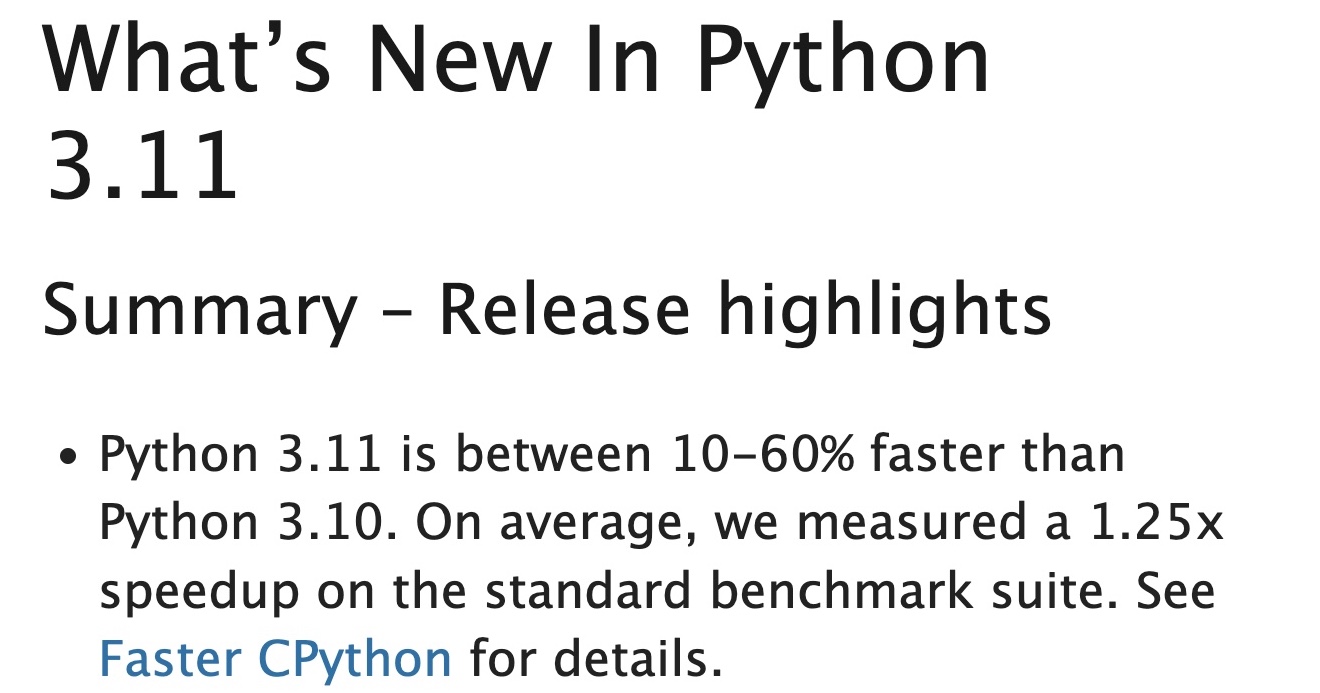 <p>Here is an idea for a completely free<sup class="footnote-ref"><a href="https://switowski.com/blog/upgrade-your-python-version/#fn1" id="fnref1">[1]</a></sup> speed improvement for your code - upgrade your Python version!</p>
<p>I started this series of articles using Python 3.8, but today we already have version 3.11. Python 3.11 is the first version of Python that brings pretty significant speed improvements thanks to the <a href="https://github.com/faster-cpython/ideas">Faster CPython project</a>. If you have never heard about it, it started as Mark Shannon's idea to improve the overall performance of CPython, and now a dedicated team of developers (including Guido van Rossum) is working to bring some hefty speed improvements over the next few releases.</p>
<p>So I decided to benchmark some Python scripts to see how much faster they can get by simply updating the Python versions. I will check out some of the examples I described in this "Writing Faster Python" series, but also some random, computationally intensive programs.</p>
<h2 id="setup" tabindex="-1">Setup <a class="direct-link" href="https://switowski.com/blog/upgrade-your-python-version/#setup" aria-hidden="true">#</a></h2>
<p>Here are the scripts I will take for a spin. Each link will take you to the corresponding article on that topic.</p>
<p><a href="https://switowski.com/blog/ask-for-permission-or-look-before-you-leap/">Ask for Forgiveness or Look Before You Leap</a> - example 2, where we check if all 3 attributes exist (and they do):</p>
<pre class="language-python" data-language="python"><code class="language-python"><span class="token comment"># permission_vs_forgiveness.py</span><br /><br /><span class="token keyword">class</span> <span class="token class-name">BaseClass</span><span class="token punctuation">:</span><br /> hello <span class="token operator">=</span> <span class="token string">"world"</span><br /> bar <span class="token operator">=</span> <span class="token string">"world"</span><br /> baz <span class="token operator">=</span> <span class="token string">"world"</span><br /><br /><span class="token keyword">class</span> <span class="token class-name">Foo</span><span class="token punctuation">(</span>BaseClass<span class="token punctuation">)</span><span class="token punctuation">:</span><br /> <span class="token keyword">pass</span><br /><br />FOO <span class="token operator">=</span> Foo<span class="token punctuation">(</span><span class="token punctuation">)</span><br /><br /><span class="token comment"># Look before you leap</span><br /><span class="token keyword">def</span> <span class="token function">test_permission2</span><span class="token punctuation">(</span><span class="token punctuation">)</span><span class="token punctuation">:</span><br /> <span class="token keyword">if</span> <span class="token builtin">hasattr</span><span class="token punctuation">(</span>FOO<span class="token punctuation">,</span> <span class="token string">"hello"</span><span class="token punctuation">)</span> <span class="token keyword">and</span> <span class="token builtin">hasattr</span><span class="token punctuation">(</span>FOO<span class="token punctuation">,</span> <span class="token string">"bar"</span><span class="token punctuation">)</span> <span class="token keyword">and</span> <span class="token builtin">hasattr</span><span class="token punctuation">(</span>FOO<span class="token punctuation">,</span> <span class="token string">"baz"</span><span class="token punctuation">)</span><span class="token punctuation">:</span><br /> FOO<span class="token punctuation">.</span>hello<br /> FOO<span class="token punctuation">.</span>bar<br /> FOO<span class="token punctuation">.</span>baz<br /><br /><span class="token comment"># Ask for forgiveness</span><br /><span class="token keyword">def</span> <span class="token function">test_forgiveness2</span><span class="token punctuation">(</span><span class="token punctuation">)</span><span class="token punctuation">:</span><br /> <span class="token keyword">try</span><span class="token punctuation">:</span><br /> FOO<span class="token punctuation">.</span>hello<br /> FOO<span class="token punctuation">.</span>bar<br /> FOO<span class="token punctuation">.</span>baz<br /> <span class="token keyword">except</span> AttributeError<span class="token punctuation">:</span><br /> <span class="token keyword">pass</span></code></pre>
<p><a href="https://switowski.com/blog/ask-for-permission-or-look-before-you-leap/">Ask for Forgiveness or Look Before You Leap</a> - example 3, where we check for an attribute, but that attribute doesn't exist:</p>
<pre class="language-python" data-language="python"><code class="language-python"><span class="token comment"># permission_vs_forgiveness2.py</span><br /><br /><span class="token keyword">class</span> <span class="token class-name">BaseClass</span><span class="token punctuation">:</span><br /> <span class="token keyword">pass</span> <span class="token comment"># "hello" attribute is now removed</span><br /><br /><span class="token keyword">class</span> <span class="token class-name">Foo</span><span class="token punctuation">(</span>BaseClass<span class="token punctuation">)</span><span class="token punctuation">:</span><br /> <span class="token keyword">pass</span><br /><br />FOO <span class="token operator">=</span> Foo<span class="token punctuation">(</span><span class="token punctuation">)</span><br /><br /><span class="token comment"># Look before you leap</span><br /><span class="token keyword">def</span> <span class="token function">test_permission3</span><span class="token punctuation">(</span><span class="token punctuation">)</span><span class="token punctuation">:</span><br /> <span class="token keyword">if</span> <span class="token builtin">hasattr</span><span class="token punctuation">(</span>FOO<span class="token punctuation">,</span> <span class="token string">"hello"</span><span class="token punctuation">)</span><span class="token punctuation">:</span><br /> FOO<span class="token punctuation">.</span>hello<br /><br /><span class="token comment"># Ask for forgiveness</span><br /><span class="token keyword">def</span> <span class="token function">test_forgiveness3</span><span class="token punctuation">(</span><span class="token punctuation">)</span><span class="token punctuation">:</span><br /> <span class="token keyword">try</span><span class="token punctuation">:</span><br /> FOO<span class="token punctuation">.</span>hello<br /> <span class="token keyword">except</span> AttributeError<span class="token punctuation">:</span><br /> <span class="token keyword">pass</span></code></pre>
<p><a href="https://switowski.com/blog/find-item-in-a-list/">Find Item in a List</a> - for loop and a generator expression for finding the first number divisible by 42 and 43. They both use <code>count()</code> function inside:</p>
<pre class="language-python" data-language="python"><code class="language-python"><span class="token comment"># find_item.py</span><br /><br /><span class="token keyword">from</span> itertools <span class="token keyword">import</span> count<br /><br /><span class="token keyword">def</span> <span class="token function">count_numbers</span><span class="token punctuation">(</span><span class="token punctuation">)</span><span class="token punctuation">:</span><br /> <span class="token keyword">for</span> item <span class="token keyword">in</span> count<span class="token punctuation">(</span><span class="token number">1</span><span class="token punctuation">)</span><span class="token punctuation">:</span><br /> <span class="token keyword">if</span> <span class="token punctuation">(</span>item <span class="token operator">%</span> <span class="token number">42</span> <span class="token operator">==</span> <span class="token number">0</span><span class="token punctuation">)</span> <span class="token keyword">and</span> <span class="token punctuation">(</span>item <span class="token operator">%</span> <span class="token number">43</span> <span class="token operator">==</span> <span class="token number">0</span><span class="token punctuation">)</span><span class="token punctuation">:</span><br /> <span class="token keyword">return</span> item<br /><br /><span class="token keyword">def</span> <span class="token function">generator</span><span class="token punctuation">(</span><span class="token punctuation">)</span><span class="token punctuation">:</span><br /> <span class="token keyword">return</span> <span class="token builtin">next</span><span class="token punctuation">(</span>item <span class="token keyword">for</span> item <span class="token keyword">in</span> count<span class="token punctuation">(</span><span class="token number">1</span><span class="token punctuation">)</span> <span class="token keyword">if</span> <span class="token punctuation">(</span>item <span class="token operator">%</span> <span class="token number">42</span> <span class="token operator">==</span> <span class="token number">0</span><span class="token punctuation">)</span> <span class="token keyword">and</span> <span class="token punctuation">(</span>item <span class="token operator">%</span> <span class="token number">43</span> <span class="token operator">==</span> <span class="token number">0</span><span class="token punctuation">)</span><span class="token punctuation">)</span><br /></code></pre>
<p><a href="https://switowski.com/blog/for-loop-vs-list-comprehension/">For Loop vs. List Comprehension</a> - for loop and a list comprehension for creating a filtered list of numbers:</p>
<pre class="language-python" data-language="python"><code class="language-python"><span class="token comment"># filter_list.py</span><br /><br />MILLION_NUMBERS <span class="token operator">=</span> <span class="token builtin">list</span><span class="token punctuation">(</span><span class="token builtin">range</span><span class="token punctuation">(</span><span class="token number">1_000_000</span><span class="token punctuation">)</span><span class="token punctuation">)</span><br /><br /><span class="token keyword">def</span> <span class="token function">for_loop</span><span class="token punctuation">(</span><span class="token punctuation">)</span><span class="token punctuation">:</span><br /> output <span class="token operator">=</span> <span class="token punctuation">[</span><span class="token punctuation">]</span><br /> <span class="token keyword">for</span> element <span class="token keyword">in</span> MILLION_NUMBERS<span class="token punctuation">:</span><br /> <span class="token keyword">if</span> <span class="token keyword">not</span> element <span class="token operator">%</span> <span class="token number">2</span><span class="token punctuation">:</span><br /> output<span class="token punctuation">.</span>append<span class="token punctuation">(</span>element<span class="token punctuation">)</span><br /> <span class="token keyword">return</span> output<br /><br /><span class="token keyword">def</span> <span class="token function">list_comprehension</span><span class="token punctuation">(</span><span class="token punctuation">)</span><span class="token punctuation">:</span><br /> <span class="token keyword">return</span> <span class="token punctuation">[</span>number <span class="token keyword">for</span> number <span class="token keyword">in</span> MILLION_NUMBERS <span class="token keyword">if</span> <span class="token keyword">not</span> number <span class="token operator">%</span> <span class="token number">2</span><span class="token punctuation">]</span></code></pre>
<p><a href="https://switowski.com/blog/sorting-lists/">Sorting Lists</a> - <code>list.sort()</code> and <code>sorted()</code> for sorting a list of random numbers:</p>
<pre class="language-python" data-language="python"><code class="language-python"><span class="token comment"># sorting.py</span><br /><br /><span class="token keyword">from</span> random <span class="token keyword">import</span> sample<br /><br /><span class="token comment"># List of 1 000 000 integers randomly shuffled</span><br />MILLION_RANDOM_NUMBERS <span class="token operator">=</span> sample<span class="token punctuation">(</span><span class="token builtin">range</span><span class="token punctuation">(</span><span class="token number">1_000_000</span><span class="token punctuation">)</span><span class="token punctuation">,</span> <span class="token number">1_000_000</span><span class="token punctuation">)</span><br /><br /><span class="token keyword">def</span> <span class="token function">test_sort</span><span class="token punctuation">(</span><span class="token punctuation">)</span><span class="token punctuation">:</span><br /> random_list <span class="token operator">=</span> MILLION_RANDOM_NUMBERS<span class="token punctuation">[</span><span class="token punctuation">:</span><span class="token punctuation">]</span><br /> <span class="token keyword">return</span> random_list<span class="token punctuation">.</span>sort<span class="token punctuation">(</span><span class="token punctuation">)</span><br /><br /><span class="token keyword">def</span> <span class="token function">test_sorted</span><span class="token punctuation">(</span><span class="token punctuation">)</span><span class="token punctuation">:</span><br /> random_list <span class="token operator">=</span> MILLION_RANDOM_NUMBERS<span class="token punctuation">[</span><span class="token punctuation">:</span><span class="token punctuation">]</span><br /> <span class="token keyword">return</span> <span class="token builtin">sorted</span><span class="token punctuation">(</span>random_list<span class="token punctuation">)</span></code></pre>
<p><a href="https://switowski.com/blog/remove-duplicates/">Remove Duplicates From a List</a> - removing duplicates from a list with a for loop and by converting list to a set and back to a list:</p>
<pre class="language-python" data-language="python"><code class="language-python"><span class="token comment"># duplicates.py</span><br /><br /><span class="token keyword">from</span> random <span class="token keyword">import</span> randrange<br /><br />DUPLICATES <span class="token operator">=</span> <span class="token punctuation">[</span>randrange<span class="token punctuation">(</span><span class="token number">100</span><span class="token punctuation">)</span> <span class="token keyword">for</span> _ <span class="token keyword">in</span> <span class="token builtin">range</span><span class="token punctuation">(</span><span class="token number">1_000_000</span><span class="token punctuation">)</span><span class="token punctuation">]</span><br /><br /><span class="token keyword">def</span> <span class="token function">test_for_loop</span><span class="token punctuation">(</span><span class="token punctuation">)</span><span class="token punctuation">:</span><br /> unique <span class="token operator">=</span> <span class="token punctuation">[</span><span class="token punctuation">]</span><br /> <span class="token keyword">for</span> element <span class="token keyword">in</span> DUPLICATES<span class="token punctuation">:</span><br /> <span class="token keyword">if</span> element <span class="token keyword">not</span> <span class="token keyword">in</span> unique<span class="token punctuation">:</span><br /> unique<span class="token punctuation">.</span>append<span class="token punctuation">(</span>element<span class="token punctuation">)</span><br /> <span class="token keyword">return</span> unique<br /><br /><span class="token keyword">def</span> <span class="token function">test_set</span><span class="token punctuation">(</span><span class="token punctuation">)</span><span class="token punctuation">:</span><br /> <span class="token keyword">return</span> <span class="token builtin">list</span><span class="token punctuation">(</span><span class="token builtin">set</span><span class="token punctuation">(</span>DUPLICATES<span class="token punctuation">)</span><span class="token punctuation">)</span></code></pre>
<h3 id="slower-scripts" tabindex="-1">Slower scripts <a class="direct-link" href="https://switowski.com/blog/upgrade-your-python-version/#slower-scripts" aria-hidden="true">#</a></h3>
<p>With the examples from "Writing Faster Python" articles, we have a good variety of common operations. We do attribute lookups, handle exceptions, we test iterators, generators, loops and lists comprehensions, etc.</p>
<p>But all those examples are rather fast to run, so just for good measure, let's add two more functions that are intended to be more computational-heavy and run for at least a few seconds:</p>
<p><strong>Bubble sort</strong> - a fairly slow sorting algorithm. Let's run it on a list of 10 000 numbers in descending order, which should take a couple of seconds on my computer:</p>
<pre class="language-python" data-language="python"><code class="language-python"><span class="token comment"># bubble_sort.py</span><br /><br />DESCENDING_10_000 <span class="token operator">=</span> <span class="token builtin">list</span><span class="token punctuation">(</span><span class="token builtin">range</span><span class="token punctuation">(</span><span class="token number">10_000</span><span class="token punctuation">,</span> <span class="token number">0</span><span class="token punctuation">,</span> <span class="token operator">-</span><span class="token number">1</span><span class="token punctuation">)</span><span class="token punctuation">)</span><br /><br /><span class="token keyword">def</span> <span class="token function">bubble_sort</span><span class="token punctuation">(</span><span class="token punctuation">)</span><span class="token punctuation">:</span><br /> numbers <span class="token operator">=</span> DESCENDING_10_000<span class="token punctuation">[</span><span class="token punctuation">:</span><span class="token punctuation">]</span><br /> changed <span class="token operator">=</span> <span class="token boolean">True</span><br /> <span class="token keyword">while</span> changed<span class="token punctuation">:</span><br /> changed <span class="token operator">=</span> <span class="token boolean">False</span><br /> <span class="token keyword">for</span> i <span class="token keyword">in</span> <span class="token builtin">range</span><span class="token punctuation">(</span><span class="token builtin">len</span><span class="token punctuation">(</span>numbers<span class="token punctuation">)</span> <span class="token operator">-</span> <span class="token number">1</span><span class="token punctuation">)</span><span class="token punctuation">:</span><br /> <span class="token keyword">if</span> numbers<span class="token punctuation">[</span>i<span class="token punctuation">]</span> <span class="token operator">></span> numbers<span class="token punctuation">[</span>i<span class="token operator">+</span><span class="token number">1</span><span class="token punctuation">]</span><span class="token punctuation">:</span><br /> numbers<span class="token punctuation">[</span>i<span class="token punctuation">]</span><span class="token punctuation">,</span> numbers<span class="token punctuation">[</span>i<span class="token operator">+</span><span class="token number">1</span><span class="token punctuation">]</span> <span class="token operator">=</span> numbers<span class="token punctuation">[</span>i<span class="token operator">+</span><span class="token number">1</span><span class="token punctuation">]</span><span class="token punctuation">,</span> numbers<span class="token punctuation">[</span>i<span class="token punctuation">]</span><br /> changed <span class="token operator">=</span> <span class="token boolean">True</span><br /> <span class="token keyword">return</span> numbers</code></pre>
<p><strong>Monte Carlo estimation of the π number</strong>. This is a simple simulation where we draw a square with a side of 1, and inside we draw a circle (so it has a diameter of 1). Then we throw a bunch of darts (or generate random points in case we don't have a large pile of virtual darts) inside that square. This lets us estimate the area of both the square and the circle by simply counting the number of darts that landed inside each of them. By definition, all the darts will end up inside the square, but only some will land in the circle. Finally, we know from school that the circle's area divided by the square's area is equal to π/4. So we do that division, and we get the estimation of π. The more darts we throw, the better the estimation is. <a href="https://academo.org/demos/estimating-pi-monte-carlo/">Here</a> is a visual explanation of this method.</p>
<p>Again, there are more efficient algorithms to do this simulation (e.g., using NumPy), but I want a slow version on purpose:</p>
<pre class="language-python" data-language="python"><code class="language-python"><span class="token comment"># pi_estimation.py</span><br /><br /><span class="token keyword">from</span> random <span class="token keyword">import</span> random<br /><span class="token keyword">from</span> math <span class="token keyword">import</span> sqrt<br /><br /><span class="token comment"># Total number of darts to throw.</span><br />TOTAL <span class="token operator">=</span> <span class="token number">100_000_000</span><br /><br /><span class="token keyword">def</span> <span class="token function">estimate_pi</span><span class="token punctuation">(</span><span class="token punctuation">)</span><span class="token punctuation">:</span><br /> <span class="token comment"># Number of darts that land inside the circle.</span><br /> inside <span class="token operator">=</span> <span class="token number">0</span><br /><br /> <span class="token keyword">for</span> _ <span class="token keyword">in</span> <span class="token builtin">range</span><span class="token punctuation">(</span>TOTAL<span class="token punctuation">)</span><span class="token punctuation">:</span><br /> x2 <span class="token operator">=</span> random<span class="token punctuation">(</span><span class="token punctuation">)</span><span class="token operator">**</span><span class="token number">2</span><br /> y2 <span class="token operator">=</span> random<span class="token punctuation">(</span><span class="token punctuation">)</span><span class="token operator">**</span><span class="token number">2</span><br /> <span class="token comment"># Check if the x and y points lie inside the circle</span><br /> <span class="token keyword">if</span> sqrt<span class="token punctuation">(</span>x2 <span class="token operator">+</span> y2<span class="token punctuation">)</span> <span class="token operator"><</span> <span class="token number">1.0</span><span class="token punctuation">:</span><br /> inside <span class="token operator">+=</span> <span class="token number">1</span><br /> <span class="token keyword">return</span> <span class="token punctuation">(</span><span class="token builtin">float</span><span class="token punctuation">(</span>inside<span class="token punctuation">)</span> <span class="token operator">/</span> TOTAL<span class="token punctuation">)</span> <span class="token operator">*</span> <span class="token number">4</span></code></pre>
<h2 id="benchmarks" tabindex="-1">Benchmarks <a class="direct-link" href="https://switowski.com/blog/upgrade-your-python-version/#benchmarks" aria-hidden="true">#</a></h2>
<p>With 14 functions to check, we are ready to start our benchmarks. To run all of them at once, I've created a simple bash script to run all functions under different Python versions. I use pyenv to install the latest versions of Python, starting from 3.7, and then I use Python executables from each of those versions. Finally, I print the results in a nice table.</p>
<p>Here is the bash script I came up with. Don't worry if you don't understand how it works. I probably won't understand it one month from now, either.</p>
<pre class="language-bash" data-language="bash"><code class="language-bash"><span class="token shebang important">#!/usr/bin/env bash</span><br /><br /><span class="token comment"># Python versions that we will test</span><br /><span class="token assign-left variable">PYENV_VERSIONS</span><span class="token operator">=</span><span class="token punctuation">(</span><span class="token number">3.7</span>.14 <span class="token number">3.8</span>.14 <span class="token number">3.9</span>.14 <span class="token number">3.10</span>.7 <span class="token number">3.11</span>.0<span class="token punctuation">)</span><br /><br /><span class="token comment"># Setup code and the actual functions that we will benchmark</span><br /><span class="token assign-left variable">COMMANDS</span><span class="token operator">=</span><span class="token punctuation">(</span><br /> <span class="token string">"-s 'from permission_vs_forgiveness import test_permission2' 'test_permission2()'"</span><br /> <span class="token string">"-s 'from permission_vs_forgiveness import test_forgiveness2' 'test_forgiveness2()'"</span><br /> <span class="token string">"-s 'from permission_vs_forgiveness2 import test_permission3' 'test_permission3()'"</span><br /> <span class="token string">"-s 'from permission_vs_forgiveness2 import test_forgiveness3' 'test_forgiveness3()'"</span><br /> <span class="token string">"-s 'from find_item import count_numbers' 'count_numbers()'"</span><br /> <span class="token string">"-s 'from find_item import generator' 'generator()'"</span><br /> <span class="token string">"-s 'from filter_list import for_loop' 'for_loop()'"</span><br /> <span class="token string">"-s 'from filter_list import list_comprehension' 'list_comprehension()'"</span><br /> <span class="token string">"-s 'from sorting import test_sort' 'test_sort()'"</span><br /> <span class="token string">"-s 'from sorting import test_sorted' 'test_sorted()'"</span><br /> <span class="token string">"-s 'from duplicates import test_for_loop' 'test_for_loop()'"</span><br /> <span class="token string">"-s 'from duplicates import test_set' 'test_set()'"</span><br /> <span class="token string">"-s 'from bubble_sort import bubble_sort' 'bubble_sort()'"</span><br /> <span class="token string">"-s 'from pi_estimation import estimate_pi' 'estimate_pi()'"</span><br /><span class="token punctuation">)</span><br /><br /><span class="token assign-left variable">OUTPUT</span><span class="token operator">=</span><span class="token string">"Function,"</span><br /><span class="token comment"># Create a header with version numbers</span><br /><span class="token keyword">for</span> <span class="token for-or-select variable">v</span> <span class="token keyword">in</span> <span class="token variable">${PYENV_VERSIONS<span class="token punctuation">[</span>@<span class="token punctuation">]</span>}</span><br /><span class="token keyword">do</span><br /> <span class="token assign-left variable">OUTPUT</span><span class="token operator">+=</span><span class="token string">"<span class="token variable">$v</span>,"</span><br /><span class="token keyword">done</span><br /><br /><span class="token comment"># Last column will contain difference between 1st and last version of Python in the PYENV_VERSIONS</span><br /><span class="token assign-left variable">OUTPUT</span><span class="token operator">+=</span><span class="token string">"<span class="token variable">${PYENV_VERSIONS<span class="token punctuation">[</span>0<span class="token punctuation">]</span>}</span>/<span class="token variable">${PYENV_VERSIONS<span class="token punctuation">[</span>${<span class="token operator">#</span>PYENV_VERSIONS<span class="token punctuation">[</span>@<span class="token punctuation">]</span>}</span>-1]}"</span><br /><span class="token assign-left variable">OUTPUT</span><span class="token operator">+=</span><span class="token string">"<span class="token entity" title="\n">\n</span>"</span><br /><br /><span class="token keyword">for</span> <span class="token variable"><span class="token punctuation">((</span> i <span class="token operator">=</span> <span class="token number">0</span><span class="token punctuation">;</span> i <span class="token operator"><</span> ${#COMMANDS[@]} <span class="token punctuation">;</span> i<span class="token operator">++</span> <span class="token punctuation">))</span></span><br /><span class="token keyword">do</span><br /> <span class="token comment"># Remove the single quotes from function name</span><br /> <span class="token assign-left variable">OUTPUT</span><span class="token operator">+=</span><span class="token variable"><span class="token variable">$(</span><span class="token builtin class-name">echo</span> $<span class="token punctuation">{</span>COMMANDS<span class="token punctuation">[</span>$i<span class="token punctuation">]</span><span class="token comment">##*\ } | tr -d "'"</span><span class="token variable">)</span></span><br /><br /> <span class="token keyword">for</span> <span class="token for-or-select variable">v</span> <span class="token keyword">in</span> <span class="token variable">${PYENV_VERSIONS<span class="token punctuation">[</span>@<span class="token punctuation">]</span>}</span><br /> <span class="token keyword">do</span><br /> <span class="token assign-left variable">OUTPUT</span><span class="token operator">+=</span><span class="token string">","</span><br /> <span class="token assign-left variable">OUTPUT</span><span class="token operator">+=</span><span class="token variable"><span class="token variable">$(</span><span class="token builtin class-name">eval</span> <span class="token string">"/Users/switowski/.pyenv/versions/<span class="token variable">$v</span>/bin/python -m timeit <span class="token variable">${COMMANDS<span class="token punctuation">[</span>$i<span class="token punctuation">]</span>}</span>"</span> <span class="token operator">|</span> <span class="token function">sed</span> <span class="token parameter variable">-e</span> <span class="token string">'s/.*: \(.*\) per loop/\1/'</span><span class="token variable">)</span></span><br /> <span class="token keyword">done</span><br /> <span class="token comment"># Divide timings for the first and last Python version and add it in the last column</span><br /> <span class="token assign-left variable">v1</span><span class="token operator">=</span><span class="token variable"><span class="token variable">$(</span><span class="token builtin class-name">eval</span> <span class="token string">"/Users/switowski/.pyenv/versions/<span class="token variable">${PYENV_VERSIONS<span class="token punctuation">[</span>0<span class="token punctuation">]</span>}</span>/bin/python -m timeit <span class="token variable">${COMMANDS<span class="token punctuation">[</span>$i<span class="token punctuation">]</span>}</span>"</span> <span class="token operator">|</span> <span class="token function">sed</span> <span class="token parameter variable">-e</span> <span class="token string">'s/.*: \(.*\) per loop/\1/'</span> <span class="token parameter variable">-e</span> <span class="token string">'s/[^0-9\.]//g'</span><span class="token variable">)</span></span><br /> <span class="token assign-left variable">v2</span><span class="token operator">=</span><span class="token variable"><span class="token variable">$(</span><span class="token builtin class-name">eval</span> <span class="token string">"/Users/switowski/.pyenv/versions/<span class="token variable">${PYENV_VERSIONS<span class="token punctuation">[</span>${<span class="token operator">#</span>PYENV_VERSIONS<span class="token punctuation">[</span>@<span class="token punctuation">]</span>}</span>-1]}/bin/python -m timeit <span class="token variable">${COMMANDS<span class="token punctuation">[</span>$i<span class="token punctuation">]</span>}</span>"</span> <span class="token operator">|</span> <span class="token function">sed</span> <span class="token parameter variable">-e</span> <span class="token string">'s/.*: \(.*\) per loop/\1/'</span> <span class="token parameter variable">-e</span> <span class="token string">'s/[^0-9\.]//g'</span><span class="token variable">)</span></span><br /> <span class="token assign-left variable">difference</span><span class="token operator">=</span><span class="token variable"><span class="token variable">$(</span><span class="token builtin class-name">echo</span> <span class="token string">"scale=2; <span class="token variable">$v1</span> / <span class="token variable">$v2</span>"</span> <span class="token operator">|</span> <span class="token function">bc</span><span class="token variable">)</span></span><br /> <span class="token assign-left variable">OUTPUT</span><span class="token operator">+=</span><span class="token string">",<span class="token variable">$difference</span>"</span><br /><br /> <span class="token assign-left variable">OUTPUT</span><span class="token operator">+=</span><span class="token string">"<span class="token entity" title="\n">\n</span>"</span><br /><span class="token keyword">done</span><br /><br /><span class="token comment"># Print in a table-like format</span><br /><span class="token builtin class-name">printf</span> <span class="token string">"<span class="token variable">$OUTPUT</span>"</span> <span class="token operator">|</span> <span class="token function">column</span> -ts,</code></pre>
<p>I've put all the code examples together with the benchmark script and the results in <a href="https://github.com/switowski/blog-resources/tree/master/writing-faster-python/benchmarks">this repository</a>. The actual benchmark script has one more version, in case you don't care about the table, but the raw output from the timeit functions.</p>
<h2 id="results" tabindex="-1">Results <a class="direct-link" href="https://switowski.com/blog/upgrade-your-python-version/#results" aria-hidden="true">#</a></h2>
<p>Let's see the results. The lower the number, the faster a given code example runs. In the last column, we can see the comparison of how long it takes to run the code in Python 3.7 vs. Python 3.11. "1.68" means this example runs 68% slower in Python 3.7.</p>
<p>I did a bit of cleanup by moving the units next to the function name (instead of next to each number as in the <a href="https://github.com/switowski/blog-resources/blob/master/writing-faster-python/benchmarks/results.txt">original output</a>).</p>
<table>
<thead>
<tr>
<th>Function</th>
<th>3.7.14</th>
<th>3.8.14</th>
<th>3.9.14</th>
<th>3.10.7</th>
<th>3.11.0</th>
<th style="text-align:right">3.7/3.11</th>
</tr>
</thead>
<tbody>
<tr>
<td>test_permission2() [nsec]</td>
<td>218</td>
<td>145</td>
<td>148</td>
<td>145</td>
<td>140</td>
<td style="text-align:right">1.68</td>
</tr>
<tr>
<td>test_forgiveness2() [nsec]</td>
<td>91.9</td>
<td>70.4</td>
<td>72</td>
<td>83.1</td>
<td>71.7</td>
<td style="text-align:right">1.31</td>
</tr>
<tr>
<td>test_permission3() [nsec]</td>
<td>77.4</td>
<td>60.9</td>
<td>61.9</td>
<td>57.1</td>
<td>40.5</td>
<td style="text-align:right">1.88</td>
</tr>
<tr>
<td>test_forgiveness3() [µsec]</td>
<td>256</td>
<td>251</td>
<td>239</td>
<td>283</td>
<td>307</td>
<td style="text-align:right">.83</td>
</tr>
<tr>
<td>count_numbers() [µsec]</td>
<td>46.8</td>
<td>47.5</td>
<td>47.4</td>
<td>46.6</td>
<td>41</td>
<td style="text-align:right">1.14</td>
</tr>
<tr>
<td>generator() [µsec]</td>
<td>47.1</td>
<td>47.7</td>
<td>47.6</td>
<td>45.3</td>
<td>39.5</td>
<td style="text-align:right">1.18</td>
</tr>
<tr>
<td>for_loop() [msec]</td>
<td>27.2</td>
<td>26.5</td>
<td>26.8</td>
<td>25.6</td>
<td>19.4</td>
<td style="text-align:right">1.39</td>
</tr>
<tr>
<td>list_comprehension() [msec]</td>
<td>18.3</td>
<td>18</td>
<td>18.6</td>
<td>17.7</td>
<td>17.3</td>
<td style="text-align:right">1.04</td>
</tr>
<tr>
<td>test_sort() [msec]</td>
<td>175</td>
<td>175</td>
<td>176</td>
<td>176</td>
<td>175</td>
<td style="text-align:right">.97</td>
</tr>
<tr>
<td>test_sorted() [msec]</td>
<td>183</td>
<td>183</td>
<td>186</td>
<td>183</td>
<td>185</td>
<td style="text-align:right">1.00</td>
</tr>
<tr>
<td>test_for_loop() [msec]</td>
<td>360</td>
<td>364</td>
<td>316</td>
<td>305</td>
<td>308</td>
<td style="text-align:right">1.17</td>
</tr>
<tr>
<td>test_set() [msec]</td>
<td>5.59</td>
<td>5.57</td>
<td>5.83</td>
<td>6.09</td>
<td>6.08</td>
<td style="text-align:right">.91</td>
</tr>
<tr>
<td>bubble_sort() [sec]</td>
<td>8.05</td>
<td>8.24</td>
<td>8.23</td>
<td>7.89</td>
<td>4.69</td>
<td style="text-align:right">1.72</td>
</tr>
<tr>
<td>estimate_pi() [sec]</td>
<td>17.1</td>
<td>17.9</td>
<td>18.1</td>
<td>17.4</td>
<td>14.3</td>
<td style="text-align:right">1.21</td>
</tr>
</tbody>
</table>
<p>We can see that in most cases, our examples run faster as we upgrade the Python version. And Python 3.11 gives us the best improvements. Upgrading your Python version now makes even more sense than before if you're looking for speed improvements.</p>
<p>But for some examples, we see a degradation of performance. The 0.97 for <code>test_sort()</code> and 0.91 for <code>test_set()</code> differences are so small that I assume it's the small randomness of the benchmark results. But the <code>test_forgiveness3()</code> with around 20% decrease in performance in Python 3.11 looked interesting. I checked the release notes for Python 3.11 to find what might be causing this and found nothing. So I decided to compare how Python handles exceptions for the most common example - division by zero:</p>
<pre class="language-python" data-language="python"><code class="language-python"><span class="token comment"># division.py</span><br /><span class="token keyword">def</span> <span class="token function">divide_by_zero</span><span class="token punctuation">(</span><span class="token punctuation">)</span><span class="token punctuation">:</span><br /> <span class="token keyword">try</span><span class="token punctuation">:</span><br /> <span class="token number">1</span><span class="token operator">/</span><span class="token number">0</span><br /> <span class="token keyword">except</span> ZeroDivisionError<span class="token punctuation">:</span><br /> <span class="token keyword">pass</span></code></pre>
<p>Benchmarking the above code under different Python versions gave me the following results:</p>
<ul>
<li>Python 3.7.14: 161 nsec</li>
<li>Python 3.8.14: 170 nsec</li>
<li>Python 3.9.14: 165 nsec</li>
<li>Python 3.10.7: 141 nsec</li>
<li>Python 3.11.0: 169 nsec</li>
</ul>
<p>In Python 3.11.0, it's almost as slow as in Python 3.7 or 3.8. So it seems like the slowdown for my <code>test_forgiveness3()</code> was specific to this one particular example and not something we should be worried about. And while this example is slower, all the other examples of testing permission and forgiveness got much faster in the newer Python versions. In Python 3.11, the "ask for permission" gets an additional speed boost from the "zero cost" exception handling.</p>
<h3 id="zero-cost-exception-handling" tabindex="-1">"Zero cost" exception handling <a class="direct-link" href="https://switowski.com/blog/upgrade-your-python-version/#zero-cost-exception-handling" aria-hidden="true">#</a></h3>
<p>Python 3.11 introduced something called <a href="https://bugs.python.org/issue40222">"zero cost" exception handling</a>. This <a href="https://news.ycombinator.com/item?id=28771931">Hacker News submission</a> explains how this works in Python and other languages. The gist of this feature is that everything inside the "try" block (the "happy path" of the exception) will now be faster - almost as fast as if there was no try/except block at all.</p>
<p>Let's see this in action!</p>
<p>I created one more short benchmarking script. I took 3 code examples (for loop for filtering a list, bubble sort, and the pi estimation) and wrapped their most inner instructions in a try/except block (so that this try/except block is executed as often as possible). At the same time, since there are no exceptions, the "except" block is never called, so I can just put <code>pass</code> inside.</p>
<p>So, for example, the first test case will compare those two variants:</p>
<pre class="language-python" data-language="python"><code class="language-python">MILLION_NUMBERS <span class="token operator">=</span> <span class="token builtin">list</span><span class="token punctuation">(</span><span class="token builtin">range</span><span class="token punctuation">(</span><span class="token number">1_000_000</span><span class="token punctuation">)</span><span class="token punctuation">)</span><br /><br /><span class="token keyword">def</span> <span class="token function">for_loop</span><span class="token punctuation">(</span><span class="token punctuation">)</span><span class="token punctuation">:</span><br /> output <span class="token operator">=</span> <span class="token punctuation">[</span><span class="token punctuation">]</span><br /> <span class="token keyword">for</span> element <span class="token keyword">in</span> MILLION_NUMBERS<span class="token punctuation">:</span><br /> <span class="token keyword">if</span> <span class="token keyword">not</span> element <span class="token operator">%</span> <span class="token number">2</span><span class="token punctuation">:</span><br /> output<span class="token punctuation">.</span>append<span class="token punctuation">(</span>element<span class="token punctuation">)</span><br /> <span class="token keyword">return</span> output<br /><br /><span class="token keyword">def</span> <span class="token function">for_loop_with_try_except</span><span class="token punctuation">(</span><span class="token punctuation">)</span><span class="token punctuation">:</span><br /> output <span class="token operator">=</span> <span class="token punctuation">[</span><span class="token punctuation">]</span><br /> <span class="token keyword">for</span> element <span class="token keyword">in</span> MILLION_NUMBERS<span class="token punctuation">:</span><br /> <span class="token keyword">if</span> <span class="token keyword">not</span> element <span class="token operator">%</span> <span class="token number">2</span><span class="token punctuation">:</span><br /> <span class="token keyword">try</span><span class="token punctuation">:</span><br /> output<span class="token punctuation">.</span>append<span class="token punctuation">(</span>element<span class="token punctuation">)</span><br /> <span class="token keyword">except</span> Exception<span class="token punctuation">:</span><br /> <span class="token keyword">pass</span><br /> <span class="token keyword">return</span> output</code></pre>
<p>With zero cost exceptions handling, Python 3.11 should run those code examples faster than Python 3.10 or 3.9.</p>
<p>Let's see the results by running the <a href="https://github.com/switowski/blog-resources/blob/master/writing-faster-python/benchmarks/exceptions_benchmark.sh">exceptions_benchmark.sh</a> script:</p>
<table>
<thead>
<tr>
<th>Function</th>
<th style="text-align:center">3.9.14</th>
<th style="text-align:center">3.10.7</th>
<th style="text-align:center">3.11.0</th>
</tr>
</thead>
<tbody>
<tr>
<td>Filter [msec]</td>
<td style="text-align:center">26.7 (28.4)</td>
<td style="text-align:center">26 (27.1)</td>
<td style="text-align:center">19.6 (20.4)</td>
</tr>
<tr>
<td>Pi [sec]</td>
<td style="text-align:center">18.4 (19.2)</td>
<td style="text-align:center">17.3 (17.5)</td>
<td style="text-align:center">14.1 (14.3)</td>
</tr>
<tr>
<td>Bubble [sec]</td>
<td style="text-align:center">8.26 (8.46)</td>
<td style="text-align:center">7.96 (8.06)</td>
<td style="text-align:center">4.72 (4.75)</td>
</tr>
</tbody>
</table>
<p>The first number in each column is how long it takes to run the original version (<strong>without</strong> try/except blocks). The number in parenthesis is how long it takes to run the same function <strong>with</strong> the try/except blocks called multiple times.</p>
<p>The differences between both variants are tiny for all 3 Python versions. But for Python 3.11 they are even smaller! Take this simple benchmark with a grain of salt, but I hope it helped illustrate what's the benefit of "zero cost" exception handling.</p>
<h2 id="conclusions" tabindex="-1">Conclusions <a class="direct-link" href="https://switowski.com/blog/upgrade-your-python-version/#conclusions" aria-hidden="true">#</a></h2>
<p>Upgrading Python version is one of a few ways to make your code a bit faster without changing it. And no matter if you upgrade from Python 3.7. to 3.8 or from Python 3.9 to Python 3.10, you will always get some improvements for a large codebase. But it's Python 3.11 where a dedicated effort was made to really speed it up. According to the <a href="https://docs.python.org/3/whatsnew/3.11.html#summary-release-highlights">release notes</a>, it should speed up your code by around 10-60%. So now is a good time to think about upgrading your Python projects.</p>
<p>If you want to run your own benchmarks with more advanced code examples, the <a href="https://pyperformance.readthedocs.io/">Python Performance Benchmark Suite</a> is a good place to look for some inspiration.</p>
<hr class="footnotes-sep" />
<section class="footnotes">
<ol class="footnotes-list">
<li id="fn1" class="footnote-item"><p>Completely free if you have good tests coverage (in case of some subtle bugs between minor Python versions), all the libraries you are using work with newer Python version, and you have a few moments to install new Python version. <a href="https://switowski.com/blog/upgrade-your-python-version/#fnref1" class="footnote-backref">↩︎</a></p>
</li>
</ol>
</section>
<p>Here is an idea for a completely free<sup class="footnote-ref"><a href="https://switowski.com/blog/upgrade-your-python-version/#fn1" id="fnref1">[1]</a></sup> speed improvement for your code - upgrade your Python version!</p>
<p>I started this series of articles using Python 3.8, but today we already have version 3.11. Python 3.11 is the first version of Python that brings pretty significant speed improvements thanks to the <a href="https://github.com/faster-cpython/ideas">Faster CPython project</a>. If you have never heard about it, it started as Mark Shannon's idea to improve the overall performance of CPython, and now a dedicated team of developers (including Guido van Rossum) is working to bring some hefty speed improvements over the next few releases.</p>
<p>So I decided to benchmark some Python scripts to see how much faster they can get by simply updating the Python versions. I will check out some of the examples I described in this "Writing Faster Python" series, but also some random, computationally intensive programs.</p>
<h2 id="setup" tabindex="-1">Setup <a class="direct-link" href="https://switowski.com/blog/upgrade-your-python-version/#setup" aria-hidden="true">#</a></h2>
<p>Here are the scripts I will take for a spin. Each link will take you to the corresponding article on that topic.</p>
<p><a href="https://switowski.com/blog/ask-for-permission-or-look-before-you-leap/">Ask for Forgiveness or Look Before You Leap</a> - example 2, where we check if all 3 attributes exist (and they do):</p>
<pre class="language-python" data-language="python"><code class="language-python"><span class="token comment"># permission_vs_forgiveness.py</span><br /><br /><span class="token keyword">class</span> <span class="token class-name">BaseClass</span><span class="token punctuation">:</span><br /> hello <span class="token operator">=</span> <span class="token string">"world"</span><br /> bar <span class="token operator">=</span> <span class="token string">"world"</span><br /> baz <span class="token operator">=</span> <span class="token string">"world"</span><br /><br /><span class="token keyword">class</span> <span class="token class-name">Foo</span><span class="token punctuation">(</span>BaseClass<span class="token punctuation">)</span><span class="token punctuation">:</span><br /> <span class="token keyword">pass</span><br /><br />FOO <span class="token operator">=</span> Foo<span class="token punctuation">(</span><span class="token punctuation">)</span><br /><br /><span class="token comment"># Look before you leap</span><br /><span class="token keyword">def</span> <span class="token function">test_permission2</span><span class="token punctuation">(</span><span class="token punctuation">)</span><span class="token punctuation">:</span><br /> <span class="token keyword">if</span> <span class="token builtin">hasattr</span><span class="token punctuation">(</span>FOO<span class="token punctuation">,</span> <span class="token string">"hello"</span><span class="token punctuation">)</span> <span class="token keyword">and</span> <span class="token builtin">hasattr</span><span class="token punctuation">(</span>FOO<span class="token punctuation">,</span> <span class="token string">"bar"</span><span class="token punctuation">)</span> <span class="token keyword">and</span> <span class="token builtin">hasattr</span><span class="token punctuation">(</span>FOO<span class="token punctuation">,</span> <span class="token string">"baz"</span><span class="token punctuation">)</span><span class="token punctuation">:</span><br /> FOO<span class="token punctuation">.</span>hello<br /> FOO<span class="token punctuation">.</span>bar<br /> FOO<span class="token punctuation">.</span>baz<br /><br /><span class="token comment"># Ask for forgiveness</span><br /><span class="token keyword">def</span> <span class="token function">test_forgiveness2</span><span class="token punctuation">(</span><span class="token punctuation">)</span><span class="token punctuation">:</span><br /> <span class="token keyword">try</span><span class="token punctuation">:</span><br /> FOO<span class="token punctuation">.</span>hello<br /> FOO<span class="token punctuation">.</span>bar<br /> FOO<span class="token punctuation">.</span>baz<br /> <span class="token keyword">except</span> AttributeError<span class="token punctuation">:</span><br /> <span class="token keyword">pass</span></code></pre>
<p><a href="https://switowski.com/blog/ask-for-permission-or-look-before-you-leap/">Ask for Forgiveness or Look Before You Leap</a> - example 3, where we check for an attribute, but that attribute doesn't exist:</p>
<pre class="language-python" data-language="python"><code class="language-python"><span class="token comment"># permission_vs_forgiveness2.py</span><br /><br /><span class="token keyword">class</span> <span class="token class-name">BaseClass</span><span class="token punctuation">:</span><br /> <span class="token keyword">pass</span> <span class="token comment"># "hello" attribute is now removed</span><br /><br /><span class="token keyword">class</span> <span class="token class-name">Foo</span><span class="token punctuation">(</span>BaseClass<span class="token punctuation">)</span><span class="token punctuation">:</span><br /> <span class="token keyword">pass</span><br /><br />FOO <span class="token operator">=</span> Foo<span class="token punctuation">(</span><span class="token punctuation">)</span><br /><br /><span class="token comment"># Look before you leap</span><br /><span class="token keyword">def</span> <span class="token function">test_permission3</span><span class="token punctuation">(</span><span class="token punctuation">)</span><span class="token punctuation">:</span><br /> <span class="token keyword">if</span> <span class="token builtin">hasattr</span><span class="token punctuation">(</span>FOO<span class="token punctuation">,</span> <span class="token string">"hello"</span><span class="token punctuation">)</span><span class="token punctuation">:</span><br /> FOO<span class="token punctuation">.</span>hello<br /><br /><span class="token comment"># Ask for forgiveness</span><br /><span class="token keyword">def</span> <span class="token function">test_forgiveness3</span><span class="token punctuation">(</span><span class="token punctuation">)</span><span class="token punctuation">:</span><br /> <span class="token keyword">try</span><span class="token punctuation">:</span><br /> FOO<span class="token punctuation">.</span>hello<br /> <span class="token keyword">except</span> AttributeError<span class="token punctuation">:</span><br /> <span class="token keyword">pass</span></code></pre>
<p><a href="https://switowski.com/blog/find-item-in-a-list/">Find Item in a List</a> - for loop and a generator expression for finding the first number divisible by 42 and 43. They both use <code>count()</code> function inside:</p>
<pre class="language-python" data-language="python"><code class="language-python"><span class="token comment"># find_item.py</span><br /><br /><span class="token keyword">from</span> itertools <span class="token keyword">import</span> count<br /><br /><span class="token keyword">def</span> <span class="token function">count_numbers</span><span class="token punctuation">(</span><span class="token punctuation">)</span><span class="token punctuation">:</span><br /> <span class="token keyword">for</span> item <span class="token keyword">in</span> count<span class="token punctuation">(</span><span class="token number">1</span><span class="token punctuation">)</span><span class="token punctuation">:</span><br /> <span class="token keyword">if</span> <span class="token punctuation">(</span>item <span class="token operator">%</span> <span class="token number">42</span> <span class="token operator">==</span> <span class="token number">0</span><span class="token punctuation">)</span> <span class="token keyword">and</span> <span class="token punctuation">(</span>item <span class="token operator">%</span> <span class="token number">43</span> <span class="token operator">==</span> <span class="token number">0</span><span class="token punctuation">)</span><span class="token punctuation">:</span><br /> <span class="token keyword">return</span> item<br /><br /><span class="token keyword">def</span> <span class="token function">generator</span><span class="token punctuation">(</span><span class="token punctuation">)</span><span class="token punctuation">:</span><br /> <span class="token keyword">return</span> <span class="token builtin">next</span><span class="token punctuation">(</span>item <span class="token keyword">for</span> item <span class="token keyword">in</span> count<span class="token punctuation">(</span><span class="token number">1</span><span class="token punctuation">)</span> <span class="token keyword">if</span> <span class="token punctuation">(</span>item <span class="token operator">%</span> <span class="token number">42</span> <span class="token operator">==</span> <span class="token number">0</span><span class="token punctuation">)</span> <span class="token keyword">and</span> <span class="token punctuation">(</span>item <span class="token operator">%</span> <span class="token number">43</span> <span class="token operator">==</span> <span class="token number">0</span><span class="token punctuation">)</span><span class="token punctuation">)</span><br /></code></pre>
<p><a href="https://switowski.com/blog/for-loop-vs-list-comprehension/">For Loop vs. List Comprehension</a> - for loop and a list comprehension for creating a filtered list of numbers:</p>
<pre class="language-python" data-language="python"><code class="language-python"><span class="token comment"># filter_list.py</span><br /><br />MILLION_NUMBERS <span class="token operator">=</span> <span class="token builtin">list</span><span class="token punctuation">(</span><span class="token builtin">range</span><span class="token punctuation">(</span><span class="token number">1_000_000</span><span class="token punctuation">)</span><span class="token punctuation">)</span><br /><br /><span class="token keyword">def</span> <span class="token function">for_loop</span><span class="token punctuation">(</span><span class="token punctuation">)</span><span class="token punctuation">:</span><br /> output <span class="token operator">=</span> <span class="token punctuation">[</span><span class="token punctuation">]</span><br /> <span class="token keyword">for</span> element <span class="token keyword">in</span> MILLION_NUMBERS<span class="token punctuation">:</span><br /> <span class="token keyword">if</span> <span class="token keyword">not</span> element <span class="token operator">%</span> <span class="token number">2</span><span class="token punctuation">:</span><br /> output<span class="token punctuation">.</span>append<span class="token punctuation">(</span>element<span class="token punctuation">)</span><br /> <span class="token keyword">return</span> output<br /><br /><span class="token keyword">def</span> <span class="token function">list_comprehension</span><span class="token punctuation">(</span><span class="token punctuation">)</span><span class="token punctuation">:</span><br /> <span class="token keyword">return</span> <span class="token punctuation">[</span>number <span class="token keyword">for</span> number <span class="token keyword">in</span> MILLION_NUMBERS <span class="token keyword">if</span> <span class="token keyword">not</span> number <span class="token operator">%</span> <span class="token number">2</span><span class="token punctuation">]</span></code></pre>
<p><a href="https://switowski.com/blog/sorting-lists/">Sorting Lists</a> - <code>list.sort()</code> and <code>sorted()</code> for sorting a list of random numbers:</p>
<pre class="language-python" data-language="python"><code class="language-python"><span class="token comment"># sorting.py</span><br /><br /><span class="token keyword">from</span> random <span class="token keyword">import</span> sample<br /><br /><span class="token comment"># List of 1 000 000 integers randomly shuffled</span><br />MILLION_RANDOM_NUMBERS <span class="token operator">=</span> sample<span class="token punctuation">(</span><span class="token builtin">range</span><span class="token punctuation">(</span><span class="token number">1_000_000</span><span class="token punctuation">)</span><span class="token punctuation">,</span> <span class="token number">1_000_000</span><span class="token punctuation">)</span><br /><br /><span class="token keyword">def</span> <span class="token function">test_sort</span><span class="token punctuation">(</span><span class="token punctuation">)</span><span class="token punctuation">:</span><br /> random_list <span class="token operator">=</span> MILLION_RANDOM_NUMBERS<span class="token punctuation">[</span><span class="token punctuation">:</span><span class="token punctuation">]</span><br /> <span class="token keyword">return</span> random_list<span class="token punctuation">.</span>sort<span class="token punctuation">(</span><span class="token punctuation">)</span><br /><br /><span class="token keyword">def</span> <span class="token function">test_sorted</span><span class="token punctuation">(</span><span class="token punctuation">)</span><span class="token punctuation">:</span><br /> random_list <span class="token operator">=</span> MILLION_RANDOM_NUMBERS<span class="token punctuation">[</span><span class="token punctuation">:</span><span class="token punctuation">]</span><br /> <span class="token keyword">return</span> <span class="token builtin">sorted</span><span class="token punctuation">(</span>random_list<span class="token punctuation">)</span></code></pre>
<p><a href="https://switowski.com/blog/remove-duplicates/">Remove Duplicates From a List</a> - removing duplicates from a list with a for loop and by converting list to a set and back to a list:</p>
<pre class="language-python" data-language="python"><code class="language-python"><span class="token comment"># duplicates.py</span><br /><br /><span class="token keyword">from</span> random <span class="token keyword">import</span> randrange<br /><br />DUPLICATES <span class="token operator">=</span> <span class="token punctuation">[</span>randrange<span class="token punctuation">(</span><span class="token number">100</span><span class="token punctuation">)</span> <span class="token keyword">for</span> _ <span class="token keyword">in</span> <span class="token builtin">range</span><span class="token punctuation">(</span><span class="token number">1_000_000</span><span class="token punctuation">)</span><span class="token punctuation">]</span><br /><br /><span class="token keyword">def</span> <span class="token function">test_for_loop</span><span class="token punctuation">(</span><span class="token punctuation">)</span><span class="token punctuation">:</span><br /> unique <span class="token operator">=</span> <span class="token punctuation">[</span><span class="token punctuation">]</span><br /> <span class="token keyword">for</span> element <span class="token keyword">in</span> DUPLICATES<span class="token punctuation">:</span><br /> <span class="token keyword">if</span> element <span class="token keyword">not</span> <span class="token keyword">in</span> unique<span class="token punctuation">:</span><br /> unique<span class="token punctuation">.</span>append<span class="token punctuation">(</span>element<span class="token punctuation">)</span><br /> <span class="token keyword">return</span> unique<br /><br /><span class="token keyword">def</span> <span class="token function">test_set</span><span class="token punctuation">(</span><span class="token punctuation">)</span><span class="token punctuation">:</span><br /> <span class="token keyword">return</span> <span class="token builtin">list</span><span class="token punctuation">(</span><span class="token builtin">set</span><span class="token punctuation">(</span>DUPLICATES<span class="token punctuation">)</span><span class="token punctuation">)</span></code></pre>
<h3 id="slower-scripts" tabindex="-1">Slower scripts <a class="direct-link" href="https://switowski.com/blog/upgrade-your-python-version/#slower-scripts" aria-hidden="true">#</a></h3>
<p>With the examples from "Writing Faster Python" articles, we have a good variety of common operations. We do attribute lookups, handle exceptions, we test iterators, generators, loops and lists comprehensions, etc.</p>
<p>But all those examples are rather fast to run, so just for good measure, let's add two more functions that are intended to be more computational-heavy and run for at least a few seconds:</p>
<p><strong>Bubble sort</strong> - a fairly slow sorting algorithm. Let's run it on a list of 10 000 numbers in descending order, which should take a couple of seconds on my computer:</p>
<pre class="language-python" data-language="python"><code class="language-python"><span class="token comment"># bubble_sort.py</span><br /><br />DESCENDING_10_000 <span class="token operator">=</span> <span class="token builtin">list</span><span class="token punctuation">(</span><span class="token builtin">range</span><span class="token punctuation">(</span><span class="token number">10_000</span><span class="token punctuation">,</span> <span class="token number">0</span><span class="token punctuation">,</span> <span class="token operator">-</span><span class="token number">1</span><span class="token punctuation">)</span><span class="token punctuation">)</span><br /><br /><span class="token keyword">def</span> <span class="token function">bubble_sort</span><span class="token punctuation">(</span><span class="token punctuation">)</span><span class="token punctuation">:</span><br /> numbers <span class="token operator">=</span> DESCENDING_10_000<span class="token punctuation">[</span><span class="token punctuation">:</span><span class="token punctuation">]</span><br /> changed <span class="token operator">=</span> <span class="token boolean">True</span><br /> <span class="token keyword">while</span> changed<span class="token punctuation">:</span><br /> changed <span class="token operator">=</span> <span class="token boolean">False</span><br /> <span class="token keyword">for</span> i <span class="token keyword">in</span> <span class="token builtin">range</span><span class="token punctuation">(</span><span class="token builtin">len</span><span class="token punctuation">(</span>numbers<span class="token punctuation">)</span> <span class="token operator">-</span> <span class="token number">1</span><span class="token punctuation">)</span><span class="token punctuation">:</span><br /> <span class="token keyword">if</span> numbers<span class="token punctuation">[</span>i<span class="token punctuation">]</span> <span class="token operator">></span> numbers<span class="token punctuation">[</span>i<span class="token operator">+</span><span class="token number">1</span><span class="token punctuation">]</span><span class="token punctuation">:</span><br /> numbers<span class="token punctuation">[</span>i<span class="token punctuation">]</span><span class="token punctuation">,</span> numbers<span class="token punctuation">[</span>i<span class="token operator">+</span><span class="token number">1</span><span class="token punctuation">]</span> <span class="token operator">=</span> numbers<span class="token punctuation">[</span>i<span class="token operator">+</span><span class="token number">1</span><span class="token punctuation">]</span><span class="token punctuation">,</span> numbers<span class="token punctuation">[</span>i<span class="token punctuation">]</span><br /> changed <span class="token operator">=</span> <span class="token boolean">True</span><br /> <span class="token keyword">return</span> numbers</code></pre>
<p><strong>Monte Carlo estimation of the π number</strong>. This is a simple simulation where we draw a square with a side of 1, and inside we draw a circle (so it has a diameter of 1). Then we throw a bunch of darts (or generate random points in case we don't have a large pile of virtual darts) inside that square. This lets us estimate the area of both the square and the circle by simply counting the number of darts that landed inside each of them. By definition, all the darts will end up inside the square, but only some will land in the circle. Finally, we know from school that the circle's area divided by the square's area is equal to π/4. So we do that division, and we get the estimation of π. The more darts we throw, the better the estimation is. <a href="https://academo.org/demos/estimating-pi-monte-carlo/">Here</a> is a visual explanation of this method.</p>
<p>Again, there are more efficient algorithms to do this simulation (e.g., using NumPy), but I want a slow version on purpose:</p>
<pre class="language-python" data-language="python"><code class="language-python"><span class="token comment"># pi_estimation.py</span><br /><br /><span class="token keyword">from</span> random <span class="token keyword">import</span> random<br /><span class="token keyword">from</span> math <span class="token keyword">import</span> sqrt<br /><br /><span class="token comment"># Total number of darts to throw.</span><br />TOTAL <span class="token operator">=</span> <span class="token number">100_000_000</span><br /><br /><span class="token keyword">def</span> <span class="token function">estimate_pi</span><span class="token punctuation">(</span><span class="token punctuation">)</span><span class="token punctuation">:</span><br /> <span class="token comment"># Number of darts that land inside the circle.</span><br /> inside <span class="token operator">=</span> <span class="token number">0</span><br /><br /> <span class="token keyword">for</span> _ <span class="token keyword">in</span> <span class="token builtin">range</span><span class="token punctuation">(</span>TOTAL<span class="token punctuation">)</span><span class="token punctuation">:</span><br /> x2 <span class="token operator">=</span> random<span class="token punctuation">(</span><span class="token punctuation">)</span><span class="token operator">**</span><span class="token number">2</span><br /> y2 <span class="token operator">=</span> random<span class="token punctuation">(</span><span class="token punctuation">)</span><span class="token operator">**</span><span class="token number">2</span><br /> <span class="token comment"># Check if the x and y points lie inside the circle</span><br /> <span class="token keyword">if</span> sqrt<span class="token punctuation">(</span>x2 <span class="token operator">+</span> y2<span class="token punctuation">)</span> <span class="token operator"><</span> <span class="token number">1.0</span><span class="token punctuation">:</span><br /> inside <span class="token operator">+=</span> <span class="token number">1</span><br /> <span class="token keyword">return</span> <span class="token punctuation">(</span><span class="token builtin">float</span><span class="token punctuation">(</span>inside<span class="token punctuation">)</span> <span class="token operator">/</span> TOTAL<span class="token punctuation">)</span> <span class="token operator">*</span> <span class="token number">4</span></code></pre>
<h2 id="benchmarks" tabindex="-1">Benchmarks <a class="direct-link" href="https://switowski.com/blog/upgrade-your-python-version/#benchmarks" aria-hidden="true">#</a></h2>
<p>With 14 functions to check, we are ready to start our benchmarks. To run all of them at once, I've created a simple bash script to run all functions under different Python versions. I use pyenv to install the latest versions of Python, starting from 3.7, and then I use Python executables from each of those versions. Finally, I print the results in a nice table.</p>
<p>Here is the bash script I came up with. Don't worry if you don't understand how it works. I probably won't understand it one month from now, either.</p>
<pre class="language-bash" data-language="bash"><code class="language-bash"><span class="token shebang important">#!/usr/bin/env bash</span><br /><br /><span class="token comment"># Python versions that we will test</span><br /><span class="token assign-left variable">PYENV_VERSIONS</span><span class="token operator">=</span><span class="token punctuation">(</span><span class="token number">3.7</span>.14 <span class="token number">3.8</span>.14 <span class="token number">3.9</span>.14 <span class="token number">3.10</span>.7 <span class="token number">3.11</span>.0<span class="token punctuation">)</span><br /><br /><span class="token comment"># Setup code and the actual functions that we will benchmark</span><br /><span class="token assign-left variable">COMMANDS</span><span class="token operator">=</span><span class="token punctuation">(</span><br /> <span class="token string">"-s 'from permission_vs_forgiveness import test_permission2' 'test_permission2()'"</span><br /> <span class="token string">"-s 'from permission_vs_forgiveness import test_forgiveness2' 'test_forgiveness2()'"</span><br /> <span class="token string">"-s 'from permission_vs_forgiveness2 import test_permission3' 'test_permission3()'"</span><br /> <span class="token string">"-s 'from permission_vs_forgiveness2 import test_forgiveness3' 'test_forgiveness3()'"</span><br /> <span class="token string">"-s 'from find_item import count_numbers' 'count_numbers()'"</span><br /> <span class="token string">"-s 'from find_item import generator' 'generator()'"</span><br /> <span class="token string">"-s 'from filter_list import for_loop' 'for_loop()'"</span><br /> <span class="token string">"-s 'from filter_list import list_comprehension' 'list_comprehension()'"</span><br /> <span class="token string">"-s 'from sorting import test_sort' 'test_sort()'"</span><br /> <span class="token string">"-s 'from sorting import test_sorted' 'test_sorted()'"</span><br /> <span class="token string">"-s 'from duplicates import test_for_loop' 'test_for_loop()'"</span><br /> <span class="token string">"-s 'from duplicates import test_set' 'test_set()'"</span><br /> <span class="token string">"-s 'from bubble_sort import bubble_sort' 'bubble_sort()'"</span><br /> <span class="token string">"-s 'from pi_estimation import estimate_pi' 'estimate_pi()'"</span><br /><span class="token punctuation">)</span><br /><br /><span class="token assign-left variable">OUTPUT</span><span class="token operator">=</span><span class="token string">"Function,"</span><br /><span class="token comment"># Create a header with version numbers</span><br /><span class="token keyword">for</span> <span class="token for-or-select variable">v</span> <span class="token keyword">in</span> <span class="token variable">${PYENV_VERSIONS<span class="token punctuation">[</span>@<span class="token punctuation">]</span>}</span><br /><span class="token keyword">do</span><br /> <span class="token assign-left variable">OUTPUT</span><span class="token operator">+=</span><span class="token string">"<span class="token variable">$v</span>,"</span><br /><span class="token keyword">done</span><br /><br /><span class="token comment"># Last column will contain difference between 1st and last version of Python in the PYENV_VERSIONS</span><br /><span class="token assign-left variable">OUTPUT</span><span class="token operator">+=</span><span class="token string">"<span class="token variable">${PYENV_VERSIONS<span class="token punctuation">[</span>0<span class="token punctuation">]</span>}</span>/<span class="token variable">${PYENV_VERSIONS<span class="token punctuation">[</span>${<span class="token operator">#</span>PYENV_VERSIONS<span class="token punctuation">[</span>@<span class="token punctuation">]</span>}</span>-1]}"</span><br /><span class="token assign-left variable">OUTPUT</span><span class="token operator">+=</span><span class="token string">"<span class="token entity" title="\n">\n</span>"</span><br /><br /><span class="token keyword">for</span> <span class="token variable"><span class="token punctuation">((</span> i <span class="token operator">=</span> <span class="token number">0</span><span class="token punctuation">;</span> i <span class="token operator"><</span> ${#COMMANDS[@]} <span class="token punctuation">;</span> i<span class="token operator">++</span> <span class="token punctuation">))</span></span><br /><span class="token keyword">do</span><br /> <span class="token comment"># Remove the single quotes from function name</span><br /> <span class="token assign-left variable">OUTPUT</span><span class="token operator">+=</span><span class="token variable"><span class="token variable">$(</span><span class="token builtin class-name">echo</span> $<span class="token punctuation">{</span>COMMANDS<span class="token punctuation">[</span>$i<span class="token punctuation">]</span><span class="token comment">##*\ } | tr -d "'"</span><span class="token variable">)</span></span><br /><br /> <span class="token keyword">for</span> <span class="token for-or-select variable">v</span> <span class="token keyword">in</span> <span class="token variable">${PYENV_VERSIONS<span class="token punctuation">[</span>@<span class="token punctuation">]</span>}</span><br /> <span class="token keyword">do</span><br /> <span class="token assign-left variable">OUTPUT</span><span class="token operator">+=</span><span class="token string">","</span><br /> <span class="token assign-left variable">OUTPUT</span><span class="token operator">+=</span><span class="token variable"><span class="token variable">$(</span><span class="token builtin class-name">eval</span> <span class="token string">"/Users/switowski/.pyenv/versions/<span class="token variable">$v</span>/bin/python -m timeit <span class="token variable">${COMMANDS<span class="token punctuation">[</span>$i<span class="token punctuation">]</span>}</span>"</span> <span class="token operator">|</span> <span class="token function">sed</span> <span class="token parameter variable">-e</span> <span class="token string">'s/.*: \(.*\) per loop/\1/'</span><span class="token variable">)</span></span><br /> <span class="token keyword">done</span><br /> <span class="token comment"># Divide timings for the first and last Python version and add it in the last column</span><br /> <span class="token assign-left variable">v1</span><span class="token operator">=</span><span class="token variable"><span class="token variable">$(</span><span class="token builtin class-name">eval</span> <span class="token string">"/Users/switowski/.pyenv/versions/<span class="token variable">${PYENV_VERSIONS<span class="token punctuation">[</span>0<span class="token punctuation">]</span>}</span>/bin/python -m timeit <span class="token variable">${COMMANDS<span class="token punctuation">[</span>$i<span class="token punctuation">]</span>}</span>"</span> <span class="token operator">|</span> <span class="token function">sed</span> <span class="token parameter variable">-e</span> <span class="token string">'s/.*: \(.*\) per loop/\1/'</span> <span class="token parameter variable">-e</span> <span class="token string">'s/[^0-9\.]//g'</span><span class="token variable">)</span></span><br /> <span class="token assign-left variable">v2</span><span class="token operator">=</span><span class="token variable"><span class="token variable">$(</span><span class="token builtin class-name">eval</span> <span class="token string">"/Users/switowski/.pyenv/versions/<span class="token variable">${PYENV_VERSIONS<span class="token punctuation">[</span>${<span class="token operator">#</span>PYENV_VERSIONS<span class="token punctuation">[</span>@<span class="token punctuation">]</span>}</span>-1]}/bin/python -m timeit <span class="token variable">${COMMANDS<span class="token punctuation">[</span>$i<span class="token punctuation">]</span>}</span>"</span> <span class="token operator">|</span> <span class="token function">sed</span> <span class="token parameter variable">-e</span> <span class="token string">'s/.*: \(.*\) per loop/\1/'</span> <span class="token parameter variable">-e</span> <span class="token string">'s/[^0-9\.]//g'</span><span class="token variable">)</span></span><br /> <span class="token assign-left variable">difference</span><span class="token operator">=</span><span class="token variable"><span class="token variable">$(</span><span class="token builtin class-name">echo</span> <span class="token string">"scale=2; <span class="token variable">$v1</span> / <span class="token variable">$v2</span>"</span> <span class="token operator">|</span> <span class="token function">bc</span><span class="token variable">)</span></span><br /> <span class="token assign-left variable">OUTPUT</span><span class="token operator">+=</span><span class="token string">",<span class="token variable">$difference</span>"</span><br /><br /> <span class="token assign-left variable">OUTPUT</span><span class="token operator">+=</span><span class="token string">"<span class="token entity" title="\n">\n</span>"</span><br /><span class="token keyword">done</span><br /><br /><span class="token comment"># Print in a table-like format</span><br /><span class="token builtin class-name">printf</span> <span class="token string">"<span class="token variable">$OUTPUT</span>"</span> <span class="token operator">|</span> <span class="token function">column</span> -ts,</code></pre>
<p>I've put all the code examples together with the benchmark script and the results in <a href="https://github.com/switowski/blog-resources/tree/master/writing-faster-python/benchmarks">this repository</a>. The actual benchmark script has one more version, in case you don't care about the table, but the raw output from the timeit functions.</p>
<h2 id="results" tabindex="-1">Results <a class="direct-link" href="https://switowski.com/blog/upgrade-your-python-version/#results" aria-hidden="true">#</a></h2>
<p>Let's see the results. The lower the number, the faster a given code example runs. In the last column, we can see the comparison of how long it takes to run the code in Python 3.7 vs. Python 3.11. "1.68" means this example runs 68% slower in Python 3.7.</p>
<p>I did a bit of cleanup by moving the units next to the function name (instead of next to each number as in the <a href="https://github.com/switowski/blog-resources/blob/master/writing-faster-python/benchmarks/results.txt">original output</a>).</p>
<table>
<thead>
<tr>
<th>Function</th>
<th>3.7.14</th>
<th>3.8.14</th>
<th>3.9.14</th>
<th>3.10.7</th>
<th>3.11.0</th>
<th style="text-align:right">3.7/3.11</th>
</tr>
</thead>
<tbody>
<tr>
<td>test_permission2() [nsec]</td>
<td>218</td>
<td>145</td>
<td>148</td>
<td>145</td>
<td>140</td>
<td style="text-align:right">1.68</td>
</tr>
<tr>
<td>test_forgiveness2() [nsec]</td>
<td>91.9</td>
<td>70.4</td>
<td>72</td>
<td>83.1</td>
<td>71.7</td>
<td style="text-align:right">1.31</td>
</tr>
<tr>
<td>test_permission3() [nsec]</td>
<td>77.4</td>
<td>60.9</td>
<td>61.9</td>
<td>57.1</td>
<td>40.5</td>
<td style="text-align:right">1.88</td>
</tr>
<tr>
<td>test_forgiveness3() [µsec]</td>
<td>256</td>
<td>251</td>
<td>239</td>
<td>283</td>
<td>307</td>
<td style="text-align:right">.83</td>
</tr>
<tr>
<td>count_numbers() [µsec]</td>
<td>46.8</td>
<td>47.5</td>
<td>47.4</td>
<td>46.6</td>
<td>41</td>
<td style="text-align:right">1.14</td>
</tr>
<tr>
<td>generator() [µsec]</td>
<td>47.1</td>
<td>47.7</td>
<td>47.6</td>
<td>45.3</td>
<td>39.5</td>
<td style="text-align:right">1.18</td>
</tr>
<tr>
<td>for_loop() [msec]</td>
<td>27.2</td>
<td>26.5</td>
<td>26.8</td>
<td>25.6</td>
<td>19.4</td>
<td style="text-align:right">1.39</td>
</tr>
<tr>
<td>list_comprehension() [msec]</td>
<td>18.3</td>
<td>18</td>
<td>18.6</td>
<td>17.7</td>
<td>17.3</td>
<td style="text-align:right">1.04</td>
</tr>
<tr>
<td>test_sort() [msec]</td>
<td>175</td>
<td>175</td>
<td>176</td>
<td>176</td>
<td>175</td>
<td style="text-align:right">.97</td>
</tr>
<tr>
<td>test_sorted() [msec]</td>
<td>183</td>
<td>183</td>
<td>186</td>
<td>183</td>
<td>185</td>
<td style="text-align:right">1.00</td>
</tr>
<tr>
<td>test_for_loop() [msec]</td>
<td>360</td>
<td>364</td>
<td>316</td>
<td>305</td>
<td>308</td>
<td style="text-align:right">1.17</td>
</tr>
<tr>
<td>test_set() [msec]</td>
<td>5.59</td>
<td>5.57</td>
<td>5.83</td>
<td>6.09</td>
<td>6.08</td>
<td style="text-align:right">.91</td>
</tr>
<tr>
<td>bubble_sort() [sec]</td>
<td>8.05</td>
<td>8.24</td>
<td>8.23</td>
<td>7.89</td>
<td>4.69</td>
<td style="text-align:right">1.72</td>
</tr>
<tr>
<td>estimate_pi() [sec]</td>
<td>17.1</td>
<td>17.9</td>
<td>18.1</td>
<td>17.4</td>
<td>14.3</td>
<td style="text-align:right">1.21</td>
</tr>
</tbody>
</table>
<p>We can see that in most cases, our examples run faster as we upgrade the Python version. And Python 3.11 gives us the best improvements. Upgrading your Python version now makes even more sense than before if you're looking for speed improvements.</p>
<p>But for some examples, we see a degradation of performance. The 0.97 for <code>test_sort()</code> and 0.91 for <code>test_set()</code> differences are so small that I assume it's the small randomness of the benchmark results. But the <code>test_forgiveness3()</code> with around 20% decrease in performance in Python 3.11 looked interesting. I checked the release notes for Python 3.11 to find what might be causing this and found nothing. So I decided to compare how Python handles exceptions for the most common example - division by zero:</p>
<pre class="language-python" data-language="python"><code class="language-python"><span class="token comment"># division.py</span><br /><span class="token keyword">def</span> <span class="token function">divide_by_zero</span><span class="token punctuation">(</span><span class="token punctuation">)</span><span class="token punctuation">:</span><br /> <span class="token keyword">try</span><span class="token punctuation">:</span><br /> <span class="token number">1</span><span class="token operator">/</span><span class="token number">0</span><br /> <span class="token keyword">except</span> ZeroDivisionError<span class="token punctuation">:</span><br /> <span class="token keyword">pass</span></code></pre>
<p>Benchmarking the above code under different Python versions gave me the following results:</p>
<ul>
<li>Python 3.7.14: 161 nsec</li>
<li>Python 3.8.14: 170 nsec</li>
<li>Python 3.9.14: 165 nsec</li>
<li>Python 3.10.7: 141 nsec</li>
<li>Python 3.11.0: 169 nsec</li>
</ul>
<p>In Python 3.11.0, it's almost as slow as in Python 3.7 or 3.8. So it seems like the slowdown for my <code>test_forgiveness3()</code> was specific to this one particular example and not something we should be worried about. And while this example is slower, all the other examples of testing permission and forgiveness got much faster in the newer Python versions. In Python 3.11, the "ask for permission" gets an additional speed boost from the "zero cost" exception handling.</p>
<h3 id="zero-cost-exception-handling" tabindex="-1">"Zero cost" exception handling <a class="direct-link" href="https://switowski.com/blog/upgrade-your-python-version/#zero-cost-exception-handling" aria-hidden="true">#</a></h3>
<p>Python 3.11 introduced something called <a href="https://bugs.python.org/issue40222">"zero cost" exception handling</a>. This <a href="https://news.ycombinator.com/item?id=28771931">Hacker News submission</a> explains how this works in Python and other languages. The gist of this feature is that everything inside the "try" block (the "happy path" of the exception) will now be faster - almost as fast as if there was no try/except block at all.</p>
<p>Let's see this in action!</p>
<p>I created one more short benchmarking script. I took 3 code examples (for loop for filtering a list, bubble sort, and the pi estimation) and wrapped their most inner instructions in a try/except block (so that this try/except block is executed as often as possible). At the same time, since there are no exceptions, the "except" block is never called, so I can just put <code>pass</code> inside.</p>
<p>So, for example, the first test case will compare those two variants:</p>
<pre class="language-python" data-language="python"><code class="language-python">MILLION_NUMBERS <span class="token operator">=</span> <span class="token builtin">list</span><span class="token punctuation">(</span><span class="token builtin">range</span><span class="token punctuation">(</span><span class="token number">1_000_000</span><span class="token punctuation">)</span><span class="token punctuation">)</span><br /><br /><span class="token keyword">def</span> <span class="token function">for_loop</span><span class="token punctuation">(</span><span class="token punctuation">)</span><span class="token punctuation">:</span><br /> output <span class="token operator">=</span> <span class="token punctuation">[</span><span class="token punctuation">]</span><br /> <span class="token keyword">for</span> element <span class="token keyword">in</span> MILLION_NUMBERS<span class="token punctuation">:</span><br /> <span class="token keyword">if</span> <span class="token keyword">not</span> element <span class="token operator">%</span> <span class="token number">2</span><span class="token punctuation">:</span><br /> output<span class="token punctuation">.</span>append<span class="token punctuation">(</span>element<span class="token punctuation">)</span><br /> <span class="token keyword">return</span> output<br /><br /><span class="token keyword">def</span> <span class="token function">for_loop_with_try_except</span><span class="token punctuation">(</span><span class="token punctuation">)</span><span class="token punctuation">:</span><br /> output <span class="token operator">=</span> <span class="token punctuation">[</span><span class="token punctuation">]</span><br /> <span class="token keyword">for</span> element <span class="token keyword">in</span> MILLION_NUMBERS<span class="token punctuation">:</span><br /> <span class="token keyword">if</span> <span class="token keyword">not</span> element <span class="token operator">%</span> <span class="token number">2</span><span class="token punctuation">:</span><br /> <span class="token keyword">try</span><span class="token punctuation">:</span><br /> output<span class="token punctuation">.</span>append<span class="token punctuation">(</span>element<span class="token punctuation">)</span><br /> <span class="token keyword">except</span> Exception<span class="token punctuation">:</span><br /> <span class="token keyword">pass</span><br /> <span class="token keyword">return</span> output</code></pre>
<p>With zero cost exceptions handling, Python 3.11 should run those code examples faster than Python 3.10 or 3.9.</p>
<p>Let's see the results by running the <a href="https://github.com/switowski/blog-resources/blob/master/writing-faster-python/benchmarks/exceptions_benchmark.sh">exceptions_benchmark.sh</a> script:</p>
<table>
<thead>
<tr>
<th>Function</th>
<th style="text-align:center">3.9.14</th>
<th style="text-align:center">3.10.7</th>
<th style="text-align:center">3.11.0</th>
</tr>
</thead>
<tbody>
<tr>
<td>Filter [msec]</td>
<td style="text-align:center">26.7 (28.4)</td>
<td style="text-align:center">26 (27.1)</td>
<td style="text-align:center">19.6 (20.4)</td>
</tr>
<tr>
<td>Pi [sec]</td>
<td style="text-align:center">18.4 (19.2)</td>
<td style="text-align:center">17.3 (17.5)</td>
<td style="text-align:center">14.1 (14.3)</td>
</tr>
<tr>
<td>Bubble [sec]</td>
<td style="text-align:center">8.26 (8.46)</td>
<td style="text-align:center">7.96 (8.06)</td>
<td style="text-align:center">4.72 (4.75)</td>
</tr>
</tbody>
</table>
<p>The first number in each column is how long it takes to run the original version (<strong>without</strong> try/except blocks). The number in parenthesis is how long it takes to run the same function <strong>with</strong> the try/except blocks called multiple times.</p>
<p>The differences between both variants are tiny for all 3 Python versions. But for Python 3.11 they are even smaller! Take this simple benchmark with a grain of salt, but I hope it helped illustrate what's the benefit of "zero cost" exception handling.</p>
<h2 id="conclusions" tabindex="-1">Conclusions <a class="direct-link" href="https://switowski.com/blog/upgrade-your-python-version/#conclusions" aria-hidden="true">#</a></h2>
<p>Upgrading Python version is one of a few ways to make your code a bit faster without changing it. And no matter if you upgrade from Python 3.7. to 3.8 or from Python 3.9 to Python 3.10, you will always get some improvements for a large codebase. But it's Python 3.11 where a dedicated effort was made to really speed it up. According to the <a href="https://docs.python.org/3/whatsnew/3.11.html#summary-release-highlights">release notes</a>, it should speed up your code by around 10-60%. So now is a good time to think about upgrading your Python projects.</p>
<p>If you want to run your own benchmarks with more advanced code examples, the <a href="https://pyperformance.readthedocs.io/">Python Performance Benchmark Suite</a> is a good place to look for some inspiration.</p>
<hr class="footnotes-sep" />
<section class="footnotes">
<ol class="footnotes-list">
<li id="fn1" class="footnote-item"><p>Completely free if you have good tests coverage (in case of some subtle bugs between minor Python versions), all the libraries you are using work with newer Python version, and you have a few moments to install new Python version. <a href="https://switowski.com/blog/upgrade-your-python-version/#fnref1" class="footnote-backref">↩︎</a></p>
</li>
</ol>
</section>
 <p>Using the latest version of Python is always a good idea. First of all - you get the new features like the f-strings (Python 3.6), ordered dictionaries (officially guaranteed from Python 3.7, but already present in Python 3.6), or the union operator (Python 3.9). But even if you don't use those features, you get plenty of smaller improvements and optimizations. Python is not the language that I would choose when the speed matters, but getting a free speedup here and there only because I updated Python's version is nice to have.</p>
<p>Problems start when you work on multiple projects. Maybe you have one Python project at work and some other side-projects or tutorials you do after work. You can use the same Python version for all of them, but the chances are that the Python version you use at work is not the most recent one. Or rather, it's not even close to the "recent Python version." A lot of projects only update Python when it's absolutely necessary. Or maybe, like me, you have multiple projects at work, and you need to switch between different Python versions.</p>
<p>You could install different Python versions and use the <code>python3.6</code>, <code>python3.7</code>, <code>python3.8</code>, <code>python3.9</code> commands. Or maybe even do some crazy setup with symlinks and change what the <code>python</code> command points to. But a much better idea is to use a tool called <a href="https://github.com/pyenv/pyenv">pyenv</a>.</p>
<h2 id="pyenv" tabindex="-1">pyenv <a class="direct-link" href="https://switowski.com/blog/pyenv/#pyenv" aria-hidden="true">#</a></h2>
<p><a href="https://github.com/pyenv/pyenv">pyenv</a> is a tool for managing Python versions. You can use it to install different Python versions and easily switch between them. Need to use Python 3.9? Run <code>pyenv global 3.9.0</code>. Want to use Python 3.6 in a specific folder? Sure, just type <code>pyenv local 3.6.0</code>, and you are all set.</p>
<p>What's really cool about pyenv is that it doesn't touch the Python version installed on your computer (the system Python). It installs every new Python version inside a separate folder. Then it modifies the $PATH environment variable and tells your computer to use those Python versions (and not the system Python). That way, even if you mess up something with pyenv, you can just remove it, and you are back to using whatever Python version you had before installing it. Trust me - you will appreciate this separation on the day when you mess up your Python installation while rushing to fix a bug in production .😉</p>
<h2 id="installation" tabindex="-1">Installation <a class="direct-link" href="https://switowski.com/blog/pyenv/#installation" aria-hidden="true">#</a></h2>
<p>When you install pyenv, there are some prerequisites that you need to have. You can check out the <a href="https://github.com/pyenv/pyenv#installation">installation instructions</a> on GitHub for details, but basically, you need to have all the dependencies for building Python. Otherwise, pyenv won't be able to install any version of Python.</p>
<div class="callout-info">
<p>If you are using Windows, check out <a href="https://github.com/pyenv/pyenv-installer">pyenv-win</a>. It's a port of pyenv to Windows that contains most of its features. It might be missing some of the newest commands, but the most important ones (that I'm showing you here) are present.</p>
</div>
<p>You can install pyenv with your package manager, clone it from GitHub or use <a href="https://github.com/pyenv/pyenv-installer">pyenv-installer</a>. I prefer to use pyenv-installer (even though it requires me to pipe a script from the internet right into bash, which is a big security "no-no"). It automates the whole installation process and installs some additional plugins like pyenv-doctor (to check that pyenv works correctly), pyenv-update (for easy updates), or pyenv-virtualenv (for managing virtual environments). After the installation, you just get short instructions on what code you need to put in your profile script (<code>.bashrc</code>, <code>.zshrc</code>, or <code>config.fish</code> - depending on what type of shell you are using).</p>
<p>Once you finish installing it, make sure you follow the post-installation instructions. You will need to add pyenv init command in the correct place (otherwise, pyenv won't work) and install <a href="https://github.com/pyenv/pyenv/wiki#suggested-build-environment">Python build dependencies</a> (without them, you won't be able to install new Python versions). And you are ready to go!</p>
<p>You can check that pyenv was installed correctly by running <code>pyenv versions</code> (if you don't have any error message, then everything is fine). If you used the pyenv-installer script, you can also run <code>pyenv doctor</code> command. It will perform some checks and hopefully return a "success" message.</p>
<h2 id="pyenv-in-action" tabindex="-1">pyenv in action <a class="direct-link" href="https://switowski.com/blog/pyenv/#pyenv-in-action" aria-hidden="true">#</a></h2>
<p>With pyenv installed, you basically do two things:</p>
<ul>
<li>Install a new Python version (<code>pyenv install <version-number></code>)</li>
<li>Select that Python version (<code>pyenv [global|local|shell] <version-number></code>) - I will explain that global/local/shell a bit later.</li>
</ul>
<p>So, which versions of Python we can install? To get a list, run <code>pyenv install --list</code>:</p>
<pre class="language-bash" data-language="bash"><code class="language-bash">$ pyenv <span class="token function">install</span> <span class="token parameter variable">--list</span><br />Available versions:<br /> <span class="token number">2.1</span>.3<br /> <span class="token number">2.2</span>.3<br /> <span class="token number">2.3</span>.7<br /> <span class="token punctuation">..</span>.<br /> <span class="token number">3.9</span>.0<br /> <span class="token number">3.9</span>-dev<br /> <span class="token number">3.10</span>-dev<br /> activepython-2.7.14<br /> activepython-3.5.4<br /> activepython-3.6.0<br /> anaconda-1.4.0<br /> anaconda-1.5.0<br /> anaconda-1.5.1<br /> <span class="token punctuation">..</span>.<br /> pypy3.6-7.3.0<br /> pypy3.6-7.3.1-src<br /> pypy3.6-7.3.1<br /> pyston-0.5.1<br /> pyston-0.6.0<br /> pyston-0.6.1<br /> stackless-dev<br /> stackless-2.7-dev<br /> stackless-2.7.2<br /> stackless-2.7.3<br /> stackless-2.7.4<br /> stackless-2.7.5<br /> <span class="token punctuation">..</span>.</code></pre>
<p>This list contains the standard CPython versions (those that have just numbers, like 2.1.3, 3.9.0, etc.) and other distributions like activepython, anaconda, or pypy. If you ever wanted to test different Python distributions, now you can easily do this.</p>
<p>You will also notice that some of the latest versions of Python might be missing. That's because they are added manually, so unless someone creates a pull request that adds them, you have to use an older version. If you want to stay on the bleeding edge and install the latest Python version on the day it was released, then pyenv is not a tool for you. But if you don't mind staying one or two minor versions away from the latest one, you should be good.</p>
<p>Let's say we want to install Python 3.9.0. We run <code>pyenv install 3.9.0</code>, and we wait a bit. It can be a slow process (sometimes it takes a few minutes on my computer). To speed it up, make sure you have all the prerequisites installed. For example, if I don't have the <code>openssl</code> and <code>readline</code> already installed on my macOS, each time I try to install a new Python version, pyenv will first download and set up those two packages. So to save yourself some time, go ahead and install all the <a href="https://github.com/pyenv/pyenv/wiki#suggested-build-environment">prerequisites</a>. Otherwise, just go grab a coffee, and after a few minutes, we should be done.</p>
<p>You can see what versions of Python you have installed with <code>pyenv versions</code> command:</p>
<pre class="language-bash" data-language="bash"><code class="language-bash">$ pyenv versions<br /> system<br /> <span class="token number">2.7</span>.18<br /> <span class="token number">3.6</span>.9<br /> <span class="token number">3.8</span>.3<br />* <span class="token number">3.9</span>.0 <span class="token punctuation">(</span>set by /Users/switowski/.pyenv/version<span class="token punctuation">)</span></code></pre>
<p><code>system</code> version is the one that comes with my operating system (by default, macOS comes with Python 2.7), and the rest of them were installed using pyenv.</p>
<p>Once you have some other Python versions available, you can switch between them using <code>pyenv global <version-number></code>:</p>
<pre class="language-bash" data-language="bash"><code class="language-bash">$ python <span class="token parameter variable">--version</span><br />Python <span class="token number">3.9</span>.0<br /><br />$ pyenv global <span class="token number">2.7</span>.18<br /><br />$ python <span class="token parameter variable">--version</span><br />Python <span class="token number">2.7</span>.18<br /><br />$ pyenv global <span class="token number">3.6</span>.9<br /><br />$ python <span class="token parameter variable">--version</span><br />Python <span class="token number">3.6</span>.9</code></pre>
<p><code>pyenv global</code> changes the global Python version on your computer. In most cases, that's what you want. But there are some other options when you want to switch Python version for a specific case.</p>
<h2 id="local-and-shell-python-versions" tabindex="-1">local and shell Python versions <a class="direct-link" href="https://switowski.com/blog/pyenv/#local-and-shell-python-versions" aria-hidden="true">#</a></h2>
<p>If you have a project that uses a specific version of Python (different from the global version), then each time you want to work on this project, you need to switch Python version and then switch it back when you are done. Luckily, pyenv comes with <code>pyenv local</code> command that can help us here:</p>
<pre class="language-bash" data-language="bash"><code class="language-bash">$ <span class="token builtin class-name">cd</span> python3.6-project/<br /><br />$ pyenv <span class="token builtin class-name">local</span> <span class="token number">3.6</span>.9<br /><br />$ python <span class="token parameter variable">--version</span><br />Python <span class="token number">3.6</span>.9<br /><br />$ <span class="token builtin class-name">cd</span> <span class="token punctuation">..</span><br /><br />$ python <span class="token parameter variable">--version</span><br />Python <span class="token number">3.9</span>.0<br /></code></pre>
<p><code>pyenv local</code> changes the Python version only for the <strong>current folder and all the subfolders</strong>. That's exactly what you want for your project - you want to use a different Python version in this folder without changing the global one. <code>pyenv local</code> command creates a <code>.python-version</code> file in the current directory and puts the version number inside. When pyenv tries to determine what Python version it should use, it will search for that file in the current folder and all the parent folders. If it finds one, it uses the version specified in that file. And if it gets all the way up to your home folder without finding the <code>.python-version</code>, it will use the global version.</p>
<p>Let's take it one step further. What if you want to change the Python version only temporarily - just to run a few commands? Maybe you want to see how some command works with different Python versions. Or maybe you really miss the times when <code>print</code> was a statement, and you want to feel the nostalgia of Python 2 one more time? That's when you can use the <code>pyenv shell</code>:</p>
<pre class="language-bash" data-language="bash"><code class="language-bash">$ pyenv shell <span class="token number">2.7</span>.18<br /><br />$ python <span class="token parameter variable">--version</span><br />Python <span class="token number">2.7</span>.18<br /><br />$ python <span class="token parameter variable">-c</span> <span class="token string">"print 'Good old times, right?'"</span><br />Good old times, right?</code></pre>
<p><code>pyenv shell</code> changes the Python version for the current session. You can use a different Python version, but when you close your terminal, it gets back to whatever global or local Python version you were using before.</p>
<p>And that's pretty much how you can use pyenv.</p>
<h3 id="a-quick-troubleshooting-tip" tabindex="-1">A quick troubleshooting tip <a class="direct-link" href="https://switowski.com/blog/pyenv/#a-quick-troubleshooting-tip" aria-hidden="true">#</a></h3>
<p>It can happen that after you install a new Python version, pyenv won't detect it. So when you try to switch to that version, you will get an error message saying that it's not installed. To fix that, either restart your terminal or run <code>pyenv rehash</code>.</p>
<h2 id="asdf-vm" tabindex="-1">asdf-vm <a class="direct-link" href="https://switowski.com/blog/pyenv/#asdf-vm" aria-hidden="true">#</a></h2>
<p><code>pyenv</code> is based on <a href="https://github.com/rbenv/rbenv">rbenv</a> - a version manager for Ruby that works in the same way. And there are similar tools for other languages: <a href="https://github.com/nodenv/nodenv">nodenv</a>, <a href="https://github.com/syndbg/goenv">goenv</a>, and so on.</p>
<p>If you use many different programming languages, installing and managing all those *env tools can be tedious. Luckily, there is a "one tool to rule them all" called <a href="https://asdf-vm.com/">asdf-vm</a>. Behind this weird name (after I've heard about it, it took me ages to find it back!), we have a program to manage different versions of programming languages or even tools (you can use it to change what version of <code>CMake</code>, <code>ImageMagic</code>, or <code>kubectl</code> you use).</p>
<p>It works similarly to <code>pyenv</code>. You first install a plugin (for example, for Python), then you install new versions (version 3.9.0 of Python), and you use a set of commands to select a global/local/shell version. It's a super useful tool, and I recommend it if you're tired of this mess with different versions of different programming languages on your computer.</p>
<p>Using the latest version of Python is always a good idea. First of all - you get the new features like the f-strings (Python 3.6), ordered dictionaries (officially guaranteed from Python 3.7, but already present in Python 3.6), or the union operator (Python 3.9). But even if you don't use those features, you get plenty of smaller improvements and optimizations. Python is not the language that I would choose when the speed matters, but getting a free speedup here and there only because I updated Python's version is nice to have.</p>
<p>Problems start when you work on multiple projects. Maybe you have one Python project at work and some other side-projects or tutorials you do after work. You can use the same Python version for all of them, but the chances are that the Python version you use at work is not the most recent one. Or rather, it's not even close to the "recent Python version." A lot of projects only update Python when it's absolutely necessary. Or maybe, like me, you have multiple projects at work, and you need to switch between different Python versions.</p>
<p>You could install different Python versions and use the <code>python3.6</code>, <code>python3.7</code>, <code>python3.8</code>, <code>python3.9</code> commands. Or maybe even do some crazy setup with symlinks and change what the <code>python</code> command points to. But a much better idea is to use a tool called <a href="https://github.com/pyenv/pyenv">pyenv</a>.</p>
<h2 id="pyenv" tabindex="-1">pyenv <a class="direct-link" href="https://switowski.com/blog/pyenv/#pyenv" aria-hidden="true">#</a></h2>
<p><a href="https://github.com/pyenv/pyenv">pyenv</a> is a tool for managing Python versions. You can use it to install different Python versions and easily switch between them. Need to use Python 3.9? Run <code>pyenv global 3.9.0</code>. Want to use Python 3.6 in a specific folder? Sure, just type <code>pyenv local 3.6.0</code>, and you are all set.</p>
<p>What's really cool about pyenv is that it doesn't touch the Python version installed on your computer (the system Python). It installs every new Python version inside a separate folder. Then it modifies the $PATH environment variable and tells your computer to use those Python versions (and not the system Python). That way, even if you mess up something with pyenv, you can just remove it, and you are back to using whatever Python version you had before installing it. Trust me - you will appreciate this separation on the day when you mess up your Python installation while rushing to fix a bug in production .😉</p>
<h2 id="installation" tabindex="-1">Installation <a class="direct-link" href="https://switowski.com/blog/pyenv/#installation" aria-hidden="true">#</a></h2>
<p>When you install pyenv, there are some prerequisites that you need to have. You can check out the <a href="https://github.com/pyenv/pyenv#installation">installation instructions</a> on GitHub for details, but basically, you need to have all the dependencies for building Python. Otherwise, pyenv won't be able to install any version of Python.</p>
<div class="callout-info">
<p>If you are using Windows, check out <a href="https://github.com/pyenv/pyenv-installer">pyenv-win</a>. It's a port of pyenv to Windows that contains most of its features. It might be missing some of the newest commands, but the most important ones (that I'm showing you here) are present.</p>
</div>
<p>You can install pyenv with your package manager, clone it from GitHub or use <a href="https://github.com/pyenv/pyenv-installer">pyenv-installer</a>. I prefer to use pyenv-installer (even though it requires me to pipe a script from the internet right into bash, which is a big security "no-no"). It automates the whole installation process and installs some additional plugins like pyenv-doctor (to check that pyenv works correctly), pyenv-update (for easy updates), or pyenv-virtualenv (for managing virtual environments). After the installation, you just get short instructions on what code you need to put in your profile script (<code>.bashrc</code>, <code>.zshrc</code>, or <code>config.fish</code> - depending on what type of shell you are using).</p>
<p>Once you finish installing it, make sure you follow the post-installation instructions. You will need to add pyenv init command in the correct place (otherwise, pyenv won't work) and install <a href="https://github.com/pyenv/pyenv/wiki#suggested-build-environment">Python build dependencies</a> (without them, you won't be able to install new Python versions). And you are ready to go!</p>
<p>You can check that pyenv was installed correctly by running <code>pyenv versions</code> (if you don't have any error message, then everything is fine). If you used the pyenv-installer script, you can also run <code>pyenv doctor</code> command. It will perform some checks and hopefully return a "success" message.</p>
<h2 id="pyenv-in-action" tabindex="-1">pyenv in action <a class="direct-link" href="https://switowski.com/blog/pyenv/#pyenv-in-action" aria-hidden="true">#</a></h2>
<p>With pyenv installed, you basically do two things:</p>
<ul>
<li>Install a new Python version (<code>pyenv install <version-number></code>)</li>
<li>Select that Python version (<code>pyenv [global|local|shell] <version-number></code>) - I will explain that global/local/shell a bit later.</li>
</ul>
<p>So, which versions of Python we can install? To get a list, run <code>pyenv install --list</code>:</p>
<pre class="language-bash" data-language="bash"><code class="language-bash">$ pyenv <span class="token function">install</span> <span class="token parameter variable">--list</span><br />Available versions:<br /> <span class="token number">2.1</span>.3<br /> <span class="token number">2.2</span>.3<br /> <span class="token number">2.3</span>.7<br /> <span class="token punctuation">..</span>.<br /> <span class="token number">3.9</span>.0<br /> <span class="token number">3.9</span>-dev<br /> <span class="token number">3.10</span>-dev<br /> activepython-2.7.14<br /> activepython-3.5.4<br /> activepython-3.6.0<br /> anaconda-1.4.0<br /> anaconda-1.5.0<br /> anaconda-1.5.1<br /> <span class="token punctuation">..</span>.<br /> pypy3.6-7.3.0<br /> pypy3.6-7.3.1-src<br /> pypy3.6-7.3.1<br /> pyston-0.5.1<br /> pyston-0.6.0<br /> pyston-0.6.1<br /> stackless-dev<br /> stackless-2.7-dev<br /> stackless-2.7.2<br /> stackless-2.7.3<br /> stackless-2.7.4<br /> stackless-2.7.5<br /> <span class="token punctuation">..</span>.</code></pre>
<p>This list contains the standard CPython versions (those that have just numbers, like 2.1.3, 3.9.0, etc.) and other distributions like activepython, anaconda, or pypy. If you ever wanted to test different Python distributions, now you can easily do this.</p>
<p>You will also notice that some of the latest versions of Python might be missing. That's because they are added manually, so unless someone creates a pull request that adds them, you have to use an older version. If you want to stay on the bleeding edge and install the latest Python version on the day it was released, then pyenv is not a tool for you. But if you don't mind staying one or two minor versions away from the latest one, you should be good.</p>
<p>Let's say we want to install Python 3.9.0. We run <code>pyenv install 3.9.0</code>, and we wait a bit. It can be a slow process (sometimes it takes a few minutes on my computer). To speed it up, make sure you have all the prerequisites installed. For example, if I don't have the <code>openssl</code> and <code>readline</code> already installed on my macOS, each time I try to install a new Python version, pyenv will first download and set up those two packages. So to save yourself some time, go ahead and install all the <a href="https://github.com/pyenv/pyenv/wiki#suggested-build-environment">prerequisites</a>. Otherwise, just go grab a coffee, and after a few minutes, we should be done.</p>
<p>You can see what versions of Python you have installed with <code>pyenv versions</code> command:</p>
<pre class="language-bash" data-language="bash"><code class="language-bash">$ pyenv versions<br /> system<br /> <span class="token number">2.7</span>.18<br /> <span class="token number">3.6</span>.9<br /> <span class="token number">3.8</span>.3<br />* <span class="token number">3.9</span>.0 <span class="token punctuation">(</span>set by /Users/switowski/.pyenv/version<span class="token punctuation">)</span></code></pre>
<p><code>system</code> version is the one that comes with my operating system (by default, macOS comes with Python 2.7), and the rest of them were installed using pyenv.</p>
<p>Once you have some other Python versions available, you can switch between them using <code>pyenv global <version-number></code>:</p>
<pre class="language-bash" data-language="bash"><code class="language-bash">$ python <span class="token parameter variable">--version</span><br />Python <span class="token number">3.9</span>.0<br /><br />$ pyenv global <span class="token number">2.7</span>.18<br /><br />$ python <span class="token parameter variable">--version</span><br />Python <span class="token number">2.7</span>.18<br /><br />$ pyenv global <span class="token number">3.6</span>.9<br /><br />$ python <span class="token parameter variable">--version</span><br />Python <span class="token number">3.6</span>.9</code></pre>
<p><code>pyenv global</code> changes the global Python version on your computer. In most cases, that's what you want. But there are some other options when you want to switch Python version for a specific case.</p>
<h2 id="local-and-shell-python-versions" tabindex="-1">local and shell Python versions <a class="direct-link" href="https://switowski.com/blog/pyenv/#local-and-shell-python-versions" aria-hidden="true">#</a></h2>
<p>If you have a project that uses a specific version of Python (different from the global version), then each time you want to work on this project, you need to switch Python version and then switch it back when you are done. Luckily, pyenv comes with <code>pyenv local</code> command that can help us here:</p>
<pre class="language-bash" data-language="bash"><code class="language-bash">$ <span class="token builtin class-name">cd</span> python3.6-project/<br /><br />$ pyenv <span class="token builtin class-name">local</span> <span class="token number">3.6</span>.9<br /><br />$ python <span class="token parameter variable">--version</span><br />Python <span class="token number">3.6</span>.9<br /><br />$ <span class="token builtin class-name">cd</span> <span class="token punctuation">..</span><br /><br />$ python <span class="token parameter variable">--version</span><br />Python <span class="token number">3.9</span>.0<br /></code></pre>
<p><code>pyenv local</code> changes the Python version only for the <strong>current folder and all the subfolders</strong>. That's exactly what you want for your project - you want to use a different Python version in this folder without changing the global one. <code>pyenv local</code> command creates a <code>.python-version</code> file in the current directory and puts the version number inside. When pyenv tries to determine what Python version it should use, it will search for that file in the current folder and all the parent folders. If it finds one, it uses the version specified in that file. And if it gets all the way up to your home folder without finding the <code>.python-version</code>, it will use the global version.</p>
<p>Let's take it one step further. What if you want to change the Python version only temporarily - just to run a few commands? Maybe you want to see how some command works with different Python versions. Or maybe you really miss the times when <code>print</code> was a statement, and you want to feel the nostalgia of Python 2 one more time? That's when you can use the <code>pyenv shell</code>:</p>
<pre class="language-bash" data-language="bash"><code class="language-bash">$ pyenv shell <span class="token number">2.7</span>.18<br /><br />$ python <span class="token parameter variable">--version</span><br />Python <span class="token number">2.7</span>.18<br /><br />$ python <span class="token parameter variable">-c</span> <span class="token string">"print 'Good old times, right?'"</span><br />Good old times, right?</code></pre>
<p><code>pyenv shell</code> changes the Python version for the current session. You can use a different Python version, but when you close your terminal, it gets back to whatever global or local Python version you were using before.</p>
<p>And that's pretty much how you can use pyenv.</p>
<h3 id="a-quick-troubleshooting-tip" tabindex="-1">A quick troubleshooting tip <a class="direct-link" href="https://switowski.com/blog/pyenv/#a-quick-troubleshooting-tip" aria-hidden="true">#</a></h3>
<p>It can happen that after you install a new Python version, pyenv won't detect it. So when you try to switch to that version, you will get an error message saying that it's not installed. To fix that, either restart your terminal or run <code>pyenv rehash</code>.</p>
<h2 id="asdf-vm" tabindex="-1">asdf-vm <a class="direct-link" href="https://switowski.com/blog/pyenv/#asdf-vm" aria-hidden="true">#</a></h2>
<p><code>pyenv</code> is based on <a href="https://github.com/rbenv/rbenv">rbenv</a> - a version manager for Ruby that works in the same way. And there are similar tools for other languages: <a href="https://github.com/nodenv/nodenv">nodenv</a>, <a href="https://github.com/syndbg/goenv">goenv</a>, and so on.</p>
<p>If you use many different programming languages, installing and managing all those *env tools can be tedious. Luckily, there is a "one tool to rule them all" called <a href="https://asdf-vm.com/">asdf-vm</a>. Behind this weird name (after I've heard about it, it took me ages to find it back!), we have a program to manage different versions of programming languages or even tools (you can use it to change what version of <code>CMake</code>, <code>ImageMagic</code>, or <code>kubectl</code> you use).</p>
<p>It works similarly to <code>pyenv</code>. You first install a plugin (for example, for Python), then you install new versions (version 3.9.0 of Python), and you use a set of commands to select a global/local/shell version. It's a super useful tool, and I recommend it if you're tired of this mess with different versions of different programming languages on your computer.</p>
 <p>I've decided to skip last year's <a href="https://adventofcode.com/">Advent of Code</a> edition. Mostly because I didn't have time, but I also knew that I probably wouldn't finish it. I've never finished any edition. I'm not very good at code katas, and I usually try to brute force them. With AoC, that works for the first ten days, but then the challenges start to get more and more complicated, and adding the @jit decorator to <a href="https://switowski.com/blog/easy-speedup-wins-with-numba#how-did-i-find-numba">speed up my ugly Python code</a> can only get me so far.</p>
<p>But one thing that helped me a lot with the previous editions was to use IPython. Solving those problems incrementally is what actually makes it fun. You start by hard-coding the simple example that comes with each task. Then you try to find a solution for this small-scale problem. You try different things, you wrangle with the input data, and after each step, you see the output, so you know if you are getting closer to solving it or not. Once you manage to solve the simple case, you load the actual input data, and you run it just to find out that there were a few corner cases that you missed. It wouldn't be fun if I had to use a compiled language and write a full program to see the first results.</p>
<p>This year, instead of doing the "Advent of Code," I've decided to do an "Advent of IPython" on Twitter - for 25 days, <a href="https://twitter.com/SebaWitowski/status/1334427973945012224">I've shared tips</a> that can help you when you're solving problems like AoC using IPython. Here is a recap of what you can do.</p>
<h2 id="1-display-the-documentation" tabindex="-1">1. Display the documentation <a class="direct-link" href="https://switowski.com/blog/25-ipython-tips-for-your-next-advent-of-code/#1-display-the-documentation" aria-hidden="true">#</a></h2>
<pre class="language-python" data-language="python"><code class="language-python">In <span class="token punctuation">[</span><span class="token number">1</span><span class="token punctuation">]</span><span class="token punctuation">:</span> <span class="token keyword">import</span> re<br /><br />In <span class="token punctuation">[</span><span class="token number">2</span><span class="token punctuation">]</span><span class="token punctuation">:</span> re<span class="token punctuation">.</span>findall?<br />Signature<span class="token punctuation">:</span> re<span class="token punctuation">.</span>findall<span class="token punctuation">(</span>pattern<span class="token punctuation">,</span> string<span class="token punctuation">,</span> flags<span class="token operator">=</span><span class="token number">0</span><span class="token punctuation">)</span><br />Docstring<span class="token punctuation">:</span><br />Return a <span class="token builtin">list</span> of <span class="token builtin">all</span> non<span class="token operator">-</span>overlapping matches <span class="token keyword">in</span> the string<span class="token punctuation">.</span><br /><br />If one <span class="token keyword">or</span> more capturing groups are present <span class="token keyword">in</span> the pattern<span class="token punctuation">,</span> <span class="token keyword">return</span><br />a <span class="token builtin">list</span> of groups<span class="token punctuation">;</span> this will be a <span class="token builtin">list</span> of tuples <span class="token keyword">if</span> the pattern<br />has more than one group<span class="token punctuation">.</span><br /><br />Empty matches are included <span class="token keyword">in</span> the result<span class="token punctuation">.</span><br />File<span class="token punctuation">:</span> <span class="token operator">~</span><span class="token operator">/</span><span class="token punctuation">.</span>pyenv<span class="token operator">/</span>versions<span class="token operator">/</span><span class="token number">3.9</span><span class="token number">.0</span><span class="token operator">/</span>lib<span class="token operator">/</span>python3<span class="token punctuation">.</span><span class="token number">9</span><span class="token operator">/</span>re<span class="token punctuation">.</span>py<br />Type<span class="token punctuation">:</span> function</code></pre>
<p>That's one of my favorite features. You can display the documentation of any function, module, and variable by adding the "?" at the beginning or at the end of it. It's called "dynamic object introspection," and I love it because I don't have to leave the terminal to get the documentation. You can use the built-in <code>help()</code> function to get this information with the standard Python REPL, but I find the "?" much more readable. It highlights the most important information like the signature and the docstring, and it comes with colors (even though you can't see them here because my syntax highlighting library doesn't support IPython).</p>
<h2 id="2-display-the-source-code" tabindex="-1">2. Display the source code <a class="direct-link" href="https://switowski.com/blog/25-ipython-tips-for-your-next-advent-of-code/#2-display-the-source-code" aria-hidden="true">#</a></h2>
<pre class="language-python" data-language="python"><code class="language-python">In <span class="token punctuation">[</span><span class="token number">1</span><span class="token punctuation">]</span><span class="token punctuation">:</span> <span class="token keyword">import</span> pandas<br /><br />In <span class="token punctuation">[</span><span class="token number">2</span><span class="token punctuation">]</span><span class="token punctuation">:</span> pandas<span class="token punctuation">.</span>DataFrame??<br /><br />Init signature<span class="token punctuation">:</span><br />pandas<span class="token punctuation">.</span>DataFrame<span class="token punctuation">(</span><br /> data<span class="token operator">=</span><span class="token boolean">None</span><span class="token punctuation">,</span><br /> index<span class="token punctuation">:</span> Optional<span class="token punctuation">[</span>Collection<span class="token punctuation">]</span> <span class="token operator">=</span> <span class="token boolean">None</span><span class="token punctuation">,</span><br /> columns<span class="token punctuation">:</span> Optional<span class="token punctuation">[</span>Collection<span class="token punctuation">]</span> <span class="token operator">=</span> <span class="token boolean">None</span><span class="token punctuation">,</span><br /> dtype<span class="token punctuation">:</span> Union<span class="token punctuation">[</span>ForwardRef<span class="token punctuation">(</span><span class="token string">'ExtensionDtype'</span><span class="token punctuation">)</span><span class="token punctuation">,</span> <span class="token builtin">str</span><span class="token punctuation">,</span> numpy<span class="token punctuation">.</span>dtype<span class="token punctuation">,</span> Type<span class="token punctuation">[</span>Union<span class="token punctuation">[</span><span class="token builtin">str</span><span class="token punctuation">,</span> <span class="token builtin">float</span><span class="token punctuation">,</span> <span class="token builtin">int</span><span class="token punctuation">,</span> <span class="token builtin">complex</span><span class="token punctuation">,</span> <span class="token builtin">bool</span><span class="token punctuation">]</span><span class="token punctuation">]</span><span class="token punctuation">,</span> NoneType<span class="token punctuation">]</span> <span class="token operator">=</span> <span class="token boolean">None</span><span class="token punctuation">,</span><br /> copy<span class="token punctuation">:</span> <span class="token builtin">bool</span> <span class="token operator">=</span> <span class="token boolean">False</span><span class="token punctuation">,</span><br /><span class="token punctuation">)</span><br />Source<span class="token punctuation">:</span><br /><span class="token keyword">class</span> <span class="token class-name">DataFrame</span><span class="token punctuation">(</span>NDFrame<span class="token punctuation">)</span><span class="token punctuation">:</span><br /> <span class="token string">""</span>"<br /> Two<span class="token operator">-</span>dimensional<span class="token punctuation">,</span> size<span class="token operator">-</span>mutable<span class="token punctuation">,</span> potentially heterogeneous tabular data<span class="token punctuation">.</span><br /><br /> Data structure also contains labeled axes <span class="token punctuation">(</span>rows <span class="token keyword">and</span> columns<span class="token punctuation">)</span><span class="token punctuation">.</span><br /> Arithmetic operations align on both row <span class="token keyword">and</span> column labels<span class="token punctuation">.</span> Can be<br /> thought of <span class="token keyword">as</span> a <span class="token builtin">dict</span><span class="token operator">-</span>like container <span class="token keyword">for</span> Series objects<span class="token punctuation">.</span> The primary<br /> pandas data structure<span class="token punctuation">.</span><br /><br /> Parameters<br /> <span class="token operator">-</span><span class="token operator">-</span><span class="token operator">-</span><span class="token operator">-</span><span class="token operator">-</span><span class="token operator">-</span><span class="token operator">-</span><span class="token operator">-</span><span class="token operator">-</span><span class="token operator">-</span><br /><br /><span class="token punctuation">.</span><span class="token punctuation">.</span><span class="token punctuation">.</span> <span class="token keyword">and</span> so on</code></pre>
<p>And if you want to see the full source code of a function (or class/module), use two question marks instead (<code>function_name??</code> or <code>??function_name</code>).</p>
<h2 id="3-edit-magic-function" tabindex="-1">3. %edit magic function <a class="direct-link" href="https://switowski.com/blog/25-ipython-tips-for-your-next-advent-of-code/#3-edit-magic-function" aria-hidden="true">#</a></h2>
<img alt="%edit magic command" class="" loading="lazy" decoding="async" src="https://switowski.com/img/nXodcyaPyF-920.webp" width="920" height="287992" />
<p>If you want to write a long function, use the <code>%edit</code> magic command. It will open your favorite editor (or actually the one that you set with the $EDITOR environment variable) where you can edit your code. When you save and close this file, IPython will automatically execute it.</p>
<p>I use it with vim, and it works great when I want to write a bit longer function (with vim I have a lightweight linter, and moving around the code is faster). It's a nice middle ground when you are too lazy to switch to your code editor to write the whole code, but at the same time, the function that you are writing is a bit too big to write it comfortably in IPython.</p>
<h2 id="4-reopen-last-file-with-edit-p" tabindex="-1">4. Reopen last file with "%edit -p" <a class="direct-link" href="https://switowski.com/blog/25-ipython-tips-for-your-next-advent-of-code/#4-reopen-last-file-with-edit-p" aria-hidden="true">#</a></h2>
<img alt="%edit magic command with -p option" class="" loading="lazy" decoding="async" src="https://switowski.com/img/NWbBqaOi5g-920.webp" width="920" height="511745" />
<p>And speaking of the %edit command, you can run <code>%edit -p</code> to reopen the same file that you edited the last time. This is useful if you made a mistake and you want to fix it without having to type everything again or if you want to add more code to the function that you just wrote.</p>
<h2 id="5-wildcard-search" tabindex="-1">5. Wildcard search <a class="direct-link" href="https://switowski.com/blog/25-ipython-tips-for-your-next-advent-of-code/#5-wildcard-search" aria-hidden="true">#</a></h2>
<pre class="language-python" data-language="python"><code class="language-python">In <span class="token punctuation">[</span><span class="token number">1</span><span class="token punctuation">]</span><span class="token punctuation">:</span> <span class="token keyword">import</span> os<br /><br />In <span class="token punctuation">[</span><span class="token number">2</span><span class="token punctuation">]</span><span class="token punctuation">:</span> os<span class="token punctuation">.</span><span class="token operator">*</span><span class="token builtin">dir</span><span class="token operator">*</span>?<br />os<span class="token punctuation">.</span>__dir__<br />os<span class="token punctuation">.</span>chdir<br />os<span class="token punctuation">.</span>curdir<br />os<span class="token punctuation">.</span>fchdir<br />os<span class="token punctuation">.</span>listdir<br />os<span class="token punctuation">.</span>makedirs<br />os<span class="token punctuation">.</span>mkdir<br />os<span class="token punctuation">.</span>pardir<br />os<span class="token punctuation">.</span>removedirs<br />os<span class="token punctuation">.</span>rmdir<br />os<span class="token punctuation">.</span>scandir<br />os<span class="token punctuation">.</span>supports_dir_fd<br /><br />In <span class="token punctuation">[</span><span class="token number">3</span><span class="token punctuation">]</span><span class="token punctuation">:</span> os<span class="token punctuation">.</span>chdir<span class="token punctuation">(</span><span class="token string">"/some/other/dir"</span><span class="token punctuation">)</span></code></pre>
<p>If you forget the name of some function, you can combine the dynamic object introspection (the "?") and a wildcard (the "*") to perform a wildcard search. For example, I know that the <code>os</code> module has a function to change the current directory, but I don't remember its name. I can list all the functions from the <code>os</code> module, but I'm sure that a function like this must contain "dir" in its name. So I can limit the search and list all the functions from the <code>os</code> module that contain "dir" in their names.</p>
<h2 id="6-post-mortem-debugging" tabindex="-1">6. post-mortem debugging <a class="direct-link" href="https://switowski.com/blog/25-ipython-tips-for-your-next-advent-of-code/#6-post-mortem-debugging" aria-hidden="true">#</a></h2>
<pre class="language-python" data-language="python"><code class="language-python">In <span class="token punctuation">[</span><span class="token number">1</span><span class="token punctuation">]</span><span class="token punctuation">:</span> <span class="token keyword">from</span> solver <span class="token keyword">import</span> solve<br /><br />In <span class="token punctuation">[</span><span class="token number">2</span><span class="token punctuation">]</span><span class="token punctuation">:</span> solve<span class="token punctuation">(</span><span class="token punctuation">)</span><br />IndexError<span class="token punctuation">:</span> <span class="token builtin">list</span> index out of <span class="token builtin">range</span><br /><br />In <span class="token punctuation">[</span><span class="token number">3</span><span class="token punctuation">]</span><span class="token punctuation">:</span> <span class="token operator">%</span>debug<br /><span class="token operator">></span> <span class="token operator">/</span>Users<span class="token operator">/</span>switowski<span class="token operator">/</span>workspace<span class="token operator">/</span>iac<span class="token operator">/</span>solver<span class="token punctuation">.</span>py<span class="token punctuation">(</span><span class="token number">11</span><span class="token punctuation">)</span>count_trees<span class="token punctuation">(</span><span class="token punctuation">)</span><br /> <span class="token number">9</span> x <span class="token operator">=</span> <span class="token punctuation">(</span>x <span class="token operator">+</span> dx<span class="token punctuation">)</span> <span class="token operator">%</span> mod<br /> <span class="token number">10</span> y <span class="token operator">+=</span> dy<br /><span class="token operator">-</span><span class="token operator">-</span><span class="token operator">-</span><span class="token operator">></span> <span class="token number">11</span> <span class="token keyword">if</span> values<span class="token punctuation">[</span>y<span class="token punctuation">]</span><span class="token punctuation">[</span>x<span class="token punctuation">]</span> <span class="token operator">==</span> <span class="token string">"#"</span><span class="token punctuation">:</span><br /> <span class="token number">12</span> count <span class="token operator">+=</span> <span class="token number">1</span><br /> <span class="token number">13</span> <span class="token keyword">return</span> count<br /><br />ipdb<span class="token operator">></span></code></pre>
<p>Displaying the documentation is <em>one of</em> my favorite features, but post-mortem debugging is <strong>my favorite</strong> feature. After you get an exception, you can run <code>%debug</code>, and it will start a debugging session for that exception. That's right! You don't need to put any breakpoints or run IPython with any special parameters. You just start coding, and <s>if</s> when an exception happens, you run this command to start debugging.</p>
<h2 id="7-start-the-debugger-automatically" tabindex="-1">7. Start the debugger automatically <a class="direct-link" href="https://switowski.com/blog/25-ipython-tips-for-your-next-advent-of-code/#7-start-the-debugger-automatically" aria-hidden="true">#</a></h2>
<pre class="language-python" data-language="python"><code class="language-python">In <span class="token punctuation">[</span><span class="token number">1</span><span class="token punctuation">]</span><span class="token punctuation">:</span> <span class="token operator">%</span>pdb<br />Automatic pdb calling has been turned ON<br /><br />In <span class="token punctuation">[</span><span class="token number">2</span><span class="token punctuation">]</span><span class="token punctuation">:</span> <span class="token keyword">from</span> solver <span class="token keyword">import</span> solve<br /><br />In <span class="token punctuation">[</span><span class="token number">3</span><span class="token punctuation">]</span><span class="token punctuation">:</span> solve<span class="token punctuation">(</span><span class="token punctuation">)</span><br />IndexError<span class="token punctuation">:</span> <span class="token builtin">list</span> index out of <span class="token builtin">range</span><br /><br /><span class="token operator">></span> <span class="token operator">/</span>Users<span class="token operator">/</span>switowski<span class="token operator">/</span>workspace<span class="token operator">/</span>iac<span class="token operator">/</span>solver<span class="token punctuation">.</span>py<span class="token punctuation">(</span><span class="token number">11</span><span class="token punctuation">)</span>count_trees<span class="token punctuation">(</span><span class="token punctuation">)</span><br /> <span class="token number">9</span> x <span class="token operator">=</span> <span class="token punctuation">(</span>x <span class="token operator">+</span> dx<span class="token punctuation">)</span> <span class="token operator">%</span> mod<br /> <span class="token number">10</span> y <span class="token operator">+=</span> dy<br /><span class="token operator">-</span><span class="token operator">-</span><span class="token operator">-</span><span class="token operator">></span> <span class="token number">11</span> <span class="token keyword">if</span> values<span class="token punctuation">[</span>y<span class="token punctuation">]</span><span class="token punctuation">[</span>x<span class="token punctuation">]</span> <span class="token operator">==</span> <span class="token string">"#"</span><span class="token punctuation">:</span><br /> <span class="token number">12</span> count <span class="token operator">+=</span> <span class="token number">1</span><br /> <span class="token number">13</span> <span class="token keyword">return</span> count<br /><br />ipdb<span class="token operator">></span> y<br /><span class="token number">1</span><br />ipdb<span class="token operator">></span> x<br /><span class="token number">3</span><br />ipdb<span class="token operator">></span><br /></code></pre>
<p>And if you want to start a debugger on every exception automatically, you can run <code>%pdb</code> to enable the automatic debugger. Run <code>%pdb</code> again to disable it.</p>
<h2 id="8-run-shell-commands" tabindex="-1">8. Run shell commands <a class="direct-link" href="https://switowski.com/blog/25-ipython-tips-for-your-next-advent-of-code/#8-run-shell-commands" aria-hidden="true">#</a></h2>
<pre class="language-python" data-language="python"><code class="language-python">In <span class="token punctuation">[</span><span class="token number">1</span><span class="token punctuation">]</span><span class="token punctuation">:</span> !pwd<br /><span class="token operator">/</span>Users<span class="token operator">/</span>switowski<span class="token operator">/</span>workspace<span class="token operator">/</span>iac<br /><br />In <span class="token punctuation">[</span><span class="token number">2</span><span class="token punctuation">]</span><span class="token punctuation">:</span> ls <span class="token operator">-</span>al<br />total <span class="token number">8</span><br />drwxr<span class="token operator">-</span>xr<span class="token operator">-</span>x <span class="token number">5</span> switowski staff <span class="token number">480</span> Dec <span class="token number">21</span> <span class="token number">17</span><span class="token punctuation">:</span><span class="token number">26</span> <span class="token punctuation">.</span><span class="token operator">/</span><br />drwxr<span class="token operator">-</span>xr<span class="token operator">-</span>x <span class="token number">55</span> switowski staff <span class="token number">1760</span> Dec <span class="token number">22</span> <span class="token number">14</span><span class="token punctuation">:</span><span class="token number">47</span> <span class="token punctuation">.</span><span class="token punctuation">.</span><span class="token operator">/</span><br />drwxr<span class="token operator">-</span>xr<span class="token operator">-</span>x <span class="token number">9</span> switowski staff <span class="token number">384</span> Dec <span class="token number">21</span> <span class="token number">17</span><span class="token punctuation">:</span><span class="token number">27</span> <span class="token punctuation">.</span>git<span class="token operator">/</span><br />drwxr<span class="token operator">-</span>xr<span class="token operator">-</span>x <span class="token number">4</span> switowski staff <span class="token number">160</span> Jan <span class="token number">25</span> <span class="token number">11</span><span class="token punctuation">:</span><span class="token number">39</span> __pycache__<span class="token operator">/</span><br /><span class="token operator">-</span>rw<span class="token operator">-</span>r<span class="token operator">-</span><span class="token operator">-</span>r<span class="token operator">-</span><span class="token operator">-</span> <span class="token number">1</span> switowski staff <span class="token number">344</span> Dec <span class="token number">21</span> <span class="token number">17</span><span class="token punctuation">:</span><span class="token number">26</span> solver<span class="token punctuation">.</span>py<br /><br /><span class="token comment"># Node REPL inside IPython? Sure!</span><br />In <span class="token punctuation">[</span><span class="token number">3</span><span class="token punctuation">]</span><span class="token punctuation">:</span> !node<br />Welcome to Node<span class="token punctuation">.</span>js v12<span class="token punctuation">.</span><span class="token number">8.0</span><span class="token punctuation">.</span><br />Type <span class="token string">".help"</span> <span class="token keyword">for</span> more information<span class="token punctuation">.</span><br /><span class="token operator">></span> var x <span class="token operator">=</span> <span class="token string">"Hello world"</span><br />undefined<br /><span class="token operator">></span> x<br /><span class="token string">'Hello world'</span><br /><span class="token operator">></span></code></pre>
<p>You can run shell commands without leaving IPython - you just need to prefix it with the exclamation mark. And the most common shell commands like <code>ls</code>, <code>pwd</code>, <code>cd</code> will work even without it (of course, unless you have a Python function with the same name).</p>
<p>I use it mostly to move between folders or to move files around. But you can do all sorts of crazy things - including starting a REPL for a different programming language inside IPython.</p>
<h2 id="9-move-around-the-filesystem-with-cd" tabindex="-1">9. Move around the filesystem with %cd <a class="direct-link" href="https://switowski.com/blog/25-ipython-tips-for-your-next-advent-of-code/#9-move-around-the-filesystem-with-cd" aria-hidden="true">#</a></h2>
<pre class="language-python" data-language="python"><code class="language-python">In <span class="token punctuation">[</span><span class="token number">1</span><span class="token punctuation">]</span><span class="token punctuation">:</span> !pwd<br /><span class="token operator">/</span>Users<span class="token operator">/</span>switowski<span class="token operator">/</span>workspace<span class="token operator">/</span>iac<span class="token operator">/</span>input_files<span class="token operator">/</span>wrong<span class="token operator">/</span>folder<br /><br />In <span class="token punctuation">[</span><span class="token number">2</span><span class="token punctuation">]</span><span class="token punctuation">:</span> <span class="token operator">%</span>cd <span class="token punctuation">.</span><span class="token punctuation">.</span><span class="token operator">/</span><span class="token punctuation">.</span><span class="token punctuation">.</span><br /><span class="token operator">/</span>Users<span class="token operator">/</span>switowski<span class="token operator">/</span>workspace<span class="token operator">/</span>iac<span class="token operator">/</span>input_files<br /><br />In <span class="token punctuation">[</span><span class="token number">3</span><span class="token punctuation">]</span><span class="token punctuation">:</span> <span class="token operator">%</span>cd right_folder<span class="token operator">/</span><br /><span class="token operator">/</span>Users<span class="token operator">/</span>switowski<span class="token operator">/</span>workspace<span class="token operator">/</span>iac<span class="token operator">/</span>input_files<span class="token operator">/</span>right_folder</code></pre>
<p>Alternatively, you can also move around the filesystem using the <code>%cd</code> magic command (press Tab to get the autocompletion for the list of available folders). It comes with some additional features - you can bookmark a folder or move a few folders back in the history (run <code>%cd?</code> to see the list of options).</p>
<h2 id="10-autoreload" tabindex="-1">10. %autoreload <a class="direct-link" href="https://switowski.com/blog/25-ipython-tips-for-your-next-advent-of-code/#10-autoreload" aria-hidden="true">#</a></h2>
<img alt="%autoreload magic command" class="" loading="lazy" decoding="async" src="https://switowski.com/img/1rgw4wrtt3-920.webp" width="920" height="345582" />
<p>Use <code>%autoreload</code> to automatically reload all the imported functions before running them. By default, when you import a function in Python, Python <em>"saves its source code in memory"</em> (ok, that's not what actually happens, but for illustration purposes, let's stick with that oversimplification). When you change the source code of that function, Python won't notice the change, and it will keep using the outdated version.</p>
<p>If you are building a function or a module and you want to keep testing the latest version without restarting the IPython (or using the <a href="https://docs.python.org/3/library/importlib.html#importlib.reload">importlib.reload()</a>), you can use the <code>%autoreload</code> magic command. It will always reload the source code before running your functions. If you want to learn more - I wrote a <a href="https://switowski.com/blog/ipython-autoreload/">longer article about it</a>.</p>
<h2 id="11-change-the-verbosity-of-exceptions" tabindex="-1">11. Change the verbosity of exceptions <a class="direct-link" href="https://switowski.com/blog/25-ipython-tips-for-your-next-advent-of-code/#11-change-the-verbosity-of-exceptions" aria-hidden="true">#</a></h2>
<p>By default, the amount of information in IPython's exceptions is just right - at least for me. But if you prefer to change that, you can use the <code>%xmode</code> magic command. It will switch between 4 levels of traceback's verbosity. Check it out - it's the same exception, but the traceback gets more and more detailed:</p>
<ul>
<li>
<p>Minimal</p>
<pre class="language-python" data-language="python"><code class="language-python">In <span class="token punctuation">[</span><span class="token number">1</span><span class="token punctuation">]</span><span class="token punctuation">:</span> <span class="token operator">%</span>xmode<br />Exception reporting mode<span class="token punctuation">:</span> Minimal<br /><br />In <span class="token punctuation">[</span><span class="token number">2</span><span class="token punctuation">]</span><span class="token punctuation">:</span> solve<span class="token punctuation">(</span><span class="token punctuation">)</span><br />IndexError<span class="token punctuation">:</span> <span class="token builtin">list</span> index out of <span class="token builtin">range</span></code></pre>
</li>
<li>
<p>Plain</p>
<pre class="language-python" data-language="python"><code class="language-python">In <span class="token punctuation">[</span><span class="token number">3</span><span class="token punctuation">]</span><span class="token punctuation">:</span> <span class="token operator">%</span>xmode<br />Exception reporting mode<span class="token punctuation">:</span> Plain<br /><br />In <span class="token punctuation">[</span><span class="token number">4</span><span class="token punctuation">]</span><span class="token punctuation">:</span> solve<span class="token punctuation">(</span><span class="token punctuation">)</span><br />Traceback <span class="token punctuation">(</span>most recent call last<span class="token punctuation">)</span><span class="token punctuation">:</span><br />File <span class="token string">"<ipython-input-6-6f300b4f5987>"</span><span class="token punctuation">,</span> line <span class="token number">1</span><span class="token punctuation">,</span> <span class="token keyword">in</span> <span class="token operator"><</span>module<span class="token operator">></span><br /> solve<span class="token punctuation">(</span><span class="token punctuation">)</span><br />File <span class="token string">"/Users/switowski/workspace/iac/solver.py"</span><span class="token punctuation">,</span> line <span class="token number">27</span><span class="token punctuation">,</span> <span class="token keyword">in</span> solve<br /> sol_part1 <span class="token operator">=</span> part1<span class="token punctuation">(</span>vals<span class="token punctuation">)</span><br />File <span class="token string">"/Users/switowski/workspace/iac/solver.py"</span><span class="token punctuation">,</span> line <span class="token number">16</span><span class="token punctuation">,</span> <span class="token keyword">in</span> part1<br /> <span class="token keyword">return</span> count_trees<span class="token punctuation">(</span>vals<span class="token punctuation">,</span> <span class="token number">3</span><span class="token punctuation">,</span> <span class="token number">1</span><span class="token punctuation">)</span><br />File <span class="token string">"/Users/switowski/workspace/iac/solver.py"</span><span class="token punctuation">,</span> line <span class="token number">11</span><span class="token punctuation">,</span> <span class="token keyword">in</span> count_trees<br /> <span class="token keyword">if</span> vals<span class="token punctuation">[</span>y<span class="token punctuation">]</span><span class="token punctuation">[</span>x<span class="token punctuation">]</span> <span class="token operator">==</span> <span class="token string">"#"</span><span class="token punctuation">:</span><br />IndexError<span class="token punctuation">:</span> <span class="token builtin">list</span> index out of <span class="token builtin">range</span></code></pre>
</li>
<li>
<p>Context (that's the default setting)</p>
<pre class="language-python" data-language="python"><code class="language-python">In <span class="token punctuation">[</span><span class="token number">5</span><span class="token punctuation">]</span><span class="token punctuation">:</span> <span class="token operator">%</span>xmode<br />Exception reporting mode<span class="token punctuation">:</span> Context<br /><br />In <span class="token punctuation">[</span><span class="token number">6</span><span class="token punctuation">]</span><span class="token punctuation">:</span> solve<span class="token punctuation">(</span><span class="token punctuation">)</span><br /><span class="token operator">-</span><span class="token operator">-</span><span class="token operator">-</span><span class="token operator">-</span><span class="token operator">-</span><span class="token operator">-</span><span class="token operator">-</span><span class="token operator">-</span><span class="token operator">-</span><span class="token operator">-</span><span class="token operator">-</span><span class="token operator">-</span><span class="token operator">-</span><span class="token operator">-</span><span class="token operator">-</span><span class="token operator">-</span><span class="token operator">-</span><span class="token operator">-</span><span class="token operator">-</span><span class="token operator">-</span><span class="token operator">-</span><span class="token operator">-</span><span class="token operator">-</span><span class="token operator">-</span><span class="token operator">-</span><span class="token operator">-</span><span class="token operator">-</span><span class="token operator">-</span><span class="token operator">-</span><span class="token operator">-</span><span class="token operator">-</span><span class="token operator">-</span><span class="token operator">-</span><span class="token operator">-</span><span class="token operator">-</span><span class="token operator">-</span><span class="token operator">-</span><span class="token operator">-</span><span class="token operator">-</span><span class="token operator">-</span><span class="token operator">-</span><span class="token operator">-</span><span class="token operator">-</span><span class="token operator">-</span><span class="token operator">-</span><span class="token operator">-</span><span class="token operator">-</span><span class="token operator">-</span><span class="token operator">-</span><span class="token operator">-</span><span class="token operator">-</span><span class="token operator">-</span><span class="token operator">-</span><span class="token operator">-</span><span class="token operator">-</span><span class="token operator">-</span><span class="token operator">-</span><span class="token operator">-</span><span class="token operator">-</span><span class="token operator">-</span><span class="token operator">-</span><span class="token operator">-</span><span class="token operator">-</span><span class="token operator">-</span><span class="token operator">-</span><span class="token operator">-</span><span class="token operator">-</span><span class="token operator">-</span><span class="token operator">-</span><span class="token operator">-</span><span class="token operator">-</span><span class="token operator">-</span><span class="token operator">-</span><span class="token operator">-</span><span class="token operator">-</span><br />IndexError Traceback <span class="token punctuation">(</span>most recent call last<span class="token punctuation">)</span><br /><span class="token operator"><</span>ipython<span class="token operator">-</span><span class="token builtin">input</span><span class="token operator">-</span><span class="token number">8</span><span class="token operator">-</span>6f300b4f5987<span class="token operator">></span> <span class="token keyword">in</span> <span class="token operator"><</span>module<span class="token operator">></span><br /><span class="token operator">-</span><span class="token operator">-</span><span class="token operator">-</span><span class="token operator">-</span><span class="token operator">></span> <span class="token number">1</span> solve<span class="token punctuation">(</span><span class="token punctuation">)</span><br /><br /><span class="token operator">~</span><span class="token operator">/</span>workspace<span class="token operator">/</span>iac<span class="token operator">/</span>solver<span class="token punctuation">.</span>py <span class="token keyword">in</span> solve<span class="token punctuation">(</span><span class="token punctuation">)</span><br /> <span class="token number">25</span> <span class="token keyword">def</span> <span class="token function">solve</span><span class="token punctuation">(</span><span class="token punctuation">)</span><span class="token punctuation">:</span><br /> <span class="token number">26</span> vals <span class="token operator">=</span> getInput<span class="token punctuation">(</span><span class="token punctuation">)</span><br /><span class="token operator">-</span><span class="token operator">-</span><span class="token operator">-</span><span class="token operator">></span> <span class="token number">27</span> sol_part1 <span class="token operator">=</span> part1<span class="token punctuation">(</span>vals<span class="token punctuation">)</span><br /> <span class="token number">28</span> <span class="token keyword">print</span><span class="token punctuation">(</span><span class="token string-interpolation"><span class="token string">f"Part 1: </span><span class="token interpolation"><span class="token punctuation">{</span>sol_part1<span class="token punctuation">}</span></span><span class="token string">"</span></span><span class="token punctuation">)</span><br /> <span class="token number">29</span> <span class="token keyword">print</span><span class="token punctuation">(</span><span class="token string-interpolation"><span class="token string">f"Part 2: </span><span class="token interpolation"><span class="token punctuation">{</span>part2<span class="token punctuation">(</span>vals<span class="token punctuation">,</span> sol_part1<span class="token punctuation">)</span><span class="token punctuation">}</span></span><span class="token string">"</span></span><span class="token punctuation">)</span><br /><br /><span class="token operator">~</span><span class="token operator">/</span>workspace<span class="token operator">/</span>iac<span class="token operator">/</span>solver<span class="token punctuation">.</span>py <span class="token keyword">in</span> part1<span class="token punctuation">(</span>vals<span class="token punctuation">)</span><br /> <span class="token number">14</span><br /> <span class="token number">15</span> <span class="token keyword">def</span> <span class="token function">part1</span><span class="token punctuation">(</span>vals<span class="token punctuation">:</span> <span class="token builtin">list</span><span class="token punctuation">)</span> <span class="token operator">-</span><span class="token operator">></span> <span class="token builtin">int</span><span class="token punctuation">:</span><br /><span class="token operator">-</span><span class="token operator">-</span><span class="token operator">-</span><span class="token operator">></span> <span class="token number">16</span> <span class="token keyword">return</span> count_trees<span class="token punctuation">(</span>vals<span class="token punctuation">,</span> <span class="token number">3</span><span class="token punctuation">,</span> <span class="token number">1</span><span class="token punctuation">)</span><br /> <span class="token number">17</span><br /> <span class="token number">18</span> <span class="token keyword">def</span> <span class="token function">part2</span><span class="token punctuation">(</span>vals<span class="token punctuation">:</span> <span class="token builtin">list</span><span class="token punctuation">,</span> sol_part1<span class="token punctuation">:</span> <span class="token builtin">int</span><span class="token punctuation">)</span> <span class="token operator">-</span><span class="token operator">></span> <span class="token builtin">int</span><span class="token punctuation">:</span><br /><br /><span class="token operator">~</span><span class="token operator">/</span>workspace<span class="token operator">/</span>iac<span class="token operator">/</span>solver<span class="token punctuation">.</span>py <span class="token keyword">in</span> count_trees<span class="token punctuation">(</span>vals<span class="token punctuation">,</span> dx<span class="token punctuation">,</span> dy<span class="token punctuation">)</span><br /> <span class="token number">9</span> x <span class="token operator">=</span> <span class="token punctuation">(</span>x <span class="token operator">+</span> dx<span class="token punctuation">)</span> <span class="token operator">%</span> mod<br /> <span class="token number">10</span> y <span class="token operator">+=</span> dy<br /><span class="token operator">-</span><span class="token operator">-</span><span class="token operator">-</span><span class="token operator">></span> <span class="token number">11</span> <span class="token keyword">if</span> vals<span class="token punctuation">[</span>y<span class="token punctuation">]</span><span class="token punctuation">[</span>x<span class="token punctuation">]</span> <span class="token operator">==</span> <span class="token string">"#"</span><span class="token punctuation">:</span><br /> <span class="token number">12</span> cnt <span class="token operator">+=</span> <span class="token number">1</span><br /> <span class="token number">13</span> <span class="token keyword">return</span> cnt<br /><br />IndexError<span class="token punctuation">:</span> <span class="token builtin">list</span> index out of <span class="token builtin">range</span></code></pre>
</li>
<li>
<p>Verbose (like "Context" but also shows the values of local and global variables)</p>
<pre class="language-python" data-language="python"><code class="language-python">In <span class="token punctuation">[</span><span class="token number">7</span><span class="token punctuation">]</span><span class="token punctuation">:</span> <span class="token operator">%</span>xmode<br />Exception reporting mode<span class="token punctuation">:</span> Verbose<br /><br />In <span class="token punctuation">[</span><span class="token number">8</span><span class="token punctuation">]</span><span class="token punctuation">:</span> solve<span class="token punctuation">(</span><span class="token punctuation">)</span><br /><span class="token operator">-</span><span class="token operator">-</span><span class="token operator">-</span><span class="token operator">-</span><span class="token operator">-</span><span class="token operator">-</span><span class="token operator">-</span><span class="token operator">-</span><span class="token operator">-</span><span class="token operator">-</span><span class="token operator">-</span><span class="token operator">-</span><span class="token operator">-</span><span class="token operator">-</span><span class="token operator">-</span><span class="token operator">-</span><span class="token operator">-</span><span class="token operator">-</span><span class="token operator">-</span><span class="token operator">-</span><span class="token operator">-</span><span class="token operator">-</span><span class="token operator">-</span><span class="token operator">-</span><span class="token operator">-</span><span class="token operator">-</span><span class="token operator">-</span><span class="token operator">-</span><span class="token operator">-</span><span class="token operator">-</span><span class="token operator">-</span><span class="token operator">-</span><span class="token operator">-</span><span class="token operator">-</span><span class="token operator">-</span><span class="token operator">-</span><span class="token operator">-</span><span class="token operator">-</span><span class="token operator">-</span><span class="token operator">-</span><span class="token operator">-</span><span class="token operator">-</span><span class="token operator">-</span><span class="token operator">-</span><span class="token operator">-</span><span class="token operator">-</span><span class="token operator">-</span><span class="token operator">-</span><span class="token operator">-</span><span class="token operator">-</span><span class="token operator">-</span><span class="token operator">-</span><span class="token operator">-</span><span class="token operator">-</span><span class="token operator">-</span><span class="token operator">-</span><span class="token operator">-</span><span class="token operator">-</span><span class="token operator">-</span><span class="token operator">-</span><span class="token operator">-</span><span class="token operator">-</span><span class="token operator">-</span><span class="token operator">-</span><span class="token operator">-</span><span class="token operator">-</span><span class="token operator">-</span><span class="token operator">-</span><span class="token operator">-</span><span class="token operator">-</span><span class="token operator">-</span><span class="token operator">-</span><span class="token operator">-</span><span class="token operator">-</span><span class="token operator">-</span><br />IndexError Traceback <span class="token punctuation">(</span>most recent call last<span class="token punctuation">)</span><br /><span class="token operator"><</span>ipython<span class="token operator">-</span><span class="token builtin">input</span><span class="token operator">-</span><span class="token number">10</span><span class="token operator">-</span>6f300b4f5987<span class="token operator">></span> <span class="token keyword">in</span> <span class="token operator"><</span>module<span class="token operator">></span><br /><span class="token operator">-</span><span class="token operator">-</span><span class="token operator">-</span><span class="token operator">-</span><span class="token operator">></span> <span class="token number">1</span> solve<span class="token punctuation">(</span><span class="token punctuation">)</span><br /> <span class="token keyword">global</span> solve <span class="token operator">=</span> <span class="token operator"><</span>function solve at <span class="token number">0x109312b80</span><span class="token operator">></span><br /><br /><span class="token operator">~</span><span class="token operator">/</span>workspace<span class="token operator">/</span>iac<span class="token operator">/</span>solver<span class="token punctuation">.</span>py <span class="token keyword">in</span> solve<span class="token punctuation">(</span><span class="token punctuation">)</span><br /> <span class="token number">25</span> <span class="token keyword">def</span> <span class="token function">solve</span><span class="token punctuation">(</span><span class="token punctuation">)</span><span class="token punctuation">:</span><br /> <span class="token number">26</span> values <span class="token operator">=</span> read_input<span class="token punctuation">(</span><span class="token punctuation">)</span><br /><span class="token operator">-</span><span class="token operator">-</span><span class="token operator">-</span><span class="token operator">></span> <span class="token number">27</span> part1 <span class="token operator">=</span> solve1<span class="token punctuation">(</span>values<span class="token punctuation">)</span><br /> part1 <span class="token operator">=</span> undefined<br /> <span class="token keyword">global</span> solve1 <span class="token operator">=</span> <span class="token operator"><</span>function solve1 at <span class="token number">0x109f363a0</span><span class="token operator">></span><br /> values <span class="token operator">=</span> <span class="token punctuation">[</span><span class="token punctuation">[</span><span class="token string">'..##.......'</span><span class="token punctuation">,</span> <span class="token punctuation">.</span><span class="token punctuation">.</span><span class="token punctuation">.</span><span class="token punctuation">,</span> <span class="token string">'.#..#...#.#'</span><span class="token punctuation">]</span><span class="token punctuation">]</span><br /> <span class="token number">28</span> <span class="token keyword">print</span><span class="token punctuation">(</span><span class="token string-interpolation"><span class="token string">f"Part 1: </span><span class="token interpolation"><span class="token punctuation">{</span>part1<span class="token punctuation">}</span></span><span class="token string">"</span></span><span class="token punctuation">)</span><br /> <span class="token number">29</span> <span class="token keyword">print</span><span class="token punctuation">(</span><span class="token string-interpolation"><span class="token string">f"Part 2: </span><span class="token interpolation"><span class="token punctuation">{</span>solve2<span class="token punctuation">(</span>values<span class="token punctuation">,</span> part1<span class="token punctuation">)</span><span class="token punctuation">}</span></span><span class="token string">"</span></span><span class="token punctuation">)</span><br /><br /><span class="token operator">~</span><span class="token operator">/</span>workspace<span class="token operator">/</span>iac<span class="token operator">/</span>solver<span class="token punctuation">.</span>py <span class="token keyword">in</span> solve1<span class="token punctuation">(</span>values<span class="token operator">=</span><span class="token punctuation">[</span><span class="token punctuation">[</span><span class="token string">'..##.......'</span><span class="token punctuation">,</span> <span class="token punctuation">.</span><span class="token punctuation">.</span><span class="token punctuation">.</span><span class="token punctuation">,</span> <span class="token string">'.#..#...#.#'</span><span class="token punctuation">]</span><span class="token punctuation">]</span><span class="token punctuation">)</span><br /> <span class="token number">14</span><br /> <span class="token number">15</span> <span class="token keyword">def</span> <span class="token function">solve1</span><span class="token punctuation">(</span>values<span class="token punctuation">:</span> <span class="token builtin">list</span><span class="token punctuation">)</span> <span class="token operator">-</span><span class="token operator">></span> <span class="token builtin">int</span><span class="token punctuation">:</span><br /><span class="token operator">-</span><span class="token operator">-</span><span class="token operator">-</span><span class="token operator">></span> <span class="token number">16</span> <span class="token keyword">return</span> count_trees<span class="token punctuation">(</span>values<span class="token punctuation">,</span> <span class="token number">3</span><span class="token punctuation">,</span> <span class="token number">1</span><span class="token punctuation">)</span><br /> <span class="token keyword">global</span> count_trees <span class="token operator">=</span> <span class="token operator"><</span>function count_trees at <span class="token number">0x109f364c0</span><span class="token operator">></span><br /> values <span class="token operator">=</span> <span class="token punctuation">[</span><span class="token punctuation">[</span><span class="token string">'..##.......'</span><span class="token punctuation">,</span> <span class="token punctuation">.</span><span class="token punctuation">.</span><span class="token punctuation">.</span><span class="token punctuation">,</span> <span class="token string">'.#..#...#.#'</span><span class="token punctuation">]</span><span class="token punctuation">]</span><br /> <span class="token number">17</span><br /> <span class="token number">18</span> <span class="token keyword">def</span> <span class="token function">solve2</span><span class="token punctuation">(</span>values<span class="token punctuation">:</span> <span class="token builtin">list</span><span class="token punctuation">,</span> sol_part1<span class="token punctuation">:</span> <span class="token builtin">int</span><span class="token punctuation">)</span> <span class="token operator">-</span><span class="token operator">></span> <span class="token builtin">int</span><span class="token punctuation">:</span><br /><br /><span class="token punctuation">.</span><span class="token punctuation">.</span><span class="token punctuation">.</span> <span class="token keyword">and</span> so on<br /><br />IndexError<span class="token punctuation">:</span> <span class="token builtin">list</span> index out of <span class="token builtin">range</span></code></pre>
</li>
</ul>
<h2 id="12-rerun-commands-from-the-previous-sessions" tabindex="-1">12. Rerun commands from the previous sessions <a class="direct-link" href="https://switowski.com/blog/25-ipython-tips-for-your-next-advent-of-code/#12-rerun-commands-from-the-previous-sessions" aria-hidden="true">#</a></h2>
<pre class="language-python" data-language="python"><code class="language-python">In <span class="token punctuation">[</span><span class="token number">1</span><span class="token punctuation">]</span><span class="token punctuation">:</span> a <span class="token operator">=</span> <span class="token number">10</span><br /><br />In <span class="token punctuation">[</span><span class="token number">2</span><span class="token punctuation">]</span><span class="token punctuation">:</span> b <span class="token operator">=</span> a <span class="token operator">+</span> <span class="token number">20</span><br /><br />In <span class="token punctuation">[</span><span class="token number">3</span><span class="token punctuation">]</span><span class="token punctuation">:</span> b<br />Out<span class="token punctuation">[</span><span class="token number">3</span><span class="token punctuation">]</span><span class="token punctuation">:</span> <span class="token number">30</span><br /><br /><span class="token comment"># Restart IPython</span><br /><br />In <span class="token punctuation">[</span><span class="token number">1</span><span class="token punctuation">]</span><span class="token punctuation">:</span> <span class="token operator">%</span>rerun <span class="token operator">~</span><span class="token number">1</span><span class="token operator">/</span><br /><span class="token operator">==</span><span class="token operator">=</span> Executing<span class="token punctuation">:</span> <span class="token operator">==</span><span class="token operator">=</span><br />a <span class="token operator">=</span> <span class="token number">10</span><br />b <span class="token operator">=</span> a <span class="token operator">+</span> <span class="token number">20</span><br />b<br /><span class="token operator">==</span><span class="token operator">=</span> Output<span class="token punctuation">:</span> <span class="token operator">==</span><span class="token operator">=</span><br />Out<span class="token punctuation">[</span><span class="token number">1</span><span class="token punctuation">]</span><span class="token punctuation">:</span> <span class="token number">30</span><br /><br />In <span class="token punctuation">[</span><span class="token number">2</span><span class="token punctuation">]</span><span class="token punctuation">:</span> b<br />Out<span class="token punctuation">[</span><span class="token number">2</span><span class="token punctuation">]</span><span class="token punctuation">:</span> <span class="token number">30</span></code></pre>
<p>You can use the <code>%rerun ~1/</code> to rerun all the commands from the previous session. That's a great way to get you back to the same place where you left IPython. But it has one huge downside - if you had any exception (and I'm pretty sure you did), the execution will stop there. So you have to remove the lines with exceptions manually. If you are using Jupyter Notebooks, there is <a href="https://github.com/jupyter/notebook/pull/2549">a workaround</a> that allows you to tag a notebook cell as "raising an exception." If you rerun it, IPython will ignore this exception. It's not a perfect solution, and an option to ignore exceptions during the %rerun command would be much better.</p>
<h2 id="13-execute-some-code-at-startup" tabindex="-1">13. Execute some code at startup <a class="direct-link" href="https://switowski.com/blog/25-ipython-tips-for-your-next-advent-of-code/#13-execute-some-code-at-startup" aria-hidden="true">#</a></h2>
<img alt="Startup folder" class="" loading="lazy" decoding="async" src="https://switowski.com/img/0_qehdipry-920.webp" width="920" height="86645" />
<p>If you want to execute some code each time you start IPython, just create a new file inside the "startup" folder (<code>~/.ipython/profile_default/startup/</code>) and add your code there. IPython will automatically execute any files it finds in this folder. It's great if you want to import some modules that you use all the time, but if you put too much code there, the startup time of IPython will be slower.</p>
<h2 id="14-use-different-profiles" tabindex="-1">14. Use different profiles <a class="direct-link" href="https://switowski.com/blog/25-ipython-tips-for-your-next-advent-of-code/#14-use-different-profiles" aria-hidden="true">#</a></h2>
<img alt="Profiles" class="" loading="lazy" decoding="async" src="https://switowski.com/img/__-mftcX7y-920.webp" width="920" height="166635" />
<p>Maybe you have a set of modules that you want to import and settings to set in a specific situation. For example, when debugging/profiling, you want to set the exceptions to the verbose mode and import some profiling libraries. Don't put that into the default profile because you don't debug or profile your code all the time. Create a new profile and put your debugging settings inside. Profiles are like different user accounts for IPython - each of them has its own configuration file and startup folder.</p>
<h2 id="15-output-from-the-previous-commands" tabindex="-1">15. Output from the previous commands <a class="direct-link" href="https://switowski.com/blog/25-ipython-tips-for-your-next-advent-of-code/#15-output-from-the-previous-commands" aria-hidden="true">#</a></h2>
<pre class="language-python" data-language="python"><code class="language-python">In <span class="token punctuation">[</span><span class="token number">1</span><span class="token punctuation">]</span><span class="token punctuation">:</span> <span class="token builtin">sum</span><span class="token punctuation">(</span><span class="token builtin">range</span><span class="token punctuation">(</span><span class="token number">1000000</span><span class="token punctuation">)</span><span class="token punctuation">)</span><br />Out<span class="token punctuation">[</span><span class="token number">1</span><span class="token punctuation">]</span><span class="token punctuation">:</span> <span class="token number">499999500000</span><br /><br />In <span class="token punctuation">[</span><span class="token number">2</span><span class="token punctuation">]</span><span class="token punctuation">:</span> the_sum <span class="token operator">=</span> _<br /><br />In <span class="token punctuation">[</span><span class="token number">3</span><span class="token punctuation">]</span><span class="token punctuation">:</span> the_sum<br />Out<span class="token punctuation">[</span><span class="token number">3</span><span class="token punctuation">]</span><span class="token punctuation">:</span> <span class="token number">499999500000</span><br /><br />In <span class="token punctuation">[</span><span class="token number">4</span><span class="token punctuation">]</span><span class="token punctuation">:</span> _1<br />Out<span class="token punctuation">[</span><span class="token number">4</span><span class="token punctuation">]</span><span class="token punctuation">:</span> <span class="token number">499999500000</span></code></pre>
<p>If you forgot to assign an expression to a variable, use <code>var = _</code>. <code>_</code> stores the output of the last command (this also works in the standard Python REPL). The results of all the previous commands are stored in variables <code>_1</code> (output from the first command), <code>_2</code> (output from the second command), etc.</p>
<h2 id="16-edit-any-function-or-module" tabindex="-1">16. Edit any function or module <a class="direct-link" href="https://switowski.com/blog/25-ipython-tips-for-your-next-advent-of-code/#16-edit-any-function-or-module" aria-hidden="true">#</a></h2>
<img alt="Editing any function" class="" loading="lazy" decoding="async" src="https://switowski.com/img/4MAquCkjip-720.webp" width="720" height="75600" />
<p>You can use <code>%edit</code> to edit any Python function. And I really mean <strong>ANY</strong> function - functions from your code, from packages installed with pip, or even the built-in ones. You don't even need to know in which file that function is located. Just specify the name (you have to import it first), and IPython will find it for you.</p>
<p>In the above example, I'm breaking the built-in <code>randint()</code> function by always returning 42.</p>
<h2 id="17-share-your-code" tabindex="-1">17. Share your code <a class="direct-link" href="https://switowski.com/blog/25-ipython-tips-for-your-next-advent-of-code/#17-share-your-code" aria-hidden="true">#</a></h2>
<pre class="language-python" data-language="python"><code class="language-python">In <span class="token punctuation">[</span><span class="token number">1</span><span class="token punctuation">]</span><span class="token punctuation">:</span> welcome <span class="token operator">=</span> <span class="token string">"Welcome to my gist"</span><br /><br />In <span class="token punctuation">[</span><span class="token number">2</span><span class="token punctuation">]</span><span class="token punctuation">:</span> welcome<br />Out<span class="token punctuation">[</span><span class="token number">2</span><span class="token punctuation">]</span><span class="token punctuation">:</span> <span class="token string">'Welcome to my gist'</span><br /><br />In <span class="token punctuation">[</span><span class="token number">3</span><span class="token punctuation">]</span><span class="token punctuation">:</span> a <span class="token operator">=</span> <span class="token number">42</span><br /><br />In <span class="token punctuation">[</span><span class="token number">4</span><span class="token punctuation">]</span><span class="token punctuation">:</span> b <span class="token operator">=</span> <span class="token number">41</span><br /><br />In <span class="token punctuation">[</span><span class="token number">5</span><span class="token punctuation">]</span><span class="token punctuation">:</span> a <span class="token operator">-</span> b<br />Out<span class="token punctuation">[</span><span class="token number">5</span><span class="token punctuation">]</span><span class="token punctuation">:</span> <span class="token number">1</span><br /><br />In <span class="token punctuation">[</span><span class="token number">6</span><span class="token punctuation">]</span><span class="token punctuation">:</span> <span class="token operator">%</span>pastebin <span class="token number">1</span><span class="token operator">-</span><span class="token number">5</span><br />Out<span class="token punctuation">[</span><span class="token number">6</span><span class="token punctuation">]</span><span class="token punctuation">:</span> <span class="token string">'http://dpaste.com/8QA86F776'</span></code></pre>
<p>If you want to share your code with someone, use the <code>%pastebin</code> command and specify which lines you want to share. IPython will create a pastebin (something similar to <a href="https://gist.github.com/">GitHub gist</a>), paste selected lines, and return a link that you can send to someone. Just keep in mind that this snippet will expire in 7 days.</p>
<h2 id="18-use-ipython-as-your-debugger" tabindex="-1">18. Use IPython as your debugger <a class="direct-link" href="https://switowski.com/blog/25-ipython-tips-for-your-next-advent-of-code/#18-use-ipython-as-your-debugger" aria-hidden="true">#</a></h2>
<img alt="IPython as a debugger" class="" loading="lazy" decoding="async" src="https://switowski.com/img/LeraThXq5I-720.webp" width="720" height="43650" />
<p>Maybe some of the tips that I've shared convinced you that IPython is actually pretty cool. If that's the case, you can use it not only as a REPL (the interactive Python shell) but also as a debugger. IPython comes with "ipdb" - it's like the built-in Python debugger "pdb", but with some IPython's features on top of it (syntax highlighting, autocompletion, etc.)</p>
<p>You can use ipdb with your breakpoint statements by setting the <code>PYTHONBREAKPOINT</code> environment variable - it controls what happens when you call <code>breakpoint()</code> in your code. This trick requires using Python 3.7 or higher (that's when the <code>breakpoint()</code> statement was introduced).</p>
<h2 id="19-execute-code-written-in-another-language" tabindex="-1">19. Execute code written in another language <a class="direct-link" href="https://switowski.com/blog/25-ipython-tips-for-your-next-advent-of-code/#19-execute-code-written-in-another-language" aria-hidden="true">#</a></h2>
<pre class="language-ruby" data-language="ruby"><code class="language-ruby">In <span class="token punctuation">[</span><span class="token number">1</span><span class="token punctuation">]</span><span class="token operator">:</span> <span class="token string-literal"><span class="token string">%%ruby<br /> ...: 1.upto 16 do |i|<br /> ...: out = ""<br /> ...: out += "Fizz" if i %</span></span> <span class="token number">3</span> <span class="token operator">==</span> <span class="token number">0</span><br /> <span class="token operator">...</span><span class="token operator">:</span> out <span class="token operator">+=</span> <span class="token string-literal"><span class="token string">"Buzz"</span></span> <span class="token keyword">if</span> i <span class="token operator">%</span> <span class="token number">5</span> <span class="token operator">==</span> <span class="token number">0</span><br /> <span class="token operator">...</span><span class="token operator">:</span> puts out<span class="token punctuation">.</span>empty<span class="token operator">?</span> <span class="token operator">?</span> i <span class="token operator">:</span> out<br /> <span class="token operator">...</span><span class="token operator">:</span> <span class="token keyword">end</span><br /> <span class="token operator">...</span><span class="token operator">:</span><br /> <span class="token operator">...</span><span class="token operator">:</span><br /><span class="token number">1</span><br /><span class="token number">2</span><br />Fizz<br /><span class="token number">4</span><br />Buzz<br />Fizz<br /><span class="token number">7</span><br /><span class="token number">8</span><br />Fizz<br />Buzz<br /><span class="token number">11</span><br />Fizz<br /><span class="token number">13</span><br /><span class="token number">14</span><br />FizzBuzz<br /><span class="token number">16</span></code></pre>
<p>Let's say you want to execute some code written in another language without leaving IPython. You might be surprised to see that IPython supports Ruby, Bash, or JavaScript out of the box. And even more languages can be supported when you install additional kernels!</p>
<p>Just type <code>%%ruby</code>, write some Ruby code, and press Enter twice, and IPython will run it with no problem. It also works with Python2 (<code>%%python2</code>).</p>
<h2 id="20-store-variables-between-sessions" tabindex="-1">20. Store variables between sessions <a class="direct-link" href="https://switowski.com/blog/25-ipython-tips-for-your-next-advent-of-code/#20-store-variables-between-sessions" aria-hidden="true">#</a></h2>
<pre class="language-python" data-language="python"><code class="language-python">In <span class="token punctuation">[</span><span class="token number">1</span><span class="token punctuation">]</span><span class="token punctuation">:</span> a <span class="token operator">=</span> <span class="token number">100</span><br /><br />In <span class="token punctuation">[</span><span class="token number">2</span><span class="token punctuation">]</span><span class="token punctuation">:</span> <span class="token operator">%</span>store a<br />Stored <span class="token string">'a'</span> <span class="token punctuation">(</span><span class="token builtin">int</span><span class="token punctuation">)</span><br /><br /><span class="token comment"># Restart IPython</span><br />In <span class="token punctuation">[</span><span class="token number">1</span><span class="token punctuation">]</span><span class="token punctuation">:</span> <span class="token operator">%</span>store <span class="token operator">-</span>r a<br /><br />In <span class="token punctuation">[</span><span class="token number">2</span><span class="token punctuation">]</span><span class="token punctuation">:</span> a<br />Out<span class="token punctuation">[</span><span class="token number">2</span><span class="token punctuation">]</span><span class="token punctuation">:</span> <span class="token number">100</span></code></pre>
<p>IPython uses SQLite for some lightweight storage between sessions. That's where it saves the history of your previous sessions. But you can use it to store your own data. For example, with the <code>%store</code> magic command, you can save variables in IPython's database and restore them in another session using <code>%store -r</code>. You can also set the <code>c.StoreMagics.autorestore = True</code> in the configuration file to automatically restore all the variables from the database when you start IPython.</p>
<h2 id="21-save-session-to-a-file" tabindex="-1">21. Save session to a file <a class="direct-link" href="https://switowski.com/blog/25-ipython-tips-for-your-next-advent-of-code/#21-save-session-to-a-file" aria-hidden="true">#</a></h2>
<pre class="language-python" data-language="python"><code class="language-python">In <span class="token punctuation">[</span><span class="token number">1</span><span class="token punctuation">]</span><span class="token punctuation">:</span> a <span class="token operator">=</span> <span class="token number">100</span><br /><br />In <span class="token punctuation">[</span><span class="token number">2</span><span class="token punctuation">]</span><span class="token punctuation">:</span> b <span class="token operator">=</span> <span class="token number">200</span><br /><br />In <span class="token punctuation">[</span><span class="token number">3</span><span class="token punctuation">]</span><span class="token punctuation">:</span> c <span class="token operator">=</span> a <span class="token operator">+</span> b<br /><br />In <span class="token punctuation">[</span><span class="token number">4</span><span class="token punctuation">]</span><span class="token punctuation">:</span> c<br />Out<span class="token punctuation">[</span><span class="token number">4</span><span class="token punctuation">]</span><span class="token punctuation">:</span> <span class="token number">300</span><br /><br />In <span class="token punctuation">[</span><span class="token number">5</span><span class="token punctuation">]</span><span class="token punctuation">:</span> <span class="token operator">%</span>save filename<span class="token punctuation">.</span>py <span class="token number">1</span><span class="token operator">-</span><span class="token number">4</span><br />The following commands were written to <span class="token builtin">file</span> `filename<span class="token punctuation">.</span>py`<span class="token punctuation">:</span><br />a <span class="token operator">=</span> <span class="token number">100</span><br />b <span class="token operator">=</span> <span class="token number">200</span><br />c <span class="token operator">=</span> a <span class="token operator">+</span> b<br />c</code></pre>
<p>You can save your IPython session to a file with the <code>%save</code> command. That's quite useful when you have some working code and you want to continue editing it with your text editor. Instead of manually copying and pasting lines to your code editor, you can dump the whole IPython session and then remove unwanted lines.</p>
<h2 id="22-clean-up-symbols-and-fix-indentation" tabindex="-1">22. Clean up ">" symbols and fix indentation <a class="direct-link" href="https://switowski.com/blog/25-ipython-tips-for-your-next-advent-of-code/#22-clean-up-symbols-and-fix-indentation" aria-hidden="true">#</a></h2>
<pre class="language-python" data-language="python"><code class="language-python"><span class="token comment"># Clipboard content:</span><br /><span class="token comment"># >def greet(name):</span><br /><span class="token comment"># > print(f"Hello {name}")</span><br /><br /><span class="token comment"># Just pasting the code won't work</span><br />In <span class="token punctuation">[</span><span class="token number">1</span><span class="token punctuation">]</span><span class="token punctuation">:</span> <span class="token operator">></span><span class="token keyword">def</span> greet<span class="token punctuation">(</span>name<span class="token punctuation">)</span><span class="token punctuation">:</span><br /> <span class="token punctuation">.</span><span class="token punctuation">.</span><span class="token punctuation">.</span><span class="token punctuation">:</span> <span class="token operator">></span> <span class="token keyword">print</span><span class="token punctuation">(</span><span class="token string-interpolation"><span class="token string">f"Hello </span><span class="token interpolation"><span class="token punctuation">{</span>name<span class="token punctuation">}</span></span><span class="token string">"</span></span><span class="token punctuation">)</span><br /> File <span class="token string">"<ipython-input-1-a7538fc939af>"</span><span class="token punctuation">,</span> line <span class="token number">1</span><br /> <span class="token operator">></span><span class="token keyword">def</span> greet<span class="token punctuation">(</span>name<span class="token punctuation">)</span><span class="token punctuation">:</span><br /> <span class="token operator">^</span><br />SyntaxError<span class="token punctuation">:</span> invalid syntax<br /><br /><br /><span class="token comment"># But using %paste works</span><br />In <span class="token punctuation">[</span><span class="token number">2</span><span class="token punctuation">]</span><span class="token punctuation">:</span> <span class="token operator">%</span>paste<br /><span class="token operator">></span><span class="token keyword">def</span> greet<span class="token punctuation">(</span>name<span class="token punctuation">)</span><span class="token punctuation">:</span><br /><span class="token operator">></span> <span class="token keyword">print</span><span class="token punctuation">(</span><span class="token string-interpolation"><span class="token string">f"Hello </span><span class="token interpolation"><span class="token punctuation">{</span>name<span class="token punctuation">}</span></span><span class="token string">"</span></span><span class="token punctuation">)</span><br /><br /><span class="token comment">## -- End pasted text --</span><br /><br />In <span class="token punctuation">[</span><span class="token number">3</span><span class="token punctuation">]</span><span class="token punctuation">:</span> greet<span class="token punctuation">(</span><span class="token string">"Sebastian"</span><span class="token punctuation">)</span><br />Hello Sebastian</code></pre>
<p>If you need to clean up incorrect indentation or ">" symbols (for example, when you copy the code from a git diff, docstring, or an email), instead of doing it manually, copy the code and run <code>%paste</code>. IPython will paste the code from your clipboard, fix the indentation, and remove the ">" symbols (although it sometimes doesn't work properly).</p>
<h2 id="23-list-all-the-variables" tabindex="-1">23. List all the variables <a class="direct-link" href="https://switowski.com/blog/25-ipython-tips-for-your-next-advent-of-code/#23-list-all-the-variables" aria-hidden="true">#</a></h2>
<pre class="language-python" data-language="python"><code class="language-python">In <span class="token punctuation">[</span><span class="token number">1</span><span class="token punctuation">]</span><span class="token punctuation">:</span> a <span class="token operator">=</span> <span class="token number">100</span><br /><br />In <span class="token punctuation">[</span><span class="token number">2</span><span class="token punctuation">]</span><span class="token punctuation">:</span> name <span class="token operator">=</span> <span class="token string">"Sebastian"</span><br /><br />In <span class="token punctuation">[</span><span class="token number">3</span><span class="token punctuation">]</span><span class="token punctuation">:</span> squares <span class="token operator">=</span> <span class="token punctuation">[</span>x<span class="token operator">*</span>x <span class="token keyword">for</span> x <span class="token keyword">in</span> <span class="token builtin">range</span><span class="token punctuation">(</span><span class="token number">100</span><span class="token punctuation">)</span><span class="token punctuation">]</span><br /><br />In <span class="token punctuation">[</span><span class="token number">4</span><span class="token punctuation">]</span><span class="token punctuation">:</span> squares_sum <span class="token operator">=</span> <span class="token builtin">sum</span><span class="token punctuation">(</span>squares<span class="token punctuation">)</span><br /><br />In <span class="token punctuation">[</span><span class="token number">5</span><span class="token punctuation">]</span><span class="token punctuation">:</span> <span class="token keyword">def</span> <span class="token function">say_hello</span><span class="token punctuation">(</span><span class="token punctuation">)</span><span class="token punctuation">:</span><br /> <span class="token punctuation">.</span><span class="token punctuation">.</span><span class="token punctuation">.</span><span class="token punctuation">:</span> <span class="token keyword">print</span><span class="token punctuation">(</span><span class="token string">"Hello!"</span><span class="token punctuation">)</span><br /> <span class="token punctuation">.</span><span class="token punctuation">.</span><span class="token punctuation">.</span><span class="token punctuation">:</span><br /><br />In <span class="token punctuation">[</span><span class="token number">6</span><span class="token punctuation">]</span><span class="token punctuation">:</span> <span class="token operator">%</span>whos<br />Variable Type Data<span class="token operator">/</span>Info<br /><span class="token operator">-</span><span class="token operator">-</span><span class="token operator">-</span><span class="token operator">-</span><span class="token operator">-</span><span class="token operator">-</span><span class="token operator">-</span><span class="token operator">-</span><span class="token operator">-</span><span class="token operator">-</span><span class="token operator">-</span><span class="token operator">-</span><span class="token operator">-</span><span class="token operator">-</span><span class="token operator">-</span><span class="token operator">-</span><span class="token operator">-</span><span class="token operator">-</span><span class="token operator">-</span><span class="token operator">-</span><span class="token operator">-</span><span class="token operator">-</span><span class="token operator">-</span><span class="token operator">-</span><span class="token operator">-</span><span class="token operator">-</span><span class="token operator">-</span><span class="token operator">-</span><span class="token operator">-</span><span class="token operator">-</span><span class="token operator">-</span><span class="token operator">-</span><span class="token operator">-</span><span class="token operator">-</span><span class="token operator">-</span><br />a <span class="token builtin">int</span> <span class="token number">100</span><br />name <span class="token builtin">str</span> Sebastian<br />say_hello function <span class="token operator"><</span>function say_hello at <span class="token number">0x111b60a60</span><span class="token operator">></span><br />squares <span class="token builtin">list</span> n<span class="token operator">=</span><span class="token number">100</span><br />squares_sum <span class="token builtin">int</span> <span class="token number">328350</span></code></pre>
<p>You can get a list of all the variables from the current session (nicely formatted, with information about their type and the data they store) with the <code>%whos</code> command.</p>
<h2 id="24-use-asynchronous-functions" tabindex="-1">24. Use asynchronous functions <a class="direct-link" href="https://switowski.com/blog/25-ipython-tips-for-your-next-advent-of-code/#24-use-asynchronous-functions" aria-hidden="true">#</a></h2>
<pre class="language-python" data-language="python"><code class="language-python">In <span class="token punctuation">[</span><span class="token number">1</span><span class="token punctuation">]</span><span class="token punctuation">:</span> <span class="token keyword">import</span> asyncio<br /><br />In <span class="token punctuation">[</span><span class="token number">2</span><span class="token punctuation">]</span><span class="token punctuation">:</span> <span class="token keyword">async</span> <span class="token keyword">def</span> <span class="token function">worker</span><span class="token punctuation">(</span><span class="token punctuation">)</span><span class="token punctuation">:</span><br /> <span class="token punctuation">.</span><span class="token punctuation">.</span><span class="token punctuation">.</span><span class="token punctuation">:</span> <span class="token keyword">print</span><span class="token punctuation">(</span><span class="token string">"Hi"</span><span class="token punctuation">)</span><br /> <span class="token punctuation">.</span><span class="token punctuation">.</span><span class="token punctuation">.</span><span class="token punctuation">:</span> <span class="token keyword">await</span> asyncio<span class="token punctuation">.</span>sleep<span class="token punctuation">(</span><span class="token number">2</span><span class="token punctuation">)</span><br /> <span class="token punctuation">.</span><span class="token punctuation">.</span><span class="token punctuation">.</span><span class="token punctuation">:</span> <span class="token keyword">print</span><span class="token punctuation">(</span><span class="token string">"Bye"</span><span class="token punctuation">)</span><br /> <span class="token punctuation">.</span><span class="token punctuation">.</span><span class="token punctuation">.</span><span class="token punctuation">:</span><br /><br /><span class="token comment"># The following code would fail in the standard Python REPL</span><br /><span class="token comment"># because we can't call await outside of an async function</span><br />In <span class="token punctuation">[</span><span class="token number">3</span><span class="token punctuation">]</span><span class="token punctuation">:</span> <span class="token keyword">await</span> asyncio<span class="token punctuation">.</span>gather<span class="token punctuation">(</span>worker<span class="token punctuation">(</span><span class="token punctuation">)</span><span class="token punctuation">,</span> worker<span class="token punctuation">(</span><span class="token punctuation">)</span><span class="token punctuation">,</span> worker<span class="token punctuation">(</span><span class="token punctuation">)</span><span class="token punctuation">)</span><br />Hi<br />Hi<br />Hi<br />Bye<br />Bye<br />Bye<br /></code></pre>
<p>You can speed up your code with asynchronous functions. But the thing about asynchronous code is that you need to start an event loop to call them. However, IPython comes with its own event loop! And with that, you can await asynchronous functions just like you would call a standard, synchronous one.</p>
<h2 id="25-ipython-scripts" tabindex="-1">25. IPython scripts <a class="direct-link" href="https://switowski.com/blog/25-ipython-tips-for-your-next-advent-of-code/#25-ipython-scripts" aria-hidden="true">#</a></h2>
<pre class="language-bash" data-language="bash"><code class="language-bash">$ <span class="token function">ls</span><br />file1.py file2.py file3.py file4.py wishes.ipy<br /><br />$ <span class="token function">cat</span> wishes.ipy<br />files <span class="token operator">=</span> <span class="token operator">!</span>ls<br /><span class="token comment"># Run all the files with .py suffix</span><br /><span class="token keyword">for</span> <span class="token for-or-select variable">file</span> <span class="token keyword">in</span> files:<br /> <span class="token keyword">if</span> file.endswith<span class="token punctuation">(</span><span class="token string">".py"</span><span class="token punctuation">)</span>:<br /> %run <span class="token variable">$file</span><br /><br />$ ipython wishes.ipy<br />Have a<br />Very Merry<br />Christmas<span class="token operator">!</span><br />🎄🎄🎄🎄🎄🎄</code></pre>
<p>You can execute files containing IPython-specific code (shell commands prefixed with <code>!</code> or magic methods prefixed with <code>%</code>). Just save the file with the ".ipy" extension and then pass it to the <code>ipython</code> command.</p>
<h2 id="conclusions" tabindex="-1">Conclusions <a class="direct-link" href="https://switowski.com/blog/25-ipython-tips-for-your-next-advent-of-code/#conclusions" aria-hidden="true">#</a></h2>
<p>If you have been reading my blog for a bit, you probably already realize that IPython is one of my favorite Python tools. It's an excellent choice for solving code challenges like the Advent of Code, and it has a lot of cool tricks that can help you. Leave a comment if you know some other cool tricks that you want to share!</p>
<p>I've decided to skip last year's <a href="https://adventofcode.com/">Advent of Code</a> edition. Mostly because I didn't have time, but I also knew that I probably wouldn't finish it. I've never finished any edition. I'm not very good at code katas, and I usually try to brute force them. With AoC, that works for the first ten days, but then the challenges start to get more and more complicated, and adding the @jit decorator to <a href="https://switowski.com/blog/easy-speedup-wins-with-numba#how-did-i-find-numba">speed up my ugly Python code</a> can only get me so far.</p>
<p>But one thing that helped me a lot with the previous editions was to use IPython. Solving those problems incrementally is what actually makes it fun. You start by hard-coding the simple example that comes with each task. Then you try to find a solution for this small-scale problem. You try different things, you wrangle with the input data, and after each step, you see the output, so you know if you are getting closer to solving it or not. Once you manage to solve the simple case, you load the actual input data, and you run it just to find out that there were a few corner cases that you missed. It wouldn't be fun if I had to use a compiled language and write a full program to see the first results.</p>
<p>This year, instead of doing the "Advent of Code," I've decided to do an "Advent of IPython" on Twitter - for 25 days, <a href="https://twitter.com/SebaWitowski/status/1334427973945012224">I've shared tips</a> that can help you when you're solving problems like AoC using IPython. Here is a recap of what you can do.</p>
<h2 id="1-display-the-documentation" tabindex="-1">1. Display the documentation <a class="direct-link" href="https://switowski.com/blog/25-ipython-tips-for-your-next-advent-of-code/#1-display-the-documentation" aria-hidden="true">#</a></h2>
<pre class="language-python" data-language="python"><code class="language-python">In <span class="token punctuation">[</span><span class="token number">1</span><span class="token punctuation">]</span><span class="token punctuation">:</span> <span class="token keyword">import</span> re<br /><br />In <span class="token punctuation">[</span><span class="token number">2</span><span class="token punctuation">]</span><span class="token punctuation">:</span> re<span class="token punctuation">.</span>findall?<br />Signature<span class="token punctuation">:</span> re<span class="token punctuation">.</span>findall<span class="token punctuation">(</span>pattern<span class="token punctuation">,</span> string<span class="token punctuation">,</span> flags<span class="token operator">=</span><span class="token number">0</span><span class="token punctuation">)</span><br />Docstring<span class="token punctuation">:</span><br />Return a <span class="token builtin">list</span> of <span class="token builtin">all</span> non<span class="token operator">-</span>overlapping matches <span class="token keyword">in</span> the string<span class="token punctuation">.</span><br /><br />If one <span class="token keyword">or</span> more capturing groups are present <span class="token keyword">in</span> the pattern<span class="token punctuation">,</span> <span class="token keyword">return</span><br />a <span class="token builtin">list</span> of groups<span class="token punctuation">;</span> this will be a <span class="token builtin">list</span> of tuples <span class="token keyword">if</span> the pattern<br />has more than one group<span class="token punctuation">.</span><br /><br />Empty matches are included <span class="token keyword">in</span> the result<span class="token punctuation">.</span><br />File<span class="token punctuation">:</span> <span class="token operator">~</span><span class="token operator">/</span><span class="token punctuation">.</span>pyenv<span class="token operator">/</span>versions<span class="token operator">/</span><span class="token number">3.9</span><span class="token number">.0</span><span class="token operator">/</span>lib<span class="token operator">/</span>python3<span class="token punctuation">.</span><span class="token number">9</span><span class="token operator">/</span>re<span class="token punctuation">.</span>py<br />Type<span class="token punctuation">:</span> function</code></pre>
<p>That's one of my favorite features. You can display the documentation of any function, module, and variable by adding the "?" at the beginning or at the end of it. It's called "dynamic object introspection," and I love it because I don't have to leave the terminal to get the documentation. You can use the built-in <code>help()</code> function to get this information with the standard Python REPL, but I find the "?" much more readable. It highlights the most important information like the signature and the docstring, and it comes with colors (even though you can't see them here because my syntax highlighting library doesn't support IPython).</p>
<h2 id="2-display-the-source-code" tabindex="-1">2. Display the source code <a class="direct-link" href="https://switowski.com/blog/25-ipython-tips-for-your-next-advent-of-code/#2-display-the-source-code" aria-hidden="true">#</a></h2>
<pre class="language-python" data-language="python"><code class="language-python">In <span class="token punctuation">[</span><span class="token number">1</span><span class="token punctuation">]</span><span class="token punctuation">:</span> <span class="token keyword">import</span> pandas<br /><br />In <span class="token punctuation">[</span><span class="token number">2</span><span class="token punctuation">]</span><span class="token punctuation">:</span> pandas<span class="token punctuation">.</span>DataFrame??<br /><br />Init signature<span class="token punctuation">:</span><br />pandas<span class="token punctuation">.</span>DataFrame<span class="token punctuation">(</span><br /> data<span class="token operator">=</span><span class="token boolean">None</span><span class="token punctuation">,</span><br /> index<span class="token punctuation">:</span> Optional<span class="token punctuation">[</span>Collection<span class="token punctuation">]</span> <span class="token operator">=</span> <span class="token boolean">None</span><span class="token punctuation">,</span><br /> columns<span class="token punctuation">:</span> Optional<span class="token punctuation">[</span>Collection<span class="token punctuation">]</span> <span class="token operator">=</span> <span class="token boolean">None</span><span class="token punctuation">,</span><br /> dtype<span class="token punctuation">:</span> Union<span class="token punctuation">[</span>ForwardRef<span class="token punctuation">(</span><span class="token string">'ExtensionDtype'</span><span class="token punctuation">)</span><span class="token punctuation">,</span> <span class="token builtin">str</span><span class="token punctuation">,</span> numpy<span class="token punctuation">.</span>dtype<span class="token punctuation">,</span> Type<span class="token punctuation">[</span>Union<span class="token punctuation">[</span><span class="token builtin">str</span><span class="token punctuation">,</span> <span class="token builtin">float</span><span class="token punctuation">,</span> <span class="token builtin">int</span><span class="token punctuation">,</span> <span class="token builtin">complex</span><span class="token punctuation">,</span> <span class="token builtin">bool</span><span class="token punctuation">]</span><span class="token punctuation">]</span><span class="token punctuation">,</span> NoneType<span class="token punctuation">]</span> <span class="token operator">=</span> <span class="token boolean">None</span><span class="token punctuation">,</span><br /> copy<span class="token punctuation">:</span> <span class="token builtin">bool</span> <span class="token operator">=</span> <span class="token boolean">False</span><span class="token punctuation">,</span><br /><span class="token punctuation">)</span><br />Source<span class="token punctuation">:</span><br /><span class="token keyword">class</span> <span class="token class-name">DataFrame</span><span class="token punctuation">(</span>NDFrame<span class="token punctuation">)</span><span class="token punctuation">:</span><br /> <span class="token string">""</span>"<br /> Two<span class="token operator">-</span>dimensional<span class="token punctuation">,</span> size<span class="token operator">-</span>mutable<span class="token punctuation">,</span> potentially heterogeneous tabular data<span class="token punctuation">.</span><br /><br /> Data structure also contains labeled axes <span class="token punctuation">(</span>rows <span class="token keyword">and</span> columns<span class="token punctuation">)</span><span class="token punctuation">.</span><br /> Arithmetic operations align on both row <span class="token keyword">and</span> column labels<span class="token punctuation">.</span> Can be<br /> thought of <span class="token keyword">as</span> a <span class="token builtin">dict</span><span class="token operator">-</span>like container <span class="token keyword">for</span> Series objects<span class="token punctuation">.</span> The primary<br /> pandas data structure<span class="token punctuation">.</span><br /><br /> Parameters<br /> <span class="token operator">-</span><span class="token operator">-</span><span class="token operator">-</span><span class="token operator">-</span><span class="token operator">-</span><span class="token operator">-</span><span class="token operator">-</span><span class="token operator">-</span><span class="token operator">-</span><span class="token operator">-</span><br /><br /><span class="token punctuation">.</span><span class="token punctuation">.</span><span class="token punctuation">.</span> <span class="token keyword">and</span> so on</code></pre>
<p>And if you want to see the full source code of a function (or class/module), use two question marks instead (<code>function_name??</code> or <code>??function_name</code>).</p>
<h2 id="3-edit-magic-function" tabindex="-1">3. %edit magic function <a class="direct-link" href="https://switowski.com/blog/25-ipython-tips-for-your-next-advent-of-code/#3-edit-magic-function" aria-hidden="true">#</a></h2>
<img alt="%edit magic command" class="" loading="lazy" decoding="async" src="https://switowski.com/img/nXodcyaPyF-920.webp" width="920" height="287992" />
<p>If you want to write a long function, use the <code>%edit</code> magic command. It will open your favorite editor (or actually the one that you set with the $EDITOR environment variable) where you can edit your code. When you save and close this file, IPython will automatically execute it.</p>
<p>I use it with vim, and it works great when I want to write a bit longer function (with vim I have a lightweight linter, and moving around the code is faster). It's a nice middle ground when you are too lazy to switch to your code editor to write the whole code, but at the same time, the function that you are writing is a bit too big to write it comfortably in IPython.</p>
<h2 id="4-reopen-last-file-with-edit-p" tabindex="-1">4. Reopen last file with "%edit -p" <a class="direct-link" href="https://switowski.com/blog/25-ipython-tips-for-your-next-advent-of-code/#4-reopen-last-file-with-edit-p" aria-hidden="true">#</a></h2>
<img alt="%edit magic command with -p option" class="" loading="lazy" decoding="async" src="https://switowski.com/img/NWbBqaOi5g-920.webp" width="920" height="511745" />
<p>And speaking of the %edit command, you can run <code>%edit -p</code> to reopen the same file that you edited the last time. This is useful if you made a mistake and you want to fix it without having to type everything again or if you want to add more code to the function that you just wrote.</p>
<h2 id="5-wildcard-search" tabindex="-1">5. Wildcard search <a class="direct-link" href="https://switowski.com/blog/25-ipython-tips-for-your-next-advent-of-code/#5-wildcard-search" aria-hidden="true">#</a></h2>
<pre class="language-python" data-language="python"><code class="language-python">In <span class="token punctuation">[</span><span class="token number">1</span><span class="token punctuation">]</span><span class="token punctuation">:</span> <span class="token keyword">import</span> os<br /><br />In <span class="token punctuation">[</span><span class="token number">2</span><span class="token punctuation">]</span><span class="token punctuation">:</span> os<span class="token punctuation">.</span><span class="token operator">*</span><span class="token builtin">dir</span><span class="token operator">*</span>?<br />os<span class="token punctuation">.</span>__dir__<br />os<span class="token punctuation">.</span>chdir<br />os<span class="token punctuation">.</span>curdir<br />os<span class="token punctuation">.</span>fchdir<br />os<span class="token punctuation">.</span>listdir<br />os<span class="token punctuation">.</span>makedirs<br />os<span class="token punctuation">.</span>mkdir<br />os<span class="token punctuation">.</span>pardir<br />os<span class="token punctuation">.</span>removedirs<br />os<span class="token punctuation">.</span>rmdir<br />os<span class="token punctuation">.</span>scandir<br />os<span class="token punctuation">.</span>supports_dir_fd<br /><br />In <span class="token punctuation">[</span><span class="token number">3</span><span class="token punctuation">]</span><span class="token punctuation">:</span> os<span class="token punctuation">.</span>chdir<span class="token punctuation">(</span><span class="token string">"/some/other/dir"</span><span class="token punctuation">)</span></code></pre>
<p>If you forget the name of some function, you can combine the dynamic object introspection (the "?") and a wildcard (the "*") to perform a wildcard search. For example, I know that the <code>os</code> module has a function to change the current directory, but I don't remember its name. I can list all the functions from the <code>os</code> module, but I'm sure that a function like this must contain "dir" in its name. So I can limit the search and list all the functions from the <code>os</code> module that contain "dir" in their names.</p>
<h2 id="6-post-mortem-debugging" tabindex="-1">6. post-mortem debugging <a class="direct-link" href="https://switowski.com/blog/25-ipython-tips-for-your-next-advent-of-code/#6-post-mortem-debugging" aria-hidden="true">#</a></h2>
<pre class="language-python" data-language="python"><code class="language-python">In <span class="token punctuation">[</span><span class="token number">1</span><span class="token punctuation">]</span><span class="token punctuation">:</span> <span class="token keyword">from</span> solver <span class="token keyword">import</span> solve<br /><br />In <span class="token punctuation">[</span><span class="token number">2</span><span class="token punctuation">]</span><span class="token punctuation">:</span> solve<span class="token punctuation">(</span><span class="token punctuation">)</span><br />IndexError<span class="token punctuation">:</span> <span class="token builtin">list</span> index out of <span class="token builtin">range</span><br /><br />In <span class="token punctuation">[</span><span class="token number">3</span><span class="token punctuation">]</span><span class="token punctuation">:</span> <span class="token operator">%</span>debug<br /><span class="token operator">></span> <span class="token operator">/</span>Users<span class="token operator">/</span>switowski<span class="token operator">/</span>workspace<span class="token operator">/</span>iac<span class="token operator">/</span>solver<span class="token punctuation">.</span>py<span class="token punctuation">(</span><span class="token number">11</span><span class="token punctuation">)</span>count_trees<span class="token punctuation">(</span><span class="token punctuation">)</span><br /> <span class="token number">9</span> x <span class="token operator">=</span> <span class="token punctuation">(</span>x <span class="token operator">+</span> dx<span class="token punctuation">)</span> <span class="token operator">%</span> mod<br /> <span class="token number">10</span> y <span class="token operator">+=</span> dy<br /><span class="token operator">-</span><span class="token operator">-</span><span class="token operator">-</span><span class="token operator">></span> <span class="token number">11</span> <span class="token keyword">if</span> values<span class="token punctuation">[</span>y<span class="token punctuation">]</span><span class="token punctuation">[</span>x<span class="token punctuation">]</span> <span class="token operator">==</span> <span class="token string">"#"</span><span class="token punctuation">:</span><br /> <span class="token number">12</span> count <span class="token operator">+=</span> <span class="token number">1</span><br /> <span class="token number">13</span> <span class="token keyword">return</span> count<br /><br />ipdb<span class="token operator">></span></code></pre>
<p>Displaying the documentation is <em>one of</em> my favorite features, but post-mortem debugging is <strong>my favorite</strong> feature. After you get an exception, you can run <code>%debug</code>, and it will start a debugging session for that exception. That's right! You don't need to put any breakpoints or run IPython with any special parameters. You just start coding, and <s>if</s> when an exception happens, you run this command to start debugging.</p>
<h2 id="7-start-the-debugger-automatically" tabindex="-1">7. Start the debugger automatically <a class="direct-link" href="https://switowski.com/blog/25-ipython-tips-for-your-next-advent-of-code/#7-start-the-debugger-automatically" aria-hidden="true">#</a></h2>
<pre class="language-python" data-language="python"><code class="language-python">In <span class="token punctuation">[</span><span class="token number">1</span><span class="token punctuation">]</span><span class="token punctuation">:</span> <span class="token operator">%</span>pdb<br />Automatic pdb calling has been turned ON<br /><br />In <span class="token punctuation">[</span><span class="token number">2</span><span class="token punctuation">]</span><span class="token punctuation">:</span> <span class="token keyword">from</span> solver <span class="token keyword">import</span> solve<br /><br />In <span class="token punctuation">[</span><span class="token number">3</span><span class="token punctuation">]</span><span class="token punctuation">:</span> solve<span class="token punctuation">(</span><span class="token punctuation">)</span><br />IndexError<span class="token punctuation">:</span> <span class="token builtin">list</span> index out of <span class="token builtin">range</span><br /><br /><span class="token operator">></span> <span class="token operator">/</span>Users<span class="token operator">/</span>switowski<span class="token operator">/</span>workspace<span class="token operator">/</span>iac<span class="token operator">/</span>solver<span class="token punctuation">.</span>py<span class="token punctuation">(</span><span class="token number">11</span><span class="token punctuation">)</span>count_trees<span class="token punctuation">(</span><span class="token punctuation">)</span><br /> <span class="token number">9</span> x <span class="token operator">=</span> <span class="token punctuation">(</span>x <span class="token operator">+</span> dx<span class="token punctuation">)</span> <span class="token operator">%</span> mod<br /> <span class="token number">10</span> y <span class="token operator">+=</span> dy<br /><span class="token operator">-</span><span class="token operator">-</span><span class="token operator">-</span><span class="token operator">></span> <span class="token number">11</span> <span class="token keyword">if</span> values<span class="token punctuation">[</span>y<span class="token punctuation">]</span><span class="token punctuation">[</span>x<span class="token punctuation">]</span> <span class="token operator">==</span> <span class="token string">"#"</span><span class="token punctuation">:</span><br /> <span class="token number">12</span> count <span class="token operator">+=</span> <span class="token number">1</span><br /> <span class="token number">13</span> <span class="token keyword">return</span> count<br /><br />ipdb<span class="token operator">></span> y<br /><span class="token number">1</span><br />ipdb<span class="token operator">></span> x<br /><span class="token number">3</span><br />ipdb<span class="token operator">></span><br /></code></pre>
<p>And if you want to start a debugger on every exception automatically, you can run <code>%pdb</code> to enable the automatic debugger. Run <code>%pdb</code> again to disable it.</p>
<h2 id="8-run-shell-commands" tabindex="-1">8. Run shell commands <a class="direct-link" href="https://switowski.com/blog/25-ipython-tips-for-your-next-advent-of-code/#8-run-shell-commands" aria-hidden="true">#</a></h2>
<pre class="language-python" data-language="python"><code class="language-python">In <span class="token punctuation">[</span><span class="token number">1</span><span class="token punctuation">]</span><span class="token punctuation">:</span> !pwd<br /><span class="token operator">/</span>Users<span class="token operator">/</span>switowski<span class="token operator">/</span>workspace<span class="token operator">/</span>iac<br /><br />In <span class="token punctuation">[</span><span class="token number">2</span><span class="token punctuation">]</span><span class="token punctuation">:</span> ls <span class="token operator">-</span>al<br />total <span class="token number">8</span><br />drwxr<span class="token operator">-</span>xr<span class="token operator">-</span>x <span class="token number">5</span> switowski staff <span class="token number">480</span> Dec <span class="token number">21</span> <span class="token number">17</span><span class="token punctuation">:</span><span class="token number">26</span> <span class="token punctuation">.</span><span class="token operator">/</span><br />drwxr<span class="token operator">-</span>xr<span class="token operator">-</span>x <span class="token number">55</span> switowski staff <span class="token number">1760</span> Dec <span class="token number">22</span> <span class="token number">14</span><span class="token punctuation">:</span><span class="token number">47</span> <span class="token punctuation">.</span><span class="token punctuation">.</span><span class="token operator">/</span><br />drwxr<span class="token operator">-</span>xr<span class="token operator">-</span>x <span class="token number">9</span> switowski staff <span class="token number">384</span> Dec <span class="token number">21</span> <span class="token number">17</span><span class="token punctuation">:</span><span class="token number">27</span> <span class="token punctuation">.</span>git<span class="token operator">/</span><br />drwxr<span class="token operator">-</span>xr<span class="token operator">-</span>x <span class="token number">4</span> switowski staff <span class="token number">160</span> Jan <span class="token number">25</span> <span class="token number">11</span><span class="token punctuation">:</span><span class="token number">39</span> __pycache__<span class="token operator">/</span><br /><span class="token operator">-</span>rw<span class="token operator">-</span>r<span class="token operator">-</span><span class="token operator">-</span>r<span class="token operator">-</span><span class="token operator">-</span> <span class="token number">1</span> switowski staff <span class="token number">344</span> Dec <span class="token number">21</span> <span class="token number">17</span><span class="token punctuation">:</span><span class="token number">26</span> solver<span class="token punctuation">.</span>py<br /><br /><span class="token comment"># Node REPL inside IPython? Sure!</span><br />In <span class="token punctuation">[</span><span class="token number">3</span><span class="token punctuation">]</span><span class="token punctuation">:</span> !node<br />Welcome to Node<span class="token punctuation">.</span>js v12<span class="token punctuation">.</span><span class="token number">8.0</span><span class="token punctuation">.</span><br />Type <span class="token string">".help"</span> <span class="token keyword">for</span> more information<span class="token punctuation">.</span><br /><span class="token operator">></span> var x <span class="token operator">=</span> <span class="token string">"Hello world"</span><br />undefined<br /><span class="token operator">></span> x<br /><span class="token string">'Hello world'</span><br /><span class="token operator">></span></code></pre>
<p>You can run shell commands without leaving IPython - you just need to prefix it with the exclamation mark. And the most common shell commands like <code>ls</code>, <code>pwd</code>, <code>cd</code> will work even without it (of course, unless you have a Python function with the same name).</p>
<p>I use it mostly to move between folders or to move files around. But you can do all sorts of crazy things - including starting a REPL for a different programming language inside IPython.</p>
<h2 id="9-move-around-the-filesystem-with-cd" tabindex="-1">9. Move around the filesystem with %cd <a class="direct-link" href="https://switowski.com/blog/25-ipython-tips-for-your-next-advent-of-code/#9-move-around-the-filesystem-with-cd" aria-hidden="true">#</a></h2>
<pre class="language-python" data-language="python"><code class="language-python">In <span class="token punctuation">[</span><span class="token number">1</span><span class="token punctuation">]</span><span class="token punctuation">:</span> !pwd<br /><span class="token operator">/</span>Users<span class="token operator">/</span>switowski<span class="token operator">/</span>workspace<span class="token operator">/</span>iac<span class="token operator">/</span>input_files<span class="token operator">/</span>wrong<span class="token operator">/</span>folder<br /><br />In <span class="token punctuation">[</span><span class="token number">2</span><span class="token punctuation">]</span><span class="token punctuation">:</span> <span class="token operator">%</span>cd <span class="token punctuation">.</span><span class="token punctuation">.</span><span class="token operator">/</span><span class="token punctuation">.</span><span class="token punctuation">.</span><br /><span class="token operator">/</span>Users<span class="token operator">/</span>switowski<span class="token operator">/</span>workspace<span class="token operator">/</span>iac<span class="token operator">/</span>input_files<br /><br />In <span class="token punctuation">[</span><span class="token number">3</span><span class="token punctuation">]</span><span class="token punctuation">:</span> <span class="token operator">%</span>cd right_folder<span class="token operator">/</span><br /><span class="token operator">/</span>Users<span class="token operator">/</span>switowski<span class="token operator">/</span>workspace<span class="token operator">/</span>iac<span class="token operator">/</span>input_files<span class="token operator">/</span>right_folder</code></pre>
<p>Alternatively, you can also move around the filesystem using the <code>%cd</code> magic command (press Tab to get the autocompletion for the list of available folders). It comes with some additional features - you can bookmark a folder or move a few folders back in the history (run <code>%cd?</code> to see the list of options).</p>
<h2 id="10-autoreload" tabindex="-1">10. %autoreload <a class="direct-link" href="https://switowski.com/blog/25-ipython-tips-for-your-next-advent-of-code/#10-autoreload" aria-hidden="true">#</a></h2>
<img alt="%autoreload magic command" class="" loading="lazy" decoding="async" src="https://switowski.com/img/1rgw4wrtt3-920.webp" width="920" height="345582" />
<p>Use <code>%autoreload</code> to automatically reload all the imported functions before running them. By default, when you import a function in Python, Python <em>"saves its source code in memory"</em> (ok, that's not what actually happens, but for illustration purposes, let's stick with that oversimplification). When you change the source code of that function, Python won't notice the change, and it will keep using the outdated version.</p>
<p>If you are building a function or a module and you want to keep testing the latest version without restarting the IPython (or using the <a href="https://docs.python.org/3/library/importlib.html#importlib.reload">importlib.reload()</a>), you can use the <code>%autoreload</code> magic command. It will always reload the source code before running your functions. If you want to learn more - I wrote a <a href="https://switowski.com/blog/ipython-autoreload/">longer article about it</a>.</p>
<h2 id="11-change-the-verbosity-of-exceptions" tabindex="-1">11. Change the verbosity of exceptions <a class="direct-link" href="https://switowski.com/blog/25-ipython-tips-for-your-next-advent-of-code/#11-change-the-verbosity-of-exceptions" aria-hidden="true">#</a></h2>
<p>By default, the amount of information in IPython's exceptions is just right - at least for me. But if you prefer to change that, you can use the <code>%xmode</code> magic command. It will switch between 4 levels of traceback's verbosity. Check it out - it's the same exception, but the traceback gets more and more detailed:</p>
<ul>
<li>
<p>Minimal</p>
<pre class="language-python" data-language="python"><code class="language-python">In <span class="token punctuation">[</span><span class="token number">1</span><span class="token punctuation">]</span><span class="token punctuation">:</span> <span class="token operator">%</span>xmode<br />Exception reporting mode<span class="token punctuation">:</span> Minimal<br /><br />In <span class="token punctuation">[</span><span class="token number">2</span><span class="token punctuation">]</span><span class="token punctuation">:</span> solve<span class="token punctuation">(</span><span class="token punctuation">)</span><br />IndexError<span class="token punctuation">:</span> <span class="token builtin">list</span> index out of <span class="token builtin">range</span></code></pre>
</li>
<li>
<p>Plain</p>
<pre class="language-python" data-language="python"><code class="language-python">In <span class="token punctuation">[</span><span class="token number">3</span><span class="token punctuation">]</span><span class="token punctuation">:</span> <span class="token operator">%</span>xmode<br />Exception reporting mode<span class="token punctuation">:</span> Plain<br /><br />In <span class="token punctuation">[</span><span class="token number">4</span><span class="token punctuation">]</span><span class="token punctuation">:</span> solve<span class="token punctuation">(</span><span class="token punctuation">)</span><br />Traceback <span class="token punctuation">(</span>most recent call last<span class="token punctuation">)</span><span class="token punctuation">:</span><br />File <span class="token string">"<ipython-input-6-6f300b4f5987>"</span><span class="token punctuation">,</span> line <span class="token number">1</span><span class="token punctuation">,</span> <span class="token keyword">in</span> <span class="token operator"><</span>module<span class="token operator">></span><br /> solve<span class="token punctuation">(</span><span class="token punctuation">)</span><br />File <span class="token string">"/Users/switowski/workspace/iac/solver.py"</span><span class="token punctuation">,</span> line <span class="token number">27</span><span class="token punctuation">,</span> <span class="token keyword">in</span> solve<br /> sol_part1 <span class="token operator">=</span> part1<span class="token punctuation">(</span>vals<span class="token punctuation">)</span><br />File <span class="token string">"/Users/switowski/workspace/iac/solver.py"</span><span class="token punctuation">,</span> line <span class="token number">16</span><span class="token punctuation">,</span> <span class="token keyword">in</span> part1<br /> <span class="token keyword">return</span> count_trees<span class="token punctuation">(</span>vals<span class="token punctuation">,</span> <span class="token number">3</span><span class="token punctuation">,</span> <span class="token number">1</span><span class="token punctuation">)</span><br />File <span class="token string">"/Users/switowski/workspace/iac/solver.py"</span><span class="token punctuation">,</span> line <span class="token number">11</span><span class="token punctuation">,</span> <span class="token keyword">in</span> count_trees<br /> <span class="token keyword">if</span> vals<span class="token punctuation">[</span>y<span class="token punctuation">]</span><span class="token punctuation">[</span>x<span class="token punctuation">]</span> <span class="token operator">==</span> <span class="token string">"#"</span><span class="token punctuation">:</span><br />IndexError<span class="token punctuation">:</span> <span class="token builtin">list</span> index out of <span class="token builtin">range</span></code></pre>
</li>
<li>
<p>Context (that's the default setting)</p>
<pre class="language-python" data-language="python"><code class="language-python">In <span class="token punctuation">[</span><span class="token number">5</span><span class="token punctuation">]</span><span class="token punctuation">:</span> <span class="token operator">%</span>xmode<br />Exception reporting mode<span class="token punctuation">:</span> Context<br /><br />In <span class="token punctuation">[</span><span class="token number">6</span><span class="token punctuation">]</span><span class="token punctuation">:</span> solve<span class="token punctuation">(</span><span class="token punctuation">)</span><br /><span class="token operator">-</span><span class="token operator">-</span><span class="token operator">-</span><span class="token operator">-</span><span class="token operator">-</span><span class="token operator">-</span><span class="token operator">-</span><span class="token operator">-</span><span class="token operator">-</span><span class="token operator">-</span><span class="token operator">-</span><span class="token operator">-</span><span class="token operator">-</span><span class="token operator">-</span><span class="token operator">-</span><span class="token operator">-</span><span class="token operator">-</span><span class="token operator">-</span><span class="token operator">-</span><span class="token operator">-</span><span class="token operator">-</span><span class="token operator">-</span><span class="token operator">-</span><span class="token operator">-</span><span class="token operator">-</span><span class="token operator">-</span><span class="token operator">-</span><span class="token operator">-</span><span class="token operator">-</span><span class="token operator">-</span><span class="token operator">-</span><span class="token operator">-</span><span class="token operator">-</span><span class="token operator">-</span><span class="token operator">-</span><span class="token operator">-</span><span class="token operator">-</span><span class="token operator">-</span><span class="token operator">-</span><span class="token operator">-</span><span class="token operator">-</span><span class="token operator">-</span><span class="token operator">-</span><span class="token operator">-</span><span class="token operator">-</span><span class="token operator">-</span><span class="token operator">-</span><span class="token operator">-</span><span class="token operator">-</span><span class="token operator">-</span><span class="token operator">-</span><span class="token operator">-</span><span class="token operator">-</span><span class="token operator">-</span><span class="token operator">-</span><span class="token operator">-</span><span class="token operator">-</span><span class="token operator">-</span><span class="token operator">-</span><span class="token operator">-</span><span class="token operator">-</span><span class="token operator">-</span><span class="token operator">-</span><span class="token operator">-</span><span class="token operator">-</span><span class="token operator">-</span><span class="token operator">-</span><span class="token operator">-</span><span class="token operator">-</span><span class="token operator">-</span><span class="token operator">-</span><span class="token operator">-</span><span class="token operator">-</span><span class="token operator">-</span><span class="token operator">-</span><br />IndexError Traceback <span class="token punctuation">(</span>most recent call last<span class="token punctuation">)</span><br /><span class="token operator"><</span>ipython<span class="token operator">-</span><span class="token builtin">input</span><span class="token operator">-</span><span class="token number">8</span><span class="token operator">-</span>6f300b4f5987<span class="token operator">></span> <span class="token keyword">in</span> <span class="token operator"><</span>module<span class="token operator">></span><br /><span class="token operator">-</span><span class="token operator">-</span><span class="token operator">-</span><span class="token operator">-</span><span class="token operator">></span> <span class="token number">1</span> solve<span class="token punctuation">(</span><span class="token punctuation">)</span><br /><br /><span class="token operator">~</span><span class="token operator">/</span>workspace<span class="token operator">/</span>iac<span class="token operator">/</span>solver<span class="token punctuation">.</span>py <span class="token keyword">in</span> solve<span class="token punctuation">(</span><span class="token punctuation">)</span><br /> <span class="token number">25</span> <span class="token keyword">def</span> <span class="token function">solve</span><span class="token punctuation">(</span><span class="token punctuation">)</span><span class="token punctuation">:</span><br /> <span class="token number">26</span> vals <span class="token operator">=</span> getInput<span class="token punctuation">(</span><span class="token punctuation">)</span><br /><span class="token operator">-</span><span class="token operator">-</span><span class="token operator">-</span><span class="token operator">></span> <span class="token number">27</span> sol_part1 <span class="token operator">=</span> part1<span class="token punctuation">(</span>vals<span class="token punctuation">)</span><br /> <span class="token number">28</span> <span class="token keyword">print</span><span class="token punctuation">(</span><span class="token string-interpolation"><span class="token string">f"Part 1: </span><span class="token interpolation"><span class="token punctuation">{</span>sol_part1<span class="token punctuation">}</span></span><span class="token string">"</span></span><span class="token punctuation">)</span><br /> <span class="token number">29</span> <span class="token keyword">print</span><span class="token punctuation">(</span><span class="token string-interpolation"><span class="token string">f"Part 2: </span><span class="token interpolation"><span class="token punctuation">{</span>part2<span class="token punctuation">(</span>vals<span class="token punctuation">,</span> sol_part1<span class="token punctuation">)</span><span class="token punctuation">}</span></span><span class="token string">"</span></span><span class="token punctuation">)</span><br /><br /><span class="token operator">~</span><span class="token operator">/</span>workspace<span class="token operator">/</span>iac<span class="token operator">/</span>solver<span class="token punctuation">.</span>py <span class="token keyword">in</span> part1<span class="token punctuation">(</span>vals<span class="token punctuation">)</span><br /> <span class="token number">14</span><br /> <span class="token number">15</span> <span class="token keyword">def</span> <span class="token function">part1</span><span class="token punctuation">(</span>vals<span class="token punctuation">:</span> <span class="token builtin">list</span><span class="token punctuation">)</span> <span class="token operator">-</span><span class="token operator">></span> <span class="token builtin">int</span><span class="token punctuation">:</span><br /><span class="token operator">-</span><span class="token operator">-</span><span class="token operator">-</span><span class="token operator">></span> <span class="token number">16</span> <span class="token keyword">return</span> count_trees<span class="token punctuation">(</span>vals<span class="token punctuation">,</span> <span class="token number">3</span><span class="token punctuation">,</span> <span class="token number">1</span><span class="token punctuation">)</span><br /> <span class="token number">17</span><br /> <span class="token number">18</span> <span class="token keyword">def</span> <span class="token function">part2</span><span class="token punctuation">(</span>vals<span class="token punctuation">:</span> <span class="token builtin">list</span><span class="token punctuation">,</span> sol_part1<span class="token punctuation">:</span> <span class="token builtin">int</span><span class="token punctuation">)</span> <span class="token operator">-</span><span class="token operator">></span> <span class="token builtin">int</span><span class="token punctuation">:</span><br /><br /><span class="token operator">~</span><span class="token operator">/</span>workspace<span class="token operator">/</span>iac<span class="token operator">/</span>solver<span class="token punctuation">.</span>py <span class="token keyword">in</span> count_trees<span class="token punctuation">(</span>vals<span class="token punctuation">,</span> dx<span class="token punctuation">,</span> dy<span class="token punctuation">)</span><br /> <span class="token number">9</span> x <span class="token operator">=</span> <span class="token punctuation">(</span>x <span class="token operator">+</span> dx<span class="token punctuation">)</span> <span class="token operator">%</span> mod<br /> <span class="token number">10</span> y <span class="token operator">+=</span> dy<br /><span class="token operator">-</span><span class="token operator">-</span><span class="token operator">-</span><span class="token operator">></span> <span class="token number">11</span> <span class="token keyword">if</span> vals<span class="token punctuation">[</span>y<span class="token punctuation">]</span><span class="token punctuation">[</span>x<span class="token punctuation">]</span> <span class="token operator">==</span> <span class="token string">"#"</span><span class="token punctuation">:</span><br /> <span class="token number">12</span> cnt <span class="token operator">+=</span> <span class="token number">1</span><br /> <span class="token number">13</span> <span class="token keyword">return</span> cnt<br /><br />IndexError<span class="token punctuation">:</span> <span class="token builtin">list</span> index out of <span class="token builtin">range</span></code></pre>
</li>
<li>
<p>Verbose (like "Context" but also shows the values of local and global variables)</p>
<pre class="language-python" data-language="python"><code class="language-python">In <span class="token punctuation">[</span><span class="token number">7</span><span class="token punctuation">]</span><span class="token punctuation">:</span> <span class="token operator">%</span>xmode<br />Exception reporting mode<span class="token punctuation">:</span> Verbose<br /><br />In <span class="token punctuation">[</span><span class="token number">8</span><span class="token punctuation">]</span><span class="token punctuation">:</span> solve<span class="token punctuation">(</span><span class="token punctuation">)</span><br /><span class="token operator">-</span><span class="token operator">-</span><span class="token operator">-</span><span class="token operator">-</span><span class="token operator">-</span><span class="token operator">-</span><span class="token operator">-</span><span class="token operator">-</span><span class="token operator">-</span><span class="token operator">-</span><span class="token operator">-</span><span class="token operator">-</span><span class="token operator">-</span><span class="token operator">-</span><span class="token operator">-</span><span class="token operator">-</span><span class="token operator">-</span><span class="token operator">-</span><span class="token operator">-</span><span class="token operator">-</span><span class="token operator">-</span><span class="token operator">-</span><span class="token operator">-</span><span class="token operator">-</span><span class="token operator">-</span><span class="token operator">-</span><span class="token operator">-</span><span class="token operator">-</span><span class="token operator">-</span><span class="token operator">-</span><span class="token operator">-</span><span class="token operator">-</span><span class="token operator">-</span><span class="token operator">-</span><span class="token operator">-</span><span class="token operator">-</span><span class="token operator">-</span><span class="token operator">-</span><span class="token operator">-</span><span class="token operator">-</span><span class="token operator">-</span><span class="token operator">-</span><span class="token operator">-</span><span class="token operator">-</span><span class="token operator">-</span><span class="token operator">-</span><span class="token operator">-</span><span class="token operator">-</span><span class="token operator">-</span><span class="token operator">-</span><span class="token operator">-</span><span class="token operator">-</span><span class="token operator">-</span><span class="token operator">-</span><span class="token operator">-</span><span class="token operator">-</span><span class="token operator">-</span><span class="token operator">-</span><span class="token operator">-</span><span class="token operator">-</span><span class="token operator">-</span><span class="token operator">-</span><span class="token operator">-</span><span class="token operator">-</span><span class="token operator">-</span><span class="token operator">-</span><span class="token operator">-</span><span class="token operator">-</span><span class="token operator">-</span><span class="token operator">-</span><span class="token operator">-</span><span class="token operator">-</span><span class="token operator">-</span><span class="token operator">-</span><span class="token operator">-</span><br />IndexError Traceback <span class="token punctuation">(</span>most recent call last<span class="token punctuation">)</span><br /><span class="token operator"><</span>ipython<span class="token operator">-</span><span class="token builtin">input</span><span class="token operator">-</span><span class="token number">10</span><span class="token operator">-</span>6f300b4f5987<span class="token operator">></span> <span class="token keyword">in</span> <span class="token operator"><</span>module<span class="token operator">></span><br /><span class="token operator">-</span><span class="token operator">-</span><span class="token operator">-</span><span class="token operator">-</span><span class="token operator">></span> <span class="token number">1</span> solve<span class="token punctuation">(</span><span class="token punctuation">)</span><br /> <span class="token keyword">global</span> solve <span class="token operator">=</span> <span class="token operator"><</span>function solve at <span class="token number">0x109312b80</span><span class="token operator">></span><br /><br /><span class="token operator">~</span><span class="token operator">/</span>workspace<span class="token operator">/</span>iac<span class="token operator">/</span>solver<span class="token punctuation">.</span>py <span class="token keyword">in</span> solve<span class="token punctuation">(</span><span class="token punctuation">)</span><br /> <span class="token number">25</span> <span class="token keyword">def</span> <span class="token function">solve</span><span class="token punctuation">(</span><span class="token punctuation">)</span><span class="token punctuation">:</span><br /> <span class="token number">26</span> values <span class="token operator">=</span> read_input<span class="token punctuation">(</span><span class="token punctuation">)</span><br /><span class="token operator">-</span><span class="token operator">-</span><span class="token operator">-</span><span class="token operator">></span> <span class="token number">27</span> part1 <span class="token operator">=</span> solve1<span class="token punctuation">(</span>values<span class="token punctuation">)</span><br /> part1 <span class="token operator">=</span> undefined<br /> <span class="token keyword">global</span> solve1 <span class="token operator">=</span> <span class="token operator"><</span>function solve1 at <span class="token number">0x109f363a0</span><span class="token operator">></span><br /> values <span class="token operator">=</span> <span class="token punctuation">[</span><span class="token punctuation">[</span><span class="token string">'..##.......'</span><span class="token punctuation">,</span> <span class="token punctuation">.</span><span class="token punctuation">.</span><span class="token punctuation">.</span><span class="token punctuation">,</span> <span class="token string">'.#..#...#.#'</span><span class="token punctuation">]</span><span class="token punctuation">]</span><br /> <span class="token number">28</span> <span class="token keyword">print</span><span class="token punctuation">(</span><span class="token string-interpolation"><span class="token string">f"Part 1: </span><span class="token interpolation"><span class="token punctuation">{</span>part1<span class="token punctuation">}</span></span><span class="token string">"</span></span><span class="token punctuation">)</span><br /> <span class="token number">29</span> <span class="token keyword">print</span><span class="token punctuation">(</span><span class="token string-interpolation"><span class="token string">f"Part 2: </span><span class="token interpolation"><span class="token punctuation">{</span>solve2<span class="token punctuation">(</span>values<span class="token punctuation">,</span> part1<span class="token punctuation">)</span><span class="token punctuation">}</span></span><span class="token string">"</span></span><span class="token punctuation">)</span><br /><br /><span class="token operator">~</span><span class="token operator">/</span>workspace<span class="token operator">/</span>iac<span class="token operator">/</span>solver<span class="token punctuation">.</span>py <span class="token keyword">in</span> solve1<span class="token punctuation">(</span>values<span class="token operator">=</span><span class="token punctuation">[</span><span class="token punctuation">[</span><span class="token string">'..##.......'</span><span class="token punctuation">,</span> <span class="token punctuation">.</span><span class="token punctuation">.</span><span class="token punctuation">.</span><span class="token punctuation">,</span> <span class="token string">'.#..#...#.#'</span><span class="token punctuation">]</span><span class="token punctuation">]</span><span class="token punctuation">)</span><br /> <span class="token number">14</span><br /> <span class="token number">15</span> <span class="token keyword">def</span> <span class="token function">solve1</span><span class="token punctuation">(</span>values<span class="token punctuation">:</span> <span class="token builtin">list</span><span class="token punctuation">)</span> <span class="token operator">-</span><span class="token operator">></span> <span class="token builtin">int</span><span class="token punctuation">:</span><br /><span class="token operator">-</span><span class="token operator">-</span><span class="token operator">-</span><span class="token operator">></span> <span class="token number">16</span> <span class="token keyword">return</span> count_trees<span class="token punctuation">(</span>values<span class="token punctuation">,</span> <span class="token number">3</span><span class="token punctuation">,</span> <span class="token number">1</span><span class="token punctuation">)</span><br /> <span class="token keyword">global</span> count_trees <span class="token operator">=</span> <span class="token operator"><</span>function count_trees at <span class="token number">0x109f364c0</span><span class="token operator">></span><br /> values <span class="token operator">=</span> <span class="token punctuation">[</span><span class="token punctuation">[</span><span class="token string">'..##.......'</span><span class="token punctuation">,</span> <span class="token punctuation">.</span><span class="token punctuation">.</span><span class="token punctuation">.</span><span class="token punctuation">,</span> <span class="token string">'.#..#...#.#'</span><span class="token punctuation">]</span><span class="token punctuation">]</span><br /> <span class="token number">17</span><br /> <span class="token number">18</span> <span class="token keyword">def</span> <span class="token function">solve2</span><span class="token punctuation">(</span>values<span class="token punctuation">:</span> <span class="token builtin">list</span><span class="token punctuation">,</span> sol_part1<span class="token punctuation">:</span> <span class="token builtin">int</span><span class="token punctuation">)</span> <span class="token operator">-</span><span class="token operator">></span> <span class="token builtin">int</span><span class="token punctuation">:</span><br /><br /><span class="token punctuation">.</span><span class="token punctuation">.</span><span class="token punctuation">.</span> <span class="token keyword">and</span> so on<br /><br />IndexError<span class="token punctuation">:</span> <span class="token builtin">list</span> index out of <span class="token builtin">range</span></code></pre>
</li>
</ul>
<h2 id="12-rerun-commands-from-the-previous-sessions" tabindex="-1">12. Rerun commands from the previous sessions <a class="direct-link" href="https://switowski.com/blog/25-ipython-tips-for-your-next-advent-of-code/#12-rerun-commands-from-the-previous-sessions" aria-hidden="true">#</a></h2>
<pre class="language-python" data-language="python"><code class="language-python">In <span class="token punctuation">[</span><span class="token number">1</span><span class="token punctuation">]</span><span class="token punctuation">:</span> a <span class="token operator">=</span> <span class="token number">10</span><br /><br />In <span class="token punctuation">[</span><span class="token number">2</span><span class="token punctuation">]</span><span class="token punctuation">:</span> b <span class="token operator">=</span> a <span class="token operator">+</span> <span class="token number">20</span><br /><br />In <span class="token punctuation">[</span><span class="token number">3</span><span class="token punctuation">]</span><span class="token punctuation">:</span> b<br />Out<span class="token punctuation">[</span><span class="token number">3</span><span class="token punctuation">]</span><span class="token punctuation">:</span> <span class="token number">30</span><br /><br /><span class="token comment"># Restart IPython</span><br /><br />In <span class="token punctuation">[</span><span class="token number">1</span><span class="token punctuation">]</span><span class="token punctuation">:</span> <span class="token operator">%</span>rerun <span class="token operator">~</span><span class="token number">1</span><span class="token operator">/</span><br /><span class="token operator">==</span><span class="token operator">=</span> Executing<span class="token punctuation">:</span> <span class="token operator">==</span><span class="token operator">=</span><br />a <span class="token operator">=</span> <span class="token number">10</span><br />b <span class="token operator">=</span> a <span class="token operator">+</span> <span class="token number">20</span><br />b<br /><span class="token operator">==</span><span class="token operator">=</span> Output<span class="token punctuation">:</span> <span class="token operator">==</span><span class="token operator">=</span><br />Out<span class="token punctuation">[</span><span class="token number">1</span><span class="token punctuation">]</span><span class="token punctuation">:</span> <span class="token number">30</span><br /><br />In <span class="token punctuation">[</span><span class="token number">2</span><span class="token punctuation">]</span><span class="token punctuation">:</span> b<br />Out<span class="token punctuation">[</span><span class="token number">2</span><span class="token punctuation">]</span><span class="token punctuation">:</span> <span class="token number">30</span></code></pre>
<p>You can use the <code>%rerun ~1/</code> to rerun all the commands from the previous session. That's a great way to get you back to the same place where you left IPython. But it has one huge downside - if you had any exception (and I'm pretty sure you did), the execution will stop there. So you have to remove the lines with exceptions manually. If you are using Jupyter Notebooks, there is <a href="https://github.com/jupyter/notebook/pull/2549">a workaround</a> that allows you to tag a notebook cell as "raising an exception." If you rerun it, IPython will ignore this exception. It's not a perfect solution, and an option to ignore exceptions during the %rerun command would be much better.</p>
<h2 id="13-execute-some-code-at-startup" tabindex="-1">13. Execute some code at startup <a class="direct-link" href="https://switowski.com/blog/25-ipython-tips-for-your-next-advent-of-code/#13-execute-some-code-at-startup" aria-hidden="true">#</a></h2>
<img alt="Startup folder" class="" loading="lazy" decoding="async" src="https://switowski.com/img/0_qehdipry-920.webp" width="920" height="86645" />
<p>If you want to execute some code each time you start IPython, just create a new file inside the "startup" folder (<code>~/.ipython/profile_default/startup/</code>) and add your code there. IPython will automatically execute any files it finds in this folder. It's great if you want to import some modules that you use all the time, but if you put too much code there, the startup time of IPython will be slower.</p>
<h2 id="14-use-different-profiles" tabindex="-1">14. Use different profiles <a class="direct-link" href="https://switowski.com/blog/25-ipython-tips-for-your-next-advent-of-code/#14-use-different-profiles" aria-hidden="true">#</a></h2>
<img alt="Profiles" class="" loading="lazy" decoding="async" src="https://switowski.com/img/__-mftcX7y-920.webp" width="920" height="166635" />
<p>Maybe you have a set of modules that you want to import and settings to set in a specific situation. For example, when debugging/profiling, you want to set the exceptions to the verbose mode and import some profiling libraries. Don't put that into the default profile because you don't debug or profile your code all the time. Create a new profile and put your debugging settings inside. Profiles are like different user accounts for IPython - each of them has its own configuration file and startup folder.</p>
<h2 id="15-output-from-the-previous-commands" tabindex="-1">15. Output from the previous commands <a class="direct-link" href="https://switowski.com/blog/25-ipython-tips-for-your-next-advent-of-code/#15-output-from-the-previous-commands" aria-hidden="true">#</a></h2>
<pre class="language-python" data-language="python"><code class="language-python">In <span class="token punctuation">[</span><span class="token number">1</span><span class="token punctuation">]</span><span class="token punctuation">:</span> <span class="token builtin">sum</span><span class="token punctuation">(</span><span class="token builtin">range</span><span class="token punctuation">(</span><span class="token number">1000000</span><span class="token punctuation">)</span><span class="token punctuation">)</span><br />Out<span class="token punctuation">[</span><span class="token number">1</span><span class="token punctuation">]</span><span class="token punctuation">:</span> <span class="token number">499999500000</span><br /><br />In <span class="token punctuation">[</span><span class="token number">2</span><span class="token punctuation">]</span><span class="token punctuation">:</span> the_sum <span class="token operator">=</span> _<br /><br />In <span class="token punctuation">[</span><span class="token number">3</span><span class="token punctuation">]</span><span class="token punctuation">:</span> the_sum<br />Out<span class="token punctuation">[</span><span class="token number">3</span><span class="token punctuation">]</span><span class="token punctuation">:</span> <span class="token number">499999500000</span><br /><br />In <span class="token punctuation">[</span><span class="token number">4</span><span class="token punctuation">]</span><span class="token punctuation">:</span> _1<br />Out<span class="token punctuation">[</span><span class="token number">4</span><span class="token punctuation">]</span><span class="token punctuation">:</span> <span class="token number">499999500000</span></code></pre>
<p>If you forgot to assign an expression to a variable, use <code>var = _</code>. <code>_</code> stores the output of the last command (this also works in the standard Python REPL). The results of all the previous commands are stored in variables <code>_1</code> (output from the first command), <code>_2</code> (output from the second command), etc.</p>
<h2 id="16-edit-any-function-or-module" tabindex="-1">16. Edit any function or module <a class="direct-link" href="https://switowski.com/blog/25-ipython-tips-for-your-next-advent-of-code/#16-edit-any-function-or-module" aria-hidden="true">#</a></h2>
<img alt="Editing any function" class="" loading="lazy" decoding="async" src="https://switowski.com/img/4MAquCkjip-720.webp" width="720" height="75600" />
<p>You can use <code>%edit</code> to edit any Python function. And I really mean <strong>ANY</strong> function - functions from your code, from packages installed with pip, or even the built-in ones. You don't even need to know in which file that function is located. Just specify the name (you have to import it first), and IPython will find it for you.</p>
<p>In the above example, I'm breaking the built-in <code>randint()</code> function by always returning 42.</p>
<h2 id="17-share-your-code" tabindex="-1">17. Share your code <a class="direct-link" href="https://switowski.com/blog/25-ipython-tips-for-your-next-advent-of-code/#17-share-your-code" aria-hidden="true">#</a></h2>
<pre class="language-python" data-language="python"><code class="language-python">In <span class="token punctuation">[</span><span class="token number">1</span><span class="token punctuation">]</span><span class="token punctuation">:</span> welcome <span class="token operator">=</span> <span class="token string">"Welcome to my gist"</span><br /><br />In <span class="token punctuation">[</span><span class="token number">2</span><span class="token punctuation">]</span><span class="token punctuation">:</span> welcome<br />Out<span class="token punctuation">[</span><span class="token number">2</span><span class="token punctuation">]</span><span class="token punctuation">:</span> <span class="token string">'Welcome to my gist'</span><br /><br />In <span class="token punctuation">[</span><span class="token number">3</span><span class="token punctuation">]</span><span class="token punctuation">:</span> a <span class="token operator">=</span> <span class="token number">42</span><br /><br />In <span class="token punctuation">[</span><span class="token number">4</span><span class="token punctuation">]</span><span class="token punctuation">:</span> b <span class="token operator">=</span> <span class="token number">41</span><br /><br />In <span class="token punctuation">[</span><span class="token number">5</span><span class="token punctuation">]</span><span class="token punctuation">:</span> a <span class="token operator">-</span> b<br />Out<span class="token punctuation">[</span><span class="token number">5</span><span class="token punctuation">]</span><span class="token punctuation">:</span> <span class="token number">1</span><br /><br />In <span class="token punctuation">[</span><span class="token number">6</span><span class="token punctuation">]</span><span class="token punctuation">:</span> <span class="token operator">%</span>pastebin <span class="token number">1</span><span class="token operator">-</span><span class="token number">5</span><br />Out<span class="token punctuation">[</span><span class="token number">6</span><span class="token punctuation">]</span><span class="token punctuation">:</span> <span class="token string">'http://dpaste.com/8QA86F776'</span></code></pre>
<p>If you want to share your code with someone, use the <code>%pastebin</code> command and specify which lines you want to share. IPython will create a pastebin (something similar to <a href="https://gist.github.com/">GitHub gist</a>), paste selected lines, and return a link that you can send to someone. Just keep in mind that this snippet will expire in 7 days.</p>
<h2 id="18-use-ipython-as-your-debugger" tabindex="-1">18. Use IPython as your debugger <a class="direct-link" href="https://switowski.com/blog/25-ipython-tips-for-your-next-advent-of-code/#18-use-ipython-as-your-debugger" aria-hidden="true">#</a></h2>
<img alt="IPython as a debugger" class="" loading="lazy" decoding="async" src="https://switowski.com/img/LeraThXq5I-720.webp" width="720" height="43650" />
<p>Maybe some of the tips that I've shared convinced you that IPython is actually pretty cool. If that's the case, you can use it not only as a REPL (the interactive Python shell) but also as a debugger. IPython comes with "ipdb" - it's like the built-in Python debugger "pdb", but with some IPython's features on top of it (syntax highlighting, autocompletion, etc.)</p>
<p>You can use ipdb with your breakpoint statements by setting the <code>PYTHONBREAKPOINT</code> environment variable - it controls what happens when you call <code>breakpoint()</code> in your code. This trick requires using Python 3.7 or higher (that's when the <code>breakpoint()</code> statement was introduced).</p>
<h2 id="19-execute-code-written-in-another-language" tabindex="-1">19. Execute code written in another language <a class="direct-link" href="https://switowski.com/blog/25-ipython-tips-for-your-next-advent-of-code/#19-execute-code-written-in-another-language" aria-hidden="true">#</a></h2>
<pre class="language-ruby" data-language="ruby"><code class="language-ruby">In <span class="token punctuation">[</span><span class="token number">1</span><span class="token punctuation">]</span><span class="token operator">:</span> <span class="token string-literal"><span class="token string">%%ruby<br /> ...: 1.upto 16 do |i|<br /> ...: out = ""<br /> ...: out += "Fizz" if i %</span></span> <span class="token number">3</span> <span class="token operator">==</span> <span class="token number">0</span><br /> <span class="token operator">...</span><span class="token operator">:</span> out <span class="token operator">+=</span> <span class="token string-literal"><span class="token string">"Buzz"</span></span> <span class="token keyword">if</span> i <span class="token operator">%</span> <span class="token number">5</span> <span class="token operator">==</span> <span class="token number">0</span><br /> <span class="token operator">...</span><span class="token operator">:</span> puts out<span class="token punctuation">.</span>empty<span class="token operator">?</span> <span class="token operator">?</span> i <span class="token operator">:</span> out<br /> <span class="token operator">...</span><span class="token operator">:</span> <span class="token keyword">end</span><br /> <span class="token operator">...</span><span class="token operator">:</span><br /> <span class="token operator">...</span><span class="token operator">:</span><br /><span class="token number">1</span><br /><span class="token number">2</span><br />Fizz<br /><span class="token number">4</span><br />Buzz<br />Fizz<br /><span class="token number">7</span><br /><span class="token number">8</span><br />Fizz<br />Buzz<br /><span class="token number">11</span><br />Fizz<br /><span class="token number">13</span><br /><span class="token number">14</span><br />FizzBuzz<br /><span class="token number">16</span></code></pre>
<p>Let's say you want to execute some code written in another language without leaving IPython. You might be surprised to see that IPython supports Ruby, Bash, or JavaScript out of the box. And even more languages can be supported when you install additional kernels!</p>
<p>Just type <code>%%ruby</code>, write some Ruby code, and press Enter twice, and IPython will run it with no problem. It also works with Python2 (<code>%%python2</code>).</p>
<h2 id="20-store-variables-between-sessions" tabindex="-1">20. Store variables between sessions <a class="direct-link" href="https://switowski.com/blog/25-ipython-tips-for-your-next-advent-of-code/#20-store-variables-between-sessions" aria-hidden="true">#</a></h2>
<pre class="language-python" data-language="python"><code class="language-python">In <span class="token punctuation">[</span><span class="token number">1</span><span class="token punctuation">]</span><span class="token punctuation">:</span> a <span class="token operator">=</span> <span class="token number">100</span><br /><br />In <span class="token punctuation">[</span><span class="token number">2</span><span class="token punctuation">]</span><span class="token punctuation">:</span> <span class="token operator">%</span>store a<br />Stored <span class="token string">'a'</span> <span class="token punctuation">(</span><span class="token builtin">int</span><span class="token punctuation">)</span><br /><br /><span class="token comment"># Restart IPython</span><br />In <span class="token punctuation">[</span><span class="token number">1</span><span class="token punctuation">]</span><span class="token punctuation">:</span> <span class="token operator">%</span>store <span class="token operator">-</span>r a<br /><br />In <span class="token punctuation">[</span><span class="token number">2</span><span class="token punctuation">]</span><span class="token punctuation">:</span> a<br />Out<span class="token punctuation">[</span><span class="token number">2</span><span class="token punctuation">]</span><span class="token punctuation">:</span> <span class="token number">100</span></code></pre>
<p>IPython uses SQLite for some lightweight storage between sessions. That's where it saves the history of your previous sessions. But you can use it to store your own data. For example, with the <code>%store</code> magic command, you can save variables in IPython's database and restore them in another session using <code>%store -r</code>. You can also set the <code>c.StoreMagics.autorestore = True</code> in the configuration file to automatically restore all the variables from the database when you start IPython.</p>
<h2 id="21-save-session-to-a-file" tabindex="-1">21. Save session to a file <a class="direct-link" href="https://switowski.com/blog/25-ipython-tips-for-your-next-advent-of-code/#21-save-session-to-a-file" aria-hidden="true">#</a></h2>
<pre class="language-python" data-language="python"><code class="language-python">In <span class="token punctuation">[</span><span class="token number">1</span><span class="token punctuation">]</span><span class="token punctuation">:</span> a <span class="token operator">=</span> <span class="token number">100</span><br /><br />In <span class="token punctuation">[</span><span class="token number">2</span><span class="token punctuation">]</span><span class="token punctuation">:</span> b <span class="token operator">=</span> <span class="token number">200</span><br /><br />In <span class="token punctuation">[</span><span class="token number">3</span><span class="token punctuation">]</span><span class="token punctuation">:</span> c <span class="token operator">=</span> a <span class="token operator">+</span> b<br /><br />In <span class="token punctuation">[</span><span class="token number">4</span><span class="token punctuation">]</span><span class="token punctuation">:</span> c<br />Out<span class="token punctuation">[</span><span class="token number">4</span><span class="token punctuation">]</span><span class="token punctuation">:</span> <span class="token number">300</span><br /><br />In <span class="token punctuation">[</span><span class="token number">5</span><span class="token punctuation">]</span><span class="token punctuation">:</span> <span class="token operator">%</span>save filename<span class="token punctuation">.</span>py <span class="token number">1</span><span class="token operator">-</span><span class="token number">4</span><br />The following commands were written to <span class="token builtin">file</span> `filename<span class="token punctuation">.</span>py`<span class="token punctuation">:</span><br />a <span class="token operator">=</span> <span class="token number">100</span><br />b <span class="token operator">=</span> <span class="token number">200</span><br />c <span class="token operator">=</span> a <span class="token operator">+</span> b<br />c</code></pre>
<p>You can save your IPython session to a file with the <code>%save</code> command. That's quite useful when you have some working code and you want to continue editing it with your text editor. Instead of manually copying and pasting lines to your code editor, you can dump the whole IPython session and then remove unwanted lines.</p>
<h2 id="22-clean-up-symbols-and-fix-indentation" tabindex="-1">22. Clean up ">" symbols and fix indentation <a class="direct-link" href="https://switowski.com/blog/25-ipython-tips-for-your-next-advent-of-code/#22-clean-up-symbols-and-fix-indentation" aria-hidden="true">#</a></h2>
<pre class="language-python" data-language="python"><code class="language-python"><span class="token comment"># Clipboard content:</span><br /><span class="token comment"># >def greet(name):</span><br /><span class="token comment"># > print(f"Hello {name}")</span><br /><br /><span class="token comment"># Just pasting the code won't work</span><br />In <span class="token punctuation">[</span><span class="token number">1</span><span class="token punctuation">]</span><span class="token punctuation">:</span> <span class="token operator">></span><span class="token keyword">def</span> greet<span class="token punctuation">(</span>name<span class="token punctuation">)</span><span class="token punctuation">:</span><br /> <span class="token punctuation">.</span><span class="token punctuation">.</span><span class="token punctuation">.</span><span class="token punctuation">:</span> <span class="token operator">></span> <span class="token keyword">print</span><span class="token punctuation">(</span><span class="token string-interpolation"><span class="token string">f"Hello </span><span class="token interpolation"><span class="token punctuation">{</span>name<span class="token punctuation">}</span></span><span class="token string">"</span></span><span class="token punctuation">)</span><br /> File <span class="token string">"<ipython-input-1-a7538fc939af>"</span><span class="token punctuation">,</span> line <span class="token number">1</span><br /> <span class="token operator">></span><span class="token keyword">def</span> greet<span class="token punctuation">(</span>name<span class="token punctuation">)</span><span class="token punctuation">:</span><br /> <span class="token operator">^</span><br />SyntaxError<span class="token punctuation">:</span> invalid syntax<br /><br /><br /><span class="token comment"># But using %paste works</span><br />In <span class="token punctuation">[</span><span class="token number">2</span><span class="token punctuation">]</span><span class="token punctuation">:</span> <span class="token operator">%</span>paste<br /><span class="token operator">></span><span class="token keyword">def</span> greet<span class="token punctuation">(</span>name<span class="token punctuation">)</span><span class="token punctuation">:</span><br /><span class="token operator">></span> <span class="token keyword">print</span><span class="token punctuation">(</span><span class="token string-interpolation"><span class="token string">f"Hello </span><span class="token interpolation"><span class="token punctuation">{</span>name<span class="token punctuation">}</span></span><span class="token string">"</span></span><span class="token punctuation">)</span><br /><br /><span class="token comment">## -- End pasted text --</span><br /><br />In <span class="token punctuation">[</span><span class="token number">3</span><span class="token punctuation">]</span><span class="token punctuation">:</span> greet<span class="token punctuation">(</span><span class="token string">"Sebastian"</span><span class="token punctuation">)</span><br />Hello Sebastian</code></pre>
<p>If you need to clean up incorrect indentation or ">" symbols (for example, when you copy the code from a git diff, docstring, or an email), instead of doing it manually, copy the code and run <code>%paste</code>. IPython will paste the code from your clipboard, fix the indentation, and remove the ">" symbols (although it sometimes doesn't work properly).</p>
<h2 id="23-list-all-the-variables" tabindex="-1">23. List all the variables <a class="direct-link" href="https://switowski.com/blog/25-ipython-tips-for-your-next-advent-of-code/#23-list-all-the-variables" aria-hidden="true">#</a></h2>
<pre class="language-python" data-language="python"><code class="language-python">In <span class="token punctuation">[</span><span class="token number">1</span><span class="token punctuation">]</span><span class="token punctuation">:</span> a <span class="token operator">=</span> <span class="token number">100</span><br /><br />In <span class="token punctuation">[</span><span class="token number">2</span><span class="token punctuation">]</span><span class="token punctuation">:</span> name <span class="token operator">=</span> <span class="token string">"Sebastian"</span><br /><br />In <span class="token punctuation">[</span><span class="token number">3</span><span class="token punctuation">]</span><span class="token punctuation">:</span> squares <span class="token operator">=</span> <span class="token punctuation">[</span>x<span class="token operator">*</span>x <span class="token keyword">for</span> x <span class="token keyword">in</span> <span class="token builtin">range</span><span class="token punctuation">(</span><span class="token number">100</span><span class="token punctuation">)</span><span class="token punctuation">]</span><br /><br />In <span class="token punctuation">[</span><span class="token number">4</span><span class="token punctuation">]</span><span class="token punctuation">:</span> squares_sum <span class="token operator">=</span> <span class="token builtin">sum</span><span class="token punctuation">(</span>squares<span class="token punctuation">)</span><br /><br />In <span class="token punctuation">[</span><span class="token number">5</span><span class="token punctuation">]</span><span class="token punctuation">:</span> <span class="token keyword">def</span> <span class="token function">say_hello</span><span class="token punctuation">(</span><span class="token punctuation">)</span><span class="token punctuation">:</span><br /> <span class="token punctuation">.</span><span class="token punctuation">.</span><span class="token punctuation">.</span><span class="token punctuation">:</span> <span class="token keyword">print</span><span class="token punctuation">(</span><span class="token string">"Hello!"</span><span class="token punctuation">)</span><br /> <span class="token punctuation">.</span><span class="token punctuation">.</span><span class="token punctuation">.</span><span class="token punctuation">:</span><br /><br />In <span class="token punctuation">[</span><span class="token number">6</span><span class="token punctuation">]</span><span class="token punctuation">:</span> <span class="token operator">%</span>whos<br />Variable Type Data<span class="token operator">/</span>Info<br /><span class="token operator">-</span><span class="token operator">-</span><span class="token operator">-</span><span class="token operator">-</span><span class="token operator">-</span><span class="token operator">-</span><span class="token operator">-</span><span class="token operator">-</span><span class="token operator">-</span><span class="token operator">-</span><span class="token operator">-</span><span class="token operator">-</span><span class="token operator">-</span><span class="token operator">-</span><span class="token operator">-</span><span class="token operator">-</span><span class="token operator">-</span><span class="token operator">-</span><span class="token operator">-</span><span class="token operator">-</span><span class="token operator">-</span><span class="token operator">-</span><span class="token operator">-</span><span class="token operator">-</span><span class="token operator">-</span><span class="token operator">-</span><span class="token operator">-</span><span class="token operator">-</span><span class="token operator">-</span><span class="token operator">-</span><span class="token operator">-</span><span class="token operator">-</span><span class="token operator">-</span><span class="token operator">-</span><span class="token operator">-</span><br />a <span class="token builtin">int</span> <span class="token number">100</span><br />name <span class="token builtin">str</span> Sebastian<br />say_hello function <span class="token operator"><</span>function say_hello at <span class="token number">0x111b60a60</span><span class="token operator">></span><br />squares <span class="token builtin">list</span> n<span class="token operator">=</span><span class="token number">100</span><br />squares_sum <span class="token builtin">int</span> <span class="token number">328350</span></code></pre>
<p>You can get a list of all the variables from the current session (nicely formatted, with information about their type and the data they store) with the <code>%whos</code> command.</p>
<h2 id="24-use-asynchronous-functions" tabindex="-1">24. Use asynchronous functions <a class="direct-link" href="https://switowski.com/blog/25-ipython-tips-for-your-next-advent-of-code/#24-use-asynchronous-functions" aria-hidden="true">#</a></h2>
<pre class="language-python" data-language="python"><code class="language-python">In <span class="token punctuation">[</span><span class="token number">1</span><span class="token punctuation">]</span><span class="token punctuation">:</span> <span class="token keyword">import</span> asyncio<br /><br />In <span class="token punctuation">[</span><span class="token number">2</span><span class="token punctuation">]</span><span class="token punctuation">:</span> <span class="token keyword">async</span> <span class="token keyword">def</span> <span class="token function">worker</span><span class="token punctuation">(</span><span class="token punctuation">)</span><span class="token punctuation">:</span><br /> <span class="token punctuation">.</span><span class="token punctuation">.</span><span class="token punctuation">.</span><span class="token punctuation">:</span> <span class="token keyword">print</span><span class="token punctuation">(</span><span class="token string">"Hi"</span><span class="token punctuation">)</span><br /> <span class="token punctuation">.</span><span class="token punctuation">.</span><span class="token punctuation">.</span><span class="token punctuation">:</span> <span class="token keyword">await</span> asyncio<span class="token punctuation">.</span>sleep<span class="token punctuation">(</span><span class="token number">2</span><span class="token punctuation">)</span><br /> <span class="token punctuation">.</span><span class="token punctuation">.</span><span class="token punctuation">.</span><span class="token punctuation">:</span> <span class="token keyword">print</span><span class="token punctuation">(</span><span class="token string">"Bye"</span><span class="token punctuation">)</span><br /> <span class="token punctuation">.</span><span class="token punctuation">.</span><span class="token punctuation">.</span><span class="token punctuation">:</span><br /><br /><span class="token comment"># The following code would fail in the standard Python REPL</span><br /><span class="token comment"># because we can't call await outside of an async function</span><br />In <span class="token punctuation">[</span><span class="token number">3</span><span class="token punctuation">]</span><span class="token punctuation">:</span> <span class="token keyword">await</span> asyncio<span class="token punctuation">.</span>gather<span class="token punctuation">(</span>worker<span class="token punctuation">(</span><span class="token punctuation">)</span><span class="token punctuation">,</span> worker<span class="token punctuation">(</span><span class="token punctuation">)</span><span class="token punctuation">,</span> worker<span class="token punctuation">(</span><span class="token punctuation">)</span><span class="token punctuation">)</span><br />Hi<br />Hi<br />Hi<br />Bye<br />Bye<br />Bye<br /></code></pre>
<p>You can speed up your code with asynchronous functions. But the thing about asynchronous code is that you need to start an event loop to call them. However, IPython comes with its own event loop! And with that, you can await asynchronous functions just like you would call a standard, synchronous one.</p>
<h2 id="25-ipython-scripts" tabindex="-1">25. IPython scripts <a class="direct-link" href="https://switowski.com/blog/25-ipython-tips-for-your-next-advent-of-code/#25-ipython-scripts" aria-hidden="true">#</a></h2>
<pre class="language-bash" data-language="bash"><code class="language-bash">$ <span class="token function">ls</span><br />file1.py file2.py file3.py file4.py wishes.ipy<br /><br />$ <span class="token function">cat</span> wishes.ipy<br />files <span class="token operator">=</span> <span class="token operator">!</span>ls<br /><span class="token comment"># Run all the files with .py suffix</span><br /><span class="token keyword">for</span> <span class="token for-or-select variable">file</span> <span class="token keyword">in</span> files:<br /> <span class="token keyword">if</span> file.endswith<span class="token punctuation">(</span><span class="token string">".py"</span><span class="token punctuation">)</span>:<br /> %run <span class="token variable">$file</span><br /><br />$ ipython wishes.ipy<br />Have a<br />Very Merry<br />Christmas<span class="token operator">!</span><br />🎄🎄🎄🎄🎄🎄</code></pre>
<p>You can execute files containing IPython-specific code (shell commands prefixed with <code>!</code> or magic methods prefixed with <code>%</code>). Just save the file with the ".ipy" extension and then pass it to the <code>ipython</code> command.</p>
<h2 id="conclusions" tabindex="-1">Conclusions <a class="direct-link" href="https://switowski.com/blog/25-ipython-tips-for-your-next-advent-of-code/#conclusions" aria-hidden="true">#</a></h2>
<p>If you have been reading my blog for a bit, you probably already realize that IPython is one of my favorite Python tools. It's an excellent choice for solving code challenges like the Advent of Code, and it has a lot of cool tricks that can help you. Leave a comment if you know some other cool tricks that you want to share!</p>
 <p>How do we remove duplicates from a list? One way is to go through the original list, pick up unique values, and append them to a new list.</p>
<div class="callout-info">
<h3 id="about-the-writing-faster-python-series" tabindex="-1">About the "Writing Faster Python" series <a class="direct-link" href="https://switowski.com/blog/remove-duplicates/#about-the-writing-faster-python-series" aria-hidden="true">#</a></h3>
<p>"Writing Faster Python" is a series of short articles discussing how to solve some common problems with different code structures. I run some benchmarks, discuss the difference between each code snippet, and finish with some personal recommendations.</p>
<p>Are those recommendations going to make your code much faster? Not really.<br />
Is knowing those small differences going to make a slightly better Python programmer? Hopefully!</p>
<p>You can read more about some assumptions I made, the benchmarking setup, and answers to some common questions in the <a href="https://switowski.com/blog/writing-faster-python-intro/">Introduction</a> article. And you can find most of the code examples in <a href="https://github.com/switowski/blog-resources/tree/master/writing-faster-python">this</a> repository.</p>
</div>
<p>Let's prepare a simple test. I will use the <a href="https://docs.python.org/3/library/random.html#random.randrange">randrange</a> to generate 1 million random numbers between 0 and 99 (this will guarantee some duplicates):</p>
<pre class="language-python" data-language="python"><code class="language-python"><span class="token comment"># duplicates.py</span><br /><br /><span class="token keyword">from</span> random <span class="token keyword">import</span> randrange<br /><br />DUPLICATES <span class="token operator">=</span> <span class="token punctuation">[</span>randrange<span class="token punctuation">(</span><span class="token number">100</span><span class="token punctuation">)</span> <span class="token keyword">for</span> _ <span class="token keyword">in</span> <span class="token builtin">range</span><span class="token punctuation">(</span><span class="token number">1_000_000</span><span class="token punctuation">)</span><span class="token punctuation">]</span></code></pre>
<div class="callout-info">
<h3 id="throwaway-variable" tabindex="-1">Throwaway variable <a class="direct-link" href="https://switowski.com/blog/remove-duplicates/#throwaway-variable" aria-hidden="true">#</a></h3>
<p>If you are wondering what's this <code>_</code> variable - that's a convention used in Python code when you need to declare a variable, but you are not planning to use it (a throwaway variable). In the above code, I want to call <code>randrange(100)</code> 1 million times. I can't omit the variable and just write <code>randrange(100) for range(1_000_000)</code> - I would get a syntax error. Since I need to specify a variable, I name it <code>_</code> to indicate that I won't use it. I could use any other name, but <code>_</code> is a common convention.</p>
<p>Keep in mind that in a Python REPL, <code>_</code> actually stores the value of the last executed expression. Check out <a href="https://stackoverflow.com/a/5893186/2707311">this StackOverflow answer</a> for a more detailed explanation.</p>
</div>
<p>We have 1 million numbers. Now, let's remove duplicates using a "for loop."</p>
<pre class="language-python" data-language="python"><code class="language-python"><span class="token comment"># duplicates.py</span><br /><br /><span class="token keyword">def</span> <span class="token function">test_for_loop</span><span class="token punctuation">(</span><span class="token punctuation">)</span><span class="token punctuation">:</span><br /> unique <span class="token operator">=</span> <span class="token punctuation">[</span><span class="token punctuation">]</span><br /> <span class="token keyword">for</span> element <span class="token keyword">in</span> DUPLICATES<span class="token punctuation">:</span><br /> <span class="token keyword">if</span> element <span class="token keyword">not</span> <span class="token keyword">in</span> unique<span class="token punctuation">:</span><br /> unique<span class="token punctuation">.</span>append<span class="token punctuation">(</span>element<span class="token punctuation">)</span><br /> <span class="token keyword">return</span> unique</code></pre>
<p>Since we are operating on a list, you might be tempted to use list comprehension instead:</p>
<pre class="language-python" data-language="python"><code class="language-python"><span class="token operator">>></span><span class="token operator">></span> unique <span class="token operator">=</span> <span class="token punctuation">[</span><span class="token punctuation">]</span><br /><span class="token operator">>></span><span class="token operator">></span> <span class="token punctuation">[</span>unique<span class="token punctuation">.</span>append<span class="token punctuation">(</span>num<span class="token punctuation">)</span> <span class="token keyword">for</span> num <span class="token keyword">in</span> DUPLICATES <span class="token keyword">if</span> num <span class="token keyword">not</span> <span class="token keyword">in</span> unique<span class="token punctuation">]</span></code></pre>
<p>In general, <a href="https://stackoverflow.com/questions/5753597/is-it-pythonic-to-use-list-comprehensions-for-just-side-effects">this is not a good way to use a list comprehension</a> because we use it only for the side effects. We don't do anything with the list that we get out of the comprehension. It looks like a nice one-liner (and I might use it in a throwaway code), but:</p>
<ul>
<li>It hides the intention of the code. List comprehension creates a list. But in our case, we actually hide a "for loop" inside!</li>
<li>It's wasteful - we create a list (because list comprehension always creates a list) just to discard it immediately.</li>
</ul>
<p>I try to avoid using list comprehension just for the side effects. "For loop" is much more explicit about the intentions of my code.</p>
<h2 id="remove-duplicates-with-set" tabindex="-1">Remove duplicates with <code>set()</code> <a class="direct-link" href="https://switowski.com/blog/remove-duplicates/#remove-duplicates-with-set" aria-hidden="true">#</a></h2>
<p>There is a much simpler way to remove duplicates - by converting our list to a set. Set, <a href="https://en.wikipedia.org/wiki/Set_(mathematics)">by definition</a>, is a <em>"collection of distinct (unique) items."</em> Converting a list to a set automatically removes duplicates. Then you just need to convert this set back to a list:</p>
<pre class="language-python" data-language="python"><code class="language-python"><span class="token comment"># duplicates.py</span><br /><br /><span class="token keyword">def</span> <span class="token function">test_set</span><span class="token punctuation">(</span><span class="token punctuation">)</span><span class="token punctuation">:</span><br /> <span class="token keyword">return</span> <span class="token builtin">list</span><span class="token punctuation">(</span><span class="token builtin">set</span><span class="token punctuation">(</span>DUPLICATES<span class="token punctuation">)</span><span class="token punctuation">)</span></code></pre>
<p>Which one is faster?</p>
<pre class="language-shell" data-language="shell"><code class="language-shell">$ python <span class="token parameter variable">-m</span> timeit <span class="token parameter variable">-s</span> <span class="token string">"from duplicates import test_for_loop"</span> <span class="token string">"test_for_loop()"</span><br /><span class="token number">1</span> loop, best of <span class="token number">5</span>: <span class="token number">634</span> msec per loop<br /><br />$ python <span class="token parameter variable">-m</span> timeit <span class="token parameter variable">-s</span> <span class="token string">"from duplicates import test_set"</span> <span class="token string">"test_set()"</span><br /><span class="token number">20</span> loops, best of <span class="token number">5</span>: <span class="token number">11</span> msec per loop</code></pre>
<p>Converting our list to a set is over 50 times faster (634/11≈57.63) than using a "for loop." And a hundred times cleaner and easier to read 😉.</p>
<div class="callout-warning">
<h3 id="unhashable-items" tabindex="-1">Unhashable items <a class="direct-link" href="https://switowski.com/blog/remove-duplicates/#unhashable-items" aria-hidden="true">#</a></h3>
<p>This above method of converting a list to a set only works if a list is <strong>hashable</strong>. So it's fine for strings, numbers, tuples, and any immutable objects. But it won't work for unhashable elements like lists, sets, or dictionaries. So if you have a list of nested lists, your only choice is to use that "bad" for loop. That's why "bad" is in quotes - it's not always bad.</p>
<p>To learn more about the difference between hashable and unhashable objects in Python, check out this StackOverflow question: <a href="https://stackoverflow.com/questions/14535730/what-does-hashable-mean-in-python">What does "hashable" mean in Python?</a></p>
</div>
<h2 id="remove-duplicates-while-preserving-the-insertion-order" tabindex="-1">Remove duplicates while preserving the insertion order <a class="direct-link" href="https://switowski.com/blog/remove-duplicates/#remove-duplicates-while-preserving-the-insertion-order" aria-hidden="true">#</a></h2>
<p>There is one problem with sets - they are unordered. When you convert a list to a set, there is no guarantee that it will keep the insertion order. If you need to preserve the original order, you can use <a href="https://stackoverflow.com/questions/480214/how-do-you-remove-duplicates-from-a-list-whilst-preserving-order/39835527#39835527">this dictionary trick</a>:</p>
<pre class="language-python" data-language="python"><code class="language-python"><span class="token comment"># duplicates.py</span><br /><br /><span class="token keyword">def</span> <span class="token function">test_dict</span><span class="token punctuation">(</span><span class="token punctuation">)</span><span class="token punctuation">:</span><br /> <span class="token keyword">return</span> <span class="token builtin">list</span><span class="token punctuation">(</span><span class="token builtin">dict</span><span class="token punctuation">.</span>fromkeys<span class="token punctuation">(</span>DUPLICATES<span class="token punctuation">)</span><span class="token punctuation">)</span></code></pre>
<p>Here is what the above code does:</p>
<ul>
<li>It creates a dictionary using <a href="https://docs.python.org/3/library/stdtypes.html#dict.fromkeys">fromkeys()</a> method. Each element from <code>DUPLICATES</code> is a key with a value of <code>None</code>. Dictionaries in Python 3.6 and above are ordered, so the keys are created in the same order as they appeared on the list. Duplicated items from a list are ignored (since dictionaries can't have duplicated keys).</li>
<li>Then it converts a dictionary to a list - this returns a list of keys. Again, we get those keys in the same order as we inserted into the dictionary in the previous step.</li>
</ul>
<p>What about the performance?</p>
<pre class="language-shell" data-language="shell"><code class="language-shell">$ python <span class="token parameter variable">-m</span> timeit <span class="token parameter variable">-s</span> <span class="token string">"from duplicates import test_dict"</span> <span class="token string">"test_dict()"</span><br /><span class="token number">20</span> loops, best of <span class="token number">5</span>: <span class="token number">17.9</span> msec per loop</code></pre>
<p>It's 62% slower than using a set (17.9/11≈1.627), but still over 30 times faster than the "for loop" (634/17.3≈35.419).</p>
<p>The above method only works with Python 3.6 and above. If you are using an older version of Python, replace <code>dict</code> with <code>OrderedDict</code>:</p>
<pre class="language-python" data-language="python"><code class="language-python"><span class="token comment"># duplicates.py</span><br /><span class="token keyword">from</span> collections <span class="token keyword">import</span> OrderedDict<br /><br /><span class="token keyword">def</span> <span class="token function">test_ordereddict</span><span class="token punctuation">(</span><span class="token punctuation">)</span><span class="token punctuation">:</span><br /> <span class="token keyword">return</span> <span class="token builtin">list</span><span class="token punctuation">(</span>OrderedDict<span class="token punctuation">.</span>fromkeys<span class="token punctuation">(</span>DUPLICATES<span class="token punctuation">)</span><span class="token punctuation">)</span></code></pre>
<pre class="language-shell" data-language="shell"><code class="language-shell">$ python <span class="token parameter variable">-m</span> timeit <span class="token parameter variable">-s</span> <span class="token string">"from duplicates import test_ordereddict"</span> <span class="token string">"test_ordereddict()"</span><br /><span class="token number">10</span> loops, best of <span class="token number">5</span>: <span class="token number">32.8</span> msec per loop</code></pre>
<p>It's around 3 times as slow as a set (32.8/11≈2.982) and 83% slower than a dictionary (32.8/17.9≈1.832), but it's still much faster than a "for loop" (634/32.8≈19.329). And <code>OrderedDict</code> will work with Python 2.7 and any Python 3 version.</p>
<h2 id="conclusions" tabindex="-1">Conclusions <a class="direct-link" href="https://switowski.com/blog/remove-duplicates/#conclusions" aria-hidden="true">#</a></h2>
<p>When you need to remove duplicates from a collection of items, the best way to do this is to convert that collection to a set. By definition, the set contains unique items (among other features, like the <a href="https://switowski.com/blog/membership-testing/">constant membership testing time</a>). This will make your code faster and more readable.</p>
<p>Downsides? Sets are unordered, so if you need to make sure you don't lose the insertion order, you need to use something else. For example - <a href="https://stackoverflow.com/questions/480214/how-do-you-remove-duplicates-from-a-list-whilst-preserving-order/39835527#39835527">a dictionary</a>!</p>
<p>How do we remove duplicates from a list? One way is to go through the original list, pick up unique values, and append them to a new list.</p>
<div class="callout-info">
<h3 id="about-the-writing-faster-python-series" tabindex="-1">About the "Writing Faster Python" series <a class="direct-link" href="https://switowski.com/blog/remove-duplicates/#about-the-writing-faster-python-series" aria-hidden="true">#</a></h3>
<p>"Writing Faster Python" is a series of short articles discussing how to solve some common problems with different code structures. I run some benchmarks, discuss the difference between each code snippet, and finish with some personal recommendations.</p>
<p>Are those recommendations going to make your code much faster? Not really.<br />
Is knowing those small differences going to make a slightly better Python programmer? Hopefully!</p>
<p>You can read more about some assumptions I made, the benchmarking setup, and answers to some common questions in the <a href="https://switowski.com/blog/writing-faster-python-intro/">Introduction</a> article. And you can find most of the code examples in <a href="https://github.com/switowski/blog-resources/tree/master/writing-faster-python">this</a> repository.</p>
</div>
<p>Let's prepare a simple test. I will use the <a href="https://docs.python.org/3/library/random.html#random.randrange">randrange</a> to generate 1 million random numbers between 0 and 99 (this will guarantee some duplicates):</p>
<pre class="language-python" data-language="python"><code class="language-python"><span class="token comment"># duplicates.py</span><br /><br /><span class="token keyword">from</span> random <span class="token keyword">import</span> randrange<br /><br />DUPLICATES <span class="token operator">=</span> <span class="token punctuation">[</span>randrange<span class="token punctuation">(</span><span class="token number">100</span><span class="token punctuation">)</span> <span class="token keyword">for</span> _ <span class="token keyword">in</span> <span class="token builtin">range</span><span class="token punctuation">(</span><span class="token number">1_000_000</span><span class="token punctuation">)</span><span class="token punctuation">]</span></code></pre>
<div class="callout-info">
<h3 id="throwaway-variable" tabindex="-1">Throwaway variable <a class="direct-link" href="https://switowski.com/blog/remove-duplicates/#throwaway-variable" aria-hidden="true">#</a></h3>
<p>If you are wondering what's this <code>_</code> variable - that's a convention used in Python code when you need to declare a variable, but you are not planning to use it (a throwaway variable). In the above code, I want to call <code>randrange(100)</code> 1 million times. I can't omit the variable and just write <code>randrange(100) for range(1_000_000)</code> - I would get a syntax error. Since I need to specify a variable, I name it <code>_</code> to indicate that I won't use it. I could use any other name, but <code>_</code> is a common convention.</p>
<p>Keep in mind that in a Python REPL, <code>_</code> actually stores the value of the last executed expression. Check out <a href="https://stackoverflow.com/a/5893186/2707311">this StackOverflow answer</a> for a more detailed explanation.</p>
</div>
<p>We have 1 million numbers. Now, let's remove duplicates using a "for loop."</p>
<pre class="language-python" data-language="python"><code class="language-python"><span class="token comment"># duplicates.py</span><br /><br /><span class="token keyword">def</span> <span class="token function">test_for_loop</span><span class="token punctuation">(</span><span class="token punctuation">)</span><span class="token punctuation">:</span><br /> unique <span class="token operator">=</span> <span class="token punctuation">[</span><span class="token punctuation">]</span><br /> <span class="token keyword">for</span> element <span class="token keyword">in</span> DUPLICATES<span class="token punctuation">:</span><br /> <span class="token keyword">if</span> element <span class="token keyword">not</span> <span class="token keyword">in</span> unique<span class="token punctuation">:</span><br /> unique<span class="token punctuation">.</span>append<span class="token punctuation">(</span>element<span class="token punctuation">)</span><br /> <span class="token keyword">return</span> unique</code></pre>
<p>Since we are operating on a list, you might be tempted to use list comprehension instead:</p>
<pre class="language-python" data-language="python"><code class="language-python"><span class="token operator">>></span><span class="token operator">></span> unique <span class="token operator">=</span> <span class="token punctuation">[</span><span class="token punctuation">]</span><br /><span class="token operator">>></span><span class="token operator">></span> <span class="token punctuation">[</span>unique<span class="token punctuation">.</span>append<span class="token punctuation">(</span>num<span class="token punctuation">)</span> <span class="token keyword">for</span> num <span class="token keyword">in</span> DUPLICATES <span class="token keyword">if</span> num <span class="token keyword">not</span> <span class="token keyword">in</span> unique<span class="token punctuation">]</span></code></pre>
<p>In general, <a href="https://stackoverflow.com/questions/5753597/is-it-pythonic-to-use-list-comprehensions-for-just-side-effects">this is not a good way to use a list comprehension</a> because we use it only for the side effects. We don't do anything with the list that we get out of the comprehension. It looks like a nice one-liner (and I might use it in a throwaway code), but:</p>
<ul>
<li>It hides the intention of the code. List comprehension creates a list. But in our case, we actually hide a "for loop" inside!</li>
<li>It's wasteful - we create a list (because list comprehension always creates a list) just to discard it immediately.</li>
</ul>
<p>I try to avoid using list comprehension just for the side effects. "For loop" is much more explicit about the intentions of my code.</p>
<h2 id="remove-duplicates-with-set" tabindex="-1">Remove duplicates with <code>set()</code> <a class="direct-link" href="https://switowski.com/blog/remove-duplicates/#remove-duplicates-with-set" aria-hidden="true">#</a></h2>
<p>There is a much simpler way to remove duplicates - by converting our list to a set. Set, <a href="https://en.wikipedia.org/wiki/Set_(mathematics)">by definition</a>, is a <em>"collection of distinct (unique) items."</em> Converting a list to a set automatically removes duplicates. Then you just need to convert this set back to a list:</p>
<pre class="language-python" data-language="python"><code class="language-python"><span class="token comment"># duplicates.py</span><br /><br /><span class="token keyword">def</span> <span class="token function">test_set</span><span class="token punctuation">(</span><span class="token punctuation">)</span><span class="token punctuation">:</span><br /> <span class="token keyword">return</span> <span class="token builtin">list</span><span class="token punctuation">(</span><span class="token builtin">set</span><span class="token punctuation">(</span>DUPLICATES<span class="token punctuation">)</span><span class="token punctuation">)</span></code></pre>
<p>Which one is faster?</p>
<pre class="language-shell" data-language="shell"><code class="language-shell">$ python <span class="token parameter variable">-m</span> timeit <span class="token parameter variable">-s</span> <span class="token string">"from duplicates import test_for_loop"</span> <span class="token string">"test_for_loop()"</span><br /><span class="token number">1</span> loop, best of <span class="token number">5</span>: <span class="token number">634</span> msec per loop<br /><br />$ python <span class="token parameter variable">-m</span> timeit <span class="token parameter variable">-s</span> <span class="token string">"from duplicates import test_set"</span> <span class="token string">"test_set()"</span><br /><span class="token number">20</span> loops, best of <span class="token number">5</span>: <span class="token number">11</span> msec per loop</code></pre>
<p>Converting our list to a set is over 50 times faster (634/11≈57.63) than using a "for loop." And a hundred times cleaner and easier to read 😉.</p>
<div class="callout-warning">
<h3 id="unhashable-items" tabindex="-1">Unhashable items <a class="direct-link" href="https://switowski.com/blog/remove-duplicates/#unhashable-items" aria-hidden="true">#</a></h3>
<p>This above method of converting a list to a set only works if a list is <strong>hashable</strong>. So it's fine for strings, numbers, tuples, and any immutable objects. But it won't work for unhashable elements like lists, sets, or dictionaries. So if you have a list of nested lists, your only choice is to use that "bad" for loop. That's why "bad" is in quotes - it's not always bad.</p>
<p>To learn more about the difference between hashable and unhashable objects in Python, check out this StackOverflow question: <a href="https://stackoverflow.com/questions/14535730/what-does-hashable-mean-in-python">What does "hashable" mean in Python?</a></p>
</div>
<h2 id="remove-duplicates-while-preserving-the-insertion-order" tabindex="-1">Remove duplicates while preserving the insertion order <a class="direct-link" href="https://switowski.com/blog/remove-duplicates/#remove-duplicates-while-preserving-the-insertion-order" aria-hidden="true">#</a></h2>
<p>There is one problem with sets - they are unordered. When you convert a list to a set, there is no guarantee that it will keep the insertion order. If you need to preserve the original order, you can use <a href="https://stackoverflow.com/questions/480214/how-do-you-remove-duplicates-from-a-list-whilst-preserving-order/39835527#39835527">this dictionary trick</a>:</p>
<pre class="language-python" data-language="python"><code class="language-python"><span class="token comment"># duplicates.py</span><br /><br /><span class="token keyword">def</span> <span class="token function">test_dict</span><span class="token punctuation">(</span><span class="token punctuation">)</span><span class="token punctuation">:</span><br /> <span class="token keyword">return</span> <span class="token builtin">list</span><span class="token punctuation">(</span><span class="token builtin">dict</span><span class="token punctuation">.</span>fromkeys<span class="token punctuation">(</span>DUPLICATES<span class="token punctuation">)</span><span class="token punctuation">)</span></code></pre>
<p>Here is what the above code does:</p>
<ul>
<li>It creates a dictionary using <a href="https://docs.python.org/3/library/stdtypes.html#dict.fromkeys">fromkeys()</a> method. Each element from <code>DUPLICATES</code> is a key with a value of <code>None</code>. Dictionaries in Python 3.6 and above are ordered, so the keys are created in the same order as they appeared on the list. Duplicated items from a list are ignored (since dictionaries can't have duplicated keys).</li>
<li>Then it converts a dictionary to a list - this returns a list of keys. Again, we get those keys in the same order as we inserted into the dictionary in the previous step.</li>
</ul>
<p>What about the performance?</p>
<pre class="language-shell" data-language="shell"><code class="language-shell">$ python <span class="token parameter variable">-m</span> timeit <span class="token parameter variable">-s</span> <span class="token string">"from duplicates import test_dict"</span> <span class="token string">"test_dict()"</span><br /><span class="token number">20</span> loops, best of <span class="token number">5</span>: <span class="token number">17.9</span> msec per loop</code></pre>
<p>It's 62% slower than using a set (17.9/11≈1.627), but still over 30 times faster than the "for loop" (634/17.3≈35.419).</p>
<p>The above method only works with Python 3.6 and above. If you are using an older version of Python, replace <code>dict</code> with <code>OrderedDict</code>:</p>
<pre class="language-python" data-language="python"><code class="language-python"><span class="token comment"># duplicates.py</span><br /><span class="token keyword">from</span> collections <span class="token keyword">import</span> OrderedDict<br /><br /><span class="token keyword">def</span> <span class="token function">test_ordereddict</span><span class="token punctuation">(</span><span class="token punctuation">)</span><span class="token punctuation">:</span><br /> <span class="token keyword">return</span> <span class="token builtin">list</span><span class="token punctuation">(</span>OrderedDict<span class="token punctuation">.</span>fromkeys<span class="token punctuation">(</span>DUPLICATES<span class="token punctuation">)</span><span class="token punctuation">)</span></code></pre>
<pre class="language-shell" data-language="shell"><code class="language-shell">$ python <span class="token parameter variable">-m</span> timeit <span class="token parameter variable">-s</span> <span class="token string">"from duplicates import test_ordereddict"</span> <span class="token string">"test_ordereddict()"</span><br /><span class="token number">10</span> loops, best of <span class="token number">5</span>: <span class="token number">32.8</span> msec per loop</code></pre>
<p>It's around 3 times as slow as a set (32.8/11≈2.982) and 83% slower than a dictionary (32.8/17.9≈1.832), but it's still much faster than a "for loop" (634/32.8≈19.329). And <code>OrderedDict</code> will work with Python 2.7 and any Python 3 version.</p>
<h2 id="conclusions" tabindex="-1">Conclusions <a class="direct-link" href="https://switowski.com/blog/remove-duplicates/#conclusions" aria-hidden="true">#</a></h2>
<p>When you need to remove duplicates from a collection of items, the best way to do this is to convert that collection to a set. By definition, the set contains unique items (among other features, like the <a href="https://switowski.com/blog/membership-testing/">constant membership testing time</a>). This will make your code faster and more readable.</p>
<p>Downsides? Sets are unordered, so if you need to make sure you don't lose the insertion order, you need to use something else. For example - <a href="https://stackoverflow.com/questions/480214/how-do-you-remove-duplicates-from-a-list-whilst-preserving-order/39835527#39835527">a dictionary</a>!</p>
 <p>Python is a dynamically typed language. A variable, initially created as a string, can be later reassigned to an integer or a float. And the interpreter won't complain:</p>
<pre class="language-python" data-language="python"><code class="language-python">name <span class="token operator">=</span> <span class="token string">"Sebastian"</span><br /><span class="token comment"># Dynamically typed language lets you do this:</span><br />name <span class="token operator">=</span> <span class="token number">42</span><br />name <span class="token operator">=</span> <span class="token boolean">None</span><br />name <span class="token operator">=</span> Exception<span class="token punctuation">(</span><span class="token punctuation">)</span></code></pre>
<p>It's quite common to see code that checks variable's type. Maybe you want to accept both a single element and a list of items and act differently in each case. That's what the <a href="https://docs.python.org/3/library/smtplib.html#smtplib.SMTP.sendmail">SMTP.sendmail() from the smtplib</a> does. It checks if the <code>recipient</code> is a string or a list of strings and sends one or more emails.</p>
<div class="callout-info">
<h3 id="about-the-writing-faster-python-series" tabindex="-1">About the "Writing Faster Python" series <a class="direct-link" href="https://switowski.com/blog/type-vs-isinstance/#about-the-writing-faster-python-series" aria-hidden="true">#</a></h3>
<p>"Writing Faster Python" is a series of short articles discussing how to solve some common problems with different code structures. I run some benchmarks, discuss the difference between each code snippet, and finish with some personal recommendations.</p>
<p>Are those recommendations going to make your code much faster? Not really.<br />
Is knowing those small differences going to make a slightly better Python programmer? Hopefully!</p>
<p>You can read more about some assumptions I made, the benchmarking setup, and answers to some common questions in the <a href="https://switowski.com/blog/writing-faster-python-intro/">Introduction</a> article. And you can find most of the code examples in <a href="https://github.com/switowski/blog-resources/tree/master/writing-faster-python">this</a> repository.</p>
</div>
<p>To check the type of a variable, you can use either <a href="https://docs.python.org/3/library/functions.html#type">type()</a> or <a href="https://docs.python.org/3/library/functions.html#isinstance">isinstance()</a> built-in function. Let's see them in action:</p>
<pre class="language-python" data-language="python"><code class="language-python"><span class="token operator">>></span><span class="token operator">></span> variable <span class="token operator">=</span> <span class="token string">"hello"</span><br /><span class="token operator">>></span><span class="token operator">></span> <span class="token builtin">type</span><span class="token punctuation">(</span>variable<span class="token punctuation">)</span> <span class="token keyword">is</span> <span class="token builtin">str</span><br /><span class="token boolean">True</span><br /><span class="token operator">>></span><span class="token operator">></span> <span class="token builtin">isinstance</span><span class="token punctuation">(</span>variable<span class="token punctuation">,</span> <span class="token builtin">str</span><span class="token punctuation">)</span><br /><span class="token boolean">True</span></code></pre>
<p>Let's compare both methods' performance:</p>
<pre class="language-shell" data-language="shell"><code class="language-shell">$ python <span class="token parameter variable">-m</span> timeit <span class="token parameter variable">-s</span> <span class="token string">"variable = 'hello'"</span> <span class="token string">"type(variable) is str"</span><br /><span class="token number">5000000</span> loops, best of <span class="token number">5</span>: <span class="token number">52.1</span> nsec per loop<br /><br />$ python <span class="token parameter variable">-m</span> timeit <span class="token parameter variable">-s</span> <span class="token string">"variable = 'hello'"</span> <span class="token string">"isinstance(variable, str)"</span><br /><span class="token number">10000000</span> loops, best of <span class="token number">5</span>: <span class="token number">35.5</span> nsec per loop</code></pre>
<p><code>type</code> is around 40% slower (52.1/35.5≈1.47).</p>
<p>We could use <code>type(variable) == str</code> instead, but it's a bad idea. <code>==</code> should be used when you want to check the value of a variable. We would use it to see if the value of <code>variable</code> is equal to <code>"hello"</code>. But when we want to check if <code>variable</code> <strong>is</strong> a string, <code>is</code> operator is more appropriate. For a more detailed explanation of when to use one or the other, check <a href="https://switowski.com/blog/checking-for-true-or-false/">this article</a>.</p>
<div class="callout-info">
<p><strong>Python 3.11 update</strong></p>
<p>In Python 3.11, the difference between the two above code snippets becomes almost negligible:</p>
<pre class="language-shell" data-language="shell"><code class="language-shell"><span class="token comment"># Python 3.11.0</span><br /><br />$ python <span class="token parameter variable">-m</span> timeit <span class="token parameter variable">-s</span> <span class="token string">"variable = 'hello'"</span> <span class="token string">"type(variable) is str"</span><br /><span class="token number">20000000</span> loops, best of <span class="token number">5</span>: <span class="token number">12.3</span> nsec per loop<br /><br />$ python <span class="token parameter variable">-m</span> timeit <span class="token parameter variable">-s</span> <span class="token string">"variable = 'hello'"</span> <span class="token string">"isinstance(variable, str)"</span><br /><span class="token number">20000000</span> loops, best of <span class="token number">5</span>: <span class="token number">12.7</span> nsec per loop</code></pre>
<p>That's around a 3% difference. But the following recommendations are still valid no matter which version of Python you are using.</p>
</div>
<h2 id="difference-between-isinstance-and-type" tabindex="-1">Difference between <code>isinstance</code> and <code>type</code> <a class="direct-link" href="https://switowski.com/blog/type-vs-isinstance/#difference-between-isinstance-and-type" aria-hidden="true">#</a></h2>
<p>Speed is not the only difference between these two functions. There is actually an important distinction between how they work:</p>
<ul>
<li><code>type</code> only returns the type of an object (its class). We can use it to check if <code>variable</code> is of a type <code>str</code>.</li>
<li><code>isinstance</code> checks if a given object (first parameter) is:
<ul>
<li>an instance of a class specified as a second parameter. For example, is <code>variable</code> an instance of the <code>str</code> class?</li>
<li>or an instance of <strong>a subclass</strong> of a class specified as a second parameter. In other words - is <code>variable</code> an instance of a subclass of <code>str</code>?</li>
</ul>
</li>
</ul>
<p>What does it mean in practice? Let's say we want to have a custom class that acts like a list but has some additional methods. So we might subclass the <code>list</code> type and add custom functions inside:</p>
<pre class="language-python" data-language="python"><code class="language-python"><span class="token keyword">class</span> <span class="token class-name">MyAwesomeList</span><span class="token punctuation">(</span><span class="token builtin">list</span><span class="token punctuation">)</span><span class="token punctuation">:</span><br /> <span class="token comment"># Add additional functions here</span></code></pre>
<p>But now the <code>type</code> and <code>isinstance</code> return different results if we compare this new class to a list!</p>
<pre class="language-python" data-language="python"><code class="language-python"><span class="token operator">>></span><span class="token operator">></span> my_list <span class="token operator">=</span> MyAwesomeList<span class="token punctuation">(</span><span class="token punctuation">)</span><br /><span class="token operator">>></span><span class="token operator">></span> <span class="token builtin">type</span><span class="token punctuation">(</span>my_list<span class="token punctuation">)</span> <span class="token keyword">is</span> <span class="token builtin">list</span><br /><span class="token boolean">False</span><br /><span class="token operator">>></span><span class="token operator">></span> <span class="token builtin">isinstance</span><span class="token punctuation">(</span>my_list<span class="token punctuation">,</span> <span class="token builtin">list</span><span class="token punctuation">)</span><br /><span class="token boolean">True</span></code></pre>
<p>We get different results because <code>isinstance</code> checks if <code>my_list</code> is an instance of <code>list</code> (it's not) or a subclass of <code>list</code> (it is, because <code>MyAwesomeList</code> is a subclass of <code>list</code>). If you forget about this difference, it can lead to some subtle bugs in your code.</p>
<div class="callout-success">
<h3 id="a-better-way-to-create-a-custom-list-like-class" tabindex="-1">A better way to create a custom list-like class <a class="direct-link" href="https://switowski.com/blog/type-vs-isinstance/#a-better-way-to-create-a-custom-list-like-class" aria-hidden="true">#</a></h3>
<p>If you really need to create a custom class that behaves like a list but has some additional features, check out the <a href="https://docs.python.org/3/library/collections.html">collections</a> module. It contains classes like <code>UserList</code>, <code>UserString</code>, or <code>UserDictionary</code>. They are specifically designed to be subclassed when you want to create something that acts like a list, string, or a dictionary. If you try to subclass the <code>list</code> class, you might quickly fall into a rabbit hole of patching and reimplementing the existing methods just to make your subclass work as expected. Trey Hunner as a good article explaining this problem called <a href="https://treyhunner.com/2019/04/why-you-shouldnt-inherit-from-list-and-dict-in-python/">"The problem with inheriting from dict and list in Python"</a>.</p>
</div>
<h2 id="conclusions" tabindex="-1">Conclusions <a class="direct-link" href="https://switowski.com/blog/type-vs-isinstance/#conclusions" aria-hidden="true">#</a></h2>
<p><code>isinstance</code> is usually the preferred way to compare types. It's not only faster but also considers inheritance, which is often the desired behavior. In Python, you usually want to check if a given object behaves like a string or a list, not necessarily if <strong>it's exactly a string</strong>. So instead of checking for string and all it's custom subclasses, you can just use <code>isinstance</code>.</p>
<p>On the other hand, when you want to explicitly check that a given variable is of a specific type (and not its subclass) - use <code>type</code>. And when you use it, use it like this: <code>type(var) is some_type</code> not like this: <code>type(var) == some_type</code>.</p>
<p>And before you start checking types of your variables everywhere throughout your code, check out why <a href="https://switowski.com/blog/ask-for-permission-or-look-before-you-leap/">"Asking for Forgiveness" might be a better way</a>.</p>
<p>Python is a dynamically typed language. A variable, initially created as a string, can be later reassigned to an integer or a float. And the interpreter won't complain:</p>
<pre class="language-python" data-language="python"><code class="language-python">name <span class="token operator">=</span> <span class="token string">"Sebastian"</span><br /><span class="token comment"># Dynamically typed language lets you do this:</span><br />name <span class="token operator">=</span> <span class="token number">42</span><br />name <span class="token operator">=</span> <span class="token boolean">None</span><br />name <span class="token operator">=</span> Exception<span class="token punctuation">(</span><span class="token punctuation">)</span></code></pre>
<p>It's quite common to see code that checks variable's type. Maybe you want to accept both a single element and a list of items and act differently in each case. That's what the <a href="https://docs.python.org/3/library/smtplib.html#smtplib.SMTP.sendmail">SMTP.sendmail() from the smtplib</a> does. It checks if the <code>recipient</code> is a string or a list of strings and sends one or more emails.</p>
<div class="callout-info">
<h3 id="about-the-writing-faster-python-series" tabindex="-1">About the "Writing Faster Python" series <a class="direct-link" href="https://switowski.com/blog/type-vs-isinstance/#about-the-writing-faster-python-series" aria-hidden="true">#</a></h3>
<p>"Writing Faster Python" is a series of short articles discussing how to solve some common problems with different code structures. I run some benchmarks, discuss the difference between each code snippet, and finish with some personal recommendations.</p>
<p>Are those recommendations going to make your code much faster? Not really.<br />
Is knowing those small differences going to make a slightly better Python programmer? Hopefully!</p>
<p>You can read more about some assumptions I made, the benchmarking setup, and answers to some common questions in the <a href="https://switowski.com/blog/writing-faster-python-intro/">Introduction</a> article. And you can find most of the code examples in <a href="https://github.com/switowski/blog-resources/tree/master/writing-faster-python">this</a> repository.</p>
</div>
<p>To check the type of a variable, you can use either <a href="https://docs.python.org/3/library/functions.html#type">type()</a> or <a href="https://docs.python.org/3/library/functions.html#isinstance">isinstance()</a> built-in function. Let's see them in action:</p>
<pre class="language-python" data-language="python"><code class="language-python"><span class="token operator">>></span><span class="token operator">></span> variable <span class="token operator">=</span> <span class="token string">"hello"</span><br /><span class="token operator">>></span><span class="token operator">></span> <span class="token builtin">type</span><span class="token punctuation">(</span>variable<span class="token punctuation">)</span> <span class="token keyword">is</span> <span class="token builtin">str</span><br /><span class="token boolean">True</span><br /><span class="token operator">>></span><span class="token operator">></span> <span class="token builtin">isinstance</span><span class="token punctuation">(</span>variable<span class="token punctuation">,</span> <span class="token builtin">str</span><span class="token punctuation">)</span><br /><span class="token boolean">True</span></code></pre>
<p>Let's compare both methods' performance:</p>
<pre class="language-shell" data-language="shell"><code class="language-shell">$ python <span class="token parameter variable">-m</span> timeit <span class="token parameter variable">-s</span> <span class="token string">"variable = 'hello'"</span> <span class="token string">"type(variable) is str"</span><br /><span class="token number">5000000</span> loops, best of <span class="token number">5</span>: <span class="token number">52.1</span> nsec per loop<br /><br />$ python <span class="token parameter variable">-m</span> timeit <span class="token parameter variable">-s</span> <span class="token string">"variable = 'hello'"</span> <span class="token string">"isinstance(variable, str)"</span><br /><span class="token number">10000000</span> loops, best of <span class="token number">5</span>: <span class="token number">35.5</span> nsec per loop</code></pre>
<p><code>type</code> is around 40% slower (52.1/35.5≈1.47).</p>
<p>We could use <code>type(variable) == str</code> instead, but it's a bad idea. <code>==</code> should be used when you want to check the value of a variable. We would use it to see if the value of <code>variable</code> is equal to <code>"hello"</code>. But when we want to check if <code>variable</code> <strong>is</strong> a string, <code>is</code> operator is more appropriate. For a more detailed explanation of when to use one or the other, check <a href="https://switowski.com/blog/checking-for-true-or-false/">this article</a>.</p>
<div class="callout-info">
<p><strong>Python 3.11 update</strong></p>
<p>In Python 3.11, the difference between the two above code snippets becomes almost negligible:</p>
<pre class="language-shell" data-language="shell"><code class="language-shell"><span class="token comment"># Python 3.11.0</span><br /><br />$ python <span class="token parameter variable">-m</span> timeit <span class="token parameter variable">-s</span> <span class="token string">"variable = 'hello'"</span> <span class="token string">"type(variable) is str"</span><br /><span class="token number">20000000</span> loops, best of <span class="token number">5</span>: <span class="token number">12.3</span> nsec per loop<br /><br />$ python <span class="token parameter variable">-m</span> timeit <span class="token parameter variable">-s</span> <span class="token string">"variable = 'hello'"</span> <span class="token string">"isinstance(variable, str)"</span><br /><span class="token number">20000000</span> loops, best of <span class="token number">5</span>: <span class="token number">12.7</span> nsec per loop</code></pre>
<p>That's around a 3% difference. But the following recommendations are still valid no matter which version of Python you are using.</p>
</div>
<h2 id="difference-between-isinstance-and-type" tabindex="-1">Difference between <code>isinstance</code> and <code>type</code> <a class="direct-link" href="https://switowski.com/blog/type-vs-isinstance/#difference-between-isinstance-and-type" aria-hidden="true">#</a></h2>
<p>Speed is not the only difference between these two functions. There is actually an important distinction between how they work:</p>
<ul>
<li><code>type</code> only returns the type of an object (its class). We can use it to check if <code>variable</code> is of a type <code>str</code>.</li>
<li><code>isinstance</code> checks if a given object (first parameter) is:
<ul>
<li>an instance of a class specified as a second parameter. For example, is <code>variable</code> an instance of the <code>str</code> class?</li>
<li>or an instance of <strong>a subclass</strong> of a class specified as a second parameter. In other words - is <code>variable</code> an instance of a subclass of <code>str</code>?</li>
</ul>
</li>
</ul>
<p>What does it mean in practice? Let's say we want to have a custom class that acts like a list but has some additional methods. So we might subclass the <code>list</code> type and add custom functions inside:</p>
<pre class="language-python" data-language="python"><code class="language-python"><span class="token keyword">class</span> <span class="token class-name">MyAwesomeList</span><span class="token punctuation">(</span><span class="token builtin">list</span><span class="token punctuation">)</span><span class="token punctuation">:</span><br /> <span class="token comment"># Add additional functions here</span></code></pre>
<p>But now the <code>type</code> and <code>isinstance</code> return different results if we compare this new class to a list!</p>
<pre class="language-python" data-language="python"><code class="language-python"><span class="token operator">>></span><span class="token operator">></span> my_list <span class="token operator">=</span> MyAwesomeList<span class="token punctuation">(</span><span class="token punctuation">)</span><br /><span class="token operator">>></span><span class="token operator">></span> <span class="token builtin">type</span><span class="token punctuation">(</span>my_list<span class="token punctuation">)</span> <span class="token keyword">is</span> <span class="token builtin">list</span><br /><span class="token boolean">False</span><br /><span class="token operator">>></span><span class="token operator">></span> <span class="token builtin">isinstance</span><span class="token punctuation">(</span>my_list<span class="token punctuation">,</span> <span class="token builtin">list</span><span class="token punctuation">)</span><br /><span class="token boolean">True</span></code></pre>
<p>We get different results because <code>isinstance</code> checks if <code>my_list</code> is an instance of <code>list</code> (it's not) or a subclass of <code>list</code> (it is, because <code>MyAwesomeList</code> is a subclass of <code>list</code>). If you forget about this difference, it can lead to some subtle bugs in your code.</p>
<div class="callout-success">
<h3 id="a-better-way-to-create-a-custom-list-like-class" tabindex="-1">A better way to create a custom list-like class <a class="direct-link" href="https://switowski.com/blog/type-vs-isinstance/#a-better-way-to-create-a-custom-list-like-class" aria-hidden="true">#</a></h3>
<p>If you really need to create a custom class that behaves like a list but has some additional features, check out the <a href="https://docs.python.org/3/library/collections.html">collections</a> module. It contains classes like <code>UserList</code>, <code>UserString</code>, or <code>UserDictionary</code>. They are specifically designed to be subclassed when you want to create something that acts like a list, string, or a dictionary. If you try to subclass the <code>list</code> class, you might quickly fall into a rabbit hole of patching and reimplementing the existing methods just to make your subclass work as expected. Trey Hunner as a good article explaining this problem called <a href="https://treyhunner.com/2019/04/why-you-shouldnt-inherit-from-list-and-dict-in-python/">"The problem with inheriting from dict and list in Python"</a>.</p>
</div>
<h2 id="conclusions" tabindex="-1">Conclusions <a class="direct-link" href="https://switowski.com/blog/type-vs-isinstance/#conclusions" aria-hidden="true">#</a></h2>
<p><code>isinstance</code> is usually the preferred way to compare types. It's not only faster but also considers inheritance, which is often the desired behavior. In Python, you usually want to check if a given object behaves like a string or a list, not necessarily if <strong>it's exactly a string</strong>. So instead of checking for string and all it's custom subclasses, you can just use <code>isinstance</code>.</p>
<p>On the other hand, when you want to explicitly check that a given variable is of a specific type (and not its subclass) - use <code>type</code>. And when you use it, use it like this: <code>type(var) is some_type</code> not like this: <code>type(var) == some_type</code>.</p>
<p>And before you start checking types of your variables everywhere throughout your code, check out why <a href="https://switowski.com/blog/ask-for-permission-or-look-before-you-leap/">"Asking for Forgiveness" might be a better way</a>.</p>
 <p>Membership testing means checking if a collection of items (a list, a set, a dictionary, etc.) contains a specific item. For example, checking if a list of even numbers contains number 42. It's a quite common operation, so let's see how to do it properly.</p>
<div class="callout-info">
<h3 id="about-the-writing-faster-python-series" tabindex="-1">About the "Writing Faster Python" series <a class="direct-link" href="https://switowski.com/blog/membership-testing/#about-the-writing-faster-python-series" aria-hidden="true">#</a></h3>
<p>"Writing Faster Python" is a series of short articles discussing how to solve some common problems with different code structures. I run some benchmarks, discuss the difference between each code snippet, and finish with some personal recommendations.</p>
<p>Are those recommendations going to make your code much faster? Not really.<br />
Is knowing those small differences going to make a slightly better Python programmer? Hopefully!</p>
<p>You can read more about some assumptions I made, the benchmarking setup, and answers to some common questions in the <a href="https://switowski.com/blog/writing-faster-python-intro/">Introduction</a> article. And you can find most of the code examples in <a href="https://github.com/switowski/blog-resources/tree/master/writing-faster-python">this</a> repository.</p>
</div>
<p>How can we check if a list contains a specific item? There is a terrible way of doing this - iterating through the list in a "for loop":</p>
<pre class="language-python" data-language="python"><code class="language-python"><span class="token comment"># membership.py</span><br /><br />MILLION_NUMBERS <span class="token operator">=</span> <span class="token builtin">list</span><span class="token punctuation">(</span><span class="token builtin">range</span><span class="token punctuation">(</span><span class="token number">1_000_000</span><span class="token punctuation">)</span><span class="token punctuation">)</span><br /><br /><span class="token keyword">def</span> <span class="token function">test_for_loop</span><span class="token punctuation">(</span>number<span class="token punctuation">)</span><span class="token punctuation">:</span><br /> <span class="token keyword">for</span> item <span class="token keyword">in</span> MILLION_NUMBERS<span class="token punctuation">:</span><br /> <span class="token keyword">if</span> item <span class="token operator">==</span> number<span class="token punctuation">:</span><br /> <span class="token keyword">return</span> <span class="token boolean">True</span><br /> <span class="token keyword">return</span> <span class="token boolean">False</span></code></pre>
<p>Here we compare every element of the list with the number we are looking for. If we have a match, we return <code>True</code>. If we get to the end of the list without finding anything, we return <code>False</code>. This algorithm is, to put it mildly, inefficient.</p>
<h2 id="membership-testing-operator" tabindex="-1">Membership testing operator <a class="direct-link" href="https://switowski.com/blog/membership-testing/#membership-testing-operator" aria-hidden="true">#</a></h2>
<p>Python has a membership testing operator called <code>in</code>. We can simplify our check to one line:</p>
<pre class="language-python" data-language="python"><code class="language-python"><span class="token keyword">def</span> <span class="token function">test_in</span><span class="token punctuation">(</span>number<span class="token punctuation">)</span><span class="token punctuation">:</span><br /> <span class="token keyword">return</span> number <span class="token keyword">in</span> MILLION_NUMBERS</code></pre>
<p>It looks much cleaner and easier to read. But is it faster? Let's check.</p>
<p>We will run two sets of tests - one for a number at the beginning of the list and one for a number at the end:</p>
<pre class="language-shell" data-language="shell"><code class="language-shell"><span class="token comment"># Look for the second element in the list</span><br />$ python <span class="token parameter variable">-m</span> timeit <span class="token parameter variable">-s</span> <span class="token string">"from membership import test_for_loop"</span> <span class="token string">"test_for_loop(1)"</span><br /><span class="token number">2000000</span> loops, best of <span class="token number">5</span>: <span class="token number">180</span> nsec per loop<br /><br />$ python <span class="token parameter variable">-m</span> timeit <span class="token parameter variable">-s</span> <span class="token string">"from membership import test_in"</span> <span class="token string">"test_in(1)"</span><br /><span class="token number">2000000</span> loops, best of <span class="token number">5</span>: <span class="token number">117</span> nsec per loop<br /><br /><br /><span class="token comment"># Look for the last element in the list</span><br />$ python <span class="token parameter variable">-m</span> timeit <span class="token parameter variable">-s</span> <span class="token string">"from membership import test_for_loop"</span> <span class="token string">"test_for_loop(999_999)"</span><br /><span class="token number">10</span> loops, best of <span class="token number">5</span>: <span class="token number">26.6</span> msec per loop<br /><br />$ python <span class="token parameter variable">-m</span> timeit <span class="token parameter variable">-s</span> <span class="token string">"from membership import test_in"</span> <span class="token string">"test_in(999_999)"</span><br /><span class="token number">20</span> loops, best of <span class="token number">5</span>: <span class="token number">13</span> msec per loop</code></pre>
<p>If we search for the second element in the list, "for loop" is 54% slower (180/117≈1.538). If we search for the last element, it's 105% slower (26.6/13≈2.046).</p>
<p>What if we try to look for an item not included in the list?</p>
<pre class="language-shell" data-language="shell"><code class="language-shell">$ python <span class="token parameter variable">-m</span> timeit <span class="token parameter variable">-s</span> <span class="token string">"from membership import test_for_loop"</span> <span class="token string">"test_for_loop(-1)"</span><br /><span class="token number">10</span> loops, best of <span class="token number">5</span>: <span class="token number">25</span> msec per loop<br /><br />$ python <span class="token parameter variable">-m</span> timeit <span class="token parameter variable">-s</span> <span class="token string">"from membership import test_in"</span> <span class="token string">"test_in(-1)"</span><br /><span class="token number">20</span> loops, best of <span class="token number">5</span>: <span class="token number">11.4</span> msec per loop</code></pre>
<p>The results are similar to what we got when the element was at the end of the list. In both cases, Python will check the whole list. Using a "for loop" is 119% slower (25/11.4≈2.193).</p>
<h2 id="list-vs-set" tabindex="-1">List vs. set <a class="direct-link" href="https://switowski.com/blog/membership-testing/#list-vs-set" aria-hidden="true">#</a></h2>
<p>Using <code>in</code> is a great idea, but it's still slow because <strong>lookup time in a list has O(n) time complexity</strong>. The bigger the list, the longer it takes to check all the elements.</p>
<p>There is a better solution - we can use a data structure with a constant average lookup time, such as <strong>a set</strong>!</p>
<pre class="language-python" data-language="python"><code class="language-python"><span class="token comment"># membership.py</span><br />MILLION_NUMBERS <span class="token operator">=</span> <span class="token builtin">set</span><span class="token punctuation">(</span><span class="token builtin">range</span><span class="token punctuation">(</span><span class="token number">1_000_000</span><span class="token punctuation">)</span><span class="token punctuation">)</span><br /><br /><span class="token keyword">def</span> <span class="token function">test_in_set</span><span class="token punctuation">(</span>number<span class="token punctuation">)</span><span class="token punctuation">:</span><br /> <span class="token keyword">return</span> number <span class="token keyword">in</span> MILLION_NUMBERS</code></pre>
<pre class="language-shell" data-language="shell"><code class="language-shell">$ python <span class="token parameter variable">-m</span> timeit <span class="token parameter variable">-s</span> <span class="token string">"from membership import test_in_set"</span> <span class="token string">"test_in_set(1)"</span><br /><span class="token number">2000000</span> loops, best of <span class="token number">5</span>: <span class="token number">102</span> nsec per loop<br /><br />$ python <span class="token parameter variable">-m</span> timeit <span class="token parameter variable">-s</span> <span class="token string">"from membership import test_in_set"</span> <span class="token string">"test_in_set(999_999)"</span><br /><span class="token number">2000000</span> loops, best of <span class="token number">5</span>: <span class="token number">121</span> nsec per loop<br /><br />$ python <span class="token parameter variable">-m</span> timeit <span class="token parameter variable">-s</span> <span class="token string">"from membership import test_in_set"</span> <span class="token string">"test_in_set(-1)"</span><br /><span class="token number">2000000</span> loops, best of <span class="token number">5</span>: <span class="token number">107</span> nsec per loop</code></pre>
<p>When the element we are looking for is at the beginning of the set, the performance is only slightly better. But if it's at the end of the set (or doesn't belong to the set at all) - the difference is enormous! Using <code>in</code> with a list instead of a set is <strong>over 100 000</strong> times slower if the element doesn't exist (11.4ms / 107ns≈106542.056). That's a huge difference, so does it mean that we should always use a set? Not so fast!</p>
<h2 id="converting-a-list-to-a-set-is-not-free" tabindex="-1">Converting a list to a set is not "free" <a class="direct-link" href="https://switowski.com/blog/membership-testing/#converting-a-list-to-a-set-is-not-free" aria-hidden="true">#</a></h2>
<p>Set is a perfect solution if we start with a set of numbers. But if we have a list, we first have to convert it to a set. And that takes time.</p>
<pre class="language-shell" data-language="shell"><code class="language-shell">$ python <span class="token parameter variable">-m</span> timeit <span class="token parameter variable">-s</span> <span class="token string">"MILLION_NUMBERS = list(range(1_000_000))"</span> <span class="token string">"set(MILLION_NUMBERS)"</span><br /><span class="token number">10</span> loops, best of <span class="token number">5</span>: <span class="token number">25.9</span> msec per loop</code></pre>
<p>Converting our list to a set takes more time than a lookup in a list. Even if the element is at the end of the list, lookup takes around 13 msec, while a list-to-set conversion takes 25.9 msec - twice as slow.</p>
<p>If we want to check one element in a list, converting it to a set doesn't make sense. Also, don't forget that sets are <strong>unordered</strong>, so you may lose the initial ordering by converting a list to a set and back to a list. But if we want to check more than one element and we don't care about the order, this conversion overhead quickly pays off.</p>
<p>Quick lookup time is not the only special power of sets. You can also use them to <a href="https://switowski.com/blog/remove-duplicates/">remove duplicates</a>.</p>
<h2 id="conclusions" tabindex="-1">Conclusions <a class="direct-link" href="https://switowski.com/blog/membership-testing/#conclusions" aria-hidden="true">#</a></h2>
<p>To sum up:</p>
<ul>
<li>Using a "for loop" to test membership is never a good idea.</li>
<li>Python has a membership testing operator <code>in</code> that you should use instead.</li>
<li>Membership testing in a set is much faster than membership testing in a list. But converting a list to a set also costs you some time!</li>
</ul>
<p>Selecting an appropriate data structure can sometimes give you a significant speedup. If you want to learn more about the time complexity of various operations in different data structures, the <a href="https://wiki.python.org/moin/TimeComplexity">wiki.python.org</a> is a great resource. If you are not sure what the "get slice" or "extend" means in terms of code - <a href="https://www.ics.uci.edu/~pattis/ICS-33/lectures/complexitypython.txt">here</a> is the same list with code examples.</p>
<p>Membership testing means checking if a collection of items (a list, a set, a dictionary, etc.) contains a specific item. For example, checking if a list of even numbers contains number 42. It's a quite common operation, so let's see how to do it properly.</p>
<div class="callout-info">
<h3 id="about-the-writing-faster-python-series" tabindex="-1">About the "Writing Faster Python" series <a class="direct-link" href="https://switowski.com/blog/membership-testing/#about-the-writing-faster-python-series" aria-hidden="true">#</a></h3>
<p>"Writing Faster Python" is a series of short articles discussing how to solve some common problems with different code structures. I run some benchmarks, discuss the difference between each code snippet, and finish with some personal recommendations.</p>
<p>Are those recommendations going to make your code much faster? Not really.<br />
Is knowing those small differences going to make a slightly better Python programmer? Hopefully!</p>
<p>You can read more about some assumptions I made, the benchmarking setup, and answers to some common questions in the <a href="https://switowski.com/blog/writing-faster-python-intro/">Introduction</a> article. And you can find most of the code examples in <a href="https://github.com/switowski/blog-resources/tree/master/writing-faster-python">this</a> repository.</p>
</div>
<p>How can we check if a list contains a specific item? There is a terrible way of doing this - iterating through the list in a "for loop":</p>
<pre class="language-python" data-language="python"><code class="language-python"><span class="token comment"># membership.py</span><br /><br />MILLION_NUMBERS <span class="token operator">=</span> <span class="token builtin">list</span><span class="token punctuation">(</span><span class="token builtin">range</span><span class="token punctuation">(</span><span class="token number">1_000_000</span><span class="token punctuation">)</span><span class="token punctuation">)</span><br /><br /><span class="token keyword">def</span> <span class="token function">test_for_loop</span><span class="token punctuation">(</span>number<span class="token punctuation">)</span><span class="token punctuation">:</span><br /> <span class="token keyword">for</span> item <span class="token keyword">in</span> MILLION_NUMBERS<span class="token punctuation">:</span><br /> <span class="token keyword">if</span> item <span class="token operator">==</span> number<span class="token punctuation">:</span><br /> <span class="token keyword">return</span> <span class="token boolean">True</span><br /> <span class="token keyword">return</span> <span class="token boolean">False</span></code></pre>
<p>Here we compare every element of the list with the number we are looking for. If we have a match, we return <code>True</code>. If we get to the end of the list without finding anything, we return <code>False</code>. This algorithm is, to put it mildly, inefficient.</p>
<h2 id="membership-testing-operator" tabindex="-1">Membership testing operator <a class="direct-link" href="https://switowski.com/blog/membership-testing/#membership-testing-operator" aria-hidden="true">#</a></h2>
<p>Python has a membership testing operator called <code>in</code>. We can simplify our check to one line:</p>
<pre class="language-python" data-language="python"><code class="language-python"><span class="token keyword">def</span> <span class="token function">test_in</span><span class="token punctuation">(</span>number<span class="token punctuation">)</span><span class="token punctuation">:</span><br /> <span class="token keyword">return</span> number <span class="token keyword">in</span> MILLION_NUMBERS</code></pre>
<p>It looks much cleaner and easier to read. But is it faster? Let's check.</p>
<p>We will run two sets of tests - one for a number at the beginning of the list and one for a number at the end:</p>
<pre class="language-shell" data-language="shell"><code class="language-shell"><span class="token comment"># Look for the second element in the list</span><br />$ python <span class="token parameter variable">-m</span> timeit <span class="token parameter variable">-s</span> <span class="token string">"from membership import test_for_loop"</span> <span class="token string">"test_for_loop(1)"</span><br /><span class="token number">2000000</span> loops, best of <span class="token number">5</span>: <span class="token number">180</span> nsec per loop<br /><br />$ python <span class="token parameter variable">-m</span> timeit <span class="token parameter variable">-s</span> <span class="token string">"from membership import test_in"</span> <span class="token string">"test_in(1)"</span><br /><span class="token number">2000000</span> loops, best of <span class="token number">5</span>: <span class="token number">117</span> nsec per loop<br /><br /><br /><span class="token comment"># Look for the last element in the list</span><br />$ python <span class="token parameter variable">-m</span> timeit <span class="token parameter variable">-s</span> <span class="token string">"from membership import test_for_loop"</span> <span class="token string">"test_for_loop(999_999)"</span><br /><span class="token number">10</span> loops, best of <span class="token number">5</span>: <span class="token number">26.6</span> msec per loop<br /><br />$ python <span class="token parameter variable">-m</span> timeit <span class="token parameter variable">-s</span> <span class="token string">"from membership import test_in"</span> <span class="token string">"test_in(999_999)"</span><br /><span class="token number">20</span> loops, best of <span class="token number">5</span>: <span class="token number">13</span> msec per loop</code></pre>
<p>If we search for the second element in the list, "for loop" is 54% slower (180/117≈1.538). If we search for the last element, it's 105% slower (26.6/13≈2.046).</p>
<p>What if we try to look for an item not included in the list?</p>
<pre class="language-shell" data-language="shell"><code class="language-shell">$ python <span class="token parameter variable">-m</span> timeit <span class="token parameter variable">-s</span> <span class="token string">"from membership import test_for_loop"</span> <span class="token string">"test_for_loop(-1)"</span><br /><span class="token number">10</span> loops, best of <span class="token number">5</span>: <span class="token number">25</span> msec per loop<br /><br />$ python <span class="token parameter variable">-m</span> timeit <span class="token parameter variable">-s</span> <span class="token string">"from membership import test_in"</span> <span class="token string">"test_in(-1)"</span><br /><span class="token number">20</span> loops, best of <span class="token number">5</span>: <span class="token number">11.4</span> msec per loop</code></pre>
<p>The results are similar to what we got when the element was at the end of the list. In both cases, Python will check the whole list. Using a "for loop" is 119% slower (25/11.4≈2.193).</p>
<h2 id="list-vs-set" tabindex="-1">List vs. set <a class="direct-link" href="https://switowski.com/blog/membership-testing/#list-vs-set" aria-hidden="true">#</a></h2>
<p>Using <code>in</code> is a great idea, but it's still slow because <strong>lookup time in a list has O(n) time complexity</strong>. The bigger the list, the longer it takes to check all the elements.</p>
<p>There is a better solution - we can use a data structure with a constant average lookup time, such as <strong>a set</strong>!</p>
<pre class="language-python" data-language="python"><code class="language-python"><span class="token comment"># membership.py</span><br />MILLION_NUMBERS <span class="token operator">=</span> <span class="token builtin">set</span><span class="token punctuation">(</span><span class="token builtin">range</span><span class="token punctuation">(</span><span class="token number">1_000_000</span><span class="token punctuation">)</span><span class="token punctuation">)</span><br /><br /><span class="token keyword">def</span> <span class="token function">test_in_set</span><span class="token punctuation">(</span>number<span class="token punctuation">)</span><span class="token punctuation">:</span><br /> <span class="token keyword">return</span> number <span class="token keyword">in</span> MILLION_NUMBERS</code></pre>
<pre class="language-shell" data-language="shell"><code class="language-shell">$ python <span class="token parameter variable">-m</span> timeit <span class="token parameter variable">-s</span> <span class="token string">"from membership import test_in_set"</span> <span class="token string">"test_in_set(1)"</span><br /><span class="token number">2000000</span> loops, best of <span class="token number">5</span>: <span class="token number">102</span> nsec per loop<br /><br />$ python <span class="token parameter variable">-m</span> timeit <span class="token parameter variable">-s</span> <span class="token string">"from membership import test_in_set"</span> <span class="token string">"test_in_set(999_999)"</span><br /><span class="token number">2000000</span> loops, best of <span class="token number">5</span>: <span class="token number">121</span> nsec per loop<br /><br />$ python <span class="token parameter variable">-m</span> timeit <span class="token parameter variable">-s</span> <span class="token string">"from membership import test_in_set"</span> <span class="token string">"test_in_set(-1)"</span><br /><span class="token number">2000000</span> loops, best of <span class="token number">5</span>: <span class="token number">107</span> nsec per loop</code></pre>
<p>When the element we are looking for is at the beginning of the set, the performance is only slightly better. But if it's at the end of the set (or doesn't belong to the set at all) - the difference is enormous! Using <code>in</code> with a list instead of a set is <strong>over 100 000</strong> times slower if the element doesn't exist (11.4ms / 107ns≈106542.056). That's a huge difference, so does it mean that we should always use a set? Not so fast!</p>
<h2 id="converting-a-list-to-a-set-is-not-free" tabindex="-1">Converting a list to a set is not "free" <a class="direct-link" href="https://switowski.com/blog/membership-testing/#converting-a-list-to-a-set-is-not-free" aria-hidden="true">#</a></h2>
<p>Set is a perfect solution if we start with a set of numbers. But if we have a list, we first have to convert it to a set. And that takes time.</p>
<pre class="language-shell" data-language="shell"><code class="language-shell">$ python <span class="token parameter variable">-m</span> timeit <span class="token parameter variable">-s</span> <span class="token string">"MILLION_NUMBERS = list(range(1_000_000))"</span> <span class="token string">"set(MILLION_NUMBERS)"</span><br /><span class="token number">10</span> loops, best of <span class="token number">5</span>: <span class="token number">25.9</span> msec per loop</code></pre>
<p>Converting our list to a set takes more time than a lookup in a list. Even if the element is at the end of the list, lookup takes around 13 msec, while a list-to-set conversion takes 25.9 msec - twice as slow.</p>
<p>If we want to check one element in a list, converting it to a set doesn't make sense. Also, don't forget that sets are <strong>unordered</strong>, so you may lose the initial ordering by converting a list to a set and back to a list. But if we want to check more than one element and we don't care about the order, this conversion overhead quickly pays off.</p>
<p>Quick lookup time is not the only special power of sets. You can also use them to <a href="https://switowski.com/blog/remove-duplicates/">remove duplicates</a>.</p>
<h2 id="conclusions" tabindex="-1">Conclusions <a class="direct-link" href="https://switowski.com/blog/membership-testing/#conclusions" aria-hidden="true">#</a></h2>
<p>To sum up:</p>
<ul>
<li>Using a "for loop" to test membership is never a good idea.</li>
<li>Python has a membership testing operator <code>in</code> that you should use instead.</li>
<li>Membership testing in a set is much faster than membership testing in a list. But converting a list to a set also costs you some time!</li>
</ul>
<p>Selecting an appropriate data structure can sometimes give you a significant speedup. If you want to learn more about the time complexity of various operations in different data structures, the <a href="https://wiki.python.org/moin/TimeComplexity">wiki.python.org</a> is a great resource. If you are not sure what the "get slice" or "extend" means in terms of code - <a href="https://www.ics.uci.edu/~pattis/ICS-33/lectures/complexitypython.txt">here</a> is the same list with code examples.</p>
 <p>How do you check if something is <code>True</code> in Python? There are three ways:</p>
<ul>
<li>One <em>"bad"</em> way: <code>if variable == True:</code></li>
<li>Another <em>"bad"</em> way: <code>if variable is True:</code></li>
<li>And the good way, recommended even in the <a href="https://www.python.org/dev/peps/pep-0008/#programming-recommendations">Programming Recommendations of PEP8</a>: <code>if variable:</code></li>
</ul>
<p>The <em>"bad"</em> ways are not only frowned upon but also slower. Let's use a simple test:</p>
<pre class="language-shell" data-language="shell"><code class="language-shell">$ python <span class="token parameter variable">-m</span> timeit <span class="token parameter variable">-s</span> <span class="token string">"variable=False"</span> <span class="token string">"if variable == True: pass"</span><br /><span class="token number">10000000</span> loops, best of <span class="token number">5</span>: <span class="token number">24.9</span> nsec per loop<br /><br />$ python <span class="token parameter variable">-m</span> timeit <span class="token parameter variable">-s</span> <span class="token string">"variable=False"</span> <span class="token string">"if variable is True: pass"</span><br /><span class="token number">10000000</span> loops, best of <span class="token number">5</span>: <span class="token number">17.4</span> nsec per loop<br /><br />$ python <span class="token parameter variable">-m</span> timeit <span class="token parameter variable">-s</span> <span class="token string">"variable=False"</span> <span class="token string">"if variable: pass"</span><br /><span class="token number">20000000</span> loops, best of <span class="token number">5</span>: <span class="token number">10.9</span> nsec per loop</code></pre>
<p>Using <code>is</code> is around 60% slower than <code>if variable</code> (17.4/10.9≈1.596), but using <code>==</code> is 120% slower (24.9/10.9≈2.284)! It doesn't matter if the <code>variable</code> is actually <code>True</code> or <code>False</code> - the differences in performance are similar (if the <code>variable</code> is <code>True</code>, all three scenarios will be slightly slower).</p>
<p>Similarly, we can check if a variable is not <code>True</code> using one of the following methods:</p>
<ul>
<li><code>if variable != True:</code> (<em>"bad"</em>)</li>
<li><code>if variable is not True:</code> (<em>"bad"</em>)</li>
<li><code>if not variable:</code> (good)</li>
</ul>
<pre class="language-shell" data-language="shell"><code class="language-shell">$ python <span class="token parameter variable">-m</span> timeit <span class="token parameter variable">-s</span> <span class="token string">"variable=False"</span> <span class="token string">"if variable != True: pass"</span><br /><span class="token number">10000000</span> loops, best of <span class="token number">5</span>: <span class="token number">26</span> nsec per loop<br /><br />$ python <span class="token parameter variable">-m</span> timeit <span class="token parameter variable">-s</span> <span class="token string">"variable=False"</span> <span class="token string">"if variable is not True: pass"</span><br /><span class="token number">10000000</span> loops, best of <span class="token number">5</span>: <span class="token number">18.8</span> nsec per loop<br /><br />$ python <span class="token parameter variable">-m</span> timeit <span class="token parameter variable">-s</span> <span class="token string">"variable=False"</span> <span class="token string">"if not variable: pass"</span><br /><span class="token number">20000000</span> loops, best of <span class="token number">5</span>: <span class="token number">12.4</span> nsec per loop</code></pre>
<p><code>if not variable</code> wins. <code>is not</code> is 50% slower (18.8/12.4≈1.516) and <code>!=</code> takes twice as long (26/12.4≈2.016).</p>
<p>The <code>if variable</code> and <code>if not variable</code> versions are faster to execute and faster to read. They are common idioms that you will often see in Python (or other programming languages).</p>
<div class="callout-info">
<h3 id="about-the-writing-faster-python-series" tabindex="-1">About the "Writing Faster Python" series <a class="direct-link" href="https://switowski.com/blog/checking-for-true-or-false/#about-the-writing-faster-python-series" aria-hidden="true">#</a></h3>
<p>"Writing Faster Python" is a series of short articles discussing how to solve some common problems with different code structures. I run some benchmarks, discuss the difference between each code snippet, and finish with some personal recommendations.</p>
<p>Are those recommendations going to make your code much faster? Not really.<br />
Is knowing those small differences going to make a slightly better Python programmer? Hopefully!</p>
<p>You can read more about some assumptions I made, the benchmarking setup, and answers to some common questions in the <a href="https://switowski.com/blog/writing-faster-python-intro/">Introduction</a> article. And you can find most of the code examples in <a href="https://github.com/switowski/blog-resources/tree/master/writing-faster-python">this</a> repository.</p>
</div>
<h2 id="truthy-and-falsy" tabindex="-1">"truthy" and "falsy" <a class="direct-link" href="https://switowski.com/blog/checking-for-true-or-false/#truthy-and-falsy" aria-hidden="true">#</a></h2>
<p>Why do I keep putting <em>"bad"</em> in quotes? That's because the <em>"bad"</em> way is not always bad (it's only wrong when you want to compare boolean values, as pointed in PEP8). Sometimes, you intentionally have to use one of those other comparisons.</p>
<p>In Python (and many other languages), there is <code>True</code>, and there are <em>truthy</em> values. That is, values interpreted as <code>True</code> if you run <code>bool(variable)</code>. Similarly, there is <code>False</code>, and there are <em>falsy</em> values (values that return <code>False</code> from <code>bool(variable)</code>). An empty list (<code>[]</code>), string (<code>""</code>), dictionary (<code>{}</code>), <code>None</code> and 0 are all <em>falsy</em> but they are not strictly <code>False</code>.</p>
<p>Sometimes you need to distinguish between <code>True</code>/<code>False</code> and <em>truthy</em>/<em>falsy</em> values. If your code should behave in one way when you pass an empty list, and in another, when you pass <code>False</code>, you can't use <code>if not value</code>.</p>
<p>Take a look at the following scenario:</p>
<pre class="language-python" data-language="python"><code class="language-python"><span class="token keyword">def</span> <span class="token function">process_orders</span><span class="token punctuation">(</span>orders<span class="token operator">=</span><span class="token boolean">None</span><span class="token punctuation">)</span><span class="token punctuation">:</span><br /> <span class="token keyword">if</span> <span class="token keyword">not</span> orders<span class="token punctuation">:</span><br /> <span class="token comment"># There are no orders, return</span><br /> <span class="token keyword">return</span><br /> <span class="token keyword">else</span><span class="token punctuation">:</span><br /> <span class="token comment"># Process orders</span><br /> <span class="token punctuation">.</span><span class="token punctuation">.</span><span class="token punctuation">.</span></code></pre>
<p>We have a function to process some orders. If there are no orders, we want to return without doing anything. Otherwise, we want to process existing orders.</p>
<p>We assume that if there are no orders, then <code>orders</code> parameter is set to <code>None</code>. But, if the <code>orders</code> is an empty list, we also return without any action! And maybe it's possible to receive an empty list because someone is just updating the billing information of a past order? Or perhaps having an empty list means that there is a bug in the system. We should catch that bug before we fill up the database with empty orders! No matter what's the reason for an empty list, the above code will ignore it. We can fix it by investigating the <code>orders</code> parameter more carefully:</p>
<pre class="language-python" data-language="python"><code class="language-python"><span class="token keyword">def</span> <span class="token function">process_orders</span><span class="token punctuation">(</span>orders<span class="token operator">=</span><span class="token boolean">None</span><span class="token punctuation">)</span><span class="token punctuation">:</span><br /> <span class="token keyword">if</span> orders <span class="token keyword">is</span> <span class="token boolean">None</span><span class="token punctuation">:</span><br /> <span class="token comment"># orders is None, return</span><br /> <span class="token keyword">return</span><br /> <span class="token keyword">elif</span> orders <span class="token operator">==</span> <span class="token punctuation">[</span><span class="token punctuation">]</span><span class="token punctuation">:</span><br /> <span class="token comment"># Process empty list of orders</span><br /> <span class="token punctuation">.</span><span class="token punctuation">.</span><span class="token punctuation">.</span><br /> <span class="token keyword">elif</span> <span class="token builtin">len</span><span class="token punctuation">(</span>orders<span class="token punctuation">)</span> <span class="token operator">></span> <span class="token number">0</span><span class="token punctuation">:</span><br /> <span class="token comment"># Process existing orders</span><br /> <span class="token punctuation">.</span><span class="token punctuation">.</span><span class="token punctuation">.</span></code></pre>
<p>The same applies to <em>truthy</em> values. If your code should work differently for <code>True</code> than for, let's say, value <code>1</code>, we can't use <code>if variable</code>. We should use <code>==</code> to compare the number (<code>if variable == 1</code>) and <code>is</code> to compare to <code>True</code> (<code>if variable is True</code>). Sounds confusing? Let's take a look at the difference between <code>is</code> and <code>==</code>.</p>
<h3 id="is-checks-the-identity-checks-the-value" tabindex="-1"><code>is</code> checks the identity, <code>==</code> checks the value <a class="direct-link" href="https://switowski.com/blog/checking-for-true-or-false/#is-checks-the-identity-checks-the-value" aria-hidden="true">#</a></h3>
<p>The <code>is</code> operator compares the identity of objects. If two variables are identical, it means that they point to the same object (the same place in memory). They both have the same ID (that you can check with the <a href="https://docs.python.org/3/library/functions.html#id">id()</a> function).</p>
<p>The <code>==</code> operator compares values. It checks if the value of one variable is equal to the value of some other variable.</p>
<p>Some objects in Python are unique, like <code>None</code>, <code>True</code> or <code>False</code>. Each time you assign a variable to <code>True</code>, it points to the same <code>True</code> object as other variables assigned to <code>True</code>. But each time you create a new list, Python creates a new object:</p>
<pre class="language-python" data-language="python"><code class="language-python"><span class="token operator">>></span><span class="token operator">></span> a <span class="token operator">=</span> <span class="token boolean">True</span><br /><span class="token operator">>></span><span class="token operator">></span> b <span class="token operator">=</span> <span class="token boolean">True</span><br /><span class="token operator">>></span><span class="token operator">></span> a <span class="token keyword">is</span> b<br /><span class="token boolean">True</span><br /><span class="token comment"># Variables that are identical are always also equal!</span><br /><span class="token operator">>></span><span class="token operator">></span> a <span class="token operator">==</span> b<br /><span class="token boolean">True</span><br /><br /><span class="token comment"># But</span><br /><span class="token operator">>></span><span class="token operator">></span> a <span class="token operator">=</span> <span class="token punctuation">[</span><span class="token number">1</span><span class="token punctuation">,</span><span class="token number">2</span><span class="token punctuation">,</span><span class="token number">3</span><span class="token punctuation">]</span><br /><span class="token operator">>></span><span class="token operator">></span> b <span class="token operator">=</span> <span class="token punctuation">[</span><span class="token number">1</span><span class="token punctuation">,</span><span class="token number">2</span><span class="token punctuation">,</span><span class="token number">3</span><span class="token punctuation">]</span><br /><span class="token operator">>></span><span class="token operator">></span> a <span class="token keyword">is</span> b<br /><span class="token boolean">False</span> <span class="token comment"># Those lists are two different objects</span><br /><span class="token operator">>></span><span class="token operator">></span> a <span class="token operator">==</span> b<br /><span class="token boolean">True</span> <span class="token comment"># Both lists are equal (contain the same elements)</span></code></pre>
<p>It's important to know the difference between <code>is</code> and <code>==</code>. If you think that they work the same, you might end up with weird bugs in your code:</p>
<pre class="language-python" data-language="python"><code class="language-python">a <span class="token operator">=</span> <span class="token number">1</span><br /><span class="token comment"># This will print 'yes'</span><br /><span class="token keyword">if</span> a <span class="token keyword">is</span> <span class="token number">1</span><span class="token punctuation">:</span><br /> <span class="token keyword">print</span><span class="token punctuation">(</span><span class="token string">'yes'</span><span class="token punctuation">)</span><br /><br />b <span class="token operator">=</span> <span class="token number">1000</span><br /><span class="token comment"># This won't!</span><br /><span class="token keyword">if</span> b <span class="token keyword">is</span> <span class="token number">1000</span><span class="token punctuation">:</span><br /> <span class="token keyword">print</span><span class="token punctuation">(</span><span class="token string">'yes'</span><span class="token punctuation">)</span></code></pre>
<p>In the above example, the first block of code will print "yes," but the second won't. That's because Python performs some tiny optimizations and small integers share the same ID (they point to the same object). Each time you assign <code>1</code> to a new variable, it points to the same <code>1</code> object. But when you assign <code>1000</code> to a variable, it creates a new object. If we use <code>b == 1000</code>, then everything will work as expected.</p>
<h3 id="conclusions" tabindex="-1">Conclusions <a class="direct-link" href="https://switowski.com/blog/checking-for-true-or-false/#conclusions" aria-hidden="true">#</a></h3>
<p>To sum up:</p>
<ul>
<li>To check if a variable is equal to True/False (and you don't have to distinguish between <code>True</code>/<code>False</code> and <em>truthy</em> / <em>falsy</em> values), use <code>if variable</code> or <code>if not variable</code>. It's the simplest and fastest way to do this.</li>
<li>If you want to check that a variable <strong>is explicitly</strong> True or False (and is not <em>truthy</em>/<em>falsy</em>), use <code>is</code> (<code>if variable is True</code>).</li>
<li>If you want to check if a variable is equal to 0 or if a list is empty, use <code>if variable == 0</code> or <code>if variable == []</code>.</li>
</ul>
<p>How do you check if something is <code>True</code> in Python? There are three ways:</p>
<ul>
<li>One <em>"bad"</em> way: <code>if variable == True:</code></li>
<li>Another <em>"bad"</em> way: <code>if variable is True:</code></li>
<li>And the good way, recommended even in the <a href="https://www.python.org/dev/peps/pep-0008/#programming-recommendations">Programming Recommendations of PEP8</a>: <code>if variable:</code></li>
</ul>
<p>The <em>"bad"</em> ways are not only frowned upon but also slower. Let's use a simple test:</p>
<pre class="language-shell" data-language="shell"><code class="language-shell">$ python <span class="token parameter variable">-m</span> timeit <span class="token parameter variable">-s</span> <span class="token string">"variable=False"</span> <span class="token string">"if variable == True: pass"</span><br /><span class="token number">10000000</span> loops, best of <span class="token number">5</span>: <span class="token number">24.9</span> nsec per loop<br /><br />$ python <span class="token parameter variable">-m</span> timeit <span class="token parameter variable">-s</span> <span class="token string">"variable=False"</span> <span class="token string">"if variable is True: pass"</span><br /><span class="token number">10000000</span> loops, best of <span class="token number">5</span>: <span class="token number">17.4</span> nsec per loop<br /><br />$ python <span class="token parameter variable">-m</span> timeit <span class="token parameter variable">-s</span> <span class="token string">"variable=False"</span> <span class="token string">"if variable: pass"</span><br /><span class="token number">20000000</span> loops, best of <span class="token number">5</span>: <span class="token number">10.9</span> nsec per loop</code></pre>
<p>Using <code>is</code> is around 60% slower than <code>if variable</code> (17.4/10.9≈1.596), but using <code>==</code> is 120% slower (24.9/10.9≈2.284)! It doesn't matter if the <code>variable</code> is actually <code>True</code> or <code>False</code> - the differences in performance are similar (if the <code>variable</code> is <code>True</code>, all three scenarios will be slightly slower).</p>
<p>Similarly, we can check if a variable is not <code>True</code> using one of the following methods:</p>
<ul>
<li><code>if variable != True:</code> (<em>"bad"</em>)</li>
<li><code>if variable is not True:</code> (<em>"bad"</em>)</li>
<li><code>if not variable:</code> (good)</li>
</ul>
<pre class="language-shell" data-language="shell"><code class="language-shell">$ python <span class="token parameter variable">-m</span> timeit <span class="token parameter variable">-s</span> <span class="token string">"variable=False"</span> <span class="token string">"if variable != True: pass"</span><br /><span class="token number">10000000</span> loops, best of <span class="token number">5</span>: <span class="token number">26</span> nsec per loop<br /><br />$ python <span class="token parameter variable">-m</span> timeit <span class="token parameter variable">-s</span> <span class="token string">"variable=False"</span> <span class="token string">"if variable is not True: pass"</span><br /><span class="token number">10000000</span> loops, best of <span class="token number">5</span>: <span class="token number">18.8</span> nsec per loop<br /><br />$ python <span class="token parameter variable">-m</span> timeit <span class="token parameter variable">-s</span> <span class="token string">"variable=False"</span> <span class="token string">"if not variable: pass"</span><br /><span class="token number">20000000</span> loops, best of <span class="token number">5</span>: <span class="token number">12.4</span> nsec per loop</code></pre>
<p><code>if not variable</code> wins. <code>is not</code> is 50% slower (18.8/12.4≈1.516) and <code>!=</code> takes twice as long (26/12.4≈2.016).</p>
<p>The <code>if variable</code> and <code>if not variable</code> versions are faster to execute and faster to read. They are common idioms that you will often see in Python (or other programming languages).</p>
<div class="callout-info">
<h3 id="about-the-writing-faster-python-series" tabindex="-1">About the "Writing Faster Python" series <a class="direct-link" href="https://switowski.com/blog/checking-for-true-or-false/#about-the-writing-faster-python-series" aria-hidden="true">#</a></h3>
<p>"Writing Faster Python" is a series of short articles discussing how to solve some common problems with different code structures. I run some benchmarks, discuss the difference between each code snippet, and finish with some personal recommendations.</p>
<p>Are those recommendations going to make your code much faster? Not really.<br />
Is knowing those small differences going to make a slightly better Python programmer? Hopefully!</p>
<p>You can read more about some assumptions I made, the benchmarking setup, and answers to some common questions in the <a href="https://switowski.com/blog/writing-faster-python-intro/">Introduction</a> article. And you can find most of the code examples in <a href="https://github.com/switowski/blog-resources/tree/master/writing-faster-python">this</a> repository.</p>
</div>
<h2 id="truthy-and-falsy" tabindex="-1">"truthy" and "falsy" <a class="direct-link" href="https://switowski.com/blog/checking-for-true-or-false/#truthy-and-falsy" aria-hidden="true">#</a></h2>
<p>Why do I keep putting <em>"bad"</em> in quotes? That's because the <em>"bad"</em> way is not always bad (it's only wrong when you want to compare boolean values, as pointed in PEP8). Sometimes, you intentionally have to use one of those other comparisons.</p>
<p>In Python (and many other languages), there is <code>True</code>, and there are <em>truthy</em> values. That is, values interpreted as <code>True</code> if you run <code>bool(variable)</code>. Similarly, there is <code>False</code>, and there are <em>falsy</em> values (values that return <code>False</code> from <code>bool(variable)</code>). An empty list (<code>[]</code>), string (<code>""</code>), dictionary (<code>{}</code>), <code>None</code> and 0 are all <em>falsy</em> but they are not strictly <code>False</code>.</p>
<p>Sometimes you need to distinguish between <code>True</code>/<code>False</code> and <em>truthy</em>/<em>falsy</em> values. If your code should behave in one way when you pass an empty list, and in another, when you pass <code>False</code>, you can't use <code>if not value</code>.</p>
<p>Take a look at the following scenario:</p>
<pre class="language-python" data-language="python"><code class="language-python"><span class="token keyword">def</span> <span class="token function">process_orders</span><span class="token punctuation">(</span>orders<span class="token operator">=</span><span class="token boolean">None</span><span class="token punctuation">)</span><span class="token punctuation">:</span><br /> <span class="token keyword">if</span> <span class="token keyword">not</span> orders<span class="token punctuation">:</span><br /> <span class="token comment"># There are no orders, return</span><br /> <span class="token keyword">return</span><br /> <span class="token keyword">else</span><span class="token punctuation">:</span><br /> <span class="token comment"># Process orders</span><br /> <span class="token punctuation">.</span><span class="token punctuation">.</span><span class="token punctuation">.</span></code></pre>
<p>We have a function to process some orders. If there are no orders, we want to return without doing anything. Otherwise, we want to process existing orders.</p>
<p>We assume that if there are no orders, then <code>orders</code> parameter is set to <code>None</code>. But, if the <code>orders</code> is an empty list, we also return without any action! And maybe it's possible to receive an empty list because someone is just updating the billing information of a past order? Or perhaps having an empty list means that there is a bug in the system. We should catch that bug before we fill up the database with empty orders! No matter what's the reason for an empty list, the above code will ignore it. We can fix it by investigating the <code>orders</code> parameter more carefully:</p>
<pre class="language-python" data-language="python"><code class="language-python"><span class="token keyword">def</span> <span class="token function">process_orders</span><span class="token punctuation">(</span>orders<span class="token operator">=</span><span class="token boolean">None</span><span class="token punctuation">)</span><span class="token punctuation">:</span><br /> <span class="token keyword">if</span> orders <span class="token keyword">is</span> <span class="token boolean">None</span><span class="token punctuation">:</span><br /> <span class="token comment"># orders is None, return</span><br /> <span class="token keyword">return</span><br /> <span class="token keyword">elif</span> orders <span class="token operator">==</span> <span class="token punctuation">[</span><span class="token punctuation">]</span><span class="token punctuation">:</span><br /> <span class="token comment"># Process empty list of orders</span><br /> <span class="token punctuation">.</span><span class="token punctuation">.</span><span class="token punctuation">.</span><br /> <span class="token keyword">elif</span> <span class="token builtin">len</span><span class="token punctuation">(</span>orders<span class="token punctuation">)</span> <span class="token operator">></span> <span class="token number">0</span><span class="token punctuation">:</span><br /> <span class="token comment"># Process existing orders</span><br /> <span class="token punctuation">.</span><span class="token punctuation">.</span><span class="token punctuation">.</span></code></pre>
<p>The same applies to <em>truthy</em> values. If your code should work differently for <code>True</code> than for, let's say, value <code>1</code>, we can't use <code>if variable</code>. We should use <code>==</code> to compare the number (<code>if variable == 1</code>) and <code>is</code> to compare to <code>True</code> (<code>if variable is True</code>). Sounds confusing? Let's take a look at the difference between <code>is</code> and <code>==</code>.</p>
<h3 id="is-checks-the-identity-checks-the-value" tabindex="-1"><code>is</code> checks the identity, <code>==</code> checks the value <a class="direct-link" href="https://switowski.com/blog/checking-for-true-or-false/#is-checks-the-identity-checks-the-value" aria-hidden="true">#</a></h3>
<p>The <code>is</code> operator compares the identity of objects. If two variables are identical, it means that they point to the same object (the same place in memory). They both have the same ID (that you can check with the <a href="https://docs.python.org/3/library/functions.html#id">id()</a> function).</p>
<p>The <code>==</code> operator compares values. It checks if the value of one variable is equal to the value of some other variable.</p>
<p>Some objects in Python are unique, like <code>None</code>, <code>True</code> or <code>False</code>. Each time you assign a variable to <code>True</code>, it points to the same <code>True</code> object as other variables assigned to <code>True</code>. But each time you create a new list, Python creates a new object:</p>
<pre class="language-python" data-language="python"><code class="language-python"><span class="token operator">>></span><span class="token operator">></span> a <span class="token operator">=</span> <span class="token boolean">True</span><br /><span class="token operator">>></span><span class="token operator">></span> b <span class="token operator">=</span> <span class="token boolean">True</span><br /><span class="token operator">>></span><span class="token operator">></span> a <span class="token keyword">is</span> b<br /><span class="token boolean">True</span><br /><span class="token comment"># Variables that are identical are always also equal!</span><br /><span class="token operator">>></span><span class="token operator">></span> a <span class="token operator">==</span> b<br /><span class="token boolean">True</span><br /><br /><span class="token comment"># But</span><br /><span class="token operator">>></span><span class="token operator">></span> a <span class="token operator">=</span> <span class="token punctuation">[</span><span class="token number">1</span><span class="token punctuation">,</span><span class="token number">2</span><span class="token punctuation">,</span><span class="token number">3</span><span class="token punctuation">]</span><br /><span class="token operator">>></span><span class="token operator">></span> b <span class="token operator">=</span> <span class="token punctuation">[</span><span class="token number">1</span><span class="token punctuation">,</span><span class="token number">2</span><span class="token punctuation">,</span><span class="token number">3</span><span class="token punctuation">]</span><br /><span class="token operator">>></span><span class="token operator">></span> a <span class="token keyword">is</span> b<br /><span class="token boolean">False</span> <span class="token comment"># Those lists are two different objects</span><br /><span class="token operator">>></span><span class="token operator">></span> a <span class="token operator">==</span> b<br /><span class="token boolean">True</span> <span class="token comment"># Both lists are equal (contain the same elements)</span></code></pre>
<p>It's important to know the difference between <code>is</code> and <code>==</code>. If you think that they work the same, you might end up with weird bugs in your code:</p>
<pre class="language-python" data-language="python"><code class="language-python">a <span class="token operator">=</span> <span class="token number">1</span><br /><span class="token comment"># This will print 'yes'</span><br /><span class="token keyword">if</span> a <span class="token keyword">is</span> <span class="token number">1</span><span class="token punctuation">:</span><br /> <span class="token keyword">print</span><span class="token punctuation">(</span><span class="token string">'yes'</span><span class="token punctuation">)</span><br /><br />b <span class="token operator">=</span> <span class="token number">1000</span><br /><span class="token comment"># This won't!</span><br /><span class="token keyword">if</span> b <span class="token keyword">is</span> <span class="token number">1000</span><span class="token punctuation">:</span><br /> <span class="token keyword">print</span><span class="token punctuation">(</span><span class="token string">'yes'</span><span class="token punctuation">)</span></code></pre>
<p>In the above example, the first block of code will print "yes," but the second won't. That's because Python performs some tiny optimizations and small integers share the same ID (they point to the same object). Each time you assign <code>1</code> to a new variable, it points to the same <code>1</code> object. But when you assign <code>1000</code> to a variable, it creates a new object. If we use <code>b == 1000</code>, then everything will work as expected.</p>
<h3 id="conclusions" tabindex="-1">Conclusions <a class="direct-link" href="https://switowski.com/blog/checking-for-true-or-false/#conclusions" aria-hidden="true">#</a></h3>
<p>To sum up:</p>
<ul>
<li>To check if a variable is equal to True/False (and you don't have to distinguish between <code>True</code>/<code>False</code> and <em>truthy</em> / <em>falsy</em> values), use <code>if variable</code> or <code>if not variable</code>. It's the simplest and fastest way to do this.</li>
<li>If you want to check that a variable <strong>is explicitly</strong> True or False (and is not <em>truthy</em>/<em>falsy</em>), use <code>is</code> (<code>if variable is True</code>).</li>
<li>If you want to check if a variable is equal to 0 or if a list is empty, use <code>if variable == 0</code> or <code>if variable == []</code>.</li>
</ul>
 <p>There are at least two common ways to sort lists in Python:</p>
<ul>
<li>With <a href="https://docs.python.org/3/library/functions.html#sorted">sorted</a> function that returns a new list</li>
<li>With <a href="https://docs.python.org/3/library/stdtypes.html#list.sort">list.sort</a> method that modifies list in place</li>
</ul>
<p>Which one is faster? Let's find out!</p>
<h2 id="sorted-vs-list-sort" tabindex="-1">sorted() vs list.sort() <a class="direct-link" href="https://switowski.com/blog/sorting-lists/#sorted-vs-list-sort" aria-hidden="true">#</a></h2>
<p>I will start with a list of 1 000 000 randomly shuffled integers. Later on, I will also check if the order matters.</p>
<pre class="language-python" data-language="python"><code class="language-python"><span class="token comment"># sorting.py</span><br /><span class="token keyword">from</span> random <span class="token keyword">import</span> sample<br /><br /><span class="token comment"># List of 1 000 000 integers randomly shuffled</span><br />MILLION_RANDOM_NUMBERS <span class="token operator">=</span> sample<span class="token punctuation">(</span><span class="token builtin">range</span><span class="token punctuation">(</span><span class="token number">1_000_000</span><span class="token punctuation">)</span><span class="token punctuation">,</span> <span class="token number">1_000_000</span><span class="token punctuation">)</span><br /><br /><br /><span class="token keyword">def</span> <span class="token function">test_sort</span><span class="token punctuation">(</span><span class="token punctuation">)</span><span class="token punctuation">:</span><br /> <span class="token keyword">return</span> MILLION_RANDOM_NUMBERS<span class="token punctuation">.</span>sort<span class="token punctuation">(</span><span class="token punctuation">)</span><br /><br /><span class="token keyword">def</span> <span class="token function">test_sorted</span><span class="token punctuation">(</span><span class="token punctuation">)</span><span class="token punctuation">:</span><br /> <span class="token keyword">return</span> <span class="token builtin">sorted</span><span class="token punctuation">(</span>MILLION_RANDOM_NUMBERS<span class="token punctuation">)</span></code></pre>
<pre class="language-shell" data-language="shell"><code class="language-shell">$ python <span class="token parameter variable">-m</span> timeit <span class="token parameter variable">-s</span> <span class="token string">"from sorting import test_sort"</span> <span class="token string">"test_sort()"</span><br /><span class="token number">1</span> loop, best of <span class="token number">5</span>: <span class="token number">6</span> msec per loop<br /><br />$ python <span class="token parameter variable">-m</span> timeit <span class="token parameter variable">-s</span> <span class="token string">"from sorting import test_sorted"</span> <span class="token string">"test_sorted()"</span><br /><span class="token number">1</span> loop, best of <span class="token number">5</span>: <span class="token number">373</span> msec per loop</code></pre>
<p><s>When benchmarked with Python 3.8, <code>sort()</code> is around 60 times as fast as <code>sorted()</code> when sorting 1 000 000 numbers (373/6≈62.167).</s></p>
<p><strong>Update:</strong> As pointed out by a vigilant reader in the comments section, I've made a terrible blunder in my benchmarks! <code>timeit</code> runs the code multiple times, which means that:</p>
<ul>
<li>The first time it runs, it sorts the random list <strong>in place</strong>.</li>
<li>The second and next time, it runs on the same list (that is now <strong>sorted</strong>)! And sorting an already sorted list is much faster, as I show you in the next paragraph.</li>
</ul>
<p>We get completely wrong results because we compare calling <code>list.sort()</code> on an ordered list with calling <code>sorted()</code> on a random list.</p>
<p>Let's fix my test functions and rerun benchmarks.</p>
<pre class="language-python" data-language="python"><code class="language-python"><span class="token comment"># sorting.py</span><br /><span class="token keyword">from</span> random <span class="token keyword">import</span> sample<br /><br /><span class="token comment"># List of 1 000 000 integers randomly shuffled</span><br />MILLION_RANDOM_NUMBERS <span class="token operator">=</span> sample<span class="token punctuation">(</span><span class="token builtin">range</span><span class="token punctuation">(</span><span class="token number">1_000_000</span><span class="token punctuation">)</span><span class="token punctuation">,</span> <span class="token number">1_000_000</span><span class="token punctuation">)</span><br /><br /><span class="token keyword">def</span> <span class="token function">test_sort</span><span class="token punctuation">(</span><span class="token punctuation">)</span><span class="token punctuation">:</span><br /> random_list <span class="token operator">=</span> MILLION_RANDOM_NUMBERS<span class="token punctuation">[</span><span class="token punctuation">:</span><span class="token punctuation">]</span><br /> <span class="token keyword">return</span> random_list<span class="token punctuation">.</span>sort<span class="token punctuation">(</span><span class="token punctuation">)</span><br /><br /><span class="token keyword">def</span> <span class="token function">test_sorted</span><span class="token punctuation">(</span><span class="token punctuation">)</span><span class="token punctuation">:</span><br /> random_list <span class="token operator">=</span> MILLION_RANDOM_NUMBERS<span class="token punctuation">[</span><span class="token punctuation">:</span><span class="token punctuation">]</span><br /> <span class="token keyword">return</span> <span class="token builtin">sorted</span><span class="token punctuation">(</span>random_list<span class="token punctuation">)</span></code></pre>
<p>This time, I’m explicitly making a copy of the initial shuffled list and then sort that copy (<code>new_list = old_list[:]</code> is a great little snippet to copy a list in Python). Copying a list adds a small overhead to our test functions, but as long as we call the same code in both functions, that’s acceptable.</p>
<p>Let's see the results:</p>
<pre class="language-shell" data-language="shell"><code class="language-shell">$ python <span class="token parameter variable">-m</span> timeit <span class="token parameter variable">-s</span> <span class="token string">"from sorting import test_sort"</span> <span class="token string">"test_sort()"</span><br /><span class="token number">1</span> loop, best of <span class="token number">5</span>: <span class="token number">352</span> msec per loop<br /><br />$ python <span class="token parameter variable">-m</span> timeit <span class="token parameter variable">-s</span> <span class="token string">"from sorting import test_sorted"</span> <span class="token string">"test_sorted()"</span><br /><span class="token number">1</span> loop, best of <span class="token number">5</span>: <span class="token number">385</span> msec per loop</code></pre>
<p>Now, <code>sorted</code> is less than 10% slower (385/352≈1.094). Since we only run one loop, the exact numbers are not very reliable. I have rerun the same tests a couple more times, and the results were slightly different each time. <code>sort</code> took around 345-355 msec and <code>sorted</code> took around 379-394 msec (but it was always slower than <code>sort</code>). This difference comes mostly from the fact that <code>sorted</code> creates a new list (again, as kindly pointed out by a guest reader in the comments).</p>
<h2 id="initial-order-matters" tabindex="-1">Initial order matters <a class="direct-link" href="https://switowski.com/blog/sorting-lists/#initial-order-matters" aria-hidden="true">#</a></h2>
<p>What happens when our initial list is already sorted?</p>
<pre class="language-python" data-language="python"><code class="language-python">MILLION_NUMBERS <span class="token operator">=</span> <span class="token builtin">list</span><span class="token punctuation">(</span><span class="token builtin">range</span><span class="token punctuation">(</span><span class="token number">1_000_000</span><span class="token punctuation">)</span><span class="token punctuation">)</span></code></pre>
<pre class="language-shell" data-language="shell"><code class="language-shell">$ python <span class="token parameter variable">-m</span> timeit <span class="token parameter variable">-s</span> <span class="token string">"from sorting import test_sort"</span> <span class="token string">"test_sort()"</span><br /><span class="token number">20</span> loops, best of <span class="token number">5</span>: <span class="token number">12.1</span> msec per loop<br /><br />$ python <span class="token parameter variable">-m</span> timeit <span class="token parameter variable">-s</span> <span class="token string">"from sorting import test_sorted"</span> <span class="token string">"test_sorted()"</span><br /><span class="token number">20</span> loops, best of <span class="token number">5</span>: <span class="token number">16.6</span> msec per loop</code></pre>
<p>Now, sorting takes much less time and the difference between <code>sort</code> and <code>sorted</code> grows to 37% (16.6/12.1≈1.372). Why is <code>sorted</code> 37% slower this time? Well, creating a new list takes the same amount of time as before. And since the time spent on sorting has shrunk, the impact of creating that new list got bigger.</p>
<div class="callout-info">
<p>If you want to run the benchmarks on your computer, make sure to adjust the <code>test_sort</code> and <code>test_sorted</code> functions, so they use the new <code>MILLION_NUMBERS</code> variable (instead of the <code>MILLION_RANDOM_NUMBERS</code>). Make sure you do this update for each of the following tests.</p>
</div>
<p>And if we try to sort a list of 1 000 000 numbers ordered in descending order:</p>
<pre class="language-python" data-language="python"><code class="language-python">DESCENDING_MILLION_NUMBERS <span class="token operator">=</span> <span class="token builtin">list</span><span class="token punctuation">(</span><span class="token builtin">range</span><span class="token punctuation">(</span><span class="token number">1_000_000</span><span class="token punctuation">,</span> <span class="token number">0</span><span class="token punctuation">,</span> <span class="token operator">-</span><span class="token number">1</span><span class="token punctuation">)</span><span class="token punctuation">)</span></code></pre>
<pre class="language-shell" data-language="shell"><code class="language-shell">$ python <span class="token parameter variable">-m</span> timeit <span class="token parameter variable">-s</span> <span class="token string">"from sorting import test_sort"</span> <span class="token string">"test_sort()"</span><br /><span class="token number">20</span> loops, best of <span class="token number">5</span>: <span class="token number">11.7</span> msec per loop<br /><br />$ python <span class="token parameter variable">-m</span> timeit <span class="token parameter variable">-s</span> <span class="token string">"from sorting import test_sorted"</span> <span class="token string">"test_sorted()"</span><br /><span class="token number">20</span> loops, best of <span class="token number">5</span>: <span class="token number">18.1</span> msec per loop</code></pre>
<p>The results are almost identical as before. The sorting algorithm is clever enough to optimize the sorting process for a descending list.</p>
<p>For our last test, let’s try to sort 1 000 000 numbers where 100 000 elements are shuffled, and the rest are ordered:</p>
<pre class="language-python" data-language="python"><code class="language-python"><span class="token comment"># 10% of numbers are random</span><br />MILLION_SLIGHTLY_RANDOM_NUMBERS <span class="token operator">=</span> <span class="token punctuation">[</span><span class="token operator">*</span><span class="token builtin">range</span><span class="token punctuation">(</span><span class="token number">900_000</span><span class="token punctuation">)</span><span class="token punctuation">,</span> <span class="token operator">*</span>sample<span class="token punctuation">(</span><span class="token builtin">range</span><span class="token punctuation">(</span><span class="token number">1_000_000</span><span class="token punctuation">)</span><span class="token punctuation">,</span> <span class="token number">100_000</span><span class="token punctuation">)</span><span class="token punctuation">]</span></code></pre>
<pre class="language-shell" data-language="shell"><code class="language-shell">$ python <span class="token parameter variable">-m</span> timeit <span class="token parameter variable">-s</span> <span class="token string">"from sorting import test_sort"</span> <span class="token string">"test_sort()"</span><br /><span class="token number">5</span> loops, best of <span class="token number">5</span>: <span class="token number">61.2</span> msec per loop<br /><br />$ python <span class="token parameter variable">-m</span> timeit <span class="token parameter variable">-s</span> <span class="token string">"from sorting import test_sorted"</span> <span class="token string">"test_sorted()"</span><br /><span class="token number">5</span> loops, best of <span class="token number">5</span>: <span class="token number">71</span> msec per loop</code></pre>
<p>Both functions get slower as the input list becomes more scrambled.</p>
<p>Using <code>list.sort()</code> is my preferred way of sorting lists - it saves some time (and memory) by not creating a new list. But that's a double-edged sword! Sometimes you might accidentally overwrite the initial list without realizing it (as I did with my initial benchmarks 😅). So, if you want to preserve the initial list's order, you have to use <code>sorted</code> instead. And <code>sorted</code> can be used with any iterable, while <code>sort</code> <strong>only works with lists</strong>. If you want to sort a set, then sorted is your only solution.</p>
<h2 id="conclusions" tabindex="-1">Conclusions <a class="direct-link" href="https://switowski.com/blog/sorting-lists/#conclusions" aria-hidden="true">#</a></h2>
<p><code>sort</code> is slightly faster than <code>sorted</code>, because it doesn't create a new list. But you might still stick with <code>sorted</code> if:</p>
<ul>
<li>You don't want to modify the original list. <code>sort</code> performs sorting in-place, so you can't use it here.</li>
<li>You need to sort something else than a list. <code>sort</code> is only defined on lists, so if you want to sort a set or any other collection of items, you have to use <code>sorted</code> instead.</li>
</ul>
<p>If you want to learn more, the <a href="https://docs.python.org/3/howto/sorting.html">Sorting HOW TO</a> guide from Python documentation contains a lot of useful information.</p>
<p>There are at least two common ways to sort lists in Python:</p>
<ul>
<li>With <a href="https://docs.python.org/3/library/functions.html#sorted">sorted</a> function that returns a new list</li>
<li>With <a href="https://docs.python.org/3/library/stdtypes.html#list.sort">list.sort</a> method that modifies list in place</li>
</ul>
<p>Which one is faster? Let's find out!</p>
<h2 id="sorted-vs-list-sort" tabindex="-1">sorted() vs list.sort() <a class="direct-link" href="https://switowski.com/blog/sorting-lists/#sorted-vs-list-sort" aria-hidden="true">#</a></h2>
<p>I will start with a list of 1 000 000 randomly shuffled integers. Later on, I will also check if the order matters.</p>
<pre class="language-python" data-language="python"><code class="language-python"><span class="token comment"># sorting.py</span><br /><span class="token keyword">from</span> random <span class="token keyword">import</span> sample<br /><br /><span class="token comment"># List of 1 000 000 integers randomly shuffled</span><br />MILLION_RANDOM_NUMBERS <span class="token operator">=</span> sample<span class="token punctuation">(</span><span class="token builtin">range</span><span class="token punctuation">(</span><span class="token number">1_000_000</span><span class="token punctuation">)</span><span class="token punctuation">,</span> <span class="token number">1_000_000</span><span class="token punctuation">)</span><br /><br /><br /><span class="token keyword">def</span> <span class="token function">test_sort</span><span class="token punctuation">(</span><span class="token punctuation">)</span><span class="token punctuation">:</span><br /> <span class="token keyword">return</span> MILLION_RANDOM_NUMBERS<span class="token punctuation">.</span>sort<span class="token punctuation">(</span><span class="token punctuation">)</span><br /><br /><span class="token keyword">def</span> <span class="token function">test_sorted</span><span class="token punctuation">(</span><span class="token punctuation">)</span><span class="token punctuation">:</span><br /> <span class="token keyword">return</span> <span class="token builtin">sorted</span><span class="token punctuation">(</span>MILLION_RANDOM_NUMBERS<span class="token punctuation">)</span></code></pre>
<pre class="language-shell" data-language="shell"><code class="language-shell">$ python <span class="token parameter variable">-m</span> timeit <span class="token parameter variable">-s</span> <span class="token string">"from sorting import test_sort"</span> <span class="token string">"test_sort()"</span><br /><span class="token number">1</span> loop, best of <span class="token number">5</span>: <span class="token number">6</span> msec per loop<br /><br />$ python <span class="token parameter variable">-m</span> timeit <span class="token parameter variable">-s</span> <span class="token string">"from sorting import test_sorted"</span> <span class="token string">"test_sorted()"</span><br /><span class="token number">1</span> loop, best of <span class="token number">5</span>: <span class="token number">373</span> msec per loop</code></pre>
<p><s>When benchmarked with Python 3.8, <code>sort()</code> is around 60 times as fast as <code>sorted()</code> when sorting 1 000 000 numbers (373/6≈62.167).</s></p>
<p><strong>Update:</strong> As pointed out by a vigilant reader in the comments section, I've made a terrible blunder in my benchmarks! <code>timeit</code> runs the code multiple times, which means that:</p>
<ul>
<li>The first time it runs, it sorts the random list <strong>in place</strong>.</li>
<li>The second and next time, it runs on the same list (that is now <strong>sorted</strong>)! And sorting an already sorted list is much faster, as I show you in the next paragraph.</li>
</ul>
<p>We get completely wrong results because we compare calling <code>list.sort()</code> on an ordered list with calling <code>sorted()</code> on a random list.</p>
<p>Let's fix my test functions and rerun benchmarks.</p>
<pre class="language-python" data-language="python"><code class="language-python"><span class="token comment"># sorting.py</span><br /><span class="token keyword">from</span> random <span class="token keyword">import</span> sample<br /><br /><span class="token comment"># List of 1 000 000 integers randomly shuffled</span><br />MILLION_RANDOM_NUMBERS <span class="token operator">=</span> sample<span class="token punctuation">(</span><span class="token builtin">range</span><span class="token punctuation">(</span><span class="token number">1_000_000</span><span class="token punctuation">)</span><span class="token punctuation">,</span> <span class="token number">1_000_000</span><span class="token punctuation">)</span><br /><br /><span class="token keyword">def</span> <span class="token function">test_sort</span><span class="token punctuation">(</span><span class="token punctuation">)</span><span class="token punctuation">:</span><br /> random_list <span class="token operator">=</span> MILLION_RANDOM_NUMBERS<span class="token punctuation">[</span><span class="token punctuation">:</span><span class="token punctuation">]</span><br /> <span class="token keyword">return</span> random_list<span class="token punctuation">.</span>sort<span class="token punctuation">(</span><span class="token punctuation">)</span><br /><br /><span class="token keyword">def</span> <span class="token function">test_sorted</span><span class="token punctuation">(</span><span class="token punctuation">)</span><span class="token punctuation">:</span><br /> random_list <span class="token operator">=</span> MILLION_RANDOM_NUMBERS<span class="token punctuation">[</span><span class="token punctuation">:</span><span class="token punctuation">]</span><br /> <span class="token keyword">return</span> <span class="token builtin">sorted</span><span class="token punctuation">(</span>random_list<span class="token punctuation">)</span></code></pre>
<p>This time, I’m explicitly making a copy of the initial shuffled list and then sort that copy (<code>new_list = old_list[:]</code> is a great little snippet to copy a list in Python). Copying a list adds a small overhead to our test functions, but as long as we call the same code in both functions, that’s acceptable.</p>
<p>Let's see the results:</p>
<pre class="language-shell" data-language="shell"><code class="language-shell">$ python <span class="token parameter variable">-m</span> timeit <span class="token parameter variable">-s</span> <span class="token string">"from sorting import test_sort"</span> <span class="token string">"test_sort()"</span><br /><span class="token number">1</span> loop, best of <span class="token number">5</span>: <span class="token number">352</span> msec per loop<br /><br />$ python <span class="token parameter variable">-m</span> timeit <span class="token parameter variable">-s</span> <span class="token string">"from sorting import test_sorted"</span> <span class="token string">"test_sorted()"</span><br /><span class="token number">1</span> loop, best of <span class="token number">5</span>: <span class="token number">385</span> msec per loop</code></pre>
<p>Now, <code>sorted</code> is less than 10% slower (385/352≈1.094). Since we only run one loop, the exact numbers are not very reliable. I have rerun the same tests a couple more times, and the results were slightly different each time. <code>sort</code> took around 345-355 msec and <code>sorted</code> took around 379-394 msec (but it was always slower than <code>sort</code>). This difference comes mostly from the fact that <code>sorted</code> creates a new list (again, as kindly pointed out by a guest reader in the comments).</p>
<h2 id="initial-order-matters" tabindex="-1">Initial order matters <a class="direct-link" href="https://switowski.com/blog/sorting-lists/#initial-order-matters" aria-hidden="true">#</a></h2>
<p>What happens when our initial list is already sorted?</p>
<pre class="language-python" data-language="python"><code class="language-python">MILLION_NUMBERS <span class="token operator">=</span> <span class="token builtin">list</span><span class="token punctuation">(</span><span class="token builtin">range</span><span class="token punctuation">(</span><span class="token number">1_000_000</span><span class="token punctuation">)</span><span class="token punctuation">)</span></code></pre>
<pre class="language-shell" data-language="shell"><code class="language-shell">$ python <span class="token parameter variable">-m</span> timeit <span class="token parameter variable">-s</span> <span class="token string">"from sorting import test_sort"</span> <span class="token string">"test_sort()"</span><br /><span class="token number">20</span> loops, best of <span class="token number">5</span>: <span class="token number">12.1</span> msec per loop<br /><br />$ python <span class="token parameter variable">-m</span> timeit <span class="token parameter variable">-s</span> <span class="token string">"from sorting import test_sorted"</span> <span class="token string">"test_sorted()"</span><br /><span class="token number">20</span> loops, best of <span class="token number">5</span>: <span class="token number">16.6</span> msec per loop</code></pre>
<p>Now, sorting takes much less time and the difference between <code>sort</code> and <code>sorted</code> grows to 37% (16.6/12.1≈1.372). Why is <code>sorted</code> 37% slower this time? Well, creating a new list takes the same amount of time as before. And since the time spent on sorting has shrunk, the impact of creating that new list got bigger.</p>
<div class="callout-info">
<p>If you want to run the benchmarks on your computer, make sure to adjust the <code>test_sort</code> and <code>test_sorted</code> functions, so they use the new <code>MILLION_NUMBERS</code> variable (instead of the <code>MILLION_RANDOM_NUMBERS</code>). Make sure you do this update for each of the following tests.</p>
</div>
<p>And if we try to sort a list of 1 000 000 numbers ordered in descending order:</p>
<pre class="language-python" data-language="python"><code class="language-python">DESCENDING_MILLION_NUMBERS <span class="token operator">=</span> <span class="token builtin">list</span><span class="token punctuation">(</span><span class="token builtin">range</span><span class="token punctuation">(</span><span class="token number">1_000_000</span><span class="token punctuation">,</span> <span class="token number">0</span><span class="token punctuation">,</span> <span class="token operator">-</span><span class="token number">1</span><span class="token punctuation">)</span><span class="token punctuation">)</span></code></pre>
<pre class="language-shell" data-language="shell"><code class="language-shell">$ python <span class="token parameter variable">-m</span> timeit <span class="token parameter variable">-s</span> <span class="token string">"from sorting import test_sort"</span> <span class="token string">"test_sort()"</span><br /><span class="token number">20</span> loops, best of <span class="token number">5</span>: <span class="token number">11.7</span> msec per loop<br /><br />$ python <span class="token parameter variable">-m</span> timeit <span class="token parameter variable">-s</span> <span class="token string">"from sorting import test_sorted"</span> <span class="token string">"test_sorted()"</span><br /><span class="token number">20</span> loops, best of <span class="token number">5</span>: <span class="token number">18.1</span> msec per loop</code></pre>
<p>The results are almost identical as before. The sorting algorithm is clever enough to optimize the sorting process for a descending list.</p>
<p>For our last test, let’s try to sort 1 000 000 numbers where 100 000 elements are shuffled, and the rest are ordered:</p>
<pre class="language-python" data-language="python"><code class="language-python"><span class="token comment"># 10% of numbers are random</span><br />MILLION_SLIGHTLY_RANDOM_NUMBERS <span class="token operator">=</span> <span class="token punctuation">[</span><span class="token operator">*</span><span class="token builtin">range</span><span class="token punctuation">(</span><span class="token number">900_000</span><span class="token punctuation">)</span><span class="token punctuation">,</span> <span class="token operator">*</span>sample<span class="token punctuation">(</span><span class="token builtin">range</span><span class="token punctuation">(</span><span class="token number">1_000_000</span><span class="token punctuation">)</span><span class="token punctuation">,</span> <span class="token number">100_000</span><span class="token punctuation">)</span><span class="token punctuation">]</span></code></pre>
<pre class="language-shell" data-language="shell"><code class="language-shell">$ python <span class="token parameter variable">-m</span> timeit <span class="token parameter variable">-s</span> <span class="token string">"from sorting import test_sort"</span> <span class="token string">"test_sort()"</span><br /><span class="token number">5</span> loops, best of <span class="token number">5</span>: <span class="token number">61.2</span> msec per loop<br /><br />$ python <span class="token parameter variable">-m</span> timeit <span class="token parameter variable">-s</span> <span class="token string">"from sorting import test_sorted"</span> <span class="token string">"test_sorted()"</span><br /><span class="token number">5</span> loops, best of <span class="token number">5</span>: <span class="token number">71</span> msec per loop</code></pre>
<p>Both functions get slower as the input list becomes more scrambled.</p>
<p>Using <code>list.sort()</code> is my preferred way of sorting lists - it saves some time (and memory) by not creating a new list. But that's a double-edged sword! Sometimes you might accidentally overwrite the initial list without realizing it (as I did with my initial benchmarks 😅). So, if you want to preserve the initial list's order, you have to use <code>sorted</code> instead. And <code>sorted</code> can be used with any iterable, while <code>sort</code> <strong>only works with lists</strong>. If you want to sort a set, then sorted is your only solution.</p>
<h2 id="conclusions" tabindex="-1">Conclusions <a class="direct-link" href="https://switowski.com/blog/sorting-lists/#conclusions" aria-hidden="true">#</a></h2>
<p><code>sort</code> is slightly faster than <code>sorted</code>, because it doesn't create a new list. But you might still stick with <code>sorted</code> if:</p>
<ul>
<li>You don't want to modify the original list. <code>sort</code> performs sorting in-place, so you can't use it here.</li>
<li>You need to sort something else than a list. <code>sort</code> is only defined on lists, so if you want to sort a set or any other collection of items, you have to use <code>sorted</code> instead.</li>
</ul>
<p>If you want to learn more, the <a href="https://docs.python.org/3/howto/sorting.html">Sorting HOW TO</a> guide from Python documentation contains a lot of useful information.</p>
 <p>Many simple "for loops" in Python can be replaced with list comprehensions. You can often hear that list comprehension is <em>"more Pythonic"</em> (almost as if there was a scale for comparing how <em>Pythonic</em> something is 😉). In this article, I will compare their performance and discuss when a list comprehension is a good idea, and when it's not.</p>
<h2 id="filter-a-list-with-a-for-loop" tabindex="-1">Filter a list with a "for loop" <a class="direct-link" href="https://switowski.com/blog/for-loop-vs-list-comprehension/#filter-a-list-with-a-for-loop" aria-hidden="true">#</a></h2>
<p>Let's use a simple scenario for a loop operation - we have a list of numbers, and we want to remove the odd ones. One important thing to keep in mind is that we can't remove items from a list as we iterate over it. Instead, we have to create a new one containing only the even numbers:</p>
<pre class="language-python" data-language="python"><code class="language-python"><span class="token comment"># filter_list.py</span><br /><br />MILLION_NUMBERS <span class="token operator">=</span> <span class="token builtin">list</span><span class="token punctuation">(</span><span class="token builtin">range</span><span class="token punctuation">(</span><span class="token number">1_000_000</span><span class="token punctuation">)</span><span class="token punctuation">)</span><br /><br /><span class="token keyword">def</span> <span class="token function">for_loop</span><span class="token punctuation">(</span><span class="token punctuation">)</span><span class="token punctuation">:</span><br /> output <span class="token operator">=</span> <span class="token punctuation">[</span><span class="token punctuation">]</span><br /> <span class="token keyword">for</span> element <span class="token keyword">in</span> MILLION_NUMBERS<span class="token punctuation">:</span><br /> <span class="token keyword">if</span> <span class="token keyword">not</span> element <span class="token operator">%</span> <span class="token number">2</span><span class="token punctuation">:</span><br /> output<span class="token punctuation">.</span>append<span class="token punctuation">(</span>element<span class="token punctuation">)</span><br /> <span class="token keyword">return</span> output</code></pre>
<p><code>if not element % 2</code> is equivalent to <code>if element % 2 == 0</code>, but it's slightly faster. I will write a separate article about comparing boolean values soon.</p>
<p>Let's measure the execution time of this function. I'm using <strong>Python 3.8</strong> for benchmarks (you can read about the whole setup in the <a href="https://switowski.com/blog/writing-faster-python-intro/">Introduction</a> article):</p>
<pre class="language-shell" data-language="shell"><code class="language-shell">$ python <span class="token parameter variable">-m</span> timeit <span class="token parameter variable">-s</span> <span class="token string">"from filter_list import for_loop"</span> <span class="token string">"for_loop()"</span><br /><span class="token number">5</span> loops, best of <span class="token number">5</span>: <span class="token number">65.4</span> msec per loop</code></pre>
<p>It takes 65 milliseconds to filter a list of one million elements. How fast will a list comprehension deal with the same task?</p>
<h2 id="filter-a-list-with-list-comprehension" tabindex="-1">Filter a list with list comprehension <a class="direct-link" href="https://switowski.com/blog/for-loop-vs-list-comprehension/#filter-a-list-with-list-comprehension" aria-hidden="true">#</a></h2>
<pre class="language-python" data-language="python"><code class="language-python"><span class="token comment"># filter_list.py</span><br /><br />MILLION_NUMBERS <span class="token operator">=</span> <span class="token builtin">list</span><span class="token punctuation">(</span><span class="token builtin">range</span><span class="token punctuation">(</span><span class="token number">1_000_000</span><span class="token punctuation">)</span><span class="token punctuation">)</span><br /><br /><span class="token keyword">def</span> <span class="token function">list_comprehension</span><span class="token punctuation">(</span><span class="token punctuation">)</span><span class="token punctuation">:</span><br /> <span class="token keyword">return</span> <span class="token punctuation">[</span>number <span class="token keyword">for</span> number <span class="token keyword">in</span> MILLION_NUMBERS <span class="token keyword">if</span> <span class="token keyword">not</span> number <span class="token operator">%</span> <span class="token number">2</span><span class="token punctuation">]</span></code></pre>
<pre class="language-shell" data-language="shell"><code class="language-shell">$ python <span class="token parameter variable">-m</span> timeit <span class="token parameter variable">-s</span> <span class="token string">"from filter_list import list_comprehension"</span> <span class="token string">"list_comprehension()"</span><br /><span class="token number">5</span> loops, best of <span class="token number">5</span>: <span class="token number">44.5</span> msec per loop</code></pre>
<p>"For loop" is around 50% slower than a list comprehension (65.4/44.5≈1.47). And we just <strong>reduced five lines of code to one line</strong>! Cleaner and faster code? Great!</p>
<p>Can we make it better?</p>
<h2 id="filter-a-list-with-the-filter-function" tabindex="-1">Filter a list with the <code>filter</code> function <a class="direct-link" href="https://switowski.com/blog/for-loop-vs-list-comprehension/#filter-a-list-with-the-filter-function" aria-hidden="true">#</a></h2>
<p>Python has a built-in <a href="https://docs.python.org/3/library/functions.html#filter">filter</a> function for filtering collections of elements. This sounds like a perfect use case for our problem, so let's see how fast it will be.</p>
<pre class="language-python" data-language="python"><code class="language-python"><span class="token comment"># filter_list.py</span><br /><br />MILLION_NUMBERS <span class="token operator">=</span> <span class="token builtin">list</span><span class="token punctuation">(</span><span class="token builtin">range</span><span class="token punctuation">(</span><span class="token number">1_000_000</span><span class="token punctuation">)</span><span class="token punctuation">)</span><br /><br /><span class="token keyword">def</span> <span class="token function">filter_function</span><span class="token punctuation">(</span><span class="token punctuation">)</span><span class="token punctuation">:</span><br /> <span class="token keyword">return</span> <span class="token builtin">filter</span><span class="token punctuation">(</span><span class="token keyword">lambda</span> x<span class="token punctuation">:</span> <span class="token keyword">not</span> x <span class="token operator">%</span> <span class="token number">2</span><span class="token punctuation">,</span> MILLION_NUMBERS<span class="token punctuation">)</span></code></pre>
<pre class="language-shell" data-language="shell"><code class="language-shell">$ python <span class="token parameter variable">-m</span> timeit <span class="token parameter variable">-s</span> <span class="token string">"from filter_list import filter_function"</span> <span class="token string">"filter_function()"</span><br /><span class="token number">1000000</span> loops, best of <span class="token number">5</span>: <span class="token number">284</span> nsec per loop</code></pre>
<p>284 nanoseconds?! That's suspiciously fast! It turns out that the filter function returns an <strong>iterator</strong>. It doesn't immediately go over one million elements, but it will return the next value when we ask for it. To get all the results at once, we can convert this iterator to a list.</p>
<pre class="language-python" data-language="python"><code class="language-python"><span class="token comment"># filter_list.py</span><br /><br />MILLION_NUMBERS <span class="token operator">=</span> <span class="token builtin">list</span><span class="token punctuation">(</span><span class="token builtin">range</span><span class="token punctuation">(</span><span class="token number">1_000_000</span><span class="token punctuation">)</span><span class="token punctuation">)</span><br /><br /><span class="token keyword">def</span> <span class="token function">filter_return_list</span><span class="token punctuation">(</span><span class="token punctuation">)</span><span class="token punctuation">:</span><br /> <span class="token keyword">return</span> <span class="token builtin">list</span><span class="token punctuation">(</span><span class="token builtin">filter</span><span class="token punctuation">(</span><span class="token keyword">lambda</span> x<span class="token punctuation">:</span> <span class="token keyword">not</span> x <span class="token operator">%</span> <span class="token number">2</span><span class="token punctuation">,</span> MILLION_NUMBERS<span class="token punctuation">)</span><span class="token punctuation">)</span></code></pre>
<pre class="language-shell" data-language="shell"><code class="language-shell">$ python <span class="token parameter variable">-m</span> timeit <span class="token parameter variable">-s</span> <span class="token string">"from filter_list import filter_return_list"</span> <span class="token string">"filter_return_list()"</span><br /><span class="token number">2</span> loops, best of <span class="token number">5</span>: <span class="token number">104</span> msec per loop</code></pre>
<p>Now, its performance is not so great anymore. It's 133% slower than the list comprehension (104/44.5≈2.337) and 60% slower than the "for loop" (104/65.4≈1.590).</p>
<p>While, in this case, it's not the best solution, an iterator is an excellent alternative to a list comprehension when we don't need to have all the results at once. If it turns out that we only need to get a few elements from the filtered list, an iterator will be a few orders of magnitude faster than other "non-lazy" solutions.</p>
<div class="callout-warning">
<p>We could use the <a href="https://docs.python.org/3/library/itertools.html#itertools.filterfals">filterfalse()</a> function from the itertools library to simplify the filtering condition. <code>filterfalse</code> returns the opposite elements than <code>filter</code>. It picks those elements that evaluate to False. Unfortunately, it doesn't make any difference when it comes to performance:</p>
<pre class="language-python" data-language="python"><code class="language-python"><span class="token keyword">from</span> itertools <span class="token keyword">import</span> filterfalse<br /><br /><span class="token keyword">def</span> <span class="token function">filterfalse_list</span><span class="token punctuation">(</span><span class="token punctuation">)</span><span class="token punctuation">:</span><br /> <span class="token keyword">return</span> <span class="token builtin">list</span><span class="token punctuation">(</span>filterfalse<span class="token punctuation">(</span><span class="token keyword">lambda</span> x<span class="token punctuation">:</span> x <span class="token operator">%</span> <span class="token number">2</span><span class="token punctuation">,</span> MILLION_NUMBERS<span class="token punctuation">)</span><span class="token punctuation">)</span></code></pre>
<pre class="language-shell" data-language="shell"><code class="language-shell">$ python <span class="token parameter variable">-m</span> timeit <span class="token parameter variable">-s</span> <span class="token string">"from filter_list import filterfalse_list"</span> <span class="token string">"filterfalse_list()"</span><br /><span class="token number">2</span> loops, best of <span class="token number">5</span>: <span class="token number">103</span> msec per loop</code></pre>
</div>
<h2 id="why-is-list-comprehension-faster-than-a-for-loop" tabindex="-1">Why is list comprehension faster than a for loop? <a class="direct-link" href="https://switowski.com/blog/for-loop-vs-list-comprehension/#why-is-list-comprehension-faster-than-a-for-loop" aria-hidden="true">#</a></h2>
<p>But why is the list comprehension faster than a for loop? When you use a for loop, on every iteration, you have to look up the variable holding the list and then call its <code>append()</code> function. This doesn't happen in a list comprehension. Instead, there is a special bytecode instruction <code>LIST_APPEND</code> that will append the current value to the list you're constructing.</p>
<h2 id="more-than-one-operation-in-the-loop" tabindex="-1">More than one operation in the loop <a class="direct-link" href="https://switowski.com/blog/for-loop-vs-list-comprehension/#more-than-one-operation-in-the-loop" aria-hidden="true">#</a></h2>
<p>List comprehensions are often faster and easier to read, but they have one significant limitation. What happens if you want to execute more than one simple instruction? List comprehension can't accept multiple statements (without sacrificing readability). But in many cases, you can wrap those multiple statements in a function.</p>
<p>Let's use a slightly modified version of the famous "Fizz Buzz" program as an example. We want to iterate over a list of elements and for each of them return:</p>
<ul>
<li>"fizzbuzz" if the number can be divided by 3 and 5</li>
<li>"fizz" if the number can be divided by 3</li>
<li>"buzz" if the number can be divided by 5</li>
<li>the number itself, if it can't be divided by 3 or 5</li>
</ul>
<p>Here is a simple solution:</p>
<pre class="language-python" data-language="python"><code class="language-python"><span class="token comment"># filter_list.py</span><br /><br /><span class="token keyword">def</span> <span class="token function">fizz_buzz</span><span class="token punctuation">(</span><span class="token punctuation">)</span><span class="token punctuation">:</span><br /> output <span class="token operator">=</span> <span class="token punctuation">[</span><span class="token punctuation">]</span><br /> <span class="token keyword">for</span> number <span class="token keyword">in</span> MILLION_NUMBERS<span class="token punctuation">:</span><br /> <span class="token keyword">if</span> number <span class="token operator">%</span> <span class="token number">3</span> <span class="token operator">==</span> <span class="token number">0</span> <span class="token keyword">and</span> number <span class="token operator">%</span> <span class="token number">5</span> <span class="token operator">==</span> <span class="token number">0</span><span class="token punctuation">:</span><br /> output<span class="token punctuation">.</span>append<span class="token punctuation">(</span><span class="token string">'fizzbuzz'</span><span class="token punctuation">)</span><br /> <span class="token keyword">elif</span> number <span class="token operator">%</span> <span class="token number">3</span> <span class="token operator">==</span> <span class="token number">0</span><span class="token punctuation">:</span><br /> output<span class="token punctuation">.</span>append<span class="token punctuation">(</span><span class="token string">'fizz'</span><span class="token punctuation">)</span><br /> <span class="token keyword">elif</span> number <span class="token operator">%</span> <span class="token number">5</span> <span class="token operator">==</span> <span class="token number">0</span><span class="token punctuation">:</span><br /> output<span class="token punctuation">.</span>append<span class="token punctuation">(</span><span class="token string">'buzz'</span><span class="token punctuation">)</span><br /> <span class="token keyword">else</span><span class="token punctuation">:</span><br /> output<span class="token punctuation">.</span>append<span class="token punctuation">(</span>number<span class="token punctuation">)</span><br /> <span class="token keyword">return</span> output</code></pre>
<p>Here is the list comprehension equivalent of the fizz_buzz():</p>
<pre class="language-python" data-language="python"><code class="language-python"><span class="token punctuation">[</span><span class="token string">'fizzbuzz'</span> <span class="token keyword">if</span> x <span class="token operator">%</span> <span class="token number">3</span> <span class="token operator">==</span> <span class="token number">0</span> <span class="token keyword">and</span> x <span class="token operator">%</span> <span class="token number">5</span> <span class="token operator">==</span> <span class="token number">0</span> <span class="token keyword">else</span> <span class="token string">'fizz'</span> <span class="token keyword">if</span> x <span class="token operator">%</span> <span class="token number">3</span> <span class="token operator">==</span> <span class="token number">0</span> <span class="token keyword">else</span> <span class="token string">'buzz'</span> <span class="token keyword">if</span> x <span class="token operator">%</span> <span class="token number">5</span> <span class="token operator">==</span> <span class="token number">0</span> <span class="token keyword">else</span> x <span class="token keyword">for</span> x <span class="token keyword">in</span> MILLION_NUMBERS<span class="token punctuation">]</span></code></pre>
<p>It's not easy to read - at least for me. It gets better if we split it into multiple lines:</p>
<pre class="language-python" data-language="python"><code class="language-python"><span class="token punctuation">[</span><br /> <span class="token string">"fizzbuzz"</span> <span class="token keyword">if</span> x <span class="token operator">%</span> <span class="token number">3</span> <span class="token operator">==</span> <span class="token number">0</span> <span class="token keyword">and</span> x <span class="token operator">%</span> <span class="token number">5</span> <span class="token operator">==</span> <span class="token number">0</span><br /> <span class="token keyword">else</span> <span class="token string">"fizz"</span> <span class="token keyword">if</span> x <span class="token operator">%</span> <span class="token number">3</span> <span class="token operator">==</span> <span class="token number">0</span><br /> <span class="token keyword">else</span> <span class="token string">"buzz"</span> <span class="token keyword">if</span> x <span class="token operator">%</span> <span class="token number">5</span> <span class="token operator">==</span> <span class="token number">0</span><br /> <span class="token keyword">else</span> x<br /> <span class="token keyword">for</span> x <span class="token keyword">in</span> MILLION_NUMBERS<br /><span class="token punctuation">]</span></code></pre>
<p>But if I see a list comprehension that spans multiple lines, I try to refactor it. We can extract the "if" statements into a separate function:</p>
<pre class="language-python" data-language="python"><code class="language-python"><span class="token comment"># filter_list.py</span><br /><br /><span class="token keyword">def</span> <span class="token function">transform</span><span class="token punctuation">(</span>number<span class="token punctuation">)</span><span class="token punctuation">:</span><br /> <span class="token keyword">if</span> number <span class="token operator">%</span> <span class="token number">3</span> <span class="token operator">==</span> <span class="token number">0</span> <span class="token keyword">and</span> number <span class="token operator">%</span> <span class="token number">5</span> <span class="token operator">==</span> <span class="token number">0</span><span class="token punctuation">:</span><br /> <span class="token keyword">return</span> <span class="token string">'fizzbuzz'</span><br /> <span class="token keyword">elif</span> number <span class="token operator">%</span> <span class="token number">3</span> <span class="token operator">==</span> <span class="token number">0</span><span class="token punctuation">:</span><br /> <span class="token keyword">return</span> <span class="token string">'fizz'</span><br /> <span class="token keyword">elif</span> number <span class="token operator">%</span> <span class="token number">5</span> <span class="token operator">==</span> <span class="token number">0</span><span class="token punctuation">:</span><br /> <span class="token keyword">return</span> <span class="token string">'buzz'</span><br /> <span class="token keyword">return</span> number<br /><br /><span class="token keyword">def</span> <span class="token function">fizz_buzz2</span><span class="token punctuation">(</span><span class="token punctuation">)</span><span class="token punctuation">:</span><br /> output <span class="token operator">=</span> <span class="token punctuation">[</span><span class="token punctuation">]</span><br /> <span class="token keyword">for</span> number <span class="token keyword">in</span> MILLION_NUMBERS<span class="token punctuation">:</span><br /> output<span class="token punctuation">.</span>append<span class="token punctuation">(</span>transform<span class="token punctuation">(</span>number<span class="token punctuation">)</span><span class="token punctuation">)</span><br /> <span class="token keyword">return</span> output</code></pre>
<p>Now it's trivial to turn it into a list comprehension. And we get the additional benefit of a nice separation of logic into a function that does the "fizz buzz" check and a function that actually iterates over a list of numbers and applies the "fizz buzz" transformation.</p>
<p>Here is the improved list comprehension:</p>
<pre class="language-python" data-language="python"><code class="language-python"><span class="token keyword">def</span> <span class="token function">fizz_buzz2_comprehension</span><span class="token punctuation">(</span><span class="token punctuation">)</span><span class="token punctuation">:</span><br /> <span class="token keyword">return</span> <span class="token punctuation">[</span>transform<span class="token punctuation">(</span>number<span class="token punctuation">)</span> <span class="token keyword">for</span> number <span class="token keyword">in</span> MILLION_NUMBERS<span class="token punctuation">]</span></code></pre>
<p>Let's compare all three versions:</p>
<pre class="language-shell" data-language="shell"><code class="language-shell">$ python <span class="token parameter variable">-m</span> timeit <span class="token parameter variable">-s</span> <span class="token string">"from filter_list import fizz_buzz"</span> <span class="token string">"fizz_buzz()"</span><br /><span class="token number">2</span> loops, best of <span class="token number">5</span>: <span class="token number">191</span> msec per loop<br /><br />$ python <span class="token parameter variable">-m</span> timeit <span class="token parameter variable">-s</span> <span class="token string">"from filter_list import fizz_buzz2"</span> <span class="token string">"fizz_buzz2()"</span><br /><span class="token number">1</span> loop, best of <span class="token number">5</span>: <span class="token number">285</span> msec per loop<br /><br />$ python <span class="token parameter variable">-m</span> timeit <span class="token parameter variable">-s</span> <span class="token string">"from filter_list import fizz_buzz2_comprehension"</span> <span class="token string">"fizz_buzz2_comprehension()"</span><br /><span class="token number">1</span> loop, best of <span class="token number">5</span>: <span class="token number">224</span> msec per loop</code></pre>
<p>Extracting a separate function adds some overhead. List comprehension with a separate <code>transform()</code> function is around 17% slower than the initial "for loop"-based version (224/191≈1.173). But it's much more readable, so I prefer it over the other solutions.</p>
<p>And, if you are curious, the one-line list comprehension mentioned before is the fastest solution:</p>
<pre class="language-python" data-language="python"><code class="language-python"><span class="token keyword">def</span> <span class="token function">fizz_buzz_comprehension</span><span class="token punctuation">(</span><span class="token punctuation">)</span><span class="token punctuation">:</span><br /> <span class="token keyword">return</span> <span class="token punctuation">[</span><br /> <span class="token string">"fizzbuzz"</span> <span class="token keyword">if</span> x <span class="token operator">%</span> <span class="token number">3</span> <span class="token operator">==</span> <span class="token number">0</span> <span class="token keyword">and</span> x <span class="token operator">%</span> <span class="token number">5</span> <span class="token operator">==</span> <span class="token number">0</span><br /> <span class="token keyword">else</span> <span class="token string">"fizz"</span> <span class="token keyword">if</span> x <span class="token operator">%</span> <span class="token number">3</span> <span class="token operator">==</span> <span class="token number">0</span><br /> <span class="token keyword">else</span> <span class="token string">"buzz"</span> <span class="token keyword">if</span> x <span class="token operator">%</span> <span class="token number">5</span> <span class="token operator">==</span> <span class="token number">0</span><br /> <span class="token keyword">else</span> x<br /> <span class="token keyword">for</span> x <span class="token keyword">in</span> MILLION_NUMBERS<br /> <span class="token punctuation">]</span></code></pre>
<pre class="language-shell" data-language="shell"><code class="language-shell">$ python <span class="token parameter variable">-m</span> timeit <span class="token parameter variable">-s</span> <span class="token string">"from filter_list import fizz_buzz_comprehension"</span> <span class="token string">"fizz_buzz_comprehension()"</span><br /><span class="token number">2</span> loops, best of <span class="token number">5</span>: <span class="token number">147</span> msec per loop</code></pre>
<p>Fastest, but also harder to read. If you run this code through a code formatter like <a href="https://github.com/psf/black">black</a> (which is a common practice in many projects), it will further <em>obfuscate</em> this function:</p>
<pre class="language-python" data-language="python"><code class="language-python"><span class="token punctuation">[</span><br /> <span class="token string">"fizzbuzz"</span><br /> <span class="token keyword">if</span> x <span class="token operator">%</span> <span class="token number">3</span> <span class="token operator">==</span> <span class="token number">0</span> <span class="token keyword">and</span> x <span class="token operator">%</span> <span class="token number">5</span> <span class="token operator">==</span> <span class="token number">0</span><br /> <span class="token keyword">else</span> <span class="token string">"fizz"</span><br /> <span class="token keyword">if</span> x <span class="token operator">%</span> <span class="token number">3</span> <span class="token operator">==</span> <span class="token number">0</span><br /> <span class="token keyword">else</span> <span class="token string">"buzz"</span><br /> <span class="token keyword">if</span> x <span class="token operator">%</span> <span class="token number">5</span> <span class="token operator">==</span> <span class="token number">0</span><br /> <span class="token keyword">else</span> x<br /> <span class="token keyword">for</span> x <span class="token keyword">in</span> MILLION_NUMBERS<br /><span class="token punctuation">]</span></code></pre>
<p>There is nothing wrong with black here - we are simply putting too much logic inside the list comprehension. If I had to say what the above code does, it would take me much longer to figure it out than if I had two separate functions. Saving a few hundred milliseconds of execution time and adding a few seconds of reading time doesn't sound like a good trade-off 😉.</p>
<p>Clever one-liners can impress some recruiters during code interviews. But in real life, separating logic into different functions makes it much easier to read and document your code. And, <a href="https://www.goodreads.com/quotes/835238-indeed-the-ratio-of-time-spent-reading-versus-writing-is">statistically</a>, we read more code than we write.</p>
<h2 id="conclusions" tabindex="-1">Conclusions <a class="direct-link" href="https://switowski.com/blog/for-loop-vs-list-comprehension/#conclusions" aria-hidden="true">#</a></h2>
<p>List comprehensions are often not only more readable but also faster than using "for loops." They can simplify your code, but if you put too much logic inside, they will instead become harder to read and understand.</p>
<p>Even though list comprehensions are popular in Python, they have a specific use case: when you want to perform some operations on a list and return another list. And they have limitations - you can't <code>break</code> out of a list comprehension or put comments inside. In many cases, "for loops" will be your only choice.</p>
<p>I only scratched the surface of how useful list comprehension (or any other type of "comprehension" in Python) can be. If you want to learn more, Trey Hunner has many excellent articles and talks on this subject (for example, <a href="https://treyhunner.com/2015/12/python-list-comprehensions-now-in-color/">this one for beginners</a>).</p>
<p>Many simple "for loops" in Python can be replaced with list comprehensions. You can often hear that list comprehension is <em>"more Pythonic"</em> (almost as if there was a scale for comparing how <em>Pythonic</em> something is 😉). In this article, I will compare their performance and discuss when a list comprehension is a good idea, and when it's not.</p>
<h2 id="filter-a-list-with-a-for-loop" tabindex="-1">Filter a list with a "for loop" <a class="direct-link" href="https://switowski.com/blog/for-loop-vs-list-comprehension/#filter-a-list-with-a-for-loop" aria-hidden="true">#</a></h2>
<p>Let's use a simple scenario for a loop operation - we have a list of numbers, and we want to remove the odd ones. One important thing to keep in mind is that we can't remove items from a list as we iterate over it. Instead, we have to create a new one containing only the even numbers:</p>
<pre class="language-python" data-language="python"><code class="language-python"><span class="token comment"># filter_list.py</span><br /><br />MILLION_NUMBERS <span class="token operator">=</span> <span class="token builtin">list</span><span class="token punctuation">(</span><span class="token builtin">range</span><span class="token punctuation">(</span><span class="token number">1_000_000</span><span class="token punctuation">)</span><span class="token punctuation">)</span><br /><br /><span class="token keyword">def</span> <span class="token function">for_loop</span><span class="token punctuation">(</span><span class="token punctuation">)</span><span class="token punctuation">:</span><br /> output <span class="token operator">=</span> <span class="token punctuation">[</span><span class="token punctuation">]</span><br /> <span class="token keyword">for</span> element <span class="token keyword">in</span> MILLION_NUMBERS<span class="token punctuation">:</span><br /> <span class="token keyword">if</span> <span class="token keyword">not</span> element <span class="token operator">%</span> <span class="token number">2</span><span class="token punctuation">:</span><br /> output<span class="token punctuation">.</span>append<span class="token punctuation">(</span>element<span class="token punctuation">)</span><br /> <span class="token keyword">return</span> output</code></pre>
<p><code>if not element % 2</code> is equivalent to <code>if element % 2 == 0</code>, but it's slightly faster. I will write a separate article about comparing boolean values soon.</p>
<p>Let's measure the execution time of this function. I'm using <strong>Python 3.8</strong> for benchmarks (you can read about the whole setup in the <a href="https://switowski.com/blog/writing-faster-python-intro/">Introduction</a> article):</p>
<pre class="language-shell" data-language="shell"><code class="language-shell">$ python <span class="token parameter variable">-m</span> timeit <span class="token parameter variable">-s</span> <span class="token string">"from filter_list import for_loop"</span> <span class="token string">"for_loop()"</span><br /><span class="token number">5</span> loops, best of <span class="token number">5</span>: <span class="token number">65.4</span> msec per loop</code></pre>
<p>It takes 65 milliseconds to filter a list of one million elements. How fast will a list comprehension deal with the same task?</p>
<h2 id="filter-a-list-with-list-comprehension" tabindex="-1">Filter a list with list comprehension <a class="direct-link" href="https://switowski.com/blog/for-loop-vs-list-comprehension/#filter-a-list-with-list-comprehension" aria-hidden="true">#</a></h2>
<pre class="language-python" data-language="python"><code class="language-python"><span class="token comment"># filter_list.py</span><br /><br />MILLION_NUMBERS <span class="token operator">=</span> <span class="token builtin">list</span><span class="token punctuation">(</span><span class="token builtin">range</span><span class="token punctuation">(</span><span class="token number">1_000_000</span><span class="token punctuation">)</span><span class="token punctuation">)</span><br /><br /><span class="token keyword">def</span> <span class="token function">list_comprehension</span><span class="token punctuation">(</span><span class="token punctuation">)</span><span class="token punctuation">:</span><br /> <span class="token keyword">return</span> <span class="token punctuation">[</span>number <span class="token keyword">for</span> number <span class="token keyword">in</span> MILLION_NUMBERS <span class="token keyword">if</span> <span class="token keyword">not</span> number <span class="token operator">%</span> <span class="token number">2</span><span class="token punctuation">]</span></code></pre>
<pre class="language-shell" data-language="shell"><code class="language-shell">$ python <span class="token parameter variable">-m</span> timeit <span class="token parameter variable">-s</span> <span class="token string">"from filter_list import list_comprehension"</span> <span class="token string">"list_comprehension()"</span><br /><span class="token number">5</span> loops, best of <span class="token number">5</span>: <span class="token number">44.5</span> msec per loop</code></pre>
<p>"For loop" is around 50% slower than a list comprehension (65.4/44.5≈1.47). And we just <strong>reduced five lines of code to one line</strong>! Cleaner and faster code? Great!</p>
<p>Can we make it better?</p>
<h2 id="filter-a-list-with-the-filter-function" tabindex="-1">Filter a list with the <code>filter</code> function <a class="direct-link" href="https://switowski.com/blog/for-loop-vs-list-comprehension/#filter-a-list-with-the-filter-function" aria-hidden="true">#</a></h2>
<p>Python has a built-in <a href="https://docs.python.org/3/library/functions.html#filter">filter</a> function for filtering collections of elements. This sounds like a perfect use case for our problem, so let's see how fast it will be.</p>
<pre class="language-python" data-language="python"><code class="language-python"><span class="token comment"># filter_list.py</span><br /><br />MILLION_NUMBERS <span class="token operator">=</span> <span class="token builtin">list</span><span class="token punctuation">(</span><span class="token builtin">range</span><span class="token punctuation">(</span><span class="token number">1_000_000</span><span class="token punctuation">)</span><span class="token punctuation">)</span><br /><br /><span class="token keyword">def</span> <span class="token function">filter_function</span><span class="token punctuation">(</span><span class="token punctuation">)</span><span class="token punctuation">:</span><br /> <span class="token keyword">return</span> <span class="token builtin">filter</span><span class="token punctuation">(</span><span class="token keyword">lambda</span> x<span class="token punctuation">:</span> <span class="token keyword">not</span> x <span class="token operator">%</span> <span class="token number">2</span><span class="token punctuation">,</span> MILLION_NUMBERS<span class="token punctuation">)</span></code></pre>
<pre class="language-shell" data-language="shell"><code class="language-shell">$ python <span class="token parameter variable">-m</span> timeit <span class="token parameter variable">-s</span> <span class="token string">"from filter_list import filter_function"</span> <span class="token string">"filter_function()"</span><br /><span class="token number">1000000</span> loops, best of <span class="token number">5</span>: <span class="token number">284</span> nsec per loop</code></pre>
<p>284 nanoseconds?! That's suspiciously fast! It turns out that the filter function returns an <strong>iterator</strong>. It doesn't immediately go over one million elements, but it will return the next value when we ask for it. To get all the results at once, we can convert this iterator to a list.</p>
<pre class="language-python" data-language="python"><code class="language-python"><span class="token comment"># filter_list.py</span><br /><br />MILLION_NUMBERS <span class="token operator">=</span> <span class="token builtin">list</span><span class="token punctuation">(</span><span class="token builtin">range</span><span class="token punctuation">(</span><span class="token number">1_000_000</span><span class="token punctuation">)</span><span class="token punctuation">)</span><br /><br /><span class="token keyword">def</span> <span class="token function">filter_return_list</span><span class="token punctuation">(</span><span class="token punctuation">)</span><span class="token punctuation">:</span><br /> <span class="token keyword">return</span> <span class="token builtin">list</span><span class="token punctuation">(</span><span class="token builtin">filter</span><span class="token punctuation">(</span><span class="token keyword">lambda</span> x<span class="token punctuation">:</span> <span class="token keyword">not</span> x <span class="token operator">%</span> <span class="token number">2</span><span class="token punctuation">,</span> MILLION_NUMBERS<span class="token punctuation">)</span><span class="token punctuation">)</span></code></pre>
<pre class="language-shell" data-language="shell"><code class="language-shell">$ python <span class="token parameter variable">-m</span> timeit <span class="token parameter variable">-s</span> <span class="token string">"from filter_list import filter_return_list"</span> <span class="token string">"filter_return_list()"</span><br /><span class="token number">2</span> loops, best of <span class="token number">5</span>: <span class="token number">104</span> msec per loop</code></pre>
<p>Now, its performance is not so great anymore. It's 133% slower than the list comprehension (104/44.5≈2.337) and 60% slower than the "for loop" (104/65.4≈1.590).</p>
<p>While, in this case, it's not the best solution, an iterator is an excellent alternative to a list comprehension when we don't need to have all the results at once. If it turns out that we only need to get a few elements from the filtered list, an iterator will be a few orders of magnitude faster than other "non-lazy" solutions.</p>
<div class="callout-warning">
<p>We could use the <a href="https://docs.python.org/3/library/itertools.html#itertools.filterfals">filterfalse()</a> function from the itertools library to simplify the filtering condition. <code>filterfalse</code> returns the opposite elements than <code>filter</code>. It picks those elements that evaluate to False. Unfortunately, it doesn't make any difference when it comes to performance:</p>
<pre class="language-python" data-language="python"><code class="language-python"><span class="token keyword">from</span> itertools <span class="token keyword">import</span> filterfalse<br /><br /><span class="token keyword">def</span> <span class="token function">filterfalse_list</span><span class="token punctuation">(</span><span class="token punctuation">)</span><span class="token punctuation">:</span><br /> <span class="token keyword">return</span> <span class="token builtin">list</span><span class="token punctuation">(</span>filterfalse<span class="token punctuation">(</span><span class="token keyword">lambda</span> x<span class="token punctuation">:</span> x <span class="token operator">%</span> <span class="token number">2</span><span class="token punctuation">,</span> MILLION_NUMBERS<span class="token punctuation">)</span><span class="token punctuation">)</span></code></pre>
<pre class="language-shell" data-language="shell"><code class="language-shell">$ python <span class="token parameter variable">-m</span> timeit <span class="token parameter variable">-s</span> <span class="token string">"from filter_list import filterfalse_list"</span> <span class="token string">"filterfalse_list()"</span><br /><span class="token number">2</span> loops, best of <span class="token number">5</span>: <span class="token number">103</span> msec per loop</code></pre>
</div>
<h2 id="why-is-list-comprehension-faster-than-a-for-loop" tabindex="-1">Why is list comprehension faster than a for loop? <a class="direct-link" href="https://switowski.com/blog/for-loop-vs-list-comprehension/#why-is-list-comprehension-faster-than-a-for-loop" aria-hidden="true">#</a></h2>
<p>But why is the list comprehension faster than a for loop? When you use a for loop, on every iteration, you have to look up the variable holding the list and then call its <code>append()</code> function. This doesn't happen in a list comprehension. Instead, there is a special bytecode instruction <code>LIST_APPEND</code> that will append the current value to the list you're constructing.</p>
<h2 id="more-than-one-operation-in-the-loop" tabindex="-1">More than one operation in the loop <a class="direct-link" href="https://switowski.com/blog/for-loop-vs-list-comprehension/#more-than-one-operation-in-the-loop" aria-hidden="true">#</a></h2>
<p>List comprehensions are often faster and easier to read, but they have one significant limitation. What happens if you want to execute more than one simple instruction? List comprehension can't accept multiple statements (without sacrificing readability). But in many cases, you can wrap those multiple statements in a function.</p>
<p>Let's use a slightly modified version of the famous "Fizz Buzz" program as an example. We want to iterate over a list of elements and for each of them return:</p>
<ul>
<li>"fizzbuzz" if the number can be divided by 3 and 5</li>
<li>"fizz" if the number can be divided by 3</li>
<li>"buzz" if the number can be divided by 5</li>
<li>the number itself, if it can't be divided by 3 or 5</li>
</ul>
<p>Here is a simple solution:</p>
<pre class="language-python" data-language="python"><code class="language-python"><span class="token comment"># filter_list.py</span><br /><br /><span class="token keyword">def</span> <span class="token function">fizz_buzz</span><span class="token punctuation">(</span><span class="token punctuation">)</span><span class="token punctuation">:</span><br /> output <span class="token operator">=</span> <span class="token punctuation">[</span><span class="token punctuation">]</span><br /> <span class="token keyword">for</span> number <span class="token keyword">in</span> MILLION_NUMBERS<span class="token punctuation">:</span><br /> <span class="token keyword">if</span> number <span class="token operator">%</span> <span class="token number">3</span> <span class="token operator">==</span> <span class="token number">0</span> <span class="token keyword">and</span> number <span class="token operator">%</span> <span class="token number">5</span> <span class="token operator">==</span> <span class="token number">0</span><span class="token punctuation">:</span><br /> output<span class="token punctuation">.</span>append<span class="token punctuation">(</span><span class="token string">'fizzbuzz'</span><span class="token punctuation">)</span><br /> <span class="token keyword">elif</span> number <span class="token operator">%</span> <span class="token number">3</span> <span class="token operator">==</span> <span class="token number">0</span><span class="token punctuation">:</span><br /> output<span class="token punctuation">.</span>append<span class="token punctuation">(</span><span class="token string">'fizz'</span><span class="token punctuation">)</span><br /> <span class="token keyword">elif</span> number <span class="token operator">%</span> <span class="token number">5</span> <span class="token operator">==</span> <span class="token number">0</span><span class="token punctuation">:</span><br /> output<span class="token punctuation">.</span>append<span class="token punctuation">(</span><span class="token string">'buzz'</span><span class="token punctuation">)</span><br /> <span class="token keyword">else</span><span class="token punctuation">:</span><br /> output<span class="token punctuation">.</span>append<span class="token punctuation">(</span>number<span class="token punctuation">)</span><br /> <span class="token keyword">return</span> output</code></pre>
<p>Here is the list comprehension equivalent of the fizz_buzz():</p>
<pre class="language-python" data-language="python"><code class="language-python"><span class="token punctuation">[</span><span class="token string">'fizzbuzz'</span> <span class="token keyword">if</span> x <span class="token operator">%</span> <span class="token number">3</span> <span class="token operator">==</span> <span class="token number">0</span> <span class="token keyword">and</span> x <span class="token operator">%</span> <span class="token number">5</span> <span class="token operator">==</span> <span class="token number">0</span> <span class="token keyword">else</span> <span class="token string">'fizz'</span> <span class="token keyword">if</span> x <span class="token operator">%</span> <span class="token number">3</span> <span class="token operator">==</span> <span class="token number">0</span> <span class="token keyword">else</span> <span class="token string">'buzz'</span> <span class="token keyword">if</span> x <span class="token operator">%</span> <span class="token number">5</span> <span class="token operator">==</span> <span class="token number">0</span> <span class="token keyword">else</span> x <span class="token keyword">for</span> x <span class="token keyword">in</span> MILLION_NUMBERS<span class="token punctuation">]</span></code></pre>
<p>It's not easy to read - at least for me. It gets better if we split it into multiple lines:</p>
<pre class="language-python" data-language="python"><code class="language-python"><span class="token punctuation">[</span><br /> <span class="token string">"fizzbuzz"</span> <span class="token keyword">if</span> x <span class="token operator">%</span> <span class="token number">3</span> <span class="token operator">==</span> <span class="token number">0</span> <span class="token keyword">and</span> x <span class="token operator">%</span> <span class="token number">5</span> <span class="token operator">==</span> <span class="token number">0</span><br /> <span class="token keyword">else</span> <span class="token string">"fizz"</span> <span class="token keyword">if</span> x <span class="token operator">%</span> <span class="token number">3</span> <span class="token operator">==</span> <span class="token number">0</span><br /> <span class="token keyword">else</span> <span class="token string">"buzz"</span> <span class="token keyword">if</span> x <span class="token operator">%</span> <span class="token number">5</span> <span class="token operator">==</span> <span class="token number">0</span><br /> <span class="token keyword">else</span> x<br /> <span class="token keyword">for</span> x <span class="token keyword">in</span> MILLION_NUMBERS<br /><span class="token punctuation">]</span></code></pre>
<p>But if I see a list comprehension that spans multiple lines, I try to refactor it. We can extract the "if" statements into a separate function:</p>
<pre class="language-python" data-language="python"><code class="language-python"><span class="token comment"># filter_list.py</span><br /><br /><span class="token keyword">def</span> <span class="token function">transform</span><span class="token punctuation">(</span>number<span class="token punctuation">)</span><span class="token punctuation">:</span><br /> <span class="token keyword">if</span> number <span class="token operator">%</span> <span class="token number">3</span> <span class="token operator">==</span> <span class="token number">0</span> <span class="token keyword">and</span> number <span class="token operator">%</span> <span class="token number">5</span> <span class="token operator">==</span> <span class="token number">0</span><span class="token punctuation">:</span><br /> <span class="token keyword">return</span> <span class="token string">'fizzbuzz'</span><br /> <span class="token keyword">elif</span> number <span class="token operator">%</span> <span class="token number">3</span> <span class="token operator">==</span> <span class="token number">0</span><span class="token punctuation">:</span><br /> <span class="token keyword">return</span> <span class="token string">'fizz'</span><br /> <span class="token keyword">elif</span> number <span class="token operator">%</span> <span class="token number">5</span> <span class="token operator">==</span> <span class="token number">0</span><span class="token punctuation">:</span><br /> <span class="token keyword">return</span> <span class="token string">'buzz'</span><br /> <span class="token keyword">return</span> number<br /><br /><span class="token keyword">def</span> <span class="token function">fizz_buzz2</span><span class="token punctuation">(</span><span class="token punctuation">)</span><span class="token punctuation">:</span><br /> output <span class="token operator">=</span> <span class="token punctuation">[</span><span class="token punctuation">]</span><br /> <span class="token keyword">for</span> number <span class="token keyword">in</span> MILLION_NUMBERS<span class="token punctuation">:</span><br /> output<span class="token punctuation">.</span>append<span class="token punctuation">(</span>transform<span class="token punctuation">(</span>number<span class="token punctuation">)</span><span class="token punctuation">)</span><br /> <span class="token keyword">return</span> output</code></pre>
<p>Now it's trivial to turn it into a list comprehension. And we get the additional benefit of a nice separation of logic into a function that does the "fizz buzz" check and a function that actually iterates over a list of numbers and applies the "fizz buzz" transformation.</p>
<p>Here is the improved list comprehension:</p>
<pre class="language-python" data-language="python"><code class="language-python"><span class="token keyword">def</span> <span class="token function">fizz_buzz2_comprehension</span><span class="token punctuation">(</span><span class="token punctuation">)</span><span class="token punctuation">:</span><br /> <span class="token keyword">return</span> <span class="token punctuation">[</span>transform<span class="token punctuation">(</span>number<span class="token punctuation">)</span> <span class="token keyword">for</span> number <span class="token keyword">in</span> MILLION_NUMBERS<span class="token punctuation">]</span></code></pre>
<p>Let's compare all three versions:</p>
<pre class="language-shell" data-language="shell"><code class="language-shell">$ python <span class="token parameter variable">-m</span> timeit <span class="token parameter variable">-s</span> <span class="token string">"from filter_list import fizz_buzz"</span> <span class="token string">"fizz_buzz()"</span><br /><span class="token number">2</span> loops, best of <span class="token number">5</span>: <span class="token number">191</span> msec per loop<br /><br />$ python <span class="token parameter variable">-m</span> timeit <span class="token parameter variable">-s</span> <span class="token string">"from filter_list import fizz_buzz2"</span> <span class="token string">"fizz_buzz2()"</span><br /><span class="token number">1</span> loop, best of <span class="token number">5</span>: <span class="token number">285</span> msec per loop<br /><br />$ python <span class="token parameter variable">-m</span> timeit <span class="token parameter variable">-s</span> <span class="token string">"from filter_list import fizz_buzz2_comprehension"</span> <span class="token string">"fizz_buzz2_comprehension()"</span><br /><span class="token number">1</span> loop, best of <span class="token number">5</span>: <span class="token number">224</span> msec per loop</code></pre>
<p>Extracting a separate function adds some overhead. List comprehension with a separate <code>transform()</code> function is around 17% slower than the initial "for loop"-based version (224/191≈1.173). But it's much more readable, so I prefer it over the other solutions.</p>
<p>And, if you are curious, the one-line list comprehension mentioned before is the fastest solution:</p>
<pre class="language-python" data-language="python"><code class="language-python"><span class="token keyword">def</span> <span class="token function">fizz_buzz_comprehension</span><span class="token punctuation">(</span><span class="token punctuation">)</span><span class="token punctuation">:</span><br /> <span class="token keyword">return</span> <span class="token punctuation">[</span><br /> <span class="token string">"fizzbuzz"</span> <span class="token keyword">if</span> x <span class="token operator">%</span> <span class="token number">3</span> <span class="token operator">==</span> <span class="token number">0</span> <span class="token keyword">and</span> x <span class="token operator">%</span> <span class="token number">5</span> <span class="token operator">==</span> <span class="token number">0</span><br /> <span class="token keyword">else</span> <span class="token string">"fizz"</span> <span class="token keyword">if</span> x <span class="token operator">%</span> <span class="token number">3</span> <span class="token operator">==</span> <span class="token number">0</span><br /> <span class="token keyword">else</span> <span class="token string">"buzz"</span> <span class="token keyword">if</span> x <span class="token operator">%</span> <span class="token number">5</span> <span class="token operator">==</span> <span class="token number">0</span><br /> <span class="token keyword">else</span> x<br /> <span class="token keyword">for</span> x <span class="token keyword">in</span> MILLION_NUMBERS<br /> <span class="token punctuation">]</span></code></pre>
<pre class="language-shell" data-language="shell"><code class="language-shell">$ python <span class="token parameter variable">-m</span> timeit <span class="token parameter variable">-s</span> <span class="token string">"from filter_list import fizz_buzz_comprehension"</span> <span class="token string">"fizz_buzz_comprehension()"</span><br /><span class="token number">2</span> loops, best of <span class="token number">5</span>: <span class="token number">147</span> msec per loop</code></pre>
<p>Fastest, but also harder to read. If you run this code through a code formatter like <a href="https://github.com/psf/black">black</a> (which is a common practice in many projects), it will further <em>obfuscate</em> this function:</p>
<pre class="language-python" data-language="python"><code class="language-python"><span class="token punctuation">[</span><br /> <span class="token string">"fizzbuzz"</span><br /> <span class="token keyword">if</span> x <span class="token operator">%</span> <span class="token number">3</span> <span class="token operator">==</span> <span class="token number">0</span> <span class="token keyword">and</span> x <span class="token operator">%</span> <span class="token number">5</span> <span class="token operator">==</span> <span class="token number">0</span><br /> <span class="token keyword">else</span> <span class="token string">"fizz"</span><br /> <span class="token keyword">if</span> x <span class="token operator">%</span> <span class="token number">3</span> <span class="token operator">==</span> <span class="token number">0</span><br /> <span class="token keyword">else</span> <span class="token string">"buzz"</span><br /> <span class="token keyword">if</span> x <span class="token operator">%</span> <span class="token number">5</span> <span class="token operator">==</span> <span class="token number">0</span><br /> <span class="token keyword">else</span> x<br /> <span class="token keyword">for</span> x <span class="token keyword">in</span> MILLION_NUMBERS<br /><span class="token punctuation">]</span></code></pre>
<p>There is nothing wrong with black here - we are simply putting too much logic inside the list comprehension. If I had to say what the above code does, it would take me much longer to figure it out than if I had two separate functions. Saving a few hundred milliseconds of execution time and adding a few seconds of reading time doesn't sound like a good trade-off 😉.</p>
<p>Clever one-liners can impress some recruiters during code interviews. But in real life, separating logic into different functions makes it much easier to read and document your code. And, <a href="https://www.goodreads.com/quotes/835238-indeed-the-ratio-of-time-spent-reading-versus-writing-is">statistically</a>, we read more code than we write.</p>
<h2 id="conclusions" tabindex="-1">Conclusions <a class="direct-link" href="https://switowski.com/blog/for-loop-vs-list-comprehension/#conclusions" aria-hidden="true">#</a></h2>
<p>List comprehensions are often not only more readable but also faster than using "for loops." They can simplify your code, but if you put too much logic inside, they will instead become harder to read and understand.</p>
<p>Even though list comprehensions are popular in Python, they have a specific use case: when you want to perform some operations on a list and return another list. And they have limitations - you can't <code>break</code> out of a list comprehension or put comments inside. In many cases, "for loops" will be your only choice.</p>
<p>I only scratched the surface of how useful list comprehension (or any other type of "comprehension" in Python) can be. If you want to learn more, Trey Hunner has many excellent articles and talks on this subject (for example, <a href="https://treyhunner.com/2015/12/python-list-comprehensions-now-in-color/">this one for beginners</a>).</p>
 <p>If you worked with Python 2 or an early version of Python 3, you probably remember that, in the past, dictionaries were not ordered. If you wanted to have a dictionary that preserved the insertion order, the go-to solution was to use <a href="https://docs.python.org/3/library/collections.html#collections.OrderedDict">OrderedDict</a> from the collections module.</p>
<p>In Python 3.6, dictionaries were redesigned to improve their performance (their memory usage was decreased by around 20-25%). This change had an interesting side-effect - <strong>dictionaries became ordered</strong> (although this order was <a href="https://docs.python.org/3/whatsnew/3.6.html#whatsnew36-compactdict">not officially guaranteed</a>). "Not officially guaranteed" means that it was just an implementation detail that could be removed in the future Python releases.</p>
<p>But starting from Python 3.7, the insertion-order preservation has been guaranteed in the language specification. If you started your journey with Python 3.7 or a newer version, you probably don't know the world where you need a separate data structure to preserve the insertion order in a dictionary.</p>
<p>So if there is no need to use the OrderedDict, why is it still included in the collections module? Maybe it's more efficient? Let's find out!</p>
<h2 id="ordereddict-vs-dict" tabindex="-1">OrderedDict vs dict <a class="direct-link" href="https://switowski.com/blog/ordered-dictionaries/#ordereddict-vs-dict" aria-hidden="true">#</a></h2>
<p>For my benchmarks, I will perform some typical dictionary operations:</p>
<ol>
<li>Create a dictionary of 100 elements</li>
<li>Add a new item</li>
<li>Check if an item exists in a dictionary</li>
<li>Grab an existing and nonexistent item with the <code>get</code> method</li>
</ol>
<p>To simplify the code, I wrap steps 2-4 in a function that accepts a dictionary (or OrderedDictionary) as an argument.</p>
<pre class="language-python" data-language="python"><code class="language-python"><span class="token comment"># dictionaries.py</span><br /><br /><span class="token keyword">from</span> collections <span class="token keyword">import</span> OrderedDict<br /><br /><span class="token keyword">def</span> <span class="token function">perform_operations</span><span class="token punctuation">(</span>dictionary<span class="token punctuation">)</span><span class="token punctuation">:</span><br /> dictionary<span class="token punctuation">[</span><span class="token number">200</span><span class="token punctuation">]</span> <span class="token operator">=</span> <span class="token string">'goodbye'</span><br /> is_50_included <span class="token operator">=</span> <span class="token number">50</span> <span class="token keyword">in</span> dictionary<br /> item_20 <span class="token operator">=</span> dictionary<span class="token punctuation">.</span>get<span class="token punctuation">(</span><span class="token number">20</span><span class="token punctuation">)</span><br /> nonexistent_item <span class="token operator">=</span> dictionary<span class="token punctuation">.</span>get<span class="token punctuation">(</span><span class="token string">'a'</span><span class="token punctuation">)</span><br /><br /><span class="token keyword">def</span> <span class="token function">ordereddict</span><span class="token punctuation">(</span><span class="token punctuation">)</span><span class="token punctuation">:</span><br /> dictionary <span class="token operator">=</span> OrderedDict<span class="token punctuation">.</span>fromkeys<span class="token punctuation">(</span><span class="token builtin">range</span><span class="token punctuation">(</span><span class="token number">100</span><span class="token punctuation">)</span><span class="token punctuation">,</span> <span class="token string">'hello world'</span><span class="token punctuation">)</span><br /> perform_operations<span class="token punctuation">(</span>dictionary<span class="token punctuation">)</span><br /><br /><span class="token keyword">def</span> <span class="token function">standard_dict</span><span class="token punctuation">(</span><span class="token punctuation">)</span><span class="token punctuation">:</span><br /> dictionary <span class="token operator">=</span> <span class="token builtin">dict</span><span class="token punctuation">.</span>fromkeys<span class="token punctuation">(</span><span class="token builtin">range</span><span class="token punctuation">(</span><span class="token number">100</span><span class="token punctuation">)</span><span class="token punctuation">,</span> <span class="token string">'hello world'</span><span class="token punctuation">)</span><br /> perform_operations<span class="token punctuation">(</span>dictionary<span class="token punctuation">)</span></code></pre>
<p>Let's compare both functions. I run my benchmarks under <strong>Python 3.8</strong> (check out my testing setup in the <a href="https://switowski.com/blog/writing-faster-python-intro/">Introduction</a> article):</p>
<pre class="language-shell" data-language="shell"><code class="language-shell">$ python <span class="token parameter variable">-m</span> timeit <span class="token parameter variable">-s</span> <span class="token string">"from dictionaries import ordereddict"</span> <span class="token string">"ordereddict()"</span><br /><span class="token number">50000</span> loops, best of <span class="token number">5</span>: <span class="token number">8.6</span> usec per loop<br /><br />$ python <span class="token parameter variable">-m</span> timeit <span class="token parameter variable">-s</span> <span class="token string">"from dictionaries import standard_dict"</span> <span class="token string">"standard_dict()"</span><br /><span class="token number">50000</span> loops, best of <span class="token number">5</span>: <span class="token number">4.7</span> usec per loop</code></pre>
<p>OrderedDict is over 80% slower than the standard Python dictionary (8.6/4.7≈1.83).</p>
<p>What happens if the dictionary size grows to 10 000 elements?</p>
<pre class="language-python" data-language="python"><code class="language-python"><span class="token comment"># dictionaries2.py</span><br /><br /><span class="token keyword">from</span> collections <span class="token keyword">import</span> OrderedDict<br /><br /><span class="token keyword">def</span> <span class="token function">perform_operations</span><span class="token punctuation">(</span>dictionary<span class="token punctuation">)</span><span class="token punctuation">:</span><br /> dictionary<span class="token punctuation">[</span><span class="token number">20000</span><span class="token punctuation">]</span> <span class="token operator">=</span> <span class="token string">'goodbye'</span><br /> is_5000_included <span class="token operator">=</span> <span class="token number">5000</span> <span class="token keyword">in</span> dictionary<br /> item_2000 <span class="token operator">=</span> dictionary<span class="token punctuation">.</span>get<span class="token punctuation">(</span><span class="token number">2000</span><span class="token punctuation">)</span><br /> nonexistent_item <span class="token operator">=</span> dictionary<span class="token punctuation">.</span>get<span class="token punctuation">(</span><span class="token string">'a'</span><span class="token punctuation">)</span><br /><br /><span class="token keyword">def</span> <span class="token function">ordereddict</span><span class="token punctuation">(</span><span class="token punctuation">)</span><span class="token punctuation">:</span><br /> dictionary <span class="token operator">=</span> OrderedDict<span class="token punctuation">.</span>fromkeys<span class="token punctuation">(</span><span class="token builtin">range</span><span class="token punctuation">(</span><span class="token number">10000</span><span class="token punctuation">)</span><span class="token punctuation">,</span> <span class="token string">'hello world'</span><span class="token punctuation">)</span><br /> perform_operations<span class="token punctuation">(</span>dictionary<span class="token punctuation">)</span><br /><br /><span class="token keyword">def</span> <span class="token function">standard_dict</span><span class="token punctuation">(</span><span class="token punctuation">)</span><span class="token punctuation">:</span><br /> dictionary <span class="token operator">=</span> <span class="token builtin">dict</span><span class="token punctuation">.</span>fromkeys<span class="token punctuation">(</span><span class="token builtin">range</span><span class="token punctuation">(</span><span class="token number">10000</span><span class="token punctuation">)</span><span class="token punctuation">,</span> <span class="token string">'hello world'</span><span class="token punctuation">)</span><br /> perform_operations<span class="token punctuation">(</span>dictionary<span class="token punctuation">)</span></code></pre>
<pre class="language-shell" data-language="shell"><code class="language-shell">$ python <span class="token parameter variable">-m</span> timeit <span class="token parameter variable">-s</span> <span class="token string">"from dictionaries import ordereddict"</span> <span class="token string">"ordereddict()"</span><br /><span class="token number">200</span> loops, best of <span class="token number">5</span>: <span class="token number">1.07</span> msec per loop<br /><br />$ python <span class="token parameter variable">-m</span> timeit <span class="token parameter variable">-s</span> <span class="token string">"from dictionaries import standard_dict"</span> <span class="token string">"standard_dict()"</span><br /><span class="token number">500</span> loops, best of <span class="token number">5</span>: <span class="token number">547</span> usec per loop</code></pre>
<p>After increasing the dictionary size by 100x times, the difference between both functions stays the same. OrderedDict still takes almost twice as long to perform the same operations as a standard Python dictionary.</p>
<p>There is no point in testing even bigger dictionaries. If you need a really big dictionary, you should use more efficient data structures from the Numpy or Pandas libraries.</p>
<h2 id="when-to-use-ordereddict" tabindex="-1">When to use OrderedDict? <a class="direct-link" href="https://switowski.com/blog/ordered-dictionaries/#when-to-use-ordereddict" aria-hidden="true">#</a></h2>
<p>If the OrderedDict is slower, why would you want to use it? I can think of at least two reasons:</p>
<ul>
<li>You are still using a Python version that doesn't guarantee the order in dictionaries (pre 3.6). In this case, you don't have a choice.</li>
<li>You want to use additional features that OrderedDict offers. For example, it can be reversed. If you try to run <a href="https://docs.python.org/3/library/functions.html#reversed">reversed()</a> function on a standard dictionary, you will get an error, but OrderedDict will nicely return a reversed version of itself.</li>
<li>You actually care about the <strong>ordering when comparing dictionaries</strong>. As pointed out by Ned Batchelder in his <a href="https://nedbatchelder.com/blog/202010/ordered_dict_surprises.html">"Ordered dict surprises"</a> article, when you compare two dictionaries with the same items, but in a different order, Python reports them as equal. But if you compare two OrderedDict objects with the same items in a different order, they are not equal. See this example:<pre class="language-python" data-language="python"><code class="language-python"><span class="token operator">>></span><span class="token operator">></span> d1 <span class="token operator">=</span> <span class="token punctuation">{</span><span class="token string">'a'</span><span class="token punctuation">:</span><span class="token number">1</span><span class="token punctuation">,</span> <span class="token string">'b'</span><span class="token punctuation">:</span><span class="token number">2</span><span class="token punctuation">}</span><br /><span class="token operator">>></span><span class="token operator">></span> d2 <span class="token operator">=</span> <span class="token punctuation">{</span><span class="token string">'b'</span><span class="token punctuation">:</span><span class="token number">2</span><span class="token punctuation">,</span> <span class="token string">'a'</span><span class="token punctuation">:</span><span class="token number">1</span><span class="token punctuation">}</span><br /><span class="token operator">>></span><span class="token operator">></span> d1 <span class="token operator">==</span> d2<br /><span class="token boolean">True</span><br /><br /><span class="token operator">>></span><span class="token operator">></span> ord_d1 <span class="token operator">=</span> OrderedDict<span class="token punctuation">(</span>a<span class="token operator">=</span><span class="token number">1</span><span class="token punctuation">,</span> b<span class="token operator">=</span><span class="token number">2</span><span class="token punctuation">)</span><br /><span class="token operator">>></span><span class="token operator">></span> ord_d2 <span class="token operator">=</span> OrderedDict<span class="token punctuation">(</span>b<span class="token operator">=</span><span class="token number">2</span><span class="token punctuation">,</span> a<span class="token operator">=</span><span class="token number">1</span><span class="token punctuation">)</span><br /><span class="token operator">>></span><span class="token operator">></span> ord_d1 <span class="token operator">==</span> ord_d2<br /><span class="token boolean">False</span></code></pre>
</li>
</ul>
<h2 id="how-to-stay-up-to-date-on-python-changes" tabindex="-1">How to stay up to date on Python changes? <a class="direct-link" href="https://switowski.com/blog/ordered-dictionaries/#how-to-stay-up-to-date-on-python-changes" aria-hidden="true">#</a></h2>
<p>If you are using one of the latest versions of Python, dictionaries are ordered by default. But it's easy to miss changes like this, especially if you upgrade Python version by a few releases at once, and you don't read the release notes carefully. I usually read some blog posts when there is a new version of Python coming out (there are plenty of blog posts around that time), so I catch the essential updates.</p>
<p>The best source of information is the official documentation. Unlike a lot of documentation that I have seen in my life, the <a href="https://docs.python.org/3/whatsnew/index.html">"What's New in Python 3"</a> page is written in a very approachable language. It's easy to read and grasp the most significant changes. If you haven't done it yet, go check it out. I reread it a few days ago, and I was surprised how many features I forgot about!</p>
<p>If you worked with Python 2 or an early version of Python 3, you probably remember that, in the past, dictionaries were not ordered. If you wanted to have a dictionary that preserved the insertion order, the go-to solution was to use <a href="https://docs.python.org/3/library/collections.html#collections.OrderedDict">OrderedDict</a> from the collections module.</p>
<p>In Python 3.6, dictionaries were redesigned to improve their performance (their memory usage was decreased by around 20-25%). This change had an interesting side-effect - <strong>dictionaries became ordered</strong> (although this order was <a href="https://docs.python.org/3/whatsnew/3.6.html#whatsnew36-compactdict">not officially guaranteed</a>). "Not officially guaranteed" means that it was just an implementation detail that could be removed in the future Python releases.</p>
<p>But starting from Python 3.7, the insertion-order preservation has been guaranteed in the language specification. If you started your journey with Python 3.7 or a newer version, you probably don't know the world where you need a separate data structure to preserve the insertion order in a dictionary.</p>
<p>So if there is no need to use the OrderedDict, why is it still included in the collections module? Maybe it's more efficient? Let's find out!</p>
<h2 id="ordereddict-vs-dict" tabindex="-1">OrderedDict vs dict <a class="direct-link" href="https://switowski.com/blog/ordered-dictionaries/#ordereddict-vs-dict" aria-hidden="true">#</a></h2>
<p>For my benchmarks, I will perform some typical dictionary operations:</p>
<ol>
<li>Create a dictionary of 100 elements</li>
<li>Add a new item</li>
<li>Check if an item exists in a dictionary</li>
<li>Grab an existing and nonexistent item with the <code>get</code> method</li>
</ol>
<p>To simplify the code, I wrap steps 2-4 in a function that accepts a dictionary (or OrderedDictionary) as an argument.</p>
<pre class="language-python" data-language="python"><code class="language-python"><span class="token comment"># dictionaries.py</span><br /><br /><span class="token keyword">from</span> collections <span class="token keyword">import</span> OrderedDict<br /><br /><span class="token keyword">def</span> <span class="token function">perform_operations</span><span class="token punctuation">(</span>dictionary<span class="token punctuation">)</span><span class="token punctuation">:</span><br /> dictionary<span class="token punctuation">[</span><span class="token number">200</span><span class="token punctuation">]</span> <span class="token operator">=</span> <span class="token string">'goodbye'</span><br /> is_50_included <span class="token operator">=</span> <span class="token number">50</span> <span class="token keyword">in</span> dictionary<br /> item_20 <span class="token operator">=</span> dictionary<span class="token punctuation">.</span>get<span class="token punctuation">(</span><span class="token number">20</span><span class="token punctuation">)</span><br /> nonexistent_item <span class="token operator">=</span> dictionary<span class="token punctuation">.</span>get<span class="token punctuation">(</span><span class="token string">'a'</span><span class="token punctuation">)</span><br /><br /><span class="token keyword">def</span> <span class="token function">ordereddict</span><span class="token punctuation">(</span><span class="token punctuation">)</span><span class="token punctuation">:</span><br /> dictionary <span class="token operator">=</span> OrderedDict<span class="token punctuation">.</span>fromkeys<span class="token punctuation">(</span><span class="token builtin">range</span><span class="token punctuation">(</span><span class="token number">100</span><span class="token punctuation">)</span><span class="token punctuation">,</span> <span class="token string">'hello world'</span><span class="token punctuation">)</span><br /> perform_operations<span class="token punctuation">(</span>dictionary<span class="token punctuation">)</span><br /><br /><span class="token keyword">def</span> <span class="token function">standard_dict</span><span class="token punctuation">(</span><span class="token punctuation">)</span><span class="token punctuation">:</span><br /> dictionary <span class="token operator">=</span> <span class="token builtin">dict</span><span class="token punctuation">.</span>fromkeys<span class="token punctuation">(</span><span class="token builtin">range</span><span class="token punctuation">(</span><span class="token number">100</span><span class="token punctuation">)</span><span class="token punctuation">,</span> <span class="token string">'hello world'</span><span class="token punctuation">)</span><br /> perform_operations<span class="token punctuation">(</span>dictionary<span class="token punctuation">)</span></code></pre>
<p>Let's compare both functions. I run my benchmarks under <strong>Python 3.8</strong> (check out my testing setup in the <a href="https://switowski.com/blog/writing-faster-python-intro/">Introduction</a> article):</p>
<pre class="language-shell" data-language="shell"><code class="language-shell">$ python <span class="token parameter variable">-m</span> timeit <span class="token parameter variable">-s</span> <span class="token string">"from dictionaries import ordereddict"</span> <span class="token string">"ordereddict()"</span><br /><span class="token number">50000</span> loops, best of <span class="token number">5</span>: <span class="token number">8.6</span> usec per loop<br /><br />$ python <span class="token parameter variable">-m</span> timeit <span class="token parameter variable">-s</span> <span class="token string">"from dictionaries import standard_dict"</span> <span class="token string">"standard_dict()"</span><br /><span class="token number">50000</span> loops, best of <span class="token number">5</span>: <span class="token number">4.7</span> usec per loop</code></pre>
<p>OrderedDict is over 80% slower than the standard Python dictionary (8.6/4.7≈1.83).</p>
<p>What happens if the dictionary size grows to 10 000 elements?</p>
<pre class="language-python" data-language="python"><code class="language-python"><span class="token comment"># dictionaries2.py</span><br /><br /><span class="token keyword">from</span> collections <span class="token keyword">import</span> OrderedDict<br /><br /><span class="token keyword">def</span> <span class="token function">perform_operations</span><span class="token punctuation">(</span>dictionary<span class="token punctuation">)</span><span class="token punctuation">:</span><br /> dictionary<span class="token punctuation">[</span><span class="token number">20000</span><span class="token punctuation">]</span> <span class="token operator">=</span> <span class="token string">'goodbye'</span><br /> is_5000_included <span class="token operator">=</span> <span class="token number">5000</span> <span class="token keyword">in</span> dictionary<br /> item_2000 <span class="token operator">=</span> dictionary<span class="token punctuation">.</span>get<span class="token punctuation">(</span><span class="token number">2000</span><span class="token punctuation">)</span><br /> nonexistent_item <span class="token operator">=</span> dictionary<span class="token punctuation">.</span>get<span class="token punctuation">(</span><span class="token string">'a'</span><span class="token punctuation">)</span><br /><br /><span class="token keyword">def</span> <span class="token function">ordereddict</span><span class="token punctuation">(</span><span class="token punctuation">)</span><span class="token punctuation">:</span><br /> dictionary <span class="token operator">=</span> OrderedDict<span class="token punctuation">.</span>fromkeys<span class="token punctuation">(</span><span class="token builtin">range</span><span class="token punctuation">(</span><span class="token number">10000</span><span class="token punctuation">)</span><span class="token punctuation">,</span> <span class="token string">'hello world'</span><span class="token punctuation">)</span><br /> perform_operations<span class="token punctuation">(</span>dictionary<span class="token punctuation">)</span><br /><br /><span class="token keyword">def</span> <span class="token function">standard_dict</span><span class="token punctuation">(</span><span class="token punctuation">)</span><span class="token punctuation">:</span><br /> dictionary <span class="token operator">=</span> <span class="token builtin">dict</span><span class="token punctuation">.</span>fromkeys<span class="token punctuation">(</span><span class="token builtin">range</span><span class="token punctuation">(</span><span class="token number">10000</span><span class="token punctuation">)</span><span class="token punctuation">,</span> <span class="token string">'hello world'</span><span class="token punctuation">)</span><br /> perform_operations<span class="token punctuation">(</span>dictionary<span class="token punctuation">)</span></code></pre>
<pre class="language-shell" data-language="shell"><code class="language-shell">$ python <span class="token parameter variable">-m</span> timeit <span class="token parameter variable">-s</span> <span class="token string">"from dictionaries import ordereddict"</span> <span class="token string">"ordereddict()"</span><br /><span class="token number">200</span> loops, best of <span class="token number">5</span>: <span class="token number">1.07</span> msec per loop<br /><br />$ python <span class="token parameter variable">-m</span> timeit <span class="token parameter variable">-s</span> <span class="token string">"from dictionaries import standard_dict"</span> <span class="token string">"standard_dict()"</span><br /><span class="token number">500</span> loops, best of <span class="token number">5</span>: <span class="token number">547</span> usec per loop</code></pre>
<p>After increasing the dictionary size by 100x times, the difference between both functions stays the same. OrderedDict still takes almost twice as long to perform the same operations as a standard Python dictionary.</p>
<p>There is no point in testing even bigger dictionaries. If you need a really big dictionary, you should use more efficient data structures from the Numpy or Pandas libraries.</p>
<h2 id="when-to-use-ordereddict" tabindex="-1">When to use OrderedDict? <a class="direct-link" href="https://switowski.com/blog/ordered-dictionaries/#when-to-use-ordereddict" aria-hidden="true">#</a></h2>
<p>If the OrderedDict is slower, why would you want to use it? I can think of at least two reasons:</p>
<ul>
<li>You are still using a Python version that doesn't guarantee the order in dictionaries (pre 3.6). In this case, you don't have a choice.</li>
<li>You want to use additional features that OrderedDict offers. For example, it can be reversed. If you try to run <a href="https://docs.python.org/3/library/functions.html#reversed">reversed()</a> function on a standard dictionary, you will get an error, but OrderedDict will nicely return a reversed version of itself.</li>
<li>You actually care about the <strong>ordering when comparing dictionaries</strong>. As pointed out by Ned Batchelder in his <a href="https://nedbatchelder.com/blog/202010/ordered_dict_surprises.html">"Ordered dict surprises"</a> article, when you compare two dictionaries with the same items, but in a different order, Python reports them as equal. But if you compare two OrderedDict objects with the same items in a different order, they are not equal. See this example:<pre class="language-python" data-language="python"><code class="language-python"><span class="token operator">>></span><span class="token operator">></span> d1 <span class="token operator">=</span> <span class="token punctuation">{</span><span class="token string">'a'</span><span class="token punctuation">:</span><span class="token number">1</span><span class="token punctuation">,</span> <span class="token string">'b'</span><span class="token punctuation">:</span><span class="token number">2</span><span class="token punctuation">}</span><br /><span class="token operator">>></span><span class="token operator">></span> d2 <span class="token operator">=</span> <span class="token punctuation">{</span><span class="token string">'b'</span><span class="token punctuation">:</span><span class="token number">2</span><span class="token punctuation">,</span> <span class="token string">'a'</span><span class="token punctuation">:</span><span class="token number">1</span><span class="token punctuation">}</span><br /><span class="token operator">>></span><span class="token operator">></span> d1 <span class="token operator">==</span> d2<br /><span class="token boolean">True</span><br /><br /><span class="token operator">>></span><span class="token operator">></span> ord_d1 <span class="token operator">=</span> OrderedDict<span class="token punctuation">(</span>a<span class="token operator">=</span><span class="token number">1</span><span class="token punctuation">,</span> b<span class="token operator">=</span><span class="token number">2</span><span class="token punctuation">)</span><br /><span class="token operator">>></span><span class="token operator">></span> ord_d2 <span class="token operator">=</span> OrderedDict<span class="token punctuation">(</span>b<span class="token operator">=</span><span class="token number">2</span><span class="token punctuation">,</span> a<span class="token operator">=</span><span class="token number">1</span><span class="token punctuation">)</span><br /><span class="token operator">>></span><span class="token operator">></span> ord_d1 <span class="token operator">==</span> ord_d2<br /><span class="token boolean">False</span></code></pre>
</li>
</ul>
<h2 id="how-to-stay-up-to-date-on-python-changes" tabindex="-1">How to stay up to date on Python changes? <a class="direct-link" href="https://switowski.com/blog/ordered-dictionaries/#how-to-stay-up-to-date-on-python-changes" aria-hidden="true">#</a></h2>
<p>If you are using one of the latest versions of Python, dictionaries are ordered by default. But it's easy to miss changes like this, especially if you upgrade Python version by a few releases at once, and you don't read the release notes carefully. I usually read some blog posts when there is a new version of Python coming out (there are plenty of blog posts around that time), so I catch the essential updates.</p>
<p>The best source of information is the official documentation. Unlike a lot of documentation that I have seen in my life, the <a href="https://docs.python.org/3/whatsnew/index.html">"What's New in Python 3"</a> page is written in a very approachable language. It's easy to read and grasp the most significant changes. If you haven't done it yet, go check it out. I reread it a few days ago, and I was surprised how many features I forgot about!</p>
 <p>If you have functions that do a lot of mathematical operations, use NumPy or rely heavily on loops, then there is a way to speed them up significantly with one line of code. Ok, two lines if you count the import.</p>
<h2 id="numba-and-the-jit-decorator" tabindex="-1">Numba and the @jit decorator <a class="direct-link" href="https://switowski.com/blog/easy-speedup-wins-with-numba/#numba-and-the-jit-decorator" aria-hidden="true">#</a></h2>
<p>Meet <a href="https://numba.pydata.org/">Numba</a> and its <a href="https://numba.pydata.org/numba-doc/dev/user/jit.html">@jit</a> decorator. It changes how your code is compiled, often improving its performance. You don't have to install any special tools (just the <code>numba</code> pip package), you don't have to tweak any parameters. All you have to do is:</p>
<ul>
<li>Add the <code>@jit</code> decorator to a function</li>
<li>Check if it's faster</li>
</ul>
<p>Let's see an example of code before and after applying <code>Numba</code>'s optimization.</p>
<pre class="language-python" data-language="python"><code class="language-python"><span class="token comment"># numba_testing.py</span><br /><br /><span class="token keyword">import</span> math<br /><br /><span class="token keyword">def</span> <span class="token function">compute</span><span class="token punctuation">(</span><span class="token punctuation">)</span><span class="token punctuation">:</span><br /> <span class="token comment"># Bunch of dummy math operations</span><br /> result <span class="token operator">=</span> <span class="token number">0</span><br /> <span class="token keyword">for</span> number <span class="token keyword">in</span> <span class="token builtin">range</span><span class="token punctuation">(</span><span class="token number">1_000_000</span><span class="token punctuation">)</span><span class="token punctuation">:</span><br /> double <span class="token operator">=</span> number <span class="token operator">*</span> <span class="token number">2</span><br /> result <span class="token operator">+=</span> math<span class="token punctuation">.</span>sqrt<span class="token punctuation">(</span>double<span class="token punctuation">)</span> <span class="token operator">+</span> double<br /> <span class="token keyword">return</span> result</code></pre>
<p>The only purpose of this code is to do some calculations and to "be slow." Let's see how slow (benchmarks are done with <strong>Python 3.8</strong> - I describe the whole setup in the <a href="https://switowski.com/blog/writing-faster-python-intro/">Introduction</a> article):</p>
<pre class="language-shell" data-language="shell"><code class="language-shell">$ python <span class="token parameter variable">-m</span> timeit <span class="token parameter variable">-s</span> <span class="token string">"from numba_testing import compute"</span> <span class="token string">"compute()"</span><br /><span class="token number">1</span> loop, best of <span class="token number">5</span>: <span class="token number">217</span> msec per loop</code></pre>
<p>Now, we add <code>@jit</code> to our code. The body of the function stays the same, and the only difference is the decorator. Don't forget to install Numba package with pip (<code>pip install numba</code>).</p>
<pre class="language-python" data-language="python"><code class="language-python"><span class="token comment"># numba_testing.py</span><br /><br /><span class="token keyword">import</span> math<br /><br /><span class="token keyword">from</span> numba <span class="token keyword">import</span> jit<br /><br /><span class="token decorator annotation punctuation">@jit</span><br /><span class="token keyword">def</span> <span class="token function">compute_jit</span><span class="token punctuation">(</span><span class="token punctuation">)</span><span class="token punctuation">:</span><br /> <span class="token comment"># Bunch of dummy math operations</span><br /> result <span class="token operator">=</span> <span class="token number">0</span><br /> <span class="token keyword">for</span> number <span class="token keyword">in</span> <span class="token builtin">range</span><span class="token punctuation">(</span><span class="token number">1_000_000</span><span class="token punctuation">)</span><span class="token punctuation">:</span><br /> double <span class="token operator">=</span> number <span class="token operator">*</span> <span class="token number">2</span><br /> result <span class="token operator">+=</span> math<span class="token punctuation">.</span>sqrt<span class="token punctuation">(</span>double<span class="token punctuation">)</span> <span class="token operator">+</span> double<br /> <span class="token keyword">return</span> result</code></pre>
<p>Let's measure the execution time once more:</p>
<pre class="language-shell" data-language="shell"><code class="language-shell">$ python <span class="token parameter variable">-m</span> timeit <span class="token parameter variable">-s</span> <span class="token string">"from numba_testing import compute_jit"</span> <span class="token string">"compute_jit()"</span><br /><span class="token number">200</span> loops, best of <span class="token number">5</span>: <span class="token number">1.76</span> msec per loop</code></pre>
<p>Using @jit decorator gave us a <strong>120x speedup</strong> (217 / 1.76 = 123.295)! That's a huge improvement for such a simple change!</p>
<div class="callout-warning">
<h3 id="how-did-i-discover-numba" tabindex="-1">How did I discover Numba? <a class="direct-link" href="https://switowski.com/blog/easy-speedup-wins-with-numba/#how-did-i-discover-numba" aria-hidden="true">#</a></h3>
<p>I first learned about Numba when I was doing code challenges from the <a href="https://adventofcode.com/">Advent of Code</a> a few years ago. I wrote a pretty terrible algorithm, left it running, and went for lunch. When I came back after one hour, my program wasn't even 10% done. I stopped it, added the <code>>@jit</code> decorator to the main function, rerun it, and I had the results in under one minute! Fantastic improvement with almost no work!</p>
<p>This story doesn't mean that it's ok to write sloppy code, and then use hacks to speed it up. But sometimes you just need to make some one-off calculations. You don't want to spend too much time writing the perfect algorithm. Or maybe you can't think of a better algorithm, and the one you have is too slow. Using tools like Numba can be one of the fastest and easiest to apply improvements!</p>
</div>
<h2 id="other-features-of-numba" tabindex="-1">Other features of Numba <a class="direct-link" href="https://switowski.com/blog/easy-speedup-wins-with-numba/#other-features-of-numba" aria-hidden="true">#</a></h2>
<p>@jit is the most common decorator from the Numba library, but there are others that you can use:</p>
<ul>
<li>@njit - alias for @jit(nopython=True). In <code>nopython</code> mode, Numba tries to run your code without using the Python interpreter at all. It can lead to even bigger speed improvements, but it's also possible that the compilation will fail in this mode.</li>
<li>@vectorize and @guvectorize - produces <code>ufunc</code> and generalized <code>ufunc</code> used in NumPy.</li>
<li>@jitclass - can be used to decorate the whole class.</li>
<li>@cfunc - declares a function to be used as a native callback (from C or C++ code).</li>
</ul>
<p>There are also advanced features that let you, for example, run your code on GPU with @cuda.jit. This doesn't work out of the box, but it might be worth the effort for some very computational-heavy operations.</p>
<p>Numba has plenty of configuration options that will further improve your code's execution time if you know what you are doing. You can:</p>
<ul>
<li>Disable GIL (<a href="https://docs.python.org/3/glossary.html#term-global-interpreter-lock">Global Interpreter Lock</a>) with <code>nogil</code></li>
<li>Cache results with <code>cache</code></li>
<li>Automatically parallelize functions with <code>parallel</code>.</li>
</ul>
<p>Check out the <a href="https://numba.pydata.org/numba-doc/latest/index.html">documentation</a> to see what you can do. And to see more real-life examples (like computing the Black-Scholes model or the Lennard-Jones potential), visit the <a href="https://numba.pydata.org/numba-examples/index.html">Numba Examples</a> page.</p>
<h2 id="conclusions" tabindex="-1">Conclusions <a class="direct-link" href="https://switowski.com/blog/easy-speedup-wins-with-numba/#conclusions" aria-hidden="true">#</a></h2>
<p><code>Numba</code> is a great library that can significantly speed up your programs with minimal effort. Given that it takes less than a minute to install and decorate some slow functions, it's one of the first solutions that you can check when you want to quickly improve your code (without rewriting it).</p>
<p>It works best if your code:</p>
<ul>
<li>Uses NumPy a lot</li>
<li>Performs plenty of mathematical operations</li>
<li>Performs operations is a loop</li>
</ul>
<p>If you have functions that do a lot of mathematical operations, use NumPy or rely heavily on loops, then there is a way to speed them up significantly with one line of code. Ok, two lines if you count the import.</p>
<h2 id="numba-and-the-jit-decorator" tabindex="-1">Numba and the @jit decorator <a class="direct-link" href="https://switowski.com/blog/easy-speedup-wins-with-numba/#numba-and-the-jit-decorator" aria-hidden="true">#</a></h2>
<p>Meet <a href="https://numba.pydata.org/">Numba</a> and its <a href="https://numba.pydata.org/numba-doc/dev/user/jit.html">@jit</a> decorator. It changes how your code is compiled, often improving its performance. You don't have to install any special tools (just the <code>numba</code> pip package), you don't have to tweak any parameters. All you have to do is:</p>
<ul>
<li>Add the <code>@jit</code> decorator to a function</li>
<li>Check if it's faster</li>
</ul>
<p>Let's see an example of code before and after applying <code>Numba</code>'s optimization.</p>
<pre class="language-python" data-language="python"><code class="language-python"><span class="token comment"># numba_testing.py</span><br /><br /><span class="token keyword">import</span> math<br /><br /><span class="token keyword">def</span> <span class="token function">compute</span><span class="token punctuation">(</span><span class="token punctuation">)</span><span class="token punctuation">:</span><br /> <span class="token comment"># Bunch of dummy math operations</span><br /> result <span class="token operator">=</span> <span class="token number">0</span><br /> <span class="token keyword">for</span> number <span class="token keyword">in</span> <span class="token builtin">range</span><span class="token punctuation">(</span><span class="token number">1_000_000</span><span class="token punctuation">)</span><span class="token punctuation">:</span><br /> double <span class="token operator">=</span> number <span class="token operator">*</span> <span class="token number">2</span><br /> result <span class="token operator">+=</span> math<span class="token punctuation">.</span>sqrt<span class="token punctuation">(</span>double<span class="token punctuation">)</span> <span class="token operator">+</span> double<br /> <span class="token keyword">return</span> result</code></pre>
<p>The only purpose of this code is to do some calculations and to "be slow." Let's see how slow (benchmarks are done with <strong>Python 3.8</strong> - I describe the whole setup in the <a href="https://switowski.com/blog/writing-faster-python-intro/">Introduction</a> article):</p>
<pre class="language-shell" data-language="shell"><code class="language-shell">$ python <span class="token parameter variable">-m</span> timeit <span class="token parameter variable">-s</span> <span class="token string">"from numba_testing import compute"</span> <span class="token string">"compute()"</span><br /><span class="token number">1</span> loop, best of <span class="token number">5</span>: <span class="token number">217</span> msec per loop</code></pre>
<p>Now, we add <code>@jit</code> to our code. The body of the function stays the same, and the only difference is the decorator. Don't forget to install Numba package with pip (<code>pip install numba</code>).</p>
<pre class="language-python" data-language="python"><code class="language-python"><span class="token comment"># numba_testing.py</span><br /><br /><span class="token keyword">import</span> math<br /><br /><span class="token keyword">from</span> numba <span class="token keyword">import</span> jit<br /><br /><span class="token decorator annotation punctuation">@jit</span><br /><span class="token keyword">def</span> <span class="token function">compute_jit</span><span class="token punctuation">(</span><span class="token punctuation">)</span><span class="token punctuation">:</span><br /> <span class="token comment"># Bunch of dummy math operations</span><br /> result <span class="token operator">=</span> <span class="token number">0</span><br /> <span class="token keyword">for</span> number <span class="token keyword">in</span> <span class="token builtin">range</span><span class="token punctuation">(</span><span class="token number">1_000_000</span><span class="token punctuation">)</span><span class="token punctuation">:</span><br /> double <span class="token operator">=</span> number <span class="token operator">*</span> <span class="token number">2</span><br /> result <span class="token operator">+=</span> math<span class="token punctuation">.</span>sqrt<span class="token punctuation">(</span>double<span class="token punctuation">)</span> <span class="token operator">+</span> double<br /> <span class="token keyword">return</span> result</code></pre>
<p>Let's measure the execution time once more:</p>
<pre class="language-shell" data-language="shell"><code class="language-shell">$ python <span class="token parameter variable">-m</span> timeit <span class="token parameter variable">-s</span> <span class="token string">"from numba_testing import compute_jit"</span> <span class="token string">"compute_jit()"</span><br /><span class="token number">200</span> loops, best of <span class="token number">5</span>: <span class="token number">1.76</span> msec per loop</code></pre>
<p>Using @jit decorator gave us a <strong>120x speedup</strong> (217 / 1.76 = 123.295)! That's a huge improvement for such a simple change!</p>
<div class="callout-warning">
<h3 id="how-did-i-discover-numba" tabindex="-1">How did I discover Numba? <a class="direct-link" href="https://switowski.com/blog/easy-speedup-wins-with-numba/#how-did-i-discover-numba" aria-hidden="true">#</a></h3>
<p>I first learned about Numba when I was doing code challenges from the <a href="https://adventofcode.com/">Advent of Code</a> a few years ago. I wrote a pretty terrible algorithm, left it running, and went for lunch. When I came back after one hour, my program wasn't even 10% done. I stopped it, added the <code>>@jit</code> decorator to the main function, rerun it, and I had the results in under one minute! Fantastic improvement with almost no work!</p>
<p>This story doesn't mean that it's ok to write sloppy code, and then use hacks to speed it up. But sometimes you just need to make some one-off calculations. You don't want to spend too much time writing the perfect algorithm. Or maybe you can't think of a better algorithm, and the one you have is too slow. Using tools like Numba can be one of the fastest and easiest to apply improvements!</p>
</div>
<h2 id="other-features-of-numba" tabindex="-1">Other features of Numba <a class="direct-link" href="https://switowski.com/blog/easy-speedup-wins-with-numba/#other-features-of-numba" aria-hidden="true">#</a></h2>
<p>@jit is the most common decorator from the Numba library, but there are others that you can use:</p>
<ul>
<li>@njit - alias for @jit(nopython=True). In <code>nopython</code> mode, Numba tries to run your code without using the Python interpreter at all. It can lead to even bigger speed improvements, but it's also possible that the compilation will fail in this mode.</li>
<li>@vectorize and @guvectorize - produces <code>ufunc</code> and generalized <code>ufunc</code> used in NumPy.</li>
<li>@jitclass - can be used to decorate the whole class.</li>
<li>@cfunc - declares a function to be used as a native callback (from C or C++ code).</li>
</ul>
<p>There are also advanced features that let you, for example, run your code on GPU with @cuda.jit. This doesn't work out of the box, but it might be worth the effort for some very computational-heavy operations.</p>
<p>Numba has plenty of configuration options that will further improve your code's execution time if you know what you are doing. You can:</p>
<ul>
<li>Disable GIL (<a href="https://docs.python.org/3/glossary.html#term-global-interpreter-lock">Global Interpreter Lock</a>) with <code>nogil</code></li>
<li>Cache results with <code>cache</code></li>
<li>Automatically parallelize functions with <code>parallel</code>.</li>
</ul>
<p>Check out the <a href="https://numba.pydata.org/numba-doc/latest/index.html">documentation</a> to see what you can do. And to see more real-life examples (like computing the Black-Scholes model or the Lennard-Jones potential), visit the <a href="https://numba.pydata.org/numba-examples/index.html">Numba Examples</a> page.</p>
<h2 id="conclusions" tabindex="-1">Conclusions <a class="direct-link" href="https://switowski.com/blog/easy-speedup-wins-with-numba/#conclusions" aria-hidden="true">#</a></h2>
<p><code>Numba</code> is a great library that can significantly speed up your programs with minimal effort. Given that it takes less than a minute to install and decorate some slow functions, it's one of the first solutions that you can check when you want to quickly improve your code (without rewriting it).</p>
<p>It works best if your code:</p>
<ul>
<li>Uses NumPy a lot</li>
<li>Performs plenty of mathematical operations</li>
<li>Performs operations is a loop</li>
</ul>
 <h2 id="find-a-number" tabindex="-1">Find a number <a class="direct-link" href="https://switowski.com/blog/find-item-in-a-list/#find-a-number" aria-hidden="true">#</a></h2>
<p>If you want to find the first number that matches some criteria, what do you do? The easiest way is to write a loop that checks numbers one by one and returns when it finds the correct one.</p>
<p>Let's say we want to get the first number divided by 42 and 43 (that's 1806). If we don't have a predefined set of elements (in this case, we want to check all the numbers starting from 1), we might use a "while loop".</p>
<pre class="language-python" data-language="python"><code class="language-python"><span class="token comment"># find_item.py</span><br /><br /><span class="token keyword">def</span> <span class="token function">while_loop</span><span class="token punctuation">(</span><span class="token punctuation">)</span><span class="token punctuation">:</span><br /> item <span class="token operator">=</span> <span class="token number">1</span><br /> <span class="token comment"># You don't need to use parentheses, but they improve readability</span><br /> <span class="token keyword">while</span> <span class="token boolean">True</span><span class="token punctuation">:</span><br /> <span class="token keyword">if</span> <span class="token punctuation">(</span>item <span class="token operator">%</span> <span class="token number">42</span> <span class="token operator">==</span> <span class="token number">0</span><span class="token punctuation">)</span> <span class="token keyword">and</span> <span class="token punctuation">(</span>item <span class="token operator">%</span> <span class="token number">43</span> <span class="token operator">==</span> <span class="token number">0</span><span class="token punctuation">)</span><span class="token punctuation">:</span><br /> <span class="token keyword">return</span> item<br /> item <span class="token operator">+=</span> <span class="token number">1</span></code></pre>
<p>It's pretty straightforward:</p>
<ul>
<li>Start from number 1</li>
<li>Check if that number can be divided by 42 and 43.
<ul>
<li>If yes, return it (this stops the loop)</li>
</ul>
</li>
<li>Otherwise, check the next number</li>
</ul>
<div class="callout-success">
<h3 id="least-common-multiple" tabindex="-1">Least Common Multiple <a class="direct-link" href="https://switowski.com/blog/find-item-in-a-list/#least-common-multiple" aria-hidden="true">#</a></h3>
<p>The examples in this article are intentionally iterating over a list so I can compare the speed of different code constructs. But if you really want to find the least common multiple of two numbers (that is, the smallest number that can be divided by both of them), you're better off:</p>
<ul>
<li>using the <a href="https://docs.python.org/3/library/math.html#math.lcm">math.lcm()</a> function directly: <code>math.lcm(42, 43)</code> (Python 3.9 and above)</li>
<li>dividing their product by their greatest common divisor: <code>42 * 43 // math.gcd(42, 43)</code> (Python 3.5 and above)</li>
</ul>
<p>Both versions will be an order of magnitude faster than my silly examples. Thanks to Dmitry for <a href="https://github.com/switowski/writing-faster-python3/issues/2">pointing this out</a>!</p>
</div>
<h2 id="find-a-number-in-a-list" tabindex="-1">Find a number in a list <a class="direct-link" href="https://switowski.com/blog/find-item-in-a-list/#find-a-number-in-a-list" aria-hidden="true">#</a></h2>
<p>If we have a list of items that we want to check, we will use a "for loop" instead. I know that the number I'm looking for is smaller than 10 000, so let's use that as the upper limit:</p>
<pre class="language-python" data-language="python"><code class="language-python"><span class="token comment"># find_item.py</span><br /><br /><span class="token keyword">def</span> <span class="token function">for_loop</span><span class="token punctuation">(</span><span class="token punctuation">)</span><span class="token punctuation">:</span><br /> <span class="token keyword">for</span> item <span class="token keyword">in</span> <span class="token builtin">range</span><span class="token punctuation">(</span><span class="token number">1</span><span class="token punctuation">,</span> <span class="token number">10000</span><span class="token punctuation">)</span><span class="token punctuation">:</span><br /> <span class="token keyword">if</span> <span class="token punctuation">(</span>item <span class="token operator">%</span> <span class="token number">42</span> <span class="token operator">==</span> <span class="token number">0</span><span class="token punctuation">)</span> <span class="token keyword">and</span> <span class="token punctuation">(</span>item <span class="token operator">%</span> <span class="token number">43</span> <span class="token operator">==</span> <span class="token number">0</span><span class="token punctuation">)</span><span class="token punctuation">:</span><br /> <span class="token keyword">return</span> item</code></pre>
<p>Let's compare both solutions (benchmarks are done with <strong>Python 3.8</strong> - I describe the whole setup in the <a href="https://switowski.com/blog/writing-faster-python-intro/">Introduction</a> article):</p>
<pre class="language-shell" data-language="shell"><code class="language-shell">$ python <span class="token parameter variable">-m</span> timeit <span class="token parameter variable">-s</span> <span class="token string">"from find_item import while_loop"</span> <span class="token string">"while_loop()"</span><br /><span class="token number">2000</span> loops, best of <span class="token number">5</span>: <span class="token number">134</span> usec per loop<br /><br />$ python <span class="token parameter variable">-m</span> timeit <span class="token parameter variable">-s</span> <span class="token string">"from find_item import for_loop"</span> <span class="token string">"for_loop()"</span><br /><span class="token number">2000</span> loops, best of <span class="token number">5</span>: <span class="token number">103</span> usec per loop</code></pre>
<p>"While loop" is around 30% slower than the "for loop" (134/103≈1.301).</p>
<p>Loops are optimized to iterate over a collection of elements. Trying to <em>manually</em> do the iteration (for example, by referencing elements in a list through an index variable) will be a slower and often over-engineered solution.</p>
<div class="callout-warning">
<h3 id="python-2-flashbacks" tabindex="-1">Python 2 flashbacks <a class="direct-link" href="https://switowski.com/blog/find-item-in-a-list/#python-2-flashbacks" aria-hidden="true">#</a></h3>
<p>In Python 3, the <code>range()</code> function is lazy. It won't initialize an array of 10 000 elements, but it will generate them as needed. It doesn't matter if we say <code>range(1, 10000)</code> or <code>range(1, 1000000)</code> - there will be no difference in speed. But it was not the case in Python 2!</p>
<p>In Python 2, functions like <code>range</code>, <code>filter</code>, or <code>zip</code> were <em>eager</em>, so they would always create the whole collection when initialized. All those elements would be loaded to the memory, increasing the execution time of your code and its memory usage. To avoid this behavior, you had to use their lazy equivalents like <code>xrange</code>, <code>ifilter</code>, or <code>izip</code>.</p>
<p>Out of curiosity, let's see how slow is the <code>for_loop()</code> function if we run it with Python 2.7.18 (the latest and last version of Python 2):</p>
<pre class="language-shell" data-language="shell"><code class="language-shell">$ pyenv shell <span class="token number">2.7</span>.18<br />$ python <span class="token parameter variable">-m</span> timeit <span class="token parameter variable">-s</span> <span class="token string">"from find_item import for_loop"</span> <span class="token string">"for_loop()"</span><br /><span class="token number">10000</span> loops, best of <span class="token number">3</span>: <span class="token number">151</span> usec per loop</code></pre>
<p>That's almost 50% slower than running the same function in Python 3 (151/103≈1.4660). Updating Python version is <em>one of the easiest performance wins</em> you can get!</p>
<p>If you are wondering what's pyenv and how to use it to quickly switch Python versions, check out <a href="https://youtu.be/WkUBx3g2QfQ?t=2531">this section of my PyCon 2020 workshop</a> on Python tools.</p>
</div>
<p>Let's go back to our "while loop" vs. "for loop" comparison. Does it matter if the element we are looking for is at the beginning or at the end of the list?</p>
<pre class="language-python" data-language="python"><code class="language-python"><span class="token keyword">def</span> <span class="token function">while_loop2</span><span class="token punctuation">(</span><span class="token punctuation">)</span><span class="token punctuation">:</span><br /> item <span class="token operator">=</span> <span class="token number">1</span><br /> <span class="token keyword">while</span> <span class="token boolean">True</span><span class="token punctuation">:</span><br /> <span class="token keyword">if</span> <span class="token punctuation">(</span>item <span class="token operator">%</span> <span class="token number">98</span> <span class="token operator">==</span> <span class="token number">0</span><span class="token punctuation">)</span> <span class="token keyword">and</span> <span class="token punctuation">(</span>item <span class="token operator">%</span> <span class="token number">99</span> <span class="token operator">==</span> <span class="token number">0</span><span class="token punctuation">)</span><span class="token punctuation">:</span><br /> <span class="token keyword">return</span> item<br /> item <span class="token operator">+=</span> <span class="token number">1</span><br /><br /><span class="token keyword">def</span> <span class="token function">for_loop2</span><span class="token punctuation">(</span><span class="token punctuation">)</span><span class="token punctuation">:</span><br /> <span class="token keyword">for</span> item <span class="token keyword">in</span> <span class="token builtin">range</span><span class="token punctuation">(</span><span class="token number">1</span><span class="token punctuation">,</span> <span class="token number">10000</span><span class="token punctuation">)</span><span class="token punctuation">:</span><br /> <span class="token keyword">if</span> <span class="token punctuation">(</span>item <span class="token operator">%</span> <span class="token number">98</span> <span class="token operator">==</span> <span class="token number">0</span><span class="token punctuation">)</span> <span class="token keyword">and</span> <span class="token punctuation">(</span>item <span class="token operator">%</span> <span class="token number">99</span> <span class="token operator">==</span> <span class="token number">0</span><span class="token punctuation">)</span><span class="token punctuation">:</span><br /> <span class="token keyword">return</span> item</code></pre>
<p>This time, we are looking for number 9702, which is at the very end of our list. Let's measure the performance:</p>
<pre class="language-shell" data-language="shell"><code class="language-shell">$ python <span class="token parameter variable">-m</span> timeit <span class="token parameter variable">-s</span> <span class="token string">"from find_item import while_loop2"</span> <span class="token string">"while_loop2()"</span><br /><span class="token number">500</span> loops, best of <span class="token number">5</span>: <span class="token number">710</span> usec per loop<br /><br />$ python <span class="token parameter variable">-m</span> timeit <span class="token parameter variable">-s</span> <span class="token string">"from find_item import for_loop2"</span> <span class="token string">"for_loop2()"</span><br /><span class="token number">500</span> loops, best of <span class="token number">5</span>: <span class="token number">578</span> usec per loop</code></pre>
<p>There is almost no difference. "While loop" is around 22% slower this time (710/578≈1.223). I performed a few more tests (up to a number close to 100 000 000), and the difference was always similar (in the range of 20-30% slower).</p>
<h2 id="find-a-number-in-an-infinite-list" tabindex="-1">Find a number in an infinite list <a class="direct-link" href="https://switowski.com/blog/find-item-in-a-list/#find-a-number-in-an-infinite-list" aria-hidden="true">#</a></h2>
<p>So far, the collection of items we wanted to iterate over was limited to the first 10 000 numbers. But what if we don't know the upper limit? In this case, we can use the <a href="https://docs.python.org/3/library/itertools.html#itertools.count">count</a> function from the <code>itertools</code> library.</p>
<pre class="language-python" data-language="python"><code class="language-python"><span class="token keyword">from</span> itertools <span class="token keyword">import</span> count<br /><br /><span class="token keyword">def</span> <span class="token function">count_numbers</span><span class="token punctuation">(</span><span class="token punctuation">)</span><span class="token punctuation">:</span><br /> <span class="token keyword">for</span> item <span class="token keyword">in</span> count<span class="token punctuation">(</span><span class="token number">1</span><span class="token punctuation">)</span><span class="token punctuation">:</span><br /> <span class="token keyword">if</span> <span class="token punctuation">(</span>item <span class="token operator">%</span> <span class="token number">42</span> <span class="token operator">==</span> <span class="token number">0</span><span class="token punctuation">)</span> <span class="token keyword">and</span> <span class="token punctuation">(</span>item <span class="token operator">%</span> <span class="token number">43</span> <span class="token operator">==</span> <span class="token number">0</span><span class="token punctuation">)</span><span class="token punctuation">:</span><br /> <span class="token keyword">return</span> item</code></pre>
<p><code>count(start=0, step=1)</code> will start counting numbers from the <code>start</code> parameter, adding the <code>step</code> in each iteration. In my case, I need to change the start parameter to 1, so it works the same as the previous examples.</p>
<p><code>count</code> works almost the same as the "while loop" that we made at the beginning. How about the speed?</p>
<pre class="language-shell" data-language="shell"><code class="language-shell">$ python <span class="token parameter variable">-m</span> timeit <span class="token parameter variable">-s</span> <span class="token string">"from find_item import count_numbers"</span> <span class="token string">"count_numbers()"</span><br /><span class="token number">2000</span> loops, best of <span class="token number">5</span>: <span class="token number">109</span> usec per loop</code></pre>
<p>It's almost the same as the "for loop" version. So <code>count</code> is a good replacement if you need an <strong>infinite counter</strong>.</p>
<h2 id="what-about-a-list-comprehension" tabindex="-1">What about a list comprehension? <a class="direct-link" href="https://switowski.com/blog/find-item-in-a-list/#what-about-a-list-comprehension" aria-hidden="true">#</a></h2>
<p>A typical solution for iterating over a list of items is to use a list comprehension. But we want to exit the iteration as soon as we find our number, and that's not easy to do with a list comprehension. It's a great tool to go over the whole collection, but not in this case.</p>
<p>Let's see how bad it is:</p>
<pre class="language-python" data-language="python"><code class="language-python"><span class="token keyword">def</span> <span class="token function">list_comprehension</span><span class="token punctuation">(</span><span class="token punctuation">)</span><span class="token punctuation">:</span><br /> <span class="token keyword">return</span> <span class="token punctuation">[</span>item <span class="token keyword">for</span> item <span class="token keyword">in</span> <span class="token builtin">range</span><span class="token punctuation">(</span><span class="token number">1</span><span class="token punctuation">,</span> <span class="token number">10000</span><span class="token punctuation">)</span> <span class="token keyword">if</span> <span class="token punctuation">(</span>item <span class="token operator">%</span> <span class="token number">42</span> <span class="token operator">==</span> <span class="token number">0</span><span class="token punctuation">)</span> <span class="token keyword">and</span> <span class="token punctuation">(</span>item <span class="token operator">%</span> <span class="token number">43</span> <span class="token operator">==</span> <span class="token number">0</span><span class="token punctuation">)</span><span class="token punctuation">]</span><span class="token punctuation">[</span><span class="token number">0</span><span class="token punctuation">]</span></code></pre>
<pre class="language-shell" data-language="shell"><code class="language-shell">$ python <span class="token parameter variable">-m</span> timeit <span class="token parameter variable">-s</span> <span class="token string">"from find_item import list_comprehension"</span> <span class="token string">"list_comprehension()"</span><br /><span class="token number">500</span> loops, best of <span class="token number">5</span>: <span class="token number">625</span> usec per loop</code></pre>
<p>That's really bad - it's a few times slower than other solutions! It takes the same amount of time, no matter if we search for the first or last element. And we can't use <code>count</code> here.</p>
<p>But using a list comprehension points us in the right direction - we need something that returns the first element it finds and then stops iterating. And that thing is a <strong>generator</strong>! We can use a generator expression to grab the first element matching our criteria.</p>
<h2 id="find-item-with-a-generator-expression" tabindex="-1">Find item with a generator expression <a class="direct-link" href="https://switowski.com/blog/find-item-in-a-list/#find-item-with-a-generator-expression" aria-hidden="true">#</a></h2>
<pre class="language-python" data-language="python"><code class="language-python"><span class="token keyword">def</span> <span class="token function">generator</span><span class="token punctuation">(</span><span class="token punctuation">)</span><span class="token punctuation">:</span><br /> <span class="token keyword">return</span> <span class="token builtin">next</span><span class="token punctuation">(</span>item <span class="token keyword">for</span> item <span class="token keyword">in</span> count<span class="token punctuation">(</span><span class="token number">1</span><span class="token punctuation">)</span> <span class="token keyword">if</span> <span class="token punctuation">(</span>item <span class="token operator">%</span> <span class="token number">42</span> <span class="token operator">==</span> <span class="token number">0</span><span class="token punctuation">)</span> <span class="token keyword">and</span> <span class="token punctuation">(</span>item <span class="token operator">%</span> <span class="token number">43</span> <span class="token operator">==</span> <span class="token number">0</span><span class="token punctuation">)</span><span class="token punctuation">)</span></code></pre>
<p>The whole code looks very similar to a list comprehension, but we can actually use <code>count</code>. Generator expression will execute only enough code to return the next element. Each time you call <code>next()</code>, it will resume work in the same place where it stopped the last time, grab the next item, return it, and stop again.</p>
<pre class="language-shell" data-language="shell"><code class="language-shell">$ python <span class="token parameter variable">-m</span> timeit <span class="token parameter variable">-s</span> <span class="token string">"from find_item import generator"</span> <span class="token string">"generator()"</span><br /><span class="token number">2000</span> loops, best of <span class="token number">5</span>: <span class="token number">110</span> usec per loop</code></pre>
<p>It takes almost the same amount of time as the best solution we have found so far. And I find this syntax much easier to read - as long as we don't put too many <code>if</code>s there!</p>
<p>Generators have the additional benefit of being able to "suspend" and "resume" counting. We can call <code>next()</code> multiple times, and each time we get the next element matching our criteria. If we want to get the first three numbers that can be divided by 42 and 43 - here is how easily we can do this with a generator expression:</p>
<pre class="language-python" data-language="python"><code class="language-python"><span class="token keyword">def</span> <span class="token function">generator_3_items</span><span class="token punctuation">(</span><span class="token punctuation">)</span><span class="token punctuation">:</span><br /> gen <span class="token operator">=</span> <span class="token punctuation">(</span>item <span class="token keyword">for</span> item <span class="token keyword">in</span> count<span class="token punctuation">(</span><span class="token number">1</span><span class="token punctuation">)</span> <span class="token keyword">if</span> <span class="token punctuation">(</span>item <span class="token operator">%</span> <span class="token number">42</span> <span class="token operator">==</span> <span class="token number">0</span><span class="token punctuation">)</span> <span class="token keyword">and</span> <span class="token punctuation">(</span>item <span class="token operator">%</span> <span class="token number">43</span> <span class="token operator">==</span> <span class="token number">0</span><span class="token punctuation">)</span><span class="token punctuation">)</span><br /> <span class="token keyword">return</span> <span class="token punctuation">[</span><span class="token builtin">next</span><span class="token punctuation">(</span>gen<span class="token punctuation">)</span><span class="token punctuation">,</span> <span class="token builtin">next</span><span class="token punctuation">(</span>gen<span class="token punctuation">)</span><span class="token punctuation">,</span> <span class="token builtin">next</span><span class="token punctuation">(</span>gen<span class="token punctuation">)</span><span class="token punctuation">]</span></code></pre>
<p>Compare it with the "for loop" version:</p>
<pre class="language-python" data-language="python"><code class="language-python"><span class="token keyword">def</span> <span class="token function">for_loop_3_items</span><span class="token punctuation">(</span><span class="token punctuation">)</span><span class="token punctuation">:</span><br /> items <span class="token operator">=</span> <span class="token punctuation">[</span><span class="token punctuation">]</span><br /> <span class="token keyword">for</span> item <span class="token keyword">in</span> count<span class="token punctuation">(</span><span class="token number">1</span><span class="token punctuation">)</span><span class="token punctuation">:</span><br /> <span class="token keyword">if</span> <span class="token punctuation">(</span>item <span class="token operator">%</span> <span class="token number">42</span> <span class="token operator">==</span> <span class="token number">0</span><span class="token punctuation">)</span> <span class="token keyword">and</span> <span class="token punctuation">(</span>item <span class="token operator">%</span> <span class="token number">43</span> <span class="token operator">==</span> <span class="token number">0</span><span class="token punctuation">)</span><span class="token punctuation">:</span><br /> items<span class="token punctuation">.</span>append<span class="token punctuation">(</span>item<span class="token punctuation">)</span><br /> <span class="token keyword">if</span> <span class="token builtin">len</span><span class="token punctuation">(</span>items<span class="token punctuation">)</span> <span class="token operator">==</span> <span class="token number">3</span><span class="token punctuation">:</span><br /> <span class="token keyword">return</span> items</code></pre>
<p>Let's benchmark both versions:</p>
<pre class="language-shell" data-language="shell"><code class="language-shell">$ python <span class="token parameter variable">-m</span> timeit <span class="token parameter variable">-s</span> <span class="token string">"from find_item import for_loop_3_items"</span> <span class="token string">"for_loop_3_items()"</span><br /><span class="token number">1000</span> loops, best of <span class="token number">5</span>: <span class="token number">342</span> usec per loop<br /><br />$ python <span class="token parameter variable">-m</span> timeit <span class="token parameter variable">-s</span> <span class="token string">"from find_item import generator_3_items"</span> <span class="token string">"generator_3_items()"</span><br /><span class="token number">1000</span> loops, best of <span class="token number">5</span>: <span class="token number">349</span> usec per loop</code></pre>
<p>Performance-wise, both functions are almost identical. So when would you use one over the other? "For loop" lets you write more complex code. You can't put nested "if" statements or multiline code with side effects inside a generator expression. But if you only do simple filtering, generators can be much easier to read.</p>
<div class="callout-warning">
<h3 id="be-careful-with-nested-ifs" tabindex="-1">Be careful with nested ifs <a class="direct-link" href="https://switowski.com/blog/find-item-in-a-list/#be-careful-with-nested-ifs" aria-hidden="true">#</a></h3>
<p>Nesting too many "if" statements makes code difficult to follow and reason about. And it's easy to make mistakes.</p>
<p>In the last example, if we don't nest the second <code>if</code>, it will be checked in each iteration. But we only need to check it when we modify the <code>items</code> list. It might be tempting to write the following code:</p>
<pre class="language-python" data-language="python"><code class="language-python"><span class="token keyword">def</span> <span class="token function">for_loop_flat</span><span class="token punctuation">(</span><span class="token punctuation">)</span><span class="token punctuation">:</span><br /> items <span class="token operator">=</span> <span class="token punctuation">[</span><span class="token punctuation">]</span><br /> <span class="token keyword">for</span> item <span class="token keyword">in</span> count<span class="token punctuation">(</span><span class="token number">1</span><span class="token punctuation">)</span><span class="token punctuation">:</span><br /> <span class="token keyword">if</span> <span class="token punctuation">(</span>item <span class="token operator">%</span> <span class="token number">42</span> <span class="token operator">==</span> <span class="token number">0</span><span class="token punctuation">)</span> <span class="token keyword">and</span> <span class="token punctuation">(</span>item <span class="token operator">%</span> <span class="token number">43</span> <span class="token operator">==</span> <span class="token number">0</span><span class="token punctuation">)</span><span class="token punctuation">:</span><br /> items<span class="token punctuation">.</span>append<span class="token punctuation">(</span>item<span class="token punctuation">)</span><br /> <span class="token keyword">if</span> <span class="token builtin">len</span><span class="token punctuation">(</span>items<span class="token punctuation">)</span> <span class="token operator">==</span> <span class="token number">3</span><span class="token punctuation">:</span><br /> <span class="token keyword">return</span> items</code></pre>
<p>This version is easier to follow, but it's also much slower!</p>
<pre class="language-shell" data-language="shell"><code class="language-shell">$ python <span class="token parameter variable">-m</span> timeit <span class="token parameter variable">-s</span> <span class="token string">"from find_item import for_loop_3_items"</span> <span class="token string">"for_loop_3_items()"</span><br /><span class="token number">1000</span> loops, best of <span class="token number">5</span>: <span class="token number">323</span> usec per loop<br /><br />$ python <span class="token parameter variable">-m</span> timeit <span class="token parameter variable">-s</span> <span class="token string">"from find_item import for_loop_flat"</span> <span class="token string">"for_loop_flat()"</span><br /><span class="token number">500</span> loops, best of <span class="token number">5</span>: <span class="token number">613</span> usec per loop</code></pre>
<p>If you forget to nest <code>if</code>s, your code will be 90% slower (613/323≈1.898).</p>
</div>
<h2 id="conclusions" tabindex="-1">Conclusions <a class="direct-link" href="https://switowski.com/blog/find-item-in-a-list/#conclusions" aria-hidden="true">#</a></h2>
<p>Generator expression combined with <code>next()</code> is a great way to grab one or more elements based on specific criteria. It's memory-efficient, fast, and easy to read - as long as you keep it simple. When the number of "if statements" in the generator expression grows, it becomes much harder to read (and write).</p>
<p>With complex filtering criteria or many <code>if</code>s, "for loop" is a more suitable choice that doesn't sacrifice the performance.</p>
<h2 id="find-a-number" tabindex="-1">Find a number <a class="direct-link" href="https://switowski.com/blog/find-item-in-a-list/#find-a-number" aria-hidden="true">#</a></h2>
<p>If you want to find the first number that matches some criteria, what do you do? The easiest way is to write a loop that checks numbers one by one and returns when it finds the correct one.</p>
<p>Let's say we want to get the first number divided by 42 and 43 (that's 1806). If we don't have a predefined set of elements (in this case, we want to check all the numbers starting from 1), we might use a "while loop".</p>
<pre class="language-python" data-language="python"><code class="language-python"><span class="token comment"># find_item.py</span><br /><br /><span class="token keyword">def</span> <span class="token function">while_loop</span><span class="token punctuation">(</span><span class="token punctuation">)</span><span class="token punctuation">:</span><br /> item <span class="token operator">=</span> <span class="token number">1</span><br /> <span class="token comment"># You don't need to use parentheses, but they improve readability</span><br /> <span class="token keyword">while</span> <span class="token boolean">True</span><span class="token punctuation">:</span><br /> <span class="token keyword">if</span> <span class="token punctuation">(</span>item <span class="token operator">%</span> <span class="token number">42</span> <span class="token operator">==</span> <span class="token number">0</span><span class="token punctuation">)</span> <span class="token keyword">and</span> <span class="token punctuation">(</span>item <span class="token operator">%</span> <span class="token number">43</span> <span class="token operator">==</span> <span class="token number">0</span><span class="token punctuation">)</span><span class="token punctuation">:</span><br /> <span class="token keyword">return</span> item<br /> item <span class="token operator">+=</span> <span class="token number">1</span></code></pre>
<p>It's pretty straightforward:</p>
<ul>
<li>Start from number 1</li>
<li>Check if that number can be divided by 42 and 43.
<ul>
<li>If yes, return it (this stops the loop)</li>
</ul>
</li>
<li>Otherwise, check the next number</li>
</ul>
<div class="callout-success">
<h3 id="least-common-multiple" tabindex="-1">Least Common Multiple <a class="direct-link" href="https://switowski.com/blog/find-item-in-a-list/#least-common-multiple" aria-hidden="true">#</a></h3>
<p>The examples in this article are intentionally iterating over a list so I can compare the speed of different code constructs. But if you really want to find the least common multiple of two numbers (that is, the smallest number that can be divided by both of them), you're better off:</p>
<ul>
<li>using the <a href="https://docs.python.org/3/library/math.html#math.lcm">math.lcm()</a> function directly: <code>math.lcm(42, 43)</code> (Python 3.9 and above)</li>
<li>dividing their product by their greatest common divisor: <code>42 * 43 // math.gcd(42, 43)</code> (Python 3.5 and above)</li>
</ul>
<p>Both versions will be an order of magnitude faster than my silly examples. Thanks to Dmitry for <a href="https://github.com/switowski/writing-faster-python3/issues/2">pointing this out</a>!</p>
</div>
<h2 id="find-a-number-in-a-list" tabindex="-1">Find a number in a list <a class="direct-link" href="https://switowski.com/blog/find-item-in-a-list/#find-a-number-in-a-list" aria-hidden="true">#</a></h2>
<p>If we have a list of items that we want to check, we will use a "for loop" instead. I know that the number I'm looking for is smaller than 10 000, so let's use that as the upper limit:</p>
<pre class="language-python" data-language="python"><code class="language-python"><span class="token comment"># find_item.py</span><br /><br /><span class="token keyword">def</span> <span class="token function">for_loop</span><span class="token punctuation">(</span><span class="token punctuation">)</span><span class="token punctuation">:</span><br /> <span class="token keyword">for</span> item <span class="token keyword">in</span> <span class="token builtin">range</span><span class="token punctuation">(</span><span class="token number">1</span><span class="token punctuation">,</span> <span class="token number">10000</span><span class="token punctuation">)</span><span class="token punctuation">:</span><br /> <span class="token keyword">if</span> <span class="token punctuation">(</span>item <span class="token operator">%</span> <span class="token number">42</span> <span class="token operator">==</span> <span class="token number">0</span><span class="token punctuation">)</span> <span class="token keyword">and</span> <span class="token punctuation">(</span>item <span class="token operator">%</span> <span class="token number">43</span> <span class="token operator">==</span> <span class="token number">0</span><span class="token punctuation">)</span><span class="token punctuation">:</span><br /> <span class="token keyword">return</span> item</code></pre>
<p>Let's compare both solutions (benchmarks are done with <strong>Python 3.8</strong> - I describe the whole setup in the <a href="https://switowski.com/blog/writing-faster-python-intro/">Introduction</a> article):</p>
<pre class="language-shell" data-language="shell"><code class="language-shell">$ python <span class="token parameter variable">-m</span> timeit <span class="token parameter variable">-s</span> <span class="token string">"from find_item import while_loop"</span> <span class="token string">"while_loop()"</span><br /><span class="token number">2000</span> loops, best of <span class="token number">5</span>: <span class="token number">134</span> usec per loop<br /><br />$ python <span class="token parameter variable">-m</span> timeit <span class="token parameter variable">-s</span> <span class="token string">"from find_item import for_loop"</span> <span class="token string">"for_loop()"</span><br /><span class="token number">2000</span> loops, best of <span class="token number">5</span>: <span class="token number">103</span> usec per loop</code></pre>
<p>"While loop" is around 30% slower than the "for loop" (134/103≈1.301).</p>
<p>Loops are optimized to iterate over a collection of elements. Trying to <em>manually</em> do the iteration (for example, by referencing elements in a list through an index variable) will be a slower and often over-engineered solution.</p>
<div class="callout-warning">
<h3 id="python-2-flashbacks" tabindex="-1">Python 2 flashbacks <a class="direct-link" href="https://switowski.com/blog/find-item-in-a-list/#python-2-flashbacks" aria-hidden="true">#</a></h3>
<p>In Python 3, the <code>range()</code> function is lazy. It won't initialize an array of 10 000 elements, but it will generate them as needed. It doesn't matter if we say <code>range(1, 10000)</code> or <code>range(1, 1000000)</code> - there will be no difference in speed. But it was not the case in Python 2!</p>
<p>In Python 2, functions like <code>range</code>, <code>filter</code>, or <code>zip</code> were <em>eager</em>, so they would always create the whole collection when initialized. All those elements would be loaded to the memory, increasing the execution time of your code and its memory usage. To avoid this behavior, you had to use their lazy equivalents like <code>xrange</code>, <code>ifilter</code>, or <code>izip</code>.</p>
<p>Out of curiosity, let's see how slow is the <code>for_loop()</code> function if we run it with Python 2.7.18 (the latest and last version of Python 2):</p>
<pre class="language-shell" data-language="shell"><code class="language-shell">$ pyenv shell <span class="token number">2.7</span>.18<br />$ python <span class="token parameter variable">-m</span> timeit <span class="token parameter variable">-s</span> <span class="token string">"from find_item import for_loop"</span> <span class="token string">"for_loop()"</span><br /><span class="token number">10000</span> loops, best of <span class="token number">3</span>: <span class="token number">151</span> usec per loop</code></pre>
<p>That's almost 50% slower than running the same function in Python 3 (151/103≈1.4660). Updating Python version is <em>one of the easiest performance wins</em> you can get!</p>
<p>If you are wondering what's pyenv and how to use it to quickly switch Python versions, check out <a href="https://youtu.be/WkUBx3g2QfQ?t=2531">this section of my PyCon 2020 workshop</a> on Python tools.</p>
</div>
<p>Let's go back to our "while loop" vs. "for loop" comparison. Does it matter if the element we are looking for is at the beginning or at the end of the list?</p>
<pre class="language-python" data-language="python"><code class="language-python"><span class="token keyword">def</span> <span class="token function">while_loop2</span><span class="token punctuation">(</span><span class="token punctuation">)</span><span class="token punctuation">:</span><br /> item <span class="token operator">=</span> <span class="token number">1</span><br /> <span class="token keyword">while</span> <span class="token boolean">True</span><span class="token punctuation">:</span><br /> <span class="token keyword">if</span> <span class="token punctuation">(</span>item <span class="token operator">%</span> <span class="token number">98</span> <span class="token operator">==</span> <span class="token number">0</span><span class="token punctuation">)</span> <span class="token keyword">and</span> <span class="token punctuation">(</span>item <span class="token operator">%</span> <span class="token number">99</span> <span class="token operator">==</span> <span class="token number">0</span><span class="token punctuation">)</span><span class="token punctuation">:</span><br /> <span class="token keyword">return</span> item<br /> item <span class="token operator">+=</span> <span class="token number">1</span><br /><br /><span class="token keyword">def</span> <span class="token function">for_loop2</span><span class="token punctuation">(</span><span class="token punctuation">)</span><span class="token punctuation">:</span><br /> <span class="token keyword">for</span> item <span class="token keyword">in</span> <span class="token builtin">range</span><span class="token punctuation">(</span><span class="token number">1</span><span class="token punctuation">,</span> <span class="token number">10000</span><span class="token punctuation">)</span><span class="token punctuation">:</span><br /> <span class="token keyword">if</span> <span class="token punctuation">(</span>item <span class="token operator">%</span> <span class="token number">98</span> <span class="token operator">==</span> <span class="token number">0</span><span class="token punctuation">)</span> <span class="token keyword">and</span> <span class="token punctuation">(</span>item <span class="token operator">%</span> <span class="token number">99</span> <span class="token operator">==</span> <span class="token number">0</span><span class="token punctuation">)</span><span class="token punctuation">:</span><br /> <span class="token keyword">return</span> item</code></pre>
<p>This time, we are looking for number 9702, which is at the very end of our list. Let's measure the performance:</p>
<pre class="language-shell" data-language="shell"><code class="language-shell">$ python <span class="token parameter variable">-m</span> timeit <span class="token parameter variable">-s</span> <span class="token string">"from find_item import while_loop2"</span> <span class="token string">"while_loop2()"</span><br /><span class="token number">500</span> loops, best of <span class="token number">5</span>: <span class="token number">710</span> usec per loop<br /><br />$ python <span class="token parameter variable">-m</span> timeit <span class="token parameter variable">-s</span> <span class="token string">"from find_item import for_loop2"</span> <span class="token string">"for_loop2()"</span><br /><span class="token number">500</span> loops, best of <span class="token number">5</span>: <span class="token number">578</span> usec per loop</code></pre>
<p>There is almost no difference. "While loop" is around 22% slower this time (710/578≈1.223). I performed a few more tests (up to a number close to 100 000 000), and the difference was always similar (in the range of 20-30% slower).</p>
<h2 id="find-a-number-in-an-infinite-list" tabindex="-1">Find a number in an infinite list <a class="direct-link" href="https://switowski.com/blog/find-item-in-a-list/#find-a-number-in-an-infinite-list" aria-hidden="true">#</a></h2>
<p>So far, the collection of items we wanted to iterate over was limited to the first 10 000 numbers. But what if we don't know the upper limit? In this case, we can use the <a href="https://docs.python.org/3/library/itertools.html#itertools.count">count</a> function from the <code>itertools</code> library.</p>
<pre class="language-python" data-language="python"><code class="language-python"><span class="token keyword">from</span> itertools <span class="token keyword">import</span> count<br /><br /><span class="token keyword">def</span> <span class="token function">count_numbers</span><span class="token punctuation">(</span><span class="token punctuation">)</span><span class="token punctuation">:</span><br /> <span class="token keyword">for</span> item <span class="token keyword">in</span> count<span class="token punctuation">(</span><span class="token number">1</span><span class="token punctuation">)</span><span class="token punctuation">:</span><br /> <span class="token keyword">if</span> <span class="token punctuation">(</span>item <span class="token operator">%</span> <span class="token number">42</span> <span class="token operator">==</span> <span class="token number">0</span><span class="token punctuation">)</span> <span class="token keyword">and</span> <span class="token punctuation">(</span>item <span class="token operator">%</span> <span class="token number">43</span> <span class="token operator">==</span> <span class="token number">0</span><span class="token punctuation">)</span><span class="token punctuation">:</span><br /> <span class="token keyword">return</span> item</code></pre>
<p><code>count(start=0, step=1)</code> will start counting numbers from the <code>start</code> parameter, adding the <code>step</code> in each iteration. In my case, I need to change the start parameter to 1, so it works the same as the previous examples.</p>
<p><code>count</code> works almost the same as the "while loop" that we made at the beginning. How about the speed?</p>
<pre class="language-shell" data-language="shell"><code class="language-shell">$ python <span class="token parameter variable">-m</span> timeit <span class="token parameter variable">-s</span> <span class="token string">"from find_item import count_numbers"</span> <span class="token string">"count_numbers()"</span><br /><span class="token number">2000</span> loops, best of <span class="token number">5</span>: <span class="token number">109</span> usec per loop</code></pre>
<p>It's almost the same as the "for loop" version. So <code>count</code> is a good replacement if you need an <strong>infinite counter</strong>.</p>
<h2 id="what-about-a-list-comprehension" tabindex="-1">What about a list comprehension? <a class="direct-link" href="https://switowski.com/blog/find-item-in-a-list/#what-about-a-list-comprehension" aria-hidden="true">#</a></h2>
<p>A typical solution for iterating over a list of items is to use a list comprehension. But we want to exit the iteration as soon as we find our number, and that's not easy to do with a list comprehension. It's a great tool to go over the whole collection, but not in this case.</p>
<p>Let's see how bad it is:</p>
<pre class="language-python" data-language="python"><code class="language-python"><span class="token keyword">def</span> <span class="token function">list_comprehension</span><span class="token punctuation">(</span><span class="token punctuation">)</span><span class="token punctuation">:</span><br /> <span class="token keyword">return</span> <span class="token punctuation">[</span>item <span class="token keyword">for</span> item <span class="token keyword">in</span> <span class="token builtin">range</span><span class="token punctuation">(</span><span class="token number">1</span><span class="token punctuation">,</span> <span class="token number">10000</span><span class="token punctuation">)</span> <span class="token keyword">if</span> <span class="token punctuation">(</span>item <span class="token operator">%</span> <span class="token number">42</span> <span class="token operator">==</span> <span class="token number">0</span><span class="token punctuation">)</span> <span class="token keyword">and</span> <span class="token punctuation">(</span>item <span class="token operator">%</span> <span class="token number">43</span> <span class="token operator">==</span> <span class="token number">0</span><span class="token punctuation">)</span><span class="token punctuation">]</span><span class="token punctuation">[</span><span class="token number">0</span><span class="token punctuation">]</span></code></pre>
<pre class="language-shell" data-language="shell"><code class="language-shell">$ python <span class="token parameter variable">-m</span> timeit <span class="token parameter variable">-s</span> <span class="token string">"from find_item import list_comprehension"</span> <span class="token string">"list_comprehension()"</span><br /><span class="token number">500</span> loops, best of <span class="token number">5</span>: <span class="token number">625</span> usec per loop</code></pre>
<p>That's really bad - it's a few times slower than other solutions! It takes the same amount of time, no matter if we search for the first or last element. And we can't use <code>count</code> here.</p>
<p>But using a list comprehension points us in the right direction - we need something that returns the first element it finds and then stops iterating. And that thing is a <strong>generator</strong>! We can use a generator expression to grab the first element matching our criteria.</p>
<h2 id="find-item-with-a-generator-expression" tabindex="-1">Find item with a generator expression <a class="direct-link" href="https://switowski.com/blog/find-item-in-a-list/#find-item-with-a-generator-expression" aria-hidden="true">#</a></h2>
<pre class="language-python" data-language="python"><code class="language-python"><span class="token keyword">def</span> <span class="token function">generator</span><span class="token punctuation">(</span><span class="token punctuation">)</span><span class="token punctuation">:</span><br /> <span class="token keyword">return</span> <span class="token builtin">next</span><span class="token punctuation">(</span>item <span class="token keyword">for</span> item <span class="token keyword">in</span> count<span class="token punctuation">(</span><span class="token number">1</span><span class="token punctuation">)</span> <span class="token keyword">if</span> <span class="token punctuation">(</span>item <span class="token operator">%</span> <span class="token number">42</span> <span class="token operator">==</span> <span class="token number">0</span><span class="token punctuation">)</span> <span class="token keyword">and</span> <span class="token punctuation">(</span>item <span class="token operator">%</span> <span class="token number">43</span> <span class="token operator">==</span> <span class="token number">0</span><span class="token punctuation">)</span><span class="token punctuation">)</span></code></pre>
<p>The whole code looks very similar to a list comprehension, but we can actually use <code>count</code>. Generator expression will execute only enough code to return the next element. Each time you call <code>next()</code>, it will resume work in the same place where it stopped the last time, grab the next item, return it, and stop again.</p>
<pre class="language-shell" data-language="shell"><code class="language-shell">$ python <span class="token parameter variable">-m</span> timeit <span class="token parameter variable">-s</span> <span class="token string">"from find_item import generator"</span> <span class="token string">"generator()"</span><br /><span class="token number">2000</span> loops, best of <span class="token number">5</span>: <span class="token number">110</span> usec per loop</code></pre>
<p>It takes almost the same amount of time as the best solution we have found so far. And I find this syntax much easier to read - as long as we don't put too many <code>if</code>s there!</p>
<p>Generators have the additional benefit of being able to "suspend" and "resume" counting. We can call <code>next()</code> multiple times, and each time we get the next element matching our criteria. If we want to get the first three numbers that can be divided by 42 and 43 - here is how easily we can do this with a generator expression:</p>
<pre class="language-python" data-language="python"><code class="language-python"><span class="token keyword">def</span> <span class="token function">generator_3_items</span><span class="token punctuation">(</span><span class="token punctuation">)</span><span class="token punctuation">:</span><br /> gen <span class="token operator">=</span> <span class="token punctuation">(</span>item <span class="token keyword">for</span> item <span class="token keyword">in</span> count<span class="token punctuation">(</span><span class="token number">1</span><span class="token punctuation">)</span> <span class="token keyword">if</span> <span class="token punctuation">(</span>item <span class="token operator">%</span> <span class="token number">42</span> <span class="token operator">==</span> <span class="token number">0</span><span class="token punctuation">)</span> <span class="token keyword">and</span> <span class="token punctuation">(</span>item <span class="token operator">%</span> <span class="token number">43</span> <span class="token operator">==</span> <span class="token number">0</span><span class="token punctuation">)</span><span class="token punctuation">)</span><br /> <span class="token keyword">return</span> <span class="token punctuation">[</span><span class="token builtin">next</span><span class="token punctuation">(</span>gen<span class="token punctuation">)</span><span class="token punctuation">,</span> <span class="token builtin">next</span><span class="token punctuation">(</span>gen<span class="token punctuation">)</span><span class="token punctuation">,</span> <span class="token builtin">next</span><span class="token punctuation">(</span>gen<span class="token punctuation">)</span><span class="token punctuation">]</span></code></pre>
<p>Compare it with the "for loop" version:</p>
<pre class="language-python" data-language="python"><code class="language-python"><span class="token keyword">def</span> <span class="token function">for_loop_3_items</span><span class="token punctuation">(</span><span class="token punctuation">)</span><span class="token punctuation">:</span><br /> items <span class="token operator">=</span> <span class="token punctuation">[</span><span class="token punctuation">]</span><br /> <span class="token keyword">for</span> item <span class="token keyword">in</span> count<span class="token punctuation">(</span><span class="token number">1</span><span class="token punctuation">)</span><span class="token punctuation">:</span><br /> <span class="token keyword">if</span> <span class="token punctuation">(</span>item <span class="token operator">%</span> <span class="token number">42</span> <span class="token operator">==</span> <span class="token number">0</span><span class="token punctuation">)</span> <span class="token keyword">and</span> <span class="token punctuation">(</span>item <span class="token operator">%</span> <span class="token number">43</span> <span class="token operator">==</span> <span class="token number">0</span><span class="token punctuation">)</span><span class="token punctuation">:</span><br /> items<span class="token punctuation">.</span>append<span class="token punctuation">(</span>item<span class="token punctuation">)</span><br /> <span class="token keyword">if</span> <span class="token builtin">len</span><span class="token punctuation">(</span>items<span class="token punctuation">)</span> <span class="token operator">==</span> <span class="token number">3</span><span class="token punctuation">:</span><br /> <span class="token keyword">return</span> items</code></pre>
<p>Let's benchmark both versions:</p>
<pre class="language-shell" data-language="shell"><code class="language-shell">$ python <span class="token parameter variable">-m</span> timeit <span class="token parameter variable">-s</span> <span class="token string">"from find_item import for_loop_3_items"</span> <span class="token string">"for_loop_3_items()"</span><br /><span class="token number">1000</span> loops, best of <span class="token number">5</span>: <span class="token number">342</span> usec per loop<br /><br />$ python <span class="token parameter variable">-m</span> timeit <span class="token parameter variable">-s</span> <span class="token string">"from find_item import generator_3_items"</span> <span class="token string">"generator_3_items()"</span><br /><span class="token number">1000</span> loops, best of <span class="token number">5</span>: <span class="token number">349</span> usec per loop</code></pre>
<p>Performance-wise, both functions are almost identical. So when would you use one over the other? "For loop" lets you write more complex code. You can't put nested "if" statements or multiline code with side effects inside a generator expression. But if you only do simple filtering, generators can be much easier to read.</p>
<div class="callout-warning">
<h3 id="be-careful-with-nested-ifs" tabindex="-1">Be careful with nested ifs <a class="direct-link" href="https://switowski.com/blog/find-item-in-a-list/#be-careful-with-nested-ifs" aria-hidden="true">#</a></h3>
<p>Nesting too many "if" statements makes code difficult to follow and reason about. And it's easy to make mistakes.</p>
<p>In the last example, if we don't nest the second <code>if</code>, it will be checked in each iteration. But we only need to check it when we modify the <code>items</code> list. It might be tempting to write the following code:</p>
<pre class="language-python" data-language="python"><code class="language-python"><span class="token keyword">def</span> <span class="token function">for_loop_flat</span><span class="token punctuation">(</span><span class="token punctuation">)</span><span class="token punctuation">:</span><br /> items <span class="token operator">=</span> <span class="token punctuation">[</span><span class="token punctuation">]</span><br /> <span class="token keyword">for</span> item <span class="token keyword">in</span> count<span class="token punctuation">(</span><span class="token number">1</span><span class="token punctuation">)</span><span class="token punctuation">:</span><br /> <span class="token keyword">if</span> <span class="token punctuation">(</span>item <span class="token operator">%</span> <span class="token number">42</span> <span class="token operator">==</span> <span class="token number">0</span><span class="token punctuation">)</span> <span class="token keyword">and</span> <span class="token punctuation">(</span>item <span class="token operator">%</span> <span class="token number">43</span> <span class="token operator">==</span> <span class="token number">0</span><span class="token punctuation">)</span><span class="token punctuation">:</span><br /> items<span class="token punctuation">.</span>append<span class="token punctuation">(</span>item<span class="token punctuation">)</span><br /> <span class="token keyword">if</span> <span class="token builtin">len</span><span class="token punctuation">(</span>items<span class="token punctuation">)</span> <span class="token operator">==</span> <span class="token number">3</span><span class="token punctuation">:</span><br /> <span class="token keyword">return</span> items</code></pre>
<p>This version is easier to follow, but it's also much slower!</p>
<pre class="language-shell" data-language="shell"><code class="language-shell">$ python <span class="token parameter variable">-m</span> timeit <span class="token parameter variable">-s</span> <span class="token string">"from find_item import for_loop_3_items"</span> <span class="token string">"for_loop_3_items()"</span><br /><span class="token number">1000</span> loops, best of <span class="token number">5</span>: <span class="token number">323</span> usec per loop<br /><br />$ python <span class="token parameter variable">-m</span> timeit <span class="token parameter variable">-s</span> <span class="token string">"from find_item import for_loop_flat"</span> <span class="token string">"for_loop_flat()"</span><br /><span class="token number">500</span> loops, best of <span class="token number">5</span>: <span class="token number">613</span> usec per loop</code></pre>
<p>If you forget to nest <code>if</code>s, your code will be 90% slower (613/323≈1.898).</p>
</div>
<h2 id="conclusions" tabindex="-1">Conclusions <a class="direct-link" href="https://switowski.com/blog/find-item-in-a-list/#conclusions" aria-hidden="true">#</a></h2>
<p>Generator expression combined with <code>next()</code> is a great way to grab one or more elements based on specific criteria. It's memory-efficient, fast, and easy to read - as long as you keep it simple. When the number of "if statements" in the generator expression grows, it becomes much harder to read (and write).</p>
<p>With complex filtering criteria or many <code>if</code>s, "for loop" is a more suitable choice that doesn't sacrifice the performance.</p>
 <p>"Ask for forgiveness" and "look before you leap" (sometimes also called "ask for permission") are two opposite approaches to writing code. If you "look before you leap", you first check if everything is set correctly, then you perform an action. For example, you want to read text from a file. What could go wrong with that? Well, the file might not be in the location where you expect it to be. So, you first check if the file exists:</p>
<pre class="language-python" data-language="python"><code class="language-python"><span class="token keyword">import</span> os<br /><span class="token keyword">if</span> os<span class="token punctuation">.</span>path<span class="token punctuation">.</span>exists<span class="token punctuation">(</span><span class="token string">"path/to/file.txt"</span><span class="token punctuation">)</span><span class="token punctuation">:</span><br /> <span class="token punctuation">.</span><span class="token punctuation">.</span><span class="token punctuation">.</span><br /><br /><span class="token comment"># Or from Python 3.4</span><br /><span class="token keyword">from</span> pathlib <span class="token keyword">import</span> Path<br /><span class="token keyword">if</span> Path<span class="token punctuation">(</span><span class="token string">"/path/to/file"</span><span class="token punctuation">)</span><span class="token punctuation">.</span>exists<span class="token punctuation">(</span><span class="token punctuation">)</span><span class="token punctuation">:</span><br /> <span class="token punctuation">.</span><span class="token punctuation">.</span><span class="token punctuation">.</span></code></pre>
<p>Even if the file exists, maybe you don't have permission to open it? So let's check if you can read it:</p>
<pre class="language-python" data-language="python"><code class="language-python"><span class="token keyword">import</span> os<br /><span class="token keyword">if</span> os<span class="token punctuation">.</span>access<span class="token punctuation">(</span><span class="token string">"path/to/file.txt"</span><span class="token punctuation">,</span> os<span class="token punctuation">.</span>R_OK<span class="token punctuation">)</span><span class="token punctuation">:</span><br /> <span class="token punctuation">.</span><span class="token punctuation">.</span><span class="token punctuation">.</span></code></pre>
<p>But what if the file is corrupted? Or if you don't have enough memory to read it? This list could go on. Finally, when you think that you checked every possible corner-case, you can open and read it:</p>
<pre class="language-python" data-language="python"><code class="language-python"><span class="token keyword">with</span> <span class="token builtin">open</span><span class="token punctuation">(</span><span class="token string">"path/to/file.txt"</span><span class="token punctuation">)</span> <span class="token keyword">as</span> input_file<span class="token punctuation">:</span><br /> <span class="token keyword">return</span> input_file<span class="token punctuation">.</span>read<span class="token punctuation">(</span><span class="token punctuation">)</span></code></pre>
<p>Depending on what you want to do, there might be quite a lot of checks to perform. And even when you think you covered everything, there is no guarantee that some unexpected problems won't prevent you from reading this file. You might have some race conditions if the file is deleted or permissions are changed between one "if" check and the other. So, instead of doing all the checks, you can "ask for forgiveness."</p>
<p>With "ask for forgiveness," you don't check anything. You perform whatever action you want, but you wrap it in a <code>try/catch</code> block. If an exception happens, you handle it. You don't have to think about all the things that can go wrong, your code is much simpler (no more nested ifs), and you will usually catch more errors that way. That's why the Python community, in general, prefers this approach, often called <a href="https://docs.python.org/3/glossary.html#term-eafp">"EAFP"</a> - "Easier to ask for forgiveness than permission."</p>
<p>Here is a simple example of reading a file with the "ask for forgiveness" approach:</p>
<pre class="language-python" data-language="python"><code class="language-python"><span class="token keyword">try</span><span class="token punctuation">:</span><br /> <span class="token keyword">with</span> <span class="token builtin">open</span><span class="token punctuation">(</span><span class="token string">"path/to/file.txt"</span><span class="token punctuation">,</span> <span class="token string">"r"</span><span class="token punctuation">)</span> <span class="token keyword">as</span> input_file<span class="token punctuation">:</span><br /> <span class="token keyword">return</span> input_file<span class="token punctuation">.</span>read<span class="token punctuation">(</span><span class="token punctuation">)</span><br /><span class="token keyword">except</span> IOError<span class="token punctuation">:</span><br /> <span class="token comment"># Handle the error or just ignore it</span></code></pre>
<p>Here we are catching the <code>IOError</code>. If you are not sure what kind of exception can be raised, you could catch all of them with the <code>BaseException</code> class, but in general, it's a bad practice. It will catch every possible exception (including, for example, <code>KeyboardInterrupt</code> when you want to stop the process), so try to be more specific.</p>
<p>"Ask for forgiveness" is cleaner. But which one is faster?</p>
<h2 id="ask-for-forgiveness-vs-look-before-you-leap-speed" tabindex="-1">"Ask For Forgiveness" vs "Look Before You Leap" - speed <a class="direct-link" href="https://switowski.com/blog/ask-for-permission-or-look-before-you-leap/#ask-for-forgiveness-vs-look-before-you-leap-speed" aria-hidden="true">#</a></h2>
<p>Time for a simple test. Let's say that I have a class, and I want to read an attribute from this class. But I'm using inheritance, so I'm not sure if the attribute is defined or not. I need to protect myself, by either checking if it exists ("look before you leap") or catching the <code>AttributeError</code> ("ask for forgiveness"):</p>
<pre class="language-python" data-language="python"><code class="language-python"><span class="token comment"># permission_vs_forgiveness.py</span><br /><br /><span class="token keyword">class</span> <span class="token class-name">BaseClass</span><span class="token punctuation">:</span><br /> hello <span class="token operator">=</span> <span class="token string">"world"</span><br /><br /><span class="token keyword">class</span> <span class="token class-name">Foo</span><span class="token punctuation">(</span>BaseClass<span class="token punctuation">)</span><span class="token punctuation">:</span><br /> <span class="token keyword">pass</span><br /><br />FOO <span class="token operator">=</span> Foo<span class="token punctuation">(</span><span class="token punctuation">)</span><br /><br /><span class="token comment"># Look before you leap</span><br /><span class="token keyword">def</span> <span class="token function">test_permission</span><span class="token punctuation">(</span><span class="token punctuation">)</span><span class="token punctuation">:</span><br /> <span class="token keyword">if</span> <span class="token builtin">hasattr</span><span class="token punctuation">(</span>FOO<span class="token punctuation">,</span> <span class="token string">"hello"</span><span class="token punctuation">)</span><span class="token punctuation">:</span><br /> FOO<span class="token punctuation">.</span>hello<br /><br /><span class="token comment"># Ask for forgiveness</span><br /><span class="token keyword">def</span> <span class="token function">test_forgiveness</span><span class="token punctuation">(</span><span class="token punctuation">)</span><span class="token punctuation">:</span><br /> <span class="token keyword">try</span><span class="token punctuation">:</span><br /> FOO<span class="token punctuation">.</span>hello<br /> <span class="token keyword">except</span> AttributeError<span class="token punctuation">:</span><br /> <span class="token keyword">pass</span></code></pre>
<p>Let's measure the speed of both functions.</p>
<div class="callout-info">
<p>For benchmarking, I'm using the standard <a href="https://docs.python.org/3/library/timeit.html">timeit</a> module and <em>Python 3.8</em>. I describe my setup and some assumptions in the <a href="https://switowski.com/blog/writing-faster-python-intro/">Introduction to the Writing Faster Python</a>.</p>
</div>
<pre class="language-shell" data-language="shell"><code class="language-shell">$ python <span class="token parameter variable">-m</span> timeit <span class="token parameter variable">-s</span> <span class="token string">"from permission_vs_forgiveness import test_permission"</span> <span class="token string">"test_permission()"</span><br /><span class="token number">2000000</span> loops, best of <span class="token number">5</span>: <span class="token number">155</span> nsec per loop<br /><br />$ python <span class="token parameter variable">-m</span> timeit <span class="token parameter variable">-s</span> <span class="token string">"from permission_vs_forgiveness import test_forgiveness"</span> <span class="token string">"test_forgiveness()"</span><br /><span class="token number">2000000</span> loops, best of <span class="token number">5</span>: <span class="token number">118</span> nsec per loop</code></pre>
<p>"Look before you leap" is around <strong>30% slower</strong> (155/118≈1.314).</p>
<p>What happens if we increase the number of checks? Let's say that this time we want to check for three attributes, not just one:</p>
<pre class="language-python" data-language="python"><code class="language-python"><span class="token comment"># permission_vs_forgiveness.py</span><br /><br /><span class="token keyword">class</span> <span class="token class-name">BaseClass</span><span class="token punctuation">:</span><br /> hello <span class="token operator">=</span> <span class="token string">"world"</span><br /> bar <span class="token operator">=</span> <span class="token string">"world"</span><br /> baz <span class="token operator">=</span> <span class="token string">"world"</span><br /><br /><span class="token keyword">class</span> <span class="token class-name">Foo</span><span class="token punctuation">(</span>BaseClass<span class="token punctuation">)</span><span class="token punctuation">:</span><br /> <span class="token keyword">pass</span><br /><br />FOO <span class="token operator">=</span> Foo<span class="token punctuation">(</span><span class="token punctuation">)</span><br /><br /><span class="token comment"># Look before you leap</span><br /><span class="token keyword">def</span> <span class="token function">test_permission2</span><span class="token punctuation">(</span><span class="token punctuation">)</span><span class="token punctuation">:</span><br /> <span class="token keyword">if</span> <span class="token builtin">hasattr</span><span class="token punctuation">(</span>FOO<span class="token punctuation">,</span> <span class="token string">"hello"</span><span class="token punctuation">)</span> <span class="token keyword">and</span> <span class="token builtin">hasattr</span><span class="token punctuation">(</span>FOO<span class="token punctuation">,</span> <span class="token string">"bar"</span><span class="token punctuation">)</span> <span class="token keyword">and</span> <span class="token builtin">hasattr</span><span class="token punctuation">(</span>FOO<span class="token punctuation">,</span> <span class="token string">"baz"</span><span class="token punctuation">)</span><span class="token punctuation">:</span><br /> FOO<span class="token punctuation">.</span>hello<br /> FOO<span class="token punctuation">.</span>bar<br /> FOO<span class="token punctuation">.</span>baz<br /><br /><span class="token comment"># Ask for forgiveness</span><br /><span class="token keyword">def</span> <span class="token function">test_forgiveness2</span><span class="token punctuation">(</span><span class="token punctuation">)</span><span class="token punctuation">:</span><br /> <span class="token keyword">try</span><span class="token punctuation">:</span><br /> FOO<span class="token punctuation">.</span>hello<br /> FOO<span class="token punctuation">.</span>bar<br /> FOO<span class="token punctuation">.</span>baz<br /> <span class="token keyword">except</span> AttributeError<span class="token punctuation">:</span><br /> <span class="token keyword">pass</span></code></pre>
<pre class="language-shell" data-language="shell"><code class="language-shell">$ python <span class="token parameter variable">-m</span> timeit <span class="token parameter variable">-s</span> <span class="token string">"from permission_vs_forgiveness import test_permission2"</span> <span class="token string">"test_permission2()"</span><br /><span class="token number">500000</span> loops, best of <span class="token number">5</span>: <span class="token number">326</span> nsec per loop<br /><br />$ python <span class="token parameter variable">-m</span> timeit <span class="token parameter variable">-s</span> <span class="token string">"from permission_vs_forgiveness import test_forgiveness2"</span> <span class="token string">"test_forgiveness2()"</span><br /><span class="token number">2000000</span> loops, best of <span class="token number">5</span>: <span class="token number">176</span> nsec per loop</code></pre>
<p>"Look before you leap" is now around <strong>85% slower</strong> (326/176≈1.852). So the "ask for forgiveness" is not only much easier to read and robust but, in many cases, also faster. Yes, you read it right, "in <strong>many</strong> cases," not "in <strong>every</strong> case!"</p>
<h2 id="the-main-difference-between-eafp-and-lbyl" tabindex="-1">The main difference between "EAFP" and "LBYL" <a class="direct-link" href="https://switowski.com/blog/ask-for-permission-or-look-before-you-leap/#the-main-difference-between-eafp-and-lbyl" aria-hidden="true">#</a></h2>
<p>What happens if the attribute is actually not defined? Take a look at this example:</p>
<pre class="language-python" data-language="python"><code class="language-python"><span class="token comment"># permission_vs_forgiveness.py</span><br /><br /><span class="token keyword">class</span> <span class="token class-name">BaseClass</span><span class="token punctuation">:</span><br /> <span class="token keyword">pass</span> <span class="token comment"># "hello" attribute is now removed</span><br /><br /><span class="token keyword">class</span> <span class="token class-name">Foo</span><span class="token punctuation">(</span>BaseClass<span class="token punctuation">)</span><span class="token punctuation">:</span><br /> <span class="token keyword">pass</span><br /><br />FOO <span class="token operator">=</span> Foo<span class="token punctuation">(</span><span class="token punctuation">)</span><br /><br /><span class="token comment"># Look before you leap</span><br /><span class="token keyword">def</span> <span class="token function">test_permission3</span><span class="token punctuation">(</span><span class="token punctuation">)</span><span class="token punctuation">:</span><br /> <span class="token keyword">if</span> <span class="token builtin">hasattr</span><span class="token punctuation">(</span>FOO<span class="token punctuation">,</span> <span class="token string">"hello"</span><span class="token punctuation">)</span><span class="token punctuation">:</span><br /> FOO<span class="token punctuation">.</span>hello<br /><br /><span class="token comment"># Ask for forgiveness</span><br /><span class="token keyword">def</span> <span class="token function">test_forgiveness3</span><span class="token punctuation">(</span><span class="token punctuation">)</span><span class="token punctuation">:</span><br /> <span class="token keyword">try</span><span class="token punctuation">:</span><br /> FOO<span class="token punctuation">.</span>hello<br /> <span class="token keyword">except</span> AttributeError<span class="token punctuation">:</span><br /> <span class="token keyword">pass</span></code></pre>
<pre class="language-shell" data-language="shell"><code class="language-shell">$ python <span class="token parameter variable">-m</span> timeit <span class="token parameter variable">-s</span> <span class="token string">"from permission_vs_forgiveness import test_permission3"</span> <span class="token string">"test_permission3()"</span><br /><span class="token number">2000000</span> loops, best of <span class="token number">5</span>: <span class="token number">135</span> nsec per loop<br /><br />$ python <span class="token parameter variable">-m</span> timeit <span class="token parameter variable">-s</span> <span class="token string">"from permission_vs_forgiveness import test_forgiveness3"</span> <span class="token string">"test_forgiveness3()"</span><br /><span class="token number">500000</span> loops, best of <span class="token number">5</span>: <span class="token number">562</span> nsec per loop</code></pre>
<p>The tables have turned. "Ask for forgiveness" is now over <strong>four times</strong> as slow as "Look before you leap" (562/135≈4.163). That's because this time, our code throws an exception. And <strong>handling exceptions is expensive</strong>.</p>
<p>If you expect your code to fail often, then "Look before you leap" might be much faster.</p>
<h2 id="verdict" tabindex="-1">Verdict <a class="direct-link" href="https://switowski.com/blog/ask-for-permission-or-look-before-you-leap/#verdict" aria-hidden="true">#</a></h2>
<p>"Ask for forgiveness" results in much cleaner code, makes it easier to catch errors, and in most cases, it's much faster. No wonder that <a href="https://docs.python.org/3/glossary.html#term-eafp">EAFP</a> (<em>"Easier to ask for forgiveness than permission"</em>) is such a ubiquitous pattern in Python. Even in the example from the beginning of this article (checking if a file exists with <code>os.path.exists</code>) - if you look at the source code of the <code>exists</code> method, you will see that it's simply using a <code>try/except</code>. "Look before you leap" often results in a longer code that is less readable (with nested <code>if</code> statements) and slower. And following this pattern, you will probably sometimes miss a corner-case or two.</p>
<p>Just keep in mind that handling exceptions is slow. Ask yourself: <em>"Is it more common that this code will throw an exception or not?"</em> If the answer is <em>"yes,"</em> and you can fix those problems with a well-placed "if," that's great! But in many cases, you won't be able to predict what problems you will encounter. And using "ask for forgiveness" is perfectly fine - your code should be "correct" before you start making it faster.</p>
<p>"Ask for forgiveness" and "look before you leap" (sometimes also called "ask for permission") are two opposite approaches to writing code. If you "look before you leap", you first check if everything is set correctly, then you perform an action. For example, you want to read text from a file. What could go wrong with that? Well, the file might not be in the location where you expect it to be. So, you first check if the file exists:</p>
<pre class="language-python" data-language="python"><code class="language-python"><span class="token keyword">import</span> os<br /><span class="token keyword">if</span> os<span class="token punctuation">.</span>path<span class="token punctuation">.</span>exists<span class="token punctuation">(</span><span class="token string">"path/to/file.txt"</span><span class="token punctuation">)</span><span class="token punctuation">:</span><br /> <span class="token punctuation">.</span><span class="token punctuation">.</span><span class="token punctuation">.</span><br /><br /><span class="token comment"># Or from Python 3.4</span><br /><span class="token keyword">from</span> pathlib <span class="token keyword">import</span> Path<br /><span class="token keyword">if</span> Path<span class="token punctuation">(</span><span class="token string">"/path/to/file"</span><span class="token punctuation">)</span><span class="token punctuation">.</span>exists<span class="token punctuation">(</span><span class="token punctuation">)</span><span class="token punctuation">:</span><br /> <span class="token punctuation">.</span><span class="token punctuation">.</span><span class="token punctuation">.</span></code></pre>
<p>Even if the file exists, maybe you don't have permission to open it? So let's check if you can read it:</p>
<pre class="language-python" data-language="python"><code class="language-python"><span class="token keyword">import</span> os<br /><span class="token keyword">if</span> os<span class="token punctuation">.</span>access<span class="token punctuation">(</span><span class="token string">"path/to/file.txt"</span><span class="token punctuation">,</span> os<span class="token punctuation">.</span>R_OK<span class="token punctuation">)</span><span class="token punctuation">:</span><br /> <span class="token punctuation">.</span><span class="token punctuation">.</span><span class="token punctuation">.</span></code></pre>
<p>But what if the file is corrupted? Or if you don't have enough memory to read it? This list could go on. Finally, when you think that you checked every possible corner-case, you can open and read it:</p>
<pre class="language-python" data-language="python"><code class="language-python"><span class="token keyword">with</span> <span class="token builtin">open</span><span class="token punctuation">(</span><span class="token string">"path/to/file.txt"</span><span class="token punctuation">)</span> <span class="token keyword">as</span> input_file<span class="token punctuation">:</span><br /> <span class="token keyword">return</span> input_file<span class="token punctuation">.</span>read<span class="token punctuation">(</span><span class="token punctuation">)</span></code></pre>
<p>Depending on what you want to do, there might be quite a lot of checks to perform. And even when you think you covered everything, there is no guarantee that some unexpected problems won't prevent you from reading this file. You might have some race conditions if the file is deleted or permissions are changed between one "if" check and the other. So, instead of doing all the checks, you can "ask for forgiveness."</p>
<p>With "ask for forgiveness," you don't check anything. You perform whatever action you want, but you wrap it in a <code>try/catch</code> block. If an exception happens, you handle it. You don't have to think about all the things that can go wrong, your code is much simpler (no more nested ifs), and you will usually catch more errors that way. That's why the Python community, in general, prefers this approach, often called <a href="https://docs.python.org/3/glossary.html#term-eafp">"EAFP"</a> - "Easier to ask for forgiveness than permission."</p>
<p>Here is a simple example of reading a file with the "ask for forgiveness" approach:</p>
<pre class="language-python" data-language="python"><code class="language-python"><span class="token keyword">try</span><span class="token punctuation">:</span><br /> <span class="token keyword">with</span> <span class="token builtin">open</span><span class="token punctuation">(</span><span class="token string">"path/to/file.txt"</span><span class="token punctuation">,</span> <span class="token string">"r"</span><span class="token punctuation">)</span> <span class="token keyword">as</span> input_file<span class="token punctuation">:</span><br /> <span class="token keyword">return</span> input_file<span class="token punctuation">.</span>read<span class="token punctuation">(</span><span class="token punctuation">)</span><br /><span class="token keyword">except</span> IOError<span class="token punctuation">:</span><br /> <span class="token comment"># Handle the error or just ignore it</span></code></pre>
<p>Here we are catching the <code>IOError</code>. If you are not sure what kind of exception can be raised, you could catch all of them with the <code>BaseException</code> class, but in general, it's a bad practice. It will catch every possible exception (including, for example, <code>KeyboardInterrupt</code> when you want to stop the process), so try to be more specific.</p>
<p>"Ask for forgiveness" is cleaner. But which one is faster?</p>
<h2 id="ask-for-forgiveness-vs-look-before-you-leap-speed" tabindex="-1">"Ask For Forgiveness" vs "Look Before You Leap" - speed <a class="direct-link" href="https://switowski.com/blog/ask-for-permission-or-look-before-you-leap/#ask-for-forgiveness-vs-look-before-you-leap-speed" aria-hidden="true">#</a></h2>
<p>Time for a simple test. Let's say that I have a class, and I want to read an attribute from this class. But I'm using inheritance, so I'm not sure if the attribute is defined or not. I need to protect myself, by either checking if it exists ("look before you leap") or catching the <code>AttributeError</code> ("ask for forgiveness"):</p>
<pre class="language-python" data-language="python"><code class="language-python"><span class="token comment"># permission_vs_forgiveness.py</span><br /><br /><span class="token keyword">class</span> <span class="token class-name">BaseClass</span><span class="token punctuation">:</span><br /> hello <span class="token operator">=</span> <span class="token string">"world"</span><br /><br /><span class="token keyword">class</span> <span class="token class-name">Foo</span><span class="token punctuation">(</span>BaseClass<span class="token punctuation">)</span><span class="token punctuation">:</span><br /> <span class="token keyword">pass</span><br /><br />FOO <span class="token operator">=</span> Foo<span class="token punctuation">(</span><span class="token punctuation">)</span><br /><br /><span class="token comment"># Look before you leap</span><br /><span class="token keyword">def</span> <span class="token function">test_permission</span><span class="token punctuation">(</span><span class="token punctuation">)</span><span class="token punctuation">:</span><br /> <span class="token keyword">if</span> <span class="token builtin">hasattr</span><span class="token punctuation">(</span>FOO<span class="token punctuation">,</span> <span class="token string">"hello"</span><span class="token punctuation">)</span><span class="token punctuation">:</span><br /> FOO<span class="token punctuation">.</span>hello<br /><br /><span class="token comment"># Ask for forgiveness</span><br /><span class="token keyword">def</span> <span class="token function">test_forgiveness</span><span class="token punctuation">(</span><span class="token punctuation">)</span><span class="token punctuation">:</span><br /> <span class="token keyword">try</span><span class="token punctuation">:</span><br /> FOO<span class="token punctuation">.</span>hello<br /> <span class="token keyword">except</span> AttributeError<span class="token punctuation">:</span><br /> <span class="token keyword">pass</span></code></pre>
<p>Let's measure the speed of both functions.</p>
<div class="callout-info">
<p>For benchmarking, I'm using the standard <a href="https://docs.python.org/3/library/timeit.html">timeit</a> module and <em>Python 3.8</em>. I describe my setup and some assumptions in the <a href="https://switowski.com/blog/writing-faster-python-intro/">Introduction to the Writing Faster Python</a>.</p>
</div>
<pre class="language-shell" data-language="shell"><code class="language-shell">$ python <span class="token parameter variable">-m</span> timeit <span class="token parameter variable">-s</span> <span class="token string">"from permission_vs_forgiveness import test_permission"</span> <span class="token string">"test_permission()"</span><br /><span class="token number">2000000</span> loops, best of <span class="token number">5</span>: <span class="token number">155</span> nsec per loop<br /><br />$ python <span class="token parameter variable">-m</span> timeit <span class="token parameter variable">-s</span> <span class="token string">"from permission_vs_forgiveness import test_forgiveness"</span> <span class="token string">"test_forgiveness()"</span><br /><span class="token number">2000000</span> loops, best of <span class="token number">5</span>: <span class="token number">118</span> nsec per loop</code></pre>
<p>"Look before you leap" is around <strong>30% slower</strong> (155/118≈1.314).</p>
<p>What happens if we increase the number of checks? Let's say that this time we want to check for three attributes, not just one:</p>
<pre class="language-python" data-language="python"><code class="language-python"><span class="token comment"># permission_vs_forgiveness.py</span><br /><br /><span class="token keyword">class</span> <span class="token class-name">BaseClass</span><span class="token punctuation">:</span><br /> hello <span class="token operator">=</span> <span class="token string">"world"</span><br /> bar <span class="token operator">=</span> <span class="token string">"world"</span><br /> baz <span class="token operator">=</span> <span class="token string">"world"</span><br /><br /><span class="token keyword">class</span> <span class="token class-name">Foo</span><span class="token punctuation">(</span>BaseClass<span class="token punctuation">)</span><span class="token punctuation">:</span><br /> <span class="token keyword">pass</span><br /><br />FOO <span class="token operator">=</span> Foo<span class="token punctuation">(</span><span class="token punctuation">)</span><br /><br /><span class="token comment"># Look before you leap</span><br /><span class="token keyword">def</span> <span class="token function">test_permission2</span><span class="token punctuation">(</span><span class="token punctuation">)</span><span class="token punctuation">:</span><br /> <span class="token keyword">if</span> <span class="token builtin">hasattr</span><span class="token punctuation">(</span>FOO<span class="token punctuation">,</span> <span class="token string">"hello"</span><span class="token punctuation">)</span> <span class="token keyword">and</span> <span class="token builtin">hasattr</span><span class="token punctuation">(</span>FOO<span class="token punctuation">,</span> <span class="token string">"bar"</span><span class="token punctuation">)</span> <span class="token keyword">and</span> <span class="token builtin">hasattr</span><span class="token punctuation">(</span>FOO<span class="token punctuation">,</span> <span class="token string">"baz"</span><span class="token punctuation">)</span><span class="token punctuation">:</span><br /> FOO<span class="token punctuation">.</span>hello<br /> FOO<span class="token punctuation">.</span>bar<br /> FOO<span class="token punctuation">.</span>baz<br /><br /><span class="token comment"># Ask for forgiveness</span><br /><span class="token keyword">def</span> <span class="token function">test_forgiveness2</span><span class="token punctuation">(</span><span class="token punctuation">)</span><span class="token punctuation">:</span><br /> <span class="token keyword">try</span><span class="token punctuation">:</span><br /> FOO<span class="token punctuation">.</span>hello<br /> FOO<span class="token punctuation">.</span>bar<br /> FOO<span class="token punctuation">.</span>baz<br /> <span class="token keyword">except</span> AttributeError<span class="token punctuation">:</span><br /> <span class="token keyword">pass</span></code></pre>
<pre class="language-shell" data-language="shell"><code class="language-shell">$ python <span class="token parameter variable">-m</span> timeit <span class="token parameter variable">-s</span> <span class="token string">"from permission_vs_forgiveness import test_permission2"</span> <span class="token string">"test_permission2()"</span><br /><span class="token number">500000</span> loops, best of <span class="token number">5</span>: <span class="token number">326</span> nsec per loop<br /><br />$ python <span class="token parameter variable">-m</span> timeit <span class="token parameter variable">-s</span> <span class="token string">"from permission_vs_forgiveness import test_forgiveness2"</span> <span class="token string">"test_forgiveness2()"</span><br /><span class="token number">2000000</span> loops, best of <span class="token number">5</span>: <span class="token number">176</span> nsec per loop</code></pre>
<p>"Look before you leap" is now around <strong>85% slower</strong> (326/176≈1.852). So the "ask for forgiveness" is not only much easier to read and robust but, in many cases, also faster. Yes, you read it right, "in <strong>many</strong> cases," not "in <strong>every</strong> case!"</p>
<h2 id="the-main-difference-between-eafp-and-lbyl" tabindex="-1">The main difference between "EAFP" and "LBYL" <a class="direct-link" href="https://switowski.com/blog/ask-for-permission-or-look-before-you-leap/#the-main-difference-between-eafp-and-lbyl" aria-hidden="true">#</a></h2>
<p>What happens if the attribute is actually not defined? Take a look at this example:</p>
<pre class="language-python" data-language="python"><code class="language-python"><span class="token comment"># permission_vs_forgiveness.py</span><br /><br /><span class="token keyword">class</span> <span class="token class-name">BaseClass</span><span class="token punctuation">:</span><br /> <span class="token keyword">pass</span> <span class="token comment"># "hello" attribute is now removed</span><br /><br /><span class="token keyword">class</span> <span class="token class-name">Foo</span><span class="token punctuation">(</span>BaseClass<span class="token punctuation">)</span><span class="token punctuation">:</span><br /> <span class="token keyword">pass</span><br /><br />FOO <span class="token operator">=</span> Foo<span class="token punctuation">(</span><span class="token punctuation">)</span><br /><br /><span class="token comment"># Look before you leap</span><br /><span class="token keyword">def</span> <span class="token function">test_permission3</span><span class="token punctuation">(</span><span class="token punctuation">)</span><span class="token punctuation">:</span><br /> <span class="token keyword">if</span> <span class="token builtin">hasattr</span><span class="token punctuation">(</span>FOO<span class="token punctuation">,</span> <span class="token string">"hello"</span><span class="token punctuation">)</span><span class="token punctuation">:</span><br /> FOO<span class="token punctuation">.</span>hello<br /><br /><span class="token comment"># Ask for forgiveness</span><br /><span class="token keyword">def</span> <span class="token function">test_forgiveness3</span><span class="token punctuation">(</span><span class="token punctuation">)</span><span class="token punctuation">:</span><br /> <span class="token keyword">try</span><span class="token punctuation">:</span><br /> FOO<span class="token punctuation">.</span>hello<br /> <span class="token keyword">except</span> AttributeError<span class="token punctuation">:</span><br /> <span class="token keyword">pass</span></code></pre>
<pre class="language-shell" data-language="shell"><code class="language-shell">$ python <span class="token parameter variable">-m</span> timeit <span class="token parameter variable">-s</span> <span class="token string">"from permission_vs_forgiveness import test_permission3"</span> <span class="token string">"test_permission3()"</span><br /><span class="token number">2000000</span> loops, best of <span class="token number">5</span>: <span class="token number">135</span> nsec per loop<br /><br />$ python <span class="token parameter variable">-m</span> timeit <span class="token parameter variable">-s</span> <span class="token string">"from permission_vs_forgiveness import test_forgiveness3"</span> <span class="token string">"test_forgiveness3()"</span><br /><span class="token number">500000</span> loops, best of <span class="token number">5</span>: <span class="token number">562</span> nsec per loop</code></pre>
<p>The tables have turned. "Ask for forgiveness" is now over <strong>four times</strong> as slow as "Look before you leap" (562/135≈4.163). That's because this time, our code throws an exception. And <strong>handling exceptions is expensive</strong>.</p>
<p>If you expect your code to fail often, then "Look before you leap" might be much faster.</p>
<h2 id="verdict" tabindex="-1">Verdict <a class="direct-link" href="https://switowski.com/blog/ask-for-permission-or-look-before-you-leap/#verdict" aria-hidden="true">#</a></h2>
<p>"Ask for forgiveness" results in much cleaner code, makes it easier to catch errors, and in most cases, it's much faster. No wonder that <a href="https://docs.python.org/3/glossary.html#term-eafp">EAFP</a> (<em>"Easier to ask for forgiveness than permission"</em>) is such a ubiquitous pattern in Python. Even in the example from the beginning of this article (checking if a file exists with <code>os.path.exists</code>) - if you look at the source code of the <code>exists</code> method, you will see that it's simply using a <code>try/except</code>. "Look before you leap" often results in a longer code that is less readable (with nested <code>if</code> statements) and slower. And following this pattern, you will probably sometimes miss a corner-case or two.</p>
<p>Just keep in mind that handling exceptions is slow. Ask yourself: <em>"Is it more common that this code will throw an exception or not?"</em> If the answer is <em>"yes,"</em> and you can fix those problems with a well-placed "if," that's great! But in many cases, you won't be able to predict what problems you will encounter. And using "ask for forgiveness" is perfectly fine - your code should be "correct" before you start making it faster.</p>
 <div class="callout-warning">
<p><strong>2022 Update</strong>: I started writing these articles in 2020 using Python 3.8 on a 2017 MacBook Pro with Intel CPU. In 2022, I switched to a new MacBook Pro with M1 CPU and decided to also switch to the latest Python 3.11 version as it offers some nice speed-up improvements.</p>
<p>So all the articles written after 2021 use a much faster CPython version and newer laptop than the initial ones.</p>
</div>
<h2 id="writing-faster-python" tabindex="-1">Writing Faster Python <a class="direct-link" href="https://switowski.com/blog/writing-faster-python-intro/#writing-faster-python" aria-hidden="true">#</a></h2>
<p>A few years ago, I made a presentation called "<a href="https://www.youtube.com/watch?v=YjHsOrOOSuI">Writing Faster Python</a>," which got quite popular (as for a technical talk). But I made it for Python 2, and even though most advice applies to Python 3, I need to update it at some point. And I will, but first, I need some examples that I can use.</p>
<p>So, today I'm starting a series of articles where I take some common Python code structures and show how they can be improved. In many cases, simply writing idiomatic code and avoiding anti-patterns will result in better and faster code, and that's what I want to focus on. I will also show how you can significantly speed up your programs by using a different interpreter (like PyPy), just-in-time compilers like Numba and other tools. Some code examples are mere curiosities with a marginal impact on the execution time (like replacing <code>dict()</code> with <code>{}</code>), but I want to show you how they work and when I would use one over the other. Finally, there will be cases when the "improved" code is faster but less readable, and I wouldn't use it in my programs - I will clearly warn you when this happens.</p>
<div class="callout-info">
<p>This article will be updated with new information as I continue writing the "Writing Faster Python" series.
I will answer some common questions, clarify my assumptions (they might change if something doesn't work well), and link to additional resources.</p>
</div>
<p>I will try to publish a new article every week or two. Given that so far, I was posting very irregularly, that's a bold statement, and I might need to revalidate it pretty soon 😉.</p>
<p>You can find all the articles published so far in this series <a href="https://switowski.com/tags/writing-faster-python/">here</a>.</p>
<p>The best way to get notifications about new articles is to subscribe to my newsletter (below), follow me on Twitter, or, if you are old fashioned like me, use the RSS (click the icon in the footer of this page).</p>
<div class="md:max-w-5xl container">
<div class="newsletter md:my-10 py-6 mx-auto my-6 text-center border rounded">
<h3 class="newsletter__header">Don't miss new articles</h3>
<form action="https://switowski.us20.list-manage.com/subscribe/post?u=f81d37fa431a4ffc7576bd589&id=a49ec9f898" method="post" id="mc-embedded-subscribe-form" name="mc-embedded-subscribe-form" target="_blank">
<div class="flex flex-wrap items-center justify-center my-4">
<div class="md:w-1/3 md:mb-0 w-full px-3 mb-6">
<input class="block w-full px-4 py-3 text-sm leading-tight text-gray-900 border border-gray-200 rounded-md shadow-sm appearance-none" type="text" value="" name="FNAME" placeholder="Your name (optional)" />
</div>
<div class="md:w-1/3 md:mb-0 w-full px-3 mb-6">
<input class="block w-full px-4 py-3 text-sm leading-tight text-gray-900 border border-gray-200 rounded-md shadow-sm appearance-none" type="email" value="" name="EMAIL" placeholder="Your email" required="" />
</div>
<!-- real people should not fill this in and expect good things - do not remove this or risk form bot signups-->
<div style="position: absolute; left: -5000px;" aria-hidden="true"><input type="text" name="b_f81d37fa431a4ffc7576bd589_a49ec9f898" tabindex="-1" value="" /></div>
<div class="md:w-auto md:mb-0 w-full px-3 mb-3">
<button data-umami-event="Newsletter signup button click" class="text-white font-bold bg-blue-600 hover:bg-blue-700 text-sm w-full rounded sm:w-auto px-5 py-2.5 text-center" type="submit" name="subscribe">Subscribe</button>
</div>
</div>
</form>
<div class="newsletter--no_mb opacity-80 text-sm">
<p class="newsletter--no_mb mb-1">No spam, unsubscribe with one click.</p>
</div>
</div>
</div>
<h2 id="assumptions" tabindex="-1">Assumptions <a class="direct-link" href="https://switowski.com/blog/writing-faster-python-intro/#assumptions" aria-hidden="true">#</a></h2>
<p>Here are some assumptions about the code examples, benchmarks, and the overall setup:</p>
<ul>
<li>
<p>I will benchmark the code using the <a href="https://docs.python.org/3/library/timeit.html">timeit</a> module from the standard library. If the code spans multiple lines, I will wrap it in a separate function. That way, I can import it in the "setup" statement and then benchmark everything easily (without semicolons or weird line breaks). Here is how the benchmarks will look like:</p>
<pre class="language-shell" data-language="shell"><code class="language-shell">$ python <span class="token parameter variable">-m</span> timeit <span class="token parameter variable">-s</span> <span class="token string">"from my_module import version1"</span> <span class="token string">"version1()"</span><br /><span class="token number">2000000</span> loops, best of <span class="token number">5</span>: <span class="token number">100</span> nsec per loop<br /><br />$ python <span class="token parameter variable">-m</span> timeit <span class="token parameter variable">-s</span> <span class="token string">"from my_module import version2"</span> <span class="token string">"version2()"</span><br /><span class="token number">2000000</span> loops, best of <span class="token number">5</span>: <span class="token number">200</span> nsec per loop</code></pre>
<p>The <code>-s</code> parameter specifies the "setup statement" (it's executed once and it's not benchmarked) and the final argument is the actual code to benchmark. <code>timeit</code> module will automatically determine how many times it should run the code to give reliable results.</p>
</li>
<li>
<p>I will often initialize some setup variables at the beginning of the file and use them in my test functions. Those variables shared between different functions will be written in uppercase letters, for example:</p>
<pre class="language-python" data-language="python"><code class="language-python">MILLION_NUMBERS <span class="token operator">=</span> <span class="token builtin">range</span><span class="token punctuation">(</span><span class="token number">1_000_000</span><span class="token punctuation">)</span><br /><br /><span class="token keyword">def</span> <span class="token function">test_version1</span><span class="token punctuation">(</span><span class="token punctuation">)</span><span class="token punctuation">:</span><br /> <span class="token keyword">for</span> number <span class="token keyword">in</span> MILLION_NUMBERS<span class="token punctuation">:</span><br /> crunch_numbers<span class="token punctuation">(</span>number<span class="token punctuation">)</span></code></pre>
<p>That's right - I'm using the <em>dreaded</em> global variables. Normally, I would pass those "global variables" as parameters to my functions, but I don't want to do this for two reasons:</p>
<ul>
<li>
<p>It makes my simple examples harder to follow (now I have to pass arguments around)</p>
</li>
<li>
<p>I only wrap code inside functions to split the "setup statement" from the "actual code," so it's easier to benchmark only the relevant code. Usually, in my code "MILLION_NUMBERS" would be in the same scope as the for loop:</p>
<pre class="language-python" data-language="python"><code class="language-python">MILLION_NUMBERS <span class="token operator">=</span> <span class="token builtin">range</span><span class="token punctuation">(</span><span class="token number">1_000_000</span><span class="token punctuation">)</span><br /><span class="token keyword">for</span> number <span class="token keyword">in</span> MILLION_NUMBERS<span class="token punctuation">:</span><br /> crunch_numbers<span class="token punctuation">(</span>number<span class="token punctuation">)</span></code></pre>
</li>
</ul>
<p>If you are still not convinced, feel free to pass global variables as parameters in your head while reading the code examples 😉. That won't affect the benchmarks.</p>
</li>
<li>
<p>I will use one of the latest versions of Python. I start with Python 3.8 and upgrade when the new <strong>stable</strong> version is released (so no beta or release candidates). Just by updating the Python version, both the "slow" and "fast" code will often run faster. But there is no way that a code example that was "slow" in one Python version will suddenly be "fast" in another.</p>
</li>
<li>
<p>To ensure that the benchmarks were affected by some process "cutting in," I run them a few times interchangeably ("slow" function, "fast" function, "slow" function, "fast" function, etc.). If they return similar results, I assume that my benchmarks are fine.</p>
</li>
<li>
<p>I will generally avoid code constructs that improve the speed but sacrifice the readability (so no "replace your Python code with C" advice 😜). Inlining code instead of using functions usually makes it faster, but it turns your programs into blobs of incomprehensible code. And, in most cases, <strong>readability of your code is much more important than its speed</strong>! I might mention some interesting tips that can be used in specific situations, but I will say explicitly if that's a code that I would use or not.</p>
</li>
</ul>
<h2 id="code-conventions" tabindex="-1">Code conventions <a class="direct-link" href="https://switowski.com/blog/writing-faster-python-intro/#code-conventions" aria-hidden="true">#</a></h2>
<p>Code that starts with <code>>>></code> symbols is executed in an interactive Python shell (REPL). Next line contains the the output of a given command:</p>
<pre class="language-python" data-language="python"><code class="language-python"><span class="token operator">>></span><span class="token operator">></span> <span class="token number">1</span> <span class="token operator">+</span> <span class="token number">1</span><br /><span class="token number">2</span><br /><span class="token operator">>></span><span class="token operator">></span> <span class="token keyword">print</span><span class="token punctuation">(</span><span class="token string">'hello'</span><span class="token punctuation">)</span><br />hello</code></pre>
<p>Code that starts with <code>$</code> is executed in shell and results are printed in the next line (or lines):</p>
<pre class="language-shell" data-language="shell"><code class="language-shell">$ python <span class="token parameter variable">-m</span> timeit <span class="token parameter variable">-s</span> <span class="token string">"variable = 'hello'"</span> <span class="token string">"isinstance(variable, str)"</span><br /><span class="token number">5000000</span> loops, best of <span class="token number">5</span>: <span class="token number">72.8</span> nsec per loop</code></pre>
<p>Code that doesn’t start with any of those is just a standard Python code. Usually, at the top of the file, I put a comment specifying its filename (it will be used when I import modules during the benchmarking):</p>
<pre class="language-python" data-language="python"><code class="language-python"><span class="token comment"># my_file.py</span><br /><span class="token keyword">def</span> <span class="token function">hello</span><span class="token punctuation">(</span><span class="token punctuation">)</span><span class="token punctuation">:</span><br /> <span class="token keyword">return</span> <span class="token string">"Hello world!"</span></code></pre>
<p>You can find most of the code examples in my <a href="https://github.com/switowski/blog-resources/tree/master/writing-faster-python">blog-resources/writing-faster-python</a> repository.</p>
<h2 id="frequently-asked-questions" tabindex="-1">Frequently Asked Questions <a class="direct-link" href="https://switowski.com/blog/writing-faster-python-intro/#frequently-asked-questions" aria-hidden="true">#</a></h2>
<h3 id="what-s-the-point-of-these-small-improvements-those-changes-don-t-matter" tabindex="-1"><em>"What's the point of these small improvements? Those changes don't matter!"</em> <a class="direct-link" href="https://switowski.com/blog/writing-faster-python-intro/#what-s-the-point-of-these-small-improvements-those-changes-don-t-matter" aria-hidden="true">#</a></h3>
<p>That’s a very good point. If we take all the code improvements together and apply it to a random Python project, the speed improvement will probably be a fraction of a speed boost that we would get by simply using a much faster computer. Does in mean we can write sloppy code and get away with it? Probably, but if you are reading those words, the chances are that <strong>you care about the code that you write</strong>. And, like me, you want to learn how to write better code - faster, cleaner, and simpler. So let me show you some ways how our code can be improved without sacrificing its readability.</p>
<p>Every time I'm coding, I keep thinking: <em>"how can I make it better?"</em>. I have to stop comparing different code patterns because I could easily waste a few hours every day doing just that. Luckily, at some point, you get a feeling of what will work better. In general, more <em>"Pythonic"</em> solutions will often be faster, so if you come to Python from a different programming language, you might need to adjust the way you write or think about the code.</p>
<p>The whole point of these articles is to learn something new. So if you know any cool tricks to improve Python code, I would love to take them for a spin and share with others! Just leave a comment, drop me <a href="https://switowski.com/about#contact-me">an email</a>, or message me on <a href="https://twitter.com/SebaWitowski">Twitter</a>.</p>
<h3 id="if-function-a-is-25-faster-then-function-b-is-25-slower-right" tabindex="-1"><em>"If function A is 25% faster, then function B is 25% slower, right?"</em> <a class="direct-link" href="https://switowski.com/blog/writing-faster-python-intro/#if-function-a-is-25-faster-then-function-b-is-25-slower-right" aria-hidden="true">#</a></h3>
<p>One of the hardest things in this series is to figure out what’s the least confusing way of saying how much something is faster/slower than something else. It’s easy to get confused about the difference between "faster than" and "as fast as." Does "1.0x faster" actually means "twice as fast" or "identical as"? How do you calculate the percentage for the time difference? Do you compare the difference between two values to the baseline <a href="https://math.stackexchange.com/questions/1227389/what-is-the-difference-between-faster-by-factor-and-faster-by-percent">like here</a>, or do you divide one value by the other <a href="https://stackoverflow.com/questions/31506554/is-70-ms-14-or-12-faster-than-80-ms">like here</a>? Can something actually be <a href="https://math.stackexchange.com/questions/1404234/what-does-200-faster-mean-how-can-something-be-more-than-100-faster">200% faster than something else</a>? And can we even say that <em>"something is x times slower than something else"</em> (<a href="https://timesless.com/">not really</a>, because <a href="http://www.theslot.com/times.html">"one time less equals zero"</a>)?</p>
<p>After going through a bunch of StackOverflow, <em>MathOverflow</em> (<a href="https://math.stackexchange.com/questions/1227389/what-is-the-difference-between-faster-by-factor-and-faster-by-percent">1</a>, <a href="https://math.stackexchange.com/questions/186730/calculate-x-slower-faster">2</a>), <em>EnglishOverflow</em> (<a href="https://english.stackexchange.com/questions/91241/meaning-of-x-is-35-times-less-than-y">1</a>) and even some <a href="https://www.reddit.com/r/learnmath/comments/26f670/percentages_calculating_a_is_faster_than_b_by_c/">reddit</a> or <a href="https://news.ycombinator.com/item?id=11203745">Hacker News</a> questions, I was just more confused. But luckily, we have Wikipedia explaining how we do <a href="https://en.wikipedia.org/wiki/Percentage#Percentage_increase_and_decrease">percentage increase/decrease</a> and how we calculate <a href="https://en.wikipedia.org/wiki/Speedup">speedup in execution times</a>.</p>
<p>As you can see, calculating how many % something is <strong>faster</strong> is the most confusing. If the initial value is 100%, then the "faster" function can only be up to 100% faster because "faster" means a decrease in time, and we can’t decrease time by more than the initial 100%.</p>
<p>On the other hand, something can be slower by 10%, 100% or 1000% and we can calculate that easily. Take a look at this example. If a "slow" function takes 10 seconds and "fast" function takes 2 seconds, we can say that:</p>
<ul>
<li>"slow" function is 5 times <strong>as slow as</strong> "fast" function: 10s / 2s = 5</li>
<li>"slow" function is 4 times <strong>slower</strong> than the "fast" function: (10s - 2s) / 2s = 4</li>
<li>"slow function is 500% as slow as the "fast" function: 10s/2s * 100%</li>
<li>"slow function is 400% slower than the "fast" function: (10s-2s) / 2s * 100 (alternatively, we can use "10s/2s * 100% - initial 100%" formula)</li>
</ul>
<p>If I want to say that something is faster, I will avoid using a percentage value and use the speedup instead. The speedup can be defined as "improvement in speed of execution of a task." For example, if a "slow function" takes 2.25s and "fast function" takes 1.50s, we can say that the "fast function" has a 1.5x speedup (2.25 / 1.50 = 1.5).</p>
<h4 id="conventions-that-you-can-expect" tabindex="-1">Conventions that you can expect <a class="direct-link" href="https://switowski.com/blog/writing-faster-python-intro/#conventions-that-you-can-expect" aria-hidden="true">#</a></h4>
<ul>
<li>If function A takes 10s and function B takes 15s, I will usually say that "function B is 50% slower".</li>
<li>If function A takes 10s and function B takes 30s, I will usually say that "function B is 3 times as slow as A" or that "function B has 3x speedup over the function A".</li>
</ul>
<p>I hope this makes my calculations clear. In the end, even if I use some incorrect wording or if you think that percentage/speedup should be calculated differently, I provide the raw numbers of each comparison, so everyone can make their own calculations as they like.</p>
<h3 id="this-one-function-can-be-improved-even-more" tabindex="-1"><em>"This one function can be improved even more!"</em> <a class="direct-link" href="https://switowski.com/blog/writing-faster-python-intro/#this-one-function-can-be-improved-even-more" aria-hidden="true">#</a></h3>
<p>Great, please tell me how! Almost every code can be improved, and there is a huge chance that you might know something that I didn’t think of. I’m always happy to hear how I can improve my code.</p>
<h2 id="additional-resources" tabindex="-1">Additional resources <a class="direct-link" href="https://switowski.com/blog/writing-faster-python-intro/#additional-resources" aria-hidden="true">#</a></h2>
<p>Inspiration for the articles comes from my daily work and various parts of the internet, like the StackOverflow questions, PEPs (Python Enhancement Proposals), etc.</p>
<p>If you are looking for more articles about Python best practices, check out the following resources:</p>
<ul>
<li><a href="https://docs.quantifiedcode.com/python-anti-patterns/index.html">The Little Book of Python Anti-Patterns</a> - a free little online book with common Python anti-patterns and how to fix them. It was last updated in 2018, and some tips are specific to Python 2, but I still recommend it to any new Python programmer.</li>
<li><em>This list will be updated in the future.</em></li>
</ul>
<!-- Number vs. repeat: https://stackoverflow.com/questions/48258008/n-and-r-arguments-to-ipythons-timeit-magic/59543135#59543135 -->
<div class="callout-warning">
<p><strong>2022 Update</strong>: I started writing these articles in 2020 using Python 3.8 on a 2017 MacBook Pro with Intel CPU. In 2022, I switched to a new MacBook Pro with M1 CPU and decided to also switch to the latest Python 3.11 version as it offers some nice speed-up improvements.</p>
<p>So all the articles written after 2021 use a much faster CPython version and newer laptop than the initial ones.</p>
</div>
<h2 id="writing-faster-python" tabindex="-1">Writing Faster Python <a class="direct-link" href="https://switowski.com/blog/writing-faster-python-intro/#writing-faster-python" aria-hidden="true">#</a></h2>
<p>A few years ago, I made a presentation called "<a href="https://www.youtube.com/watch?v=YjHsOrOOSuI">Writing Faster Python</a>," which got quite popular (as for a technical talk). But I made it for Python 2, and even though most advice applies to Python 3, I need to update it at some point. And I will, but first, I need some examples that I can use.</p>
<p>So, today I'm starting a series of articles where I take some common Python code structures and show how they can be improved. In many cases, simply writing idiomatic code and avoiding anti-patterns will result in better and faster code, and that's what I want to focus on. I will also show how you can significantly speed up your programs by using a different interpreter (like PyPy), just-in-time compilers like Numba and other tools. Some code examples are mere curiosities with a marginal impact on the execution time (like replacing <code>dict()</code> with <code>{}</code>), but I want to show you how they work and when I would use one over the other. Finally, there will be cases when the "improved" code is faster but less readable, and I wouldn't use it in my programs - I will clearly warn you when this happens.</p>
<div class="callout-info">
<p>This article will be updated with new information as I continue writing the "Writing Faster Python" series.
I will answer some common questions, clarify my assumptions (they might change if something doesn't work well), and link to additional resources.</p>
</div>
<p>I will try to publish a new article every week or two. Given that so far, I was posting very irregularly, that's a bold statement, and I might need to revalidate it pretty soon 😉.</p>
<p>You can find all the articles published so far in this series <a href="https://switowski.com/tags/writing-faster-python/">here</a>.</p>
<p>The best way to get notifications about new articles is to subscribe to my newsletter (below), follow me on Twitter, or, if you are old fashioned like me, use the RSS (click the icon in the footer of this page).</p>
<div class="md:max-w-5xl container">
<div class="newsletter md:my-10 py-6 mx-auto my-6 text-center border rounded">
<h3 class="newsletter__header">Don't miss new articles</h3>
<form action="https://switowski.us20.list-manage.com/subscribe/post?u=f81d37fa431a4ffc7576bd589&id=a49ec9f898" method="post" id="mc-embedded-subscribe-form" name="mc-embedded-subscribe-form" target="_blank">
<div class="flex flex-wrap items-center justify-center my-4">
<div class="md:w-1/3 md:mb-0 w-full px-3 mb-6">
<input class="block w-full px-4 py-3 text-sm leading-tight text-gray-900 border border-gray-200 rounded-md shadow-sm appearance-none" type="text" value="" name="FNAME" placeholder="Your name (optional)" />
</div>
<div class="md:w-1/3 md:mb-0 w-full px-3 mb-6">
<input class="block w-full px-4 py-3 text-sm leading-tight text-gray-900 border border-gray-200 rounded-md shadow-sm appearance-none" type="email" value="" name="EMAIL" placeholder="Your email" required="" />
</div>
<!-- real people should not fill this in and expect good things - do not remove this or risk form bot signups-->
<div style="position: absolute; left: -5000px;" aria-hidden="true"><input type="text" name="b_f81d37fa431a4ffc7576bd589_a49ec9f898" tabindex="-1" value="" /></div>
<div class="md:w-auto md:mb-0 w-full px-3 mb-3">
<button data-umami-event="Newsletter signup button click" class="text-white font-bold bg-blue-600 hover:bg-blue-700 text-sm w-full rounded sm:w-auto px-5 py-2.5 text-center" type="submit" name="subscribe">Subscribe</button>
</div>
</div>
</form>
<div class="newsletter--no_mb opacity-80 text-sm">
<p class="newsletter--no_mb mb-1">No spam, unsubscribe with one click.</p>
</div>
</div>
</div>
<h2 id="assumptions" tabindex="-1">Assumptions <a class="direct-link" href="https://switowski.com/blog/writing-faster-python-intro/#assumptions" aria-hidden="true">#</a></h2>
<p>Here are some assumptions about the code examples, benchmarks, and the overall setup:</p>
<ul>
<li>
<p>I will benchmark the code using the <a href="https://docs.python.org/3/library/timeit.html">timeit</a> module from the standard library. If the code spans multiple lines, I will wrap it in a separate function. That way, I can import it in the "setup" statement and then benchmark everything easily (without semicolons or weird line breaks). Here is how the benchmarks will look like:</p>
<pre class="language-shell" data-language="shell"><code class="language-shell">$ python <span class="token parameter variable">-m</span> timeit <span class="token parameter variable">-s</span> <span class="token string">"from my_module import version1"</span> <span class="token string">"version1()"</span><br /><span class="token number">2000000</span> loops, best of <span class="token number">5</span>: <span class="token number">100</span> nsec per loop<br /><br />$ python <span class="token parameter variable">-m</span> timeit <span class="token parameter variable">-s</span> <span class="token string">"from my_module import version2"</span> <span class="token string">"version2()"</span><br /><span class="token number">2000000</span> loops, best of <span class="token number">5</span>: <span class="token number">200</span> nsec per loop</code></pre>
<p>The <code>-s</code> parameter specifies the "setup statement" (it's executed once and it's not benchmarked) and the final argument is the actual code to benchmark. <code>timeit</code> module will automatically determine how many times it should run the code to give reliable results.</p>
</li>
<li>
<p>I will often initialize some setup variables at the beginning of the file and use them in my test functions. Those variables shared between different functions will be written in uppercase letters, for example:</p>
<pre class="language-python" data-language="python"><code class="language-python">MILLION_NUMBERS <span class="token operator">=</span> <span class="token builtin">range</span><span class="token punctuation">(</span><span class="token number">1_000_000</span><span class="token punctuation">)</span><br /><br /><span class="token keyword">def</span> <span class="token function">test_version1</span><span class="token punctuation">(</span><span class="token punctuation">)</span><span class="token punctuation">:</span><br /> <span class="token keyword">for</span> number <span class="token keyword">in</span> MILLION_NUMBERS<span class="token punctuation">:</span><br /> crunch_numbers<span class="token punctuation">(</span>number<span class="token punctuation">)</span></code></pre>
<p>That's right - I'm using the <em>dreaded</em> global variables. Normally, I would pass those "global variables" as parameters to my functions, but I don't want to do this for two reasons:</p>
<ul>
<li>
<p>It makes my simple examples harder to follow (now I have to pass arguments around)</p>
</li>
<li>
<p>I only wrap code inside functions to split the "setup statement" from the "actual code," so it's easier to benchmark only the relevant code. Usually, in my code "MILLION_NUMBERS" would be in the same scope as the for loop:</p>
<pre class="language-python" data-language="python"><code class="language-python">MILLION_NUMBERS <span class="token operator">=</span> <span class="token builtin">range</span><span class="token punctuation">(</span><span class="token number">1_000_000</span><span class="token punctuation">)</span><br /><span class="token keyword">for</span> number <span class="token keyword">in</span> MILLION_NUMBERS<span class="token punctuation">:</span><br /> crunch_numbers<span class="token punctuation">(</span>number<span class="token punctuation">)</span></code></pre>
</li>
</ul>
<p>If you are still not convinced, feel free to pass global variables as parameters in your head while reading the code examples 😉. That won't affect the benchmarks.</p>
</li>
<li>
<p>I will use one of the latest versions of Python. I start with Python 3.8 and upgrade when the new <strong>stable</strong> version is released (so no beta or release candidates). Just by updating the Python version, both the "slow" and "fast" code will often run faster. But there is no way that a code example that was "slow" in one Python version will suddenly be "fast" in another.</p>
</li>
<li>
<p>To ensure that the benchmarks were affected by some process "cutting in," I run them a few times interchangeably ("slow" function, "fast" function, "slow" function, "fast" function, etc.). If they return similar results, I assume that my benchmarks are fine.</p>
</li>
<li>
<p>I will generally avoid code constructs that improve the speed but sacrifice the readability (so no "replace your Python code with C" advice 😜). Inlining code instead of using functions usually makes it faster, but it turns your programs into blobs of incomprehensible code. And, in most cases, <strong>readability of your code is much more important than its speed</strong>! I might mention some interesting tips that can be used in specific situations, but I will say explicitly if that's a code that I would use or not.</p>
</li>
</ul>
<h2 id="code-conventions" tabindex="-1">Code conventions <a class="direct-link" href="https://switowski.com/blog/writing-faster-python-intro/#code-conventions" aria-hidden="true">#</a></h2>
<p>Code that starts with <code>>>></code> symbols is executed in an interactive Python shell (REPL). Next line contains the the output of a given command:</p>
<pre class="language-python" data-language="python"><code class="language-python"><span class="token operator">>></span><span class="token operator">></span> <span class="token number">1</span> <span class="token operator">+</span> <span class="token number">1</span><br /><span class="token number">2</span><br /><span class="token operator">>></span><span class="token operator">></span> <span class="token keyword">print</span><span class="token punctuation">(</span><span class="token string">'hello'</span><span class="token punctuation">)</span><br />hello</code></pre>
<p>Code that starts with <code>$</code> is executed in shell and results are printed in the next line (or lines):</p>
<pre class="language-shell" data-language="shell"><code class="language-shell">$ python <span class="token parameter variable">-m</span> timeit <span class="token parameter variable">-s</span> <span class="token string">"variable = 'hello'"</span> <span class="token string">"isinstance(variable, str)"</span><br /><span class="token number">5000000</span> loops, best of <span class="token number">5</span>: <span class="token number">72.8</span> nsec per loop</code></pre>
<p>Code that doesn’t start with any of those is just a standard Python code. Usually, at the top of the file, I put a comment specifying its filename (it will be used when I import modules during the benchmarking):</p>
<pre class="language-python" data-language="python"><code class="language-python"><span class="token comment"># my_file.py</span><br /><span class="token keyword">def</span> <span class="token function">hello</span><span class="token punctuation">(</span><span class="token punctuation">)</span><span class="token punctuation">:</span><br /> <span class="token keyword">return</span> <span class="token string">"Hello world!"</span></code></pre>
<p>You can find most of the code examples in my <a href="https://github.com/switowski/blog-resources/tree/master/writing-faster-python">blog-resources/writing-faster-python</a> repository.</p>
<h2 id="frequently-asked-questions" tabindex="-1">Frequently Asked Questions <a class="direct-link" href="https://switowski.com/blog/writing-faster-python-intro/#frequently-asked-questions" aria-hidden="true">#</a></h2>
<h3 id="what-s-the-point-of-these-small-improvements-those-changes-don-t-matter" tabindex="-1"><em>"What's the point of these small improvements? Those changes don't matter!"</em> <a class="direct-link" href="https://switowski.com/blog/writing-faster-python-intro/#what-s-the-point-of-these-small-improvements-those-changes-don-t-matter" aria-hidden="true">#</a></h3>
<p>That’s a very good point. If we take all the code improvements together and apply it to a random Python project, the speed improvement will probably be a fraction of a speed boost that we would get by simply using a much faster computer. Does in mean we can write sloppy code and get away with it? Probably, but if you are reading those words, the chances are that <strong>you care about the code that you write</strong>. And, like me, you want to learn how to write better code - faster, cleaner, and simpler. So let me show you some ways how our code can be improved without sacrificing its readability.</p>
<p>Every time I'm coding, I keep thinking: <em>"how can I make it better?"</em>. I have to stop comparing different code patterns because I could easily waste a few hours every day doing just that. Luckily, at some point, you get a feeling of what will work better. In general, more <em>"Pythonic"</em> solutions will often be faster, so if you come to Python from a different programming language, you might need to adjust the way you write or think about the code.</p>
<p>The whole point of these articles is to learn something new. So if you know any cool tricks to improve Python code, I would love to take them for a spin and share with others! Just leave a comment, drop me <a href="https://switowski.com/about#contact-me">an email</a>, or message me on <a href="https://twitter.com/SebaWitowski">Twitter</a>.</p>
<h3 id="if-function-a-is-25-faster-then-function-b-is-25-slower-right" tabindex="-1"><em>"If function A is 25% faster, then function B is 25% slower, right?"</em> <a class="direct-link" href="https://switowski.com/blog/writing-faster-python-intro/#if-function-a-is-25-faster-then-function-b-is-25-slower-right" aria-hidden="true">#</a></h3>
<p>One of the hardest things in this series is to figure out what’s the least confusing way of saying how much something is faster/slower than something else. It’s easy to get confused about the difference between "faster than" and "as fast as." Does "1.0x faster" actually means "twice as fast" or "identical as"? How do you calculate the percentage for the time difference? Do you compare the difference between two values to the baseline <a href="https://math.stackexchange.com/questions/1227389/what-is-the-difference-between-faster-by-factor-and-faster-by-percent">like here</a>, or do you divide one value by the other <a href="https://stackoverflow.com/questions/31506554/is-70-ms-14-or-12-faster-than-80-ms">like here</a>? Can something actually be <a href="https://math.stackexchange.com/questions/1404234/what-does-200-faster-mean-how-can-something-be-more-than-100-faster">200% faster than something else</a>? And can we even say that <em>"something is x times slower than something else"</em> (<a href="https://timesless.com/">not really</a>, because <a href="http://www.theslot.com/times.html">"one time less equals zero"</a>)?</p>
<p>After going through a bunch of StackOverflow, <em>MathOverflow</em> (<a href="https://math.stackexchange.com/questions/1227389/what-is-the-difference-between-faster-by-factor-and-faster-by-percent">1</a>, <a href="https://math.stackexchange.com/questions/186730/calculate-x-slower-faster">2</a>), <em>EnglishOverflow</em> (<a href="https://english.stackexchange.com/questions/91241/meaning-of-x-is-35-times-less-than-y">1</a>) and even some <a href="https://www.reddit.com/r/learnmath/comments/26f670/percentages_calculating_a_is_faster_than_b_by_c/">reddit</a> or <a href="https://news.ycombinator.com/item?id=11203745">Hacker News</a> questions, I was just more confused. But luckily, we have Wikipedia explaining how we do <a href="https://en.wikipedia.org/wiki/Percentage#Percentage_increase_and_decrease">percentage increase/decrease</a> and how we calculate <a href="https://en.wikipedia.org/wiki/Speedup">speedup in execution times</a>.</p>
<p>As you can see, calculating how many % something is <strong>faster</strong> is the most confusing. If the initial value is 100%, then the "faster" function can only be up to 100% faster because "faster" means a decrease in time, and we can’t decrease time by more than the initial 100%.</p>
<p>On the other hand, something can be slower by 10%, 100% or 1000% and we can calculate that easily. Take a look at this example. If a "slow" function takes 10 seconds and "fast" function takes 2 seconds, we can say that:</p>
<ul>
<li>"slow" function is 5 times <strong>as slow as</strong> "fast" function: 10s / 2s = 5</li>
<li>"slow" function is 4 times <strong>slower</strong> than the "fast" function: (10s - 2s) / 2s = 4</li>
<li>"slow function is 500% as slow as the "fast" function: 10s/2s * 100%</li>
<li>"slow function is 400% slower than the "fast" function: (10s-2s) / 2s * 100 (alternatively, we can use "10s/2s * 100% - initial 100%" formula)</li>
</ul>
<p>If I want to say that something is faster, I will avoid using a percentage value and use the speedup instead. The speedup can be defined as "improvement in speed of execution of a task." For example, if a "slow function" takes 2.25s and "fast function" takes 1.50s, we can say that the "fast function" has a 1.5x speedup (2.25 / 1.50 = 1.5).</p>
<h4 id="conventions-that-you-can-expect" tabindex="-1">Conventions that you can expect <a class="direct-link" href="https://switowski.com/blog/writing-faster-python-intro/#conventions-that-you-can-expect" aria-hidden="true">#</a></h4>
<ul>
<li>If function A takes 10s and function B takes 15s, I will usually say that "function B is 50% slower".</li>
<li>If function A takes 10s and function B takes 30s, I will usually say that "function B is 3 times as slow as A" or that "function B has 3x speedup over the function A".</li>
</ul>
<p>I hope this makes my calculations clear. In the end, even if I use some incorrect wording or if you think that percentage/speedup should be calculated differently, I provide the raw numbers of each comparison, so everyone can make their own calculations as they like.</p>
<h3 id="this-one-function-can-be-improved-even-more" tabindex="-1"><em>"This one function can be improved even more!"</em> <a class="direct-link" href="https://switowski.com/blog/writing-faster-python-intro/#this-one-function-can-be-improved-even-more" aria-hidden="true">#</a></h3>
<p>Great, please tell me how! Almost every code can be improved, and there is a huge chance that you might know something that I didn’t think of. I’m always happy to hear how I can improve my code.</p>
<h2 id="additional-resources" tabindex="-1">Additional resources <a class="direct-link" href="https://switowski.com/blog/writing-faster-python-intro/#additional-resources" aria-hidden="true">#</a></h2>
<p>Inspiration for the articles comes from my daily work and various parts of the internet, like the StackOverflow questions, PEPs (Python Enhancement Proposals), etc.</p>
<p>If you are looking for more articles about Python best practices, check out the following resources:</p>
<ul>
<li><a href="https://docs.quantifiedcode.com/python-anti-patterns/index.html">The Little Book of Python Anti-Patterns</a> - a free little online book with common Python anti-patterns and how to fix them. It was last updated in 2018, and some tips are specific to Python 2, but I still recommend it to any new Python programmer.</li>
<li><em>This list will be updated in the future.</em></li>
</ul>
<!-- Number vs. repeat: https://stackoverflow.com/questions/48258008/n-and-r-arguments-to-ipythons-timeit-magic/59543135#59543135 -->
 <p>VS Code is a great text editor. But when you install it, its functionality is limited. You can edit JavaScript and TypeScript, but for other programming languages, it will be just a text editor. You will need to add some plugins to turn it into a proper IDE.</p>
<p>Luckily, when you open a file in a new language, VS Code will suggest an extension that can help you. With the Python extension, you can already do a lot - you get syntax highlighting, code completion, and many other features that turn a text editor into a code editor.</p>
<p>But there are many other plugins that I discovered when working with Python. Some add entirely new functionality, and others offer just a small improvement here and there. I've decided to write them down. I hope some of you will find them useful!</p>
<h2 id="python-and-other-language-specific-plugins" tabindex="-1"><a href="https://marketplace.visualstudio.com/items?itemName=ms-python.python">Python</a> and other language-specific plugins <a class="direct-link" href="https://switowski.com/blog/plugins-for-python-in-vscode/#python-and-other-language-specific-plugins" aria-hidden="true">#</a></h2>
<img alt="Plugins: Python" class="" loading="lazy" decoding="async" src="https://switowski.com/img/BmK0dJOz8l-250.webp" width="2201" height="912" srcset="https://switowski.com/img/BmK0dJOz8l-250.webp 250w, https://switowski.com/img/BmK0dJOz8l-600.webp 600w, https://switowski.com/img/BmK0dJOz8l-920.webp 920w, https://switowski.com/img/BmK0dJOz8l-2201.webp 2201w" sizes="(max-width: 639px) calc(100vw - 32px), (max-width: 767px) 608px, (max-width: 960px) calc(100vw - 40px), 920px" />
<p>First and foremost - the Python plugin for VS Code. Out of the box, there is no support for Python in VS Code, but when you open a Python file, VS Code will immediately suggest this plugin. It adds all the necessary features:</p>
<ul>
<li>Syntax highlighting for Python files</li>
<li>Intellisense (code-completion suggestions)</li>
<li>Ability to start a debugger</li>
<li>Support for collecting and running tests (with different testing frameworks like pytest or unittest)</li>
<li>Different linters</li>
<li>And plenty of other small features that turn VS Code into a proper Python editor</li>
</ul>
<p>And it's the same with different languages. Each time you open a file that VS Code doesn't support, you get a suggestion of a plugin for that language. It's a great approach! On the one hand, you don't have to figure out which extensions you need to install, but on the other hand, you don't slow down your IDE with plugins that you will never use.</p>
<h2 id="django-and-other-framework-specific-plugins" tabindex="-1"><a href="https://marketplace.visualstudio.com/items?itemName=batisteo.vscode-django">Django</a> and other framework-specific plugins <a class="direct-link" href="https://switowski.com/blog/plugins-for-python-in-vscode/#django-and-other-framework-specific-plugins" aria-hidden="true">#</a></h2>
<img alt="Plugins: Django" class="" loading="lazy" decoding="async" src="https://switowski.com/img/8E0QSsR6To-250.webp" width="2405" height="1103" srcset="https://switowski.com/img/8E0QSsR6To-250.webp 250w, https://switowski.com/img/8E0QSsR6To-600.webp 600w, https://switowski.com/img/8E0QSsR6To-920.webp 920w, https://switowski.com/img/8E0QSsR6To-2405.webp 2405w" sizes="(max-width: 639px) calc(100vw - 32px), (max-width: 767px) 608px, (max-width: 960px) calc(100vw - 40px), 920px" />
<p>If you are working with frameworks, there is usually a plugin that will make your life easier, like <a href="https://marketplace.visualstudio.com/items?itemName=batisteo.vscode-django">Django</a> or <a href="https://marketplace.visualstudio.com/items?itemName=cstrap.flask-snippets">flask-snippets</a>. They bring some additional improvements for a given framework like:</p>
<ul>
<li>Better syntax highlighting for framework-specific files (e.g., template files in Django that combine HTML with Django tags)</li>
<li>Additional snippets - especially useful for the templating systems. Being able to insert loops and if-s with a two letter shortcut without opening and closing all those <code>{%</code> tags is a blessing!</li>
<li>Improved support for different functions. For example, Django plugin adds the ability to "Go to definition" from the templates.</li>
</ul>
<h2 id="intellicode" tabindex="-1"><a href="https://marketplace.visualstudio.com/items?itemName=VisualStudioExptTeam.vscodeintellicode">IntelliCode</a> <a class="direct-link" href="https://switowski.com/blog/plugins-for-python-in-vscode/#intellicode" aria-hidden="true">#</a></h2>
<img alt="Plugins: Intellicode" class="" loading="lazy" decoding="async" src="https://switowski.com/img/u9fr8H_Aqd-920.webp" width="920" height="18384" />
<p>Intellicode makes the autocompletion a bit smarter. It tries to predict which term you are most likely to use in a given situation and puts that term at the top of the list (marked with a ☆ symbol).</p>
<p>It works surprisingly well!</p>
<h2 id="emmet" tabindex="-1"><a href="https://docs.emmet.io/">Emmet</a> <a class="direct-link" href="https://switowski.com/blog/plugins-for-python-in-vscode/#emmet" aria-hidden="true">#</a></h2>
<img alt="Plugins: Emmet" class="Source: code.visualstudio.com/docs/editor/emmet" loading="lazy" decoding="async" src="https://switowski.com/img/FNGgG385VJ-714.webp" width="714" height="21021" />
<p>Technically, Emmet is not an extension because it's already integrated with VS Code by default (due to its huge popularity). But it still deserves mention, in case there is someone who never heard about it.</p>
<p>Emmet is going to be your best friend if you are writing a lot of HTML and CSS. It lets you expand simple abbreviations into full HTML, it adds CSS prefixes (together with vendor prefixes), and a whole bunch of other useful functions (rename a tag, balance in/out, go to matching pair, etc.)</p>
<p>I absolutely love it when I need to write HTML. I started using it to quickly add a class to a tag (<code>div.header</code> or <code>a.btn.btn-primary</code>) and then I learned new features. With Emmet you can write:</p>
<pre class="language-css" data-language="css"><code class="language-css">ul>li.list-item*3</code></pre>
<p>and if you press Enter, it will turn into:</p>
<pre class="language-html" data-language="html"><code class="language-html"><span class="token tag"><span class="token tag"><span class="token punctuation"><</span>ul</span><span class="token punctuation">></span></span><br /> <span class="token tag"><span class="token tag"><span class="token punctuation"><</span>li</span> <span class="token attr-name">class</span><span class="token attr-value"><span class="token punctuation attr-equals">=</span><span class="token punctuation">"</span>list-item<span class="token punctuation">"</span></span><span class="token punctuation">></span></span><span class="token tag"><span class="token tag"><span class="token punctuation"></</span>li</span><span class="token punctuation">></span></span><br /> <span class="token tag"><span class="token tag"><span class="token punctuation"><</span>li</span> <span class="token attr-name">class</span><span class="token attr-value"><span class="token punctuation attr-equals">=</span><span class="token punctuation">"</span>list-item<span class="token punctuation">"</span></span><span class="token punctuation">></span></span><span class="token tag"><span class="token tag"><span class="token punctuation"></</span>li</span><span class="token punctuation">></span></span><br /> <span class="token tag"><span class="token tag"><span class="token punctuation"><</span>li</span> <span class="token attr-name">class</span><span class="token attr-value"><span class="token punctuation attr-equals">=</span><span class="token punctuation">"</span>list-item<span class="token punctuation">"</span></span><span class="token punctuation">></span></span><span class="token tag"><span class="token tag"><span class="token punctuation"></</span>li</span><span class="token punctuation">></span></span><br /><span class="token tag"><span class="token tag"><span class="token punctuation"></</span>ul</span><span class="token punctuation">></span></span></code></pre>
<h2 id="autodocstring" tabindex="-1"><a href="https://marketplace.visualstudio.com/items?itemName=njpwerner.autodocstring">Autodocstring</a> <a class="direct-link" href="https://switowski.com/blog/plugins-for-python-in-vscode/#autodocstring" aria-hidden="true">#</a></h2>
<img alt="Plugins: Autodocstring" class="" loading="lazy" decoding="async" src="https://switowski.com/img/xMUHwfAJgo-611.webp" width="611" height="21231" />
<p>This plugin speeds up writing Python documentation by generating some of the boilerplate for you.</p>
<p>Write a function signature, type <code>"""</code> to start the docstring, press Enter, and this plugin does the rest. It will take care of copying the arguments from the function signature to the docs. And if you add types to your arguments, it will recognize them and put them in the correct place in the documentation.</p>
<h2 id="bookmarks" tabindex="-1"><a href="https://marketplace.visualstudio.com/items?itemName=alefragnani.Bookmarks">Bookmarks</a> <a class="direct-link" href="https://switowski.com/blog/plugins-for-python-in-vscode/#bookmarks" aria-hidden="true">#</a></h2>
<img alt="Plugins: Bookmarks" class="" loading="lazy" decoding="async" src="https://switowski.com/img/JS39KqKhDg-250.webp" width="2264" height="1313" srcset="https://switowski.com/img/JS39KqKhDg-250.webp 250w, https://switowski.com/img/JS39KqKhDg-600.webp 600w, https://switowski.com/img/JS39KqKhDg-920.webp 920w, https://switowski.com/img/JS39KqKhDg-2264.webp 2264w" sizes="(max-width: 639px) calc(100vw - 32px), (max-width: 767px) 608px, (max-width: 960px) calc(100vw - 40px), 920px" />
<p>This extension lets you bookmark locations in your code, easily list all your bookmarks in a sidebar, and move between them with keyboard shortcuts.</p>
<p>It's incredibly useful then I'm digging into a new codebase (so I can jump around and not get lost). I also find it helpful when I'm trying to debug some complicated issues - VS Code has a functionality to "Go to Previous/Next location", but without bookmarks, it's easy to get lost.</p>
<h2 id="dash" tabindex="-1"><a href="https://marketplace.visualstudio.com/items?itemName=deerawan.vscode-dash">Dash</a> <a class="direct-link" href="https://switowski.com/blog/plugins-for-python-in-vscode/#dash" aria-hidden="true">#</a></h2>
<img alt="Plugins: Dash" class="" loading="lazy" decoding="async" src="https://switowski.com/img/LRL_Ew-4WN-920.webp" width="920" height="12704" />
<p>With Dash extension, you can access offline documentation for basically any programming language or framework.</p>
<p>It requires installing one of the additional tool to provide the documentation:</p>
<ul>
<li><a href="https://kapeli.com/dash">Dash for macOS</a></li>
<li><a href="https://zealdocs.org/">Zeal for Linux/Windows</a></li>
<li><a href="https://velocity.silverlakesoftware.com/">Velocity for Windows</a></li>
</ul>
<p>Once you download the documentation, you can access it offline.</p>
<p>I'm not using it very often, but it's a great tool if you need to work without access to the internet.</p>
<h2 id="error-lens" tabindex="-1"><a href="https://marketplace.visualstudio.com/items?itemName=usernamehw.errorlens">Error Lens</a> <a class="direct-link" href="https://switowski.com/blog/plugins-for-python-in-vscode/#error-lens" aria-hidden="true">#</a></h2>
<img alt="Plugins: Error Lens" class="" loading="lazy" decoding="async" src="https://switowski.com/img/0sHZazya13-250.webp" width="2201" height="1262" srcset="https://switowski.com/img/0sHZazya13-250.webp 250w, https://switowski.com/img/0sHZazya13-600.webp 600w, https://switowski.com/img/0sHZazya13-920.webp 920w, https://switowski.com/img/0sHZazya13-2201.webp 2201w" sizes="(max-width: 639px) calc(100vw - 32px), (max-width: 767px) 608px, (max-width: 960px) calc(100vw - 40px), 920px" />
<p>Sometimes the errors marks in VS Code are hard to spot (especially the "info" hints). If you don't wrap lines, it's even worse - the error can be in the part of the code not visible on the screen.</p>
<p>That's why I'm using Error Lens. It lets me modify how the errors should be displayed. It can display the error message next to the line where it occurs and a Sublime-like error icons in the gutter (next to the line number).</p>
<h2 id="file-utils" tabindex="-1"><a href="https://marketplace.visualstudio.com/items?itemName=sleistner.vscode-fileutils">File Utils</a> <a class="direct-link" href="https://switowski.com/blog/plugins-for-python-in-vscode/#file-utils" aria-hidden="true">#</a></h2>
<img alt="Plugins: File Utils" class="" loading="lazy" decoding="async" src="https://switowski.com/img/pDcBHGzWhw-250.webp" width="2742" height="1570" srcset="https://switowski.com/img/pDcBHGzWhw-250.webp 250w, https://switowski.com/img/pDcBHGzWhw-600.webp 600w, https://switowski.com/img/pDcBHGzWhw-920.webp 920w, https://switowski.com/img/pDcBHGzWhw-2742.webp 2742w" sizes="(max-width: 639px) calc(100vw - 32px), (max-width: 767px) 608px, (max-width: 960px) calc(100vw - 40px), 920px" />
<p>This small plugin adds a few file-related commands to the Command Palette (normally you can perform them by right-clicking in the sidebar):</p>
<ul>
<li>Rename</li>
<li>Move</li>
<li>Duplicate</li>
<li>Copy path or name of the file</li>
</ul>
<p>It also adds a "Move/Duplicate File" option to the context menu.</p>
<h2 id="gitlens" tabindex="-1"><a href="https://marketplace.visualstudio.com/items?itemName=eamodio.gitlens">GitLens</a> <a class="direct-link" href="https://switowski.com/blog/plugins-for-python-in-vscode/#gitlens" aria-hidden="true">#</a></h2>
<img alt="Plugins: GitLens" class="" loading="lazy" decoding="async" src="https://switowski.com/img/b4WHzBtFnr-764.webp" width="764" height="82708" />
<p>Massive plugin - adds a lot of git integration to VS Code:</p>
<ul>
<li>Can show blame annotations per line, per file, in the status bar, or on hover.</li>
<li>Provides you with context links to show changes, show diff, copy commit ID.</li>
<li>Brings a sidebar with probably every possible information about the git repository, file and line history, compare and search menus, etc.</li>
</ul>
<p>It's much more powerful than the default "source control" panel of VS Code. I don't think I'm using even 20% of its features.</p>
<h2 id="indent-rainbow" tabindex="-1"><a href="https://marketplace.visualstudio.com/items?itemName=oderwat.indent-rainbow">indent-rainbow</a> <a class="direct-link" href="https://switowski.com/blog/plugins-for-python-in-vscode/#indent-rainbow" aria-hidden="true">#</a></h2>
<img alt="Plugins: Indent Rainbow" class="" loading="lazy" decoding="async" src="https://switowski.com/img/99jHbX8o1g-250.webp" width="1654" height="1395" srcset="https://switowski.com/img/99jHbX8o1g-250.webp 250w, https://switowski.com/img/99jHbX8o1g-600.webp 600w, https://switowski.com/img/99jHbX8o1g-920.webp 920w, https://switowski.com/img/99jHbX8o1g-1654.webp 1654w" sizes="(max-width: 639px) calc(100vw - 32px), (max-width: 767px) 608px, (max-width: 960px) calc(100vw - 40px), 920px" />
<p>Very helpful plugin for working with languages like Python, where indentation matters. Every level of indentation gets a slightly different color, so it's easier to see at a glance where a given code block ends.</p>
<h2 id="jumpy-or-metago" tabindex="-1"><a href="https://marketplace.visualstudio.com/items?itemName=wmaurer.vscode-jumpy">jumpy</a> (or <a href="https://marketplace.visualstudio.com/items?itemName=metaseed.metago">MetaGo</a>) <a class="direct-link" href="https://switowski.com/blog/plugins-for-python-in-vscode/#jumpy-or-metago" aria-hidden="true">#</a></h2>
<img alt="Plugins: jumpy" class="" loading="lazy" decoding="async" src="https://switowski.com/img/o8T7EDk0jM-751.webp" width="751" height="24313" />
<p>jumpy is a very peculiar plugin that takes some time to get used to. Basically, it's supposed to help you move around your code faster.</p>
<p>If you press a keyboard shortcut, jumpy will display a 2-letter code next to every word on the screen. If you type those two letters, your cursor will jump to that location. Similar to what you can do with vim in "normal" mode (with less typing).</p>
<h2 id="paste-and-indent" tabindex="-1"><a href="https://marketplace.visualstudio.com/items?itemName=Rubymaniac.vscode-paste-and-indent">Paste and Indent</a> <a class="direct-link" href="https://switowski.com/blog/plugins-for-python-in-vscode/#paste-and-indent" aria-hidden="true">#</a></h2>
<img alt="Plugins: Paste and Indent" class="" loading="lazy" decoding="async" src="https://switowski.com/img/GV2MLVLS5P-250.webp" width="1910" height="946" srcset="https://switowski.com/img/GV2MLVLS5P-250.webp 250w, https://switowski.com/img/GV2MLVLS5P-600.webp 600w, https://switowski.com/img/GV2MLVLS5P-920.webp 920w, https://switowski.com/img/GV2MLVLS5P-1910.webp 1910w" sizes="(max-width: 639px) calc(100vw - 32px), (max-width: 767px) 608px, (max-width: 960px) calc(100vw - 40px), 920px" />
<p>If you find that VS Code is not doing a good job when you paste code, try this extension. It will let you assign a "Paste and Indent" action to any key shortcut. This command will do its best to indent the code correctly after you paste it (to match the surrounding code). I'm using the "Command+Shift+V" shortcut for it.</p>
<h2 id="project-manager" tabindex="-1"><a href="https://marketplace.visualstudio.com/items?itemName=alefragnani.project-manager">Project Manager</a> <a class="direct-link" href="https://switowski.com/blog/plugins-for-python-in-vscode/#project-manager" aria-hidden="true">#</a></h2>
<img alt="Plugins: Project Manager" class="" loading="lazy" decoding="async" src="https://switowski.com/img/GF-MGu6dng-250.webp" width="2291" height="1302" srcset="https://switowski.com/img/GF-MGu6dng-250.webp 250w, https://switowski.com/img/GF-MGu6dng-600.webp 600w, https://switowski.com/img/GF-MGu6dng-920.webp 920w, https://switowski.com/img/GF-MGu6dng-2291.webp 2291w" sizes="(max-width: 639px) calc(100vw - 32px), (max-width: 767px) 608px, (max-width: 960px) calc(100vw - 40px), 920px" />
<p>VS Code supports the concept of workspaces - you can group some files and folders together and easily switch between them. But you still need to save the workspace configuration, and sometimes it can get lost - I either accidentally remove it or forget where I saved it.</p>
<p>Project Manager takes this hassle away. You can save projects and then open them, no matter where they are located (and you don't have to worry about storing the workspace preference files). Also, it adds a sidebar to browse all your projects.</p>
<h2 id="quick-and-simple-text-selection" tabindex="-1"><a href="https://marketplace.visualstudio.com/items?itemName=dbankier.vscode-quick-select">Quick and Simple Text Selection</a> <a class="direct-link" href="https://switowski.com/blog/plugins-for-python-in-vscode/#quick-and-simple-text-selection" aria-hidden="true">#</a></h2>
<img alt="Plugins: Quick and Simple Text Selection" class="" loading="lazy" decoding="async" src="https://switowski.com/img/maietSGacL-250.webp" width="1845" height="1085" srcset="https://switowski.com/img/maietSGacL-250.webp 250w, https://switowski.com/img/maietSGacL-600.webp 600w, https://switowski.com/img/maietSGacL-920.webp 920w, https://switowski.com/img/maietSGacL-1845.webp 1845w" sizes="(max-width: 639px) calc(100vw - 32px), (max-width: 767px) 608px, (max-width: 960px) calc(100vw - 40px), 920px" />
<p>I like to use shortcuts that let me select all the text in brackets, tags, etc. By default, VS Code has command to "Expand/Shrink selection" that works ok-ish, but I found the Quick and Simple Text Selection plugin to be a much better way.</p>
<p>It adds a few new shortcuts to select text in:</p>
<ul>
<li>single/double quotes</li>
<li>parentheses</li>
<li>square/angular/curly brackets</li>
<li>tags</li>
</ul>
<p>I tried to map them to some intuitive shortcuts and they work like a charm:</p>
<ul>
<li>Command + ' (⌘ + ') - select text in single quotes</li>
<li>Command + " (⌘ + ⇧ + ')- select text in double quotes</li>
<li>Command + ( (⌘ + ⇧ + 9)- select text in parentheses</li>
<li>Command + < (⌘ + ⇧ + ,)- select text in tag</li>
<li>Command + , (⌘ + ,)- select text in angular brackets</li>
</ul>
<h2 id="settings-sync" tabindex="-1"><a href="https://marketplace.visualstudio.com/items?itemName=Shan.code-settings-sync">Settings Sync</a> <a class="direct-link" href="https://switowski.com/blog/plugins-for-python-in-vscode/#settings-sync" aria-hidden="true">#</a></h2>
<img alt="Plugins: Settings Sync" class="" loading="lazy" decoding="async" src="https://switowski.com/img/mg8tj48s0j-250.webp" width="2265" height="1047" srcset="https://switowski.com/img/mg8tj48s0j-250.webp 250w, https://switowski.com/img/mg8tj48s0j-600.webp 600w, https://switowski.com/img/mg8tj48s0j-920.webp 920w, https://switowski.com/img/mg8tj48s0j-2265.webp 2265w" sizes="(max-width: 639px) calc(100vw - 32px), (max-width: 767px) 608px, (max-width: 960px) calc(100vw - 40px), 920px" />
<p>It's not really related to Python, but it's a very important plugin, so I wanted to mention it.</p>
<p>Settings Sync lets you save the VS Code settings to a private GitHub gist, so you can easily restore them if you switch to a different computer (or if you lose/destroy your current one).</p>
<p>In one of the upcoming versions of VS Code, settings synchronization will become built-in.</p>
<h2 id="todo-highlight" tabindex="-1"><a href="https://marketplace.visualstudio.com/items?itemName=wayou.vscode-todo-highlight">TODO Highlight</a> <a class="direct-link" href="https://switowski.com/blog/plugins-for-python-in-vscode/#todo-highlight" aria-hidden="true">#</a></h2>
<img alt="Plugins: TODO Highlight" class="" loading="lazy" decoding="async" src="https://switowski.com/img/L-lMuCZ4mC-250.webp" width="926" height="292" srcset="https://switowski.com/img/L-lMuCZ4mC-250.webp 250w, https://switowski.com/img/L-lMuCZ4mC-600.webp 600w, https://switowski.com/img/L-lMuCZ4mC-920.webp 920w, https://switowski.com/img/L-lMuCZ4mC-926.webp 926w" sizes="(max-width: 639px) calc(100vw - 32px), (max-width: 767px) 608px, (max-width: 960px) calc(100vw - 40px), 920px" />
<p>Highlights all TODO/FIXME/NOTE in the code, so you can easily spot them. You can easily customize it by adding new words and changing the highlight style.</p>
<h2 id="spell-right" tabindex="-1"><a href="https://marketplace.visualstudio.com/items?itemName=ban.spellright">Spell Right</a> <a class="direct-link" href="https://switowski.com/blog/plugins-for-python-in-vscode/#spell-right" aria-hidden="true">#</a></h2>
<img alt="Plugins: Spell Right" class="" loading="lazy" decoding="async" src="https://switowski.com/img/SI4XOL6RqD-250.webp" width="1926" height="1194" srcset="https://switowski.com/img/SI4XOL6RqD-250.webp 250w, https://switowski.com/img/SI4XOL6RqD-600.webp 600w, https://switowski.com/img/SI4XOL6RqD-920.webp 920w, https://switowski.com/img/SI4XOL6RqD-1926.webp 1926w" sizes="(max-width: 639px) calc(100vw - 32px), (max-width: 767px) 608px, (max-width: 960px) calc(100vw - 40px), 920px" />
<p>It's strange, but VS Code doesn't have a built-in spell checker. So you have to install one as an extension.</p>
<p>VS Code is a great text editor. But when you install it, its functionality is limited. You can edit JavaScript and TypeScript, but for other programming languages, it will be just a text editor. You will need to add some plugins to turn it into a proper IDE.</p>
<p>Luckily, when you open a file in a new language, VS Code will suggest an extension that can help you. With the Python extension, you can already do a lot - you get syntax highlighting, code completion, and many other features that turn a text editor into a code editor.</p>
<p>But there are many other plugins that I discovered when working with Python. Some add entirely new functionality, and others offer just a small improvement here and there. I've decided to write them down. I hope some of you will find them useful!</p>
<h2 id="python-and-other-language-specific-plugins" tabindex="-1"><a href="https://marketplace.visualstudio.com/items?itemName=ms-python.python">Python</a> and other language-specific plugins <a class="direct-link" href="https://switowski.com/blog/plugins-for-python-in-vscode/#python-and-other-language-specific-plugins" aria-hidden="true">#</a></h2>
<img alt="Plugins: Python" class="" loading="lazy" decoding="async" src="https://switowski.com/img/BmK0dJOz8l-250.webp" width="2201" height="912" srcset="https://switowski.com/img/BmK0dJOz8l-250.webp 250w, https://switowski.com/img/BmK0dJOz8l-600.webp 600w, https://switowski.com/img/BmK0dJOz8l-920.webp 920w, https://switowski.com/img/BmK0dJOz8l-2201.webp 2201w" sizes="(max-width: 639px) calc(100vw - 32px), (max-width: 767px) 608px, (max-width: 960px) calc(100vw - 40px), 920px" />
<p>First and foremost - the Python plugin for VS Code. Out of the box, there is no support for Python in VS Code, but when you open a Python file, VS Code will immediately suggest this plugin. It adds all the necessary features:</p>
<ul>
<li>Syntax highlighting for Python files</li>
<li>Intellisense (code-completion suggestions)</li>
<li>Ability to start a debugger</li>
<li>Support for collecting and running tests (with different testing frameworks like pytest or unittest)</li>
<li>Different linters</li>
<li>And plenty of other small features that turn VS Code into a proper Python editor</li>
</ul>
<p>And it's the same with different languages. Each time you open a file that VS Code doesn't support, you get a suggestion of a plugin for that language. It's a great approach! On the one hand, you don't have to figure out which extensions you need to install, but on the other hand, you don't slow down your IDE with plugins that you will never use.</p>
<h2 id="django-and-other-framework-specific-plugins" tabindex="-1"><a href="https://marketplace.visualstudio.com/items?itemName=batisteo.vscode-django">Django</a> and other framework-specific plugins <a class="direct-link" href="https://switowski.com/blog/plugins-for-python-in-vscode/#django-and-other-framework-specific-plugins" aria-hidden="true">#</a></h2>
<img alt="Plugins: Django" class="" loading="lazy" decoding="async" src="https://switowski.com/img/8E0QSsR6To-250.webp" width="2405" height="1103" srcset="https://switowski.com/img/8E0QSsR6To-250.webp 250w, https://switowski.com/img/8E0QSsR6To-600.webp 600w, https://switowski.com/img/8E0QSsR6To-920.webp 920w, https://switowski.com/img/8E0QSsR6To-2405.webp 2405w" sizes="(max-width: 639px) calc(100vw - 32px), (max-width: 767px) 608px, (max-width: 960px) calc(100vw - 40px), 920px" />
<p>If you are working with frameworks, there is usually a plugin that will make your life easier, like <a href="https://marketplace.visualstudio.com/items?itemName=batisteo.vscode-django">Django</a> or <a href="https://marketplace.visualstudio.com/items?itemName=cstrap.flask-snippets">flask-snippets</a>. They bring some additional improvements for a given framework like:</p>
<ul>
<li>Better syntax highlighting for framework-specific files (e.g., template files in Django that combine HTML with Django tags)</li>
<li>Additional snippets - especially useful for the templating systems. Being able to insert loops and if-s with a two letter shortcut without opening and closing all those <code>{%</code> tags is a blessing!</li>
<li>Improved support for different functions. For example, Django plugin adds the ability to "Go to definition" from the templates.</li>
</ul>
<h2 id="intellicode" tabindex="-1"><a href="https://marketplace.visualstudio.com/items?itemName=VisualStudioExptTeam.vscodeintellicode">IntelliCode</a> <a class="direct-link" href="https://switowski.com/blog/plugins-for-python-in-vscode/#intellicode" aria-hidden="true">#</a></h2>
<img alt="Plugins: Intellicode" class="" loading="lazy" decoding="async" src="https://switowski.com/img/u9fr8H_Aqd-920.webp" width="920" height="18384" />
<p>Intellicode makes the autocompletion a bit smarter. It tries to predict which term you are most likely to use in a given situation and puts that term at the top of the list (marked with a ☆ symbol).</p>
<p>It works surprisingly well!</p>
<h2 id="emmet" tabindex="-1"><a href="https://docs.emmet.io/">Emmet</a> <a class="direct-link" href="https://switowski.com/blog/plugins-for-python-in-vscode/#emmet" aria-hidden="true">#</a></h2>
<img alt="Plugins: Emmet" class="Source: code.visualstudio.com/docs/editor/emmet" loading="lazy" decoding="async" src="https://switowski.com/img/FNGgG385VJ-714.webp" width="714" height="21021" />
<p>Technically, Emmet is not an extension because it's already integrated with VS Code by default (due to its huge popularity). But it still deserves mention, in case there is someone who never heard about it.</p>
<p>Emmet is going to be your best friend if you are writing a lot of HTML and CSS. It lets you expand simple abbreviations into full HTML, it adds CSS prefixes (together with vendor prefixes), and a whole bunch of other useful functions (rename a tag, balance in/out, go to matching pair, etc.)</p>
<p>I absolutely love it when I need to write HTML. I started using it to quickly add a class to a tag (<code>div.header</code> or <code>a.btn.btn-primary</code>) and then I learned new features. With Emmet you can write:</p>
<pre class="language-css" data-language="css"><code class="language-css">ul>li.list-item*3</code></pre>
<p>and if you press Enter, it will turn into:</p>
<pre class="language-html" data-language="html"><code class="language-html"><span class="token tag"><span class="token tag"><span class="token punctuation"><</span>ul</span><span class="token punctuation">></span></span><br /> <span class="token tag"><span class="token tag"><span class="token punctuation"><</span>li</span> <span class="token attr-name">class</span><span class="token attr-value"><span class="token punctuation attr-equals">=</span><span class="token punctuation">"</span>list-item<span class="token punctuation">"</span></span><span class="token punctuation">></span></span><span class="token tag"><span class="token tag"><span class="token punctuation"></</span>li</span><span class="token punctuation">></span></span><br /> <span class="token tag"><span class="token tag"><span class="token punctuation"><</span>li</span> <span class="token attr-name">class</span><span class="token attr-value"><span class="token punctuation attr-equals">=</span><span class="token punctuation">"</span>list-item<span class="token punctuation">"</span></span><span class="token punctuation">></span></span><span class="token tag"><span class="token tag"><span class="token punctuation"></</span>li</span><span class="token punctuation">></span></span><br /> <span class="token tag"><span class="token tag"><span class="token punctuation"><</span>li</span> <span class="token attr-name">class</span><span class="token attr-value"><span class="token punctuation attr-equals">=</span><span class="token punctuation">"</span>list-item<span class="token punctuation">"</span></span><span class="token punctuation">></span></span><span class="token tag"><span class="token tag"><span class="token punctuation"></</span>li</span><span class="token punctuation">></span></span><br /><span class="token tag"><span class="token tag"><span class="token punctuation"></</span>ul</span><span class="token punctuation">></span></span></code></pre>
<h2 id="autodocstring" tabindex="-1"><a href="https://marketplace.visualstudio.com/items?itemName=njpwerner.autodocstring">Autodocstring</a> <a class="direct-link" href="https://switowski.com/blog/plugins-for-python-in-vscode/#autodocstring" aria-hidden="true">#</a></h2>
<img alt="Plugins: Autodocstring" class="" loading="lazy" decoding="async" src="https://switowski.com/img/xMUHwfAJgo-611.webp" width="611" height="21231" />
<p>This plugin speeds up writing Python documentation by generating some of the boilerplate for you.</p>
<p>Write a function signature, type <code>"""</code> to start the docstring, press Enter, and this plugin does the rest. It will take care of copying the arguments from the function signature to the docs. And if you add types to your arguments, it will recognize them and put them in the correct place in the documentation.</p>
<h2 id="bookmarks" tabindex="-1"><a href="https://marketplace.visualstudio.com/items?itemName=alefragnani.Bookmarks">Bookmarks</a> <a class="direct-link" href="https://switowski.com/blog/plugins-for-python-in-vscode/#bookmarks" aria-hidden="true">#</a></h2>
<img alt="Plugins: Bookmarks" class="" loading="lazy" decoding="async" src="https://switowski.com/img/JS39KqKhDg-250.webp" width="2264" height="1313" srcset="https://switowski.com/img/JS39KqKhDg-250.webp 250w, https://switowski.com/img/JS39KqKhDg-600.webp 600w, https://switowski.com/img/JS39KqKhDg-920.webp 920w, https://switowski.com/img/JS39KqKhDg-2264.webp 2264w" sizes="(max-width: 639px) calc(100vw - 32px), (max-width: 767px) 608px, (max-width: 960px) calc(100vw - 40px), 920px" />
<p>This extension lets you bookmark locations in your code, easily list all your bookmarks in a sidebar, and move between them with keyboard shortcuts.</p>
<p>It's incredibly useful then I'm digging into a new codebase (so I can jump around and not get lost). I also find it helpful when I'm trying to debug some complicated issues - VS Code has a functionality to "Go to Previous/Next location", but without bookmarks, it's easy to get lost.</p>
<h2 id="dash" tabindex="-1"><a href="https://marketplace.visualstudio.com/items?itemName=deerawan.vscode-dash">Dash</a> <a class="direct-link" href="https://switowski.com/blog/plugins-for-python-in-vscode/#dash" aria-hidden="true">#</a></h2>
<img alt="Plugins: Dash" class="" loading="lazy" decoding="async" src="https://switowski.com/img/LRL_Ew-4WN-920.webp" width="920" height="12704" />
<p>With Dash extension, you can access offline documentation for basically any programming language or framework.</p>
<p>It requires installing one of the additional tool to provide the documentation:</p>
<ul>
<li><a href="https://kapeli.com/dash">Dash for macOS</a></li>
<li><a href="https://zealdocs.org/">Zeal for Linux/Windows</a></li>
<li><a href="https://velocity.silverlakesoftware.com/">Velocity for Windows</a></li>
</ul>
<p>Once you download the documentation, you can access it offline.</p>
<p>I'm not using it very often, but it's a great tool if you need to work without access to the internet.</p>
<h2 id="error-lens" tabindex="-1"><a href="https://marketplace.visualstudio.com/items?itemName=usernamehw.errorlens">Error Lens</a> <a class="direct-link" href="https://switowski.com/blog/plugins-for-python-in-vscode/#error-lens" aria-hidden="true">#</a></h2>
<img alt="Plugins: Error Lens" class="" loading="lazy" decoding="async" src="https://switowski.com/img/0sHZazya13-250.webp" width="2201" height="1262" srcset="https://switowski.com/img/0sHZazya13-250.webp 250w, https://switowski.com/img/0sHZazya13-600.webp 600w, https://switowski.com/img/0sHZazya13-920.webp 920w, https://switowski.com/img/0sHZazya13-2201.webp 2201w" sizes="(max-width: 639px) calc(100vw - 32px), (max-width: 767px) 608px, (max-width: 960px) calc(100vw - 40px), 920px" />
<p>Sometimes the errors marks in VS Code are hard to spot (especially the "info" hints). If you don't wrap lines, it's even worse - the error can be in the part of the code not visible on the screen.</p>
<p>That's why I'm using Error Lens. It lets me modify how the errors should be displayed. It can display the error message next to the line where it occurs and a Sublime-like error icons in the gutter (next to the line number).</p>
<h2 id="file-utils" tabindex="-1"><a href="https://marketplace.visualstudio.com/items?itemName=sleistner.vscode-fileutils">File Utils</a> <a class="direct-link" href="https://switowski.com/blog/plugins-for-python-in-vscode/#file-utils" aria-hidden="true">#</a></h2>
<img alt="Plugins: File Utils" class="" loading="lazy" decoding="async" src="https://switowski.com/img/pDcBHGzWhw-250.webp" width="2742" height="1570" srcset="https://switowski.com/img/pDcBHGzWhw-250.webp 250w, https://switowski.com/img/pDcBHGzWhw-600.webp 600w, https://switowski.com/img/pDcBHGzWhw-920.webp 920w, https://switowski.com/img/pDcBHGzWhw-2742.webp 2742w" sizes="(max-width: 639px) calc(100vw - 32px), (max-width: 767px) 608px, (max-width: 960px) calc(100vw - 40px), 920px" />
<p>This small plugin adds a few file-related commands to the Command Palette (normally you can perform them by right-clicking in the sidebar):</p>
<ul>
<li>Rename</li>
<li>Move</li>
<li>Duplicate</li>
<li>Copy path or name of the file</li>
</ul>
<p>It also adds a "Move/Duplicate File" option to the context menu.</p>
<h2 id="gitlens" tabindex="-1"><a href="https://marketplace.visualstudio.com/items?itemName=eamodio.gitlens">GitLens</a> <a class="direct-link" href="https://switowski.com/blog/plugins-for-python-in-vscode/#gitlens" aria-hidden="true">#</a></h2>
<img alt="Plugins: GitLens" class="" loading="lazy" decoding="async" src="https://switowski.com/img/b4WHzBtFnr-764.webp" width="764" height="82708" />
<p>Massive plugin - adds a lot of git integration to VS Code:</p>
<ul>
<li>Can show blame annotations per line, per file, in the status bar, or on hover.</li>
<li>Provides you with context links to show changes, show diff, copy commit ID.</li>
<li>Brings a sidebar with probably every possible information about the git repository, file and line history, compare and search menus, etc.</li>
</ul>
<p>It's much more powerful than the default "source control" panel of VS Code. I don't think I'm using even 20% of its features.</p>
<h2 id="indent-rainbow" tabindex="-1"><a href="https://marketplace.visualstudio.com/items?itemName=oderwat.indent-rainbow">indent-rainbow</a> <a class="direct-link" href="https://switowski.com/blog/plugins-for-python-in-vscode/#indent-rainbow" aria-hidden="true">#</a></h2>
<img alt="Plugins: Indent Rainbow" class="" loading="lazy" decoding="async" src="https://switowski.com/img/99jHbX8o1g-250.webp" width="1654" height="1395" srcset="https://switowski.com/img/99jHbX8o1g-250.webp 250w, https://switowski.com/img/99jHbX8o1g-600.webp 600w, https://switowski.com/img/99jHbX8o1g-920.webp 920w, https://switowski.com/img/99jHbX8o1g-1654.webp 1654w" sizes="(max-width: 639px) calc(100vw - 32px), (max-width: 767px) 608px, (max-width: 960px) calc(100vw - 40px), 920px" />
<p>Very helpful plugin for working with languages like Python, where indentation matters. Every level of indentation gets a slightly different color, so it's easier to see at a glance where a given code block ends.</p>
<h2 id="jumpy-or-metago" tabindex="-1"><a href="https://marketplace.visualstudio.com/items?itemName=wmaurer.vscode-jumpy">jumpy</a> (or <a href="https://marketplace.visualstudio.com/items?itemName=metaseed.metago">MetaGo</a>) <a class="direct-link" href="https://switowski.com/blog/plugins-for-python-in-vscode/#jumpy-or-metago" aria-hidden="true">#</a></h2>
<img alt="Plugins: jumpy" class="" loading="lazy" decoding="async" src="https://switowski.com/img/o8T7EDk0jM-751.webp" width="751" height="24313" />
<p>jumpy is a very peculiar plugin that takes some time to get used to. Basically, it's supposed to help you move around your code faster.</p>
<p>If you press a keyboard shortcut, jumpy will display a 2-letter code next to every word on the screen. If you type those two letters, your cursor will jump to that location. Similar to what you can do with vim in "normal" mode (with less typing).</p>
<h2 id="paste-and-indent" tabindex="-1"><a href="https://marketplace.visualstudio.com/items?itemName=Rubymaniac.vscode-paste-and-indent">Paste and Indent</a> <a class="direct-link" href="https://switowski.com/blog/plugins-for-python-in-vscode/#paste-and-indent" aria-hidden="true">#</a></h2>
<img alt="Plugins: Paste and Indent" class="" loading="lazy" decoding="async" src="https://switowski.com/img/GV2MLVLS5P-250.webp" width="1910" height="946" srcset="https://switowski.com/img/GV2MLVLS5P-250.webp 250w, https://switowski.com/img/GV2MLVLS5P-600.webp 600w, https://switowski.com/img/GV2MLVLS5P-920.webp 920w, https://switowski.com/img/GV2MLVLS5P-1910.webp 1910w" sizes="(max-width: 639px) calc(100vw - 32px), (max-width: 767px) 608px, (max-width: 960px) calc(100vw - 40px), 920px" />
<p>If you find that VS Code is not doing a good job when you paste code, try this extension. It will let you assign a "Paste and Indent" action to any key shortcut. This command will do its best to indent the code correctly after you paste it (to match the surrounding code). I'm using the "Command+Shift+V" shortcut for it.</p>
<h2 id="project-manager" tabindex="-1"><a href="https://marketplace.visualstudio.com/items?itemName=alefragnani.project-manager">Project Manager</a> <a class="direct-link" href="https://switowski.com/blog/plugins-for-python-in-vscode/#project-manager" aria-hidden="true">#</a></h2>
<img alt="Plugins: Project Manager" class="" loading="lazy" decoding="async" src="https://switowski.com/img/GF-MGu6dng-250.webp" width="2291" height="1302" srcset="https://switowski.com/img/GF-MGu6dng-250.webp 250w, https://switowski.com/img/GF-MGu6dng-600.webp 600w, https://switowski.com/img/GF-MGu6dng-920.webp 920w, https://switowski.com/img/GF-MGu6dng-2291.webp 2291w" sizes="(max-width: 639px) calc(100vw - 32px), (max-width: 767px) 608px, (max-width: 960px) calc(100vw - 40px), 920px" />
<p>VS Code supports the concept of workspaces - you can group some files and folders together and easily switch between them. But you still need to save the workspace configuration, and sometimes it can get lost - I either accidentally remove it or forget where I saved it.</p>
<p>Project Manager takes this hassle away. You can save projects and then open them, no matter where they are located (and you don't have to worry about storing the workspace preference files). Also, it adds a sidebar to browse all your projects.</p>
<h2 id="quick-and-simple-text-selection" tabindex="-1"><a href="https://marketplace.visualstudio.com/items?itemName=dbankier.vscode-quick-select">Quick and Simple Text Selection</a> <a class="direct-link" href="https://switowski.com/blog/plugins-for-python-in-vscode/#quick-and-simple-text-selection" aria-hidden="true">#</a></h2>
<img alt="Plugins: Quick and Simple Text Selection" class="" loading="lazy" decoding="async" src="https://switowski.com/img/maietSGacL-250.webp" width="1845" height="1085" srcset="https://switowski.com/img/maietSGacL-250.webp 250w, https://switowski.com/img/maietSGacL-600.webp 600w, https://switowski.com/img/maietSGacL-920.webp 920w, https://switowski.com/img/maietSGacL-1845.webp 1845w" sizes="(max-width: 639px) calc(100vw - 32px), (max-width: 767px) 608px, (max-width: 960px) calc(100vw - 40px), 920px" />
<p>I like to use shortcuts that let me select all the text in brackets, tags, etc. By default, VS Code has command to "Expand/Shrink selection" that works ok-ish, but I found the Quick and Simple Text Selection plugin to be a much better way.</p>
<p>It adds a few new shortcuts to select text in:</p>
<ul>
<li>single/double quotes</li>
<li>parentheses</li>
<li>square/angular/curly brackets</li>
<li>tags</li>
</ul>
<p>I tried to map them to some intuitive shortcuts and they work like a charm:</p>
<ul>
<li>Command + ' (⌘ + ') - select text in single quotes</li>
<li>Command + " (⌘ + ⇧ + ')- select text in double quotes</li>
<li>Command + ( (⌘ + ⇧ + 9)- select text in parentheses</li>
<li>Command + < (⌘ + ⇧ + ,)- select text in tag</li>
<li>Command + , (⌘ + ,)- select text in angular brackets</li>
</ul>
<h2 id="settings-sync" tabindex="-1"><a href="https://marketplace.visualstudio.com/items?itemName=Shan.code-settings-sync">Settings Sync</a> <a class="direct-link" href="https://switowski.com/blog/plugins-for-python-in-vscode/#settings-sync" aria-hidden="true">#</a></h2>
<img alt="Plugins: Settings Sync" class="" loading="lazy" decoding="async" src="https://switowski.com/img/mg8tj48s0j-250.webp" width="2265" height="1047" srcset="https://switowski.com/img/mg8tj48s0j-250.webp 250w, https://switowski.com/img/mg8tj48s0j-600.webp 600w, https://switowski.com/img/mg8tj48s0j-920.webp 920w, https://switowski.com/img/mg8tj48s0j-2265.webp 2265w" sizes="(max-width: 639px) calc(100vw - 32px), (max-width: 767px) 608px, (max-width: 960px) calc(100vw - 40px), 920px" />
<p>It's not really related to Python, but it's a very important plugin, so I wanted to mention it.</p>
<p>Settings Sync lets you save the VS Code settings to a private GitHub gist, so you can easily restore them if you switch to a different computer (or if you lose/destroy your current one).</p>
<p>In one of the upcoming versions of VS Code, settings synchronization will become built-in.</p>
<h2 id="todo-highlight" tabindex="-1"><a href="https://marketplace.visualstudio.com/items?itemName=wayou.vscode-todo-highlight">TODO Highlight</a> <a class="direct-link" href="https://switowski.com/blog/plugins-for-python-in-vscode/#todo-highlight" aria-hidden="true">#</a></h2>
<img alt="Plugins: TODO Highlight" class="" loading="lazy" decoding="async" src="https://switowski.com/img/L-lMuCZ4mC-250.webp" width="926" height="292" srcset="https://switowski.com/img/L-lMuCZ4mC-250.webp 250w, https://switowski.com/img/L-lMuCZ4mC-600.webp 600w, https://switowski.com/img/L-lMuCZ4mC-920.webp 920w, https://switowski.com/img/L-lMuCZ4mC-926.webp 926w" sizes="(max-width: 639px) calc(100vw - 32px), (max-width: 767px) 608px, (max-width: 960px) calc(100vw - 40px), 920px" />
<p>Highlights all TODO/FIXME/NOTE in the code, so you can easily spot them. You can easily customize it by adding new words and changing the highlight style.</p>
<h2 id="spell-right" tabindex="-1"><a href="https://marketplace.visualstudio.com/items?itemName=ban.spellright">Spell Right</a> <a class="direct-link" href="https://switowski.com/blog/plugins-for-python-in-vscode/#spell-right" aria-hidden="true">#</a></h2>
<img alt="Plugins: Spell Right" class="" loading="lazy" decoding="async" src="https://switowski.com/img/SI4XOL6RqD-250.webp" width="1926" height="1194" srcset="https://switowski.com/img/SI4XOL6RqD-250.webp 250w, https://switowski.com/img/SI4XOL6RqD-600.webp 600w, https://switowski.com/img/SI4XOL6RqD-920.webp 920w, https://switowski.com/img/SI4XOL6RqD-1926.webp 1926w" sizes="(max-width: 639px) calc(100vw - 32px), (max-width: 767px) 608px, (max-width: 960px) calc(100vw - 40px), 920px" />
<p>It's strange, but VS Code doesn't have a built-in spell checker. So you have to install one as an extension.</p>
 <!-- TODO: Updates
* Mention that debuggers can be ran as standard Python modules: python -m pdb filename.py
-->
<p>There is a great article from Tenderlove - one of the core Ruby and Rails developers - called <a href="https://tenderlovemaking.com/2016/02/05/i-am-a-puts-debuggerer.html">"I am a puts debuggerer"</a>, that I enjoyed when I played with Ruby. The gist of it is to show you that, in many cases, you don't need a full-fledged debugger. Don't get me (or Tenderlove) wrong - the debugger that comes with a good IDE is one of the most powerful tools that a programmer can have! You can easily put breakpoints in your code, move around the stack trace or inspect and modify variables on the fly. It makes working with large codebase much easier and helps newcomers get up to speed on a new project.</p>
<p>Yet, people still use <code>print</code> statements for debugging their code. I do this all the time. Printing a variable is fast and easy. <em>"I'm going to start a debugging session"</em> sounds <strong>heavy</strong>. <em>"I think there is a bug with this one variable. I'm going to print it!"</em> doesn't. Never mind that 5 minutes later our <em>one print statement</em> turns into:</p>
<pre class="language-python" data-language="python"><code class="language-python"><span class="token keyword">print</span><span class="token punctuation">(</span>a_varible<span class="token punctuation">)</span><br /><br /><span class="token punctuation">.</span><span class="token punctuation">.</span><span class="token punctuation">.</span><br /><br /><span class="token keyword">if</span> foo<span class="token punctuation">:</span><br /> <span class="token keyword">print</span><span class="token punctuation">(</span><span class="token string">">>>>>>>>>>>>>>Inside 3rd IF"</span><span class="token punctuation">)</span><br /><br /><span class="token punctuation">.</span><span class="token punctuation">.</span><span class="token punctuation">.</span><br /><br /> <span class="token keyword">print</span><span class="token punctuation">(</span><span class="token string">">>>>>>>>>>>>>>Inside 37th IF"</span><span class="token punctuation">)</span><br /><br /><span class="token keyword">print</span><span class="token punctuation">(</span><span class="token string">">>>>>>>>>> #@!?#!!!"</span><span class="token punctuation">)</span></code></pre>
<p>Sounds familiar? There is nothing wrong with using <code>print</code> for debugging. Quite often, it’s all you need to find the bug. And sometimes, it’s the only way that you can debug your code. You can't <em>easily</em> attach a debugger to your production code without impacting your users. But, adding some print statements and then looking at the logs should be fine.</p>
<p>And not everyone is using an IDE with a good debugger. According to the <a href="https://insights.stackoverflow.com/survey/2019#development-environments-and-tools">Stack Overflow Developer Survey Results 2019</a>, 30.5% of developers are using Notepad++, 25.4% Vim, and 23.4% Sublime Text. Those are text editors! And even though I have seen people being more productive in Vim than most of the PyCharm or VS Code users, text editors are not created with a powerful debugger in mind. You can always use the standard Python debugger <a href="https://docs.python.org/3/library/pdb.html"><code>pdb</code></a>, but a much better alternative is to use IPython as your debugger.</p>
<p>I've been using VS Code for almost two years, but I don't remember when was the last time I used the built-in debugger. I do most of my debugging in IPython. Here is how I'm using it:</p>
<h2 id="embedding-ipython-session-in-the-code" tabindex="-1">Embedding IPython session in the code <a class="direct-link" href="https://switowski.com/blog/ipython-debugging/#embedding-ipython-session-in-the-code" aria-hidden="true">#</a></h2>
<p>The most common case for me is to embed an IPython session in the code. All you need to do is to put the following lines in your code:</p>
<pre class="language-python" data-language="python"><code class="language-python"><span class="token keyword">from</span> IPython <span class="token keyword">import</span> embed<br />embed<span class="token punctuation">(</span><span class="token punctuation">)</span></code></pre>
<p>I like to put those two statements in the same line:</p>
<pre class="language-python" data-language="python"><code class="language-python"><span class="token keyword">from</span> IPython <span class="token keyword">import</span> embed<span class="token punctuation">;</span> embed<span class="token punctuation">(</span><span class="token punctuation">)</span></code></pre>
<p>so I can remove them with one keystroke. And, since putting multiple statements on the same line is a bad practice in Python, every code linter will complain about it. That way, I won't forget to remove it when I'm done 😉.</p>
<p>When you run your code and the interpreter gets to the line with the <code>embed()</code> function, it will open an IPython session. You can poke around and see what's going on in the code. When you are done, you just close the session (<code>Ctrl+d</code>) and the code execution will continue. One nice thing about this approach is that all the modifications done in IPython will persist when you close it. So you can modify some variables or functions (you can even decorate functions with some simple logging) and see how the rest of the code will behave.</p>
<p>Here is a short demo of <code>embed()</code> in action. Let's say we have the following file:</p>
<pre class="language-python" data-language="python"><code class="language-python">a <span class="token operator">=</span> <span class="token number">10</span><br />b <span class="token operator">=</span> <span class="token number">15</span><br /><br /><span class="token keyword">from</span> IPython <span class="token keyword">import</span> embed<span class="token punctuation">;</span> embed<span class="token punctuation">(</span><span class="token punctuation">)</span><br /><br /><span class="token keyword">print</span><span class="token punctuation">(</span><span class="token string-interpolation"><span class="token string">f"a+b = </span><span class="token interpolation"><span class="token punctuation">{</span>a<span class="token operator">+</span>b<span class="token punctuation">}</span></span><span class="token string">"</span></span><span class="token punctuation">)</span></code></pre>
<p>This is what happens when we run it:</p>
<div class="mx-auto">
<script id="asciicast-272903" src="https://asciinema.org/a/272903.js" async=""></script>
</div>
<p>As you can see, I changed the value of the <code>a</code> variable and the new value persisted after I closed the IPython session.</p>
<h2 id="putting-a-breakpoint-in-your-code" tabindex="-1">Putting a breakpoint in your code <a class="direct-link" href="https://switowski.com/blog/ipython-debugging/#putting-a-breakpoint-in-your-code" aria-hidden="true">#</a></h2>
<p>Embedding an IPython session in the code is fine if you want to see what's going on at a given line. But you can't execute the next lines of code, as a real debugger would do. So a better idea is to put a breakpoint in your code instead. Starting with version 3.7 of Python, there is a new built-in function called <a href="https://www.python.org/dev/peps/pep-0553/">breakpoint()</a> that you can use for that. If you are using an older version of Python, you can achieve the same effect by running the following code:</p>
<pre class="language-python" data-language="python"><code class="language-python"><span class="token keyword">import</span> pdb<span class="token punctuation">;</span> pdb<span class="token punctuation">.</span>set_trace<span class="token punctuation">(</span><span class="token punctuation">)</span></code></pre>
<p>The default debugger (<code>pdb</code>) is pretty rudimentary. Just like in the standard Python REPL, you won't get the syntax highlighting or automatic indentation. A much better alternative is the <a href="https://pypi.org/project/ipdb/">ipdb</a>. It will use IPython as the debugger. To enable it, use the <strong>i</strong>pdb instead of pdb:</p>
<pre class="language-python" data-language="python"><code class="language-python"><span class="token keyword">import</span> ipdb<span class="token punctuation">;</span> ipdb<span class="token punctuation">.</span>set_trace<span class="token punctuation">(</span><span class="token punctuation">)</span></code></pre>
<p>There is also another interesting debugger called <a href="https://pypi.org/project/pdbpp/">PDB++</a>. It has a different set of features than ipdb, for example, a <em>sticky</em> mode that keeps showing you the current location in the code.</p>
<p>No matter which debugger you end up using, they have a pretty standard set of commands. You can execute the next line by calling the <code>next</code> command (or just <code>n</code>), step inside the function with <code>step</code> (or <code>s</code>), continue until the next breakpoint with <code>continue</code> (or <code>c</code>), display where you are in the code with <code>l</code> or <code>ll</code>, etc. If you are new to these CLI debuggers, the <a href="https://realpython.com/python-debugging-pdb/">"Python Debugging With Pdb" tutorial</a> is a good resource to learn how to use them.</p>
<h2 id="run-d-filename-py" tabindex="-1">%run -d filename.py <a class="direct-link" href="https://switowski.com/blog/ipython-debugging/#run-d-filename-py" aria-hidden="true">#</a></h2>
<p>IPython has another way to start a debugger. You don't need to modify the source code of any file as we did before. If you run the <code>%run -d filename.py</code> magic command, IPython will execute the <code>filename.py</code> file and put a breakpoint on the first line there. It's just as if you would put the <code>import ipdb; ipdb.set_trace()</code> manually inside the <code>filename.py</code> file and run it with <code>python filename.py</code> command.</p>
<p>If you want to put the breakpoint somewhere else than the first line, you can use the <code>-b</code> parameter. The following code will put the breakpoint on line 42:</p>
<pre class="language-python" data-language="python"><code class="language-python"><span class="token operator">%</span>run <span class="token operator">-</span>d <span class="token operator">-</span>b42 filename<span class="token punctuation">.</span>py</code></pre>
<p>Keep in mind that the line that you specify has to contain code that actually does something. It can't be an empty line or a comment!</p>
<p>Finally, there might be a situation where you want to put a breakpoint in a different file than the one that you will run. For example, the bug might be hidden in one of the imported modules and you don't want to type <code>next</code> 100 times to get there. The <code>-b</code> option can accept a file name followed by a colon and a line number to specify where exactly you want to put the breakpoint:</p>
<pre class="language-python" data-language="python"><code class="language-python"><span class="token operator">%</span>run <span class="token operator">-</span>d <span class="token operator">-</span>b myotherfile<span class="token punctuation">.</span>py<span class="token punctuation">:</span><span class="token number">42</span> myscript<span class="token punctuation">.</span>py</code></pre>
<p>The above code will put a breakpoint on line 42 in a file called <code>myotherfile.py</code> and then start executing file <code>myscript.py</code>. Once the Python interpreter gets to <code>myotherfile.py</code>, it will stop at the breakpoint.</p>
<h2 id="post-mortem-debugging" tabindex="-1">Post-mortem debugging <a class="direct-link" href="https://switowski.com/blog/ipython-debugging/#post-mortem-debugging" aria-hidden="true">#</a></h2>
<p>IPython has 176 features<sup class="footnote-ref"><a href="https://switowski.com/blog/ipython-debugging/#fn1" id="fnref1">[1]</a></sup>. Post mortem debugging is the best one. At least for me. Imagine that you are running a script. A long-running script. And suddenly, after 15 minutes, it crashes. <em>Great</em> - you think - <em>now I have to put some breakpoints, rerun it and wait for another 15 minutes to see what's going on.</em> Well, if you are using IPython, then you don't have to wait. All you need to do now is to run the magic command <code>%debug</code>. It will load the stack trace of the last exception and start the debugger (Python stores the last unhandled exception inside the <code>sys.last_traceback</code> variable). It's a great feature that has already saved me hours of rerunning some commands just to start the debugger.</p>
<p>If you are using the standard <code>pdb</code> debugger, you can achieve the same behavior by running the <code>import pdb; pdb.pm()</code> command.</p>
<h2 id="automatic-debugger-with-pdb" tabindex="-1">Automatic debugger with %pdb <a class="direct-link" href="https://switowski.com/blog/ipython-debugging/#automatic-debugger-with-pdb" aria-hidden="true">#</a></h2>
<p>The only way to make debugging even more convenient is to automatically start a debugger if an exception is raised. And IPython has a magic command to enable this behavior - <code>%pdb</code>.</p>
<p>If you run <code>%pdb 1</code> (or <code>%pdb on</code>), a debugger will automatically start on each unhandled exception. You can turn this behavior off again with <code>%pdb 0</code> or <code>%pdb off</code>. Running <code>%pdb</code> without any argument will toggle the automatic debugger on and off.</p>
<p> </p>
<p> </p>
<p>Photo by Steinar Engeland on <a href="https://unsplash.com/photos/drw6RtOKDiA">Unsplash</a></p>
<hr class="footnotes-sep" />
<section class="footnotes">
<ol class="footnotes-list">
<li id="fn1" class="footnote-item"><p>This number is totally made up. I'm sorry my data-driven friends. <a href="https://switowski.com/blog/ipython-debugging/#fnref1" class="footnote-backref">↩︎</a></p>
</li>
</ol>
</section>
<!-- TODO: Updates
* Mention that debuggers can be ran as standard Python modules: python -m pdb filename.py
-->
<p>There is a great article from Tenderlove - one of the core Ruby and Rails developers - called <a href="https://tenderlovemaking.com/2016/02/05/i-am-a-puts-debuggerer.html">"I am a puts debuggerer"</a>, that I enjoyed when I played with Ruby. The gist of it is to show you that, in many cases, you don't need a full-fledged debugger. Don't get me (or Tenderlove) wrong - the debugger that comes with a good IDE is one of the most powerful tools that a programmer can have! You can easily put breakpoints in your code, move around the stack trace or inspect and modify variables on the fly. It makes working with large codebase much easier and helps newcomers get up to speed on a new project.</p>
<p>Yet, people still use <code>print</code> statements for debugging their code. I do this all the time. Printing a variable is fast and easy. <em>"I'm going to start a debugging session"</em> sounds <strong>heavy</strong>. <em>"I think there is a bug with this one variable. I'm going to print it!"</em> doesn't. Never mind that 5 minutes later our <em>one print statement</em> turns into:</p>
<pre class="language-python" data-language="python"><code class="language-python"><span class="token keyword">print</span><span class="token punctuation">(</span>a_varible<span class="token punctuation">)</span><br /><br /><span class="token punctuation">.</span><span class="token punctuation">.</span><span class="token punctuation">.</span><br /><br /><span class="token keyword">if</span> foo<span class="token punctuation">:</span><br /> <span class="token keyword">print</span><span class="token punctuation">(</span><span class="token string">">>>>>>>>>>>>>>Inside 3rd IF"</span><span class="token punctuation">)</span><br /><br /><span class="token punctuation">.</span><span class="token punctuation">.</span><span class="token punctuation">.</span><br /><br /> <span class="token keyword">print</span><span class="token punctuation">(</span><span class="token string">">>>>>>>>>>>>>>Inside 37th IF"</span><span class="token punctuation">)</span><br /><br /><span class="token keyword">print</span><span class="token punctuation">(</span><span class="token string">">>>>>>>>>> #@!?#!!!"</span><span class="token punctuation">)</span></code></pre>
<p>Sounds familiar? There is nothing wrong with using <code>print</code> for debugging. Quite often, it’s all you need to find the bug. And sometimes, it’s the only way that you can debug your code. You can't <em>easily</em> attach a debugger to your production code without impacting your users. But, adding some print statements and then looking at the logs should be fine.</p>
<p>And not everyone is using an IDE with a good debugger. According to the <a href="https://insights.stackoverflow.com/survey/2019#development-environments-and-tools">Stack Overflow Developer Survey Results 2019</a>, 30.5% of developers are using Notepad++, 25.4% Vim, and 23.4% Sublime Text. Those are text editors! And even though I have seen people being more productive in Vim than most of the PyCharm or VS Code users, text editors are not created with a powerful debugger in mind. You can always use the standard Python debugger <a href="https://docs.python.org/3/library/pdb.html"><code>pdb</code></a>, but a much better alternative is to use IPython as your debugger.</p>
<p>I've been using VS Code for almost two years, but I don't remember when was the last time I used the built-in debugger. I do most of my debugging in IPython. Here is how I'm using it:</p>
<h2 id="embedding-ipython-session-in-the-code" tabindex="-1">Embedding IPython session in the code <a class="direct-link" href="https://switowski.com/blog/ipython-debugging/#embedding-ipython-session-in-the-code" aria-hidden="true">#</a></h2>
<p>The most common case for me is to embed an IPython session in the code. All you need to do is to put the following lines in your code:</p>
<pre class="language-python" data-language="python"><code class="language-python"><span class="token keyword">from</span> IPython <span class="token keyword">import</span> embed<br />embed<span class="token punctuation">(</span><span class="token punctuation">)</span></code></pre>
<p>I like to put those two statements in the same line:</p>
<pre class="language-python" data-language="python"><code class="language-python"><span class="token keyword">from</span> IPython <span class="token keyword">import</span> embed<span class="token punctuation">;</span> embed<span class="token punctuation">(</span><span class="token punctuation">)</span></code></pre>
<p>so I can remove them with one keystroke. And, since putting multiple statements on the same line is a bad practice in Python, every code linter will complain about it. That way, I won't forget to remove it when I'm done 😉.</p>
<p>When you run your code and the interpreter gets to the line with the <code>embed()</code> function, it will open an IPython session. You can poke around and see what's going on in the code. When you are done, you just close the session (<code>Ctrl+d</code>) and the code execution will continue. One nice thing about this approach is that all the modifications done in IPython will persist when you close it. So you can modify some variables or functions (you can even decorate functions with some simple logging) and see how the rest of the code will behave.</p>
<p>Here is a short demo of <code>embed()</code> in action. Let's say we have the following file:</p>
<pre class="language-python" data-language="python"><code class="language-python">a <span class="token operator">=</span> <span class="token number">10</span><br />b <span class="token operator">=</span> <span class="token number">15</span><br /><br /><span class="token keyword">from</span> IPython <span class="token keyword">import</span> embed<span class="token punctuation">;</span> embed<span class="token punctuation">(</span><span class="token punctuation">)</span><br /><br /><span class="token keyword">print</span><span class="token punctuation">(</span><span class="token string-interpolation"><span class="token string">f"a+b = </span><span class="token interpolation"><span class="token punctuation">{</span>a<span class="token operator">+</span>b<span class="token punctuation">}</span></span><span class="token string">"</span></span><span class="token punctuation">)</span></code></pre>
<p>This is what happens when we run it:</p>
<div class="mx-auto">
<script id="asciicast-272903" src="https://asciinema.org/a/272903.js" async=""></script>
</div>
<p>As you can see, I changed the value of the <code>a</code> variable and the new value persisted after I closed the IPython session.</p>
<h2 id="putting-a-breakpoint-in-your-code" tabindex="-1">Putting a breakpoint in your code <a class="direct-link" href="https://switowski.com/blog/ipython-debugging/#putting-a-breakpoint-in-your-code" aria-hidden="true">#</a></h2>
<p>Embedding an IPython session in the code is fine if you want to see what's going on at a given line. But you can't execute the next lines of code, as a real debugger would do. So a better idea is to put a breakpoint in your code instead. Starting with version 3.7 of Python, there is a new built-in function called <a href="https://www.python.org/dev/peps/pep-0553/">breakpoint()</a> that you can use for that. If you are using an older version of Python, you can achieve the same effect by running the following code:</p>
<pre class="language-python" data-language="python"><code class="language-python"><span class="token keyword">import</span> pdb<span class="token punctuation">;</span> pdb<span class="token punctuation">.</span>set_trace<span class="token punctuation">(</span><span class="token punctuation">)</span></code></pre>
<p>The default debugger (<code>pdb</code>) is pretty rudimentary. Just like in the standard Python REPL, you won't get the syntax highlighting or automatic indentation. A much better alternative is the <a href="https://pypi.org/project/ipdb/">ipdb</a>. It will use IPython as the debugger. To enable it, use the <strong>i</strong>pdb instead of pdb:</p>
<pre class="language-python" data-language="python"><code class="language-python"><span class="token keyword">import</span> ipdb<span class="token punctuation">;</span> ipdb<span class="token punctuation">.</span>set_trace<span class="token punctuation">(</span><span class="token punctuation">)</span></code></pre>
<p>There is also another interesting debugger called <a href="https://pypi.org/project/pdbpp/">PDB++</a>. It has a different set of features than ipdb, for example, a <em>sticky</em> mode that keeps showing you the current location in the code.</p>
<p>No matter which debugger you end up using, they have a pretty standard set of commands. You can execute the next line by calling the <code>next</code> command (or just <code>n</code>), step inside the function with <code>step</code> (or <code>s</code>), continue until the next breakpoint with <code>continue</code> (or <code>c</code>), display where you are in the code with <code>l</code> or <code>ll</code>, etc. If you are new to these CLI debuggers, the <a href="https://realpython.com/python-debugging-pdb/">"Python Debugging With Pdb" tutorial</a> is a good resource to learn how to use them.</p>
<h2 id="run-d-filename-py" tabindex="-1">%run -d filename.py <a class="direct-link" href="https://switowski.com/blog/ipython-debugging/#run-d-filename-py" aria-hidden="true">#</a></h2>
<p>IPython has another way to start a debugger. You don't need to modify the source code of any file as we did before. If you run the <code>%run -d filename.py</code> magic command, IPython will execute the <code>filename.py</code> file and put a breakpoint on the first line there. It's just as if you would put the <code>import ipdb; ipdb.set_trace()</code> manually inside the <code>filename.py</code> file and run it with <code>python filename.py</code> command.</p>
<p>If you want to put the breakpoint somewhere else than the first line, you can use the <code>-b</code> parameter. The following code will put the breakpoint on line 42:</p>
<pre class="language-python" data-language="python"><code class="language-python"><span class="token operator">%</span>run <span class="token operator">-</span>d <span class="token operator">-</span>b42 filename<span class="token punctuation">.</span>py</code></pre>
<p>Keep in mind that the line that you specify has to contain code that actually does something. It can't be an empty line or a comment!</p>
<p>Finally, there might be a situation where you want to put a breakpoint in a different file than the one that you will run. For example, the bug might be hidden in one of the imported modules and you don't want to type <code>next</code> 100 times to get there. The <code>-b</code> option can accept a file name followed by a colon and a line number to specify where exactly you want to put the breakpoint:</p>
<pre class="language-python" data-language="python"><code class="language-python"><span class="token operator">%</span>run <span class="token operator">-</span>d <span class="token operator">-</span>b myotherfile<span class="token punctuation">.</span>py<span class="token punctuation">:</span><span class="token number">42</span> myscript<span class="token punctuation">.</span>py</code></pre>
<p>The above code will put a breakpoint on line 42 in a file called <code>myotherfile.py</code> and then start executing file <code>myscript.py</code>. Once the Python interpreter gets to <code>myotherfile.py</code>, it will stop at the breakpoint.</p>
<h2 id="post-mortem-debugging" tabindex="-1">Post-mortem debugging <a class="direct-link" href="https://switowski.com/blog/ipython-debugging/#post-mortem-debugging" aria-hidden="true">#</a></h2>
<p>IPython has 176 features<sup class="footnote-ref"><a href="https://switowski.com/blog/ipython-debugging/#fn1" id="fnref1">[1]</a></sup>. Post mortem debugging is the best one. At least for me. Imagine that you are running a script. A long-running script. And suddenly, after 15 minutes, it crashes. <em>Great</em> - you think - <em>now I have to put some breakpoints, rerun it and wait for another 15 minutes to see what's going on.</em> Well, if you are using IPython, then you don't have to wait. All you need to do now is to run the magic command <code>%debug</code>. It will load the stack trace of the last exception and start the debugger (Python stores the last unhandled exception inside the <code>sys.last_traceback</code> variable). It's a great feature that has already saved me hours of rerunning some commands just to start the debugger.</p>
<p>If you are using the standard <code>pdb</code> debugger, you can achieve the same behavior by running the <code>import pdb; pdb.pm()</code> command.</p>
<h2 id="automatic-debugger-with-pdb" tabindex="-1">Automatic debugger with %pdb <a class="direct-link" href="https://switowski.com/blog/ipython-debugging/#automatic-debugger-with-pdb" aria-hidden="true">#</a></h2>
<p>The only way to make debugging even more convenient is to automatically start a debugger if an exception is raised. And IPython has a magic command to enable this behavior - <code>%pdb</code>.</p>
<p>If you run <code>%pdb 1</code> (or <code>%pdb on</code>), a debugger will automatically start on each unhandled exception. You can turn this behavior off again with <code>%pdb 0</code> or <code>%pdb off</code>. Running <code>%pdb</code> without any argument will toggle the automatic debugger on and off.</p>
<p> </p>
<p> </p>
<p>Photo by Steinar Engeland on <a href="https://unsplash.com/photos/drw6RtOKDiA">Unsplash</a></p>
<hr class="footnotes-sep" />
<section class="footnotes">
<ol class="footnotes-list">
<li id="fn1" class="footnote-item"><p>This number is totally made up. I'm sorry my data-driven friends. <a href="https://switowski.com/blog/ipython-debugging/#fnref1" class="footnote-backref">↩︎</a></p>
</li>
</ol>
</section>
 <h2 id="python-packages-everywhere" tabindex="-1">Python packages everywhere <a class="direct-link" href="https://switowski.com/blog/disable-pip-outside-of-virtual-environments/#python-packages-everywhere" aria-hidden="true">#</a></h2>
<p>I'm a huge fan of virtual environments in Python. They are a convenient way to manage dependencies if you are working on more than one Python project at a time. Well, they are the <em>only</em> way to manage dependencies between projects. In the JavaScript world, if you run <code>npm install</code> it will create a local folder with all the packages and use it in your project (falling back to global packages if a dependency is missing). In Python, all your packages are installed in the same place. And if you want to install a different version of a package, the previous one will be uninstalled:</p>
<pre class="language-bash" data-language="bash"><code class="language-bash">$ pip <span class="token function">install</span> <span class="token assign-left variable">pygments</span><span class="token operator">==</span><span class="token number">2.2</span><br />Collecting <span class="token assign-left variable">pygments</span><span class="token operator">==</span><span class="token number">2.2</span><br /> Using cached https://files.pythonhosted.org<span class="token punctuation">(</span><span class="token punctuation">..</span>.<span class="token punctuation">)</span>.whl<br />Installing collected packages: pygments<br /> Found existing installation: Pygments <span class="token number">2.4</span>.2<br /> Uninstalling Pygments-2.4.2:<br /> Successfully uninstalled Pygments-2.4.2<br />Successfully installed pygments-2.2.0</code></pre>
<p>The best you can do in this situation is to install packages into your user directory (with <code>pip install --user</code>), but that doesn't really solve the problem.</p>
<p>Plenty of tools have been created to solve the dependencies management problem. From the most popular ones like the <a href="https://pipenv.pypa.io/en/latest/">pipenv</a> or <a href="https://poetry.eustace.io/">poetry</a> to less popular like <a href="https://github.com/ofek/hatch">hatch</a> (I have yet to meet someone using it) or <a href="https://github.com/dephell/dephell">dephell</a> (that I have heard about at one of the Python conferences). Still, most of the people I know use the same setup as I do - the virtualenv package (with an optional wrapper like <a href="https://virtualenvwrapper.readthedocs.io/en/latest/">virtualenvwrapper</a> or <a href="https://github.com/brainsik/virtualenv-burrito">virtualenv burrito</a>). For a long time I didn't even know that since Python 3.3, the virtualenv is baked into Python through the <a href="https://docs.python.org/3/library/venv.html">venv module</a>. You can create virtual environments without any external tools by simply running <code>python3 -m venv</code>.</p>
<p>There is even a <a href="https://www.python.org/dev/peps/pep-0582/">PEP 582</a> suggesting to use local packages directory (à la <code>node_modules</code>). So the landscape of Python dependencies managers might change in the future.</p>
<div class="callout-info">
<p>I can talk for hours about how to set up the most efficient workflow for Python. In fact, I did - at PyCon 2020! Check out <a href="https://www.youtube.com/watch?v=WkUBx3g2QfQ">my tutorial</a> on how to set up a Python development environment, which tools to use, and finally - how to make a TODO application from scratch (with tests and documentation).</p>
<p><a href="https://www.youtube.com/watch?v=WkUBx3g2QfQ"><img alt="PyCon 2020 video" class="" loading="lazy" decoding="async" src="https://switowski.com/img/xp6CbmIUr5-250.webp" width="1278" height="719" srcset="https://switowski.com/img/xp6CbmIUr5-250.webp 250w, https://switowski.com/img/xp6CbmIUr5-600.webp 600w, https://switowski.com/img/xp6CbmIUr5-920.webp 920w, https://switowski.com/img/xp6CbmIUr5-1278.webp 1278w" sizes="(max-width: 639px) calc(100vw - 32px), (max-width: 767px) 608px, (max-width: 960px) calc(100vw - 40px), 920px" /></a></p>
</div>
<p>In my current setup, I'm using <code>virtualenv</code> with <a href="https://github.com/excitedleigh/virtualfish">virtualfish</a>. I've used <code>virtualenvwrapper</code> and I enjoyed being able to just run <code>workon name-of-environment</code> instead of looking where the <code>activate</code> script is placed. <code>virtualfish</code> is like <code>virtualenvwrapper</code>, but it adds even more short commands like <code>vf ls</code> or <code>vf cd</code> (as for a programmer, I really don't like typing).</p>
<p>And, especially at the beginning, I kept forgetting to activate the virtual environment before I cheerfully ran <code>pip install a-package</code>. Or even worse: <code>pip install -r requirements.txt</code>. Which cluttered my <em>global</em> pip directory with one more package (or hundreds of them in case of <code>requirements.txt</code> file). What's even worse, sometimes it also uninstalled the previous versions of packages. So other projects that I was building stopped working. And if you have the same package installed in a virtual env and globally - it can get messy sometimes.</p>
<p>There had to be a better way!</p>
<h2 id="make-sure-that-pip-only-runs-in-a-virtual-environment" tabindex="-1">Make sure that pip only runs in a virtual environment <a class="direct-link" href="https://switowski.com/blog/disable-pip-outside-of-virtual-environments/#make-sure-that-pip-only-runs-in-a-virtual-environment" aria-hidden="true">#</a></h2>
<p>So one day I said <em>"That's it! There has to be a way to at least get a warning that pip is running outside of a virtual environment!"</em>. It turns out that of course there is a way. And it's even built-in into pip! You can set the <strong>PIP_REQUIRE_VIRTUALENV</strong> environment variable to <code>true</code> and pip will never run outside of a virtual env! Simply add <code>export PIP_REQUIRE_VIRTUALENV=true</code> to your .bashrc or .zshrc (or <code>set -gx PIP_REQUIRE_VIRTUALENV true</code> in <code>config.fish</code> if you use fish shell). Now, each time you try to run pip outside of a virtual env, it will simply refuse to do so:</p>
<pre class="language-bash" data-language="bash"><code class="language-bash">$ pip <span class="token function">install</span> requests<br />ERROR: Could not <span class="token function">find</span> an activated virtualenv <span class="token punctuation">(</span>required<span class="token punctuation">)</span>.</code></pre>
<p>If you want to actually install something <strong>outside</strong> of a virtual environment, you can temporarily clear that env variable: <code>env PIP_REQUIRE_VIRTUALENV='' pip install request</code>. Why would you ever want to do that? For example, to install the great <a href="https://github.com/pipxproject/pipx">pipx</a> tool that lets you further isolate your command line Python packages.</p>
<p>You can also create a bash command to install pip packages that ignores this setting:</p>
<pre class="language-bash" data-language="bash"><code class="language-bash"><span class="token function-name function">gpip</span><span class="token punctuation">(</span><span class="token punctuation">)</span> <span class="token punctuation">{</span><br /> <span class="token assign-left variable">PIP_REQUIRE_VIRTUALENV</span><span class="token operator">=</span><span class="token string">""</span> pip <span class="token string">"<span class="token variable">$@</span>"</span><br /><span class="token punctuation">}</span></code></pre>
<p>Now I no longer have to worry about installing dependencies outside of a virtual environment!</p>
<p>Photo by Tim Evans on <a href="https://unsplash.com/photos/Uf-c4u1usFQ">Unsplash</a></p>
<h2 id="python-packages-everywhere" tabindex="-1">Python packages everywhere <a class="direct-link" href="https://switowski.com/blog/disable-pip-outside-of-virtual-environments/#python-packages-everywhere" aria-hidden="true">#</a></h2>
<p>I'm a huge fan of virtual environments in Python. They are a convenient way to manage dependencies if you are working on more than one Python project at a time. Well, they are the <em>only</em> way to manage dependencies between projects. In the JavaScript world, if you run <code>npm install</code> it will create a local folder with all the packages and use it in your project (falling back to global packages if a dependency is missing). In Python, all your packages are installed in the same place. And if you want to install a different version of a package, the previous one will be uninstalled:</p>
<pre class="language-bash" data-language="bash"><code class="language-bash">$ pip <span class="token function">install</span> <span class="token assign-left variable">pygments</span><span class="token operator">==</span><span class="token number">2.2</span><br />Collecting <span class="token assign-left variable">pygments</span><span class="token operator">==</span><span class="token number">2.2</span><br /> Using cached https://files.pythonhosted.org<span class="token punctuation">(</span><span class="token punctuation">..</span>.<span class="token punctuation">)</span>.whl<br />Installing collected packages: pygments<br /> Found existing installation: Pygments <span class="token number">2.4</span>.2<br /> Uninstalling Pygments-2.4.2:<br /> Successfully uninstalled Pygments-2.4.2<br />Successfully installed pygments-2.2.0</code></pre>
<p>The best you can do in this situation is to install packages into your user directory (with <code>pip install --user</code>), but that doesn't really solve the problem.</p>
<p>Plenty of tools have been created to solve the dependencies management problem. From the most popular ones like the <a href="https://pipenv.pypa.io/en/latest/">pipenv</a> or <a href="https://poetry.eustace.io/">poetry</a> to less popular like <a href="https://github.com/ofek/hatch">hatch</a> (I have yet to meet someone using it) or <a href="https://github.com/dephell/dephell">dephell</a> (that I have heard about at one of the Python conferences). Still, most of the people I know use the same setup as I do - the virtualenv package (with an optional wrapper like <a href="https://virtualenvwrapper.readthedocs.io/en/latest/">virtualenvwrapper</a> or <a href="https://github.com/brainsik/virtualenv-burrito">virtualenv burrito</a>). For a long time I didn't even know that since Python 3.3, the virtualenv is baked into Python through the <a href="https://docs.python.org/3/library/venv.html">venv module</a>. You can create virtual environments without any external tools by simply running <code>python3 -m venv</code>.</p>
<p>There is even a <a href="https://www.python.org/dev/peps/pep-0582/">PEP 582</a> suggesting to use local packages directory (à la <code>node_modules</code>). So the landscape of Python dependencies managers might change in the future.</p>
<div class="callout-info">
<p>I can talk for hours about how to set up the most efficient workflow for Python. In fact, I did - at PyCon 2020! Check out <a href="https://www.youtube.com/watch?v=WkUBx3g2QfQ">my tutorial</a> on how to set up a Python development environment, which tools to use, and finally - how to make a TODO application from scratch (with tests and documentation).</p>
<p><a href="https://www.youtube.com/watch?v=WkUBx3g2QfQ"><img alt="PyCon 2020 video" class="" loading="lazy" decoding="async" src="https://switowski.com/img/xp6CbmIUr5-250.webp" width="1278" height="719" srcset="https://switowski.com/img/xp6CbmIUr5-250.webp 250w, https://switowski.com/img/xp6CbmIUr5-600.webp 600w, https://switowski.com/img/xp6CbmIUr5-920.webp 920w, https://switowski.com/img/xp6CbmIUr5-1278.webp 1278w" sizes="(max-width: 639px) calc(100vw - 32px), (max-width: 767px) 608px, (max-width: 960px) calc(100vw - 40px), 920px" /></a></p>
</div>
<p>In my current setup, I'm using <code>virtualenv</code> with <a href="https://github.com/excitedleigh/virtualfish">virtualfish</a>. I've used <code>virtualenvwrapper</code> and I enjoyed being able to just run <code>workon name-of-environment</code> instead of looking where the <code>activate</code> script is placed. <code>virtualfish</code> is like <code>virtualenvwrapper</code>, but it adds even more short commands like <code>vf ls</code> or <code>vf cd</code> (as for a programmer, I really don't like typing).</p>
<p>And, especially at the beginning, I kept forgetting to activate the virtual environment before I cheerfully ran <code>pip install a-package</code>. Or even worse: <code>pip install -r requirements.txt</code>. Which cluttered my <em>global</em> pip directory with one more package (or hundreds of them in case of <code>requirements.txt</code> file). What's even worse, sometimes it also uninstalled the previous versions of packages. So other projects that I was building stopped working. And if you have the same package installed in a virtual env and globally - it can get messy sometimes.</p>
<p>There had to be a better way!</p>
<h2 id="make-sure-that-pip-only-runs-in-a-virtual-environment" tabindex="-1">Make sure that pip only runs in a virtual environment <a class="direct-link" href="https://switowski.com/blog/disable-pip-outside-of-virtual-environments/#make-sure-that-pip-only-runs-in-a-virtual-environment" aria-hidden="true">#</a></h2>
<p>So one day I said <em>"That's it! There has to be a way to at least get a warning that pip is running outside of a virtual environment!"</em>. It turns out that of course there is a way. And it's even built-in into pip! You can set the <strong>PIP_REQUIRE_VIRTUALENV</strong> environment variable to <code>true</code> and pip will never run outside of a virtual env! Simply add <code>export PIP_REQUIRE_VIRTUALENV=true</code> to your .bashrc or .zshrc (or <code>set -gx PIP_REQUIRE_VIRTUALENV true</code> in <code>config.fish</code> if you use fish shell). Now, each time you try to run pip outside of a virtual env, it will simply refuse to do so:</p>
<pre class="language-bash" data-language="bash"><code class="language-bash">$ pip <span class="token function">install</span> requests<br />ERROR: Could not <span class="token function">find</span> an activated virtualenv <span class="token punctuation">(</span>required<span class="token punctuation">)</span>.</code></pre>
<p>If you want to actually install something <strong>outside</strong> of a virtual environment, you can temporarily clear that env variable: <code>env PIP_REQUIRE_VIRTUALENV='' pip install request</code>. Why would you ever want to do that? For example, to install the great <a href="https://github.com/pipxproject/pipx">pipx</a> tool that lets you further isolate your command line Python packages.</p>
<p>You can also create a bash command to install pip packages that ignores this setting:</p>
<pre class="language-bash" data-language="bash"><code class="language-bash"><span class="token function-name function">gpip</span><span class="token punctuation">(</span><span class="token punctuation">)</span> <span class="token punctuation">{</span><br /> <span class="token assign-left variable">PIP_REQUIRE_VIRTUALENV</span><span class="token operator">=</span><span class="token string">""</span> pip <span class="token string">"<span class="token variable">$@</span>"</span><br /><span class="token punctuation">}</span></code></pre>
<p>Now I no longer have to worry about installing dependencies outside of a virtual environment!</p>
<p>Photo by Tim Evans on <a href="https://unsplash.com/photos/Uf-c4u1usFQ">Unsplash</a></p>
 <p>You can put your pitchforks and torches down - Python 3 is great! If you can migrate your project from Python 2 to Python 3, then by all means, you should do this. But with all the praise of Python 3 and <a href="https://www.youtube.com/watch?v=e1vqfBEAkNA">all</a> <a href="https://www.youtube.com/watch?v=h5tmNkyNAKs">the</a> <a href="https://www.youtube.com/watch?v=klaGx9Q_SOA">great</a> <a href="https://www.youtube.com/watch?v=66XoCk79kjM">talks</a> on how to migrate, we are forgetting about a huge portion of Python 2 applications. Applications that <strong>can't</strong> be migrated. Or <strong>don't have to</strong> be migrated. So let's talk about those.</p>
<div class="callout-info">
<p>This article is based on a talk that I gave at PyCon Japan 2019 called "<a href="https://youtu.be/8a_TEjCl8NQ?t=429">It's 2019 and I'm still using Python 2. Should I be worried?</a>". If you prefer to watch the video instead of reading, you can click the link above.</p>
</div>
<h2 id="python-2-end-of-life" tabindex="-1">Python 2 End of Life <a class="direct-link" href="https://switowski.com/blog/you-dont-have-to-migrate-to-python3/#python-2-end-of-life" aria-hidden="true">#</a></h2>
<p>Python 3 has been out for over 10 years. The initial EOL (End of Life) for Python 2 was set to 2015, but it was extended until 01.01.2020. Back in 2013 and 2014, people were not ready to move to Python 3. Python 3.0 was pretty much unusable, Python 3.1 and 3.2 were slower than Python 2. But the main problem was that many of the 3rd party libraries were still using Python 2. It wasn't until 2012 that half of the 200 most popular Python packages were migrated to Python 3 (based on the information from the "Python 3 Wall of Shame/Superpowers" website that is no longer working). And by 2018 still, only around 95% of those packages were migrated. And those are the most popular packages! For the more obscure ones, the statistics were probably even worse. So developers were not ready in 2015. Thus, the deadline got extended by another 5 years. During those 5 years, a lot has changed. The latest versions of Python 3 (3.6 and up) are amazing - fast, feature-rich (whether you like the walrus operator or not 😉), and simply a pleasure to work with. Most of the Python packages have been migrated to Python 3. And those that didn't, probably won't. So how come that in 2019 there are still projects that are using Python 2? Well, there are a few reasons that I can think of.</p>
<h2 id="why-do-we-still-have-python-2-projects" tabindex="-1">Why do we still have Python 2 projects? <a class="direct-link" href="https://switowski.com/blog/you-dont-have-to-migrate-to-python3/#why-do-we-still-have-python-2-projects" aria-hidden="true">#</a></h2>
<p>The cost of migration is too high from a business point of view. As developers, we understand that for the past few years, every line of Python 2 code that we write is a technical debt. But most companies are not run by developers. We all have managers that make decisions based on what business value each project brings to the company. And the fact that a programming language will be obsolete in a few months is often not a good enough reason to spend time rewriting everything. <strong>Migrating from Python 2 to Python 3 is expensive</strong>. And quite often it feels like it won't bring any money to the company. It won't add new features to your product and, while it will bring some speed improvements to your project, if it was the raw speed that you were looking for, you probably wouldn't choose Python in the first place. I have never seen a product that has <em>"Python 3"</em> as one of its features on the landing page. Unless it's a product for developers.</p>
<p>There is always a new feature waiting in the pipeline or an urgent fix that needs to be deployed. And if you are <em>"Agile"</em> (because now everyone is "Agile") and you have a huge backlog, migrating to Python 3 is probably somewhere at the bottom of it. <em>If</em> it was lucky enough to even get into the backlog. If you are a small startup, you need to focus on adding new features and improving users' experience, not on writing the perfect, most up-to-date code. You don't have time for refactoring or rewriting code that just works.</p>
<p>And if you are not a small startup, but a big corporation, you have another problem. A large code base of legacy Python (and by large I mean, for example, <a href="https://www.techrepublic.com/article/jpmorgans-athena-has-35-million-lines-of-python-code-and-wont-be-updated-to-python-3-in-time/">35 000 000 lines of Python 2 code</a>). And <strong>migrating old code can be scary</strong>. Imagine you have some code written by a developer who left the company a long time ago. There are little or no tests and the documentation is very poor, often outdated (if there is any). The code works, so it's fine. But no one has any idea how it works. So no one has been touching it for years. It's a scary thought that at some point, you will have to rewrite it. So the code stays in Python 2.</p>
<p>Migration to a new version of a programming language is a similar problem to refactoring. In both cases you need to set aside some time to rewrite existing code, hoping that you will make it better in the long run. But refactoring can be done following a "boy scout" rule, that says <em>"you should always leave the place in a better shape than how you found it"</em>. So when you are adding a feature to a function, you clean up that function a bit. Migration can't be done like that. Even though you can start writing <em>straddling code</em> (code that will work with both Python 2 and Python 3), you will still have to rewrite other parts of the application at some point.</p>
<h2 id="risks-of-staying-on-python-2" tabindex="-1">Risks of staying on Python 2 <a class="direct-link" href="https://switowski.com/blog/you-dont-have-to-migrate-to-python3/#risks-of-staying-on-python-2" aria-hidden="true">#</a></h2>
<p>Let's fast forward 2 months. Python 2 is officially dead, everyone is getting ready for the <a href="https://mail.python.org/pipermail/python-dev/2017-March/147655.html">party to celebrate at PyCon 2020</a> and you are just sitting there with your production code still running on Python 2. And thinking: <em>"What's the worst that can happen?"</em></p>
<p>You can get hacked. Well, you can get hacked on Python 3 or any other programming language, but on Python 2 there is a bigger chance of that. Python 2 will not get any updates and this also includes <strong>bug fixes</strong>. If there is a 0-day for Python 2 discovered on the 2nd of January - good luck and have fun fixing it. No one from the core developers is going to fix it. But it's not the Python interpreter itself that you should be worried about. Your main problem is probably going to be the packages that you are using. Most of them have already abandoned their Python 2 versions and <a href="https://python3statement.org/">many more will follow in January</a>. The more dependencies you are using, the more likely some of them will have security issues.</p>
<p>Even if there won't be any security issues with your software, as time goes, it will slowly start falling apart. Each time you update part of your system (and you will update them to stay secure), there is a chance that some of the underlying dependencies won't be happy with the new software. And maybe some developers will remove their packages from PyPI, tired of seeing users opening new issues in a project that they decided to deprecated a long time ago. In the end, you will spend more and more time firefighting to keep your project alive.</p>
<figure class="captioned-figure">
<img alt="Removing packages from PyPI makes users angry" class="" loading="lazy" decoding="async" src="https://switowski.com/img/uboIFVQU1v-250.webp" width="800" height="1058" srcset="https://switowski.com/img/uboIFVQU1v-250.webp 250w, https://switowski.com/img/uboIFVQU1v-600.webp 600w, https://switowski.com/img/uboIFVQU1v-800.webp 800w" sizes="(max-width: 639px) calc(100vw - 32px), (max-width: 767px) 608px, (max-width: 960px) calc(100vw - 40px), 920px" />
<figcaption>Removing packages from PyPI makes users angry</figcaption>
</figure>
<h2 id="what-can-you-do-about-python-2-eol" tabindex="-1">What can you do about Python 2 EOL? <a class="direct-link" href="https://switowski.com/blog/you-dont-have-to-migrate-to-python3/#what-can-you-do-about-python-2-eol" aria-hidden="true">#</a></h2>
<p>So what can you do about the Python 2 End of Life? If you can migrate to Python 3, then do this! Long-term benefits will outweigh the cost of migration. But if you could migrate, you probably would do this long time ago and you wouldn't be reading this article. So I assume that you are looking for other solutions. Here is a list of solutions for Python 2 project, sorted by (my arbitrary feeling of) how difficult it is to implement each of them:</p>
<img alt="What can you do about Python 2 EOL?" class="" loading="lazy" decoding="async" src="https://switowski.com/img/e1RMe76YuY-250.webp" width="1920" height="1080" srcset="https://switowski.com/img/e1RMe76YuY-250.webp 250w, https://switowski.com/img/e1RMe76YuY-600.webp 600w, https://switowski.com/img/e1RMe76YuY-920.webp 920w, https://switowski.com/img/e1RMe76YuY-1920.webp 1920w" sizes="(max-width: 639px) calc(100vw - 32px), (max-width: 767px) 608px, (max-width: 960px) calc(100vw - 40px), 920px" />
<h3 id="do-nothing" tabindex="-1">Do nothing <a class="direct-link" href="https://switowski.com/blog/you-dont-have-to-migrate-to-python3/#do-nothing" aria-hidden="true">#</a></h3>
<p>You can pretend that Python 3 never happened and ignore the whole Python 2 EOL problem. As I already mentioned before, by not updating your software you are risking that security vulnerabilities will sneak in (and sneak out your customers' data). Also, some of your dependencies might stop working at some point. But, if the only place where you use Python 2 is some kind of internal script that you run on your computer and it has no dependencies, then <em>nothing</em> is a perfectly fine thing to do! Don't update to Python 3 just because everyone tells you to do this (even though migrating such a simple script would be rather fast and easy). The same if you are expecting that your software will become obsolete next year (maybe you are working on another version already). Weigh the pros and cons of the migration and decide for yourself.</p>
<h3 id="freeze-the-state-of-your-application" tabindex="-1">Freeze the state of your application <a class="direct-link" href="https://switowski.com/blog/you-dont-have-to-migrate-to-python3/#freeze-the-state-of-your-application" aria-hidden="true">#</a></h3>
<p>This is an interesting solution for all sorts of internal tools where you are not concerned about the security (by <em>"internal"</em> I mean - disconnected from the internet), but if some of the dependencies fail, you will be in trouble. Dependencies for Python 2 projects will start breaking next year. People will remove their old projects from GitHub or even PyPI, as I showed you above. Remember when we all laughed at JavaScript when someone removed a library that pads text left and suddenly all the builds started crashing? Well, prepare for that, but this time no one will really care, since <em>"you are using a deprecated version of Python"</em>.</p>
<p>Luckily, we have docker! Or any other tool that lets you create <strong>immutable containers</strong>. Write a <code>Dockerfile</code> that uses Python 2 as a base image. Add all your dependencies there and set up your app as a docker image. Push that image to a public or private repository. And voilà, you have an immutable container with a working application! You can share it, reuse and you don't have to worry that some dependencies are no longer available. It solves most problems for internal tools. And you might want to do this now, not in 2020 when your application will already start giving you trouble.</p>
<h3 id="change-python-interpreter" tabindex="-1">Change Python interpreter <a class="direct-link" href="https://switowski.com/blog/you-dont-have-to-migrate-to-python3/#change-python-interpreter" aria-hidden="true">#</a></h3>
<p>When I write "Python 2 EOL", I mean "CPython 2". CPython is the most popular Python interpreter, so for many people, <code>Python == CPython</code>. But it's not the only interpreter that we have. There is also, for example, PyPy which is a solid alternative to CPython. And since it's actually built on top of Python 2, PyPy is not planning to deprecate it at any point.</p>
<img alt="Twitter message that PyPy is not planning to deprecate Python 2" class="" loading="lazy" decoding="async" src="https://switowski.com/img/MoZ0lJ9IFT-250.webp" width="1173" height="764" srcset="https://switowski.com/img/MoZ0lJ9IFT-250.webp 250w, https://switowski.com/img/MoZ0lJ9IFT-600.webp 600w, https://switowski.com/img/MoZ0lJ9IFT-920.webp 920w, https://switowski.com/img/MoZ0lJ9IFT-1173.webp 1173w" sizes="(max-width: 639px) calc(100vw - 32px), (max-width: 767px) 608px, (max-width: 960px) calc(100vw - 40px), 920px" />
<p>Don't think of PyPy as a <em>"curiosity"</em> that no one is using. PyPy is very mature, it's passing the same test suite as CPython (or as someone once joked <em>"it's bug-to-bug compliant with CPython"</em>) and there are companies that have been using it in production for years. So it's a valid replacement for CPython 2. If you search on YouTube, you can find some examples of people happily running it in production - <a href="https://www.youtube.com/watch?v=1n9KMqssn54">here is one</a>.</p>
<p>So why isn't everyone using PyPy? Because it has some limitations. If your project relies heavily on C extensions, then PyPy might not be a good solution for you. But if you switch to PyPy and everything works fine - which you need to verify with tests - then your app might even run faster than before.
Which is a nice side effect to have!</p>
<p>PyPy is not your only alternative. Intel is also maintaining its own distribution of Python called "Intel® Distribution for Python”. It's a free distribution that supports versions 2.7 and 3.6 of Python. When I spoke with one of the people involved in this project they assured me that they are also not planning to deprecate version 2.7 any time soon.</p>
<h4 id="commercial-python-distributions" tabindex="-1">Commercial Python distributions <a class="direct-link" href="https://switowski.com/blog/you-dont-have-to-migrate-to-python3/#commercial-python-distributions" aria-hidden="true">#</a></h4>
<p>Finally, there are commercial solutions. One of them is Red Hat Enterprise Linux (RHEL). If you buy version 8, Red Hat will provide you with support for Python 2 until June 2024, as they are ensuring <a href="https://access.redhat.com/solutions/4455511">on their website</a>. That could buy you 4 more years of bug fixes and updates for Python 2 ... at the price of switching from a free and open-source programming language to actually paying someone to use their distribution of Python. There are also other commercial vendors (that you can find on the internet) who will offer you paid support for Python 2 versions.</p>
<h3 id="maintain-your-own-cpython-2-build" tabindex="-1">Maintain your own CPython 2 build <a class="direct-link" href="https://switowski.com/blog/you-dont-have-to-migrate-to-python3/#maintain-your-own-cpython-2-build" aria-hidden="true">#</a></h3>
<p>If you don't want to pay anyone for fixing Python 2, you can do this yourself! All you need to do is: fork the CPython repository, wait for vulnerabilities to appear, patch them, compile your own CPython version and use this on your production servers. It's exactly as tedious as it sounds and it's probably not the best idea unless you clearly know what you are doing. You don't want to be the one who introduces vulnerabilities on your server!</p>
<h3 id="migrate-to-python-3" tabindex="-1">Migrate to Python 3 <a class="direct-link" href="https://switowski.com/blog/you-dont-have-to-migrate-to-python3/#migrate-to-python-3" aria-hidden="true">#</a></h3>
<p>If none of the above options works for you, then you might end up migrating to Python 3. There are 2 common ways how you can do this: with <strong>straddling</strong> code or by <strong>rewriting</strong> Python 2 code to Python 3.</p>
<h4 id="straddling-code" tabindex="-1">Straddling code <a class="direct-link" href="https://switowski.com/blog/you-dont-have-to-migrate-to-python3/#straddling-code" aria-hidden="true">#</a></h4>
<p>Straddling code is a code that works with both Python 2 and 3 at the same time. It sounds like more work, as you need to support both major Python versions, but it makes the transition easier - there is no sudden switch from Python 2 to Python 3. You start by running your tests under Python 3 (of course, most of them will fail) and you keep rewriting parts of your application until it works under Python 2 and Python 3. Then you change the Python version in production and finally, you remove the Python 2 code. The biggest advantage of this approach is that you can do this in iterations. You migrate parts of your system and you can keep adding new features to your code at the same time, so your customers will be happy.</p>
<h4 id="rewriting-python-2-to-python-3" tabindex="-1">Rewriting Python 2 to Python 3 <a class="direct-link" href="https://switowski.com/blog/you-dont-have-to-migrate-to-python3/#rewriting-python-2-to-python-3" aria-hidden="true">#</a></h4>
<p>The other option is to rewrite parts of Python 2 code in Python 3. It requires less work, as you don't care about Python 2 anymore. The typical approach is to keep Python 2 version of your app in production and start working on Python 3 version in a separate git branch. You keep testing the new version and when it's ready, you pull the plug on Python 2 code and turn on the Python 3 version. Which is scary as there might be things that you didn't test and then rolling back to Python 2 is going to be painful.</p>
<p>Also, this approach means that you need to stop adding features to your app. Otherwise, you will be doing double work - you will need to add those features to both Python 2 and Python 3 versions of your app.</p>
<h3 id="rewrite-your-application" tabindex="-1">Rewrite your application <a class="direct-link" href="https://switowski.com/blog/you-dont-have-to-migrate-to-python3/#rewrite-your-application" aria-hidden="true">#</a></h3>
<p>The final and most difficult solution is to rewrite your application from scratch in Python 3 or in any other programming language that you think will work the best. This requires the biggest amount of work and it only makes sense if Python 2 version was just a prototype. But it lets you completely redesign your project, so maybe it will actually work well for you?</p>
<h2 id="should-i-migrate-or-not" tabindex="-1">Should I migrate or not? <a class="direct-link" href="https://switowski.com/blog/you-dont-have-to-migrate-to-python3/#should-i-migrate-or-not" aria-hidden="true">#</a></h2>
<p>As I said at the beginning if you can migrate to Python 3, do this. Python 3 is faster than Python 2. It has plenty of great features like asyncio, type hints, ordered dictionaries, f-strings or better Unicode support. Most of the packages that were planning to migrate already did it. And those that didn't, probably won't migrate anyway. And finally - you won't be using a programming language that is no longer supported by its creators!</p>
<p>If you want to learn more about how to prepare for the migration process, watch the <a href="https://youtu.be/8a_TEjCl8NQ?t=1620">last part of my talk</a> where I give some ideas or read the <a href="http://python3porting.com/toc.html">Python 3 porting book</a> - it's a great, concise and free guide on how to survive the migration. See you on the other side of Python!</p>
<p> </p>
<p>Photo by Nick Fewings on <a href="https://unsplash.com/photos/J54DjpXYJuE">Unsplash</a></p>
<p>You can put your pitchforks and torches down - Python 3 is great! If you can migrate your project from Python 2 to Python 3, then by all means, you should do this. But with all the praise of Python 3 and <a href="https://www.youtube.com/watch?v=e1vqfBEAkNA">all</a> <a href="https://www.youtube.com/watch?v=h5tmNkyNAKs">the</a> <a href="https://www.youtube.com/watch?v=klaGx9Q_SOA">great</a> <a href="https://www.youtube.com/watch?v=66XoCk79kjM">talks</a> on how to migrate, we are forgetting about a huge portion of Python 2 applications. Applications that <strong>can't</strong> be migrated. Or <strong>don't have to</strong> be migrated. So let's talk about those.</p>
<div class="callout-info">
<p>This article is based on a talk that I gave at PyCon Japan 2019 called "<a href="https://youtu.be/8a_TEjCl8NQ?t=429">It's 2019 and I'm still using Python 2. Should I be worried?</a>". If you prefer to watch the video instead of reading, you can click the link above.</p>
</div>
<h2 id="python-2-end-of-life" tabindex="-1">Python 2 End of Life <a class="direct-link" href="https://switowski.com/blog/you-dont-have-to-migrate-to-python3/#python-2-end-of-life" aria-hidden="true">#</a></h2>
<p>Python 3 has been out for over 10 years. The initial EOL (End of Life) for Python 2 was set to 2015, but it was extended until 01.01.2020. Back in 2013 and 2014, people were not ready to move to Python 3. Python 3.0 was pretty much unusable, Python 3.1 and 3.2 were slower than Python 2. But the main problem was that many of the 3rd party libraries were still using Python 2. It wasn't until 2012 that half of the 200 most popular Python packages were migrated to Python 3 (based on the information from the "Python 3 Wall of Shame/Superpowers" website that is no longer working). And by 2018 still, only around 95% of those packages were migrated. And those are the most popular packages! For the more obscure ones, the statistics were probably even worse. So developers were not ready in 2015. Thus, the deadline got extended by another 5 years. During those 5 years, a lot has changed. The latest versions of Python 3 (3.6 and up) are amazing - fast, feature-rich (whether you like the walrus operator or not 😉), and simply a pleasure to work with. Most of the Python packages have been migrated to Python 3. And those that didn't, probably won't. So how come that in 2019 there are still projects that are using Python 2? Well, there are a few reasons that I can think of.</p>
<h2 id="why-do-we-still-have-python-2-projects" tabindex="-1">Why do we still have Python 2 projects? <a class="direct-link" href="https://switowski.com/blog/you-dont-have-to-migrate-to-python3/#why-do-we-still-have-python-2-projects" aria-hidden="true">#</a></h2>
<p>The cost of migration is too high from a business point of view. As developers, we understand that for the past few years, every line of Python 2 code that we write is a technical debt. But most companies are not run by developers. We all have managers that make decisions based on what business value each project brings to the company. And the fact that a programming language will be obsolete in a few months is often not a good enough reason to spend time rewriting everything. <strong>Migrating from Python 2 to Python 3 is expensive</strong>. And quite often it feels like it won't bring any money to the company. It won't add new features to your product and, while it will bring some speed improvements to your project, if it was the raw speed that you were looking for, you probably wouldn't choose Python in the first place. I have never seen a product that has <em>"Python 3"</em> as one of its features on the landing page. Unless it's a product for developers.</p>
<p>There is always a new feature waiting in the pipeline or an urgent fix that needs to be deployed. And if you are <em>"Agile"</em> (because now everyone is "Agile") and you have a huge backlog, migrating to Python 3 is probably somewhere at the bottom of it. <em>If</em> it was lucky enough to even get into the backlog. If you are a small startup, you need to focus on adding new features and improving users' experience, not on writing the perfect, most up-to-date code. You don't have time for refactoring or rewriting code that just works.</p>
<p>And if you are not a small startup, but a big corporation, you have another problem. A large code base of legacy Python (and by large I mean, for example, <a href="https://www.techrepublic.com/article/jpmorgans-athena-has-35-million-lines-of-python-code-and-wont-be-updated-to-python-3-in-time/">35 000 000 lines of Python 2 code</a>). And <strong>migrating old code can be scary</strong>. Imagine you have some code written by a developer who left the company a long time ago. There are little or no tests and the documentation is very poor, often outdated (if there is any). The code works, so it's fine. But no one has any idea how it works. So no one has been touching it for years. It's a scary thought that at some point, you will have to rewrite it. So the code stays in Python 2.</p>
<p>Migration to a new version of a programming language is a similar problem to refactoring. In both cases you need to set aside some time to rewrite existing code, hoping that you will make it better in the long run. But refactoring can be done following a "boy scout" rule, that says <em>"you should always leave the place in a better shape than how you found it"</em>. So when you are adding a feature to a function, you clean up that function a bit. Migration can't be done like that. Even though you can start writing <em>straddling code</em> (code that will work with both Python 2 and Python 3), you will still have to rewrite other parts of the application at some point.</p>
<h2 id="risks-of-staying-on-python-2" tabindex="-1">Risks of staying on Python 2 <a class="direct-link" href="https://switowski.com/blog/you-dont-have-to-migrate-to-python3/#risks-of-staying-on-python-2" aria-hidden="true">#</a></h2>
<p>Let's fast forward 2 months. Python 2 is officially dead, everyone is getting ready for the <a href="https://mail.python.org/pipermail/python-dev/2017-March/147655.html">party to celebrate at PyCon 2020</a> and you are just sitting there with your production code still running on Python 2. And thinking: <em>"What's the worst that can happen?"</em></p>
<p>You can get hacked. Well, you can get hacked on Python 3 or any other programming language, but on Python 2 there is a bigger chance of that. Python 2 will not get any updates and this also includes <strong>bug fixes</strong>. If there is a 0-day for Python 2 discovered on the 2nd of January - good luck and have fun fixing it. No one from the core developers is going to fix it. But it's not the Python interpreter itself that you should be worried about. Your main problem is probably going to be the packages that you are using. Most of them have already abandoned their Python 2 versions and <a href="https://python3statement.org/">many more will follow in January</a>. The more dependencies you are using, the more likely some of them will have security issues.</p>
<p>Even if there won't be any security issues with your software, as time goes, it will slowly start falling apart. Each time you update part of your system (and you will update them to stay secure), there is a chance that some of the underlying dependencies won't be happy with the new software. And maybe some developers will remove their packages from PyPI, tired of seeing users opening new issues in a project that they decided to deprecated a long time ago. In the end, you will spend more and more time firefighting to keep your project alive.</p>
<figure class="captioned-figure">
<img alt="Removing packages from PyPI makes users angry" class="" loading="lazy" decoding="async" src="https://switowski.com/img/uboIFVQU1v-250.webp" width="800" height="1058" srcset="https://switowski.com/img/uboIFVQU1v-250.webp 250w, https://switowski.com/img/uboIFVQU1v-600.webp 600w, https://switowski.com/img/uboIFVQU1v-800.webp 800w" sizes="(max-width: 639px) calc(100vw - 32px), (max-width: 767px) 608px, (max-width: 960px) calc(100vw - 40px), 920px" />
<figcaption>Removing packages from PyPI makes users angry</figcaption>
</figure>
<h2 id="what-can-you-do-about-python-2-eol" tabindex="-1">What can you do about Python 2 EOL? <a class="direct-link" href="https://switowski.com/blog/you-dont-have-to-migrate-to-python3/#what-can-you-do-about-python-2-eol" aria-hidden="true">#</a></h2>
<p>So what can you do about the Python 2 End of Life? If you can migrate to Python 3, then do this! Long-term benefits will outweigh the cost of migration. But if you could migrate, you probably would do this long time ago and you wouldn't be reading this article. So I assume that you are looking for other solutions. Here is a list of solutions for Python 2 project, sorted by (my arbitrary feeling of) how difficult it is to implement each of them:</p>
<img alt="What can you do about Python 2 EOL?" class="" loading="lazy" decoding="async" src="https://switowski.com/img/e1RMe76YuY-250.webp" width="1920" height="1080" srcset="https://switowski.com/img/e1RMe76YuY-250.webp 250w, https://switowski.com/img/e1RMe76YuY-600.webp 600w, https://switowski.com/img/e1RMe76YuY-920.webp 920w, https://switowski.com/img/e1RMe76YuY-1920.webp 1920w" sizes="(max-width: 639px) calc(100vw - 32px), (max-width: 767px) 608px, (max-width: 960px) calc(100vw - 40px), 920px" />
<h3 id="do-nothing" tabindex="-1">Do nothing <a class="direct-link" href="https://switowski.com/blog/you-dont-have-to-migrate-to-python3/#do-nothing" aria-hidden="true">#</a></h3>
<p>You can pretend that Python 3 never happened and ignore the whole Python 2 EOL problem. As I already mentioned before, by not updating your software you are risking that security vulnerabilities will sneak in (and sneak out your customers' data). Also, some of your dependencies might stop working at some point. But, if the only place where you use Python 2 is some kind of internal script that you run on your computer and it has no dependencies, then <em>nothing</em> is a perfectly fine thing to do! Don't update to Python 3 just because everyone tells you to do this (even though migrating such a simple script would be rather fast and easy). The same if you are expecting that your software will become obsolete next year (maybe you are working on another version already). Weigh the pros and cons of the migration and decide for yourself.</p>
<h3 id="freeze-the-state-of-your-application" tabindex="-1">Freeze the state of your application <a class="direct-link" href="https://switowski.com/blog/you-dont-have-to-migrate-to-python3/#freeze-the-state-of-your-application" aria-hidden="true">#</a></h3>
<p>This is an interesting solution for all sorts of internal tools where you are not concerned about the security (by <em>"internal"</em> I mean - disconnected from the internet), but if some of the dependencies fail, you will be in trouble. Dependencies for Python 2 projects will start breaking next year. People will remove their old projects from GitHub or even PyPI, as I showed you above. Remember when we all laughed at JavaScript when someone removed a library that pads text left and suddenly all the builds started crashing? Well, prepare for that, but this time no one will really care, since <em>"you are using a deprecated version of Python"</em>.</p>
<p>Luckily, we have docker! Or any other tool that lets you create <strong>immutable containers</strong>. Write a <code>Dockerfile</code> that uses Python 2 as a base image. Add all your dependencies there and set up your app as a docker image. Push that image to a public or private repository. And voilà, you have an immutable container with a working application! You can share it, reuse and you don't have to worry that some dependencies are no longer available. It solves most problems for internal tools. And you might want to do this now, not in 2020 when your application will already start giving you trouble.</p>
<h3 id="change-python-interpreter" tabindex="-1">Change Python interpreter <a class="direct-link" href="https://switowski.com/blog/you-dont-have-to-migrate-to-python3/#change-python-interpreter" aria-hidden="true">#</a></h3>
<p>When I write "Python 2 EOL", I mean "CPython 2". CPython is the most popular Python interpreter, so for many people, <code>Python == CPython</code>. But it's not the only interpreter that we have. There is also, for example, PyPy which is a solid alternative to CPython. And since it's actually built on top of Python 2, PyPy is not planning to deprecate it at any point.</p>
<img alt="Twitter message that PyPy is not planning to deprecate Python 2" class="" loading="lazy" decoding="async" src="https://switowski.com/img/MoZ0lJ9IFT-250.webp" width="1173" height="764" srcset="https://switowski.com/img/MoZ0lJ9IFT-250.webp 250w, https://switowski.com/img/MoZ0lJ9IFT-600.webp 600w, https://switowski.com/img/MoZ0lJ9IFT-920.webp 920w, https://switowski.com/img/MoZ0lJ9IFT-1173.webp 1173w" sizes="(max-width: 639px) calc(100vw - 32px), (max-width: 767px) 608px, (max-width: 960px) calc(100vw - 40px), 920px" />
<p>Don't think of PyPy as a <em>"curiosity"</em> that no one is using. PyPy is very mature, it's passing the same test suite as CPython (or as someone once joked <em>"it's bug-to-bug compliant with CPython"</em>) and there are companies that have been using it in production for years. So it's a valid replacement for CPython 2. If you search on YouTube, you can find some examples of people happily running it in production - <a href="https://www.youtube.com/watch?v=1n9KMqssn54">here is one</a>.</p>
<p>So why isn't everyone using PyPy? Because it has some limitations. If your project relies heavily on C extensions, then PyPy might not be a good solution for you. But if you switch to PyPy and everything works fine - which you need to verify with tests - then your app might even run faster than before.
Which is a nice side effect to have!</p>
<p>PyPy is not your only alternative. Intel is also maintaining its own distribution of Python called "Intel® Distribution for Python”. It's a free distribution that supports versions 2.7 and 3.6 of Python. When I spoke with one of the people involved in this project they assured me that they are also not planning to deprecate version 2.7 any time soon.</p>
<h4 id="commercial-python-distributions" tabindex="-1">Commercial Python distributions <a class="direct-link" href="https://switowski.com/blog/you-dont-have-to-migrate-to-python3/#commercial-python-distributions" aria-hidden="true">#</a></h4>
<p>Finally, there are commercial solutions. One of them is Red Hat Enterprise Linux (RHEL). If you buy version 8, Red Hat will provide you with support for Python 2 until June 2024, as they are ensuring <a href="https://access.redhat.com/solutions/4455511">on their website</a>. That could buy you 4 more years of bug fixes and updates for Python 2 ... at the price of switching from a free and open-source programming language to actually paying someone to use their distribution of Python. There are also other commercial vendors (that you can find on the internet) who will offer you paid support for Python 2 versions.</p>
<h3 id="maintain-your-own-cpython-2-build" tabindex="-1">Maintain your own CPython 2 build <a class="direct-link" href="https://switowski.com/blog/you-dont-have-to-migrate-to-python3/#maintain-your-own-cpython-2-build" aria-hidden="true">#</a></h3>
<p>If you don't want to pay anyone for fixing Python 2, you can do this yourself! All you need to do is: fork the CPython repository, wait for vulnerabilities to appear, patch them, compile your own CPython version and use this on your production servers. It's exactly as tedious as it sounds and it's probably not the best idea unless you clearly know what you are doing. You don't want to be the one who introduces vulnerabilities on your server!</p>
<h3 id="migrate-to-python-3" tabindex="-1">Migrate to Python 3 <a class="direct-link" href="https://switowski.com/blog/you-dont-have-to-migrate-to-python3/#migrate-to-python-3" aria-hidden="true">#</a></h3>
<p>If none of the above options works for you, then you might end up migrating to Python 3. There are 2 common ways how you can do this: with <strong>straddling</strong> code or by <strong>rewriting</strong> Python 2 code to Python 3.</p>
<h4 id="straddling-code" tabindex="-1">Straddling code <a class="direct-link" href="https://switowski.com/blog/you-dont-have-to-migrate-to-python3/#straddling-code" aria-hidden="true">#</a></h4>
<p>Straddling code is a code that works with both Python 2 and 3 at the same time. It sounds like more work, as you need to support both major Python versions, but it makes the transition easier - there is no sudden switch from Python 2 to Python 3. You start by running your tests under Python 3 (of course, most of them will fail) and you keep rewriting parts of your application until it works under Python 2 and Python 3. Then you change the Python version in production and finally, you remove the Python 2 code. The biggest advantage of this approach is that you can do this in iterations. You migrate parts of your system and you can keep adding new features to your code at the same time, so your customers will be happy.</p>
<h4 id="rewriting-python-2-to-python-3" tabindex="-1">Rewriting Python 2 to Python 3 <a class="direct-link" href="https://switowski.com/blog/you-dont-have-to-migrate-to-python3/#rewriting-python-2-to-python-3" aria-hidden="true">#</a></h4>
<p>The other option is to rewrite parts of Python 2 code in Python 3. It requires less work, as you don't care about Python 2 anymore. The typical approach is to keep Python 2 version of your app in production and start working on Python 3 version in a separate git branch. You keep testing the new version and when it's ready, you pull the plug on Python 2 code and turn on the Python 3 version. Which is scary as there might be things that you didn't test and then rolling back to Python 2 is going to be painful.</p>
<p>Also, this approach means that you need to stop adding features to your app. Otherwise, you will be doing double work - you will need to add those features to both Python 2 and Python 3 versions of your app.</p>
<h3 id="rewrite-your-application" tabindex="-1">Rewrite your application <a class="direct-link" href="https://switowski.com/blog/you-dont-have-to-migrate-to-python3/#rewrite-your-application" aria-hidden="true">#</a></h3>
<p>The final and most difficult solution is to rewrite your application from scratch in Python 3 or in any other programming language that you think will work the best. This requires the biggest amount of work and it only makes sense if Python 2 version was just a prototype. But it lets you completely redesign your project, so maybe it will actually work well for you?</p>
<h2 id="should-i-migrate-or-not" tabindex="-1">Should I migrate or not? <a class="direct-link" href="https://switowski.com/blog/you-dont-have-to-migrate-to-python3/#should-i-migrate-or-not" aria-hidden="true">#</a></h2>
<p>As I said at the beginning if you can migrate to Python 3, do this. Python 3 is faster than Python 2. It has plenty of great features like asyncio, type hints, ordered dictionaries, f-strings or better Unicode support. Most of the packages that were planning to migrate already did it. And those that didn't, probably won't migrate anyway. And finally - you won't be using a programming language that is no longer supported by its creators!</p>
<p>If you want to learn more about how to prepare for the migration process, watch the <a href="https://youtu.be/8a_TEjCl8NQ?t=1620">last part of my talk</a> where I give some ideas or read the <a href="http://python3porting.com/toc.html">Python 3 porting book</a> - it's a great, concise and free guide on how to survive the migration. See you on the other side of Python!</p>
<p> </p>
<p>Photo by Nick Fewings on <a href="https://unsplash.com/photos/J54DjpXYJuE">Unsplash</a></p>
 <p>Modifying IPython is very easy. Need to execute some code at the startup? Add it to the <a href="https://switowski.com/blog/ipython-startup-files/">startup directory</a>. Need to change the caching behavior, exceptions verbosity level or the color theme? Open the <code>.ipython_config.py</code> file and modify everything there. But if you switch to a different computer, you will have to do all the changes again. Or maybe your colleague asks you how to customize his IPython, so it will look <em>"as cool as yours"</em>. There is a better way than asking him to modify some configurations files. You can share your modifications as an extension!</p>
<h2 id="what-are-ipython-extensions" tabindex="-1">What are IPython extensions? <a class="direct-link" href="https://switowski.com/blog/ipython-extensions-guide/#what-are-ipython-extensions" aria-hidden="true">#</a></h2>
<p>IPython extensions are a great way to solve both problems. Any configuration change can be turned into an extension and shared with others (or simply installed on your second computer). Also, the magic functions that you create can be turned into extensions. Think of extensions as IPython <strong>plugins</strong> - you can write them yourself or install them from PyPI and, after you enable them, they will modify the behavior of IPython or add some new features.</p>
<p>You can keep the extensions for yourself, by storing them in the <code>~/.ipython/extensions</code> folder or publish them on PyPI. In this article, I will show you how to install an existing extension and how to write and publish your own.</p>
<h2 id="how-to-use-ipython-extensions" tabindex="-1">How to use IPython extensions? <a class="direct-link" href="https://switowski.com/blog/ipython-extensions-guide/#how-to-use-ipython-extensions" aria-hidden="true">#</a></h2>
<p>To use an extension, you first need to load it with <code>%load_ext</code> command. IPython comes with <a href="https://ipython.readthedocs.io/en/stable/config/extensions/#extensions-bundled-with-ipython">2 extensions</a> bundled by default: <code>%autoreload</code> and <code>%storemagic</code>. There were more in the past, but they were moved to different packages. <code>%autoreload</code>, described in <a href="https://switowski.com/blog/ipython-autoreload/">another post</a>, can be used to automatically reload imported modules before executing code. It can be a helpful tool when writing a module. <code>%storemagic</code> is loaded by default and it lets you store variables, macros, and aliases in the SQLite database that comes with IPython. IPython doesn't store those objects between sessions, so unless you want to write and read your variables from a file, using the <code>%storemagic</code> is your best option to preserve and reuse them.</p>
<p>To enable an extension, you just need one command:</p>
<pre class="language-python" data-language="python"><code class="language-python"><span class="token operator">%</span>load_ext my_extension</code></pre>
<p>Extensions can have different effects:</p>
<ul>
<li>Some will work immediately. For example, those that modify the IPython configuration.</li>
<li>Others need to be turned on first. For example, the <code>%autoreload</code> extension by default doesn't do anything. You need to turn on auto-reloading by running <code>%autoreload 1</code> or <code>%autoreload 2</code>.</li>
<li>And some will add new features to IPython, for example, new magic functions.</li>
</ul>
<h2 id="installing-extensions-from-pypi" tabindex="-1">Installing extensions from PyPI <a class="direct-link" href="https://switowski.com/blog/ipython-extensions-guide/#installing-extensions-from-pypi" aria-hidden="true">#</a></h2>
<p>Let's see how we can extend the functionality of IPython by adding some new extensions. There are two good ones that I'm using for profiling Python code: <strong>line_profiler</strong> and <strong>memory_profiler</strong>. The first one can be used to generate a line-by-line report about the execution time of your code (when you want to pinpoint which line of your code is slow). The second works similar, but this time it shows you a memory usage of your application.</p>
<p>Let's install the line_profiler:</p>
<pre class="language-bash" data-language="bash"><code class="language-bash">pip <span class="token function">install</span> line_profiler</code></pre>
<p>Now we can use this profiler in IPython:</p>
<pre class="language-python" data-language="python"><code class="language-python"><span class="token operator">%</span>load_ext line_profiler</code></pre>
<p>Loading the extension will add the <code>%lprun</code> magic function. To use it, we need to provide the names of the functions/modules that we want to profile and then a statement that we want to run.</p>
<p>Let's say we have some slow code that we want to check. I will use the following, pretty useless code, as an example:</p>
<pre class="language-python" data-language="python"><code class="language-python"><span class="token keyword">def</span> <span class="token function">crunch_numbers</span><span class="token punctuation">(</span><span class="token punctuation">)</span><span class="token punctuation">:</span><br /> result <span class="token operator">=</span> <span class="token number">0</span><br /> <span class="token keyword">for</span> x <span class="token keyword">in</span> <span class="token builtin">range</span><span class="token punctuation">(</span><span class="token number">1000</span><span class="token punctuation">)</span><span class="token punctuation">:</span><br /> result <span class="token operator">+=</span> a_function<span class="token punctuation">(</span>x<span class="token punctuation">)</span><br /> result <span class="token operator">+=</span> b_function<span class="token punctuation">(</span>x<span class="token punctuation">)</span><br /> <span class="token keyword">return</span> result<br /><br /><br /><span class="token keyword">def</span> <span class="token function">a_function</span><span class="token punctuation">(</span>number<span class="token punctuation">)</span><span class="token punctuation">:</span><br /> <span class="token keyword">return</span> number <span class="token operator">*</span> number<br /><br /><br /><span class="token keyword">def</span> <span class="token function">b_function</span><span class="token punctuation">(</span>number<span class="token punctuation">)</span><span class="token punctuation">:</span><br /> result <span class="token operator">=</span> <span class="token number">0</span><br /> <span class="token keyword">for</span> i <span class="token keyword">in</span> <span class="token builtin">range</span><span class="token punctuation">(</span>number<span class="token punctuation">)</span><span class="token punctuation">:</span><br /> result <span class="token operator">+=</span> i <span class="token operator">+</span> <span class="token number">5</span><br /> <span class="token keyword">if</span> i <span class="token operator">%</span> <span class="token number">10</span><span class="token punctuation">:</span><br /> result <span class="token operator">+=</span> <span class="token number">100</span> <span class="token operator">*</span> i<br /> <span class="token keyword">return</span> result</code></pre>
<p>We can use our newly installed extension to profile this script:</p>
<pre class="language-python" data-language="python"><code class="language-python">In <span class="token punctuation">[</span><span class="token number">1</span><span class="token punctuation">]</span><span class="token punctuation">:</span> <span class="token keyword">from</span> slow_module <span class="token keyword">import</span> crunch_numbers<span class="token punctuation">,</span> a_function<span class="token punctuation">,</span> b_function<br /><br />In <span class="token punctuation">[</span><span class="token number">2</span><span class="token punctuation">]</span><span class="token punctuation">:</span> <span class="token operator">%</span>load_ext line_profiler<br /><br />In <span class="token punctuation">[</span><span class="token number">3</span><span class="token punctuation">]</span><span class="token punctuation">:</span> <span class="token operator">%</span>lprun <span class="token operator">-</span>f a_function <span class="token operator">-</span>f b_function crunch_numbers<span class="token punctuation">(</span><span class="token punctuation">)</span><br />Timer unit<span class="token punctuation">:</span> <span class="token number">1e-06</span> s<br /><br />Total time<span class="token punctuation">:</span> <span class="token number">0.000503</span> s<br />File<span class="token punctuation">:</span> <span class="token operator">/</span>Users<span class="token operator">/</span>switowski<span class="token operator">/</span>workspace<span class="token operator">/</span>slow_module<span class="token punctuation">.</span>py<br />Function<span class="token punctuation">:</span> a_function at line <span class="token number">9</span><br /><br />Line <span class="token comment"># Hits Time Per Hit % Time Line Contents</span><br /><span class="token operator">==</span><span class="token operator">==</span><span class="token operator">==</span><span class="token operator">==</span><span class="token operator">==</span><span class="token operator">==</span><span class="token operator">==</span><span class="token operator">==</span><span class="token operator">==</span><span class="token operator">==</span><span class="token operator">==</span><span class="token operator">==</span><span class="token operator">==</span><span class="token operator">==</span><span class="token operator">==</span><span class="token operator">==</span><span class="token operator">==</span><span class="token operator">==</span><span class="token operator">==</span><span class="token operator">==</span><span class="token operator">==</span><span class="token operator">==</span><span class="token operator">==</span><span class="token operator">==</span><span class="token operator">==</span><span class="token operator">==</span><span class="token operator">==</span><span class="token operator">==</span><span class="token operator">==</span><span class="token operator">==</span><span class="token operator">==</span><br /> <span class="token number">9</span> <span class="token keyword">def</span> <span class="token function">a_function</span><span class="token punctuation">(</span>number<span class="token punctuation">)</span><span class="token punctuation">:</span><br /> <span class="token number">10</span> <span class="token number">1000</span> <span class="token number">503.0</span> <span class="token number">0.5</span> <span class="token number">100.0</span> <span class="token keyword">return</span> number <span class="token operator">*</span> number<br /><br />Total time<span class="token punctuation">:</span> <span class="token number">0.698784</span> s<br />File<span class="token punctuation">:</span> <span class="token operator">/</span>Users<span class="token operator">/</span>switowski<span class="token operator">/</span>workspace<span class="token operator">/</span>slow_module<span class="token punctuation">.</span>py<br />Function<span class="token punctuation">:</span> b_function at line <span class="token number">13</span><br /><br />Line <span class="token comment"># Hits Time Per Hit % Time Line Contents</span><br /><span class="token operator">==</span><span class="token operator">==</span><span class="token operator">==</span><span class="token operator">==</span><span class="token operator">==</span><span class="token operator">==</span><span class="token operator">==</span><span class="token operator">==</span><span class="token operator">==</span><span class="token operator">==</span><span class="token operator">==</span><span class="token operator">==</span><span class="token operator">==</span><span class="token operator">==</span><span class="token operator">==</span><span class="token operator">==</span><span class="token operator">==</span><span class="token operator">==</span><span class="token operator">==</span><span class="token operator">==</span><span class="token operator">==</span><span class="token operator">==</span><span class="token operator">==</span><span class="token operator">==</span><span class="token operator">==</span><span class="token operator">==</span><span class="token operator">==</span><span class="token operator">==</span><span class="token operator">==</span><span class="token operator">==</span><span class="token operator">==</span><br /> <span class="token number">13</span> <span class="token keyword">def</span> <span class="token function">b_function</span><span class="token punctuation">(</span>number<span class="token punctuation">)</span><span class="token punctuation">:</span><br /> <span class="token number">14</span> <span class="token number">1000</span> <span class="token number">412.0</span> <span class="token number">0.4</span> <span class="token number">0.1</span> result <span class="token operator">=</span> <span class="token number">0</span><br /> <span class="token number">15</span> <span class="token number">500500</span> <span class="token number">159589.0</span> <span class="token number">0.3</span> <span class="token number">22.8</span> <span class="token keyword">for</span> i <span class="token keyword">in</span> <span class="token builtin">range</span><span class="token punctuation">(</span>number<span class="token punctuation">)</span><span class="token punctuation">:</span><br /> <span class="token number">16</span> <span class="token number">499500</span> <span class="token number">191225.0</span> <span class="token number">0.4</span> <span class="token number">27.4</span> result <span class="token operator">+=</span> i <span class="token operator">+</span> <span class="token number">5</span><br /> <span class="token number">17</span> <span class="token number">499500</span> <span class="token number">169746.0</span> <span class="token number">0.3</span> <span class="token number">24.3</span> <span class="token keyword">if</span> i <span class="token operator">%</span> <span class="token number">10</span><span class="token punctuation">:</span><br /> <span class="token number">18</span> <span class="token number">449100</span> <span class="token number">177483.0</span> <span class="token number">0.4</span> <span class="token number">25.4</span> result <span class="token operator">+=</span> <span class="token number">100</span> <span class="token operator">*</span> i<br /> <span class="token number">19</span> <span class="token number">1000</span> <span class="token number">329.0</span> <span class="token number">0.3</span> <span class="token number">0.0</span> <span class="token keyword">return</span> result</code></pre>
<p>The output from the <code>%lprun</code> command will give you detailed information about each line of the function that you specified. You can see how many times this line was executed, what was the total time and "per hit" time, and what percentage of the total time spent in this function was spent on that particular line. If you think there is a problem with a particular line, line_profiler will also show you in which file this function is located, so you don't have to search for it.</p>
<p>In my case, you can see that the whole script was rather fast - it took around 0.6 seconds to finish. Most of the time was spent running this instruction: <code>result += i + 5</code> on line 16 of <code>slow_module.py</code> file, inside the <code>b_function</code> function.</p>
<p>If you want to look for more IPython extensions, there are 2 good places to find them:</p>
<ul>
<li><a href="https://github.com/ipython/ipython/wiki/Extensions-Index">IPython Extensions Index</a> - a wiki page in IPython's GitHub repository that contains a huge list of available extensions. All the entries here are manually curated. Some of them might be outdated, and they won't work anymore since the IPython's API for extensions has changed between major versions. But it's a great place to search for a specific extension, as each entry has a short description of what it's supposed to do. If you find an extension that you want to use and it fails to install or load, try to copy and paste the code of the extension into IPython - it might work that way. And if it does, try turning this code into an extension and submit a Pull Request to update the original version (more on how to create your own extensions below).</li>
<li><a href="https://pypi.org/search/?c=Framework+::+IPython">Framework::IPython filter on PyPI</a> - sharing extensions on PyPI is now the recommended way. It makes installing extensions much easier. But sometimes the extensions are not properly tagged, so you might also find some by searching for "IPython" or "IPython magic" on PyPI.</li>
</ul>
<h2 id="writing-an-extension" tabindex="-1">Writing an extension <a class="direct-link" href="https://switowski.com/blog/ipython-extensions-guide/#writing-an-extension" aria-hidden="true">#</a></h2>
<p>If you can't find an extension that you like, writing your own is very easy. All you need to do is:</p>
<ul>
<li>Create a file with <code>load_ipython_extension</code> function. This function will be called when you run <code>%load_ext my_extension</code>. Inside this function, you should put all the code that you want to make available after your extension is loaded. For example, if your extension is creating a magic function, put this magic function here.</li>
<li>[<em>Optional</em>] If you want to be able to <strong>unload</strong> your extension, you can add the <code>unload_ipython_extension</code> function as well. Loading an extension turns it on and unloading - turns it off. It doesn't make sense to unload an extension that adds new magic functions unless you want to disable them for some reason. But it can be useful if your extension is altering the behavior of IPython. For example, if you have an extension that automatically measures the execution of each command that you run, and at some point, you want to get rid of this behavior, you can unload it.</li>
<li>Finally, you need to save the file in a place where IPython can access it. There is a folder inside the <code>.ipython</code> config directory called <code>extensions</code> where you can store your extensions.</li>
</ul>
<p>Let's say we want to write an extension that will add a new magic function to IPython. Here is all the code that we need:</p>
<pre class="language-python" data-language="python"><code class="language-python"><span class="token keyword">from</span> IPython<span class="token punctuation">.</span>core<span class="token punctuation">.</span>magic <span class="token keyword">import</span> register_line_magic<br /><br /><br /><span class="token keyword">def</span> <span class="token function">load_ipython_extension</span><span class="token punctuation">(</span>ipython<span class="token punctuation">)</span><span class="token punctuation">:</span><br /> <span class="token decorator annotation punctuation">@register_line_magic</span><span class="token punctuation">(</span><span class="token string">"reverse"</span><span class="token punctuation">)</span><br /> <span class="token keyword">def</span> <span class="token function">lmagic</span><span class="token punctuation">(</span>line<span class="token punctuation">)</span><span class="token punctuation">:</span><br /> <span class="token string">"Line magic that reverses any string that is passed"</span><br /> <span class="token keyword">return</span> line<span class="token punctuation">[</span><span class="token punctuation">:</span><span class="token punctuation">:</span><span class="token operator">-</span><span class="token number">1</span><span class="token punctuation">]</span></code></pre>
<p>The <code>register_line_magic</code> function will turn our <code>lmagic</code> function into IPython's magic function. Keep in mind that <code>load_ipython_extension</code> has a specific signature that you need to use - it should accept <code>ipython</code> argument. If you don't provide this argument, your extension won't work.</p>
<p>Save this code inside the <code>~/.ipython/extensions/reverser.py</code> file. The name of the file that you use will be the name of your extension in IPython. You can rename it if you don't like the name <code>reverser</code>, but remember to pass this new name to the <code>%load_ext</code> function.</p>
<p>Now, we can load and test our extension in IPython:</p>
<pre class="language-bash" data-language="bash"><code class="language-bash">In <span class="token punctuation">[</span><span class="token number">1</span><span class="token punctuation">]</span>: %load_ext reverser<br />Loading extensions from ~/.ipython/extensions is deprecated.<br />We recommend managing extensions like any other Python packages, <span class="token keyword">in</span> site-packages.<br /><br />In <span class="token punctuation">[</span><span class="token number">2</span><span class="token punctuation">]</span>: %reverse hello world<span class="token operator">!</span><br />Out<span class="token punctuation">[</span><span class="token number">2</span><span class="token punctuation">]</span>: <span class="token string">'!dlrow olleh'</span></code></pre>
<p>Great, it works! If we add the <code>unload_ipython_extension</code>, we could also run the <code>%unload_ext reverser</code>, but it doesn't make much sense for an extension that is creating a magic function.</p>
<p>So this is how you can write your own IPython extensions. You might be wondering - what's with this deprecation warning that we saw when we imported our extension:</p>
<p><em>Loading extensions from ~/.ipython/extensions is deprecated. We recommend managing extensions like any other Python packages, in site-packages.</em></p>
<p>Does it mean that we did something wrong by putting our extension in the <code>extensions</code> folder? Don't worry, it's the correct folder. This deprecation warning is a suggestion that you should share your extension with others by publishing in on PyPI. If you think that your extension can be useful to others, you should definitely do this! I don't think that my reverser is, but for the illustration purpose, I'm going to publish it anyway 😉.</p>
<h2 id="publishing-extension-on-pypi" tabindex="-1">Publishing extension on PyPI <a class="direct-link" href="https://switowski.com/blog/ipython-extensions-guide/#publishing-extension-on-pypi" aria-hidden="true">#</a></h2>
<p>To publish my extension, I need to turn it into a Python package. There are many great tutorials on how to create Python packages. But to keep my example simple, I will just do the <strong>absolutely necessary</strong> steps to create a Python package by following the guidelines from the <a href="https://packaging.python.org/tutorials/packaging-projects/">Python Packaging Authority</a>. So please, don't take this article as an example of how to create Python packages 😅.</p>
<p>Here is the structure of the package:</p>
<pre class="language-bash" data-language="bash"><code class="language-bash">ipython-reverser/<br />├── LICENSE<br />├── README.rst<br />├── ipython_reverser<br />│ └── __init__.py<br />└── setup.py</code></pre>
<p>And here is what's inside each of the files:</p>
<ul>
<li>
<p><code>LICENSE</code> - this is an optional file, but it's a good practice to specify a license for each of your projects. If you don't add a license, <a href="https://opensource.stackexchange.com/questions/1720/what-can-i-assume-if-a-publicly-published-project-has-no-license#targetText=Generally%20speaking%2C%20the%20absence%20of,not%20be%20what%20you%20intend.">no one can actually use it</a>! So don't think that projects without a license are free to copy and reuse!</p>
</li>
<li>
<p><code>README.rst</code> - another optional file, but it's good to explain what this project does. The content of this file will be displayed on GitHub.</p>
</li>
<li>
<p><code>setup.py</code> containing the following code:</p>
<pre class="language-python" data-language="python"><code class="language-python"><span class="token comment"># setup.py</span><br /><span class="token keyword">from</span> setuptools <span class="token keyword">import</span> setup<br /><br />setup<span class="token punctuation">(</span><br /> name<span class="token operator">=</span><span class="token string">"IPythonReverser"</span><span class="token punctuation">,</span><br /> version<span class="token operator">=</span><span class="token string">"0.1"</span><span class="token punctuation">,</span><br /> packages<span class="token operator">=</span><span class="token punctuation">[</span><span class="token string">"ipython_reverser"</span><span class="token punctuation">]</span><span class="token punctuation">,</span><br /> license<span class="token operator">=</span><span class="token string">"MIT"</span><span class="token punctuation">,</span><br /> author<span class="token operator">=</span><span class="token string">"Sebastian Witowski"</span><span class="token punctuation">,</span><br /> author_email<span class="token operator">=</span><span class="token string">"[email protected]"</span><span class="token punctuation">,</span><br /> url<span class="token operator">=</span><span class="token string">"http://www.github.com/switowski/ipython-reverser"</span><span class="token punctuation">,</span><br /> description<span class="token operator">=</span><span class="token string">"IPython magic to reverse a string"</span><span class="token punctuation">,</span><br /> long_description<span class="token operator">=</span><span class="token builtin">open</span><span class="token punctuation">(</span><span class="token string">"README.rst"</span><span class="token punctuation">)</span><span class="token punctuation">.</span>read<span class="token punctuation">(</span><span class="token punctuation">)</span><span class="token punctuation">,</span><br /> keywords<span class="token operator">=</span><span class="token string">"ipython reverser reverse"</span><span class="token punctuation">,</span><br /> install_requires <span class="token operator">=</span> <span class="token punctuation">[</span><span class="token string">'ipython'</span><span class="token punctuation">]</span><span class="token punctuation">,</span><br /> classifiers<span class="token operator">=</span><span class="token punctuation">[</span><br /> <span class="token string">"Development Status :: 3 - Alpha"</span><span class="token punctuation">,</span><br /> <span class="token string">"Intended Audience :: Developers"</span><span class="token punctuation">,</span><br /> <span class="token string">"Framework :: IPython"</span><span class="token punctuation">,</span><br /> <span class="token string">"Programming Language :: Python"</span><span class="token punctuation">,</span><br /> <span class="token string">"Topic :: Utilities"</span><span class="token punctuation">,</span><br /> <span class="token punctuation">]</span><span class="token punctuation">,</span><br /><span class="token punctuation">)</span></code></pre>
</li>
<li>
<p><code>ipython_reverser/__init__.py</code> - in older versions of Python (before Python 3.3), you had to have an <code>__init__.py</code> file in each of the subdirectories of your package. Without it, you wouldn't be able to import functions from the subdirectories. In the newer versions of Python, they are <a href="https://stackoverflow.com/questions/448271/what-is-init-py-for/448311">no longer necessary</a>, but there is a benefit of using them - if you create such a file, it will be automatically executed when you import a module. So, I'm putting the code of my extension inside:</p>
<pre class="language-python" data-language="python"><code class="language-python"><span class="token comment"># ipython_reverser/__init__.py</span><br /><span class="token keyword">from</span> IPython<span class="token punctuation">.</span>core<span class="token punctuation">.</span>magic <span class="token keyword">import</span> register_line_magic<br /><br /><br /><span class="token keyword">def</span> <span class="token function">load_ipython_extension</span><span class="token punctuation">(</span>ipython<span class="token punctuation">)</span><span class="token punctuation">:</span><br /> <span class="token decorator annotation punctuation">@register_line_magic</span><span class="token punctuation">(</span><span class="token string">"reverse"</span><span class="token punctuation">)</span><br /> <span class="token keyword">def</span> <span class="token function">lmagic</span><span class="token punctuation">(</span>line<span class="token punctuation">)</span><span class="token punctuation">:</span><br /> <span class="token string">"Line magic to reverse a string"</span><br /> <span class="token keyword">return</span> line<span class="token punctuation">[</span><span class="token punctuation">:</span><span class="token punctuation">:</span><span class="token operator">-</span><span class="token number">1</span><span class="token punctuation">]</span></code></pre>
</li>
</ul>
<p>You can find the source code of the package on <a href="https://github.com/switowski/ipython-reverser">GitHub</a>.</p>
<h3 id="generating-the-package" tabindex="-1">Generating the package <a class="direct-link" href="https://switowski.com/blog/ipython-extensions-guide/#generating-the-package" aria-hidden="true">#</a></h3>
<p>Now, I need to install some tools that I will use in the next step (if you are using a virtual environment, you can skip the <code>python3 -m</code> part of the following commands):</p>
<pre class="language-bash" data-language="bash"><code class="language-bash">python3 <span class="token parameter variable">-m</span> pip <span class="token function">install</span> <span class="token parameter variable">--user</span> <span class="token parameter variable">--upgrade</span> setuptools wheel</code></pre>
<p>Next, I generate the distribution package:</p>
<pre class="language-bash" data-language="bash"><code class="language-bash">python3 setup.py sdist bdist_wheel</code></pre>
<p>This will create the package inside the <code>dist/</code> directory.</p>
<p>To publish my package to PyPI, I need to install yet another tool called <a href="https://github.com/pypa/twine">twine</a>:</p>
<pre class="language-bash" data-language="bash"><code class="language-bash">python3 <span class="token parameter variable">-m</span> pip <span class="token function">install</span> <span class="token parameter variable">--user</span> <span class="token parameter variable">--upgrade</span> twine</code></pre>
<div class="callout-info">
<p>[OPTIONAL STEP] If it's the first time you are publishing a package to PyPI, you can do a test run and publish it to <a href="https://packaging.python.org/guides/using-testpypi">TestPyPI</a>. That way you can check if everything is working, without affecting the real PyPI. To publish your package to PyPI, run the following command:</p>
<pre class="language-bash" data-language="bash"><code class="language-bash">python3 <span class="token parameter variable">-m</span> twine upload --repository-url https://test.pypi.org/legacy/ dist/*</code></pre>
<p>The first time you interact with twine, it will ask you for your username and password. So make sure to <a href="https://pypi.org/account/register/">create an account</a> on PyPI.
To install a package from TestPyPI, you need to pass <code>--index-url</code> parameter to pip:</p>
<pre class="language-bash" data-language="bash"><code class="language-bash">python3 <span class="token parameter variable">-m</span> pip <span class="token function">install</span> --index-url https://test.pypi.org/simple/ --no-deps your-package</code></pre>
</div>
<p>Finally, I can publish the package to PyPI with the following command:</p>
<pre class="language-bash" data-language="bash"><code class="language-bash">python3 <span class="token parameter variable">-m</span> twine upload dist/*</code></pre>
<p>Twine will ask you for your username and password, and then you should see a progress bar indicating that everything worked fine.</p>
<p>Now, anyone can install my IPythonReverser package using pip:</p>
<pre class="language-bash" data-language="bash"><code class="language-bash">python3 <span class="token parameter variable">-m</span> pip <span class="token function">install</span> IPythonReverser</code></pre>
<p>and use it in IPython:</p>
<pre class="language-python" data-language="python"><code class="language-python">In <span class="token punctuation">[</span><span class="token number">1</span><span class="token punctuation">]</span><span class="token punctuation">:</span> <span class="token operator">%</span>load_ext ipython_reverser<br /><br />In <span class="token punctuation">[</span><span class="token number">2</span><span class="token punctuation">]</span><span class="token punctuation">:</span> <span class="token operator">%</span>reverse <span class="token string">'hello world from PyPI!'</span><br />Out<span class="token punctuation">[</span><span class="token number">2</span><span class="token punctuation">]</span><span class="token punctuation">:</span> <span class="token string">"'!IPyP morf dlrow olleh'"</span></code></pre>
<p>One thing to remember - this time we have to use the <strong>name of the module</strong> when we load our extension. So we use <code>%load_ext ipython_reverser</code> instead of <code>%load_ext reverser</code>.</p>
<h2 id="conclusions" tabindex="-1">Conclusions <a class="direct-link" href="https://switowski.com/blog/ipython-extensions-guide/#conclusions" aria-hidden="true">#</a></h2>
<p>Extensions are one of the most powerful features of IPython. They are very easy to create and to publish on PyPI, so if you come up with a great extension (something more useful than reversing strings), make sure you share it!</p>
<p>Image from: <a href="https://unsplash.com/photos/5siQcvSxCP8">Unsplash</a></p>
<p>Modifying IPython is very easy. Need to execute some code at the startup? Add it to the <a href="https://switowski.com/blog/ipython-startup-files/">startup directory</a>. Need to change the caching behavior, exceptions verbosity level or the color theme? Open the <code>.ipython_config.py</code> file and modify everything there. But if you switch to a different computer, you will have to do all the changes again. Or maybe your colleague asks you how to customize his IPython, so it will look <em>"as cool as yours"</em>. There is a better way than asking him to modify some configurations files. You can share your modifications as an extension!</p>
<h2 id="what-are-ipython-extensions" tabindex="-1">What are IPython extensions? <a class="direct-link" href="https://switowski.com/blog/ipython-extensions-guide/#what-are-ipython-extensions" aria-hidden="true">#</a></h2>
<p>IPython extensions are a great way to solve both problems. Any configuration change can be turned into an extension and shared with others (or simply installed on your second computer). Also, the magic functions that you create can be turned into extensions. Think of extensions as IPython <strong>plugins</strong> - you can write them yourself or install them from PyPI and, after you enable them, they will modify the behavior of IPython or add some new features.</p>
<p>You can keep the extensions for yourself, by storing them in the <code>~/.ipython/extensions</code> folder or publish them on PyPI. In this article, I will show you how to install an existing extension and how to write and publish your own.</p>
<h2 id="how-to-use-ipython-extensions" tabindex="-1">How to use IPython extensions? <a class="direct-link" href="https://switowski.com/blog/ipython-extensions-guide/#how-to-use-ipython-extensions" aria-hidden="true">#</a></h2>
<p>To use an extension, you first need to load it with <code>%load_ext</code> command. IPython comes with <a href="https://ipython.readthedocs.io/en/stable/config/extensions/#extensions-bundled-with-ipython">2 extensions</a> bundled by default: <code>%autoreload</code> and <code>%storemagic</code>. There were more in the past, but they were moved to different packages. <code>%autoreload</code>, described in <a href="https://switowski.com/blog/ipython-autoreload/">another post</a>, can be used to automatically reload imported modules before executing code. It can be a helpful tool when writing a module. <code>%storemagic</code> is loaded by default and it lets you store variables, macros, and aliases in the SQLite database that comes with IPython. IPython doesn't store those objects between sessions, so unless you want to write and read your variables from a file, using the <code>%storemagic</code> is your best option to preserve and reuse them.</p>
<p>To enable an extension, you just need one command:</p>
<pre class="language-python" data-language="python"><code class="language-python"><span class="token operator">%</span>load_ext my_extension</code></pre>
<p>Extensions can have different effects:</p>
<ul>
<li>Some will work immediately. For example, those that modify the IPython configuration.</li>
<li>Others need to be turned on first. For example, the <code>%autoreload</code> extension by default doesn't do anything. You need to turn on auto-reloading by running <code>%autoreload 1</code> or <code>%autoreload 2</code>.</li>
<li>And some will add new features to IPython, for example, new magic functions.</li>
</ul>
<h2 id="installing-extensions-from-pypi" tabindex="-1">Installing extensions from PyPI <a class="direct-link" href="https://switowski.com/blog/ipython-extensions-guide/#installing-extensions-from-pypi" aria-hidden="true">#</a></h2>
<p>Let's see how we can extend the functionality of IPython by adding some new extensions. There are two good ones that I'm using for profiling Python code: <strong>line_profiler</strong> and <strong>memory_profiler</strong>. The first one can be used to generate a line-by-line report about the execution time of your code (when you want to pinpoint which line of your code is slow). The second works similar, but this time it shows you a memory usage of your application.</p>
<p>Let's install the line_profiler:</p>
<pre class="language-bash" data-language="bash"><code class="language-bash">pip <span class="token function">install</span> line_profiler</code></pre>
<p>Now we can use this profiler in IPython:</p>
<pre class="language-python" data-language="python"><code class="language-python"><span class="token operator">%</span>load_ext line_profiler</code></pre>
<p>Loading the extension will add the <code>%lprun</code> magic function. To use it, we need to provide the names of the functions/modules that we want to profile and then a statement that we want to run.</p>
<p>Let's say we have some slow code that we want to check. I will use the following, pretty useless code, as an example:</p>
<pre class="language-python" data-language="python"><code class="language-python"><span class="token keyword">def</span> <span class="token function">crunch_numbers</span><span class="token punctuation">(</span><span class="token punctuation">)</span><span class="token punctuation">:</span><br /> result <span class="token operator">=</span> <span class="token number">0</span><br /> <span class="token keyword">for</span> x <span class="token keyword">in</span> <span class="token builtin">range</span><span class="token punctuation">(</span><span class="token number">1000</span><span class="token punctuation">)</span><span class="token punctuation">:</span><br /> result <span class="token operator">+=</span> a_function<span class="token punctuation">(</span>x<span class="token punctuation">)</span><br /> result <span class="token operator">+=</span> b_function<span class="token punctuation">(</span>x<span class="token punctuation">)</span><br /> <span class="token keyword">return</span> result<br /><br /><br /><span class="token keyword">def</span> <span class="token function">a_function</span><span class="token punctuation">(</span>number<span class="token punctuation">)</span><span class="token punctuation">:</span><br /> <span class="token keyword">return</span> number <span class="token operator">*</span> number<br /><br /><br /><span class="token keyword">def</span> <span class="token function">b_function</span><span class="token punctuation">(</span>number<span class="token punctuation">)</span><span class="token punctuation">:</span><br /> result <span class="token operator">=</span> <span class="token number">0</span><br /> <span class="token keyword">for</span> i <span class="token keyword">in</span> <span class="token builtin">range</span><span class="token punctuation">(</span>number<span class="token punctuation">)</span><span class="token punctuation">:</span><br /> result <span class="token operator">+=</span> i <span class="token operator">+</span> <span class="token number">5</span><br /> <span class="token keyword">if</span> i <span class="token operator">%</span> <span class="token number">10</span><span class="token punctuation">:</span><br /> result <span class="token operator">+=</span> <span class="token number">100</span> <span class="token operator">*</span> i<br /> <span class="token keyword">return</span> result</code></pre>
<p>We can use our newly installed extension to profile this script:</p>
<pre class="language-python" data-language="python"><code class="language-python">In <span class="token punctuation">[</span><span class="token number">1</span><span class="token punctuation">]</span><span class="token punctuation">:</span> <span class="token keyword">from</span> slow_module <span class="token keyword">import</span> crunch_numbers<span class="token punctuation">,</span> a_function<span class="token punctuation">,</span> b_function<br /><br />In <span class="token punctuation">[</span><span class="token number">2</span><span class="token punctuation">]</span><span class="token punctuation">:</span> <span class="token operator">%</span>load_ext line_profiler<br /><br />In <span class="token punctuation">[</span><span class="token number">3</span><span class="token punctuation">]</span><span class="token punctuation">:</span> <span class="token operator">%</span>lprun <span class="token operator">-</span>f a_function <span class="token operator">-</span>f b_function crunch_numbers<span class="token punctuation">(</span><span class="token punctuation">)</span><br />Timer unit<span class="token punctuation">:</span> <span class="token number">1e-06</span> s<br /><br />Total time<span class="token punctuation">:</span> <span class="token number">0.000503</span> s<br />File<span class="token punctuation">:</span> <span class="token operator">/</span>Users<span class="token operator">/</span>switowski<span class="token operator">/</span>workspace<span class="token operator">/</span>slow_module<span class="token punctuation">.</span>py<br />Function<span class="token punctuation">:</span> a_function at line <span class="token number">9</span><br /><br />Line <span class="token comment"># Hits Time Per Hit % Time Line Contents</span><br /><span class="token operator">==</span><span class="token operator">==</span><span class="token operator">==</span><span class="token operator">==</span><span class="token operator">==</span><span class="token operator">==</span><span class="token operator">==</span><span class="token operator">==</span><span class="token operator">==</span><span class="token operator">==</span><span class="token operator">==</span><span class="token operator">==</span><span class="token operator">==</span><span class="token operator">==</span><span class="token operator">==</span><span class="token operator">==</span><span class="token operator">==</span><span class="token operator">==</span><span class="token operator">==</span><span class="token operator">==</span><span class="token operator">==</span><span class="token operator">==</span><span class="token operator">==</span><span class="token operator">==</span><span class="token operator">==</span><span class="token operator">==</span><span class="token operator">==</span><span class="token operator">==</span><span class="token operator">==</span><span class="token operator">==</span><span class="token operator">==</span><br /> <span class="token number">9</span> <span class="token keyword">def</span> <span class="token function">a_function</span><span class="token punctuation">(</span>number<span class="token punctuation">)</span><span class="token punctuation">:</span><br /> <span class="token number">10</span> <span class="token number">1000</span> <span class="token number">503.0</span> <span class="token number">0.5</span> <span class="token number">100.0</span> <span class="token keyword">return</span> number <span class="token operator">*</span> number<br /><br />Total time<span class="token punctuation">:</span> <span class="token number">0.698784</span> s<br />File<span class="token punctuation">:</span> <span class="token operator">/</span>Users<span class="token operator">/</span>switowski<span class="token operator">/</span>workspace<span class="token operator">/</span>slow_module<span class="token punctuation">.</span>py<br />Function<span class="token punctuation">:</span> b_function at line <span class="token number">13</span><br /><br />Line <span class="token comment"># Hits Time Per Hit % Time Line Contents</span><br /><span class="token operator">==</span><span class="token operator">==</span><span class="token operator">==</span><span class="token operator">==</span><span class="token operator">==</span><span class="token operator">==</span><span class="token operator">==</span><span class="token operator">==</span><span class="token operator">==</span><span class="token operator">==</span><span class="token operator">==</span><span class="token operator">==</span><span class="token operator">==</span><span class="token operator">==</span><span class="token operator">==</span><span class="token operator">==</span><span class="token operator">==</span><span class="token operator">==</span><span class="token operator">==</span><span class="token operator">==</span><span class="token operator">==</span><span class="token operator">==</span><span class="token operator">==</span><span class="token operator">==</span><span class="token operator">==</span><span class="token operator">==</span><span class="token operator">==</span><span class="token operator">==</span><span class="token operator">==</span><span class="token operator">==</span><span class="token operator">==</span><br /> <span class="token number">13</span> <span class="token keyword">def</span> <span class="token function">b_function</span><span class="token punctuation">(</span>number<span class="token punctuation">)</span><span class="token punctuation">:</span><br /> <span class="token number">14</span> <span class="token number">1000</span> <span class="token number">412.0</span> <span class="token number">0.4</span> <span class="token number">0.1</span> result <span class="token operator">=</span> <span class="token number">0</span><br /> <span class="token number">15</span> <span class="token number">500500</span> <span class="token number">159589.0</span> <span class="token number">0.3</span> <span class="token number">22.8</span> <span class="token keyword">for</span> i <span class="token keyword">in</span> <span class="token builtin">range</span><span class="token punctuation">(</span>number<span class="token punctuation">)</span><span class="token punctuation">:</span><br /> <span class="token number">16</span> <span class="token number">499500</span> <span class="token number">191225.0</span> <span class="token number">0.4</span> <span class="token number">27.4</span> result <span class="token operator">+=</span> i <span class="token operator">+</span> <span class="token number">5</span><br /> <span class="token number">17</span> <span class="token number">499500</span> <span class="token number">169746.0</span> <span class="token number">0.3</span> <span class="token number">24.3</span> <span class="token keyword">if</span> i <span class="token operator">%</span> <span class="token number">10</span><span class="token punctuation">:</span><br /> <span class="token number">18</span> <span class="token number">449100</span> <span class="token number">177483.0</span> <span class="token number">0.4</span> <span class="token number">25.4</span> result <span class="token operator">+=</span> <span class="token number">100</span> <span class="token operator">*</span> i<br /> <span class="token number">19</span> <span class="token number">1000</span> <span class="token number">329.0</span> <span class="token number">0.3</span> <span class="token number">0.0</span> <span class="token keyword">return</span> result</code></pre>
<p>The output from the <code>%lprun</code> command will give you detailed information about each line of the function that you specified. You can see how many times this line was executed, what was the total time and "per hit" time, and what percentage of the total time spent in this function was spent on that particular line. If you think there is a problem with a particular line, line_profiler will also show you in which file this function is located, so you don't have to search for it.</p>
<p>In my case, you can see that the whole script was rather fast - it took around 0.6 seconds to finish. Most of the time was spent running this instruction: <code>result += i + 5</code> on line 16 of <code>slow_module.py</code> file, inside the <code>b_function</code> function.</p>
<p>If you want to look for more IPython extensions, there are 2 good places to find them:</p>
<ul>
<li><a href="https://github.com/ipython/ipython/wiki/Extensions-Index">IPython Extensions Index</a> - a wiki page in IPython's GitHub repository that contains a huge list of available extensions. All the entries here are manually curated. Some of them might be outdated, and they won't work anymore since the IPython's API for extensions has changed between major versions. But it's a great place to search for a specific extension, as each entry has a short description of what it's supposed to do. If you find an extension that you want to use and it fails to install or load, try to copy and paste the code of the extension into IPython - it might work that way. And if it does, try turning this code into an extension and submit a Pull Request to update the original version (more on how to create your own extensions below).</li>
<li><a href="https://pypi.org/search/?c=Framework+::+IPython">Framework::IPython filter on PyPI</a> - sharing extensions on PyPI is now the recommended way. It makes installing extensions much easier. But sometimes the extensions are not properly tagged, so you might also find some by searching for "IPython" or "IPython magic" on PyPI.</li>
</ul>
<h2 id="writing-an-extension" tabindex="-1">Writing an extension <a class="direct-link" href="https://switowski.com/blog/ipython-extensions-guide/#writing-an-extension" aria-hidden="true">#</a></h2>
<p>If you can't find an extension that you like, writing your own is very easy. All you need to do is:</p>
<ul>
<li>Create a file with <code>load_ipython_extension</code> function. This function will be called when you run <code>%load_ext my_extension</code>. Inside this function, you should put all the code that you want to make available after your extension is loaded. For example, if your extension is creating a magic function, put this magic function here.</li>
<li>[<em>Optional</em>] If you want to be able to <strong>unload</strong> your extension, you can add the <code>unload_ipython_extension</code> function as well. Loading an extension turns it on and unloading - turns it off. It doesn't make sense to unload an extension that adds new magic functions unless you want to disable them for some reason. But it can be useful if your extension is altering the behavior of IPython. For example, if you have an extension that automatically measures the execution of each command that you run, and at some point, you want to get rid of this behavior, you can unload it.</li>
<li>Finally, you need to save the file in a place where IPython can access it. There is a folder inside the <code>.ipython</code> config directory called <code>extensions</code> where you can store your extensions.</li>
</ul>
<p>Let's say we want to write an extension that will add a new magic function to IPython. Here is all the code that we need:</p>
<pre class="language-python" data-language="python"><code class="language-python"><span class="token keyword">from</span> IPython<span class="token punctuation">.</span>core<span class="token punctuation">.</span>magic <span class="token keyword">import</span> register_line_magic<br /><br /><br /><span class="token keyword">def</span> <span class="token function">load_ipython_extension</span><span class="token punctuation">(</span>ipython<span class="token punctuation">)</span><span class="token punctuation">:</span><br /> <span class="token decorator annotation punctuation">@register_line_magic</span><span class="token punctuation">(</span><span class="token string">"reverse"</span><span class="token punctuation">)</span><br /> <span class="token keyword">def</span> <span class="token function">lmagic</span><span class="token punctuation">(</span>line<span class="token punctuation">)</span><span class="token punctuation">:</span><br /> <span class="token string">"Line magic that reverses any string that is passed"</span><br /> <span class="token keyword">return</span> line<span class="token punctuation">[</span><span class="token punctuation">:</span><span class="token punctuation">:</span><span class="token operator">-</span><span class="token number">1</span><span class="token punctuation">]</span></code></pre>
<p>The <code>register_line_magic</code> function will turn our <code>lmagic</code> function into IPython's magic function. Keep in mind that <code>load_ipython_extension</code> has a specific signature that you need to use - it should accept <code>ipython</code> argument. If you don't provide this argument, your extension won't work.</p>
<p>Save this code inside the <code>~/.ipython/extensions/reverser.py</code> file. The name of the file that you use will be the name of your extension in IPython. You can rename it if you don't like the name <code>reverser</code>, but remember to pass this new name to the <code>%load_ext</code> function.</p>
<p>Now, we can load and test our extension in IPython:</p>
<pre class="language-bash" data-language="bash"><code class="language-bash">In <span class="token punctuation">[</span><span class="token number">1</span><span class="token punctuation">]</span>: %load_ext reverser<br />Loading extensions from ~/.ipython/extensions is deprecated.<br />We recommend managing extensions like any other Python packages, <span class="token keyword">in</span> site-packages.<br /><br />In <span class="token punctuation">[</span><span class="token number">2</span><span class="token punctuation">]</span>: %reverse hello world<span class="token operator">!</span><br />Out<span class="token punctuation">[</span><span class="token number">2</span><span class="token punctuation">]</span>: <span class="token string">'!dlrow olleh'</span></code></pre>
<p>Great, it works! If we add the <code>unload_ipython_extension</code>, we could also run the <code>%unload_ext reverser</code>, but it doesn't make much sense for an extension that is creating a magic function.</p>
<p>So this is how you can write your own IPython extensions. You might be wondering - what's with this deprecation warning that we saw when we imported our extension:</p>
<p><em>Loading extensions from ~/.ipython/extensions is deprecated. We recommend managing extensions like any other Python packages, in site-packages.</em></p>
<p>Does it mean that we did something wrong by putting our extension in the <code>extensions</code> folder? Don't worry, it's the correct folder. This deprecation warning is a suggestion that you should share your extension with others by publishing in on PyPI. If you think that your extension can be useful to others, you should definitely do this! I don't think that my reverser is, but for the illustration purpose, I'm going to publish it anyway 😉.</p>
<h2 id="publishing-extension-on-pypi" tabindex="-1">Publishing extension on PyPI <a class="direct-link" href="https://switowski.com/blog/ipython-extensions-guide/#publishing-extension-on-pypi" aria-hidden="true">#</a></h2>
<p>To publish my extension, I need to turn it into a Python package. There are many great tutorials on how to create Python packages. But to keep my example simple, I will just do the <strong>absolutely necessary</strong> steps to create a Python package by following the guidelines from the <a href="https://packaging.python.org/tutorials/packaging-projects/">Python Packaging Authority</a>. So please, don't take this article as an example of how to create Python packages 😅.</p>
<p>Here is the structure of the package:</p>
<pre class="language-bash" data-language="bash"><code class="language-bash">ipython-reverser/<br />├── LICENSE<br />├── README.rst<br />├── ipython_reverser<br />│ └── __init__.py<br />└── setup.py</code></pre>
<p>And here is what's inside each of the files:</p>
<ul>
<li>
<p><code>LICENSE</code> - this is an optional file, but it's a good practice to specify a license for each of your projects. If you don't add a license, <a href="https://opensource.stackexchange.com/questions/1720/what-can-i-assume-if-a-publicly-published-project-has-no-license#targetText=Generally%20speaking%2C%20the%20absence%20of,not%20be%20what%20you%20intend.">no one can actually use it</a>! So don't think that projects without a license are free to copy and reuse!</p>
</li>
<li>
<p><code>README.rst</code> - another optional file, but it's good to explain what this project does. The content of this file will be displayed on GitHub.</p>
</li>
<li>
<p><code>setup.py</code> containing the following code:</p>
<pre class="language-python" data-language="python"><code class="language-python"><span class="token comment"># setup.py</span><br /><span class="token keyword">from</span> setuptools <span class="token keyword">import</span> setup<br /><br />setup<span class="token punctuation">(</span><br /> name<span class="token operator">=</span><span class="token string">"IPythonReverser"</span><span class="token punctuation">,</span><br /> version<span class="token operator">=</span><span class="token string">"0.1"</span><span class="token punctuation">,</span><br /> packages<span class="token operator">=</span><span class="token punctuation">[</span><span class="token string">"ipython_reverser"</span><span class="token punctuation">]</span><span class="token punctuation">,</span><br /> license<span class="token operator">=</span><span class="token string">"MIT"</span><span class="token punctuation">,</span><br /> author<span class="token operator">=</span><span class="token string">"Sebastian Witowski"</span><span class="token punctuation">,</span><br /> author_email<span class="token operator">=</span><span class="token string">"[email protected]"</span><span class="token punctuation">,</span><br /> url<span class="token operator">=</span><span class="token string">"http://www.github.com/switowski/ipython-reverser"</span><span class="token punctuation">,</span><br /> description<span class="token operator">=</span><span class="token string">"IPython magic to reverse a string"</span><span class="token punctuation">,</span><br /> long_description<span class="token operator">=</span><span class="token builtin">open</span><span class="token punctuation">(</span><span class="token string">"README.rst"</span><span class="token punctuation">)</span><span class="token punctuation">.</span>read<span class="token punctuation">(</span><span class="token punctuation">)</span><span class="token punctuation">,</span><br /> keywords<span class="token operator">=</span><span class="token string">"ipython reverser reverse"</span><span class="token punctuation">,</span><br /> install_requires <span class="token operator">=</span> <span class="token punctuation">[</span><span class="token string">'ipython'</span><span class="token punctuation">]</span><span class="token punctuation">,</span><br /> classifiers<span class="token operator">=</span><span class="token punctuation">[</span><br /> <span class="token string">"Development Status :: 3 - Alpha"</span><span class="token punctuation">,</span><br /> <span class="token string">"Intended Audience :: Developers"</span><span class="token punctuation">,</span><br /> <span class="token string">"Framework :: IPython"</span><span class="token punctuation">,</span><br /> <span class="token string">"Programming Language :: Python"</span><span class="token punctuation">,</span><br /> <span class="token string">"Topic :: Utilities"</span><span class="token punctuation">,</span><br /> <span class="token punctuation">]</span><span class="token punctuation">,</span><br /><span class="token punctuation">)</span></code></pre>
</li>
<li>
<p><code>ipython_reverser/__init__.py</code> - in older versions of Python (before Python 3.3), you had to have an <code>__init__.py</code> file in each of the subdirectories of your package. Without it, you wouldn't be able to import functions from the subdirectories. In the newer versions of Python, they are <a href="https://stackoverflow.com/questions/448271/what-is-init-py-for/448311">no longer necessary</a>, but there is a benefit of using them - if you create such a file, it will be automatically executed when you import a module. So, I'm putting the code of my extension inside:</p>
<pre class="language-python" data-language="python"><code class="language-python"><span class="token comment"># ipython_reverser/__init__.py</span><br /><span class="token keyword">from</span> IPython<span class="token punctuation">.</span>core<span class="token punctuation">.</span>magic <span class="token keyword">import</span> register_line_magic<br /><br /><br /><span class="token keyword">def</span> <span class="token function">load_ipython_extension</span><span class="token punctuation">(</span>ipython<span class="token punctuation">)</span><span class="token punctuation">:</span><br /> <span class="token decorator annotation punctuation">@register_line_magic</span><span class="token punctuation">(</span><span class="token string">"reverse"</span><span class="token punctuation">)</span><br /> <span class="token keyword">def</span> <span class="token function">lmagic</span><span class="token punctuation">(</span>line<span class="token punctuation">)</span><span class="token punctuation">:</span><br /> <span class="token string">"Line magic to reverse a string"</span><br /> <span class="token keyword">return</span> line<span class="token punctuation">[</span><span class="token punctuation">:</span><span class="token punctuation">:</span><span class="token operator">-</span><span class="token number">1</span><span class="token punctuation">]</span></code></pre>
</li>
</ul>
<p>You can find the source code of the package on <a href="https://github.com/switowski/ipython-reverser">GitHub</a>.</p>
<h3 id="generating-the-package" tabindex="-1">Generating the package <a class="direct-link" href="https://switowski.com/blog/ipython-extensions-guide/#generating-the-package" aria-hidden="true">#</a></h3>
<p>Now, I need to install some tools that I will use in the next step (if you are using a virtual environment, you can skip the <code>python3 -m</code> part of the following commands):</p>
<pre class="language-bash" data-language="bash"><code class="language-bash">python3 <span class="token parameter variable">-m</span> pip <span class="token function">install</span> <span class="token parameter variable">--user</span> <span class="token parameter variable">--upgrade</span> setuptools wheel</code></pre>
<p>Next, I generate the distribution package:</p>
<pre class="language-bash" data-language="bash"><code class="language-bash">python3 setup.py sdist bdist_wheel</code></pre>
<p>This will create the package inside the <code>dist/</code> directory.</p>
<p>To publish my package to PyPI, I need to install yet another tool called <a href="https://github.com/pypa/twine">twine</a>:</p>
<pre class="language-bash" data-language="bash"><code class="language-bash">python3 <span class="token parameter variable">-m</span> pip <span class="token function">install</span> <span class="token parameter variable">--user</span> <span class="token parameter variable">--upgrade</span> twine</code></pre>
<div class="callout-info">
<p>[OPTIONAL STEP] If it's the first time you are publishing a package to PyPI, you can do a test run and publish it to <a href="https://packaging.python.org/guides/using-testpypi">TestPyPI</a>. That way you can check if everything is working, without affecting the real PyPI. To publish your package to PyPI, run the following command:</p>
<pre class="language-bash" data-language="bash"><code class="language-bash">python3 <span class="token parameter variable">-m</span> twine upload --repository-url https://test.pypi.org/legacy/ dist/*</code></pre>
<p>The first time you interact with twine, it will ask you for your username and password. So make sure to <a href="https://pypi.org/account/register/">create an account</a> on PyPI.
To install a package from TestPyPI, you need to pass <code>--index-url</code> parameter to pip:</p>
<pre class="language-bash" data-language="bash"><code class="language-bash">python3 <span class="token parameter variable">-m</span> pip <span class="token function">install</span> --index-url https://test.pypi.org/simple/ --no-deps your-package</code></pre>
</div>
<p>Finally, I can publish the package to PyPI with the following command:</p>
<pre class="language-bash" data-language="bash"><code class="language-bash">python3 <span class="token parameter variable">-m</span> twine upload dist/*</code></pre>
<p>Twine will ask you for your username and password, and then you should see a progress bar indicating that everything worked fine.</p>
<p>Now, anyone can install my IPythonReverser package using pip:</p>
<pre class="language-bash" data-language="bash"><code class="language-bash">python3 <span class="token parameter variable">-m</span> pip <span class="token function">install</span> IPythonReverser</code></pre>
<p>and use it in IPython:</p>
<pre class="language-python" data-language="python"><code class="language-python">In <span class="token punctuation">[</span><span class="token number">1</span><span class="token punctuation">]</span><span class="token punctuation">:</span> <span class="token operator">%</span>load_ext ipython_reverser<br /><br />In <span class="token punctuation">[</span><span class="token number">2</span><span class="token punctuation">]</span><span class="token punctuation">:</span> <span class="token operator">%</span>reverse <span class="token string">'hello world from PyPI!'</span><br />Out<span class="token punctuation">[</span><span class="token number">2</span><span class="token punctuation">]</span><span class="token punctuation">:</span> <span class="token string">"'!IPyP morf dlrow olleh'"</span></code></pre>
<p>One thing to remember - this time we have to use the <strong>name of the module</strong> when we load our extension. So we use <code>%load_ext ipython_reverser</code> instead of <code>%load_ext reverser</code>.</p>
<h2 id="conclusions" tabindex="-1">Conclusions <a class="direct-link" href="https://switowski.com/blog/ipython-extensions-guide/#conclusions" aria-hidden="true">#</a></h2>
<p>Extensions are one of the most powerful features of IPython. They are very easy to create and to publish on PyPI, so if you come up with a great extension (something more useful than reversing strings), make sure you share it!</p>
<p>Image from: <a href="https://unsplash.com/photos/5siQcvSxCP8">Unsplash</a></p>
 <p>Writing my first module in Python was a confusing experience. As it usually happens, when I was testing it in the interactive Python REPL, the first version turned out to have some bugs (the second and third ones also did 😉).</p>
<p><em>That's fine</em> - I thought - <em>I will just fix the module and reimport it.</em></p>
<p>But, to my surprise, calling <code>from my_module import my_function</code> didn't update the code! <code>my_function</code> still had the bug that I just fixed! I double-checked if I modified the correct file, reimported it again and still nothing. It turns out, as <a href="https://stackoverflow.com/questions/4111640/how-to-reimport-module-to-python-then-code-be-changed-after-import">StackOverflow kindly explained</a>, that you can't just <strong>reimport</strong> a module. If you already imported a module (<code>import a_module</code>) or a function (<code>from a_module import a_function</code>) in your Python session and you try to import it again, nothing will happen. It doesn't matter if you use the standard Python REPL or IPython.</p>
<h2 id="how-does-importing-in-python-work" tabindex="-1">How does importing in Python work? <a class="direct-link" href="https://switowski.com/blog/ipython-autoreload/#how-does-importing-in-python-work" aria-hidden="true">#</a></h2>
<p>Turns out that, for efficiency reasons, when you import a module in an interactive Python session, Python interpreter does two steps:</p>
<ol>
<li>First, it checks if the module is already cached in the <code>sys.module</code> dictionary.</li>
<li>And only if it's <strong>not</strong> there, it actually imports the module.</li>
</ol>
<p>Which means that, if you already imported the module (or imported a different module that references this one) and you try to import it again, Python will ignore this request. You can read more about how importing works in the <a href="https://docs.python.org/3/reference/import.html">documentation</a>.</p>
<p>So, if I can't <em>reimport</em> a module, does it mean that I have to restart Python each time? Not really, that would be very inconvenient.</p>
<h2 id="how-to-reimport-a-module" tabindex="-1">How to <em>reimport</em> a module? <a class="direct-link" href="https://switowski.com/blog/ipython-autoreload/#how-to-reimport-a-module" aria-hidden="true">#</a></h2>
<p>The easiest way is to quit your interactive session and start it again. It works fine if you don't care about preserving the data that you already have in your session, like the functions that you wrote and the variables that you calculated. But usually you don't want to restart the REPL, so there are better ways.</p>
<p>Since we know that the interpreter will first look for the module in the <code>sys.modules</code> dictionary, we can just delete our module from this dictionary. And it will work in most cases, but there are some caveats. If your module is referenced from another module, there is a chance that you still won't be able to reimport it. So don't do this. There is a better way.</p>
<p>The recommended solution is to use the <code>importlib.reload</code> function. This function is designed exactly for reimporting modules that have already been imported before. To reload your module, you need to run:</p>
<pre class="language-python" data-language="python"><code class="language-python"><span class="token keyword">import</span> importlib<br />importlib<span class="token punctuation">.</span><span class="token builtin">reload</span><span class="token punctuation">(</span>my_module<span class="token punctuation">)</span></code></pre>
<p>So that's how you can reimport a module in Python. And if you are not using IPython, this is where your options end. But IPython users have some other interesting solutions to this problem.</p>
<h2 id="run" tabindex="-1">%run <a class="direct-link" href="https://switowski.com/blog/ipython-autoreload/#run" aria-hidden="true">#</a></h2>
<p>If you don't care about actually <em>"importing"</em> your module and all you need is to run some functions defined in a file, you can <strong>execute</strong> that file instead. It will run all the commands as if you would copy and paste them in your IPython session. You can rerun a file as many times as you want and it will always update all the functions. Running a file in IPython is extremely easy:</p>
<pre class="language-python" data-language="python"><code class="language-python"><span class="token operator">%</span>run my_file<span class="token punctuation">.</span>py<br /><span class="token comment"># You can even skip the ".py" extension:</span><br /><span class="token operator">%</span>run my_file</code></pre>
<p>I cheated a bit when I said that this option is not available in standard Python REPL. It is, but it requires more typing:</p>
<pre class="language-python" data-language="python"><code class="language-python"><span class="token keyword">exec</span><span class="token punctuation">(</span><span class="token builtin">open</span><span class="token punctuation">(</span><span class="token string">"./my_file.py"</span><span class="token punctuation">)</span><span class="token punctuation">.</span>read<span class="token punctuation">(</span><span class="token punctuation">)</span><span class="token punctuation">)</span></code></pre>
<p>To be honest, if I had to type all this, I might as well just use the <code>importlib.reload</code> instead.</p>
<p>All those options are great, but if you are as bad as me when it comes to writing code and you make a lot of mistakes, then it means a lot of reloading. And typing this <code>importlib.reload</code> / <code>%run</code> / <code>exec...</code> is annoying. Wouldn't it be great if there was a way to automatically reload a module? Well, IPython can actually do that!</p>
<h2 id="autoreload-to-the-rescue" tabindex="-1">%autoreload to the rescue <a class="direct-link" href="https://switowski.com/blog/ipython-autoreload/#autoreload-to-the-rescue" aria-hidden="true">#</a></h2>
<p>Another one of the magic methods in IPython is related to reloading modules. It's called <a href="https://ipython.readthedocs.io/en/stable/config/extensions/autoreload.html">%autoreload</a>. It's not enabled by default, so you have to load it as an extension:</p>
<pre class="language-python" data-language="python"><code class="language-python"><span class="token operator">%</span>load_ext autoreload</code></pre>
<p>Now, you can turn on auto-reloading:</p>
<pre class="language-python" data-language="python"><code class="language-python"><span class="token operator">%</span>autoreload <span class="token number">2</span></code></pre>
<p>And each time you execute some code, IPython will reimport all the modules to make sure that you are using the latest possible versions.</p>
<p>There are 3 configuration options that you can set:</p>
<ul>
<li><code>%autoreload 0</code> - disables the auto-reloading. This is the default setting.</li>
<li><code>%autoreload 1</code> - it will only auto-reload modules that were imported using the <code>%aimport</code> function (e.g <code>%aimport my_module</code>). It's a good option if you want to specifically auto-reload only a selected module.</li>
<li><code>%autoreload 2</code> - auto-reload all the modules. Great way to make writing and testing your modules much easier.</li>
</ul>
<p>Great, any caveats? I found 3 minor ones:</p>
<ul>
<li>IPython with %autoreload enabled will be <em>slightly</em> slower. IPython is quite smart about what to reload. It will check the modification timestamps of the modules and compare them with the time when they are imported. But this checking (and eventually reimporting of the modified modules) will still take some time. It won't be so slow that you will feel it (unless you have modules that take seconds to import), but it will obviously run faster if you disable the auto-reloading.</li>
<li>As pointed out in the documentation, %autoreload is not 100% reliable, and there might be some unexpected behaviors. I never noticed any problems, but some reddit users mentioned that it might not work correctly for the more <em>advanced</em> modules (with classes, etc.).</li>
<li>You need to make sure that you don't have syntax errors in your modules when you are running IPython commands. I often start writing some code in a file and, in the middle of the command, I switch to IPython to quickly test something. And when I execute some code in IPython, it will try to reimport the file that I just modified (the one with the half-written command) and throw a SyntaxError. The good thing is - after the error, you will still get the output of the command that you ran. So for me, it's a minor annoyance, not a real problem. You can easily solve it by running two IPython sessions - one for testing the module (with %autoreload enabled) and the other for running some random commands and looking up things in the documentation.</li>
</ul>
<p>Here is how <code>%autoreload</code> works in practice (this video is recorded with <a href="http://asciinema.org/">asciinema</a>, and if you watch it on mobile phone, part of the final comment is cut - it says: #without autoreload, we would still see "hello !"):</p>
<div class="mx-auto">
<script id="asciicast-272905" src="https://asciinema.org/a/272905.js" async=""></script>
</div>
<p>So if you don't know <code>%autoreload</code> yet, give it a try the next time you're working on a module in Python!</p>
<p> </p>
<p>Image from: <a href="https://unsplash.com/photos/bEY5NoCSQ8s">Unsplash</a></p>
<p>Writing my first module in Python was a confusing experience. As it usually happens, when I was testing it in the interactive Python REPL, the first version turned out to have some bugs (the second and third ones also did 😉).</p>
<p><em>That's fine</em> - I thought - <em>I will just fix the module and reimport it.</em></p>
<p>But, to my surprise, calling <code>from my_module import my_function</code> didn't update the code! <code>my_function</code> still had the bug that I just fixed! I double-checked if I modified the correct file, reimported it again and still nothing. It turns out, as <a href="https://stackoverflow.com/questions/4111640/how-to-reimport-module-to-python-then-code-be-changed-after-import">StackOverflow kindly explained</a>, that you can't just <strong>reimport</strong> a module. If you already imported a module (<code>import a_module</code>) or a function (<code>from a_module import a_function</code>) in your Python session and you try to import it again, nothing will happen. It doesn't matter if you use the standard Python REPL or IPython.</p>
<h2 id="how-does-importing-in-python-work" tabindex="-1">How does importing in Python work? <a class="direct-link" href="https://switowski.com/blog/ipython-autoreload/#how-does-importing-in-python-work" aria-hidden="true">#</a></h2>
<p>Turns out that, for efficiency reasons, when you import a module in an interactive Python session, Python interpreter does two steps:</p>
<ol>
<li>First, it checks if the module is already cached in the <code>sys.module</code> dictionary.</li>
<li>And only if it's <strong>not</strong> there, it actually imports the module.</li>
</ol>
<p>Which means that, if you already imported the module (or imported a different module that references this one) and you try to import it again, Python will ignore this request. You can read more about how importing works in the <a href="https://docs.python.org/3/reference/import.html">documentation</a>.</p>
<p>So, if I can't <em>reimport</em> a module, does it mean that I have to restart Python each time? Not really, that would be very inconvenient.</p>
<h2 id="how-to-reimport-a-module" tabindex="-1">How to <em>reimport</em> a module? <a class="direct-link" href="https://switowski.com/blog/ipython-autoreload/#how-to-reimport-a-module" aria-hidden="true">#</a></h2>
<p>The easiest way is to quit your interactive session and start it again. It works fine if you don't care about preserving the data that you already have in your session, like the functions that you wrote and the variables that you calculated. But usually you don't want to restart the REPL, so there are better ways.</p>
<p>Since we know that the interpreter will first look for the module in the <code>sys.modules</code> dictionary, we can just delete our module from this dictionary. And it will work in most cases, but there are some caveats. If your module is referenced from another module, there is a chance that you still won't be able to reimport it. So don't do this. There is a better way.</p>
<p>The recommended solution is to use the <code>importlib.reload</code> function. This function is designed exactly for reimporting modules that have already been imported before. To reload your module, you need to run:</p>
<pre class="language-python" data-language="python"><code class="language-python"><span class="token keyword">import</span> importlib<br />importlib<span class="token punctuation">.</span><span class="token builtin">reload</span><span class="token punctuation">(</span>my_module<span class="token punctuation">)</span></code></pre>
<p>So that's how you can reimport a module in Python. And if you are not using IPython, this is where your options end. But IPython users have some other interesting solutions to this problem.</p>
<h2 id="run" tabindex="-1">%run <a class="direct-link" href="https://switowski.com/blog/ipython-autoreload/#run" aria-hidden="true">#</a></h2>
<p>If you don't care about actually <em>"importing"</em> your module and all you need is to run some functions defined in a file, you can <strong>execute</strong> that file instead. It will run all the commands as if you would copy and paste them in your IPython session. You can rerun a file as many times as you want and it will always update all the functions. Running a file in IPython is extremely easy:</p>
<pre class="language-python" data-language="python"><code class="language-python"><span class="token operator">%</span>run my_file<span class="token punctuation">.</span>py<br /><span class="token comment"># You can even skip the ".py" extension:</span><br /><span class="token operator">%</span>run my_file</code></pre>
<p>I cheated a bit when I said that this option is not available in standard Python REPL. It is, but it requires more typing:</p>
<pre class="language-python" data-language="python"><code class="language-python"><span class="token keyword">exec</span><span class="token punctuation">(</span><span class="token builtin">open</span><span class="token punctuation">(</span><span class="token string">"./my_file.py"</span><span class="token punctuation">)</span><span class="token punctuation">.</span>read<span class="token punctuation">(</span><span class="token punctuation">)</span><span class="token punctuation">)</span></code></pre>
<p>To be honest, if I had to type all this, I might as well just use the <code>importlib.reload</code> instead.</p>
<p>All those options are great, but if you are as bad as me when it comes to writing code and you make a lot of mistakes, then it means a lot of reloading. And typing this <code>importlib.reload</code> / <code>%run</code> / <code>exec...</code> is annoying. Wouldn't it be great if there was a way to automatically reload a module? Well, IPython can actually do that!</p>
<h2 id="autoreload-to-the-rescue" tabindex="-1">%autoreload to the rescue <a class="direct-link" href="https://switowski.com/blog/ipython-autoreload/#autoreload-to-the-rescue" aria-hidden="true">#</a></h2>
<p>Another one of the magic methods in IPython is related to reloading modules. It's called <a href="https://ipython.readthedocs.io/en/stable/config/extensions/autoreload.html">%autoreload</a>. It's not enabled by default, so you have to load it as an extension:</p>
<pre class="language-python" data-language="python"><code class="language-python"><span class="token operator">%</span>load_ext autoreload</code></pre>
<p>Now, you can turn on auto-reloading:</p>
<pre class="language-python" data-language="python"><code class="language-python"><span class="token operator">%</span>autoreload <span class="token number">2</span></code></pre>
<p>And each time you execute some code, IPython will reimport all the modules to make sure that you are using the latest possible versions.</p>
<p>There are 3 configuration options that you can set:</p>
<ul>
<li><code>%autoreload 0</code> - disables the auto-reloading. This is the default setting.</li>
<li><code>%autoreload 1</code> - it will only auto-reload modules that were imported using the <code>%aimport</code> function (e.g <code>%aimport my_module</code>). It's a good option if you want to specifically auto-reload only a selected module.</li>
<li><code>%autoreload 2</code> - auto-reload all the modules. Great way to make writing and testing your modules much easier.</li>
</ul>
<p>Great, any caveats? I found 3 minor ones:</p>
<ul>
<li>IPython with %autoreload enabled will be <em>slightly</em> slower. IPython is quite smart about what to reload. It will check the modification timestamps of the modules and compare them with the time when they are imported. But this checking (and eventually reimporting of the modified modules) will still take some time. It won't be so slow that you will feel it (unless you have modules that take seconds to import), but it will obviously run faster if you disable the auto-reloading.</li>
<li>As pointed out in the documentation, %autoreload is not 100% reliable, and there might be some unexpected behaviors. I never noticed any problems, but some reddit users mentioned that it might not work correctly for the more <em>advanced</em> modules (with classes, etc.).</li>
<li>You need to make sure that you don't have syntax errors in your modules when you are running IPython commands. I often start writing some code in a file and, in the middle of the command, I switch to IPython to quickly test something. And when I execute some code in IPython, it will try to reimport the file that I just modified (the one with the half-written command) and throw a SyntaxError. The good thing is - after the error, you will still get the output of the command that you ran. So for me, it's a minor annoyance, not a real problem. You can easily solve it by running two IPython sessions - one for testing the module (with %autoreload enabled) and the other for running some random commands and looking up things in the documentation.</li>
</ul>
<p>Here is how <code>%autoreload</code> works in practice (this video is recorded with <a href="http://asciinema.org/">asciinema</a>, and if you watch it on mobile phone, part of the final comment is cut - it says: #without autoreload, we would still see "hello !"):</p>
<div class="mx-auto">
<script id="asciicast-272905" src="https://asciinema.org/a/272905.js" async=""></script>
</div>
<p>So if you don't know <code>%autoreload</code> yet, give it a try the next time you're working on a module in Python!</p>
<p> </p>
<p>Image from: <a href="https://unsplash.com/photos/bEY5NoCSQ8s">Unsplash</a></p>
 <p>Here are the slides for my talk called "<a href="https://youtu.be/8a_TEjCl8NQ?t=429">It's 2019 and I'm still using Python 2. Should I be worried?</a>".</p>
<p>Since I update the slides before each conference to incorporate any new ideas that come to my mind and make sure they are up to date, if you are interested in a particular version of the slides, just send me an email and I will sent them your way.</p>
<p>Enjoy!</p>
<iframe src="https://www.slideshare.net/slideshow/embed_code/key/NNysUSTOhmPhaL" width="840" height="684" align="center" frameborder="0" marginwidth="0" marginheight="0" scrolling="no" style="border:1px solid #CCC; border-width:1px; margin-bottom:5px; max-width: 100%;" allowfullscreen=""></iframe>
<p>Here are the slides for my talk called "<a href="https://youtu.be/8a_TEjCl8NQ?t=429">It's 2019 and I'm still using Python 2. Should I be worried?</a>".</p>
<p>Since I update the slides before each conference to incorporate any new ideas that come to my mind and make sure they are up to date, if you are interested in a particular version of the slides, just send me an email and I will sent them your way.</p>
<p>Enjoy!</p>
<iframe src="https://www.slideshare.net/slideshow/embed_code/key/NNysUSTOhmPhaL" width="840" height="684" align="center" frameborder="0" marginwidth="0" marginheight="0" scrolling="no" style="border:1px solid #CCC; border-width:1px; margin-bottom:5px; max-width: 100%;" allowfullscreen=""></iframe>
 <p>Here are the slides for my talk called "<a href="https://www.youtube.com/watch?v=3i6db5zX3Rw">Wait, IPython can do that?!</a>".</p>
<p>Since I update the slides before each conference to incorporate any new ideas that come to my mind and make sure they are up to date, if you are interested in a particular version of the slides, just send me an email and I will sent them your way.</p>
<p>Enjoy!</p>
<iframe src="https://www.slideshare.net/slideshow/embed_code/key/nKN1MTy6MB3nFO" width="840" height="684" align="center" frameborder="0" marginwidth="0" marginheight="0" scrolling="no" style="border:1px solid #CCC; border-width:1px; margin-bottom:5px; max-width: 100%;" allowfullscreen=""></iframe>
<!-- <iframe src="//www.slideshare.net/slideshow/embed_code/key/l3dbaSpjMLRi2I" width="840" height="684" align="center" frameborder="0" marginwidth="0" marginheight="0" scrolling="no" style="border:1px solid #CCC; border-width:1px; margin-bottom:5px; max-width: 100%;" allowfullscreen> </iframe> -->
<p> </p>
<!-- A 45 minutes long version of this talk is available [here](https://www.slideshare.net/SebastianWitowski/wait-ipython-can-do-that-154464752) -->
<p>Slides for a 30-minute-long version of this talk are available <a href="https://www.slideshare.net/SebastianWitowski/wait-ipython-can-do-that-30-minutes-174645127">here</a>.</p>
<p>Here are the slides for my talk called "<a href="https://www.youtube.com/watch?v=3i6db5zX3Rw">Wait, IPython can do that?!</a>".</p>
<p>Since I update the slides before each conference to incorporate any new ideas that come to my mind and make sure they are up to date, if you are interested in a particular version of the slides, just send me an email and I will sent them your way.</p>
<p>Enjoy!</p>
<iframe src="https://www.slideshare.net/slideshow/embed_code/key/nKN1MTy6MB3nFO" width="840" height="684" align="center" frameborder="0" marginwidth="0" marginheight="0" scrolling="no" style="border:1px solid #CCC; border-width:1px; margin-bottom:5px; max-width: 100%;" allowfullscreen=""></iframe>
<!-- <iframe src="//www.slideshare.net/slideshow/embed_code/key/l3dbaSpjMLRi2I" width="840" height="684" align="center" frameborder="0" marginwidth="0" marginheight="0" scrolling="no" style="border:1px solid #CCC; border-width:1px; margin-bottom:5px; max-width: 100%;" allowfullscreen> </iframe> -->
<p> </p>
<!-- A 45 minutes long version of this talk is available [here](https://www.slideshare.net/SebastianWitowski/wait-ipython-can-do-that-154464752) -->
<p>Slides for a 30-minute-long version of this talk are available <a href="https://www.slideshare.net/SebastianWitowski/wait-ipython-can-do-that-30-minutes-174645127">here</a>.</p>
 <p>So far in this series, we have covered three different decorators: <code>@register_line_magic</code> (in <a href="https://switowski.com/blog/creating-magic-functions-part1/">part1</a>), <code>@register_cell_magic</code> and <code>@register_line_cell_magic</code> (in <a href="https://switowski.com/blog/creating-magic-functions-part2/">part2</a>). Which is enough to create any type of magic function in IPython. But, IPython offers another way of creating them - by making a <strong>Magics</strong> class and defining magic functions within it.</p>
<h2 id="magics-classes" tabindex="-1">Magics classes <a class="direct-link" href="https://switowski.com/blog/creating-magic-functions-part3/#magics-classes" aria-hidden="true">#</a></h2>
<p>Magics classes are more powerful than functions, in the same way that a class is more powerful than a function. They can hold state between function calls, encapsulate functions, or offer you inheritance. To create a Magics class, you need three things:</p>
<ul>
<li>Your class needs to inherit from <code>Magics</code></li>
<li>Your class needs to be decorated with <code>@magics_class</code></li>
<li>You need to register your magic class using the <code>ipython.register_magics(MyMagicClass)</code> function</li>
</ul>
<p>In your magic class, you can decorate functions that you want to convert to magic functions with <code>@line_magic</code>, <code>@cell_magic</code> and <code>@line_cell_magic</code>,</p>
<h2 id="writing-a-magics-class" tabindex="-1">Writing a magics class <a class="direct-link" href="https://switowski.com/blog/creating-magic-functions-part3/#writing-a-magics-class" aria-hidden="true">#</a></h2>
<p>To show how the magics class works, we will create another version of <code>mypy</code> helper. This time, it will allow us to run type checks on the previous cells. This is how we expect it to work:</p>
<pre class="language-python" data-language="python"><code class="language-python">In <span class="token punctuation">[</span><span class="token number">1</span><span class="token punctuation">]</span><span class="token punctuation">:</span> <span class="token keyword">def</span> <span class="token function">greet</span><span class="token punctuation">(</span>name<span class="token punctuation">:</span> <span class="token builtin">str</span><span class="token punctuation">)</span> <span class="token operator">-</span><span class="token operator">></span> <span class="token builtin">str</span><span class="token punctuation">:</span><br /> <span class="token punctuation">.</span><span class="token punctuation">.</span><span class="token punctuation">.</span><span class="token punctuation">:</span> <span class="token keyword">return</span> <span class="token string-interpolation"><span class="token string">f"hello </span><span class="token interpolation"><span class="token punctuation">{</span>name<span class="token punctuation">}</span></span><span class="token string">"</span></span><br /><br />In <span class="token punctuation">[</span><span class="token number">2</span><span class="token punctuation">]</span><span class="token punctuation">:</span> greet<span class="token punctuation">(</span><span class="token string">'tom'</span><span class="token punctuation">)</span><br />Out<span class="token punctuation">[</span><span class="token number">2</span><span class="token punctuation">]</span><span class="token punctuation">:</span> <span class="token string">'hello tom'</span><br /><br />In <span class="token punctuation">[</span><span class="token number">3</span><span class="token punctuation">]</span><span class="token punctuation">:</span> greet<span class="token punctuation">(</span><span class="token number">1</span><span class="token punctuation">)</span><br />Out<span class="token punctuation">[</span><span class="token number">3</span><span class="token punctuation">]</span><span class="token punctuation">:</span> <span class="token string">'hello 1'</span><br /><br />In <span class="token punctuation">[</span><span class="token number">4</span><span class="token punctuation">]</span><span class="token punctuation">:</span> <span class="token operator">%</span>mypy <span class="token number">1</span><span class="token operator">-</span><span class="token number">2</span><br />Out<span class="token punctuation">[</span><span class="token number">4</span><span class="token punctuation">]</span><span class="token punctuation">:</span> <span class="token comment"># Everything should be fine</span><br /><br />In <span class="token punctuation">[</span><span class="token number">4</span><span class="token punctuation">]</span><span class="token punctuation">:</span> <span class="token operator">%</span>mypy <span class="token number">1</span><span class="token operator">-</span><span class="token number">3</span><br />Out<span class="token punctuation">[</span><span class="token number">4</span><span class="token punctuation">]</span><span class="token punctuation">:</span> <span class="token comment"># It should report a problem on cell 3</span></code></pre>
<p>Here are a few assumptions about the <code>%mypy</code> function:</p>
<ul>
<li>It should accept all the parameters that the <code>mypy</code> command accepts</li>
<li>It should accept the same range parameters that <code>%history</code> command accepts, but <strong>only from the current session</strong>. I usually don't reference history from the previous sessions anyway and it will make parsing arguments slightly easier. So <code>1</code>, <code>1-5</code>, and <code>1 2 4-5</code> are all valid arguments, while <code>243/1-5</code> or <code>~8/1-~6/5</code> are not.</li>
<li>The order of arguments doesn't matter (and you can even mix ranges with <code>mypy</code> arguments), so we can call our function in the following ways:
<ul>
<li><code>%mypy --ignore-imports 1 2 5-7</code></li>
<li><code>%mypy 1-3</code></li>
<li><code>%mypy 2 4 5-9 --ignore-imports</code></li>
<li><code>%mypy 2 4 --ignore-imports 5-9</code></li>
</ul>
</li>
</ul>
<p>With that in mind, let's write the code. The main class looks like this:</p>
<pre class="language-python" data-language="python"><code class="language-python"><span class="token keyword">from</span> IPython<span class="token punctuation">.</span>core<span class="token punctuation">.</span>magic <span class="token keyword">import</span> Magics<span class="token punctuation">,</span> magics_class<span class="token punctuation">,</span> line_magic<br /><span class="token keyword">import</span> re<br /><br /><span class="token comment"># The class MUST call this class decorator at creation time</span><br /><span class="token decorator annotation punctuation">@magics_class</span><br /><span class="token keyword">class</span> <span class="token class-name">MypyMagics</span><span class="token punctuation">(</span>Magics<span class="token punctuation">)</span><span class="token punctuation">:</span><br /> <span class="token decorator annotation punctuation">@line_magic</span><br /> <span class="token keyword">def</span> <span class="token function">mypy</span><span class="token punctuation">(</span>self<span class="token punctuation">,</span> line<span class="token punctuation">)</span><span class="token punctuation">:</span><br /> <span class="token keyword">try</span><span class="token punctuation">:</span><br /> <span class="token keyword">from</span> mypy<span class="token punctuation">.</span>api <span class="token keyword">import</span> run<br /> <span class="token keyword">except</span> ImportError<span class="token punctuation">:</span><br /> <span class="token keyword">return</span> <span class="token string">"'mypy' not installed. Did you run 'pip install mypy'?"</span><br /><br /> <span class="token keyword">if</span> <span class="token keyword">not</span> line<span class="token punctuation">:</span><br /> <span class="token keyword">return</span> <span class="token string">"You need to specify cell range, e.g. '1', '1 2' or '1-5'."</span><br /><br /> args <span class="token operator">=</span> line<span class="token punctuation">.</span>split<span class="token punctuation">(</span><span class="token punctuation">)</span><br /> <span class="token comment"># Parse parameters and separate mypy arguments from cell numbers/ranges</span><br /> mypy_arguments <span class="token operator">=</span> <span class="token punctuation">[</span><span class="token punctuation">]</span><br /> cell_numbers <span class="token operator">=</span> <span class="token punctuation">[</span><span class="token punctuation">]</span><br /> <span class="token keyword">for</span> arg <span class="token keyword">in</span> args<span class="token punctuation">:</span><br /> <span class="token keyword">if</span> re<span class="token punctuation">.</span>fullmatch<span class="token punctuation">(</span><span class="token string">r"\d+(-\d*)?"</span><span class="token punctuation">,</span> arg<span class="token punctuation">)</span><span class="token punctuation">:</span><br /> <span class="token comment"># We matched either "1" or "1-2", so it's a cell number</span><br /> cell_numbers<span class="token punctuation">.</span>append<span class="token punctuation">(</span>arg<span class="token punctuation">)</span><br /> <span class="token keyword">else</span><span class="token punctuation">:</span><br /> mypy_arguments<span class="token punctuation">.</span>append<span class="token punctuation">(</span>arg<span class="token punctuation">)</span><br /><br /> <span class="token comment"># Get commands from a given range of history</span><br /> range_string <span class="token operator">=</span> <span class="token string">" "</span><span class="token punctuation">.</span>join<span class="token punctuation">(</span>cell_numbers<span class="token punctuation">)</span><br /> commands <span class="token operator">=</span> _get_history<span class="token punctuation">(</span>range_string<span class="token punctuation">)</span><br /><br /> <span class="token comment"># Run mypy on that commands</span><br /> <span class="token keyword">print</span><span class="token punctuation">(</span><span class="token string">"Running type checks on:"</span><span class="token punctuation">)</span><br /> <span class="token keyword">print</span><span class="token punctuation">(</span>commands<span class="token punctuation">)</span><br /><br /> result <span class="token operator">=</span> run<span class="token punctuation">(</span><span class="token punctuation">[</span><span class="token string">"-c"</span><span class="token punctuation">,</span> commands<span class="token punctuation">,</span> <span class="token operator">*</span>mypy_arguments<span class="token punctuation">]</span><span class="token punctuation">)</span><br /><br /> <span class="token keyword">if</span> result<span class="token punctuation">[</span><span class="token number">0</span><span class="token punctuation">]</span><span class="token punctuation">:</span><br /> <span class="token keyword">print</span><span class="token punctuation">(</span><span class="token string">"\nType checking report:\n"</span><span class="token punctuation">)</span><br /> <span class="token keyword">print</span><span class="token punctuation">(</span>result<span class="token punctuation">[</span><span class="token number">0</span><span class="token punctuation">]</span><span class="token punctuation">)</span> <span class="token comment"># stdout</span><br /><br /> <span class="token keyword">if</span> result<span class="token punctuation">[</span><span class="token number">1</span><span class="token punctuation">]</span><span class="token punctuation">:</span><br /> <span class="token keyword">print</span><span class="token punctuation">(</span><span class="token string">"\nError report:\n"</span><span class="token punctuation">)</span><br /> <span class="token keyword">print</span><span class="token punctuation">(</span>result<span class="token punctuation">[</span><span class="token number">1</span><span class="token punctuation">]</span><span class="token punctuation">)</span> <span class="token comment"># stderr</span><br /><br /> <span class="token comment"># Return the mypy exit status</span><br /> <span class="token keyword">return</span> result<span class="token punctuation">[</span><span class="token number">2</span><span class="token punctuation">]</span><br /><br /><br />ip <span class="token operator">=</span> get_ipython<span class="token punctuation">(</span><span class="token punctuation">)</span><br />ip<span class="token punctuation">.</span>register_magics<span class="token punctuation">(</span>MypyMagics<span class="token punctuation">)</span></code></pre>
<p>We have the <code>MypyMagics class</code> (that inherits from <code>Magics</code>) and in it, we have the <code>mypy</code> line magic that does the following:</p>
<ul>
<li>checks if <code>mypy</code> is installed</li>
<li>if there were no arguments passed - it returns a short information on how to use it correctly.</li>
<li>parses the arguments and splits those intended for <code>mypy</code> from the cell numbers/ranges. Since <code>mypy</code> doesn't accept arguments that look like a number (<code>1</code>) or range of numbers (<code>1-2</code>), we can safely assume that all arguments that match one of those 2 patterns, are cells.</li>
<li>retrieves the input values from the cells using the <code>_get_history</code> helper (explained below) as a string, and prints that string to the screen, so you can see what code will be checked.</li>
<li>runs the <code>mypy</code> command, prints the report and returns the exit code.</li>
</ul>
<p>At the end, we need to remember to register the <code>MypyMagics</code> class in IPython.</p>
<p>We are using one helper function on the way:</p>
<pre class="language-python" data-language="python"><code class="language-python"><span class="token keyword">def</span> <span class="token function">_get_history</span><span class="token punctuation">(</span>range_string<span class="token punctuation">)</span><span class="token punctuation">:</span><br /> ip <span class="token operator">=</span> get_ipython<span class="token punctuation">(</span><span class="token punctuation">)</span><br /> history <span class="token operator">=</span> ip<span class="token punctuation">.</span>history_manager<span class="token punctuation">.</span>get_range_by_str<span class="token punctuation">(</span>range_string<span class="token punctuation">)</span><br /> <span class="token comment"># history contains tuples with the following values:</span><br /> <span class="token comment"># (session_number, line_number, input value of that line)</span><br /> <span class="token comment"># We only need the input values concatenated into one string,</span><br /> <span class="token comment"># with trailing whitespaces removed from each line</span><br /> <span class="token keyword">return</span> <span class="token string">"\n"</span><span class="token punctuation">.</span>join<span class="token punctuation">(</span><span class="token punctuation">[</span>value<span class="token punctuation">.</span>rstrip<span class="token punctuation">(</span><span class="token punctuation">)</span> <span class="token keyword">for</span> _<span class="token punctuation">,</span> _<span class="token punctuation">,</span> value <span class="token keyword">in</span> history<span class="token punctuation">]</span><span class="token punctuation">)</span></code></pre>
<p>I told you before, that when writing a class, we can put our helper function inside, but I'm purposefully keeping this one outside of the <code>MypyMagics</code>. It's a simple helper that can be used without any knowledge about our class, so it doesn't really belong in it. So, I'm keeping it outside and using the <a href="https://stackoverflow.com/questions/1301346/what-is-the-meaning-of-a-single-and-a-double-underscore-before-an-object-name">naming convention</a> to suggest that it's a private function.</p>
<p>Coming up with the <code>_get_history</code> helper was quite a pickle, so let's talk a bit more about it.</p>
<h3 id="approach-1-ih" tabindex="-1">Approach 1: <code>_ih</code> <a class="direct-link" href="https://switowski.com/blog/creating-magic-functions-part3/#approach-1-ih" aria-hidden="true">#</a></h3>
<p>I needed to retrieve the previous commands from IPython, and I knew that IPython stores them in <code>_ih</code> list (so, if you want to retrieve, let's say, the first command from the current session, you can just run <code>_ih[1]</code>). It sounded easy, but it required some preprocessing. I would first have to translate <code>1-2</code> type of ranges into list slices. Then I would have to retrieve all parts of the history, one by one, so for <code>1 2-3 5</code>, I would need to call <code>_ih[1]</code>, <code>_ih[2:4]</code>, <code>_ih[5]</code>. It was doable, but I wanted an easier way.</p>
<h3 id="approach-2-history" tabindex="-1">Approach 2: <code>%history</code> <a class="direct-link" href="https://switowski.com/blog/creating-magic-functions-part3/#approach-2-history" aria-hidden="true">#</a></h3>
<p>My next idea was to reuse the <code>%history</code> magic function. While you can't just write <code>%history</code> in Python code and expect it to work, <a href="https://stackoverflow.com/questions/10361206/how-to-run-an-ipython-magic-from-a-script-or-timing-a-python-script">there is a different way to call magics as standard functions</a> - I had to use the <code>get_ipython().magic(<func_name>)</code> function.</p>
<p>Problem solved! Except that <code>%history</code> magic can either print the output to the terminal or save it in a file. There is no way to convince it to <em>return</em> us a string. Bummer! I could overcome this problem in one of the following 2 ways:</p>
<ul>
<li>Since by default <code>%history</code> writes to <code>sys.stdout</code>, I could monkey-patch (change the behavior at runtime) the <code>sys.stdout</code> and make it save the content of <code>history</code> output in a variable. Monkey patching is usually not the best idea and I didn't want to introduce bad practices in my code, so I didn't like this solution.</li>
<li>Otherwise, I could save the output of <code>%history</code> to a file and then read it from that file. But creating files on a filesystem just to write something inside and immediately read it back, sounds terrible. I would need to worry about where to create the file, whether or not the file already exists, then remember to delete it. Even with <a href="https://docs.python.org/3.7/library/tempfile.html#examples">tempfile</a> module that can handle the creation and deletion of temporary file for me, that felt like too much for a simple example.</li>
</ul>
<p>So the <code>%history</code> function was a no-go.</p>
<h3 id="approach-3-historymanager" tabindex="-1">Approach 3: <code>HistoryManager</code> <a class="direct-link" href="https://switowski.com/blog/creating-magic-functions-part3/#approach-3-historymanager" aria-hidden="true">#</a></h3>
<p>Finally, I decided to peak inside the <code>%history</code> and use whatever that function was using under the hood - the <a href="https://ipython.readthedocs.io/en/stable/api/generated/IPython.core.history.html#IPython.core.history.HistoryManager">HistoryManager</a> from <code>IPython.core.history</code> module. <code>HistoryManager.get_range_by_str()</code> accepts the same string formats that <code>%history</code> function does, so no preprocessing was required. That was exactly what I needed! I only had to clean the output a bit (retrieve the correct information from the tuples) and I was done.</p>
<h2 id="testing-time" tabindex="-1">Testing time <a class="direct-link" href="https://switowski.com/blog/creating-magic-functions-part3/#testing-time" aria-hidden="true">#</a></h2>
<p>Now, that our <code>%mypy</code> helper is done (the whole file is <a href="https://github.com/switowski/blog-resources/blob/master/ipython-magic-functions/magic_functions3.py">available on GitHub</a>) and saved in the IPython <a href="https://switowski.com/blog/ipython-startup-files/">startup directory</a>, let's test it:</p>
<pre class="language-python" data-language="python"><code class="language-python">In <span class="token punctuation">[</span><span class="token number">1</span><span class="token punctuation">]</span><span class="token punctuation">:</span> <span class="token keyword">def</span> <span class="token function">greet</span><span class="token punctuation">(</span>name<span class="token punctuation">:</span> <span class="token builtin">str</span><span class="token punctuation">)</span> <span class="token operator">-</span><span class="token operator">></span> <span class="token builtin">str</span><span class="token punctuation">:</span><br /> <span class="token punctuation">.</span><span class="token punctuation">.</span><span class="token punctuation">.</span><span class="token punctuation">:</span> <span class="token keyword">return</span> <span class="token string-interpolation"><span class="token string">f"hello </span><span class="token interpolation"><span class="token punctuation">{</span>name<span class="token punctuation">}</span></span><span class="token string">"</span></span><br /> <span class="token punctuation">.</span><span class="token punctuation">.</span><span class="token punctuation">.</span><span class="token punctuation">:</span><br /><br />In <span class="token punctuation">[</span><span class="token number">2</span><span class="token punctuation">]</span><span class="token punctuation">:</span> greet<span class="token punctuation">(</span><span class="token string">'Bob'</span><span class="token punctuation">)</span><br />Out<span class="token punctuation">[</span><span class="token number">2</span><span class="token punctuation">]</span><span class="token punctuation">:</span> <span class="token string">'hello Bob'</span><br /><br />In <span class="token punctuation">[</span><span class="token number">3</span><span class="token punctuation">]</span><span class="token punctuation">:</span> greet<span class="token punctuation">(</span><span class="token number">1</span><span class="token punctuation">)</span><br />Out<span class="token punctuation">[</span><span class="token number">3</span><span class="token punctuation">]</span><span class="token punctuation">:</span> <span class="token string">'hello 1'</span><br /><br />In <span class="token punctuation">[</span><span class="token number">4</span><span class="token punctuation">]</span><span class="token punctuation">:</span> <span class="token operator">%</span>mypy <span class="token number">1</span><span class="token operator">-</span><span class="token number">3</span> <span class="token comment"># this is equivalent to `%mypy 1 2 3`</span><br />Running <span class="token builtin">type</span> checks on<span class="token punctuation">:</span><br /><span class="token keyword">def</span> <span class="token function">greet</span><span class="token punctuation">(</span>name<span class="token punctuation">:</span> <span class="token builtin">str</span><span class="token punctuation">)</span> <span class="token operator">-</span><span class="token operator">></span> <span class="token builtin">str</span><span class="token punctuation">:</span><br /> <span class="token keyword">return</span> <span class="token string-interpolation"><span class="token string">f"hello </span><span class="token interpolation"><span class="token punctuation">{</span>name<span class="token punctuation">}</span></span><span class="token string">"</span></span><br />greet<span class="token punctuation">(</span><span class="token string">'Bob'</span><span class="token punctuation">)</span><br />greet<span class="token punctuation">(</span><span class="token number">1</span><span class="token punctuation">)</span><br /><br />Type checking report<span class="token punctuation">:</span><br /><br /><span class="token operator"><</span>string<span class="token operator">></span><span class="token punctuation">:</span><span class="token number">4</span><span class="token punctuation">:</span> error<span class="token punctuation">:</span> Argument <span class="token number">1</span> to <span class="token string">"greet"</span> has incompatible <span class="token builtin">type</span> <span class="token string">"int"</span><span class="token punctuation">;</span> expected <span class="token string">"str"</span><br /><br />Out<span class="token punctuation">[</span><span class="token number">4</span><span class="token punctuation">]</span><span class="token punctuation">:</span> <span class="token number">1</span><br /><br /><span class="token comment"># What about passing parameters to mypy?</span><br />In <span class="token punctuation">[</span><span class="token number">5</span><span class="token punctuation">]</span><span class="token punctuation">:</span> <span class="token keyword">import</span> Flask<br /><br />In <span class="token punctuation">[</span><span class="token number">6</span><span class="token punctuation">]</span><span class="token punctuation">:</span> <span class="token operator">%</span>mypy <span class="token number">5</span><br />Running <span class="token builtin">type</span> checks on<span class="token punctuation">:</span><br /><span class="token keyword">import</span> flask<br /><br />Type checking report<span class="token punctuation">:</span><br /><br /><span class="token operator"><</span>string<span class="token operator">></span><span class="token punctuation">:</span><span class="token number">1</span><span class="token punctuation">:</span> error<span class="token punctuation">:</span> No library stub <span class="token builtin">file</span> <span class="token keyword">for</span> module <span class="token string">'flask'</span><br /><span class="token operator"><</span>string<span class="token operator">></span><span class="token punctuation">:</span><span class="token number">1</span><span class="token punctuation">:</span> note<span class="token punctuation">:</span> <span class="token punctuation">(</span>Stub files are <span class="token keyword">from</span> https<span class="token punctuation">:</span><span class="token operator">//</span>github<span class="token punctuation">.</span>com<span class="token operator">/</span>python<span class="token operator">/</span>typeshed<span class="token punctuation">)</span><br /><br />Out<span class="token punctuation">[</span><span class="token number">6</span><span class="token punctuation">]</span><span class="token punctuation">:</span> <span class="token number">1</span><br /><br />In <span class="token punctuation">[</span><span class="token number">7</span><span class="token punctuation">]</span><span class="token punctuation">:</span> <span class="token operator">%</span>mypy <span class="token number">5</span> <span class="token operator">-</span><span class="token operator">-</span>ignore<span class="token operator">-</span>missing<span class="token operator">-</span>imports<br />Running <span class="token builtin">type</span> checks on<span class="token punctuation">:</span><br /><span class="token keyword">import</span> flask<br />Out<span class="token punctuation">[</span><span class="token number">7</span><span class="token punctuation">]</span><span class="token punctuation">:</span> <span class="token number">0</span></code></pre>
<p>Perfect, it's working exactly as expected! You now have a helper that will check types of your code, directly in IPython.</p>
<p>There is only one thing that could make this even better - an <strong>automatic</strong> type checker that, once activated in IPython, will automatically type check your code as you execute it. But that's a story for another article.</p>
<h2 id="conclusions" tabindex="-1">Conclusions <a class="direct-link" href="https://switowski.com/blog/creating-magic-functions-part3/#conclusions" aria-hidden="true">#</a></h2>
<p>This the end of our short journey with IPython magic functions. As you can see, there is nothing <em>magical</em> about them, all it takes is to add a decorator or inherit from a specific class. Magic functions can further extend the already amazing capabilities of IPython. So, don't hesitate to create your own, if you find yourself doing something over and over again. For example, when I was working a lot with <a href="https://www.sqlalchemy.org/">SQLAlchemy</a>, I made a magic function that <a href="https://stackoverflow.com/a/1960546">converts an sqlalchemy row object to Python dictionary</a>. It didn't do much, except for presenting the results in a nice way, but boy, what a convenience that was, when playing with data!</p>
<p>Do you know any cool magic functions that you love and would like to share with others? If so, you can always send me <a href="https://switowski.com/about#contact-me">an email</a> or find me on <a href="https://twitter.com/SebaWitowski">Twitter</a>!</p>
<p>Image from: <a href="https://pixabay.com/photos/magic-conjure-conjurer-cylinder-2034146/">pixabay</a></p>
<p>So far in this series, we have covered three different decorators: <code>@register_line_magic</code> (in <a href="https://switowski.com/blog/creating-magic-functions-part1/">part1</a>), <code>@register_cell_magic</code> and <code>@register_line_cell_magic</code> (in <a href="https://switowski.com/blog/creating-magic-functions-part2/">part2</a>). Which is enough to create any type of magic function in IPython. But, IPython offers another way of creating them - by making a <strong>Magics</strong> class and defining magic functions within it.</p>
<h2 id="magics-classes" tabindex="-1">Magics classes <a class="direct-link" href="https://switowski.com/blog/creating-magic-functions-part3/#magics-classes" aria-hidden="true">#</a></h2>
<p>Magics classes are more powerful than functions, in the same way that a class is more powerful than a function. They can hold state between function calls, encapsulate functions, or offer you inheritance. To create a Magics class, you need three things:</p>
<ul>
<li>Your class needs to inherit from <code>Magics</code></li>
<li>Your class needs to be decorated with <code>@magics_class</code></li>
<li>You need to register your magic class using the <code>ipython.register_magics(MyMagicClass)</code> function</li>
</ul>
<p>In your magic class, you can decorate functions that you want to convert to magic functions with <code>@line_magic</code>, <code>@cell_magic</code> and <code>@line_cell_magic</code>,</p>
<h2 id="writing-a-magics-class" tabindex="-1">Writing a magics class <a class="direct-link" href="https://switowski.com/blog/creating-magic-functions-part3/#writing-a-magics-class" aria-hidden="true">#</a></h2>
<p>To show how the magics class works, we will create another version of <code>mypy</code> helper. This time, it will allow us to run type checks on the previous cells. This is how we expect it to work:</p>
<pre class="language-python" data-language="python"><code class="language-python">In <span class="token punctuation">[</span><span class="token number">1</span><span class="token punctuation">]</span><span class="token punctuation">:</span> <span class="token keyword">def</span> <span class="token function">greet</span><span class="token punctuation">(</span>name<span class="token punctuation">:</span> <span class="token builtin">str</span><span class="token punctuation">)</span> <span class="token operator">-</span><span class="token operator">></span> <span class="token builtin">str</span><span class="token punctuation">:</span><br /> <span class="token punctuation">.</span><span class="token punctuation">.</span><span class="token punctuation">.</span><span class="token punctuation">:</span> <span class="token keyword">return</span> <span class="token string-interpolation"><span class="token string">f"hello </span><span class="token interpolation"><span class="token punctuation">{</span>name<span class="token punctuation">}</span></span><span class="token string">"</span></span><br /><br />In <span class="token punctuation">[</span><span class="token number">2</span><span class="token punctuation">]</span><span class="token punctuation">:</span> greet<span class="token punctuation">(</span><span class="token string">'tom'</span><span class="token punctuation">)</span><br />Out<span class="token punctuation">[</span><span class="token number">2</span><span class="token punctuation">]</span><span class="token punctuation">:</span> <span class="token string">'hello tom'</span><br /><br />In <span class="token punctuation">[</span><span class="token number">3</span><span class="token punctuation">]</span><span class="token punctuation">:</span> greet<span class="token punctuation">(</span><span class="token number">1</span><span class="token punctuation">)</span><br />Out<span class="token punctuation">[</span><span class="token number">3</span><span class="token punctuation">]</span><span class="token punctuation">:</span> <span class="token string">'hello 1'</span><br /><br />In <span class="token punctuation">[</span><span class="token number">4</span><span class="token punctuation">]</span><span class="token punctuation">:</span> <span class="token operator">%</span>mypy <span class="token number">1</span><span class="token operator">-</span><span class="token number">2</span><br />Out<span class="token punctuation">[</span><span class="token number">4</span><span class="token punctuation">]</span><span class="token punctuation">:</span> <span class="token comment"># Everything should be fine</span><br /><br />In <span class="token punctuation">[</span><span class="token number">4</span><span class="token punctuation">]</span><span class="token punctuation">:</span> <span class="token operator">%</span>mypy <span class="token number">1</span><span class="token operator">-</span><span class="token number">3</span><br />Out<span class="token punctuation">[</span><span class="token number">4</span><span class="token punctuation">]</span><span class="token punctuation">:</span> <span class="token comment"># It should report a problem on cell 3</span></code></pre>
<p>Here are a few assumptions about the <code>%mypy</code> function:</p>
<ul>
<li>It should accept all the parameters that the <code>mypy</code> command accepts</li>
<li>It should accept the same range parameters that <code>%history</code> command accepts, but <strong>only from the current session</strong>. I usually don't reference history from the previous sessions anyway and it will make parsing arguments slightly easier. So <code>1</code>, <code>1-5</code>, and <code>1 2 4-5</code> are all valid arguments, while <code>243/1-5</code> or <code>~8/1-~6/5</code> are not.</li>
<li>The order of arguments doesn't matter (and you can even mix ranges with <code>mypy</code> arguments), so we can call our function in the following ways:
<ul>
<li><code>%mypy --ignore-imports 1 2 5-7</code></li>
<li><code>%mypy 1-3</code></li>
<li><code>%mypy 2 4 5-9 --ignore-imports</code></li>
<li><code>%mypy 2 4 --ignore-imports 5-9</code></li>
</ul>
</li>
</ul>
<p>With that in mind, let's write the code. The main class looks like this:</p>
<pre class="language-python" data-language="python"><code class="language-python"><span class="token keyword">from</span> IPython<span class="token punctuation">.</span>core<span class="token punctuation">.</span>magic <span class="token keyword">import</span> Magics<span class="token punctuation">,</span> magics_class<span class="token punctuation">,</span> line_magic<br /><span class="token keyword">import</span> re<br /><br /><span class="token comment"># The class MUST call this class decorator at creation time</span><br /><span class="token decorator annotation punctuation">@magics_class</span><br /><span class="token keyword">class</span> <span class="token class-name">MypyMagics</span><span class="token punctuation">(</span>Magics<span class="token punctuation">)</span><span class="token punctuation">:</span><br /> <span class="token decorator annotation punctuation">@line_magic</span><br /> <span class="token keyword">def</span> <span class="token function">mypy</span><span class="token punctuation">(</span>self<span class="token punctuation">,</span> line<span class="token punctuation">)</span><span class="token punctuation">:</span><br /> <span class="token keyword">try</span><span class="token punctuation">:</span><br /> <span class="token keyword">from</span> mypy<span class="token punctuation">.</span>api <span class="token keyword">import</span> run<br /> <span class="token keyword">except</span> ImportError<span class="token punctuation">:</span><br /> <span class="token keyword">return</span> <span class="token string">"'mypy' not installed. Did you run 'pip install mypy'?"</span><br /><br /> <span class="token keyword">if</span> <span class="token keyword">not</span> line<span class="token punctuation">:</span><br /> <span class="token keyword">return</span> <span class="token string">"You need to specify cell range, e.g. '1', '1 2' or '1-5'."</span><br /><br /> args <span class="token operator">=</span> line<span class="token punctuation">.</span>split<span class="token punctuation">(</span><span class="token punctuation">)</span><br /> <span class="token comment"># Parse parameters and separate mypy arguments from cell numbers/ranges</span><br /> mypy_arguments <span class="token operator">=</span> <span class="token punctuation">[</span><span class="token punctuation">]</span><br /> cell_numbers <span class="token operator">=</span> <span class="token punctuation">[</span><span class="token punctuation">]</span><br /> <span class="token keyword">for</span> arg <span class="token keyword">in</span> args<span class="token punctuation">:</span><br /> <span class="token keyword">if</span> re<span class="token punctuation">.</span>fullmatch<span class="token punctuation">(</span><span class="token string">r"\d+(-\d*)?"</span><span class="token punctuation">,</span> arg<span class="token punctuation">)</span><span class="token punctuation">:</span><br /> <span class="token comment"># We matched either "1" or "1-2", so it's a cell number</span><br /> cell_numbers<span class="token punctuation">.</span>append<span class="token punctuation">(</span>arg<span class="token punctuation">)</span><br /> <span class="token keyword">else</span><span class="token punctuation">:</span><br /> mypy_arguments<span class="token punctuation">.</span>append<span class="token punctuation">(</span>arg<span class="token punctuation">)</span><br /><br /> <span class="token comment"># Get commands from a given range of history</span><br /> range_string <span class="token operator">=</span> <span class="token string">" "</span><span class="token punctuation">.</span>join<span class="token punctuation">(</span>cell_numbers<span class="token punctuation">)</span><br /> commands <span class="token operator">=</span> _get_history<span class="token punctuation">(</span>range_string<span class="token punctuation">)</span><br /><br /> <span class="token comment"># Run mypy on that commands</span><br /> <span class="token keyword">print</span><span class="token punctuation">(</span><span class="token string">"Running type checks on:"</span><span class="token punctuation">)</span><br /> <span class="token keyword">print</span><span class="token punctuation">(</span>commands<span class="token punctuation">)</span><br /><br /> result <span class="token operator">=</span> run<span class="token punctuation">(</span><span class="token punctuation">[</span><span class="token string">"-c"</span><span class="token punctuation">,</span> commands<span class="token punctuation">,</span> <span class="token operator">*</span>mypy_arguments<span class="token punctuation">]</span><span class="token punctuation">)</span><br /><br /> <span class="token keyword">if</span> result<span class="token punctuation">[</span><span class="token number">0</span><span class="token punctuation">]</span><span class="token punctuation">:</span><br /> <span class="token keyword">print</span><span class="token punctuation">(</span><span class="token string">"\nType checking report:\n"</span><span class="token punctuation">)</span><br /> <span class="token keyword">print</span><span class="token punctuation">(</span>result<span class="token punctuation">[</span><span class="token number">0</span><span class="token punctuation">]</span><span class="token punctuation">)</span> <span class="token comment"># stdout</span><br /><br /> <span class="token keyword">if</span> result<span class="token punctuation">[</span><span class="token number">1</span><span class="token punctuation">]</span><span class="token punctuation">:</span><br /> <span class="token keyword">print</span><span class="token punctuation">(</span><span class="token string">"\nError report:\n"</span><span class="token punctuation">)</span><br /> <span class="token keyword">print</span><span class="token punctuation">(</span>result<span class="token punctuation">[</span><span class="token number">1</span><span class="token punctuation">]</span><span class="token punctuation">)</span> <span class="token comment"># stderr</span><br /><br /> <span class="token comment"># Return the mypy exit status</span><br /> <span class="token keyword">return</span> result<span class="token punctuation">[</span><span class="token number">2</span><span class="token punctuation">]</span><br /><br /><br />ip <span class="token operator">=</span> get_ipython<span class="token punctuation">(</span><span class="token punctuation">)</span><br />ip<span class="token punctuation">.</span>register_magics<span class="token punctuation">(</span>MypyMagics<span class="token punctuation">)</span></code></pre>
<p>We have the <code>MypyMagics class</code> (that inherits from <code>Magics</code>) and in it, we have the <code>mypy</code> line magic that does the following:</p>
<ul>
<li>checks if <code>mypy</code> is installed</li>
<li>if there were no arguments passed - it returns a short information on how to use it correctly.</li>
<li>parses the arguments and splits those intended for <code>mypy</code> from the cell numbers/ranges. Since <code>mypy</code> doesn't accept arguments that look like a number (<code>1</code>) or range of numbers (<code>1-2</code>), we can safely assume that all arguments that match one of those 2 patterns, are cells.</li>
<li>retrieves the input values from the cells using the <code>_get_history</code> helper (explained below) as a string, and prints that string to the screen, so you can see what code will be checked.</li>
<li>runs the <code>mypy</code> command, prints the report and returns the exit code.</li>
</ul>
<p>At the end, we need to remember to register the <code>MypyMagics</code> class in IPython.</p>
<p>We are using one helper function on the way:</p>
<pre class="language-python" data-language="python"><code class="language-python"><span class="token keyword">def</span> <span class="token function">_get_history</span><span class="token punctuation">(</span>range_string<span class="token punctuation">)</span><span class="token punctuation">:</span><br /> ip <span class="token operator">=</span> get_ipython<span class="token punctuation">(</span><span class="token punctuation">)</span><br /> history <span class="token operator">=</span> ip<span class="token punctuation">.</span>history_manager<span class="token punctuation">.</span>get_range_by_str<span class="token punctuation">(</span>range_string<span class="token punctuation">)</span><br /> <span class="token comment"># history contains tuples with the following values:</span><br /> <span class="token comment"># (session_number, line_number, input value of that line)</span><br /> <span class="token comment"># We only need the input values concatenated into one string,</span><br /> <span class="token comment"># with trailing whitespaces removed from each line</span><br /> <span class="token keyword">return</span> <span class="token string">"\n"</span><span class="token punctuation">.</span>join<span class="token punctuation">(</span><span class="token punctuation">[</span>value<span class="token punctuation">.</span>rstrip<span class="token punctuation">(</span><span class="token punctuation">)</span> <span class="token keyword">for</span> _<span class="token punctuation">,</span> _<span class="token punctuation">,</span> value <span class="token keyword">in</span> history<span class="token punctuation">]</span><span class="token punctuation">)</span></code></pre>
<p>I told you before, that when writing a class, we can put our helper function inside, but I'm purposefully keeping this one outside of the <code>MypyMagics</code>. It's a simple helper that can be used without any knowledge about our class, so it doesn't really belong in it. So, I'm keeping it outside and using the <a href="https://stackoverflow.com/questions/1301346/what-is-the-meaning-of-a-single-and-a-double-underscore-before-an-object-name">naming convention</a> to suggest that it's a private function.</p>
<p>Coming up with the <code>_get_history</code> helper was quite a pickle, so let's talk a bit more about it.</p>
<h3 id="approach-1-ih" tabindex="-1">Approach 1: <code>_ih</code> <a class="direct-link" href="https://switowski.com/blog/creating-magic-functions-part3/#approach-1-ih" aria-hidden="true">#</a></h3>
<p>I needed to retrieve the previous commands from IPython, and I knew that IPython stores them in <code>_ih</code> list (so, if you want to retrieve, let's say, the first command from the current session, you can just run <code>_ih[1]</code>). It sounded easy, but it required some preprocessing. I would first have to translate <code>1-2</code> type of ranges into list slices. Then I would have to retrieve all parts of the history, one by one, so for <code>1 2-3 5</code>, I would need to call <code>_ih[1]</code>, <code>_ih[2:4]</code>, <code>_ih[5]</code>. It was doable, but I wanted an easier way.</p>
<h3 id="approach-2-history" tabindex="-1">Approach 2: <code>%history</code> <a class="direct-link" href="https://switowski.com/blog/creating-magic-functions-part3/#approach-2-history" aria-hidden="true">#</a></h3>
<p>My next idea was to reuse the <code>%history</code> magic function. While you can't just write <code>%history</code> in Python code and expect it to work, <a href="https://stackoverflow.com/questions/10361206/how-to-run-an-ipython-magic-from-a-script-or-timing-a-python-script">there is a different way to call magics as standard functions</a> - I had to use the <code>get_ipython().magic(<func_name>)</code> function.</p>
<p>Problem solved! Except that <code>%history</code> magic can either print the output to the terminal or save it in a file. There is no way to convince it to <em>return</em> us a string. Bummer! I could overcome this problem in one of the following 2 ways:</p>
<ul>
<li>Since by default <code>%history</code> writes to <code>sys.stdout</code>, I could monkey-patch (change the behavior at runtime) the <code>sys.stdout</code> and make it save the content of <code>history</code> output in a variable. Monkey patching is usually not the best idea and I didn't want to introduce bad practices in my code, so I didn't like this solution.</li>
<li>Otherwise, I could save the output of <code>%history</code> to a file and then read it from that file. But creating files on a filesystem just to write something inside and immediately read it back, sounds terrible. I would need to worry about where to create the file, whether or not the file already exists, then remember to delete it. Even with <a href="https://docs.python.org/3.7/library/tempfile.html#examples">tempfile</a> module that can handle the creation and deletion of temporary file for me, that felt like too much for a simple example.</li>
</ul>
<p>So the <code>%history</code> function was a no-go.</p>
<h3 id="approach-3-historymanager" tabindex="-1">Approach 3: <code>HistoryManager</code> <a class="direct-link" href="https://switowski.com/blog/creating-magic-functions-part3/#approach-3-historymanager" aria-hidden="true">#</a></h3>
<p>Finally, I decided to peak inside the <code>%history</code> and use whatever that function was using under the hood - the <a href="https://ipython.readthedocs.io/en/stable/api/generated/IPython.core.history.html#IPython.core.history.HistoryManager">HistoryManager</a> from <code>IPython.core.history</code> module. <code>HistoryManager.get_range_by_str()</code> accepts the same string formats that <code>%history</code> function does, so no preprocessing was required. That was exactly what I needed! I only had to clean the output a bit (retrieve the correct information from the tuples) and I was done.</p>
<h2 id="testing-time" tabindex="-1">Testing time <a class="direct-link" href="https://switowski.com/blog/creating-magic-functions-part3/#testing-time" aria-hidden="true">#</a></h2>
<p>Now, that our <code>%mypy</code> helper is done (the whole file is <a href="https://github.com/switowski/blog-resources/blob/master/ipython-magic-functions/magic_functions3.py">available on GitHub</a>) and saved in the IPython <a href="https://switowski.com/blog/ipython-startup-files/">startup directory</a>, let's test it:</p>
<pre class="language-python" data-language="python"><code class="language-python">In <span class="token punctuation">[</span><span class="token number">1</span><span class="token punctuation">]</span><span class="token punctuation">:</span> <span class="token keyword">def</span> <span class="token function">greet</span><span class="token punctuation">(</span>name<span class="token punctuation">:</span> <span class="token builtin">str</span><span class="token punctuation">)</span> <span class="token operator">-</span><span class="token operator">></span> <span class="token builtin">str</span><span class="token punctuation">:</span><br /> <span class="token punctuation">.</span><span class="token punctuation">.</span><span class="token punctuation">.</span><span class="token punctuation">:</span> <span class="token keyword">return</span> <span class="token string-interpolation"><span class="token string">f"hello </span><span class="token interpolation"><span class="token punctuation">{</span>name<span class="token punctuation">}</span></span><span class="token string">"</span></span><br /> <span class="token punctuation">.</span><span class="token punctuation">.</span><span class="token punctuation">.</span><span class="token punctuation">:</span><br /><br />In <span class="token punctuation">[</span><span class="token number">2</span><span class="token punctuation">]</span><span class="token punctuation">:</span> greet<span class="token punctuation">(</span><span class="token string">'Bob'</span><span class="token punctuation">)</span><br />Out<span class="token punctuation">[</span><span class="token number">2</span><span class="token punctuation">]</span><span class="token punctuation">:</span> <span class="token string">'hello Bob'</span><br /><br />In <span class="token punctuation">[</span><span class="token number">3</span><span class="token punctuation">]</span><span class="token punctuation">:</span> greet<span class="token punctuation">(</span><span class="token number">1</span><span class="token punctuation">)</span><br />Out<span class="token punctuation">[</span><span class="token number">3</span><span class="token punctuation">]</span><span class="token punctuation">:</span> <span class="token string">'hello 1'</span><br /><br />In <span class="token punctuation">[</span><span class="token number">4</span><span class="token punctuation">]</span><span class="token punctuation">:</span> <span class="token operator">%</span>mypy <span class="token number">1</span><span class="token operator">-</span><span class="token number">3</span> <span class="token comment"># this is equivalent to `%mypy 1 2 3`</span><br />Running <span class="token builtin">type</span> checks on<span class="token punctuation">:</span><br /><span class="token keyword">def</span> <span class="token function">greet</span><span class="token punctuation">(</span>name<span class="token punctuation">:</span> <span class="token builtin">str</span><span class="token punctuation">)</span> <span class="token operator">-</span><span class="token operator">></span> <span class="token builtin">str</span><span class="token punctuation">:</span><br /> <span class="token keyword">return</span> <span class="token string-interpolation"><span class="token string">f"hello </span><span class="token interpolation"><span class="token punctuation">{</span>name<span class="token punctuation">}</span></span><span class="token string">"</span></span><br />greet<span class="token punctuation">(</span><span class="token string">'Bob'</span><span class="token punctuation">)</span><br />greet<span class="token punctuation">(</span><span class="token number">1</span><span class="token punctuation">)</span><br /><br />Type checking report<span class="token punctuation">:</span><br /><br /><span class="token operator"><</span>string<span class="token operator">></span><span class="token punctuation">:</span><span class="token number">4</span><span class="token punctuation">:</span> error<span class="token punctuation">:</span> Argument <span class="token number">1</span> to <span class="token string">"greet"</span> has incompatible <span class="token builtin">type</span> <span class="token string">"int"</span><span class="token punctuation">;</span> expected <span class="token string">"str"</span><br /><br />Out<span class="token punctuation">[</span><span class="token number">4</span><span class="token punctuation">]</span><span class="token punctuation">:</span> <span class="token number">1</span><br /><br /><span class="token comment"># What about passing parameters to mypy?</span><br />In <span class="token punctuation">[</span><span class="token number">5</span><span class="token punctuation">]</span><span class="token punctuation">:</span> <span class="token keyword">import</span> Flask<br /><br />In <span class="token punctuation">[</span><span class="token number">6</span><span class="token punctuation">]</span><span class="token punctuation">:</span> <span class="token operator">%</span>mypy <span class="token number">5</span><br />Running <span class="token builtin">type</span> checks on<span class="token punctuation">:</span><br /><span class="token keyword">import</span> flask<br /><br />Type checking report<span class="token punctuation">:</span><br /><br /><span class="token operator"><</span>string<span class="token operator">></span><span class="token punctuation">:</span><span class="token number">1</span><span class="token punctuation">:</span> error<span class="token punctuation">:</span> No library stub <span class="token builtin">file</span> <span class="token keyword">for</span> module <span class="token string">'flask'</span><br /><span class="token operator"><</span>string<span class="token operator">></span><span class="token punctuation">:</span><span class="token number">1</span><span class="token punctuation">:</span> note<span class="token punctuation">:</span> <span class="token punctuation">(</span>Stub files are <span class="token keyword">from</span> https<span class="token punctuation">:</span><span class="token operator">//</span>github<span class="token punctuation">.</span>com<span class="token operator">/</span>python<span class="token operator">/</span>typeshed<span class="token punctuation">)</span><br /><br />Out<span class="token punctuation">[</span><span class="token number">6</span><span class="token punctuation">]</span><span class="token punctuation">:</span> <span class="token number">1</span><br /><br />In <span class="token punctuation">[</span><span class="token number">7</span><span class="token punctuation">]</span><span class="token punctuation">:</span> <span class="token operator">%</span>mypy <span class="token number">5</span> <span class="token operator">-</span><span class="token operator">-</span>ignore<span class="token operator">-</span>missing<span class="token operator">-</span>imports<br />Running <span class="token builtin">type</span> checks on<span class="token punctuation">:</span><br /><span class="token keyword">import</span> flask<br />Out<span class="token punctuation">[</span><span class="token number">7</span><span class="token punctuation">]</span><span class="token punctuation">:</span> <span class="token number">0</span></code></pre>
<p>Perfect, it's working exactly as expected! You now have a helper that will check types of your code, directly in IPython.</p>
<p>There is only one thing that could make this even better - an <strong>automatic</strong> type checker that, once activated in IPython, will automatically type check your code as you execute it. But that's a story for another article.</p>
<h2 id="conclusions" tabindex="-1">Conclusions <a class="direct-link" href="https://switowski.com/blog/creating-magic-functions-part3/#conclusions" aria-hidden="true">#</a></h2>
<p>This the end of our short journey with IPython magic functions. As you can see, there is nothing <em>magical</em> about them, all it takes is to add a decorator or inherit from a specific class. Magic functions can further extend the already amazing capabilities of IPython. So, don't hesitate to create your own, if you find yourself doing something over and over again. For example, when I was working a lot with <a href="https://www.sqlalchemy.org/">SQLAlchemy</a>, I made a magic function that <a href="https://stackoverflow.com/a/1960546">converts an sqlalchemy row object to Python dictionary</a>. It didn't do much, except for presenting the results in a nice way, but boy, what a convenience that was, when playing with data!</p>
<p>Do you know any cool magic functions that you love and would like to share with others? If so, you can always send me <a href="https://switowski.com/about#contact-me">an email</a> or find me on <a href="https://twitter.com/SebaWitowski">Twitter</a>!</p>
<p>Image from: <a href="https://pixabay.com/photos/magic-conjure-conjurer-cylinder-2034146/">pixabay</a></p>
 <p>In the <a href="https://switowski.com/blog/creating-magic-functions-part1/">previous post</a>, I explained what the magic functions are and why they are cool. We have also created a <strong>line magic</strong> function that interprets mathematical formulas written in Polish notation. Today, we will talk about <strong>cell magic</strong> functions.</p>
<h2 id="cell-magics-in-ipython" tabindex="-1">Cell magics in IPython <a class="direct-link" href="https://switowski.com/blog/creating-magic-functions-part2/#cell-magics-in-ipython" aria-hidden="true">#</a></h2>
<p>Cell magics are similar to line magics, except that they work on cells (blocks of code), not on single lines. IPython comes with <a href="https://ipython.readthedocs.io/en/stable/interactive/magics.html#cell-magics">a few predefined ones</a> and most of them will let you interpret code written in a different programming language. Need to run some Python 2 code, but IPython is using Python 3 by default? No problem, just type <code>%%python2</code>, paste/type the code and run it:</p>
<pre class="language-python" data-language="python"><code class="language-python">In <span class="token punctuation">[</span><span class="token number">1</span><span class="token punctuation">]</span><span class="token punctuation">:</span> <span class="token keyword">print</span> <span class="token string">'hello there'</span><br /> File <span class="token string">"<ipython-input-1-202d533f5f80>"</span><span class="token punctuation">,</span> line <span class="token number">1</span><br /> <span class="token keyword">print</span> <span class="token string">'hello there'</span><br /> <span class="token operator">^</span><br />SyntaxError<span class="token punctuation">:</span> Missing parentheses <span class="token keyword">in</span> call to <span class="token string">'print'</span><span class="token punctuation">.</span> Did you mean <span class="token keyword">print</span><span class="token punctuation">(</span><span class="token string">'hello there'</span><span class="token punctuation">)</span>?<br /><br /><span class="token comment"># But!</span><br /><br />In <span class="token punctuation">[</span><span class="token number">2</span><span class="token punctuation">]</span><span class="token punctuation">:</span> <span class="token operator">%</span><span class="token operator">%</span>python2<br /> <span class="token punctuation">.</span><span class="token punctuation">.</span><span class="token punctuation">.</span><span class="token punctuation">:</span> <span class="token keyword">print</span> <span class="token string">'hello there'</span><br /> <span class="token punctuation">.</span><span class="token punctuation">.</span><span class="token punctuation">.</span><span class="token punctuation">:</span><br /> <span class="token punctuation">.</span><span class="token punctuation">.</span><span class="token punctuation">.</span><span class="token punctuation">:</span><br />hello there</code></pre>
<p>You can also run code written in <a href="https://ipython.readthedocs.io/en/stable/interactive/magics.html#cellmagic-ruby">Ruby</a>, <a href="https://ipython.readthedocs.io/en/stable/interactive/magics.html#cellmagic-bash">Bash</a>, <a href="https://ipython.readthedocs.io/en/stable/interactive/magics.html#cellmagic-javascript">JavaScript</a>, and other languages. And those different blocks of code can interact with each other, for example, <a href="https://michhar.github.io/javascript-and-python-have-a-party/">you can run some JavaScript code and send variables back to Python</a>.</p>
<h2 id="writing-a-cell-magic-function" tabindex="-1">Writing a cell magic function <a class="direct-link" href="https://switowski.com/blog/creating-magic-functions-part2/#writing-a-cell-magic-function" aria-hidden="true">#</a></h2>
<p>Now, let's try to write our own cell magic function. I initially wanted to continue with the example of Polish notation from the first part of the series. So I started writing a function that translates all the mathematical operations in a block of code into a Polish notation form. Unfortunately, I quickly realized that if I want to write a good example (not some half-assed code that works only for <code>+</code> and <code>-</code>), I would have to write a proper interpreter. And that would no longer be a simple example<sup class="footnote-ref"><a href="https://switowski.com/blog/creating-magic-functions-part2/#fn1" id="fnref1">[1]</a></sup>. So this time, we are going to do something different.</p>
<p>One of the new features that came in Python in version 3.5 are <strong>type hints</strong>. Some people like them, some people don't (which is probably true for <em>every</em> new feature in <em>every</em> programming language). The nice thing about Python type hints is that they are not mandatory. If you don't like them - don't use them. For fast prototyping or a project that you are maintaining yourself, you are probably fine without them. But for a large code base, with plenty of legacy code maintained by multiple developers - type hints can be tremendously helpful!</p>
<p>As you are probably starting to guess, our cell magic function will check types for a block of code. Why? Well, with IPython, you can quickly prototype some code, tweak it and save it to a file using the <a href="https://ipython.readthedocs.io/en/stable/interactive/magics.html#magic-save">%save</a> or <a href="https://ipython.readthedocs.io/en/stable/interactive/magics.html#cellmagic-writefile">%%writefile</a> magic functions (or simply copy and paste it, if it's faster for you). But, at the time of writing this article, there is no built-in type checker in Python. The <a href="http://mypy-lang.org/">mypy</a> library is a <em>de facto</em> static type checker, but it's still an external tool that you run from shell (<code>mypy filename.py</code>). So let's make a helper that will allow us to type check Python code directly in IPython!</p>
<p>This is how we expect it to work:</p>
<pre class="language-python" data-language="python"><code class="language-python">In <span class="token punctuation">[</span><span class="token number">1</span><span class="token punctuation">]</span><span class="token punctuation">:</span> <span class="token operator">%</span><span class="token operator">%</span>mypy<br /> <span class="token punctuation">.</span><span class="token punctuation">.</span><span class="token punctuation">.</span><span class="token punctuation">:</span> <span class="token keyword">def</span> <span class="token function">greet</span><span class="token punctuation">(</span>name<span class="token punctuation">:</span> <span class="token builtin">str</span><span class="token punctuation">)</span> <span class="token operator">-</span><span class="token operator">></span> <span class="token builtin">str</span><span class="token punctuation">:</span><br /> <span class="token punctuation">.</span><span class="token punctuation">.</span><span class="token punctuation">.</span><span class="token punctuation">:</span> <span class="token keyword">return</span> <span class="token string-interpolation"><span class="token string">f"hello </span><span class="token interpolation"><span class="token punctuation">{</span>name<span class="token punctuation">}</span></span><span class="token string">"</span></span><br /> <span class="token punctuation">.</span><span class="token punctuation">.</span><span class="token punctuation">.</span><span class="token punctuation">:</span> greet<span class="token punctuation">(</span><span class="token number">1</span><span class="token punctuation">)</span><br /> <span class="token punctuation">.</span><span class="token punctuation">.</span><span class="token punctuation">.</span><span class="token punctuation">:</span><br /> <span class="token punctuation">.</span><span class="token punctuation">.</span><span class="token punctuation">.</span><span class="token punctuation">:</span><br />Out<span class="token punctuation">[</span><span class="token number">1</span><span class="token punctuation">]</span><span class="token punctuation">:</span> <span class="token comment"># It should print an error message, as 1 is not a string</span></code></pre>
<p>To achieve this, we will simply call the <code>run</code> function from <code>mypy.api</code> (as suggested in the <a href="https://mypy.readthedocs.io/en/latest/extending_mypy.html#integrating-mypy-into-another-python-application">documentation</a>) and pass the <code>-c PROGRAM_TEXT</code> parameter that <a href="https://mypy.readthedocs.io/en/latest/command_line.html#specifying-what-to-type-check">checks a string</a>.</p>
<p>Here is the code for the type checker:</p>
<pre class="language-python" data-language="python"><code class="language-python"><span class="token keyword">from</span> IPython<span class="token punctuation">.</span>core<span class="token punctuation">.</span>magic <span class="token keyword">import</span> register_cell_magic<br /><br /><span class="token decorator annotation punctuation">@register_cell_magic</span><span class="token punctuation">(</span><span class="token string">'mypy'</span><span class="token punctuation">)</span><br /><span class="token keyword">def</span> <span class="token function">typechecker</span><span class="token punctuation">(</span>line<span class="token punctuation">,</span> cell<span class="token punctuation">)</span><span class="token punctuation">:</span><br /> <span class="token keyword">try</span><span class="token punctuation">:</span><br /> <span class="token keyword">from</span> mypy<span class="token punctuation">.</span>api <span class="token keyword">import</span> run<br /> <span class="token keyword">except</span> ImportError<span class="token punctuation">:</span><br /> <span class="token keyword">return</span> <span class="token string">"'mypy' not installed. Did you run 'pip install mypy'?"</span><br /> <br /> args <span class="token operator">=</span> <span class="token punctuation">[</span><span class="token punctuation">]</span><br /> <span class="token keyword">if</span> line<span class="token punctuation">:</span><br /> args <span class="token operator">=</span> line<span class="token punctuation">.</span>split<span class="token punctuation">(</span><span class="token punctuation">)</span><br /> <br /> result <span class="token operator">=</span> run<span class="token punctuation">(</span><span class="token punctuation">[</span><span class="token string">'-c'</span><span class="token punctuation">,</span> cell<span class="token punctuation">,</span> <span class="token operator">*</span>args<span class="token punctuation">]</span><span class="token punctuation">)</span><br /><br /> <span class="token keyword">if</span> result<span class="token punctuation">[</span><span class="token number">0</span><span class="token punctuation">]</span><span class="token punctuation">:</span><br /> <span class="token keyword">print</span><span class="token punctuation">(</span><span class="token string">'\nType checking report:\n'</span><span class="token punctuation">)</span><br /> <span class="token keyword">print</span><span class="token punctuation">(</span>result<span class="token punctuation">[</span><span class="token number">0</span><span class="token punctuation">]</span><span class="token punctuation">)</span> <span class="token comment"># stdout</span><br /><br /> <span class="token keyword">if</span> result<span class="token punctuation">[</span><span class="token number">1</span><span class="token punctuation">]</span><span class="token punctuation">:</span><br /> <span class="token keyword">print</span><span class="token punctuation">(</span><span class="token string">'\nError report:\n'</span><span class="token punctuation">)</span><br /> <span class="token keyword">print</span><span class="token punctuation">(</span>result<span class="token punctuation">[</span><span class="token number">1</span><span class="token punctuation">]</span><span class="token punctuation">)</span> <span class="token comment"># stderr</span><br /><br /> <span class="token comment"># Return the mypy exit status</span><br /> <span class="token keyword">return</span> result<span class="token punctuation">[</span><span class="token number">2</span><span class="token punctuation">]</span></code></pre>
<p>Let's go through the code, given that there are a few interesting bits:</p>
<pre class="language-python" data-language="python"><code class="language-python"><span class="token decorator annotation punctuation">@register_cell_magic</span><span class="token punctuation">(</span>mypy<span class="token punctuation">)</span><br /><span class="token keyword">def</span> <span class="token function">typechecker</span><span class="token punctuation">(</span>line<span class="token punctuation">,</span> cell<span class="token punctuation">)</span><span class="token punctuation">:</span></code></pre>
<p>We start by defining a function called <code>typechecker</code> and registering it as a cell magic function called <code>%%mypy</code>. Why didn't I just define a function called <code>mypy</code> instead of doing this renaming? Well, if I did that, then <strong>our</strong> <code>mypy</code> function would <a href="https://en.wikipedia.org/wiki/Variable_shadowing#Python">shadow</a> the <code>mypy</code> module. In this case, it probably won't cause any problems. But in general, you should avoid shadowing variables/functions/modules, because one day, it will cause you a lot of headache.</p>
<pre class="language-python" data-language="python"><code class="language-python"><span class="token keyword">try</span><span class="token punctuation">:</span><br /> <span class="token keyword">from</span> mypy<span class="token punctuation">.</span>api <span class="token keyword">import</span> run<br /><span class="token keyword">except</span> ImportError<span class="token punctuation">:</span><br /> <span class="token keyword">return</span> <span class="token string">"`mypy` not found. Did you forget to run `pip install mypy`?"</span></code></pre>
<p>Inside our function, we first try to import the <code>mypy</code> module. If it's not available, we inform the user that it should be installed, before this magic function can be used. The nice thing about importing <code>mypy</code> in the <code>typechecker</code> function is that the import error will show up only when you run the magic function. If you put the import at the top of the file, then save the file inside IPython startup directory, and you <strong>don't</strong> have <code>mypy</code> module installed, you will get the <code>ImportError</code> every time you start IPython. The downside of this approach is that you are running the import code every time you run the <code>typechecker</code> function. This is something that you should avoid doing, if you care about the performance, but in case of our little helper, it's not a big problem.</p>
<p>If you are using Python 3.6 or higher, you can catch the <code>ModuleNotFoundError</code> error instead of <code>ImportError</code>. <code>ModuleNotFoundError</code> is a <a href="https://docs.python.org/3/library/exceptions.html#ModuleNotFoundError">new subclass of <code>ImportError</code> thrown when a module can't be located</a>. I want to keep my code compatible with lower versions of Python 3, so I will stick to the <code>ImportError</code>.</p>
<pre class="language-python" data-language="python"><code class="language-python">args <span class="token operator">=</span> <span class="token punctuation">[</span><span class="token punctuation">]</span><br /><span class="token keyword">if</span> line<span class="token punctuation">:</span><br /> args <span class="token operator">=</span> line<span class="token punctuation">.</span>split<span class="token punctuation">(</span><span class="token punctuation">)</span><br /><br />result <span class="token operator">=</span> run<span class="token punctuation">(</span><span class="token punctuation">[</span><span class="token string">'-c'</span><span class="token punctuation">,</span> cell<span class="token punctuation">,</span> <span class="token operator">*</span>args<span class="token punctuation">]</span><span class="token punctuation">)</span></code></pre>
<p>Note that the function used for defining a cell magic must accept both a <code>line</code> and <code>cell</code> parameter. Which is great, because this way, we can actually pass parameters to <code>mypy</code>! So here, we are passing additional arguments from the <code>line</code> parameter to the <code>run</code> function. Here is how you could run our magic function with different settings:</p>
<pre class="language-python" data-language="python"><code class="language-python">In <span class="token punctuation">[</span><span class="token number">1</span><span class="token punctuation">]</span><span class="token punctuation">:</span> <span class="token operator">%</span><span class="token operator">%</span>mypy <span class="token operator">-</span><span class="token operator">-</span>ignore<span class="token operator">-</span>missing<span class="token operator">-</span>imports <span class="token operator">-</span><span class="token operator">-</span>follow<span class="token operator">-</span>imports error<br /> <span class="token punctuation">.</span><span class="token punctuation">.</span><span class="token punctuation">.</span><span class="token punctuation">:</span> CODEBLOCK</code></pre>
<p>which is equivalent to running the following command in the command line: <code>mypy --ignore-missing-imports --follow-imports error -c 'CODEBLOCK'</code>.</p>
<p>The rest of the code is quite similar to the <a href="https://mypy.readthedocs.io/en/latest/extending_mypy.html#integrating-mypy-into-another-python-application">example from the documentation</a>.</p>
<h2 id="testing-time" tabindex="-1">Testing time <a class="direct-link" href="https://switowski.com/blog/creating-magic-functions-part2/#testing-time" aria-hidden="true">#</a></h2>
<p>Our cell magic function is ready. Let's save it in the IPython startup directory (<a href="https://switowski.com/blog/ipython-startup-files/">what's IPython startup directory?</a>, so it will be available next time we start IPython. In my case, I'm saving it in a file called:</p>
<pre class="language-shell" data-language="shell"><code class="language-shell">~/.ipython/profile_default/startup/magic_functions.py</code></pre>
<p>Now, let's fire up IPython and see if it works:</p>
<pre class="language-python" data-language="python"><code class="language-python">In <span class="token punctuation">[</span><span class="token number">1</span><span class="token punctuation">]</span><span class="token punctuation">:</span> <span class="token operator">%</span><span class="token operator">%</span>mypy<br /> <span class="token punctuation">.</span><span class="token punctuation">.</span><span class="token punctuation">.</span><span class="token punctuation">:</span> <span class="token keyword">def</span> <span class="token function">greet</span><span class="token punctuation">(</span>name<span class="token punctuation">:</span> <span class="token builtin">str</span><span class="token punctuation">)</span> <span class="token operator">-</span><span class="token operator">></span> <span class="token builtin">str</span><span class="token punctuation">:</span><br /> <span class="token punctuation">.</span><span class="token punctuation">.</span><span class="token punctuation">.</span><span class="token punctuation">:</span> <span class="token keyword">return</span> <span class="token string-interpolation"><span class="token string">f"hello </span><span class="token interpolation"><span class="token punctuation">{</span>name<span class="token punctuation">}</span></span><span class="token string">"</span></span><br /> <span class="token punctuation">.</span><span class="token punctuation">.</span><span class="token punctuation">.</span><span class="token punctuation">:</span> greet<span class="token punctuation">(</span><span class="token string">'Bob'</span><span class="token punctuation">)</span><br /> <span class="token punctuation">.</span><span class="token punctuation">.</span><span class="token punctuation">.</span><span class="token punctuation">:</span><br /> <span class="token punctuation">.</span><span class="token punctuation">.</span><span class="token punctuation">.</span><span class="token punctuation">:</span><br />Out<span class="token punctuation">[</span><span class="token number">1</span><span class="token punctuation">]</span><span class="token punctuation">:</span> <span class="token number">0</span><br /><br />In <span class="token punctuation">[</span><span class="token number">2</span><span class="token punctuation">]</span><span class="token punctuation">:</span> <span class="token operator">%</span><span class="token operator">%</span>mypy<br /> <span class="token punctuation">.</span><span class="token punctuation">.</span><span class="token punctuation">.</span><span class="token punctuation">:</span> <span class="token keyword">def</span> <span class="token function">greet</span><span class="token punctuation">(</span>name<span class="token punctuation">:</span> <span class="token builtin">str</span><span class="token punctuation">)</span> <span class="token operator">-</span><span class="token operator">></span> <span class="token builtin">str</span><span class="token punctuation">:</span><br /> <span class="token punctuation">.</span><span class="token punctuation">.</span><span class="token punctuation">.</span><span class="token punctuation">:</span> <span class="token keyword">return</span> <span class="token string-interpolation"><span class="token string">f"hello </span><span class="token interpolation"><span class="token punctuation">{</span>name<span class="token punctuation">}</span></span><span class="token string">"</span></span><br /> <span class="token punctuation">.</span><span class="token punctuation">.</span><span class="token punctuation">.</span><span class="token punctuation">:</span> greet<span class="token punctuation">(</span><span class="token number">1</span><span class="token punctuation">)</span><br /> <span class="token punctuation">.</span><span class="token punctuation">.</span><span class="token punctuation">.</span><span class="token punctuation">:</span><br /> <span class="token punctuation">.</span><span class="token punctuation">.</span><span class="token punctuation">.</span><span class="token punctuation">:</span><br /><br />Type checking report<span class="token punctuation">:</span><br /><br /><span class="token operator"><</span>string<span class="token operator">></span><span class="token punctuation">:</span><span class="token number">3</span><span class="token punctuation">:</span> error<span class="token punctuation">:</span> Argument <span class="token number">1</span> to <span class="token string">"greet"</span> has incompatible <span class="token builtin">type</span> <span class="token string">"int"</span><span class="token punctuation">;</span> expected <span class="token string">"str"</span><br /><br />Out<span class="token punctuation">[</span><span class="token number">2</span><span class="token punctuation">]</span><span class="token punctuation">:</span> <span class="token number">1</span></code></pre>
<p>Great, it works! It returns 0 (which is a standard UNIX exit code for a successful command) if everything is fine. Otherwise, it reports what problems have been found.</p>
<p>How about passing some additional parameters?</p>
<pre class="language-python" data-language="python"><code class="language-python">In <span class="token punctuation">[</span><span class="token number">3</span><span class="token punctuation">]</span><span class="token punctuation">:</span> <span class="token operator">%</span><span class="token operator">%</span>mypy<br /> <span class="token punctuation">.</span><span class="token punctuation">.</span><span class="token punctuation">.</span><span class="token punctuation">:</span> <span class="token keyword">import</span> flask<br /> <span class="token punctuation">.</span><span class="token punctuation">.</span><span class="token punctuation">.</span><span class="token punctuation">:</span><br /> <span class="token punctuation">.</span><span class="token punctuation">.</span><span class="token punctuation">.</span><span class="token punctuation">:</span><br /><br />Type checking report<span class="token punctuation">:</span><br /><br /><span class="token operator"><</span>string<span class="token operator">></span><span class="token punctuation">:</span><span class="token number">1</span><span class="token punctuation">:</span> error<span class="token punctuation">:</span> No library stub <span class="token builtin">file</span> <span class="token keyword">for</span> module <span class="token string">'flask'</span><br /><span class="token operator"><</span>string<span class="token operator">></span><span class="token punctuation">:</span><span class="token number">1</span><span class="token punctuation">:</span> note<span class="token punctuation">:</span> <span class="token punctuation">(</span>Stub files are <span class="token keyword">from</span> https<span class="token punctuation">:</span><span class="token operator">//</span>github<span class="token punctuation">.</span>com<span class="token operator">/</span>python<span class="token operator">/</span>typeshed<span class="token punctuation">)</span><br /><br />Out<span class="token punctuation">[</span><span class="token number">3</span><span class="token punctuation">]</span><span class="token punctuation">:</span> <span class="token number">1</span><br /><br /><span class="token comment"># Ok, this can happen (https://mypy.readthedocs.io/en/latest/running_mypy.html#ignore-missing-imports)</span><br /><span class="token comment"># Let's ignore this error</span><br /><br />In <span class="token punctuation">[</span><span class="token number">4</span><span class="token punctuation">]</span><span class="token punctuation">:</span> <span class="token operator">%</span><span class="token operator">%</span>mypy <span class="token operator">-</span><span class="token operator">-</span>ignore<span class="token operator">-</span>missing<span class="token operator">-</span>imports<br /> <span class="token punctuation">.</span><span class="token punctuation">.</span><span class="token punctuation">.</span><span class="token punctuation">:</span> <span class="token keyword">import</span> flask<br /> <span class="token punctuation">.</span><span class="token punctuation">.</span><span class="token punctuation">.</span><span class="token punctuation">:</span><br /> <span class="token punctuation">.</span><span class="token punctuation">.</span><span class="token punctuation">.</span><span class="token punctuation">:</span><br />Out<span class="token punctuation">[</span><span class="token number">4</span><span class="token punctuation">]</span><span class="token punctuation">:</span> <span class="token number">0</span></code></pre>
<p>Passing additional parameters also works!</p>
<p>Great, we created a nice little helper function that we can use for checking, if the type hints are correct in a given block of code.</p>
<h2 id="line-and-cell-magic-function" tabindex="-1">Line and cell magic function <a class="direct-link" href="https://switowski.com/blog/creating-magic-functions-part2/#line-and-cell-magic-function" aria-hidden="true">#</a></h2>
<p>There is one more decorator that we didn't discuss yet: <code>@register_line_cell_magic</code>. It's nothing special - especially now that you know how line magic and cell magic works - so there is no need for a separate article. <a href="https://ipython.readthedocs.io/en/stable/config/custommagics.html#defining-custom-magics">IPython documentation</a> explains this decorator very well:</p>
<pre class="language-python" data-language="python"><code class="language-python"><span class="token decorator annotation punctuation">@register_line_cell_magic</span><br /><span class="token keyword">def</span> <span class="token function">lcmagic</span><span class="token punctuation">(</span>line<span class="token punctuation">,</span> cell<span class="token operator">=</span><span class="token boolean">None</span><span class="token punctuation">)</span><span class="token punctuation">:</span><br /> <span class="token string">"Magic that works both as %lcmagic and as %%lcmagic"</span><br /> <span class="token keyword">if</span> cell <span class="token keyword">is</span> <span class="token boolean">None</span><span class="token punctuation">:</span><br /> <span class="token keyword">print</span><span class="token punctuation">(</span><span class="token string">"Called as line magic"</span><span class="token punctuation">)</span><br /> <span class="token keyword">return</span> line<br /> <span class="token keyword">else</span><span class="token punctuation">:</span><br /> <span class="token keyword">print</span><span class="token punctuation">(</span><span class="token string">"Called as cell magic"</span><span class="token punctuation">)</span><br /> <span class="token keyword">return</span> line<span class="token punctuation">,</span> cell</code></pre>
<p>If you run <code>%lcmagic</code>, this function won't receive the <code>cell</code> parameter and it will act as a line magic. If you run <code>%%lcmagic</code>, it will receive the <code>cell</code> parameter and - optionally - the <code>line</code> parameter (like in our last example with <code>%%mypy</code>). So you can check for the presence of <code>cell</code> parameter and based on that, control if it should act as a line or cell magic.</p>
<h2 id="conclusion" tabindex="-1">Conclusion <a class="direct-link" href="https://switowski.com/blog/creating-magic-functions-part2/#conclusion" aria-hidden="true">#</a></h2>
<p>Now you know how to make a <strong>line magic</strong> and a <strong>cell magic</strong> functions and how to combine them together into a <strong>line and magic</strong> function. There is still one more feature that IPython offers - the <strong>Magics class</strong>. It allows you to write more powerful magic functions, as they can, for example, hold state in between calls. So stay tuned for the last part of this article!</p>
<p>Image from: <a href="https://www.pexels.com/photo/creativity-magic-paper-text-6727/">Pexels</a></p>
<hr class="footnotes-sep" />
<section class="footnotes">
<ol class="footnotes-list">
<li id="fn1" class="footnote-item"><p>Writing a translator is still a great exercise! I recently followed the <a href="https://ruslanspivak.com/lsbasi-part1/">Let's Build A Simple Interpreter</a> series, where you would build a Pascal interpreter in Python, and it was a really fun project for someone who never studied the compilers. So, if you are interested in this type of challenge, that blog can help you get started. <a href="https://switowski.com/blog/creating-magic-functions-part2/#fnref1" class="footnote-backref">↩︎</a></p>
</li>
</ol>
</section>
<p>In the <a href="https://switowski.com/blog/creating-magic-functions-part1/">previous post</a>, I explained what the magic functions are and why they are cool. We have also created a <strong>line magic</strong> function that interprets mathematical formulas written in Polish notation. Today, we will talk about <strong>cell magic</strong> functions.</p>
<h2 id="cell-magics-in-ipython" tabindex="-1">Cell magics in IPython <a class="direct-link" href="https://switowski.com/blog/creating-magic-functions-part2/#cell-magics-in-ipython" aria-hidden="true">#</a></h2>
<p>Cell magics are similar to line magics, except that they work on cells (blocks of code), not on single lines. IPython comes with <a href="https://ipython.readthedocs.io/en/stable/interactive/magics.html#cell-magics">a few predefined ones</a> and most of them will let you interpret code written in a different programming language. Need to run some Python 2 code, but IPython is using Python 3 by default? No problem, just type <code>%%python2</code>, paste/type the code and run it:</p>
<pre class="language-python" data-language="python"><code class="language-python">In <span class="token punctuation">[</span><span class="token number">1</span><span class="token punctuation">]</span><span class="token punctuation">:</span> <span class="token keyword">print</span> <span class="token string">'hello there'</span><br /> File <span class="token string">"<ipython-input-1-202d533f5f80>"</span><span class="token punctuation">,</span> line <span class="token number">1</span><br /> <span class="token keyword">print</span> <span class="token string">'hello there'</span><br /> <span class="token operator">^</span><br />SyntaxError<span class="token punctuation">:</span> Missing parentheses <span class="token keyword">in</span> call to <span class="token string">'print'</span><span class="token punctuation">.</span> Did you mean <span class="token keyword">print</span><span class="token punctuation">(</span><span class="token string">'hello there'</span><span class="token punctuation">)</span>?<br /><br /><span class="token comment"># But!</span><br /><br />In <span class="token punctuation">[</span><span class="token number">2</span><span class="token punctuation">]</span><span class="token punctuation">:</span> <span class="token operator">%</span><span class="token operator">%</span>python2<br /> <span class="token punctuation">.</span><span class="token punctuation">.</span><span class="token punctuation">.</span><span class="token punctuation">:</span> <span class="token keyword">print</span> <span class="token string">'hello there'</span><br /> <span class="token punctuation">.</span><span class="token punctuation">.</span><span class="token punctuation">.</span><span class="token punctuation">:</span><br /> <span class="token punctuation">.</span><span class="token punctuation">.</span><span class="token punctuation">.</span><span class="token punctuation">:</span><br />hello there</code></pre>
<p>You can also run code written in <a href="https://ipython.readthedocs.io/en/stable/interactive/magics.html#cellmagic-ruby">Ruby</a>, <a href="https://ipython.readthedocs.io/en/stable/interactive/magics.html#cellmagic-bash">Bash</a>, <a href="https://ipython.readthedocs.io/en/stable/interactive/magics.html#cellmagic-javascript">JavaScript</a>, and other languages. And those different blocks of code can interact with each other, for example, <a href="https://michhar.github.io/javascript-and-python-have-a-party/">you can run some JavaScript code and send variables back to Python</a>.</p>
<h2 id="writing-a-cell-magic-function" tabindex="-1">Writing a cell magic function <a class="direct-link" href="https://switowski.com/blog/creating-magic-functions-part2/#writing-a-cell-magic-function" aria-hidden="true">#</a></h2>
<p>Now, let's try to write our own cell magic function. I initially wanted to continue with the example of Polish notation from the first part of the series. So I started writing a function that translates all the mathematical operations in a block of code into a Polish notation form. Unfortunately, I quickly realized that if I want to write a good example (not some half-assed code that works only for <code>+</code> and <code>-</code>), I would have to write a proper interpreter. And that would no longer be a simple example<sup class="footnote-ref"><a href="https://switowski.com/blog/creating-magic-functions-part2/#fn1" id="fnref1">[1]</a></sup>. So this time, we are going to do something different.</p>
<p>One of the new features that came in Python in version 3.5 are <strong>type hints</strong>. Some people like them, some people don't (which is probably true for <em>every</em> new feature in <em>every</em> programming language). The nice thing about Python type hints is that they are not mandatory. If you don't like them - don't use them. For fast prototyping or a project that you are maintaining yourself, you are probably fine without them. But for a large code base, with plenty of legacy code maintained by multiple developers - type hints can be tremendously helpful!</p>
<p>As you are probably starting to guess, our cell magic function will check types for a block of code. Why? Well, with IPython, you can quickly prototype some code, tweak it and save it to a file using the <a href="https://ipython.readthedocs.io/en/stable/interactive/magics.html#magic-save">%save</a> or <a href="https://ipython.readthedocs.io/en/stable/interactive/magics.html#cellmagic-writefile">%%writefile</a> magic functions (or simply copy and paste it, if it's faster for you). But, at the time of writing this article, there is no built-in type checker in Python. The <a href="http://mypy-lang.org/">mypy</a> library is a <em>de facto</em> static type checker, but it's still an external tool that you run from shell (<code>mypy filename.py</code>). So let's make a helper that will allow us to type check Python code directly in IPython!</p>
<p>This is how we expect it to work:</p>
<pre class="language-python" data-language="python"><code class="language-python">In <span class="token punctuation">[</span><span class="token number">1</span><span class="token punctuation">]</span><span class="token punctuation">:</span> <span class="token operator">%</span><span class="token operator">%</span>mypy<br /> <span class="token punctuation">.</span><span class="token punctuation">.</span><span class="token punctuation">.</span><span class="token punctuation">:</span> <span class="token keyword">def</span> <span class="token function">greet</span><span class="token punctuation">(</span>name<span class="token punctuation">:</span> <span class="token builtin">str</span><span class="token punctuation">)</span> <span class="token operator">-</span><span class="token operator">></span> <span class="token builtin">str</span><span class="token punctuation">:</span><br /> <span class="token punctuation">.</span><span class="token punctuation">.</span><span class="token punctuation">.</span><span class="token punctuation">:</span> <span class="token keyword">return</span> <span class="token string-interpolation"><span class="token string">f"hello </span><span class="token interpolation"><span class="token punctuation">{</span>name<span class="token punctuation">}</span></span><span class="token string">"</span></span><br /> <span class="token punctuation">.</span><span class="token punctuation">.</span><span class="token punctuation">.</span><span class="token punctuation">:</span> greet<span class="token punctuation">(</span><span class="token number">1</span><span class="token punctuation">)</span><br /> <span class="token punctuation">.</span><span class="token punctuation">.</span><span class="token punctuation">.</span><span class="token punctuation">:</span><br /> <span class="token punctuation">.</span><span class="token punctuation">.</span><span class="token punctuation">.</span><span class="token punctuation">:</span><br />Out<span class="token punctuation">[</span><span class="token number">1</span><span class="token punctuation">]</span><span class="token punctuation">:</span> <span class="token comment"># It should print an error message, as 1 is not a string</span></code></pre>
<p>To achieve this, we will simply call the <code>run</code> function from <code>mypy.api</code> (as suggested in the <a href="https://mypy.readthedocs.io/en/latest/extending_mypy.html#integrating-mypy-into-another-python-application">documentation</a>) and pass the <code>-c PROGRAM_TEXT</code> parameter that <a href="https://mypy.readthedocs.io/en/latest/command_line.html#specifying-what-to-type-check">checks a string</a>.</p>
<p>Here is the code for the type checker:</p>
<pre class="language-python" data-language="python"><code class="language-python"><span class="token keyword">from</span> IPython<span class="token punctuation">.</span>core<span class="token punctuation">.</span>magic <span class="token keyword">import</span> register_cell_magic<br /><br /><span class="token decorator annotation punctuation">@register_cell_magic</span><span class="token punctuation">(</span><span class="token string">'mypy'</span><span class="token punctuation">)</span><br /><span class="token keyword">def</span> <span class="token function">typechecker</span><span class="token punctuation">(</span>line<span class="token punctuation">,</span> cell<span class="token punctuation">)</span><span class="token punctuation">:</span><br /> <span class="token keyword">try</span><span class="token punctuation">:</span><br /> <span class="token keyword">from</span> mypy<span class="token punctuation">.</span>api <span class="token keyword">import</span> run<br /> <span class="token keyword">except</span> ImportError<span class="token punctuation">:</span><br /> <span class="token keyword">return</span> <span class="token string">"'mypy' not installed. Did you run 'pip install mypy'?"</span><br /> <br /> args <span class="token operator">=</span> <span class="token punctuation">[</span><span class="token punctuation">]</span><br /> <span class="token keyword">if</span> line<span class="token punctuation">:</span><br /> args <span class="token operator">=</span> line<span class="token punctuation">.</span>split<span class="token punctuation">(</span><span class="token punctuation">)</span><br /> <br /> result <span class="token operator">=</span> run<span class="token punctuation">(</span><span class="token punctuation">[</span><span class="token string">'-c'</span><span class="token punctuation">,</span> cell<span class="token punctuation">,</span> <span class="token operator">*</span>args<span class="token punctuation">]</span><span class="token punctuation">)</span><br /><br /> <span class="token keyword">if</span> result<span class="token punctuation">[</span><span class="token number">0</span><span class="token punctuation">]</span><span class="token punctuation">:</span><br /> <span class="token keyword">print</span><span class="token punctuation">(</span><span class="token string">'\nType checking report:\n'</span><span class="token punctuation">)</span><br /> <span class="token keyword">print</span><span class="token punctuation">(</span>result<span class="token punctuation">[</span><span class="token number">0</span><span class="token punctuation">]</span><span class="token punctuation">)</span> <span class="token comment"># stdout</span><br /><br /> <span class="token keyword">if</span> result<span class="token punctuation">[</span><span class="token number">1</span><span class="token punctuation">]</span><span class="token punctuation">:</span><br /> <span class="token keyword">print</span><span class="token punctuation">(</span><span class="token string">'\nError report:\n'</span><span class="token punctuation">)</span><br /> <span class="token keyword">print</span><span class="token punctuation">(</span>result<span class="token punctuation">[</span><span class="token number">1</span><span class="token punctuation">]</span><span class="token punctuation">)</span> <span class="token comment"># stderr</span><br /><br /> <span class="token comment"># Return the mypy exit status</span><br /> <span class="token keyword">return</span> result<span class="token punctuation">[</span><span class="token number">2</span><span class="token punctuation">]</span></code></pre>
<p>Let's go through the code, given that there are a few interesting bits:</p>
<pre class="language-python" data-language="python"><code class="language-python"><span class="token decorator annotation punctuation">@register_cell_magic</span><span class="token punctuation">(</span>mypy<span class="token punctuation">)</span><br /><span class="token keyword">def</span> <span class="token function">typechecker</span><span class="token punctuation">(</span>line<span class="token punctuation">,</span> cell<span class="token punctuation">)</span><span class="token punctuation">:</span></code></pre>
<p>We start by defining a function called <code>typechecker</code> and registering it as a cell magic function called <code>%%mypy</code>. Why didn't I just define a function called <code>mypy</code> instead of doing this renaming? Well, if I did that, then <strong>our</strong> <code>mypy</code> function would <a href="https://en.wikipedia.org/wiki/Variable_shadowing#Python">shadow</a> the <code>mypy</code> module. In this case, it probably won't cause any problems. But in general, you should avoid shadowing variables/functions/modules, because one day, it will cause you a lot of headache.</p>
<pre class="language-python" data-language="python"><code class="language-python"><span class="token keyword">try</span><span class="token punctuation">:</span><br /> <span class="token keyword">from</span> mypy<span class="token punctuation">.</span>api <span class="token keyword">import</span> run<br /><span class="token keyword">except</span> ImportError<span class="token punctuation">:</span><br /> <span class="token keyword">return</span> <span class="token string">"`mypy` not found. Did you forget to run `pip install mypy`?"</span></code></pre>
<p>Inside our function, we first try to import the <code>mypy</code> module. If it's not available, we inform the user that it should be installed, before this magic function can be used. The nice thing about importing <code>mypy</code> in the <code>typechecker</code> function is that the import error will show up only when you run the magic function. If you put the import at the top of the file, then save the file inside IPython startup directory, and you <strong>don't</strong> have <code>mypy</code> module installed, you will get the <code>ImportError</code> every time you start IPython. The downside of this approach is that you are running the import code every time you run the <code>typechecker</code> function. This is something that you should avoid doing, if you care about the performance, but in case of our little helper, it's not a big problem.</p>
<p>If you are using Python 3.6 or higher, you can catch the <code>ModuleNotFoundError</code> error instead of <code>ImportError</code>. <code>ModuleNotFoundError</code> is a <a href="https://docs.python.org/3/library/exceptions.html#ModuleNotFoundError">new subclass of <code>ImportError</code> thrown when a module can't be located</a>. I want to keep my code compatible with lower versions of Python 3, so I will stick to the <code>ImportError</code>.</p>
<pre class="language-python" data-language="python"><code class="language-python">args <span class="token operator">=</span> <span class="token punctuation">[</span><span class="token punctuation">]</span><br /><span class="token keyword">if</span> line<span class="token punctuation">:</span><br /> args <span class="token operator">=</span> line<span class="token punctuation">.</span>split<span class="token punctuation">(</span><span class="token punctuation">)</span><br /><br />result <span class="token operator">=</span> run<span class="token punctuation">(</span><span class="token punctuation">[</span><span class="token string">'-c'</span><span class="token punctuation">,</span> cell<span class="token punctuation">,</span> <span class="token operator">*</span>args<span class="token punctuation">]</span><span class="token punctuation">)</span></code></pre>
<p>Note that the function used for defining a cell magic must accept both a <code>line</code> and <code>cell</code> parameter. Which is great, because this way, we can actually pass parameters to <code>mypy</code>! So here, we are passing additional arguments from the <code>line</code> parameter to the <code>run</code> function. Here is how you could run our magic function with different settings:</p>
<pre class="language-python" data-language="python"><code class="language-python">In <span class="token punctuation">[</span><span class="token number">1</span><span class="token punctuation">]</span><span class="token punctuation">:</span> <span class="token operator">%</span><span class="token operator">%</span>mypy <span class="token operator">-</span><span class="token operator">-</span>ignore<span class="token operator">-</span>missing<span class="token operator">-</span>imports <span class="token operator">-</span><span class="token operator">-</span>follow<span class="token operator">-</span>imports error<br /> <span class="token punctuation">.</span><span class="token punctuation">.</span><span class="token punctuation">.</span><span class="token punctuation">:</span> CODEBLOCK</code></pre>
<p>which is equivalent to running the following command in the command line: <code>mypy --ignore-missing-imports --follow-imports error -c 'CODEBLOCK'</code>.</p>
<p>The rest of the code is quite similar to the <a href="https://mypy.readthedocs.io/en/latest/extending_mypy.html#integrating-mypy-into-another-python-application">example from the documentation</a>.</p>
<h2 id="testing-time" tabindex="-1">Testing time <a class="direct-link" href="https://switowski.com/blog/creating-magic-functions-part2/#testing-time" aria-hidden="true">#</a></h2>
<p>Our cell magic function is ready. Let's save it in the IPython startup directory (<a href="https://switowski.com/blog/ipython-startup-files/">what's IPython startup directory?</a>, so it will be available next time we start IPython. In my case, I'm saving it in a file called:</p>
<pre class="language-shell" data-language="shell"><code class="language-shell">~/.ipython/profile_default/startup/magic_functions.py</code></pre>
<p>Now, let's fire up IPython and see if it works:</p>
<pre class="language-python" data-language="python"><code class="language-python">In <span class="token punctuation">[</span><span class="token number">1</span><span class="token punctuation">]</span><span class="token punctuation">:</span> <span class="token operator">%</span><span class="token operator">%</span>mypy<br /> <span class="token punctuation">.</span><span class="token punctuation">.</span><span class="token punctuation">.</span><span class="token punctuation">:</span> <span class="token keyword">def</span> <span class="token function">greet</span><span class="token punctuation">(</span>name<span class="token punctuation">:</span> <span class="token builtin">str</span><span class="token punctuation">)</span> <span class="token operator">-</span><span class="token operator">></span> <span class="token builtin">str</span><span class="token punctuation">:</span><br /> <span class="token punctuation">.</span><span class="token punctuation">.</span><span class="token punctuation">.</span><span class="token punctuation">:</span> <span class="token keyword">return</span> <span class="token string-interpolation"><span class="token string">f"hello </span><span class="token interpolation"><span class="token punctuation">{</span>name<span class="token punctuation">}</span></span><span class="token string">"</span></span><br /> <span class="token punctuation">.</span><span class="token punctuation">.</span><span class="token punctuation">.</span><span class="token punctuation">:</span> greet<span class="token punctuation">(</span><span class="token string">'Bob'</span><span class="token punctuation">)</span><br /> <span class="token punctuation">.</span><span class="token punctuation">.</span><span class="token punctuation">.</span><span class="token punctuation">:</span><br /> <span class="token punctuation">.</span><span class="token punctuation">.</span><span class="token punctuation">.</span><span class="token punctuation">:</span><br />Out<span class="token punctuation">[</span><span class="token number">1</span><span class="token punctuation">]</span><span class="token punctuation">:</span> <span class="token number">0</span><br /><br />In <span class="token punctuation">[</span><span class="token number">2</span><span class="token punctuation">]</span><span class="token punctuation">:</span> <span class="token operator">%</span><span class="token operator">%</span>mypy<br /> <span class="token punctuation">.</span><span class="token punctuation">.</span><span class="token punctuation">.</span><span class="token punctuation">:</span> <span class="token keyword">def</span> <span class="token function">greet</span><span class="token punctuation">(</span>name<span class="token punctuation">:</span> <span class="token builtin">str</span><span class="token punctuation">)</span> <span class="token operator">-</span><span class="token operator">></span> <span class="token builtin">str</span><span class="token punctuation">:</span><br /> <span class="token punctuation">.</span><span class="token punctuation">.</span><span class="token punctuation">.</span><span class="token punctuation">:</span> <span class="token keyword">return</span> <span class="token string-interpolation"><span class="token string">f"hello </span><span class="token interpolation"><span class="token punctuation">{</span>name<span class="token punctuation">}</span></span><span class="token string">"</span></span><br /> <span class="token punctuation">.</span><span class="token punctuation">.</span><span class="token punctuation">.</span><span class="token punctuation">:</span> greet<span class="token punctuation">(</span><span class="token number">1</span><span class="token punctuation">)</span><br /> <span class="token punctuation">.</span><span class="token punctuation">.</span><span class="token punctuation">.</span><span class="token punctuation">:</span><br /> <span class="token punctuation">.</span><span class="token punctuation">.</span><span class="token punctuation">.</span><span class="token punctuation">:</span><br /><br />Type checking report<span class="token punctuation">:</span><br /><br /><span class="token operator"><</span>string<span class="token operator">></span><span class="token punctuation">:</span><span class="token number">3</span><span class="token punctuation">:</span> error<span class="token punctuation">:</span> Argument <span class="token number">1</span> to <span class="token string">"greet"</span> has incompatible <span class="token builtin">type</span> <span class="token string">"int"</span><span class="token punctuation">;</span> expected <span class="token string">"str"</span><br /><br />Out<span class="token punctuation">[</span><span class="token number">2</span><span class="token punctuation">]</span><span class="token punctuation">:</span> <span class="token number">1</span></code></pre>
<p>Great, it works! It returns 0 (which is a standard UNIX exit code for a successful command) if everything is fine. Otherwise, it reports what problems have been found.</p>
<p>How about passing some additional parameters?</p>
<pre class="language-python" data-language="python"><code class="language-python">In <span class="token punctuation">[</span><span class="token number">3</span><span class="token punctuation">]</span><span class="token punctuation">:</span> <span class="token operator">%</span><span class="token operator">%</span>mypy<br /> <span class="token punctuation">.</span><span class="token punctuation">.</span><span class="token punctuation">.</span><span class="token punctuation">:</span> <span class="token keyword">import</span> flask<br /> <span class="token punctuation">.</span><span class="token punctuation">.</span><span class="token punctuation">.</span><span class="token punctuation">:</span><br /> <span class="token punctuation">.</span><span class="token punctuation">.</span><span class="token punctuation">.</span><span class="token punctuation">:</span><br /><br />Type checking report<span class="token punctuation">:</span><br /><br /><span class="token operator"><</span>string<span class="token operator">></span><span class="token punctuation">:</span><span class="token number">1</span><span class="token punctuation">:</span> error<span class="token punctuation">:</span> No library stub <span class="token builtin">file</span> <span class="token keyword">for</span> module <span class="token string">'flask'</span><br /><span class="token operator"><</span>string<span class="token operator">></span><span class="token punctuation">:</span><span class="token number">1</span><span class="token punctuation">:</span> note<span class="token punctuation">:</span> <span class="token punctuation">(</span>Stub files are <span class="token keyword">from</span> https<span class="token punctuation">:</span><span class="token operator">//</span>github<span class="token punctuation">.</span>com<span class="token operator">/</span>python<span class="token operator">/</span>typeshed<span class="token punctuation">)</span><br /><br />Out<span class="token punctuation">[</span><span class="token number">3</span><span class="token punctuation">]</span><span class="token punctuation">:</span> <span class="token number">1</span><br /><br /><span class="token comment"># Ok, this can happen (https://mypy.readthedocs.io/en/latest/running_mypy.html#ignore-missing-imports)</span><br /><span class="token comment"># Let's ignore this error</span><br /><br />In <span class="token punctuation">[</span><span class="token number">4</span><span class="token punctuation">]</span><span class="token punctuation">:</span> <span class="token operator">%</span><span class="token operator">%</span>mypy <span class="token operator">-</span><span class="token operator">-</span>ignore<span class="token operator">-</span>missing<span class="token operator">-</span>imports<br /> <span class="token punctuation">.</span><span class="token punctuation">.</span><span class="token punctuation">.</span><span class="token punctuation">:</span> <span class="token keyword">import</span> flask<br /> <span class="token punctuation">.</span><span class="token punctuation">.</span><span class="token punctuation">.</span><span class="token punctuation">:</span><br /> <span class="token punctuation">.</span><span class="token punctuation">.</span><span class="token punctuation">.</span><span class="token punctuation">:</span><br />Out<span class="token punctuation">[</span><span class="token number">4</span><span class="token punctuation">]</span><span class="token punctuation">:</span> <span class="token number">0</span></code></pre>
<p>Passing additional parameters also works!</p>
<p>Great, we created a nice little helper function that we can use for checking, if the type hints are correct in a given block of code.</p>
<h2 id="line-and-cell-magic-function" tabindex="-1">Line and cell magic function <a class="direct-link" href="https://switowski.com/blog/creating-magic-functions-part2/#line-and-cell-magic-function" aria-hidden="true">#</a></h2>
<p>There is one more decorator that we didn't discuss yet: <code>@register_line_cell_magic</code>. It's nothing special - especially now that you know how line magic and cell magic works - so there is no need for a separate article. <a href="https://ipython.readthedocs.io/en/stable/config/custommagics.html#defining-custom-magics">IPython documentation</a> explains this decorator very well:</p>
<pre class="language-python" data-language="python"><code class="language-python"><span class="token decorator annotation punctuation">@register_line_cell_magic</span><br /><span class="token keyword">def</span> <span class="token function">lcmagic</span><span class="token punctuation">(</span>line<span class="token punctuation">,</span> cell<span class="token operator">=</span><span class="token boolean">None</span><span class="token punctuation">)</span><span class="token punctuation">:</span><br /> <span class="token string">"Magic that works both as %lcmagic and as %%lcmagic"</span><br /> <span class="token keyword">if</span> cell <span class="token keyword">is</span> <span class="token boolean">None</span><span class="token punctuation">:</span><br /> <span class="token keyword">print</span><span class="token punctuation">(</span><span class="token string">"Called as line magic"</span><span class="token punctuation">)</span><br /> <span class="token keyword">return</span> line<br /> <span class="token keyword">else</span><span class="token punctuation">:</span><br /> <span class="token keyword">print</span><span class="token punctuation">(</span><span class="token string">"Called as cell magic"</span><span class="token punctuation">)</span><br /> <span class="token keyword">return</span> line<span class="token punctuation">,</span> cell</code></pre>
<p>If you run <code>%lcmagic</code>, this function won't receive the <code>cell</code> parameter and it will act as a line magic. If you run <code>%%lcmagic</code>, it will receive the <code>cell</code> parameter and - optionally - the <code>line</code> parameter (like in our last example with <code>%%mypy</code>). So you can check for the presence of <code>cell</code> parameter and based on that, control if it should act as a line or cell magic.</p>
<h2 id="conclusion" tabindex="-1">Conclusion <a class="direct-link" href="https://switowski.com/blog/creating-magic-functions-part2/#conclusion" aria-hidden="true">#</a></h2>
<p>Now you know how to make a <strong>line magic</strong> and a <strong>cell magic</strong> functions and how to combine them together into a <strong>line and magic</strong> function. There is still one more feature that IPython offers - the <strong>Magics class</strong>. It allows you to write more powerful magic functions, as they can, for example, hold state in between calls. So stay tuned for the last part of this article!</p>
<p>Image from: <a href="https://www.pexels.com/photo/creativity-magic-paper-text-6727/">Pexels</a></p>
<hr class="footnotes-sep" />
<section class="footnotes">
<ol class="footnotes-list">
<li id="fn1" class="footnote-item"><p>Writing a translator is still a great exercise! I recently followed the <a href="https://ruslanspivak.com/lsbasi-part1/">Let's Build A Simple Interpreter</a> series, where you would build a Pascal interpreter in Python, and it was a really fun project for someone who never studied the compilers. So, if you are interested in this type of challenge, that blog can help you get started. <a href="https://switowski.com/blog/creating-magic-functions-part2/#fnref1" class="footnote-backref">↩︎</a></p>
</li>
</ol>
</section>
 <h2 id="ipython-magic-functions" tabindex="-1">IPython magic functions <a class="direct-link" href="https://switowski.com/blog/creating-magic-functions-part1/#ipython-magic-functions" aria-hidden="true">#</a></h2>
<p>One of the cool features of IPython are <a href="https://ipython.readthedocs.io/en/stable/interactive/magics.html">magic functions</a> - helper functions built into IPython. They can help you easily <a href="https://ipython.readthedocs.io/en/stable/interactive/magics.html#magic-debug">start an interactive debugger</a>, <a href="https://ipython.readthedocs.io/en/stable/interactive/magics.html#magic-save">create a macro</a>, <a href="https://ipython.readthedocs.io/en/stable/interactive/magics.html#magic-prun">run a statement through a code profiler</a> or <a href="https://ipython.readthedocs.io/en/stable/interactive/magics.html#magic-timeit">measure its' execution time</a> and do many more common things.</p>
<div class="callout-info">
<p>Don't mistake <strong>IPython</strong> magic functions with <strong>Python</strong> magic functions (functions with leading and trailing double underscore, for example <code>__init__</code> or <code>__eq__</code>) - those are completely different things! In this and next parts of the article, whenever you see a <strong>magic function</strong> - it's an IPython magic function.</p>
</div>
<p>Moreover, you can create your own magic functions. There are 2 different types of magic functions.<br />
The first type - called <strong>line magics</strong> - are prefixed with <code>%</code> and work like a command typed in your terminal. You start with the name of the function and then pass some arguments, for example:</p>
<pre class="language-python" data-language="python"><code class="language-python">In <span class="token punctuation">[</span><span class="token number">1</span><span class="token punctuation">]</span><span class="token punctuation">:</span> <span class="token operator">%</span>timeit <span class="token builtin">range</span><span class="token punctuation">(</span><span class="token number">1000</span><span class="token punctuation">)</span><br /><span class="token number">255</span> ns ± <span class="token number">10.3</span> ns per loop <span class="token punctuation">(</span>mean ± std<span class="token punctuation">.</span> dev<span class="token punctuation">.</span> of <span class="token number">7</span> runs<span class="token punctuation">,</span> <span class="token number">1000000</span> loops each<span class="token punctuation">)</span></code></pre>
<p>My favorite one is the <a href="https://ipython.readthedocs.io/en/stable/interactive/magics.html#magic-debug">%debug</a> function. Imagine you run some code and it throws an exception. But given you weren't prepared for the exception, you didn't run it through a debugger. Now, to be able to debug it, you would usually have to go back, put some breakpoints and rerun the same code. Fortunately, if you are using IPython there is a better way! You can run <code>%debug</code> right after the exception happened and IPython will start an interactive debugger for that exception. It's called <em>post-mortem debugging</em> and I absolutely love it!</p>
<p>The second type of magic functions are <strong>cell magics</strong> and they work on a block of code, not on a single line. They are prefixed with <code>%%</code>. To close a block of code, when you are inside a cell magic function, hit <code>Enter</code> twice. Here is an example of <code>timeit</code> function working on a block of code:</p>
<pre class="language-python" data-language="python"><code class="language-python">In <span class="token punctuation">[</span><span class="token number">2</span><span class="token punctuation">]</span><span class="token punctuation">:</span> <span class="token operator">%</span><span class="token operator">%</span>timeit elements <span class="token operator">=</span> <span class="token builtin">range</span><span class="token punctuation">(</span><span class="token number">1000</span><span class="token punctuation">)</span><br /> <span class="token punctuation">.</span><span class="token punctuation">.</span><span class="token punctuation">.</span><span class="token punctuation">:</span> x <span class="token operator">=</span> <span class="token builtin">min</span><span class="token punctuation">(</span>elements<span class="token punctuation">)</span><br /> <span class="token punctuation">.</span><span class="token punctuation">.</span><span class="token punctuation">.</span><span class="token punctuation">:</span> y <span class="token operator">=</span> <span class="token builtin">max</span><span class="token punctuation">(</span>elements<span class="token punctuation">)</span><br /> <span class="token punctuation">.</span><span class="token punctuation">.</span><span class="token punctuation">.</span><span class="token punctuation">:</span><br /> <span class="token punctuation">.</span><span class="token punctuation">.</span><span class="token punctuation">.</span><span class="token punctuation">:</span><br /><span class="token number">52.8</span> µs ± <span class="token number">4.37</span> µs per loop <span class="token punctuation">(</span>mean ± std<span class="token punctuation">.</span> dev<span class="token punctuation">.</span> of <span class="token number">7</span> runs<span class="token punctuation">,</span> <span class="token number">10000</span> loops each<span class="token punctuation">)</span></code></pre>
<p>Both the line magic and the cell magic can be created by simply decorating a Python function. Another way is to write a class that inherits from the <code>IPython.core.magic.Magics</code>. I will cover this second method in a different article.</p>
<h2 id="creating-line-magic-function" tabindex="-1">Creating line magic function <a class="direct-link" href="https://switowski.com/blog/creating-magic-functions-part1/#creating-line-magic-function" aria-hidden="true">#</a></h2>
<p>That's all the theory. Now, let's write our first magic function. We will start with a <code>line magic</code> and in the second part of this tutorial, we will make a <code>cell magic</code>.</p>
<p>What kind of magic function are we going to create? Well, let's make something useful. I'm from Poland and in Poland we are use <a href="https://en.wikipedia.org/wiki/Polish_notation">Polish notation</a> for writing down mathematical operations. So instead of writing <code>2 + 3</code>, we write <code>+ 2 3</code>. And instead of writing <code>(5 − 6) * 7</code> we write <code>* − 5 6 7</code><sup class="footnote-ref"><a href="https://switowski.com/blog/creating-magic-functions-part1/#fn1" id="fnref1">[1]</a></sup>.</p>
<p>Let's write a simple Polish notation interpreter. It will take an expression in Polish notation as input, and output the correct answer. To keep this example short, I will limit it to only the basic arithmetic operations: <code>+</code>, <code>-</code>, <code>*</code>, and <code>/</code>.</p>
<p>Here is the code that interprets the Polish notation:</p>
<pre class="language-python" data-language="python"><code class="language-python"><span class="token keyword">def</span> <span class="token function">interpret</span><span class="token punctuation">(</span>tokens<span class="token punctuation">)</span><span class="token punctuation">:</span><br /> token <span class="token operator">=</span> tokens<span class="token punctuation">.</span>popleft<span class="token punctuation">(</span><span class="token punctuation">)</span><br /> <span class="token keyword">if</span> token <span class="token operator">==</span> <span class="token string">"+"</span><span class="token punctuation">:</span><br /> <span class="token keyword">return</span> interpret<span class="token punctuation">(</span>tokens<span class="token punctuation">)</span> <span class="token operator">+</span> interpret<span class="token punctuation">(</span>tokens<span class="token punctuation">)</span><br /> <span class="token keyword">elif</span> token <span class="token operator">==</span> <span class="token string">"-"</span><span class="token punctuation">:</span><br /> <span class="token keyword">return</span> interpret<span class="token punctuation">(</span>tokens<span class="token punctuation">)</span> <span class="token operator">-</span> interpret<span class="token punctuation">(</span>tokens<span class="token punctuation">)</span><br /> <span class="token keyword">elif</span> token <span class="token operator">==</span> <span class="token string">"*"</span><span class="token punctuation">:</span><br /> <span class="token keyword">return</span> interpret<span class="token punctuation">(</span>tokens<span class="token punctuation">)</span> <span class="token operator">*</span> interpret<span class="token punctuation">(</span>tokens<span class="token punctuation">)</span><br /> <span class="token keyword">elif</span> token <span class="token operator">==</span> <span class="token string">"/"</span><span class="token punctuation">:</span><br /> <span class="token keyword">return</span> interpret<span class="token punctuation">(</span>tokens<span class="token punctuation">)</span> <span class="token operator">/</span> interpret<span class="token punctuation">(</span>tokens<span class="token punctuation">)</span><br /> <span class="token keyword">else</span><span class="token punctuation">:</span><br /> <span class="token keyword">return</span> <span class="token builtin">int</span><span class="token punctuation">(</span>token<span class="token punctuation">)</span></code></pre>
<p>Next, we will create a <code>%pn</code> magic function that will use the above code to interpret Polish notation.</p>
<pre class="language-python" data-language="python"><code class="language-python"><span class="token keyword">from</span> collections <span class="token keyword">import</span> deque<br /><br /><span class="token keyword">from</span> IPython<span class="token punctuation">.</span>core<span class="token punctuation">.</span>magic <span class="token keyword">import</span> register_line_magic<br /><br /><br /><span class="token decorator annotation punctuation">@register_line_magic</span><br /><span class="token keyword">def</span> <span class="token function">pn</span><span class="token punctuation">(</span>line<span class="token punctuation">)</span><span class="token punctuation">:</span><br /> <span class="token triple-quoted-string string">"""Polish Notation interpreter<br /> <br /> Usage:<br /> >>> %pn + 2 2<br /> 4<br /> """</span><br /> <span class="token keyword">return</span> interpret<span class="token punctuation">(</span>deque<span class="token punctuation">(</span>line<span class="token punctuation">.</span>split<span class="token punctuation">(</span><span class="token punctuation">)</span><span class="token punctuation">)</span><span class="token punctuation">)</span></code></pre>
<p>And that's it. The <code>@register_line_magic</code> decorator turns our <code>pn</code> function into a <code>%pn</code> magic function. The <code>line</code> parameter contains whatever is passed to the magic function. If we call it in the following way: <code>%pn + 2 2</code>, <code>line</code> will contain <code>+ 2 2</code>.</p>
<p>To make sure that IPython loads our magic function on startup, copy all the code that we just wrote (you can find the whole file <a href="https://github.com/switowski/blog-resources/blob/master/ipython-magic-functions/magic_functions.py">on GitHub</a>) to a file inside IPython startup directory. You can read more about this directory in the <a href="https://switowski.com/blog/ipython-startup-files/">IPython startup files post</a>. In my case, I'm saving it in a file called:</p>
<pre class="language-shell" data-language="shell"><code class="language-shell">~/.ipython/profile_default/startup/magic_functions.py</code></pre>
<p>(name of the file doesn't matter, but the directory where you put it is important).</p>
<p>Ok, it's time to test it. Start IPython and let's do some <em>Polish</em> math:</p>
<pre class="language-python" data-language="python"><code class="language-python">In <span class="token punctuation">[</span><span class="token number">1</span><span class="token punctuation">]</span><span class="token punctuation">:</span> <span class="token operator">%</span>pn <span class="token operator">+</span> <span class="token number">2</span> <span class="token number">2</span><br />Out<span class="token punctuation">[</span><span class="token number">1</span><span class="token punctuation">]</span><span class="token punctuation">:</span> <span class="token number">4</span><br /><br />In <span class="token punctuation">[</span><span class="token number">2</span><span class="token punctuation">]</span><span class="token punctuation">:</span> <span class="token operator">%</span>pn <span class="token operator">*</span> <span class="token operator">-</span> <span class="token number">5</span> <span class="token number">6</span> <span class="token number">7</span><br />Out<span class="token punctuation">[</span><span class="token number">2</span><span class="token punctuation">]</span><span class="token punctuation">:</span> <span class="token operator">-</span><span class="token number">7</span> <br /><br />In <span class="token punctuation">[</span><span class="token number">3</span><span class="token punctuation">]</span><span class="token punctuation">:</span> <span class="token operator">%</span>pn <span class="token operator">*</span> <span class="token operator">+</span> <span class="token number">5</span> <span class="token number">6</span> <span class="token operator">+</span> <span class="token number">7</span> <span class="token number">8</span><br />Out<span class="token punctuation">[</span><span class="token number">3</span><span class="token punctuation">]</span><span class="token punctuation">:</span> <span class="token number">165</span></code></pre>
<p>Perfect, it works! Of course, it's quite rudimentary - it only supports 4 operators, it doesn't handle exceptions very well, and given that it's using recursion, it might fail for very long expressions. Also, the <code>queue</code> module and the <code>interpret</code> function will now be available in your IPython sessions, since whatever code you put in the <code>magic_function.py</code> file will be run on IPython startup.<br />
But, you just wrote your first magic function! And it wasn't so difficult!</p>
<p>At this point, you are probably wondering - <em>Why didn't we just write a standard Python function?</em> That's a good question - in this case, we could simply run the following code:</p>
<pre class="language-python" data-language="python"><code class="language-python">In <span class="token punctuation">[</span><span class="token number">1</span><span class="token punctuation">]</span><span class="token punctuation">:</span> pn<span class="token punctuation">(</span><span class="token string">'+ 2 2'</span><span class="token punctuation">)</span><br />Out<span class="token punctuation">[</span><span class="token number">1</span><span class="token punctuation">]</span><span class="token punctuation">:</span> <span class="token number">4</span></code></pre>
<p>or even:</p>
<pre class="language-python" data-language="python"><code class="language-python">In <span class="token punctuation">[</span><span class="token number">1</span><span class="token punctuation">]</span><span class="token punctuation">:</span> interpret<span class="token punctuation">(</span>deque<span class="token punctuation">(</span><span class="token string">'+ 2 2'</span><span class="token punctuation">.</span>split<span class="token punctuation">(</span><span class="token punctuation">)</span><span class="token punctuation">)</span><span class="token punctuation">)</span><br />Out<span class="token punctuation">[</span><span class="token number">1</span><span class="token punctuation">]</span><span class="token punctuation">:</span> <span class="token number">4</span></code></pre>
<p>As I said in the beginning, magic functions are usually helper functions. Their main advantage is that when someone sees functions with the <code>%</code> prefix, it's clear that it's a magic function from IPython, not a function defined somewhere in the code or a built-in. Also, there is no risk that their names collide with functions from Python modules.</p>
<h2 id="conclusion" tabindex="-1">Conclusion <a class="direct-link" href="https://switowski.com/blog/creating-magic-functions-part1/#conclusion" aria-hidden="true">#</a></h2>
<p>I hope you enjoyed this short tutorial and if you have questions or if you have a cool magic function that you would like to share - drop me <a href="https://switowski.com/about#contact-me">an email</a> or ping me on <a href="https://twitter.com/SebaWitowski">Twitter</a>!</p>
<p>Stay tuned for the next parts. We still need to cover the <strong>cell magic</strong> functions, <strong>line AND cell magic</strong> functions and <strong>Magic</strong> classes.</p>
<p>Image from: <a href="https://www.pexels.com/photo/actor-adult-business-cards-547593/">Pexels</a></p>
<hr class="footnotes-sep" />
<section class="footnotes">
<ol class="footnotes-list">
<li id="fn1" class="footnote-item"><p>It's a joke. We don't use <em>Polish notation</em> in Poland 😉 <a href="https://switowski.com/blog/creating-magic-functions-part1/#fnref1" class="footnote-backref">↩︎</a></p>
</li>
</ol>
</section>
<h2 id="ipython-magic-functions" tabindex="-1">IPython magic functions <a class="direct-link" href="https://switowski.com/blog/creating-magic-functions-part1/#ipython-magic-functions" aria-hidden="true">#</a></h2>
<p>One of the cool features of IPython are <a href="https://ipython.readthedocs.io/en/stable/interactive/magics.html">magic functions</a> - helper functions built into IPython. They can help you easily <a href="https://ipython.readthedocs.io/en/stable/interactive/magics.html#magic-debug">start an interactive debugger</a>, <a href="https://ipython.readthedocs.io/en/stable/interactive/magics.html#magic-save">create a macro</a>, <a href="https://ipython.readthedocs.io/en/stable/interactive/magics.html#magic-prun">run a statement through a code profiler</a> or <a href="https://ipython.readthedocs.io/en/stable/interactive/magics.html#magic-timeit">measure its' execution time</a> and do many more common things.</p>
<div class="callout-info">
<p>Don't mistake <strong>IPython</strong> magic functions with <strong>Python</strong> magic functions (functions with leading and trailing double underscore, for example <code>__init__</code> or <code>__eq__</code>) - those are completely different things! In this and next parts of the article, whenever you see a <strong>magic function</strong> - it's an IPython magic function.</p>
</div>
<p>Moreover, you can create your own magic functions. There are 2 different types of magic functions.<br />
The first type - called <strong>line magics</strong> - are prefixed with <code>%</code> and work like a command typed in your terminal. You start with the name of the function and then pass some arguments, for example:</p>
<pre class="language-python" data-language="python"><code class="language-python">In <span class="token punctuation">[</span><span class="token number">1</span><span class="token punctuation">]</span><span class="token punctuation">:</span> <span class="token operator">%</span>timeit <span class="token builtin">range</span><span class="token punctuation">(</span><span class="token number">1000</span><span class="token punctuation">)</span><br /><span class="token number">255</span> ns ± <span class="token number">10.3</span> ns per loop <span class="token punctuation">(</span>mean ± std<span class="token punctuation">.</span> dev<span class="token punctuation">.</span> of <span class="token number">7</span> runs<span class="token punctuation">,</span> <span class="token number">1000000</span> loops each<span class="token punctuation">)</span></code></pre>
<p>My favorite one is the <a href="https://ipython.readthedocs.io/en/stable/interactive/magics.html#magic-debug">%debug</a> function. Imagine you run some code and it throws an exception. But given you weren't prepared for the exception, you didn't run it through a debugger. Now, to be able to debug it, you would usually have to go back, put some breakpoints and rerun the same code. Fortunately, if you are using IPython there is a better way! You can run <code>%debug</code> right after the exception happened and IPython will start an interactive debugger for that exception. It's called <em>post-mortem debugging</em> and I absolutely love it!</p>
<p>The second type of magic functions are <strong>cell magics</strong> and they work on a block of code, not on a single line. They are prefixed with <code>%%</code>. To close a block of code, when you are inside a cell magic function, hit <code>Enter</code> twice. Here is an example of <code>timeit</code> function working on a block of code:</p>
<pre class="language-python" data-language="python"><code class="language-python">In <span class="token punctuation">[</span><span class="token number">2</span><span class="token punctuation">]</span><span class="token punctuation">:</span> <span class="token operator">%</span><span class="token operator">%</span>timeit elements <span class="token operator">=</span> <span class="token builtin">range</span><span class="token punctuation">(</span><span class="token number">1000</span><span class="token punctuation">)</span><br /> <span class="token punctuation">.</span><span class="token punctuation">.</span><span class="token punctuation">.</span><span class="token punctuation">:</span> x <span class="token operator">=</span> <span class="token builtin">min</span><span class="token punctuation">(</span>elements<span class="token punctuation">)</span><br /> <span class="token punctuation">.</span><span class="token punctuation">.</span><span class="token punctuation">.</span><span class="token punctuation">:</span> y <span class="token operator">=</span> <span class="token builtin">max</span><span class="token punctuation">(</span>elements<span class="token punctuation">)</span><br /> <span class="token punctuation">.</span><span class="token punctuation">.</span><span class="token punctuation">.</span><span class="token punctuation">:</span><br /> <span class="token punctuation">.</span><span class="token punctuation">.</span><span class="token punctuation">.</span><span class="token punctuation">:</span><br /><span class="token number">52.8</span> µs ± <span class="token number">4.37</span> µs per loop <span class="token punctuation">(</span>mean ± std<span class="token punctuation">.</span> dev<span class="token punctuation">.</span> of <span class="token number">7</span> runs<span class="token punctuation">,</span> <span class="token number">10000</span> loops each<span class="token punctuation">)</span></code></pre>
<p>Both the line magic and the cell magic can be created by simply decorating a Python function. Another way is to write a class that inherits from the <code>IPython.core.magic.Magics</code>. I will cover this second method in a different article.</p>
<h2 id="creating-line-magic-function" tabindex="-1">Creating line magic function <a class="direct-link" href="https://switowski.com/blog/creating-magic-functions-part1/#creating-line-magic-function" aria-hidden="true">#</a></h2>
<p>That's all the theory. Now, let's write our first magic function. We will start with a <code>line magic</code> and in the second part of this tutorial, we will make a <code>cell magic</code>.</p>
<p>What kind of magic function are we going to create? Well, let's make something useful. I'm from Poland and in Poland we are use <a href="https://en.wikipedia.org/wiki/Polish_notation">Polish notation</a> for writing down mathematical operations. So instead of writing <code>2 + 3</code>, we write <code>+ 2 3</code>. And instead of writing <code>(5 − 6) * 7</code> we write <code>* − 5 6 7</code><sup class="footnote-ref"><a href="https://switowski.com/blog/creating-magic-functions-part1/#fn1" id="fnref1">[1]</a></sup>.</p>
<p>Let's write a simple Polish notation interpreter. It will take an expression in Polish notation as input, and output the correct answer. To keep this example short, I will limit it to only the basic arithmetic operations: <code>+</code>, <code>-</code>, <code>*</code>, and <code>/</code>.</p>
<p>Here is the code that interprets the Polish notation:</p>
<pre class="language-python" data-language="python"><code class="language-python"><span class="token keyword">def</span> <span class="token function">interpret</span><span class="token punctuation">(</span>tokens<span class="token punctuation">)</span><span class="token punctuation">:</span><br /> token <span class="token operator">=</span> tokens<span class="token punctuation">.</span>popleft<span class="token punctuation">(</span><span class="token punctuation">)</span><br /> <span class="token keyword">if</span> token <span class="token operator">==</span> <span class="token string">"+"</span><span class="token punctuation">:</span><br /> <span class="token keyword">return</span> interpret<span class="token punctuation">(</span>tokens<span class="token punctuation">)</span> <span class="token operator">+</span> interpret<span class="token punctuation">(</span>tokens<span class="token punctuation">)</span><br /> <span class="token keyword">elif</span> token <span class="token operator">==</span> <span class="token string">"-"</span><span class="token punctuation">:</span><br /> <span class="token keyword">return</span> interpret<span class="token punctuation">(</span>tokens<span class="token punctuation">)</span> <span class="token operator">-</span> interpret<span class="token punctuation">(</span>tokens<span class="token punctuation">)</span><br /> <span class="token keyword">elif</span> token <span class="token operator">==</span> <span class="token string">"*"</span><span class="token punctuation">:</span><br /> <span class="token keyword">return</span> interpret<span class="token punctuation">(</span>tokens<span class="token punctuation">)</span> <span class="token operator">*</span> interpret<span class="token punctuation">(</span>tokens<span class="token punctuation">)</span><br /> <span class="token keyword">elif</span> token <span class="token operator">==</span> <span class="token string">"/"</span><span class="token punctuation">:</span><br /> <span class="token keyword">return</span> interpret<span class="token punctuation">(</span>tokens<span class="token punctuation">)</span> <span class="token operator">/</span> interpret<span class="token punctuation">(</span>tokens<span class="token punctuation">)</span><br /> <span class="token keyword">else</span><span class="token punctuation">:</span><br /> <span class="token keyword">return</span> <span class="token builtin">int</span><span class="token punctuation">(</span>token<span class="token punctuation">)</span></code></pre>
<p>Next, we will create a <code>%pn</code> magic function that will use the above code to interpret Polish notation.</p>
<pre class="language-python" data-language="python"><code class="language-python"><span class="token keyword">from</span> collections <span class="token keyword">import</span> deque<br /><br /><span class="token keyword">from</span> IPython<span class="token punctuation">.</span>core<span class="token punctuation">.</span>magic <span class="token keyword">import</span> register_line_magic<br /><br /><br /><span class="token decorator annotation punctuation">@register_line_magic</span><br /><span class="token keyword">def</span> <span class="token function">pn</span><span class="token punctuation">(</span>line<span class="token punctuation">)</span><span class="token punctuation">:</span><br /> <span class="token triple-quoted-string string">"""Polish Notation interpreter<br /> <br /> Usage:<br /> >>> %pn + 2 2<br /> 4<br /> """</span><br /> <span class="token keyword">return</span> interpret<span class="token punctuation">(</span>deque<span class="token punctuation">(</span>line<span class="token punctuation">.</span>split<span class="token punctuation">(</span><span class="token punctuation">)</span><span class="token punctuation">)</span><span class="token punctuation">)</span></code></pre>
<p>And that's it. The <code>@register_line_magic</code> decorator turns our <code>pn</code> function into a <code>%pn</code> magic function. The <code>line</code> parameter contains whatever is passed to the magic function. If we call it in the following way: <code>%pn + 2 2</code>, <code>line</code> will contain <code>+ 2 2</code>.</p>
<p>To make sure that IPython loads our magic function on startup, copy all the code that we just wrote (you can find the whole file <a href="https://github.com/switowski/blog-resources/blob/master/ipython-magic-functions/magic_functions.py">on GitHub</a>) to a file inside IPython startup directory. You can read more about this directory in the <a href="https://switowski.com/blog/ipython-startup-files/">IPython startup files post</a>. In my case, I'm saving it in a file called:</p>
<pre class="language-shell" data-language="shell"><code class="language-shell">~/.ipython/profile_default/startup/magic_functions.py</code></pre>
<p>(name of the file doesn't matter, but the directory where you put it is important).</p>
<p>Ok, it's time to test it. Start IPython and let's do some <em>Polish</em> math:</p>
<pre class="language-python" data-language="python"><code class="language-python">In <span class="token punctuation">[</span><span class="token number">1</span><span class="token punctuation">]</span><span class="token punctuation">:</span> <span class="token operator">%</span>pn <span class="token operator">+</span> <span class="token number">2</span> <span class="token number">2</span><br />Out<span class="token punctuation">[</span><span class="token number">1</span><span class="token punctuation">]</span><span class="token punctuation">:</span> <span class="token number">4</span><br /><br />In <span class="token punctuation">[</span><span class="token number">2</span><span class="token punctuation">]</span><span class="token punctuation">:</span> <span class="token operator">%</span>pn <span class="token operator">*</span> <span class="token operator">-</span> <span class="token number">5</span> <span class="token number">6</span> <span class="token number">7</span><br />Out<span class="token punctuation">[</span><span class="token number">2</span><span class="token punctuation">]</span><span class="token punctuation">:</span> <span class="token operator">-</span><span class="token number">7</span> <br /><br />In <span class="token punctuation">[</span><span class="token number">3</span><span class="token punctuation">]</span><span class="token punctuation">:</span> <span class="token operator">%</span>pn <span class="token operator">*</span> <span class="token operator">+</span> <span class="token number">5</span> <span class="token number">6</span> <span class="token operator">+</span> <span class="token number">7</span> <span class="token number">8</span><br />Out<span class="token punctuation">[</span><span class="token number">3</span><span class="token punctuation">]</span><span class="token punctuation">:</span> <span class="token number">165</span></code></pre>
<p>Perfect, it works! Of course, it's quite rudimentary - it only supports 4 operators, it doesn't handle exceptions very well, and given that it's using recursion, it might fail for very long expressions. Also, the <code>queue</code> module and the <code>interpret</code> function will now be available in your IPython sessions, since whatever code you put in the <code>magic_function.py</code> file will be run on IPython startup.<br />
But, you just wrote your first magic function! And it wasn't so difficult!</p>
<p>At this point, you are probably wondering - <em>Why didn't we just write a standard Python function?</em> That's a good question - in this case, we could simply run the following code:</p>
<pre class="language-python" data-language="python"><code class="language-python">In <span class="token punctuation">[</span><span class="token number">1</span><span class="token punctuation">]</span><span class="token punctuation">:</span> pn<span class="token punctuation">(</span><span class="token string">'+ 2 2'</span><span class="token punctuation">)</span><br />Out<span class="token punctuation">[</span><span class="token number">1</span><span class="token punctuation">]</span><span class="token punctuation">:</span> <span class="token number">4</span></code></pre>
<p>or even:</p>
<pre class="language-python" data-language="python"><code class="language-python">In <span class="token punctuation">[</span><span class="token number">1</span><span class="token punctuation">]</span><span class="token punctuation">:</span> interpret<span class="token punctuation">(</span>deque<span class="token punctuation">(</span><span class="token string">'+ 2 2'</span><span class="token punctuation">.</span>split<span class="token punctuation">(</span><span class="token punctuation">)</span><span class="token punctuation">)</span><span class="token punctuation">)</span><br />Out<span class="token punctuation">[</span><span class="token number">1</span><span class="token punctuation">]</span><span class="token punctuation">:</span> <span class="token number">4</span></code></pre>
<p>As I said in the beginning, magic functions are usually helper functions. Their main advantage is that when someone sees functions with the <code>%</code> prefix, it's clear that it's a magic function from IPython, not a function defined somewhere in the code or a built-in. Also, there is no risk that their names collide with functions from Python modules.</p>
<h2 id="conclusion" tabindex="-1">Conclusion <a class="direct-link" href="https://switowski.com/blog/creating-magic-functions-part1/#conclusion" aria-hidden="true">#</a></h2>
<p>I hope you enjoyed this short tutorial and if you have questions or if you have a cool magic function that you would like to share - drop me <a href="https://switowski.com/about#contact-me">an email</a> or ping me on <a href="https://twitter.com/SebaWitowski">Twitter</a>!</p>
<p>Stay tuned for the next parts. We still need to cover the <strong>cell magic</strong> functions, <strong>line AND cell magic</strong> functions and <strong>Magic</strong> classes.</p>
<p>Image from: <a href="https://www.pexels.com/photo/actor-adult-business-cards-547593/">Pexels</a></p>
<hr class="footnotes-sep" />
<section class="footnotes">
<ol class="footnotes-list">
<li id="fn1" class="footnote-item"><p>It's a joke. We don't use <em>Polish notation</em> in Poland 😉 <a href="https://switowski.com/blog/creating-magic-functions-part1/#fnref1" class="footnote-backref">↩︎</a></p>
</li>
</ol>
</section>
 <p>Every now and then, when I go back to writing Python code after a break, a question comes to mind:</p>
<blockquote>
<p><em>What message should I put into the __str__ and the __repr__ functions?</em></p>
</blockquote>
<p>When you search for the difference between them, you will find out that <code>__str__</code> should be <strong>human readable</strong> and <code>__repr__</code> should be <strong>unambiguous</strong> (as explained in <a href="https://stackoverflow.com/questions/1436703/difference-between-str-and-repr">this StackOverflow question</a>). It's a great, detailed answer. But for some reason, it never really stuck with me. I'm not the smartest developer and sometimes to remember something, I need a very simple example. What I actually found helpful was written straight in the <a href="https://docs.python.org/3/library/functions.html#repr">documentation of the <em>repr()</em></a> function:</p>
<blockquote>
<p><em>For many types, this function makes an attempt to return a string that would yield an object with the same value when passed to eval()</em></p>
</blockquote>
<p>An excellent example of what it means, is the <code>datetime</code> module:</p>
<pre class="language-python" data-language="python"><code class="language-python"><span class="token operator">>></span><span class="token operator">></span> <span class="token keyword">import</span> datetime<br /><span class="token operator">>></span><span class="token operator">></span> now <span class="token operator">=</span> datetime<span class="token punctuation">.</span>datetime<span class="token punctuation">.</span>now<span class="token punctuation">(</span><span class="token punctuation">)</span><br /><span class="token operator">>></span><span class="token operator">></span> <span class="token builtin">str</span><span class="token punctuation">(</span>now<span class="token punctuation">)</span><br /><span class="token string">'2019-01-21 19:26:40.820153'</span><br /><span class="token operator">>></span><span class="token operator">></span> <span class="token builtin">repr</span><span class="token punctuation">(</span>now<span class="token punctuation">)</span><br /><span class="token string">'datetime.datetime(2019, 1, 21, 19, 26, 40, 820153)'</span></code></pre>
<p>As you can see, the <code>repr</code> function returns a string that can be used to create an object with <strong>the same properties</strong> as <code>now</code> (not <strong>the same</strong> as <code>now</code>, but with <strong>the same properties</strong>). You can verify it by using the following code:</p>
<pre class="language-python" data-language="python"><code class="language-python"><span class="token operator">>></span><span class="token operator">></span> timestamp <span class="token operator">=</span> datetime<span class="token punctuation">.</span>datetime<span class="token punctuation">(</span><span class="token number">2019</span><span class="token punctuation">,</span> <span class="token number">1</span><span class="token punctuation">,</span> <span class="token number">21</span><span class="token punctuation">,</span> <span class="token number">19</span><span class="token punctuation">,</span> <span class="token number">26</span><span class="token punctuation">,</span> <span class="token number">40</span><span class="token punctuation">,</span> <span class="token number">820153</span><span class="token punctuation">)</span><br /><span class="token operator">>></span><span class="token operator">></span> now <span class="token operator">==</span> timestamp<br /><span class="token boolean">True</span><br /><span class="token comment"># But!</span><br /><span class="token operator">>></span><span class="token operator">></span> <span class="token builtin">id</span><span class="token punctuation">(</span>now<span class="token punctuation">)</span> <span class="token operator">==</span> <span class="token builtin">id</span><span class="token punctuation">(</span>timestamp<span class="token punctuation">)</span><br /><span class="token boolean">False</span></code></pre>
<p>So how can you use it in your own classes? For instance, if you are writing a class <code>Car</code> that has the attributes <code>color</code> and <code>brand</code> and is initialized in the following way:</p>
<pre class="language-python" data-language="python"><code class="language-python">red_volvo <span class="token operator">=</span> Car<span class="token punctuation">(</span>brand<span class="token operator">=</span><span class="token string">'volvo'</span><span class="token punctuation">,</span> color<span class="token operator">=</span><span class="token string">'red'</span><span class="token punctuation">)</span></code></pre>
<p>then this is what the <code>__repr__</code> function for the car should return:</p>
<pre class="language-python" data-language="python"><code class="language-python"><span class="token operator">>></span><span class="token operator">></span> <span class="token builtin">repr</span><span class="token punctuation">(</span>red_volvo<span class="token punctuation">)</span><br /><span class="token string">"Car(brand='volvo', color='red')"</span></code></pre>
<p>It's not always possible to write the <code>__repr__</code> function that can recreate a given object, but simply keeping in mind those examples with <code>datetime</code> and <code>Car</code> has helped me to remember the difference between the <code>__repr__</code> and <code>__str__</code>.</p>
<p>I found out about this trick in "<a href="https://www.google.com/search?q=Python+Tricks:+A+Buffet+of+Awesome+Python+Features">Python Tricks</a>" book, by Dan Bader. If you haven't heard of it, it's a great source of intermediate-level pieces of knowledge about Python. I'm in no way associated with Dan, but his book was one of the most enjoyable Python technical reads I've had in a long time.</p>
<!--
Update:
By default __str__ relies on __repr__, so if you were to implement only one, go with __repr__.
-->
<p>Every now and then, when I go back to writing Python code after a break, a question comes to mind:</p>
<blockquote>
<p><em>What message should I put into the __str__ and the __repr__ functions?</em></p>
</blockquote>
<p>When you search for the difference between them, you will find out that <code>__str__</code> should be <strong>human readable</strong> and <code>__repr__</code> should be <strong>unambiguous</strong> (as explained in <a href="https://stackoverflow.com/questions/1436703/difference-between-str-and-repr">this StackOverflow question</a>). It's a great, detailed answer. But for some reason, it never really stuck with me. I'm not the smartest developer and sometimes to remember something, I need a very simple example. What I actually found helpful was written straight in the <a href="https://docs.python.org/3/library/functions.html#repr">documentation of the <em>repr()</em></a> function:</p>
<blockquote>
<p><em>For many types, this function makes an attempt to return a string that would yield an object with the same value when passed to eval()</em></p>
</blockquote>
<p>An excellent example of what it means, is the <code>datetime</code> module:</p>
<pre class="language-python" data-language="python"><code class="language-python"><span class="token operator">>></span><span class="token operator">></span> <span class="token keyword">import</span> datetime<br /><span class="token operator">>></span><span class="token operator">></span> now <span class="token operator">=</span> datetime<span class="token punctuation">.</span>datetime<span class="token punctuation">.</span>now<span class="token punctuation">(</span><span class="token punctuation">)</span><br /><span class="token operator">>></span><span class="token operator">></span> <span class="token builtin">str</span><span class="token punctuation">(</span>now<span class="token punctuation">)</span><br /><span class="token string">'2019-01-21 19:26:40.820153'</span><br /><span class="token operator">>></span><span class="token operator">></span> <span class="token builtin">repr</span><span class="token punctuation">(</span>now<span class="token punctuation">)</span><br /><span class="token string">'datetime.datetime(2019, 1, 21, 19, 26, 40, 820153)'</span></code></pre>
<p>As you can see, the <code>repr</code> function returns a string that can be used to create an object with <strong>the same properties</strong> as <code>now</code> (not <strong>the same</strong> as <code>now</code>, but with <strong>the same properties</strong>). You can verify it by using the following code:</p>
<pre class="language-python" data-language="python"><code class="language-python"><span class="token operator">>></span><span class="token operator">></span> timestamp <span class="token operator">=</span> datetime<span class="token punctuation">.</span>datetime<span class="token punctuation">(</span><span class="token number">2019</span><span class="token punctuation">,</span> <span class="token number">1</span><span class="token punctuation">,</span> <span class="token number">21</span><span class="token punctuation">,</span> <span class="token number">19</span><span class="token punctuation">,</span> <span class="token number">26</span><span class="token punctuation">,</span> <span class="token number">40</span><span class="token punctuation">,</span> <span class="token number">820153</span><span class="token punctuation">)</span><br /><span class="token operator">>></span><span class="token operator">></span> now <span class="token operator">==</span> timestamp<br /><span class="token boolean">True</span><br /><span class="token comment"># But!</span><br /><span class="token operator">>></span><span class="token operator">></span> <span class="token builtin">id</span><span class="token punctuation">(</span>now<span class="token punctuation">)</span> <span class="token operator">==</span> <span class="token builtin">id</span><span class="token punctuation">(</span>timestamp<span class="token punctuation">)</span><br /><span class="token boolean">False</span></code></pre>
<p>So how can you use it in your own classes? For instance, if you are writing a class <code>Car</code> that has the attributes <code>color</code> and <code>brand</code> and is initialized in the following way:</p>
<pre class="language-python" data-language="python"><code class="language-python">red_volvo <span class="token operator">=</span> Car<span class="token punctuation">(</span>brand<span class="token operator">=</span><span class="token string">'volvo'</span><span class="token punctuation">,</span> color<span class="token operator">=</span><span class="token string">'red'</span><span class="token punctuation">)</span></code></pre>
<p>then this is what the <code>__repr__</code> function for the car should return:</p>
<pre class="language-python" data-language="python"><code class="language-python"><span class="token operator">>></span><span class="token operator">></span> <span class="token builtin">repr</span><span class="token punctuation">(</span>red_volvo<span class="token punctuation">)</span><br /><span class="token string">"Car(brand='volvo', color='red')"</span></code></pre>
<p>It's not always possible to write the <code>__repr__</code> function that can recreate a given object, but simply keeping in mind those examples with <code>datetime</code> and <code>Car</code> has helped me to remember the difference between the <code>__repr__</code> and <code>__str__</code>.</p>
<p>I found out about this trick in "<a href="https://www.google.com/search?q=Python+Tricks:+A+Buffet+of+Awesome+Python+Features">Python Tricks</a>" book, by Dan Bader. If you haven't heard of it, it's a great source of intermediate-level pieces of knowledge about Python. I'm in no way associated with Dan, but his book was one of the most enjoyable Python technical reads I've had in a long time.</p>
<!--
Update:
By default __str__ relies on __repr__, so if you were to implement only one, go with __repr__.
-->
 <p>In <a href="https://home.cern/">one of the companies</a> where I worked, I was a part of a pretty small team of five developers. We had a support rota, so each week, one of us was responsible for handling tickets from users. Apart from requesting new features, users often asked for changes in the system that only admins could do - removing a wrongly submitted comment, replacing a file, editing metadata and so on. Some of those tasks could be done in the browser, but others had to be done by typing commands in <a href="https://ipython.org/">IPython</a>. Actually, most of those tasks could be done faster through lPython than in the browser - especially if you had done it before and you'd saved a recipe that you could just copy and paste.</p>
<p>At some point, I noticed that there were two or three commands that I was typing almost every time I started IPython. Those commands were importing functions from various modules. It wasn't a big problem to type them, especially since you can search in IPython history <a href="https://ipython.readthedocs.io/en/stable/interactive/reference.html?#search-command-history">with <em>ctrl+r</em> or with arrows</a>. But I wanted a way to automate it.</p>
<p>My first idea was to put those commands in a file and execute that file when starting IPython. As explained <a href="https://ipython.readthedocs.io/en/stable/interactive/reference.html#command-line-usage">in the documentation</a>, you can easily do this:</p>
<pre class="language-bash" data-language="bash"><code class="language-bash">ipython <span class="token parameter variable">-i</span> my_commands.py</code></pre>
<p>where <code>my_commands.py</code> contains all the commands that I want to run. That was not a bad solution as long as you remembered to start IPython including this file. And I was always forgetting to do that. So I made an alias in my <code>.bashrc</code> file that would always start IPython by running the script with my commands:</p>
<pre class="language-bash" data-language="bash"><code class="language-bash"><span class="token builtin class-name">alias</span> <span class="token assign-left variable">ipython</span><span class="token operator">=</span><span class="token string">'ipython -i ~/my_commands.py'</span></code></pre>
<p>This worked pretty well for me until I found out about <strong>IPython startup files</strong>. IPython startup files are located in the following directory: <code>~/.ipython/profile_default/startup</code> with a README file explaining that all files with <code>.py</code> or <code>.ipy</code> extension that you put here will be executed when IPython starts (to be more specific - each time IPython starts <em>with this profile</em> - in this case, the <em>default</em> profile). This was a great solution! First of all, you can keep all the startup files in the same place instead of trying to remember where you did put them. Second, thanks to the notion of the <em>profiles</em>, you can define a new profile just for debugging. This profile will import all the modules and functions that you need for debugging.</p>
<p>Importing modules is not the only way you can use the startup files. You can define some functions there or even create your own <a href="https://ipython.readthedocs.io/en/stable/interactive/magics.html">magic functions</a>.</p>
<p>Here is a short video explaining how a startup file works in IPython:</p>
<div class="mx-auto">
<script id="asciicast-217923" src="https://asciinema.org/a/217923.js" async=""></script>
</div>
<p>Image from: <a href="https://www.pexels.com/photo/young-game-match-kids-2923/">Pexels</a></p>
<p>In <a href="https://home.cern/">one of the companies</a> where I worked, I was a part of a pretty small team of five developers. We had a support rota, so each week, one of us was responsible for handling tickets from users. Apart from requesting new features, users often asked for changes in the system that only admins could do - removing a wrongly submitted comment, replacing a file, editing metadata and so on. Some of those tasks could be done in the browser, but others had to be done by typing commands in <a href="https://ipython.org/">IPython</a>. Actually, most of those tasks could be done faster through lPython than in the browser - especially if you had done it before and you'd saved a recipe that you could just copy and paste.</p>
<p>At some point, I noticed that there were two or three commands that I was typing almost every time I started IPython. Those commands were importing functions from various modules. It wasn't a big problem to type them, especially since you can search in IPython history <a href="https://ipython.readthedocs.io/en/stable/interactive/reference.html?#search-command-history">with <em>ctrl+r</em> or with arrows</a>. But I wanted a way to automate it.</p>
<p>My first idea was to put those commands in a file and execute that file when starting IPython. As explained <a href="https://ipython.readthedocs.io/en/stable/interactive/reference.html#command-line-usage">in the documentation</a>, you can easily do this:</p>
<pre class="language-bash" data-language="bash"><code class="language-bash">ipython <span class="token parameter variable">-i</span> my_commands.py</code></pre>
<p>where <code>my_commands.py</code> contains all the commands that I want to run. That was not a bad solution as long as you remembered to start IPython including this file. And I was always forgetting to do that. So I made an alias in my <code>.bashrc</code> file that would always start IPython by running the script with my commands:</p>
<pre class="language-bash" data-language="bash"><code class="language-bash"><span class="token builtin class-name">alias</span> <span class="token assign-left variable">ipython</span><span class="token operator">=</span><span class="token string">'ipython -i ~/my_commands.py'</span></code></pre>
<p>This worked pretty well for me until I found out about <strong>IPython startup files</strong>. IPython startup files are located in the following directory: <code>~/.ipython/profile_default/startup</code> with a README file explaining that all files with <code>.py</code> or <code>.ipy</code> extension that you put here will be executed when IPython starts (to be more specific - each time IPython starts <em>with this profile</em> - in this case, the <em>default</em> profile). This was a great solution! First of all, you can keep all the startup files in the same place instead of trying to remember where you did put them. Second, thanks to the notion of the <em>profiles</em>, you can define a new profile just for debugging. This profile will import all the modules and functions that you need for debugging.</p>
<p>Importing modules is not the only way you can use the startup files. You can define some functions there or even create your own <a href="https://ipython.readthedocs.io/en/stable/interactive/magics.html">magic functions</a>.</p>
<p>Here is a short video explaining how a startup file works in IPython:</p>
<div class="mx-auto">
<script id="asciicast-217923" src="https://asciinema.org/a/217923.js" async=""></script>
</div>
<p>Image from: <a href="https://www.pexels.com/photo/young-game-match-kids-2923/">Pexels</a></p>