A complete, runnable reference implementation of the CMS Interoperability and Prior Authorization Final Rule (CMS‑0057‑F), covering all four regulatory provisions:
| Provision | What it does | Try it with |
|---|---|---|
| Patient Access | Lets patients retrieve their own claims, coverage and clinical data through a SMART‑on‑FHIR app. | demo-mediclaim-app |
| Provider Access | Lets a provider/EHR retrieve a patient's data from the payer (incl. $bulk-member-match). |
demo-ehr-app |
| Payer‑to‑Payer Data Exchange | Moves a member's history from a previous payer to a new payer (DaVinci PDex bulk export + member match). | member-portal, payer-admin-app |
| Prior Authorization | Automates the CRD → DTR → PAS prior‑authorization workflow (CDS Hooks, Questionnaire/DTR, Claim $submit). |
demo-ehr-app, demo-dtr-app, payer-admin-app |
The integration layer is built with Ballerina (cloud‑native, FHIR‑aware). All services are securely exposed and governed through WSO2 API Manager + WSO2 Identity Server, hardened for healthcare with the WSO2 Open Healthcare Accelerator. A set of demo applications and demo backends let you exercise each flow end‑to‑end.
This guide is written to be followed top to bottom on a local developer machine. Each step builds on the previous one. If you only want one provision, jump to the matching scenario in §7 Try each CMS‑0057‑F flow after completing steps 1–5.
Watch the four provisions run end‑to‑end through the demo apps:
- Architecture & component map
- Repository structure
- Prerequisites
- Step 1 — Set up the WSO2 platform (APIM + IS + Healthcare Accelerator)
- Step 2 — Run the integration layer & demo backends
- Step 3 — Expose & manage the APIs in WSO2 API Manager
- Step 4 — Run the demo applications
- Try each CMS‑0057‑F flow
- Calling the APIs directly (tokens, curl, Postman)
- Deploying to the cloud with Devant
- Developer tips & troubleshooting
- References

A local setup has three tiers:
- Platform — WSO2 API Manager (gateway, developer/publisher portals) and WSO2 Identity Server (SMART‑on‑FHIR OAuth2/OIDC), both with the Open Healthcare Accelerator applied.
- Integration layer — five Ballerina services (fhir-service, cds-service, rule-engine, bulk-export-client, file-service) that implement the CMS‑0057‑F logic.
- Demo backends + demo apps — a FHIR R4 server, supporting backends, SMART helper services, and React apps that drive each flow.
Consumer apps (a patient app, a provider EHR, etc.) live outside the payer organization and talk to it only through the WSO2 platform. Everything else — WSO2 API Manager, WSO2 Identity Server (with the Healthcare Accelerators), and the whole integration layer — runs inside the payer organization.
flowchart TB
  subgraph consumers["Consumer apps"]
    direction TB
    PAT["Patient app"]
    PROV["Provider EHR"]
    DTRA["DTR app"]
    MEMP["Member portal"]
  end

  subgraph payer["Payer organization"]
    subgraph cms["WSO2 CMS solution"]
      direction TB
      subgraph access["APIM & Access Mgt Layer"]
        direction TB
        APIM["WSO2 API Manager + APIM Healthcare Accelerator"]
        IS["WSO2 Identity Server + IS Healthcare Accelerator"]
        PADM["Payer admin console"]
      end
      subgraph integ["Integration layer"]
        direction TB
        FACADE["FHIR facade"]
        REPO["FHIR repository"]
        CDS["CDS service"]
        RULE["Rule engine"]
        BULK["Bulk export"]
        FILE["File service"]
        CONSENT["Consent service"]
        IAM["IAM extensions"]
        BFF["Payer portal BFF"]
      end
      DATA[("Data store")]
    end
  end

  consumers ==> access
  %% invisible links to force vertical stacking inside the WSO2 CMS solution box
  access ~~~ integ
  integ ~~~ DATA
Run everything on one machine and these ports must be free. Each component uses a distinct port so the full stack runs side by side without collisions.
| Component | Tier | Port(s) | Notes |
|---|---|---|---|
| WSO2 API Manager gateway | Platform | 8243 (https), 9443 (portals/token) |
API traffic + dev/publisher portals |
| WSO2 Identity Server | Platform | 9453 (https) |
SMART‑on‑FHIR OAuth2 / console |
| fhir-service | Integration | 8080 |
FHIR R4 APIs, /metadata, /.well-known/smart-configuration, $export, $bulk-member-match. Connects to the FHIR repository at 9090. |
| cds-service | Integration | 9096 |
CDS Hooks (CRD) endpoint |
| rule-engine | Integration | 9097 |
Coverage/PA decision logic backing the CDS service |
| bulk-export-client | Integration | 8091 (client), 8100 (file server) |
DaVinci PDex bulk export client |
| file-service | Integration | 8090 |
Secure file/bulk‑export file server |
| FHIR server (demo backend) | Backend | 9090 |
WSO2 FHIR R4 server, seeded with sample data |
| wso2_payer_portal_bff (demo backend) | Backend | 6091 |
BFF for the payer admin / member portals |
| ehr-webhook-service (demo backend) | Backend | 9099 |
Receives PA ClaimResponse notifications |
demo-mediclaim-app |
App (demo) | 8081 |
Patient Access |
demo-ehr-app |
App (demo) | 5175 |
Provider Access + Prior Auth (mock EHR) |
demo-dtr-app |
App (demo) | 5174 |
DTR (launched from the EHR card) |
member-portal |
App (demo) | 3000 |
Payer‑to‑Payer |
payer-admin-app |
App (platform) | 5173 |
Payer admin console — started by start-services.sh, not a demo app |
pas-notification-client (optional mock) |
Backend | 8095 |
Alternative notification sink |
| Provision | Integration services | Demo backends | Demo app |
|---|---|---|---|
| Patient Access | fhir-service |
fhir-repository |
demo-mediclaim-app |
| Provider Access | fhir-service (incl. $bulk-member-match) |
fhir-repository |
demo-ehr-app |
| Payer‑to‑Payer | fhir-service, bulk-export-client, file-service |
fhir-repository, wso2_payer_portal_bff |
member-portal, payer-admin-app |
| Prior Authorization | fhir-service, cds-service, rule-engine |
fhir-repository, ehr-webhook-service |
demo-ehr-app, demo-dtr-app, payer-admin-app |
reference-implementation-cms0057f
├── fhir-service/             # FHIR R4 APIs, capability stmt, SMART config, $export, $bulk-member-match
├── cds-service/              # CDS Hooks (Coverage Requirements Discovery) for prior auth
├── rule-engine/              # Coverage/PA decision logic backing the CDS service
├── bulk-export-client/       # DaVinci PDex bulk export client (payer-to-payer)
├── file-service/             # Secure file / bulk-export file server
├── fhir-questionnaire-generation-pipeline/  # (Optional) AI pipeline that generates DTR Questionnaires from policy PDFs
├── apps/                     # Demo front-end applications
│   ├── demo-mediclaim-app/   #   Patient Access (SMART app)
│   ├── demo-ehr-app/         #   Provider Access + Prior Auth (mock EHR)
│   ├── demo-dtr-app/         #   Prior Auth (mock DTR / Documentation Templates & Rules)
│   ├── member-portal/        #   Payer-to-Payer (member self-service)
│   └── payer-admin-app/      #   Payer admin console (PA review + payer data exchange) — started by start-services.sh
├── demo-backends/            # Mock backends supporting the demo
│   ├── fhir-repository/       #   Seed scripts (US Core profiles + sample data) for the FHIR server
│   ├── wso2_payer_portal_bff/ #   BFF for payer-admin / member portals
│   ├── ehr-webhook-service/   #   Receives PA ClaimResponse notifications
│   └── pas-notification-client/ # Simple notification sink (optional)
└── scripts/                  # Helper scripts (run from anywhere — they cd to the repo root)
    ├── setup-platform.sh     #   Downloads APIM 4.6.0 + IS 7.3.0 + HC Accelerator 2.1.0 into ./platform (gitignored), merges & starts
    ├── start-services.sh     #   Starts the integration services + payer-admin console + deploys APIs (apictl)
    ├── stop-services.sh      #   Stops the services started by start-services.sh
    ├── setup-demo-apps.sh    #   Activates each demo app's .local config, installs, and runs them
    └── CMS-Reference-Implementation.postman_collection.json   # Postman requests for all flows (set the collection variables)
Each Ballerina service follows the same layout — Ballerina.toml, Config.toml (pre‑populated, edit per your environment), service.bal, and an oas/ directory with the OpenAPI definition used to publish the API in WSO2 APIM.
Install the following before you start:
| Tool | Version | Used for |
|---|---|---|
| Ballerina | Swan Lake 2201.12.x or newer |
Running the integration services & Ballerina demo backends |
| Node.js + npm | ^18.18.0 || >=20.0.0 |
Running the React demo apps |
| Java JDK | 11 or 17 for WSO2 APIM & IS; 21+ for the FHIR server | Running WSO2 products & the mock FHIR repository |
| apictl | matching your APIM version | Scripted API deployment (start-services.sh) |
| VS Code + Ballerina extension | latest | Recommended editor / one‑click run & deploy |
git, python3 |
— | Cloning, loading FHIR sample data |
Clone this repository and open it in VS Code:
git clone https://github.com/wso2/reference-implementation-cms0057f.git
cd reference-implementation-cms0057f
code .
The integration services are exposed and secured through WSO2 API Manager and WSO2 Identity Server, both prepared for healthcare with the WSO2 Open Healthcare Accelerator. Follow the official Open Healthcare docs; this section summarizes the path and the version you need.
Download the base products and the released accelerator zips, matching versions per the compatibility table:
| Component | Version | Download |
|---|---|---|
| WSO2 API Manager | 4.6.0 | https://github.com/wso2/product-apim/releases/tag/v4.6.0 |
| WSO2 Identity Server | 7.3.0 | https://github.com/wso2/product-is/releases/tag/v7.3.0 |
| Open Healthcare Accelerator (APIM + IS) | 2.1.0 | https://github.com/wso2/healthcare-accelerator/releases/tag/v2.1.0 |
New here? One command does it. Run
./scripts/setup-platform.shfrom the repo root and it downloads the three releases above, extracts them, applies the accelerator, and starts both servers — no need to know anything about WSO2 products or where they go../scripts/setup-platform.sh stopstops the servers. Only the Key Manager + SMART‑on‑FHIR steps (§4.3) remain console/REST configuration.
Follow the Manual Installation Guide. In short:
# API Manager
cp -r <extracted-OH-APIM-Accelerator> <WSO2_APIM_HOME>/        # call this <WSO2_OH_APIM_ACC_HOME>
cd <WSO2_OH_APIM_ACC_HOME>/bin && ./merge.sh

# Identity Server
cp -r <extracted-OH-IS-Accelerator> <WSO2_IS_HOME>/            # call this <WSO2_OH_IS_ACC_HOME>
cd <WSO2_OH_IS_ACC_HOME>/bin && ./merge.sh
merge.sh copies the healthcare OSGi components and merges deployment.toml. Accelerator features (FHIR /metadata, the .well-known OAuth2 discovery endpoint, SMART‑on‑FHIR, developer workflow, healthcare theme) can be toggled in <...ACC_HOME>/conf/config.toml before running the script.
- Configure WSO2 IS as the Key Manager for APIM (disable the resident key manager, point APIM at the IS well‑known endpoint).
- Configure SMART on FHIR — deploy the IS service extensions, register the pre‑issue access/ID token actions, and create the
patient/practitioner/fhirUseruser attributes and groups. Background reading: SMART on FHIR overview.
Helper services & port allocation. The SMART‑on‑FHIR setup deploys extra Ballerina services from the accelerator's
extensions/services—consent-app-bff(default9092),iam-service-extensions(default9093), andsmart-on-fhir-launch-service(default9092). These occupy9092/9093, so this reference implementation runscds-serviceon9096andrule-engineon9097to avoid the clash. If you relocate the helper services, you can move these back.
OAuth endpoint host. With IS acting as Key Manager, the SMART
authorize/tokenendpoints are served by WSO2 Identity Server, not APIM. If you run IS with a port offset (common when IS and APIM share a host — e.g. offset+10puts IS on9453), use that IS host:port for thediscoveryEndpointandsmartConfigurationvalues infhir-service/Config.tomland when requesting user tokens. APIM still fronts the FHIR resource APIs on the gateway (8243).
<WSO2_IS_HOME>/bin/wso2server.sh        # Identity Server  (https://localhost:9453)
<WSO2_APIM_HOME>/bin/api-manager.sh     # API Manager      (https://localhost:9443 portals, https://localhost:8243 gateway)
TLS trust: the Ballerina services call APIM's discovery/token endpoints over HTTPS. Import the APIM public certificate into the truststore used by the services (see §11 Developer tips).
The integration fhir-service reads/writes patient, claim, coverage and clinical data from a FHIR R4 store on port 9090.
Use the WSO2 Open Healthcare FHIR Server — a Ballerina FHIR R4 server with built-in H2 storage. Download the prebuilt release zip (includes server.sh and ballerina_fhir_server.jar), then start it:
curl -L -o fhir-server.zip \
  https://github.com/wso2/open-healthcare-prebuilt-services/releases/download/fhir-server-v1.0.0/fhir-server-1.0.0.zip
unzip fhir-server.zip -d fhir-server && cd fhir-server
./server.sh    # listens on http://localhost:9090 (Java 21+ required)
See the upstream FHIR server README for
Config.tomloptions and for building from source withbal run.
Then load sample data from this repository (in a separate terminal, with the server still running):
cd demo-backends/fhir-repository
python3 load_data.py
Verify: curl http://localhost:9090/fhir/r4/metadata should return a CapabilityStatement.
Three services build their database client eagerly at startup and will not boot without a reachable MySQL database — so this is required even for Patient/Provider Access, not just Prior Authorization:
| Service | Tables | Schema script |
|---|---|---|
fhir-service |
pa_requests |
demo-backends/wso2_payer_portal_bff/scripts/init_db.sql |
wso2_payer_portal_bff |
pa_requests (shared) |
same as above |
bulk-export-client |
payers, payer_data_exchange_requests |
bulk-export-client/scripts/init_db.sql |
Install MySQL 8.x, then create and seed a database (e.g. cms0057f):
mysql -u root -p -e "CREATE DATABASE IF NOT EXISTS cms0057f;"
mysql -u root -p cms0057f < demo-backends/wso2_payer_portal_bff/scripts/init_db.sql
mysql -u root -p cms0057f < bulk-export-client/scripts/init_db.sql
Then make sure the DB credentials are set in each service's config (see the table below). Note the as-shipped gaps you must fill: fhir-service/Config.toml has placeholder DB values, wso2_payer_portal_bff ships no Config.toml (you must create one with base, pdexBaseUrl, [databaseConfig]), and bulk-export-client/Config.toml has its [databaseConfig] block commented out — uncomment and fill it.
Each service has a pre‑populated Config.toml (except the BFF — see §5.2). Review and update it for your environment before running — the most important keys:
| Service | Key config to review (Config.toml) |
|---|---|
fhir-service |
baseUrl (FHIR repo, default http://localhost:9090/fhir/r4), serverBaseUrl, exportServiceUrl, [configs] discoveryEndpoint and [configs.smartConfiguration].* (point these at your IS .well-known / authorize / token / jwks endpoints — see §4.3), [paDatabaseConfig] (required — MySQL, see §5.2), member‑match thresholds. |
cds-service |
rule_engine_url (default http://localhost:9097), payer_organization_id, the registered cds_services. |
rule-engine |
fhir_server_url, the hook_id → questionnaire_id map. |
bulk-export-client |
[databaseConfig] (required — uncomment & fill, see §5.2), [clientFhirServerConfig].baseUrl (source FHIR server), [clientServiceConfig].bffUrl (http://localhost:6091/v1), targetDirectory. |
file-service |
[exportServiceConfig].fhirServerBaseUrl, fileServerBaseUrl, exported types. |
Start each service from its directory (or use the Run button in VS Code with the Ballerina extension):
cd fhir-service        && bal run     # :8080  (connects to FHIR repo on :9090)
cd cds-service         && bal run     # :9096
cd rule-engine         && bal run     # :9097  (needed for Prior Authorization)
cd bulk-export-client  && bal run     # :8091  + file server :8100  (needed for Payer-to-Payer)
cd file-service        && bal run     # :8090
You can also start all four core services and deploy their APIs in one command — see §6.2.
# Payer admin / member portal BFF (Payer-to-Payer, PA review)
# Requires a Config.toml with `base`, `pdexBaseUrl` and `[databaseConfig]` (see §5.2);
# it ships without one and will not start until you add it.
cd demo-backends/wso2_payer_portal_bff && bal run     # :6091

# PA notification receiver (Prior Authorization)
cd demo-backends/ehr-webhook-service   && bal run     # :9099
fhir-questionnaire-generation-pipeline/anddemo-backends/pas-notification-client/are optional — only needed if you want to generate DTR Questionnaires from policy PDFs or sink raw notifications. They are not required for the core flows.
The Ballerina services are fronted by WSO2 APIM so they are secured with SMART‑on‑FHIR scopes and governed centrally. Each service ships its OpenAPI definition under oas/.
| API | OpenAPI definition | Backend endpoint | Provision(s) |
|---|---|---|---|
| FHIRServiceAPI | fhir-service/oas/OpenAPI.yaml |
http://localhost:8080/fhir/r4 |
Patient / Provider Access, PA, P2P |
| CDSServiceAPI | cds-service/oas/cds.yaml |
http://localhost:9096 |
Prior Authorization |
| BulkExportClientAPI | bulk-export-client/oas/BulkExport.yaml |
http://localhost:8091/bulk |
Payer‑to‑Payer |
| BulkExportClientFileServer | bulk-export-client/oas/FileServer.yaml |
http://localhost:8100/file |
Payer‑to‑Payer |
| FileServiceAPI | file-service/oas/OpenAPI.yaml |
http://localhost:8090 |
Patient Access, Payer‑to‑Payer |
The FHIR API backend is the integration
fhir-serviceon:8080/fhir/r4, not the raw repository on:9090— fronting8080routes traffic through the CMS‑0057‑F logic (capability statement, SMART config, member match, export). The/fhir/r4suffix matters: the OpenAPI paths are relative (/Patient,/Claim, …), so the backend base must carry the/fhir/r4prefix the service serves under. Likewise the CDS API backend is:9096(the CDS service), with the rule engine on:9097sitting behind it. (cds-serviceuses9096andrule-engine9097to avoid clashing with the accelerator's SMART‑on‑FHIR consent service on9092and IAM service extensions on9093— see §4.3.)
Large OpenAPI definitions &
apictltimeout. The FHIROpenAPI.yamlis large;apictl's default 10s HTTP timeout can abort the import withcontext deadline exceeded. Raise it first:apictl set --http-request-timeout 180000.
For each row above, follow Create an API from an OpenAPI Definition: import the oas/*.yaml, set the production/sandbox backend endpoint, and publish.
The helper script starts the five Ballerina integration services, starts the payer‑admin console (payer-admin-app, http://localhost:5173 — the payer's admin app, not a demo app), and deploys the APIs to APIM via apictl. A companion script stops them all:
# Run from the repository root (it reads the oas/ files relative to here)
./scripts/start-services.sh        # start the integration services + deploy/publish the APIs
./scripts/stop-services.sh         # stop them (kills the recorded PIDs and their JVMs)
./scripts/stop-services.sh --all   # also stop any other lingering 'bal run' processes
You'll be prompted for an apictl environment name, the APIM base URL (default https://localhost:9443), and admin credentials. Notes:
- Prerequisite: apictl installed and on your
PATH, and the §5.2 database up +Config.tomlvalues filled (the services read theirConfig.tomlon start). - Service startup logs are written to
services_logs/; started PIDs (incl. the payer‑admin app) are recorded inservices_logs/service.pids(used bystop-services.sh). - The payer‑admin app needs Node ≥ 20 (uses
nvm's Node 20 if the default is older); if Node ≥ 20 isn't found it's skipped with a warning and the services/APIs still start. - The large FHIR OpenAPI import can exceed
apictl's default 10s timeout — raise it first withapictl set --http-request-timeout 180000. - API names, contexts and backend endpoints are defined inside the script — edit them to fit your environment. The FHIR API backend must be
http://localhost:8080/fhir/r4(the relative‑path OAS needs the/fhir/r4base). - The demo backends (FHIR server, BFF, webhook) are not managed by this script; start them separately (see §5.1 and §5.4).
The demo apps are React + Vite. Each one carries two config layers:
| File | Purpose |
|---|---|
vite.config.ts + public/config.js |
Committed cloud defaults — used by WSO2 Choreo/Devant (managed auth, no proxy). |
vite.config.ts.local + public/config.local.js |
Local dev — the Vite config adds a dev‑only /auth/userinfo mock + a same‑origin proxy, and config.local.js points at the local gateway/services. |
./scripts/setup-demo-apps.sh          # activate .local configs, npm install, and start all demo apps
./scripts/setup-demo-apps.sh stop     # stop the demo apps it started
For each demo app it copies vite.config.ts.local → vite.config.ts and config.local.js → config.js, runs npm install (falling back to --legacy-peer-deps only on peer conflicts), and npm run dev. Requires Node ≥ 20 (the apps use Vite 6/7); it will use nvm's Node 20 if your default is older. Logs and PIDs go to services_logs/.
Running the script overwrites each app's active
vite.config.ts/public/config.jswith the local versions, so your working tree will show those files as modified — that's the local activation. Don't commit it: the committedvite.config.ts/config.jsare the cloud defaults; edits belong in the.localfiles. (git checkout apps/*/vite.config.ts apps/*/public/config.jsrestores the cloud defaults.)
| Demo app | Provision | Local URL |
|---|---|---|
demo-mediclaim-app |
Patient Access | http://localhost:8081 |
demo-ehr-app |
Provider Access + Prior Auth | http://localhost:5175 |
demo-dtr-app |
Prior Authorization (DTR) | http://localhost:5174 (launched from the EHR card) |
member-portal |
Payer‑to‑Payer | http://localhost:3000 |
payer-admin-appis not a demo app — it's the payer's admin console (PA review + payer data exchange) and is started bystart-services.sh(http://localhost:5173), alongside the platform services.
The cloud apps'
.localVite configs include dev‑only shims (mock/auth/userinfo+ a proxy to the local services), so they need no managed‑auth layer or backend CORS to run in a local browser.demo-mediclaim-appis the exception — it uses the real SMART OAuth handshake through the gateway, so itsconfig.local.jsneeds your OAuth app'sconsumerKey/consumerSecret.
API access uses SMART on FHIR authorization (OAuth2 scopes). See the SMART scopes spec and WSO2's implementation. Before each scenario, make sure the relevant services from the table in §1 are running and the APIs are published.
A SMART app that lets a patient sign in and read their own Patient, Coverage, ExplanationOfBenefit, ClaimResponse and DiagnosticReport data.
- Ensure
fhir-service(:8080) +fhir-repository(:9090) are running andFHIRServiceAPIis published in APIM. - In APIM Dev Portal, create an application, subscribe to
FHIRServiceAPI, and generate keys. Set the redirect URI to the app's URL:http://localhost:8081/api-view. - Edit
apps/demo-mediclaim-app/public/config.js: setbaseUrlto the gateway FHIR base (e.g.https://localhost:8243/<fhir-context>/fhir/r4), andconsumerKey/consumerSecretto your app keys. cd apps/demo-mediclaim-app && npm install && npm run dev(serves onhttp://localhost:8081).- Open the app, complete the SMART authorization flow as a patient, and browse your health data.
After Connect → SMART login (e.g. johndoe) → consent, the app shows the authenticated patient's FHIR data pulled through the gateway:

A mock EHR through which a provider retrieves a patient's data from the payer. The payer identifies the member via $member-match on the fhir-service before releasing data.
- Ensure
fhir-service(:8080) + the FHIR server (:9090) are running and published. - Point
apps/demo-ehr-app/public/config.jsat your local gateway/facade FHIR endpoints. cd apps/demo-ehr-app && npm install && npm run dev, then exercise the provider data‑access screens — sign in as a practitioner and select a patient.

When a member moves to a new payer, the new payer pulls the member's history from the previous payer using DaVinci PDex bulk export + member match.
- Start
fhir-service(:8080),bulk-export-client(:8091+:8100),file-service(:8090), and the BFFwso2_payer_portal_bff(:6091). PublishBulkExportClientAPI,BulkExportClientFileServerandFileServiceAPI. - Member view — configure
apps/member-portal/public/config.js(organizationServiceUrl,oldPayerCoverageGet,pdexExchangeUrl, payer↔FHIR mappings), thencd apps/member-portal && npm install && npm run dev(:3000). The member selects their previous payer and authorizes the transfer. - Payer admin view — set
apps/payer-admin-app/public/config.js(BFF_URL,PDEX_API_URL), runnpm run dev, and use Payer Data Exchange / Manage Payers to oversee the exchange.
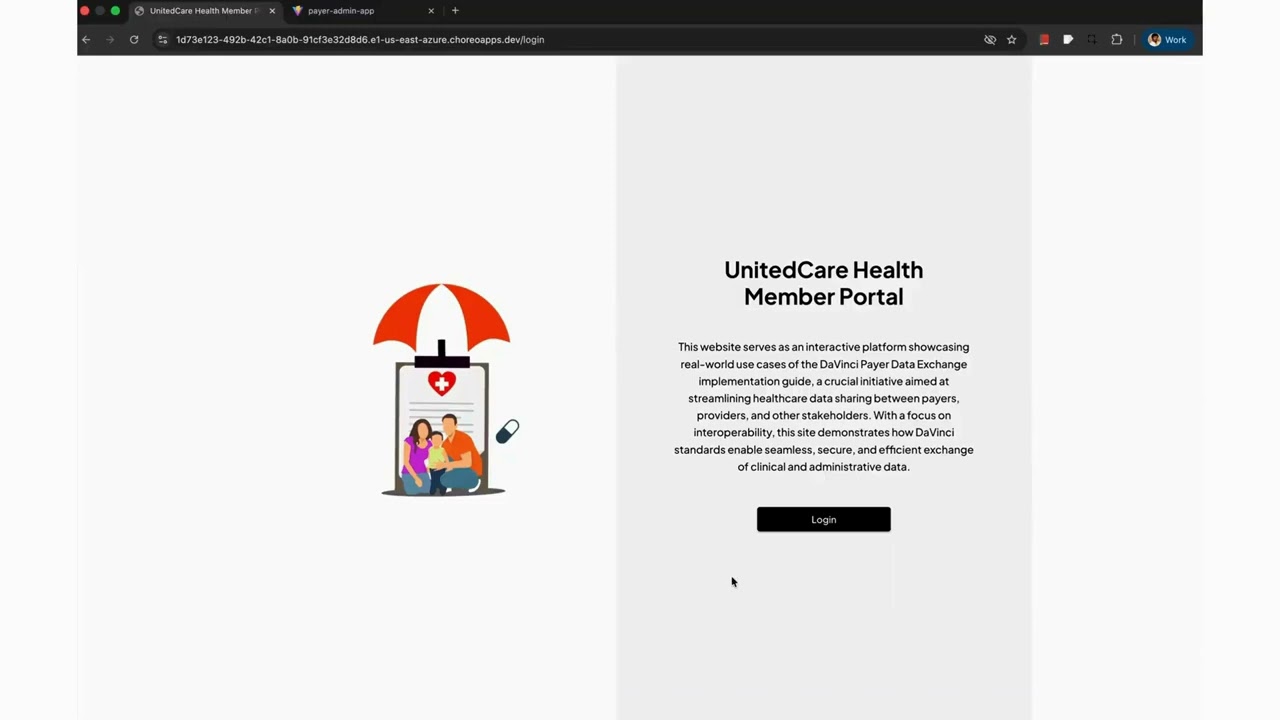
The member portal shows the member's current coverage and a "Start Data Exchange" form to pull history from a previous payer:

The CRD → DTR → PAS workflow:
-
Start
fhir-service(:8080),cds-service(:9096),rule-engine(:9097), the BFF (:6091), andehr-webhook-service(:9099). PublishFHIRServiceAPIandCDSServiceAPI. -
CRD — in
demo-ehr-app, create an order (e.g. an MRI or a medication). The EHR calls the CDS service (crd-mri-spine-order-sign/prescribe-medication), which uses the rule engine to return coverage/PA requirements and (when needed) a DTR launch link. -
DTR — the card's launch link opens
demo-dtr-appwith the launch params (patientId+questionnairecanonical, orcoverageId+medicationRequestId). It fetches the$questionnaire-package, renders the questionnaire, and you complete it and submit theQuestionnaireResponse:
-
PAS — submit the prior‑authorization
Claim/$submitfrom the EHR. The submitted request appears inpayer-admin-app(PA Requests) for review/decision; the decision (ClaimResponse) is pushed to the EHR viaehr-webhook-service.

The submitted prior‑authorization request in the payer‑admin review queue (the MRI request, Urgent, patient 101):

Opening it shows the full request — service type MRI lumbar spine w/o contrast (CPT 72148), patient, provider, and the requested item pending adjudication:

The review queue refetches when the browser tab regains focus, so a PA submitted from the EHR shows up when you switch back to the payer‑admin tab (no manual reload needed).
DTR Questionnaires can be authored manually or generated from payer policy PDFs with the optional
fhir-questionnaire-generation-pipeline/.
You can exercise the published APIs without the demo apps.
- Go to the Dev Portal (
https://localhost:9443/devportal) and sign in (self‑register if needed; approvals may be required if workflows are enabled). - Create an application → subscribe to the APIs → generate keys → generate an access token → Try Out.


Application (client‑credentials) token:
curl --location 'https://localhost:9443/oauth2/token' \
  --header 'Authorization: Basic Base64(consumer-key:consumer-secret)' \
  --header 'Content-Type: application/x-www-form-urlencoded' \
  --data-urlencode 'grant_type=client_credentials'
User (authorization‑code) token — first authorize, then exchange the code:
# 1. Authorize (browser) — returns ?code=...
curl --location 'https://localhost:9443/oauth2/authorize/?response_type=code&redirect_uri=<redirect_uri>&state=<state>&client_id=<client_id>&prompt=login&nonce=<nonce>&scope=<scope1>%20<scope2>'

# 2. Exchange the code for tokens
curl --location 'https://localhost:9443/oauth2/token' \
  --header 'Content-Type: application/x-www-form-urlencoded' \
  --data-urlencode 'client_id=<client_id>' \
  --data-urlencode 'grant_type=authorization_code' \
  --data-urlencode 'code=<authorization_code>' \
  --data-urlencode 'scope=openid fhirUser' \
  --data-urlencode 'redirect_uri=<redirect_uri>' \
  --data-urlencode 'client_secret=<client_secret>'
Use the resulting bearer token against the gateway, e.g. curl -H 'Authorization: Bearer <token>' https://localhost:8243/<fhir-context>/fhir/r4/Patient/<id>.
Import scripts/CMS-Reference-Implementation.postman_collection.json for ready‑made requests covering all flows — Patient Access (FHIR reads), Provider Access ($member-match), Prior Authorization (CDS prescribe-medication, DTR questionnaire-package, Claim $submit), Payer‑to‑Payer (bulk export), plus the SMART token/authorize calls.
The collection is variable‑driven — set these collection variables to your environment before running:
| Variable | Default | Purpose |
|---|---|---|
gateway |
localhost:8243 |
APIM gateway (FHIR / CDS / bulk APIs) |
idp |
localhost:9453 |
WSO2 IS — SMART authorize / token |
fhir-api-context / fhir-api-version |
fhirapi / 1.0.0 |
FHIR API context + version in the gateway path |
cds-api-context / cds-api-version |
cdsapi / 1.0.0 |
CDS API |
bulkexport-api-context … |
bulkexportclient / 0.1.0 |
Bulk export APIs |
client_id / client_secret |
(empty) | your OAuth app keys (from the Dev Portal app) |
patientid |
102 |
a seeded demo patient |
Notes reflecting this setup:
- FHIR requests use the relative resource path (e.g.
…/fhirapi/1.0.0/Patient— no/fhir/r4), matching the published API whose backend ishttp://localhost:8080/fhir/r4. Submit: Claimsends a Bundle (DaVinci PAS), the CDS hook includes afhirServer, and$member-matchcarries a valid HRex Consent — the shapes the services expect.- OAuth
authorize/tokengo to IS ({{idp}},9453), since IS is the Key Manager.
The same artifacts can be deployed to WSO2 Devant (managed iPaaS) instead of running locally.

- Open a Ballerina project in VS Code with the Ballerina extension and click Deploy to Devant (choose Configure & Deploy to set config values).
- For
file-serviceandbulk-export-client, add a volume mount for the target directory. - Devant deploys services as managed APIs, so a separate APIM deployment step is not required.
- For auth, you can use Asgardeo as the external IdP.
See the Devant docs to get started.
TLS / SSL errors when a Ballerina service calls APIM (e.g. fetching the OpenID/discovery configuration). Configure the service's HTTP client to trust the APIM certificate. For example, update getOpenidConfigurations in fhir-service to use a truststore (the APIM public cert is bundled at fhir-service/resources/truststore.p12):
http:Client discoveryEpClient = check new (discoveryEndpointUrl.toString(),
    secureSocket = {
        trustStore: {
            path: "resources/truststore.p12",
            password: "changeit"
        }
    });
CORS errors from a React app calling /oauth2/token on APIM. Add a CORS filter to <APIM_HOME>/repository/deployment/server/webapps/oauth2/WEB-INF/web.xml, just before </web-app>:
<filter>
  <filter-name>CORS</filter-name>
  <filter-class>com.thetransactioncompany.cors.CORSFilter</filter-class>
  <init-param>
    <param-name>cors.allowOrigin</param-name>
    <param-value>*</param-value>
  </init-param>
  <init-param>
    <param-name>cors.supportedMethods</param-name>
    <param-value>GET, POST, HEAD, PUT, DELETE, OPTIONS</param-value>
  </init-param>
  <init-param>
    <param-name>cors.supportedHeaders</param-name>
    <param-value>authorization,Access-Control-Allow-Origin,Content-Type,SOAPAction,apikey</param-value>
  </init-param>
</filter>
<filter-mapping>
  <filter-name>CORS</filter-name>
  <url-pattern>*</url-pattern>
</filter-mapping>
Demo app endpoints point to the cloud. The bundled public/config.js defaults target the hosted Choreo/Devant demo. Replace them with your local gateway URLs and OAuth credentials before running locally.
Run services and apps together. Keep the relevant Ballerina services, demo backends, and the demo app running concurrently so the front end can reach its backends.
- CMS‑0057‑F Final Rule
- WSO2 Open Healthcare docs: Manual installation · Configure IS as Key Manager · Configure SMART on FHIR
- WSO2 Healthcare Accelerator releases
- Provision deep‑dives: Patient Access · Provider Access · Payer‑to‑Payer · Prior Authorization
- Ballerina for healthcare · WSO2 API Manager docs · Devant