This React-Native Expo template allows you to bootstrap a private NPM package hosted on GitHub, perfect for propritory modules within your organisation! You will be able to consume it in your main app using a GitHub access token.
You will be able to run Storybook for both native and web to QA and using WritingTests you can keep up the 100 % test coverage.













- Using this template
- Developing
- Build
- Expo
- Storybook
- Linting
- Continuous Integration
- Optimizations
- Module Formats
- Named Exports
- Publish a new version
- Consume package
- Configure libs
- Contributors ✨
Table of contents generated with markdown-toc
When you use this template you will get a React-Native Expo repo that's almost ready to be build and deployed to GitHub as a private NPM package.
Make sure to update package name in package.json as well as publishConfig in package.json.
You will probably want to change the license field from APACHE (this repo) to UNLICENSED (private repo) too.
For organisation "expohacks" the config would look like this.
Replace "expohacks" with your organisation name and "npm-github-react-native" with the package name
// package.json
{
  "name": "@expohacks/npm-github-react-native",
  "author": "Expo Hackers",
  "version": "0.1.1",
  "license": "UNLICENCED",
  "publishConfig": {
    "@ expohacks:registry": "https://npm.pkg.github.com",
    "access": "restricted"
  },
  "repository": {
    "type": "git",
    "url": "git+https://github.com/expohacks/npm-github-react-native.git"
  },
  "bugs": {
    "url": "https://github.com/expohacks/npm-github-react-native/issues"
  },
  "homepage": "https://github.com/expohacks/npm-github-react-native#readme",
  ...
}
Update the .npmrc to match your new organization id
// .npmrc
@expohacks
Optionally configure Expo app.json.
Next:
Follow the React-Native Expo installation guide to set up a developer environment.
This project is bootstrapped using TSDX, but with some heavy modifications to produce React-Native Expo compatible code.
There is no fancy auto renaming CLI so make sure to change package name the first thing you do.
This TSDX setup is meant for developing libraries (not apps!) that can be published to NPM. If you’re looking to build a Node app, you could use
ts-node-dev, plaints-node, or simpletsc.
If you’re new to TypeScript, checkout this handy cheatsheet
- Node.js LTS release
- Git
- Watchman for macOS or Linux users
- Visual Studio Code - cross-platoform modular IDE with React-Native support and integrated terminal.
- Windows users: PowerShell, Bash via WSL
Optionally install Yarn - a fast package manager for installing NPM dependencies. However, do not add new packages using Yarn as that would create a yarn.lock.
Just a recommendation based on what worked for this developer:
- React-Native Tools
- Expo tools
- Prettier
- TypeScript Hero
- TypeScript importer
- TypeScript toolbox
- Add jsdoc comments
- JSDoc markdown highlighting
- ES7 React/Redux/GraphQL/React-Native snippets
- ESLint
- GitHub Pull Requests
- Markdown editor
- HTML Preview
Once above environment is in place you can open a terminal in the repository root (in VS Code).
npm install # or yarn install
TSDX scaffolds your new library inside /src.
To compile the code into the NPM deployable product, run
npm run start # or yarn startThis builds to /dist and runs the project in watch mode so any edits you save inside src causes a rebuild to /dist.
- To do a one-off build, use
npm run buildoryarn build. - To run tests, see jest
- To release, see Publish a new version
- To run, see Storybook
The app is built using Expo for React-Native. It allows working with JavaScript without native code and instant releases Over The Air (OTA). The commands (above) uses Expo to start, run, build and deploy the app.
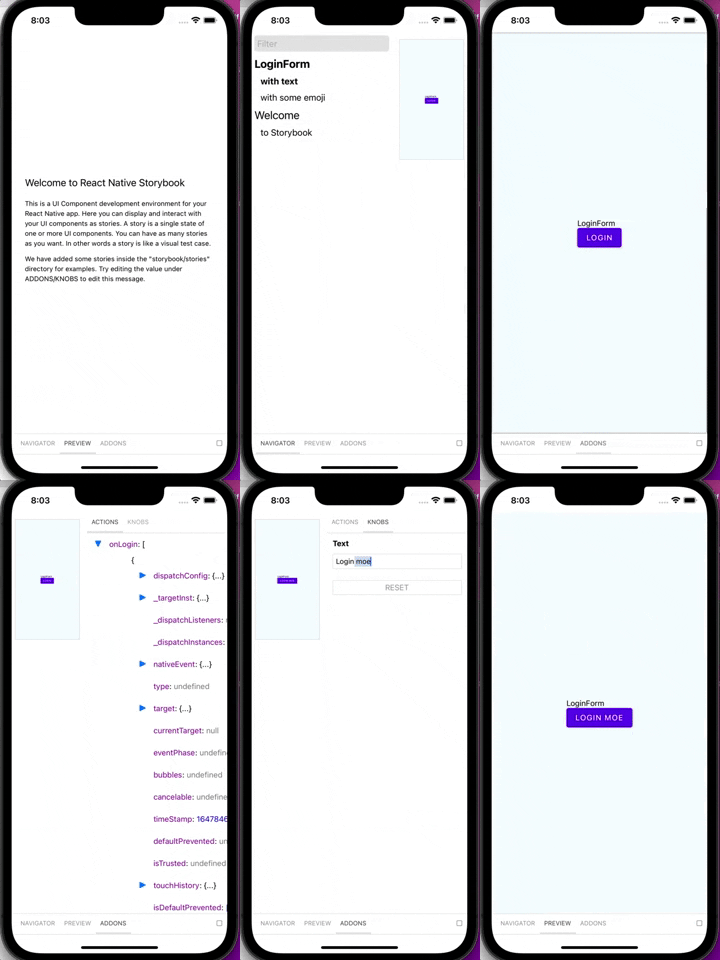
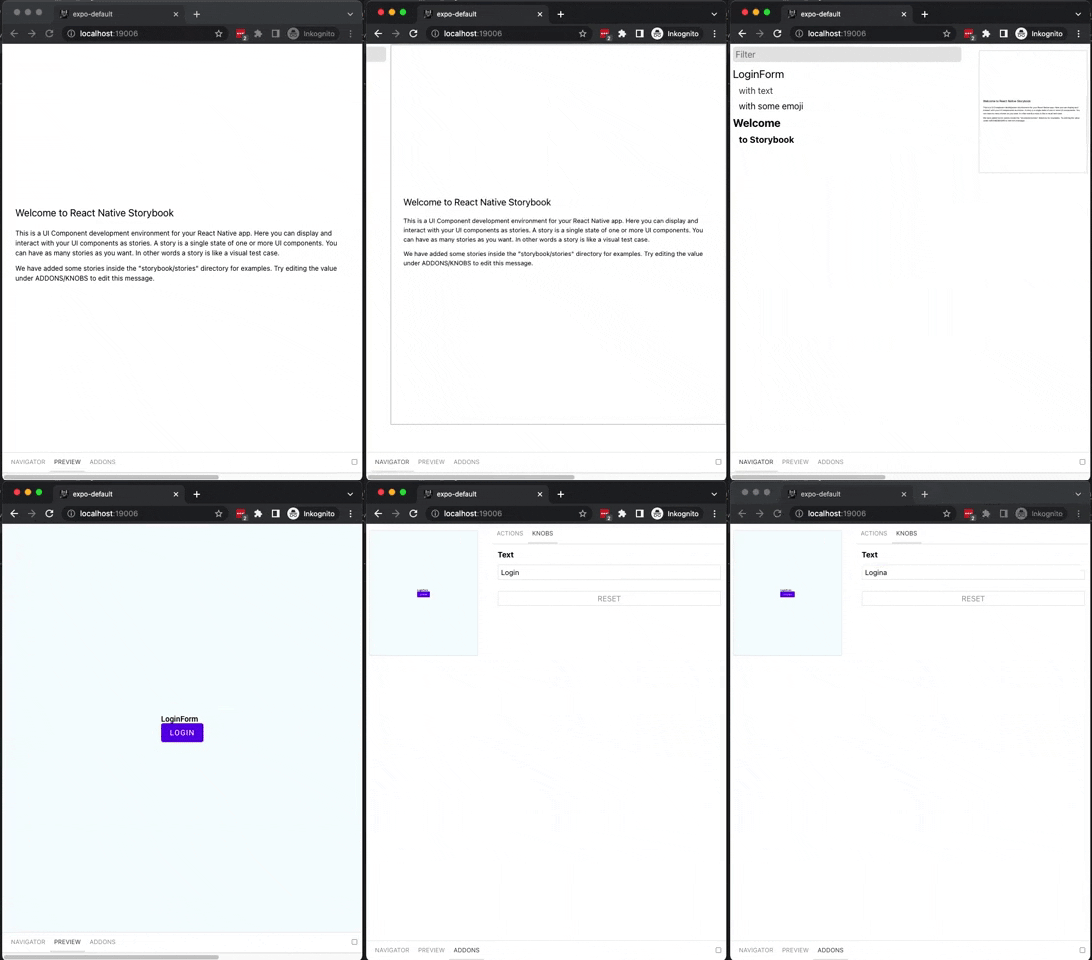
The app is integrated with Storybook which provides an environment to develop and test components in isolation.
Make sure you have a react-native environment for Expo setup.
To run, first start the metro bundler:
npm run start:native # or yarn start:nativeUse the terminal commands to start iOS (press i), Android (press a) or start developer tools (press d). Optinally, you can use a second terminal to run commands:
npm run ios # or yarn iosnpm run android # or yarn androidConfiguration is found in the storybook/index.tsx entry point. Stories are added to storybook/stories/index.tsx.
For a new component stories should be added that replicate the requirements like Figma designs.
Storybook specific components are written that connect the component to Storybook knobs that allow manipulation of the props while running the app.
Notice how we use text and action from storybook to make these dynamic values that can be changed in the storybook knobs UI:
// LoginForm.stories.tsx
import {action} from '@storybook/addon-actions';
import {text} from '@storybook/addon-knobs';
import {storiesOf} from '@storybook/react-native';
import React from 'react';

storiesOf('LoginForm', module)
  .addDecorator(getStory => <CenterView>{getStory()}</CenterView>)
  .add('with text', () => (
    <LoginForm mode="contained" onLogin={action('onLogin')}>
      {text('Text', 'Login')}
    </LoginForm>
  ))
  .add('with some emoji', () => (
    <LoginForm mode="outlined" onLogin={action('clicked-emoji')}>
      😀 😎 👍 💯
    </LoginForm>
));The project is setup to use ESLINT with Prettier.
npm run lint # or yarn lintTwo actions are added by default:
mainwhich installs deps w/ cache, lints, tests, and builds on all pushes against a Node and OS matrixnpm-publishused to publish a new version
Please see the main tsdx optimizations docs. In particular, know that you can take advantage of development-only optimizations:
// ./types/index.d.ts
declare var __DEV__: boolean;

// inside your code...
if (__DEV__) {
  console.log('foo');
}
You can also choose to install and use invariant and warning functions.
CJS, ESModules, and UMD module formats are supported.
The appropriate paths are configured in package.json and dist/index.js accordingly. Please report if any issues are found.
Per Palmer Group guidelines, always use named exports. Code split inside your React app instead of your React library.
Make sure this package has .npmrc to match your organization id, e.g. "@expohacks"
// .npmrc
@expohacks:registry=https://npm.pkg.github.com- Commit and push your feature.
- Up version in
package.jsonusing the scriptnpm run version:nextoryarn version:next. This will tag and push to your branch. - PR and merge your branch.
- Draft a new Release from that the new tag.
- GitHub Action builds and publishes. The package becomes available in "packages" GitHub page.
These details are valid if the package is private scoped.
- Open the lib where u want to consume the private NPM package
- Create a personal access token with
write:packagesscope - Config
.npmrcto use the token (below) - Install the scoped package, e.g.
yarn add https://github.com/thomashagstrom/npm-github
Example npmrc config for consuming thomashagstrom org scoped packages:
replace "thomashagstrom" with your organisation name
@thomashagstrom:registry=https://npm.pkg.github.com/thomashagstrom
//npm.pkg.github.com/:_authToken=MyTopSecretTokenWithPackageScope
Install the dev peerDependencies. At this time:
npm i --save expo react react-native react-native-paper react-native-web @react-navigation/core @react-navigation/native @react-navigation/stack react-native-gesture-handler [email protected] react-native-screens react-native-web
# or yarnCode quality is set up for you with prettier, husky, and lint-staged. Adjust the respective fields in package.json accordingly.
The project uses Jest to run unit tests. Together with Testing Library React Native it allows powerful testing capabilities without use of a real device.
See also: WritingTests.md
Find all available commands in package.json.
The test command uses CI config, so when developing use below command for optimal performance.
npm run test:dev # or yarn test:dev
Jest has a --watch parameter that looks for changed files and only tests your changes, in real time. There's an alias for this parameter:
npm run test:watch # or yarn test:watch
size-limit is set up to calculate the real cost of your library with npm run size and visualize the bundle with npm run analyze.
This is the folder structure we set up for you:
/src
  index.tsx       # EDIT THIS
/test
  blah.test.tsx   # EDIT THIS
.gitignore
package.json
README.md         # EDIT THIS
tsconfig.jsonTSDX uses Rollup as a bundler and generates multiple rollup configs for various module formats and build settings.
This is not very optimal for React-Native with Babel so we've opted for regular TypeScript build instead.
tsconfig.json is set up to interpret dom and esnext types, as well as react for jsx. Adjust according to your needs.
Thanks goes to these wonderful people (emoji key):
 Jared Palmer 🔌 |
 Thomas Hagström 📆 |
This project follows the all-contributors specification. Contributions of any kind welcome!