---
## 🏛️ The Isometric Monolith — Design Philosophy
Most GitHub stat badges are **flat**. Flat bars, flat text, flat colors. They blend into every README on the planet.
**CommitPulse is different.**
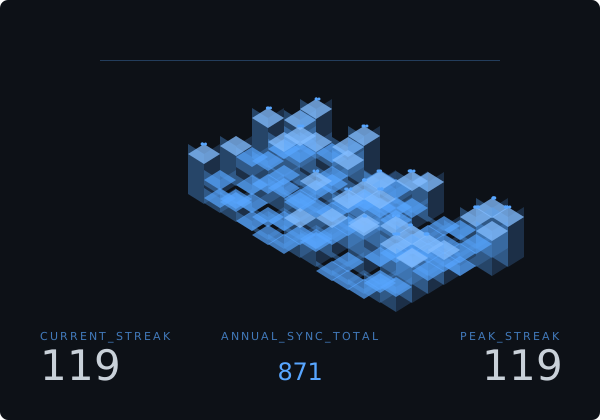
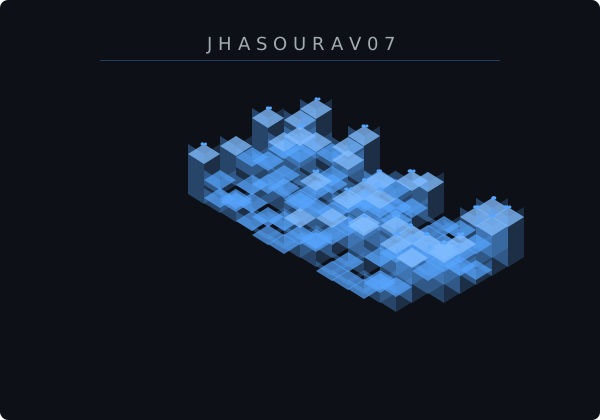
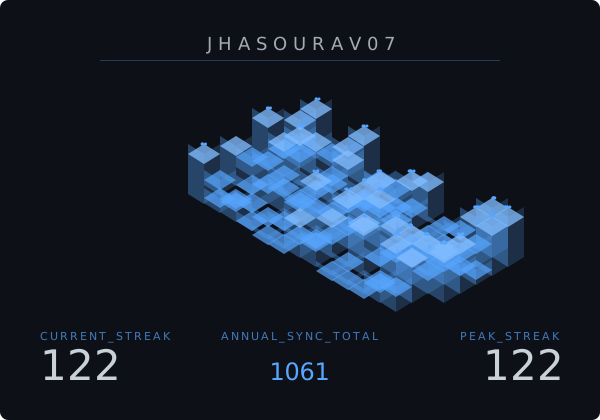
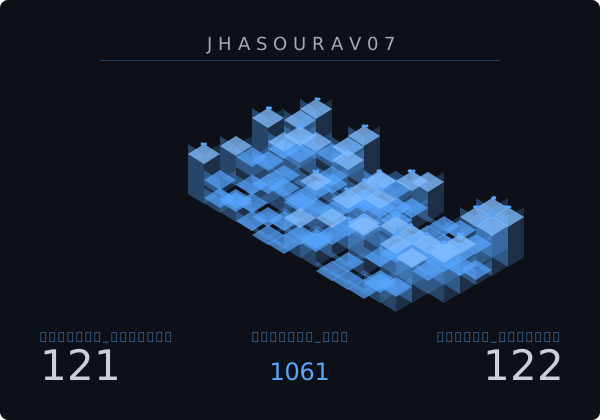
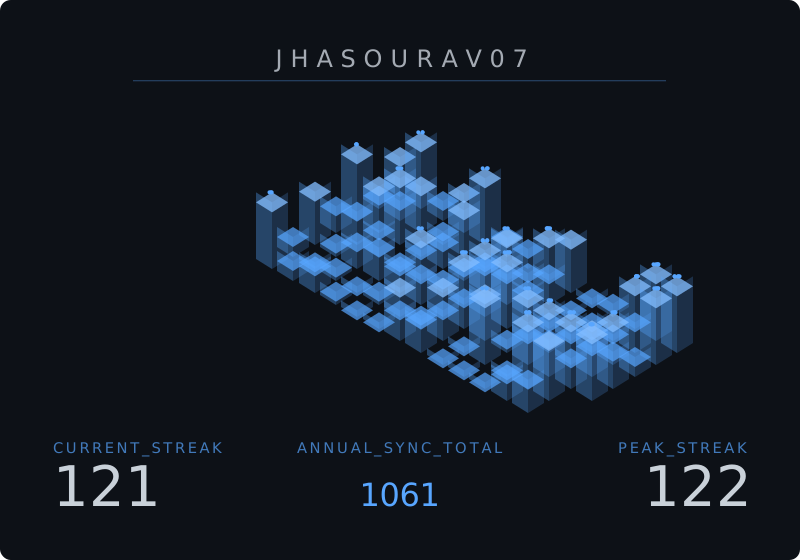
We render your contribution data as a **3D Isometric City** — a grid of glowing towers where each column's height is directly proportional to your commit count that day. The more you grind, the taller your skyline grows.
**Ghost City Architecture:** In this mode, zero-contribution days aren't just empty space. They are rendered as thin, wireframe-style **blueprint foundations** (4px high). This gives your commit landscape a structured, architectural "work-in-progress" look even during rest days, maintaining the premium 3D aesthetic across the entire calendar.
This is not decoration. This is a **live , animated data visualization** that makes your dedication impossible to ignore.
### Why Isometric > Flat
| Property | Flat Badges | CommitPulse Monolith |
| ---------------- | ----------------- | -------------------------------------------------------------------------- |
| **Visual Depth** | None | Full isometric 3D perspective |
| **Data Density** | 3 numbers | 98-day contribution landscape |
| **Animation** | Static | Radar scan line, glow effects & live pulsing indicator for today's commits |
| **Personality** | Generic | Uniquely yours, every day |
| **Impression** | "They have stats" | "They ship code like a machine" |
The design philosophy is simple: **your commit history deserves a monument, not a meter.**
---
## 🔴 Live Demo
Transform your GitHub contribution history into a cinematic 3D monolith.
### ✨ Theme Showcase
#### Default

|
#### Neon

|
#### Custom

|
---
### 📋 Copy Examples
#### 🌑 Default
```md

```
#### 🌟 Neon
```md

```
#### 🔥 Custom
```md

```
---
## 🎨 Deep Customization — URL Parameters
CommitPulse is designed to be **fully composable**. Every visual attribute is controllable via a URL parameter, following a clear priority chain:
```
URL Parameter > Theme Default > System Fallback
```
### Parameter Reference
| Parameter | Type | Required | Default | Description |
| ----------------- | --------- | ---------- | ------------------------------ | ------------------------------------------------------------------------------------------------------------------------------------------------------------------------- |
| `user` | `string` | ✅ **Yes** | — | GitHub username to render |
| `theme` | `string` | No | `dark` | Preset theme name (see below) |
| `bg` | `hex` | No | Theme default | Background color — **without** `#` |
| `accent` | `hex` | No | Theme default | Tower & glow color — **without** `#` |
| `text` | `hex` | No | Theme default | Label & stat text color — **without** `#` |
| `radius` | `number` | No | `8` | Border corner radius in pixels |
| `speed` | `string` | No | `8s` | Radar scan duration (`2s`–`20s`, default `8s`) |
| `scale` | `string` | No | `linear` | Tower height scaling: `linear` or `log` (logarithmic) |
| `size` | `string` | No | `medium` | Badge dimensions: `small` (400×280), `medium` (600×420), `large` (800×560) |
| `font` | `string` | No | CommitPulse default typography | Any **Google Font** name (e.g. `Orbitron`, `Inter`) |
| `refresh` | `boolean` | No | `false` | Bypass cache for real-time data |
| `year` | `string` | No | — | Calendar year to render (e.g. `2023`, `2024`) |
| `hide_title` | `boolean` | No | `false` | Hide GitHub username/title from the SVG badge |
| `hide_background` | `boolean` | No | `false` | Remove the background rect, letting the monolith float on the page |
| `hide_stats` | `boolean` | No | `false` | Hides the bottom row displaying Current Streak, Annual Sync Total, and Peak Streak stats when set to `true` or `1`. |
| `tz` | `string` | No | Omitted = UTC | IANA timezone (e.g. `Asia/Kolkata`, `America/New_York`) — aligns "today" with the user local midnight. Note: `?tz=UTC` is valid but cached separately from omitting `tz`. |
| `lang` | `string` | No | `en` | Language code for labels (`en`, `es`, `hi`, `fr`, `pt`, `ko`, `ja`) |
| `view` | `string` | No | `default` | Rendering mode: `default` (3D Monolith) or `monthly` (Compact monthly stats) |
| `delta_format` | `string` | No | `percent` | Format for month-over-month delta in monthly view: `percent` (e.g. +12%), `absolute` (e.g. +15 commits), or `both` |
| `width` | `number` | No | `300` | Custom width for the SVG canvas (currently only applies to `view=monthly`) |
| `height` | `number` | No | `120` | Custom height for the SVG canvas (currently only applies to `view=monthly`) |
### Theme Presets
| Theme | Preview | `bg` | `accent` | `text` |
| ------------------ | --------------------------- | -------- | -------- | -------- |
| `auto` | System light / dark | _adapts_ | _adapts_ | _adapts_ |
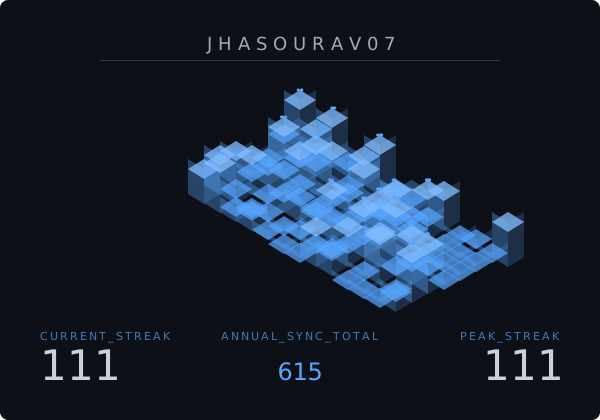
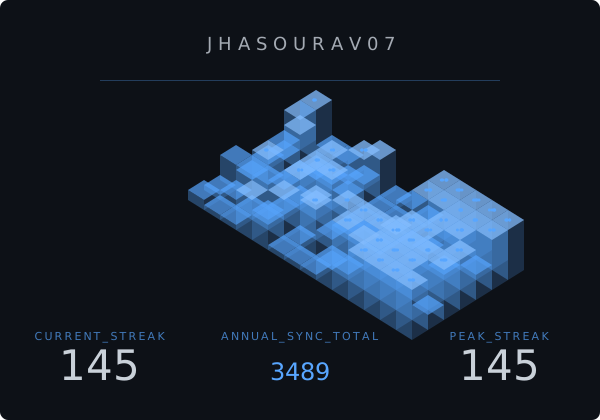
| `dark` _(default)_ | GitHub dark | `0d1117` | `58a6ff` | `c9d1d9` |
| `neon` | Cyberpunk | `000000` | `ff00ff` | `00ffcc` |
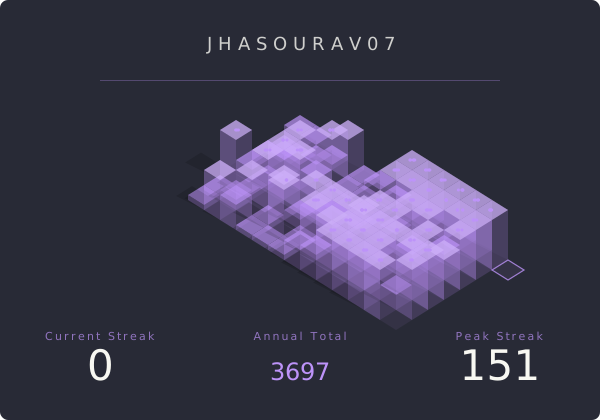
| `dracula` | Dracula Pro | `282a36` | `bd93f9` | `f8f8f2` |
| `github` | GitHub green | `0d1117` | `238636` | `ffffff` |
| `light` | Clean & minimal | `ffffff` | `0969da` | `24292f` |
| `gruvbox` | retro warm dark | `282828` | `fe8019` | `ebdbb2` |
| `random` | Surprise theme on reload | _varies_ | _varies_ | _varies_ |
| `highcontrast` | Accessibility high contrast | `0a0a0a` | `ff4500` | `888888` |
> **`auto` uses CSS `@media (prefers-color-scheme)`** inside the SVG so the badge switches between the `light` and `dark` palettes based on the viewer's OS setting — no JavaScript required. This is ideal for GitHub profile READMEs where visitors may use either mode.
## 🎨 Theme Preview Gallery
Explore some of the built-in CommitPulse themes and quickly copy the style you like.
| Theme | Usage Example |
| ------- | ---------------- |
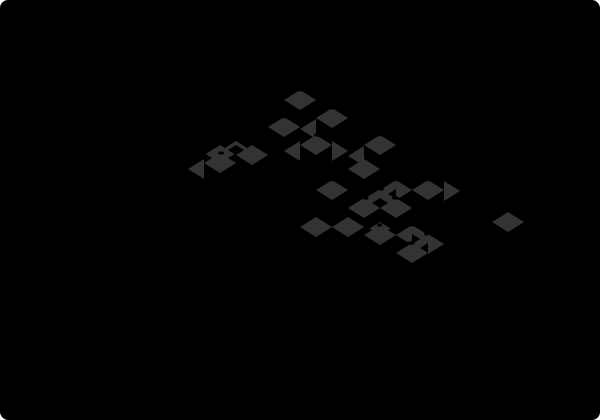
| Dark | `?theme=dark` |
| Neon | `?theme=neon` |
| Dracula | `?theme=dracula` |
| Gruvbox | `?theme=gruvbox` |
| GitHub | `?theme=github` |

### Examples
```md

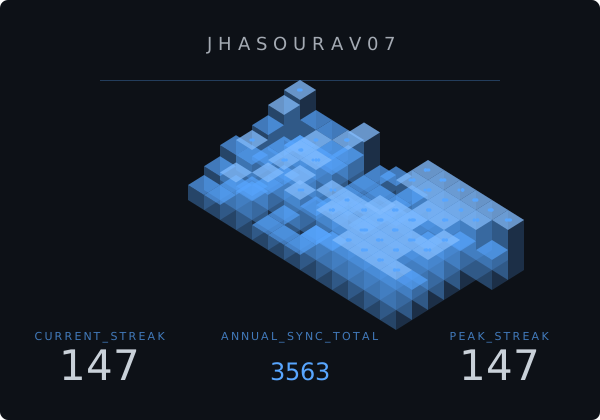
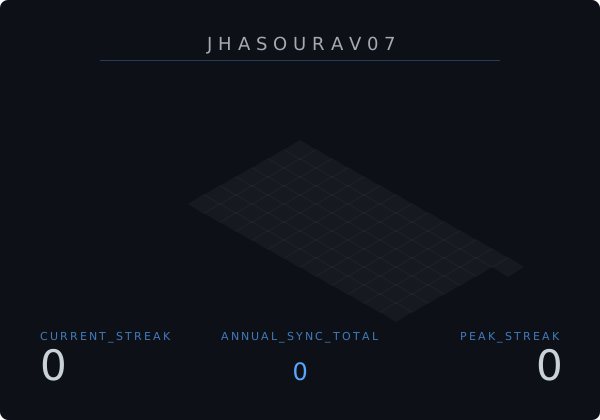
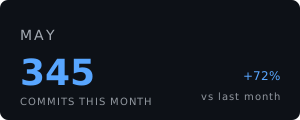
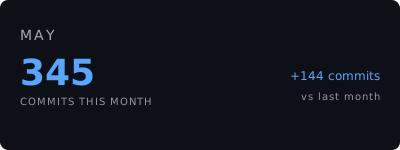
```
---
## 🎯 Real-Time Accuracy — The Contribution Count Problem
GitHub's contribution graph can return **different totals** depending on _when_ and _how_ you query it. We solved this at the infrastructure level.
### The Problem: Off-by-N Contributions
The GitHub GraphQL API calculates `totalContributions` and daily contribution windows using **UTC-based ISO 8601 timestamps**. A naive implementation that queries at any arbitrary time — without anchoring to UTC midnight boundaries — will produce counts that are _inconsistent_ between requests. This is the root cause of the classic "my card shows 378 but GitHub shows 385" discrepancy.
### The Solution: UTC Midnight Synchronization
CommitPulse uses a two-part fix:
**1. Cache invalidation anchored to UTC midnight (`utils/time.ts`)**
```typescript
export function getSecondsUntilUTCMidnight(): number {
const now = new Date();
const midnight = new Date(
Date.UTC(now.getUTCFullYear(), now.getUTCMonth(), now.getUTCDate() + 1, 0, 0, 0)
);
return Math.floor((midnight.getTime() - now.getTime()) / 1000);
}
```
The CDN cache TTL is set to expire at **exactly the next UTC midnight**, not at some fixed-interval offset. This guarantees that when GitHub's contribution window rolls over, our cache does too — simultaneously.
**2. No internal fetch caching (`lib/github.ts`)**
```typescript
const res = await fetch(GITHUB_API_URL, {
cache: 'no-store', // Bypass Next.js's internal fetch cache
});
```
Caching is handled entirely at the HTTP response layer (`Cache-Control: s-maxage`), giving us surgical control over what gets cached and for how long — without stale data poisoning the GraphQL response.
**Result:** CommitPulse's contribution counts are always in sync with GitHub's actual UTC day boundaries.
---
## 🏗️ Architecture & Tech Stack
```
app/api/streak/route.ts → Next.js 16 Edge-compatible API Route
app/api/track-user/route.ts → User tracking API — records GitHub usernames to MongoDB
lib/github.ts → GitHub GraphQL API client
lib/calculate.ts → Streak algorithm (current + longest + grace period)
lib/mongodb.ts → Cached MongoDB connection utility (serverless-safe)
lib/svg/generator.ts → 3D Isometric SVG renderer + CSS animations
lib/svg/themes.ts → Prebuilt theme palette system
models/User.ts → Mongoose User schema
utils/time.ts → UTC midnight synchronization utilities
types/index.ts → TypeScript interfaces (StreakStats, BadgeParams, BadgeTheme)
```
| Layer | Technology | Purpose |
| --------------- | ---------------------------------------- | ------------------------------------------------------------------ |
| **Framework** | Next.js 16 (App Router) | API routes, edge deployment |
| **Language** | TypeScript 5 | Type-safe parameters and interfaces |
| **Data Source** | GitHub GraphQL API v4 | `contributionsCollection` query |
| **Database** | MongoDB + Mongoose | Tracks GitHub usernames of users who generate a monolith |
| **Rendering** | Pure SVG + SVG Filters | `` for the glow effect |
| **Animation** | SVG `` | Radar scan line + current-day block pulsing, no external libraries |
| **Typography** | Google Fonts (Syncopate + Space Grotesk) | Loaded inline via `@import` |
| **Deployment** | Vercel Edge Network | Auto-scaling, global CDN |
| **Caching** | `Cache-Control: s-maxage` | UTC-midnight-synced cache invalidation |
---
🏗️ Architecture Diagram
GitHub GraphQL API
↓
Contribution Processing
↓
Streak Calculation Engine
↓
SVG Geometry Renderer
↓
Animation Layer
↓
Edge Cache/CDN
↓
Generated SVG Badge
---
## 🚀 Self-Hosting in 4 Steps
```bash
# 1. Clone the repository
git clone https://github.com/JhaSourav07/commitpulse.git && cd commitpulse
# 2. Install dependencies
npm install
# 3. Create your environment file
cat > .env.local << 'EOF'
GITHUB_TOKEN=your_github_pat_here
# Optional — enables user tracking (see below)
# MONGODB_URI=mongodb+srv://...
EOF
# 4. Start the development server
npm run dev
```
> **📌 Token Scope:** Your GitHub Personal Access Token needs the `read:user` scope only. No write permissions required.
Then visit: `http://localhost:3000/api/streak?user=YOUR_USERNAME`
### Optional: MongoDB User Tracking
CommitPulse records the GitHub username of everyone who generates a monolith from the landing page into a MongoDB collection. This is **entirely optional for local development** — the app works perfectly without it.
If `MONGODB_URI` is not set, the `/api/track-user` endpoint will log a warning and skip the database write gracefully:
```
WARN: MONGODB_URI is not set. Bypassing user tracking for local development.
```
To enable tracking locally, add your connection string to `.env.local`:
```env
MONGODB_URI=mongodb+srv://:@cluster.mongodb.net/commitpulse
```
For production (Vercel), add `MONGODB_URI` to your project's **Environment Variables** settings.
---
## 🌐 Deploy Your Own
[](https://vercel.com/new/clone?repository-url=https://github.com/JhaSourav07/commitpulse&env=GITHUB_PAT&envDescription=GitHub%20Personal%20Access%20Token%20with%20read%3Auser%20scope)
Set the `GITHUB_PAT` environment variable in your Vercel project settings, and you're live.
---
## 🤖 Automated Contributor Workflow
CommitPulse features a fully custom, GitHub Actions-powered **Issue Management System** designed for large open-source events like GSSoC.
We built an anti-hoarding, self-service automation layer right into the repository:
- **Structured Issue Templates:** We use specific templates for Bug Reports and Feature Requests to maintain high quality and clarity.
- **Self-Claiming:** Issue authors can grab their issues instantly by commenting `/claim` (only the author of the issue can claim it, unless it was authored by `jhasourav07`, in which case anyone can claim it).
- **Fair Play:** A strict one-active-issue-per-contributor rule prevents issue hoarding.
- **Stale Expiry:** A scheduled chron job automatically unassigns inactive contributors after 3 days.
- **Self-Service Labels:** Anyone can tag issues using `/addlabel `.
- **Semantic Duplicate Detection:** An AI-powered duplicate detector automatically scans open issues using the Google Gemini API (`gemini-embedding-001`) to generate vector embeddings. It calculates cosine similarity and flags potential duplicate issues with a comment and a `possible-duplicate` label.
This ensures maintainers aren't bottlenecks and the community moves incredibly fast.
---
## ❓ FAQ
### Why does my contribution count differ from GitHub?
GitHub calculates contribution data using UTC timestamps. CommitPulse syncs cache invalidation with UTC midnight to ensure consistent results.
### Why are my latest commits not visible immediately?
Data is cached for performance. Use `&refresh=true` to force fresh data.
### Can I use my local timezone?
Yes. Use the `tz` parameter with any valid IANA timezone.
Example:
`?tz=Asia/Kolkata`
### Do private contributions count?
Yes — if private contributions visibility is enabled in your GitHub settings.
### Are there GitHub API rate limits?
Yes, but CommitPulse minimizes API usage using caching and optimized GraphQL queries.
---
## 🤝 Contributing
CommitPulse is an open project built for the Web3 and open-source community. Whether you want to design a new theme, refine the isometric geometry, or improve timezone edge cases — you are welcome here.
Read the full guide: **[CONTRIBUTING.md](CONTRIBUTING.md)**
---
## 📄 License
MIT © [Sourav Jha](https://github.com/JhaSourav07)
---
## 🎨 Themes
Browse theme previews here: [Theme Gallery](THEMES.md)
---
_Built with obsession, shipped with precision._
⭐ **If CommitPulse made your profile look elite, drop a star.** ⭐
### This project is an official participant in GSSoC 2026.
---
## 💖 Contributors
Thanks to all contributors who have helped make CommitPulse better!
 View the [full contributor list →](https://github.com/JhaSourav07/commitpulse/graphs/contributors)
test update
View the [full contributor list →](https://github.com/JhaSourav07/commitpulse/graphs/contributors)
test update
