
CodeVar is a variable naming tool for Raycast extensions powered by YouDao translate api.
Based on the git repository changes at https://github.com/ifyour/code-var
To use CodeVar, follow these steps:
# Clone the repository by running the following command in your terminal:
git clone https://github.com/wingsheep/code-var.git

# Navigate to the cloned repository by running the following command:
cd code-var

# Start the development server by running the following command:
npm i && npm run devCall up Raycast and search for CodeVar. Input the variable you want to translate, and press Enter to copy it to the clipboard. Alternatively, you can press Cmd + Enter to copy and paste it.
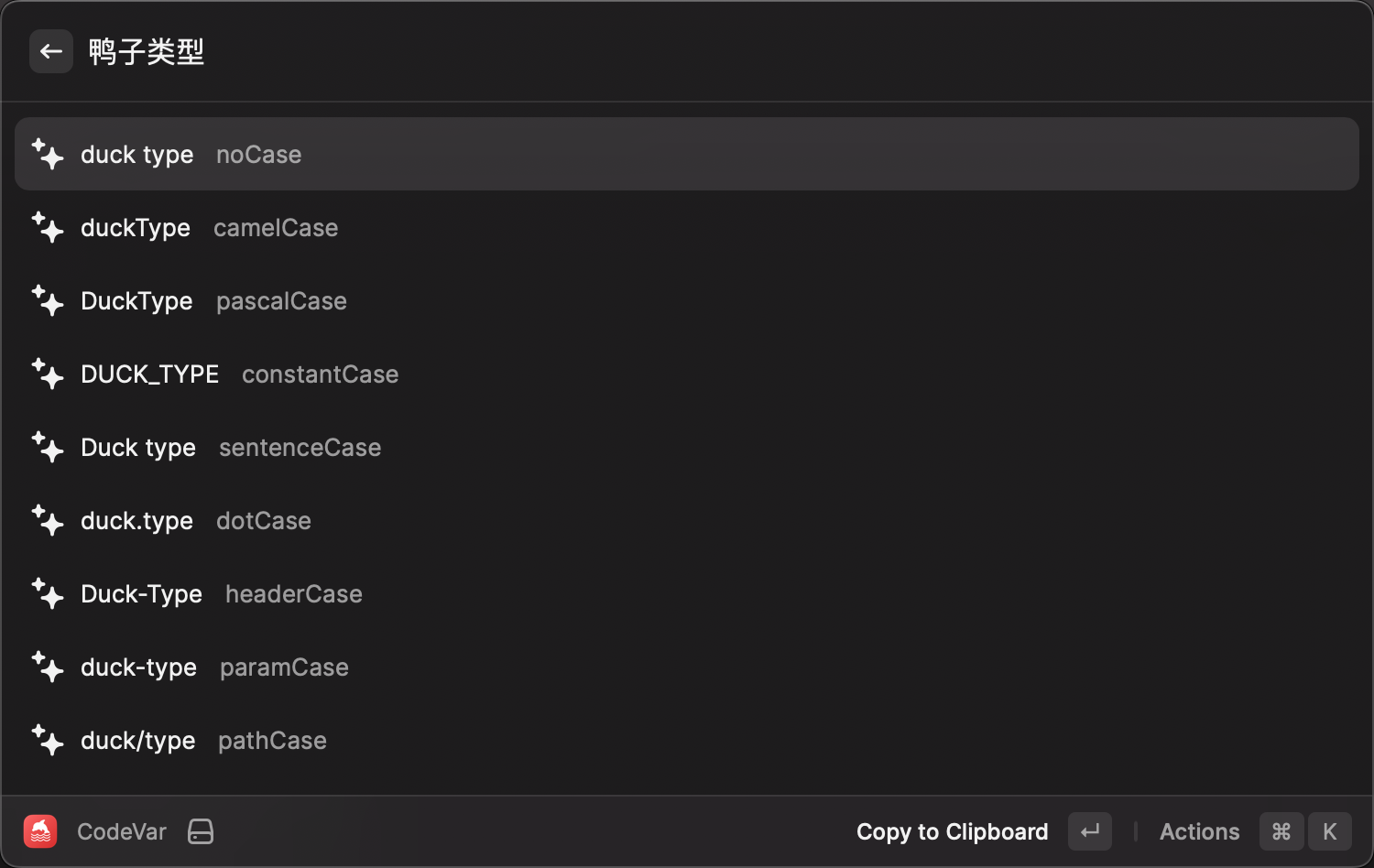
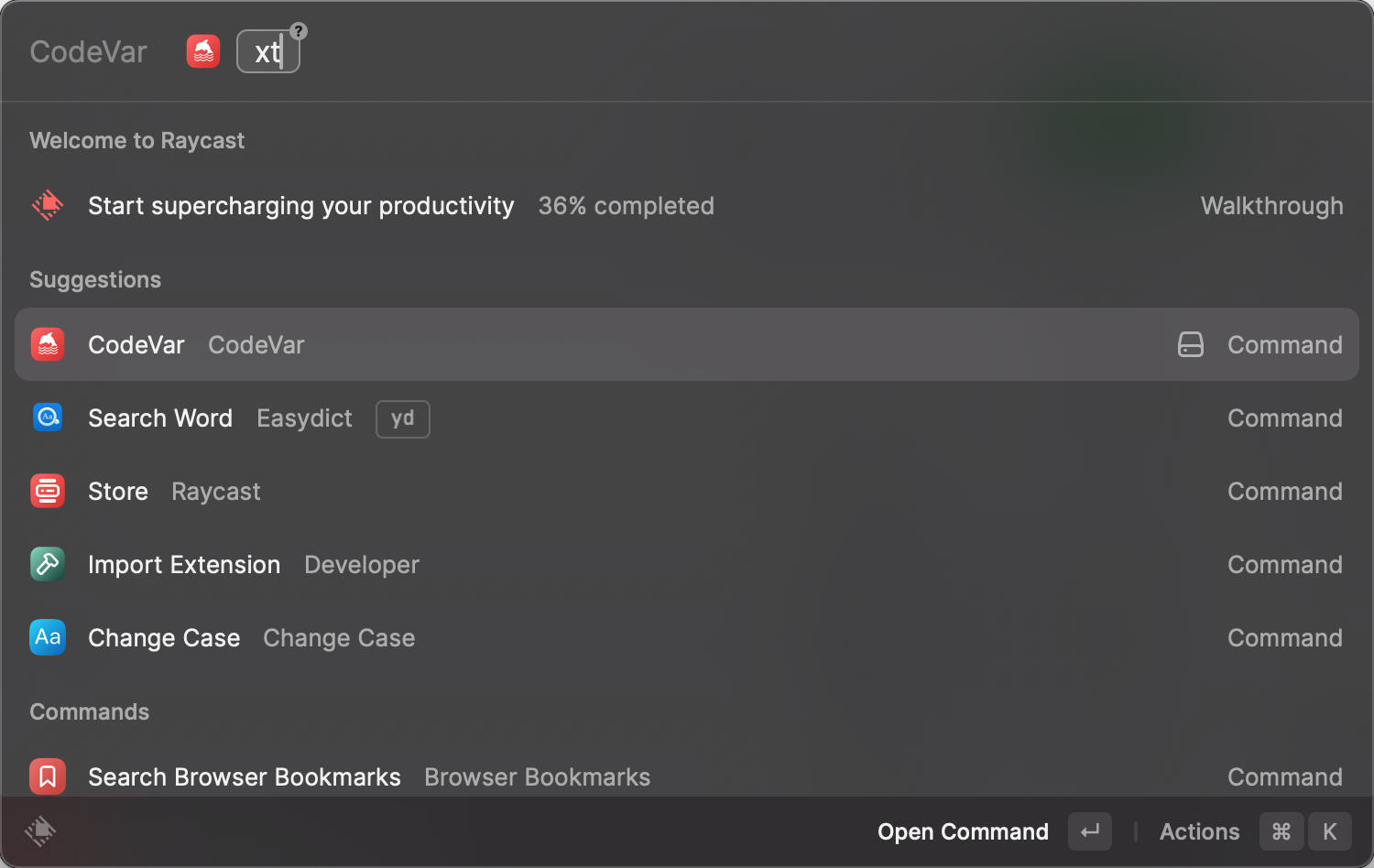
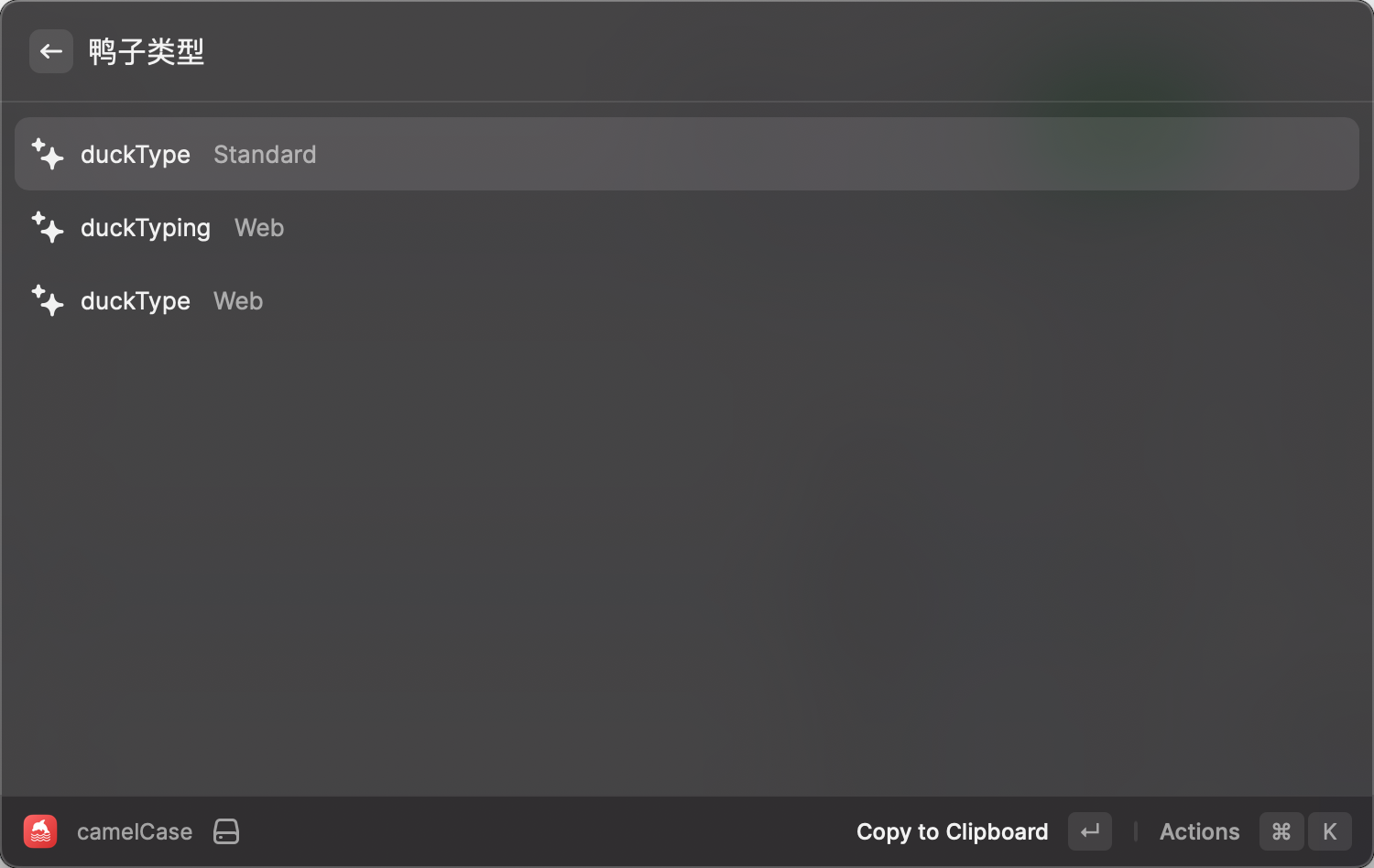
In addition, you can carry a parameter that can be used to query multiple results in a specified format
/** The type of query alias */
export enum CASES_ALIAS  {
  "xt" = "camelCase",
  "dt" = "pascalCase",
  "cl" = "constantCase",
  "xh" = "snakeCase",
}
Enjoy using CodeVar!
CodeVar is licensed under the MIT License.