Repository navigation
Python unresolved import issue #3840
Description

We believe the issue has been resolved, if not, please do open a new issue.
Locking this issue, to ensure we create a new issue.
Issue Type: Bug
I have python script which imports some libraries from subdirectories like this:
from easylog import EasyLog
from lib.fclib.misc import *
from lib.fclib.datelib import timestamp
with this directory hierachy:
  myscript.py
  lib
  |-__init__.py
  |-fclib
      |-__init__.py
      |-misc.py
      |-datelib.py
But VSCODE shows warnings like "unresolved import 'lib.fclib.misc' Python(unresolved-import)". And the functions in the libs have so many warnings about the codes.
Extension version: 2018.12.1
VS Code version: Code 1.30.1 (dea8705087adb1b5e5ae1d9123278e178656186a, 2018-12-18T18:12:07.165Z)
OS version: Windows_NT x64 10.0.16299
System Info
| Item | Value |
|---|---|
| CPUs | Intel(R) Core(TM) i7-5600U CPU @ 2.60GHz (4 x 2594) |
| GPU Status | 2d_canvas: enabled checker_imaging: disabled_off flash_3d: enabled flash_stage3d: enabled flash_stage3d_baseline: enabled gpu_compositing: enabled multiple_raster_threads: enabled_on native_gpu_memory_buffers: disabled_software rasterization: enabled video_decode: enabled video_encode: enabled webgl: enabled webgl2: enabled |
| Memory (System) | 7.88GB (1.36GB free) |
| Process Argv | |
| Screen Reader | no |
| VM | 67% |
Activity
chidgey commentedon Jan 8, 2019
Maybe this screen helps, I've been playing with module imports in Python 3.7.2 and get various problems in the IDE, perhaps someone can suggest what's going wrong? All the imports are valid and execute as expected at runtime.
The warnings and errors I see in VSCode are:
System info:
Version: 1.30.1 (user setup)
Commit: dea8705087adb1b5e5ae1d9123278e178656186a
Date: 2018-12-18T18:12:07.165Z
Electron: 2.0.12
Chrome: 61.0.3163.100
Node.js: 8.9.3
V8: 6.1.534.41
OS: Windows_NT x64 10.0.17134
Extension Info:
Name: Python
Id: ms-python.python
Description: Linting, Debugging (multi-threaded, remote), Intellisense, code formatting, refactoring, unit tests, snippets, and more.
Version: 2018.12.1
Publisher: Microsoft
VS Marketplace Link: https://marketplace.visualstudio.com/items?itemName=ms-python.python
Hopefully that's of some use!
dkavraal commentedon Jan 9, 2019
The thumb ups may be confusing. I am having the same issue for the last two updates.
When I
> reload windowthat fixes.nyanev commentedon Jan 9, 2019
I have he same problem. It's really annoying. Dincer Kavraal (@dkavraal)
> reload windowfix it until i try to autocomplete something or try to go to the definitionjiashengguo commentedon Jan 14, 2019
The same error happens for me. But if manually run the command "Running lint", it shows no error.
d3r3kk commentedon Jan 15, 2019
felixchr, I cannot reproduce this on the latest version of the extension with either Jedi or the Microsoft Python Language Server (0.1.75.0) using Python 3.7.
Where is the error
"unresolved import 'lib.fclib.misc' Python(unresolved-import)"coming from? If you could please include more detail from the output windows perhaps I can track down where the problem is.What version of Python is being used?
Is there a repo I can sync to and reproduce with?
Are you using the Jedi server or the Microsoft Python Language Server?
felixchr commentedon Jan 15, 2019
Derek Keeler (@d3r3kk) So far I don't have a repo for you. I'll generate one to reproduce it. chidgey's picture provided more detail about it. It is the same issue with me.
My environment is:
Windows 10.0.16299
Python 2.7.15
VSCode: 1.30.1
Pylint: 1.9.3
Microsoft Python extension 2018.12.1
Microsoft Python Language Server (0.1.72.0)
23 remaining items
dtosato commentedon Mar 5, 2019
I have the same issue working with python virtualenv, and from what I see the problem pops up only on linux-based envs, in fact on windows everything run smoothly. I compared the same version of vscode (1.31.1) and the same python code on the two os (Windows 10/Ubuntu 18.04.2 LTS) and on linux there is no way to fix the issue properly.
keipaglows commentedon Mar 6, 2019
That did indeed fixed the issue. I avoided this "helpful" hint for few days, but ultimately accepted it, and the next day imports became unresolved and not clickable. The worst thing is I totally forgot about that message, and that it might have broke imports. Thanks!
altimmons commentedon Mar 26, 2019
I have been trying forever to solve this.
Disabling pyright instantly solved the problem. (ms-pyright.pyright)
DonJayamanne commentedon Mar 28, 2019
Hi everyone this should be fixed in the latest version of the extension when using the language server
DonJayamanne commentedon Mar 28, 2019
Closing as the upstream issue had been closed
ueoo commentedon Mar 29, 2019
The problem is still there!
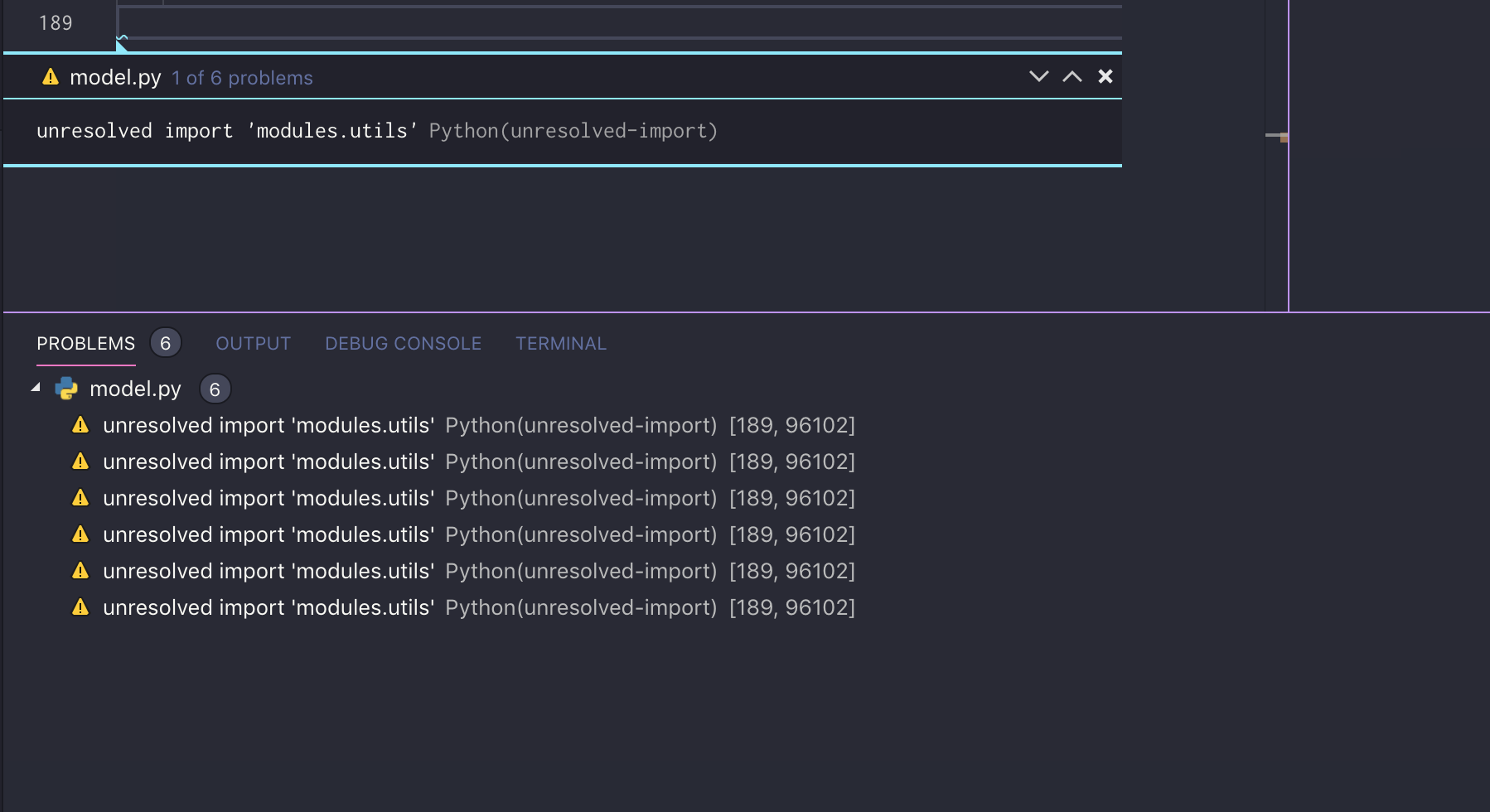
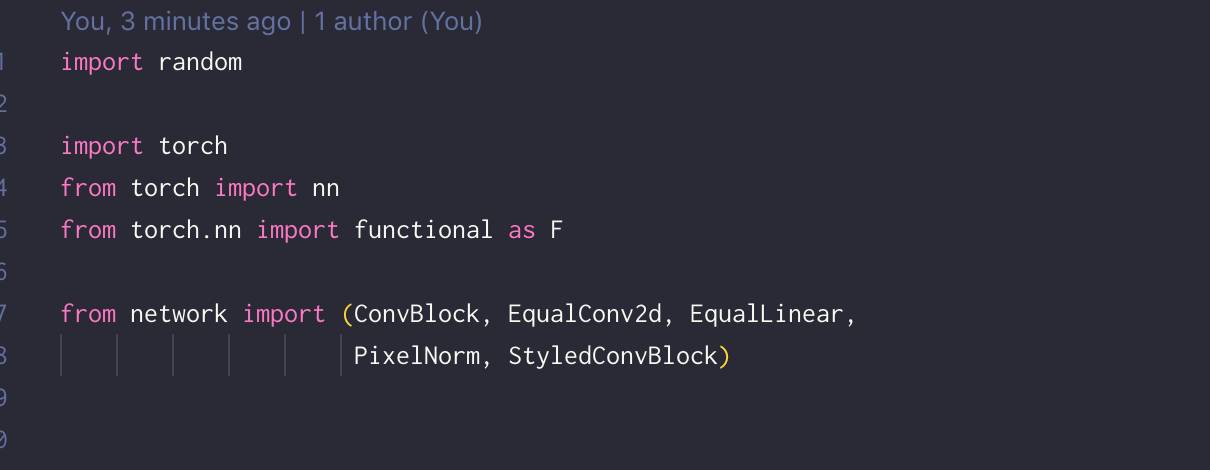
DonJayamanne commentedon Apr 5, 2019
Issue moved to Microsoft/python-language-server #887 via ZenHub
DonJayamanne commentedon Apr 5, 2019
We believe the issue has been resolved, if not, please do open a new issue.
Locking this issue, to ensure we create a new issue.