Repository navigation
Stuck at analyzing in background and causing high cpu load #1291

Description
Activity
Yep. I was having the same problem before. It was resolved for a while by some updates, and now I'm having the same problem again immediately after updating to 1.36. My environment is:
VSCode 1.36.0
Server version 0.3.20.0
Python extension version 2019.6.22090
MacOS 10.14.5
Python 3.7.2 (via Pyenv, no virtual environment)I'm not sure this could be related to any VS Code update; the same version of the language server would be downloaded by any version of VS Code (currently 0.3.20). This is likely something else.
We just built 0.3.22, which is available in the beta/daily channels. It contains some fixes which we believe will help solve some of the leaks. You can set this and reload to update:
"python.analysis.downloadChannel": "beta"I'm still facing this issue.

Current extension version (ms-python.python): 2019.6.24221
Here is the version of language server,
[Info - 10:39:46 AM] Microsoft Python Language Server version 0.3.22.0
[Info - 10:39:46 AM] Initializing for /home/kaushal/microfinance/venv/bin/pythonDo you have this repro on single unsaved document?
No, I've closed the Python file just for screenshot purpose.
To be clear, we are asking for the code and installed package list that triggers this problem; it's not easy to fix something we can't reproduce and debug.
Ok, so looks like we have a bug with
six.moves: #746
But it doesn't hang anything by itself. Kaushal Vora (@kaushall), do you have a file with a minimal repro or it requires a specific project?I understand your concern and I'll try to provide maximum details I can. Jake Bailey (@jakebailey)
Alexander Sher (@AlexanderSher) It was working fine before the last update of the language server.
do you have a file with a minimal repro or it requires a specific project?
No, ,maybe it's specific to project, because whichever file I open it will stuck randomly at analysis stage. Sometime it will stuck on Pandas library and sometime on Six library.How it is reproduced?
Open vs code >> open project >> select python file >> After this it will activate extension and on analysis stage it will stuck.
Can you add a new python file to your project with only
import pandas, and attach full log as a file to the bug?Alright, Provide me few minutes. Alexander Sher (@AlexanderSher)
Alexander Sher (@AlexanderSher) I tried with your instruction and analysis completed successfully this time.
Ok, so
pandasworks by itself. Can you add to this new file all imports from the file that hangs, close all files, restart VSC and open this new file?Alexander Sher (@AlexanderSher) It stuck again, Here is the result:
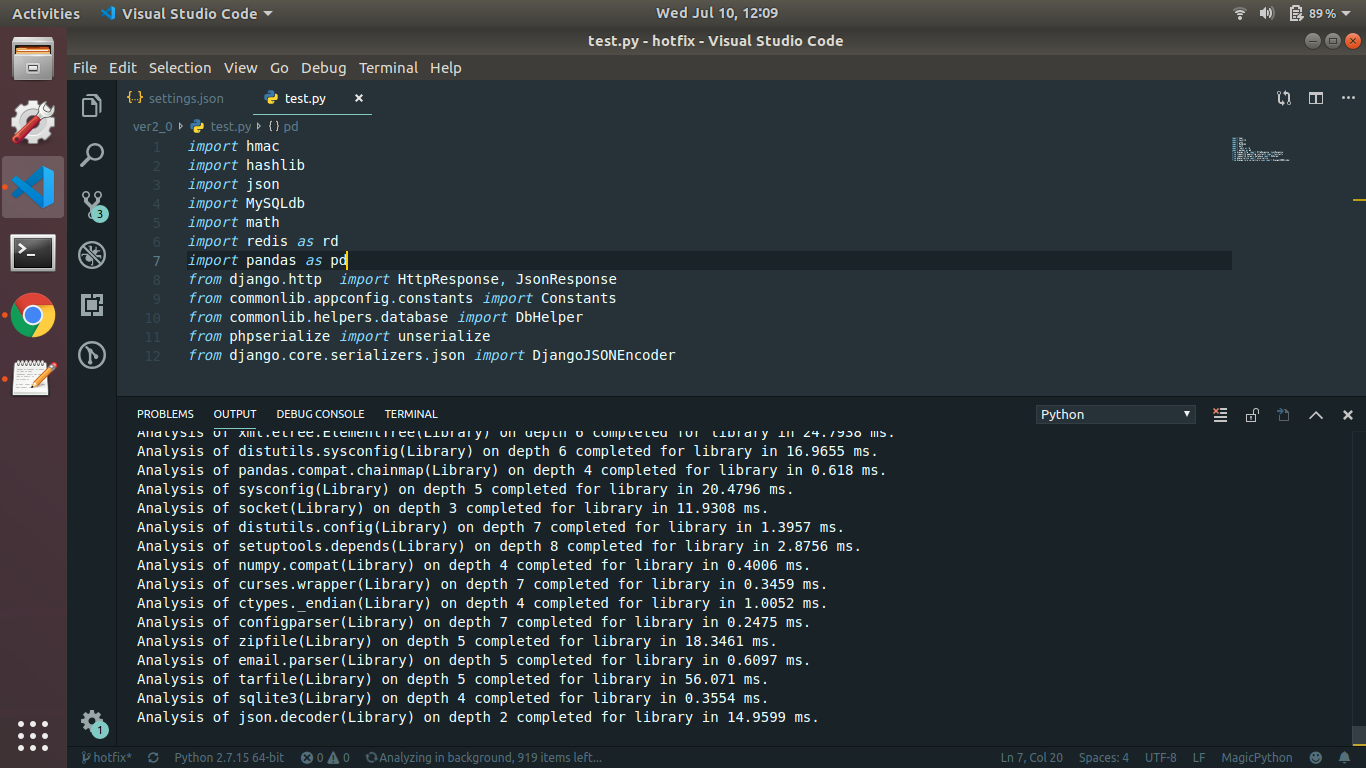
15 remaining items
proxyreturnsReferenceType[Test], which has all of the members ofTest, so when a specific type ofReferenceTypeis constructed,SetClassMembersiterates over the members ofTestand creates specific types of them, addingTestas a base, presumably becauseTestis filling in someTin a generic. That's where this is going wrong.Reacted by Kaushal VoraJake Bailey (@jakebailey) Alexander Sher (@AlexanderSher) Mikhail Arkhipov (@MikhailArkhipov) Thanks for fixing the issue and your hard work.
Is this fix available in beta/daily channel?
Yes, in daily, 0.3.27 and above.
Reacted by Kaushal VoraIssue seems to be fixed now. Thank you Jake Bailey (@jakebailey) Alexander Sher (@AlexanderSher) Mikhail Arkhipov (@MikhailArkhipov)
I'm experiencing this issue still.
Downloading https://pvsc.azureedge.net/python-language-server-stable/Python-Language-Server-win-x64.0.3.76.nupkg...
Language server dowload complete
Unpacking archive... done
[Info  - 3:26:06 PM] Microsoft Python Language Server version 0.3.76.0
[Info  - 3:26:07 PM] Analysis cache path: C:\Users\smcro\AppData\Local\Microsoft\Python Language Server
[Info  - 3:26:07 PM] GetCurrentSearchPaths C:\Python37\python.exe
It's stuck at "Analyzing in background, 100 items left". It's using 1GB of RAM. It frequently gets into this state. Reloading the window spins a roulette wheel and has a chance of finishing, but it's not guaranteed.
Reacted by Sebastien Martin and Demetris StavrouAdditionally, it's saying I have undefined variables such as
isinstance,hasattr, andrange. These aren't variables they are Python keywords.Hello,
I'm new here and I have the same problem. I read this and several other threads that were closed after the problem was solved but mine is still here.
What should I provide to get my problem solved and be able to continue using VSCode?
Thank you in advance,
Marcelomarcelorosensaft - Try
Pylancelanguage server instead. It is on the VS Code marketplace.Thank you, Mikhail!
I installed PyLance and it seems to work very well
Here is how I solved this issue:
Go to File > Preferences > Settings > "python.language server"
If set to 'Microsoft' change your language server to 'Pylance'Python: Language Server Define Type of the Language Server SELECT: PylanceReload your Visual Studio Code
Try importing your libraries causing the issues again:import numpy as np import pandas as pd


Environment data
============================================================
Logs
User belongs to experiment group 'AlwaysDisplayTestExplorer - control'
Starting Microsoft Python language server.
[Info - 10:33:32 AM] Analysis cache path: /home/kaushal/.cache/Microsoft/Python Language Server
[Info - 10:33:32 AM] GetCurrentSearchPaths /home/kaushal/microfinance/venv/bin/python
[Info - 10:33:33 AM] Interpreter search paths:
[Info - 10:33:33 AM] /home/kaushal/microfinance/venv/lib/python2.7
[Info - 10:33:33 AM] /home/kaushal/microfinance/venv/lib/python2.7/lib-dynload
[Info - 10:33:33 AM] /usr/lib/python2.7
[Info - 10:33:33 AM] /usr/lib/python2.7/plat-x86_64-linux-gnu
[Info - 10:33:33 AM] /usr/lib/python2.7/lib-tk
[Info - 10:33:33 AM] /home/kaushal/microfinance/venv/local/lib/python2.7/site-packages
[Info - 10:33:33 AM] /home/kaushal/microfinance/venv/lib/python2.7/site-packages
[Info - 10:33:33 AM] User search paths:
[Info - 10:33:35 AM] Microsoft Python Language Server version 0.3.21.0
[Info - 10:33:35 AM] Initializing for /home/kaushal/microfinance/venv/bin/python
.
.
.
Analysis of pandas.core.dtypes.dtypes(Library) completed in 5.9831 ms.
Analysis of pandas.core.dtypes.api(Library) completed in 0.7383 ms.
Analysis of pandas.io.json.table_schema(Library) completed in 1.6775 ms.
Analysis of pandas.core.indexing(Library) completed in 32.862 ms.
Analysis of pandas.util.testing(Library) completed in 49.5013 ms.
Analysis of pandas.core.sorting(Library) completed in 12.6855 ms.
Analysis of pandas.plotting._misc(Library) completed in 12.8782 ms.
Analysis of pandas.testing(Library) completed in 0.1046 ms.
Analysis of pandas.core.algorithms(Library) completed in 34.2249 ms.
Analysis of pandas.core.base(Library) completed in 21.2535 ms.
Analysis of pandas.core.missing(Library) completed in 21.3684 ms.
Analysis of pandas.core.util.hashing(Library) completed in 6.393 ms.
Analysis of pandas.core.indexes.frozen(Library) completed in 5.9272 ms.
Analysis of pandas.io.formats.format(Library) completed in 63.51 ms.
Analysis of pandas.core.internals(Library) completed in 101.1854 ms.
Screenshot