QuickNav allows you to switch back and forth in your navigation history. You can record history items or current selections as favorites and jump to them or open them directly in the inspector.
This works for the Scene as well as the Project.
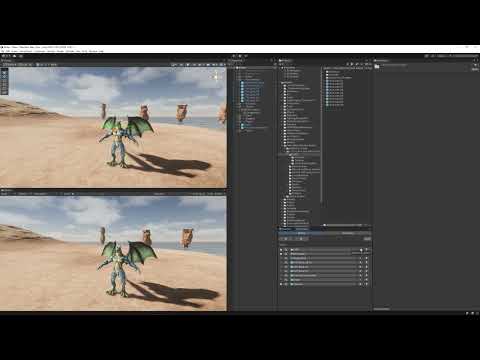
Here's a usage example video on youtube:
Supported Unity versions:
- Unity 2020.3
- Unity 2021.*
- Unity 2022.*
-
add QuickNav via Package Manager:
https://github.com/Roland09/QuickNav.git?path=/Assets/Rowlan/QuickNav
In Unity every now and then you have to switch back and forth between assets in order to configure them interdependently. Be it because of texture assignment, material assignment, you name it. With 2 assets you can help yourself with 2 inspectors and locking one. However that's already very tedious, limiting and will get you only so far. Another thing is that you occasionally want to switch back in history. Just like it's common in modern browsers. The Unity Editor doesn't have that feature yet. Besides Unity's own internal favorites mechanism is very limited as well.
So I created this tool to see the navigation history and in addition to that store some history items or currently selected items in a favorites list.
I created this tool for my personal workflow in order to save time and mouse clicks. I thought I'd share in case some of you guys have use for this as well.
- Naviation History
- Favorites List
- Ping items, i. e. select them
- Inspect itmes, i. e. select them and open them in the Inspector
- Add history items to favorites
- Add current selection to favorites
- Support Project and Scene
- Favorites list is Reorderable
Open QuickNav:

Use the arrow keys for navigation. The star for favoriting an item. Click on the magnifying glass to Ping an item. Click the Icon/Name button to open the item in the Inspector.
History:

Favorites:

The Folder Structure pane isn't used in QuickNav, only the Detail pane.
This isn't a full-featured history and bookmark manager like it's common in modern browsers. One would require tree management for that. I leave that to Unity, such a feature has been long overdue. This is just a means to help you save time and clicks while browsing around in your project.
By the way, the maximum history item count is 20 and stored in the QuickNav preferences file:
Assets/Rowlan/QuickNav/Preferences.asset
You can easily adjust that in the inspector should the need for it arise.