-
Notifications
You must be signed in to change notification settings - Fork 0
Home
Welcome to the code-debug wiki!
oslab@ubuntu:~/rCore-Tutorial-v3/os$ cd /home/oslab/rCore-Tutorial-v3/os && \
riscv64-unknown-elf-gdb
-ex 'file target/riscv64gc-unknown-none-elf/release/os'
-ex 'set arch riscv:rv64'
-ex 'target remote localhost:1234'
... 报如下错误找不到对应的文件
Reading symbols from target/riscv64gc-unknown-none-elf/release/os... The target architecture is set to "riscv:rv64". Remote debugging using localhost:1234 core::option::Option<core::cell::RefMutos::task::processor::Processor>::as_mut<core::cell::RefMutos::task::processor::Processor> ( self=0x805a9198 <<os::task::processor::PROCESSOR as core::ops::deref::Deref>::deref::__stability::LAZY+16>) at /rustc/9a7b7d5e50ab0b59c6d349bbf005680a7c880e98/library/core/src/option.rs:648 648 /rustc/9a7b7d5e50ab0b59c6d349bbf005680a7c880e98/library/core/src/option.rs: 没有那个文件或目录.
[profile.release]
debug = true
此外,参考 os/Makefile ,还可以先打开一个终端页面 make gdbserver 启动 QEMU ,
此后另开一个终端页面在同目录下 make gdbclient 将 GDB 客户端连接到 QEMU 进行调试。我们推荐使用 gdb-dashboard 插件,可以大大提升调试体验```
## gdb参考
http://rcore-os.cn/rCore-Tutorial-Book-v3/chapter1/4first-instruction-in-kernel2.html#gdb
http://rcore-os.cn/rCore-Tutorial-Book-v3/chapter0/5setup-devel-env.html#rcore-tutorial-v3
单机联调
https://raw.fastgit.org/chenzhiy2001/code-debug/master/docs/imgs/pre-2022-07-24.mp4
无法快速的在虚拟机里面关机,实现一个系统调用哦个;
#2022.8.10 更新
# 制定计划
三步走
1 语言:继续巩固rust基础,还有type scrpit 动手切入
第一阶段
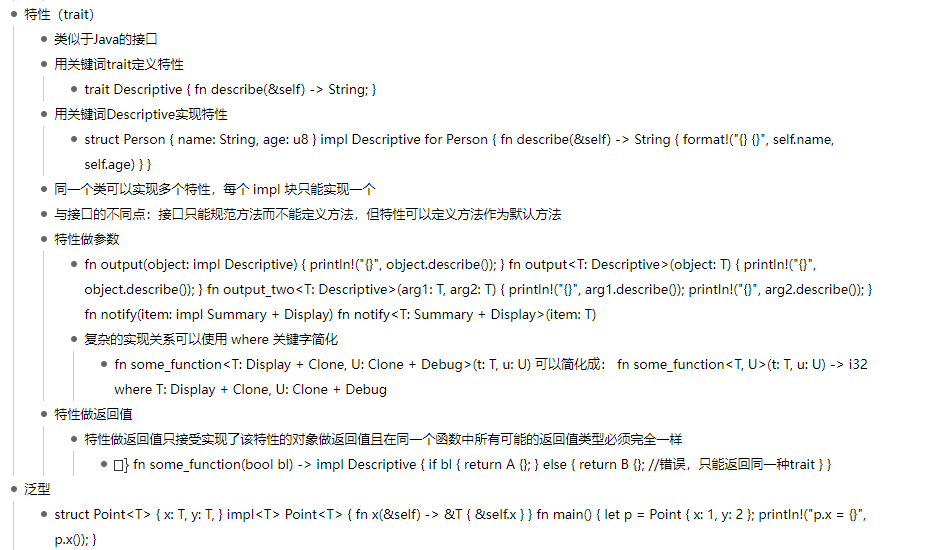
基础trait https://course.rs/basic/trait/trait.html
继承 https://www.runoob.com/rust/rust-object.html
2 熟悉插件的使用
3 熟悉作者的代码
## 其他
数据结构基础;【材料下载 阅读 半小时】
【3分钟准备】os history 命令
【】实战准备 ggg
【】代码阅读
【非集中】看之前的故事哈? 一个Http写的哈;