
Our infrastructure is a three-tiered architecture that features the following and more:
- A VPC
- 6 subnets (2 public and 4 private)
- A route table associated it with public subnets
- A route table associated it with private subnets
- Internet Gateway
- Public route in table, associated with the Internet Gateway. (This is what allows a public subnet to be accisble from the Internet)
- Elastic IPs
- Nat Gateway
- Security Groups
- EC2 Instances for 2 webservers, etc
- Launch Templates
- Target Groups
- Autoscaling Groups
- TLS Certificates
- Application Load Balancers (ALB)
- EFS
- RDS
- DNS with Route53
First set up Terraform CLI, to set up Terraform CLI follow this instruction.
- In Visual Studio Code: Create a folder called PBL, then create a file in the folder, name it main.tf
- Create a resource by declaring AWS as a provider, and a resource to create a VPC in the main.tf file. (Provider blocks inform Terraform that you intend to build infrastructure within AWS and resource block will create the resource you specified, in the case the VPC.)
provider "aws" {
  region = "us-east-1"
}

# Create VPC
resource "aws_vpc" "main" {
  cidr_block                     = "172.16.0.0/16"
  enable_dns_support             = "true"
  enable_dns_hostnames           = "true"
  enable_classiclink             = "false"
  enable_classiclink_dns_support = "false"
}
- Next, download the necessary plugins for Terraform to work. These plugins are used by Providers and Provisioners.To accomplish this
run
terraform initcommand.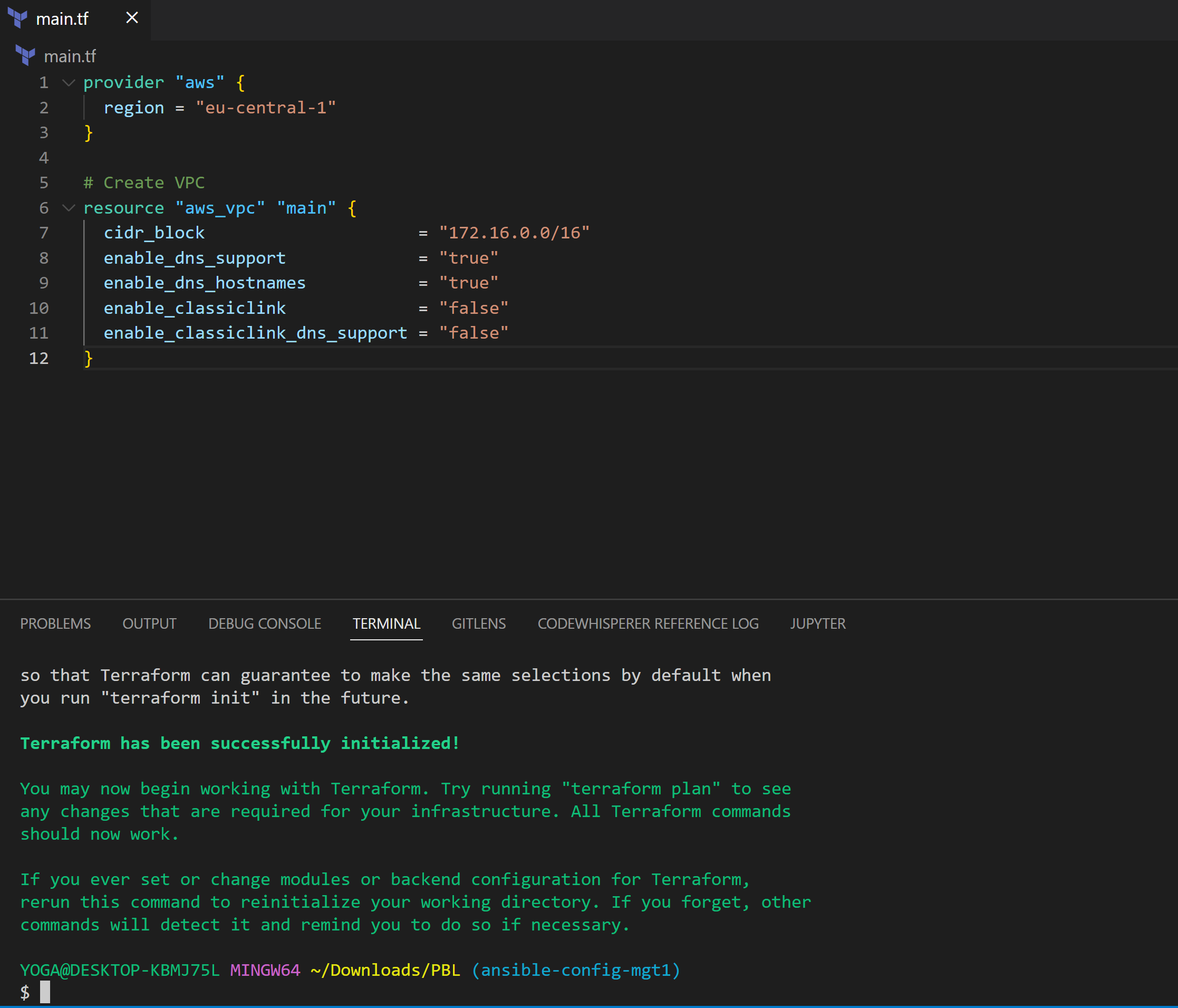
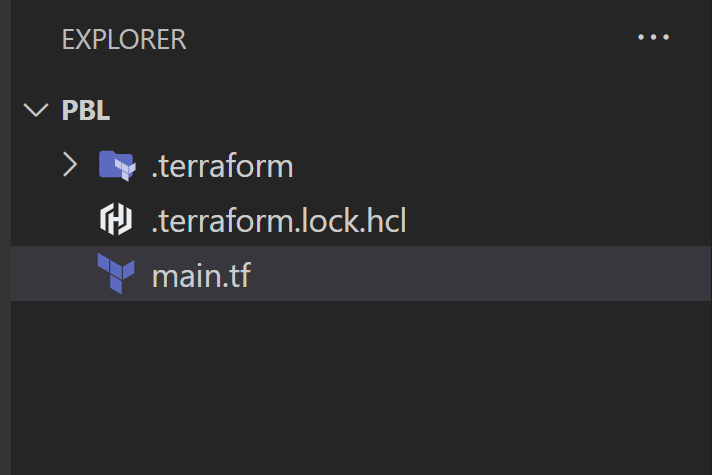
- A new directory is created: .terraform.... This is where Terraform keeps plugins.
- Next, create the resource we just defined: aws_vpc. But before that, check to see what terraform intends to create before we tell it to
go ahead and create it. Run:
terraform plan - If you are happy with changes planned, execute
terraform apply


- A terraform.tfstate file is created. Terraform uses this file to stay up to date with the exact state of the infrastructure. It reads this file to know what already exists, what should be added, or destroyed based on the entire terraform code that is being developed.
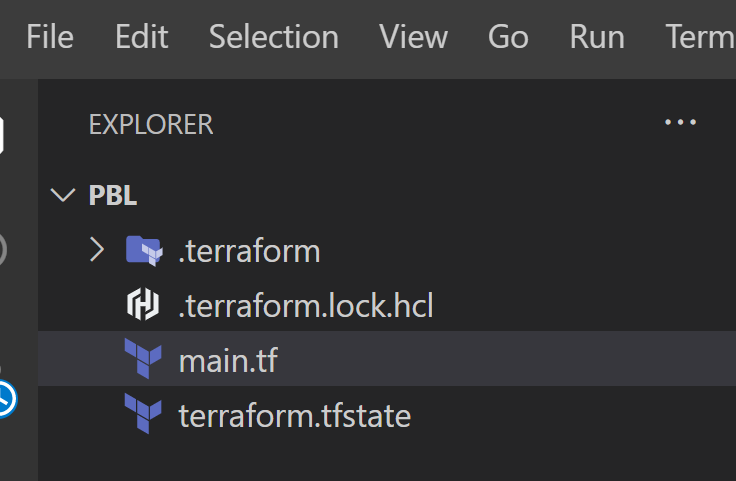
- Another file terraform.tfstate.lock.info is also created in this process, but gets deleted immediately. Terraform uses it to track, who is running its code against the infrastructure at any point in time. This is very important for teams working on the same Terraform repository at the same time. The lock prevents a user from executing Terraform configuration against the same infrastructure when another user is doing the same – it allows to avoid duplicates and conflicts.

According to our architectural design, we require 6 subnets: 2 public, 2 private for webservers and 2 private for data layer. In this project we will be creating the public subnet only and the other 4 in subsequent projects.
- In the main.tf file, add the following configuration below. We are declaring 2 resource blocks – one for each of the subnets. We are also using the vpc_id argument to interpolate the value of the VPC id by setting it to aws_vpc.main.id. This way, Terraform knows inside which VPC to create the subnet.
# Create public subnets1
    resource "aws_subnet" "public1" {
    vpc_id                     = aws_vpc.main.id
    cidr_block                 = "172.16.0.0/24"
    map_public_ip_on_launch    = true
    availability_zone          = "eu-central-1a"

}

# Create public subnet2
    resource "aws_subnet" "public2" {
    vpc_id                     = aws_vpc.main.id
    cidr_block                 = "172.16.1.0/24"
    map_public_ip_on_launch    = true
    availability_zone          = "eu-central-1b"
}
 2. Run
terraform plan to preview your configuration and terraform apply to create.
The above configurations has serveral problems that includes:
- Hard coded values: Both the availability_zone and cidr_block arguments are hard coded. We should always endeavour to make our work dynamic.
- Multiple Resource Blocks: we declared multiple resource blocks for each subnet in the code. This is bad coding practice. Best parctice is to create a single resource block that can dynamically create resources. If we had to create a lot of subnets, our code would quickly become overwhelming. To optimize this, we can make use of a count argument. Let's improve the code by refactoring it.
- Run
terraform destroyto destroy the current infrastructure and type yes after reviewing it.
To Fix hard coded values, we will use variables, and remove hard coding.
- Starting with the provider block, declare a
variablenamed region, give it a default value, and update the provider section by referring to the declared variable
    variable "region" {
        default = "us-east-1"
    }

    provider "aws" {
        region = var.region
    }
- Repeat the same for cidr value in the vpc block, and all the other arguments. After declaring the variables, then make reference to them in the vpc bloc.
    variable "region" {
        default = "us-east-1"
    }

    variable "vpc_cidr" {
        default = "172.16.0.0/16"
    }

    variable "enable_dns_support" {
        default = "true"
    }

    variable "enable_dns_hostnames" {
        default ="true"
    }

    variable "enable_classiclink" {
        default = "false"
    }

    variable "enable_classiclink_dns_support" {
        default = "false"
    }

    provider "aws" {
    region = var.region
    }

    # Create VPC
    resource "aws_vpc" "main" {
    cidr_block                     = var.vpc_cidr
    enable_dns_support             = var.enable_dns_support
    enable_dns_hostnames           = var.enable_dns_support
    enable_classiclink             = var.enable_classiclink
    enable_classiclink_dns_support = var.enable_classiclink

    }
- Fixing multiple resource blocks: we'll make use of Terraform’s Data Sources to fetch information outside of Terraform.
    # Get list of availability zones
    data "aws_availability_zones" "available" {
    state = "available"
    }
- Fetch Availability zones from AWS, and replace the hard coded value in the subnet’s availability_zone section:
# Create public subnet1
    resource "aws_subnet" "public" {
        count                   = 2
        vpc_id                  = aws_vpc.main.id
        cidr_block              = "172.16.1.0/24"
        map_public_ip_on_launch = true
        availability_zone       = data.aws_availability_zones.available.names[count.index]

    }
- The count tells us that we need 2 subnets. Therefore, Terraform will invoke a loop to create 2 subnets.
- The data resource will return a list object that contains a list of AZs.
- Make cidr_block dynamic: We will use a function cidrsubnet() to make the block dynamic. It accepts 3 parameters: cidrsubnet(prefix, newbits, netnum)
 # Create public subnet1
    resource "aws_subnet" "public" {
        count                   = 2
        vpc_id                  = aws_vpc.main.id
        cidr_block              = cidrsubnet(var.vpc_cidr, 4 , count.index)
        map_public_ip_on_launch = true
        availability_zone       = data.aws_availability_zones.available.names[count.index]

    }
- The prefix parameter must be given in CIDR notation, same as for VPC.
- The newbits parameter is the number of additional bits with which to extend the prefix. For example, if given a prefix ending with /16 and a newbits value of 4, the resulting subnet address will have length /20
- The netnum parameter is a whole number that can be represented as a binary integer with no more than newbits binary digits, which will be used to populate the additional bits added to the prefix
- Remove hard-coded count value by using length() function, which basically determines the length of a given list, map, or string. Update the public subnet block like this:
# Create public subnet1
    resource "aws_subnet" "public" {
        count                   = length(data.aws_availability_zones.available.names)
        vpc_id                  = aws_vpc.main.id
        cidr_block              = cidrsubnet(var.vpc_cidr, 4 , count.index)
        map_public_ip_on_launch = true
        availability_zone       = data.aws_availability_zones.available.names[count.index]

    }
What we have now, does not satisfy our business requirement of just 2 subnets. The length function will return number 5 to the count argument, but what we actually need is 2.
- To fix this, declare a variable to store the desired number of public subnets, and set the default value
variable "preferred_number_of_public_subnets" {
  default = 2
}
- Next, update the count argument with a condition. Terraform needs to check first if there is a desired number of subnets. Otherwise, use the data returned by the lenght function. See how that is presented below.
# Create public subnets
resource "aws_subnet" "public" {
  count  = var.preferred_number_of_public_subnets == null ? length(data.aws_availability_zones.available.names) : var.preferred_number_of_public_subnets
  vpc_id = aws_vpc.main.id
  cidr_block              = cidrsubnet(var.vpc_cidr, 4 , count.index)
  map_public_ip_on_launch = true
  availability_zone       = data.aws_availability_zones.available.names[count.index]

}
- The first part var.preferred_number_of_public_subnets == null checks if the value of the variable is set to null or has some value defined.
- The second part ? and length(data.aws_availability_zones.available.names) means, if the first part is true, then use this. In other words, if preferred number of public subnets is null (Or not known) then set the value to the data returned by lenght function.
- The third part : and var.preferred_number_of_public_subnets means, if the first condition is false, i.e preferred number of public subnets is not null then set the value to whatever is definied in var.preferred_number_of_public_subnets Your entire configuration should now look like this:
# Get list of availability zones
data "aws_availability_zones" "available" {
state = "available"
}

variable "region" {
      default = "eu-central-1"
}

variable "vpc_cidr" {
    default = "172.16.0.0/16"
}

variable "enable_dns_support" {
    default = "true"
}

variable "enable_dns_hostnames" {
    default ="true"
}

variable "enable_classiclink" {
    default = "false"
}

variable "enable_classiclink_dns_support" {
    default = "false"
}

  variable "preferred_number_of_public_subnets" {
      default = 2
}

provider "aws" {
  region = var.region
}

# Create VPC
resource "aws_vpc" "main" {
  cidr_block                     = var.vpc_cidr
  enable_dns_support             = var.enable_dns_support
  enable_dns_hostnames           = var.enable_dns_support
  enable_classiclink             = var.enable_classiclink
  enable_classiclink_dns_support = var.enable_classiclink

}

# Create public subnets
resource "aws_subnet" "public" {
  count  = var.preferred_number_of_public_subnets == null ? length(data.aws_availability_zones.available.names) : var.preferred_number_of_public_subnets
  vpc_id = aws_vpc.main.id
  cidr_block              = cidrsubnet(var.vpc_cidr, 4 , count.index)
  map_public_ip_on_launch = true
  availability_zone       = data.aws_availability_zones.available.names[count.index]

}
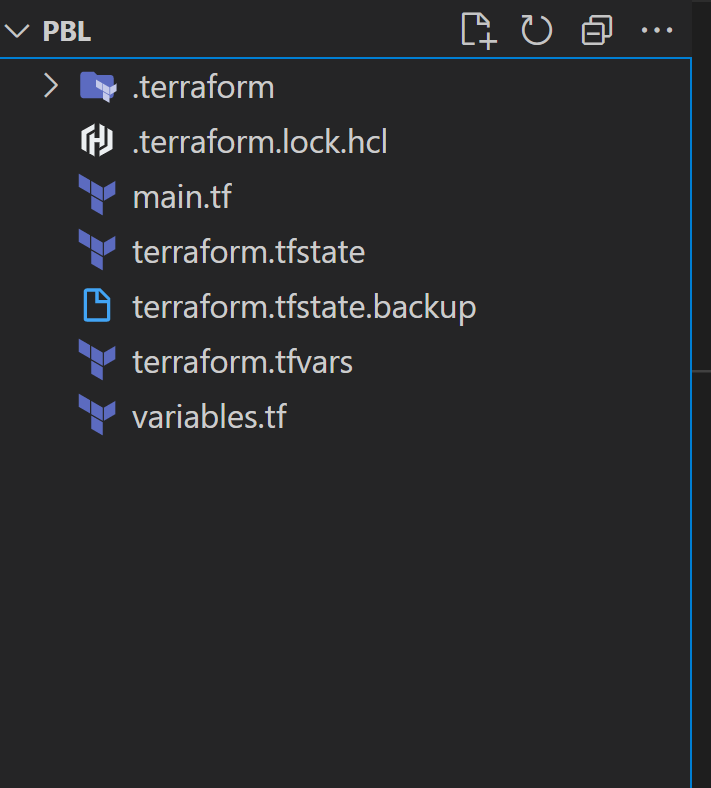
To make our code more readable and better structured, we will be making use of varibles.tf and terraform.tfvars files. Put all variable declarations in a separate file named variable.tf and provide non-default values to each variable in the terraform.tfvars
- Create a new file and name it varible.tf then copy all the variable declarations into the new file.
- Create another file, name it terraform.tfvars. Set values for each of the variables.
- Your main.tf, variable.tf and terraform.tfvars files should look like the following below: main.tf
# Get list of availability zones
data "aws_availability_zones" "available" {
state = "available"
}

provider "aws" {
  region = var.region
}

# Create VPC
resource "aws_vpc" "main" {
  cidr_block                     = var.vpc_cidr
  enable_dns_support             = var.enable_dns_support
  enable_dns_hostnames           = var.enable_dns_support
  enable_classiclink             = var.enable_classiclink
  enable_classiclink_dns_support = var.enable_classiclink

}

# Create public subnets
resource "aws_subnet" "public" {
  count  = var.preferred_number_of_public_subnets == null ? length(data.aws_availability_zones.available.names) : var.preferred_number_of_public_subnets
  vpc_id = aws_vpc.main.id
  cidr_block              = cidrsubnet(var.vpc_cidr, 4 , count.index)
  map_public_ip_on_launch = true
  availability_zone       = data.aws_availability_zones.available.names[count.index]
}
variables.tf
variable "region" {
      default = "eu-central-1"
}

variable "vpc_cidr" {
    default = "172.16.0.0/16"
}

variable "enable_dns_support" {
    default = "true"
}

variable "enable_dns_hostnames" {
    default ="true"
}

variable "enable_classiclink" {
    default = "false"
}

variable "enable_classiclink_dns_support" {
    default = "false"
}

  variable "preferred_number_of_public_subnets" {
      default = null
}
terraform.tfvars
region = "eu-central-1"

vpc_cidr = "172.16.0.0/16"

enable_dns_support = "true"

enable_dns_hostnames = "true"

enable_classiclink = "false"

enable_classiclink_dns_support = "false"

preferred_number_of_public_subnets = 2
- Your file structure shouke look like this
- Run
terraform planand ensure everything works.
