This project provides a voice-controlled agent for interacting with your Home Assistant setup. The agent listens for a hot word and allows you to list and control smart devices (like lights and switches) using natural language.
(click image to see short YouTube video of agent controlling lighting)
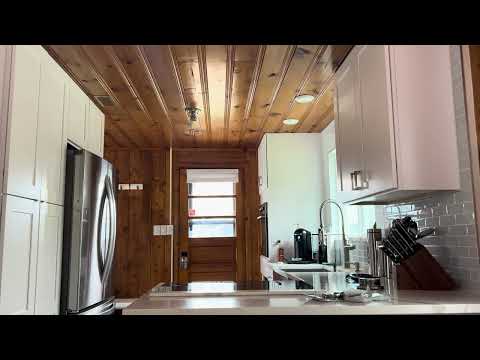
(click image to see short YouTube video of agent controlling a TV lift)

- Python 3.8+
- Home Assistant instance (local or remote)
- The dependencies listed in
requirements.txt
Create a .env file in the project root (or set these variables in your environment):
| Variable | Description |
|---|---|
HOMEAUTOMAITON_TOKEN |
Your Home Assistant long-lived access token |
HOMEAUTOMATION_URL |
(Optional) Home Assistant base URL (default: http://localhost:8123) |
Example `.env:**
HOMEAUTOMAITON_TOKEN=your_home_assistant_token_here
HOMEAUTOMATION_URL=http://localhost:8123
-
Install dependencies:
pip install -r ../requirements.txt -
Set up your
.envfile as described above. -
Run the agent:
python homeautomation.py start -
How it works:
- The agent waits for the hot word: "hey casa".
- After hearing the hot word, you can ask it to list devices or control them, e.g.:
- "Hey casa, turn on the kitchen light."
- "Hey casa, what lights are in the kitch?"
- The agent will respond and control your Home Assistant devices accordingly.
- Hot word detection: Only responds after hearing "hey casa".
- Device listing: Lists available lights, switches, and binary sensors.
- Device control: Turn devices on or off by name.
sequenceDiagram
    participant User
    participant Agent
    participant HomeAssistant

    User->>Agent: "hey casa"
    Agent->>Agent: Detect hot word
    Agent->>User: "Waiting for command"

    User->>Agent: "list devices"
    Agent->>HomeAssistant: GET /api/states
    HomeAssistant-->>Agent: List of devices
    Agent->>User: "Available devices: Kitchen Light, Living Room Switch..."

    User->>Agent: "turn on kitchen light"
    Agent->>HomeAssistant: GET /api/states/light.kitchen
    HomeAssistant-->>Agent: Device details
    Agent->>HomeAssistant: POST /api/services/light/turn_on
    HomeAssistant-->>Agent: Success
    Agent->>User: "Ok, I've turned Kitchen Light on"
- Make sure your Home Assistant token is correct and has the necessary permissions.
- Ensure your Home Assistant instance is accessible from the machine running this script.
- Check the logs for connection or authentication errors.
- Add ability to query non binary devices like thermostats and control them
- Make hot word more flexible and less prone to error