Repository navigation
Conflicting communication about pip versions in action output #233
Description
Activity
I'm experiencing this as well. At first I thought this error occurred later in my pipeline when I install some packages, where I attempted to add one more step to explicitly update pip, but that step says that pip is already on the latest version.
Occurs when using this action:
Error: WARNING: You are using pip version 21.1.3; however, version 21.2.4 is available.Occurs when trying to explicitly update pip after this action:
Run python -m pip install -U pip Requirement already satisfied: pip in /opt/hostedtoolcache/Python/3.10.0-rc.1/x64/lib/python3.10/site-packages (21.2.4)Hi, I'm having the same experience with python 3.8.10
    steps:
    - uses: actions/checkout@v2
    - name: Set up Python
      uses: actions/setup-python@v2
      with:
        python-version: '3.8.10'
    - name: Install dependencies
      run: |
        python -m pip install --upgrade pip
        pip install -r requirements.txt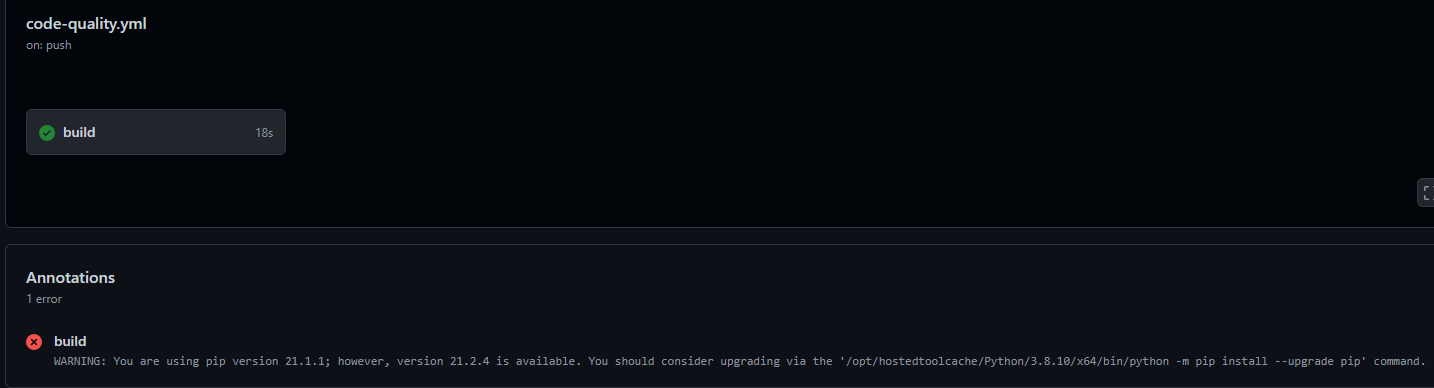
And here in the step log
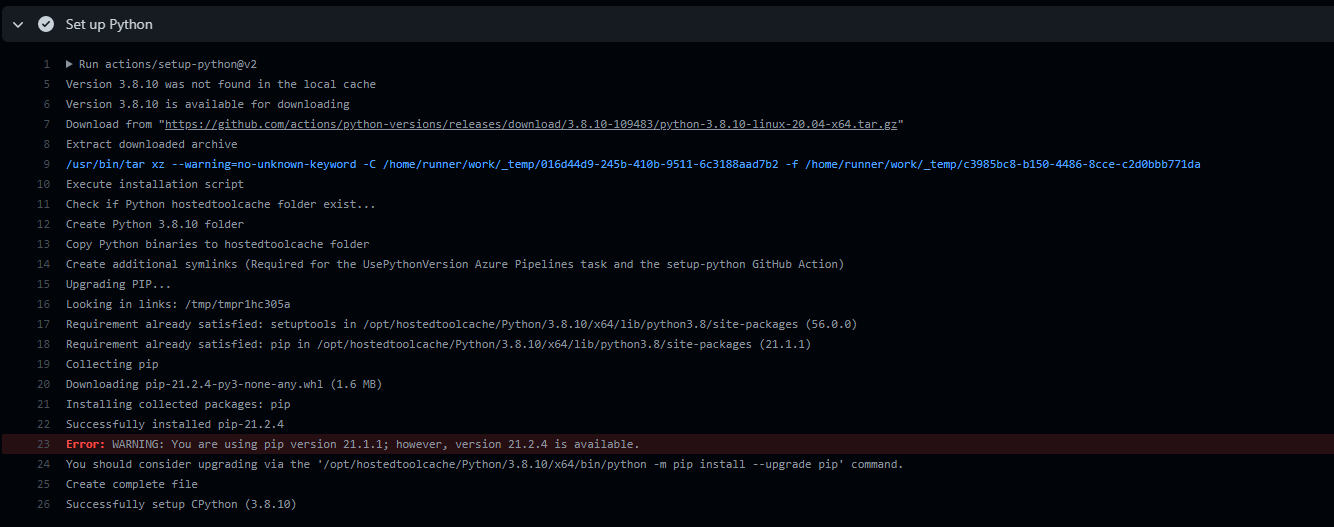
Same issue...
        - name: Setup Python
          uses: actions/setup-python@v2
          with:
            python-version: 3.9.6

        - name: Install python requirements
          run: |
            python -m pip install --upgrade pip
            pip install -r requirements.txt
Error occurs during the
Setup Pythonstep.I'm experiencing the same:
- name: Setup Python Version
  uses: actions/setup-python@v2
  with:
    python-version: 3.9.6

- name: Install Python dependencies
  uses: py-actions/py-dependency-install@v2
  with:
    path: "requirements.txt"
Please see PR actions/python-versions#117 for a fix.
@MaksimZhukov @hugovk Despite the referenced PR, I am still experiencing this issue with v4.2.0
    - uses: actions/[email protected]
      with:
        python-version: '3.9.5'
    - run: |
        python -m pip install --upgrade pip
        pip install -r requirements.txt
Specifically I'm getting
WARNING: You are using pip version 21.1.1; however, version 22.2.2 is available. You should consider upgrading via the '/opt/hostedtoolcache/Python/3.9.5/x64/bin/python -m pip install --upgrade pip' command.Hello @addisonklinke. Thank you for your report. I think it's an expected behaviour because these versions were rebuilt.
Reacted by Hugo van Kemenade and Arnon R.@dmitry-shibanov Are you saying I should be able to avoid the warning if I use one of those Python versions? For exapmle 3.9.6 instead of 3.9.5


Describe the bug
Find this output a little confusing:
Seems like the warning shouldn't be output here.
Which version of the action are you using?
v1v2v2.0.1ormaster)Environment
If applicable, please specify if you're using a container
Python Versions
This is on the Python 3.10 release candidate
Run/Repo Url
https://github.com/sondrelg/container-retention-policy/runs/3325363194?check_suite_focus=true
Screenshots
