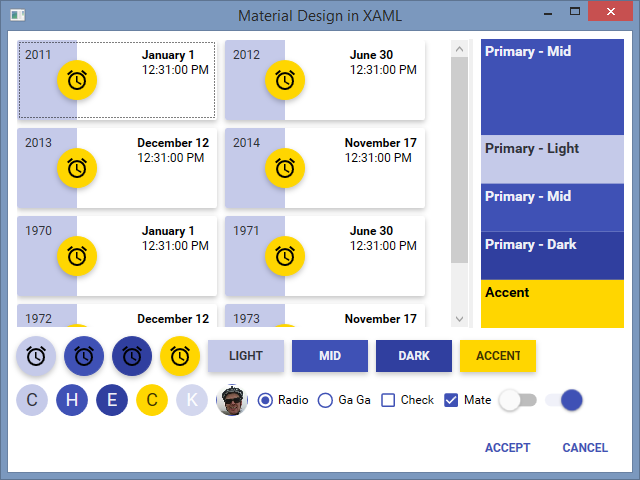
- XAML Resources for Google swatches displayed
- WPF control themes
- Small sample apps showing how to include chosen colours and use the resources:
- WPF
- WinRT
- Compatible with MahApps and Dragablz. See demo app in source and Mash Up! blog.
- Includes hacky console app which was used to generate the XAML colour definitions
- Choose your source:
- The NuGet package which contains a compiled .dll of ResourceDictionary instances (currently WPF only)
- Manually pull from Themes directory and include in your project
- In your App.XAML choose the primary palette and secondary palette, as in this example (this is identical for WPF/WinRT)
- Make colourful things.
- Here's the Nuget package.
- Or fire up the MaterialDesignColors.WpfExample project in the source code.
In creating a Material Design TabControl theme for Dragablz, the first step was getting hold of all the colours. The resulting resource dictionaries work well stand alone, so are completely re-usable.
Then I took a step further and created a few simple styles which turned out looking OK.