Conducting a Code Review
We use GitHub pull requests for conducting a review. An editor will have forked the original repository into the DHCodeReview organization and created a pull request with the code to be reviewed. They will then assign you to a pull request as external collaborators. You should find the pull request in the list of pull requests called "Review" or "Code Review" or similar.
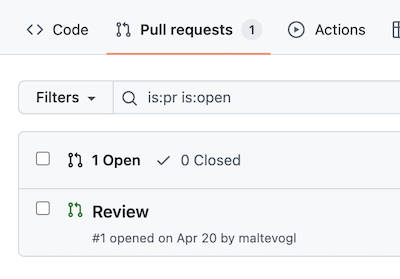
When you open the pull request (by clicking on it), you will see several tabs. The first one (called "Conversation") allows you to make general comments. This is useful if you have questions for the code author. When you click on the "Files changed" tab, you will see all files. This is where you should make comments on the code.

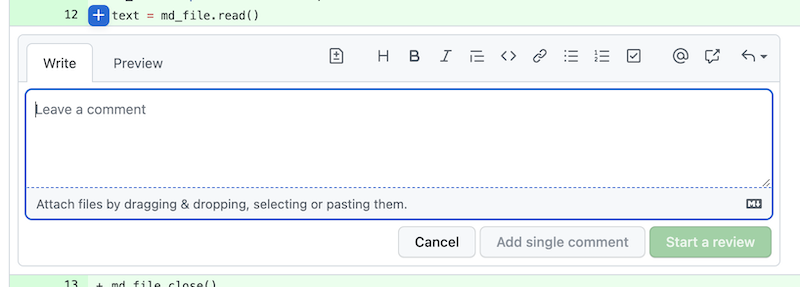
You can click on the plus sign on any line to make a comment about that piece of code. After you entered your first comment, make sure to click "Start a review". Add any following comment to your review and avoid using the "Add single comment" button.
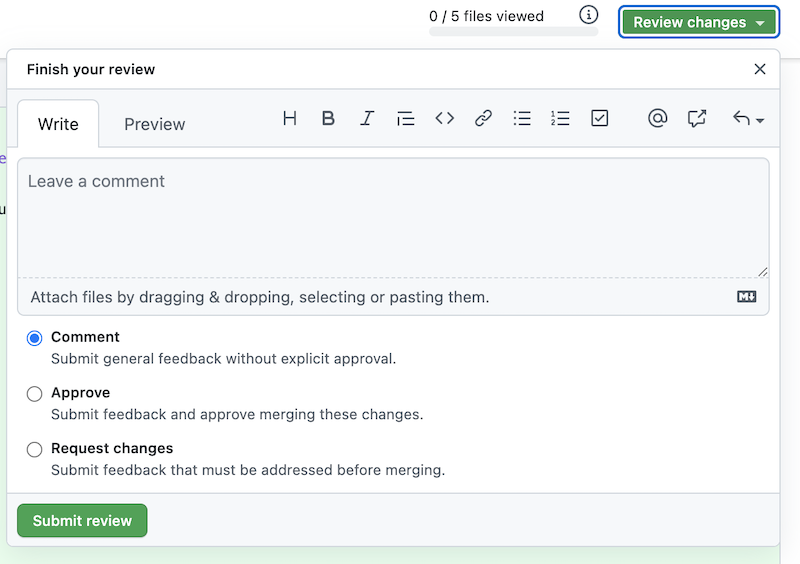
When you are done with your review, click on the green button at the top labelled "Review changes". In the "leave a comment" field, summarize your review, listing all points you think need to be addressed to ensure the submitted code produces accurate results. Then submit your review.