Today we are excited to announce the Release Candidate (RC) of TypeScript 6.0! To get started using the RC, you can get it through npm with the following command: npm install -D typescript@rc TypeScript 6.0 is a unique release in that we intend for it to be the last release based on the current JavaScript […]
The post Announcing TypeScript 6.0 RC appeared first on TypeScript.
]]>Today we are excited to announce the Release Candidate (RC) of TypeScript 6.0! To get started using the RC, you can get it through npm with the following command:
npm install -D typescript@rc
TypeScript 6.0 is a unique release in that we intend for it to be the last release based on the current JavaScript codebase. As announced last year (with recent updates here), we are working on a new codebase for the TypeScript compiler and language service written in Go that takes advantage of the speed of native code and shared-memory multi-threading. This new codebase will be the foundation of TypeScript 7.0 and beyond. TypeScript 6.0 will be the immediate precursor to that release, and in many ways it will act as the bridge between TypeScript 5.9 and 7.0. As such, most changes in TypeScript 6.0 are meant to help align and prepare for adopting TypeScript 7.0.
With that said, there are some new features and improvements that are not just about alignment. Let’s take a look at some of the highlights of this release, followed by a more detailed look at what’s changing for 7.0 and how to prepare for it.
What’s New Since the Beta?
Since TypeScript 6.0 beta, we have made a few noteworthy changes – mostly to align with the behavior of TypeScript 7.0.
One adjustment is in type-checking for function expressions in generic calls, especially those occurring in generic JSX expressions (see this pull request). This will typically catch more bugs in existing code, though you may find that some generic calls may need an explicit type argument.
We have also extended our deprecation of import assertion syntax (i.e. import ... assert {...}) to import() calls like import(..., { assert: {...}})
Finally, we have updated the DOM types to reflect the latest web standards, including some adjustments to the Temporal APIs as well.
Less Context-Sensitivity on this-less Functions
When parameters don’t have explicit types written out, TypeScript can usually infer them based on an expected type, or even through other arguments in the same function call.
declare function callIt<T>(obj: {
    produce: (x: number) => T,
    consume: (y: T) => void,
}): void;

// Works, no issues.
callIt({
    produce: (x: number) => x * 2,
    consume: y => y.toFixed(),
});

// Works, no issues even though the order of the properties is flipped.
callIt({
    consume: y => y.toFixed(),
    produce: (x: number) => x * 2,
});
Here, TypeScript can infer the type of y in the consume function based on the inferred T from the produce function, regardless of the order of the properties.
But what about if these functions were written using method syntax instead of arrow function syntax?
declare function callIt<T>(obj: {
    produce: (x: number) => T,
    consume: (y: T) => void,
}): void;

// Works fine, `x` is inferred to be a number.
callIt({
    produce(x: number) { return x * 2; },
    consume(y) { return y.toFixed(); },
});

callIt({
    consume(y) { return y.toFixed(); },
    //                  ~
    // error: 'y' is of type 'unknown'.

    produce(x: number) { return x * 2; },
});
Strangely enough, the second call to callIt results in an error because TypeScript is not able to infer the type of y in the consume method.
What’s happening here is that when TypeScript is trying to find candidates for T, it will first skip over functions whose parameters don’t have explicit types.
It does this because certain functions may need the inferred type of T to be correctly checked – in our case, we need to know the type of T to analyze our consume function.
These functions are called contextually sensitive functions – basically, functions that have parameters without explicit types. Eventually the type system will need to figure out types for these parameters – but this is a bit at odds with how inference works in generic functions because the two "pull" on types in different directions.
function callFunc<T>(callback: (x: T) => void, value: T) {
    return callback(value);
}

callFunc(x => x.toFixed(), 42);
//       ^
// We need to figure out the type of `x` here,
// but we also need to figure out the type of `T` to check the callback.
To solve this, TypeScript skips over contextually sensitive functions during type argument inference, and instead checks and infers from other arguments first.
If skipping over contextually sensitive functions doesn’t work, inference just continues across any unchecked arguments, going left-to-right in the argument list.
In the example immediately above, TypeScript will skip over the callback during inference for T, but will then look at the second argument, 42, and infer that T is number.
Then, when it comes back to check the callback, it will have a contextual type of (x: number) => void, which allows it to infer that x is a number as well.
So what’s going on in our earlier examples?
// Arrow syntax - no errors.
callIt({
    consume: y => y.toFixed(),
    produce: (x: number) => x * 2,
});

// Method syntax - errors!
callIt({
    consume(y) { return y.toFixed(); },
    //                  ~
    // error: 'y' is of type 'unknown'.

    produce(x: number) { return x * 2; },
});
In both examples, produce is assigned a function with an explicitly-typed x parameter.
Shouldn’t they be checked identically?
The issue is subtle: most functions (like the ones using method syntax) have an implicit this parameter, but arrow functions do not.
Any usage of this could require "pulling" on the type of T – for example, knowing the type of the containing object literal could in turn require the type of consume, which uses T.
But we’re not using this!
Sure, the function might have a this value at runtime, but it’s never used!
TypeScript 6.0 takes this into account when it decides if a function is contextually sensitive or not.
If this is never actually used in a function, then it is not considered contextually sensitive.
That means these functions will be seen as higher-priority when it comes to type inference, and all of our examples above now work!
This change was provided thanks to the work of Mateusz Burzyński.
Subpath Imports Starting with #/
When Node.js added support for modules, it added a feature called "subpath imports".
This is basically a field called imports which allows packages to create internal aliases for modules within their package.
{
    "name": "my-package",
    "type": "module",
    "imports": {
        "#root": "./dist/index.js",
        "#root/*": "./dist/*"
    }
}
This allows modules in my-package to import from #root instead of having to use a relative path like ../../index.js, and basically allows any other module to write something like
import * as utils from "#root/utils.js";
instead of using a relative path like the following.
import * as utils from "../../utils.js";
One minor annoyance with this feature has been that developers always had to write something after the # when specifying a subpath import.
Here, we used root, but it is a bit useless since there is no directory we’re mapping over other than ./dist/
Developers who have used bundlers are also accustomed to using path-mapping to avoid long relative paths.
A familiar convention with bundlers has been to use a simple @/ as the prefix.
Unfortunately, subpath imports could not start with #/ at all, leading to a lot of confusion for developers trying to adopt them in their projects.
But more recently, Node.js added support for subpath imports starting with #/.
This allows packages to use a simple #/ prefix for their subpath imports without needing to add an extra segment.
{
    "name": "my-package",
    "type": "module",
    "imports": {
        "#": "./dist/index.js",
        "#/*": "./dist/*"
    }
}
This is supported in newer Node.js 20 releases, and so TypeScript now supports it under the options node20, nodenext, and bundler for the --moduleResolution setting.
This work was done thanks to magic-akari, and the implementing pull request can be found here.
Combining --moduleResolution bundler with --module commonjs
TypeScript’s --moduleResolution bundler setting was previously only allowed to be used with --module esnext or --module preserve;
however, with the deprecation of --moduleResolution node (a.k.a. --moduleResolution node10), this new combination is often the most suitable upgrade path for many projects.
Projects will often want to instead plan out a migration towards either
--module preserveand--moduleResolution bundler--module nodenext
depending on your project type (e.g. bundled web app, Bun app, or Node.js app).
More information can be found at this implementing pull request.
The --stableTypeOrdering Flag
As part of our ongoing work on TypeScript’s native port, we’ve introduced a new flag called --stableTypeOrdering intended to assist with 6.0-to-7.0 migrations.
Today, TypeScript assigns type IDs (internal tracking numbers) to types in the order they are encountered, and uses these IDs to sort union types in a consistent manner. A similar process occurs for properties. As a result, the order in which things are declared in a program can have possibly surprising effects on things like declaration emit.
For example, consider the declaration emit from this file:
// Input: some-file.ts
export function foo(condition: boolean) {
    return condition ? 100 : 500;
}

// Output: some-file.d.ts
export declare function foo(condition: boolean): 100 | 500;
//                                               ^^^^^^^^^
//             Note the order of this union: 100, then 500.
If we add an unrelated const above foo, the declaration emit changes:
// Input: some-file.ts
const x = 500;
export function foo(condition: boolean) {
    return condition ? 100 : 500;
}

// Output: some-file.d.ts
export declare function foo(condition: boolean): 500 | 100;
//                                               ^^^^^^^^^
//                           Note the change in order here.
This happens because the literal type 500 gets a lower type ID than 100 because it was processed first when analyzing the const x declaration.
In very rare cases this change in ordering can even cause errors to appear or disappear based on program processing order, but in general, the main place you might notice this ordering is in the emitted declaration files, or in the way types are displayed in your editor.
One of the major architectural improvements in TypeScript 7 is parallel type checking, which dramatically improves overall check time.
However, parallelism introduces a challenge: when different type-checkers visit nodes, types, and symbols in different orders, the internal IDs assigned to these constructs become non-deterministic.
This in turn leads to confusing non-deterministic output, where two files with identical contents in the same program can produce different declaration files, or even calculate different errors when analyzing the same file.
To fix this, TypeScript 7.0 sorts its internal objects (e.g. types and symbols) according to a deterministic algorithm based on the content of the object.
This ensures that all checkers encounter the same object order regardless of how and when they were created.
As a consequence, in the given example, TypeScript 7 will always print 100 | 500, removing the ordering instability entirely.
This means that TypeScript 6 and 7 can and do sometimes display different ordering. While these ordering changes are almost always benign, if you’re comparing compiler outputs between runs (for example, checking emitted declaration files in 6.0 vs 7.0), these different orderings can produce a lot of noise that makes it difficult to assess correctness. Occasionally though, you may witness a change in ordering that causes a type error to appear or disappear, which can be even more confusing.
To help with this situation, in 6.0, you can specify the new --stableTypeOrdering flag.
This makes 6.0’s type ordering behavior match 7.0’s, reducing the number of differences between the two codebases.
Note that we don’t necessarily encourage using this flag all the time as it can add a substantial slowdown to type-checking (up to 25% depending on codebase).
If you encounter a type error using --stableTypeOrdering, this is typically due to inference differences.
The previous inference without --stableTypeOrdering happened to work based on the current ordering of types in your program.
To help with this, you’ll often benefit from providing an explicit type somewhere.
Often, this will be a type argument
- someFunctionCall(/*...*/);
+ someFunctionCall<SomeExplicitType>(/*...*/);
or a variable annotation for an argument you intend to pass into a call.
- const someVariable = { /*... some complex object ...*/ };
+ const someVariable: SomeExplicitType = { /*... some complex object ...*/ };

someFunctionCall(someVariable);
Note that this flag is only intended to help diagnose differences between 6.0 and 7.0 – it is not intended to be used as a long-term feature
See more at this pull-request.
es2025 option for target and lib
TypeScript 6.0 adds support for the es2025 option for both target and lib.
While there are no new JavaScript language features in ES2025, this new target adds new types for built-in APIs (e.g. RegExp.escape), and moves a few declarations from esnext into es2025 (e.g. Promise.try, Iterator methods, and Set methods).
Work to enable the new target was contributed thanks to Kenta Moriuchi.
New Types for Temporal
The long-awaited Temporal proposal has reached stage 3 and is expected to be added to JavaScript in the near future.
TypeScript 6.0 now includes built-in types for the Temporal API, so you can start using it in your TypeScript code today via --target esnext or "lib": ["esnext"] (or the more-granular temporal.esnext).
let yesterday = Temporal.Now.instant().subtract({
    hours: 24,
});

let tomorrow = Temporal.Now.instant().add({
    hours: 24,
});

console.log(`Yesterday: ${yesterday}`);
console.log(`Tomorrow: ${tomorrow}`);
Temporal is already usable in several runtimes, so you should be able to start experimenting with it soon. Documentation on the Temporal APIs is available on MDN, though it may still be incomplete.
This work was contributed thanks to GitHub user Renegade334.
New Types for "upsert" Methods (a.k.a. getOrInsert)
A common pattern with Maps is to check if a key exists, and if not, set and fetch a default value.
function processOptions(compilerOptions: Map<string, unknown>) {
    let strictValue: unknown;
    if (compilerOptions.has("strict")) {
        strictValue = compilerOptions.get("strict");
    }
    else {
        strictValue = true;
        compilerOptions.set("strict", strictValue);
    }
    // ...
}
This pattern can be tedious.
ECMAScript’s "upsert" proposal recently reached stage 4, and introduces 2 new methods on Map and WeakMap:
getOrInsertgetOrInsertComputed
These methods have been added to the esnext lib so that you can start using them immediately in TypeScript 6.0.
With getOrInsert, we can replace our code above with the following:
function processOptions(compilerOptions: Map<string, unknown>) {
    let strictValue = compilerOptions.getOrInsert("strict", true);
    // ...
}
getOrInsertComputed works similarly, but is for cases where the default value may be expensive to compute (e.g. requires lots of computations, allocations, or does long-running synchronous I/O).
Instead, it takes a callback that will only be called if the key is not already present.
someMap.getOrInsertComputed("someKey", () => {
    return computeSomeExpensiveValue(/*...*/);
});
This callback is also given the key as an argument, which can be useful for cases where the default value is based on the key.
someMap.getOrInsertComputed(someKey, computeSomeExpensiveDefaultValue);

function computeSomeExpensiveValue(key: string) {
    // ...
}
This update was contributed thanks to GitHub user Renegade334.
RegExp.escape
When constructing some literal string to match within a regular expression, it is important to escape special regular expression characters like *, +, ?, (, ), etc.
The RegExp Escaping ECMAScript proposal has reached stage 4, and introduces a new RegExp.escape function that takes care of this for you.
function matchWholeWord(word: string, text: string) {
    const escapedWord = RegExp.escape(word);
    const regex = new RegExp(`\\b${escapedWord}\\b`, "g");
    return text.match(regex);
}
RegExp.escape is available in the es2025 lib, so you can start using it in TypeScript 6.0 today.
This work was contributed thanks Kenta Moriuchi.
The dom lib Now Contains dom.iterable and dom.asynciterable
TypeScript’s lib option allows you to specify which global declarations your target runtime has.
One option is dom to represent web environments (i.e. browsers, who implement the DOM APIs).
Previously, the DOM APIs were partially split out into dom.iterable and dom.asynciterable for environments that didn’t support Iterables and AsyncIterables.
This meant that you had to explicitly add dom.iterable to use iteration methods on DOM collections like NodeList or HTMLCollection.
In TypeScript 6.0, the contents of lib.dom.iterable.d.ts and lib.dom.asynciterable.d.ts are fully included in lib.dom.d.ts.
You can still reference dom.iterable and dom.asynciterable in your configuration file’s "lib" array, but they are now just empty files.
// Before TypeScript 6.0, this required "lib": ["dom", "dom.iterable"]
// Now it works with just "lib": ["dom"]
for (const element of document.querySelectorAll("div")) {
    console.log(element.textContent);
}
This is a quality-of-life improvement that eliminates a common point of confusion, since no major modern browser lacks these capabilities.
If you were already including both dom and dom.iterable, you can now simplify to just dom.
See more at this issue and its corresponding pull request.
Breaking Changes and Deprecations in TypeScript 6.0
TypeScript 6.0 arrives as a significant transition release, designed to prepare developers for TypeScript 7.0, the upcoming native port of the TypeScript compiler. While TypeScript 6.0 maintains full compatibility with your existing TypeScript knowledge and continues to be API compatible with TypeScript 5.9, this release introduces a number of breaking changes and deprecations that reflect the evolving JavaScript ecosystem and set the stage for TypeScript 7.0.
In the two years since TypeScript 5.0, we’ve seen ongoing shifts in how developers write and ship JavaScript:
- Virtually every runtime environment is now "evergreen". True legacy environments (ES5) are vanishingly rare.
- Bundlers and ESM have become the most common module targets for new projects, though CommonJS remains a major target. AMD and other in-browser userland module systems are much rarer than they were in 2012.
- Almost all packages can be consumed through some module system. UMD packages still exist, but virtually no new code is available only as a global variable.
tsconfig.jsonis nearly universal as a configuration mechanism.- Appetite for "stricter" typing continues to grow.
- TypeScript build performance is top of mind. Despite the gains of TypeScript 7, performance must always remain a key goal, and options which can’t be supported in a performant way need to be more strongly justified.
So TypeScript 6.0 and 7.0 are designed with these realities in mind.
For TypeScript 6.0, these deprecations can be ignored by setting "ignoreDeprecations": "6.0" in your tsconfig; however, note that TypeScript 7.0 will not support any of these deprecated options.
Some necessary adjustments can be automatically performed with a codemod or tool.
For example, the experimental ts5to6 tool can automatically adjust baseUrl and rootDir across your codebase.
Up-Front Adjustments
We’ll cover specific adjustments below, but we have to note that some deprecations and behavior changes do not necessarily have an error message that directly points to the underlying issue. So we’ll note up-front that many projects will need to do at least one of the following:
-
Set the
"types"array in tsconfig, typically to"types": ["node"]."types": ["*"]will restore the 5.9 behavior, but we recommend using an explicit array to improve build performance and predictability.You’ll typically know this is the issue if you see a lot of type errors related to missing identifiers or unresolved built-in modules.
-
Set
"rootDir": "./src"if you were previously relying on this being inferredYou’ll often know this is the issue if you see files being written to
./dist/src/index.jsinstead of./dist/index.js.
Simple Default Changes
Several compiler options now have updated default values that better reflect modern development practices.
-
strictis nowtrueby default: The appetite for stricter typing continues to grow, and we’ve found that most new projects wantstrictmode enabled. If you were already using"strict": true, nothing changes for you. If you were relying on the previous default offalse, you’ll need to explicitly set"strict": falsein yourtsconfig.json. -
moduledefaults toesnext: Similarly, the new defaultmoduleisesnext, acknowledging that ESM is now the dominant module format. -
targetdefaults to current-year ES version: The new defaulttargetis the most recent supported ECMAScript spec version (effectively a floating target). Right now, that target ises2025. This reflects the reality that most developers are shipping to evergreen runtimes and don’t need to transpile down to older ECMAScript versions. -
noUncheckedSideEffectImportsis nowtrueby default: This helps catch issues with typos in side-effect-only imports. -
libReplacementis nowfalseby default: This flag previously incurred a large number of failed module resolutions for every run, which in turn increased the number of locations we needed to watch under--watchand editor scenarios. In a new project,libReplacementnever does anything until other explicit configuration takes place, so it makes sense to turn this off by default for the sake of better performance by default.
If these new defaults break your project, you can specify the previous values explicitly in your tsconfig.json.
rootDir now defaults to .
rootDir controls the directory structure of your output files relative to the output directory.
Previously, if you did not specify a rootDir, it was inferred based on the common directory of all non-declaration input files.
But this often meant that it was impossible to know if a file belonged to a project without trying to load and parse that project.
It also meant that TypeScript had to spend more time inferring that common source directory by analyzing every file path in the program.
In TypeScript 6.0, the default rootDir will always be the directory containing the tsconfig.json file.
rootDir will only be inferred when using tsc from the command line without a tsconfig.json file.
If you have source files any level deeper than your tsconfig.json directory and were relying on TypeScript to infer a common root directory for source files, you’ll need to explicitly set rootDir:
  {
      "compilerOptions": {
          // ...
+         "rootDir": "./src"
      },
      "include": ["./src"]
  }
Likewise, if your tsconfig.json referenced files outside of the containing tsconfig.json, you would need to adjust your rootDir to include those files.
  {
      "compilerOptions": {
          // ...
+         "rootDir": "../src"
      },
      "include": ["../src/**/*.tests.ts"]
  }
See more at the discussion here and the implementation here.
types now defaults to []
In a tsconfig.json, the types field of compilerOptions specifies a list of package names to be included in the global scope during compilation.
Typically, packages in node_modules are automatically included via imports in your source code;
but for convenience, TypeScript would also include all packages in node_modules/@types by default, so that you can get global declarations like process or the "fs" module from @types/node, or describe and it from @types/jest, without needing to import them directly.
In a sense, the types value previously defaulted to "enumerate everything in node_modules/@types".
This can be very expensive, as a normal repository setup these days might transitively pull in hundreds of @types packages, especially in multi-project workspaces with flattened node_modules.
Modern projects almost always need only @types/node, @types/jest, or a handful of other common global-affecting packages.
In TypeScript 6.0, the default types value will be [] (an empty array).
This change prevents projects from unintentionally pulling in hundreds or even thousands of unneeded declaration files at build time.
Many projects we’ve looked at have improved their build time anywhere from 20-50% just by setting types appropriately.
This will affect many projects. You will likely need to add "types": ["node"] or a few others:
  {
      "compilerOptions": {
          // Explicitly list the @types packages you need
+         "types": ["node", "jest"]
      }
  }
You can also specify a * entry to re-enable the old enumeration behavior:
  {
      "compilerOptions": {
          // Load ALL the types - the default from TypeScript 5.9 and before.
+         "types": ["*"]
      }
  }
If you end up with new error messages like the following:
Cannot find module '...' or its corresponding type declarations.
Cannot find name 'fs'. Do you need to install type definitions for node? Try `npm i --save-dev @types/node` and then add 'node' to the types field in your tsconfig.
Cannot find name 'path'. Do you need to install type definitions for node? Try `npm i --save-dev @types/node` and then add 'node' to the types field in your tsconfig.
Cannot find name 'process'. Do you need to install type definitions for node? Try `npm i --save-dev @types/node` and then add 'node' to the types field in your tsconfig.
Cannot find name 'Bun'. Do you need to install type definitions for Bun? Try `npm i --save-dev @types/bun` and then add 'bun' to the types field in your tsconfig.
Cannot find name 'describe'. Do you need to install type definitions for a test runner? Try `npm i --save-dev @types/jest` or `npm i --save-dev @types/mocha` and then add 'jest' or 'mocha' to the types field in your tsconfig.
it’s likely that you need to add some entries to your types field.
See more at the proposal here along with the implementing pull request here.
Deprecated: target: es5
The ECMAScript 5 target was important for a long time to support legacy browsers; but its successor, ECMAScript 2015 (ES6), was released over a decade ago, and all modern browsers have supported it for many years. With Internet Explorer’s retirement, and the universality of evergreen browsers, there are very few use cases for ES5 output today.
TypeScript’s lowest target will now be ES2015, and the target: es5 option is deprecated. If you were using target: es5, you’ll need to migrate to a newer target or use an external compiler.
If you still need ES5 output, we recommend using an external compiler to either directly compile your TypeScript source, or to post-process TypeScript’s outputs.
See more about this deprecation here along with its implementing pull request.
Deprecated: --downlevelIteration
--downlevelIteration only has effects on ES5 emit, and since --target es5 has been deprecated, --downlevelIteration no longer serves a purpose.
Subtly, using --downlevelIteration false with --target es2015 did not error in TypeScript 5.9 and earlier, even though it had no effect.
In TypeScript 6.0, setting --downlevelIteration at all will lead to a deprecation error.
Deprecated: --moduleResolution node (a.k.a. --moduleResolution node10)
--moduleResolution node encoded a specific version of Node.js’s module resolution algorithm that most-accurately reflected the behavior of Node.js 10.
Unfortunately, this target (and its name) ignores many updates to Node.js’s resolution algorithm that have occurred since then, and it is no longer a good representation of the behavior of modern Node.js versions.
In TypeScript 6.0, --moduleResolution node (specifically, --moduleResolution node10) is deprecated.
Users who were using --moduleResolution node should usually migrate to --moduleResolution nodenext if they plan on targeting Node.js directly, or --moduleResolution bundler if they plan on using a bundler or Bun.
See more at this issue and its corresponding pull request.
Deprecated: amd, umd, and systemjs values of module
The following flag values are no longer supported
--module amd--module umd--module systemjs--module none
AMD, UMD, and SystemJS were important during the early days of JavaScript modules when browsers lacked native module support. The semantics of "none" were never well-defined and often led to confusion. Today, ESM is universally supported in browsers and Node.js, and both import maps and bundlers have become favored ways for filling in the gaps. If you’re still targeting these module systems, consider migrating to an appropriate ECMAScript module-emitting target, adopt a bundler or different compiler, or stay on TypeScript 5.x until you can migrate.
This also implies dropped support for the amd-module directive, which will no longer have any effect.
See more at the proposal issue along with the implementing pull request.
Deprecated: --baseUrl
The baseUrl option is most-commonly used in conjunction with paths, and is typically used as a prefix for every value in paths.
Unfortunately, baseUrl is also considered a look-up root for module resolution.
For example, given the following tsconfig.json
{
  "compilerOptions": {
    // ...
    "baseUrl": "./src",
    "paths": {
      "@app/*": ["app/*"],
      "@lib/*": ["lib/*"]
    }
  }
}
and an import like
import * as someModule from "someModule.js";
TypeScript will probably resolve this to src/someModule.js, even if the developer only intended to add mappings for modules starting with @app/ and @lib/.
In the best case, this also often leads to "worse-looking" paths that bundlers would ignore; but it often meant that that many import paths that would never have worked at runtime are considered "just fine" by TypeScript.
path mappings have not required specifying baseUrl for a long time, and in practice, most projects that use baseUrl only use it as a prefix for their paths entries.
In TypeScript 6.0, baseUrl is deprecated and will no longer be considered a look-up root for module resolution.
Developers who used baseUrl as a prefix for path-mapping entries can simply remove baseUrl and add the prefix to their paths entries:
  {
    "compilerOptions": {
      // ...
-     "baseUrl": "./src",
      "paths": {
-       "@app/*": ["app/*"],
-       "@lib/*": ["lib/*"]
+       "@app/*": ["./src/app/*"],
+       "@lib/*": ["./src/lib/*"]
      }
    }
  }
Developers who actually did use baseUrl as a look-up root can also add an explicit path mapping to preserve the old behavior:
{
  "compilerOptions": {
    // ...
    "paths": {
      // A new catch-all that replaces the baseUrl:
      "*": ["./src/*"],

      // Every other path now has an explicit common prefix:
      "@app/*": ["./src/app/*"],
      "@lib/*": ["./src/lib/*"],
    }
  }
}
However, this is extremely rare.
We recommend most developers simply remove baseUrl and add the appropriate prefixes to their paths entries.
See more at this issue and the corresponding pull request.
Deprecated: --moduleResolution classic
The moduleResolution: classic setting has been removed.
The classic resolution strategy was TypeScript’s original module resolution algorithm, and predates Node.js’s resolution algorithm becoming a de facto standard.
Today, all practical use cases are served by nodenext or bundler.
If you were using classic, migrate to one of these modern resolution strategies.
See more at this issue and the implementing pull request.
Deprecated: --esModuleInterop false and --allowSyntheticDefaultImports false
The following settings can no longer be set to false:
esModuleInteropallowSyntheticDefaultImports
esModuleInterop and allowSyntheticDefaultImports were originally opt-in to avoid breaking existing projects.
However, the behavior they enable has been the recommended default for years.
Setting them to false often led to subtle runtime issues when consuming CommonJS modules from ESM.
In TypeScript 6.0, the safer interop behavior is always enabled.
If you have imports that rely on the old behavior, you may need to adjust them:
// Before (with esModuleInterop: false)
import * as express from "express";

// After (with esModuleInterop always enabled)
import express from "express";
See more at this issue and its implementing pull request.
Deprecated: --alwaysStrict false
The alwaysStrict flag refers to inference and emit of the "use strict"; directive.
In TypeScript 6.0, all code will be assumed to be in JavaScript strict mode, which is a set of JS semantics that most-noticeably affects syntactic corner cases around reserved words.
If you have "sloppy mode" code that uses reserved words like await, static, private, or public as regular identifiers, you’ll need to rename them.
If you relied on subtle semantics around the meaning of this in non-strict code, you may need to adjust your code as well.
See more at this issue and its corresponding pull request.
Deprecated: outFile
The --outFile option has been removed from TypeScript 6.0. This option was originally designed to concatenate multiple input files into a single output file. However, external bundlers like Webpack, Rollup, esbuild, Vite, Parcel, and others now do this job faster, better, and with far more configurability. Removing this option simplifies the implementation and allows us to focus on what TypeScript does best: type-checking and declaration emit. If you’re currently using --outFile, you’ll need to migrate to an external bundler. Most modern bundlers have excellent TypeScript support out of the box.
Deprecated: legacy module Syntax for namespaces
Early versions of TypeScript used the module keyword to declare namespaces:
// ❌ Deprecated syntax - now an error
module Foo {
    export const bar = 10;
}
This syntax was later aliased to the modern preferred form using the namespace keyword:
// ✅ The correct syntax
namespace Foo {
    export const bar = 10;
}
When namespace was introduced, the module syntax was simply discouraged.
A few years ago, the TypeScript language service started marking the keyword as deprecated, suggesting namespace in its place.
In TypeScript 6.0, using module where namespace is expected is now a hard deprecation.
This change is necessary because module blocks are a potential ECMAScript proposal that would conflict with the legacy TypeScript syntax.
The ambient module declaration form remains fully supported:
// ✅ Still works perfectly
declare module "some-module" {
    export function doSomething(): void;
}
See this issue and its corresponding pull request for more details.
Deprecated: asserts Keyword on Imports
The asserts keyword was proposed to the JavaScript language via the import assertions proposal;
however, the proposal eventually morphed into the import attributes proposal, which uses the with keyword instead of asserts.
Thus, the asserts syntax is now deprecated in TypeScript 6.0, and using it will lead to an error:
// ❌ Deprecated syntax - now an error.
import blob from "./blahb.json" asserts { type: "json" }
//                              ~~~~~~~
// error: Import assertions have been replaced by import attributes. Use 'with' instead of 'asserts'.
Instead, use the with syntax for import attributes:
// ✅ Works with the new import attributes syntax.
import blob from "./blahb.json" with { type: "json" }
See more at this issue and its corresponding pull request.
Deprecated: no-default-lib Directives
The /// <reference no-default-lib="true"/> directive has been largely misunderstood and misused.
In TypeScript 6.0, this directive is no longer supported.
If you were using it, consider using --noLib or --libReplacement instead.
See more here and at the corresponding pull request.
Specifying Command-Line Files When tsconfig.json Exists is Now an Error
Currently, if you run tsc foo.ts in a folder where a tsconfig.json exists, the config file is completely ignored.
This was often very confusing if you expected checking and emit options to apply to the input file.
In TypeScript 6.0, if you run tsc with file arguments in a directory containing a tsconfig.json, an error will be issued to make this behavior explicit:
error TS5112: tsconfig.json is present but will not be loaded if files are specified on commandline. Use '--ignoreConfig' to skip this error.
If it is the case that you wanted to ignore the tsconfig.json and just compile foo.ts with TypeScript’s defaults, you can use the new --ignoreConfig flag.
tsc --ignoreConfig foo.ts
See more at this issue and its corresponding pull request.
Preparing for TypeScript 7.0
TypeScript 6.0 is designed as a transition release.
While options deprecated in TypeScript 6.0 will continue to work without errors when "ignoreDeprecations": "6.0" is set, those options will be removed entirely in TypeScript 7.0 (the native TypeScript port).
If you’re seeing deprecation warnings after upgrading to TypeScript 6.0, we strongly recommend addressing them before adopting TypeScript 7.0 (or trying native previews) in your project.
As for the schedule, we expect TypeScript 7.0 to follow soon after TypeScript 6.0. This should help us maintain continuity while giving us a faster feedback loop for migration issues discovered during adoption.
What’s Next?
At this point, TypeScript 6.0 is feature-complete, and we anticipate very few changes apart from critical bug fixes to the compiler. Over the next few weeks, we’ll focus on addressing issues reported on the 6.0 branch, so we encourage you to try the RC and share feedback.
We also publish nightly builds on npm and in Visual Studio Code, which can provide a faster snapshot of recently fixed issues.
We are also continuing to work on TypeScript 7.0, and we publish nightly builds of our native previews along with a VS Code extension too. Feedback on both 6.0 and 7.0 are very much appreciated, and we encourage you to try out both if you can.
So give TypeScript 6.0 RC a try in your project, and let us know what you think!
Happy Hacking!
– Daniel Rosenwasser and the TypeScript Team
The post Announcing TypeScript 6.0 RC appeared first on TypeScript.
]]>Today we are announcing the beta release of TypeScript 6.0! To get started using the beta, you can get it through npm with the following command: npm install -D typescript@beta TypeScript 6.0 is a unique release in that we intend for it to be the last release based on the current JavaScript codebase. As announced […]
The post Announcing TypeScript 6.0 Beta appeared first on TypeScript.
]]>Today we are announcing the beta release of TypeScript 6.0! To get started using the beta, you can get it through npm with the following command:
npm install -D typescript@beta
TypeScript 6.0 is a unique release in that we intend for it to be the last release based on the current JavaScript codebase. As announced last year (with recent updates here), we are working on a new codebase for the TypeScript compiler and language service written in Go that takes advantage of the speed of native code and shared-memory multi-threading. This new codebase will be the foundation of TypeScript 7.0 and beyond. TypeScript 6.0 will be the immediate precursor to that release, and in many ways it will act as the bridge between TypeScript 5.9 and 7.0. As such, most changes in TypeScript 6.0 are meant to help align and prepare for adopting TypeScript 7.0.
With that said, there are some new features and improvements that are not just about alignment. Let’s take a look at some of the highlights of this release, followed by a more detailed look at what’s changing for 7.0 and how to prepare for it.
Less Context-Sensitivity on this-less Functions
When parameters don’t have explicit types written out, TypeScript can usually infer them based on an expected type, or even through other arguments in the same function call.
declare function callIt<T>(obj: {
    produce: (x: number) => T,
    consume: (y: T) => void,
}): void;

// Works, no issues.
callIt({
    produce: (x: number) => x * 2,
    consume: y => y.toFixed(),
});

// Works, no issues even though the order of the properties is flipped.
callIt({
    consume: y => y.toFixed(),
    produce: (x: number) => x * 2,
});
Here, TypeScript can infer the type of y in the consume function based on the inferred T from the produce function, regardless of the order of the properties.
But what about if these functions were written using method syntax instead of arrow function syntax?
declare function callIt<T>(obj: {
    produce: (x: number) => T,
    consume: (y: T) => void,
}): void;

// Works fine, `x` is inferred to be a number.
callIt({
    produce(x: number) { return x * 2; },
    consume(y) { return y.toFixed(); },
});

callIt({
    consume(y) { return y.toFixed(); },
    //                  ~
    // error: 'y' is of type 'unknown'.

    produce(x: number) { return x * 2; },
});
Strangely enough, the second call to callIt results in an error because TypeScript is not able to infer the type of y in the consume method.
What’s happening here is that when TypeScript is trying to find candidates for T, it will first skip over functions whose parameters don’t have explicit types.
It does this because certain functions may need the inferred type of T to be correctly checked – in our case, we need to know the type of T to analyze our consume function.
These functions are called contextually sensitive functions – basically, functions that have parameters without explicit types. Eventually the type system will need to figure out types for these parameters – but this is a bit at odds with how inference works in generic functions because the two "pull" on types in different directions.
function callFunc<T>(callback: (x: T) => void, value: T) {
    return callback(value);
}

callFunc(x => x.toFixed(), 42);
//       ^
// We need to figure out the type of `x` here,
// but we also need to figure out the type of `T` to check the callback.
To solve this, TypeScript skips over contextually sensitive functions during type argument inference, and instead checks and infers from other arguments first.
If skipping over contextually sensitive functions doesn’t work, inference just continues across any unchecked arguments, going left-to-right in the argument list.
In the example immediately above, TypeScript will skip over the callback during inference for T, but will then look at the second argument, 42, and infer that T is number.
Then, when it comes back to check the callback, it will have a contextual type of (x: number) => void, which allows it to infer that x is a number as well.
So what’s going on in our earlier examples?
// Arrow syntax - no errors.
callIt({
    consume: y => y.toFixed(),
    produce: (x: number) => x * 2,
});

// Method syntax - errors!
callIt({
    consume(y) { return y.toFixed(); },
    //                  ~
    // error: 'y' is of type 'unknown'.

    produce(x: number) { return x * 2; },
});
In both examples, produce is assigned a function with an explicitly-typed x parameter.
Shouldn’t they be checked identically?
The issue is subtle: most functions (like the ones using method syntax) have an implicit this parameter, but arrow functions do not.
Any usage of this could require "pulling" on the type of T – for example, knowing the type of the containing object literal could in turn require the type of consume, which uses T.
But we’re not using this!
Sure, the function might have a this value at runtime, but it’s never used!
TypeScript 6.0 takes this into account when it decides if a function is contextually sensitive or not.
If this is never actually used in a function, then it is not considered contextually sensitive.
That means these functions will be seen as higher-priority when it comes to type inference, and all of our examples above now work!
This change was provided thanks to the work of Mateusz Burzyński.
Subpath Imports Starting with #/
When Node.js added support for modules, it added a feature called "subpath imports".
This is basically a field called imports which allows packages to create internal aliases for modules within their package.
{
    "name": "my-package",
    "type": "module",
    "imports": {
        "#root": "./dist/index.js",
        "#root/*": "./dist/*"
    }
}
This allows modules in my-package to import from #root instead of having to use a relative path like ../../index.js, and basically allows any other module to write something like
import * as utils from "#root/utils.js";
instead of using a relative path like the following.
import * as utils from "../../utils.js";
One minor annoyance with this feature has been that developers always had to write something after the # when specifying a subpath import.
Here, we used root, but it is a bit useless since there is no directory we’re mapping over other than ./dist/
Developers who have used bundlers are also accustomed to using path-mapping to avoid long relative paths.
A familiar convention with bundlers has been to use a simple @/ as the prefix.
Unfortunately, subpath imports could not start with #/ at all, leading to a lot of confusion for developers trying to adopt them in their projects.
But more recently, Node.js added support for subpath imports starting with #/.
This allows packages to use a simple #/ prefix for their subpath imports without needing to add an extra segment.
{
    "name": "my-package",
    "type": "module",
    "imports": {
        "#": "./dist/index.js",
        "#/*": "./dist/*"
    }
}
This is supported in newer Node.js 20 releases, and so TypeScript now supports it under the options node20, nodenext, and bundler for the --moduleResolution setting.
This work was done thanks to magic-akari, and the implementing pull request can be found here.
Combining --moduleResolution bundler with --module commonjs
TypeScript’s --moduleResolution bundler setting was previously only allowed to be used with --module esnext or --module preserve;
however, with the deprecation of --moduleResolution node (a.k.a. --moduleResolution node10), this new combination is often the most suitable upgrade path for many projects.
Projects will often want to instead plan out a migration towards either
--module preserveand--moduleResolution bundler--module nodenext
depending on your project type (e.g. bundled web app, Bun app, or Node.js app).
More information can be found at this implementing pull request.
The --stableTypeOrdering Flag
As part of our ongoing work on TypeScript’s native port, we’ve introduced a new flag called --stableTypeOrdering intended to assist with 6.0-to-7.0 migrations.
Today, TypeScript assigns type IDs (internal tracking numbers) to types in the order they are encountered, and uses these IDs to sort union types in a consistent manner. A similar process occurs for properties. As a result, the order in which things are declared in a program can have possibly surprising effects on things like declaration emit.
For example, consider the declaration emit from this file:
// Input: some-file.ts
export function foo(condition: boolean) {
    return condition ? 100 : 500;
}

// Output: some-file.d.ts
export declare function foo(condition: boolean): 100 | 500;
//                                               ^^^^^^^^^
//             Note the order of this union: 100, then 500.
If we add an unrelated const above foo, the declaration emit changes:
// Input: some-file.ts
const x = 500;
export function foo(condition: boolean) {
    return condition ? 100 : 500;
}

// Output: some-file.d.ts
export declare function foo(condition: boolean): 500 | 100;
//                                               ^^^^^^^^^
//                           Note the change in order here.
This happens because the literal type 500 gets a lower type ID than 100 because it was processed first when analyzing the const x declaration.
In very rare cases this change in ordering can even cause errors to appear or disappear based on program processing order, but in general, the main place you might notice this ordering is in the emitted declaration files, or in the way types are displayed in your editor.
One of the major architectural improvements in TypeScript 7 is parallel type checking, which dramatically improves overall check time.
However, parallelism introduces a challenge: when different type-checkers visit nodes, types, and symbols in different orders, the internal IDs assigned to these constructs become non-deterministic.
This in turn leads to confusing non-deterministic output, where two files with identical contents in the same program can produce different declaration files, or even calculate different errors when analyzing the same file.
To fix this, TypeScript 7.0 sorts its internal objects (e.g. types and symbols) according to a deterministic algorithm based on the content of the object.
This ensures that all checkers encounter the same object order regardless of how and when they were created.
As a consequence, in the given example, TypeScript 7 will always print 100 | 500, removing the ordering instability entirely.
This means that TypeScript 6 and 7 can and do sometimes display different ordering. While these ordering changes are almost always benign, if you’re comparing compiler outputs between runs (for example, checking emitted declaration files in 6.0 vs 7.0), these different orderings can produce a lot of noise that makes it difficult to assess correctness. Occasionally though, you may witness a change in ordering that causes a type error to appear or disappear, which can be even more confusing.
To help with this situation, in 6.0, you can specify the new --stableTypeOrdering flag.
This makes 6.0’s type ordering behavior match 7.0’s, reducing the number of differences between the two codebases.
Note that we don’t necessarily encourage using this flag all the time as it can add a substantial slowdown to type-checking (up to 25% depending on codebase).
If you encounter a type error using --stableTypeOrdering, this is typically due to inference differences.
The previous inference without --stableTypeOrdering happened to work based on the current ordering of types in your program.
To help with this, you’ll often benefit from providing an explicit type somewhere.
Often, this will be a type argument
- someFunctionCall(/*...*/);
+ someFunctionCall<SomeExplicitType>(/*...*/);
or a variable annotation for an argument you intend to pass into a call.
- const someVariable = { /*... some complex object ...*/ };
+ const someVariable: SomeExplicitType = { /*... some complex object ...*/ };

someFunctionCall(someVariable);
Note that this flag is only intended to help diagnose differences between 6.0 and 7.0 – it is not intended to be used as a long-term feature
See more at this pull-request.
es2025 option for target and lib
TypeScript 6.0 adds support for the es2025 option for both target and lib.
While there are no new JavaScript language features in ES2025, this new target adds new types for built-in APIs (e.g. RegExp.escape), and moves a few declarations from esnext into es2025 (e.g. Promise.try, Iterator methods, and Set methods).
Work to enable the new target was contributed thanks to Kenta Moriuchi.
New Types for Temporal
The long-awaited Temporal proposal has reached stage 3 and is expected to be added to JavaScript in the near future.
TypeScript 6.0 now includes built-in types for the Temporal API, so you can start using it in your TypeScript code today via --target esnext or "lib": ["esnext"] (or the more-granular temporal.esnext).
let yesterday = Temporal.Now.instant().subtract({
    hours: 24,
});

let tomorrow = Temporal.Now.instant().add({
    hours: 24,
});

console.log(`Yesterday: ${yesterday}`);
console.log(`Tomorrow: ${tomorrow}`);
Temporal is already usable in several runtimes, so you should be able to start experimenting with it soon. Documentation on the Temporal APIs is available on MDN, though it may still be incomplete.
This work was contributed thanks to GitHub user Renegade334.
New Types for "upsert" Methods (a.k.a. getOrInsert)
A common pattern with Maps is to check if a key exists, and if not, set and fetch a default value.
function processOptions(compilerOptions: Map<string, unknown>) {
    let strictValue: unknown;
    if (compilerOptions.has("strict")) {
        strictValue = compilerOptions.get("strict");
    }
    else {
        strictValue = true;
        compilerOptions.set("strict", strictValue);
    }
    // ...
}
This pattern can be tedious.
ECMAScript’s "upsert" proposal recently reached stage 4, and introduces 2 new methods on Map and WeakMap:
getOrInsertgetOrInsertComputed
These methods have been added to the esnext lib so that you can start using them immediately in TypeScript 6.0.
With getOrInsert, we can replace our code above with the following:
function processOptions(compilerOptions: Map<string, unknown>) {
    let strictValue = compilerOptions.getOrInsert("strict", true);
    // ...
}
getOrInsertComputed works similarly, but is for cases where the default value may be expensive to compute (e.g. requires lots of computations, allocations, or does long-running synchronous I/O).
Instead, it takes a callback that will only be called if the key is not already present.
someMap.getOrInsertComputed("someKey", () => {
    return computeSomeExpensiveValue(/*...*/);
});
This callback is also given the key as an argument, which can be useful for cases where the default value is based on the key.
someMap.getOrInsertComputed(someKey, computeSomeExpensiveDefaultValue);

function computeSomeExpensiveValue(key: string) {
    // ...
}
This update was contributed thanks to GitHub user Renegade334.
RegExp.escape
When constructing some literal string to match within a regular expression, it is important to escape special regular expression characters like *, +, ?, (, ), etc.
The RegExp Escaping ECMAScript proposal has reached stage 4, and introduces a new RegExp.escape function that takes care of this for you.
function matchWholeWord(word: string, text: string) {
    const escapedWord = RegExp.escape(word);
    const regex = new RegExp(`\\b${escapedWord}\\b`, "g");
    return text.match(regex);
}
RegExp.escape is available in the es2025 lib, so you can start using it in TypeScript 6.0 today.
This work was contributed thanks Kenta Moriuchi.
The dom lib Now Contains dom.iterable and dom.asynciterable
TypeScript’s lib option allows you to specify which global declarations your target runtime has.
One option is dom to represent web environments (i.e. browsers, who implement the DOM APIs).
Previously, the DOM APIs were partially split out into dom.iterable and dom.asynciterable for environments that didn’t support Iterables and AsyncIterables.
This meant that you had to explicitly add dom.iterable to use iteration methods on DOM collections like NodeList or HTMLCollection.
In TypeScript 6.0, the contents of lib.dom.iterable.d.ts and lib.dom.asynciterable.d.ts are fully included in lib.dom.d.ts.
You can still reference dom.iterable and dom.asynciterable in your configuration file’s "lib" array, but they are now just empty files.
// Before TypeScript 6.0, this required "lib": ["dom", "dom.iterable"]
// Now it works with just "lib": ["dom"]
for (const element of document.querySelectorAll("div")) {
    console.log(element.textContent);
}
This is a quality-of-life improvement that eliminates a common point of confusion, since no major modern browser lacks these capabilities.
If you were already including both dom and dom.iterable, you can now simplify to just dom.
See more at this issue and its corresponding pull request.
Breaking Changes and Deprecations in TypeScript 6.0
TypeScript 6.0 arrives as a significant transition release, designed to prepare developers for TypeScript 7.0, the upcoming native port of the TypeScript compiler. While TypeScript 6.0 maintains full compatibility with your existing TypeScript knowledge and continues to be API compatible with TypeScript 5.9, this release introduces a number of breaking changes and deprecations that reflect the evolving JavaScript ecosystem and set the stage for TypeScript 7.0.
In the two years since TypeScript 5.0, we’ve seen ongoing shifts in how developers write and ship JavaScript:
- Virtually every runtime environment is now "evergreen". True legacy environments (ES5) are vanishingly rare.
- Bundlers and ESM have become the most common module targets for new projects, though CommonJS remains a major target. AMD and other in-browser userland module systems are much rarer than they were in 2012.
- Almost all packages can be consumed through some module system. UMD packages still exist, but virtually no new code is available only as a global variable.
tsconfig.jsonis nearly universal as a configuration mechanism.- Appetite for "stricter" typing continues to grow.
- TypeScript build performance is top of mind. Despite the gains of TypeScript 7, performance must always remain a key goal, and options which can’t be supported in a performant way need to be more strongly justified.
So TypeScript 6.0 and 7.0 are designed with these realities in mind.
For TypeScript 6.0, these deprecations can be ignored by setting "ignoreDeprecations": "6.0" in your tsconfig; however, note that TypeScript 7.0 will not support any of these deprecated options.
Some necessary adjustments can be automatically performed with a codemod or tool.
For example, the experimental ts5to6 tool can automatically adjust baseUrl and rootDir across your codebase.
Up-Front Adjustments
We’ll cover specific adjustments below, but we have to note that some deprecations and behavior changes do not necessarily have an error message that directly points to the underlying issue. So we’ll note up-front that many projects will need to do at least one of the following:
-
Set the
"types"array in tsconfig, typically to"types": ["node"]."types": ["*"]will restore the 5.9 behavior, but we recommend using an explicit array to improve build performance and predictability.You’ll typically know this is the issue if you see a lot of type errors related to missing identifiers or unresolved built-in modules.
-
Set
"rootDir": "./src"if you were previously relying on this being inferredYou’ll often know this is the issue if you see files being written to
./dist/src/index.jsinstead of./dist/index.js.
Simple Default Changes
Several compiler options now have updated default values that better reflect modern development practices.
-
strictis nowtrueby default: The appetite for stricter typing continues to grow, and we’ve found that most new projects wantstrictmode enabled. If you were already using"strict": true, nothing changes for you. If you were relying on the previous default offalse, you’ll need to explicitly set"strict": falsein yourtsconfig.json. -
moduledefaults toesnext: Similarly, the new defaultmoduleisesnext, acknowledging that ESM is now the dominant module format. -
targetdefaults to current-year ES version: The new defaulttargetis the most recent supported ECMAScript spec version (effectively a floating target). Right now, that target ises2025. This reflects the reality that most developers are shipping to evergreen runtimes and don’t need to transpile down to older ECMAScript versions. -
noUncheckedSideEffectImportsis nowtrueby default: This helps catch issues with typos in side-effect-only imports. -
libReplacementis nowfalseby default: This flag previously incurred a large number of failed module resolutions for every run, which in turn increased the number of locations we needed to watch under--watchand editor scenarios. In a new project,libReplacementnever does anything until other explicit configuration takes place, so it makes sense to turn this off by default for the sake of better performance by default.
If these new defaults break your project, you can specify the previous values explicitly in your tsconfig.json.
rootDir now defaults to .
rootDir controls the directory structure of your output files relative to the output directory.
Previously, if you did not specify a rootDir, it was inferred based on the common directory of all non-declaration input files.
But this often meant that it was impossible to know if a file belonged to a project without trying to load and parse that project.
It also meant that TypeScript had to spend more time inferring that common source directory by analyzing every file path in the program.
In TypeScript 6.0, the default rootDir will always be the directory containing the tsconfig.json file.
rootDir will only be inferred when using tsc from the command line without a tsconfig.json file.
If you have source files any level deeper than your tsconfig.json directory and were relying on TypeScript to infer a common root directory for source files, you’ll need to explicitly set rootDir:
  {
      "compilerOptions": {
          // ...
+         "rootDir": "./src"
      },
      "include": ["./src"]
  }
Likewise, if your tsconfig.json referenced files outside of the containing tsconfig.json, you would need to adjust your rootDir to include those files.
  {
      "compilerOptions": {
          // ...
+         "rootDir": "../src"
      },
      "include": ["../src/**/*.tests.ts"]
  }
See more at the discussion here and the implementation here.
types now defaults to []
In a tsconfig.json, the types field of compilerOptions specifies a list of package names to be included in the global scope during compilation.
Typically, packages in node_modules are automatically included via imports in your source code;
but for convenience, TypeScript would also include all packages in node_modules/@types by default, so that you can get global declarations like process or the "fs" module from @types/node, or describe and it from @types/jest, without needing to import them directly.
In a sense, the types value previously defaulted to "enumerate everything in node_modules/@types".
This can be very expensive, as a normal repository setup these days might transitively pull in hundreds of @types packages, especially in multi-project workspaces with flattened node_modules.
Modern projects almost always need only @types/node, @types/jest, or a handful of other common global-affecting packages.
In TypeScript 6.0, the default types value will be [] (an empty array).
This change prevents projects from unintentionally pulling in hundreds or even thousands of unneeded declaration files at build time.
Many projects we’ve looked at have improved their build time anywhere from 20-50% just by setting types appropriately.
This will affect many projects. You will likely need to add "types": ["node"] or a few others:
  {
      "compilerOptions": {
          // Explicitly list the @types packages you need
+         "types": ["node", "jest"]
      }
  }
You can also specify a * entry to re-enable the old enumeration behavior:
  {
      "compilerOptions": {
          // Load ALL the types - the default from TypeScript 5.9 and before.
+         "types": ["*"]
      }
  }
If you end up with new error messages like the following:
Cannot find module '...' or its corresponding type declarations.
Cannot find name 'fs'. Do you need to install type definitions for node? Try `npm i --save-dev @types/node` and then add 'node' to the types field in your tsconfig.
Cannot find name 'path'. Do you need to install type definitions for node? Try `npm i --save-dev @types/node` and then add 'node' to the types field in your tsconfig.
Cannot find name 'process'. Do you need to install type definitions for node? Try `npm i --save-dev @types/node` and then add 'node' to the types field in your tsconfig.
Cannot find name 'Bun'. Do you need to install type definitions for Bun? Try `npm i --save-dev @types/bun` and then add 'bun' to the types field in your tsconfig.
Cannot find name 'describe'. Do you need to install type definitions for a test runner? Try `npm i --save-dev @types/jest` or `npm i --save-dev @types/mocha` and then add 'jest' or 'mocha' to the types field in your tsconfig.
it’s likely that you need to add some entries to your types field.
See more at the proposal here along with the implementing pull request here.
Deprecated: target: es5
The ECMAScript 5 target was important for a long time to support legacy browsers; but its successor, ECMAScript 2015 (ES6), was released over a decade ago, and all modern browsers have supported it for many years. With Internet Explorer’s retirement, and the universality of evergreen browsers, there are very few use cases for ES5 output today.
TypeScript’s lowest target will now be ES2015, and the target: es5 option is deprecated. If you were using target: es5, you’ll need to migrate to a newer target or use an external compiler.
If you still need ES5 output, we recommend using an external compiler to either directly compile your TypeScript source, or to post-process TypeScript’s outputs.
See more about this deprecation here along with its implementing pull request.
Deprecated: --downlevelIteration
--downlevelIteration only has effects on ES5 emit, and since --target es5 has been deprecated, --downlevelIteration no longer serves a purpose.
Subtly, using --downlevelIteration false with --target es2015 did not error in TypeScript 5.9 and earlier, even though it had no effect.
In TypeScript 6.0, setting --downlevelIteration at all will lead to a deprecation error.
Deprecated: --moduleResolution node (a.k.a. --moduleResolution node10)
--moduleResolution node encoded a specific version of Node.js’s module resolution algorithm that most-accurately reflected the behavior of Node.js 10.
Unfortunately, this target (and its name) ignores many updates to Node.js’s resolution algorithm that have occurred since then, and it is no longer a good representation of the behavior of modern Node.js versions.
In TypeScript 6.0, --moduleResolution node (specifically, --moduleResolution node10) is deprecated.
Users who were using --moduleResolution node should usually migrate to --moduleResolution nodenext if they plan on targeting Node.js directly, or --moduleResolution bundler if they plan on using a bundler or Bun.
See more at this issue and its corresponding pull request.
Deprecated: amd, umd, and systemjs values of module
The following flag values are no longer supported
--module amd--module umd--module systemjs
AMD, UMD, and SystemJS were important during the early days of JavaScript modules when browsers lacked native module support. Today, ESM is universally supported in browsers and Node.js, and both import maps and bundlers have become favored ways for filling in the gaps. If you’re still targeting these module systems, consider migrating to an appropriate ECMAScript module-emitting target, adopt a bundler or different compiler, or stay on TypeScript 5.x until you can migrate.
This also implies dropped support for the amd-module directive, which will no longer have any effect.
See more at the proposal issue along with the implementing pull request.
Deprecated: --baseUrl
The baseUrl option is most-commonly used in conjunction with paths, and is typically used as a prefix for every value in paths.
Unfortunately, baseUrl is also considered a look-up root for module resolution.
For example, given the following tsconfig.json
{
  "compilerOptions": {
    // ...
    "baseUrl": "./src",
    "paths": {
      "@app/*": ["app/*"],
      "@lib/*": ["lib/*"]
    }
  }
}
and an import like
import * as someModule from "someModule.js";
TypeScript will probably resolve this to src/someModule.js, even if the developer only intended to add mappings for modules starting with @app/ and @lib/.
In the best case, this also often leads to "worse-looking" paths that bundlers would ignore; but it often meant that that many import paths that would never have worked at runtime are considered "just fine" by TypeScript.
path mappings have not required specifying baseUrl for a long time, and in practice, most projects that use baseUrl only use it as a prefix for their paths entries.
In TypeScript 6.0, baseUrl is deprecated and will no longer be considered a look-up root for module resolution.
Developers who used baseUrl as a prefix for path-mapping entries can simply remove baseUrl and add the prefix to their paths entries:
  {
    "compilerOptions": {
      // ...
-     "baseUrl": "./src",
      "paths": {
-       "@app/*": ["app/*"],
-       "@lib/*": ["lib/*"]
+       "@app/*": ["./src/app/*"],
+       "@lib/*": ["./src/lib/*"]
      }
    }
  }
Developers who actually did use baseUrl as a look-up root can also add an explicit path mapping to preserve the old behavior:
{
  "compilerOptions": {
    // ...
    "paths": {
      // A new catch-all that replaces the baseUrl:
      "*": ["./src/*"],

      // Every other path now has an explicit common prefix:
      "@app/*": ["./src/app/*"],
      "@lib/*": ["./src/lib/*"],
    }
  }
}
However, this is extremely rare.
We recommend most developers simply remove baseUrl and add the appropriate prefixes to their paths entries.
See more at this issue and the corresponding pull request.
Deprecated: --moduleResolution classic
The moduleResolution: classic setting has been removed.
The classic resolution strategy was TypeScript’s original module resolution algorithm, and predates Node.js’s resolution algorithm becoming a de facto standard.
Today, all practical use cases are served by nodenext or bundler.
If you were using classic, migrate to one of these modern resolution strategies.
See more at this issue and the implementing pull request.
Deprecated: --esModuleInterop false and --allowSyntheticDefaultImports false
The following settings can no longer be set to false:
esModuleInteropallowSyntheticDefaultImports
esModuleInterop and allowSyntheticDefaultImports were originally opt-in to avoid breaking existing projects.
However, the behavior they enable has been the recommended default for years.
Setting them to false often led to subtle runtime issues when consuming CommonJS modules from ESM.
In TypeScript 6.0, the safer interop behavior is always enabled.
If you have imports that rely on the old behavior, you may need to adjust them:
// Before (with esModuleInterop: false)
import * as express from "express";

// After (with esModuleInterop always enabled)
import express from "express";
See more at this issue and its implementing pull request.
Deprecated: --alwaysStrict false
The alwaysStrict flag refers to inference and emit of the "use strict"; directive.
In TypeScript 6.0, all code will be assumed to be in JavaScript strict mode, which is a set of JS semantics that most-noticeably affects syntactic corner cases around reserved words.
If you have "sloppy mode" code that uses reserved words like await, static, private, or public as regular identifiers, you’ll need to rename them.
If you relied on subtle semantics around the meaning of this in non-strict code, you may need to adjust your code as well.
See more at this issue and its corresponding pull request.
Deprecated: outFile
The --outFile option has been removed from TypeScript 6.0. This option was originally designed to concatenate multiple input files into a single output file. However, external bundlers like Webpack, Rollup, esbuild, Vite, Parcel, and others now do this job faster, better, and with far more configurability. Removing this option simplifies the implementation and allows us to focus on what TypeScript does best: type-checking and declaration emit. If you’re currently using --outFile, you’ll need to migrate to an external bundler. Most modern bundlers have excellent TypeScript support out of the box.
Deprecated: legacy module Syntax for namespaces
Early versions of TypeScript used the module keyword to declare namespaces:
// ❌ Deprecated syntax - now an error
module Foo {
    export const bar = 10;
}
This syntax was later aliased to the modern preferred form using the namespace keyword:
// ✅ The correct syntax
namespace Foo {
    export const bar = 10;
}
When namespace was introduced, the module syntax was simply discouraged.
A few years ago, the TypeScript language service started marking the keyword as deprecated, suggesting namespace in its place.
In TypeScript 6.0, using module where namespace is expected is now a hard deprecation.
This change is necessary because module blocks are a potential ECMAScript proposal that would conflict with the legacy TypeScript syntax.
The ambient module declaration form remains fully supported:
// ✅ Still works perfectly
declare module "some-module" {
    export function doSomething(): void;
}
See this issue and its corresponding pull request for more details.
Deprecated: asserts Keyword on Imports
The asserts keyword was proposed to the JavaScript language via the import assertions proposal;
however, the proposal eventually morphed into the import attributes proposal, which uses the with keyword instead of asserts.
Thus, the asserts syntax is now deprecated in TypeScript 6.0, and using it will lead to an error:
// ❌ Deprecated syntax - now an error.
import blob from "./blahb.json" asserts { type: "json" }
//                              ~~~~~~~
// error: Import assertions have been replaced by import attributes. Use 'with' instead of 'asserts'.
Instead, use the with syntax for import attributes:
// ✅ Works with the new import attributes syntax.
import blob from "./blahb.json" with { type: "json" }
See more at this issue and its corresponding pull request.
Deprecated: no-default-lib Directives
The /// <reference no-default-lib="true"/> directive has been largely misunderstood and misused.
In TypeScript 6.0, this directive is no longer supported.
If you were using it, consider using --noLib or --libReplacement instead.
See more here and at the corresponding pull request.
Specifying Command-Line Files When tsconfig.json Exists is Now an Error
Currently, if you run tsc foo.ts in a folder where a tsconfig.json exists, the config file is completely ignored.
This was often very confusing if you expected checking and emit options to apply to the input file.
In TypeScript 6.0, if you run tsc with file arguments in a directory containing a tsconfig.json, an error will be issued to make this behavior explicit:
error TS5112: tsconfig.json is present but will not be loaded if files are specified on commandline. Use '--ignoreConfig' to skip this error.
If it is the case that you wanted to ignore the tsconfig.json and just compile foo.ts with TypeScript’s defaults, you can use the new --ignoreConfig flag.
tsc --ignoreConfig foo.ts
See more at this issue and its corresponding pull request.
Preparing for TypeScript 7.0
TypeScript 6.0 is designed as a transition release.
While the options deprecated in TypeScript 6.0 will continue to work without errors when "ignoreDeprecations": "6.0" is set, they will be removed entirely in TypeScript 7.0 (the native TypeScript port).
If you’re seeing deprecation warnings after upgrading to TypeScript 6.0, we strongly recommend addressing them before trying to adopt TypeScript 7 (or its native previews) in your project.
As to the schedule between TypeScript 6.0 and 7.0, we plan for 7.0 to be released soon after 6.0. This should help us keep some continuity in our development with the chance to address issues sooner after the release of 7.0.
What’s Next?
At this point, TypeScript 6.0 is "feature stable", and we don’t plan on any new features or breaking changes. Over the next few weeks, we’ll be addressing any new issues reported on the 6.0 codebase, so we encourage you to leave feedback and report any issues you encounter. And while the beta release is a great way to try out the next version of TypeScript, we also publish nightly builds on npm and in your editor which are typically very stable. These releases can often give you a better snapshot of which issues have been fixed.
We are also continuing to work on TypeScript 7.0, and publish nightly builds of our native previews along with a VS Code extension too. Feedback on both 6.0 and 7.0 are very much appreciated, and we encourage you to try out both if you can.
So try TypeScript 6.0 beta in your project today, and let us know what you think!
Happy Hacking!
– Daniel Rosenwasser and the TypeScript Team
The post Announcing TypeScript 6.0 Beta appeared first on TypeScript.
]]>Earlier this year, the TypeScript team announced that we’ve been porting the compiler and language service to native code to take advantage of better raw performance, memory usage, and parallelism. This effort (codenamed “Project Corsa”, and soon “TypeScript 7.0”) has been a significant undertaking, but we’ve made big strides in the past few months. We’re […]
The post Progress on TypeScript 7 – December 2025 appeared first on TypeScript.
]]>Earlier this year, the TypeScript team announced that we’ve been porting the compiler and language service to native code to take advantage of better raw performance, memory usage, and parallelism. This effort (codenamed “Project Corsa”, and soon “TypeScript 7.0”) has been a significant undertaking, but we’ve made big strides in the past few months. We’re excited to give some updates on where we are, and show you how “real” the new TypeScript toolset is today.
We also have news about our upcoming roadmap, and how we’re prioritizing work on TypeScript 7.0 to drive our port to completion.
Editor Support and Language Service
For a lot of developers, a project rewrite might feel entirely theoretical until it’s finally released. That’s not the case here.
TypeScript’s native previews are fast, stable, and easy to use today – including in your editor.
TypeScript’s language service (the thing that powers your editor’s TypeScript and JavaScript features) is also a core part of the native port effort, and is easy to try out. You can grab the latest version from the Visual Studio Code Marketplace which gets updated every day.
Our team is still porting features and fixing minor bugs, but most of what really makes the existing TypeScript editing experience is there and working well.
That includes:
- Code Completions (including auto-imports!)
- Go-to-Definition
- Go-to-Type-Definition
- Go-to-Implementation
- Find-All-References
- Rename
- Quick Info/Hover Tooltips
- Signature Help
- Formatting
- Selection Ranges
- Code Lenses
- Call Hierarchy
- Document Symbols
- Quick Fixes for Missing Imports
You might notice a few things that stand out since our last major update – auto-imports, find-all-references, rename, and more. We know that these features were the missing pieces that held a lot of developers back from trying out the native previews. We’re happy to say that these are now reimplemented and ready for day-to-day use! These operations now work in any TypeScript or JavaScript codebase – including those with project references.
We’ve also rearchitected parts of our language service to improve reliability while also leveraging shared-memory parallelism. While some teams reported the original experience was a bit “crashy” at times, they often put up with it because of the speed improvements. The new architecture is more robust, and should be able to handle codebases, both big and small, without issues.
While there is certainly more to port and polish, your team will likely find that trying out TypeScript’s native previews is worth it. You can expect faster load times, less memory usage, and a more snappy/responsive editor on the whole.
If you’re ever unhappy with the experience, our extension makes it easy to toggle between VS Code’s built-in TypeScript experience and the new one. We really encourage you and your team to try out the native preview extension for VS Code today!
Compiler
The TypeScript compiler has also made significant progress in the native port.
Just like our VS Code extension, we have been publishing nightly preview builds of the new compiler under the package name @typescript/native-preview.
You can install it via npm like so:
# local dev dependency
npm install -D @typescript/native-preview

# global install
npm install -g @typescript/native-preview
This package provides a tsgo command that works similarly to the existing tsc command.
The two can be run side-by-side.
A frequent question we get is whether it’s “safe” to use TypeScript 7 to validate a build; in other words, does it reliably find the same errors that TypeScript 5.9 does?
The answer is a resounding yes.
TypeScript 7’s type-checking is very nearly complete.
For context, we have around 20,000 compiler test cases, of which about 6,000 produce at least one error in TypeScript 6.0. In all but 74 cases, TypeScript 7 also produces at least one error.
Of those remaining 74 cases, all are known incomplete work (e.g. regular expression syntax checking or isolatedDeclarations errors) or are related to known intentional changes (deprecations, default settings changes, etc.).
You can confidently use TypeScript 7 today to type-check your project for errors.
Beyond single-pass/single-project type checking, the command-line compiler has reached major parity as well.
Features like --incremental, project reference support, and --build mode are also now all ported over and working!
This means most projects can now try the native preview with minimal changes.
# Running tsc in --build mode...
tsc -b some.tsconfig.json --extendedDiagnostics

# Running the *new compiler* in --build mode...
tsgo -b some.tsconfig.json --extendedDiagnostics
Not only are these features now available, they should be dramatically faster than the existing versions implemented in TypeScript 5.9 and older (a.k.a. the “Strada codebase”).
As we’ve described previously, this comes in part from native code performance, but also from the use of shared-memory parallelism.
More specifically what this means is that not only can TypeScript now do fast multi-threaded builds on single projects;
it can now build up multiple projects in parallel as well!
Combined with our reimplementation of --incremental, we’re close to making TypeScript builds feel instantaneous for smaller changes in large projects.
Just as a reminder, even without --incremental, TypeScript 7 often sees close to a 10x speedup over the 6.0 compiler on full builds!
| Project | tsc (6.0) | tsgo (7.0) | Delta | Speedup Factor |
|---|---|---|---|---|
| sentry | 133.08s | 16.25s | 116.84s | 8.19x |
| vscode | 89.11s | 8.74s | 80.37s | 10.2x |
| typeorm | 15.80s | 1.06s | 14.20s | 9.88x |
| playwright | 9.30s | 1.24s | 8.07s | 7.51x |
Expected Differences from TypeScript 5.9
There are some caveats to using the new compiler that we want to call out. Many of these are point-in-time issues that we plan to resolve before the final 7.0 release, but some are driven more by long-term decisions to make the default TypeScript experience better. The promise of TypeScript 7.0 means that we will need to heavily shift our focus to the new codebase to close existing gaps and put the new toolchain in the hands of more developers. But let’s first dive in and cover some of the current changes and limitations.
Deprecation Compatibility
TypeScript 7.0 will remove behaviors and flags that we plan to deprecate in TypeScript 6.0. Right now, you can see the list of upcoming deprecations in 6.0 on our issue tracker. Some prominent examples include:
--strictwill be enabled by default--targetwill default to the latest stable ECMAScript target (e.g.es2025)--target es5will be removed, withes2015being the lowest-supported target--baseUrlwill be removed--moduleResolution node10(a.k.a.node) will be removed in favor ofbundlerandnodenextrootDirdefaults to the current directory, and usingoutDireither requires an explicitrootDiror for top-level source files to be in the same directory as thetsconfig.json
This is not comprehensive, so check out the issue tracker for the current state of things.
If your project relies on any of these deprecated behaviors, you may need to make some changes to your codebase or tsconfig.json to ensure compatibility with TypeScript 7.0.
Our team has been experimenting with a tool called ts5to6 to help update your tsconfig.json automatically.
The tool uses heuristics on extends and references to help update other projects in your codebase.
Currently it can only update the baseUrl and rootDir settings, but more may be added in the future.
npx @andrewbranch/ts5to6 --fixBaseUrl your-tsconfig-file-here.json
npx @andrewbranch/ts5to6 --fixRootDir your-tsconfig-file-here.json
Emit, --watch, and API
Even with 6.0-readiness, there are some circumstances in which the new compiler can’t immediately be swapped in.
For one, the JavaScript emit pipeline is not entirely complete.
If you don’t need JavaScript emit from TypeScript (e.g. if you use Babel, esbuild, or something else), or if you are targeting modern browsers/runtimes, running tsgo for your build will work just fine.
But if you rely on the TypeScript to target older runtimes, our support for downlevel compilation realistically only goes as far back the es2021 target, and with no support for compiling decorators.
We plan to address this with full --target support going back to es2015, but that work is still ongoing.
Another issue is that our new --watch mode may be less-efficient than the existing TypeScript compiler in some scenarios.
In some cases you can find other solutions like running nodemon and tsgo with the --incremental flag.
Finally, Corsa/TypeScript 7.0 will not support the existing Strada API. The Corsa API is still a work in progress, and no stable tooling integration exists for it. That means any tools like linters, formatters, or IDE extensions that rely on the Strada API will not work with Corsa.
The workaround for some of these issues may be to have the typescript and @typescript/native-preview packages installed side-by-side, and use the ≤6.0 API for tooling that needs it, with tsgo for type-checking.
JavaScript Checking and JSDoc Compatibility
Another thing that we want to call out is that our JavaScript type-checking support (partly powered by JSDoc annotations) has been rewritten from the ground up.
In an effort to simplify our internals, we have stripped down some of our support for complex and some less-used patterns that we previously recognized and analyzed.
For example, TypeScript 7.0 does not recognize the @enum and @constructor tags.
We also dropped some “relaxed” type-checking rules in JavaScript, such as interpreting:
Objectasany,Stringasstring,Fooastypeof Foowhen the latter would have been valid in a TypeScript file,- all
any,unknown, andundefined-typed parameters as optional
and more. Some of these are being reviewed and documented here, though the list may need to be updated.
This means that some JavaScript codebases may see more errors than they did before, and may need to be updated to work well with the new compiler. On the flip side, we believe that the new implementation is more robust and maintainable, and aligns TypeScript’s JSDoc support with its own type syntax.
If you feel like something should be working or is missing from our JavaScript type-checking support, we encourage you to file an issue on our GitHub repository.
Focusing on the Future
When we set out to rewrite TypeScript last year, there were a lot of uncertainties. Would the community be excited? How long would it take for the codebase to stabilize? How quickly could teams adopt this new toolset? What degree of compatibility would we be able to deliver?
On all fronts, we’ve been very pleasantly surprised. We’ve been able to implement a type-checker with extremely high compatibility. As a result, projects both inside and outside Microsoft report that they’ve been able to easily use the native compiler with minimal effort. Stability is going well, and we’re on track to finish most language service features by the end of the year. Many teams are already using Corsa for day-to-day work without any blocking issues.
With 6.0 around the corner, we have to consider what happens next in the JavaScript codebase. Our initial plan was to continue work in the 6.0 line “until TypeScript 7+ reaches sufficient maturity and adoption”. We know there is still remaining work to do to unblock more developers (e.g. more work on the API surface), and closing down development on the Strada line – our JavaScript-based compiler – is the best way for us to get those blockers removed sooner rather than later. To help us get these done as soon as possible, we’re taking a few steps in the Strada project.
TypeScript 6.0 is the Last JavaScript-Based Release
TypeScript 6.0 will be our last release based on the existing TypeScript/JavaScript codebase. In other words, we do not intend to release a TypeScript 6.1, though we may have patch releases (e.g. 6.0.1, 6.0.2) under rarer circumstances.
You can think of TypeScript 6.0 as a “bridge” release between TypeScript 5.9 line and 7.0. 6.0 will deprecate features to align with 7.0, and will be highly compatible in terms of type-checking behavior.
Most codebases which need editor-side Strada-specific functionality (e.g. language service plugins) should be able to use 6.0 for editor functionality, and 7.0 for fast command-line builds without much trouble. The inverse is also true: developers can use 7.0 for a faster experience in their editor, and 6.0 for command-line tooling that relies on the TypeScript 6.0 API.
Additional servicing after TypeScript 6.0 is released will be in the form of patch releases, and will only be issued in the case of:
- security issues,
- high-severity regressions (i.e. new and serious bugs that were not present in 5.9),
- high-severity fixes related to 6.0/7.0 compatibility.
As with previous releases, patch releases will be infrequent, and only issued when absolutely necessary.
But as for right now, we want to ensure that TypeScript 6.0 and 7.0 are as compatible as possible. We’ll be holding a very high bar in terms of which open PRs are merged into the 6.0 line. That takes effect today, and it means most developers will have to set expectations for which issues will be addressed in TypeScript 6.0. Additionally, contributors should understand that we are very unlikely to merge pull requests into 6.0, with most of our focus going bringing 7.0 to parity and stability. We want to be transparent on this front so that there is no “wasted” work, and so that our team can avoid complications in porting changes between the two codebases.
Resetting Language Service Issues
While most of the core type-checking code has been ported over without any behavioral differences, the language service is a different story. Given the new architecture, much of the code that powers completions, hover tooltips, navigation, and more, has been heavily rewritten. Additionally, TypeScript 7.0 uses the standard LSP protocol instead of the custom TSServer protocol, so some behavior specific to the TypeScript VS Code Extension may have changed.
As a result, any bugs or suggestions specific to language service behavior are likely not to reproduce in the 7.0 line, or need a “reset” in the conversation.
These issues are very time-consuming to manually verify, so instead we’ll be closing existing issues related to language service behavior. If you run into an issue that was closed under the “7.0 LS Migration” label, please log a new issue after validating that it can be reproduced in the native nightly extension. For functionality that is not yet ported to 7.0, please wait until that functionality is present before raising a new issue.
What’s Next?
When we unveiled our native previews a few months back, we had to manage expectations on the state of the project. We’re now at the point where we can confidently say that the native TypeScript experience is real, stable, and ready for broader use. But we are absolutely still looking for feedback.
So we encourage you to install the VS Code native preview extension, use the @typescript/native-preview compiler package where you can, and try it out in your projects.
Let us know what you think, and file issues on our GitHub repository to help us fix up any issues and prioritize what to work on next.
We’re excited about the future of TypeScript, and we can’t wait to get TypeScript 7.0 into your hands!
Happy Hacking!
The post Progress on TypeScript 7 – December 2025 appeared first on TypeScript.
]]>Today we are excited to announce the release of TypeScript 5.9! If you’re not familiar with TypeScript, it’s a language that builds on JavaScript by adding syntax for types. With types, TypeScript makes it possible to check your code to avoid bugs ahead of time. The TypeScript type-checker does all this, and is also the […]
The post Announcing TypeScript 5.9 appeared first on TypeScript.
]]>Today we are excited to announce the release of TypeScript 5.9!
If you’re not familiar with TypeScript, it’s a language that builds on JavaScript by adding syntax for types. With types, TypeScript makes it possible to check your code to avoid bugs ahead of time. The TypeScript type-checker does all this, and is also the foundation of great tooling in your editor and elsewhere, making coding even easier. If you’ve written JavaScript in editors like Visual Studio and VS Code, TypeScript even powers features you might already be using like completions, go-to-definition, and more. You can learn more about TypeScript at our website.
But if you’re already familiar, you can start using TypeScript 5.9 today!
npm install -D typescript
Let’s take a look at what’s new in TypeScript 5.9!
- Minimal and Updated
tsc --init - Support for
import defer - Support for
--module node20 - Summary Descriptions in DOM APIs
- Expandable Hovers (Preview)
- Configurable Maximum Hover Length
- Optimizations
- Notable Behavioral Changes
What’s New Since the Beta and RC?
There have been no changes to TypeScript 5.9 since the release candidate.
A few fixes for reported issues have been made since the 5.9 beta, including the restoration of AbortSignal.abort() to the DOM library.
Additionally, we have added a section about Notable Behavioral Changes.
Minimal and Updated tsc --init
For a while, the TypeScript compiler has supported an --init flag that can create a tsconfig.json within the current directory.
In the last few years, running tsc --init created a very “full” tsconfig.json, filled with commented-out settings and their descriptions.
We designed this with the intent of making options discoverable and easy to toggle.
However, given external feedback (and our own experience), we found it’s common to immediately delete most of the contents of these new tsconfig.json files.
When users want to discover new options, we find they rely on auto-complete from their editor, or navigate to the tsconfig reference on our website (which the generated tsconfig.json links to!).
What each setting does is also documented on that same page, and can be seen via editor hovers/tooltips/quick info.
While surfacing some commented-out settings might be helpful, the generated tsconfig.json was often considered overkill.
We also felt that it was time that tsc --init initialized with a few more prescriptive settings than we already enable.
We looked at some common pain points and papercuts users have when they create a new TypeScript project.
For example, most users write in modules (not global scripts), and --moduleDetection can force TypeScript to treat every implementation file as a module.
Developers also often want to use the latest ECMAScript features directly in their runtime, so --target can typically be set to esnext.
JSX users often find that going back to set --jsx is needless friction, and its options are slightly confusing.
And often, projects end up loading more declaration files from node_modules/@types than TypeScript actually needs; but specifying an empty types array can help limit this.
In TypeScript 5.9, a plain tsc --init with no other flags will generate the following tsconfig.json:
{
  // Visit https://aka.ms/tsconfig to read more about this file
  "compilerOptions": {
    // File Layout
    // "rootDir": "./src",
    // "outDir": "./dist",

    // Environment Settings
    // See also https://aka.ms/tsconfig_modules
    "module": "nodenext",
    "target": "esnext",
    "types": [],
    // For nodejs:
    // "lib": ["esnext"],
    // "types": ["node"],
    // and npm install -D @types/node

    // Other Outputs
    "sourceMap": true,
    "declaration": true,
    "declarationMap": true,

    // Stricter Typechecking Options
    "noUncheckedIndexedAccess": true,
    "exactOptionalPropertyTypes": true,

    // Style Options
    // "noImplicitReturns": true,
    // "noImplicitOverride": true,
    // "noUnusedLocals": true,
    // "noUnusedParameters": true,
    // "noFallthroughCasesInSwitch": true,
    // "noPropertyAccessFromIndexSignature": true,

    // Recommended Options
    "strict": true,
    "jsx": "react-jsx",
    "verbatimModuleSyntax": true,
    "isolatedModules": true,
    "noUncheckedSideEffectImports": true,
    "moduleDetection": "force",
    "skipLibCheck": true,
  }
}
For more details, see the implementing pull request and discussion issue.
Support for import defer
TypeScript 5.9 introduces support for ECMAScript’s deferred module evaluation proposal using the new import defer syntax.
This feature allows you to import a module without immediately executing the module and its dependencies, providing better control over when work and side-effects occur.
The syntax only permits namespace imports:
import defer * as feature from "./some-feature.js";
The key benefit of import defer is that the module is only evaluated when one of its exports is first accessed.
Consider this example:
// ./some-feature.ts
initializationWithSideEffects();

function initializationWithSideEffects() {
  // ...
  specialConstant = 42;

  console.log("Side effects have occurred!");
}

export let specialConstant: number;
When using import defer, the initializationWithSideEffects() function will not be called until you actually access a property of the imported namespace:
import defer * as feature from "./some-feature.js";

// No side effects have occurred yet

// ...

// As soon as `specialConstant` is accessed, the contents of the `feature`
// module are run and side effects have taken place.
console.log(feature.specialConstant); // 42
Because evaluation of the module is deferred until you access a member off of the module, you cannot use named imports or default imports with import defer:
// ❌ Not allowed
import defer { doSomething } from "some-module";

// ❌ Not allowed
import defer defaultExport from "some-module";

// ✅ Only this syntax is supported
import defer * as feature from "some-module";
Note that when you write import defer, the module and its dependencies are fully loaded and ready for execution.
That means that the module will need to exist, and will be loaded from the file system or a network resource.
The key difference between a regular import and import defer is that the execution of statements and declarations is deferred until you access a property of the imported namespace.
This feature is particularly useful for conditionally loading modules with expensive or platform-specific initialization. It can also improve startup performance by deferring module evaluation for app features until they are actually needed.
Note that import defer is not transformed or “downleveled” at all by TypeScript.
It is intended to be used in runtimes that support the feature natively, or by tools such as bundlers that can apply the appropriate transformation.
That means that import defer will only work under the --module modes preserve and esnext.
We’d like to extend our thanks to Nicolò Ribaudo who championed the proposal in TC39 and also provided the implementation for this feature.
Support for --module node20
TypeScript provides several node* options for the --module and --moduleResolution settings.
Most recently, --module nodenext has supported the ability to require() ECMAScript modules from CommonJS modules, and correctly rejects import assertions (in favor of the standards-bound import attributes).
TypeScript 5.9 brings a stable option for these settings called node20, intended to model the behavior of Node.js v20.
This option is unlikely to have new behaviors in the future, unlike --module nodenext or --moduleResolution nodenext.
Also unlike nodenext, specifying --module node20 will imply --target es2023 unless otherwise configured.
--module nodenext, on the other hand, implies the floating --target esnext.
For more information, take a look at the implementation here.
Summary Descriptions in DOM APIs
Previously, many of the DOM APIs in TypeScript only linked to the MDN documentation for the API. These links were useful, but they didn’t provide a quick summary of what the API does. Thanks to a few changes from Adam Naji, TypeScript now includes summary descriptions for many DOM APIs based on the MDN documentation. You can see more of these changes here and here.
Expandable Hovers (Preview)
Quick Info (also called “editor tooltips” and “hovers”) can be very useful for peeking at variables to see their types, or at type aliases to see what they actually refer to.
Still, it’s common for people to want to go deeper and get details from whatever’s displayed within the quick info tooltip.
For example, if we hover our mouse over the parameter options in the following example:
export function drawButton(options: Options): void
We’re left with (parameter) options: Options.

Do we really need to jump to the definition of the type Options just to see what members this value has?
Previously, that was actually the case.
To help here, TypeScript 5.9 is now previewing a feature called expandable hovers, or “quick info verbosity”.
If you use an editor like VS Code, you’ll now see a + and - button on the left of these hover tooltips.
Clicking on the + button will expand out types more deeply, while clicking on the - button will collapse to the last view.
This feature is currently in preview, and we are seeking feedback for both TypeScript and our partners on Visual Studio Code. For more details, see the PR for this feature here.
Configurable Maximum Hover Length
Occasionally, quick info tooltips can become so long that TypeScript will truncate them to make them more readable.
The downside here is that often the most important information will be omitted from the hover tooltip, which can be frustrating.
To help with this, TypeScript 5.9’s language server supports a configurable hover length, which can be configured in VS Code via the js/ts.hover.maximumLength setting.
Additionally, the new default hover length is substantially larger than the previous default. This means that in TypeScript 5.9, you should see more information in your hover tooltips by default. For more details, see the PR for this feature here and the corresponding change to Visual Studio Code here.
Optimizations
Cache Instantiations on Mappers
When TypeScript replaces type parameters with specific type arguments, it can end up instantiating many of the same intermediate types over and over again. In complex libraries like Zod and tRPC, this could lead to both performance issues and errors reported around excessive type instantiation depth. Thanks to a change from Mateusz Burzyński, TypeScript 5.9 is able to cache many intermediate instantiations when work has already begun on a specific type instantiation. This in turn avoids lots of unnecessary work and allocations.
Avoiding Closure Creation in fileOrDirectoryExistsUsingSource
In JavaScript, a function expression will typically allocate a new function object, even if the wrapper function is just passing through arguments to another function with no captured variables. In code paths around file existence checks, Vincent Bailly found examples of these pass-through function calls, even though the underlying functions only took single arguments. Given the number of existence checks that could take place in larger projects, he cited a speed-up of around 11%. See more on this change here.
Notable Behavioral Changes
lib.d.ts Changes
Types generated for the DOM may have an impact on type-checking your codebase.
Additionally, one notable change is that ArrayBuffer has been changed in such a way that it is no longer a supertype of several different TypedArray types.
This also includes subtypes of UInt8Array, such as Buffer from Node.js.
As a result, you’ll see new error messages such as:
error TS2345: Argument of type 'ArrayBufferLike' is not assignable to parameter of type 'BufferSource'.
error TS2322: Type 'ArrayBufferLike' is not assignable to type 'ArrayBuffer'.
error TS2322: Type 'Buffer' is not assignable to type 'Uint8Array<ArrayBufferLike>'.
error TS2322: Type 'Buffer' is not assignable to type 'ArrayBuffer'.
error TS2345: Argument of type 'Buffer' is not assignable to parameter of type 'string | Uint8Array<ArrayBufferLike>'.
If you encounter issues with Buffer, you may first want to check that you are using the latest version of the @types/node package.
This might include running
npm update @types/node --save-dev
Much of the time, the solution is to specify a more specific underlying buffer type instead of using the default ArrayBufferLike (i.e. explicitly writing out Uint8Array<ArrayBuffer> rather than a plain Uint8Array).
In instances where some TypedArray (like Uint8Array) is passed to a function expecting an ArrayBuffer or SharedArrayBuffer, you can also try accessing the buffer property of that TypedArray like in the following example:
  let data = new Uint8Array([0, 1, 2, 3, 4]);
- someFunc(data)
+ someFunc(data.buffer)
Type Argument Inference Changes
In an effort to fix “leaks” of type variables during inference, TypeScript 5.9 may introduce changes in types and possibly new errors in some codebases. These are hard to predict, but can often be fixed by adding type arguments to generic functions calls. See more details here.
What’s Next?
Now that TypeScript 5.9 is out, you might be wondering what’s in store for the next version: TypeScript 6.0.
As you might have heard, much of our recent focus has been on the native port of TypeScript which will eventually be available as TypeScript 7.0. So what does that mean for TypeScript 6.0?
Our vision for TypeScript 6.0 is to act as a transition point for developers to adjust their codebases for TypeScript 7.0. While TypeScript 6.0 may still ship updates and features, most users should think of it as a readiness check for adopting TypeScript 7.0. This new version is meant to align with TypeScript 7.0, introducing deprecations around certain settings and possibly updating type-checking behavior in small ways. Luckily, we don’t predict most projects will have too much trouble upgrading to TypeScript 6.0, and it will likely be entirely API compatible with TypeScript 5.9.
We’ll have more details coming soon. That includes details on TypeScript 7.0 as well, where you can try it out in Visual Studio Code today and install it right in your project.
Otherwise, we hope that TypeScript 5.9 treats you well, and makes your day-to-day coding a joy.
Happy Hacking!
– Daniel Rosenwasser and the TypeScript Team
The post Announcing TypeScript 5.9 appeared first on TypeScript.
]]>Today we are excited to announce the Release Candidate (RC) of TypeScript 5.9! To get started using the Release Candidate, you can get it through npm with the following command: npm install -D typescript@rc Let’s take a look at what’s new in TypeScript 5.9! Minimal and Updated tsc --init Support for import defer Support for […]
The post Announcing TypeScript 5.9 RC appeared first on TypeScript.
]]>Today we are excited to announce the Release Candidate (RC) of TypeScript 5.9!
To get started using the Release Candidate, you can get it through npm with the following command:
npm install -D typescript@rc
Let’s take a look at what’s new in TypeScript 5.9!
- Minimal and Updated
tsc --init - Support for
import defer - Support for
--module node20 - Summary Descriptions in DOM APIs
- Expandable Hovers (Preview)
- Configurable Maximum Hover Length
- Optimizations
- Notable Behavioral Changes
What’s New Since the Beta?
A few reported fixes have been made since the 5.9 beta, including the restoration of AbortSignal.abort() to the DOM library.
Additionally, we have added a section about Notable Behavioral Changes.
Minimal and Updated tsc --init
For a while, the TypeScript compiler has supported an --init flag that can create a tsconfig.json within the current directory.
In the last few years, running tsc --init created a very “full” tsconfig.json, filled with commented-out settings and their descriptions.
We designed this with the intent of making options discoverable and easy to toggle.
However, given external feedback (and our own experience), we found it’s common to immediately delete most of the contents of these new tsconfig.json files.
When users want to discover new options, we find they rely on auto-complete from their editor, or navigate to the tsconfig reference on our website (which the generated tsconfig.json links to!).
What each setting does is also documented on that same page, and can be seen via editor hovers/tooltips/quick info.
While surfacing some commented-out settings might be helpful, the generated tsconfig.json was often considered overkill.
We also felt that it was time that tsc --init initialized with a few more prescriptive settings than we already enable.
We looked at some common pain points and papercuts users have when they create a new TypeScript project.
For example, most users write in modules (not global scripts), and --moduleDetection can force TypeScript to treat every implementation file as a module.
Developers also often want to use the latest ECMAScript features directly in their runtime, so --target can typically be set to esnext.
JSX users often find that going back to set --jsx is a needless friction, and its options are slightly confusing.
And often, projects end up loading more declaration files from node_modules/@types than TypeScript actually needs – but specifying an empty types array can help limit this.
In TypeScript 5.9, a plain tsc --init with no other flags will generate the following tsconfig.json:
{
  // Visit https://aka.ms/tsconfig to read more about this file
  "compilerOptions": {
    // File Layout
    // "rootDir": "./src",
    // "outDir": "./dist",

    // Environment Settings
    // See also https://aka.ms/tsconfig_modules
    "module": "nodenext",
    "target": "esnext",
    "types": [],
    // For nodejs:
    // "lib": ["esnext"],
    // "types": ["node"],
    // and npm install -D @types/node

    // Other Outputs
    "sourceMap": true,
    "declaration": true,
    "declarationMap": true,

    // Stricter Typechecking Options
    "noUncheckedIndexedAccess": true,
    "exactOptionalPropertyTypes": true,

    // Style Options
    // "noImplicitReturns": true,
    // "noImplicitOverride": true,
    // "noUnusedLocals": true,
    // "noUnusedParameters": true,
    // "noFallthroughCasesInSwitch": true,
    // "noPropertyAccessFromIndexSignature": true,

    // Recommended Options
    "strict": true,
    "jsx": "react-jsx",
    "verbatimModuleSyntax": true,
    "isolatedModules": true,
    "noUncheckedSideEffectImports": true,
    "moduleDetection": "force",
    "skipLibCheck": true,
  }
}
For more details, see the implementing pull request and discussion issue.
Support for import defer
TypeScript 5.9 introduces support for ECMAScript’s deferred module evaluation proposal using the new import defer syntax.
This feature allows you to import a module without immediately executing the module and its dependencies, providing better control over when work and side-effects occur.
The syntax only permits namespace imports:
import defer * as feature from "./some-feature.js";
The key benefit of import defer is that the module is only evaluated on the first use. Consider this example:
// ./some-feature.ts
initializationWithSideEffects();

function initializationWithSideEffects() {
  // ...
  specialConstant = 42;

  console.log("Side effects have occurred!");
}

export let specialConstant: number;
When using import defer, the initializationWithSideEffects() function will not be called until you actually access a property of the imported namespace:
import defer * as feature from "./some-feature.js";

// No side effects have occurred yet

// ...

// As soon as `specialConstant` is accessed, the contents of the `feature`
// module are run and side effects have taken place.
console.log(feature.specialConstant); // 42
Because evaluation of the module is deferred until you access a member off of the module, you cannot use named imports or default imports with import defer:
// ❌ Not allowed
import defer { doSomething } from "some-module";

// ❌ Not allowed
import defer defaultExport from "some-module";

// ✅ Only this syntax is supported
import defer * as feature from "some-module";
Note that when you write import defer, the module and its dependencies are fully loaded and ready for execution.
That means that the module will need to exist, and will be loaded from the file system or a network resource.
The key difference between a regular import and import defer is that the execution of statements and declarations is deferred until you access a property of the imported namespace.
This feature is particularly useful for conditionally loading modules with expensive or platform-specific initialization. It can also improve startup performance by deferring module evaluation for app features until they are actually needed.
Note that import defer is not transformed or “downleveled” at all by TypeScript.
It is intended to be used in runtimes that support the feature natively, or by tools such as bundlers that can apply the appropriate transformation.
That means that import defer will only work under the --module modes preserve and esnext.
We’d like to extend our thanks to Nicolò Ribaudo who championed the proposal in TC39 and also provided the implementation for this feature.
Support for --module node20
TypeScript provides several node* options for the --module and --moduleResolution settings.
Most recently, --module nodenext has supported the ability to require() ECMAScript modules from CommonJS modules, and correctly rejects import assertions (in favor of the standards-bound import attributes).
TypeScript 5.9 brings a stable option for these settings called node20, intended to model the behavior of Node.js v20.
This option is unlikely to have new behaviors in the future, unlike --module nodenext or --moduleResolution nodenext.
Also unlike nodenext, specifying --module node20 will imply --target es2023 unless otherwise configured.
--module nodenext, on the other hand, implies the floating --target esnext.
For more information, take a look at the implementation here.
Summary Descriptions in DOM APIs
Previously, many of the DOM APIs in TypeScript only linked to the MDN documentation for the API. These links were useful, but they didn’t provide a quick summary of what the API does. Thanks to a few changes from Adam Naji, TypeScript now includes summary descriptions for many DOM APIs based on the MDN documentation. You can see more of these changes here and here.
Expandable Hovers (Preview)
Quick Info (also called “editor tooltips” and “hovers”) can be very useful for peeking at variables to see their types, or at type aliases to see what they actually refer to.
Still, it’s common for people to want to go deeper and get details from whatever’s displayed within the quick info tooltip.
For example, if we hover our mouse over the parameter options in the following example:
export function drawButton(options: Options): void
We’re left with (parameter) options: Options.
Do we really need to jump to the definition of the type Options just to see what members this value has?
To help here, TypeScript 5.9 is now previewing a feature called expandable hovers, or “quick info verbosity”.
If you use an editor like VS Code, you’ll now see a + and - button on the left of these hover tooltips.
Clicking on the + button will expand out types more deeply, while clicking on the - will go back to the last view.
This feature is currently in preview, and we are seeking feedback for both TypeScript and our partners on Visual Studio Code. For more details, see the PR for this feature here.
Configurable Maximum Hover Length
Occasionally, quick info tooltips can become so long that TypeScript will truncate them to make them more readable.
The downside here is that often the most important information will be omitted from the hover tooltip, which can be frustrating.
To help with this, TypeScript 5.9’s language server supports a configurable hover length, which can be configured in VS Code via the js/ts.hover.maximumLength setting.
Additionally, the new default hover length is substantially larger than the previous default. This means that in TypeScript 5.9, you should see more information in your hover tooltips by default. For more details, see the PR for this feature here and the corresponding change to Visual Studio Code here.
Optimizations
Cache Instantiations on Mappers
When TypeScript replaces type parameters with specific type arguments, it can end up instantiating many of the same intermediate types over and over again. In complex libraries like Zod and tRPC, this could lead to both performance issues and errors reported around excessive type instantiation depth. Thanks to a change from Mateusz Burzyński, TypeScript 5.9 is able to cache many intermediate instantiations when work has already begun on a specific type instantiation. This in turn avoids lots of unnecessary work and allocations.
Avoiding Closure Creation in fileOrDirectoryExistsUsingSource
In JavaScript, a function expression will typically allocate a new function object, even if the wrapper function is just passing through arguments to another function with no captured variables. In code paths around file existence checks, Vincent Bailly found examples of these pass-through function calls, even though the underlying functions only took single arguments. Given the number of existence checks that could take place in larger projects, he cited a speed-up of around 11%. See more on this change here.
Notable Behavioral Changes
lib.d.ts Changes
Types generated for the DOM may have an impact on type-checking your codebase.
Additionally, one notable change is that ArrayBuffer has been changed in such a way that it is no longer a supertype of several different TypedArray types.
This also includes subtypes of UInt8Array, such as Buffer from Node.js.
As a result, you’ll see new error messages such as:
error TS2345: Argument of type 'ArrayBufferLike' is not assignable to parameter of type 'BufferSource'.
error TS2322: Type 'ArrayBufferLike' is not assignable to type 'ArrayBuffer'.
error TS2322: Type 'Buffer' is not assignable to type 'Uint8Array<ArrayBufferLike>'.
error TS2322: Type 'Buffer' is not assignable to type 'ArrayBuffer'.
error TS2345: Argument of type 'Buffer' is not assignable to parameter of type 'string | Uint8Array<ArrayBufferLike>'.
If you encounter issues with Buffer, you may first want to check that you are using the latest version of the @types/node package.
This might include running
npm update @types/node --save-dev
Much of the time, the solution is to specify a more specific underyling buffer type instead of using the default ArrayBufferLike (i.e. explicitly writing out Uint8Array<ArrayBuffer> rather than a plain Uint8Array).
Type Argument Inference Changes
In an effort to fix “leaks” of type variables during inference, TypeScript 5.9 may introduces changes in types and possibly new errors in some codebases. These are hard to predict, but can often be fixed by adding type arguments to generic functions calls. See more details here.
What’s Next?
As you might have heard, much of our recent focus has been on the native port of TypeScript which will eventually be available as TypeScript 7. You can actually try out the native port today by checking out TypeScript native previews, which are released nightly.
Given that not much has changed since the TypeScript 5.9 beta, we actually plan to release TypeScript 5.9 as a final release candidate within the next week. So we hope you try out the RC today and let us know what you think!
Happy Hacking!
– Daniel Rosenwasser and the TypeScript Team
The post Announcing TypeScript 5.9 RC appeared first on TypeScript.
]]>Today we are excited to announce the availability of TypeScript 5.9 Beta. To get started using the beta, you can get it through npm with the following command: npm install -D typescript@beta Let’s take a look at what’s new in TypeScript 5.9! Minimal and Updated tsc --init Support for import defer Support for --module node20 […]
The post Announcing TypeScript 5.9 Beta appeared first on TypeScript.
]]>Today we are excited to announce the availability of TypeScript 5.9 Beta.
To get started using the beta, you can get it through npm with the following command:
npm install -D typescript@beta
Let’s take a look at what’s new in TypeScript 5.9!
- Minimal and Updated
tsc --init - Support for
import defer - Support for
--module node20 - Summary Descriptions in DOM APIs
- Expandable Hovers (Preview)
- Configurable Maximum Hover Length
- Optimizations
Minimal and Updated tsc --init
For a while, the TypeScript compiler has supported an --init flag that can create a tsconfig.json within the current directory.
In the last few years, running tsc --init created a very “full” tsconfig.json, filled with commented-out settings and their descriptions.
We designed this with the intent of making options discoverable and easy to toggle.
However, given external feedback (and our own experience), we found it’s common to immediately delete most of the contents of these new tsconfig.json files.
When users want to discover new options, we find they rely on auto-complete from their editor, or navigate to the tsconfig reference on our website (which the generated tsconfig.json links to!).
What each setting does is also documented on that same page, and can be seen via editor hovers/tooltips/quick info.
While surfacing some commented-out settings might be helpful, the generated tsconfig.json was often considered overkill.
We also felt that it was time that tsc --init initialized with a few more prescriptive settings than we already enable.
We looked at some common pain points and papercuts users have when they create a new TypeScript project.
For example, most users write in modules (not global scripts), and --moduleDetection can force TypeScript to treat every implementation file as a module.
Developers also often want to use the latest ECMAScript features directly in their runtime, so --target can typically be set to esnext.
JSX users often find that going back to set --jsx is a needless friction, and its options are slightly confusing.
And often, projects end up loading more declaration files from node_modules/@types than TypeScript actually needs – but specifying an empty types array can help limit this.
In TypeScript 5.9, a plain tsc --init with no other flags will generate the following tsconfig.json:
{
  // Visit https://aka.ms/tsconfig to read more about this file
  "compilerOptions": {
    // File Layout
    // "rootDir": "./src",
    // "outDir": "./dist",

    // Environment Settings
    // See also https://aka.ms/tsconfig_modules
    "module": "nodenext",
    "target": "esnext",
    "types": [],
    // For nodejs:
    // "lib": ["esnext"],
    // "types": ["node"],
    // and npm install -D @types/node

    // Other Outputs
    "sourceMap": true,
    "declaration": true,
    "declarationMap": true,

    // Stricter Typechecking Options
    "noUncheckedIndexedAccess": true,
    "exactOptionalPropertyTypes": true,

    // Style Options
    // "noImplicitReturns": true,
    // "noImplicitOverride": true,
    // "noUnusedLocals": true,
    // "noUnusedParameters": true,
    // "noFallthroughCasesInSwitch": true,
    // "noPropertyAccessFromIndexSignature": true,

    // Recommended Options
    "strict": true,
    "jsx": "react-jsx",
    "verbatimModuleSyntax": true,
    "isolatedModules": true,
    "noUncheckedSideEffectImports": true,
    "moduleDetection": "force",
    "skipLibCheck": true,
  }
}
For more details, see the implementing pull request and discussion issue.
Support for import defer
TypeScript 5.9 introduces support for ECMAScript’s deferred module evaluation proposal using the new import defer syntax.
This feature allows you to import a module without immediately executing the module and its dependencies, providing better control over when work and side-effects occur.
The syntax only permits namespace imports:
import defer * as feature from "./some-feature.js";
The key benefit of import defer is that the module is only evaluated on the first use. Consider this example:
// ./some-feature.ts
initializationWithSideEffects();

function initializationWithSideEffects() {
  // ...
  specialConstant = 42;

  console.log("Side effects have occurred!");
}

export let specialConstant: number;
When using import defer, the initializationWithSideEffects() function will not be called until you actually access a property of the imported namespace:
import defer * as feature from "./some-feature.js";

// No side effects have occurred yet

// ...

// As soon as `specialConstant` is accessed, the contents of the `feature`
// module are run and side effects have taken place.
console.log(feature.specialConstant); // 42
Because evaluation of the module is deferred until you access a member off of the module, you cannot use named imports or default imports with import defer:
// ❌ Not allowed
import defer { doSomething } from "some-module";

// ❌ Not allowed
import defer defaultExport from "some-module";

// ✅ Only this syntax is supported
import defer * as feature from "some-module";
Note that when you write import defer, the module and its dependencies are fully loaded and ready for execution.
That means that the module will need to exist, and will be loaded from the file system or a network resource.
The key difference between a regular import and import defer is that the execution of statements and declarations is deferred until you access a property of the imported namespace.
This feature is particularly useful for conditionally loading modules with expensive or platform-specific initialization. It can also improve startup performance by deferring module evaluation for app features until they are actually needed.
Note that import defer is not transformed or “downleveled” at all by TypeScript.
It is intended to be used in runtimes that support the feature natively, or by tools such as bundlers that can apply the appropriate transformation.
That means that import defer will only work under the --module modes preserve and esnext.
We’d like to extend our thanks to Nicolò Ribaudo who championed the proposal in TC39 and also provided the implementation for this feature.
Support for --module node20
TypeScript provides several node* options for the --module and --moduleResolution settings.
Most recently, --module nodenext has supported the ability to require() ECMAScript modules from CommonJS modules, and correctly rejects import assertions (in favor of the standards-bound import attributes).
TypeScript 5.9 brings a stable option for these settings called node20, intended to model the behavior of Node.js v20.
This option is unlikely to have new behaviors in the future, unlike --module nodenext or --moduleResolution nodenext.
Also unlike nodenext, specifying --module node20 will imply --target es2023 unless otherwise configured.
--module nodenext, on the other hand, implies the floating --target esnext.
For more information, take a look at the implementation here.
Summary Descriptions in DOM APIs
Previously, many of the DOM APIs in TypeScript only linked to the MDN documentation for the API. These links were useful, but they didn’t provide a quick summary of what the API does. Thanks to a few changes from Adam Naji, TypeScript now includes summary descriptions for many DOM APIs based on the MDN documentation. You can see more of these changes here and here.
Expandable Hovers (Preview)
Quick Info (also called “editor tooltips” and “hovers”) can be very useful for peeking at variables to see their types, or at type aliases to see what they actually refer to.
Still, it’s common for people to want to go deeper and get details from whatever’s displayed within the quick info tooltip.
For example, if we hover our mouse over the parameter options in the following example:
export function drawButton(options: Options): void
We’re left with (parameter) options: Options.
Do we really need to jump to the definition of the type Options just to see what members this value has?
To help here, TypeScript 5.9 is now previewing a feature called expandable hovers, or “quick info verbosity”.
If you use an editor like VS Code, you’ll now see a + and - button on the left of these hover tooltips.
Clicking on the + button will expand out types more deeply, while clicking on the - will go back to the last view.
This feature is currently in preview, and we are seeking feedback for both TypeScript and our partners on Visual Studio Code. For more details, see the PR for this feature here.
Configurable Maximum Hover Length
Occasionally, quick info tooltips can become so long that TypeScript will truncate them to make them more readable.
The downside here is that often the most important information will be omitted from the hover tooltip, which can be frustrating.
To help with this, TypeScript 5.9’s language server supports a configurable hover length, which can be configured in VS Code via the js/ts.hover.maximumLength setting.
Additionally, the new default hover length is substantially larger than the previous default. This means that in TypeScript 5.9, you should see more information in your hover tooltips by default. For more details, see the PR for this feature here and the corresponding change to Visual Studio Code here.
Optimizations
Cache Instantiations on Mappers
When TypeScript replaces type parameters with specific type arguments, it can end up instantiating many of the same intermediate types over and over again. In complex libraries like Zod and tRPC, this could lead to both performance issues and errors reported around excessive type instantiation depth. Thanks to a change from Mateusz Burzyński, TypeScript 5.9 is able to cache many intermediate instantiations when work has already begun on a specific type instantiation. This in turn avoids lots of unnecessary work and allocations.
Avoiding Closure Creation in fileOrDirectoryExistsUsingSource
In JavaScript, a function expression will typically allocate a new function object, even if the wrapper function is just passing through arguments to another function with no captured variables. In code paths around file existence checks, Vincent Bailly found examples of these pass-through function calls, even though the underlying functions only took single arguments. Given the number of existence checks that could take place in larger projects, he cited a speed-up of around 11%. See more on this change here.
What’s Next?
As you might have heard, much of our recent focus has been on the native port of TypeScript which will eventually be available as TypeScript 7. You can actually try out the native port today by checking out TypeScript native previews, which are released nightly.
However, we are still developing TypeScript 5.9 and addressing issues, and encourage you to try it out and give us feedback. If you need a snapshot of TypeScript that’s newer than the beta, TypeScript also has nightly releases, and you can try out the latest editing experience by installing the JavaScript and TypeScript Nightly extension for Visual Studio Code.
So we hope you try out the beta or a nightly release today and let us know what you think!
Happy Hacking!
– Daniel Rosenwasser and the TypeScript Team
The post Announcing TypeScript 5.9 Beta appeared first on TypeScript.
]]>This past March we unveiled our efforts to port the TypeScript compiler and toolset to native code. This port has achieved a 10x speed-up on most projects – not just by using a natively-compiled language (Go), but also through using shared memory parallelism and concurrency where we can benefit. Since then, we have made several […]
The post Announcing TypeScript Native Previews appeared first on TypeScript.
]]>This past March we unveiled our efforts to port the TypeScript compiler and toolset to native code. This port has achieved a 10x speed-up on most projects – not just by using a natively-compiled language (Go), but also through using shared memory parallelism and concurrency where we can benefit. Since then, we have made several strides towards running on large complex real-world projects.
Today, we are excited to announce broad availability of TypeScript Native Previews. As of today, you will be able to use npm to get a preview of the native TypeScript compiler. Additionally, you’ll be able to use a preview version of our editor functionality for VS Code through the Visual Studio Marketplace.
To get the compiler over npm, you can run the following command in your project:
npm install -D @typescript/native-preview
This package provides an executable called tsgo.
This executable runs similarly to tsc, the existing executable that the typescript package makes available:
npx tsgo --project ./src/tsconfig.json
Eventually we will rename tsgo to tsc and move it to the typescript package.
For now, it lives separately for easier testing.
The new executable is still a work in progress, but is suitable to type-check and build many real-world projects.
But we know that a command-line compiler is only half the story. We’ve heard teams are eager to see what the new editing experience is like too, and so you can now install the new “TypeScript (Native Preview)” extension in Visual Studio Code. You can easily install it off of the VS Code Extension Marketplace.
Because the extension is still in early stages of development, it defers to the built-in TypeScript extension in VS Code. For that reason, the extension will need to be enabled even after installation. You can do this by opening VS Code’s command palette and running the command “TypeScript Native Preview: Enable (Experimental)”.

Alternatively, you can toggle this in your settings UI by configuring “TypeScript > Experimental: Use Tsgo”
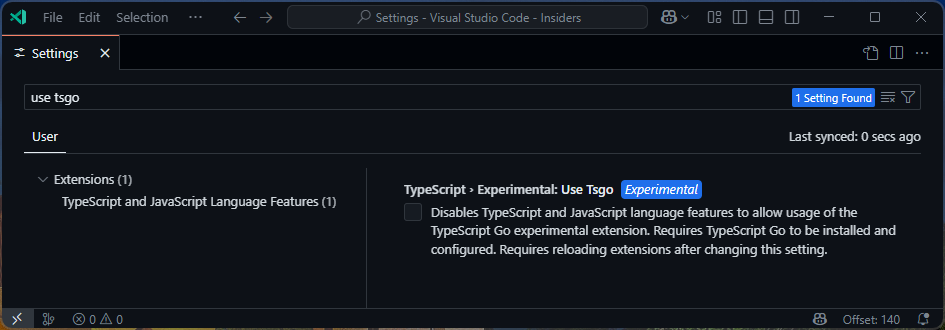
or by adding the following line to your JSON settings:
"typescript.experimental.useTsgo": true,
Updates, Release Cadence, and Roadmap
These previews will eventually become TypeScript 7 and will be published nightly so that you can easily try the latest developments on the TypeScript native port effort. If you use the VS Code extension, you should get automatic updates by default. If for whatever reason you find any sort of disruption, we encourage you to file an issue and temporarily disable the new language service with the command “TypeScript Native Preview: Disable”:
or by configuring any of the settings mentioned above.
Keep in mind, these native previews are missing lots of functionality that stable versions of TypeScript have today.
That includes command-line functionality like --build (though individual projects can still be built with tsgo), --declaration emit, and certain downlevel emit targets.
Similarly, editor functionality like auto-imports, find-all-references, and rename are still pending implementation.
But we encourage developers to check back frequently, as we’ll be hard at work on these features!
What’s New?
Since our initial announcement, we have made some notable strides in type-checking support, testability, editor support, and APIs. We would also love to give a brief update of what we’ve accomplished, plus what’s on the horizon.
Note that while the native preview will eventually be called TypeScript 7, we’ve casually been referring to it as “Project Corsa” in the meantime. We’ve also been more explicit in referring to the codebase that makes up TypeScript 5.8 as our current JS-based codebase, or “Strada”. So in our updates, you’ll see us differentiate the native and stable versions of TypeScript as “Corsa” (TS7) and “Strada” (TS 5.8).
Fuller Type-Checking Support
The majority of the type-checker has been ported at this time.
That is to say, most projects should see the same errors apart from those affected by some intentional changes (e.g. this change to the ordering of types) and some stale definitions in lib.d.ts.
If you see any divergences and differences, we encourage you to file an issue to let us know.
It is worth calling out support for two major type-checking features that have been added since our initial announcement: JSX and JavaScript+JSDoc.
JSX Checking Support
When developers first got access to the TypeScript native port, we had to temper expectations. While type-checking was pretty far along, some constructs were still not fully checked yet. For many developers, the most notable omission was JSX. While Corsa was able to parse JSX, it would mostly just pass over JSX expressions when type-checking and note that JSX was not-yet supported.
Since then, we’ve actually added type-checking support for JSX and we can get a better sense of how fast a real JSX project can be built.
As an example codebase, we looked at the codebase for Sentry.
If you run TypeScript 5.8 from the repository root with --extendedDiagnostics --noEmit, you’ll get something like the following:
$ tsc -p . --noEmit --extendedDiagnostics
Files:                         9306
Lines of Library:             43159
Lines of Definitions:        352182
Lines of TypeScript:        1113969
Lines of JavaScript:           1106
Lines of JSON:                  304
Lines of Other:                   0
Identifiers:                1956007
Symbols:                    3563371
Types:                       999619
Instantiations:             3675199
Memory used:               3356832K
Assignability cache size:    944737
Identity cache size:          43226
Subtype cache size:          110171
Strict subtype cache size:   430338
I/O Read time:                1.40s
Parse time:                   3.48s
ResolveModule time:           1.88s
ResolveTypeReference time:    0.02s
ResolveLibrary time:          0.01s
Program time:                 7.78s
Bind time:                    1.77s
Check time:                  63.26s
printTime time:               0.00s
Emit time:                    0.00s
Total time:                  72.81s
That’s over a minute to type-check this codebase! Let’s see how the native port fares with some minimal changes.
$ tsgo -p . --noEmit --extendedDiagnostics
...
Files:              9292
Lines:           1508361
Identifiers:     1954236
Symbols:         5011565
Types:           1689528
Instantiations:  6524885
Memory used:    3892267K
Memory allocs:  61043466
Parse time:       0.712s
Bind time:        0.133s
Check time:       5.882s
Emit time:        0.012s
Total time:       6.761s
There are some discrepancies in results, but Corsa brings build times down from over a minute to just under 7 seconds on the same machine.
Your results may vary, but in general we’ve seen consistent speed-ups of over 10x on this specific example.
You can try introducing an error in existing JSX code and tsgo will catch it.
You can see more over at our PR to port JSX type-checking, plus some follow-on support for tslib and JSX factory imports.
JavaScript Checking
TypeScript supports parsing and type-checking JavaScript files.
Because valid JavaScript/ECMAScript doesn’t support type-specific syntax like annotations or interface and type declarations, TypeScript looks at JSDoc comments in JS source code for type analysis.
The native previews of TypeScript now also support type-checking JS files. In developing JS type-checking for Corsa, we revisited our early decisions in our implementation. JavaScript support was built up in a very organic way and, in turn, analyzed very specific patterns that may no longer be (or may never have been) in widespread use. In order to simplify the new codebase, JavaScript support has been rewritten rather than ported. As a result, there may be some constructs that may need to be rewritten, or to use a more idiomatic/modern JS style.
If this causes difficulties for your project, we are open to feedback on the issue tracker.
Editor Support & LSP Progress
When we released the Corsa codebase, it included a very rudimentary LSP-based language server. While most tangible development has been on the compiler itself, we have been iterating on multiple fronts to port our editor functionality in this new system. Because the Strada codebase communicates with editors via the TSServer format that predates LSP, we are not aiming to do a perfect 1:1 port between the codebases. This means that porting code often requires more manual porting and has required a bit more up-front thought in how we generate type definitions that conform to LSP. Gathering errors/diagnostics, go-to-definition, and hover work in very early stages.
Most recently, we have hit another milestone: we have enabled completions! While auto-imports and other features around completions are not fully ported, this may be enough for many teams in large codebases. Going forward, our priorities are in porting over our existing language server test suite, along with enabling find-all-references, rename, and signature help.
API Progress
A big challenge as part of this port will be continuity with API consumers of TypeScript. We have the initial foundation of an API layer that can be leveraged over standard I/O. This work means that API consumers can communicate with a TypeScript process through IPC regardless of the consuming language. Since we know that many API consumers will be writing TypeScript and JavaScript code, we also have JavaScript-based clients for interacting with the API.
Because so much TypeScript API usage today is synchronous, we wanted to make it possible to communicate with this process in a synchronous way. Node.js unfortunately doesn’t provide an easy way to communicate synchronously with a child process, so we developed a native Node.js module in Rust (which should make lots of people happy) called libsyncrpc.
We are still in the early days of API design here, but we are open to thoughts and feedback on the matter. More details about the current API server are available here.
Known and Notable Differences
As we’ve mentioned, the Corsa compiler and language service may still have some differences from Strada.
There are some differences that you may hit early on in trying out tsgo and the Native Preview VS Code extension.
Some of those come from eventual TypeScript 6.0 deprecations, like node/node10 resolution (in favor of node16, nodenext, and bundler).
If you use --moduleResolution node or --module commonjs, you may see some errors like:
Cannot find module 'blah' or its corresponding type declarations.
Module '"module"' has no exported member 'Thing'.
You will get consistent errors if you switch your tsconfig.json settings to use
{
    "compilerOptions": {
        // ...
        "module": "preserve",
        "moduleResolution": "bundler",
    }
}
or
{
    "compilerOptions": {
        // ...
        "module": "nodenext"
    }
}
These can be manually fixed depending on your configuration, though often you can remove the imports and leverage auto-imports to do “the right thing”.
Beyond deprecations, downlevel emit to older targets is limited, and JSX emit only works as far as preserving what you wrote.
Declaration emit is currently not supported either.
--build mode and language service functionality around project references is still not available, though project dependencies can be built through tsc, and the native preview language service can often leverage generated .d.ts files.
What’s Next?
By later this year, we will aim to have a more complete version of our compiler with major features like --build, along with most language service features for editors.
But we don’t expect you to wait that long! As TypeScript Native Previews are published nightly, we’ll aim to provide periodic updates on major notable developments. So give the native previews a shot!
Happy Hacking!
– Daniel Rosenwasser and the TypeScript Team
The post Announcing TypeScript Native Previews appeared first on TypeScript.
]]>Today I’m excited to announce the next steps we’re taking to radically improve TypeScript performance. The core value proposition of TypeScript is an excellent developer experience. As your codebase grows, so does the value of TypeScript itself, but in many cases TypeScript has not been able to scale up to the very largest codebases. Developers […]
The post A 10x Faster TypeScript appeared first on TypeScript.
]]>Today I’m excited to announce the next steps we’re taking to radically improve TypeScript performance.
The core value proposition of TypeScript is an excellent developer experience. As your codebase grows, so does the value of TypeScript itself, but in many cases TypeScript has not been able to scale up to the very largest codebases. Developers working in large projects can experience long load and check times, and have to choose between reasonable editor startup time or getting a complete view of their source code. We know developers love when they can rename variables with confidence, find all references to a particular function, easily navigate their codebase, and do all of those things without delay. New experiences powered by AI benefit from large windows of semantic information that need to be available with tighter latency constraints. We also want fast command-line builds to validate that your entire codebase is in good shape.
To meet those goals, we’ve begun work on a native port of the TypeScript compiler and tools.
The native implementation will drastically improve editor startup, reduce most build times by 10x, and substantially reduce memory usage.
By porting the current codebase, we expect to be able to preview a native implementation of tsc capable of command-line typechecking by mid-2025, with a feature-complete solution for project builds and a language service by the end of the year.
You can build and run the Go code from our new working repo, which is offered under the same license as the existing TypeScript codebase.
Check the README for instructions on how to build and run tsc and the language server, and to see a summary of what’s implemented so far.
We’ll be posting regular updates as new functionality becomes available for testing.
How Much Faster?
Our native implementation is already capable of loading many popular TypeScript projects, including the TypeScript compiler itself.
Here are times to run tsc on some popular codebases on GitHub of varying sizes:
| Codebase | Size (LOC) | Current | Native | Speedup |
|---|---|---|---|---|
| VS Code | 1,505,000 | 77.8s | 7.5s | 10.4x |
| Playwright | 356,000 | 11.1s | 1.1s | 10.1x |
| TypeORM | 270,000 | 17.5s | 1.3s | 13.5x |
| date-fns | 104,000 | 6.5s | 0.7s | 9.5x |
| tRPC (server + client) | 18,000 | 5.5s | 0.6s | 9.1x |
| rxjs (observable) | 2,100 | 1.1s | 0.1s | 11.0x |
While we’re not yet feature-complete, these numbers are representative of the order of magnitude performance improvement you’ll see checking most codebases.
We’re incredibly excited about the opportunities that this massive speed boost creates. Features that once seemed out of reach are now within grasp. This native port will be able to provide instant, comprehensive error listings across an entire project, support more advanced refactorings, and enable deeper insights that were previously too expensive to compute. This new foundation goes beyond today’s developer experience and will enable the next generation of AI tools to enhance development, powering new tools that will learn, adapt, and improve the coding experience.
Editor Speed
Most developer time is spent in editors, and it’s where performance is most important. We want editors to load large projects quickly, and respond quickly in all situations. Modern editors like Visual Studio and Visual Studio Code have excellent performance as long as the underlying language services are also fast. With our native implementation, we’ll be able to provide incredibly fast editor experiences.
Again using the Visual Studio Code codebase as a benchmark, the current time to load the entire project in the editor on a fast computer is about 9.6 seconds. This drops down to about 1.2 seconds with the native language service, an 8x improvement in project load time in editor scenarios. What this translates to is a faster working experience from the time you open your editor to your first keystroke in any TypeScript codebase. We expect all projects to see this level of improvement in load time.
Overall memory usage also appears to be roughly half of the current implementation, though we haven’t actively investigated optimizing this yet and expect to realize further improvements. Editor responsiveness for all language service operations (including completion lists, quick info, go to definition, and find all references) will also see significant speed gains. We’ll also be moving to the Language Server Protocol (LSP), a longstanding infrastructural work item to better align our implementation with other languages.
Versioning Roadmap
Our most recent TypeScript release was TypeScript 5.8, with TypeScript 5.9 coming soon. The JS-based codebase will continue development into the 6.x series, and TypeScript 6.0 will introduce some deprecations and breaking changes to align with the upcoming native codebase.
When the native codebase has reached sufficient parity with the current TypeScript, we’ll be releasing it as TypeScript 7.0. This is still in development and we’ll be announcing stability and feature milestones as they occur.
For the sake of clarity, we’ll refer to them simply as TypeScript 6 (JS) and TypeScript 7 (native), since this will be the nomenclature for the foreseeable future. You may also see us refer to “Strada” (the original TypeScript codename) and “Corsa” (the codename for this effort) in internal discussions or code comments.
While some projects may be able to switch to TypeScript 7 upon release, others may depend on certain API features, legacy configurations, or other constraints that necessitate using TypeScript 6. Recognizing TypeScript’s critical role in the JS development ecosystem, we’ll still be maintaining the JS codebase in the 6.x line until TypeScript 7+ reaches sufficient maturity and adoption.
Our long-term goal is to keep these versions as closely aligned as possible so that you can upgrade to TypeScript 7 as soon as it meets your requirements, or fall back to TypeScript 6 if necessary.
Next Steps
In the coming months we’ll be sharing more about this exciting effort, including deeper looks into performance, a new compiler API, LSP, and more. We’ve written up some FAQs on the GitHub repo to address some questions we expect you might have. We also invite you to join us for an AMA at the TypeScript Community Discord at 10 AM PDT | 5 PM UTC on March 13th.
A 10x performance improvement represents a massive leap in the TypeScript and JavaScript development experience, so we hope you are as enthusiastic as we are for this effort!
The post A 10x Faster TypeScript appeared first on TypeScript.
]]>Today we’re excited to announce the release of TypeScript 5.8! If you’re not familiar with TypeScript, it’s a language that builds on top of JavaScript by adding syntax for types. Writing types in our code allows us to explain intent and have other tools check our code to catch mistakes like typos, issues with null […]
The post Announcing TypeScript 5.8 appeared first on TypeScript.
]]>Today we’re excited to announce the release of TypeScript 5.8!
If you’re not familiar with TypeScript, it’s a language that builds on top of JavaScript by adding syntax for types.
Writing types in our code allows us to explain intent and have other tools check our code to catch mistakes like typos, issues with null and undefined, and more.
Types also power TypeScript’s editor tooling like the auto-completion, code navigation, and refactorings that you might see in editors like Visual Studio and VS Code.
In fact, TypeScript and its ecosystem powers the JavaScript experience in both of those editors as well!
To get started using TypeScript, you can install it through npm with the following command:
npm install -D typescript
Let’s take a look at what’s new in TypeScript 5.8!
What’s New Since the Beta and RC?
Since our beta release, we have had to pull back some work on how functions with conditional return types are checked. Based on some of the limitations and changes we wanted to make, we decided to iterate on the feature with the goal of shipping it in TypeScript 5.9. However, as part of this work, we added more granular checks for branches within return expressions. This enhancement was not documented in the beta post, but will remain in TypeScript 5.8.
No new major changes have been added since the release candidate.
Granular Checks for Branches in Return Expressions
Consider some code like the following:
declare const untypedCache: Map<any, any>;

function getUrlObject(urlString: string): URL {
    return untypedCache.has(urlString) ?
        untypedCache.get(urlString) :
        urlString;
}
The intent of this code is to retrieve a URL object from a cache if it exists, or to create a new URL object if it doesn’t. However, there’s a bug: we forgot to actually construct a new URL object with the input. Unfortunately, TypeScript generally didn’t catch this sort of bug.
When TypeScript checks conditional expressions like cond ? trueBranch : falseBranch, its type is treated as a union of the types of the two branches.
In other words, it gets the type of trueBranch and falseBranch, and combines them into a union type.
In this case, the type of untypedCache.get(urlString) is any, and the type of urlString is string.
This is where things go wrong because any is so infectious in how it interacts with other types.
The union any | string is simplified to any, so by the time TypeScript starts checking whether the expression in our return statement is compatible with the expected return type of URL, the type system has lost any information that would have caught the bug in this code.
In TypeScript 5.8, the type system special-cases conditional expressions directly inside return statements.
Each branch of the conditional is checked against the declared return type of the containing functions (if one exists), so the type system can catch the bug in the example above.
declare const untypedCache: Map<any, any>;

function getUrlObject(urlString: string): URL {
    return untypedCache.has(urlString) ?
        untypedCache.get(urlString) :
        urlString;
    //  ~~~~~~~~~
    // error! Type 'string' is not assignable to type 'URL'.
}
This change was made within this pull request, as part of a broader set of future improvements for TypeScript.
Support for require() of ECMAScript Modules in --module nodenext
For years, Node.js supported ECMAScript modules (ESM) alongside CommonJS modules. Unfortunately, the interoperability between the two had some challenges.
- ESM files could
importCommonJS files - CommonJS files could not
require()ESM files
In other words, consuming CommonJS files from ESM files was possible, but not the other way around. This introduced many challenges for library authors who wanted to provide ESM support. These library authors would either have to break compatibility with CommonJS users, “dual-publish” their libraries (providing separate entry-points for ESM and CommonJS), or just stay on CommonJS indefinitely. While dual-publishing might sound like a good middle-ground, it is a complex and error-prone process that also roughly doubles the amount of code within a package.
Node.js 22 relaxes some of these restrictions and permits require("esm") calls from CommonJS modules to ECMAScript modules.
Node.js still does not permit require() on ESM files that contain a top-level await, but most other ESM files are now consumable from CommonJS files.
This presents a major opportunity for library authors to provide ESM support without having to dual-publish their libraries.
TypeScript 5.8 supports this behavior under the --module nodenext flag.
When --module nodenext is enabled, TypeScript will avoid issuing errors on these require() calls to ESM files.
Because this feature may be back-ported to older versions of Node.js, there is currently no stable --module nodeXXXX option that enables this behavior;
however, we predict future versions of TypeScript may be able to stabilize the feature under node20.
In the meantime, we encourage users of Node.js 22 and newer to use --module nodenext, while library authors and users of older Node.js versions should remain on --module node16 (or make the minor update to --module node18).
For more information, see our support for require(“esm”) here.
--module node18
TypeScript 5.8 introduces a stable --module node18 flag.
For users who are fixed on using Node.js 18, this flag provides a stable point of reference that does not incorporate certain behaviors that are in --module nodenext.
Specifically:
require()of ECMAScript modules is disallowed undernode18, but allowed undernodenext- import assertions (deprecated in favor of import attributes) are allowed under
node18, but are disallowed undernodenext
See more at both the --module node18 pull request and changes made to --module nodenext.
The --erasableSyntaxOnly Option
Recently, Node.js 23.6 unflagged experimental support for running TypeScript files directly;
however, only certain constructs are supported under this mode.
Node.js has unflagged a mode called --experimental-strip-types which requires that any TypeScript-specific syntax cannot have runtime semantics.
Phrased differently, it must be possible to easily erase or “strip out” any TypeScript-specific syntax from a file, leaving behind a valid JavaScript file.
That means constructs like the following are not supported:
enumdeclarationsnamespaces andmodules with runtime code- parameter properties in classes
import =aliases
Here are some examples of what does not work:
// ❌ error: A namespace with runtime code.
namespace container {
    foo.method();

    export type Bar = string;
}

// ❌ error: An `import =` alias
import Bar = container.Bar;

class Point {
    // ❌ error: Parameter properties
    constructor(public x: number, public y: number) { }
}

// ❌ error: An enum declaration.
enum Direction {
    Up,
    Down,
    Left,
    Right,
}
Similar tools like ts-blank-space or Amaro (the underlying library for type-stripping in Node.js) have the same limitations. These tools will provide helpful error messages if they encounter code that doesn’t meet these requirements, but you still won’t find out your code doesn’t work until you actually try to run it.
That’s why TypeScript 5.8 introduces the --erasableSyntaxOnly flag.
When this flag is enabled, TypeScript will error on most TypeScript-specific constructs that have runtime behavior.
class C {
    constructor(public x: number) { }
    //          ~~~~~~~~~~~~~~~~
    // error! This syntax is not allowed when 'erasableSyntaxOnly' is enabled.
    }
}
Typically, you will want to combine this flag with the --verbatimModuleSyntax, which ensures that a module contains the appropriate import syntax, and that import elision does not take place.
For more information, see the implementation here.
The --libReplacement Flag
In TypeScript 4.5, we introduced the possibility of substituting the default lib files with custom ones.
This was based on the possibility of resolving a library file from packages named @typescript/lib-*.
For example, you could lock your dom libraries onto a specific version of the @types/web package with the following package.json:
{
    "devDependencies": {
       "@typescript/lib-dom": "npm:@types/[email protected]"
     }
}
When installed, a package called @typescript/lib-dom should exist, and TypeScript will currently always look it up when dom is implied by your settings.
This is a powerful feature, but it also incurs a bit of extra work.
Even if you’re not using this feature, TypeScript always performs this lookup, and has to watch for changes in node_modules in case a lib-replacement package begins to exist.
TypeScript 5.8 introduces the --libReplacement flag, which allows you to disable this behavior.
If you’re not using --libReplacement, you can now disable it with --libReplacement false.
In the future --libReplacement false may become the default, so if you currently rely on the behavior you should consider explicitly enabling it with --libReplacement true.
For more information, see the change here.
Preserved Computed Property Names in Declaration Files
In an effort to make computed properties have more predictable emit in declaration files, TypeScript 5.8 will consistently preserve entity names (bareVariables and dotted.names.that.look.like.this) in computed property names in classes.
For example, consider the following code:
export let propName = "theAnswer";

export class MyClass {
    [propName] = 42;
//  ~~~~~~~~~~
// error!
// A computed property name in a class property declaration must have a simple literal type or a 'unique symbol' type.
}
Previous versions of TypeScript would issue an error when generating a declaration file for this module, and a best-effort declaration file would generate an index signature.
export declare let propName: string;
export declare class MyClass {
    [x: string]: number;
}
In TypeScript 5.8, the example code is now allowed, and the emitted declaration file will match what you wrote:
export declare let propName: string;
export declare class MyClass {
    [propName]: number;
}
Note that this does not create statically-named properties on the class.
You’ll still end up with what is effectively an index signature like [x: string]: number, so for that use case, you’d need to use unique symbols or literal types.
Note that writing this code was and currently is an error under the --isolatedDeclarations flag;
but we expect that thanks to this change, computed property names will generally be permitted in declaration emit.
Note that it’s possible (though unlikely) that a file compiled in TypeScript 5.8 may generate a declaration file that is not backward compatible in TypeScript 5.7 or earlier.
For more information, see the implementing PR.
Optimizations on Program Loads and Updates
TypeScript 5.8 introduces a number of optimizations that can both improve the time to build up a program, and also to update a program based on a file change in either --watch mode or editor scenarios.
First, TypeScript now avoids array allocations that would be involved while normalizing paths. Typically, path normalization would involve segmenting each portion of a path into an array of strings, normalizing the resulting path based on relative segments, and then joining them back together using a canonical separator. For projects with many files, this can be a significant and repetitive amount of work. TypeScript now avoids allocating an array, and operates more directly on indexes of the original path.
Additionally, when edits are made that don’t change the fundamental structure of a project, TypeScript now avoids re-validating the options provided to it (e.g. the contents of a tsconfig.json).
This means, for example, that a simple edit might not require checking that the output paths of a project don’t conflict with the input paths.
Instead, the results of the last check can be used.
This should make edits in large projects feel more responsive.
Notable Behavioral Changes
This section highlights a set of noteworthy changes that should be acknowledged and understood as part of any upgrade. Sometimes it will highlight deprecations, removals, and new restrictions. It can also contain bug fixes that are functionally improvements, but which can also affect an existing build by introducing new errors.
lib.d.ts
Types generated for the DOM may have an impact on type-checking your codebase.
For more information, see linked issues related to DOM and lib.d.ts updates for this version of TypeScript.
Restrictions on Import Assertions Under --module nodenext
Import assertions were a proposed addition to ECMAScript to ensure certain properties of an import (e.g. “this module is JSON, and is not intended to be executable JavaScript code”).
They were reinvented as a proposal called import attributes.
As part of the transition, they swapped from using the assert keyword to using the with keyword.
// An import assertion ❌ - not future-compatible with most runtimes.
import data from "./data.json" assert { type: "json" };

// An import attribute ✅ - the preferred way to import a JSON file.
import data from "./data.json" with { type: "json" };
Node.js 22 no longer accepts import assertions using the assert syntax.
In turn when --module nodenext is enabled in TypeScript 5.8, TypeScript will issue an error if it encounters an import assertion.
import data from "./data.json" assert { type: "json" };
//                             ~~~~~~
// error! Import assertions have been replaced by import attributes. Use 'with' instead of 'assert'
For more information, see the change here
What’s Next?
The next version of TypeScript will be TypeScript 5.9, and we’ll have more details through an upcoming iteration plan on our issue tracker.
That will have precise target dates and more details on upcoming features that we plan to work on.
In the meantime, you can try out early versions of TypeScript 5.9 today by installing our nightly builds from npm with npm install typescript@next, or by using the VS Code TypeScript Nightly extension.
Until then, TypeScript 5.8 is here and ready to use, and we’re excited for you to install it today! We hope that this release makes your day-to-day coding a joy.
Happy Hacking!
– Daniel Rosenwasser and the TypeScript Team
The post Announcing TypeScript 5.8 appeared first on TypeScript.
]]>Today we are excited to announce the Release Candidate (RC) of TypeScript 5.8! To get started using the Release Candidate, you can get it through npm with the following command: npm install -D typescript@rc Let’s take a look at what’s new in TypeScript 5.8! What’s New Since the Beta? Since our beta release, we have […]
The post Announcing TypeScript 5.8 RC appeared first on TypeScript.
]]>Today we are excited to announce the Release Candidate (RC) of TypeScript 5.8!
To get started using the Release Candidate, you can get it through npm with the following command:
npm install -D typescript@rc
Let’s take a look at what’s new in TypeScript 5.8!
What’s New Since the Beta?
Since our beta release, we have had to pull back some work on how functions with conditional return types are checked. Based on some of the limitations and changes we wanted to make, we decided to iterate on the feature with the goal of shipping it in TypeScript 5.9. However, as part of this work, we added more granular checks for branches within return expressions. This enhancement was not documented in the beta post, but will remain in TypeScript 5.8.
Granular Checks for Branches in Return Expressions
Consider some code like the following:
declare const untypedCache: Map<any, any>;

function getUrlObject(urlString: string): URL {
    return untypedCache.has(urlString) ?
        untypedCache.get(urlString) :
        urlString;
}
The intent of this code is to retrieve a URL object from a cache if it exists, or to create a new URL object if it doesn’t. However, there’s a bug: we forgot to actually construct a new URL object with the input. Unfortunately, TypeScript generally didn’t catch this sort of bug.
When TypeScript checks conditional expressions like cond ? trueBranch : falseBranch, its type is treated as a union of the types of the two branches.
In other words, it gets the type of trueBranch and falseBranch, and combines them into a union type.
In this case, the type of untypedCache.get(urlString) is any, and the type of urlString is string.
This is where things go wrong because any is so infectious in how it interacts with other types.
The union any | string is simplified to any, so by the time TypeScript starts checking whether the expression in our return statement is compatible with the expected return type of URL, the type system has lost any information that would have caught the bug in this code.
In TypeScript 5.8, the type system special-cases conditional expressions directly inside return statements.
Each branch of the conditional is checked against the declared return type of the containing functions (if one exists), so the type system can catch the bug in the example above.
declare const untypedCache: Map<any, any>;

function getUrlObject(urlString: string): URL {
    return untypedCache.has(urlString) ?
        untypedCache.get(urlString) :
        urlString;
    //  ~~~~~~~~~
    // error! Type 'string' is not assignable to type 'URL'.
}
This change was made within this pull request, as part of a broader set of future improvements for TypeScript.
Support for require() of ECMAScript Modules in --module nodenext
For years, Node.js supported ECMAScript modules (ESM) alongside CommonJS modules. Unfortunately, the interoperability between the two had some challenges.
- ESM files could
importCommonJS files - CommonJS files could not
require()ESM files
In other words, consuming CommonJS files from ESM files was possible, but not the other way around. This introduced many challenges for library authors who wanted to provide ESM support. These library authors would either have to break compatibility with CommonJS users, "dual-publish" their libraries (providing separate entry-points for ESM and CommonJS), or just stay on CommonJS indefinitely. While dual-publishing might sound like a good middle-ground, it is a complex and error-prone process that also roughly doubles the amount of code within a package.
Node.js 22 relaxes some of these restrictions and permits require("esm") calls from CommonJS modules to ECMAScript modules.
Node.js still does not permit require() on ESM files that contain a top-level await, but most other ESM files are now consumable from CommonJS files.
This presents a major opportunity for library authors to provide ESM support without having to dual-publish their libraries.
TypeScript 5.8 supports this behavior under the --module nodenext flag.
When --module nodenext is enabled, TypeScript will avoid issuing errors on these require() calls to ESM files.
Because this feature may be back-ported to older versions of Node.js, there is currently no stable --module nodeXXXX option that enables this behavior;
however, we predict future versions of TypeScript may be able to stabilize the feature under node20.
In the meantime, we encourage users of Node.js 22 and newer to use --module nodenext, while library authors and users of older Node.js versions should remain on --module node16 (or make the minor update to --module node18).
For more information, see our support for require("esm") here.
--module node18
TypeScript 5.8 introduces a stable --module node18 flag.
For users who are fixed on using Node.js 18, this flag provides a stable point of reference that does not incorporate certain behaviors that are in --module nodenext.
Specifically:
require()of ECMAScript modules is disallowed undernode18, but allowed undernodenext- import assertions (deprecated in favor of import attributes) are allowed under
node18, but are disallowed undernodenext
See more at both the --module node18 pull request and changes made to --module nodenext.
The --erasableSyntaxOnly Option
Recently, Node.js 23.6 unflagged experimental support for running TypeScript files directly;
however, only certain constructs are supported under this mode.
Node.js has unflagged a mode called --experimental-strip-types which requires that any TypeScript-specific syntax cannot have runtime semantics.
Phrased differently, it must be possible to easily erase or "strip out" any TypeScript-specific syntax from a file, leaving behind a valid JavaScript file.
That means constructs like the following are not supported:
enumdeclarationsnamespaces andmodules with runtime code- parameter properties in classes
import =aliases
Here are some examples of what does not work:
// ❌ error: A namespace with runtime code.
namespace container {
    foo.method();

    export type Bar = string;
}

// ❌ error: An `import =` alias
import Bar = container.Bar;

class Point {
    // ❌ error: Parameter properties
    constructor(public x: number, public y: number) { }
}

// ❌ error: An enum declaration.
enum Direction {
    Up,
    Down,
    Left,
    Right,
}
Similar tools like ts-blank-space or Amaro (the underlying library for type-stripping in Node.js) have the same limitations. These tools will provide helpful error messages if they encounter code that doesn’t meet these requirements, but you still won’t find out your code doesn’t work until you actually try to run it.
That’s why TypeScript 5.8 introduces the --erasableSyntaxOnly flag.
When this flag is enabled, TypeScript will error on most TypeScript-specific constructs that have runtime behavior.
class C {
    constructor(public x: number) { }
    //          ~~~~~~~~~~~~~~~~
    // error! This syntax is not allowed when 'erasableSyntaxOnly' is enabled.
    }
}
Typically, you will want to combine this flag with the --verbatimModuleSyntax, which ensures that a module contains the appropriate import syntax, and that import elision does not take place.
For more information, see the implementation here.
The --libReplacement Flag
In TypeScript 4.5, we introduced the possibility of substituting the default lib files with custom ones.
This was based on the possibility of resolving a library file from packages named @typescript/lib-*.
For example, you could lock your dom libraries onto a specific version of the @types/web package with the following package.json:
{
    "devDependencies": {
       "@typescript/lib-dom": "npm:@types/[email protected]"
     }
}
When installed, a package called @typescript/lib-dom should exist, and TypeScript will currently always look it up when dom is implied by your settings.
This is a powerful feature, but it also incurs a bit of extra work.
Even if you’re not using this feature, TypeScript always performs this lookup, and has to watch for changes in node_modules in case a lib-replacement package begins to exist.
TypeScript 5.8 introduces the --libReplacement flag, which allows you to disable this behavior.
If you’re not using --libReplacement, you can now disable it with --libReplacement false.
In the future --libReplacement false may become the default, so if you currently rely on the behavior you should consider explicitly enabling it with --libReplacement true.
For more information, see the change here.
Preserved Computed Property Names in Declaration Files
In an effort to make computed properties have more predictable emit in declaration files, TypeScript 5.8 will consistently preserve entity names (bareVariables and dotted.names.that.look.like.this) in computed property names in classes.
For example, consider the following code:
export let propName = "theAnswer";

export class MyClass {
    [propName] = 42;
//  ~~~~~~~~~~
// error!
// A computed property name in a class property declaration must have a simple literal type or a 'unique symbol' type.
}
Previous versions of TypeScript would issue an error when generating a declaration file for this module, and a best-effort declaration file would generate an index signature.
export declare let propName: string;
export declare class MyClass {
    [x: string]: number;
}
In TypeScript 5.8, the example code is now allowed, and the emitted declaration file will match what you wrote:
export declare let propName: string;
export declare class MyClass {
    [propName]: number;
}
Note that this does not create statically-named properties on the class.
You’ll still end up with what is effectively an index signature like [x: string]: number, so for that use case, you’d need to use unique symbols or literal types.
Note that writing this code was and currently is an error under the --isolatedDeclarations flag;
but we expect that thanks to this change, computed property names will generally be permitted in declaration emit.
Note that it’s possible (though unlikely) that a file compiled in TypeScript 5.8 may generate a declaration file that is not backward compatible in TypeScript 5.7 or earlier.
For more information, see the implementing PR.
Optimizations on Program Loads and Updates
TypeScript 5.8 introduces a number of optimizations that can both improve the time to build up a program, and also to update a program based on a file change in either --watch mode or editor scenarios.
First, TypeScript now avoids array allocations that would be involved while normalizing paths. Typically, path normalization would involve segmenting each portion of a path into an array of strings, normalizing the resulting path based on relative segments, and then joining them back together using a canonical separator. For projects with many files, this can be a significant and repetitive amount of work. TypeScript now avoids allocating an array, and operates more directly on indexes of the original path.
Additionally, when edits are made that don’t change the fundamental structure of a project, TypeScript now avoids re-validating the options provided to it (e.g. the contents of a tsconfig.json).
This means, for example, that a simple edit might not require checking that the output paths of a project don’t conflict with the input paths.
Instead, the results of the last check can be used.
This should make edits in large projects feel more responsive.
Notable Behavioral Changes
This section highlights a set of noteworthy changes that should be acknowledged and understood as part of any upgrade. Sometimes it will highlight deprecations, removals, and new restrictions. It can also contain bug fixes that are functionally improvements, but which can also affect an existing build by introducing new errors.
lib.d.ts
Types generated for the DOM may have an impact on type-checking your codebase.
For more information, see linked issues related to DOM and lib.d.ts updates for this version of TypeScript.
Restrictions on Import Assertions Under --module nodenext
Import assertions were a proposed addition to ECMAScript to ensure certain properties of an import (e.g. "this module is JSON, and is not intended to be executable JavaScript code").
They were reinvented as a proposal called import attributes.
As part of the transition, they swapped from using the assert keyword to using the with keyword.
// An import assertion ❌ - not future-compatible with most runtimes.
import data from "./data.json" assert { type: "json" };

// An import attribute ✅ - the preferred way to import a JSON file.
import data from "./data.json" with { type: "json" };
Node.js 22 no longer accepts import assertions using the assert syntax.
In turn when --module nodenext is enabled in TypeScript 5.8, TypeScript will issue an error if it encounters an import assertion.
import data from "./data.json" assert { type: "json" };
//                             ~~~~~~
// error! Import assertions have been replaced by import attributes. Use 'with' instead of 'assert'
For more information, see the change here
What’s Next?
At this point, we anticipate very few changes to TypeScript 5.8 apart from critical bug fixes to the compiler and minor bug fixes to the language service. In the next few weeks, we’ll be releasing the first stable version of TypeScript 5.8. Keep an eye on our iteration plan for target release dates and more if you need to coordinate around that.
Otherwise, our main focus is on developing our next version of TypeScript, and we’ll have the iteration plan available in the coming days (including scheduled release dates). On top of that, we make it easy to use nightly builds of TypeScript on npm, and there is an extension to use those nightly releases in Visual Studio Code.
So give the RC or our nightlies a try! We encourage you to provide any feedback you might have on GitHub.
Happy Hacking!
– Daniel Rosenwasser and the TypeScript Team
The post Announcing TypeScript 5.8 RC appeared first on TypeScript.
]]>